草庐IT

搭建Nginx+PHP环境

loofeer 2023-03-28 原文
搭建Nginx+PHP环境

一. 源码包编译安装部署web服务器
1.安装nginx必须的依赖包
[root@test01 ~]# yum -y install gcc openssl-devel pcre-devel zlib-devel
2.安装编译nginx,目前系统测试环境为CentOS6.3 软件版本为nginx-1.2.6
[root@test01 ~]# useradd nginx -s /sbin/nologin
[root@test01 ~]# tar zxvf nginx-1.2.6.tar.gz 
[root@test01 ~]# cd nginx-1.2.6 
[root@test01 nginx-1.2.6]# ./configure --user=nginx --group=nginx --prefix=/usr/local/nginx/ --with-http_stub_status_module --with-http_ssl_module  
// --with-http_stub_status_module 安装允许状态模块
// --with-http_ssl_module 安装ssl模块
[root@test01 ~]# /usr/local/nginx/sbin/nginx -v //查看Nginx的相关环境配置信息是否正确
nginx version: nginx/1.2.6
[root@test01 ~]#
[root@test01 nginx-1.2.6]# make & make install   //编译安装过程略
 
3.通过nginx自身脚本机器nginx服务器,并通过各种命令查看是否启动成功
[root@test01 ~]# /usr/local/nginx/sbin/nginx -c /usr/local/nginx/conf/nginx.conf   // -c指向nginx主配置文件
[root@test01 ~]# lsof -i :80 //查看nginx进程号及运行情况
COMMAND   PID USER   FD   TYPE DEVICE SIZE/OFF NODE NAME
nginx   21910 root    9u IPv4 262148      0t0 TCP *:http (LISTEN)
nginx   21911 nginx    9u IPv4 262148      0t0 TCP *:http (LISTEN)
[root@test01 ~]# ps -ef | grep nginx //查看nginx进程号及运行情况
root     21910     1 0 10:41 ?        00:00:00 nginx: master process /usr/local/nginx/sbin/nginx -c /usr/local/nginx/conf/nginx.conf
nginx    21911 21910 0 10:41 ?        00:00:00 nginx: worker process          
root     21957 21755 0 10:42 pts/0    00:00:00 grep nginx
[root@test01 ~]# netstat -nltp | grep 80 //查看nginx进程监听端口
[root@test01 ~]# netstat -an |grep 80
tcp        0      0 0.0.0.0:80                  0.0.0.0:*                   LISTEN
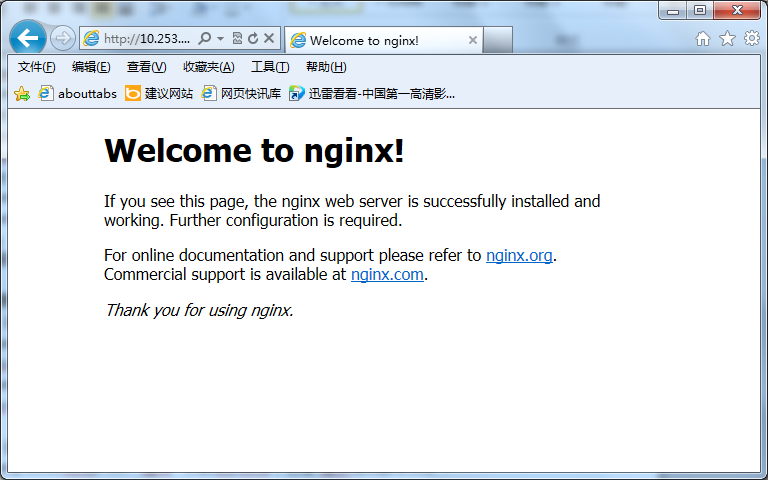
4.通过windows服务器IE浏览器测试
 

扩展知识:
1)设置nginx开机自动启动,将nginx启动命令添加到/etc/rc.local
[root@test01 ~]# echo "/usr/local/nginx/sbin/nginx -c /usr/local/nginx/conf/nginx.conf" >> /etc/rc.local 
[root@test01 ~]# cat /etc/rc.local | grep nginx
/usr/local/nginx/sbin/nginx -c /usr/local/nginx/conf/nginx.conf
 
2)通过设置System V 脚本,使用server命令启动nginx服务
[root@test01 init.d]# vim nginx //在/etc/init.d/下创建nginx启动脚本文件
#!/bin/sh
#
# nginx - this script starts and stops the nginx daemon
#
# chkconfig: - 85 15
# description: Nginx is an HTTP(S) server, HTTP(S) reverse \
#   proxy and IMAP/POP3 proxy server
# processname: nginx
# config: /etc/nginx/nginx.conf
# config: /etc/sysconfig/nginx
# pidfile: /var/run/nginx.pid
# Source function library.
. /etc/rc.d/init.d/functions
# Source networking configuration.
. /etc/sysconfig/network
# Check that networking is up.
[ "$NETWORKING" = "no" ] && exit 0
    nginx="/usr/local/nginx/sbin/nginx"
    prog=$(basename $nginx)
    NGINX_CONF_FILE="/usr/local/nginx/conf/nginx.conf"
[ -f /etc/sysconfig/nginx ] && . /etc/sysconfig/nginx
    lockfile=/var/lock/subsys/nginx
 
start() {
    [ -x $nginx ] || exit 5
    [ -f $NGINX_CONF_FILE ] || exit 6
    echo -n $"Starting $prog: "
    daemon $nginx -c $NGINX_CONF_FILE
    retval=$?
    echo
[ $retval -eq 0 ] && touch $lockfile
    return $retval
}
 
stop() {
    echo -n $"Stopping $prog: "
    killproc $prog -QUIT
    retval=$?
    echo
[ $retval -eq 0 ] && rm -f $lockfile
    return $retval
    killall -9 nginx
}
 
restart() {
    configtest || return $?
    stop
    sleep 1
    start
}
 
reload() {
    configtest || return $?
    echo -n $"Reloading $prog: "
    killproc $nginx -HUP
    RETVAL=$?
    echo
}
 
force_reload() {
    restart
}
 
configtest() {
    $nginx -t -c $NGINX_CONF_FILE
}
 
rh_status() {
    status $prog
}
 
rh_status_q() {
    rh_status >/dev/null 2>&1
}
 
case "$1" in
    start)
        rh_status_q && exit 0
        $1
    ;;
    stop)
        rh_status_q || exit 0
        $1
    ;;
    restart|configtest)
        $1
    ;;
    reload)
        rh_status_q || exit 7
        $1
    ;;
    force-reload)
        force_reload
    ;;
    status)
        rh_status
    ;;
    condrestart|try-restart)
        rh_status_q || exit 0
    ;;
    *)
        echo $"Usage: $0 {start|stop|status|restart|condrestart|try-restart|reload|force-reload|configtest}"
        exit 2
esac
 
[root@test01 init.d]# chmod 755 nginx   //修改脚本文件nginx的权限
[root@test01 init.d]# chkconfig --add nginx //将脚本文件加入chkconfig中
[root@test01 init.d]# chkconfig --level 35 nginx on //设置nginx开机在3和5级别自动启动
[root@test01 init.d]# chkconfig --list | grep nginx
nginx           0:off   1:off   2:off   3:on    4:off   5:on    6:off
测试nginx脚本文件是否能够正常使用
[root@test01 init.d]# /etc/init.d/nginx restart //重新启动
nginx: the configuration file /usr/local/nginx/conf/nginx.conf syntax is ok
nginx: configuration file /usr/local/nginx/conf/nginx.conf test is successful
Stopping nginx:                                            [ OK ]
Starting nginx:                                            [ OK ]
[root@test01 init.d]# /etc/init.d/nginx reload //不间断服务平滑重启
nginx: the configuration file /usr/local/nginx/conf/nginx.conf syntax is ok
nginx: configuration file /usr/local/nginx/conf/nginx.conf test is successful
Reloading nginx:                                           [ OK ]
[root@test01 ~]# cat /usr/local/nginx/logs/nginx.pid //存储了nginx运行的进程号
15799
[root@test01 ~]# kill -HUP `cat /usr/local/nginx/logs/nginx.pid` //不间断服务重新启动nginx
 [root@test01 init.d]# /etc/init.d/nginx stop
Stopping nginx:                                            [ OK ]
[root@test01 init.d]# killall -9 nginx //结束nginx的全部经常
 
[root@test01 html]# pwd //安装nginx完成后,默认网站的路径
/usr/local/nginx/html
[root@test01 html]# ll    //可以查看到默认网站为index.html,内容为以上测试内容。
total 8
-rw-r--r--. 1 root root 537 Feb 27 11:40 50x.html
-rw-r--r--. 1 root root 612 Feb 27 11:40 index.html
二.安装php环境
nginx目前还不能直接支持php,必须先借助于fastcgi来驱动php。现在fastcgi较好的办法有2种,一个是spawn-fcgi,另外一个就是php-fpm,一般来说可能php-fpm更强大一点.
由于PHP5.3版本以后就自带php-fpm了,所以如果你用源码安装的话只需要enable fpm就可以了,下面来说说通过yum安装php-fpm
开始安装Nginx和PHP-FPM之前,你必须卸载系统中以前安装的Apache和PHP。用root登录输入下面的命令:
yum remove httpd* php*
增加额外资源库:
默认情况下,CentOS的官方资源是没有php-fpm的, 但我们可以从Remi的RPM资源中获得,它依赖于EPEL资源。我们可以这样增加两个资源库:
yum install yum-priorities –y
wget http://download.fedoraproject.org/pub/epel/6/i386/epel-release-6-8.noarch.rpm
wget http://rpms.famillecollet.com/enterprise/remi-release-6.rpm
rpm -Uvh epel-release-6-8.noarch.rpm
rpm -Uvh remi-release-6.rpm
安装php,php-ftpm
yum --enablerepo=remi install php php-fpm
添加到系统自动运行
chkconfig --level 345 php-fpm on
PHP仅安装了核心模块,你很可能需要安装其他的模块,比如MySQL、 XML、 GD等等,你可以输入下列命令:
yum --enablerepo=remi install php-gd php-mysql php-mbstring php-xml php-mcrypt
第一次启动php-fpm,输入下列命令:
/etc/init.d/php-fpm start
三.配置PHP-FPM和Nginx
编辑Nginx的配置文件
vi /usr/local/nginx/conf/nginx.conf
修改如下:
location ~ \.php$ {
            root           html;
            fastcgi_pass   127.0.0.1:9000;
            fastcgi_index index.php;
            fastcgi_param SCRIPT_FILENAME /scripts$fastcgi_script_name;
            include        fastcgi_params;
        }
配置fastcgi
vi /usr/local/nginx/conf/fastcgi_params
添加如下行:
fastcgi_param SCRIPT_FILENAME    $document_root$fastcgi_script_name;
添加php测试文件
vi /usr/local/nginx/html/index.php
添加以下内容:
<?php
phpinfo();
?>
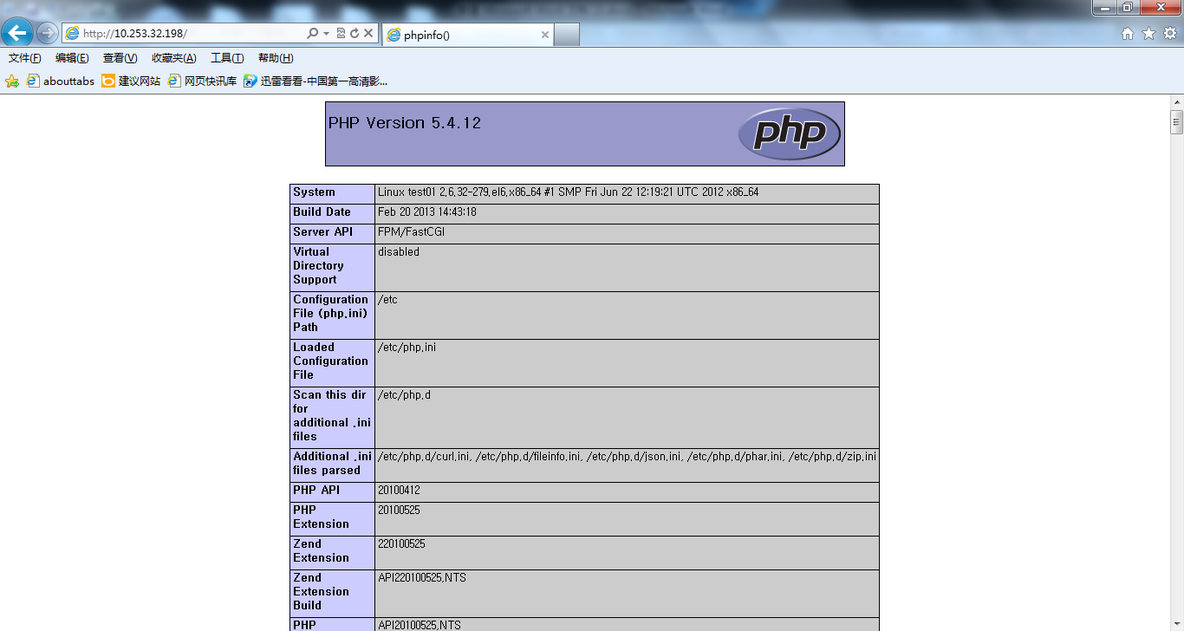
测试结果:


有关搭建Nginx+PHP环境的更多相关文章

  1. ruby-on-rails - 如何优雅地重启 thin + nginx? - 2

    我的瘦服务器配置了nginx,我的ROR应用程序正在它们上运行。在我发布代码更新时运行thinrestart会给我的应用程序带来一些停机时间。我试图弄清楚如何优雅地重启正在运行的Thin实例,但找不到好的解决方案。有没有人能做到这一点? 最佳答案 #Restartjustthethinserverdescribedbythatconfigsudothin-C/etc/thin/mysite.ymlrestartNginx将继续运行并代理请求。如果您将Nginx设置为使用多个上游服务器,例如server{listen80;server

  2. ruby-on-rails - 在 Rails 开发环境中为 .ogv 文件设置 Mime 类型 - 2

    我正在玩HTML5视频并且在ERB中有以下片段:mp4视频从在我的开发环境中运行的服务器很好地流式传输到chrome。然而firefox显示带有海报图像的视频播放器,但带有一个大X。问题似乎是mongrel不确定ogv扩展的mime类型,并且只返回text/plain,如curl所示:$curl-Ihttp://0.0.0.0:3000/pr6.ogvHTTP/1.1200OKConnection:closeDate:Mon,19Apr201012:33:50GMTLast-Modified:Sun,18Apr201012:46:07GMTContent-Type:text/plain

  3. Vscode+Cmake配置并运行opencv环境(Windows和Ubuntu大同小异) - 2

    之前在培训新生的时候,windows环境下配置opencv环境一直教的都是网上主流的vsstudio配置属性表,但是这个似乎对新生来说难度略高(虽然个人觉得完全是他们自己的问题),加之暑假之后对cmake实在是爱不释手,且这样配置确实十分简单(其实都不需要配置),故斗胆妄言vscode下配置CV之法。其实极为简单,图比较多所以很长。如果你看此文还配不好,你应该思考一下是不是自己的问题。闲话少说,直接开始。0.CMkae简介有的人到大二了都不知道cmake是什么,我不说是谁。CMake是一个开源免费并且跨平台的构建工具,可以用简单的语句来描述所有平台的编译过程。它能够根据当前所在平台输出对应的m

  4. ruby-on-rails - ruby gem如何在rails环境下工作 - 2

    我试图在rails中了解rubygems是如何变得可以自动使用的,而不是在使用required的文件中gem? 最佳答案 这是通过bundler/setup完成的:http://bundler.io/v1.3/bundler_setup.html.它在您的config/boot.rb文件中是必需的。简而言之,它首先将环境变量设置为指向您的Gemfile:ENV['BUNDLE_GEMFILE']||=File.expand_path('../../Gemfile',__FILE__)然后它通过要求bundler/setup将所有ge

  5. ruby-on-rails - 如何用不同的用户运行nginx主进程 - 2

    A/ctohttp://wiki.nginx.org/CoreModule#usermaster进程曾经以root用户运行,是否可以以不同的用户运行nginxmaster进程? 最佳答案 只需以非root身份运行init脚本(即/etc/init.d/nginxstart),就可以用不同的用户运行nginxmaster进程。如果这真的是你想要做的,你将需要确保日志和pid目录(通常是/var/log/nginx&/var/run/nginx.pid)对该用户是可写的,并且您所有的listen调用都是针对大于1024的端口(因为绑定(

  6. ruby-on-rails - 我需要一个真正的 UNIX RoR 开发环境 - 2

    从一开始,我就是一个Windows高手。我从MS-DOS开始。我安装了Windows2.1以及此后的所有Windows。现在,我家里有10台不同的Windows机器在运行,从Windows7Ultimate到各种版本的WindowsServer。我还没有完成Windows8,也不想去那里。我在服务器和各种软件方面都有UNIX经验,但它并不是我的首选环境。但是,我想我正在转换。我试图假装使用Cygwin和MSYS在Windows下运行UNIX。我的目的是搭建一个开发环境。两者都让我失望了。我花了比开发更多的时间来解决一系列技术问题。这是NotAcceptable。到目前为止,我的Ruby

  7. ruby-on-rails - 如果特定语言环境中缺少翻译,如何配置 i18n 以使用 en 语言环境? - 2

    如果特定语言环境中缺少翻译,如何配置i18n以使用en语言环境翻译?当前已插入翻译缺失消息。我正在使用RoR3.1。 最佳答案 找到相似的question这里是答案:#application.rb#railswillfallbacktoconfig.i18n.default_localetranslationconfig.i18n.fallbacks=true#railswillfallbacktoen,nomatterwhatissetasconfig.i18n.default_localeconfig.i18n.fallback

  8. ruby-on-rails - 可移植 Ruby on Rails 环境 - 2

    我给自己买了一个新的8gigUSBkey,我正在寻找一个合适的解决方案来拥有一个可移植RoR环境来学习。我在谷歌上搜索了一下,发现了一些可能性,但我很想听听一些现实生活中的经历和意见。谢谢! 最佳答案 我喜欢InstantRails,非常容易使用,无需安装程序,也不会修改您的系统环境。 关于ruby-on-rails-可移植RubyonRails环境,我们在StackOverflow上找到一个类似的问题: https://stackoverflow.com/q

  9. ruby-on-rails - 如何通过 URL 更改语言环境? - 2

    在我的双语Rails4应用程序中,我有一个像这样的LocalesController:classLocalesController用户可以通过此表单更改其语言环境:deflocale_switcherform_tagurl_for(:controller=>'locales',:action=>'change_locale'),:method=>'get',:id=>'locale_switcher'doselect_tag'set_locale',options_for_select(LANGUAGES,I18n.locale.to_s)end这有效。但是,目前用户无法通过URL更改

  10. ruby - 从 FaSTLane 将环境变量传递给 shell 脚本 - 2

    我在跑Fastlane(适用于iOS的持续构建工具)以执行用于解密文件的自定义shell脚本。这是命令。sh"./decrypt.shENV['ENCRYPTION_P12']"我想不出将环境变量传递给该脚本的方法。显然,如果我将密码硬编码到脚本中,它就可以正常工作。sh"./decrypt.shmypwd"有什么建议吗? 最佳答案 从直接Shell中扩展假设这里的sh是一个faSTLane命令,它以给定的参数作为脚本文本调用shell命令:#asafastlanedirectivesh'./decrypt.sh"$ENCRYPTI

随机推荐