第一种:定位+calc(固定宽高)
<div class="box1">
      <div class="inner"></div>
</div>
css部分:
.box1{
  width: 200px;
  height: 200px;
  border: 1px solid black;
  position: relative;
}

 .box1 .inner {
    width: 100px;
    height: 100px;
    background-color: red;
    position: absolute;
    /* 下面这个减号两边要隔开一个空格 */
    top: calc(50% - 50px);
    left: calc(50% - 50px);
      }
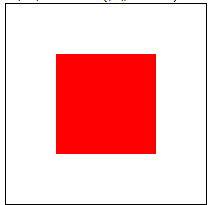
运行截图如下:
定位加calc()
第二种:.定位+margin(固定宽高)
html部分:
<div class="box2">
      <div class="inner"></div>
    </div>
css部分:
.box2{
        width: 200px;
        height: 200px;
        border: 1px solid black;
        position: relative;
}

  .box2 .inner {
        width: 100px;
        height: 100px;
        background-color: red;
        position: absolute;
        left: 50%;
        top: 50%;
        margin-top: -50px;
        margin-left: -50px;
      }
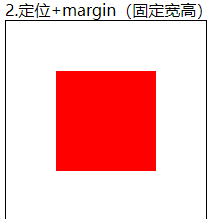
运行截图如下:
第三种:定位+margin:auto(不定宽高)
html部分:
 <div class="box3">
      <div class="inner"></div>
    </div>
css部分:
 .box3 {
        width: 200px;
        height: 200px;
        border: 1px solid black;
        position: relative;
      }

.box3 .inner {
        width: 100px;
        height: 100px;
        background-color: red;
        position: absolute;
        margin: auto;
        left: 0;
        right: 0;
        top: 0;
        bottom: 0;
      }
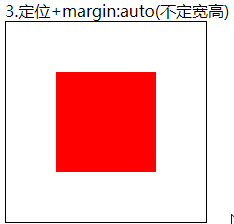
运行截图如下:
第四种:transfrom(不定宽高)
html部分:
<div class="box4">
      <div class="inner"></div>
    </div>
css部分:
.box4 {
        width: 200px;
        height: 200px;
        border: 1px solid black;
        position: relative;
      }

 .box4 .inner {
        width: 100px;
        height: 100px;
        background-color: red;
        position: absolute;
        left: 50%;
        top: 50%;
        transform: translate(-50%, -50%);
      }
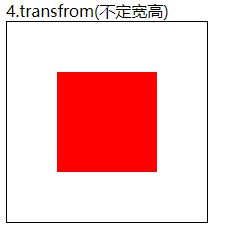
运行截图如下:
第五种:flex布局(不定宽高)
html部分:
<div class="box5">
      <div class="inner"></div>
    </div>
css部分:
 .box5 {
        display: flex;
        width: 200px;
        height: 200px;
        border: 1px solid black;
        justify-content: center;
        align-items: center;
      }

 .box5 .inner {
        width: 100px;
        height: 100px;
        background-color: red;
      }
运行截图如下:
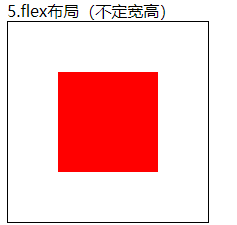
第六种:grid布局(不定宽高)
html部分:
  <div class="box6">
      <div class="inner"></div>
    </div>
css部分:
.box6 {
        display: grid;
        justify-content: center;
        align-items: center;
        width: 200px;
        height: 200px;
        border: 1px solid black;
      }

.box6 .inner {
        width: 100px;
        height: 100px;
        background-color: red;
      }
运行截图如下:
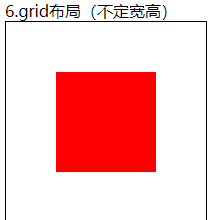
第七种:table-cell布局(不定宽高)
 <div class="box7">
      <div class="inner"></div>
    </div>
css部分:
 .box7 {
        width: 200px;
        height: 200px;
        border: 1px solid black;
        display: table-cell;
        /* 使用这个布局里面的元素必须是inline-block元素 */
        text-align: center;
        vertical-align: middle;
      }
      .box7 .inner {
        display: inline-block;
        width: 100px;
        height: 100px;
        background-color: red;
      }
运行截图如下:
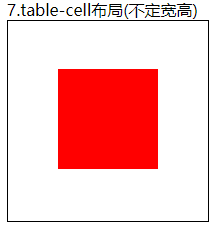
我想将html转换为纯文本。不过,我不想只删除标签,我想智能地保留尽可能多的格式。为插入换行符标签,检测段落并格式化它们等。输入非常简单,通常是格式良好的html(不是整个文档,只是一堆内容,通常没有anchor或图像)。我可以将几个正则表达式放在一起,让我达到80%,但我认为可能有一些现有的解决方案更智能。 最佳答案 首先,不要尝试为此使用正则表达式。很有可能你会想出一个脆弱/脆弱的解决方案,它会随着HTML的变化而崩溃,或者很难管理和维护。您可以使用Nokogiri快速解析HTML并提取文本:require'nokogiri'h
我在MiniTest::Spec和Capybara中使用以下规范:find_field('Email').must_have_css('[autofocus]')检查名为“电子邮件”的字段是否具有autofocus属性。doc说如下:has_css?(path,options={})ChecksifagivenCSSselectorisonthepageorcurrentnode.据我了解,字段“Email”是一个节点,因此调用must_have_css绝对有效!我做错了什么? 最佳答案 通过JonasNicklas得到了答案:No
在我的Controller中,我通过以下方式在我的index方法中支持HTML和JSON:respond_todo|format|format.htmlformat.json{renderjson:@user}end在浏览器中拉起它时,它会自然地以HTML呈现。但是,当我对/user资源进行内容类型为application/json的curl调用时(因为它是索引方法),我仍然将HTML作为响应。如何获取JSON作为响应?我还需要说明什么? 最佳答案 您应该将.json附加到请求的url,提供的格式在routes.rb的路径中定义。这
所以我在关注Railscast,我注意到在html.erb文件中,ruby代码有一个微弱的背景高亮效果,以区别于其他代码HTML文档。我知道Ryan使用TextMate。我正在使用SublimeText3。我怎样才能达到同样的效果?谢谢! 最佳答案 为SublimeText安装ERB包。假设您安装了SublimeText包管理器*,只需点击cmd+shift+P即可获得命令菜单,然后键入installpackage并选择PackageControl:InstallPackage获取包管理器菜单。在该菜单中,键入ERB并在看到包时选择
我正在使用Rails构建一个简单的聊天应用程序。当用户输入url时,我希望将其输出为html链接(即“url”)。我想知道在Ruby中是否有任何库或众所周知的方法可以做到这一点。如果没有,我有一些不错的正则表达式示例代码可以使用... 最佳答案 查看auto_linkRails提供的辅助方法。这会将所有URL和电子邮件地址变成可点击的链接(htmlanchor标记)。这是文档中的代码示例。auto_link("Gotohttp://www.rubyonrails.organdsayhellotodavid@loudthinking.
我在Rails应用程序中使用CarrierWave/Fog将视频上传到AmazonS3。有没有办法判断上传的进度,让我可以显示上传进度如何? 最佳答案 CarrierWave和Fog本身没有这种功能;你需要一个前端uploader来显示进度。当我不得不解决这个问题时,我使用了jQueryfileupload因为我的堆栈中已经有jQuery。甚至还有apostonCarrierWaveintegration因此您只需按照那里的说明操作即可获得适用于您的应用的进度条。 关于ruby-on-r
我正在学习http://ruby.railstutorial.org/chapters/static-pages上的RubyonRails教程并遇到以下错误StaticPagesHomepageshouldhavethecontent'SampleApp'Failure/Error:page.shouldhave_content('SampleApp')Capybara::ElementNotFound:Unabletofindxpath"/html"#(eval):2:in`text'#./spec/requests/static_pages_spec.rb:7:in`(root)'
我有一个div,它根据表单是否正确提交而改变。我想知道是否可以检查类的特定元素?开始元素看起来像这样。如果输入不正确,添加错误类。 最佳答案 试试这个:browser.div(:id=>"myerrortest").class_name更多信息:http://watir.github.com/watir-webdriver/doc/Watir/HTMLElement.html#class_name-instance_method另一种选择是只查看具有您期望的类的div是否存在browser.div((:id=>"myerrortes
SPI接收数据左移一位问题目录SPI接收数据左移一位问题一、问题描述二、问题分析三、探究原理四、经验总结最近在工作在学习调试SPI的过程中遇到一个问题——接收数据整体向左移了一位(1bit)。SPI数据收发是数据交换,因此接收数据时从第二个字节开始才是有效数据,也就是数据整体向右移一个字节(1byte)。请教前辈之后也没有得到解决,通过在网上查阅前人经验终于解决问题,所以写一个避坑经验总结。实际背景:MCU与一款芯片使用spi通信,MCU作为主机,芯片作为从机。这款芯片采用的是它规定的六线SPI,多了两根线:RDY和INT,这样从机就可以主动请求主机给主机发送数据了。一、问题描述根据从机芯片手
我正在尝试将一个简单的CSV文件读入HTML表格以在浏览器中显示,但我遇到了麻烦。这就是我正在尝试的:Controller:defshow@csv=CSV.open("file.csv",:headers=>true)end查看:输出:NameStartDateEndDateQuantityPostalCode基本上我只获取标题,而不会读取和呈现CSV正文。 最佳答案 这最终成为最终解决方案:Controller:defshow#OpenaCSVfile,andthenreaditintoaCSV::Tableobjectforda
