今天Apple官方支持了这个库,所以特意下载下来试试看,效果还不错,M芯片在深度学习领域第一次给人惊喜了。
https://machinelearning.apple.com/research/stable-diffusion-coreml-apple-silicon
分享一下一个有意思的库的安装经历。
最近才发现有大神将这种生成模型给开源了,之前一直关注DELL这种的大型模型,被ai这种天马行空的想象力给惊艳到。但他们大都只是api接口,现在贫民百姓也可以自己拥有。<笑脸>
去github网址下载 - > https://github.com/CompVis/stable-diffusion
git clone https://github.com/CompVis/stable-diffusion.git
简单的操作,在下载后的文件夹下直接输下面两个
conda env create -f environment.yaml
conda activate ldm
就配置好了。
或者就像我一样傻傻的报错一个安装一个。
我本身的环境是pytorch torchvision
pip install transformers==4.19.2 diffusers invisible-watermark
pip install -e .
pip install OmegaConf einops taming-transformers pytorch-lighnting clip kornia
第一个问题官网是有说明的,但就是这个下载地址藏得很深不好找。
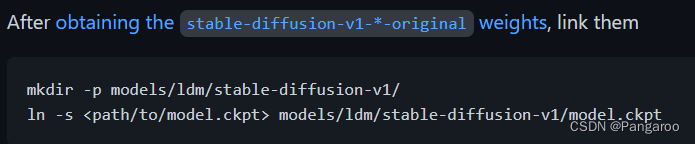
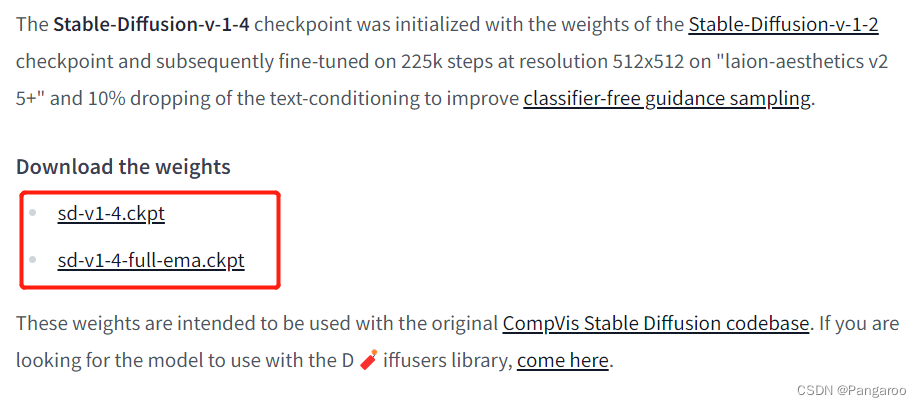
我也是找了一会才找到https://huggingface.co/CompVis/stable-diffusion-v-1-4-original,把这个sd-v1-4.ckpt文件下载下来(随便哪个都行),大概四个G。
下载模型文件放置到这个文件夹下,就是上面官方说明的那个位置,命名成model.ckpt。

运行下面的代码,不出意外会报错。
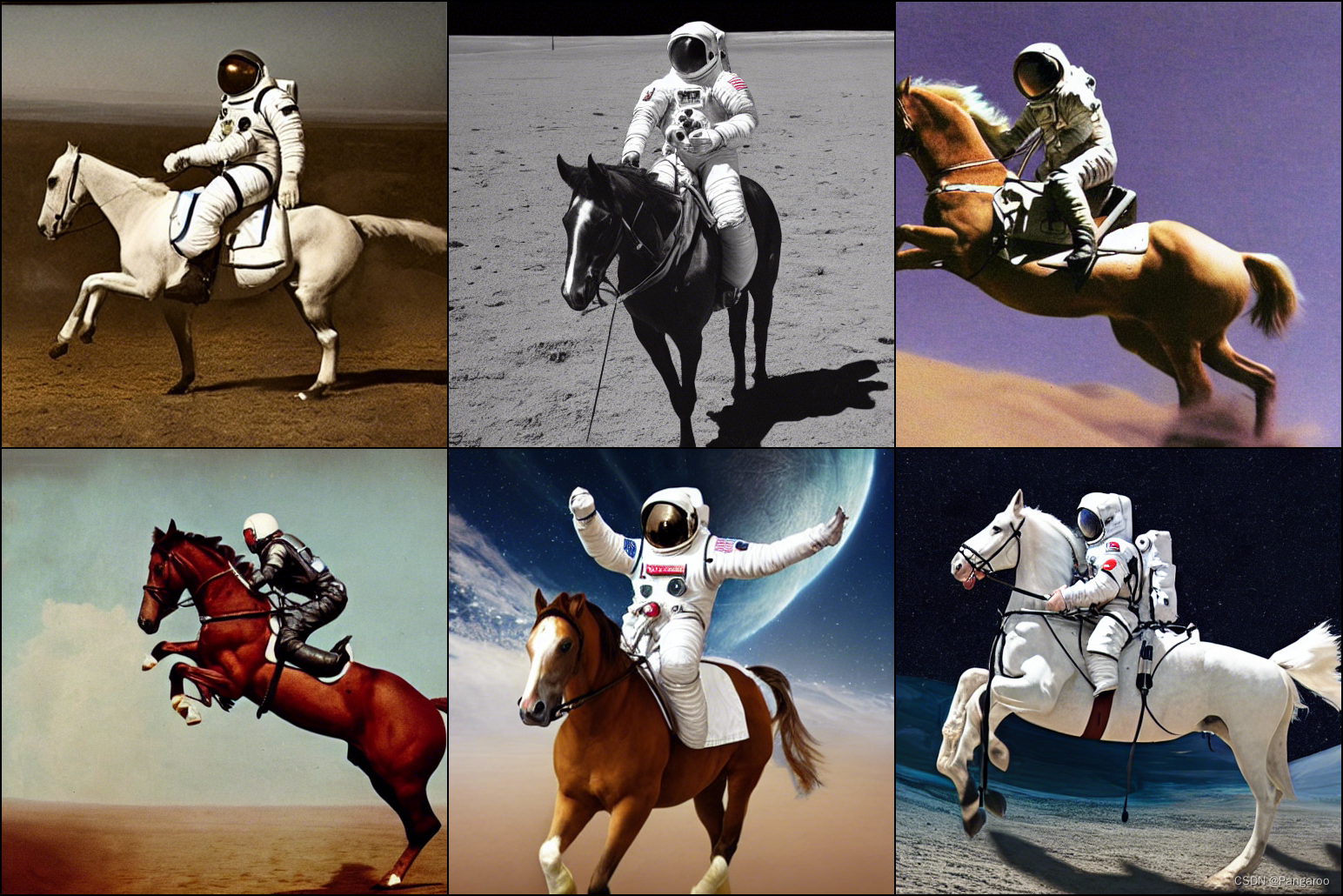
python scripts/txt2img.py --prompt "a photograph of an astronaut riding a horse" --plms
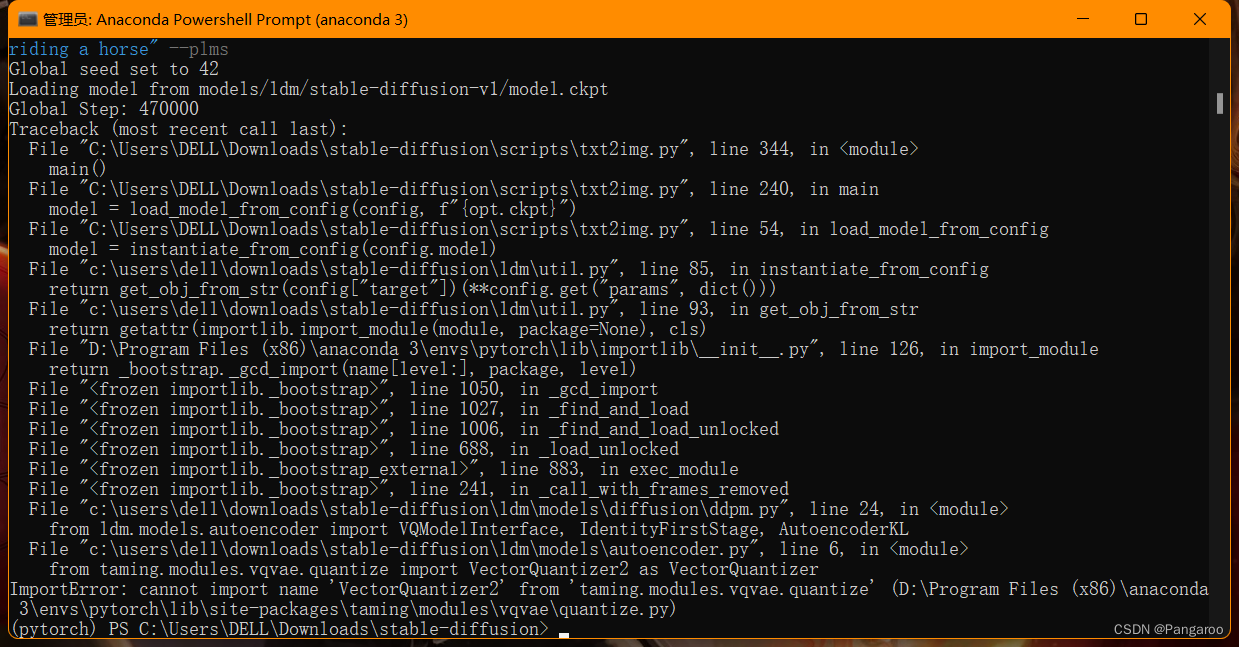
问题好像是原作者修改了这个库,将你的quantize.py(报错的信息里包含文件所在的绝对路径)文件替换成这个网址的文件
https://github.com/CompVis/taming-transformers/blob/master/taming/modules/vqvae/quantize.py
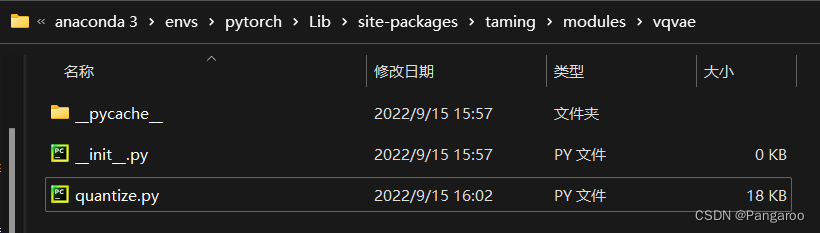
再运行一次又报错
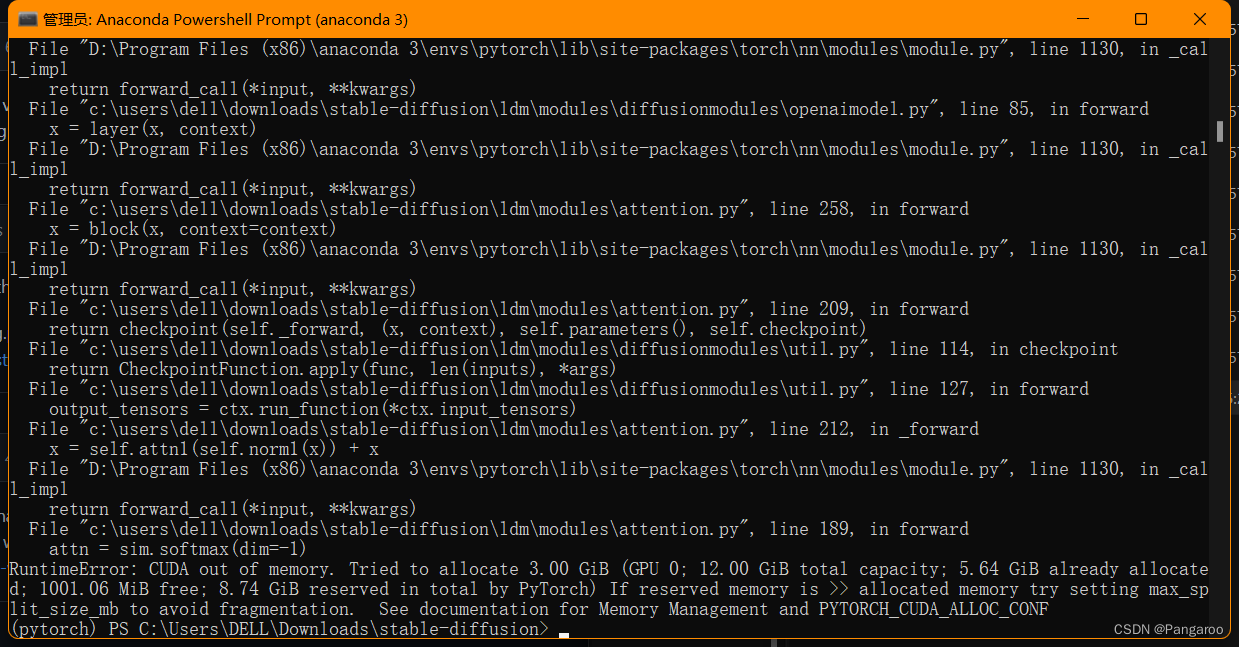
我只是12g的3060,看来这不是一般人能玩得起的-_-
!!!!!!!!!!!!!!!!
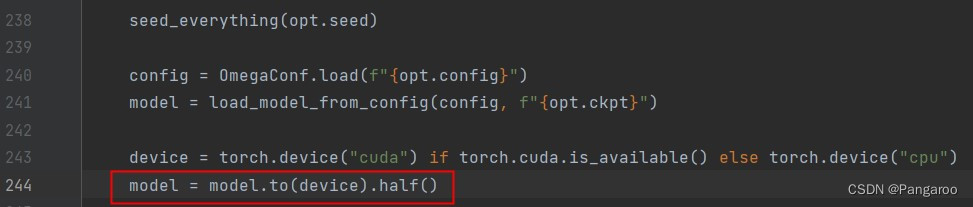
现在有一个简单的办法了,感谢数学系之耻的建议,直接降精度就可以释放显存了。
!!!!!!!!!!!!!!!!
如下修改txt2img.py文件第244行
效果 -->
或者接下去看比较复杂的方法!
不知道需要多大的内存才可以,网上找到方法是用优化的库。网上还有一种办法说注释掉什么安全检查的我试了没有变化。
https://github.com/basujindal/stable-diffusion
下载完后在新的库上也是需要安装一些环境,在新的文件夹下运行下面的安装代码
pip install -e .
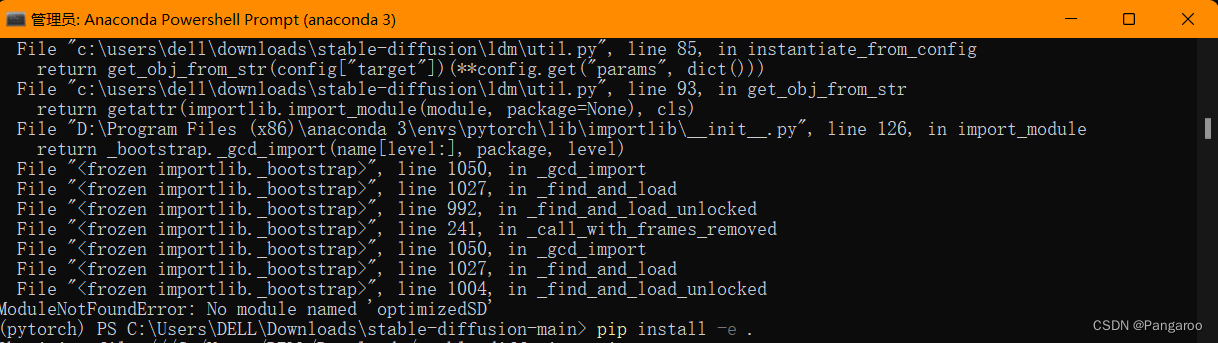
优化的库代码放在optimizedSD文件夹下,也保留了之前的源代码,不要搞错了。
重新安装一下这个优化库的环境,将ckpt放到对应的位置。
python optimizedSD/optimized_txt2img.py --prompt "Cyberpunk style image of a Tesla car reflection in rain" --H 512 --W 512 --seed 27 --n_iter 2 --n_samples 5 --ddim_steps 50
运行后报这个错。
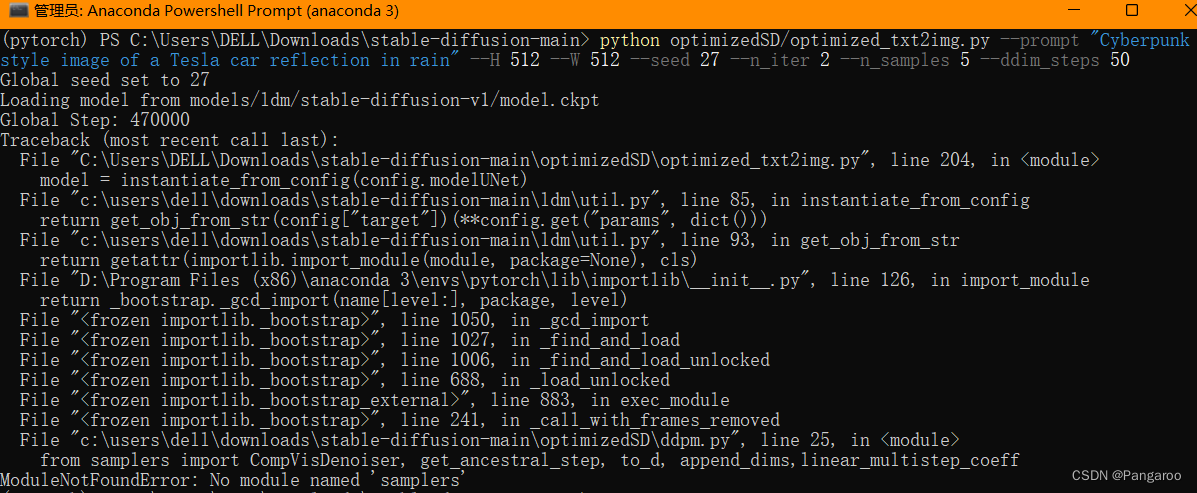
查了一下,好像是最近优化的作者也换了一个库
https://github.com/basujindal/stable-diffusion/issues/175
用下面的办法就能解决了。
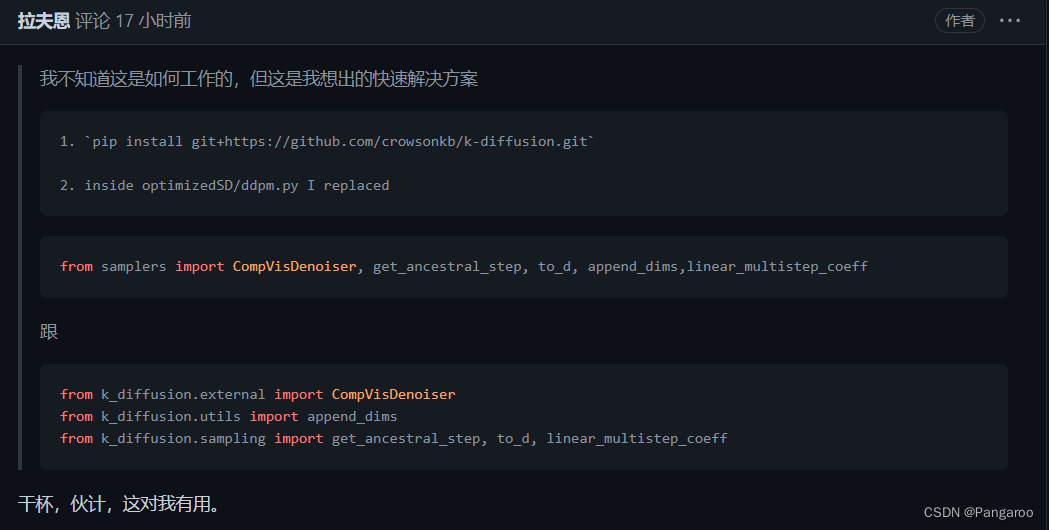
pip install git+https://github.com/crowsonkb/k-diffusion.git
然后打开编辑optimizedSD/ddpm.py文件,将from samplers…改成上面图片的三个from k_diffusion…
然后贫穷的显卡的电脑也就可以跑了,不说了要努力搬砖买24g的显卡了。
实测效果 -->


https://github.com/apple/ml-stable-diffusion
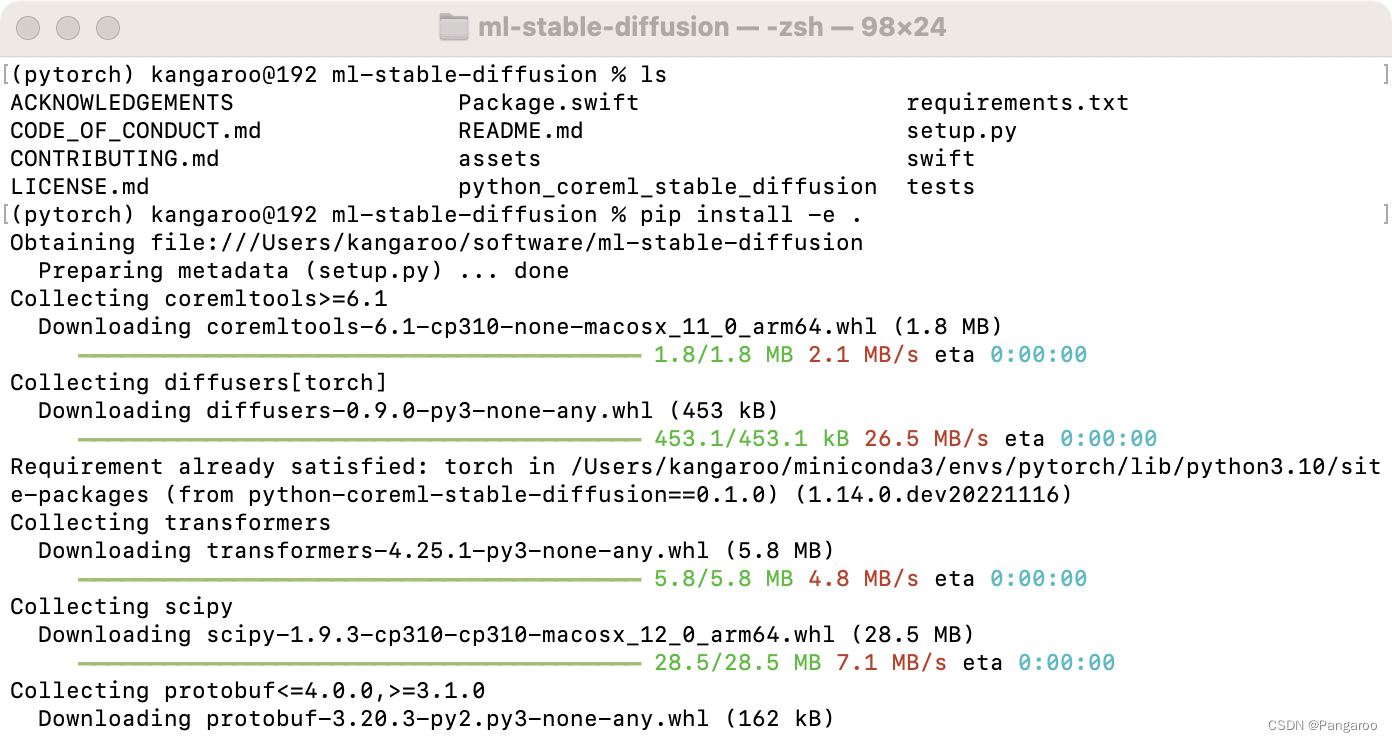
git clone https://github.com/apple/ml-stable-diffusion
pip install -e . #来到下载好的文件夹下面运行
https://huggingface.co
没有的话直接注册,注册好了以后点击token生成https://huggingface.co/settings/tokens,然后复制token

接下去命令行输入指令,按提示输入
huggingface-cli login
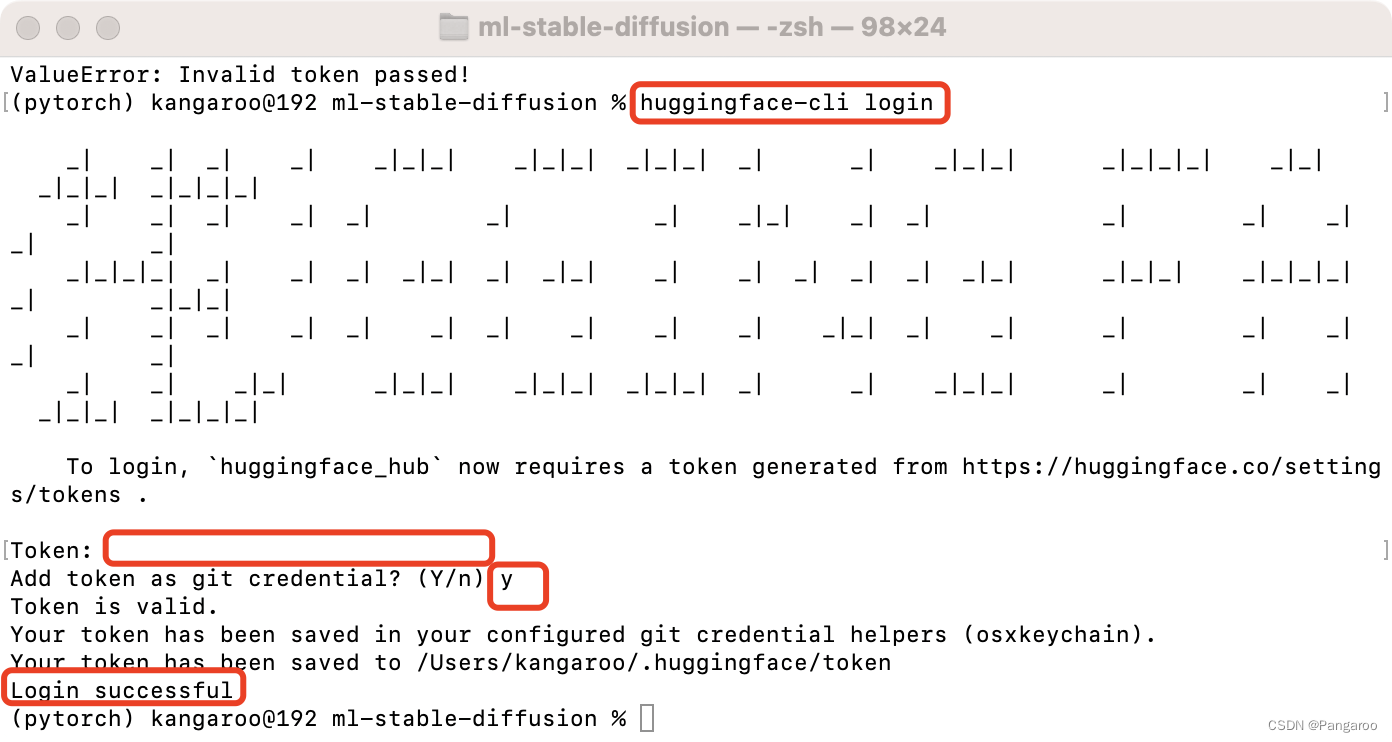
在文件夹下运行,顺便创建一个放置ml模型的文件夹,替换下面的-o
python -m python_coreml_stable_diffusion.torch2coreml --convert-unet --convert-text-encoder --convert-vae-decoder --convert-safety-checker -o ./output_ml
官方还给了一个api
--model-version runwayml/stable-diffusion-v1-5 #可以指定其他版本的diffusion模型,默认是 CompVis/stable-diffusion-v1-4
--bundle-resources-for-swift-cli  #将ml文件整理成一个swift包,python生成不需要使用
--chunk-unet #ios和ipados部署需要,后面两个之后有机会我想去尝试一下在真机上的部署
--attention-implementation #在Apple芯片上的npu上实现
如果想部署手机和平板可以参考下面这个
python -m python_coreml_stable_diffusion.torch2coreml --convert-unet --convert-text-encoder --convert-vae-decoder --convert-safety-checker -o ./sd2_ml --chunk-unet --model-version stabilityai/stable-diffusion-2-1-base --bundle-resources-for-swift-cli
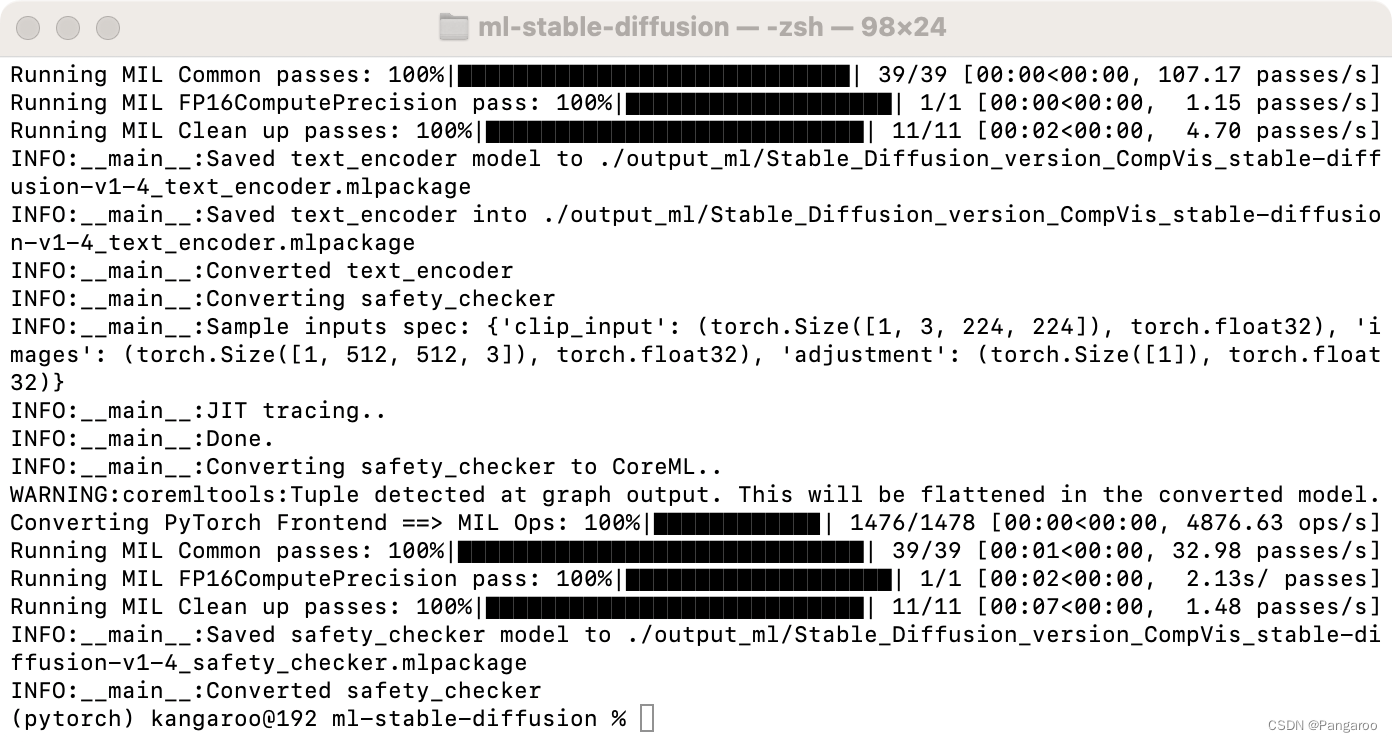
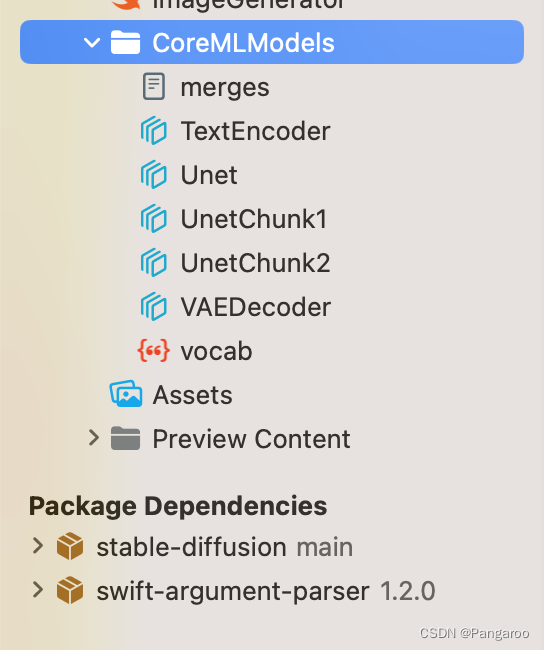
大约20几分钟吧,会生成这些文件
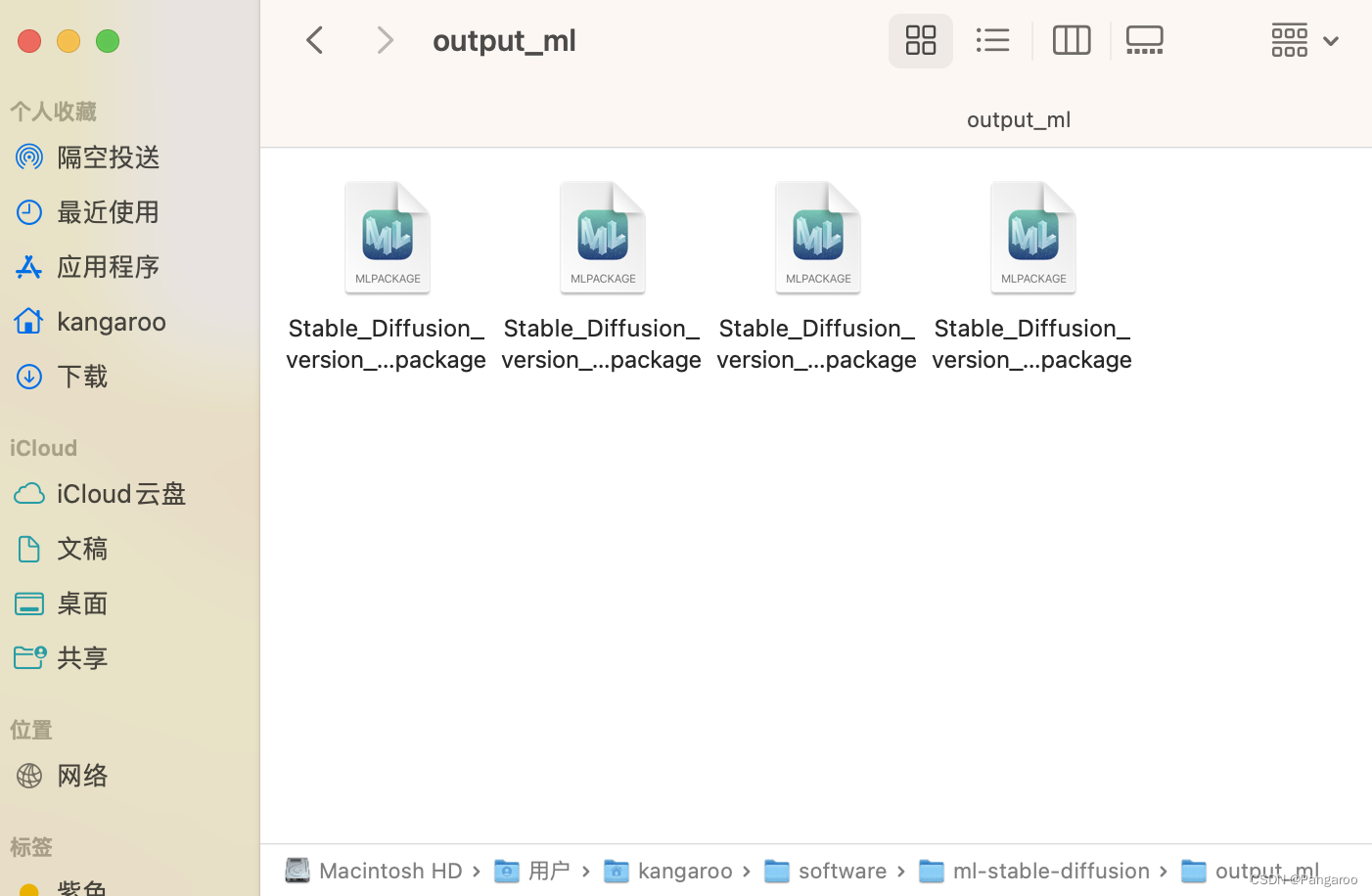
接着还是在ml-stable-diffusion的文件夹下运行,对了再创建一个放图片的文件夹。
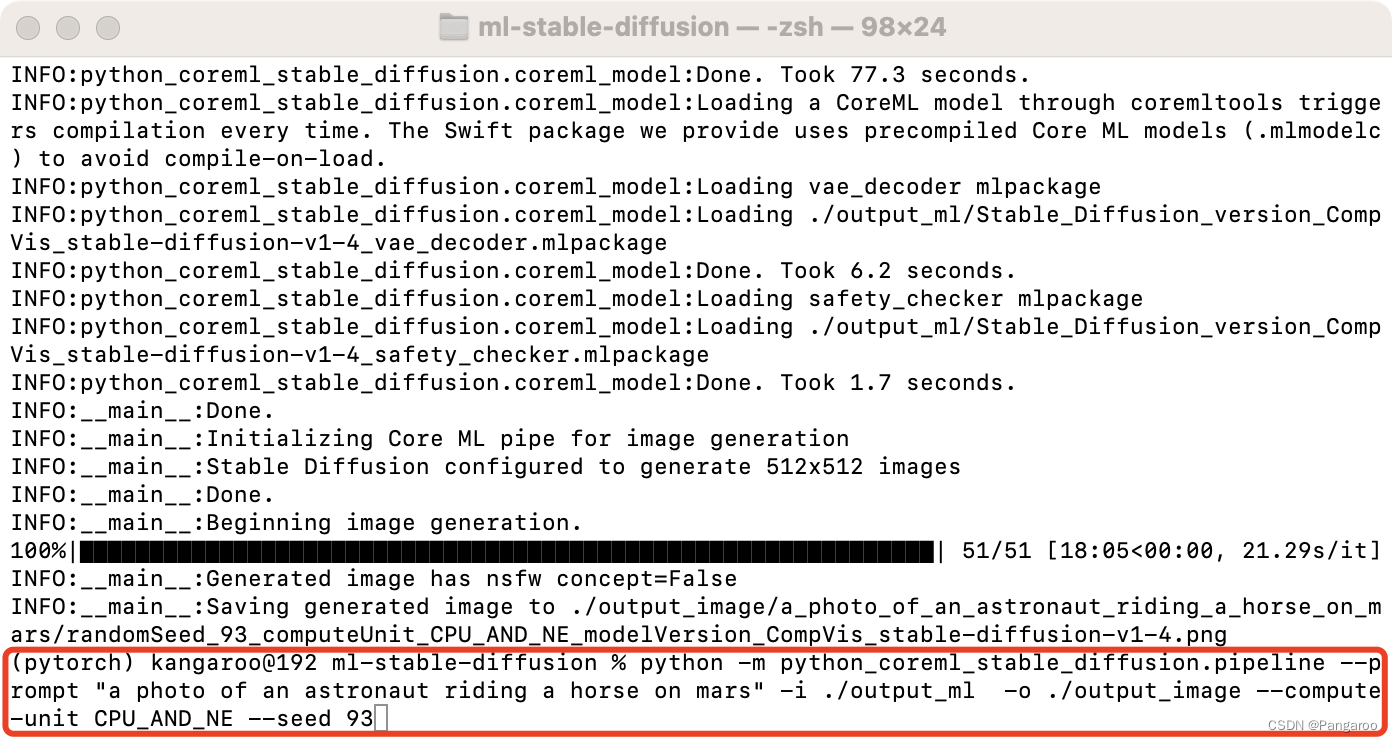
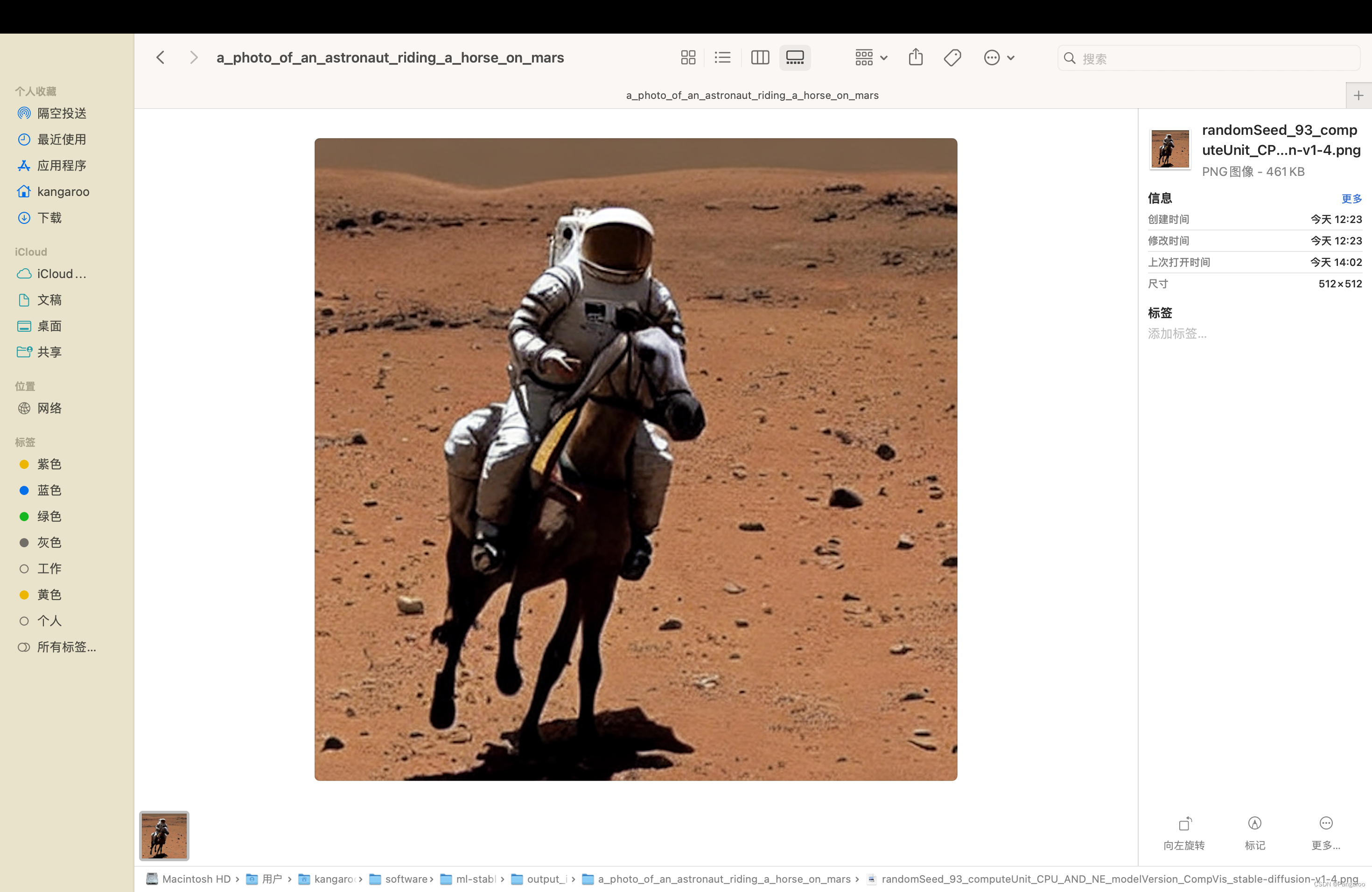
python -m python_coreml_stable_diffusion.pipeline --prompt "a photo of an astronaut riding a horse on mars" -i ./output_ml -o ./output_image --compute-unit ALL --seed 93
swift用下面这个
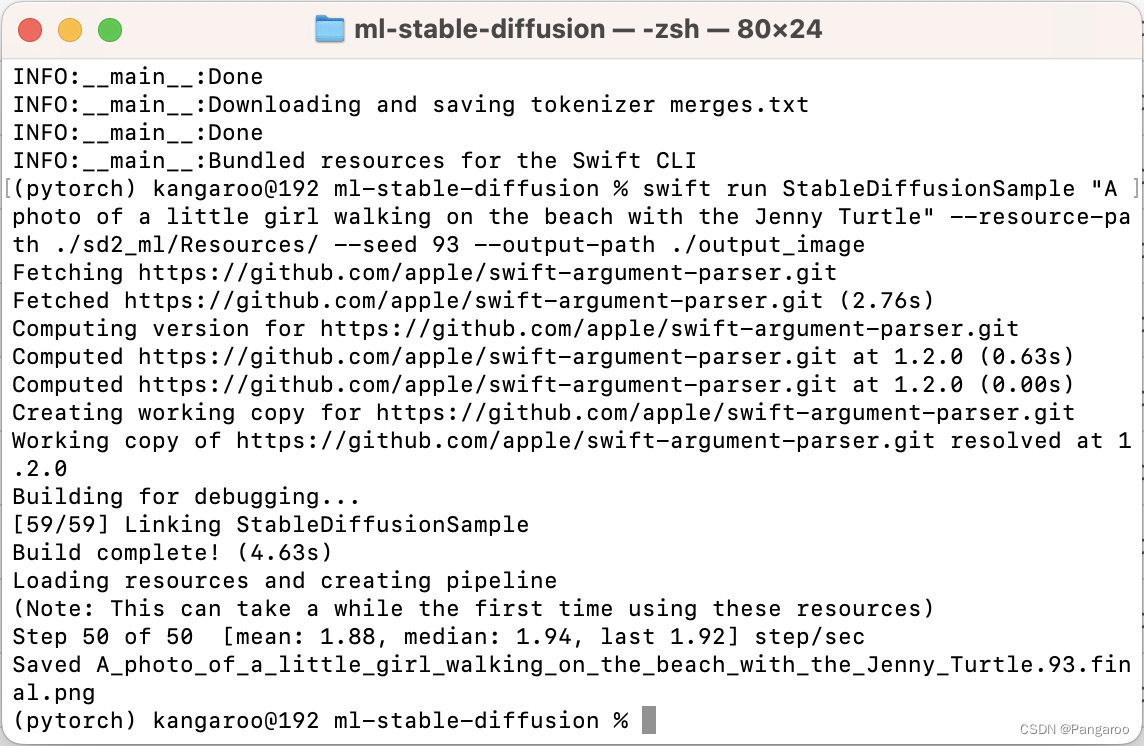
swift run StableDiffusionSample "A photo of a little girl walking on the beach with the Jenny Turtle" --resource-path ./sd2_ml/Resources/ --seed 93 --output-path ./output_image
--model-version #如果前面修改了这个也要修改
--num-inference-steps #默认推理50次,用这个可以自定义次数
我是M2的MacBook Air,我参考了官方的基准指南--compute-unit 选择了CPU_AND_NE,大概21秒一个推理还是蛮快的(python),swift 2秒左右一个step,快了很多。
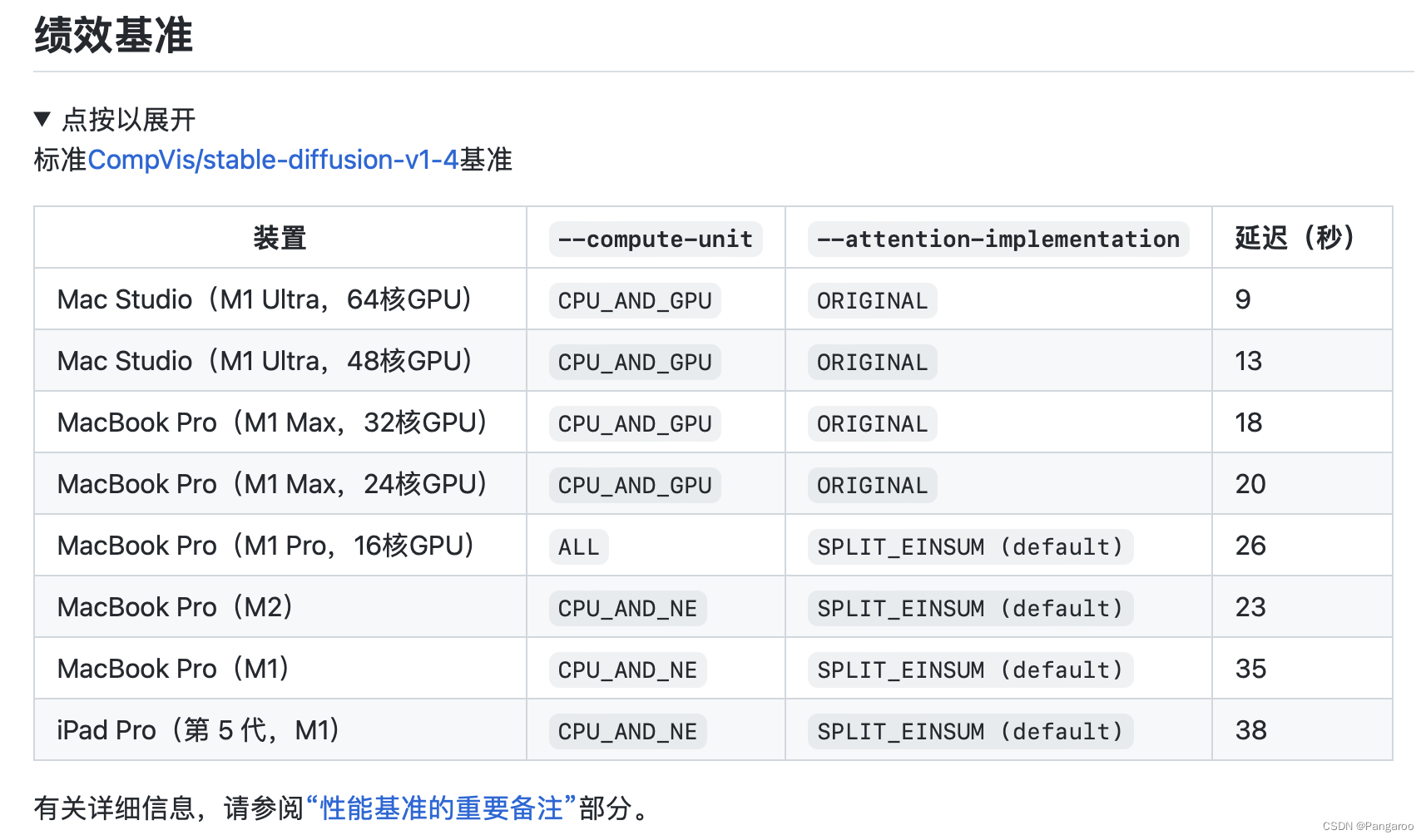
就是从上图中我们可以看到似乎无后缀的M芯片由于GPU数量较少吧我猜--compute-unit 都推荐选CPU_AND_NE,pro系列芯片选ALL,以上选CPU_AND_GPU。
--attention-implementation 直接看GPU核心数,小于等于16个使用SPLLIT_EINSUM,就是默认的其实啥也不用加。大于16个使用ORIGINAL。我猜因为M芯片是16核NPU的,GPU核心数比NPU小那肯定用NPU,GPU核心数大大超过NPU,那还是GPU的效率更高吧。
打开Xcode,导入库和上面生成的ML文件
import SwiftUI
import StableDiffusion
import CoreML

struct ContentView: View {
    @State var prompt: String = "a photo of an astronaut riding a horse on mars"
    @State var step = 10
    @State var seed = 100
    @State var image: CGImage?
    @State var progress = 0.0
    @State var generating = false
    @State var booting = true

    @State var pipeline: StableDiffusionPipeline?

    private let disableSafety = false


    var body: some View {
        VStack {
            if booting {
                Text("Initializing...")
            } else {
                if let image {
                    Image(uiImage: UIImage(cgImage: image))
                        .resizable()
                        .scaledToFit()
                }
                if generating {
                    ProgressView(value: progress)
                }
                if !generating {
                    TextField("Prompt", text: $prompt)
                    Stepper(value: $step, in: 1...100) {
                        Text("steps: \(step)")
                    }
                    Stepper(value: $seed, in: 0...10000) {
                        Text("Seed: \(seed)")
                    }
                    Button("Generate") {
                        progress = 0.0
                        image = nil
                        generating = true
                        Task.detached(priority: .high) {
                            var images: [CGImage?]?
                            do {
                                print("generate")
                                images = try pipeline?.generateImages(prompt: prompt, stepCount: step,seed: seed, disableSafety: disableSafety, progressHandler: { progress in
                                    print("test")
                                    self.progress = Double(progress.step) / Double(step)
                                    if let image = progress.currentImages.first {
                                        self.image = image
                                    }
                                    return true
                                })
                            } catch let error {
                                print(error.localizedDescription)
                            }
                            print("finish")
                            if let image = images?.first {
                                self.image = image
                            }
                            generating = false
                        }
                    }
                }
            }
        }
        .padding()
        .onAppear{
            Task.detached(priority: .high) {
                do {
                    print(os_proc_available_memory())
                    guard let path = Bundle.main.path(forResource: "CoreMLModels", ofType: nil, inDirectory: nil) else {
                        fatalError("Fatal error: failed to find the CoreML models.")
                    }
                    let resourceURL = URL(fileURLWithPath: path)
                    let config = MLModelConfiguration()
                    config.computeUnits = .cpuAndNeuralEngine
                    pipeline = try StableDiffusionPipeline(resourcesAt: resourceURL, configuration: config,reduceMemory: true)
                    try pipeline?.loadResources()
                    print("initialized pipeline")
                } catch let error {
                    print("error initializing pipeline")
                    print(error.localizedDescription)
                }
                booting = false
            }
        }
    }
}

struct ContentView_Previews: PreviewProvider {
    static var previews: some View {
        ContentView()
    }
}
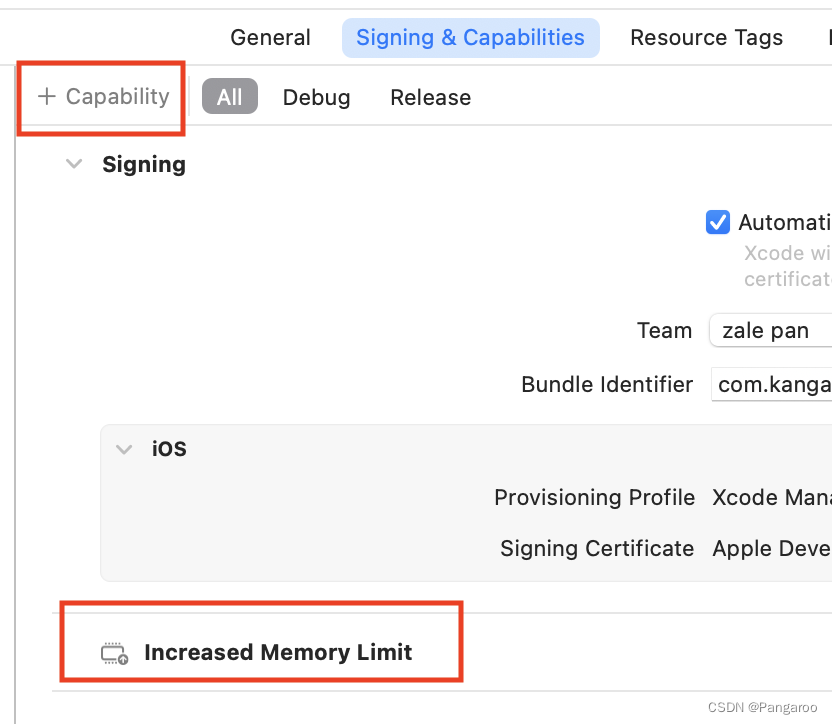
在iPad和Mac上建议config.computeUnits = .cpuAndNeuralEngine。如果要继续在iPhone上部署的话改为这个config.computeUnits = .cpuAndGPU,然后来到Signing界面,点击Capability,选择Increased Memory Limit。这样就可以在iPhone真机上运行了。这个项目在iPhone真机上需要3GB多一点的内存,我是iPhone 14pro,程序默认可用内存也是3GB多一点刚好杀死。所以通过Increased Memory Limit将可用内存提升至4GB左右才可以运行。另外,即使提升了内存使用神经引擎还是会抱内存错误,只有用GPU才可以,iPad air5没有这种报错两个都可。GPU的运行速度是比神经引擎慢一点的,但是一台手机可以本地运行diffusion还是蛮酷的。
我正在尝试测试是否存在表单。我是Rails新手。我的new.html.erb_spec.rb文件的内容是:require'spec_helper'describe"messages/new.html.erb"doit"shouldrendertheform"dorender'/messages/new.html.erb'reponse.shouldhave_form_putting_to(@message)with_submit_buttonendendView本身,new.html.erb,有代码:当我运行rspec时,它失败了:1)messages/new.html.erbshou
我在从html页面生成PDF时遇到问题。我正在使用PDFkit。在安装它的过程中,我注意到我需要wkhtmltopdf。所以我也安装了它。我做了PDFkit的文档所说的一切......现在我在尝试加载PDF时遇到了这个错误。这里是错误:commandfailed:"/usr/local/bin/wkhtmltopdf""--margin-right""0.75in""--page-size""Letter""--margin-top""0.75in""--margin-bottom""0.75in""--encoding""UTF-8""--margin-left""0.75in""-
我在我的项目目录中完成了compasscreate.和compassinitrails。几个问题:我已将我的.sass文件放在public/stylesheets中。这是放置它们的正确位置吗?当我运行compasswatch时,它不会自动编译这些.sass文件。我必须手动指定文件:compasswatchpublic/stylesheets/myfile.sass等。如何让它自动运行?文件ie.css、print.css和screen.css已放在stylesheets/compiled。如何在编译后不让它们重新出现的情况下删除它们?我自己编译的.sass文件编译成compiled/t
我想为Heroku构建一个Rails3应用程序。他们使用Postgres作为他们的数据库,所以我通过MacPorts安装了postgres9.0。现在我需要一个postgresgem并且共识是出于性能原因你想要pggem。但是我对我得到的错误感到非常困惑当我尝试在rvm下通过geminstall安装pg时。我已经非常明确地指定了所有postgres目录的位置可以找到但仍然无法完成安装:$envARCHFLAGS='-archx86_64'geminstallpg--\--with-pg-config=/opt/local/var/db/postgresql90/defaultdb/po
我有一个对象has_many应呈现为xml的子对象。这不是问题。我的问题是我创建了一个Hash包含此数据,就像解析器需要它一样。但是rails自动将整个文件包含在.........我需要摆脱type="array"和我该如何处理?我没有在文档中找到任何内容。 最佳答案 我遇到了同样的问题;这是我的XML:我在用这个:entries.to_xml将散列数据转换为XML,但这会将条目的数据包装到中所以我修改了:entries.to_xml(root:"Contacts")但这仍然将转换后的XML包装在“联系人”中,将我的XML代码修改为
为了将Cucumber用于命令行脚本,我按照提供的说明安装了arubagem。它在我的Gemfile中,我可以验证是否安装了正确的版本并且我已经包含了require'aruba/cucumber'在'features/env.rb'中为了确保它能正常工作,我写了以下场景:@announceScenario:Testingcucumber/arubaGivenablankslateThentheoutputfrom"ls-la"shouldcontain"drw"假设事情应该失败。它确实失败了,但失败的原因是错误的:@announceScenario:Testingcucumber/ar
我打算为ruby脚本创建一个安装程序,但我希望能够确保机器安装了RVM。有没有一种方法可以完全离线安装RVM并且不引人注目(通过不引人注目,就像创建一个可以做所有事情的脚本而不是要求用户向他们的bash_profile或bashrc添加一些东西)我不是要脚本本身,只是一个关于如何走这条路的快速指针(如果可能的话)。我们还研究了这个很有帮助的问题:RVM-isthereawayforsimpleofflineinstall?但有点误导,因为答案只向我们展示了如何离线在RVM中安装ruby。我们需要能够离线安装RVM本身,并查看脚本https://raw.github.com/wayn
我在我的项目中添加了一个系统来重置用户密码并通过电子邮件将密码发送给他,以防他忘记密码。昨天它运行良好(当我实现它时)。当我今天尝试启动服务器时,出现以下错误。=>BootingWEBrick=>Rails3.2.1applicationstartingindevelopmentonhttp://0.0.0.0:3000=>Callwith-dtodetach=>Ctrl-CtoshutdownserverExiting/Users/vinayshenoy/.rvm/gems/ruby-1.9.3-p0/gems/actionmailer-3.2.1/lib/action_mailer
我有一个奇怪的问题:我在rvm上安装了rubyonrails。一切正常,我可以创建项目。但是在我输入“railsnew”时重新启动后,我有“程序'rails'当前未安装。”。SystemUbuntu12.04ruby-v"1.9.3p194"gemlistactionmailer(3.2.5)actionpack(3.2.5)activemodel(3.2.5)activerecord(3.2.5)activeresource(3.2.5)activesupport(3.2.5)arel(3.0.2)builder(3.0.0)bundler(1.1.4)coffee-rails(
我刚刚为fedora安装了emacs。我想用emacs编写ruby。为ruby提供代码提示、代码完成类型功能所需的工具、扩展是什么? 最佳答案 ruby-mode已经包含在Emacs23之后的版本中。不过,它也可以通过ELPA获得。您可能感兴趣的其他一些事情是集成RVM、feature-mode(Cucumber)、rspec-mode、ruby-electric、inf-ruby、rinari(用于Rails)等。这是我当前用于Ruby开发的Emacs配置:https://github.com/citizen428/emacs
