本文是关于如何使用cuda和Stable-Diffusion生成视频的完整指南,将使用cuda来加速视频生成,并且可以使用Kaggle的TESLA GPU来免费执行我们的模型。
 #install the diffuser package
 #pip install --upgrade pip
 !pipinstall--upgradediffuserstransformersscipy

 #load the model from stable-diffusion model card
 importtorch
 fromdiffusersimportStableDiffusionPipeline

 fromhuggingface_hubimportnotebook_login
模型的权重是是在CreateML OpenRail-M许可下发布的。这是一个开放的许可证,不要求对生成的输出有任何权利,并禁止我们故意生产非法或有害的内容。如果你对这个许可有疑问,可以看这里
https://huggingface.co/CompVis/stable-diffusion-v1-4
我们首先要成为huggingface Hub的注册用户,并使用访问令牌才能使代码工作。我们使用是notebook,所以需要使用notebook_login()来进行登录的工作
执行完代码下面的单元格将显示一个登录界面,需要粘贴访问令牌。
ifnot (Path.home()/'.huggingface'/'token').exists(): notebook_login()
然后就是加载模型
 model_id="CompVis/stable-diffusion-v1-4"
 device="cuda"
 pipe=StableDiffusionPipeline.from_pretrained(model_id, torch_dtype=torch.float16)
 pipe=pipe.to(device)
显示根据文本生成图像
 %%time
 #Provide the Keywords
 prompts= [
     "a couple holding hands with plants growing out of their heads, growth of a couple, rainy day, atmospheric, bokeh matte masterpiece by artgerm by wlop by alphonse muhca ",
     "detailed portrait beautiful Neon Operator Girl, cyberpunk futuristic neon, reflective puffy coat, decorated with traditional Japanese ornaments by Ismail inceoglu dragan bibin hans thoma greg rutkowski Alexandros Pyromallis Nekro Rene Maritte Illustrated, Perfect face, fine details, realistic shaded, fine-face, pretty face",
     "symmetry!! portrait of minotaur, sci - fi, glowing lights!! intricate, elegant, highly detailed, digital painting, artstation, concept art, smooth, sharp focus, illustration, art by artgerm and greg rutkowski and alphonse mucha, 8 k ",
     "Human, Simon Stalenhag in forest clearing style, trends on artstation, artstation HD, artstation, unreal engine, 4k, 8k",
     "portrait of a young ruggedly handsome but joyful pirate, male, masculine, upper body, red hair, long hair, d & d, fantasy, roguish smirk, intricate, elegant, highly detailed, digital painting, artstation, concept art, matte, sharp focus, illustration, art by artgerm and greg rutkowski and alphonse mucha ",
     "Symmetry!! portrait of a sith lord, warrior in sci-fi armour, tech wear, muscular!! sci-fi, intricate, elegant, highly detailed, digital painting, artstation, concept art, smooth, sharp focus, illustration, art by artgerm and greg rutkowski and alphonse mucha",
     "highly detailed portrait of a cat knight wearing heavy armor, stephen bliss, unreal engine, greg rutkowski, loish, rhads, beeple, makoto shinkai and lois van baarle, ilya kuvshinov, rossdraws, tom bagshaw, tom whalen, alphonse mucha, global illumination, god rays, detailed and intricate environment ",
     "black and white portrait photo, the most beautiful girl in the world, earth, year 2447, cdx"
 ]
显示
 %%time
 #show the results
 images=pipe(prompts).images
 images

 #show a single result
 images[0]
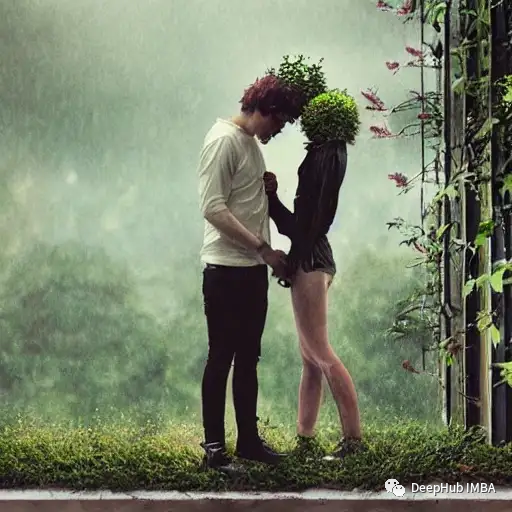
第一个文本:a couple holding hands with plants growing out of their heads, growth of a couple, rainy day, atmospheric, bokeh matte masterpiece 的图像如下
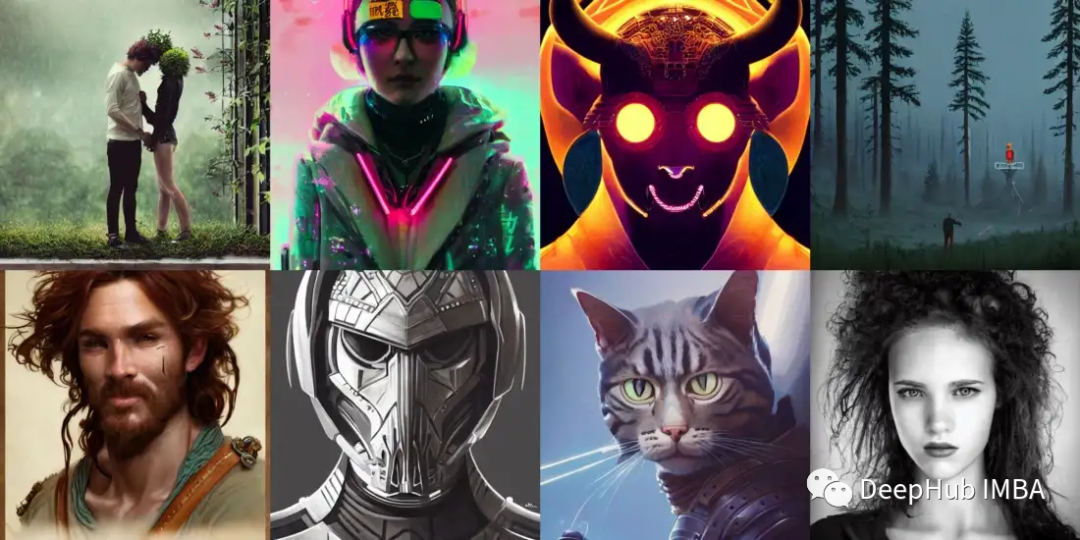
将生成的图像显示在一起
 #show the results in grid
 fromPILimportImage
 defimage_grid(imgs, rows, cols):
     w,h=imgs[0].size
     grid=Image.new('RGB', size=(cols*w, rows*h))
     fori, imginenumerate(imgs): grid.paste(img, box=(i%cols*w, i//cols*h))
     returngrid

 grid=image_grid(images, rows=2, cols=4)
 grid

 #Save the results
 grid.save("result_images.png")
如果你的GPU内存有限(可用的GPU RAM小于4GB),请确保以float16精度加载StableDiffusionPipeline,而不是如上所述的默认float32精度。这可以通过告诉扩散器期望权重为float16精度来实现:
 %%time
 importtorch
 pipe=StableDiffusionPipeline.from_pretrained(model_id, torch_dtype=torch.float16)
 pipe=pipe.to(device)
 pipe.enable_attention_slicing()

 images2=pipe(prompts)
 images2[0]

 grid2=image_grid(images, rows=2, cols=4)
 grid2
如果要更换噪声调度器,也需要将它传递给from_pretrained:
 %%time
 fromdiffusersimportStableDiffusionPipeline, EulerDiscreteScheduler

 model_id="CompVis/stable-diffusion-v1-4"
 # Use the Euler scheduler here instead
 scheduler=EulerDiscreteScheduler.from_pretrained(model_id, subfolder="scheduler")
 pipe=StableDiffusionPipeline.from_pretrained(model_id, scheduler=scheduler, torch_dtype=torch.float16)
 pipe=pipe.to("cuda")
 images3=pipe(prompts)
 images3[0][0]

 #save the final output
 grid3.save("results_stable_diffusionv1.4.png")

看看这图就是更换不同调度器的结果
 #results are saved in tuple
 images3[0][0]

 grid3=image_grid(images3[0], rows=2, cols=4)
 grid3

 #save the final output
 grid3.save("results_stable_diffusionv1.4.png")
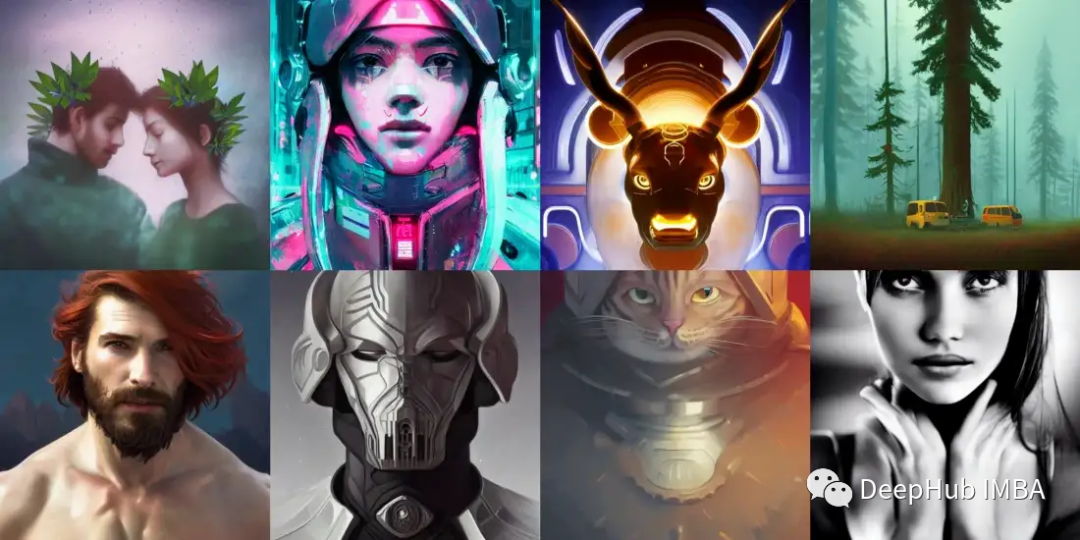
查看全部图片
基本的操作已经完成了,现在我们来使用Kaggle生成视频
首先进入notebook设置:在加速器选择GPU,
然后安装所需的软件包
 pipinstall-Ustable_diffusion_videos

 fromhuggingface_hubimportnotebook_login
 notebook_login()
 #Making Videos
 fromstable_diffusion_videosimportStableDiffusionWalkPipeline
 importtorch
 #"CompVis/stable-diffusion-v1-4" for 1.4

 pipeline=StableDiffusionWalkPipeline.from_pretrained(
     "runwayml/stable-diffusion-v1-5",
     torch_dtype=torch.float16,
     revision="fp16",
 ).to("cuda")
 #Generate the video Prompts 1
 video_path=pipeline.walk(
     prompts=['environment living room interior, mid century modern, indoor garden with fountain, retro,m vintage, designer furniture made of wood and plastic, concrete table, wood walls, indoor potted tree, large window, outdoor forest landscape, beautiful sunset, cinematic, concept art, sunstainable architecture, octane render, utopia, ethereal, cinematic light, –ar 16:9 –stylize 45000',
             'environment living room interior, mid century modern, indoor garden with fountain, retro,m vintage, designer furniture made of wood and plastic, concrete table, wood walls, indoor potted tree, large window, outdoor forest landscape, beautiful sunset, cinematic, concept art, sunstainable architecture, octane render, utopia, ethereal, cinematic light, –ar 16:9 –stylize 45000',
             'environment living room interior, mid century modern, indoor garden with fountain, retro,m vintage, designer furniture made of wood and plastic, concrete table, wood walls, indoor potted tree, large window, outdoor forest landscape, beautiful sunset, cinematic, concept art, sunstainable architecture, octane render, utopia, ethereal, cinematic light, –ar 16:9 –stylize 45000',
             'environment living room interior, mid century modern, indoor garden with fountain, retro,m vintage, designer furniture made of wood and plastic, concrete table, wood walls, indoor potted tree, large window, outdoor forest landscape, beautiful sunset, cinematic, concept art, sunstainable architecture, octane render, utopia, ethereal, cinematic light, –ar 16:9 –stylize 45000',
             'environment living room interior, mid century modern, indoor garden with fountain, retro,m vintage, designer furniture made of wood and plastic, concrete table, wood walls, indoor potted tree, large window, outdoor forest landscape, beautiful sunset, cinematic, concept art, sunstainable architecture, octane render, utopia, ethereal, cinematic light, –ar 16:9 –stylize 45000'],
     seeds=[42,333,444,555],
     num_interpolation_steps=50,
     #height=1280,  # use multiples of 64 if > 512. Multiples of 8 if < 512.
     #width=720,   # use multiples of 64 if > 512. Multiples of 8 if < 512.
     output_dir='dreams',        # Where images/videos will be saved
     name='imagine',        # Subdirectory of output_dir where images/videos will be saved
     guidance_scale=8.5,         # Higher adheres to prompt more, lower lets model take the wheel
     num_inference_steps=50,     # Number of diffusion steps per image generated. 50 is good default

 )
将图像扩大到4k,这样可以生成视频
 fromstable_diffusion_videosimportRealESRGANModel
 model=RealESRGANModel.from_pretrained('nateraw/real-esrgan')
 model.upsample_imagefolder('/kaggle/working/dreams/imagine/imagine_000000/', '/kaggle/working/dreams/imagine4K_00')
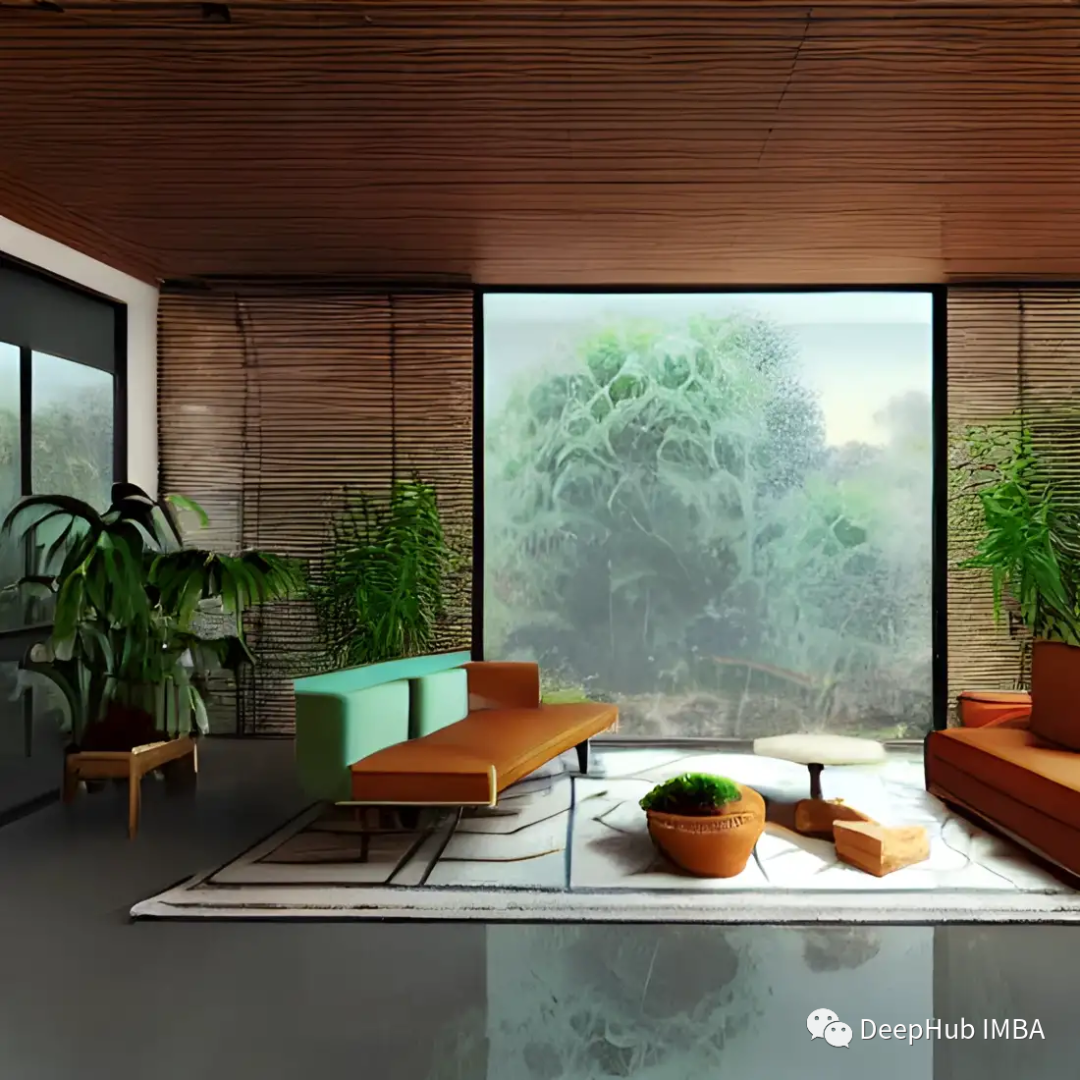
为视频增加音乐可以通过提供音频文件的将音频添加到视频中。
 %%capture
 !pipinstallyoutube-dl
 !youtube-dl-fbestaudio--extract-audio--audio-formatmp3--audio-quality0-o"music/thoughts.%(ext)s"https://soundcloud.com/nateraw/thoughts

 fromIPython.displayimportAudio

 Audio(filename='music/thoughts.mp3')
这里我们使用youtube-dl下载音频(需要注意该音频的版权),然后将音频加入到视频中
 # Seconds in the song.
 audio_offsets= [7, 9]
 fps=8

 # Convert seconds to frames
 num_interpolation_steps= [(b-a) *fpsfora, binzip(audio_offsets, audio_offsets[1:])]


 video_path=pipeline.walk(
     prompts=['blueberry spaghetti', 'strawberry spaghetti'],
     seeds=[42, 1337],
     num_interpolation_steps=num_interpolation_steps,
     height=512,                            # use multiples of 64
     width=512,                             # use multiples of 64
     audio_filepath='music/thoughts.mp3',    # Use your own file
     audio_start_sec=audio_offsets[0],       # Start second of the provided audio
     fps=fps,                               # important to set yourself based on the num_interpolation_steps you defined
     batch_size=4,                          # increase until you go out of memory.
     output_dir='dreams',                 # Where images will be saved
     name=None,                             # Subdir of output dir. will be timestamp by default
 )
本文代码你可以在这里找到:
https://avoid.overfit.cn/post/781a2bd8a4534f7cb2d223c141d37df8
作者:Bob Rupak Roy
我正在学习如何使用Nokogiri,根据这段代码我遇到了一些问题:require'rubygems'require'mechanize'post_agent=WWW::Mechanize.newpost_page=post_agent.get('http://www.vbulletin.org/forum/showthread.php?t=230708')puts"\nabsolutepathwithtbodygivesnil"putspost_page.parser.xpath('/html/body/div/div/div/div/div/table/tbody/tr/td/div
我有一个Ruby程序,它使用rubyzip压缩XML文件的目录树。gem。我的问题是文件开始变得很重,我想提高压缩级别,因为压缩时间不是问题。我在rubyzipdocumentation中找不到一种为创建的ZIP文件指定压缩级别的方法。有人知道如何更改此设置吗?是否有另一个允许指定压缩级别的Ruby库? 最佳答案 这是我通过查看rubyzip内部创建的代码。level=Zlib::BEST_COMPRESSIONZip::ZipOutputStream.open(zip_file)do|zip|Dir.glob("**/*")d
类classAprivatedeffooputs:fooendpublicdefbarputs:barendprivatedefzimputs:zimendprotecteddefdibputs:dibendendA的实例a=A.new测试a.foorescueputs:faila.barrescueputs:faila.zimrescueputs:faila.dibrescueputs:faila.gazrescueputs:fail测试输出failbarfailfailfail.发送测试[:foo,:bar,:zim,:dib,:gaz].each{|m|a.send(m)resc
很好奇,就使用rubyonrails自动化单元测试而言,你们正在做什么?您是否创建了一个脚本来在cron中运行rake作业并将结果邮寄给您?git中的预提交Hook?只是手动调用?我完全理解测试,但想知道在错误发生之前捕获错误的最佳实践是什么。让我们理所当然地认为测试本身是完美无缺的,并且可以正常工作。下一步是什么以确保他们在正确的时间将可能有害的结果传达给您? 最佳答案 不确定您到底想听什么,但是有几个级别的自动代码库控制:在处理某项功能时,您可以使用类似autotest的内容获得关于哪些有效,哪些无效的即时反馈。要确保您的提
假设我做了一个模块如下:m=Module.newdoclassCendend三个问题:除了对m的引用之外,还有什么方法可以访问C和m中的其他内容?我可以在创建匿名模块后为其命名吗(就像我输入“module...”一样)?如何在使用完匿名模块后将其删除,使其定义的常量不再存在? 最佳答案 三个答案:是的,使用ObjectSpace.此代码使c引用你的类(class)C不引用m:c=nilObjectSpace.each_object{|obj|c=objif(Class===objandobj.name=~/::C$/)}当然这取决于
我正在尝试使用ruby和Savon来使用网络服务。测试服务为http://www.webservicex.net/WS/WSDetails.aspx?WSID=9&CATID=2require'rubygems'require'savon'client=Savon::Client.new"http://www.webservicex.net/stockquote.asmx?WSDL"client.get_quotedo|soap|soap.body={:symbol=>"AAPL"}end返回SOAP异常。检查soap信封,在我看来soap请求没有正确的命名空间。任何人都可以建议我
关闭。这个问题是opinion-based.它目前不接受答案。想要改进这个问题?更新问题,以便editingthispost可以用事实和引用来回答它.关闭4年前。Improvethisquestion我想在固定时间创建一系列低音和高音调的哔哔声。例如:在150毫秒时发出高音调的蜂鸣声在151毫秒时发出低音调的蜂鸣声200毫秒时发出低音调的蜂鸣声250毫秒的高音调蜂鸣声有没有办法在Ruby或Python中做到这一点?我真的不在乎输出编码是什么(.wav、.mp3、.ogg等等),但我确实想创建一个输出文件。
我在我的项目目录中完成了compasscreate.和compassinitrails。几个问题:我已将我的.sass文件放在public/stylesheets中。这是放置它们的正确位置吗?当我运行compasswatch时,它不会自动编译这些.sass文件。我必须手动指定文件:compasswatchpublic/stylesheets/myfile.sass等。如何让它自动运行?文件ie.css、print.css和screen.css已放在stylesheets/compiled。如何在编译后不让它们重新出现的情况下删除它们?我自己编译的.sass文件编译成compiled/t
我想将html转换为纯文本。不过,我不想只删除标签,我想智能地保留尽可能多的格式。为插入换行符标签,检测段落并格式化它们等。输入非常简单,通常是格式良好的html(不是整个文档,只是一堆内容,通常没有anchor或图像)。我可以将几个正则表达式放在一起,让我达到80%,但我认为可能有一些现有的解决方案更智能。 最佳答案 首先,不要尝试为此使用正则表达式。很有可能你会想出一个脆弱/脆弱的解决方案,它会随着HTML的变化而崩溃,或者很难管理和维护。您可以使用Nokogiri快速解析HTML并提取文本:require'nokogiri'h
我想为Heroku构建一个Rails3应用程序。他们使用Postgres作为他们的数据库,所以我通过MacPorts安装了postgres9.0。现在我需要一个postgresgem并且共识是出于性能原因你想要pggem。但是我对我得到的错误感到非常困惑当我尝试在rvm下通过geminstall安装pg时。我已经非常明确地指定了所有postgres目录的位置可以找到但仍然无法完成安装:$envARCHFLAGS='-archx86_64'geminstallpg--\--with-pg-config=/opt/local/var/db/postgresql90/defaultdb/po
