Displays a Material dialog above the current contents of the app,
以安卓的样式覆盖在内容区域上的对话框,
with Material entrance and exit animations, modal barrier color, and modal
包含显示和关闭动画 , 对话框后面透明颜色 和对话框自身颜色,
barrier behavior (dialog is dismissible with a tap on the barrier).
以及对话框的一些属性 (例如: 点击可以关闭对话框)
This function takes a
builderwhich typically builds a [Dialog] widget.
showDialog 函数需要通过builder来构建我们需要的对话框 ,
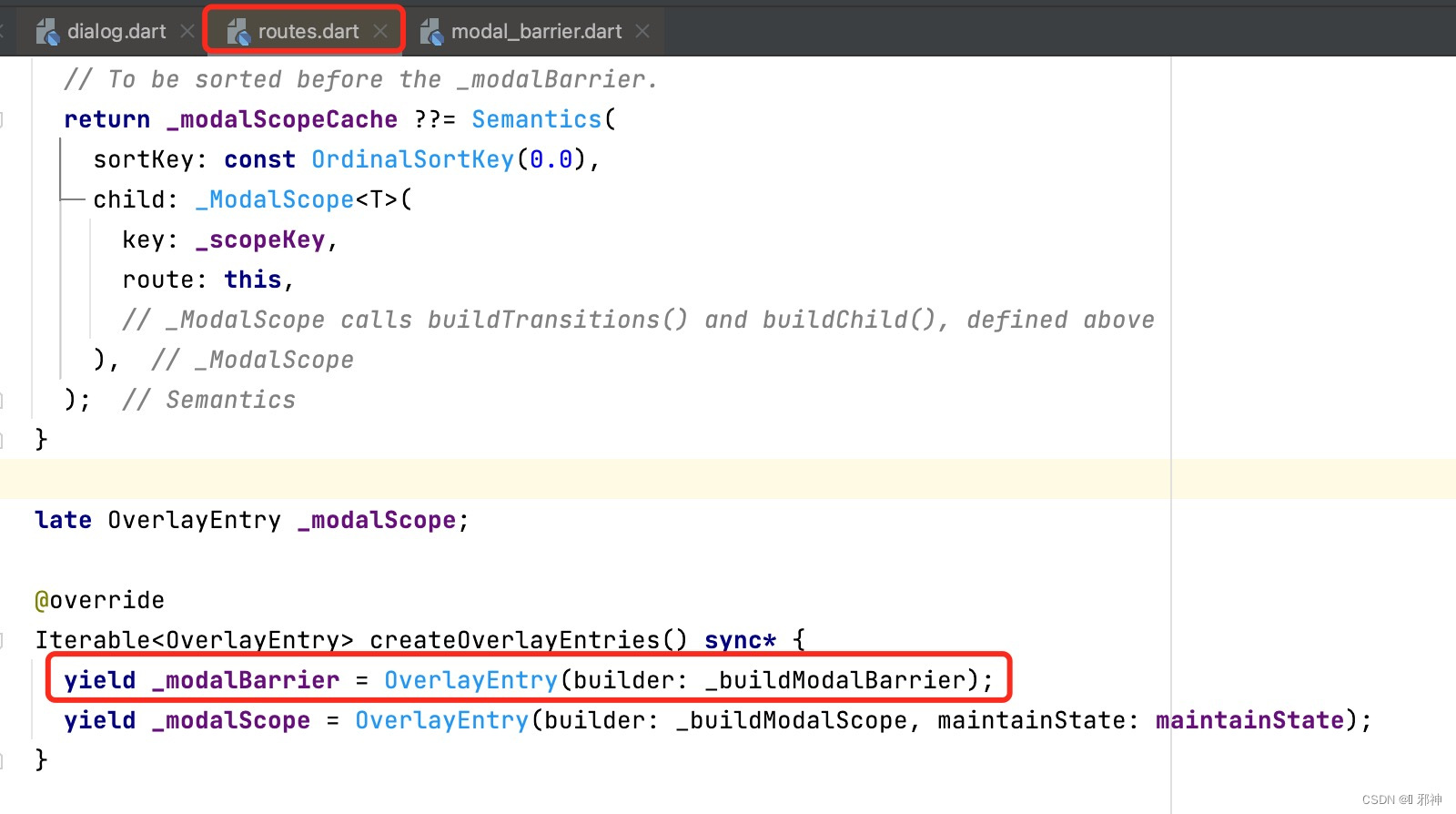
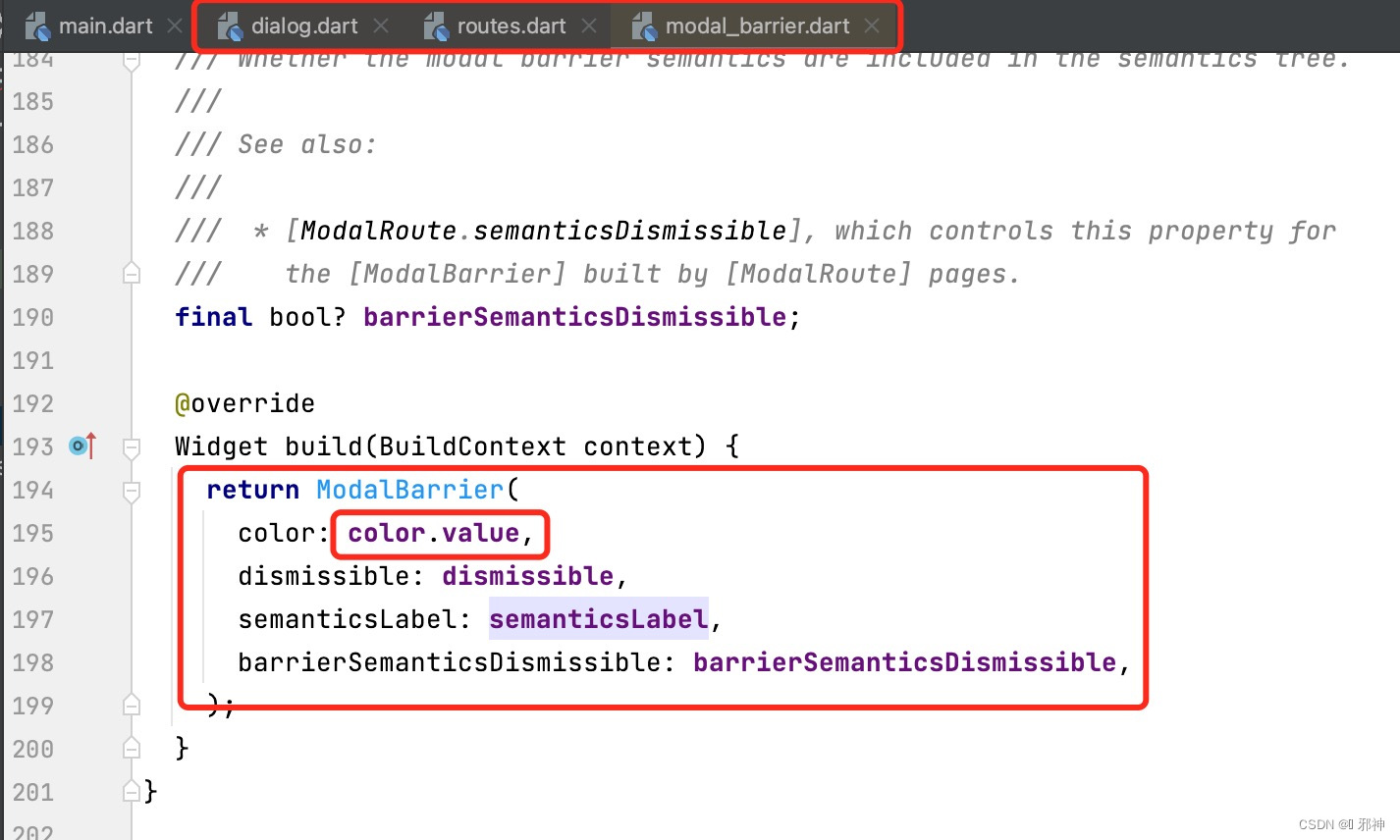
Content below the dialog is dimmed with a [ModalBarrier].
位于内容区域和对话框中间的透明层使用ModalBarrier .
The widget returned by thebuilderdoes not share a context with the location thatshowDialogis originally called from.
调用函数showDialog 传递的Context 和 builder 函数返回的Context 不属于同一个上下文 .
Use a [StatefulBuilder] or a custom [StatefulWidget] if the dialog needs
to update dynamically.
如果需要更新对话框数据,请使用 StatefulBuilder 或自定义 StatefulWidget。
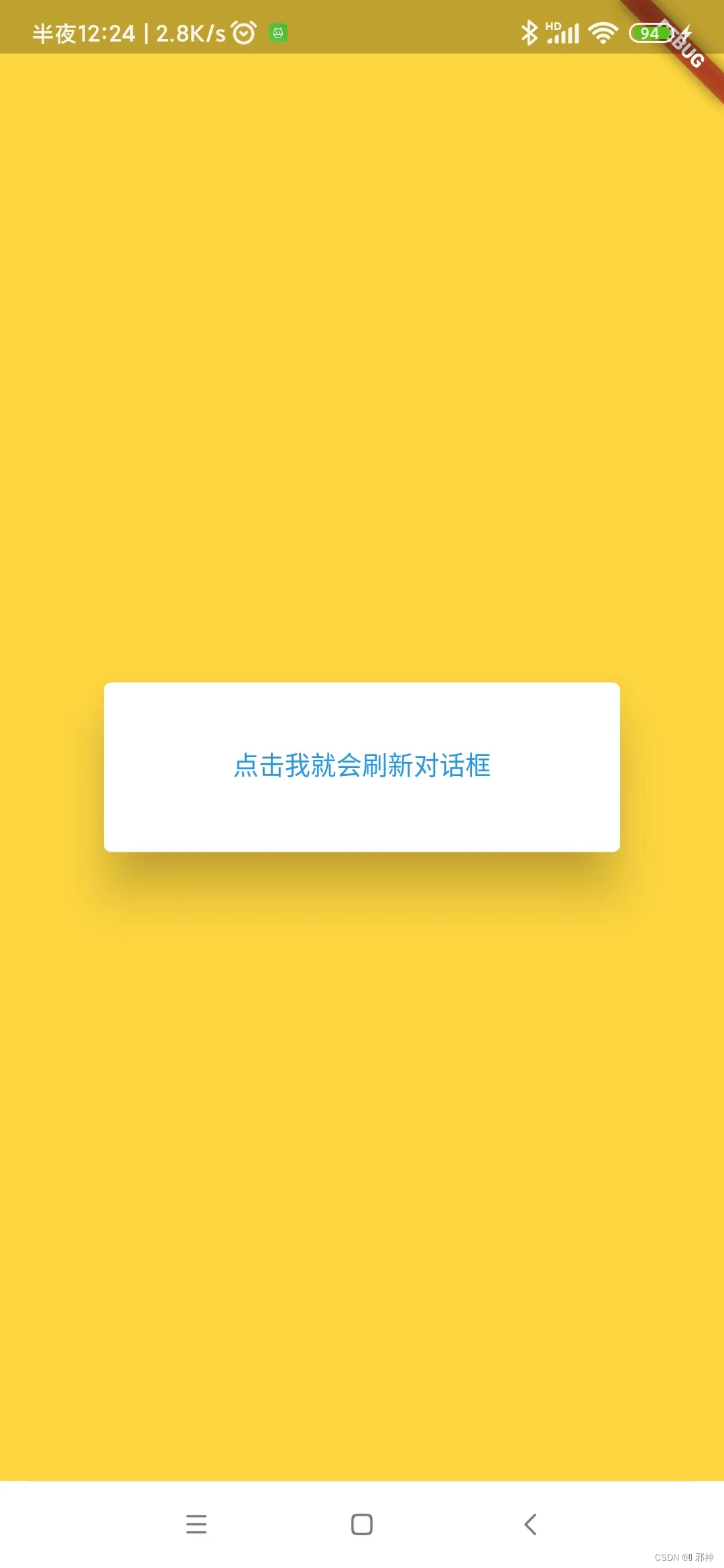
StatefulBuilder 刷新对话框
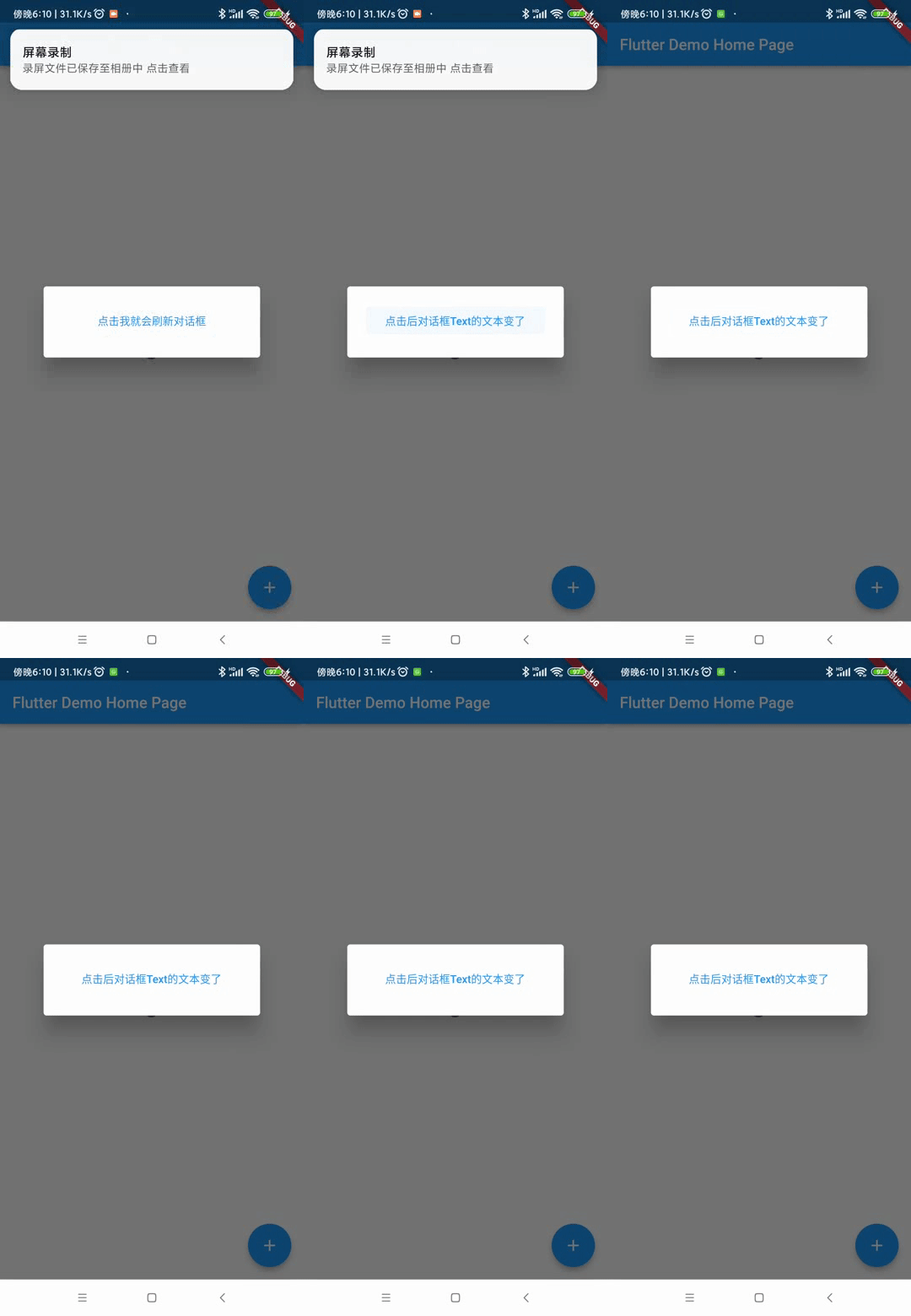
  Future<void> _showMyDialog() async {
    return showDialog<void>(
      context: context,
      barrierDismissible: false, // user must tap button!
      builder: (BuildContext context) {
        String changeTextValue = "点击我就会刷新对话框";
        return AlertDialog(
          content: StatefulBuilder(
            builder: (BuildContext context, StateSetter setState) {
              return TextButton(
                  onPressed: () {
                    setState((){
                      changeTextValue = "点击后对话框Text的文本变了";
                    });
                  },
                  child:  Text(changeTextValue));
            },
          ),
        );
      },
    );
  }
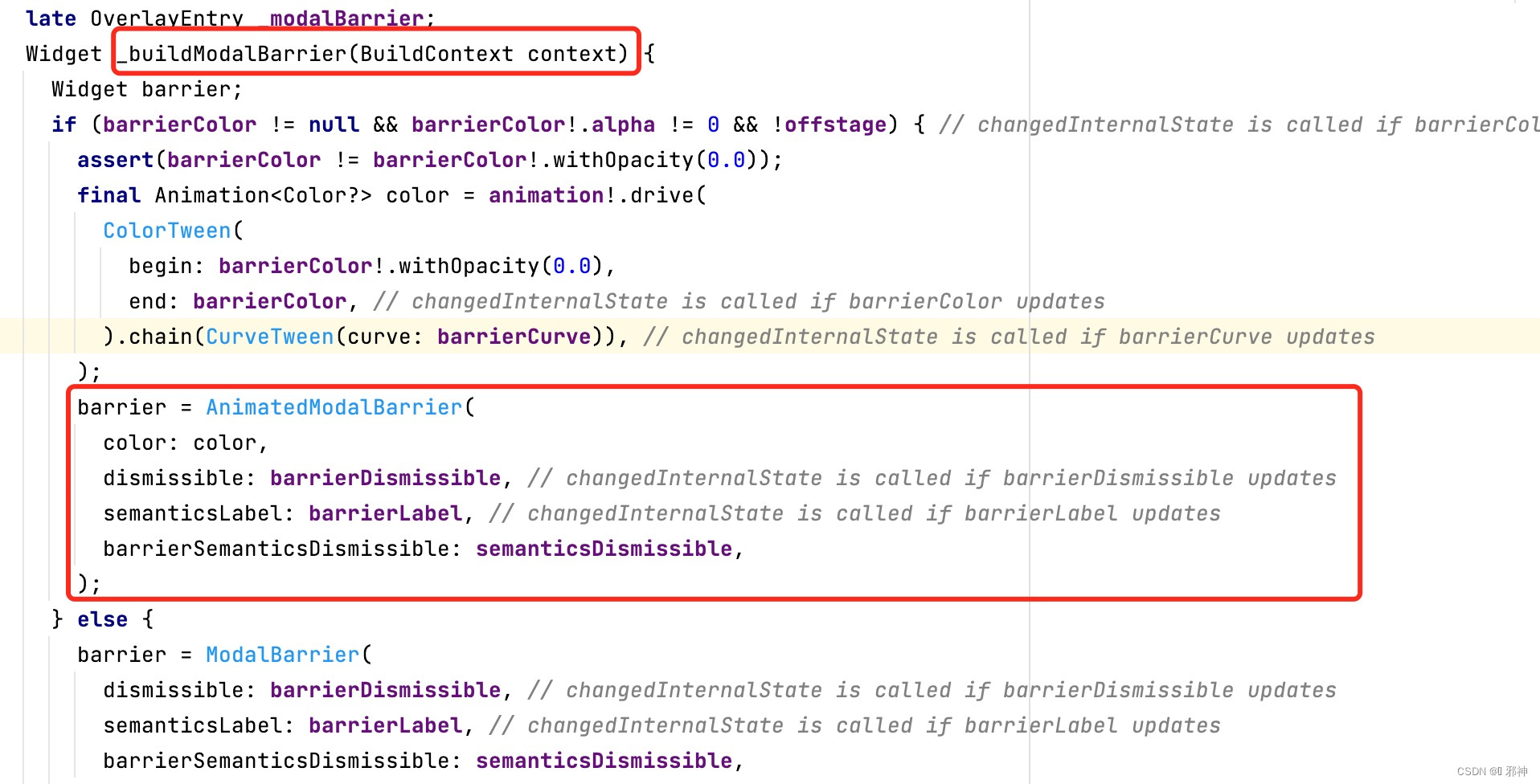
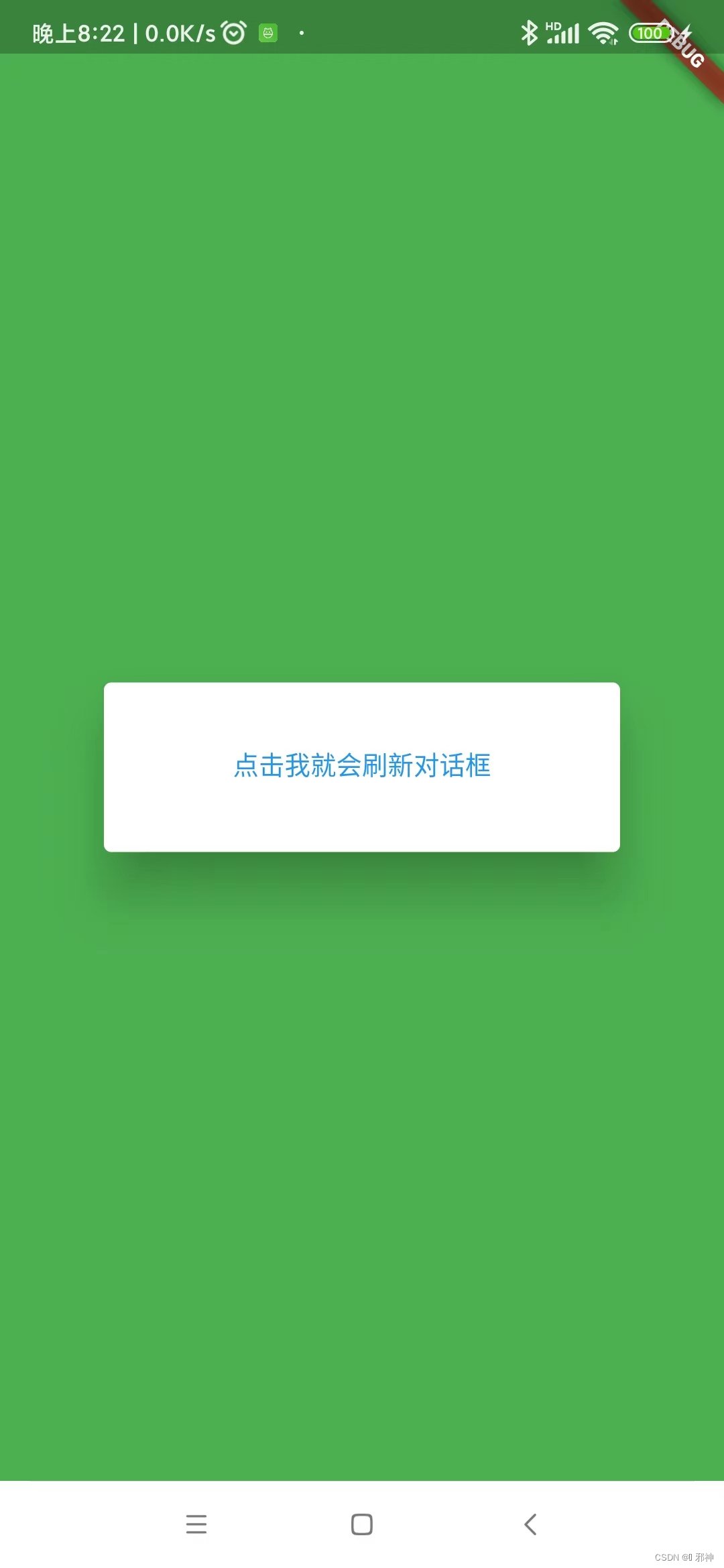
透明层ModalBarrier
调用showDialog函数
Future<void> _showMyDialog() async {
    return showDialog<void>(
      context: context,
      barrierDismissible: false, // user must tap button!
      barrierColor: Colors.green,
      builder: (BuildContext context) {
        String changeTextValue = "点击我就会刷新对话框";
        return AlertDialog(
          content: StatefulBuilder(
            builder: (BuildContext context, StateSetter setState) {
              return TextButton(
                  onPressed: () {
                    setState(() {
                      changeTextValue = "点击后对话框Text的文本变了";
                    });
                  },
                  child: Text(changeTextValue));
            },
          ),
        );
      },
    );
  }
The
contextargument is used to look up the [Navigator] and [Theme] for
the dialog.
用于打开对话框 时 查找 Navigator 和 Theme 方便对话框使用 .
It is only used when the method is called.
当调用函数 showDialog 时使用 .
Its corresponding widget can be safely removed from the tree before the dialog is closed.
当需要关闭对话框时 , 可以通过Context 从对话框的父视图中移除相关子Widget .
Navigator 是管理管理具备堆栈规则的子Widget.
Theme 包括Widget 的颜色、大小、阴影等属性 .
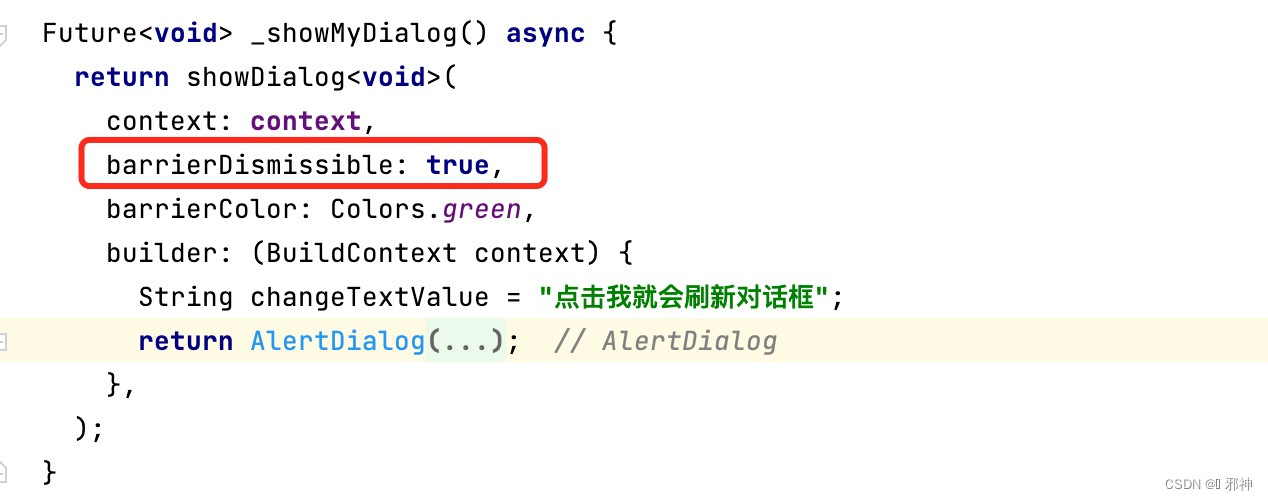
The
barrierDismissibleargument is used to indicate whether tapping on the
barrier will dismiss the dialog. It istrueby default and can not benull.
当我们点击除开对话框内容以外的区域是否关闭对话需用用到barrierDismissible参数 . 这个参数默认值是true ,但不能为null .
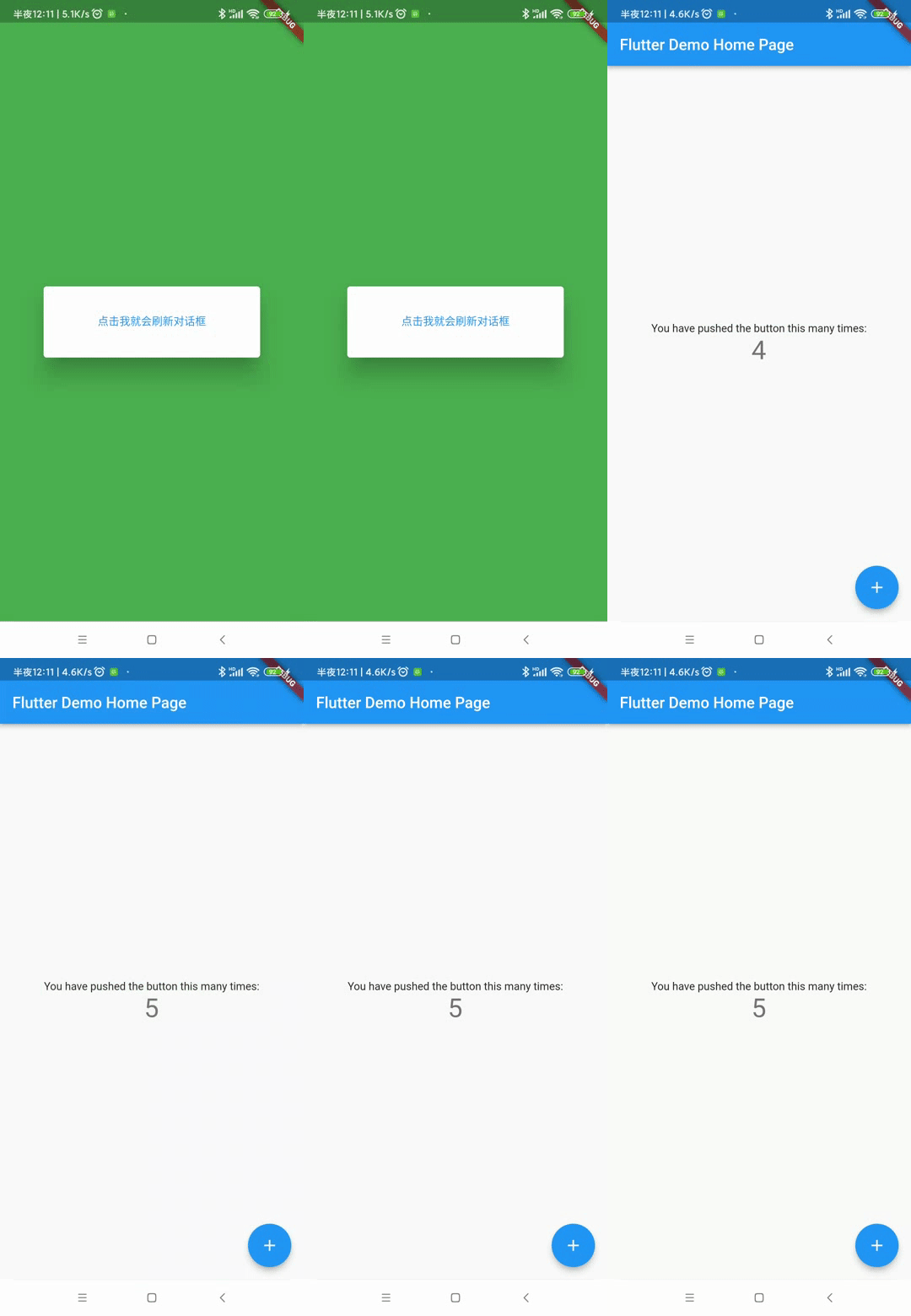
The
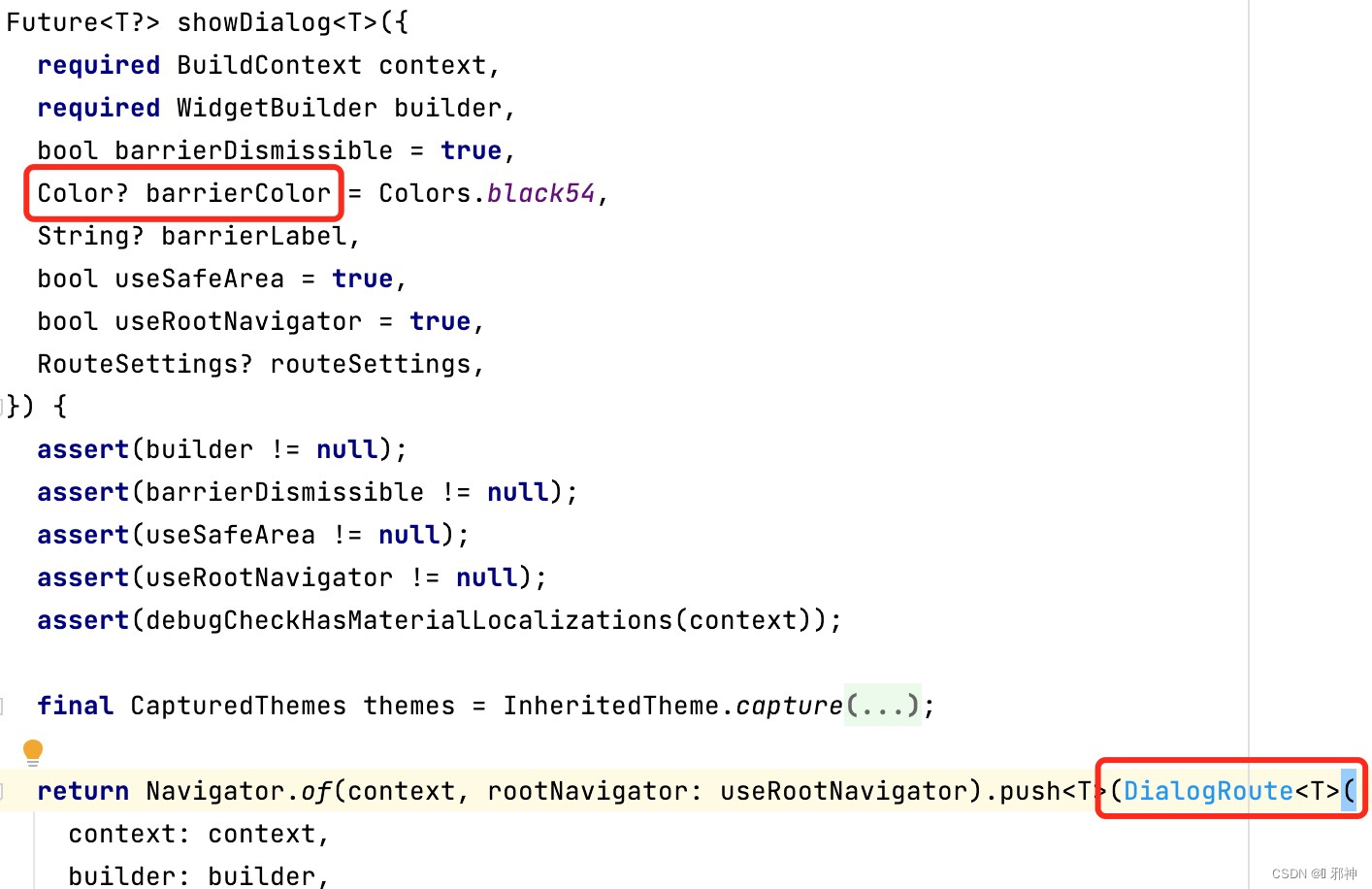
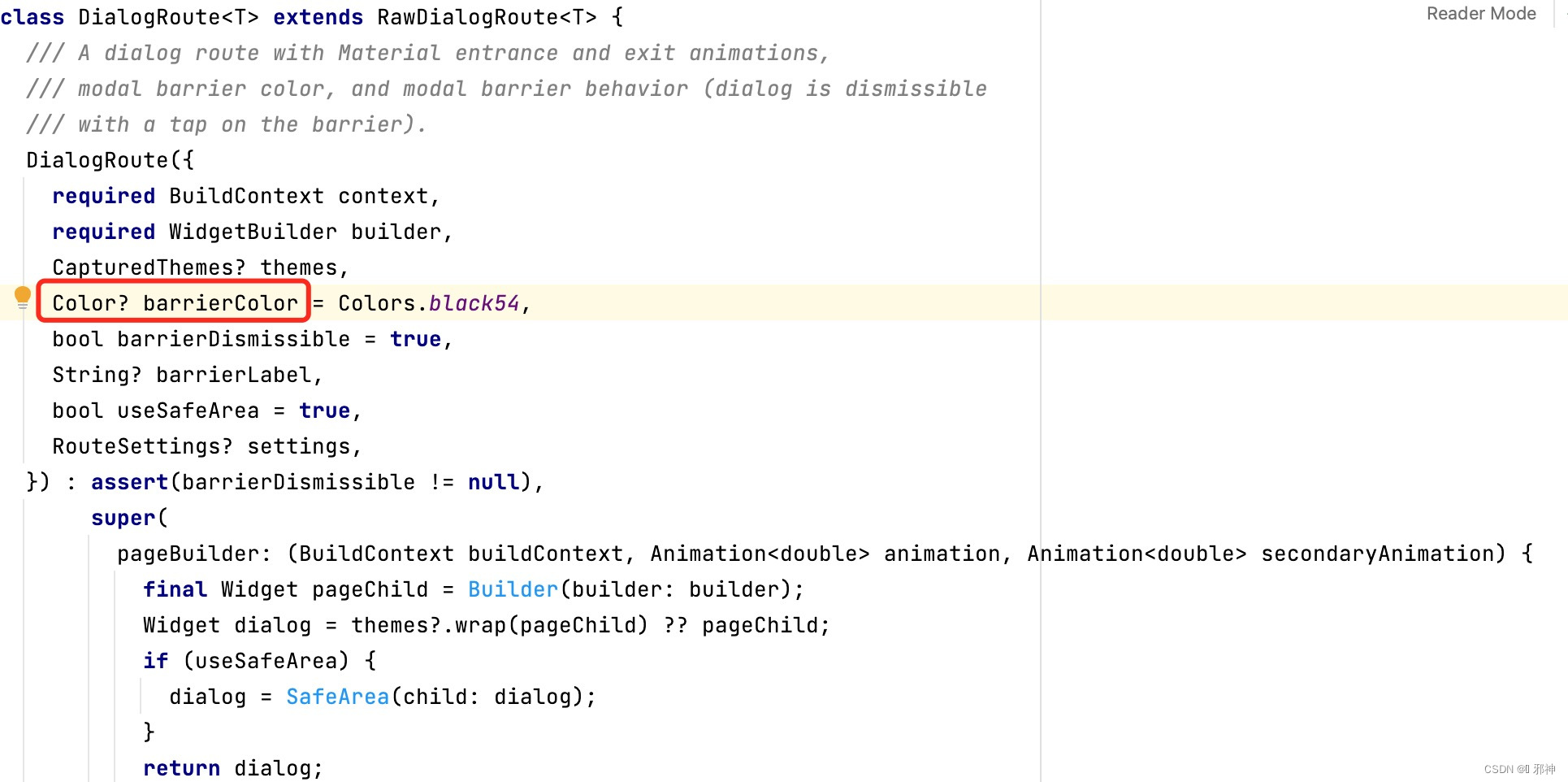
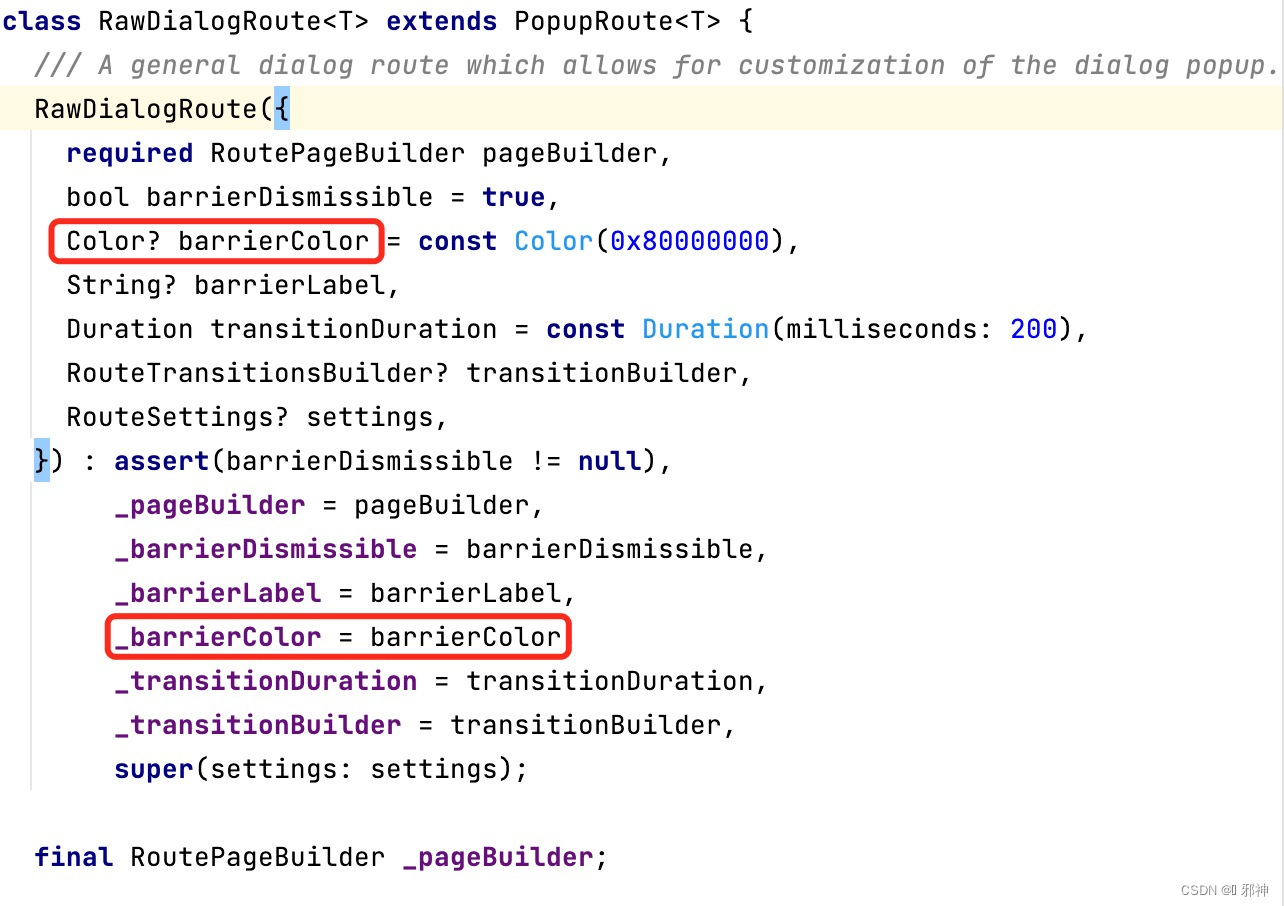
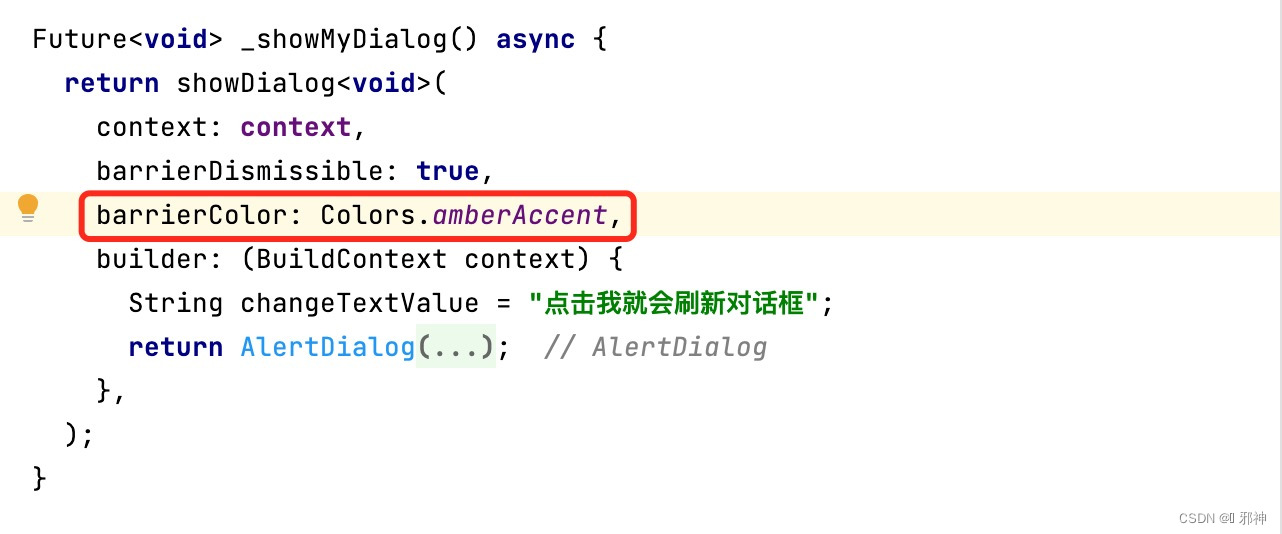
barrierColorargument is used to specify the color of the modal barrier that darkens everything below the dialog.
barrierColor用于制定 对话框下面的背景颜色遮盖在内容的上面 .
Ifnull, the default colorColors.black54is used.
如果barrierColor 不设置 , 默认的颜色值是 Colors.black54 .
The
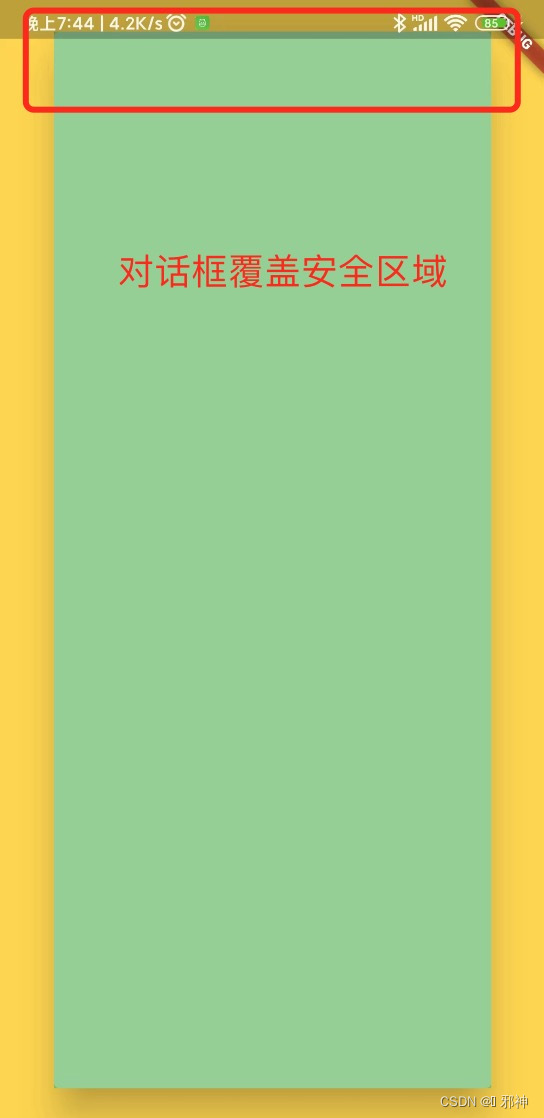
useSafeAreaargument is used to indicate if the dialog should only display in ‘safe’ areas of the screen not used by the operating system (see [SafeArea] for more details).
对话框是否显示在屏幕的安全区域 (让对话框不延伸到状态栏)
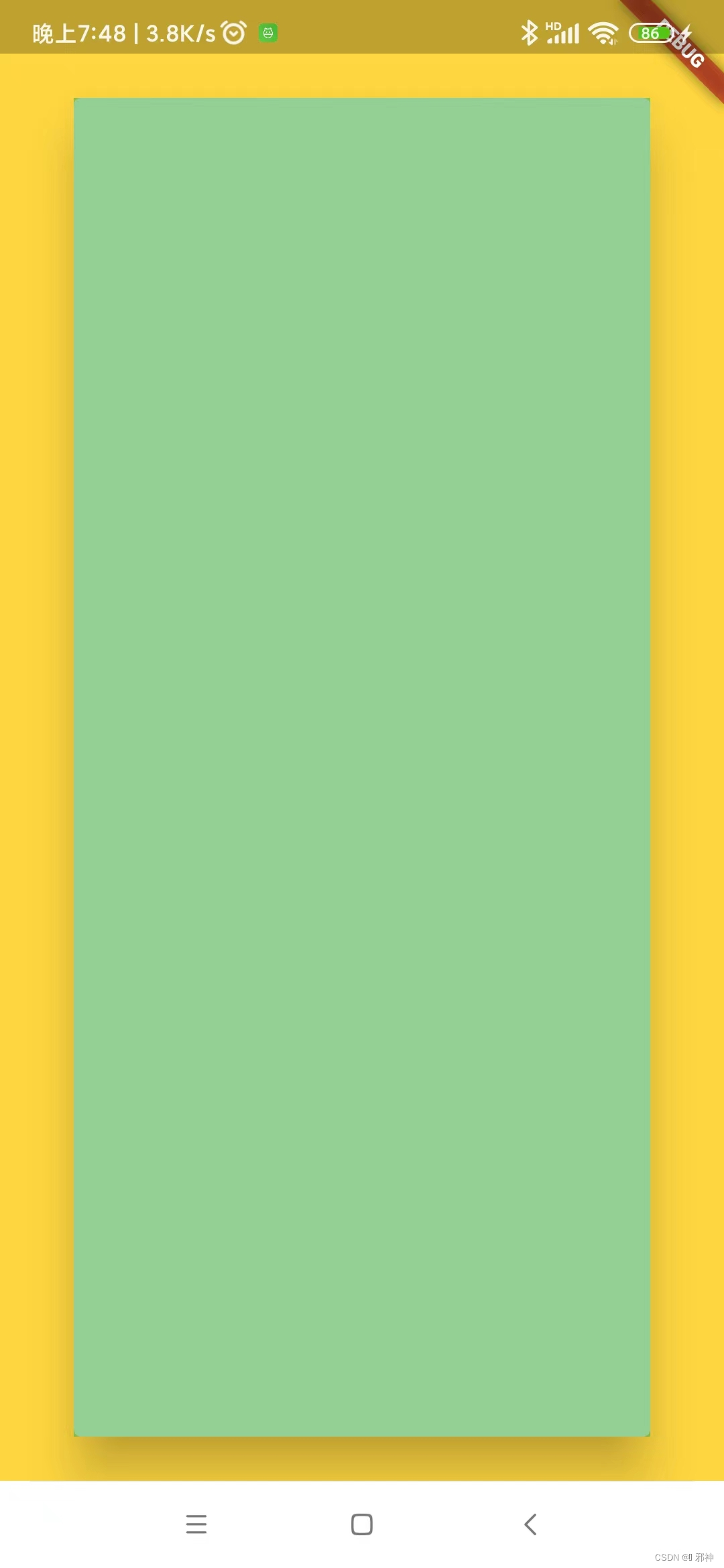
It istrueby default, which means the dialog will not overlap operating system areas.
userSafeArea参数默认为true , 意味着对话框不会与状态栏重叠 .
If it is set tofalsethe dialog will only be constrained by the screen size. It can not benull.
userSafeArea=fasle
Future<void> _showMyDialog() async {
    return showDialog<void>(
      context: context,
      barrierDismissible: true,
      barrierColor: Colors.amberAccent,
      useSafeArea: false,
      builder: (BuildContext context) {
        return AlertDialog(
          contentPadding: const EdgeInsets.all(0.0),
          content: StatefulBuilder(
            builder: (BuildContext context, StateSetter setState) {
              return Container(
                width: MediaQuery.of(context).size.width,
                height: MediaQuery.of(context).size.height,
                color: Colors.green.withOpacity(0.6),
              );
            },
          ),
        );
      },
    );
  }
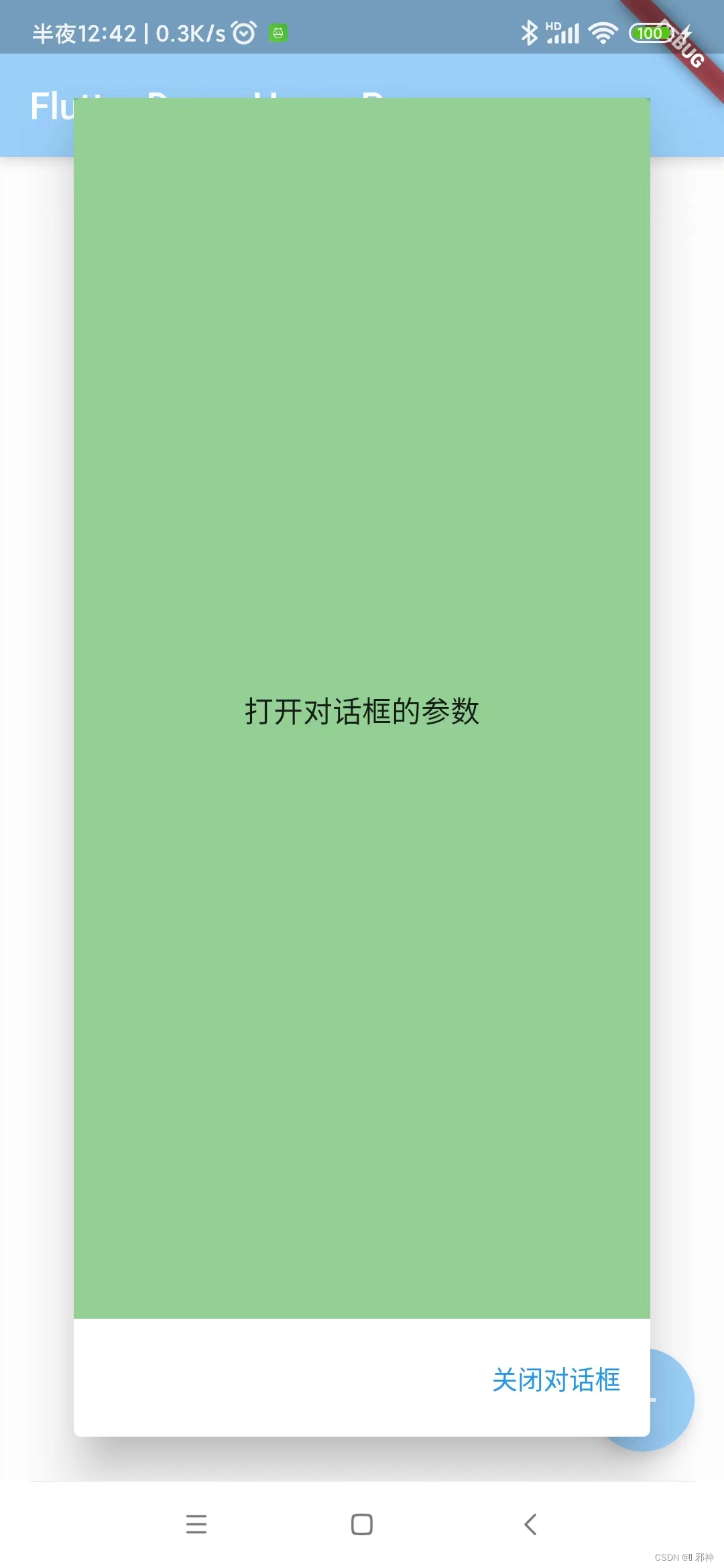
userSafeArea=true
Future<void> _showMyDialog() async {
    return showDialog<void>(
      context: context,
      barrierDismissible: true,
      barrierColor: Colors.amberAccent,
      useSafeArea: true,
      builder: (BuildContext context) {
        return AlertDialog(
          contentPadding: const EdgeInsets.all(0.0),
          content: StatefulBuilder(
            builder: (BuildContext context, StateSetter setState) {
              return Container(
                width: MediaQuery.of(context).size.width,
                height: MediaQuery.of(context).size.height,
                color: Colors.green.withOpacity(0.6),
              );
            },
          ),
        );
      },
    );
  }
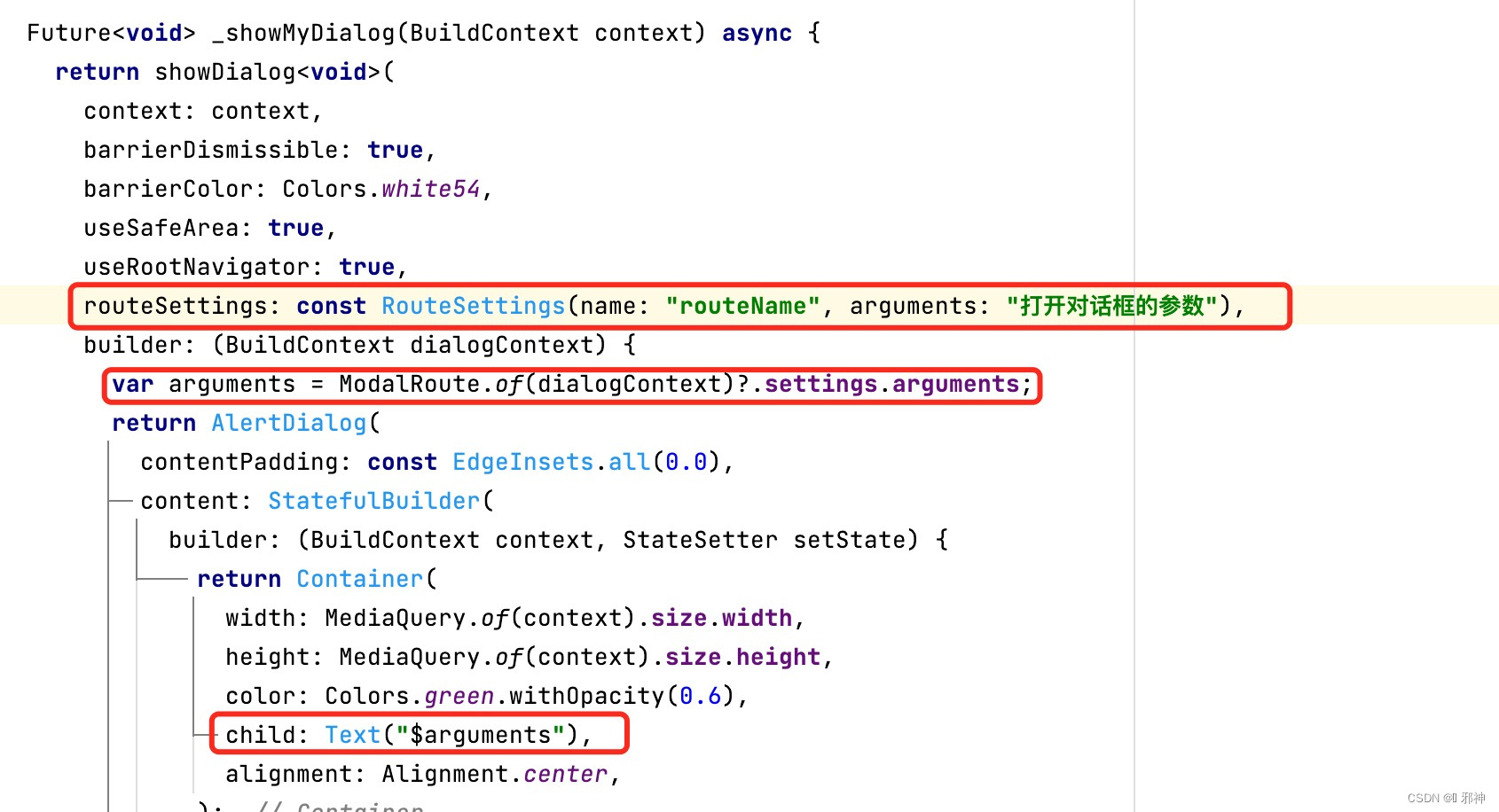
传递路由名称和参数
useRootNavigator 和barrierLabel 参数后续会将相关说明放到文章里面 ,有知道这两个参数含义可以在下面进行评论留言 !!!
我有一个用户工厂。我希望默认情况下确认用户。但是鉴于unconfirmed特征,我不希望它们被确认。虽然我有一个基于实现细节而不是抽象的工作实现,但我想知道如何正确地做到这一点。factory:userdoafter(:create)do|user,evaluator|#unwantedimplementationdetailshereunlessFactoryGirl.factories[:user].defined_traits.map(&:name).include?(:unconfirmed)user.confirm!endendtrait:unconfirmeddoenden
华为OD机试题本篇题目:明明的随机数题目输入描述输出描述:示例1输入输出说明代码编写思路最近更新的博客华为od2023|什么是华为od,od薪资待遇,od机试题清单华为OD机试真题大全,用Python解华为机试题|机试宝典【华为OD机试】全流程解析+经验分享,题型分享,防作弊指南华为o
C#实现简易绘图工具一.引言实验目的:通过制作窗体应用程序(C#画图软件),熟悉基本的窗体设计过程以及控件设计,事件处理等,熟悉使用C#的winform窗体进行绘图的基本步骤,对于面向对象编程有更加深刻的体会.Tutorial任务设计一个具有基本功能的画图软件**·包括简单的新建文件,保存,重新绘图等功能**·实现一些基本图形的绘制,包括铅笔和基本形状等,学习橡皮工具的创建**·设计一个合理舒适的UI界面**注明:你可能需要先了解一些关于winform窗体应用程序绘图的基本知识,以及关于GDI+类和结构的知识二.实验环境Windows系统下的visualstudio2017C#窗体应用程序三.
MIMO技术的优缺点优点通过下面三个增益来总体概括:阵列增益。阵列增益是指由于接收机通过对接收信号的相干合并而活得的平均SNR的提高。在发射机不知道信道信息的情况下,MIMO系统可以获得的阵列增益与接收天线数成正比复用增益。在采用空间复用方案的MIMO系统中,可以获得复用增益,即信道容量成倍增加。信道容量的增加与min(Nt,Nr)成正比分集增益。在采用空间分集方案的MIMO系统中,可以获得分集增益,即可靠性性能的改善。分集增益用独立衰落支路数来描述,即分集指数。在使用了空时编码的MIMO系统中,由于接收天线或发射天线之间的间距较远,可认为它们各自的大尺度衰落是相互独立的,因此分布式MIMO
遍历文件夹我们通常是使用递归进行操作,这种方式比较简单,也比较容易理解。本文为大家介绍另一种不使用递归的方式,由于没有使用递归,只用到了循环和集合,所以效率更高一些!一、使用递归遍历文件夹整体思路1、使用File封装初始目录,2、打印这个目录3、获取这个目录下所有的子文件和子目录的数组。4、遍历这个数组,取出每个File对象4-1、如果File是否是一个文件,打印4-2、否则就是一个目录,递归调用代码实现publicclassSearchFile{publicstaticvoidmain(String[]args){//初始目录Filedir=newFile("d:/Dev");Datebeg
通常,数组被实现为内存块,集合被实现为HashMap,有序集合被实现为跳跃列表。在Ruby中也是如此吗?我正在尝试从性能和内存占用方面评估Ruby中不同容器的使用情况 最佳答案 数组是Ruby核心库的一部分。每个Ruby实现都有自己的数组实现。Ruby语言规范只规定了Ruby数组的行为,并没有规定任何特定的实现策略。它甚至没有指定任何会强制或至少建议特定实现策略的性能约束。然而,大多数Rubyist对数组的性能特征有一些期望,这会迫使不符合它们的实现变得默默无闻,因为实际上没有人会使用它:插入、前置或追加以及删除元素的最坏情况步骤复
在ruby中,你可以这样做:classThingpublicdeff1puts"f1"endprivatedeff2puts"f2"endpublicdeff3puts"f3"endprivatedeff4puts"f4"endend现在f1和f3是公共(public)的,f2和f4是私有(private)的。内部发生了什么,允许您调用一个类方法,然后更改方法定义?我怎样才能实现相同的功能(表面上是创建我自己的java之类的注释)例如...classThingfundeff1puts"hey"endnotfundeff2puts"hey"endendfun和notfun将更改以下函数定
我目前有一个reddit克隆类型的网站。我正在尝试根据我的用户之前喜欢的帖子推荐帖子。看起来K最近邻或k均值是执行此操作的最佳方法。我似乎无法理解如何实际实现它。我看过一些数学公式(例如k表示维基百科页面),但它们对我来说并没有真正意义。有人可以推荐一些伪代码,或者可以查看的地方,以便我更好地了解如何执行此操作吗? 最佳答案 K最近邻(又名KNN)是一种分类算法。基本上,您采用包含N个项目的训练组并对它们进行分类。如何对它们进行分类完全取决于您的数据,以及您认为该数据的重要分类特征是什么。在您的示例中,这可能是帖子类别、谁发布了该项
我查看了Stripedocumentationonerrors,但我仍然无法正确处理/重定向这些错误。基本上无论发生什么,我都希望他们返回到edit操作(通过edit_profile_path)并向他们显示一条消息(无论成功与否)。我在edit操作上有一个表单,它可以POST到update操作。使用有效的信用卡可以正常工作(费用在Stripe仪表板中)。我正在使用Stripe.js。classExtrasController5000,#amountincents:currency=>"usd",:card=>token,:description=>current_user.email)
虽然1.8.7的构建我似乎有一个向后移植的Shellwords::shellescape版本,但我知道该方法是1.9的一个特性,在1.8的早期版本中绝对不支持.有谁知道我在哪里可以找到(以Gem形式或仅作为片段)针对Ruby转义的Bourne-shell命令的强大独立实现? 最佳答案 您也可以从shellwords.rb中复制您想要的内容。在Ruby的颠覆存储库的主干中(即GPLv2'd):defshellescape(str)#Anemptyargumentwillbeskipped,soreturnemptyquotes.ret