通过Electron技术 + python 构建桌面应用实际上非常麻烦,需要使用python构成后端并打包,然后使用Vue作为前端,还要用Electron打包。
但是好处就是可以同时得到来自前端UI框架的高颜值支持以及python海量轮子的快速实现(以及较为完善的多端部署功能),项目可以快速扩展成全平台应用。
所以我在这个博客里记录了Python + Vue Electron 构建桌面应用的方法。
(其实单纯使用node.js进行开发可能会更快,毕竟不用写后端api,但是python的社区有很多超级方便的库,可以节约大量的时间,比较起来还是写api来得节省时间)
vue create vue-electron-app
npm i -D naive-ui
npm i -D vfonts
为了方便,全局引入UI组件,在main.js 中添加
import naive from 'naive-ui'
createApp(App).use(naive).use(store).use(router).mount('#app')
vue add electron-builder
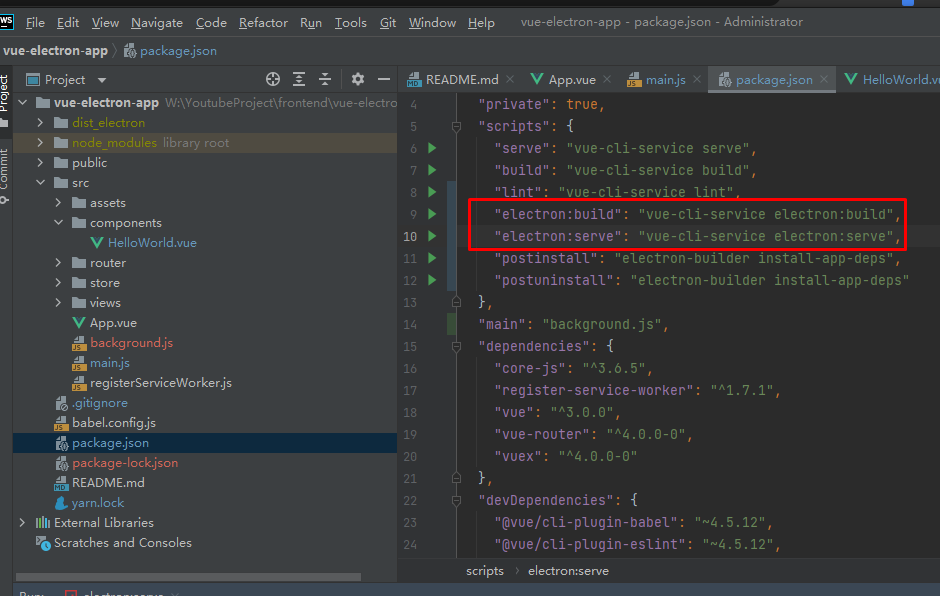
安装成功后package.json中多了几个命令
运行npm run electron:serve
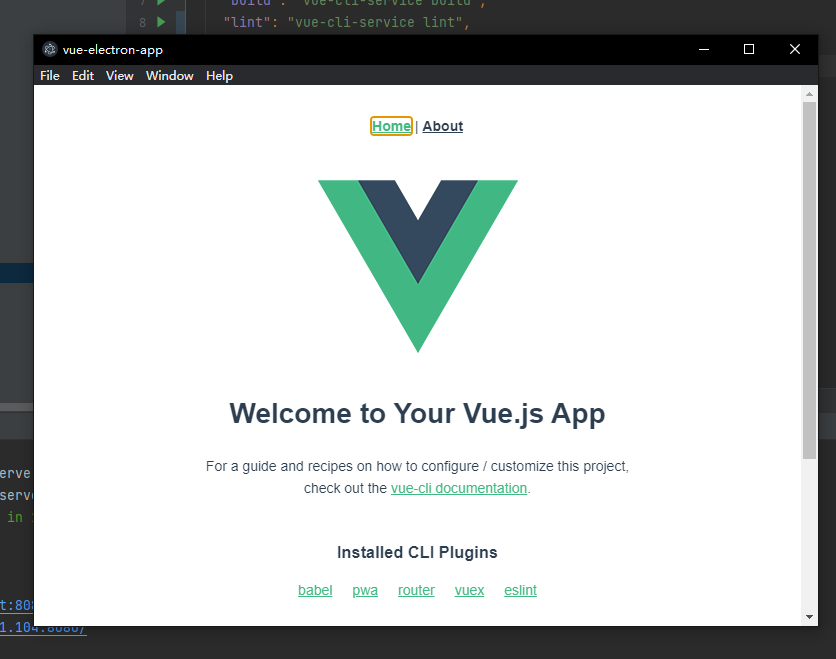
到这里就基本完成前端部分的环境设置,后续只需要像开发web应用一样写api就行了
安装fastapi及其依赖项
pip install fastapi[all] pyinstaller
from fastapi import FastAPI
import uvicorn
# 配置文件
from config import This_config
import logging


app = FastAPI()


@app.get("/")
async def root():
    return {"message": "Hello World"}


if __name__ == '__main__':
    logging.basicConfig(filename='log.log', encoding='utf-8', level=logging.INFO, format='%(asctime)s %(message)s')

    logging.info("Now start service")

    try:
        uvicorn.run("main:app", host="localhost", port=This_config['port'], log_level="info")
    except Exception as e:
        logging.error(e)
下面的命令用于pyinstaller打包
pyinstaller --uac-admin -w main.py --distpath W:\YoutubeProject\frontend\vue-electron-app\dist_electron\win-unpacked\backend_dist --hidden-import=main
需要注意的是,--hidden-import=main 不能省略,否则服务器无法启动。
因为是桌面端软件,在前端Electron打包,后端pyinstaller打包之后,需要在启动前端的Electron .exe文件时,也同时启动pyinstaller打包的后端exe文件,这就需要在前端代码中写入命令行以唤起后端的exe,并在退出时关闭后端exe。
首先安装node-cmd,yarn add node-cmd
然后在管理electron生命周期的项目名.js 文件中,完成以下代码以唤起和关闭后端exe
'use strict'

import { app, protocol, BrowserWindow } from 'electron'
import { createProtocol } from 'vue-cli-plugin-electron-builder/lib'
import installExtension, { VUEJS3_DEVTOOLS } from 'electron-devtools-installer'


var cmd=require('node-cmd');

// 获取程序的根目录地址
var currentPath = require("path").dirname(require('electron').app.getPath("exe"));

const isDevelopment = process.env.NODE_ENV !== 'production'

// Scheme must be registered before the app is ready
protocol.registerSchemesAsPrivileged([
  { scheme: 'app', privileges: { secure: true, standard: true } }
])

async function createWindow() {
  // Create the browser window.
  const win = new BrowserWindow({
    width: 800,
    height: 600,
    webPreferences: {

      // Use pluginOptions.nodeIntegration, leave this alone
      // See nklayman.github.io/vue-cli-plugin-electron-builder/guide/security.html#node-integration for more info
      nodeIntegration: process.env.ELECTRON_NODE_INTEGRATION,
      contextIsolation: !process.env.ELECTRON_NODE_INTEGRATION
    }
  })

  if (process.env.WEBPACK_DEV_SERVER_URL) {
    // Load the url of the dev server if in development mode
    await win.loadURL(process.env.WEBPACK_DEV_SERVER_URL)
    if (!process.env.IS_TEST) win.webContents.openDevTools()
  } else {
    createProtocol('app')
    // Load the index.html when not in development
    win.loadURL('app://./index.html')
  }
}

// Quit when all windows are closed.
app.on('window-all-closed', () => {
  // On macOS it is common for applications and their menu bar
  // to stay active until the user quits explicitly with Cmd + Q
  if (process.platform !== 'darwin') {
    app.quit()
    cmd.run(`taskkill /F /im main.exe`)
  }
})

app.on('activate', () => {
  // On macOS it's common to re-create a window in the app when the
  // dock icon is clicked and there are no other windows open.
  if (BrowserWindow.getAllWindows().length === 0) createWindow()
})

// This method will be called when Electron has finished
// initialization and is ready to create browser windows.
// Some APIs can only be used after this event occurs.
app.on('ready', async () => {
  if (isDevelopment && !process.env.IS_TEST) {
    // Install Vue Devtools
    try {
      await installExtension(VUEJS3_DEVTOOLS)
    } catch (e) {
      console.error('Vue Devtools failed to install:', e.toString())
    }
  }
  console.log("now start service")
  console.log(`${currentPath}/backend_dist/main/main.exe`)
  // 启动服务器exe
  cmd.run(`${currentPath}/backend_dist/main/main.exe`,function(err, data, stderr){
    console.log(data)
    console.log(err)
    console.log(stderr)
  });

  createWindow()
})

// Exit cleanly on request from parent process in development mode.
if (isDevelopment) {
  if (process.platform === 'win32') {
    process.on('message', (data) => {
      if (data === 'graceful-exit') {
        app.quit()
        // 关闭服务器exe
        cmd.run(`taskkill /F /im main.exe`)
      }
    })
  } else {
    process.on('SIGTERM', () => {
      app.quit()
      cmd.run(`taskkill /F /im main.exe`)

    })
  }
}
需要注意的是后端pyinstaller打包的程序需要安装到指定的目录中:${currentPath}/backend_dist/main/main.exe
这里项目中使用的后端端口是5003,但是在实际生产环境中端口有可能被占用,所以有必要在开发时将后端最终运行的端口号记录在数据库里
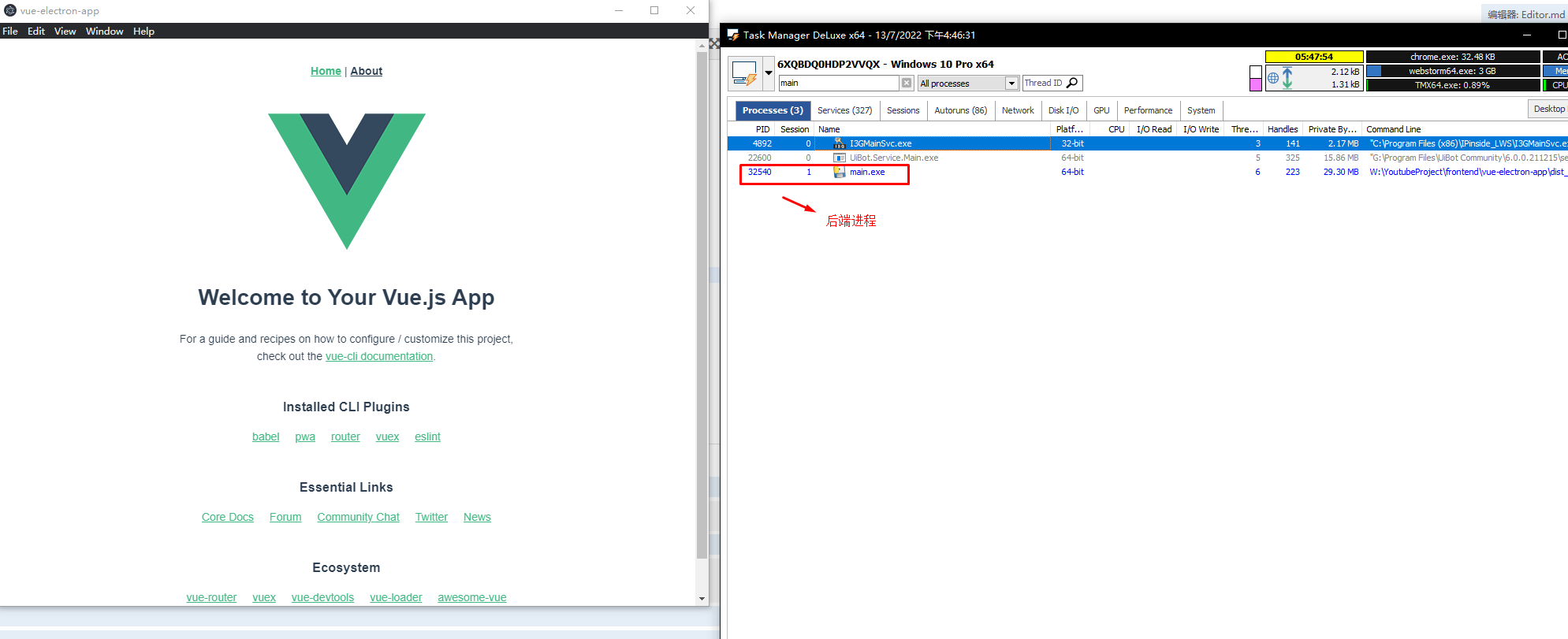
最终达到的效果就是启动前端exe时,后端进程同时打开,关闭前端exe时,后端exe也同时关闭
由于浏览器默认禁止跨域通信,为了让工作在不同端口上的服务可以互相通信,需要配置CORS,最简单的办法就是禁用掉CORS,
参考:https://pratikpc.medium.com/bypassing-cors-with-electron-ab7eaf331605
在 项目名.js 文件中写入以下代码:
const win = new BrowserWindow({
    webPreferences: {
        webSecurity: false
    }
});
到目前为止,一个前后端全栈的Electron桌面应用的功能就已经基本实现了。
关闭。这个问题是opinion-based.它目前不接受答案。想要改进这个问题?更新问题,以便editingthispost可以用事实和引用来回答它.关闭4年前。Improvethisquestion我想在固定时间创建一系列低音和高音调的哔哔声。例如:在150毫秒时发出高音调的蜂鸣声在151毫秒时发出低音调的蜂鸣声200毫秒时发出低音调的蜂鸣声250毫秒的高音调蜂鸣声有没有办法在Ruby或Python中做到这一点?我真的不在乎输出编码是什么(.wav、.mp3、.ogg等等),但我确实想创建一个输出文件。
对于具有离线功能的智能手机应用程序,我正在为Xml文件创建单向文本同步。我希望我的服务器将增量/差异(例如GNU差异补丁)发送到目标设备。这是计划:Time=0Server:hasversion_1ofXmlfile(~800kiB)Client:hasversion_1ofXmlfile(~800kiB)Time=1Server:hasversion_1andversion_2ofXmlfile(each~800kiB)computesdeltaoftheseversions(=patch)(~10kiB)sendspatchtoClient(~10kiBtransferred)Cl
我构建了两个需要相互通信和发送文件的Rails应用程序。例如,一个Rails应用程序会发送请求以查看其他应用程序数据库中的表。然后另一个应用程序将呈现该表的json并将其发回。我还希望一个应用程序将存储在其公共(public)目录中的文本文件发送到另一个应用程序的公共(public)目录。我从来没有做过这样的事情,所以我什至不知道从哪里开始。任何帮助,将不胜感激。谢谢! 最佳答案 无论Rails是什么,几乎所有Web应用程序都有您的要求,大多数现代Web应用程序都需要相互通信。但是有一个小小的理解需要你坚持下去,网站不应直接访问彼此
我尝试运行2.x应用程序。我使用rvm并为此应用程序设置其他版本的ruby:$rvmuseree-1.8.7-head我尝试运行服务器,然后出现很多错误:$script/serverNOTE:Gem.source_indexisdeprecated,useSpecification.Itwillberemovedonorafter2011-11-01.Gem.source_indexcalledfrom/Users/serg/rails_projects_terminal/work_proj/spohelp/config/../vendor/rails/railties/lib/r
刚入门rails,开始慢慢理解。有人可以解释或给我一些关于在application_controller中编码的好处或时间和原因的想法吗?有哪些用例。您如何为Rails应用程序使用应用程序Controller?我不想在那里放太多代码,因为据我了解,每个请求都会调用此Controller。这是真的? 最佳答案 ApplicationController实际上是您应用程序中的每个其他Controller都将从中继承的类(尽管这不是强制性的)。我同意不要用太多代码弄乱它并保持干净整洁的态度,尽管在某些情况下ApplicationContr
我是一个Rails初学者,但我想从我的RailsView(html.haml文件)中查看Ruby变量的内容。我试图在ruby中打印出变量(认为它会在终端中出现),但没有得到任何结果。有什么建议吗?我知道Rails调试器,但更喜欢使用inspect来打印我的变量。 最佳答案 您可以在View中使用puts方法将信息输出到服务器控制台。您应该能够在View中的任何位置使用Haml执行以下操作:-puts@my_variable.inspect 关于ruby-on-rails-如何在我的R
这个问题在这里已经有了答案:关闭10年前。PossibleDuplicate:Pythonconditionalassignmentoperator对于这样一个简单的问题表示歉意,但是谷歌搜索||=并不是很有帮助;)Python中是否有与Ruby和Perl中的||=语句等效的语句?例如:foo="hey"foo||="what"#assignfooifit'sundefined#fooisstill"hey"bar||="yeah"#baris"yeah"另外,类似这样的东西的通用术语是什么?条件分配是我的第一个猜测,但Wikipediapage跟我想的不太一样。
是否可以在应用程序中包含的gem代码中知道应用程序的Rails文件系统根目录?这是gem来源的示例:moduleMyGemdefself.included(base)putsRails.root#returnnilendendActionController::Base.send:include,MyGem谢谢,抱歉我的英语不好 最佳答案 我发现解决类似问题的解决方案是使用railtie初始化程序包含我的模块。所以,在你的/lib/mygem/railtie.rbmoduleMyGemclassRailtie使用此代码,您的模块将在
什么是ruby的rack或python的Java的wsgi?还有一个路由库。 最佳答案 来自Python标准PEP333:Bycontrast,althoughJavahasjustasmanywebapplicationframeworksavailable,Java's"servlet"APImakesitpossibleforapplicationswrittenwithanyJavawebapplicationframeworktoruninanywebserverthatsupportstheservletAPI.ht
无论您是想搭建桌面端、WEB端或者移动端APP应用,HOOPSPlatform组件都可以为您提供弹性的3D集成架构,同时,由工业领域3D技术专家组成的HOOPS技术团队也能为您提供技术支持服务。如果您的客户期望有一种在多个平台(桌面/WEB/APP,而且某些客户端是“瘦”客户端)快速、方便地将数据接入到3D应用系统的解决方案,并且当访问数据时,在各个平台上的性能和用户体验保持一致,HOOPSPlatform将帮助您完成。利用HOOPSPlatform,您可以开发在任何环境下的3D基础应用架构。HOOPSPlatform可以帮您打造3D创新型产品,HOOPSSDK包含的技术有:快速且准确的CAD
