🎉精彩专栏推荐👇🏻👇🏻👇🏻
✍️ 作者简介: 一个热爱把逻辑思维转变为代码的技术博主
💂 作者主页: 【主页——🚀获取更多优质源码】
🎓 web前端期末大作业: 【📚毕设项目精品实战案例 (1000套) 】
🧡 程序员有趣的告白方式:【💌HTML七夕情人节表白网页制作 (110套) 】
🌎超炫酷的Echarts大屏可视化源码:【🔰 echarts大屏展示大数据平台可视化(150套) 】
🎁 免费且实用的WEB前端学习指南: 【📂web前端零基础到高级学习视频教程 120G干货分享】
🥇 关于作者: 历任研发工程师,技术组长,教学总监;曾于2016年、2020年两度荣获CSDN年度十大博客之星。 十载寒冰,难凉热血;多年过去,历经变迁,物是人非。 然而,对于技术的探索和追求从未停歇。 💪坚持原创,热衷分享,初心未改,继往开来!
📂文章目录
🧑个人网页设计、🙋♂️个人简历制作、👨💼简单静态HTML个人网页作品、👨🏭个人介绍网站模板 、等网站的设计与制作。
⭐个人网页设计网站模板采用DIV CSS布局制作,网页作品有多个页面,如 :个人介绍(文字页面)、我的作品(图片列表)、个人技能(图文页面)、在线留言(表单页面)CSS样式方面网页整体采用左右布局结构,制作了网页背景图片,导航区域每个导航背景色不同,导航背景色与页面背景呼应。
🏅 一套A+的网页应该包含 (具体可根据个人要求而定)
📔网站布局方面:计划采用目前主流的、能兼容各大主流浏览器、显示效果稳定的浮动网页布局结构。
📓网站程序方面:计划采用最新的网页编程语言HTML5+CSS3+JS程序语言完成网站的功能设计。并确保网站代码兼容目前市面上所有的主流浏览器,已达到打开后就能即时看到网站的效果。
📘网站素材方面:计划收集各大平台好看的图片素材,并精挑细选适合网页风格的图片,然后使用PS做出适合网页尺寸的图片。
📒网站文件方面:网站系统文件种类包含:html网页结构文件、css网页样式文件、js网页特效文件、images网页图片文件;
📙网页编辑方面:网页作品代码简单,可使用任意HTML编辑软件(如:Dreamweaver、HBuilder、Vscode 、Sublime 、Webstorm、Text 、Notepad++ 等任意html编辑软件进行运行及修改编辑等操作)。
其中:
(1)📜html文件包含:其中index.html是首页、其他html为二级页面;
(2)📑 css文件包含:css全部页面样式,文字滚动, 图片放大等;
(3)📄 js文件包含:js实现动态轮播特效, 表单提交, 点击事件等等(个别网页中运用到js代码)。
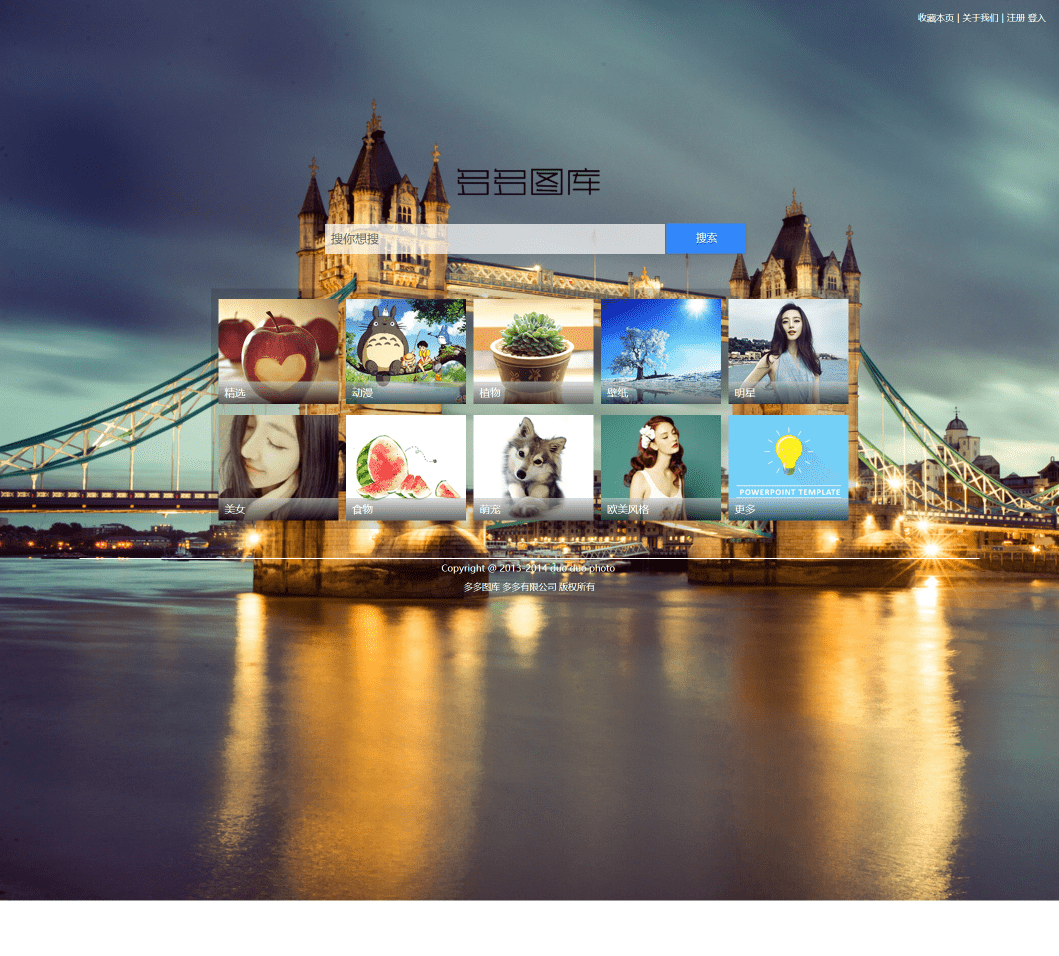

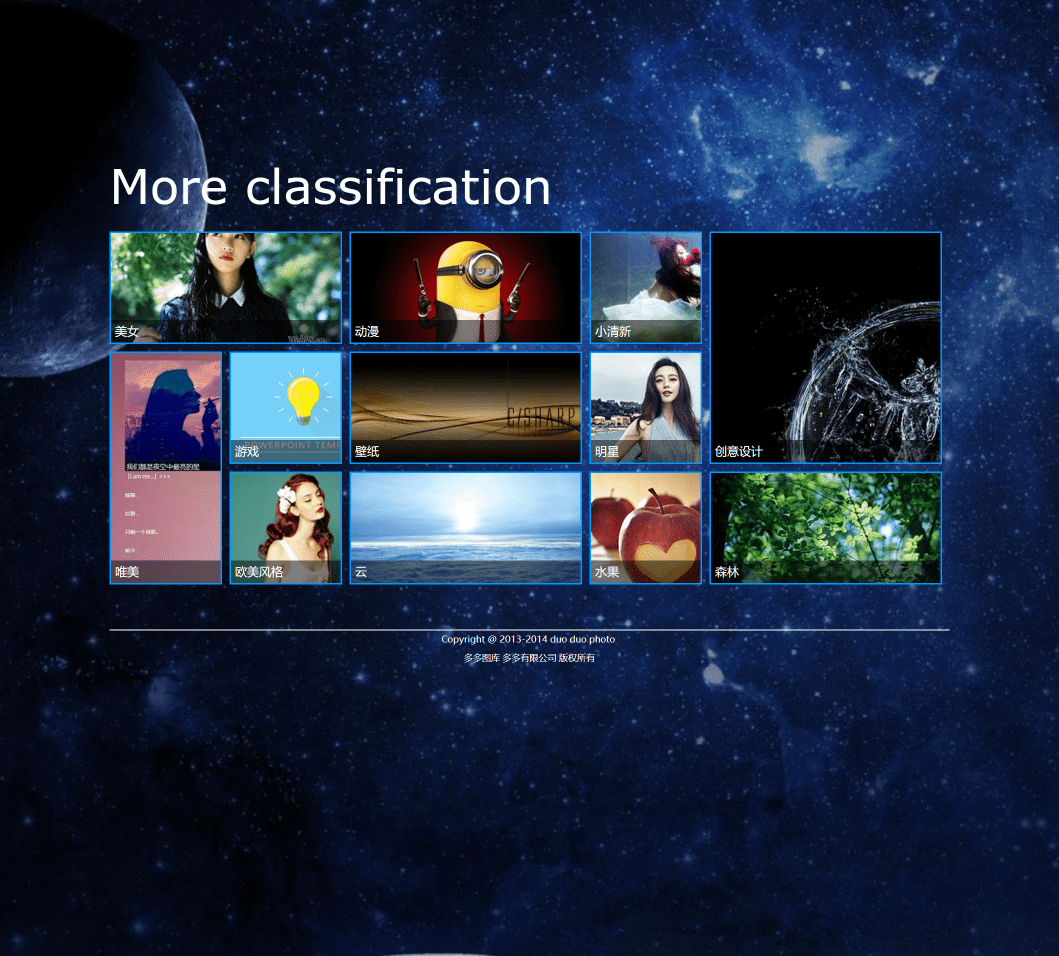
<!DOCTYPE HTML>
<html>
	<head>
		<title>index</title>
        <meta charset="utf-8"/>
		<link href="css/index.css" type="text/css" rel="stylesheet"/>
        <link href="css/Registered.css" type="text/css" rel="stylesheet"/>
        <script src="js/js.js"></script>
	</head>
	<body>
    	<!--div
        -------------------------------->
		<div id="div">
        	<!--login
            -------------------------------->

            <div class="divfont">
            	<ul>
                	<li><a href="#" class"sc" onMouseOver='ctrlover()' onMouseOut='ctrlout()'>收藏本页</a></li>
                    <li>|</li>
                    <li><a href="#">关于我们</a></li>
                    <li>|</li>
                    <li><a href="#" onclick='RegisteredshowDiv()'>注册</a></li>
                    <li><a href="#" onclick='loginshowDiv()'>登入</a></li>
                </ul>
                <div class="bluebg"></div>
                <div id="ctrl">按下<span>Ctrl+D</span>收藏</div>
            </div>
            <!--logo
            -------------------------------->
            <div class="logo"><a href="#"><img src="img/logo.png"/></a></div>
        	<!--搜索框
            -------------------------------->
            <div class="search">
                <div class="z-index_three">
                    <form action="#" name="search">
                        <table border="0" cellpadding="0" cellspacing="0" id="search_height">
                            <tr>
                                <td>
                               <input type="text" name="q" title="Search" class="searchinput" id="searchinput" onKeyDown="if (event.keyCode==13) {}" onBlur="if(this.value=='')value=' 搜你想搜 ';" onFocus="if(this.value==' 搜你想搜 ')value='';" value=" 搜你想搜 " size="10"/>
                                </td>
                                <td>
                               	<a href="#" class="button blue">搜索</a>
                                </td>
                            </tr>
                        </table>
                    </form>
                </div>
                <div class="bg"></div>
            </div>
            <!--body
            -------------------------------->
            <div id="body">
                <div class="top">
                    <a href="img.html">
                        <div class="overflow">
                            <div><img src="img/bg1.jpg" height="140"/></div>
                            <div class="font">精选</div>
                            <div class="bg"></div>
                        </div>
                    </a>
                </div>
                <div class="top1">
                    <a href="img.html" target="_blank">
                        <div class="overflow">
                            <div><img src="img/bg2.jpg" height="140"/></div>
                            <div class="font">动漫</div>
                            <div class="bg"></div>
                        </div>
                    </a>
                </div>
                <div class="top2">
                    <a href="img.html">
                        <div class="overflow">
                            <div><img src="img/bg3.jpg" height="140"/></div>
                            <div class="font">植物</div>
                            <div class="bg"></div>
                        </div>
                    </a>
                </div>
                <div class="top3">
                    <a href="img.html" target="_blank">
                        <div class="overflow">
                            <div><img src="img/bg4.jpg" height="140"/></div>
                            <div class="font">壁纸</div>
                            <div class="bg"></div>
                        </div>
                    </a>
                </div>
                <div class="top4">
                    <a href="img.html" target="_blank">
                        <div class="overflow">
                            <div><img src="img/bg5.jpg" height="140"/></div>
                            <div class="font">明星</div>
                            <div class="bg"></div>
                        </div>
                    </a>
                </div>
                <div class="top5">
                    <a href="img.html"target="_blank">
                        <div class="overflow">
                            <div><img src="img/bg6.jpg" height="200"/></div>
                            <div class="font">美女</div>
                            <div class="bg"></div>
                        </div>
                    </a>
                </div>
                <div class="top6">
                    <a href="img.html">
                        <div class="overflow">
                            <div><img src="img/bg7.jpg" height="140"/></div>
                            <div class="font">食物</div>
                            <div class="bg"></div>
                        </div>
                    </a>
                </div>
                <div class="top7">
                    <a href="img.html">
                        <div class="overflow">
                            <div><img src="img/bg8.jpg" height="140"/></div>
                            <div class="font">萌宠</div>
                            <div class="bg"></div>
                        </div>
                    </a>
                </div>
                <div class="top8">
                    <a href="img.html">
                        <div class="overflow">
                            <div><img src="img/bg9.jpg" height="140"/></div>
                            <div class="font">欧美风格</div>
                            <div class="bg"></div>
                        </div>
                    </a>
                </div>
                <div class="top9">
                    <a href="all.html" target="_blank">
                        <div class="overflow">
                            <div><img src="img/bg10.jpg" height="140"/></div>
                            <div class="font">更多</div>
                            <div class="bg"></div>
                        </div>
                    </a>
                </div>
                <!--透明背景-->
                <div class="bg"></div>
            </div>
            <!--bottom
            -------------------------------->
            <div id="bottom">
            Copyright @ 2013-2014 duo duo photo <br/>
              多多图库      多多有限公司 版权所有
            </div>
            <!--login
            -------------------------------->
            <div id="login">
                <div class="box" id="box">
                    <button type="button" id="over" onclick='loginhideDiv()'>X</button>
                    <p class="loginfont">Login</p>
                    <form method="post" action="#">
                        <table>
                            <tr>
                                <td width="300"><input type="text" class="input" placeholder="帐号"></td>
                            </tr>
                            <tr>
                                <td><input type="password" class="input" placeholder="密码"></td>
                            </tr>
                            <tr>
                                <td><button type="submit" id="login-button">登入</button></td>
                            </tr>
                        </table>
                    </form>
                </div>
                <div class="loginboxbg"></div>
                <div class="boxbackground"></div>
            </div>
            <!--Registered
            -------------------------------->
            <div id="Registered">
                <div class="box" id="box">
                    <button type="button" id="over" onclick='RegisteredhideDiv()'>X</button>
                    <span class="Registeredfont">Registered</span>
                    <form method="post" action="#">
                        <table>
                            <tr>
                                <td width="300"><input type="text" class="input" placeholder="用户名"></td>
                            </tr>
                            <tr>
                                <td><input type="password" class="input" placeholder="密码"></td>
                            </tr>
                            <tr>
                                <td><input type="password" class="input" placeholder="再次输入密码"></td>
                            </tr>
                            <tr>
                                <td width="300"><input type="text" class="input" placeholder="电子邮箱"></td>
                            </tr>
                            <tr>
                                <td><button type="submit" id="login-button">立即注册</button></td>
                            </tr>
                        </table>
                    </form>
                </div>
                <div class="Registeredboxbg"></div>
                <div class="boxbackground"></div>
            </div>
    	</div>
	</body>
<html>
/*cssreset
----------------------------------*/
body, div, dl, dt, dd, ul, ol, li, h1, h2, h3, h4, h5, h6, pre, form, fieldset, input, p, blockquote, table, th, td, embed, object {
    padding: 0;
    margin: 0;
}
table {
    border-collapse: collapse;
    border-spacing: 0;
}
fieldset, img, abbr {
    border: 0;
}
address, caption, cite, code, dfn, em, h1, h2, h3, h4, h5, h6, strong, th, var {
    font-weight: normal;
    font-style: normal;
}
ul {
    list-style: none;
}
caption, th {
    text-align: left;
}
h1, h2, h3, h4, h5, h6 {
    font-size: 1.0em;
}
q:before, q:after {
    content: ”;
}
a, ins {
    text-decoration: none;
}

/*topfont
----------------------------------*/
#div .divfont{
	padding-left:20px;
	color:#fff;
	font-family:"微软雅黑", "宋体", Helvetica, Arial, sans-serif;
	font-size:12px;
	float:right;
    width: 210px;
	position:relative;
}
#div .divfont ul{
	margin-left:20px;
	}
#div .divfont ul li{
	float:left;
	font-size:12px;
	padding:15px 2px;
	}
/*链接样式*/
#div .divfont ul li a{
	color:#fff;
	}
#div .divfont ul li a:hover{
	text-decoration:underline;
	}
/*ctrl+d
--------------*/
.divfont #ctrl{
	display:none;
	color:#666;
	position:absolute;
	top:40px;
	left:-20px;
	padding:10px 20px;
	background:#fff
	}
.divfont #ctrl span{
	padding:0 5px;
	font-size:14px;
	}
/*背景*/
#div .divfont:hover .bluebg{
	width:250px;
}
#div .divfont .bluebg{
	width:0px;
	background:#0091C7;
	height:50px;
	-webkit-transition: width 1s ease 300ms;
    -moz-transition: width 1s ease 300ms;
    -o-transition: width 1s ease 300ms;
	}
/*背景
----------------------------------*/

html,body{height:100%;}
#div{background: url(../img/photo_4.jpg) no-repeat ; overflow:hidden; height:100%; width:100%;}

/* logo
----------------------------------*/
.logo{
	width:209px;
	margin:0 auto;
	margin-top:15%;
	}
/*搜索框
----------------------------------*/
#div .searchinput{
	border-right-width: 0px;
	padding-left: 3px;
	width: 450px;
	height:40px;
	font-family: arial;
	float: left;
	border-top-width: 0px;
	border-bottom-width: 0px;
	color: #636365;
	font-size: 12pt;
	vertical-align: middle;
	border-left-width: 0px;
	background-color:transparent;
	z-index:2;
}
#div .search_height{
	height: 25px;
}
#div .searchaction{
	float: left;
	height:40px;
	padding:1px;
	z-index:3;
}
#div input.searchinput:hover{
	background:#FFF;
	}

/*搜索框位置
----------------------------------*/
#div .search{
	margin:0 auto;
	width:545px;
	margin-top:20px;
}
.z-index_three{
	z-index:1;
	position:relative;
	}
/*搜索框背景
----------------------------------*/
#div .bg{
	width: 453px;
 	height:40px;
	background:#fff;
	position:relative;
	z-index:0;
	top:-40px;
	opacity:0.7;
	filter:alpha(opacity=70);
}
/* blue 提交按钮
----------------------------------*/
#div .blue {
	-webkit-appearance: none;
	   -moz-appearance: none;
			appearance: none;
	outline: 0;
	background-color: #38f;
	border: 0;
	padding: 10px 15px;
	color: #fff;
	border-radius: 3px;
	width: 50px;
	cursor: pointer;
	font-size: 18px;
	margin-left:25%;
	-webkit-transition-duration: 0.25s;
			transition-duration: 0.25s;
}
#div .blue:hover {
  background-color:#09C;
  -webkit-transition-property:background-color;
  -moz-transition-property:background-color;
  -o-transition-property:background-color;
  -webkit-transition-duration:0.8s;
  -moz-transition-duration:0.8s;
  -o-transition-duration:0.8s;
  color:#fff;
}
#div .blue:active {
    color: #fff;
    background: -webkit-gradient(linear, left top, left bottom, from(#0080B0), to(#0080b0));
    background: -moz-linear-gradient(top, #0078a5, #00adee);
 	filter:  progid:DXImageTransform.Microsoft.gradient(startColorstr='#0078a5', endColorstr='#00adee');
}

#div .button {
    display: inline-block;
    zoom: 1; /* zoom and *display = ie7 hack for display:inline-block */
 	*display: inline;
    vertical-align: baseline;
    margin: 0 2px;
    outline: none;
    cursor: pointer;
    text-align: center;
    text-decoration: none;
    font: 14px/100% Arial, Helvetica, sans-serif;
    padding: .9em 2em .99em;
    text-shadow: 0 1px 1px rgba(0, 0, 0, .3);
    -webkit-border-radius: .5em;
    -moz-border-radius: .5em;
    border-radius: .0em;
    -webkit-box-shadow: 0 1px 2px rgba(0, 0, 0, .2);
    -moz-box-shadow: 0 1px 2px rgba(0, 0, 0, .2);
    box-shadow: 0 1px 2px rgba(0, 0, 0, .2);
}
/*body
----------------------------------*/
#body{
	position:relative;
	margin: 0 auto;
	height: 315px;
	width: 860px;
	padding: 10px 0 0 10px;
	}
#body .top{
	padding:10px;
	}
#body .top1{
	left:180px;
	}
#body .top2{
	left:350px
	}
#body .top3{
	left:520px;
	}
#body .top4{
	left:690px
	}
#body .top5{
	top:165px;
	}
#body .top6{
	top:165px;
	left:180px;
	}
#body .top7{
	top:165px;
	left:350px
	}
#body .top8{
	top:165px;
	left:520px;
	}
#body .top9{
	top:165px;
	left:690px
	}
#body>div{
	z-index:1;
	position:absolute;
	padding:10px;
	}
#body a{
	color:#fff;
	}
#body .bg{
	height:300px;
	width:840px;
	opacity:0.15;
	filter:alpha(opacity=15);
	position:absolute;
	top:6px;
	background:#000;
	}
#body a{
	height:140px;
	width:160px;
	display:block;
	}
#body .overflow{
	height:140px;
	width:160px;
	position:relative;
	overflow:hidden;
	}
#body .overflow .font{
	position:absolute;
	bottom:0;
	height:30px;
	line-height:30px;
	z-index:2;
	font-size:14px;
	font-family:"微软雅黑";
	padding-left:8px;
	}
#body .overflow .bg{
	/*background:#000;*/
	height:30px;
	position:absolute;
	width:160px;
	opacity:0.6;
	filter:alpha(opacity=40);
	top:110px;
	z-index:1;
	background:-webkit-linear-gradient(bottom,#000,#ccc);
	}
.overflow img{
	-webkit-transition:all ease .3s;
	transition:all ease .3s;
}
.overflow img:hover{
	-webkit-transform:scale(1.25);
	transform:scale(1.25);
	box-shadow:0px 0px 18px rgba(0,0,0,.5);
}
/*bottom
----------------------------------*/
#bottom {
	color:#FFF;
	border-top:1px #fff solid;
	line-height:25px;
	text-align:center;
	clear:both;
	font-size:12px;
	font-family:"微软雅黑";
	width:1200px;
	margin:0 auto;
	margin-top:40px;
}
很多刚入门编程的小白学习了基础语法,却不知道语法的用途,不知道如何加深映像,不知道如何提升自己,这个时候每天刷自主刷一些题就非常重要(百炼成神),可以去牛客网上的编程初学者入门训练。该专题为编程入门级别,适合刚学完语法的小白练习,题目涉及编程基础语法,基本结构等,每道题带有练习模式和考试模式,可还原考试模式进行模拟,也可通过练习模式进行练习 。
1.如果我的博客对你有帮助、如果你喜欢我的博客内容,请 “👍点赞” “✍️评论” “💙收藏” 一键三连哦!
2.💗【👇🏻👇🏻👇🏻关注我| 获取更多源码 | 优质文章】 带您学习各种前端插件、3D炫酷效果、图片展示、文字效果、以及整站模板 、大学生毕业HTML模板 、期末大作业模板 、等! 「在这里有好多 前端 开发者,一起探讨 前端 Node 知识,互相学习」!
3.

我有一个模型:classItem项目有一个属性“商店”基于存储的值,我希望Item对象对特定方法具有不同的行为。Rails中是否有针对此的通用设计模式?如果方法中没有大的if-else语句,这是如何干净利落地完成的? 最佳答案 通常通过Single-TableInheritance. 关于ruby-on-rails-Rails-子类化模型的设计模式是什么?,我们在StackOverflow上找到一个类似的问题: https://stackoverflow.co
我想将html转换为纯文本。不过,我不想只删除标签,我想智能地保留尽可能多的格式。为插入换行符标签,检测段落并格式化它们等。输入非常简单,通常是格式良好的html(不是整个文档,只是一堆内容,通常没有anchor或图像)。我可以将几个正则表达式放在一起,让我达到80%,但我认为可能有一些现有的解决方案更智能。 最佳答案 首先,不要尝试为此使用正则表达式。很有可能你会想出一个脆弱/脆弱的解决方案,它会随着HTML的变化而崩溃,或者很难管理和维护。您可以使用Nokogiri快速解析HTML并提取文本:require'nokogiri'h
在我的Controller中,我通过以下方式在我的index方法中支持HTML和JSON:respond_todo|format|format.htmlformat.json{renderjson:@user}end在浏览器中拉起它时,它会自然地以HTML呈现。但是,当我对/user资源进行内容类型为application/json的curl调用时(因为它是索引方法),我仍然将HTML作为响应。如何获取JSON作为响应?我还需要说明什么? 最佳答案 您应该将.json附加到请求的url,提供的格式在routes.rb的路径中定义。这
我将应用程序升级到Rails4,一切正常。我可以登录并转到我的编辑页面。也更新了观点。使用标准View时,用户会更新。但是当我添加例如字段:name时,它不会在表单中更新。使用devise3.1.1和gem'protected_attributes'我需要在设备或数据库上运行某种更新命令吗?我也搜索过这个地方,找到了许多不同的解决方案,但没有一个会更新我的用户字段。我没有添加任何自定义字段。 最佳答案 如果您想允许额外的参数,您可以在ApplicationController中使用beforefilter,因为Rails4将参数
所以我在关注Railscast,我注意到在html.erb文件中,ruby代码有一个微弱的背景高亮效果,以区别于其他代码HTML文档。我知道Ryan使用TextMate。我正在使用SublimeText3。我怎样才能达到同样的效果?谢谢! 最佳答案 为SublimeText安装ERB包。假设您安装了SublimeText包管理器*,只需点击cmd+shift+P即可获得命令菜单,然后键入installpackage并选择PackageControl:InstallPackage获取包管理器菜单。在该菜单中,键入ERB并在看到包时选择
我正在使用Rails构建一个简单的聊天应用程序。当用户输入url时,我希望将其输出为html链接(即“url”)。我想知道在Ruby中是否有任何库或众所周知的方法可以做到这一点。如果没有,我有一些不错的正则表达式示例代码可以使用... 最佳答案 查看auto_linkRails提供的辅助方法。这会将所有URL和电子邮件地址变成可点击的链接(htmlanchor标记)。这是文档中的代码示例。auto_link("Gotohttp://www.rubyonrails.organdsayhellotodavid@loudthinking.
我正在学习http://ruby.railstutorial.org/chapters/static-pages上的RubyonRails教程并遇到以下错误StaticPagesHomepageshouldhavethecontent'SampleApp'Failure/Error:page.shouldhave_content('SampleApp')Capybara::ElementNotFound:Unabletofindxpath"/html"#(eval):2:in`text'#./spec/requests/static_pages_spec.rb:7:in`(root)'
目录前言滤波电路科普主要分类实际情况单位的概念常用评价参数函数型滤波器简单分析滤波电路构成低通滤波器RC低通滤波器RL低通滤波器高通滤波器RC高通滤波器RL高通滤波器部分摘自《LC滤波器设计与制作》,侵权删。前言最近需要学习放大电路和滤波电路,但是由于只在之前做音乐频谱分析仪的时候简单了解过一点点运放,所以也是相当从零开始学习了。滤波电路科普主要分类滤波器:主要是从不同频率的成分中提取出特定频率的信号。有源滤波器:由RC元件与运算放大器组成的滤波器。可滤除某一次或多次谐波,最普通易于采用的无源滤波器结构是将电感与电容串联,可对主要次谐波(3、5、7)构成低阻抗旁路。无源滤波器:无源滤波器,又称
项目介绍随着我国经济迅速发展,人们对手机的需求越来越大,各种手机软件也都在被广泛应用,但是对于手机进行数据信息管理,对于手机的各种软件也是备受用户的喜爱小学生兴趣延时班预约小程序的设计与开发被用户普遍使用,为方便用户能够可以随时进行小学生兴趣延时班预约小程序的设计与开发的数据信息管理,特开发了小程序的设计与开发的管理系统。小学生兴趣延时班预约小程序的设计与开发的开发利用现有的成熟技术参考,以源代码为模板,分析功能调整与小学生兴趣延时班预约小程序的设计与开发的实际需求相结合,讨论了小学生兴趣延时班预约小程序的设计与开发的使用。开发环境开发说明:前端使用微信微信小程序开发工具:后端使用ssm:VU
我正在尝试将一个简单的CSV文件读入HTML表格以在浏览器中显示,但我遇到了麻烦。这就是我正在尝试的:Controller:defshow@csv=CSV.open("file.csv",:headers=>true)end查看:输出:NameStartDateEndDateQuantityPostalCode基本上我只获取标题,而不会读取和呈现CSV正文。 最佳答案 这最终成为最终解决方案:Controller:defshow#OpenaCSVfile,andthenreaditintoaCSV::Tableobjectforda
