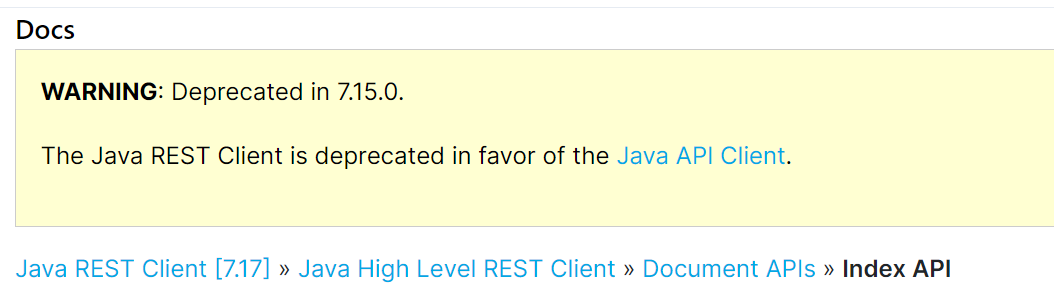
最近在研究es的时候发现官方已经在7.15.0放弃对旧版本中的Java REST Client (High Level Rest Client (HLRC))的支持,从而替换为推荐使用的Java API Client 8.x
查看SpringBoot2.6.4的依赖,其中es的版本仅为7.15.2
  <dependency>
        <groupId>org.springframework.boot</groupId>
        <artifactId>spring-boot-starter-data-elasticsearch</artifactId>
  </dependency>

  <elasticsearch>7.15.2</elasticsearch>
因此这里我就按照官方文档使用了推荐的
<dependency>
      <groupId>co.elastic.clients</groupId>
      <artifactId>elasticsearch-java</artifactId>
      <version>8.1.0</version>
</dependency>
鉴于es8.x的资料文档目前并不是很齐全,本文中如有错误,欢迎各位指出。本文将记录一些es8.x api下的简单CRUD操作。
SpringBoot 2.6.4 + ElasticSearch 8.1.0
首先去官网下载最新的安装包Download Elasticsearch | Elastic
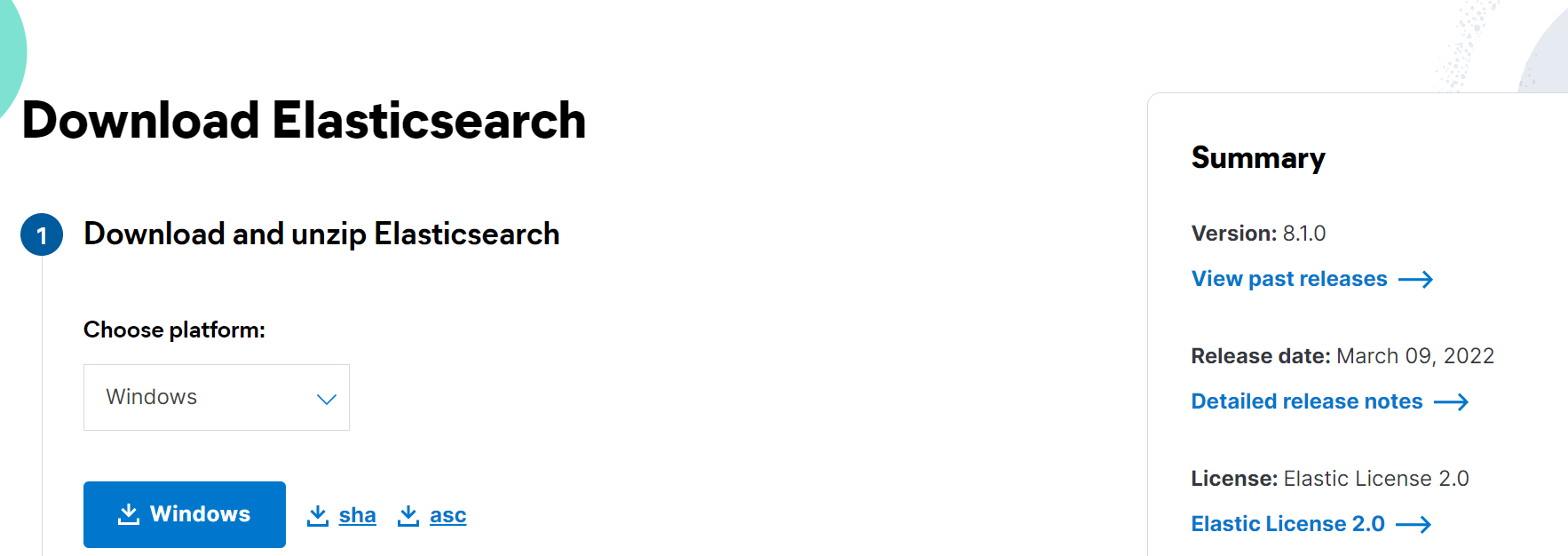
解压即可,进入/bin,启动elasticsearch.bat
访问 127.0.0.1:9200,出现es的集群信息即安装成功
在github上搜索elasticsearch-head,下载他的源码
进入源码目录执行(需安装Node.js)
npm install
npm run start

Running "connect:server" (connect) task
Waiting forever...
Started connect web server on http://localhost:9100
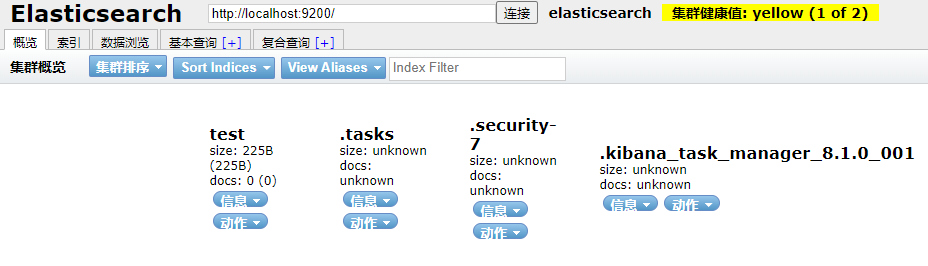
即可访问9100端口访问
  <dependency>
        <groupId>com.fasterxml.jackson.core</groupId>
        <artifactId>jackson-databind</artifactId>
        <version>2.13.2</version>
  </dependency>

  <dependency>
        <groupId>org.glassfish</groupId>
        <artifactId>jakarta.json</artifactId>
        <version>2.0.1</version>
  </dependency>

  <dependency>
        <groupId>co.elastic.clients</groupId>
        <artifactId>elasticsearch-java</artifactId>
        <version>8.1.0</version>
</dependency>@Configuration
public class ElasticSearchConfig {
//注入IOC容器
@Bean
public ElasticsearchClient elasticsearchClient(){
RestClient client = RestClient.builder(new HttpHost("localhost", 9200,"http")).build();
ElasticsearchTransport transport = new RestClientTransport(client,new JacksonJsonpMapper());
return new ElasticsearchClient(transport);
}
} @Autowired
private ElasticsearchClient client;
@Test
public void createTest() throws IOException {
//写法比RestHighLevelClient更加简洁
CreateIndexResponse indexResponse = client.indices().create(c -> c.index("user"));
} @Test
public void queryTest() throws IOException {
GetIndexResponse getIndexResponse = client.indices().get(i -> i.index("user"));
} @Test
public void existsTest() throws IOException {
BooleanResponse booleanResponse = client.indices().exists(e -> e.index("user"));
System.out.println(booleanResponse.value());
}@Test
public void deleteTest() throws IOException {
DeleteIndexResponse deleteIndexResponse = client.indices().delete(d -> d.index("user"));
System.out.println(deleteIndexResponse.acknowledged());
}这里准备了一个简单的实体类User用于测试
@Data
@AllArgsConstructor
@NoArgsConstructor
public class User {
    private String name;
    private Integer age;
}
    @Test
    public void addDocumentTest() throws IOException {

        User user = new User("user1", 10);
        IndexResponse indexResponse = client.index(i -> i
                .index("user")

                //设置id
                .id("1")

                //传入user对象
                .document(user));

    }
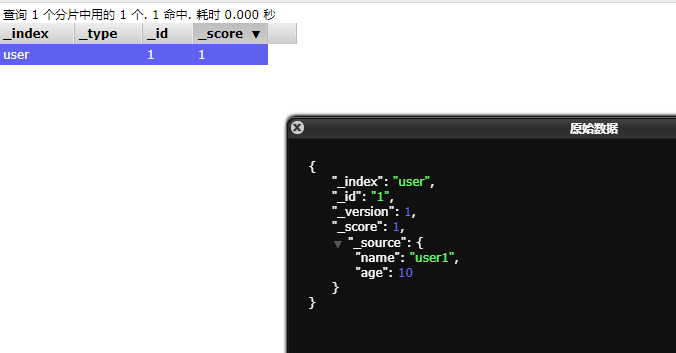
进入可视化插件,可以看到数据已经成功插入
    @Test
    public void updateDocumentTest() throws IOException {
        UpdateResponse<User> updateResponse = client.update(u -> u
                        .index("user")
                        .id("1")
                        .doc(new User("user2", 13))
                , User.class);
} @Test
public void existDocumentTest() throws IOException {
BooleanResponse indexResponse = client.exists(e -> e.index("user").id("1"));
System.out.println(indexResponse.value());
} @Test
public void getDocumentTest() throws IOException {
GetResponse<User> getResponse = client.get(g -> g
.index("user")
.id("1")
, User.class
);
System.out.println(getResponse.source());
}返回
User(name=user2, age=13) @Test
public void deleteDocumentTest() throws IOException {
DeleteResponse deleteResponse = client.delete(d -> d
.index("user")
.id("1")
);
System.out.println(deleteResponse.id());
} @Test
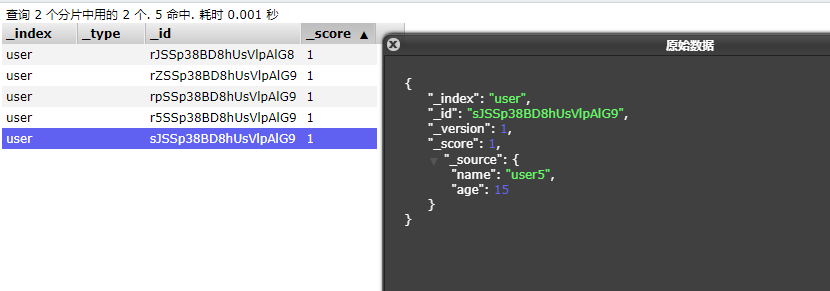
public void bulkTest() throws IOException {
List<User> userList = new ArrayList<>();
userList.add(new User("user1", 11));
userList.add(new User("user2", 12));
userList.add(new User("user3", 13));
userList.add(new User("user4", 14));
userList.add(new User("user5", 15));
List<BulkOperation> bulkOperationArrayList = new ArrayList<>();
//遍历添加到bulk中
for(User user : userList){
bulkOperationArrayList.add(BulkOperation.of(o->o.index(i->i.document(user))));
}
BulkResponse bulkResponse = client.bulk(b -> b.index("user")
.operations(bulkOperationArrayList));
}
    @Test
    public void searchTest() throws IOException {
        SearchResponse<User> search = client.search(s -> s
                .index("user")
                //查询name字段包含hello的document(不使用分词器精确查找)
                .query(q -> q
                        .term(t -> t
                                .field("name")
                                .value(v -> v.stringValue("hello"))
                        ))
                //分页查询,从第0页开始查询3个document
                .from(0)
                .size(3)
                //按age降序排序
                .sort(f->f.field(o->o.field("age").order(SortOrder.Desc))),User.class
        );
        for (Hit<User> hit : search.hits().hits()) {
            System.out.println(hit.source());
        }
    }
为了测试,我们先添加以下数据
        List<User> userList = new ArrayList<>();
        userList.add(new User("hello world", 11));
        userList.add(new User("hello java", 12));
        userList.add(new User("hello es", 13));
        userList.add(new User("hello spring", 14));
        userList.add(new User("user", 15));
查询结果:
User(name=hello spring, age=14)
User(name=hello es, age=13)
User(name=hello java, age=12)
对于具有离线功能的智能手机应用程序,我正在为Xml文件创建单向文本同步。我希望我的服务器将增量/差异(例如GNU差异补丁)发送到目标设备。这是计划:Time=0Server:hasversion_1ofXmlfile(~800kiB)Client:hasversion_1ofXmlfile(~800kiB)Time=1Server:hasversion_1andversion_2ofXmlfile(each~800kiB)computesdeltaoftheseversions(=patch)(~10kiB)sendspatchtoClient(~10kiBtransferred)Cl
我想为Heroku构建一个Rails3应用程序。他们使用Postgres作为他们的数据库,所以我通过MacPorts安装了postgres9.0。现在我需要一个postgresgem并且共识是出于性能原因你想要pggem。但是我对我得到的错误感到非常困惑当我尝试在rvm下通过geminstall安装pg时。我已经非常明确地指定了所有postgres目录的位置可以找到但仍然无法完成安装:$envARCHFLAGS='-archx86_64'geminstallpg--\--with-pg-config=/opt/local/var/db/postgresql90/defaultdb/po
我打算为ruby脚本创建一个安装程序,但我希望能够确保机器安装了RVM。有没有一种方法可以完全离线安装RVM并且不引人注目(通过不引人注目,就像创建一个可以做所有事情的脚本而不是要求用户向他们的bash_profile或bashrc添加一些东西)我不是要脚本本身,只是一个关于如何走这条路的快速指针(如果可能的话)。我们还研究了这个很有帮助的问题:RVM-isthereawayforsimpleofflineinstall?但有点误导,因为答案只向我们展示了如何离线在RVM中安装ruby。我们需要能够离线安装RVM本身,并查看脚本https://raw.github.com/wayn
我构建了两个需要相互通信和发送文件的Rails应用程序。例如,一个Rails应用程序会发送请求以查看其他应用程序数据库中的表。然后另一个应用程序将呈现该表的json并将其发回。我还希望一个应用程序将存储在其公共(public)目录中的文本文件发送到另一个应用程序的公共(public)目录。我从来没有做过这样的事情,所以我什至不知道从哪里开始。任何帮助,将不胜感激。谢谢! 最佳答案 无论Rails是什么,几乎所有Web应用程序都有您的要求,大多数现代Web应用程序都需要相互通信。但是有一个小小的理解需要你坚持下去,网站不应直接访问彼此
我尝试运行2.x应用程序。我使用rvm并为此应用程序设置其他版本的ruby:$rvmuseree-1.8.7-head我尝试运行服务器,然后出现很多错误:$script/serverNOTE:Gem.source_indexisdeprecated,useSpecification.Itwillberemovedonorafter2011-11-01.Gem.source_indexcalledfrom/Users/serg/rails_projects_terminal/work_proj/spohelp/config/../vendor/rails/railties/lib/r
我有一个奇怪的问题:我在rvm上安装了rubyonrails。一切正常,我可以创建项目。但是在我输入“railsnew”时重新启动后,我有“程序'rails'当前未安装。”。SystemUbuntu12.04ruby-v"1.9.3p194"gemlistactionmailer(3.2.5)actionpack(3.2.5)activemodel(3.2.5)activerecord(3.2.5)activeresource(3.2.5)activesupport(3.2.5)arel(3.0.2)builder(3.0.0)bundler(1.1.4)coffee-rails(
我刚刚为fedora安装了emacs。我想用emacs编写ruby。为ruby提供代码提示、代码完成类型功能所需的工具、扩展是什么? 最佳答案 ruby-mode已经包含在Emacs23之后的版本中。不过,它也可以通过ELPA获得。您可能感兴趣的其他一些事情是集成RVM、feature-mode(Cucumber)、rspec-mode、ruby-electric、inf-ruby、rinari(用于Rails)等。这是我当前用于Ruby开发的Emacs配置:https://github.com/citizen428/emacs
刚入门rails,开始慢慢理解。有人可以解释或给我一些关于在application_controller中编码的好处或时间和原因的想法吗?有哪些用例。您如何为Rails应用程序使用应用程序Controller?我不想在那里放太多代码,因为据我了解,每个请求都会调用此Controller。这是真的? 最佳答案 ApplicationController实际上是您应用程序中的每个其他Controller都将从中继承的类(尽管这不是强制性的)。我同意不要用太多代码弄乱它并保持干净整洁的态度,尽管在某些情况下ApplicationContr
我正在尝试在我的centos服务器上安装therubyracer,但遇到了麻烦。$geminstalltherubyracerBuildingnativeextensions.Thiscouldtakeawhile...ERROR:Errorinstallingtherubyracer:ERROR:Failedtobuildgemnativeextension./usr/local/rvm/rubies/ruby-1.9.3-p125/bin/rubyextconf.rbcheckingformain()in-lpthread...yescheckingforv8.h...no***e
我的最终目标是安装当前版本的RubyonRails。我在OSXMountainLion上运行。到目前为止,这是我的过程:已安装的RVM$\curl-Lhttps://get.rvm.io|bash-sstable检查已知(我假设已批准)安装$rvmlistknown我看到当前的稳定版本可用[ruby-]2.0.0[-p247]输入命令安装$rvminstall2.0.0-p247注意:我也试过这些安装命令$rvminstallruby-2.0.0-p247$rvminstallruby=2.0.0-p247我很快就无处可去了。结果:$rvminstall2.0.0-p247Search
