我尝试一天安装,找了各个文章教程都没安装上,最后进行所有文章整合,和我的发现安装成功。
安装服务器环境是CentOS 7
最小化安装后还是需要安装一些软件
yum install wget #安装wget
yum install net-tools #安装netstat查看网络
yum install vim #安装vim修改文件
关闭防火墙
systemctl stop firewalld.service
关闭防火墙自启动
systemctl disable firewalld.service
wget https://s3.amazonaws.com/files.molo.ch/builds/centos-7/arkime-3.4.2-1.x86_64.rpm
因为是外网请求如果拉取不了也可以想办法直接访问在本机下载拉取到虚拟机
rpm -ivh arkime-3.4.2-1.x86_64.rpm
yum -y install perl-libwww-perl perl-JSON libyaml-devel perl-LWP-Protocol-https
rpm -ivh arkime-3.1.1-1.x86_64.rpm
安装结束后会有安装的readme.txt 和 contigure的路径
可以查看readme,做下一步安装动作。
yum install java-11-openjdk -y
# cd /opt/arkime/bin/

#./Configure
Found interfaces: ens33;lo
Semicolon ';' seperated list of interfaces to monitor [eth1] ens33
Install Elasticsearch server locally for demo, must have at least 3G of memory, NOT recommended for production use (yes or no) [no] yes
/usr/bin/java
Password to encrypt S2S and other things [no-default] admin
Arkime - Creating configuration files
Not overwriting /opt/arkime/etc/config.ini, delete and run again if update required (usually not), or edit by hand
Installing systemd start files, use systemctl
Arkime - Downloading and installing demo OSS version of Elasticsearch
Loaded plugins: fastestmirror
elasticsearch-oss-7.10.2-x86_64.rpm                                                                                                         | 220 MB  00:00:33
Examining /var/tmp/yum-root-Wzs9zH/elasticsearch-oss-7.10.2-x86_64.rpm: elasticsearch-oss-7.10.2-1.x86_64
/var/tmp/yum-root-Wzs9zH/elasticsearch-oss-7.10.2-x86_64.rpm: does not update installed package.
Error: Nothing to do
Download GEO files? (yes or no) [yes] yes
Moloch - Downloading GEO files
2018-12-04 09:14:46 URL:https://www.iana.org/assignments/ipv4-address-space/ipv4-address-space.csv [23031] -> "ipv4-address-space.csv" [1]
WARNING: timestamping does nothing in combination with -O. See the manual for details.
2018-12-04 09:14:52 URL:https://updates.maxmind.com/app/update_secure?edition_id=GeoLite2-Country [1792881/1792881] -> "GeoLite2-Country.mmdb.gz" [1]
WARNING: timestamping does nothing in combination with -O. See the manual for details.
2018-12-04 09:15:17 URL:https://updates.maxmind.com/app/update_secure?edition_id=GeoLite2-ASN [3483756/3483756] -> "GeoLite2-ASN.mmdb.gz" [1]
2018-12-04 09:15:29 URL:https://raw.githubusercontent.com/wireshark/wireshark/master/manuf [1523729/1523729] -> "oui.txt" [1]
Moloch - Configured - Now continue with step 4 in /data/moloch/README.txt
      /sbin/start elasticsearch # for upstart/Centos 6/Ubuntu 14.04
      systemctl start elasticsearch.service # for systemd/Centos 7/Ubuntu 16.04
     systemctl start elasticsearch.service
 5) Initialize/Upgrade Elasticsearch Arkime configuration
  a) If this is the first install, or want to delete all data
      /opt/arkime/db/db.pl http://ESHOST:9200 init
  b) If this is an update to a moloch/arkime package
      /opt/arkime/db/db.pl http://ESHOST:9200 upgrade
 6) Add an admin user if a new install or after an init
      /opt/arkime/bin/arkime_add_user.sh admin "Admin User" THEPASSWORD --admin
 7) Start everything
      systemctl start arkimecapture.service
      systemctl start arkimeviewer.service
 8) Look at log files for errors
      /opt/arkime/logs/viewer.log
      /opt/arkime/logs/capture.log
 9) Visit http://arkimeHOST:8005 with your favorite browser.
      user: admin
      password: THEPASSWORD from step #6

If you want IP -> Geo/ASN to work, you need to setup a maxmind account and the geoipupdate program.
See https://arkime.com/faq#maxmind

Any configuration changes can be made to /opt/arkime/etc/config.ini
See https://arkime.com/faq#moloch-is-not-working for issues

Additional information can be found at:
  * https://arkime.com/faq
  * https://arkime.com/settings
因为elasticsearch是外网安装如果安装不了也可以想办法直接访问在本机下载拉取到虚拟机,会有提示下载什么版本,比如我这个就安装失败后提示在这里下载https://artifacts.elastic.co/downloads/elasticsearch/elasticsearch-oss-7.10.2-x86_64.rpm 可以下载后拉进虚拟机中
rpm -ivh elasticsearch-oss-7.10.2-x86_64.rpm
elasticsearch出于安全策略考虑,默认仅开启了本地访问。需要额外配置远程访问。
修改/etc/elasticsearch/elasticsearch.yml文件加入
network.host: 0.0.0.0
network.bind_host: 0.0.0.0
network.publish_host: 0.0.0.0
discovery.seed_hosts: ["0.0.0.0", "[::0]"]
配置后启动 systemctl start elasticsearch.service
启动开机自启 systemctl enable elasticsearch.service
# /opt/arkime/bin/arkime_add_user.sh admin "Admin User" admin --admin
Added
# /opt/arkime/db/db.pl http://localhost:9200 init

It is STRONGLY recommended that you stop ALL Arkime captures and viewers before proceeding.  Use 'db.pl http://localhost:9200 backup' to backup db first.

There is 1 elastic search data node, if you expect more please fix first before proceeding.

This is a fresh Arkime install
Erasing
Creating
Finished
# systemctl start arkimeviewer.service
# systemctl enable arkimeviewer.service
# systemctl start arkimecapture.service
# systemctl enable arkimecapture.service
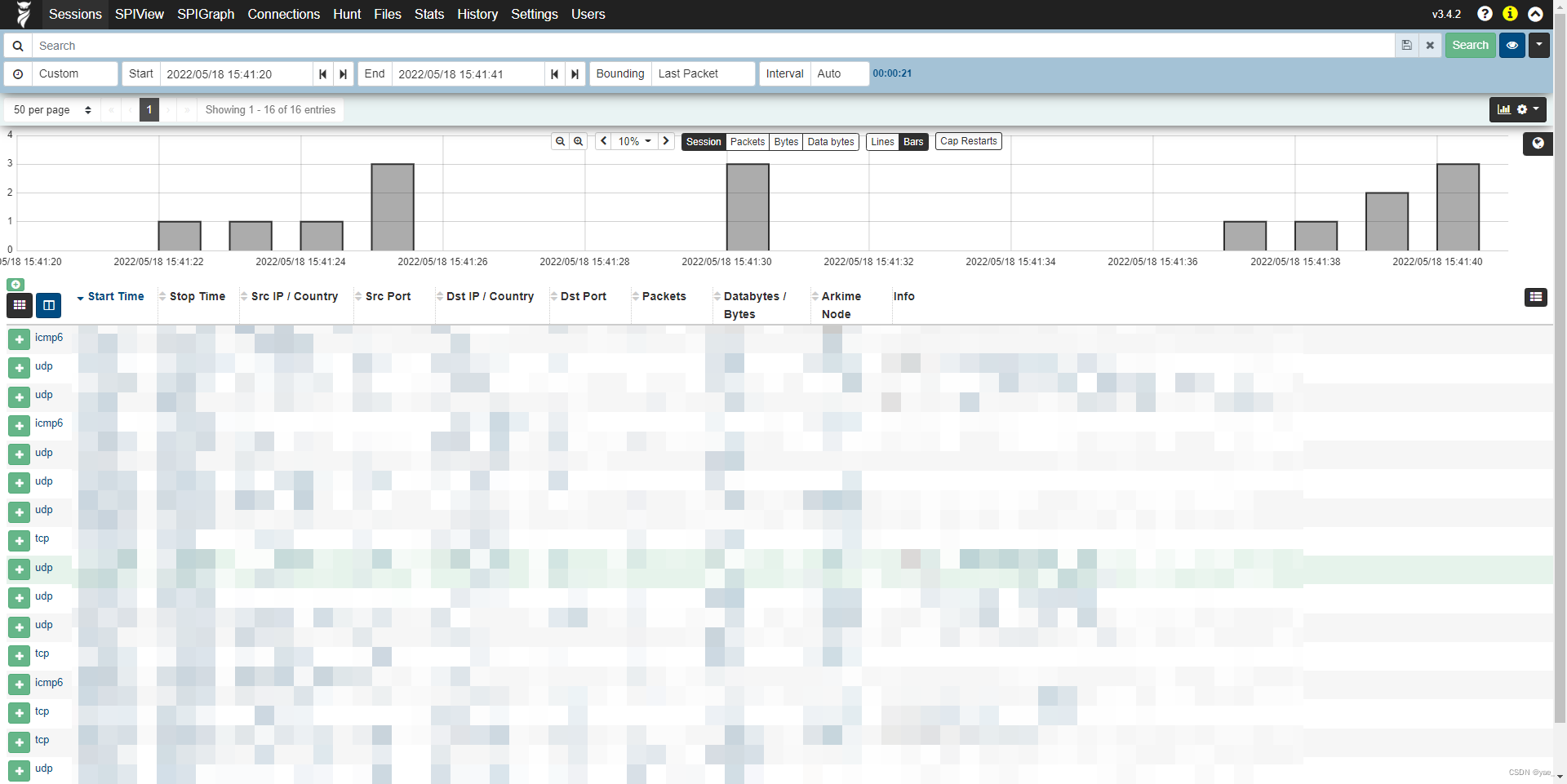
http://ipaddress:8005
我想为Heroku构建一个Rails3应用程序。他们使用Postgres作为他们的数据库,所以我通过MacPorts安装了postgres9.0。现在我需要一个postgresgem并且共识是出于性能原因你想要pggem。但是我对我得到的错误感到非常困惑当我尝试在rvm下通过geminstall安装pg时。我已经非常明确地指定了所有postgres目录的位置可以找到但仍然无法完成安装:$envARCHFLAGS='-archx86_64'geminstallpg--\--with-pg-config=/opt/local/var/db/postgresql90/defaultdb/po
我打算为ruby脚本创建一个安装程序,但我希望能够确保机器安装了RVM。有没有一种方法可以完全离线安装RVM并且不引人注目(通过不引人注目,就像创建一个可以做所有事情的脚本而不是要求用户向他们的bash_profile或bashrc添加一些东西)我不是要脚本本身,只是一个关于如何走这条路的快速指针(如果可能的话)。我们还研究了这个很有帮助的问题:RVM-isthereawayforsimpleofflineinstall?但有点误导,因为答案只向我们展示了如何离线在RVM中安装ruby。我们需要能够离线安装RVM本身,并查看脚本https://raw.github.com/wayn
我有一个奇怪的问题:我在rvm上安装了rubyonrails。一切正常,我可以创建项目。但是在我输入“railsnew”时重新启动后,我有“程序'rails'当前未安装。”。SystemUbuntu12.04ruby-v"1.9.3p194"gemlistactionmailer(3.2.5)actionpack(3.2.5)activemodel(3.2.5)activerecord(3.2.5)activeresource(3.2.5)activesupport(3.2.5)arel(3.0.2)builder(3.0.0)bundler(1.1.4)coffee-rails(
我刚刚为fedora安装了emacs。我想用emacs编写ruby。为ruby提供代码提示、代码完成类型功能所需的工具、扩展是什么? 最佳答案 ruby-mode已经包含在Emacs23之后的版本中。不过,它也可以通过ELPA获得。您可能感兴趣的其他一些事情是集成RVM、feature-mode(Cucumber)、rspec-mode、ruby-electric、inf-ruby、rinari(用于Rails)等。这是我当前用于Ruby开发的Emacs配置:https://github.com/citizen428/emacs
我正在尝试在我的centos服务器上安装therubyracer,但遇到了麻烦。$geminstalltherubyracerBuildingnativeextensions.Thiscouldtakeawhile...ERROR:Errorinstallingtherubyracer:ERROR:Failedtobuildgemnativeextension./usr/local/rvm/rubies/ruby-1.9.3-p125/bin/rubyextconf.rbcheckingformain()in-lpthread...yescheckingforv8.h...no***e
我的最终目标是安装当前版本的RubyonRails。我在OSXMountainLion上运行。到目前为止,这是我的过程:已安装的RVM$\curl-Lhttps://get.rvm.io|bash-sstable检查已知(我假设已批准)安装$rvmlistknown我看到当前的稳定版本可用[ruby-]2.0.0[-p247]输入命令安装$rvminstall2.0.0-p247注意:我也试过这些安装命令$rvminstallruby-2.0.0-p247$rvminstallruby=2.0.0-p247我很快就无处可去了。结果:$rvminstall2.0.0-p247Search
我实际上是在尝试使用RVM在我的OSX10.7.5上更新ruby,并在输入以下命令后:rvminstallruby我得到了以下回复:Searchingforbinaryrubies,thismighttakesometime.Checkingrequirementsforosx.Installingrequirementsforosx.Updatingsystem.......Errorrunning'requirements_osx_brew_update_systemruby-2.0.0-p247',pleaseread/Users/username/.rvm/log/138121
由于fast-stemmer的问题,我很难安装我想要的任何rubygem。我把我得到的错误放在下面。Buildingnativeextensions.Thiscouldtakeawhile...ERROR:Errorinstallingfast-stemmer:ERROR:Failedtobuildgemnativeextension./System/Library/Frameworks/Ruby.framework/Versions/2.0/usr/bin/rubyextconf.rbcreatingMakefilemake"DESTDIR="cleanmake"DESTDIR=
当我尝试安装Ruby时遇到此错误。我试过查看this和this但无济于事➜~brewinstallrubyWarning:YouareusingOSX10.12.Wedonotprovidesupportforthispre-releaseversion.Youmayencounterbuildfailuresorotherbreakages.Pleasecreatepull-requestsinsteadoffilingissues.==>Installingdependenciesforruby:readline,libyaml,makedepend==>Installingrub
当我执行>rvminstall1.9.2时一切顺利。然后我做>rvmuse1.9.2也很顺利。但是当涉及到ruby-v时..sam@sjones:~$rvminstall1.9.2/home/sam/.rvm/rubies/ruby-1.9.2-p136,thismaytakeawhiledependingonyourcpu(s)...ruby-1.9.2-p136-#fetchingruby-1.9.2-p136-#downloadingruby-1.9.2-p136,thismaytakeawhiledependingonyourconnection...%Total%Rece
