WebScoket是Web应用程序的传输协议,它提供了双向的、按序到达的数据流。
他是一个HTML5协议,WebSocket的连接是持久的,他通过在客户端和服务器之间保持双工连接,服务器的更新可以被及时推送给客户端,而不需要客户端以一定时间间隔去轮询
<!DOCTYPE html>
<html lang="en">
<head>
	<meta charset="UTF-8">
	<title>实时监控</title>
	<style>
        .item {
            display: flex;
            border-bottom: 1px solid #000000;
            justify-content: space-between;
            width: 30%;
            line-height: 50px;
            height: 50px;
        }

        .item span:nth-child(2) {
            margin-right: 10px;
            margin-top: 15px;
            width: 20px;
            height: 20px;
            border-radius: 50%;
            background: #55ff00;
        }

        .nowI {
            background: #ff0000 !important;
        }
	</style>
</head>
<body>
<div id="app">
	<div v-for="item in list" class="item">
		<span>{{item.id}}.{{item.name}}</span>
		<span :class='item.state==-1?"nowI":""'></span>
	</div>
</div>
<script src="https://cdn.jsdelivr.net/npm/vue@2.5.21/dist/vue.min.js"></script>
<script type="text/javascript">
    var vm = new Vue({
        el: "#app",
        data: {
            list: [{
                id: 1,
                name: '张三',
                state: 1
            },
                {
                    id: 2,
                    name: '李四',
                    state: 1,
                },
                {
                    id: 3,
                    name: '王五',
                    state: 1
                },
                {
                    id: 4,
                    name: '韩梅梅',
                    state: 1
                },
                {
                    id: 5,
                    name: '李磊',
                    state: 1
                },
            ]
        }
    })

    var webSocket = null;
    7
    if ('WebSocket' in window) {
        var uid = getUUID()
        //创建WebSocket对象
        webSocket = new WebSocket("ws://localhost:8080/websocket/" + uid);
        //连接成功
        webSocket.onopen = function () {
            console.log("已连接");
            webSocket.send("消息发送测试")
			document.write(uid)
        }
        //接收到消息
        webSocket.onmessage = function (msg) {
            //处理消息
            var serverMsg = msg.data;
            var t_id = parseInt(serverMsg) //服务端发过来的消息,ID,string需转化为int类型才能比较
            for (var i = 0; i < vm.list.length; i++) {
                var item = vm.list[i];
                if (item.id === t_id) {
                    item.state = -1;
                    vm.list.splice(i, 1, item)
                    break;
                }
            }
        };
        //关闭事件
        webSocket.onclose = function () {
            console.log("websocket已关闭");
        };
        //发生了错误事件
        webSocket.onerror = function () {
            console.log("websocket发生了错误");
        }
    } else {
        alert("很遗憾,您的浏览器不支持WebSocket!")
    }

    function getUUID() { //获取唯一的UUID
        return 'xxxxxxxx-xxxx-4xxx-yxxx-xxxxxxxxxxxx'.replace(/[xy]/g, function (c) {
            var r = Math.random() * 16 | 0,
            v = c === 'x' ? r : (r & 0x3 | 0x8);
            return v.toString(16);
        });
    }
</script>
</body>
</html>
依赖
<dependency>
   <groupId>org.springframework.boot</groupId>
    <artifactId>spring-boot-starter-websocket</artifactId>
</dependency>
server:
  port: 8080

mySocket:
  myPwd: jae_123
注入ServerEndpointExporter
@Configuration
public class WebsocketConfig {

    /**
     * 注入一个ServerEndpointExporter,该Bean会自动注册使用@ServerEndpoint注解声明的websocket endpoint
     * @author Fang Ruichuan
     * @date 2022/9/24 9:19
     * @return ServerEndpointExporter
     */
    @Bean
    public ServerEndpointExporter serverEndpointExporter() {
        return new ServerEndpointExporter();
    }

}
用来进行服务端和客户端之间的交互
@Slf4j
@Service
@ServerEndpoint("/websocket/{uid}")
public class WebSocketServer {

    private static final long sessionTimeout = 60000;

    // 用来存放每个客户端对应的WebSocketServer对象
    private static Map<String, WebSocketServer> webSocketMap = new ConcurrentHashMap<>();

    // 与某个客户端的连接会话,需要通过它来给客户端发送数据
    private Session session;

    // 接收id
    private String uid;

    // 连接建立成功调用的方法
    @OnOpen
    public void onOpen(Session session, @PathParam("uid") String uid) {
        session.setMaxIdleTimeout(sessionTimeout);
        this.session = session;
        this.uid = uid;
        if (webSocketMap.containsKey(uid)) {
            webSocketMap.remove(uid);
        }
        webSocketMap.put(uid, this);
        log.info("websocket连接成功编号uid: " + uid + ",当前在线数: " + getOnlineClients());
        try {
            sendMessage(WebSocketMessageEnum.CONNECT_SUCCESS.getJsonValue().toJSONString());
        } catch (IOException e) {
            log.error("websocket发送连接成功错误编号uid: " + uid + ",网络异常!!!");
        }
    }

    // 连接关闭调用的方法
    @OnClose
    public void onClose() {
        try {
            if (webSocketMap.containsKey(uid)) {
                webSocketMap.remove(uid);
            }
            log.info("websocket退出编号uid: " + uid + ",当前在线数为: " + getOnlineClients());
        } catch (Exception e) {
            log.error("websocket编号uid连接关闭错误: " + uid + ",原因: " + e.getMessage());
        }
    }

    /**
     * 收到客户端消息后调用的方法
     * @author Fang Ruichuan
     * @date 2022/9/24 9:44
     * @param message 客户端发送过来的消息
     * @param session
     */
    @OnMessage
    public void onMessage(String message, Session session) {
        log.info("websocket收到客户端编号uid消息: " + uid + ", 报文: " + message);
    }

    /**
     * 发生错误时调用
     * @author Fang Ruichuan
     * @date 2022/9/24 9:46
     * @param session
     * @param error
     */
    @OnError
    public void onError(Session session, Throwable error) {
        log.error("websocket编号uid错误: " + this.uid + "原因: " + error.getMessage());
        error.printStackTrace();
    }

    /**
     * 单机使用,外部接口通过指定的客户id向该客户推送消息
     * @author Fang Ruichuan
     * @date 2022/9/24 9:49
     * @param key
     * @param message
     * @return boolean
     */
    public static boolean sendMessageByWayBillId(@NotNull String key, String message) {
        WebSocketServer webSocketServer = webSocketMap.get(key);
        if (Objects.nonNull(webSocketServer)) {
            try {
                webSocketServer.sendMessage(message);
                log.info("websocket发送消息编号uid为: " + key + "发送消息: " + message);
                return true;
            } catch (Exception e) {
                log.error("websocket发送消息失败编号uid为: " + key + "消息: " + message);
                return false;
            }
        } else {
            log.error("websocket未连接编号uid号为: " + key + "消息: " + message);
            return false;
        }
    }

    // 群发自定义消息
    public static void sendInfo(String message) {
        webSocketMap.forEach((k, v) -> {
            WebSocketServer webSocketServer = webSocketMap.get(k);
            try {
                webSocketServer.sendMessage(message);
                log.info("websocket群发消息编号uid为: " + k + ",消息: " + message);
            } catch (IOException e) {
                log.error("群发自定义消息失败: " + k + ",message: " + message);
            }
        });
    }

    /**
     * 服务端群发消息-心跳包
     * @author Fang Ruichuan
     * @date 2022/9/24 10:54
     * @param message
     * @return int
     */
    public static synchronized int sendPing(String message) {
        if (webSocketMap.size() <= 0) {
            return 0;
        }
        StringBuffer uids = new StringBuffer();
        AtomicInteger count = new AtomicInteger();
        webSocketMap.forEach((uid, server) -> {
            count.getAndIncrement();
            if (webSocketMap.containsKey(uid)) {
                WebSocketServer webSocketServer = webSocketMap.get(uid);
                try {
                    webSocketServer.sendMessage(message);
                    if (count.equals(webSocketMap.size() - 1)) {
                        uids.append("uid");
                        return; // 跳出本次循环
                    }
                    uids.append(uid).append(",");
                } catch (IOException e) {
                    webSocketMap.remove(uid);
                    log.info("客户端心跳检测异常移除: " + uid + ",心跳发送失败,已移除!");
                }
            } else {
                log.info("客户端心跳检测异常不存在: " + uid + ",不存在!");
            }
        });
        log.info("客户端心跳检测结果: " + uids + "连接正在运行");
        return webSocketMap.size();
    }

    // 实现服务器主动推送
    public void sendMessage(String message) throws IOException {
        this.session.getBasicRemote().sendText(message);
    }


    // 获取客户端在线数
    public static synchronized int getOnlineClients() {
        if (Objects.isNull(webSocketMap)) {
            return 0;
        } else {
            return webSocketMap.size();
        }
    }

    /**
     * 连接是否存在
     * @author Fang Ruichuan
     * @date 2022/9/24 10:48
     * @param uid
     * @return boolean
     */
    public static boolean isConnected(String uid) {
        if (Objects.nonNull(webSocketMap) && webSocketMap.containsKey(uid)) {
            return true;
        } else {
            return false;
        }
    }
}
提示:实际开发有个密码校验
@RestController
public class WebSocketController implements InitializingBean {

    @Value("${mySocket.myPwd}")
    private String myPwd;

    public static String MY_PWD;

    @Override
    public void afterPropertiesSet() {
        MY_PWD = myPwd;
    }
    /**
     * webSocket链接是否成功
     * @author Fang Ruichuan
     * @date 2022/9/24 15:18
     * @param webSocketId
     * @return ResponseWrapper<Boolean>
     */
    @GetMapping("/webSocketIsConnect/{webSocketId}")
    public ResponseWrapper<Boolean> webSocketIsConnect(@PathVariable("webSocketId") String webSocketId) {
        return ResponseWrapper.success(WebSocketServer.isConnected(webSocketId));
    }

    /**
     * webSocket发送客户端消息
     * @author Fang Ruichuan
     * @date 2022/9/24 15:18
     * @param webSocketId
     * @param message
     * @return ResponseWrapper<Boolean>
     */
    @GetMapping("/sendMessageByWayBillId")
    public ResponseWrapper<Boolean> sendMessageByWayBillId(String webSocketId, String message, String pwd) {
        boolean flag = false;
        if (MY_PWD.equals(pwd)) {
            flag = WebSocketServer.sendMessageByWayBillId(webSocketId, message);
        }
        return ResponseWrapper.success(flag);
    }

    /**
     * 群发消息
     * @author Fang Ruichuan
     * @date 2022/9/24 16:18
     * @param message
     * @param pwd
     */
    @GetMapping("/broadSendInfo")
    public void sendInfo(String message, String pwd) {
        if (MY_PWD.equals(pwd)) {
            WebSocketServer.sendInfo(message);
        }
    }

}
心跳机制其实只要看词就能大概了解,就是类似一个轮询的机制,必要时向对方轮询情况的一种操作。
Websocket是前后端交互的长连接,前后端也都可能因为一些情况导致连接失效并且相互之间没有了反应。因此为了保证连接的可持续性和稳定性,WebSocket心跳机制就应运而生。
后端定时任务
@Component
@Slf4j
@EnableScheduling
public class WebSocketTask {

    /**
     * 每1秒进行一次websocket心跳检测
     * @author Fang Ruichuan
     * @date 2022/9/24 11:31
     */
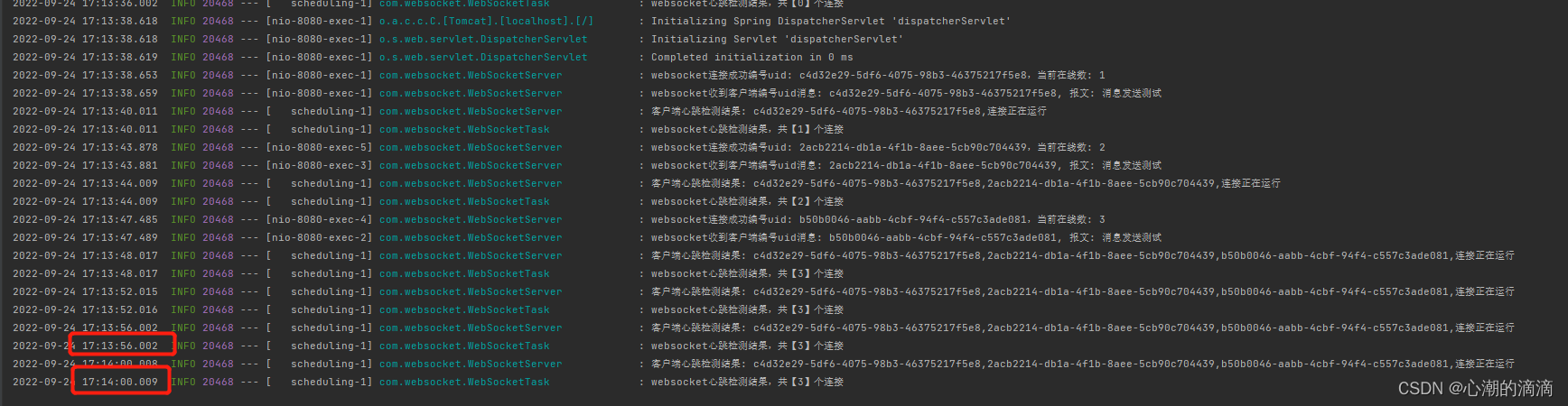
    @Scheduled(cron = "0/4 * * * * ?")
    public void clearOrders() {
        int num = 0;
        try {
            JSONObject jsonObject = WebSocketMessageEnum.HEART_CHECK.getJsonValue();
            num = WebSocketServer.sendPing(jsonObject.toJSONString());
        } finally {
            log.info("websocket心跳检测结果,共【" + num + "】个连接");
        }
    }
}
我们打开三个客户端
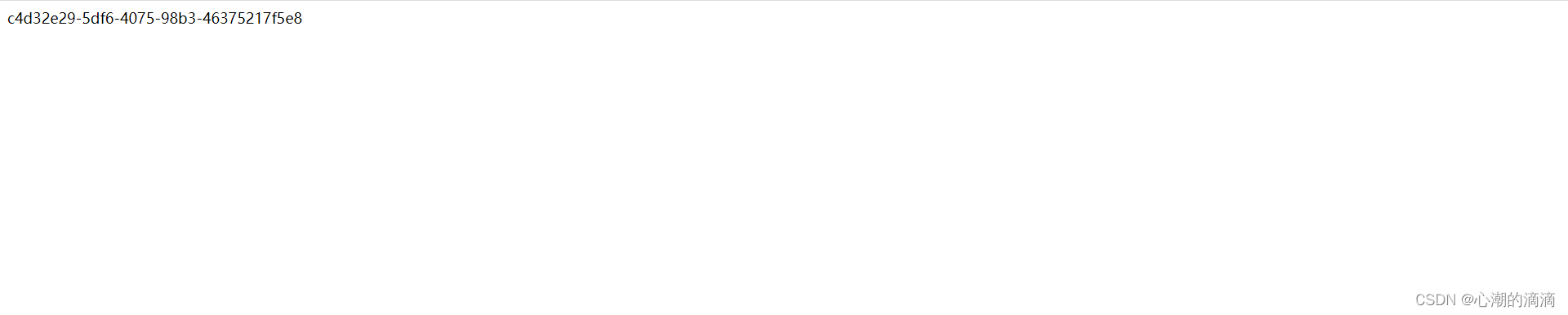
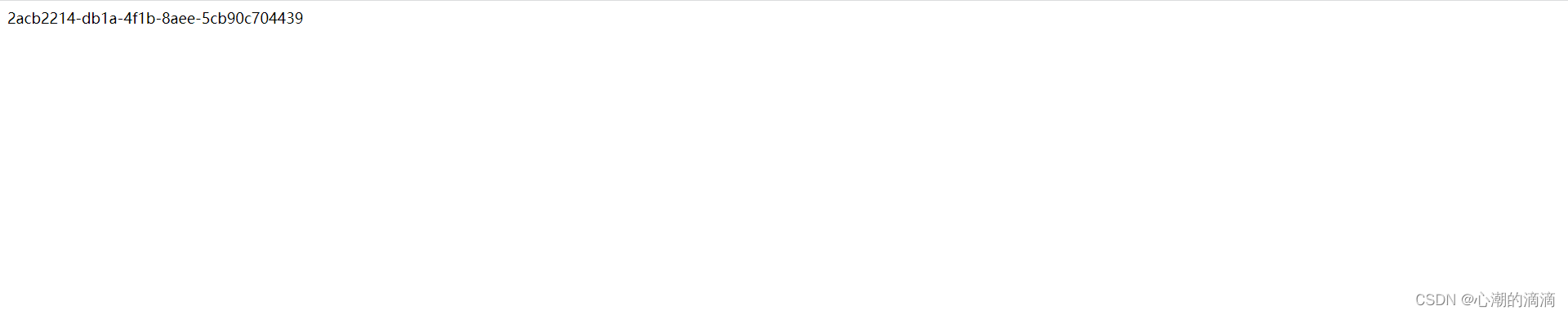
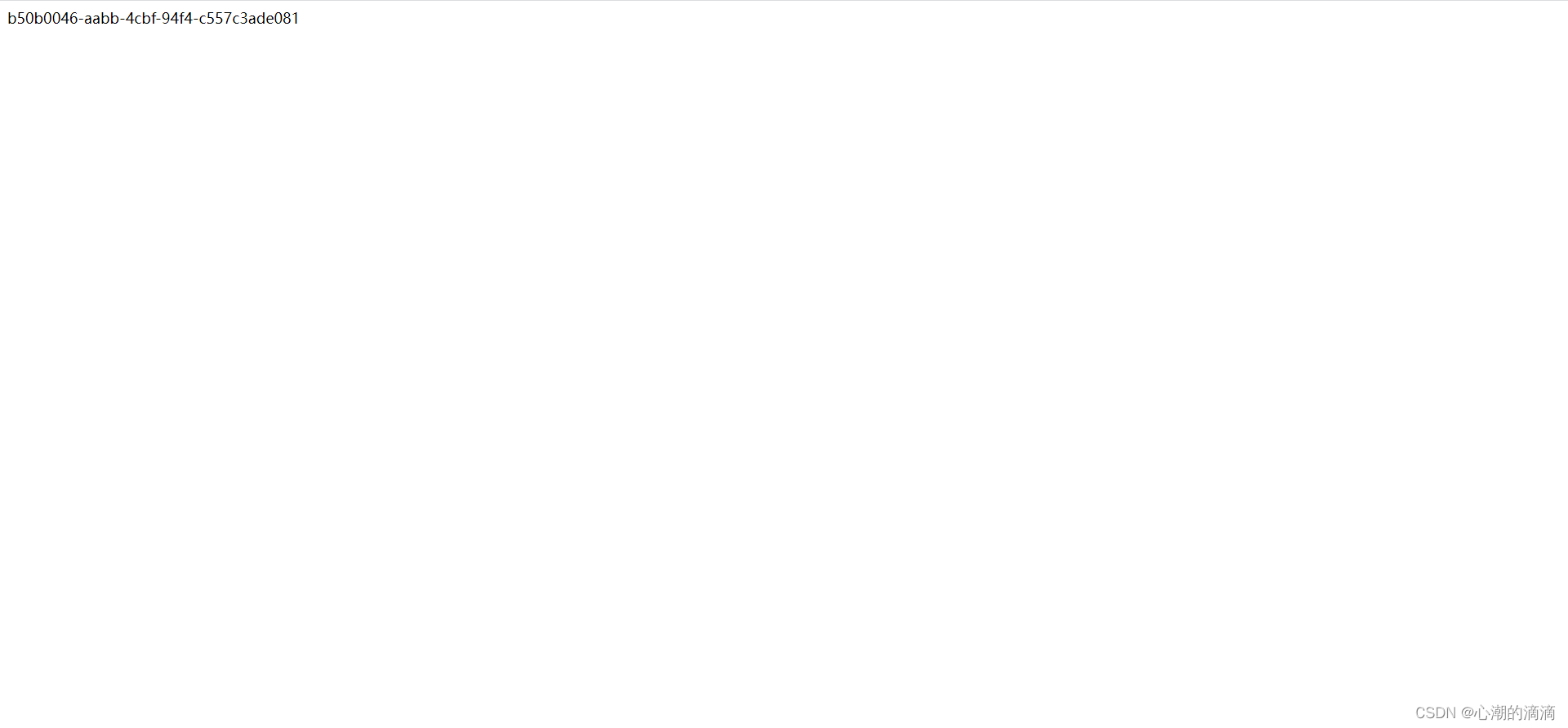
后端控制台运行结果
@作者:SYFStrive @博客首页:HomePage📜:微信小程序📌:个人社区(欢迎大佬们加入)👉:社区链接🔗📌:觉得文章不错可以点点关注👉:专栏连接🔗💃:感谢支持,学累了可以先看小段由小胖给大家带来的街舞👉微信小程序(🔥)目录自定义组件-behaviors 1、什么是behaviors 2、behaviors的工作方式 3、创建behavior 4、导入并使用behavior 5、behavior中所有可用的节点 6、同名字段的覆盖和组合规则总结最后自定义组件-behaviors 1、什么是behaviorsbehaviors是小程序中,用于实现
我有一个super简单的脚本,它几乎包含了FayeWebSocketGitHub页面上用于处理关闭连接的内容:ws=Faye::WebSocket::Client.new(url,nil,:headers=>headers)ws.on:opendo|event|p[:open]#sendpingcommand#sendtestcommand#ws.send({command:'test'}.to_json)endws.on:messagedo|event|#hereistheentrypointfordatacomingfromtheserver.pJSON.parse(event.d
IntrductionLibwebsocketsisasimple-to-use,MIT-license,pureClibraryprovidingclientandserverforhttp/1,http/2,websockets,MQTTandotherprotocolsinasecurity-minded,lightweight,configurable,scalableandflexibleway.It’seasytobuildandcross-buildviacmakeandissuitablefortasksfromembeddedRTOSthroughmasscloudservi
我有带有gemwebsocket-rails0.7的Rails3.2应用程序。在开发机上,一切正常在生产环境中,我使用Nginx/1.6作为代理服务器,Unicorn作为http服务器。Thin用于独立模式(在https://github.com/websocket-rails/websocket-rails/wiki/Standalone-Server-Mode之后)。nginx配置:location/websocket{proxy_passhttp://localhost:3001/websocket;proxy_http_version1.1;proxy_set_headerUp
最近在工作中,看到一些新手测试同学,对接口测试存在很多疑问,甚至包括一些从事软件测试3,5年的同学,在聊到接口时,也是一知半解;今天借着这个机会,对接口测试做个实战教学,顺便总结一下经验,分享给大家。计划拆分成4个模块跟大家做一个分享,(接口测试、接口基础知识、接口自动化、接口进阶)感兴趣的小伙伴记得关注,希望对你的日常工作和求职面试,带来一些帮助。注:文章较长有5000多字,希望小伙伴们认真看完,当然有些内容对小白同学不是太友好,如果你需要详细了解其中的一些概念或者名词,请在文章之后留言,后续我将针对大家的疑问,整理输出一些大家感兴趣的文章。随着开发模式的迭代更新,前后端分离已不是新的概念,
如果您希望在Spring中启用定时任务功能,则需要在主类上添加 @EnableScheduling 注解。这样Spring才会扫描 @Scheduled 注解并执行定时任务。在大多数情况下,只需要在主类上添加 @EnableScheduling 注解即可,不需要在Service层或其他类中再次添加。以下是一个示例,演示如何在SpringBoot中启用定时任务功能:@SpringBootApplication@EnableSchedulingpublicclassApplication{publicstaticvoidmain(String[]args){SpringApplication.ru
软件特点部署后能通过浏览器查看线上日志。支持Linux、Windows服务器。采用随机读取的方式,支持大文件的读取。支持实时打印新增的日志(类终端)。支持日志搜索。使用手册基本页面配置路径配置日志所在的目录,配置后按回车键生效,下拉框选择日志名称。选择日志后点击生效,即可加载日志。windows路径E:\java\project\log-view\logslinux路径/usr/local/XX历史模式历史模式下,不会读取新增的日志。针对历史文件可以分页读取,配置分页大小、跳转。历史模式下,支持根据关键词搜索。目前搜索引擎使用的是jdk自带类库,搜索速度相对较低,优点是比较简单。2G日志全文搜
目录一、什么是Websocket二、WebSocket部分header介绍三、HTTPVSWebSocket四、什么时候使用WebSockets五、关于SockJS和STOMP一、什么是Websocket根据RFC6455标准,Websocket协议提供了一种标准化的方式在客户端和服务端之间通过TCP连接建立全双工、双向通信渠道。它是一种不同于HTTP的TCP协议,但是被设计为在HTTP基础上运行。Websocket交互始于HTTP请求,该请求会通过HTTPUpgrade请求头去升级请求,进而切换到Websocket协议。请求报文如下:GET/spring-websocket-portfoli
1.依赖导入org.springframework.bootspring-boot-starter-weborg.springframework.bootspring-boot-starter-validation2.validation常用注解@Null被注释的元素必须为null@NotNull被注释的元素不能为null,可以为空字符串@AssertTrue被注释的元素必须为true@AssertFalse被注释的元素必须为false@Min(value)被注释的元素必须是一个数字,其值必须大于等于指定的最小值@Max(value)被注释的元素必须是一个数字,其值必须小于等于指定的最大值@D
目录FIFO一.自定义同步FIFO1.1代码设计1.2Testbech1.3行为仿真***学习位宽计算函数$clog2()***$clog2()系统函数使用,可以不关注***分布式资源或者BLOCKBRAM二.异步FIFO2.1在FIFO判满的时候有两种方式:2.2异步FIFO为什么要使用格雷码2.2.1介绍格雷码2.2.2格雷码在异步FIFO中的应用2.2.2格雷码判满2.4二进制与格雷码之间的转换2.4.1二进制码转换为格雷码的方法2.4.2格雷码转换为二进制码的方法2.3实现框图2.5实现及仿真代码2.6仿真图验证2.7结论FIFO 这篇更多的是记录FIFO学习,参考了众多优秀的文章,
