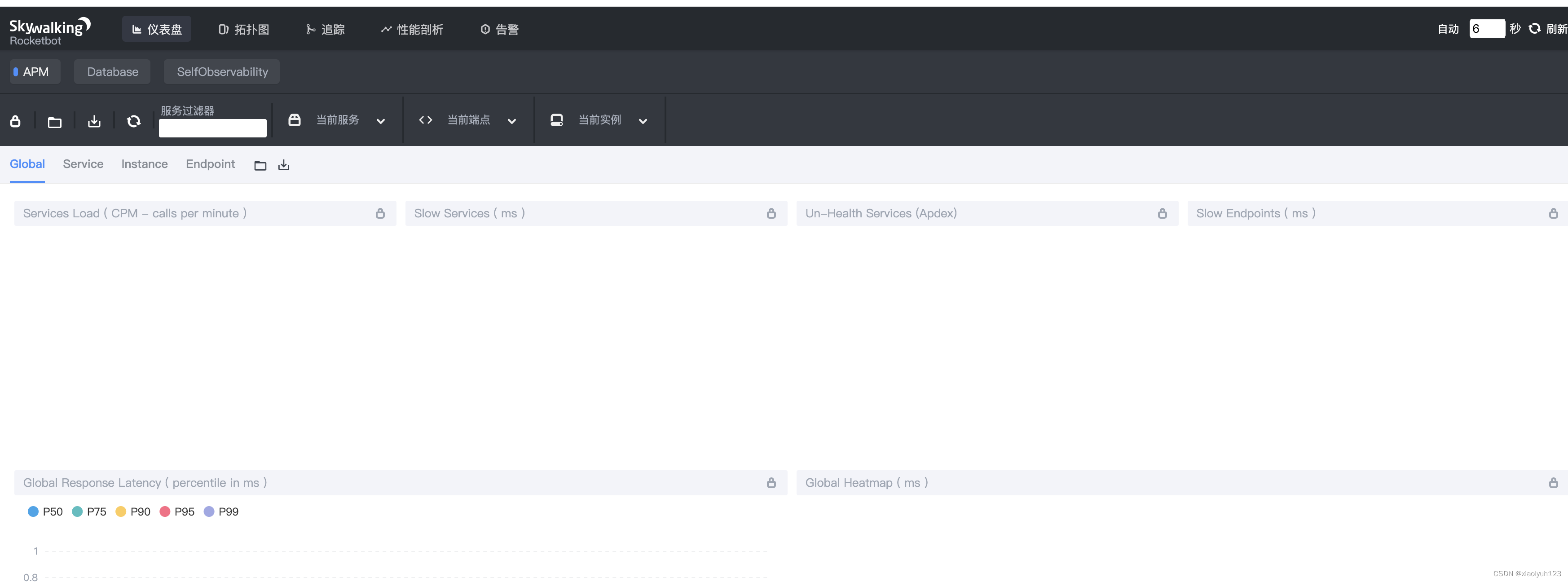
搭建skywalking需要用到三个镜像:
elasticsearch:用来存储数据
skywalking-oap-server:Skywalking服务器
skywalking-ui :Skywalking的UI界面
docker pull elasticsearch:7.9.0
docker pull apache/skywalking-oap-server:8.9.1
docker pull apache/skywalking-ui:8.9.1
mkdir -p /Users/admin/Documents/data/elasticsearch/data
mkdir -p /Users/admin/Documents/data/elasticsearch/logs
安装elasticsearch并挂载文件
docker run -d --name=es7 \
--restart=always \
-p 9200:9200 -p 9300:9300 \
-e "discovery.type=single-node" \
-v /Users/admin/Documents/data/elasticsearch/data:/usr/share/elasticsearch/data \
-v /Users/admin/Documents/data/elasticsearch/logs:/usr/share/elasticsearch/logs \
elasticsearch:7.9.0
docker ps -a
docker logs -f es7
浏览器访问:http://localhost:9200/,返回:
{
  "name" : "a0455020b01a",
  "cluster_name" : "docker-cluster",
  "cluster_uuid" : "AFy_WI-iQa63pVug9XIUXQ",
  "version" : {
    "number" : "7.9.0",
    "build_flavor" : "default",
    "build_type" : "docker",
    "build_hash" : "a479a2a7fce0389512d6a9361301708b92dff667",
    "build_date" : "2020-08-11T21:36:48.204330Z",
    "build_snapshot" : false,
    "lucene_version" : "8.6.0",
    "minimum_wire_compatibility_version" : "6.8.0",
    "minimum_index_compatibility_version" : "6.0.0-beta1"
  },
  "tagline" : "You Know, for Search"
}
需要先安装好es才能安装opa
docker run --name oap --restart=always -d \
-e TZ=Asia/Shanghai \
-p 12800:12800 \
-p 11800:11800 \
--link es7:es7 \
-e SW_STORAGE=elasticsearch7 \
-e SW_STORAGE_ES_CLUSTER_NODES=es7:9200 \
apache/skywalking-oap-server:8.9.0
-e TZ=Asia/Shanghai:指定时区。
--link es7:es7:关联es7容器,通过容器名字来解决ip会发生变更的问题。
-e SW_STORAGE=elasticsearch:设置环境变量,指定存储方式。
-e SW_STORAGE_ES_CLUSTER_NODES=es7:9200:设置环境变量,指定ES的地址
docker exec -it oap bash
启动UI
docker run -d --name skywalking-ui \
--restart=always \
-e TZ=Asia/Shanghai \
-p 8088:8080 \
--link oap:oap \
-e SW_OAP_ADDRESS=oap:12800 \
apache/skywalking-ui:8.9.0
https://github.com/apache/skywalking/tree/master/docker 官网有示例docker-compose.yml文件,我们只需要下载下来修改下即可。
# Licensed to the Apache Software Foundation (ASF) under one
# or more contributor license agreements.  See the NOTICE file
# distributed with this work for additional information
# regarding copyright ownership.  The ASF licenses this file
# to you under the Apache License, Version 2.0 (the
# "License"); you may not use this file except in compliance
# with the License.  You may obtain a copy of the License at
#
#     http://www.apache.org/licenses/LICENSE-2.0
#
# Unless required by applicable law or agreed to in writing, software
# distributed under the License is distributed on an "AS IS" BASIS,
# WITHOUT WARRANTIES OR CONDITIONS OF ANY KIND, either express or implied.
# See the License for the specific language governing permissions and
# limitations under the License.

# Licensed to the Apache Software Foundation (ASF) under one
# or more contributor license agreements.  See the NOTICE file
# distributed with this work for additional information
# regarding copyright ownership.  The ASF licenses this file
# to you under the Apache License, Version 2.0 (the
# "License"); you may not use this file except in compliance
# with the License.  You may obtain a copy of the License at
#
#     http://www.apache.org/licenses/LICENSE-2.0
#
# Unless required by applicable law or agreed to in writing, software
# distributed under the License is distributed on an "AS IS" BASIS,
# WITHOUT WARRANTIES OR CONDITIONS OF ANY KIND, either express or implied.
# See the License for the specific language governing permissions and
# limitations under the License.

version: '3.8'
services:
  elasticsearch:
    # image: docker.elastic.co/elasticsearch/elasticsearch-oss:${ES_VERSION}
    image: elasticsearch:7.9.0
    container_name: elasticsearch
    # --restart=always : 开机启动,失败也会一直重启;
    # --restart=on-failure:10 : 表示最多重启10次
    restart: always
    ports:
      - "9200:9200"
      - "9300:9300"
    healthcheck:
      test: [ "CMD-SHELL", "curl --silent --fail localhost:9200/_cluster/health || exit 1" ]
      interval: 30s
      timeout: 10s
      retries: 3
      start_period: 10s
    environment:
      - discovery.type=single-node
      # 锁定物理内存地址,防止elasticsearch内存被交换出去,也就是避免es使用swap交换分区,频繁的交换,会导致IOPS变高;
      - bootstrap.memory_lock=true
      # 设置时区
      - TZ=Asia/Shanghai
      # - "ES_JAVA_OPTS=-Xms512m -Xmx512m"
    ulimits:
      memlock:
        soft: -1
        hard: -1

  oap:
    image: apache/skywalking-oap-server:8.9.1
    container_name: oap
    restart: always
    # 设置依赖的容器
    depends_on:
      elasticsearch:
        condition: service_healthy
    # 关联ES的容器,通过容器名字来找到相应容器,解决IP变动问题
    links:
      - elasticsearch
    # 端口映射
    ports:
      - "11800:11800"
      - "12800:12800"
    # 监控检查
    healthcheck:
      test: [ "CMD-SHELL", "/skywalking/bin/swctl ch" ]
      # 每间隔30秒执行一次
      interval: 30s
      # 健康检查命令运行超时时间,如果超过这个时间,本次健康检查就被视为失败;
      timeout: 10s
      # 当连续失败指定次数后,则将容器状态视为 unhealthy,默认 3 次。
      retries: 3
      # 应用的启动的初始化时间,在启动过程中的健康检查失效不会计入,默认 0 秒。
      start_period: 10s
    environment:
      # 指定存储方式
      SW_STORAGE: elasticsearch
      # 指定存储的地址
      SW_STORAGE_ES_CLUSTER_NODES: elasticsearch:9200
      SW_HEALTH_CHECKER: default
      SW_TELEMETRY: prometheus
      TZ: Asia/Shanghai
      # JAVA_OPTS: "-Xms2048m -Xmx2048m"

  ui:
    image: apache/skywalking-ui:8.9.1
    container_name: skywalking-ui
    restart: always
    depends_on:
      oap:
        condition: service_healthy
    links:
      - oap
    ports:
      - "8088:8080"
    environment:
      SW_OAP_ADDRESS: http://oap:12800
      TZ: Asia/Shanghai
切换到docker-compose.yml文件下,然后执行一下命令:
docker-compose up -d
docker-compose ps
下载源码包,然后解压取agent目录
https://archive.apache.org/dist/skywalking/8.9.1/
或
https://skywalking.apache.org/downloads/
解压获得agent.jar。
修改conf配置文件
将地址改为skywalking地址
agent.service_name=${SW_AGENT_NAME:Your_ApplicationName}
agent.instance_name=${SW_AGENT_INSTANCE_NAME:}
collector.backend_service=${SW_AGENT_COLLECTOR_BACKEND_SERVICES:127.0.0.1:11800}
-javaagent:/skywalking-agent/skywalking-agent.jar -Dskywalking.agent.service_name=demoskywalking -Dskywalking.collector.backend_service=127.0.0.1:11800
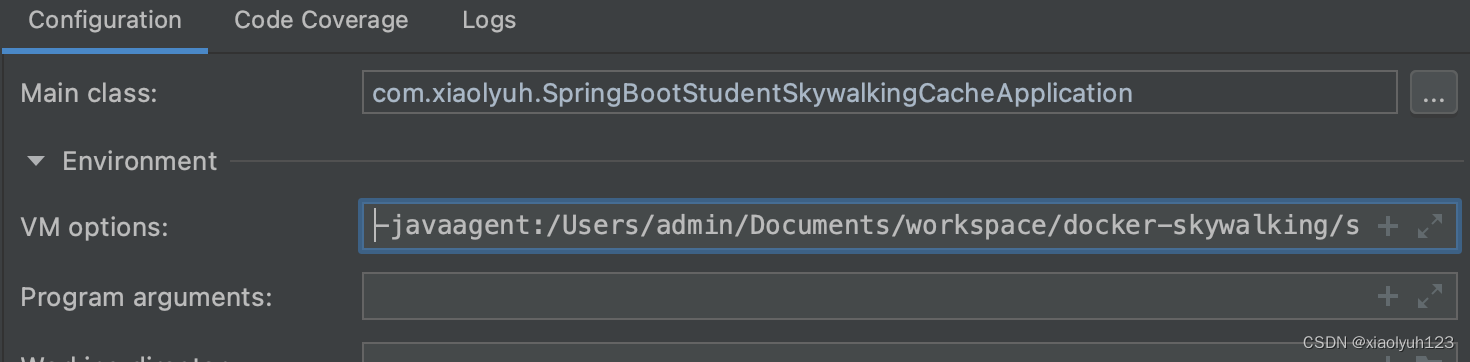
jar包方式
java -javaagent:/skywalking-agent/agent/skywalking-agent.jar
-Dskywalking.agent.service_name=app-service
-Dskywalking.collector.backend_service=127.0.0.1:11800
-jar app-service.jar &
我正在玩HTML5视频并且在ERB中有以下片段:mp4视频从在我的开发环境中运行的服务器很好地流式传输到chrome。然而firefox显示带有海报图像的视频播放器,但带有一个大X。问题似乎是mongrel不确定ogv扩展的mime类型,并且只返回text/plain,如curl所示:$curl-Ihttp://0.0.0.0:3000/pr6.ogvHTTP/1.1200OKConnection:closeDate:Mon,19Apr201012:33:50GMTLast-Modified:Sun,18Apr201012:46:07GMTContent-Type:text/plain
之前在培训新生的时候,windows环境下配置opencv环境一直教的都是网上主流的vsstudio配置属性表,但是这个似乎对新生来说难度略高(虽然个人觉得完全是他们自己的问题),加之暑假之后对cmake实在是爱不释手,且这样配置确实十分简单(其实都不需要配置),故斗胆妄言vscode下配置CV之法。其实极为简单,图比较多所以很长。如果你看此文还配不好,你应该思考一下是不是自己的问题。闲话少说,直接开始。0.CMkae简介有的人到大二了都不知道cmake是什么,我不说是谁。CMake是一个开源免费并且跨平台的构建工具,可以用简单的语句来描述所有平台的编译过程。它能够根据当前所在平台输出对应的m
1.错误信息:Errorresponsefromdaemon:Gethttps://registry-1.docker.io/v2/:net/http:requestcanceledwhilewaitingforconnection(Client.Timeoutexceededwhileawaitingheaders)或者:Errorresponsefromdaemon:Gethttps://registry-1.docker.io/v2/:net/http:TLShandshaketimeout2.报错原因:docker使用的镜像网址默认为国外,下载容易超时,需要修改成国内镜像地址(首先阿里
我试图在rails中了解rubygems是如何变得可以自动使用的,而不是在使用required的文件中gem? 最佳答案 这是通过bundler/setup完成的:http://bundler.io/v1.3/bundler_setup.html.它在您的config/boot.rb文件中是必需的。简而言之,它首先将环境变量设置为指向您的Gemfile:ENV['BUNDLE_GEMFILE']||=File.expand_path('../../Gemfile',__FILE__)然后它通过要求bundler/setup将所有ge
从一开始,我就是一个Windows高手。我从MS-DOS开始。我安装了Windows2.1以及此后的所有Windows。现在,我家里有10台不同的Windows机器在运行,从Windows7Ultimate到各种版本的WindowsServer。我还没有完成Windows8,也不想去那里。我在服务器和各种软件方面都有UNIX经验,但它并不是我的首选环境。但是,我想我正在转换。我试图假装使用Cygwin和MSYS在Windows下运行UNIX。我的目的是搭建一个开发环境。两者都让我失望了。我花了比开发更多的时间来解决一系列技术问题。这是NotAcceptable。到目前为止,我的Ruby
如果特定语言环境中缺少翻译,如何配置i18n以使用en语言环境翻译?当前已插入翻译缺失消息。我正在使用RoR3.1。 最佳答案 找到相似的question这里是答案:#application.rb#railswillfallbacktoconfig.i18n.default_localetranslationconfig.i18n.fallbacks=true#railswillfallbacktoen,nomatterwhatissetasconfig.i18n.default_localeconfig.i18n.fallback
我给自己买了一个新的8gigUSBkey,我正在寻找一个合适的解决方案来拥有一个可移植RoR环境来学习。我在谷歌上搜索了一下,发现了一些可能性,但我很想听听一些现实生活中的经历和意见。谢谢! 最佳答案 我喜欢InstantRails,非常容易使用,无需安装程序,也不会修改您的系统环境。 关于ruby-on-rails-可移植RubyonRails环境,我们在StackOverflow上找到一个类似的问题: https://stackoverflow.com/q
在我的双语Rails4应用程序中,我有一个像这样的LocalesController:classLocalesController用户可以通过此表单更改其语言环境:deflocale_switcherform_tagurl_for(:controller=>'locales',:action=>'change_locale'),:method=>'get',:id=>'locale_switcher'doselect_tag'set_locale',options_for_select(LANGUAGES,I18n.locale.to_s)end这有效。但是,目前用户无法通过URL更改
我在跑Fastlane(适用于iOS的持续构建工具)以执行用于解密文件的自定义shell脚本。这是命令。sh"./decrypt.shENV['ENCRYPTION_P12']"我想不出将环境变量传递给该脚本的方法。显然,如果我将密码硬编码到脚本中,它就可以正常工作。sh"./decrypt.shmypwd"有什么建议吗? 最佳答案 从直接Shell中扩展假设这里的sh是一个faSTLane命令,它以给定的参数作为脚本文本调用shell命令:#asafastlanedirectivesh'./decrypt.sh"$ENCRYPTI
文章目录1.自动驾驶实战:基于Paddle3D的点云障碍物检测1.1环境信息1.2准备点云数据1.3安装Paddle3D1.4模型训练1.5模型评估1.6模型导出1.7模型部署效果附录show_lidar_pred_on_image.py1.自动驾驶实战:基于Paddle3D的点云障碍物检测项目地址——自动驾驶实战:基于Paddle3D的点云障碍物检测课程地址——自动驾驶感知系统揭秘1.1环境信息硬件信息CPU:2核AI加速卡:v100总显存:16GB总内存:16GB总硬盘:100GB环境配置Python:3.7.4框架信息框架版本:PaddlePaddle2.4.0(项目默认框架版本为2.3