原文链接: python 爬虫 爬取高考录取分数线 信息
上一篇: axios 原生上传xlsx文件
下一篇: pandas 表格 数据补全空值
网页
https://gkcx.eol.cn/school/search
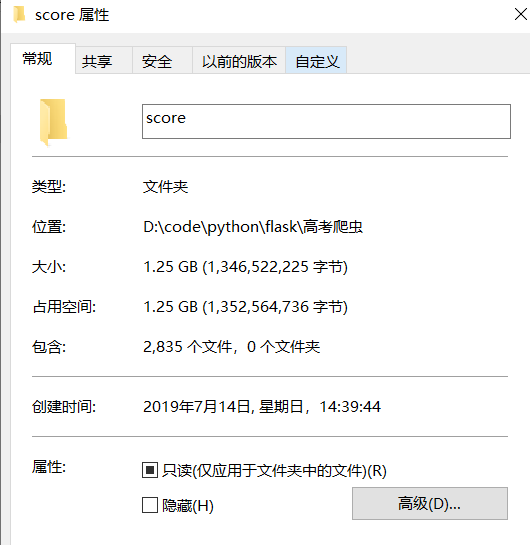
完整资料一个多g
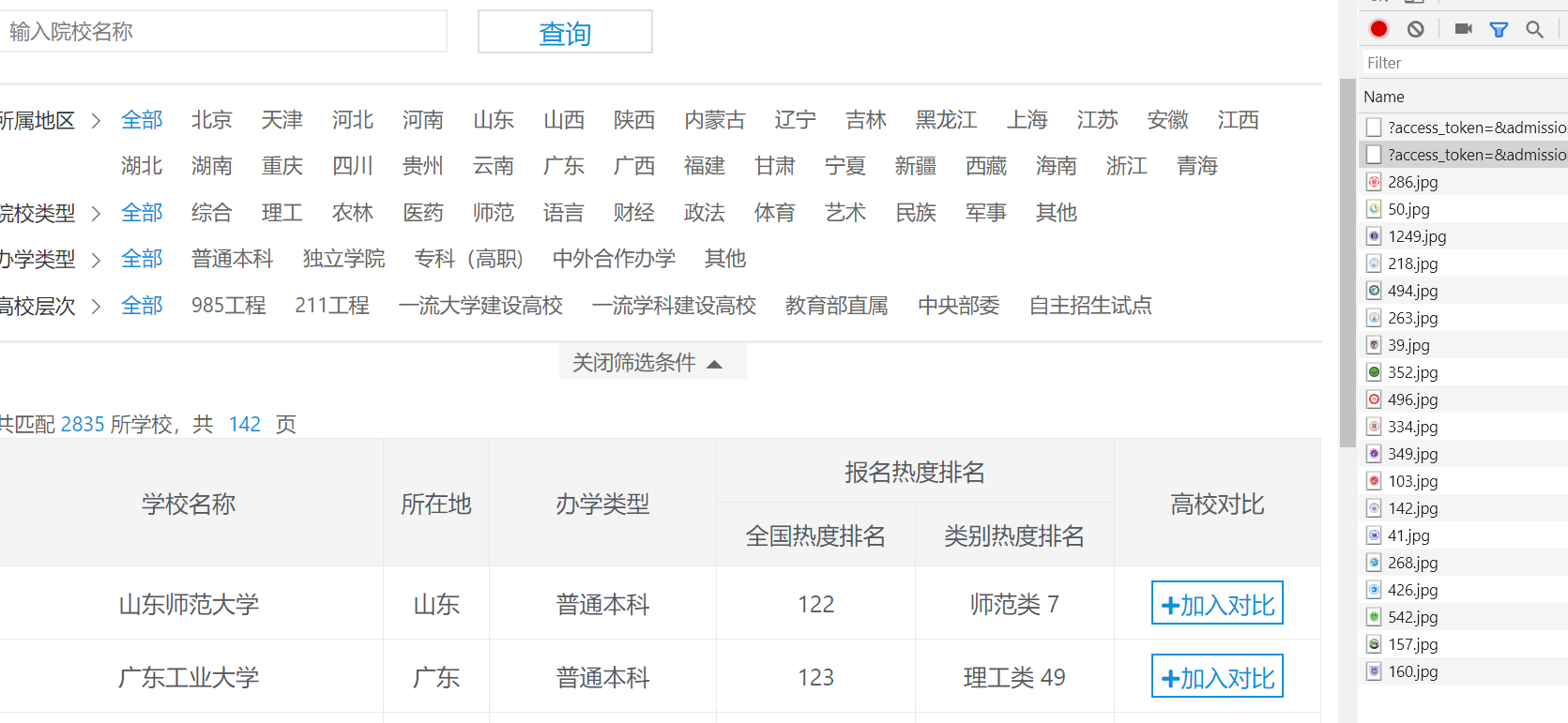
高校信息爬取接口
import requests_html
import json

sess = requests_html.HTMLSession()
url = "https://api.eol.cn/gkcx/api/"
data = {
    "access_token": "",
    "admissions": "",
    "central": "",
    "department": "",
    "dual_class": "",
    "f211": "",
    "f985": "",
    "is_dual_class": "",
    "keyword": "",
    "page": 8, "province_id": "",
    "request_type": 1,
    "school_type": "",
    "size": 20,
    "sort": "view_total",
    "type": "",
    "uri": "apigkcx/api/school/hotlists"
}
res = sess.post(url, data)
js = res.json()
print(type(js))  # <class 'dict'>

with open('./school.json', mode='w+') as f:
    f.write(js['data']['item'])
省份信息,在需要选择省份的下拉框页面中查看请求
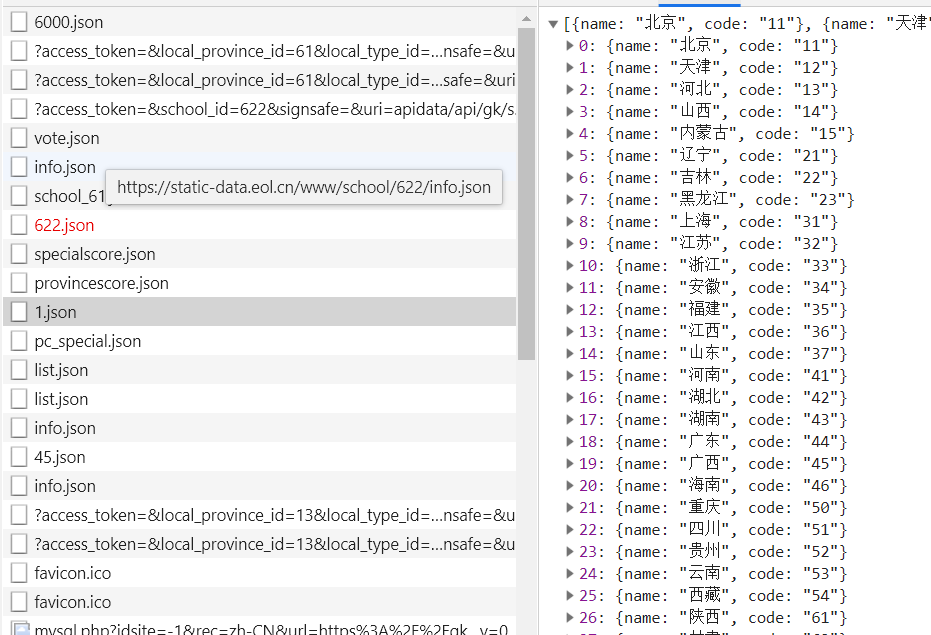
def get_province():
    url = "https://static-data.eol.cn/www/config/detial/1.json"
    res = sess.get(url)
    js = res.json()
    print(js)
    with open('./province.json', mode='w+') as f:
        json.dump(js, f)
接口有最大数据传输量的限制,需要按照分页格式先请求所有,然后合并学校信息,并输出为xlsx文件
完整代码
import requests_html
import json
import glob
import pandas as pd

sess = requests_html.HTMLSession()


def get_school():
    url = "https://api.eol.cn/gkcx/api/"
    for pageNo in range(300):
        data = {
            "access_token": "",
            "admissions": "",
            "central": "",
            "department": "",
            "dual_class": "",
            "f211": "",
            "f985": "",
            "is_dual_class": "",
            "keyword": "",
            "page": pageNo,
            "province_id": "",
            "request_type": 1,
            "school_type": "",
            "size": 20,
            "sort": "view_total",
            "type": "",
            "uri": "apigkcx/api/school/hotlists"
        }
        res = sess.post(url, data)
        js = res.json()
        print(type(js['data']['item']))  # <class 'dict'>
        with open(f'./school/school_{pageNo}.json', mode='w+') as f:
            json.dump(js['data']['item'], f)


def get_province():
    url = "https://static-data.eol.cn/www/config/detial/1.json"
    res = sess.get(url)
    js = res.json()
    print(js)
    with open('./province.json', mode='w+') as f:
        json.dump(js, f)


def show_province():
    with open('./province.json', ) as f:
        data = json.load(f)
    print(data)


def merge_school():
    all_school = []
    for path in glob.glob('./school/*'):
        with open(path) as f:
            data = json.load(f)
            all_school += data

    print(len(all_school)) # 2855
    all_school = json.dumps(all_school)
    with open('./json/school.json', mode='w+') as f:
        json.dump(all_school, f)
    df = pd.read_json(all_school)
    df.to_excel('./school.xlsx')


if __name__ == '__main__':
    # get_school()
    # get_province()
    merge_school()
查询每个学校每年在各个省份的录取成绩
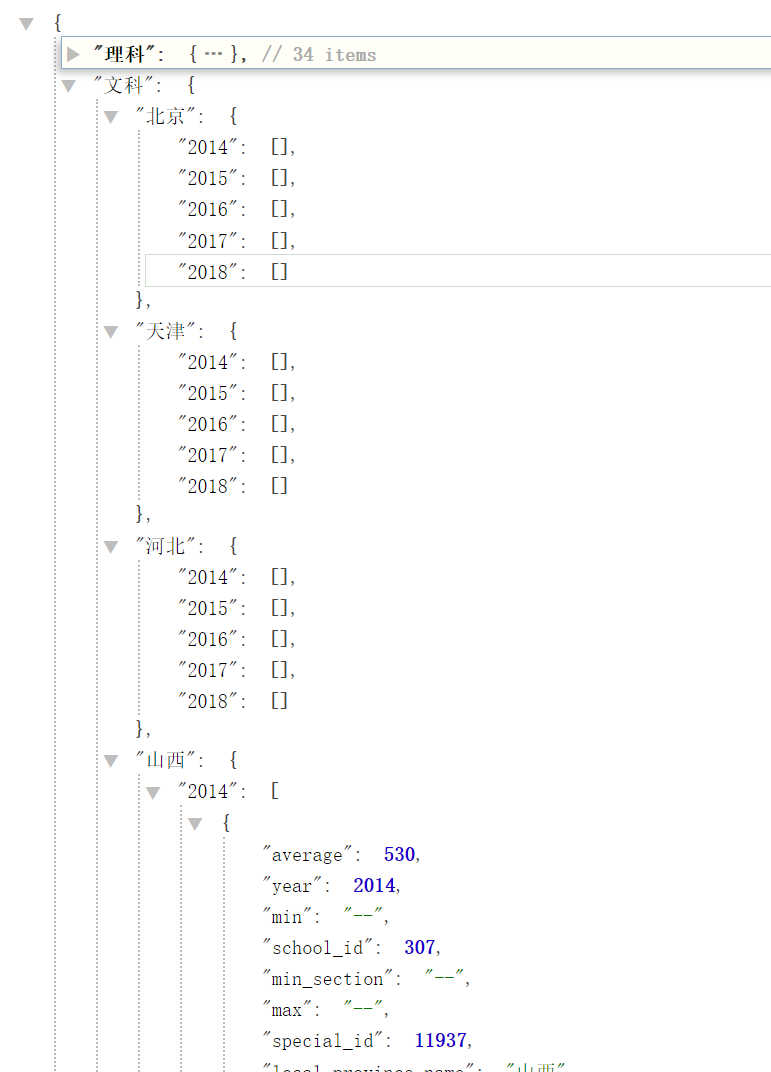
import json
import requests
import os
from multiprocessing import Pool
import time
import random

years = range(2014, 2018 + 1)  # 年份
pages = range(2)  # 数目,3页基本够用了
types = [
    {
        'code': 1,
        'name': '理科'
    },
    {
        'code': 2,
        'name': '文科'
    }
]  # 文理科
with open('./json/province.json') as f:
    provinces = json.load(f)
with open('./json/school.json') as f:
    schools = json.load(f)

headers = {
    'Accept': 'application/json, text/plain, */*',
    'Content-Type': 'application/json;charset=UTF-8',
    'Origin': 'https://gkcx.eol.cn',
    'Referer': 'https://gkcx.eol.cn/school/332',
    'User-Agent': 'Mozilla/5.0 (Windows NT 10.0; Win64; x64) AppleWebKit/537.36 (KHTML, like Gecko) Chrome/75.0.3770.100 Safari/537.36',
}


def get_score(school):
    path = f"./score/{school['name']}.json"
    if os.path.exists(path):
        print(school['name'], 'exists')
        return
    sess = requests.Session()
    url = "https://api.eol.cn/gkcx/api/"
    score = {}
    for type in types:
        score[type['name']] = {}
        for province in provinces:
            score[type['name']][province['name']] = {}
            for year in years:
                all_data = []
                try:
                    for page in pages:
                        data = {
                            "access_token": "",
                            "local_province_id": province['code'],  # 学生省份
                            "local_type_id": type['code'],  # 文理科 理科1 文科2
                            "page": page,  # 页号
                            "school_id": school['school_id'],  # 学校id
                            "size": 20,
                            "uri": "apidata/api/gk/score/special",
                            "year": year  # 年份
                        }
                        # time.sleep(random.random() * 0.1)
                        js = sess.post(url, data, headers=headers).json()
                        all_data += js['data']['item']
                except Exception as e:
                    print(e)
                score[type['name']][province['name']][str(year)] = all_data

    with open(path, mode='w+') as f:
        json.dump(score, f)
    print(school['name'], 'finished')


def start():
    for school in schools[:10]:
        print(school['name'], 'start')
        get_score(school)


def thread_start():
    #  线程数目太多会被访问拒绝
    p = Pool(4)
    for school in schools:
        print(school['name'], 'start')
        p.apply_async(get_score, args=(school,))
    p.close()  # 关闭进程池,不再接受新的任务
    p.join()  # 阻塞主进程,知道进程池中的进程完成任务


def main():
    # start()
    thread_start()


if __name__ == '__main__':
    main()
关闭。这个问题是opinion-based.它目前不接受答案。想要改进这个问题?更新问题,以便editingthispost可以用事实和引用来回答它.关闭4年前。Improvethisquestion我想在固定时间创建一系列低音和高音调的哔哔声。例如:在150毫秒时发出高音调的蜂鸣声在151毫秒时发出低音调的蜂鸣声200毫秒时发出低音调的蜂鸣声250毫秒的高音调蜂鸣声有没有办法在Ruby或Python中做到这一点?我真的不在乎输出编码是什么(.wav、.mp3、.ogg等等),但我确实想创建一个输出文件。
大约一年前,我决定确保每个包含非唯一文本的Flash通知都将从模块中的方法中获取文本。我这样做的最初原因是为了避免一遍又一遍地输入相同的字符串。如果我想更改措辞,我可以在一个地方轻松完成,而且一遍又一遍地重复同一件事而出现拼写错误的可能性也会降低。我最终得到的是这样的:moduleMessagesdefformat_error_messages(errors)errors.map{|attribute,message|"Error:#{attribute.to_s.titleize}#{message}."}enddeferror_message_could_not_find(obje
我主要使用Ruby来执行此操作,但到目前为止我的攻击计划如下:使用gemsrdf、rdf-rdfa和rdf-microdata或mida来解析给定任何URI的数据。我认为最好映射到像schema.org这样的统一模式,例如使用这个yaml文件,它试图描述数据词汇表和opengraph到schema.org之间的转换:#SchemaXtoschema.orgconversion#data-vocabularyDV:name:namestreet-address:streetAddressregion:addressRegionlocality:addressLocalityphoto:i
这个问题在这里已经有了答案:关闭10年前。PossibleDuplicate:Pythonconditionalassignmentoperator对于这样一个简单的问题表示歉意,但是谷歌搜索||=并不是很有帮助;)Python中是否有与Ruby和Perl中的||=语句等效的语句?例如:foo="hey"foo||="what"#assignfooifit'sundefined#fooisstill"hey"bar||="yeah"#baris"yeah"另外,类似这样的东西的通用术语是什么?条件分配是我的第一个猜测,但Wikipediapage跟我想的不太一样。
什么是ruby的rack或python的Java的wsgi?还有一个路由库。 最佳答案 来自Python标准PEP333:Bycontrast,althoughJavahasjustasmanywebapplicationframeworksavailable,Java's"servlet"APImakesitpossibleforapplicationswrittenwithanyJavawebapplicationframeworktoruninanywebserverthatsupportstheservletAPI.ht
华为OD机试题本篇题目:明明的随机数题目输入描述输出描述:示例1输入输出说明代码编写思路最近更新的博客华为od2023|什么是华为od,od薪资待遇,od机试题清单华为OD机试真题大全,用Python解华为机试题|机试宝典【华为OD机试】全流程解析+经验分享,题型分享,防作弊指南华为o
在应用开发中,有时候我们需要获取系统的设备信息,用于数据上报和行为分析。那在鸿蒙系统中,我们应该怎么去获取设备的系统信息呢,比如说获取手机的系统版本号、手机的制造商、手机型号等数据。1、获取方式这里分为两种情况,一种是设备信息的获取,一种是系统信息的获取。1.1、获取设备信息获取设备信息,鸿蒙的SDK包为我们提供了DeviceInfo类,通过该类的一些静态方法,可以获取设备信息,DeviceInfo类的包路径为:ohos.system.DeviceInfo.具体的方法如下:ModifierandTypeMethodDescriptionstatic StringgetAbiList()Obt
我想解析一个已经存在的.mid文件,改变它的乐器,例如从“acousticgrandpiano”到“violin”,然后将它保存回去或作为另一个.mid文件。根据我在文档中看到的内容,该乐器通过program_change或patch_change指令进行了更改,但我找不到任何在已经存在的MIDI文件中执行此操作的库.他们似乎都只支持从头开始创建的MIDI文件。 最佳答案 MIDIpackage会为您完成此操作,但具体方法取决于midi文件的原始内容。一个MIDI文件由一个或多个音轨组成,每个音轨是十六个channel中任何一个上的
本文主要介绍在使用Selenium进行自动化测试或者任务时,对于使用了iframe的页面,如何定位iframe中的元素文章目录场景描述解决方案具体代码场景描述当我们在使用Selenium进行自动化测试的时候,可能会遇到一些界面或者窗体是使用HTML的iframe标签进行承载的。对于iframe中的标签,如果直接查找是无法找到的,会抛出没有找到元素的异常。比如近在咫尺的例子就是,CSDN的登录窗体就是使用的iframe,大家可以尝试通过F12开发者模式查看到的tag_name,class_name,id或者xpath来定位中的页面元素,会抛出NoSuchElementException异常。解决
2022/8/4更新支持加入水印水印必须包含透明图像,并且水印图像大小要等于原图像的大小pythonconvert_image_to_video.py-f30-mwatermark.pngim_dirout.mkv2022/6/21更新让命令行参数更加易用新的命令行使用方法pythonconvert_image_to_video.py-f30im_dirout.mkvFFMPEG命令行转换一组JPG图像到视频时,是将这组图像视为MJPG流。我需要转换一组PNG图像到视频,FFMPEG就不认了。pyav内置了ffmpeg库,不需要系统带有ffmpeg工具因此我使用ffmpeg的python包装p
