SELECT
	pid,
	datname,
	usename,
	client_addr,
	application_name,
	STATE,
	backend_start,
	xact_start,
	xact_stay,
	query_start,
	query_stay,
	REPLACE ( query, chr( 10 ), ' ' ) AS query
FROM
	(
	SELECT
		pgsa.pid AS pid,
		pgsa.datname AS datname,
		pgsa.usename AS usename,
		pgsa.client_addr client_addr,
		pgsa.application_name AS application_name,
		pgsa.STATE AS STATE,
		pgsa.backend_start AS backend_start,
		pgsa.xact_start AS xact_start,
		EXTRACT ( epoch FROM ( now( ) - pgsa.xact_start ) ) AS xact_stay,
		pgsa.query_start AS query_start,
		EXTRACT ( epoch FROM ( now( ) - pgsa.query_start ) ) AS query_stay,
		pgsa.query AS query
	FROM
		pg_stat_activity AS pgsa
	WHERE
		pgsa.STATE != 'idle'
		AND pgsa.STATE != 'idle in transaction'
		AND pgsa.STATE != 'idle in transaction (aborted)'
	) idleconnections
ORDER BY
	query_stay DESC
| 字段 | 解释 |
|---|---|
| PID | 数据库查询进程ID |
| query_stay | 查询时长秒 |
| query | 查询SQL语句 |
SELECT pg_terminate_backend(PID);
SELECT pg_terminate_backend(6289);
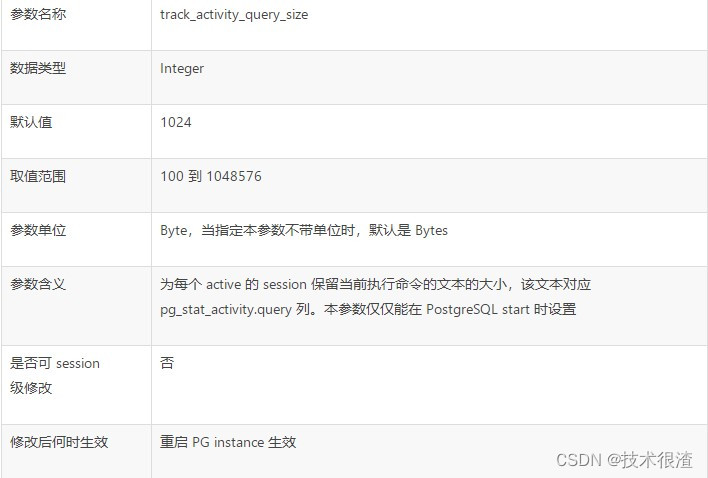
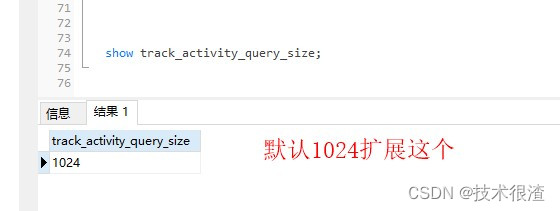
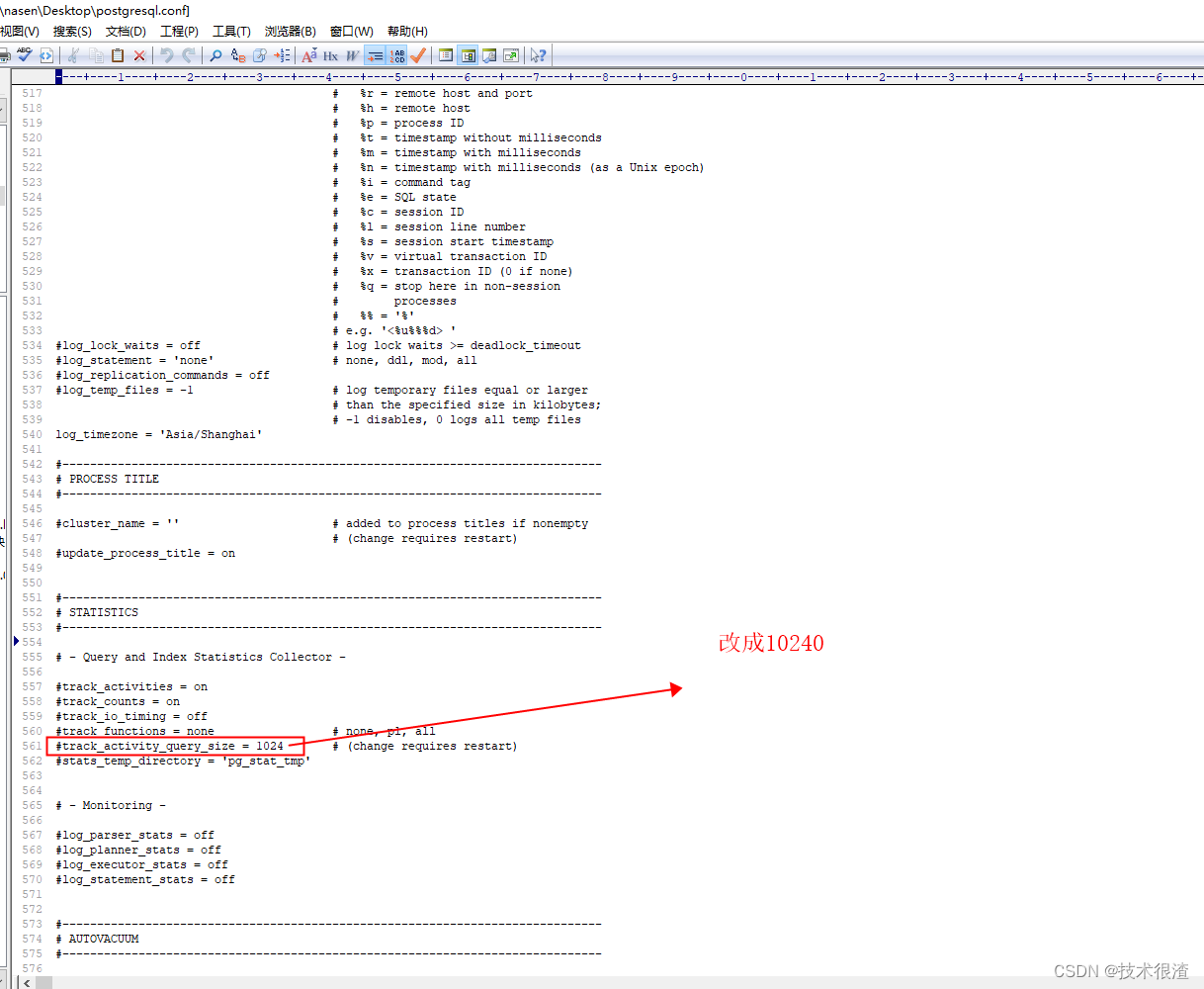
vi /var/lib/pgsql/12/data/postgresql.conf
修改track_activity_query_size的值重启数据库服务
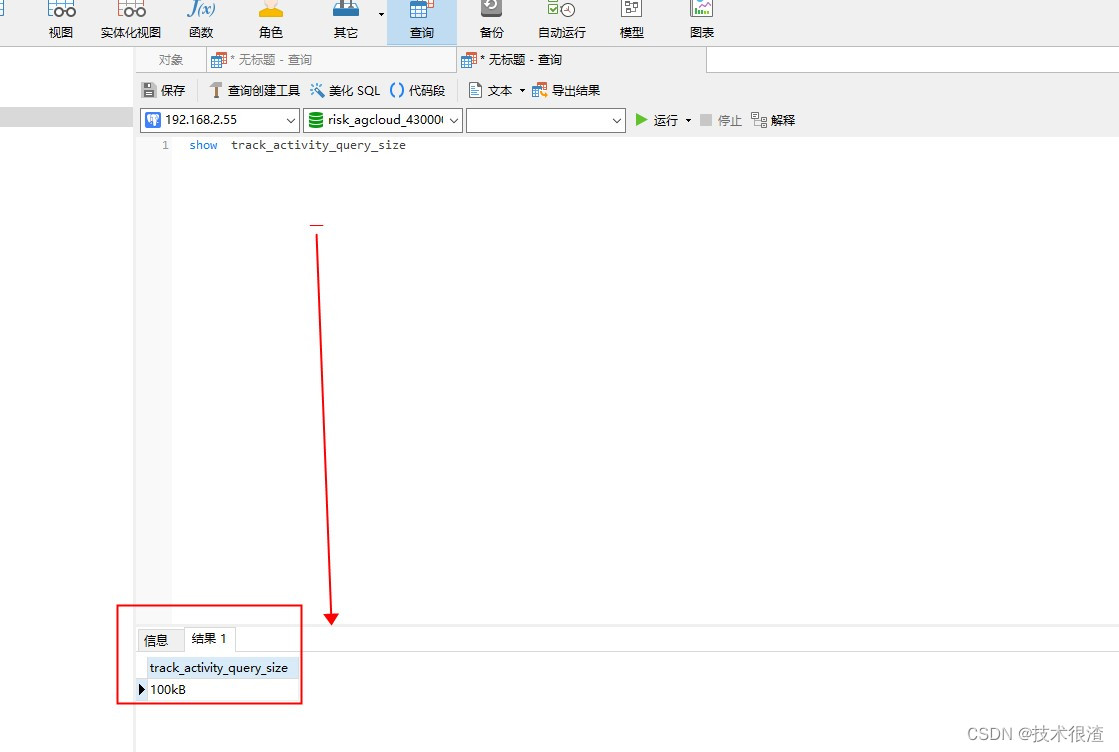
SELECT pg_terminate_backend(pg_stat_activity.pid)FROM pg_stat_activity WHERE datname='数据库名称' AND pid<>pg_backend_pid();
pg_dump -t 某个表名 "host=192.168.16.31 port=18921 user=postgres password=数据库密码 dbname=数据库" -f /app/zjfbeifen/1.sql
touch insert_sql.sh
#!/bin/bash
. /etc/profile
. ~/.bash_profile
export PATH=/usr/pgsql-12/bin:/usr/bin;
export PGPASSWORD=数据库密码;psql -U postgres -d 数据库名称    < /mnt/nas/bak-06/1.sql;
指定postgres用户执行导入某个表的语句,免密执行shell脚本
touch nasen_insert.sql
#!/bin/sh
source /etc/profile
PATH=/usr/local/bin:$PATH
echo 'task_start'
runuser - postgres -g postgres -c "sh /data/test/insert_sql.sh"
echo 'task_finish'
定时器配置
00 10 * * * /usr/bin/sh /data/test/insert_nasen.sh >>/data/test/insert_nasen.log
touch drop01.sql
#删除某个表SQL语句
DROP TABLE IF EXISTS public.test;
touch drop.sh
#!/bin/bash
. /etc/profile
. ~/.bash_profile
export PATH=/usr/pgsql-12/bin:/usr/bin;
#su postgres
export PGPASSWORD=123456;psql -U postgres -d 数据库名称   < /data/test/drop01.sql;
touch nasen_drop.sh
#!/bin/bash
source /etc/profile
PATH=/usr/local/bin:$PATH


echo 'task_start'
runuser - postgres -g postgres -c "sh /data/test/drop.sh"
echo 'task_finish'
定时器调用
00 9 * * * /usr/bin/sh /data/test/drop_nasen.sh >>/data/test/drop_nasen.log
备份导出整个数据库
pg_dump -h localhost -U postgres -d riskDataCheck -Fc -f /soft/backup/20220321/test-0321.dump
导入某个数据库
pg_restore -h localhost -U postgres -d risk_agcloud_430000_1 /soft/backup/test-0321.dump
步骤1:创建新data目录
sudo mkdir /home/data
sudo chown -R postgres:postgres data
sudo chmod 700 data
步骤2:关闭数据库服务
systemctl stop postgresql-12
步骤3:执行复制
cp -rf /var/lib/pgsql/12/data/* /home/data #这个路径是默认的在线安装postgresql12.11默认路径
sudo chown -R postgres:postgres data #加这句是因为复制过来有的时候归属是ROOT用户,应该是postgres用户才对!
步骤4:修改服务配置文件
cd /usr/lib/systemd/system
vi postgresql-12.service #默认的在线安装postgresql12.11服务名称
Environment=PGDATA=/home/data
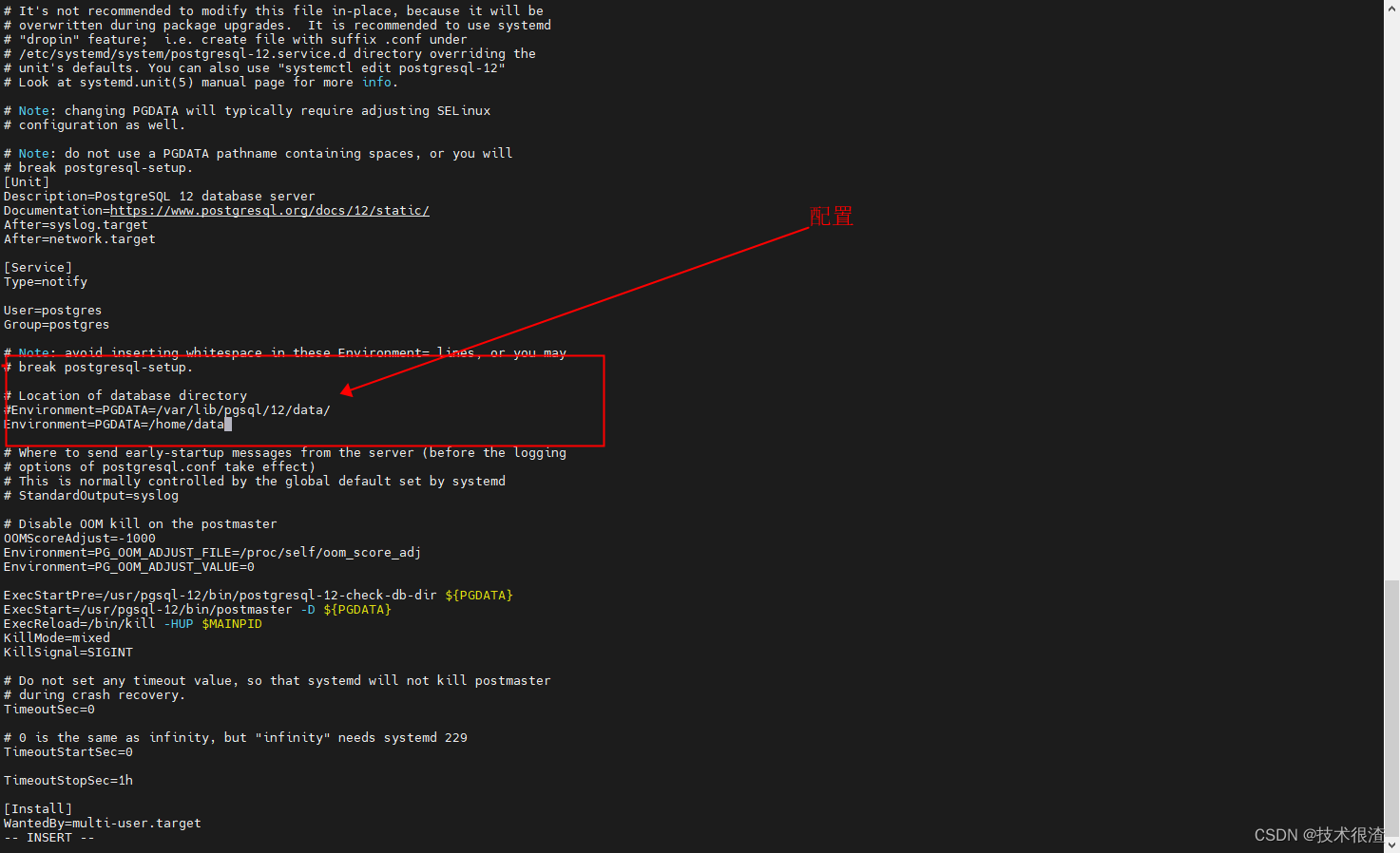
步骤5:重新加载服务配置
systemctl daemon-reload
步骤6:重启数据库服务
systemctl start postgresql-12
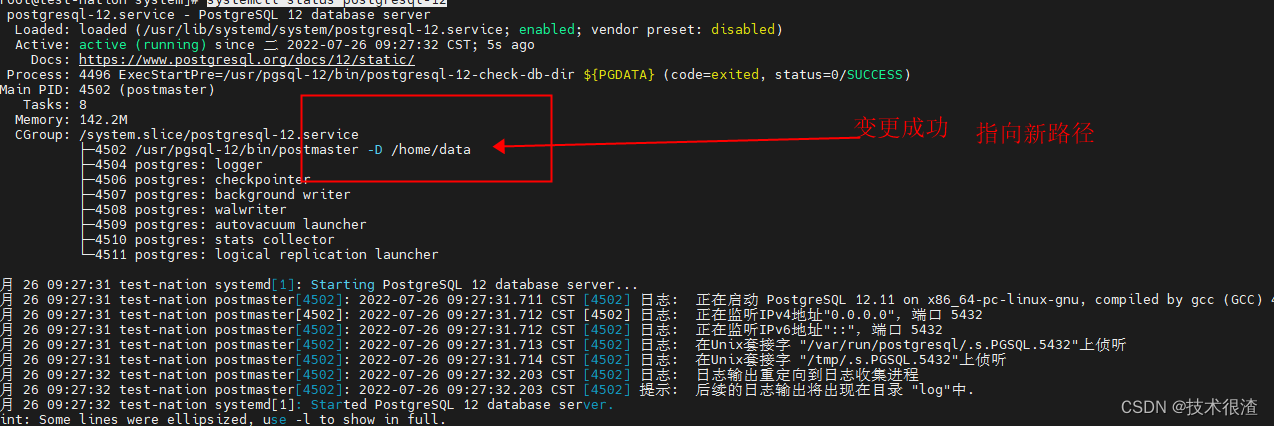
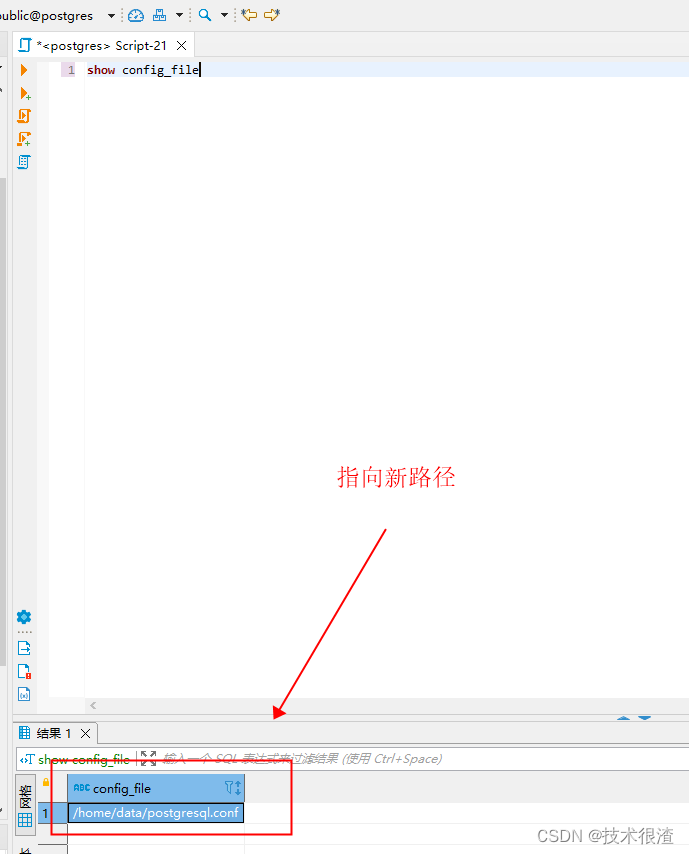
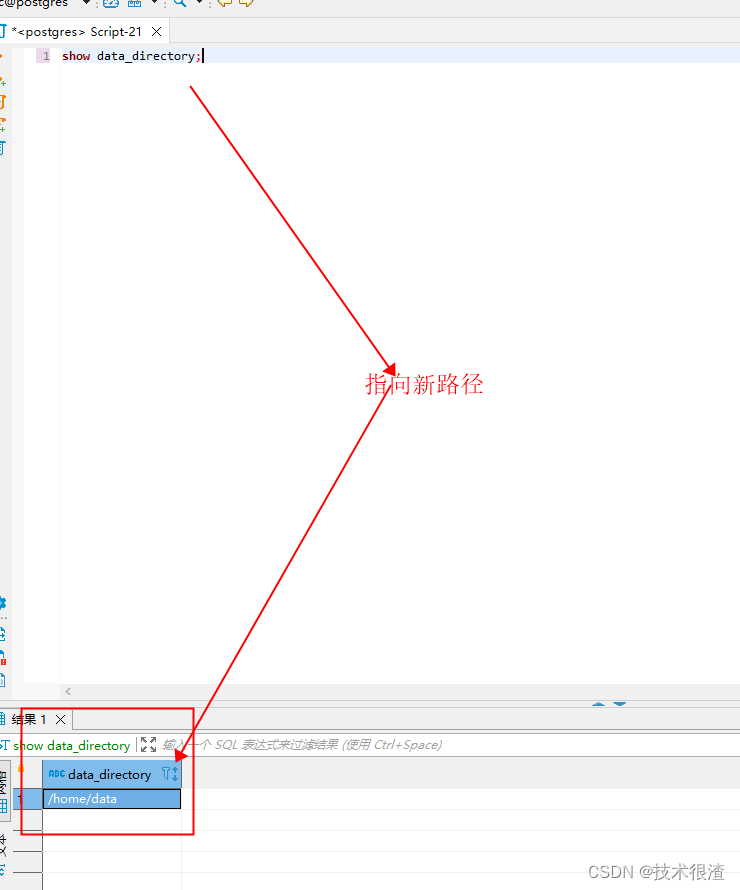
步骤7:查看变更状态
systemctl status postgresql-12
步骤1:安装postgis的依赖包
rpm -ivh https://mirrors.aliyun.com/epel/epel-release-latest-7.noarch.rpm
步骤2:安装postgis
yum install postgis31_12.x86_64 #这个对版本有一些对应关系注意,这个命令对应的是12.X
步骤3:安装完毕后切换为postgres用户,开启扩展初始化操作
// 开启插件
# su postgres
# psql
// 开启pgsql的插件
postgres=# create extension postgis;
postgres=# create extension postgis_topology;
postgres=# create extension fuzzystrmatch;
postgres=# create extension address_standardizer;
postgres=# create extension address_standardizer_data_us;
postgres=# create extension postgis_tiger_geocoder;
//查看版本,验证安装是否成功
postgres=# SELECT PostGIS_full_version();
步骤4:安装pgRouting
yum install pgrouting_12 #针对12.X版本
步骤5:检查插件是否完成
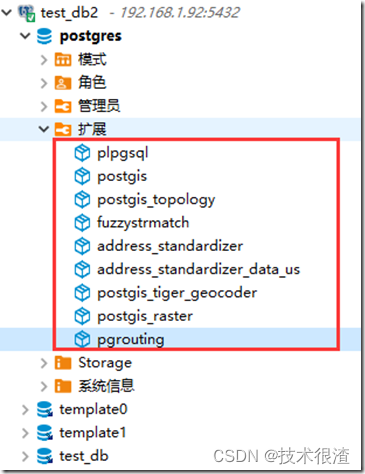

postgres=# create extension “uuid-ossp”;
ERROR: could not open extension control file “/opt/pgsql12.2/share/extension/uuid-ossp.control”: No such file or directory
步骤1:安装uuid依赖包
[root@Location-01 ~]# yum -y install e2fsprogs-devel uuid uuid-devel libuuid-devel
## 步骤2:执行编译配置
[root@Location-01 ~]# cd /usr/local/src/postgresql-12.2/
[root@Location-01 postgresql-12.2]# pwd
/usr/local/src/postgresql-12.2
[root@Location-01 postgresql-12.2]# ./configure --prefix=/opt/pgsql12.2 --with-uuid=ossp
步骤3:编译安装uuid-ossp
[root@Location-01 ~]# cd /usr/local/src/postgresql-12.2/contrib/uuid-ossp/
[root@Location-01 uuid-ossp]# pwd
/usr/local/src/postgresql-12.2/contrib/uuid-ossp
[root@Location-01 uuid-ossp]# make && make install
步骤4:检测是否成功
postgres=# create extension "uuid-ossp";
CREATE EXTENSION
postgres=# select * from pg_available_extensions;
    name    | default_version | installed_version |                     comment
------------+-----------------+-------------------+-------------------------------------------------
 plpgsql    | 1.0             | 1.0               | PL/pgSQL procedural language
 plperl     | 1.0             |                   | PL/Perl procedural language
 plperlu    | 1.0             |                   | PL/PerlU untrusted procedural language
 plpython2u | 1.0             |                   | PL/Python2U untrusted procedural language
 plpythonu  | 1.0             |                   | PL/PythonU untrusted procedural language
 uuid-ossp  | 1.1             |                   | generate universally unique identifiers (UUIDs)
(6 rows)
我在使用omniauth/openid时遇到了一些麻烦。在尝试进行身份验证时,我在日志中发现了这一点:OpenID::FetchingError:Errorfetchinghttps://www.google.com/accounts/o8/.well-known/host-meta?hd=profiles.google.com%2Fmy_username:undefinedmethod`io'fornil:NilClass重要的是undefinedmethodio'fornil:NilClass来自openid/fetchers.rb,在下面的代码片段中:moduleNetclass
我主要使用Ruby来执行此操作,但到目前为止我的攻击计划如下:使用gemsrdf、rdf-rdfa和rdf-microdata或mida来解析给定任何URI的数据。我认为最好映射到像schema.org这样的统一模式,例如使用这个yaml文件,它试图描述数据词汇表和opengraph到schema.org之间的转换:#SchemaXtoschema.orgconversion#data-vocabularyDV:name:namestreet-address:streetAddressregion:addressRegionlocality:addressLocalityphoto:i
我正在查看instance_variable_set的文档并看到给出的示例代码是这样做的:obj.instance_variable_set(:@instnc_var,"valuefortheinstancevariable")然后允许您在类的任何实例方法中以@instnc_var的形式访问该变量。我想知道为什么在@instnc_var之前需要一个冒号:。冒号有什么作用? 最佳答案 我的第一直觉是告诉你不要使用instance_variable_set除非你真的知道你用它做什么。它本质上是一种元编程工具或绕过实例变量可见性的黑客攻击
在我的应用程序中,我需要能够找到所有数字子字符串,然后扫描每个子字符串,找到第一个匹配范围(例如5到15之间)的子字符串,并将该实例替换为另一个字符串“X”。我的测试字符串s="1foo100bar10gee1"我的初始模式是1个或多个数字的任何字符串,例如,re=Regexp.new(/\d+/)matches=s.scan(re)给出["1","100","10","1"]如果我想用“X”替换第N个匹配项,并且只替换第N个匹配项,我该怎么做?例如,如果我想替换第三个匹配项“10”(匹配项[2]),我不能只说s[matches[2]]="X"因为它做了两次替换“1fooX0barXg
我遵循了教程http://gettingstartedwithchef.com/,第1章。我的运行list是"run_list":["recipe[apt]","recipe[phpap]"]我的phpapRecipe默认Recipeinclude_recipe"apache2"include_recipe"build-essential"include_recipe"openssl"include_recipe"mysql::client"include_recipe"mysql::server"include_recipe"php"include_recipe"php::modul
我有一个正在构建的应用程序,我需要一个模型来创建另一个模型的实例。我希望每辆车都有4个轮胎。汽车模型classCar轮胎模型classTire但是,在make_tires内部有一个错误,如果我为Tire尝试它,则没有用于创建或新建的activerecord方法。当我检查轮胎时,它没有这些方法。我该如何补救?错误是这样的:未定义的方法'create'forActiveRecord::AttributeMethods::Serialization::Tire::Module我测试了两个环境:测试和开发,它们都因相同的错误而失败。 最佳答案
有时我需要处理键/值数据。我不喜欢使用数组,因为它们在大小上没有限制(很容易不小心添加超过2个项目,而且您最终需要稍后验证大小)。此外,0和1的索引变成了魔数(MagicNumber),并且在传达含义方面做得很差(“当我说0时,我的意思是head...”)。散列也不合适,因为可能会不小心添加额外的条目。我写了下面的类来解决这个问题:classPairattr_accessor:head,:taildefinitialize(h,t)@head,@tail=h,tendend它工作得很好并且解决了问题,但我很想知道:Ruby标准库是否已经带有这样一个类? 最佳
我在用Ruby执行简单任务时遇到了一件奇怪的事情。我只想用每个方法迭代字母表,但迭代在执行中先进行:alfawit=("a".."z")puts"That'sanalphabet:\n\n#{alfawit.each{|litera|putslitera}}"这段代码的结果是:(缩写)abc⋮xyzThat'sanalphabet:a..z知道为什么它会这样工作或者我做错了什么吗?提前致谢。 最佳答案 因为您的each调用被插入到在固定字符串之前执行的字符串文字中。此外,each返回一个Enumerable,实际上您甚至打印它。试试
我正在处理旧代码的一部分。beforedoallow_any_instance_of(SportRateManager).toreceive(:create).and_return(true)endRubocop错误如下:Avoidstubbingusing'allow_any_instance_of'我读到了RuboCop::RSpec:AnyInstance我试着像下面那样改变它。由此beforedoallow_any_instance_of(SportRateManager).toreceive(:create).and_return(true)end对此:let(:sport_
我收到格式为的回复#我需要将其转换为哈希值(针对活跃商家)。目前我正在遍历变量并执行此操作:response.instance_variables.eachdo|r|my_hash.merge!(r.to_s.delete("@").intern=>response.instance_eval(r.to_s.delete("@")))end这有效,它将生成{:first="charlie",:last=>"kelly"},但它似乎有点hacky和不稳定。有更好的方法吗?编辑:我刚刚意识到我可以使用instance_variable_get作为该等式的第二部分,但这仍然是主要问题。
