mqtt是一种基于发布/订阅(publish/subscribe)模式的轻量级通讯协议,通过订阅相应的主题来获取消息,是物联网(Internet
of Thing)中的一个标准传输协议。
yum -y install make gcc gcc-c++ kernel-devel m4 ncurses-devel openssl-devel
yum -y install ncurses-devel
rpm包自取:https://pan.baidu.com/s/1UGuxeEIYMK9hBHKYBClfTQ
提取码:tmfm
RPM 下载包版本地址:https://packagecloud.io/rabbitmq/erlang
下载RabbitMQ rpm 安装包: https://github.com/rabbitmq/rabbitmq-server/releases/

*注意版本统一
安装erlang
rpm -Uvh erlang-23.2.7-1.el7.x86_64.rpm
yum install -y erlang
erl -v

安装rabbitmq
yum install -y socat
rpm -Uvh rabbitmq-server-3.9.15-1.el7.noarch.rpm
yum install -y rabbitmq-server
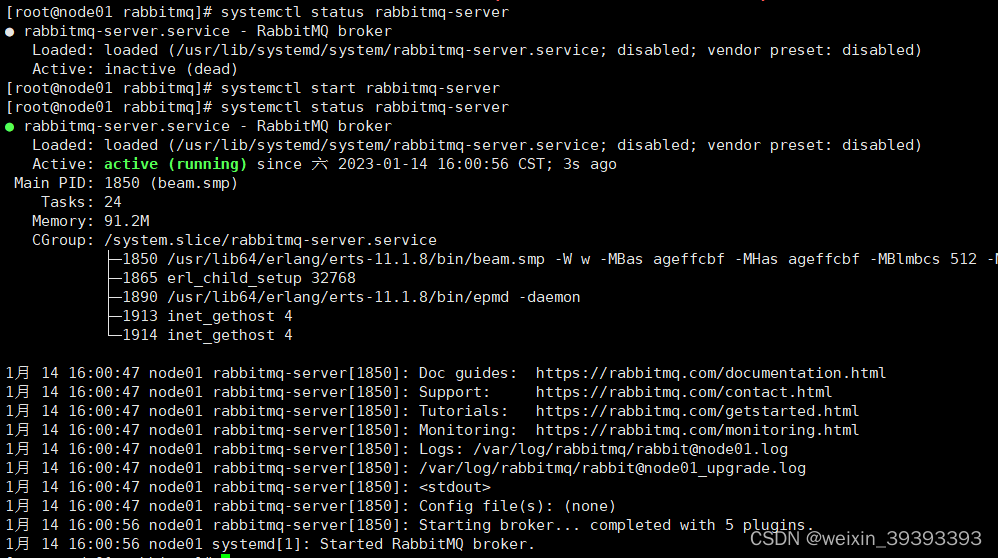
启动rabbitmq
systemctl start rabbitmq-server
查看rabbitmq状态
systemctl status rabbitmq-server
添加root用户取代guest用户
rabbitmqctl add_user root root
rabbitmqctl set_user_tags root administrator
rabbitmqctl set_permissions -p "/" root ".*" ".*" ".*"
删除guest
rabbitmqctl delete_user guest
创建普通用户并设置权限仅用于发送订阅消息
创建v-host
rabbitmqctl add_vhost /third_mqtt
创建用户
rabbitmqctl add_user third_client OP74X53Z
设置用户角色,无法登陆管理控制台,通常就是普通的生产者和消费者。
rabbitmqctl set_user_tags third_client none
设置用户在v-host下的权限
rabbitmqctl set_permissions -p /third_mqtt third_client ".*" ".*" ".*"
设置用户在默认"/” v-host下的权限
rabbitmqctl set_permissions -p / third_client ".*" ".*" ".*"
设置主题权限,可订阅和发布消息
rabbitmqctl set_topic_permissions -p /third_mqtt third_client amq.topic ".*" ".*"
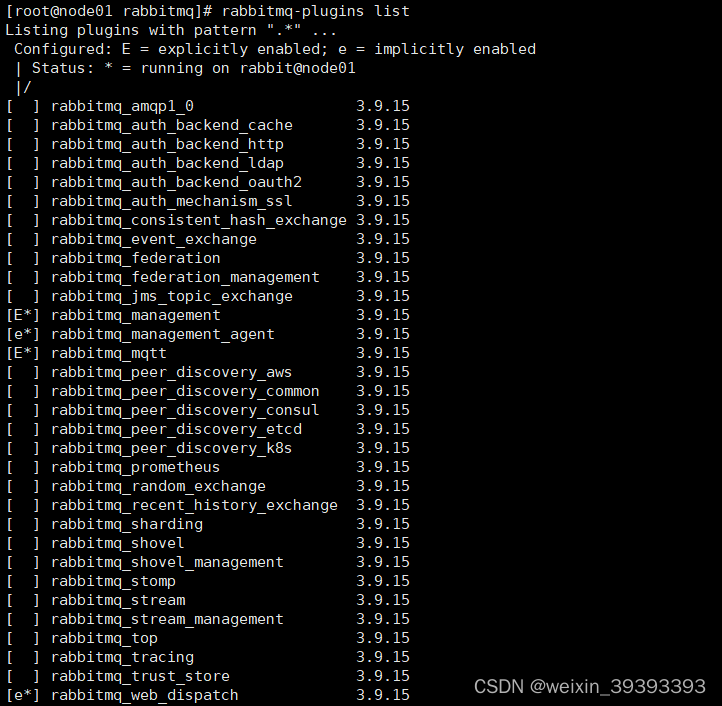
rabbitmq插件启用
启动RabbitMQWeb管理界面
rabbitmq-plugins enable rabbitmq_management
启用 rabbitmq的mqtt协议
rabbitmq-plugins enable rabbitmq_mqtt
启用 rabbitmq的web_mqtt协议(不使用js订阅发布可以不启用)
rabbitmq-plugins enable rabbitmq_web_mqtt
查看插件状态 E显式启用 e隐式启用
rabbitmq-plugins list
开放外网访问并重启防火墙
firewall-cmd --zone=public --add-port=5672/tcp --permanent
firewall-cmd --zone=public --add-port=15672/tcp --permanent
firewall-cmd --zone=public --add-port=1883/tcp --permanent
firewall-cmd --zone=public --add-port=15675/tcp --permanent
如果搭建rabbitmq集群模式需要把下面这个两个端口放开
firewall-cmd --zone=public --add-port=4369/tcp --permanent
firewall-cmd --zone=public --add-port=25672/tcp --permanent
重启防火墙
systemctl restart firewalld
firewall-cmd --zone=public --list-ports
以上部署操作全部设定完毕,重启rabbitmq服务,使用创建root用户登录进入rabbitmq控制台
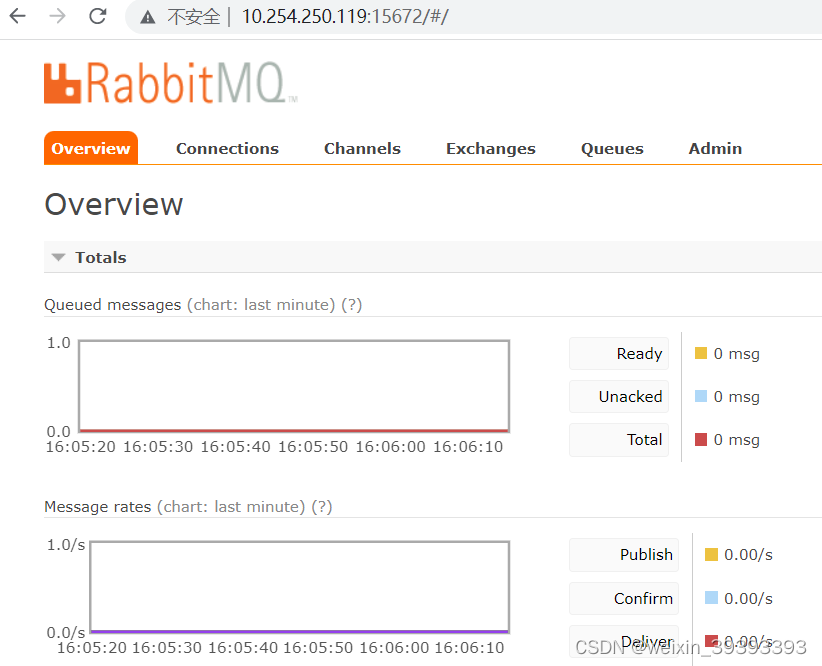
*至此rabbitmq搭建mqtt安装部署结束,下面进入代码实现环节
先在pom中添加依赖包
<dependency>
     <groupId>org.springframework.integration</groupId>
     <artifactId>spring-integration-mqtt</artifactId>
 </dependency>
 <dependency>
     <groupId>org.eclipse.paho</groupId>
     <artifactId>org.eclipse.paho.client.mqttv3</artifactId>
     <version>1.2.5</version>
 </dependency>
application.yml的所需的配置
mqtt:
  #MQTT-用户名 root
  username: third_client
  #MQTT-密码,需要解密 root
  password: OP74X53Z
  #MQTT-服务器连接地址,如果有多个,用逗号隔开,如:tcp://xxx.xxx.xx.xxx:1883,tcp://xxx.xxx.xxx.xxx:1883
  hostUrl: tcp://192.168.2.128:1883,tcp://192.168.2.129:1883
  #两个客户端的clientId不能相同,生产者和消费者的clientId不能相同
  pubClientId: pub-client-id-al68pq1w-dev
  subClientId: sub-client-id-9v83pp7c-dev
  #发布的主题--MQTT-默认的消息推送主题,实际可在调用接口时指定
  pubTopic: defaultTopic
  #订阅的主题
  subTopic: gps-topic,oil-topic,broadcast-topic,fault-topic
  completionTimeout: 3000
mqtt服务类
package com.zdft.bhdcm.config.mtqq;

import lombok.extern.slf4j.Slf4j;
import org.eclipse.paho.client.mqttv3.MqttConnectOptions;
import org.springframework.beans.factory.annotation.Value;
import org.springframework.context.annotation.Bean;
import org.springframework.context.annotation.Configuration;
import org.springframework.integration.annotation.IntegrationComponentScan;
import org.springframework.integration.annotation.ServiceActivator;
import org.springframework.integration.channel.DirectChannel;
import org.springframework.integration.core.MessageProducer;
import org.springframework.integration.mqtt.core.DefaultMqttPahoClientFactory;
import org.springframework.integration.mqtt.core.MqttPahoClientFactory;
import org.springframework.integration.mqtt.inbound.MqttPahoMessageDrivenChannelAdapter;
import org.springframework.integration.mqtt.outbound.MqttPahoMessageHandler;
import org.springframework.integration.mqtt.support.DefaultPahoMessageConverter;
import org.springframework.integration.mqtt.support.MqttHeaders;
import org.springframework.messaging.*;
import org.springframework.scheduling.concurrent.ConcurrentTaskScheduler;


/**
 * mqtt服务类
 * 一种基于发布/订阅(publish/subscribe)模式的轻量级通讯协议,通过订阅相应的主题来获取消息,
 * 是物联网(Internet of Thing)中的一个标准传输协议
 * ClientId是MQTT客户端的标识。MQTT服务端用该标识来识别客户端。因此ClientId必须是独立的。
 * clientID需为全局唯一。如果不同的设备使用相同的clientID同时连接物联网平台,那么先连接的那个设备会被强制断开。
 */
@Configuration
@IntegrationComponentScan
@Slf4j
public class MqttServerConfig {

    @Value("${mqtt.username}")
    private String username;

    @Value("${mqtt.password}")
    private String password;

    @Value("${mqtt.hostUrl}")
    private String hostUrl;

    @Value("${mqtt.pubClientId}")
    private String pubClientId;

    @Value("${mqtt.subClientId}")
    private String subClientId;

    @Value("${mqtt.pubTopic}")
    private String pubTopic;

    @Value("${mqtt.subTopic}")
    private String subTopic;

    @Value("${mqtt.completionTimeout}")
    private int completionTimeout;

    /*========================================factory=================================*/
    /**
     * mqtt客户工厂
     * @return
     */
    @Bean
    public MqttPahoClientFactory mqttClientFactory() {
        DefaultMqttPahoClientFactory factory = new DefaultMqttPahoClientFactory();
        MqttConnectOptions mqttConnectOptions = new MqttConnectOptions();
        mqttConnectOptions.setUserName(username);
        mqttConnectOptions.setPassword(password.toCharArray());
        // 设置是否清空session,这里如果设置为false表示服务器会保留客户端的连接记录,
        // 把配置里的 cleanSession 设为false,客户端掉线后 服务器端不会清除session,
        // 当重连后可以接收之前订阅主题的消息。当客户端上线后会接受到它离线的这段时间的消息
        mqttConnectOptions.setCleanSession(false);
        mqttConnectOptions.setServerURIs(hostUrl.split(","));
        // 设置会话心跳时间 单位为秒 服务器会每隔1.5*20秒的时间向客户端发送个消息判断客户端是否在线,但这个方法并没有重连的机制
        mqttConnectOptions.setKeepAliveInterval(20);
        mqttConnectOptions.setMaxInflight(1000);
        factory.setConnectionOptions(mqttConnectOptions);
        return factory;
    }

    /*========================================sent=================================*/
    /**
     * mqtt出站通道
     * @return
     */
    @Bean
    public MessageChannel mqttOutboundChannel() {
        return new DirectChannel();
    }

    /**
     * mqtt出站handler
     *
     * @return {@link MessageHandler}
     */
    @Bean
    @ServiceActivator(inputChannel = "mqttOutboundChannel")
    public MessageHandler mqttOutboundHandler() {
        //MqttPahoMessageHandler初始化
        MqttPahoMessageHandler handler = new MqttPahoMessageHandler(pubClientId+"_send_handler_", mqttClientFactory());
        //设置默认的qos级别
        handler.setDefaultQos(1);
        //保留标志的默认值。如果没有mqtt_retained找到标题,则使用它。如果提供了自定义,则不使用它converter。这里不启用
        handler.setDefaultRetained(false);
        //设置发布的主题
        handler.setDefaultTopic(pubTopic);
        //当 时true,调用者不会阻塞。相反,它在发送消息时等待传递确认。默认值为false(在确认交付之前发送阻止)。
        handler.setAsync(false);
        //当 async 和 async-events 都为 true 时,会发出 MqttMessageSentEvent(请参阅事件)。它包含消息、主题、客户端库生成的messageId、clientId和clientInstance(每次连接客户端时递增)。当客户端库确认交付时,会发出 MqttMessageDeliveredEvent。它包含 messageId、clientId 和 clientInstance,使传递与发送相关联。任何 ApplicationListener 或事件入站通道适配器都可以接收这些事件。请注意,有可能在 MqttMessageSentEvent 之前接收到 MqttMessageDeliveredEvent。默认值为false。
        handler.setAsyncEvents(false);
        return handler;
    }


    /*========================================receive=================================*/

    /**
     * mqtt输入通道
     * @return
     */
    @Bean
    public MessageChannel mqttInputChannel() {
        return new DirectChannel();
    }

    /**
     * 入站
     * @return
     */
    @Bean
    public MessageProducer inbound() {
        //配置订阅端MqttPahoMessageDrivenChannelAdapter
        MqttPahoMessageDrivenChannelAdapter adapter =
                new MqttPahoMessageDrivenChannelAdapter(subClientId+"_receive_inbound_", mqttClientFactory(), subTopic.split(","));
        //设置超时时间
        adapter.setCompletionTimeout(completionTimeout);
        //设置默认的消息转换类
        adapter.setConverter(new DefaultPahoMessageConverter());
        //设置qos级别
        adapter.setQos(1);
        //设置入站管道
        adapter.setOutputChannel(mqttInputChannel());
        adapter.setTaskScheduler(new ConcurrentTaskScheduler());
        return adapter;
    }

    /**
     * 消息处理程序
     * @return
     */
    @Bean
    @ServiceActivator(inputChannel = "mqttInputChannel")
    public MessageHandler handler() {
        return new MessageHandler() {
            @Override
            public void handleMessage(Message<?> message) throws MessagingException {
                MessageHeaders headers = message.getHeaders();
                log.info("headers: {}", headers);
                String topic = headers.get(MqttHeaders.RECEIVED_TOPIC).toString();
                log.info("订阅主题为: {}", topic);
                String[] topics = subTopic.split(",");
                for (String t : topics) {
                    if (t.equals(topic)) {
                        log.info("订阅主题为:{};接收到该主题消息为:{}",topic,message.getPayload().toString());
                    }
                }
            }
        };
    }
}
mqtt网关(发布端需要用到)
package com.zdft.bhdcm.config.mtqq;

import org.springframework.integration.annotation.MessagingGateway;
import org.springframework.integration.mqtt.support.MqttHeaders;
import org.springframework.messaging.handler.annotation.Header;
import org.springframework.stereotype.Component;

/**
 *mqtt网关(发布端需要用到)
 */
@Component
@MessagingGateway(defaultRequestChannel = "mqttOutboundChannel")
public interface MqttGateway {


    /**
     * 发送到mqtt
     *
     * @param payload 有效载荷
     */
    void sendToMqtt(String payload);

    /**
     * 发送到mqtt
     *
     * @param topic   主题
     * @param payload 消息内容
     */
    void sendToMqtt(@Header(MqttHeaders.TOPIC) String topic, String payload);

    /**
     * 发送到mqtt
     *
     * @param topic   主题
     * @param qos     qos
     * @param payload 消息内容
     */
    void sendToMqtt(@Header(MqttHeaders.TOPIC) String topic, @Header(MqttHeaders.QOS) int qos, String payload);
}
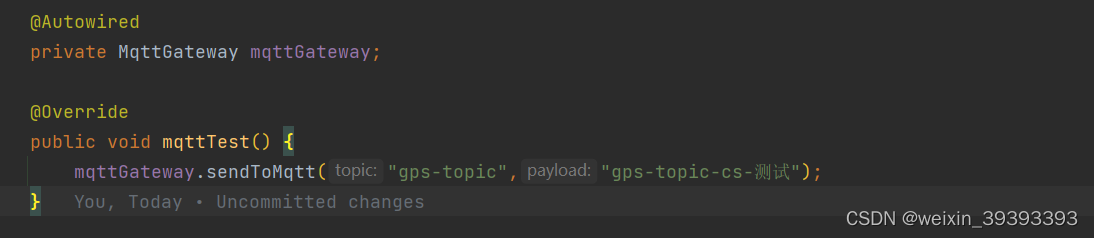
测试发送和订阅
mqtt测试工具安装包:https://pan.baidu.com/s/1oun7rMVJITOK9VSyO785HQ
提取码:l3cm
配置mqtt连接
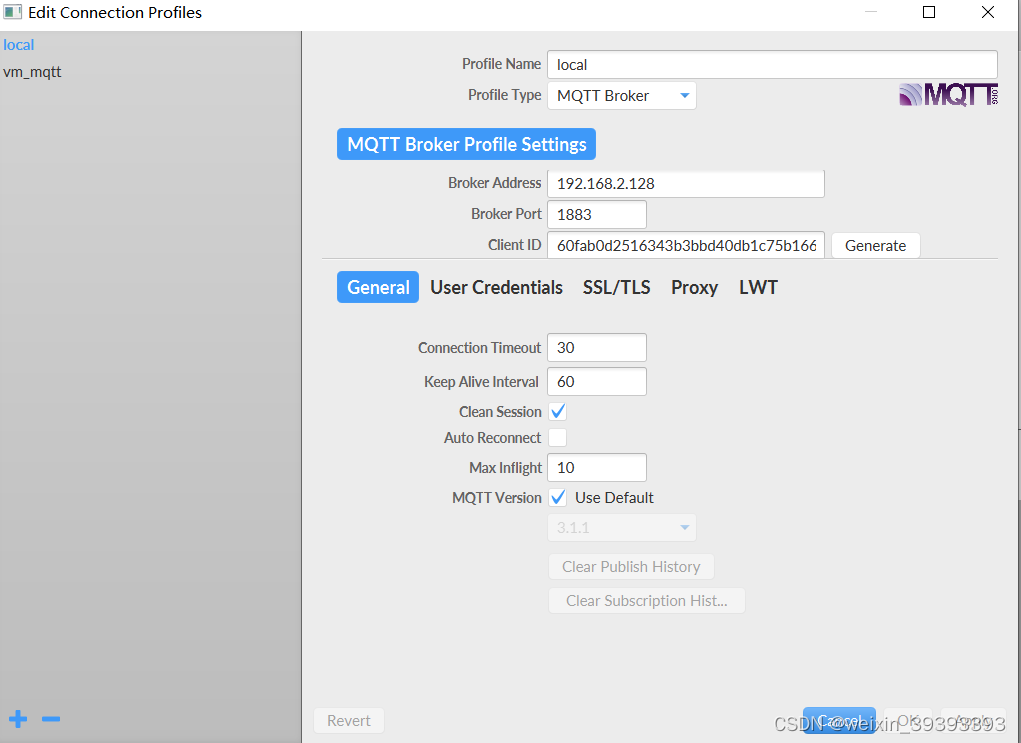
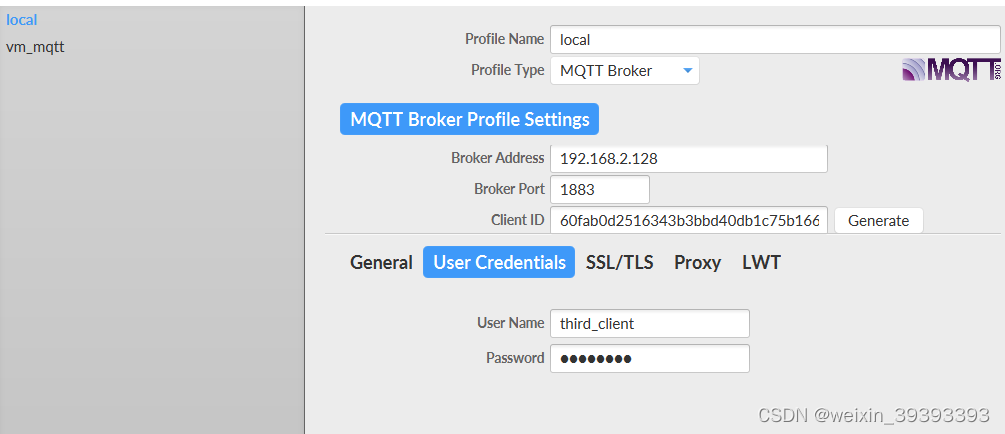
配置用户名密码
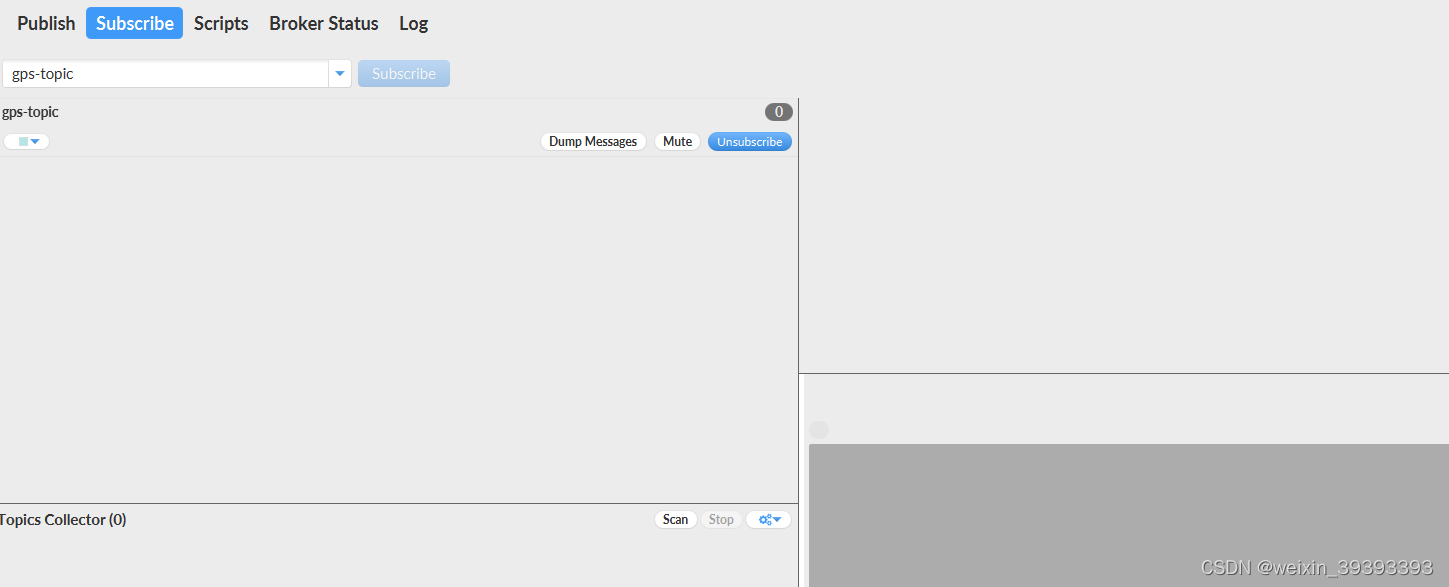
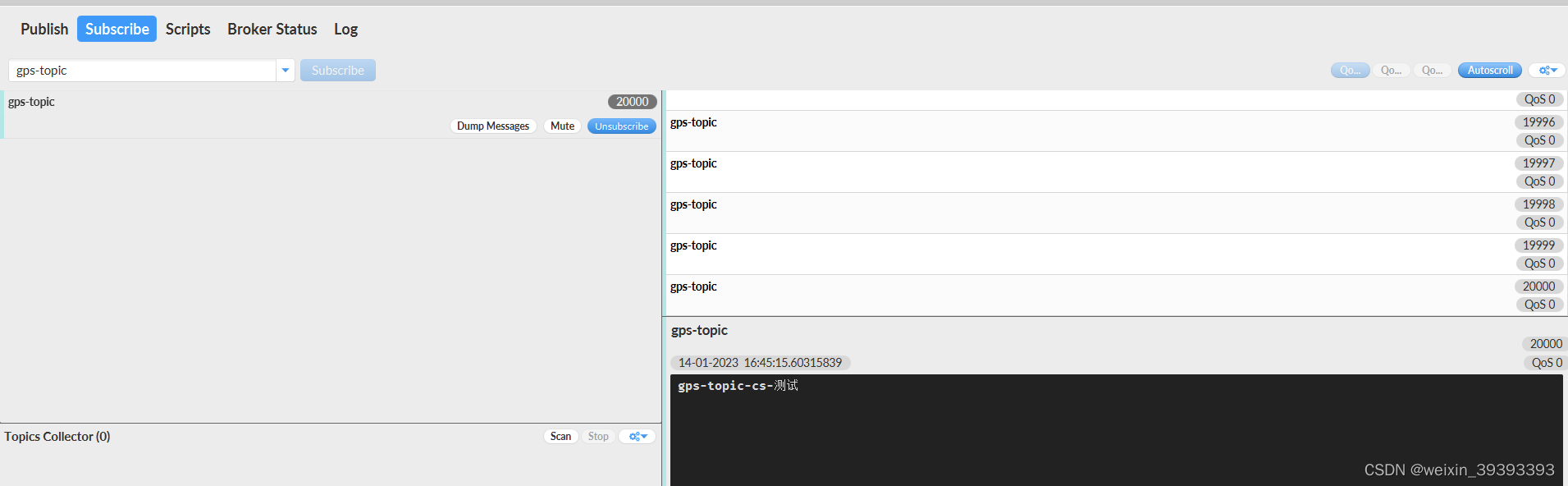
订阅gps-topic
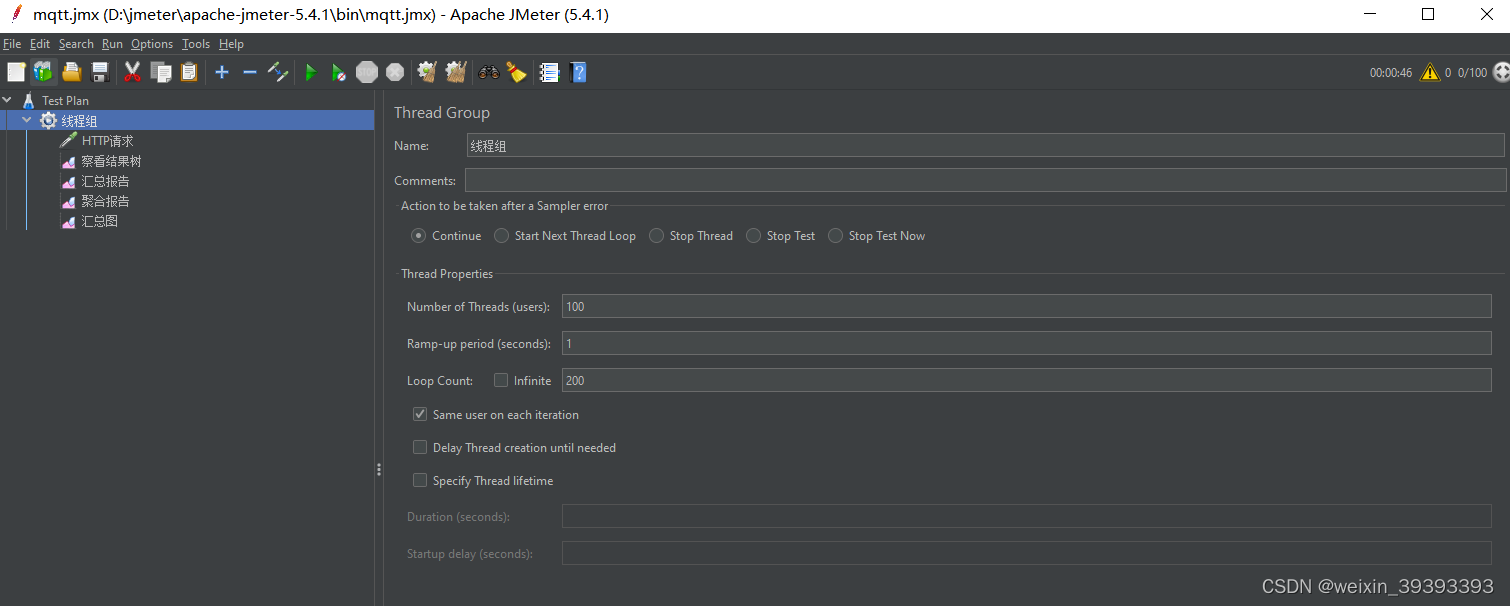
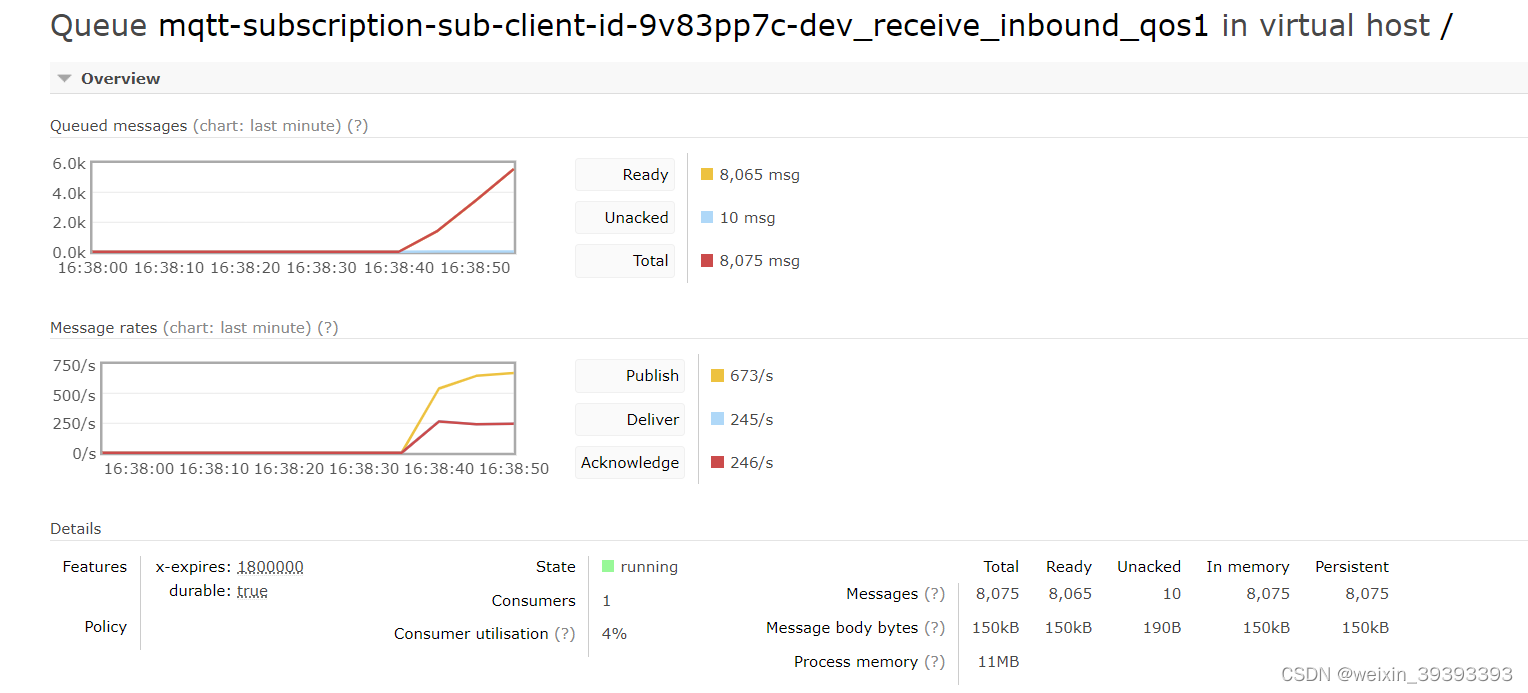
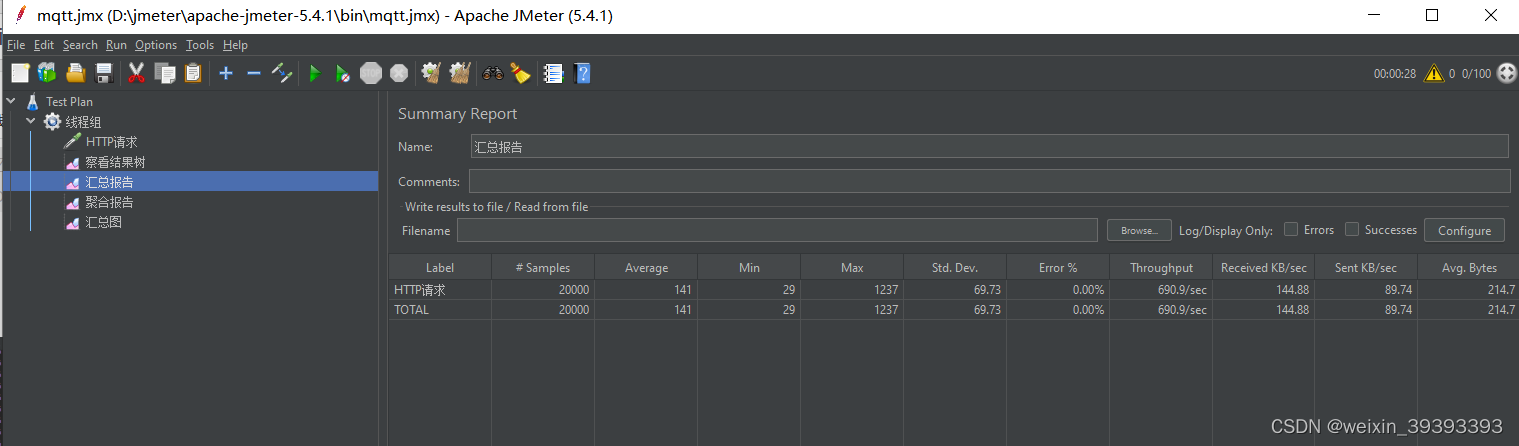
这里拟2w的消息并发量,根据业务计算最高模拟测试9w消息并发量没出现问题
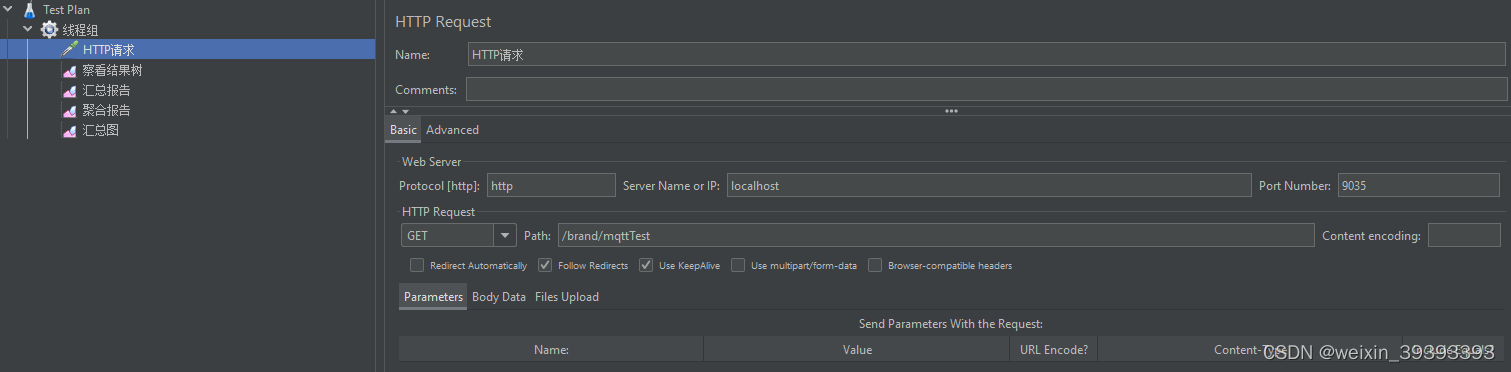
如何使用移步到 :https://blog.csdn.net/weixin_39393393/article/details/116640867?spm=1001.2014.3001.5502
rabbitmq控制台展示
后台打印

mqtt订阅的消息
jmeter压测报告
我有一个用户工厂。我希望默认情况下确认用户。但是鉴于unconfirmed特征,我不希望它们被确认。虽然我有一个基于实现细节而不是抽象的工作实现,但我想知道如何正确地做到这一点。factory:userdoafter(:create)do|user,evaluator|#unwantedimplementationdetailshereunlessFactoryGirl.factories[:user].defined_traits.map(&:name).include?(:unconfirmed)user.confirm!endendtrait:unconfirmeddoenden
无论您是想搭建桌面端、WEB端或者移动端APP应用,HOOPSPlatform组件都可以为您提供弹性的3D集成架构,同时,由工业领域3D技术专家组成的HOOPS技术团队也能为您提供技术支持服务。如果您的客户期望有一种在多个平台(桌面/WEB/APP,而且某些客户端是“瘦”客户端)快速、方便地将数据接入到3D应用系统的解决方案,并且当访问数据时,在各个平台上的性能和用户体验保持一致,HOOPSPlatform将帮助您完成。利用HOOPSPlatform,您可以开发在任何环境下的3D基础应用架构。HOOPSPlatform可以帮您打造3D创新型产品,HOOPSSDK包含的技术有:快速且准确的CAD
有人知道在发布新版本的Ruby和Rails时收到电子邮件的方法吗?他们有邮件列表,RubyonRails有一个推特,但我不想听到那些随之而来的喧嚣,我只想知道什么时候发布新版本,尤其是那些有安全修复的版本。 最佳答案 从therailsblog获取提要.http://weblog.rubyonrails.org/feed/atom.xml 关于ruby-on-rails-如何在发布新的Ruby或Rails版本时收到通知?,我们在StackOverflow上找到一个类似的问题:
华为OD机试题本篇题目:明明的随机数题目输入描述输出描述:示例1输入输出说明代码编写思路最近更新的博客华为od2023|什么是华为od,od薪资待遇,od机试题清单华为OD机试真题大全,用Python解华为机试题|机试宝典【华为OD机试】全流程解析+经验分享,题型分享,防作弊指南华为o
C#实现简易绘图工具一.引言实验目的:通过制作窗体应用程序(C#画图软件),熟悉基本的窗体设计过程以及控件设计,事件处理等,熟悉使用C#的winform窗体进行绘图的基本步骤,对于面向对象编程有更加深刻的体会.Tutorial任务设计一个具有基本功能的画图软件**·包括简单的新建文件,保存,重新绘图等功能**·实现一些基本图形的绘制,包括铅笔和基本形状等,学习橡皮工具的创建**·设计一个合理舒适的UI界面**注明:你可能需要先了解一些关于winform窗体应用程序绘图的基本知识,以及关于GDI+类和结构的知识二.实验环境Windows系统下的visualstudio2017C#窗体应用程序三.
最近在学习CAN,记录一下,也供大家参考交流。推荐几个我觉得很好的CAN学习,本文也是在看了他们的好文之后做的笔记首先是瑞萨的CAN入门,真的通透;秀!靠这篇我竟然2天理解了CAN协议!实战STM32F4CAN!原文链接:https://blog.csdn.net/XiaoXiaoPengBo/article/details/116206252CAN详解(小白教程)原文链接:https://blog.csdn.net/xwwwj/article/details/105372234一篇易懂的CAN通讯协议指南1一篇易懂的CAN通讯协议指南1-知乎(zhihu.com)视频推荐CAN总线个人知识总
MIMO技术的优缺点优点通过下面三个增益来总体概括:阵列增益。阵列增益是指由于接收机通过对接收信号的相干合并而活得的平均SNR的提高。在发射机不知道信道信息的情况下,MIMO系统可以获得的阵列增益与接收天线数成正比复用增益。在采用空间复用方案的MIMO系统中,可以获得复用增益,即信道容量成倍增加。信道容量的增加与min(Nt,Nr)成正比分集增益。在采用空间分集方案的MIMO系统中,可以获得分集增益,即可靠性性能的改善。分集增益用独立衰落支路数来描述,即分集指数。在使用了空时编码的MIMO系统中,由于接收天线或发射天线之间的间距较远,可认为它们各自的大尺度衰落是相互独立的,因此分布式MIMO
遍历文件夹我们通常是使用递归进行操作,这种方式比较简单,也比较容易理解。本文为大家介绍另一种不使用递归的方式,由于没有使用递归,只用到了循环和集合,所以效率更高一些!一、使用递归遍历文件夹整体思路1、使用File封装初始目录,2、打印这个目录3、获取这个目录下所有的子文件和子目录的数组。4、遍历这个数组,取出每个File对象4-1、如果File是否是一个文件,打印4-2、否则就是一个目录,递归调用代码实现publicclassSearchFile{publicstaticvoidmain(String[]args){//初始目录Filedir=newFile("d:/Dev");Datebeg
通常,数组被实现为内存块,集合被实现为HashMap,有序集合被实现为跳跃列表。在Ruby中也是如此吗?我正在尝试从性能和内存占用方面评估Ruby中不同容器的使用情况 最佳答案 数组是Ruby核心库的一部分。每个Ruby实现都有自己的数组实现。Ruby语言规范只规定了Ruby数组的行为,并没有规定任何特定的实现策略。它甚至没有指定任何会强制或至少建议特定实现策略的性能约束。然而,大多数Rubyist对数组的性能特征有一些期望,这会迫使不符合它们的实现变得默默无闻,因为实际上没有人会使用它:插入、前置或追加以及删除元素的最坏情况步骤复
在ruby中,你可以这样做:classThingpublicdeff1puts"f1"endprivatedeff2puts"f2"endpublicdeff3puts"f3"endprivatedeff4puts"f4"endend现在f1和f3是公共(public)的,f2和f4是私有(private)的。内部发生了什么,允许您调用一个类方法,然后更改方法定义?我怎样才能实现相同的功能(表面上是创建我自己的java之类的注释)例如...classThingfundeff1puts"hey"endnotfundeff2puts"hey"endendfun和notfun将更改以下函数定
