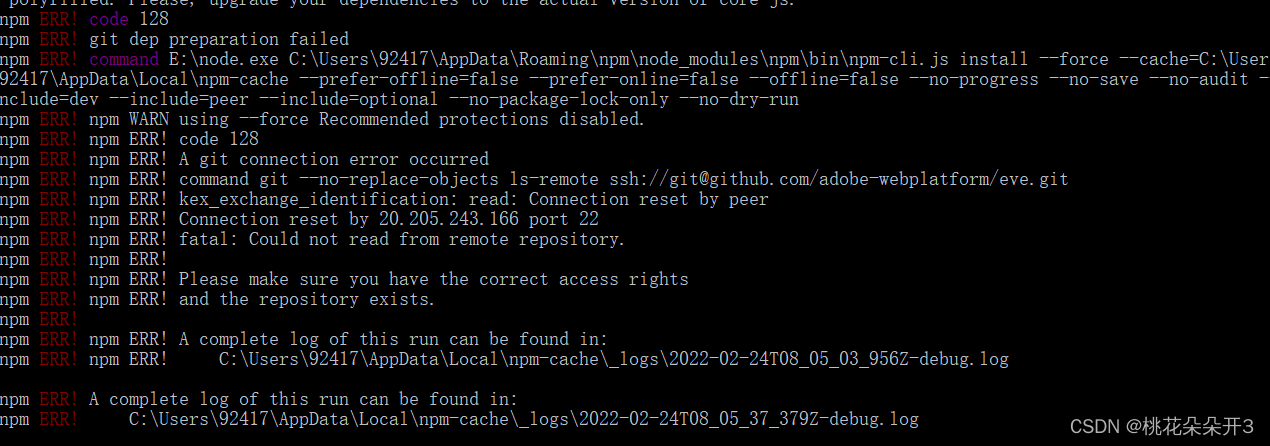
npm ERR! code 128
npm ERR! git dep preparation failed
npm ERR! command E:\node.exe C:\Users\92417\AppData\Roaming\npm\node_modules\npm\bin\npm-cli.js install --force --cache=C:\Users\92417\AppData\Local\npm-cache --prefer-offline=false --prefer-online=false --offline=false --no-progress --no-save --no-audit --include=dev --include=peer --include=optional --no-package-lock-only --no-dry-run
npm ERR! npm WARN using --force Recommended protections disabled.
npm ERR! npm ERR! code 128
npm ERR! npm ERR! A git connection error occurred
npm ERR! npm ERR! command git --no-replace-objects ls-remote ssh://git@github.com/adobe-webplatform/eve.git
npm ERR! npm ERR! kex_exchange_identification: read: Connection reset by peer
npm ERR! npm ERR! Connection reset by 20.205.243.166 port 22
npm ERR! npm ERR! fatal: Could not read from remote repository.
npm ERR! npm ERR!
npm ERR! npm ERR! Please make sure you have the correct access rights
npm ERR! npm ERR! and the repository exists.
npm ERR!
npm ERR! npm ERR! A complete log of this run can be found in:
npm ERR! npm ERR! C:\Users\92417\AppData\Local\npm-cache_logs\2022-02-24T08_05_03_956Z-debug.log
npm ERR! A complete log of this run can be found in:
npm ERR! C:\Users\92417\AppData\Local\npm-cache_logs\2022-02-24T08_05_37_379Z-debug.log
试了淘宝镜像 cnpm yarn 都没用 升级了git版本 也没用
后来使用
git config --global url.“https://”.insteadOf git://
这个好像是强制使用https
然后npm i 好了
深度学习部署:Windows安装pycocotools报错解决方法1.pycocotools库的简介2.pycocotools安装的坑3.解决办法更多Ai资讯:公主号AiCharm本系列是作者在跑一些深度学习实例时,遇到的各种各样的问题及解决办法,希望能够帮助到大家。ERROR:Commanderroredoutwithexitstatus1:'D:\Anaconda3\python.exe'-u-c'importsys,setuptools,tokenize;sys.argv[0]='"'"'C:\\Users\\46653\\AppData\\Local\\Temp\\pip-instal
我正在尝试在我的SnowLeopard10.6.8上安装RVM,方法是:\curl-Lhttps://get.rvm.io|bash-sstable--ruby我得到这个错误:InstallingRubyfromsourceto:/Users/Villa/.rvm/rubies/ruby-2.0.0-p0,thismaytakeawhiledependingonyourcpu(s)...ruby-2.0.0-p0-#downloadingruby-2.0.0-p0,thismaytakeawhiledependingonyourconnection...ruby-2.0.0-p0-#e
亲测可用。Anerroroccurredwhileresolvingpackages:Projecthasinvaliddependencies: com.unity.xxx:No'git'executablewasfound.PleaseinstallGitonyour systemthenrestartUnityandUnityHub在我们使用PackageManager时,Unity允许我们使用Git上的package(点击加号,选择addpackagefromgitURL,或者是直接在Asset/Packages/manifest.json中添加包名)。但是这种操作需要我们事先装好g
更新:eventmachinegem已安装并在我的gemfile中:eventmachine(1.0.0,0.12.10)请帮忙!尝试使用以下内容创建数据库:Fitzs-MacBook-Pro:twilio_insanityFitz$rakedb:create'返回以下错误:UnabletoloadtheEventMachineCextension;Tousethepure-rubyreactor,require'em/pure_ruby'rakeaborted!cannotloadsuchfile--rubyeventmachine/Users/Fitz/.rvm/gems/ruby
一、前言最近,在测试环境的nginx里增加了一个https配置:location/api-meeting-qq/{proxy_passhttps://api.meeting.qq.com/;}然后,执行命令://这个是nginx启动文件的路径,根据实际情况自行更改sudo/home/useradmin/nginx/sbin/nginx-sreload结果,nginx就报错了:nginx:[emerg]httpsprotocolrequiresSSLsupportin/home/useradmin/nginx/conf.d/trainNginx.conf:9二、解决方法百度发现,是之前安装ngi
nvm报错Nowusingnodev版本号(64-bit)解决方法先上报错(安装后的一些问题请直接跳到尾部查看)安装NVM的原因是使用React时addreact-redux时提示我node版本问题,遂打算安装一Node版本管理工具因为我电脑上很早就安装了Node,安装NVM时提示我是否覆盖并管理本地已有版本,我选了Yes之后安装成功(后来检查发现和版本没关系,是因为我在node里去ADD真离谱自己这操作)安装NVM注意问题1.若修改安装路径一定补上nodejs2.打开安装文件位置3.增加以下映射node_mirror:npm.taobao.org/mirrors/node/npm_mirro
第一次用git传代码到GitHub时,填写用户名和密码出现报错:fatal:Authenticationfailedfor'https://github.com/试了下面的没用😢gitconfig-–globaluser.name"xxx"gitconfig--globaluser.email"xxx@xx.com"查看报错原因发现是因为git更新了认证方式在错误提示(糟糕忘截图)的网站里有说明-->https://docs.github.com/en/get-started/getting-started-with-git/about-remote-repositories#cloning-
在Ruby1.8.7和1.9.2中相同:$irbruby-1.8.7-p302>foo.nil?NameError:undefinedlocalvariableormethod`foo'for#from(irb):1ruby-1.8.7-p302>@bar.nil?=>trueruby-1.8.7-p302>@@wah.nil?NameError:uninitializedclassvariable@@wahinObjectfrom(irb):3为什么实例变量与局部变量和类变量的处理方式不同? 最佳答案 在Ruby中,大多数未初始化
首先打开fiddler,点击Tools-Options-Connections一、这里有两个注意点点击HTTPS,左边选项选择如图,右边Actions点击如图第二项会提示Success,点击确定点击Connections,这里注意Fiddlerlistensonport这里面填写默认8888即可,左边三个选项选择如图,以上操作完成后,重启Fiddler二、手机打开WiFi1.长按或者点击Wifi进行修改网络(如不会操作,此处根据具体机型自行百度)修改代理为手动,服务器主机名两种方式可以查到:①win+R,在输入框输入cmd,在弹窗中输入ipconfig,此时IPv4后面的地址就是你的主机ip,
ruby2.0.0p247(2013-06-27修订版41674)[x86_64-linux]gem2.0.3sudogeminstalltravisBuildingnativeextensions.Thiscouldtakeawhile...ERROR:Errorinstallingtravis:ERROR:Failedtobuildgemnativeextension./usr/bin/ruby1.9.1extconf.rb/usr/lib/ruby/1.9.1/rubygems/custom_require.rb:36:in`require':cannotloadsuchfile
