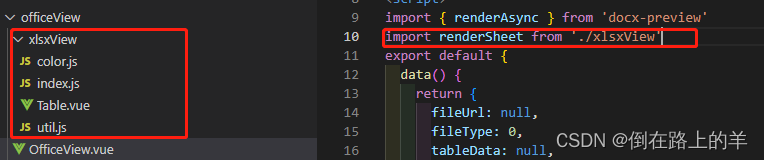
通过点击预览,浏览器打开新标签页展示文件内容

word效果:
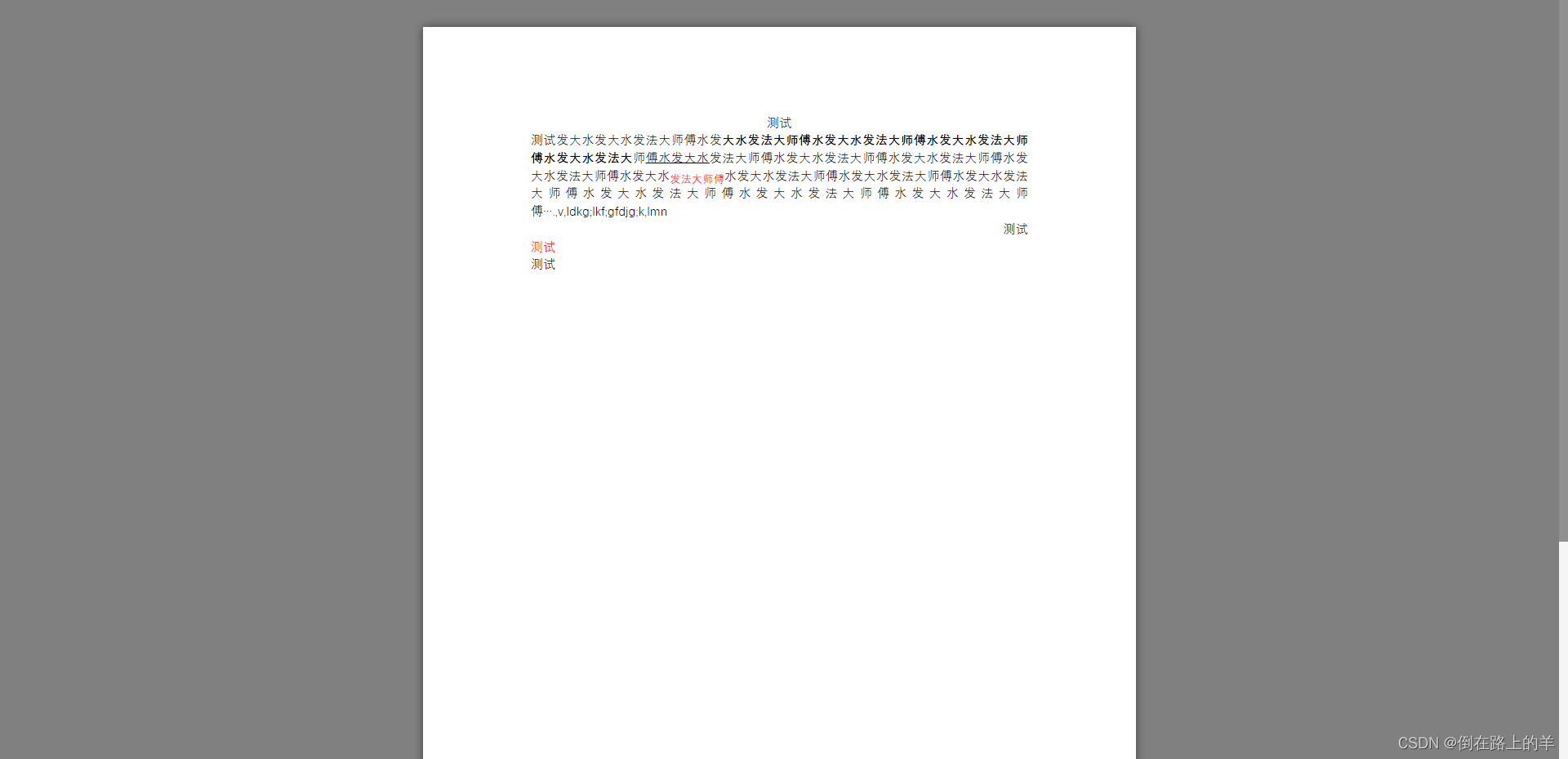
pdf效果:

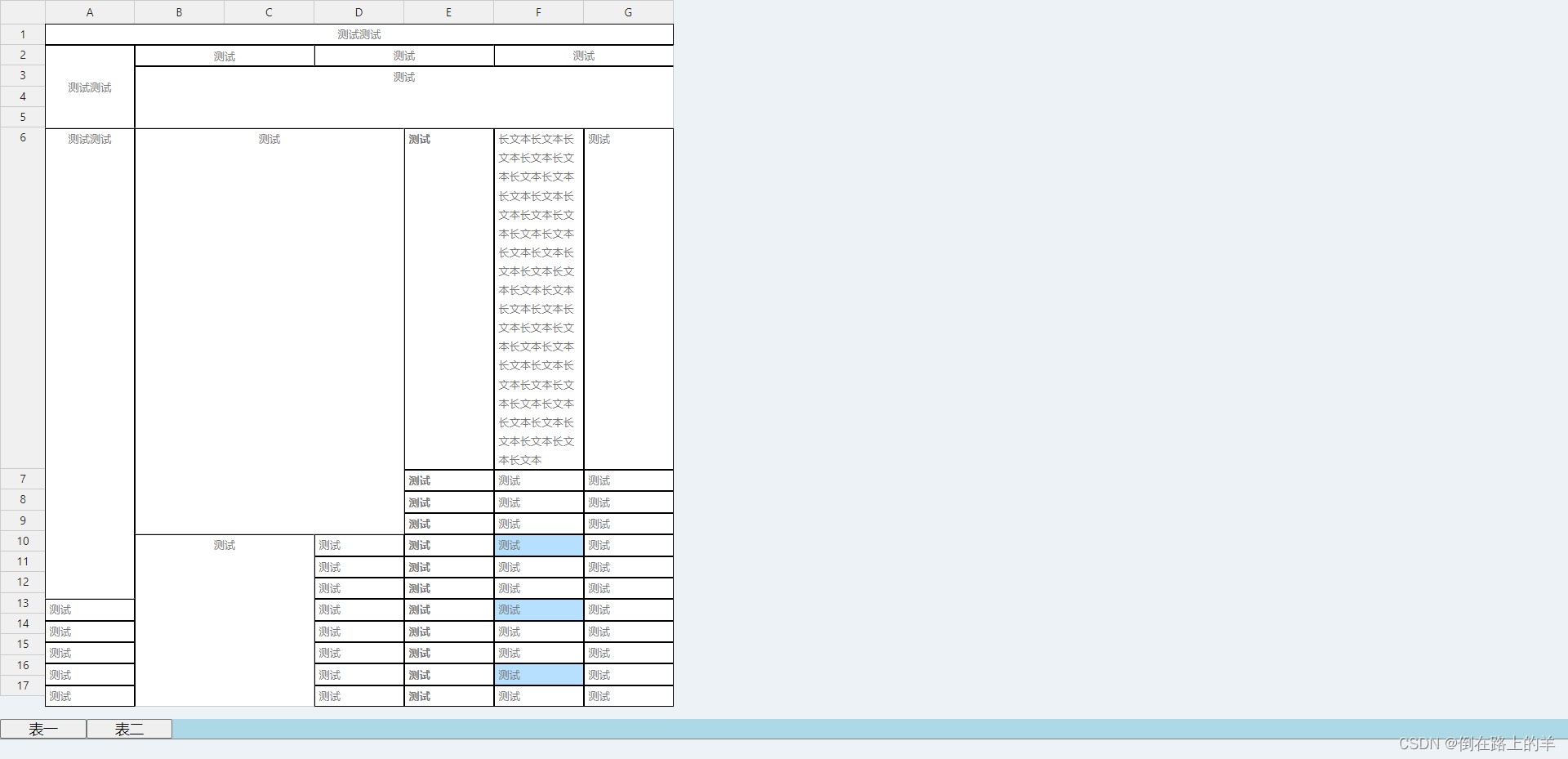
excel效果:
word插件:
npm install --save docx-preview
excel插件:
npm install --save @handsontable/vue
npm install --save handsontable
npm install --save handsontable/i18n
npm install --save exceljs
xlsx的部分参考的是竹业大佬的开源代码,表格样式需要引入代码中的xlsx文件中的所有内容,有兴趣的小伙伴可以源码内容
Demo地址[1]:https://zhuye1993.github.io/file-view/dist/index.html
github地址:https://github.com/zhuye1993/file-view/tree/master/src/vendors
本文使用的位置,以及引用方法
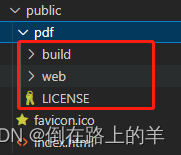
pdf插件:
pdf.js下载地址
http://mozilla.github.io/pdf.js/getting_started/#download
下载好的文件放如下位置即可
// 文件预览
/*
*row: 包含fileUrl文件地址的对象
*that: vueRouter实例
 */
export const officeView = function(row, that) {
  // 获取文件类型
  const type = row.fileUrl.substring(row.fileUrl.lastIndexOf('.') + 1, row.fileUrl.length).toLowerCase()
  if (type.indexOf('pdf') !== -1) {
    // pdf预览
    const pdfSrc = 'pdf/web/viewer.html?file=' + encodeURIComponent(downloadUrl + row.fileUrl)
    // 打开新标签页
    window.open(pdfSrc, '_blank')
  } else if (type.indexOf('docx') !== -1) {
    // docx预览
    // 获取目标路由地址
    const routeUrl = that.resolve({
      name: 'OfficeView',
      query: {
        fileUrl: downloadUrl + row.fileUrl,
        fileType: 0
      }
    })
    // 打开新标签页
    window.open(routeUrl.href, '_blank')
  } else if (type.indexOf('xlsx') !== -1) {
    // xlsx预览
    // 获取目标路由地址
    const routeUrl = that.resolve({
      name: 'OfficeView',
      query: {
        fileUrl: downloadUrl + row.fileUrl,
        fileType: 1
      }
    })
    // 打开新标签页
    window.open(routeUrl.href, '_blank')
  } else {
    Message({
      type: 'error',
      message: '仅支持docx、pdf、xlsx文件预览,其它类型文件请下载查看'
    })
  }
}
<template>
  <div>
    <!-- excel文件内容位置 -->
    <div ref="output" />
    <!-- wor文件内容位置 -->
    <div v-if="fileType == 0" id="container" />
  </div>
</template>

<script>
import { renderAsync } from 'docx-preview'
import renderSheet from './xlsxView'
export default {
  data() {
    return {
      fileUrl: null,
      fileType: 0,
      tableData: null,
      last: null
    }
  },
  created() {
    // 从路由地址中获取fileUrl,fileType
    this.fileUrl = this.$route.query.fileUrl ? this.$route.query.fileUrl : null
    this.fileType = this.$route.query.fileType ? parseInt(this.$route.query.fileType) : 0
    if (this.fileUrl == null) {
      this.$message({
        type: 'error',
        message: '文件地址无效,请刷新后重试'
      })
    }
    // 加载文件内容
    this.uploading(this.fileUrl)
  },
  methods: {
    // 加载文件内容
    uploading(file) {
      // 获取文件流
      const xhr = new XMLHttpRequest()
      xhr.open('get', file, true)
      xhr.responseType = 'blob'
      xhr.onload = () => {
        if (xhr.status === 200) {
          if (this.fileType === 0) {
            // word预览
            renderAsync(
              xhr.response,
              document.getElementById('container'),
              null,
              {
                className: 'docx', // 默认和文档样式类的类名/前缀
                inWrapper: true, // 启用围绕文档内容渲染包装器
                ignoreWidth: false, // 禁止页面渲染宽度
                ignoreHeight: false, // 禁止页面渲染高度
                ignoreFonts: false, // 禁止字体渲染
                breakPages: true, // 在分页符上启用分页
                ignoreLastRenderedPageBreak: true, // 禁用lastRenderedPageBreak元素的分页
                experimental: false, // 启用实验性功能(制表符停止计算)
                trimXmlDeclaration: true, // 如果为真,xml声明将在解析之前从xml文档中删除
                debug: false // 启用额外的日志记录
              }
            )
          } else {
            // 嵌入式预览excel
            this.displayResult(xhr.response)
          }
        }
      }
      xhr.send()
    },
    // 嵌入式预览excel
    displayResult(buffer) {
      // 生成新的dom
      const node = document.createElement('div')
      // 添加孩子,防止vue实例替换dom元素
      if (this.last) {
        this.$refs.output.removeChild(this.last.$el)
        this.last.$destroy()
      }
      const child = this.$refs.output.appendChild(node)
      // 调用渲染方法进行渲染
      return new Promise((resolve, reject) =>
        renderSheet(buffer, child).then(resolve).catch(reject)
      )
    }
  }
}
</script>

<style lang='scss' scoped>
#table {
  font-family: 'Avenir', Helvetica, Arial, sans-serif;
  -webkit-font-smoothing: antialiased;
  -moz-osx-font-smoothing: grayscale;
  color: #2c3e50;
  margin-top: 60px;
  border: 1px solid #ebebeb;
  padding: 20px;
  width: 80%;
  margin: 40px auto;
  background-color: #fff;
  box-shadow:
  1.5px 1.2px 1.2px rgba(0, 0, 0, 0.014),
  3.3px 2.5px 2.7px rgba(0, 0, 0, 0.021),
  5.5px 4.3px 4.6px rgba(0, 0, 0, 0.027),
  8.3px 6.4px 6.9px rgba(0, 0, 0, 0.031),
  12px 9.3px 10px rgba(0, 0, 0, 0.035),
  17px 13.1px 14.2px rgba(0, 0, 0, 0.039),
  24.1px 18.6px 20.1px rgba(0, 0, 0, 0.043),
  35px 27px 29.2px rgba(0, 0, 0, 0.048),
  54px 41.6px 45px rgba(0, 0, 0, 0.055),
  96px 74px 80px rgba(0, 0, 0, 0.07);

  border-radius: 10px;
  overflow: scroll;
  height: 100%;

  .tab {
    margin: 0 0 20px 0;
    display: flex;
    flex-direction: row
  }
}
</style>

<style>
html{
  background-color: #edf2f7;
}
</style>
<el-button size="mini" type="text" @click="$enum.pdfView(scope.row, $router)">预览</el-button>
我有一个Ruby程序,它使用rubyzip压缩XML文件的目录树。gem。我的问题是文件开始变得很重,我想提高压缩级别,因为压缩时间不是问题。我在rubyzipdocumentation中找不到一种为创建的ZIP文件指定压缩级别的方法。有人知道如何更改此设置吗?是否有另一个允许指定压缩级别的Ruby库? 最佳答案 这是我通过查看rubyzip内部创建的代码。level=Zlib::BEST_COMPRESSIONZip::ZipOutputStream.open(zip_file)do|zip|Dir.glob("**/*")d
我试图在一个项目中使用rake,如果我把所有东西都放到Rakefile中,它会很大并且很难读取/找到东西,所以我试着将每个命名空间放在lib/rake中它自己的文件中,我添加了这个到我的rake文件的顶部:Dir['#{File.dirname(__FILE__)}/lib/rake/*.rake'].map{|f|requiref}它加载文件没问题,但没有任务。我现在只有一个.rake文件作为测试,名为“servers.rake”,它看起来像这样:namespace:serverdotask:testdoputs"test"endend所以当我运行rakeserver:testid时
我的目标是转换表单输入,例如“100兆字节”或“1GB”,并将其转换为我可以存储在数据库中的文件大小(以千字节为单位)。目前,我有这个:defquota_convert@regex=/([0-9]+)(.*)s/@sizes=%w{kilobytemegabytegigabyte}m=self.quota.match(@regex)if@sizes.include?m[2]eval("self.quota=#{m[1]}.#{m[2]}")endend这有效,但前提是输入是倍数(“gigabytes”,而不是“gigabyte”)并且由于使用了eval看起来疯狂不安全。所以,功能正常,
Rails2.3可以选择随时使用RouteSet#add_configuration_file添加更多路由。是否可以在Rails3项目中做同样的事情? 最佳答案 在config/application.rb中:config.paths.config.routes在Rails3.2(也可能是Rails3.1)中,使用:config.paths["config/routes"] 关于ruby-on-rails-Rails3中的多个路由文件,我们在StackOverflow上找到一个类似的问题
对于具有离线功能的智能手机应用程序,我正在为Xml文件创建单向文本同步。我希望我的服务器将增量/差异(例如GNU差异补丁)发送到目标设备。这是计划:Time=0Server:hasversion_1ofXmlfile(~800kiB)Client:hasversion_1ofXmlfile(~800kiB)Time=1Server:hasversion_1andversion_2ofXmlfile(each~800kiB)computesdeltaoftheseversions(=patch)(~10kiB)sendspatchtoClient(~10kiBtransferred)Cl
我正在寻找执行以下操作的正确语法(在Perl、Shell或Ruby中):#variabletoaccessthedatalinesappendedasafileEND_OF_SCRIPT_MARKERrawdatastartshereanditcontinues. 最佳答案 Perl用__DATA__做这个:#!/usr/bin/perlusestrict;usewarnings;while(){print;}__DATA__Texttoprintgoeshere 关于ruby-如何将脚
使用带有Rails插件的vim,您可以创建一个迁移文件,然后一次性打开该文件吗?textmate也可以这样吗? 最佳答案 你可以使用rails.vim然后做类似的事情::Rgeneratemigratonadd_foo_to_bar插件将打开迁移生成的文件,这正是您想要的。我不能代表textmate。 关于ruby-使用VimRails,您可以创建一个新的迁移文件并一次性打开它吗?,我们在StackOverflow上找到一个类似的问题: https://sta
我看到这个错误:translationmissing:da.datetime.distance_in_words.about_x_hours我的语言环境文件:http://pastie.org/2944890我的看法:我已将其添加到我的application.rb中:config.i18n.load_path+=Dir[Rails.root.join('my','locales','*.{rb,yml}').to_s]config.i18n.default_locale=:da如果我删除I18配置,帮助程序会处理英语。更新:我在config/enviorments/devolpment
我正在编写一个包含C扩展的gem。通常当我写一个gem时,我会遵循TDD的过程,我会写一个失败的规范,然后处理代码直到它通过,等等......在“ext/mygem/mygem.c”中我的C扩展和在gemspec的“扩展”中配置的有效extconf.rb,如何运行我的规范并仍然加载我的C扩展?当我更改C代码时,我需要采取哪些步骤来重新编译代码?这可能是个愚蠢的问题,但是从我的gem的开发源代码树中输入“bundleinstall”不会构建任何native扩展。当我手动运行rubyext/mygem/extconf.rb时,我确实得到了一个Makefile(在整个项目的根目录中),然后当
好的,所以我的目标是轻松地将一些数据保存到磁盘以备后用。您如何简单地写入然后读取一个对象?所以如果我有一个简单的类classCattr_accessor:a,:bdefinitialize(a,b)@a,@b=a,bendend所以如果我从中非常快地制作一个objobj=C.new("foo","bar")#justgaveitsomerandomvalues然后我可以把它变成一个kindaidstring=obj.to_s#whichreturns""我终于可以将此字符串打印到文件或其他内容中。我的问题是,我该如何再次将这个id变回一个对象?我知道我可以自己挑选信息并制作一个接受该信