目录
为什么会出现跨域问题?
浏览器的同源策略
首先给出浏览器“同源策略”的一种经典定义,同源策略限制了来自不同源(相对于当前页面而言)的document或script,对当前document的某些属性进行读取或是设置,举例来说,A网站(www.aaa.com)上有某个脚本,在B网站(www.bbb.com)未曾加载该脚本时,该脚本不能读取或是修改B网站的DOM节点数据。
解决办法
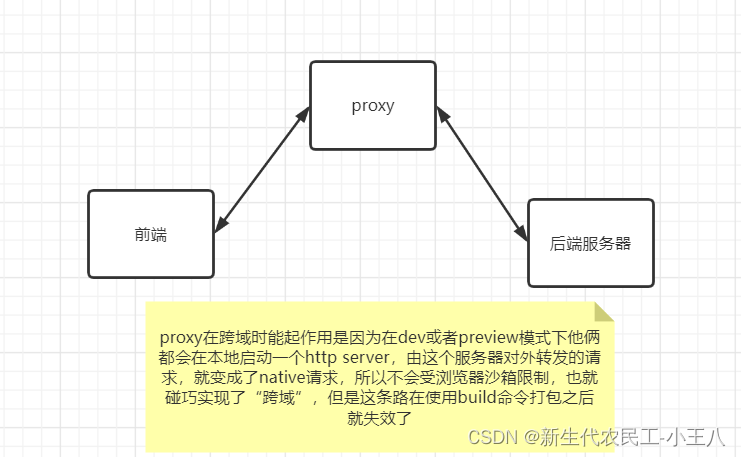
代码演示
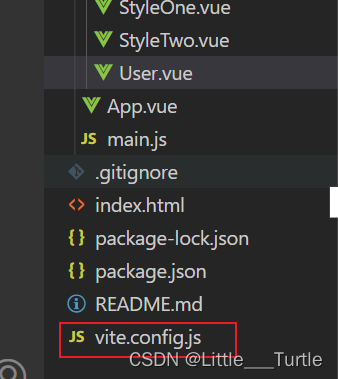
vite.config.js
import { defineConfig } from 'vite'
import vue from '@vitejs/plugin-vue'

// https://vitejs.dev/config/
export default defineConfig({
  plugins: [vue()],
  //中转服务器
  server:{
    //通过代理实现跨域 http://localhost:20219
   proxy:{
    '/api':{
      //替换的服务器地址
      target: 'http://localhost:20219',
      //开启代理 允许跨域
      changeOrigin: true,
      //设置重写的路径
      rewrite: (path) => path.replace(/^\/api/, ""),
    }
   }
  }
})
运行结果

代码演示
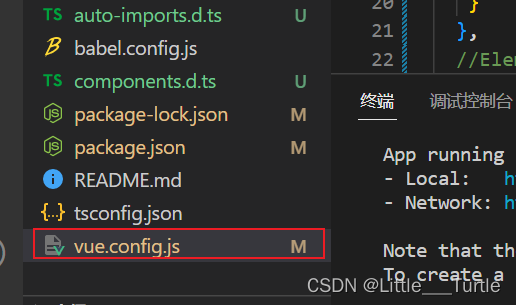
vue.config.js
const { defineConfig } = require('@vue/cli-service')
module.exports = defineConfig({
  transpileDependencies: true,
  devServer: {
    //通过代理实现跨域
   proxy: {
      '/path':{
        //替换的服务器地址
        target: 'https://localhost/prod-api',
        //开启代理 允许跨域
        changeOrigin: true,
        //设置重写的路径
        pathRewrite:{
          '^/path':''
        }
      }
   }
  }
})
运行结果

Fetch API 提供了一个获取资源的接口(包括跨域请求)。任何使用过 XMLHttpRequest 的人都能轻松上手,而且新的 API 提供了更强大和灵活的功能集。
优点:
1. 语法简洁,更加语义化
2. 基于标准 Promise 实现,支持 async/await
3. 同构方便,更加底层,提供的API丰富(request, response, body , headers)4. 脱离了XHR,是ES规范里新的实现方式复制代码
缺点:
1. fetch只对网络请求报错,对400,500都当做成功的请求,服务器返回 400,500 错误码时并不会 reject。
2. fetch默认不会带cookie,需要添加配置项: credentials: 'include'。
3. fetch不支持abort,不支持超时控制,造成了流量的浪费。
4. fetch没有办法原生监测请求的进度,而XHR可以
后端接口展示

user.vue
<template>
  <h2>用户页面</h2>
  <button @click="userLogin">登入</button>
</template>
<script>
export default {
  data() {
    return {
      user: {
        userTelephone: 12244332222,
        userPassword: "123456"
      },
    };
  },
  //fetch 原生js 是http数据请求的一种方式
  //fetch 返回promise对象
  methods: {
    userLogin() {
      fetch("api/user/userLoginByPassword", {
        method: "post",
        body: JSON.stringify({
          userPassword: this.user.userPassword,
          userTelephone: this.user.userTelephone
        }),
        headers: {
          "Content-Type": "application/json",
        },
      })
        .then((res) => {
          console.log(res);
          //json()将响应body 解析json的promise
          // console.log(res.json());
          return res.json();
        })
        .then((res) => {
          console.log(res);
        });
    },
  },
};
</script>
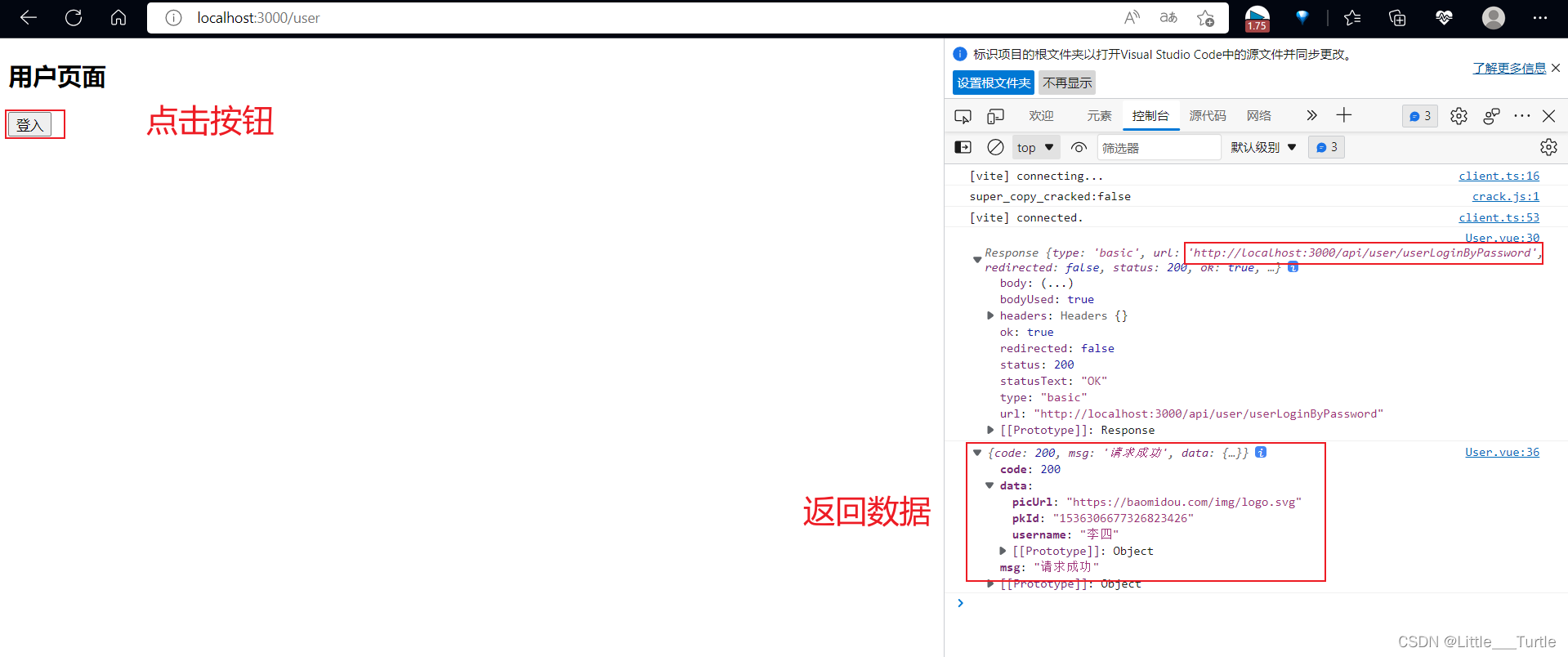
运行效果
 Get请求
Get请求后端接口展示
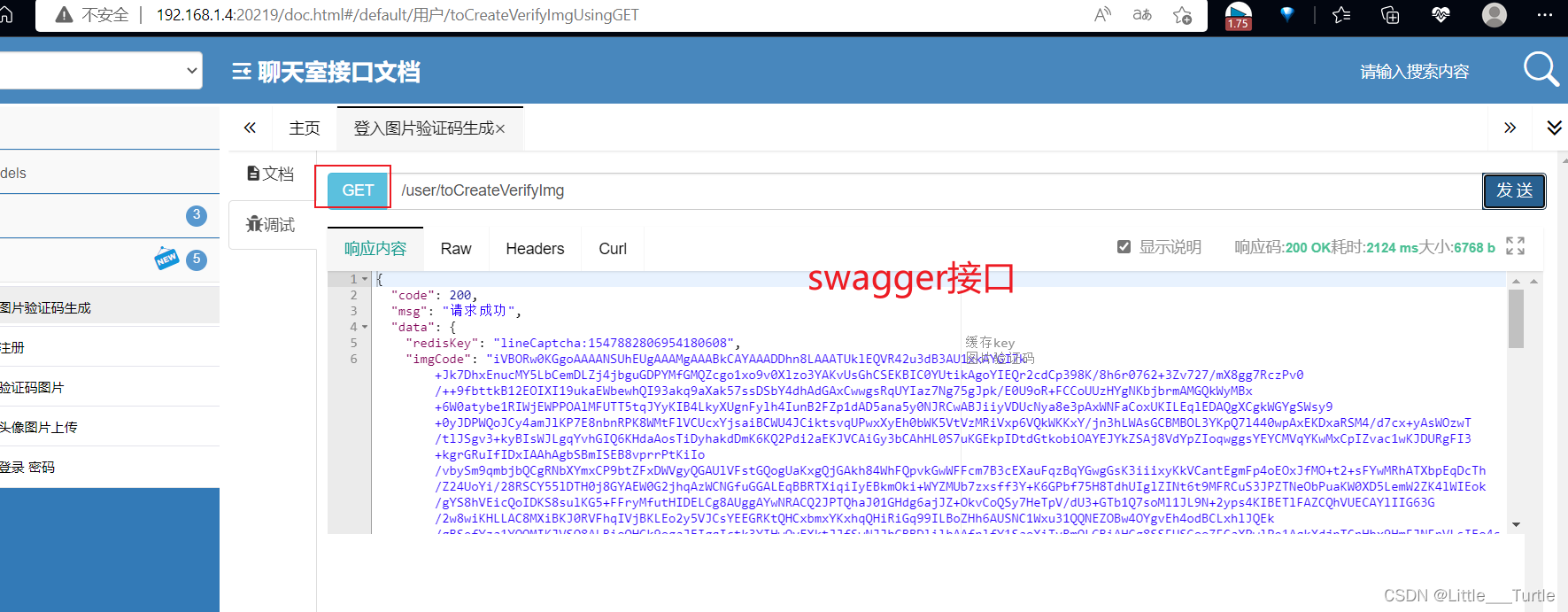
user.vue
<template>
  <h2>用户页面</h2>
</template>
<script>
export default {
  //fetch 原生js 是http数据请求的一种方式
  //fetch 返回promise对象
  created() {
    //获取验证图片
      fetch("/api/user/toCreateVerifyImg", {
        method: "get"
      })
        .then((res) => {
          console.log(res);
          //json()将响应body 解析json的promise
          // console.log(res.json());
          return res.json();
        })
        .then((res) => {
          console.log(res);
        });
    }
};
</script>
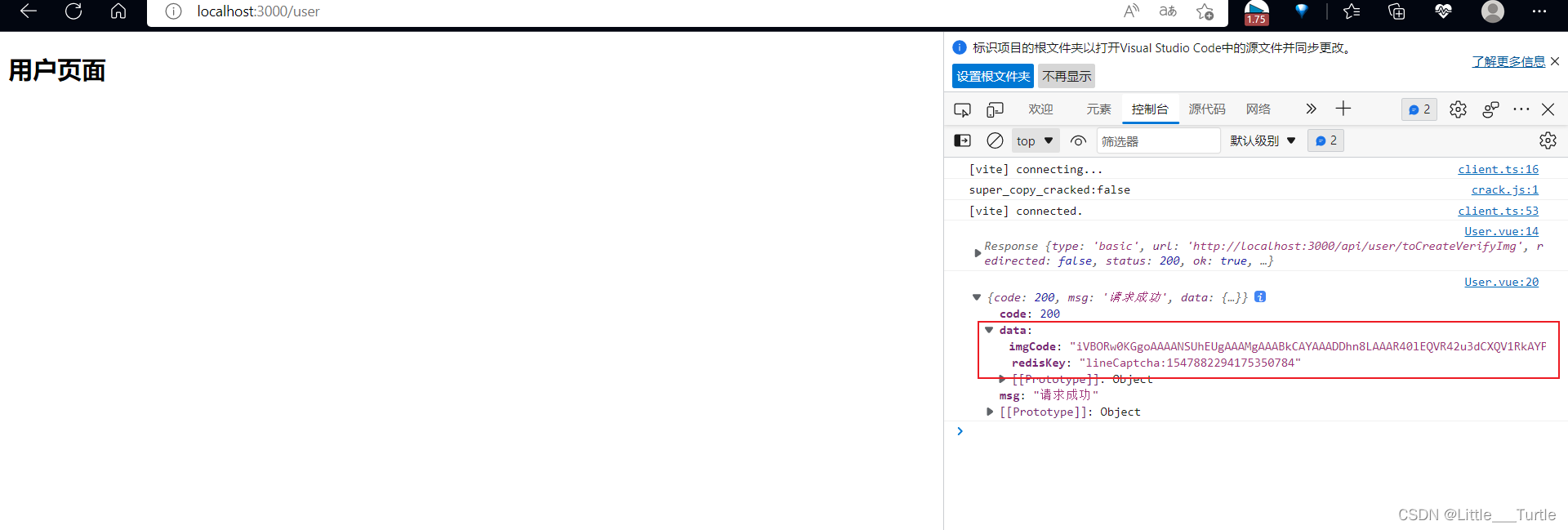
运行结果
Axios 是一个基于 promise 网络请求库,作用于node.js 和浏览器中。 它是 isomorphic 的(即同一套代码可以运行在浏览器和node.js中)。在服务端它使用原生 node.js
http模块, 而在客户端 (浏览端) 则使用 XMLHttpRequests。
axios优点:
- 支持node端和浏览器端
- 支持 Promise
- 丰富的配置项
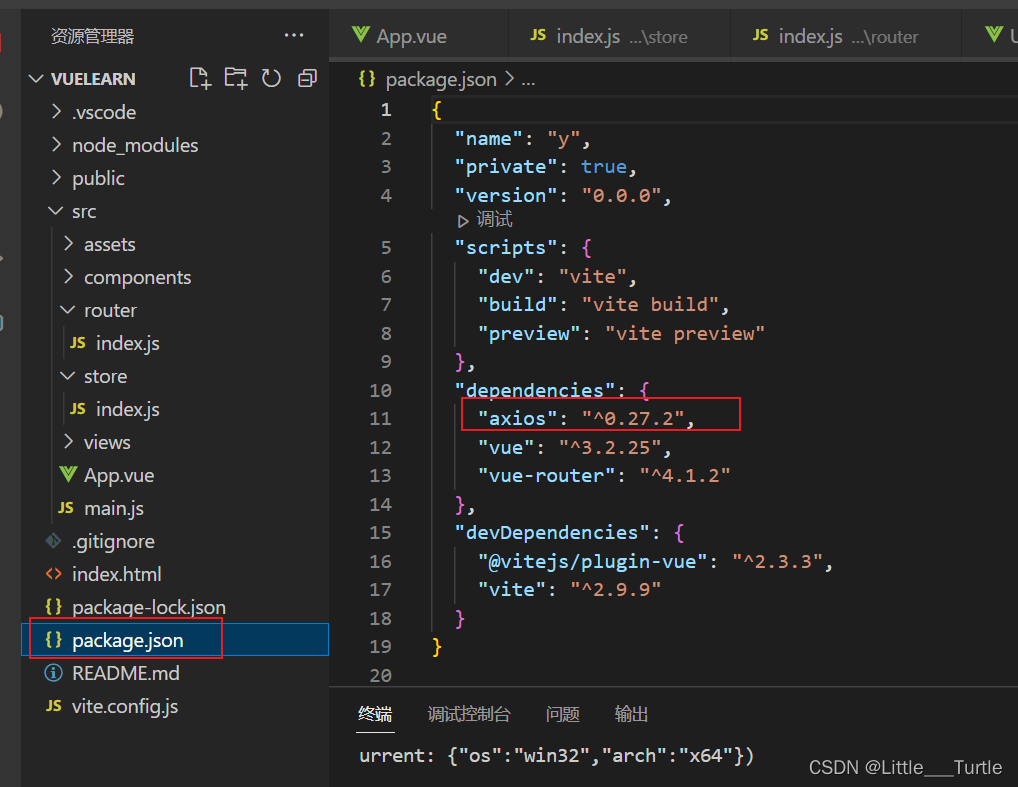
使用 npm:
$ npm install axios查看是否安装成功
后端接口演示

User.vue
<template>
  <h2>用户页面</h2>
  <button @click="userLogin">登入</button>
</template>
<script>
import axios from 'axios'
export default {
  data() {
    return {
      user: {
        userTelephone: 12244332222,
        userPassword: "123456",
      },
    };
  },
  methods: {
    //登入
    userLogin() {
      axios
        .post("api/user/userLoginByPassword", {
          userPassword: this.user.userPassword,
          userTelephone: this.user.userTelephone,
        })
        .then(function (response) {
          console.log(response);
        })
        .catch(function (error) {
          console.log(error);
        });
    },
  },
};
</script>
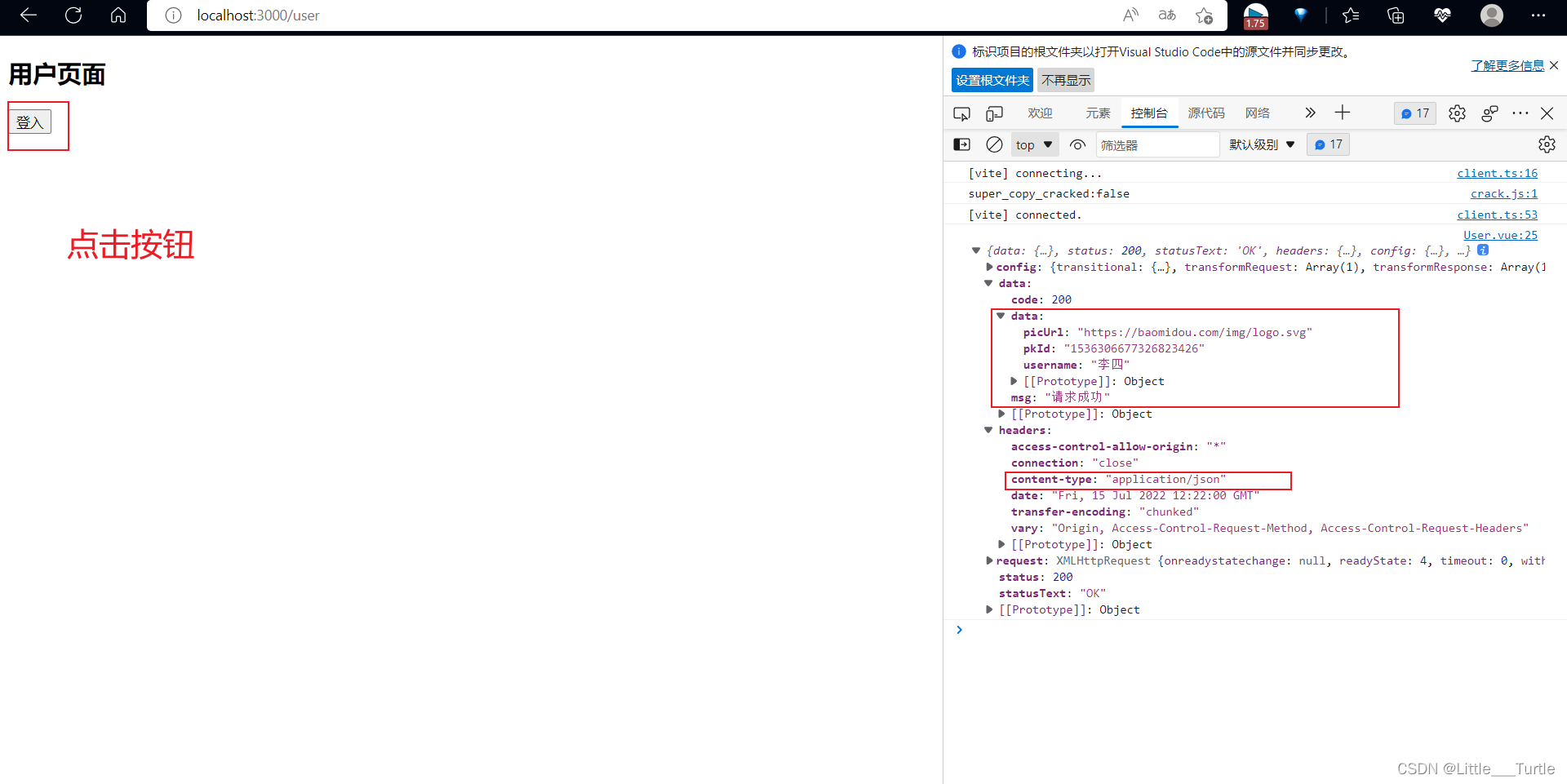
运行结果
后端接口演示
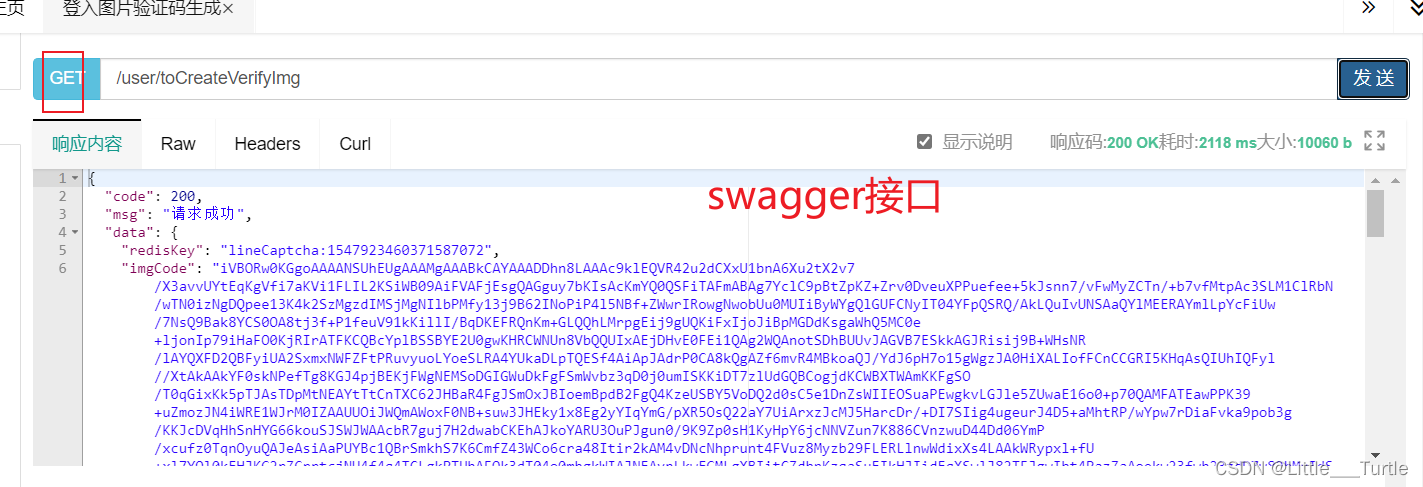
User.vue
<template>
  <h2>用户页面</h2>
</template>
<script>
import axios from "axios";
export default {
  created() {
    //获取验证图片
    axios
      .get("api/user/toCreateVerifyImg")
      .then(function (response) {
        console.log(response);
      })
      .catch(function (error) {
        console.log(error);
      })
      .then(function () {
        // 总是会执行
        console.log("总是会执行");
      });
  },
};
</script>
运行结果

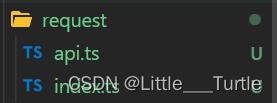
request index.ts
import axios from "axios";
//创建axios实例
const service=axios.create({
    //url开头
    baseURL:"path",
    timeout: 5000,
    //请求头配置
    headers:{
        "Content-Type": "application/json; charset=utf-8"
    }
})
//请求拦截
service.interceptors.request.use((config)=>{
    //请求头放token
    config.headers=config.headers || {}
    if(localStorage.getItem('token')){
        config.headers.Authorization=localStorage.getItem('token') || ""
    }
    return config;
})
//响应拦截
service.interceptors.response.use((res)=>{
    const code:number=res.data.code
    // 如果响应code不为200拦截掉
    if(code!=200){
        return Promise.reject(res.data)
    }
    return res.data;
},(err)=>{
    // 打印错误请求
    console.log(err);
})
export default service
request api.ts
import service from ".";
//登入接口
interface LoginData{
    userTelephone:string,
    userPassword:string
}
export function login(data:LoginData){
    return service({
        url:"/user/userLoginByPassword",
        method: "post",
        data
    })
}
LoginView.vue 部分使用代码 想看=>完整版(登入功能实现)
 //调用登入接口
      login(data.ruleForm).then((res) => {
        console.log(res)
        localStorage.setItem("token", res.data.token);
        router.push("/");
      });
我主要使用Ruby来执行此操作,但到目前为止我的攻击计划如下:使用gemsrdf、rdf-rdfa和rdf-microdata或mida来解析给定任何URI的数据。我认为最好映射到像schema.org这样的统一模式,例如使用这个yaml文件,它试图描述数据词汇表和opengraph到schema.org之间的转换:#SchemaXtoschema.orgconversion#data-vocabularyDV:name:namestreet-address:streetAddressregion:addressRegionlocality:addressLocalityphoto:i
有没有办法在这个简单的get方法中添加超时选项?我正在使用法拉第3.3。Faraday.get(url)四处寻找,我只能先发起连接后应用超时选项,然后应用超时选项。或者有什么简单的方法?这就是我现在正在做的:conn=Faraday.newresponse=conn.getdo|req|req.urlurlreq.options.timeout=2#2secondsend 最佳答案 试试这个:conn=Faraday.newdo|conn|conn.options.timeout=20endresponse=conn.get(url
有时我需要处理键/值数据。我不喜欢使用数组,因为它们在大小上没有限制(很容易不小心添加超过2个项目,而且您最终需要稍后验证大小)。此外,0和1的索引变成了魔数(MagicNumber),并且在传达含义方面做得很差(“当我说0时,我的意思是head...”)。散列也不合适,因为可能会不小心添加额外的条目。我写了下面的类来解决这个问题:classPairattr_accessor:head,:taildefinitialize(h,t)@head,@tail=h,tendend它工作得很好并且解决了问题,但我很想知道:Ruby标准库是否已经带有这样一个类? 最佳
我有一个存储主机名的Ruby数组server_names。如果我打印出来,它看起来像这样:["hostname.abc.com","hostname2.abc.com","hostname3.abc.com"]相当标准。我想要做的是获取这些服务器的IP(可能将它们存储在另一个变量中)。看起来IPSocket类可以做到这一点,但我不确定如何使用IPSocket类遍历它。如果它只是尝试像这样打印出IP:server_names.eachdo|name|IPSocket::getaddress(name)pnameend它提示我没有提供服务器名称。这是语法问题还是我没有正确使用类?输出:ge
我想获取模块中定义的所有常量的值:moduleLettersA='apple'.freezeB='boy'.freezeendconstants给了我常量的名字:Letters.constants(false)#=>[:A,:B]如何获取它们的值的数组,即["apple","boy"]? 最佳答案 为了做到这一点,请使用mapLetters.constants(false).map&Letters.method(:const_get)这将返回["a","b"]第二种方式:Letters.constants(false).map{|c
我安装了ruby版本管理器,并将RVM安装的ruby实现设置为默认值,这样'哪个ruby'显示'~/.rvm/ruby-1.8.6-p383/bin/ruby'但是当我在emacs中打开inf-ruby缓冲区时,它使用安装在/usr/bin中的ruby。有没有办法让emacs像shell一样尊重ruby的路径?谢谢! 最佳答案 我创建了一个emacs扩展来将rvm集成到emacs中。如果您有兴趣,可以在这里获取:http://github.com/senny/rvm.el
假设我有这个范围:("aaaaa".."zzzzz")如何在不事先/每次生成整个项目的情况下从范围中获取第N个项目? 最佳答案 一种快速简便的方法:("aaaaa".."zzzzz").first(42).last#==>"aaabp"如果出于某种原因你不得不一遍又一遍地这样做,或者如果你需要避免为前N个元素构建中间数组,你可以这样写:moduleEnumerabledefskip(n)returnto_enum:skip,nunlessblock_given?each_with_indexdo|item,index|yieldit
我目前正在使用以下方法获取页面的源代码:Net::HTTP.get(URI.parse(page.url))我还想获取HTTP状态,而无需发出第二个请求。有没有办法用另一种方法做到这一点?我一直在查看文档,但似乎找不到我要找的东西。 最佳答案 在我看来,除非您需要一些真正的低级访问或控制,否则最好使用Ruby的内置Open::URI模块:require'open-uri'io=open('http://www.example.org/')#=>#body=io.read[0,50]#=>"["200","OK"]io.base_ur
如何在Ruby中获取BasicObject实例的类名?例如,假设我有这个:classMyObjectSystem我怎样才能使这段代码成功?编辑:我发现Object的实例方法class被定义为returnrb_class_real(CLASS_OF(obj));。有什么方法可以从Ruby中使用它? 最佳答案 我花了一些时间研究irb并想出了这个:classBasicObjectdefclassklass=class这将为任何从BasicObject继承的对象提供一个#class您可以调用的方法。编辑评论中要求的进一步解释:假设你有对象
是否可以在应用程序中包含的gem代码中知道应用程序的Rails文件系统根目录?这是gem来源的示例:moduleMyGemdefself.included(base)putsRails.root#returnnilendendActionController::Base.send:include,MyGem谢谢,抱歉我的英语不好 最佳答案 我发现解决类似问题的解决方案是使用railtie初始化程序包含我的模块。所以,在你的/lib/mygem/railtie.rbmoduleMyGemclassRailtie使用此代码,您的模块将在
