打包使用的是electron-builder
package.json:
{
    ...
    "scripts": {
          "build:darwin": "node .electron-vue/build.js && electron-builder --mac",
          ...
    },
    "build": {
        "productName": "xxxx",
        "artifactName": "xxxx-${os}-${version}.${ext}",
        "appId": "com.xxx.tm",
        "directories": {
          "output": "build"
        },
        "copyright": "Copyright © 2022 xxx.com All Rights Reserved",
        "files": [
          "dist/electron/**/*"
        ],
        "extraResources": [
          {
            "from": "resources/*",
            "to": "*"
          },
        ],
        "dmg": {
          "contents": [
            {
              "x": 410,
              "y": 150,
              "type": "link",
              "path": "/Applications"
            },
            {
              "x": 130,
              "y": 150,
              "type": "file"
            }
          ]
        },
        "mac": {
          "category": "com.xxx.tm",
          "identity": "xxxxx",
          "hardenedRuntime": true,
          "gatekeeperAssess": false,
          "icon": "build/icons/icon.icns",
          "target": [
            "zip"
          ],
          "darkModeSupport": true
        },
    }
}
我这里是因为要在安装包中加入第三方程序所以就只打包成了zip。
执行打包命令:
yarn run build:darwin 或 npm run build:darwin
结果:

打包后build目录下生成文件:
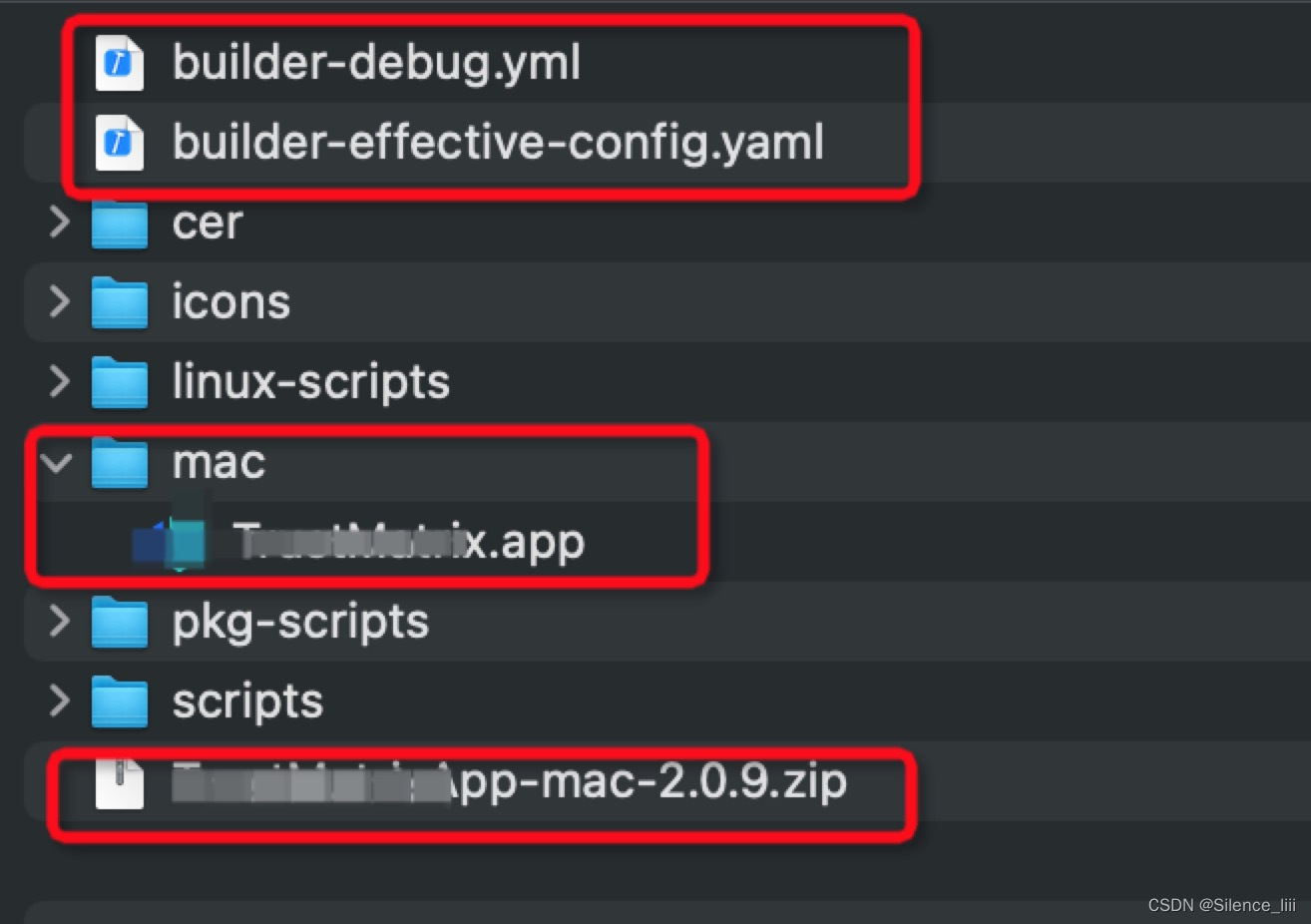
codesign -f -s "Developer ID Application: {Developer ID Application}" -v {第三方程序} --deep --options=runtime

xcrun altool --notarize-app --primary-bundle-id "{bundleId}" --username "{username}" --password "{password}" -t osx --file xxx.zip > notarize.txt
unzip xxx.zip
使用packages工具打包
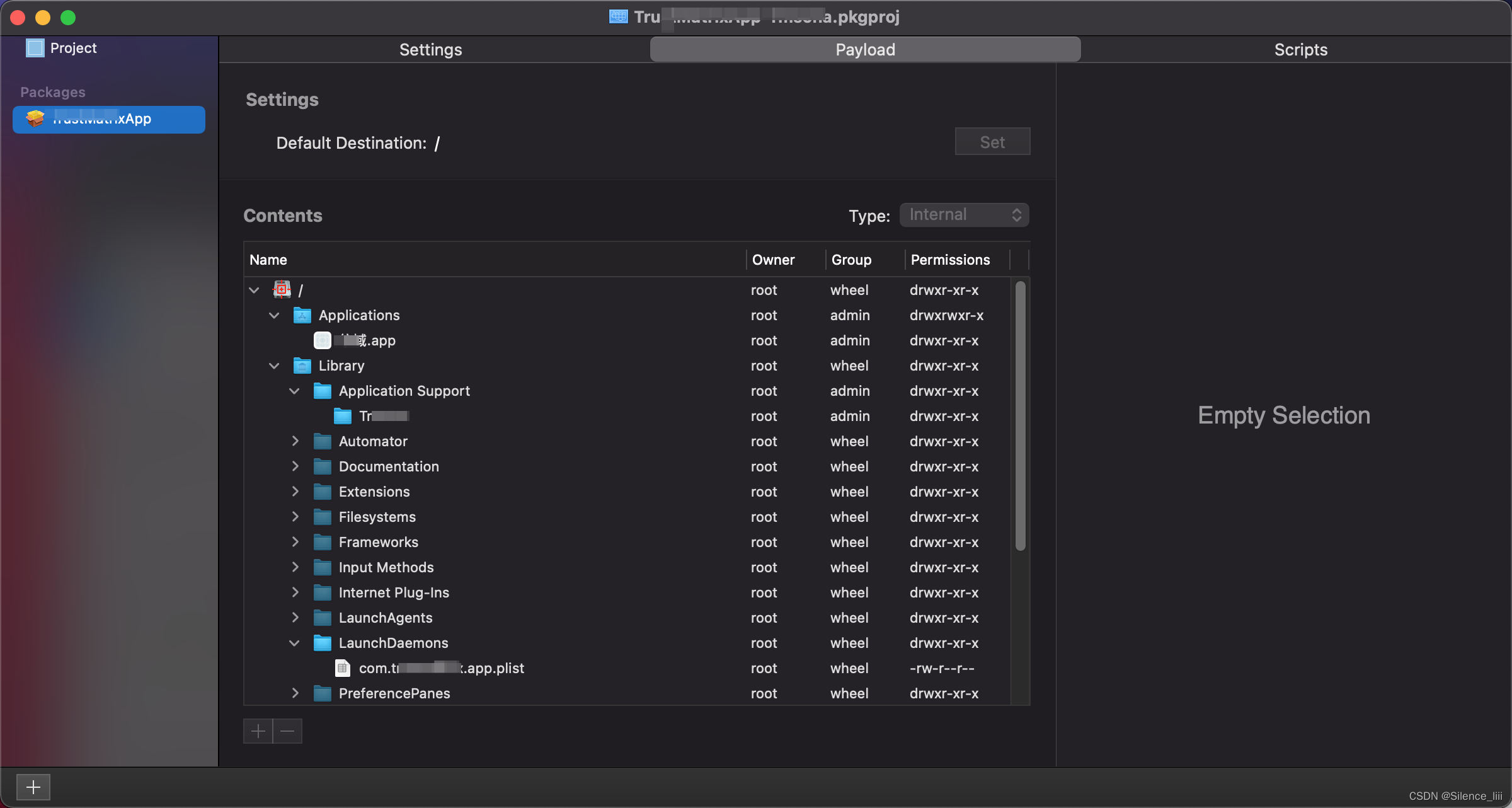
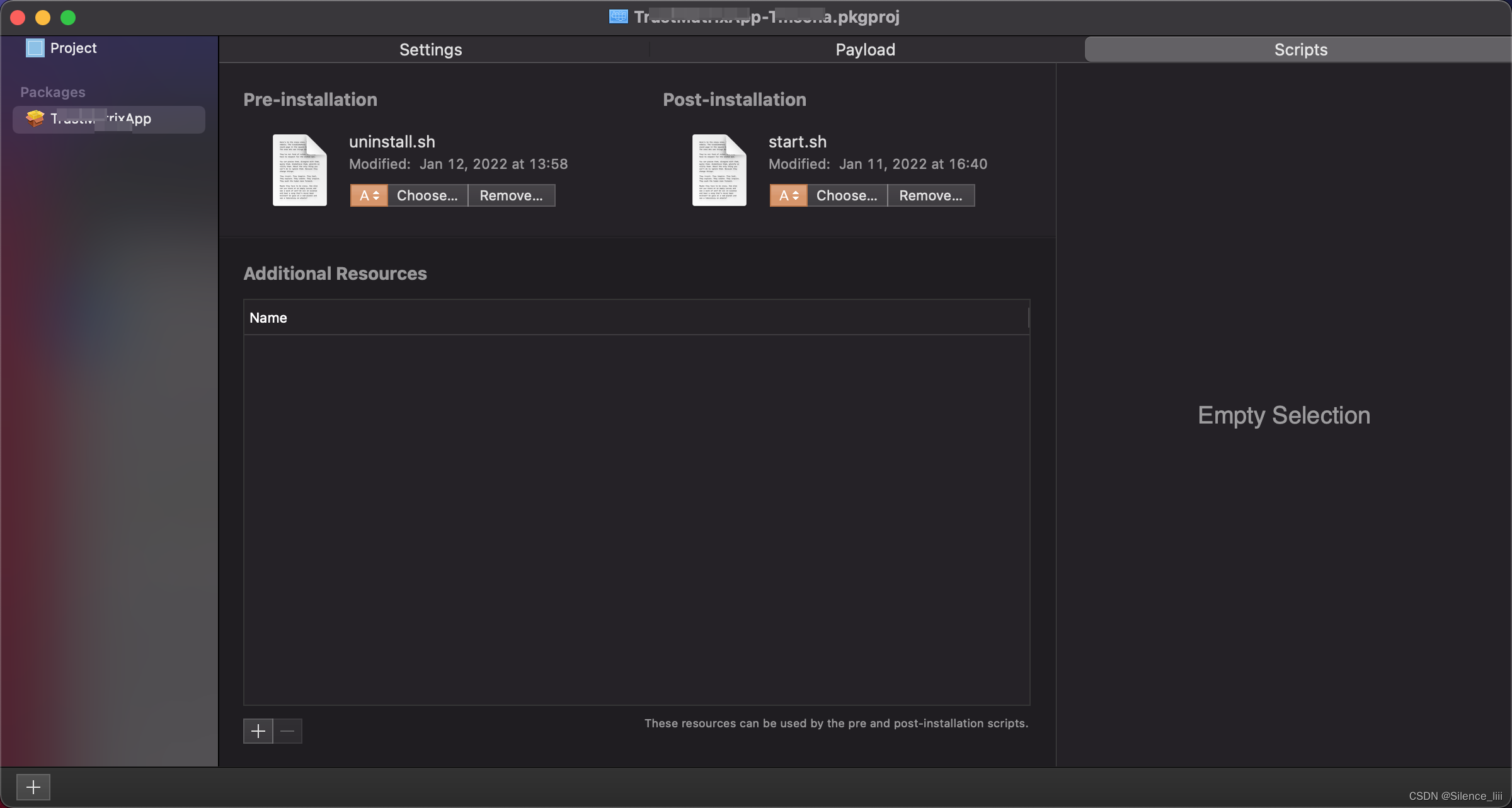
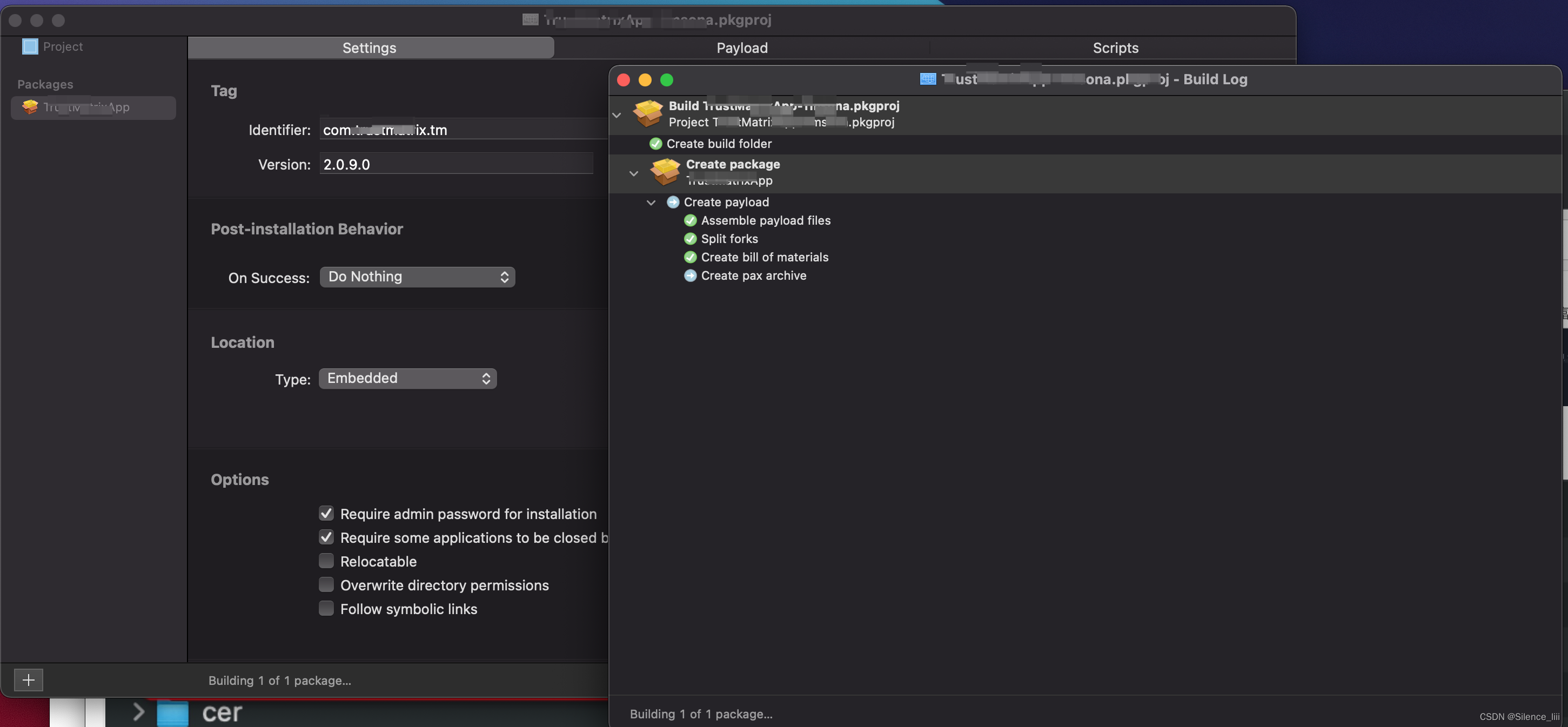
将打包后的pkg文件进行签名
productsign --sign "Developer ID Installer: {Developer ID Installer}" xxxx.pkg xxx-sign.pkg
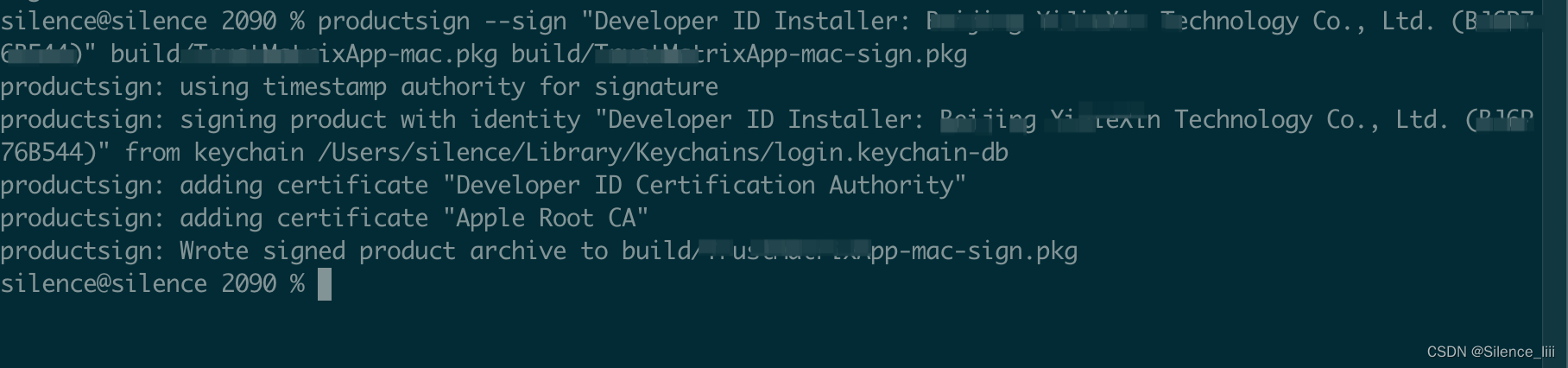
xcrun altool --notarize-app --primary-bundle-id "{bundleId}" --username "{username}" --password "{password}" -t osx --file xxx-sign.pkg > notarize2.txt
Error: Unable to notarize app.
Error: ERROR ITMS-90732: “The software asset has already been uploaded. The upload ID is 1ad0069d-977d-4324-bd64-a8e8cfc91a04” at SoftwareAssets/EnigmaSoftwareAsset (-18000)
解决方法:
cd /Users//Library/Caches/com.apple.amp.itmstransporter/UploadTokens/
可以看到一个类似 xxxxx.local_itunesConnectUSERxxxxxx.itmsp.token文件
在里面把内容都删除,保存
使用unzip解压文件失败
Error:End-of-central-directory signature not found. Either this file is not
a zipfile, or it constitutes one disk of a multi-part archive. In the
latter case the central directory and zipfile comment will be found on
the last disk(s) of this archive.
解决方法:
使用jar xvf filename.zip解压文件
执行xcrun altool --notarize-app时,报错You must first sign the relevant contracts online. (1048)错误
解决方法:
苹果更新了一些协议条款,需要开发者接受条款后才能继续使用服务。但公证脚本中对应的开发者账户,还没来得及接受条款。
让开发者账户的拥有者登录一下 https://appstoreconnect.apple.com/agreements/# ,把所有条款都确认一遍。再执行公证流程就可以了。
我想为Heroku构建一个Rails3应用程序。他们使用Postgres作为他们的数据库,所以我通过MacPorts安装了postgres9.0。现在我需要一个postgresgem并且共识是出于性能原因你想要pggem。但是我对我得到的错误感到非常困惑当我尝试在rvm下通过geminstall安装pg时。我已经非常明确地指定了所有postgres目录的位置可以找到但仍然无法完成安装:$envARCHFLAGS='-archx86_64'geminstallpg--\--with-pg-config=/opt/local/var/db/postgresql90/defaultdb/po
我打算为ruby脚本创建一个安装程序,但我希望能够确保机器安装了RVM。有没有一种方法可以完全离线安装RVM并且不引人注目(通过不引人注目,就像创建一个可以做所有事情的脚本而不是要求用户向他们的bash_profile或bashrc添加一些东西)我不是要脚本本身,只是一个关于如何走这条路的快速指针(如果可能的话)。我们还研究了这个很有帮助的问题:RVM-isthereawayforsimpleofflineinstall?但有点误导,因为答案只向我们展示了如何离线在RVM中安装ruby。我们需要能够离线安装RVM本身,并查看脚本https://raw.github.com/wayn
我有一个奇怪的问题:我在rvm上安装了rubyonrails。一切正常,我可以创建项目。但是在我输入“railsnew”时重新启动后,我有“程序'rails'当前未安装。”。SystemUbuntu12.04ruby-v"1.9.3p194"gemlistactionmailer(3.2.5)actionpack(3.2.5)activemodel(3.2.5)activerecord(3.2.5)activeresource(3.2.5)activesupport(3.2.5)arel(3.0.2)builder(3.0.0)bundler(1.1.4)coffee-rails(
我刚刚为fedora安装了emacs。我想用emacs编写ruby。为ruby提供代码提示、代码完成类型功能所需的工具、扩展是什么? 最佳答案 ruby-mode已经包含在Emacs23之后的版本中。不过,它也可以通过ELPA获得。您可能感兴趣的其他一些事情是集成RVM、feature-mode(Cucumber)、rspec-mode、ruby-electric、inf-ruby、rinari(用于Rails)等。这是我当前用于Ruby开发的Emacs配置:https://github.com/citizen428/emacs
我正在尝试在我的centos服务器上安装therubyracer,但遇到了麻烦。$geminstalltherubyracerBuildingnativeextensions.Thiscouldtakeawhile...ERROR:Errorinstallingtherubyracer:ERROR:Failedtobuildgemnativeextension./usr/local/rvm/rubies/ruby-1.9.3-p125/bin/rubyextconf.rbcheckingformain()in-lpthread...yescheckingforv8.h...no***e
我有一个在Linux服务器上运行的ruby脚本。它不使用rails或任何东西。它基本上是一个命令行ruby脚本,可以像这样传递参数:./ruby_script.rbarg1arg2如何将参数抽象到配置文件(例如yaml文件或其他文件)中?您能否举例说明如何做到这一点?提前谢谢你。 最佳答案 首先,您可以运行一个写入YAML配置文件的独立脚本:require"yaml"File.write("path_to_yaml_file",[arg1,arg2].to_yaml)然后,在您的应用中阅读它:require"yaml"arg
我的最终目标是安装当前版本的RubyonRails。我在OSXMountainLion上运行。到目前为止,这是我的过程:已安装的RVM$\curl-Lhttps://get.rvm.io|bash-sstable检查已知(我假设已批准)安装$rvmlistknown我看到当前的稳定版本可用[ruby-]2.0.0[-p247]输入命令安装$rvminstall2.0.0-p247注意:我也试过这些安装命令$rvminstallruby-2.0.0-p247$rvminstallruby=2.0.0-p247我很快就无处可去了。结果:$rvminstall2.0.0-p247Search
我实际上是在尝试使用RVM在我的OSX10.7.5上更新ruby,并在输入以下命令后:rvminstallruby我得到了以下回复:Searchingforbinaryrubies,thismighttakesometime.Checkingrequirementsforosx.Installingrequirementsforosx.Updatingsystem.......Errorrunning'requirements_osx_brew_update_systemruby-2.0.0-p247',pleaseread/Users/username/.rvm/log/138121
由于fast-stemmer的问题,我很难安装我想要的任何rubygem。我把我得到的错误放在下面。Buildingnativeextensions.Thiscouldtakeawhile...ERROR:Errorinstallingfast-stemmer:ERROR:Failedtobuildgemnativeextension./System/Library/Frameworks/Ruby.framework/Versions/2.0/usr/bin/rubyextconf.rbcreatingMakefilemake"DESTDIR="cleanmake"DESTDIR=
我已经在Sinatra上创建了应用程序,它代表了一个简单的API。我想在生产和开发上进行部署。我想在部署时选择,是开发还是生产,一些方法的逻辑应该改变,这取决于部署类型。是否有任何想法,如何完成以及解决此问题的一些示例。例子:我有代码get'/api/test'doreturn"Itisdev"end但是在部署到生产环境之后我想在运行/api/test之后看到ItisPROD如何实现? 最佳答案 根据SinatraDocumentation:EnvironmentscanbesetthroughtheRACK_ENVenvironm
