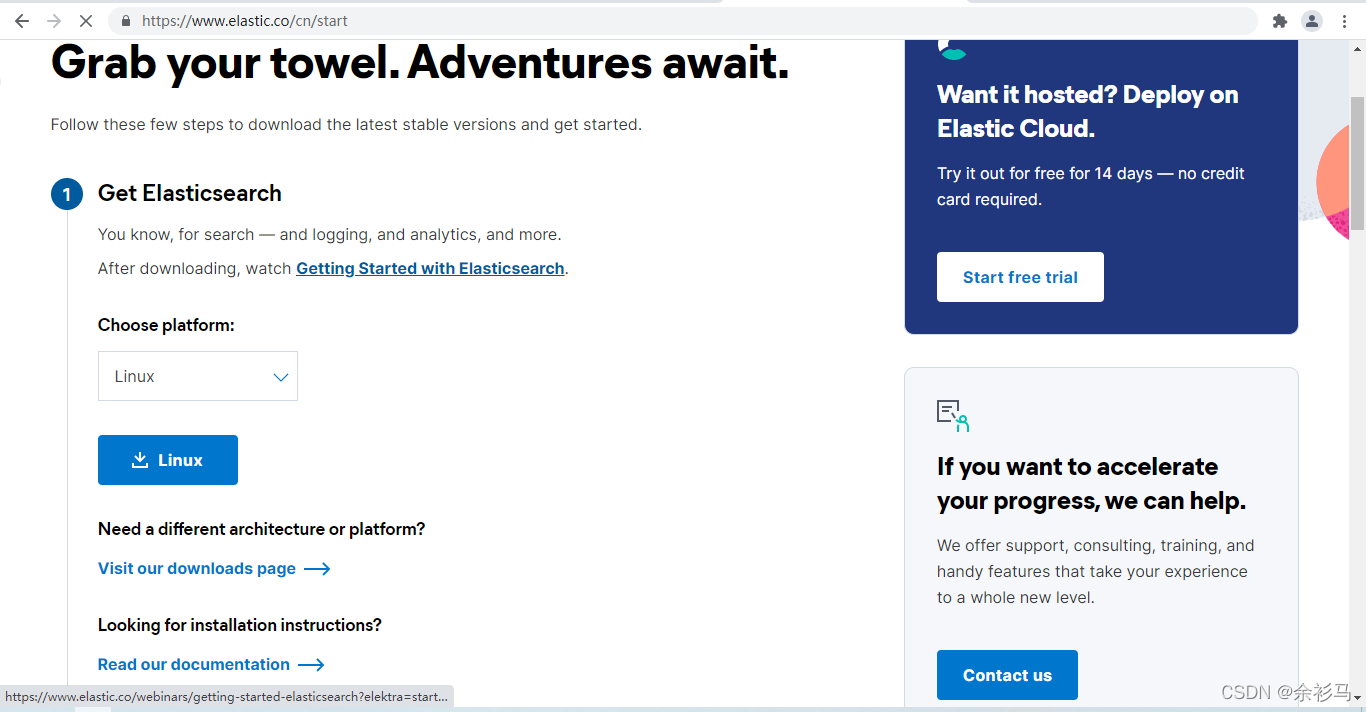
参考官方下载地址。
配置文件路径 .\elasticsearch-8.0.0\config\elasticsearch.yml

# 主机 IP,尽量不要使用回环地址,而是要使用私网地址
network.host: 127.0.0.1

# 端口
http.port: 9200

# 禁止下载 Geoip
ingest.geoip.downloader.enabled: false

# 配置跨域
http.cors.enabled: true
http.cors.allow-origin: "*"运行 .\elasticsearch-8.0.0\bin\elasticsearch.bat 脚本即可。
首次启动会自动配置安全信息:
-> Elasticsearch security features have been automatically configured!
-> Authentication is enabled and cluster connections are encrypted.

->  Password for the elastic user (reset with `bin/elasticsearch-reset-password -u elastic`):
  DycJB*X5KOjHuTq33tIu

->  HTTP CA certificate SHA-256 fingerprint:
  bb5dd53131d6e160892c406dc26e36963a5f8c32aa4c330b1e7b77aeac0ca45a

->  Configure Kibana to use this cluster:
* Run Kibana and click the configuration link in the terminal when Kibana starts.
* Copy the following enrollment token and paste it into Kibana in your browser (valid for the next 30 minutes):
  eyJ2ZXIiOiI4LjAuMCIsImFkciI6WyIxMjcuMC4wLjE6OTIwMCJdLCJmZ3IiOiJiYjVkZDUzMTMxZDZlMTYwODkyYzQwNmRjMjZlMzY5NjNhNWY4YzMyYWE0YzMzMGIxZTdiNzdhZWFjMGNhNDVhIiwia2V5IjoiSC01OVFIOEJhb25naHNKU0x6RE46R0x4NnRLTkpRVUN4VGx0b2d6MVVoUSJ9

->  Configure other nodes to join this cluster:
* On this node:
  - Create an enrollment token with `bin/elasticsearch-create-enrollment-token -s node`.
  - Uncomment the transport.host setting at the end of config/elasticsearch.yml.
  - Restart Elasticsearch.
* On other nodes:
  - Start Elasticsearch with `bin/elasticsearch --enrollment-token <token>`, using the enrollment token that you generated.
在 .\elasticsearch-8.0.0\config\elasticsearch.yml 中自动新增安全配置:
#----------------------- BEGIN SECURITY AUTO CONFIGURATION -----------------------
#
# The following settings, TLS certificates, and keys have been automatically
# generated to configure Elasticsearch security features on 28-02-2022 13:19:01
#
# --------------------------------------------------------------------------------

# Enable security features
xpack.security.enabled: true

xpack.security.enrollment.enabled: true

# Enable encryption for HTTP API client connections, such as Kibana, Logstash, and Agents
xpack.security.http.ssl:
  enabled: true
  keystore.path: certs/http.p12

# Enable encryption and mutual authentication between cluster nodes
xpack.security.transport.ssl:
  enabled: true
  verification_mode: certificate
  keystore.path: certs/transport.p12
  truststore.path: certs/transport.p12
# Create a new cluster with the current node only
# Additional nodes can still join the cluster later
cluster.initial_master_nodes: ["DESKTOP-L24D7IP"]

#----------------------- END SECURITY AUTO CONFIGURATION -------------------------
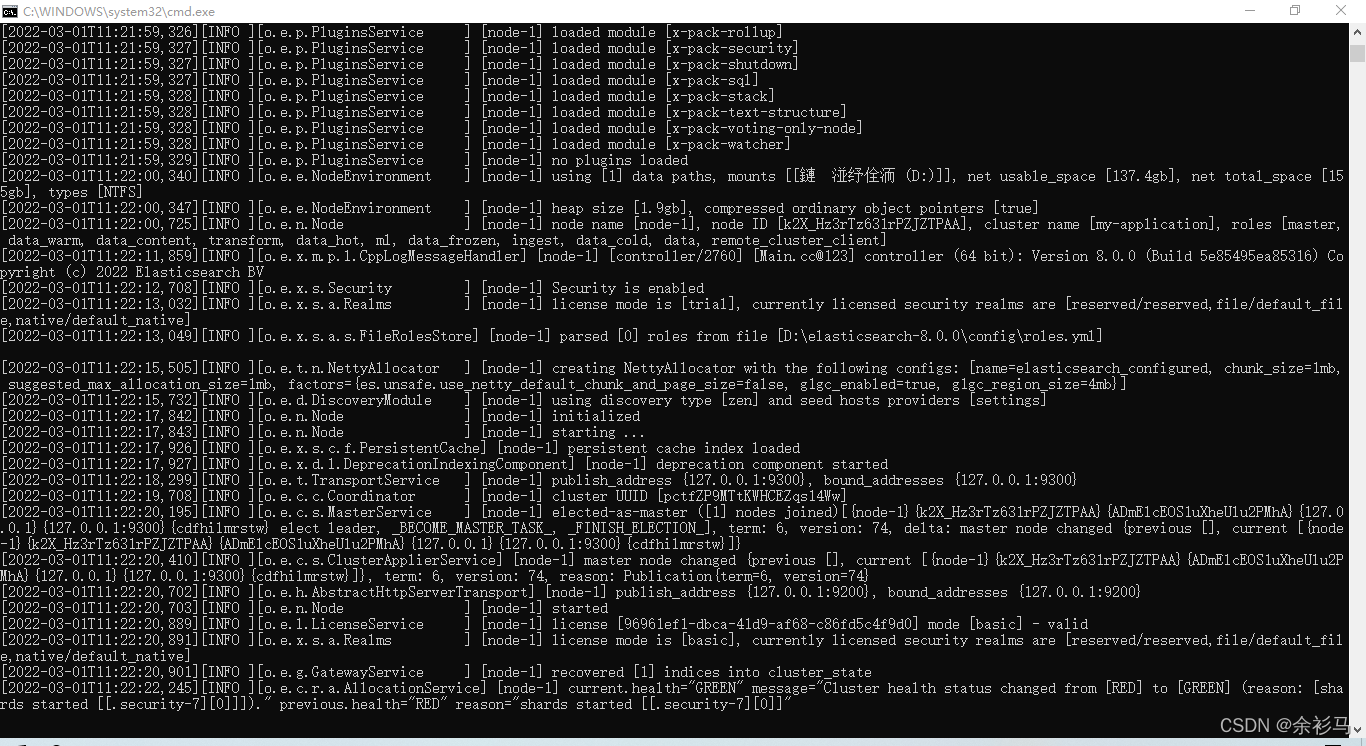
启动成功:
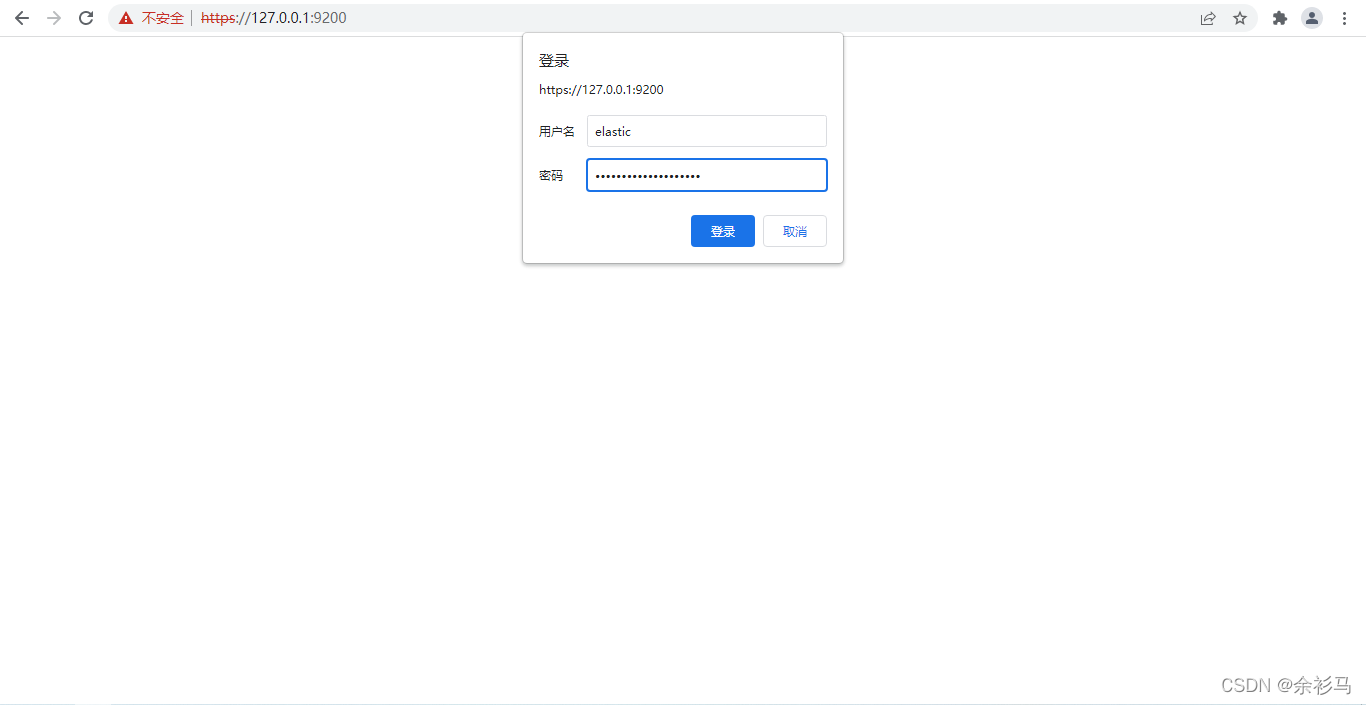
使用 https 访问 https:127.0.0.1:9200,输入控制台中给出的账号密码:
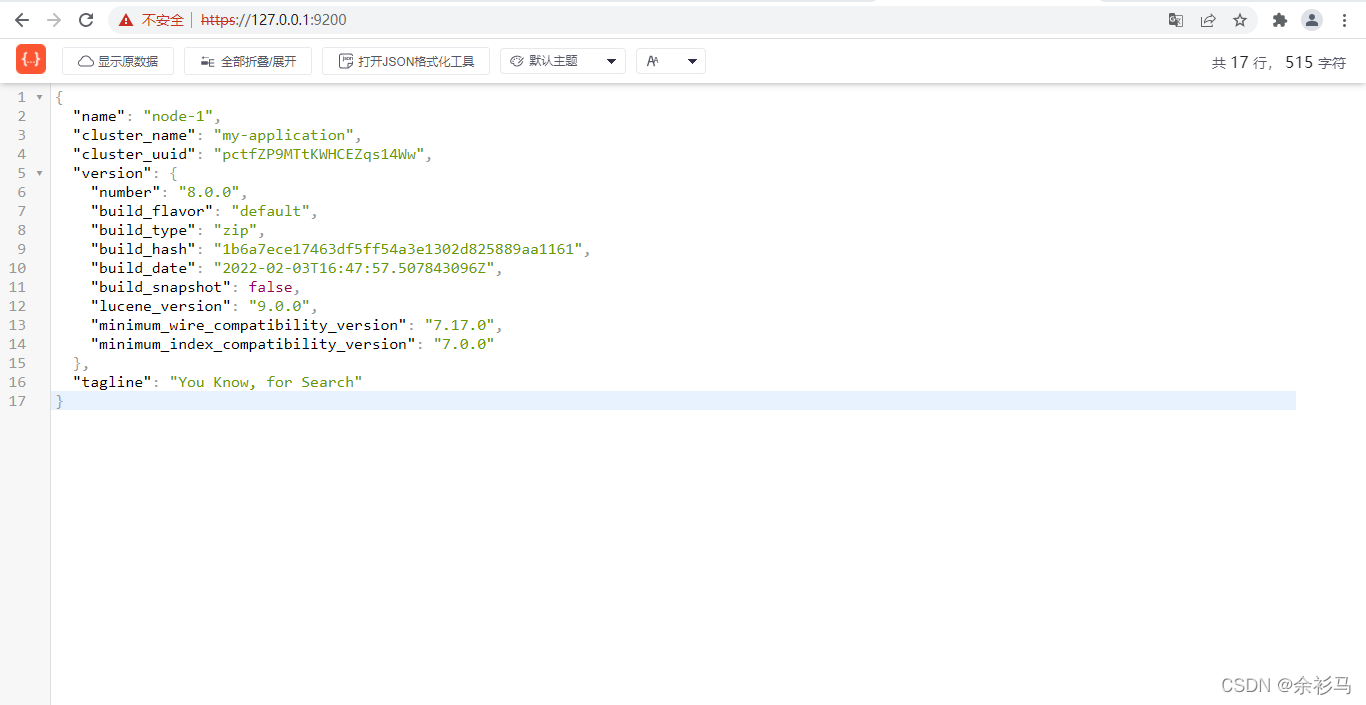
可以看到启动成功了。 当然,账号密码可以自己设定:
bin/elasticsearch-reset-password -u elastic# github 地址
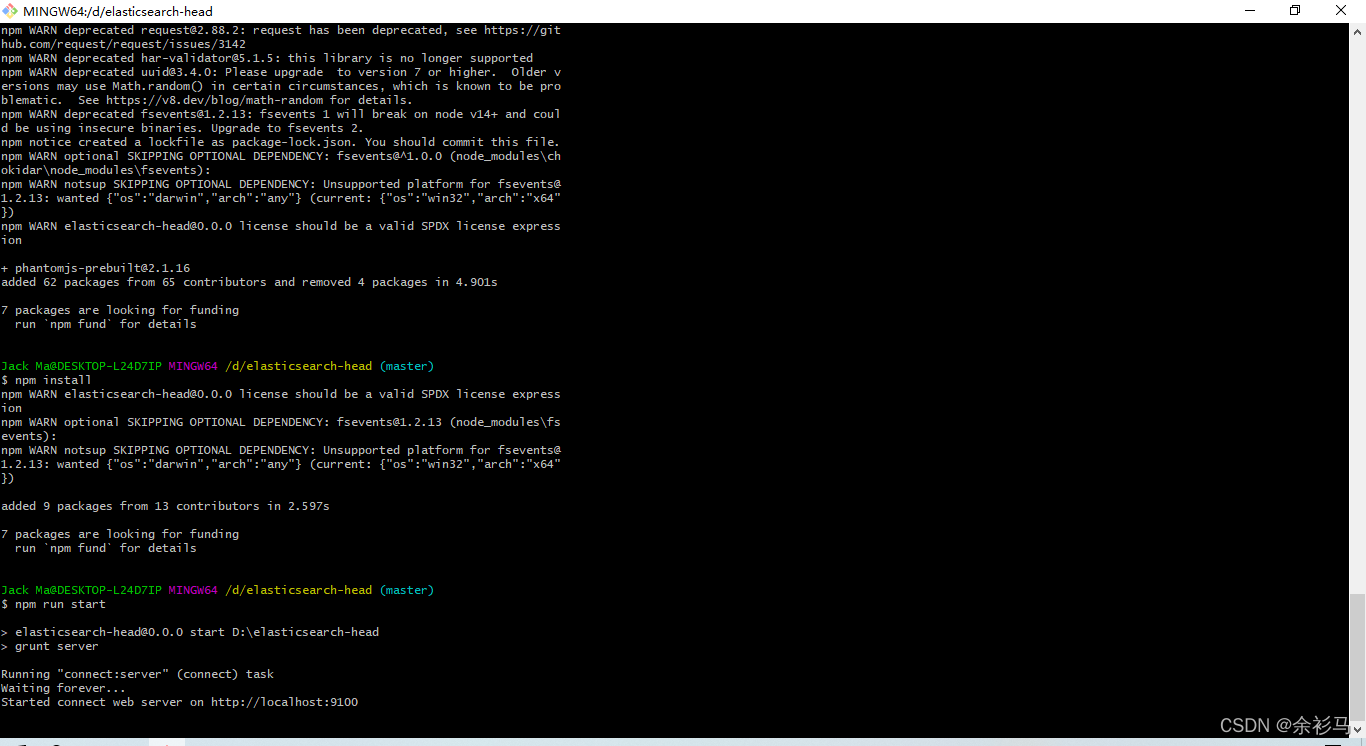
https://github.com/mobz/elasticsearch-head
# npm 启动方式
git clone git://github.com/mobz/elasticsearch-head.git
cd elasticsearch-head
npm install
npm run start
open http://localhost:9100/如果遇到安装错误:
npm ERR! code ELIFECYCLE
npm ERR! errno 1
npm ERR! phantomjs-prebuilt@2.1.16 install: `node install.js`
npm ERR! Exit status 1
npm ERR!
npm ERR! Failed at the phantomjs-prebuilt@2.1.16 install script.
npm ERR! This is probably not a problem with npm. There is likely additional logging output above.
执行忽略脚本安装指令即可:
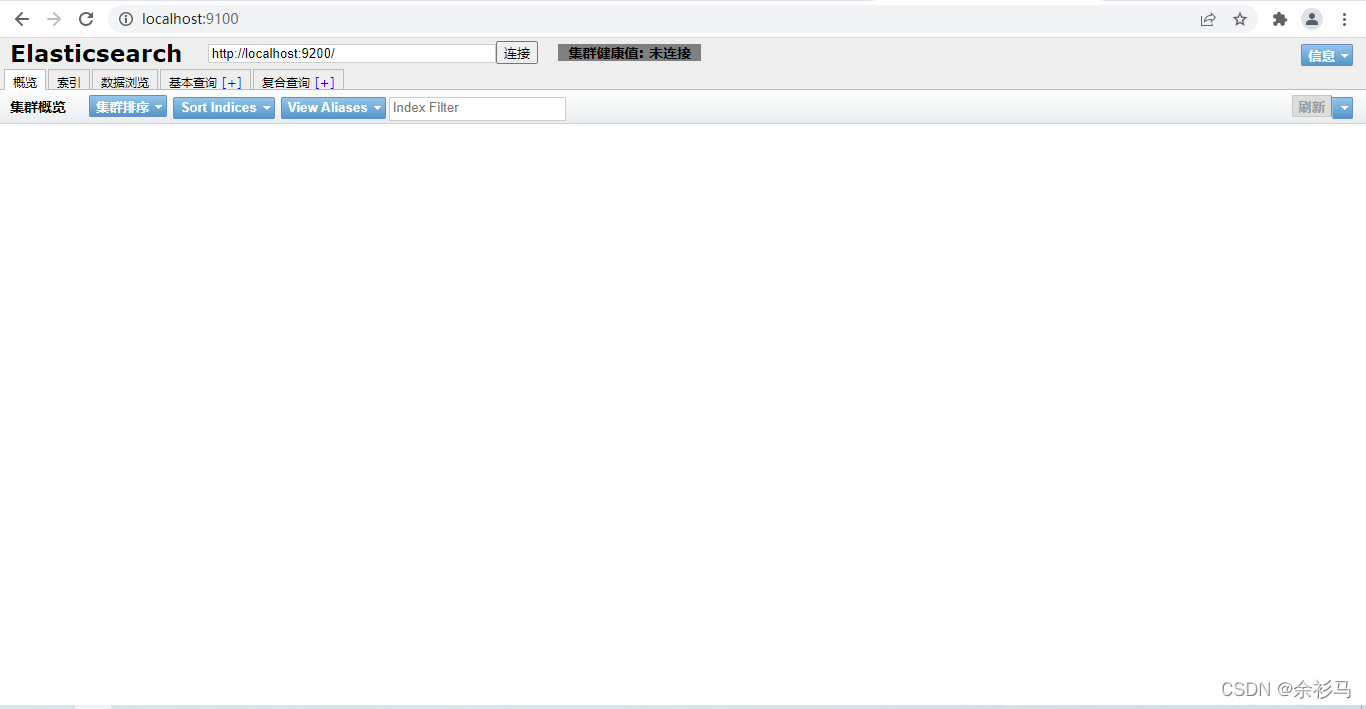
npm install phantomjs-prebuilt@2.1.16 --ignore-scripts最终完成启动:
还需要再配置 elasticsearch.yml 实现访问 https:
# 开启权限认证后,es-head-master 访问 es 需要的配置
http.cors.allow-headers: Authorization,X-Requested-With,Content-Length,Content-Type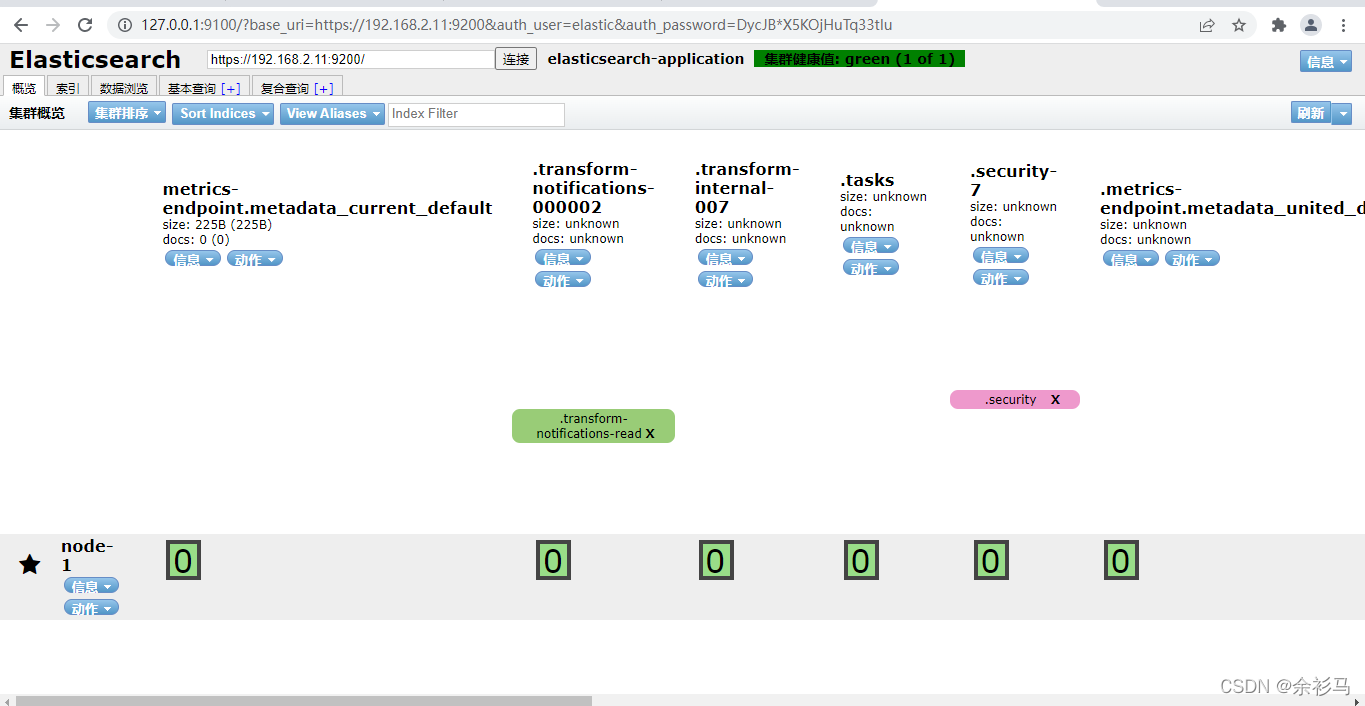
http://headIP:9100/?base_uri=https://ESIP:9200&auth_user=elastic&auth_password=yourPwdelasticsearch-reset-password -i -u username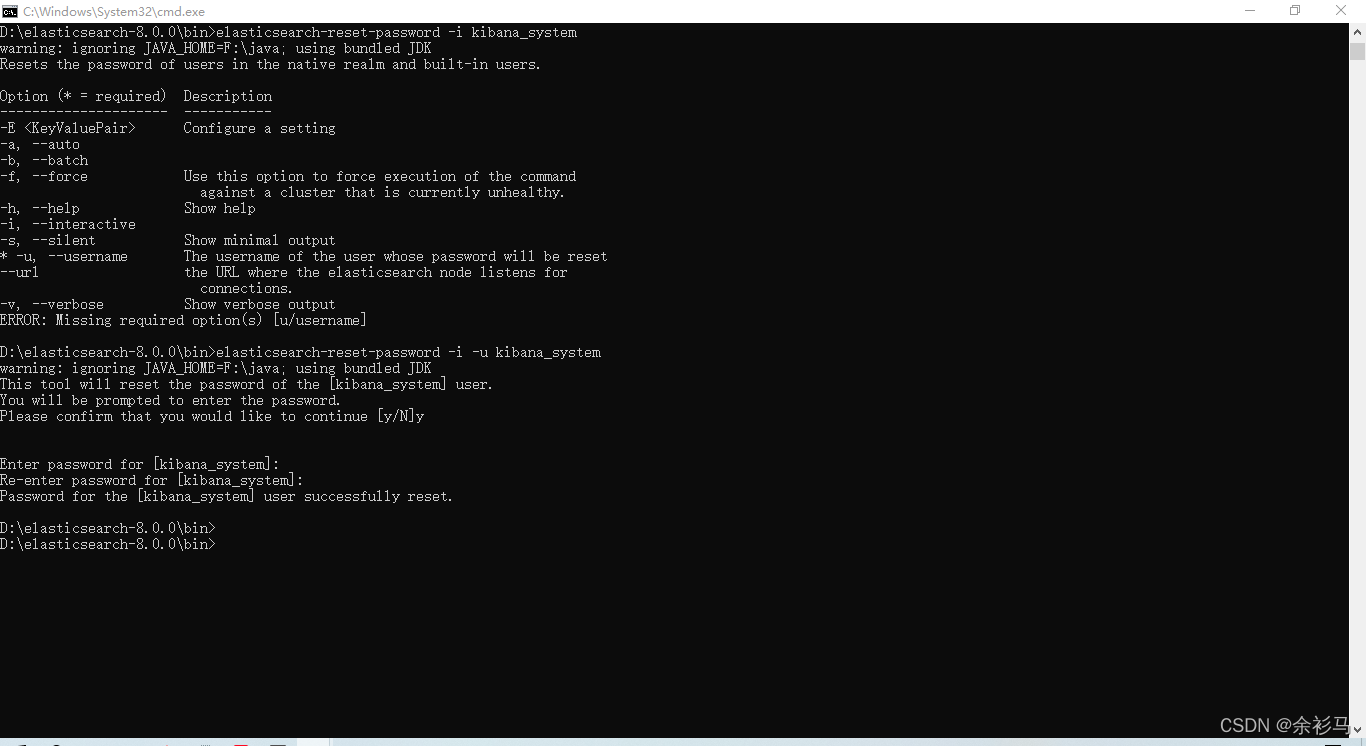
# ------------ X-Pack Settings (not applicable for OSS build)--------------
#
# X-Pack Monitoring
# https://www.elastic.co/guide/en/logstash/current/monitoring-logstash.html
xpack.monitoring.enabled: true
xpack.monitoring.elasticsearch.username: logstash_system
xpack.monitoring.elasticsearch.password: logstash_system
#xpack.monitoring.elasticsearch.proxy: ["http://proxy:port"]
xpack.monitoring.elasticsearch.hosts: ["https://192.168.2.11:9200"]
# an alternative to hosts + username/password settings is to use cloud_id/cloud_auth
#xpack.monitoring.elasticsearch.cloud_id: monitoring_cluster_id:xxxxxxxxxx
#xpack.monitoring.elasticsearch.cloud_auth: logstash_system:password
# another authentication alternative is to use an Elasticsearch API key
#xpack.monitoring.elasticsearch.api_key: "id:api_key"
xpack.monitoring.elasticsearch.ssl.certificate_authority: "D:/elasticsearch-8.0.0/config/certs/http_ca.crt"
#xpack.monitoring.elasticsearch.ssl.truststore.path: path/to/file
#xpack.monitoring.elasticsearch.ssl.truststore.password: password
#xpack.monitoring.elasticsearch.ssl.keystore.path: /path/to/file
#xpack.monitoring.elasticsearch.ssl.keystore.password: password
xpack.monitoring.elasticsearch.ssl.verification_mode: certificate
xpack.monitoring.elasticsearch.sniffing: false
#xpack.monitoring.collection.interval: 10s
#xpack.monitoring.collection.pipeline.details.enabled: true
在 config 目录下新建 logstash.conf 作为日志输入输出配置:
# logstash.conf 日志捕获从指定路径的 access.log 文件中获得
# 输出到 es 的 "access-%{+YYYY.MM.dd}" 索引中,索引不存在则自动创建
# 同时考虑到是 https 访问,需要配置 ssl


input {

    file {

        type => "nginx_access"

        path => "D:/testlogs/access.log"

    }

}

output {

    elasticsearch {

        hosts => ["https://192.168.2.11:9200"]

        index => "access-%{+YYYY.MM.dd}"

        user => "logstash_system"

        password => "logstash_system"

        ssl => true

        ssl_certificate_verification => true

        cacert => "D:/elasticsearch-8.0.0/config/certs/http_ca.crt"
    }

    stdout {

        codec => json_lines

    }

}D:\logstash-8.0.0\bin>logstash -f ../config/logstash.conf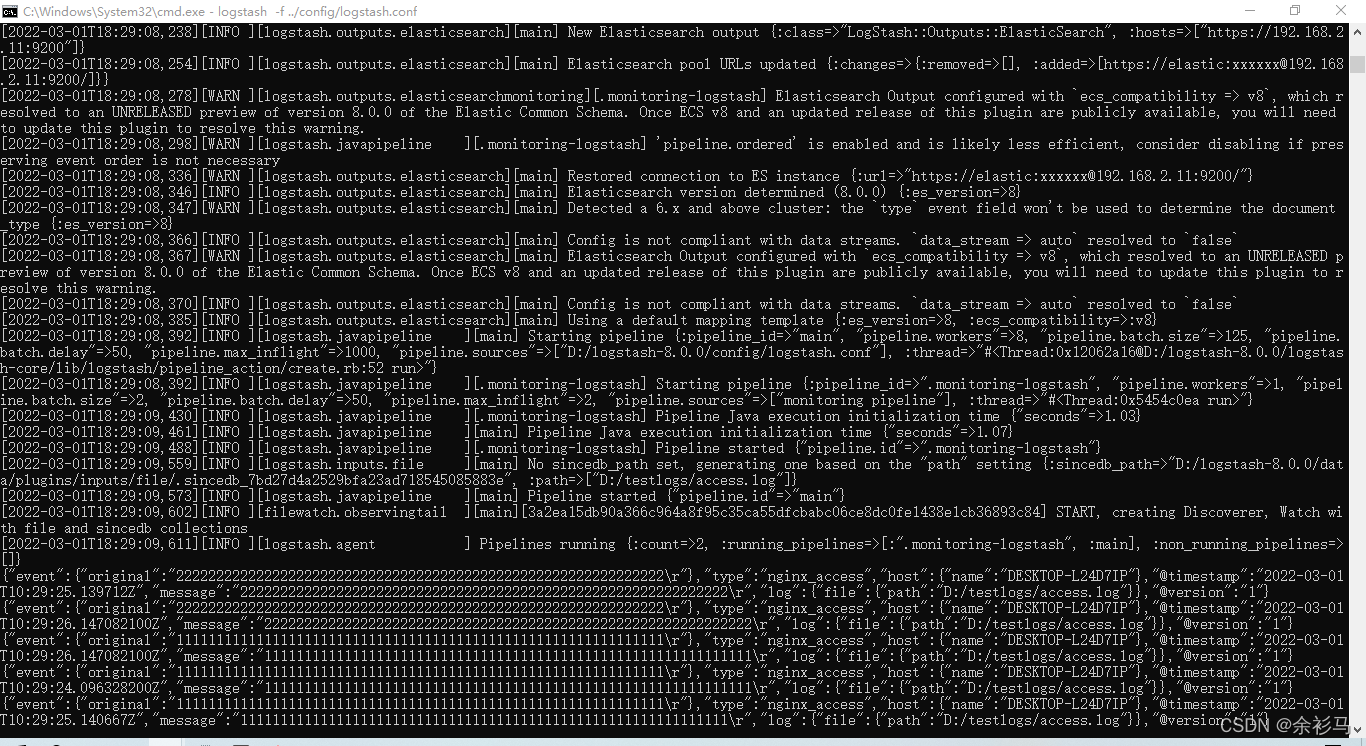
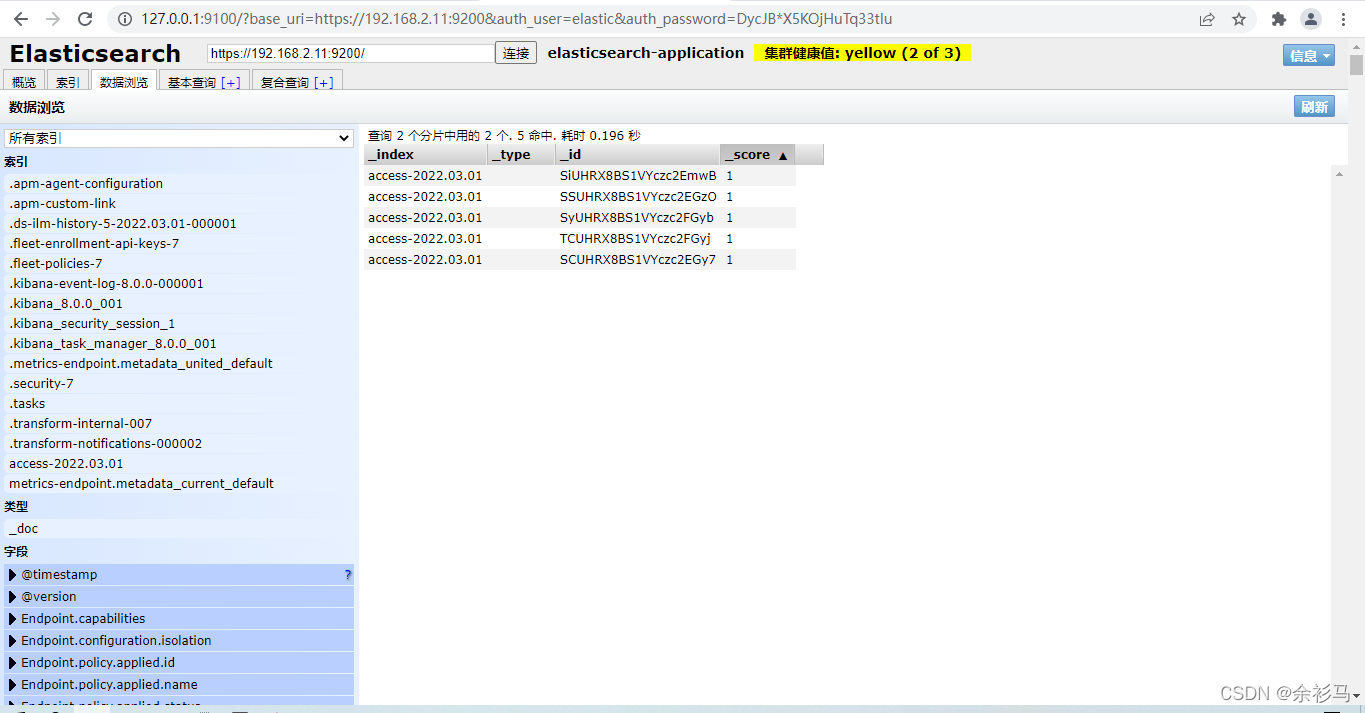
在往 access.log 写入数据时,同步到 es :
配置文件在 .\kibana-8.0.0\config\kibana.yml
# 注意:IP 地址切勿使用回环地址,应使用私网地址
# SSL 中的 PEM 证书使用 elasticsearch 中的证书

# Kibana is served by a back end server. This setting specifies the port to use.
server.port: 5601

# Specifies the address to which the Kibana server will bind. IP addresses and host names are both valid values.
# The default is 'localhost', which usually means remote machines will not be able to connect.
# To allow connections from remote users, set this parameter to a non-loopback address.
server.host: 192.168.2.11

# The maximum payload size in bytes for incoming server requests.
server.maxPayload: 1048576

# The Kibana server's name. This is used for display purposes.
server.name: "kibaba-host"

# The URLs of the Elasticsearch instances to use for all your queries.
elasticsearch.hosts: ["https://192.168.2.11:9200"]

# If your Elasticsearch is protected with basic authentication, these settings provide
# the username and password that the Kibana server uses to perform maintenance on the Kibana
# index at startup. Your Kibana users still need to authenticate with Elasticsearch, which
# is proxied through the Kibana server.
elasticsearch.username: "kibana_system"
elasticsearch.password: "LO50Eqdeow7v2Q7PVpTb"

# Time in milliseconds to wait for Elasticsearch to respond to pings. Defaults to the value of
# the elasticsearch.requestTimeout setting.
elasticsearch.pingTimeout: 1500

# Time in milliseconds to wait for responses from the back end or Elasticsearch. This value
# must be a positive integer.
elasticsearch.requestTimeout: 30000

# Enables you to specify a path to the PEM file for the certificate
# authority for your Elasticsearch instance.
elasticsearch.ssl.certificateAuthorities: [ "D:/elasticsearch-8.0.0/config/certs/http_ca.crt" ]

# To disregard the validity of SSL certificates, change this setting's value to 'none'.
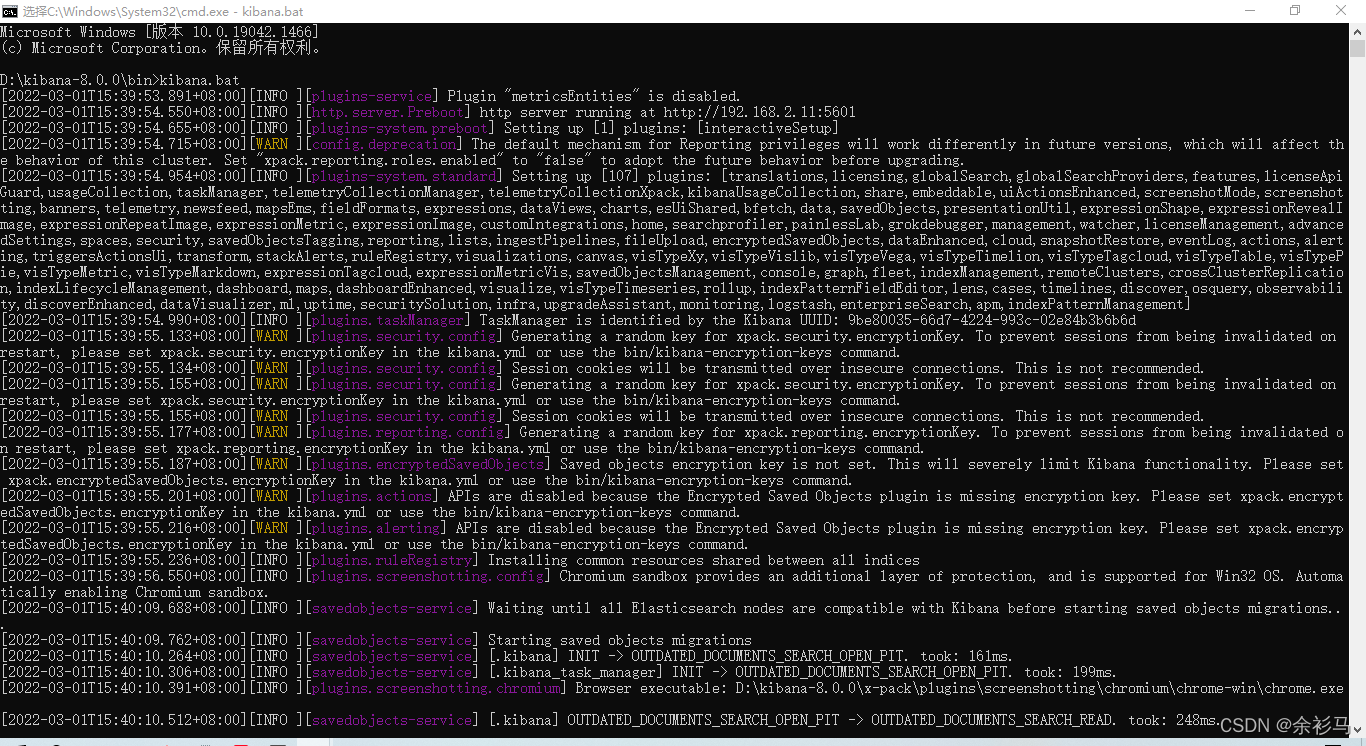
elasticsearch.ssl.verificationMode: certificate执行 .\kibana-8.0.0\bin\kibana.bat 即可。
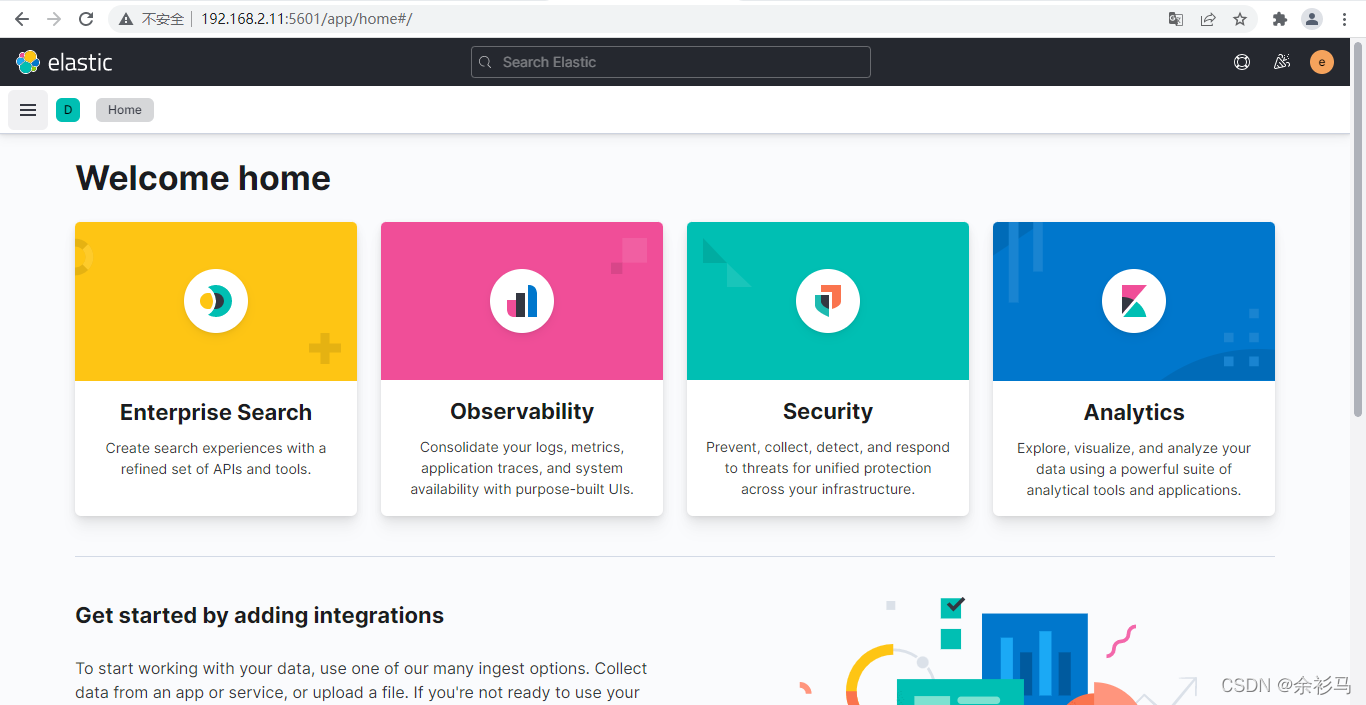
访问 http://localhost:5601 时需要输入 elastic 管理员账号密码:
创建数据视图:
management/kibana/dataViews

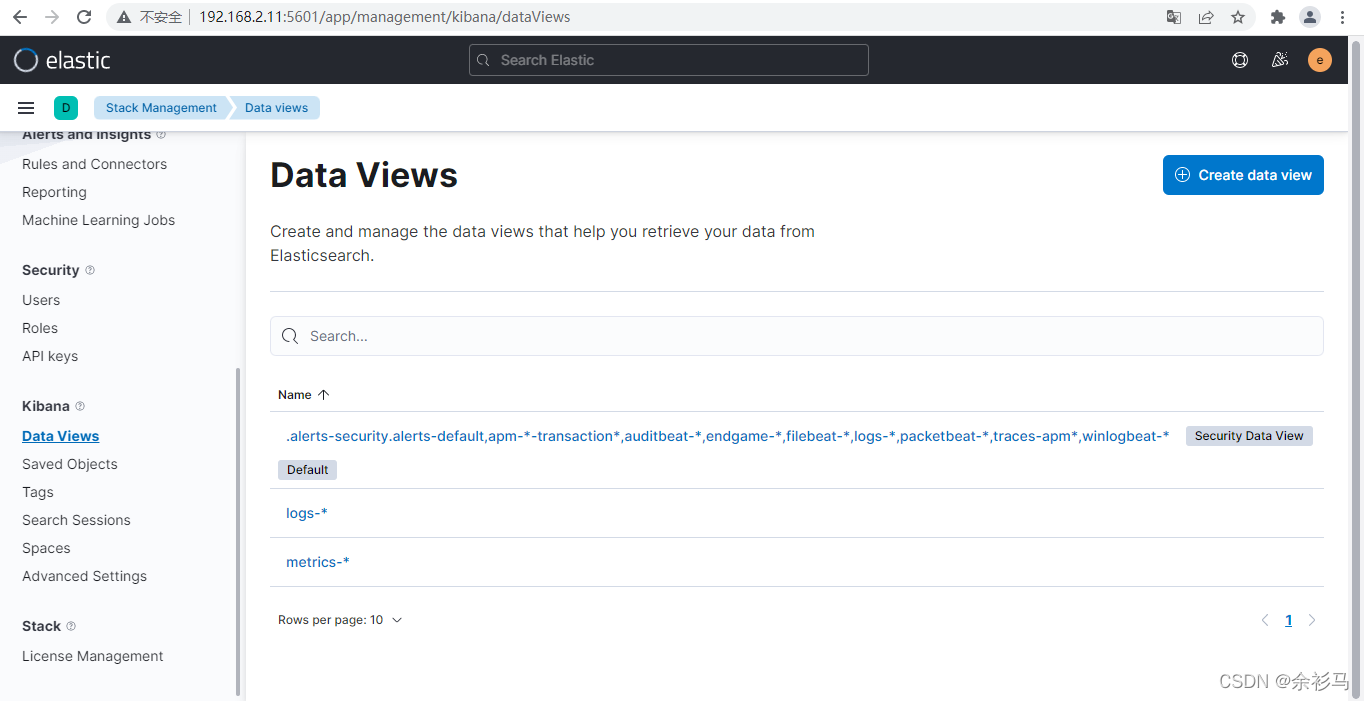
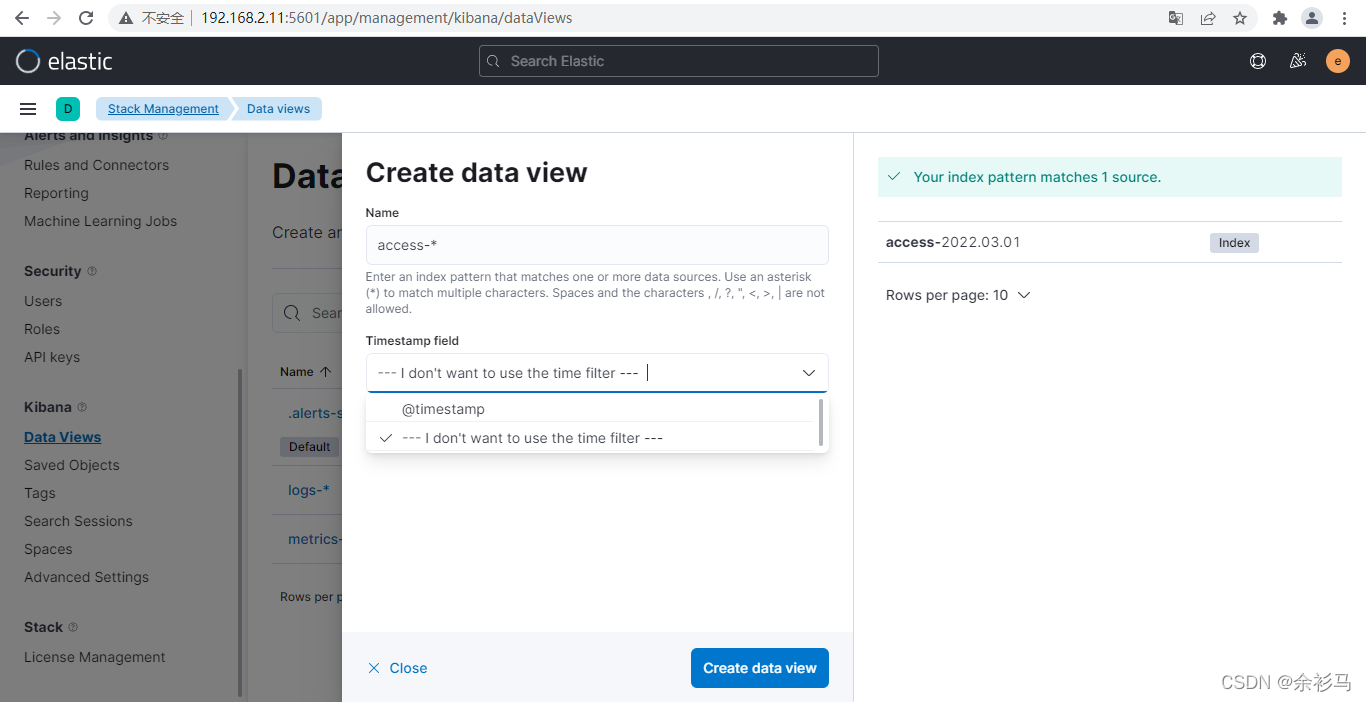
创建模板为 access-* 的数据视图,自动匹配 access-2022.03.01 索引,不使用时间过滤器。
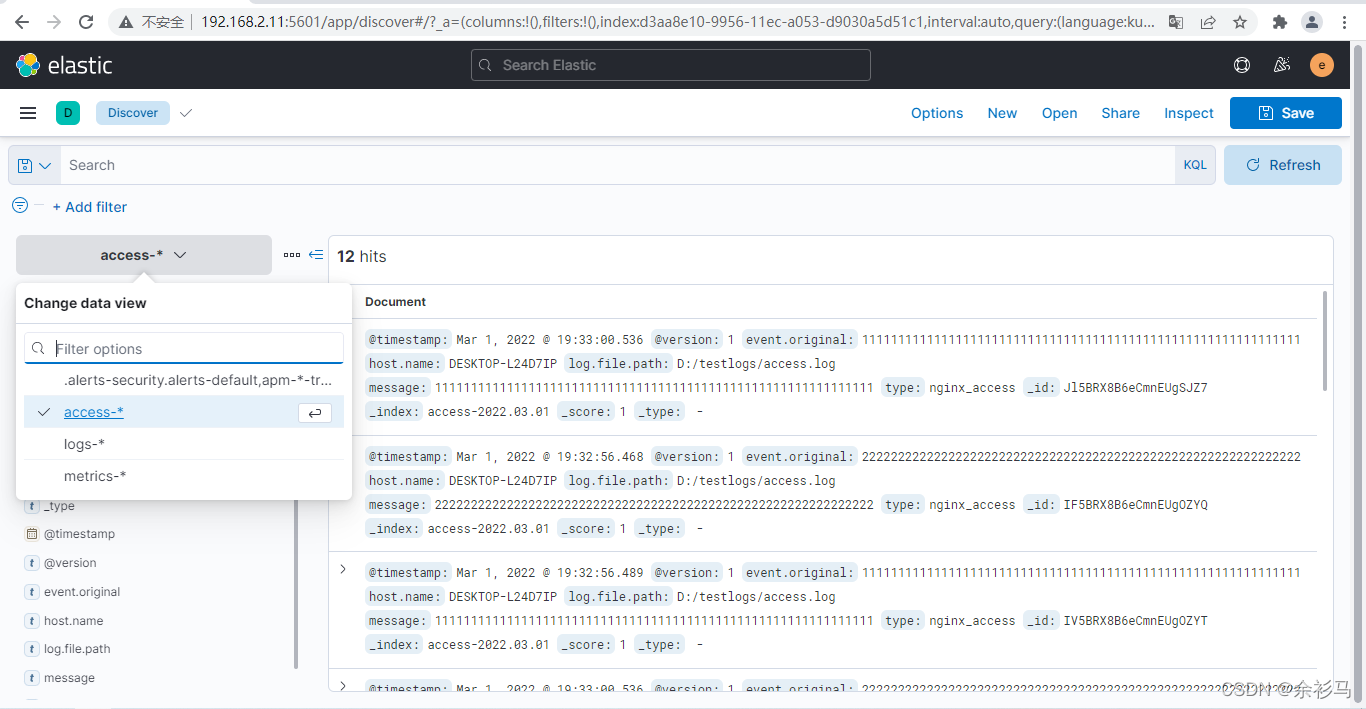
在 discover 页面就可以使用该数据视图,看到索引里面的数据。
我正在玩HTML5视频并且在ERB中有以下片段:mp4视频从在我的开发环境中运行的服务器很好地流式传输到chrome。然而firefox显示带有海报图像的视频播放器,但带有一个大X。问题似乎是mongrel不确定ogv扩展的mime类型,并且只返回text/plain,如curl所示:$curl-Ihttp://0.0.0.0:3000/pr6.ogvHTTP/1.1200OKConnection:closeDate:Mon,19Apr201012:33:50GMTLast-Modified:Sun,18Apr201012:46:07GMTContent-Type:text/plain
之前在培训新生的时候,windows环境下配置opencv环境一直教的都是网上主流的vsstudio配置属性表,但是这个似乎对新生来说难度略高(虽然个人觉得完全是他们自己的问题),加之暑假之后对cmake实在是爱不释手,且这样配置确实十分简单(其实都不需要配置),故斗胆妄言vscode下配置CV之法。其实极为简单,图比较多所以很长。如果你看此文还配不好,你应该思考一下是不是自己的问题。闲话少说,直接开始。0.CMkae简介有的人到大二了都不知道cmake是什么,我不说是谁。CMake是一个开源免费并且跨平台的构建工具,可以用简单的语句来描述所有平台的编译过程。它能够根据当前所在平台输出对应的m
我试图在rails中了解rubygems是如何变得可以自动使用的,而不是在使用required的文件中gem? 最佳答案 这是通过bundler/setup完成的:http://bundler.io/v1.3/bundler_setup.html.它在您的config/boot.rb文件中是必需的。简而言之,它首先将环境变量设置为指向您的Gemfile:ENV['BUNDLE_GEMFILE']||=File.expand_path('../../Gemfile',__FILE__)然后它通过要求bundler/setup将所有ge
我刚刚安装了带有RVM的Ruby2.2.0,并尝试使用它得到了这个:$rvmuse2.2.0--defaultUsing/Users/brandon/.rvm/gems/ruby-2.2.0dyld:Librarynotloaded:/usr/local/lib/libgmp.10.dylibReferencedfrom:/Users/brandon/.rvm/rubies/ruby-2.2.0/bin/rubyReason:Incompatiblelibraryversion:rubyrequiresversion13.0.0orlater,butlibgmp.10.dylibpro
我正在运行Ubuntu11.10并像这样安装Ruby1.9:$sudoapt-getinstallruby1.9rubygems一切都运行良好,但ri似乎有空文档。ri告诉我文档是空的,我必须安装它们。我执行此操作是因为我读到它会有所帮助:$rdoc--all--ri现在,当我尝试打开任何文档时:$riArrayNothingknownaboutArray我搜索的其他所有内容都是一样的。 最佳答案 这个呢?apt-getinstallri1.8编辑或者试试这个:(非rvm)geminstallrdocrdoc-datardoc-da
从一开始,我就是一个Windows高手。我从MS-DOS开始。我安装了Windows2.1以及此后的所有Windows。现在,我家里有10台不同的Windows机器在运行,从Windows7Ultimate到各种版本的WindowsServer。我还没有完成Windows8,也不想去那里。我在服务器和各种软件方面都有UNIX经验,但它并不是我的首选环境。但是,我想我正在转换。我试图假装使用Cygwin和MSYS在Windows下运行UNIX。我的目的是搭建一个开发环境。两者都让我失望了。我花了比开发更多的时间来解决一系列技术问题。这是NotAcceptable。到目前为止,我的Ruby
我已经通过提供MagickWand.h的路径尝试了一切,我安装了命令工具。谁能帮帮我?$geminstallrmagick-v2.13.1Buildingnativeextensions.Thiscouldtakeawhile...ERROR:Errorinstallingrmagick:ERROR:Failedtobuildgemnativeextension./Users/ghazanfarali/.rvm/rubies/ruby-1.8.7-p357/bin/rubyextconf.rbcheckingforRubyversion>=1.8.5...yescheckingfor/
如果特定语言环境中缺少翻译,如何配置i18n以使用en语言环境翻译?当前已插入翻译缺失消息。我正在使用RoR3.1。 最佳答案 找到相似的question这里是答案:#application.rb#railswillfallbacktoconfig.i18n.default_localetranslationconfig.i18n.fallbacks=true#railswillfallbacktoen,nomatterwhatissetasconfig.i18n.default_localeconfig.i18n.fallback
我正在使用macos,我想使用ruby驱动程序连接到sqlserver。我想使用tiny_tds,但它给出了缺少free_tds的错误,但它已经安装了。怎么能过这个?~brewinstallfreetdsWarning:freetds-0.91.112alreadyinstalled~sudogeminstalltiny_tdsBuildingnativeextensions.Thiscouldtakeawhile...ERROR:Errorinstallingtiny_tds:ERROR:Failedtobuildgemnativeextension.完整日志如下:/System
我给自己买了一个新的8gigUSBkey,我正在寻找一个合适的解决方案来拥有一个可移植RoR环境来学习。我在谷歌上搜索了一下,发现了一些可能性,但我很想听听一些现实生活中的经历和意见。谢谢! 最佳答案 我喜欢InstantRails,非常容易使用,无需安装程序,也不会修改您的系统环境。 关于ruby-on-rails-可移植RubyonRails环境,我们在StackOverflow上找到一个类似的问题: https://stackoverflow.com/q
