随着本人python使用的越来越多,跑的代码和程序越来越复杂,从git下载代码也更多的需要liux系统才能使用,所以考虑在ubuntu系统下安装python,此博文也是基于CSDN7天培训的一些需要去做的,更多的方便记录安装流程以及出现问题的解决方案。
首先需要安装ubuntu系统,具体软件请参考博客:https://blog.csdn.net/wp215501547/article/details/103665646
Docker 是一个开源的应用容器引擎,让开发者可以打包他们的应用以及依赖包到一个可移植的镜像中,然后发布到任何流行的 Linux或Windows 机器上,也可以实现虚拟化。容器是完全使用沙箱机制,相互之间不会有任何接口(百度搜索结果,也是不太理解,先安装再说)
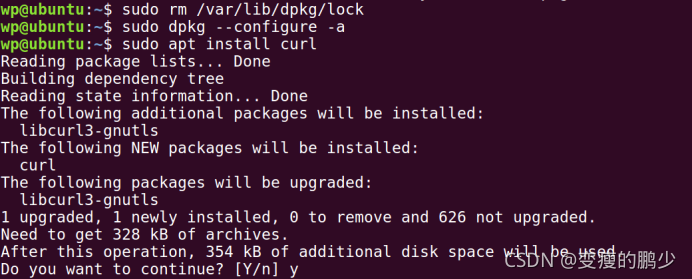
为了安装docker,需要安装crul,命令如下:
sudo apt install curl
但是报错了

解决方案:
sudo rm /var/lib/apt/lists/lock
sudo rm /var/cache/apt/archives/lock
安装docker命令如下:
curl -sSL https://get.daocloud.io/docker | sh
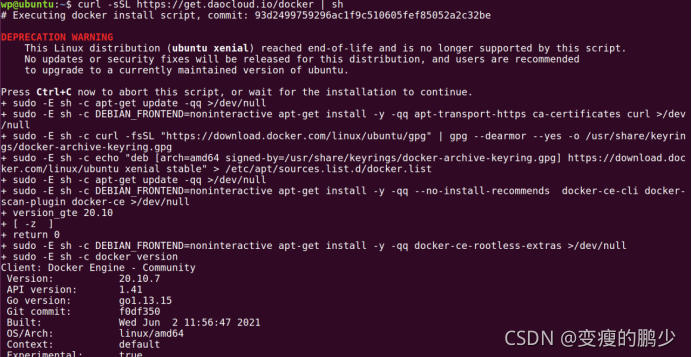
输入以下指令,打印出以下信息则安装成功:
$ sudo docker run hello-world

Unable to find image 'hello-world:latest' locally
latest: Pulling from library/hello-world
1b930d010525: Pull complete                                                                                                                                  Digest: sha256:c3b4ada4687bbaa170745b3e4dd8ac3f194ca95b2d0518b417fb47e5879d9b5f
Status: Downloaded newer image for hello-world:latest


Hello from Docker!
This message shows that your installation appears to be working correctly.


To generate this message, Docker took the following steps:
 1. The Docker client contacted the Docker daemon.
 2. The Docker daemon pulled the "hello-world" image from the Docker Hub.
    (amd64)
 3. The Docker daemon created a new container from that image which runs the
    executable that produces the output you are currently reading.
 4. The Docker daemon streamed that output to the Docker client, which sent it
    to your terminal.


To try something more ambitious, you can run an Ubuntu container with:
 $ docker run -it ubuntu bash


Share images, automate workflows, and more with a free Docker ID:
 https://hub.docker.com/


For more examples and ideas, visit:
 https://docs.docker.com/get-started/
命令行中输入sudo passwd ,输入密码,进入超级管理员模式
在系统中,打开终端命令行,按下面代码一行行输入即可
sudo apt-get install python
sudo apt-get install python-dev
sudo apt-get install python-pip
sudo apt-get install libxml*
sudo apt-get install net-tools
sudo apt-get install lsof
完成之后,在命令行中输入python3,结果如下,表示安装完成

命令行输入python,进行测试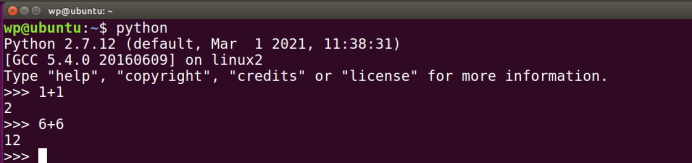
网址:https://www.jetbrains.com/pycharm/download/#section=linux
选择对应的版本和系统就可以
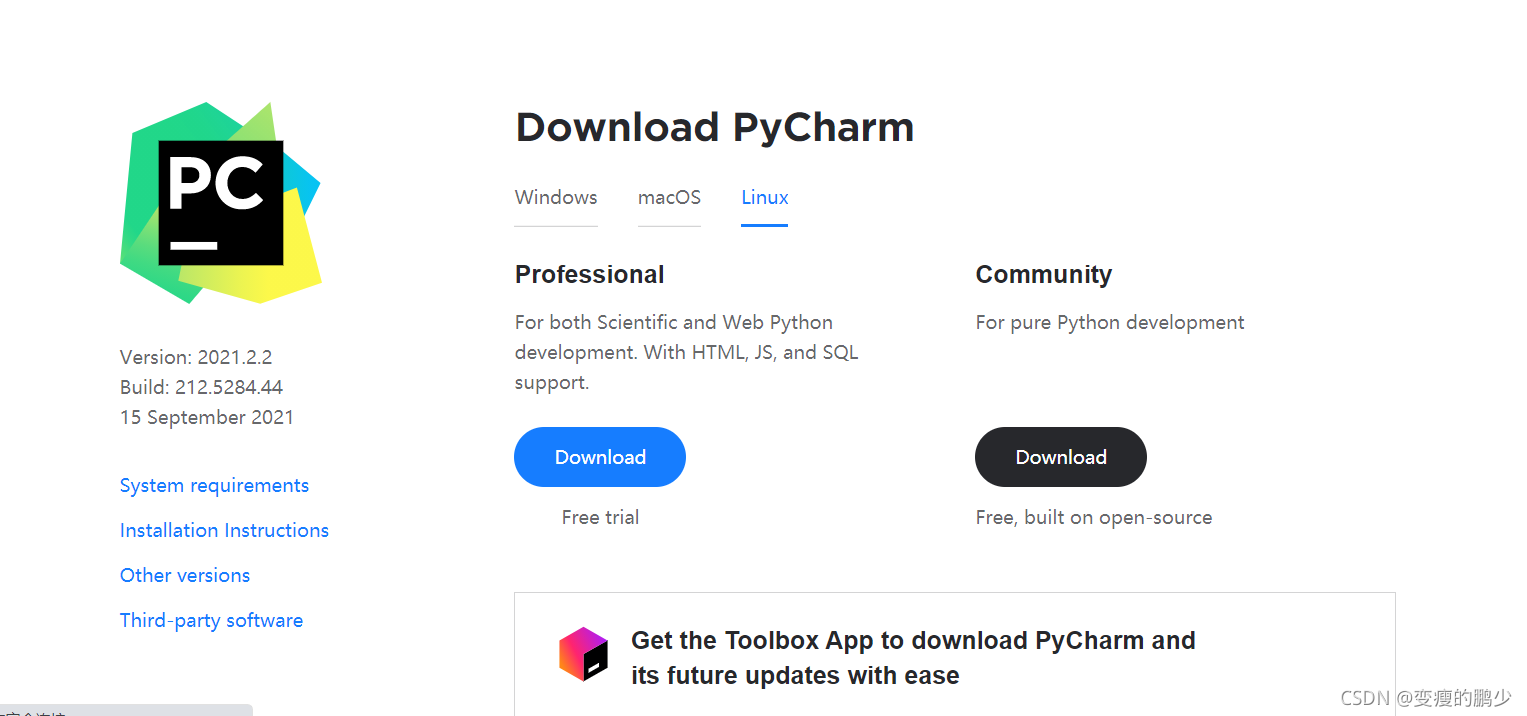
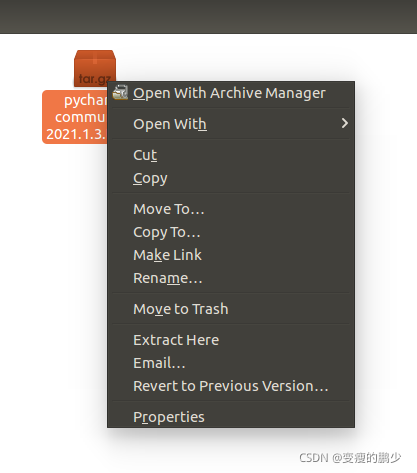
下载后找到下载文件,选择Extract Here,解压到当前,目录
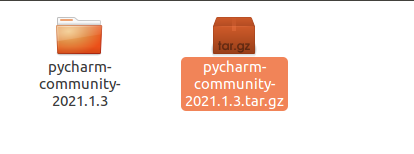
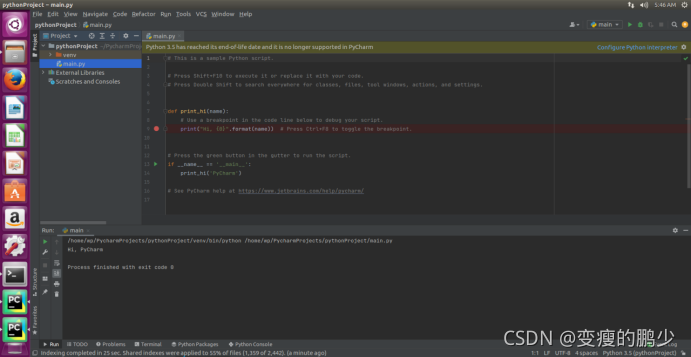
使用cd命令,进入解压好的文件夹,进入bin文件夹,对应的文件路径,运行sh ./pycharm.sh,按步骤操作就可以。
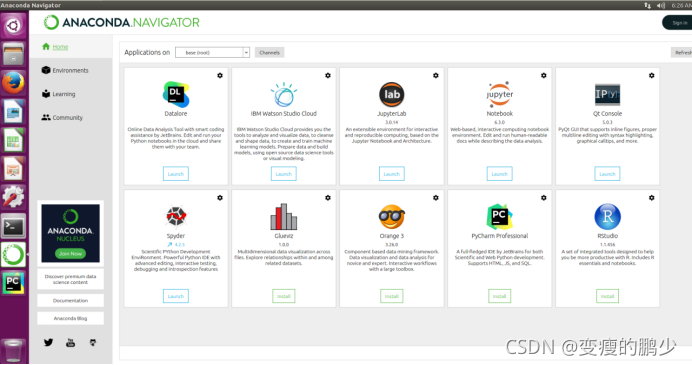
Anaconda指的是一个开源的Python发行版本,其包含了conda、Python等180多个科学包及其依赖项。因为包含了大量的科学包,Anaconda 的下载文件比较大(约 531 MB),如果只需要某些包,或者需要节省带宽或存储空间,也可以使用Miniconda这个较小的发行版(仅包含conda和 Python)。
1.清华大学开源软件镜像站下载https://mirrors.tuna.tsinghua.edu.cn/help/anaconda/
2.选择合适的版本下载
3.找到对应的文件
4.命令行输入指令
bash Anaconda3-5.2.0-Linux-x86_64.sh
注意版本
5.遇到提示,输入yes,然后回车
[1]https://www.runoob.com/docker/ubuntu-docker-install.html
[2]https://blog.csdn.net/xinyan233/article/details/80369061
[3]https://blog.csdn.net/zhuanshu666/article/details/73554885
[4]https://jingyan.baidu.com/article/c45ad29c030102051753e20f.html
[5]https://blog.csdn.net/x1987200567/article/details/104348055
关闭。这个问题是opinion-based.它目前不接受答案。想要改进这个问题?更新问题,以便editingthispost可以用事实和引用来回答它.关闭4年前。Improvethisquestion我想在固定时间创建一系列低音和高音调的哔哔声。例如:在150毫秒时发出高音调的蜂鸣声在151毫秒时发出低音调的蜂鸣声200毫秒时发出低音调的蜂鸣声250毫秒的高音调蜂鸣声有没有办法在Ruby或Python中做到这一点?我真的不在乎输出编码是什么(.wav、.mp3、.ogg等等),但我确实想创建一个输出文件。
我想为Heroku构建一个Rails3应用程序。他们使用Postgres作为他们的数据库,所以我通过MacPorts安装了postgres9.0。现在我需要一个postgresgem并且共识是出于性能原因你想要pggem。但是我对我得到的错误感到非常困惑当我尝试在rvm下通过geminstall安装pg时。我已经非常明确地指定了所有postgres目录的位置可以找到但仍然无法完成安装:$envARCHFLAGS='-archx86_64'geminstallpg--\--with-pg-config=/opt/local/var/db/postgresql90/defaultdb/po
我打算为ruby脚本创建一个安装程序,但我希望能够确保机器安装了RVM。有没有一种方法可以完全离线安装RVM并且不引人注目(通过不引人注目,就像创建一个可以做所有事情的脚本而不是要求用户向他们的bash_profile或bashrc添加一些东西)我不是要脚本本身,只是一个关于如何走这条路的快速指针(如果可能的话)。我们还研究了这个很有帮助的问题:RVM-isthereawayforsimpleofflineinstall?但有点误导,因为答案只向我们展示了如何离线在RVM中安装ruby。我们需要能够离线安装RVM本身,并查看脚本https://raw.github.com/wayn
我有一个奇怪的问题:我在rvm上安装了rubyonrails。一切正常,我可以创建项目。但是在我输入“railsnew”时重新启动后,我有“程序'rails'当前未安装。”。SystemUbuntu12.04ruby-v"1.9.3p194"gemlistactionmailer(3.2.5)actionpack(3.2.5)activemodel(3.2.5)activerecord(3.2.5)activeresource(3.2.5)activesupport(3.2.5)arel(3.0.2)builder(3.0.0)bundler(1.1.4)coffee-rails(
我刚刚为fedora安装了emacs。我想用emacs编写ruby。为ruby提供代码提示、代码完成类型功能所需的工具、扩展是什么? 最佳答案 ruby-mode已经包含在Emacs23之后的版本中。不过,它也可以通过ELPA获得。您可能感兴趣的其他一些事情是集成RVM、feature-mode(Cucumber)、rspec-mode、ruby-electric、inf-ruby、rinari(用于Rails)等。这是我当前用于Ruby开发的Emacs配置:https://github.com/citizen428/emacs
我正在尝试在我的centos服务器上安装therubyracer,但遇到了麻烦。$geminstalltherubyracerBuildingnativeextensions.Thiscouldtakeawhile...ERROR:Errorinstallingtherubyracer:ERROR:Failedtobuildgemnativeextension./usr/local/rvm/rubies/ruby-1.9.3-p125/bin/rubyextconf.rbcheckingformain()in-lpthread...yescheckingforv8.h...no***e
我的最终目标是安装当前版本的RubyonRails。我在OSXMountainLion上运行。到目前为止,这是我的过程:已安装的RVM$\curl-Lhttps://get.rvm.io|bash-sstable检查已知(我假设已批准)安装$rvmlistknown我看到当前的稳定版本可用[ruby-]2.0.0[-p247]输入命令安装$rvminstall2.0.0-p247注意:我也试过这些安装命令$rvminstallruby-2.0.0-p247$rvminstallruby=2.0.0-p247我很快就无处可去了。结果:$rvminstall2.0.0-p247Search
我实际上是在尝试使用RVM在我的OSX10.7.5上更新ruby,并在输入以下命令后:rvminstallruby我得到了以下回复:Searchingforbinaryrubies,thismighttakesometime.Checkingrequirementsforosx.Installingrequirementsforosx.Updatingsystem.......Errorrunning'requirements_osx_brew_update_systemruby-2.0.0-p247',pleaseread/Users/username/.rvm/log/138121
由于fast-stemmer的问题,我很难安装我想要的任何rubygem。我把我得到的错误放在下面。Buildingnativeextensions.Thiscouldtakeawhile...ERROR:Errorinstallingfast-stemmer:ERROR:Failedtobuildgemnativeextension./System/Library/Frameworks/Ruby.framework/Versions/2.0/usr/bin/rubyextconf.rbcreatingMakefilemake"DESTDIR="cleanmake"DESTDIR=
当我尝试安装Ruby时遇到此错误。我试过查看this和this但无济于事➜~brewinstallrubyWarning:YouareusingOSX10.12.Wedonotprovidesupportforthispre-releaseversion.Youmayencounterbuildfailuresorotherbreakages.Pleasecreatepull-requestsinsteadoffilingissues.==>Installingdependenciesforruby:readline,libyaml,makedepend==>Installingrub
