Mac 安装 Python2、Python3 。
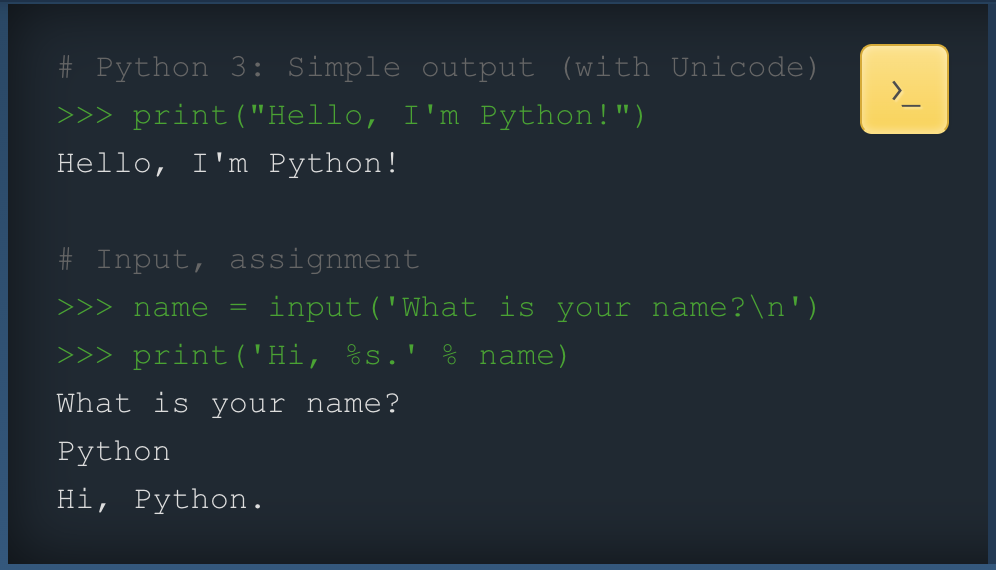
安装包下载的页面路径是:官网>>> Downloads>>> macOS
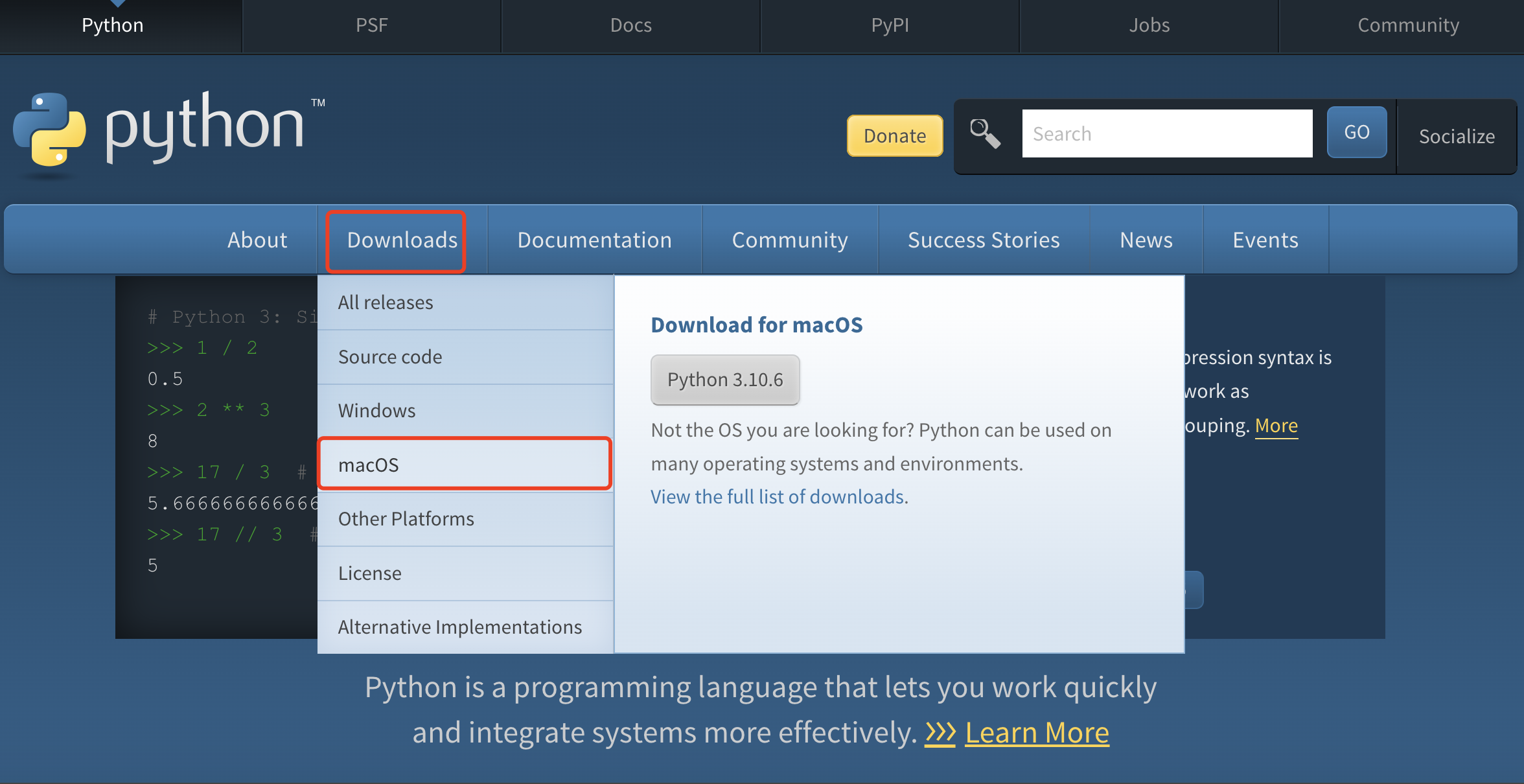
其他平台根据请自己的实际情况选择
安装包下载的页面路径也可以是:官网>>> Downloads(点击)

进入到版本选择页面

最上面是最新的 Release 版本,分别是2.x的最新版本和3.x的最新版。
可以下载最新的 Release 版本进行安装,也可以通过搜索选择自己想要的版本进行安装。
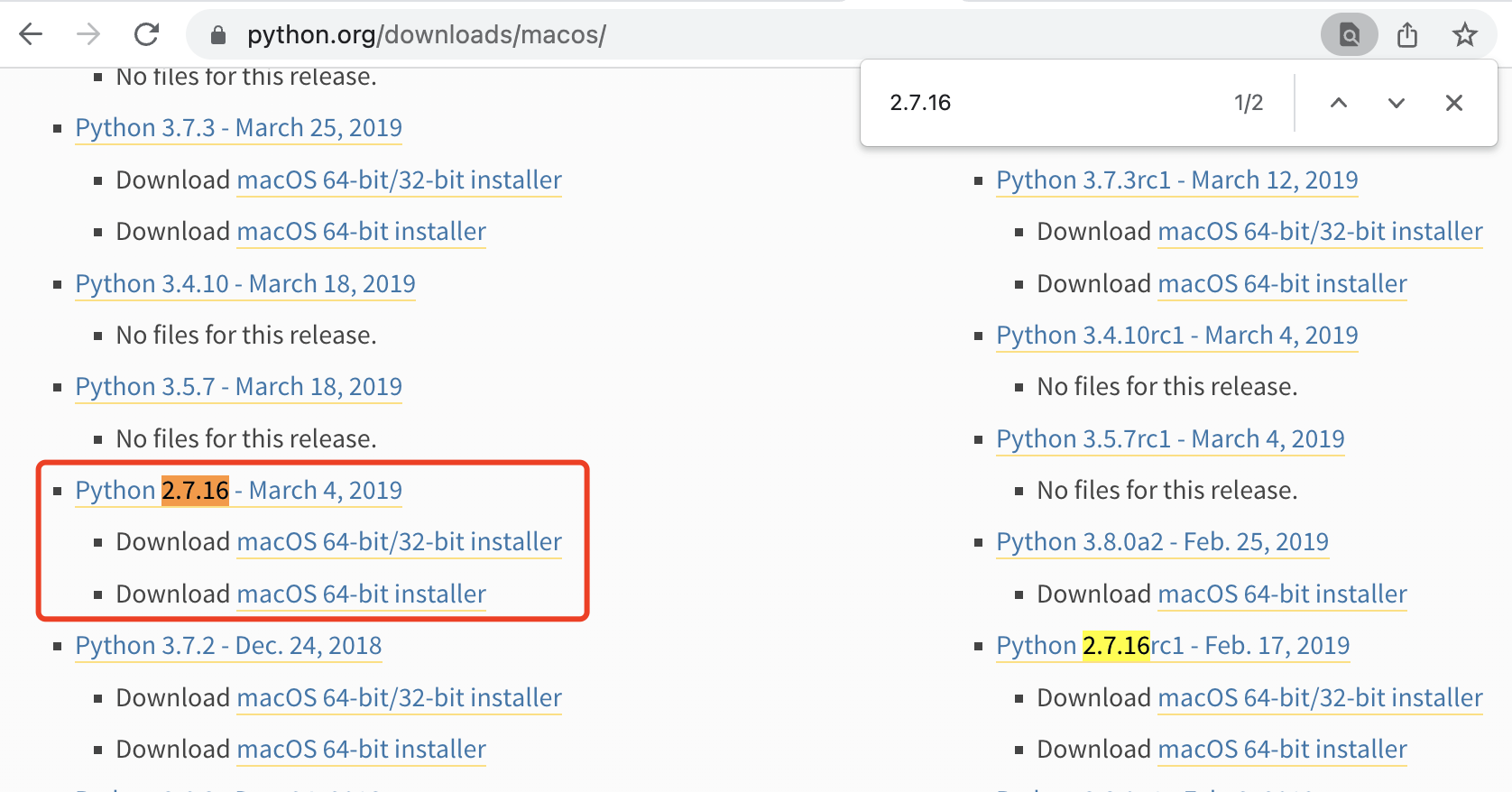
通过搜索找到「2.7.16」
通过搜索找到「3.9.9」
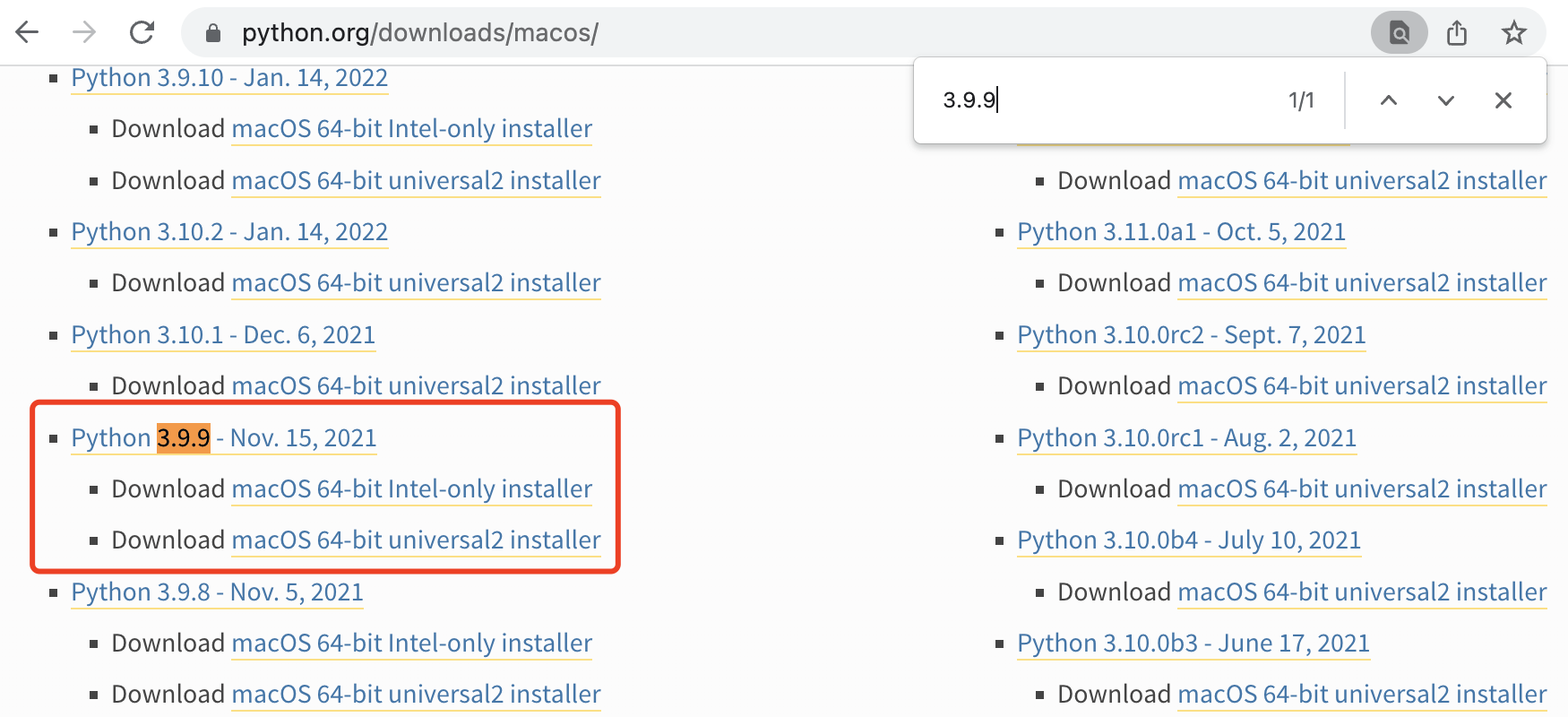
强烈推荐下载最新的 Release 版进行安装
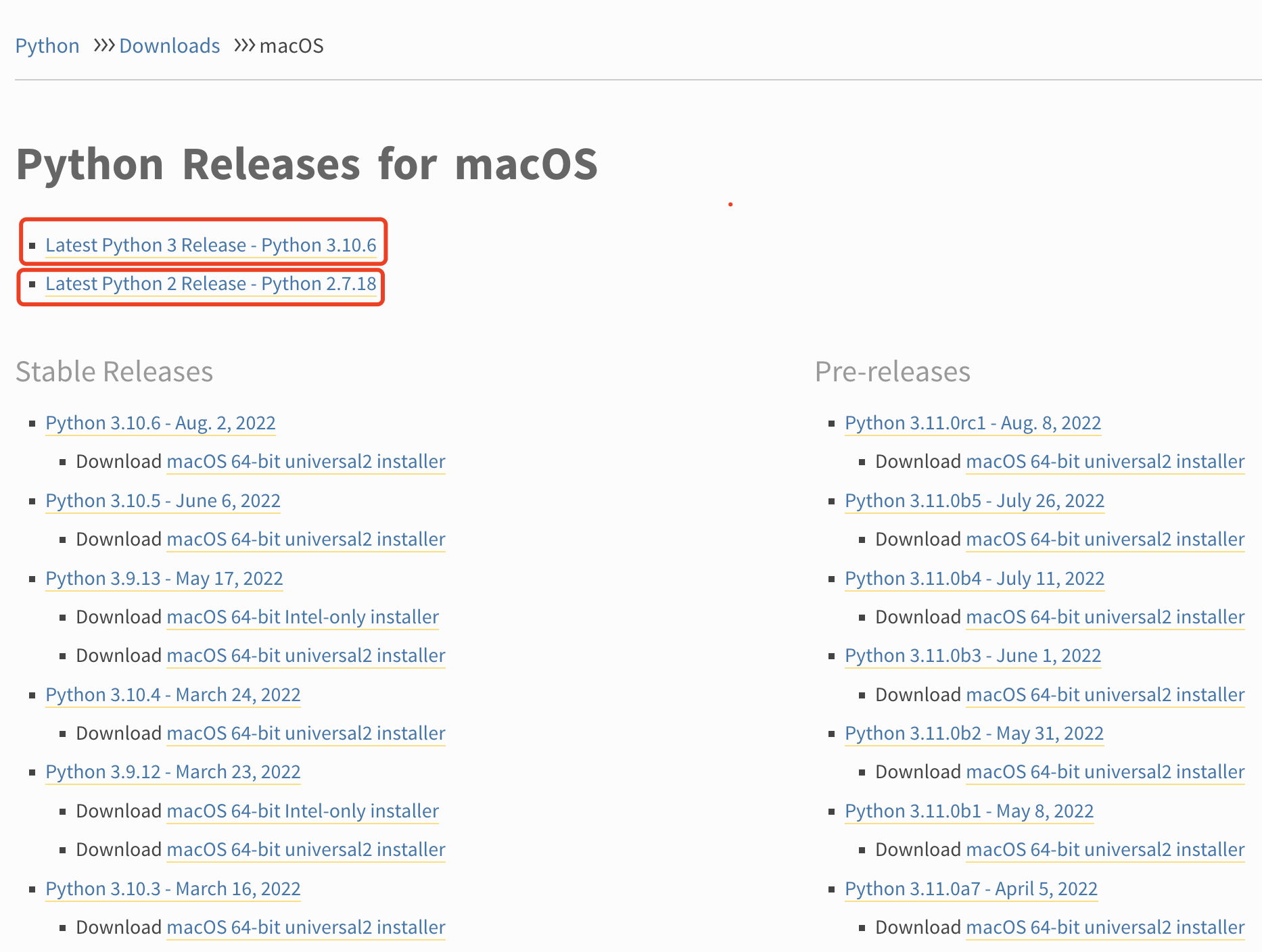
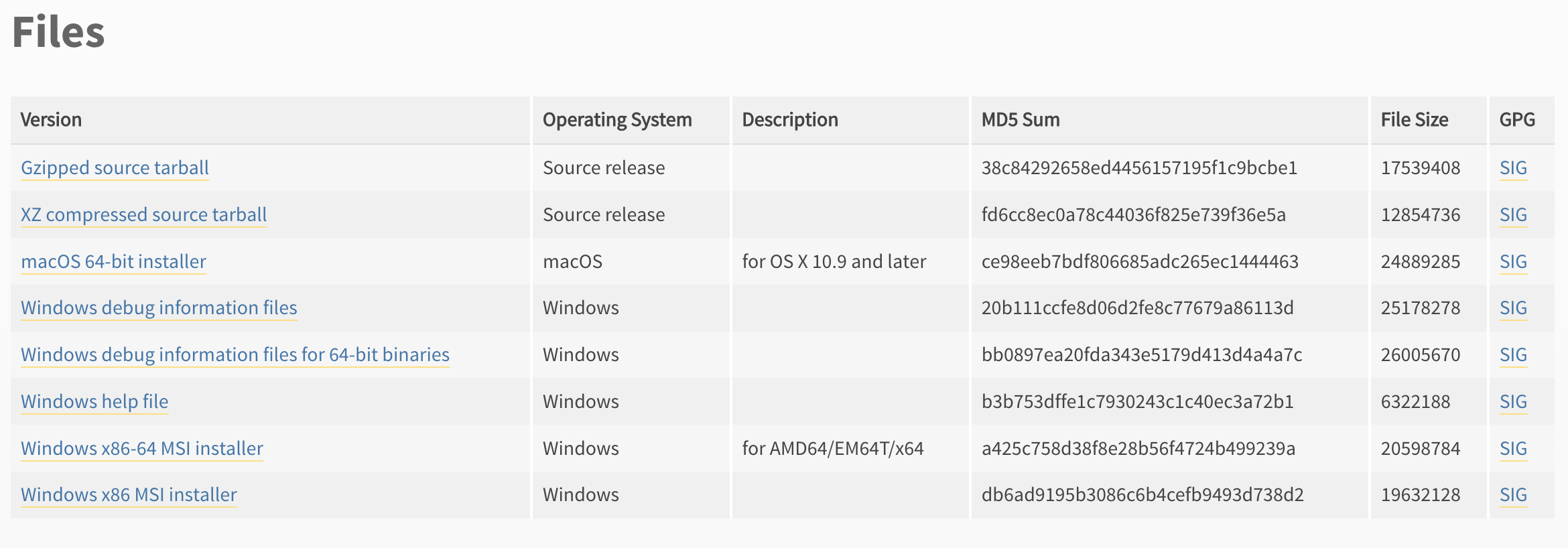
点击对应的链接分别下载即可(下载的过程中注意操作系统的架构和位数)。
👆下载「2.7.18」
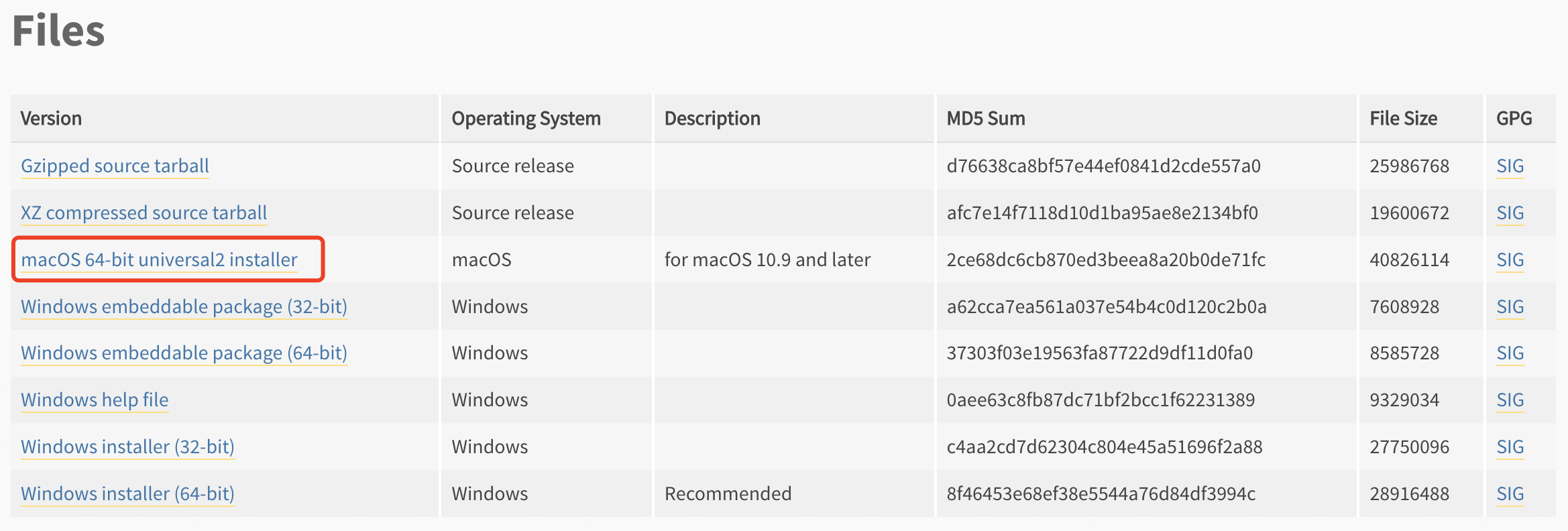
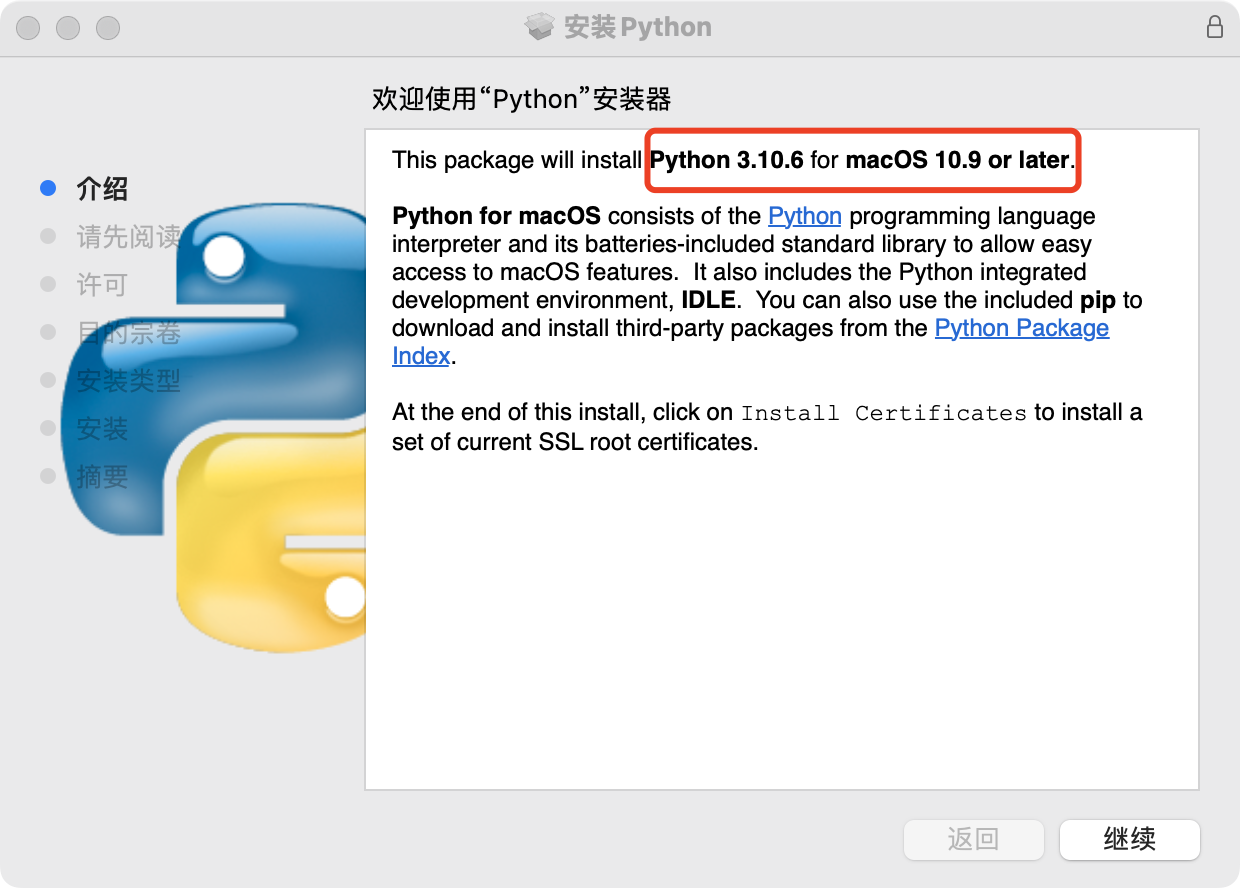
👆下载「3.10.6」

👆下载好的安装包
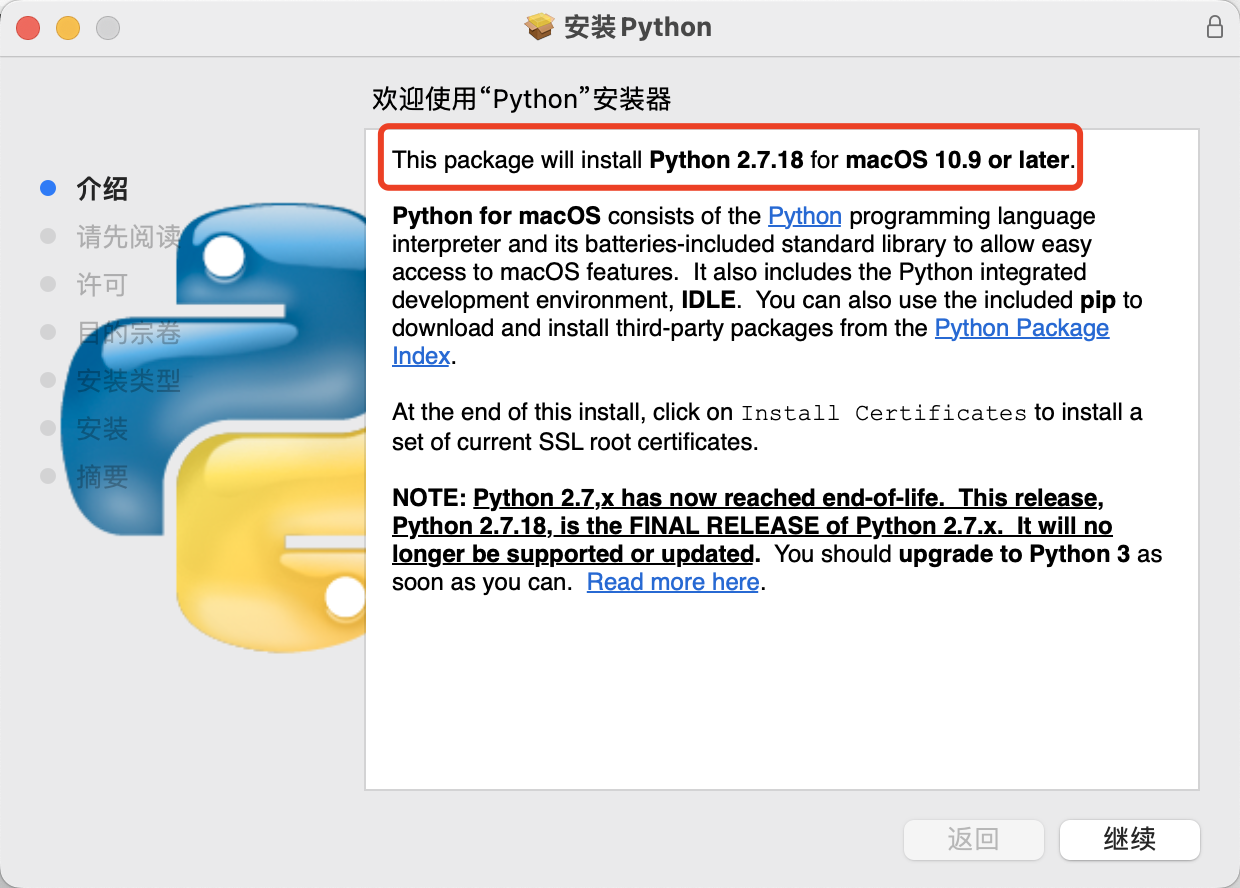
使用下载好的安装包一直「下一步」即可安装对应版本的 python。
$ python -V
Python 2.7.18
$ python -h
usage: /Library/Frameworks/Python.framework/Versions/2.7/Resources/Python.app/Contents/MacOS/Python [option] ... [-c cmd | -m mod | file | -] [arg] ...
Options and arguments (and corresponding environment variables):
-b     : issue warnings about comparing bytearray with unicode
         (-bb: issue errors)
-B     : don't write .py[co] files on import; also PYTHONDONTWRITEBYTECODE=x
-c cmd : program passed in as string (terminates option list)
-d     : debug output from parser; also PYTHONDEBUG=x
-E     : ignore PYTHON* environment variables (such as PYTHONPATH)
-h     : print this help message and exit (also --help)
-i     : inspect interactively after running script; forces a prompt even
         if stdin does not appear to be a terminal; also PYTHONINSPECT=x
-m mod : run library module as a script (terminates option list)
-O     : optimize generated bytecode slightly; also PYTHONOPTIMIZE=x
-OO    : remove doc-strings in addition to the -O optimizations
-R     : use a pseudo-random salt to make hash() values of various types be
         unpredictable between separate invocations of the interpreter, as
         a defense against denial-of-service attacks
-Q arg : division options: -Qold (default), -Qwarn, -Qwarnall, -Qnew
-s     : don't add user site directory to sys.path; also PYTHONNOUSERSITE
-S     : don't imply 'import site' on initialization
-t     : issue warnings about inconsistent tab usage (-tt: issue errors)
-u     : unbuffered binary stdout and stderr; also PYTHONUNBUFFERED=x
         see man page for details on internal buffering relating to '-u'
-v     : verbose (trace import statements); also PYTHONVERBOSE=x
         can be supplied multiple times to increase verbosity
-V     : print the Python version number and exit (also --version)
-W arg : warning control; arg is action:message:category:module:lineno
         also PYTHONWARNINGS=arg
-x     : skip first line of source, allowing use of non-Unix forms of #!cmd
-3     : warn about Python 3.x incompatibilities that 2to3 cannot trivially fix
file   : program read from script file
-      : program read from stdin (default; interactive mode if a tty)
arg ...: arguments passed to program in sys.argv[1:]

Other environment variables:
PYTHONSTARTUP: file executed on interactive startup (no default)
PYTHONPATH   : ':'-separated list of directories prefixed to the
               default module search path.  The result is sys.path.
PYTHONHOME   : alternate <prefix> directory (or <prefix>:<exec_prefix>).
               The default module search path uses <prefix>/pythonX.X.
PYTHONCASEOK : ignore case in 'import' statements (Windows).
PYTHONIOENCODING: Encoding[:errors] used for stdin/stdout/stderr.
PYTHONHASHSEED: if this variable is set to 'random', the effect is the same
   as specifying the -R option: a random value is used to seed the hashes of
   str, bytes and datetime objects.  It can also be set to an integer
   in the range [0,4294967295] to get hash values with a predictable seed.
$ python3 -V
Python 3.10.6
$ python3 -h
usage: /Library/Frameworks/Python.framework/Versions/3.10/bin/python3 [option] ... [-c cmd | -m mod | file | -] [arg] ...
Options and arguments (and corresponding environment variables):
-b     : issue warnings about str(bytes_instance), str(bytearray_instance)
         and comparing bytes/bytearray with str. (-bb: issue errors)
-B     : don't write .pyc files on import; also PYTHONDONTWRITEBYTECODE=x
-c cmd : program passed in as string (terminates option list)
-d     : turn on parser debugging output (for experts only, only works on
         debug builds); also PYTHONDEBUG=x
-E     : ignore PYTHON* environment variables (such as PYTHONPATH)
-h     : print this help message and exit (also -? or --help)
-i     : inspect interactively after running script; forces a prompt even
         if stdin does not appear to be a terminal; also PYTHONINSPECT=x
-I     : isolate Python from the user's environment (implies -E and -s)
-m mod : run library module as a script (terminates option list)
-O     : remove assert and __debug__-dependent statements; add .opt-1 before
         .pyc extension; also PYTHONOPTIMIZE=x
-OO    : do -O changes and also discard docstrings; add .opt-2 before
         .pyc extension
-q     : don't print version and copyright messages on interactive startup
-s     : don't add user site directory to sys.path; also PYTHONNOUSERSITE
-S     : don't imply 'import site' on initialization
-u     : force the stdout and stderr streams to be unbuffered;
         this option has no effect on stdin; also PYTHONUNBUFFERED=x
-v     : verbose (trace import statements); also PYTHONVERBOSE=x
         can be supplied multiple times to increase verbosity
-V     : print the Python version number and exit (also --version)
         when given twice, print more information about the build
-W arg : warning control; arg is action:message:category:module:lineno
         also PYTHONWARNINGS=arg
-x     : skip first line of source, allowing use of non-Unix forms of #!cmd
-X opt : set implementation-specific option. The following options are available:
         -X faulthandler: enable faulthandler
         -X showrefcount: output the total reference count and number of used
             memory blocks when the program finishes or after each statement in the
             interactive interpreter. This only works on debug builds
         -X tracemalloc: start tracing Python memory allocations using the
             tracemalloc module. By default, only the most recent frame is stored in a
             traceback of a trace. Use -X tracemalloc=NFRAME to start tracing with a
             traceback limit of NFRAME frames
         -X importtime: show how long each import takes. It shows module name,
             cumulative time (including nested imports) and self time (excluding
             nested imports). Note that its output may be broken in multi-threaded
             application. Typical usage is python3 -X importtime -c 'import asyncio'
         -X dev: enable CPython's "development mode", introducing additional runtime
             checks which are too expensive to be enabled by default. Effect of the
             developer mode:
                * Add default warning filter, as -W default
                * Install debug hooks on memory allocators: see the PyMem_SetupDebugHooks()
                  C function
                * Enable the faulthandler module to dump the Python traceback on a crash
                * Enable asyncio debug mode
                * Set the dev_mode attribute of sys.flags to True
                * io.IOBase destructor logs close() exceptions
         -X utf8: enable UTF-8 mode for operating system interfaces, overriding the default
             locale-aware mode. -X utf8=0 explicitly disables UTF-8 mode (even when it would
             otherwise activate automatically)
         -X pycache_prefix=PATH: enable writing .pyc files to a parallel tree rooted at the
             given directory instead of to the code tree
         -X warn_default_encoding: enable opt-in EncodingWarning for 'encoding=None'
--check-hash-based-pycs always|default|never:
    control how Python invalidates hash-based .pyc files
file   : program read from script file
-      : program read from stdin (default; interactive mode if a tty)
arg ...: arguments passed to program in sys.argv[1:]

Other environment variables:
PYTHONSTARTUP: file executed on interactive startup (no default)
PYTHONPATH   : ':'-separated list of directories prefixed to the
               default module search path.  The result is sys.path.
PYTHONHOME   : alternate <prefix> directory (or <prefix>:<exec_prefix>).
               The default module search path uses <prefix>/lib/pythonX.X.
PYTHONPLATLIBDIR : override sys.platlibdir.
PYTHONCASEOK : ignore case in 'import' statements (Windows).
PYTHONUTF8: if set to 1, enable the UTF-8 mode.
PYTHONIOENCODING: Encoding[:errors] used for stdin/stdout/stderr.
PYTHONFAULTHANDLER: dump the Python traceback on fatal errors.
PYTHONHASHSEED: if this variable is set to 'random', a random value is used
   to seed the hashes of str and bytes objects.  It can also be set to an
   integer in the range [0,4294967295] to get hash values with a
   predictable seed.
PYTHONMALLOC: set the Python memory allocators and/or install debug hooks
   on Python memory allocators. Use PYTHONMALLOC=debug to install debug
   hooks.
PYTHONCOERCECLOCALE: if this variable is set to 0, it disables the locale
   coercion behavior. Use PYTHONCOERCECLOCALE=warn to request display of
   locale coercion and locale compatibility warnings on stderr.
PYTHONBREAKPOINT: if this variable is set to 0, it disables the default
   debugger. It can be set to the callable of your debugger of choice.
PYTHONDEVMODE: enable the development mode.
PYTHONPYCACHEPREFIX: root directory for bytecode cache (pyc) files.
PYTHONWARNDEFAULTENCODING: enable opt-in EncodingWarning for 'encoding=None'.
除了使用python、python3命令来调用对应版本的 python 外,还可以使用如下的命令来调用对应版本的 python。
$ python2 -V
Python 2.7.18
$ python2.7 -V
Python 2.7.18
$ python3.10 -V
Python 3.10.6
这些都可以可以在 /usr/local/bin 这个目录下看到相关命令对应的「软连接」。
$ pwd
/usr/local/bin
$ ls -l | grep python
python -> ../../../Library/Frameworks/Python.framework/Versions/2.7/bin/python
python-config -> ../../../Library/Frameworks/Python.framework/Versions/2.7/bin/python-config
python2 -> ../../../Library/Frameworks/Python.framework/Versions/2.7/bin/python2
python2-config -> ../../../Library/Frameworks/Python.framework/Versions/2.7/bin/python2-config
python2.7 -> ../../../Library/Frameworks/Python.framework/Versions/2.7/bin/python2.7
python2.7-config -> ../../../Library/Frameworks/Python.framework/Versions/2.7/bin/python2.7-config
python3 -> ../../../Library/Frameworks/Python.framework/Versions/3.10/bin/python3
python3-config -> ../../../Library/Frameworks/Python.framework/Versions/3.10/bin/python3-config
python3-intel64 -> ../../../Library/Frameworks/Python.framework/Versions/3.10/bin/python3-intel64
python3.10 -> ../../../Library/Frameworks/Python.framework/Versions/3.10/bin/python3.10
python3.10-config -> ../../../Library/Frameworks/Python.framework/Versions/3.10/bin/python3.10-config
python3.10-intel64 -> ../../../Library/Frameworks/Python.framework/Versions/3.10/bin/python3.10-intel64
pythonw -> ../../../Library/Frameworks/Python.framework/Versions/2.7/bin/pythonw
pythonw2 -> ../../../Library/Frameworks/Python.framework/Versions/2.7/bin/pythonw2
pythonw2.7 -> ../../../Library/Frameworks/Python.framework/Versions/2.7/bin/pythonw2.7
PS:python2和python3的兼容性一直被广大开发者诟病。
关闭。这个问题是opinion-based.它目前不接受答案。想要改进这个问题?更新问题,以便editingthispost可以用事实和引用来回答它.关闭4年前。Improvethisquestion我想在固定时间创建一系列低音和高音调的哔哔声。例如:在150毫秒时发出高音调的蜂鸣声在151毫秒时发出低音调的蜂鸣声200毫秒时发出低音调的蜂鸣声250毫秒的高音调蜂鸣声有没有办法在Ruby或Python中做到这一点?我真的不在乎输出编码是什么(.wav、.mp3、.ogg等等),但我确实想创建一个输出文件。
我想为Heroku构建一个Rails3应用程序。他们使用Postgres作为他们的数据库,所以我通过MacPorts安装了postgres9.0。现在我需要一个postgresgem并且共识是出于性能原因你想要pggem。但是我对我得到的错误感到非常困惑当我尝试在rvm下通过geminstall安装pg时。我已经非常明确地指定了所有postgres目录的位置可以找到但仍然无法完成安装:$envARCHFLAGS='-archx86_64'geminstallpg--\--with-pg-config=/opt/local/var/db/postgresql90/defaultdb/po
我打算为ruby脚本创建一个安装程序,但我希望能够确保机器安装了RVM。有没有一种方法可以完全离线安装RVM并且不引人注目(通过不引人注目,就像创建一个可以做所有事情的脚本而不是要求用户向他们的bash_profile或bashrc添加一些东西)我不是要脚本本身,只是一个关于如何走这条路的快速指针(如果可能的话)。我们还研究了这个很有帮助的问题:RVM-isthereawayforsimpleofflineinstall?但有点误导,因为答案只向我们展示了如何离线在RVM中安装ruby。我们需要能够离线安装RVM本身,并查看脚本https://raw.github.com/wayn
我有一个奇怪的问题:我在rvm上安装了rubyonrails。一切正常,我可以创建项目。但是在我输入“railsnew”时重新启动后,我有“程序'rails'当前未安装。”。SystemUbuntu12.04ruby-v"1.9.3p194"gemlistactionmailer(3.2.5)actionpack(3.2.5)activemodel(3.2.5)activerecord(3.2.5)activeresource(3.2.5)activesupport(3.2.5)arel(3.0.2)builder(3.0.0)bundler(1.1.4)coffee-rails(
我刚刚为fedora安装了emacs。我想用emacs编写ruby。为ruby提供代码提示、代码完成类型功能所需的工具、扩展是什么? 最佳答案 ruby-mode已经包含在Emacs23之后的版本中。不过,它也可以通过ELPA获得。您可能感兴趣的其他一些事情是集成RVM、feature-mode(Cucumber)、rspec-mode、ruby-electric、inf-ruby、rinari(用于Rails)等。这是我当前用于Ruby开发的Emacs配置:https://github.com/citizen428/emacs
我正在尝试在我的centos服务器上安装therubyracer,但遇到了麻烦。$geminstalltherubyracerBuildingnativeextensions.Thiscouldtakeawhile...ERROR:Errorinstallingtherubyracer:ERROR:Failedtobuildgemnativeextension./usr/local/rvm/rubies/ruby-1.9.3-p125/bin/rubyextconf.rbcheckingformain()in-lpthread...yescheckingforv8.h...no***e
我的最终目标是安装当前版本的RubyonRails。我在OSXMountainLion上运行。到目前为止,这是我的过程:已安装的RVM$\curl-Lhttps://get.rvm.io|bash-sstable检查已知(我假设已批准)安装$rvmlistknown我看到当前的稳定版本可用[ruby-]2.0.0[-p247]输入命令安装$rvminstall2.0.0-p247注意:我也试过这些安装命令$rvminstallruby-2.0.0-p247$rvminstallruby=2.0.0-p247我很快就无处可去了。结果:$rvminstall2.0.0-p247Search
我实际上是在尝试使用RVM在我的OSX10.7.5上更新ruby,并在输入以下命令后:rvminstallruby我得到了以下回复:Searchingforbinaryrubies,thismighttakesometime.Checkingrequirementsforosx.Installingrequirementsforosx.Updatingsystem.......Errorrunning'requirements_osx_brew_update_systemruby-2.0.0-p247',pleaseread/Users/username/.rvm/log/138121
由于fast-stemmer的问题,我很难安装我想要的任何rubygem。我把我得到的错误放在下面。Buildingnativeextensions.Thiscouldtakeawhile...ERROR:Errorinstallingfast-stemmer:ERROR:Failedtobuildgemnativeextension./System/Library/Frameworks/Ruby.framework/Versions/2.0/usr/bin/rubyextconf.rbcreatingMakefilemake"DESTDIR="cleanmake"DESTDIR=
当我尝试安装Ruby时遇到此错误。我试过查看this和this但无济于事➜~brewinstallrubyWarning:YouareusingOSX10.12.Wedonotprovidesupportforthispre-releaseversion.Youmayencounterbuildfailuresorotherbreakages.Pleasecreatepull-requestsinsteadoffilingissues.==>Installingdependenciesforruby:readline,libyaml,makedepend==>Installingrub
