视频链接:HuggingFace简明教程,BERT中文模型实战示例.NLP预训练模型,Transformers类库,datasets类库快速入门._哔哩哔哩_bilibili
什么是huggingface?huggingface是一个开源社区,它提供了先进的NLP模型,数据集,以及其他便利的工具。
数据集:Hugging Face – The AI community building the future.
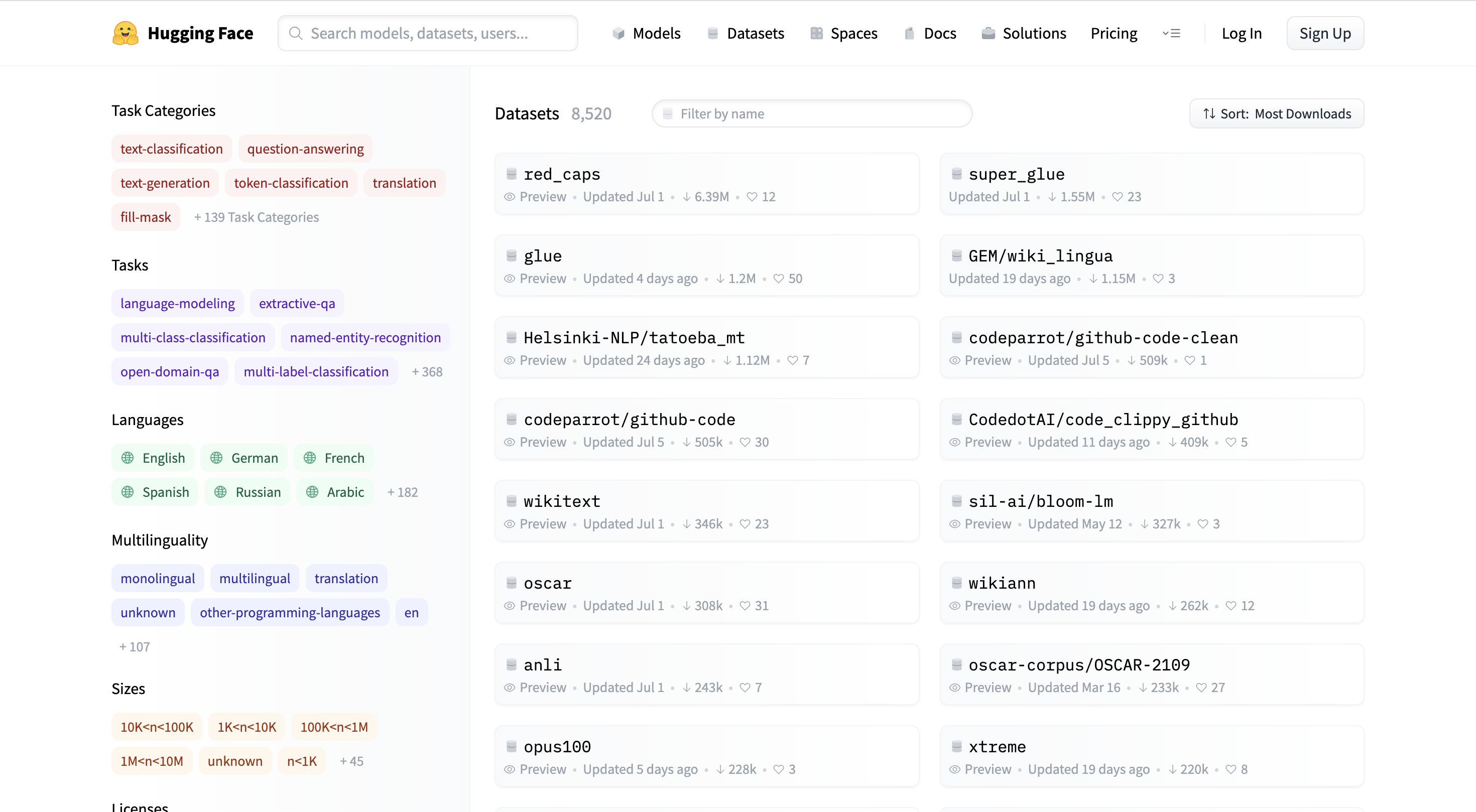
这些数据集可以根据任务、语言等来分类
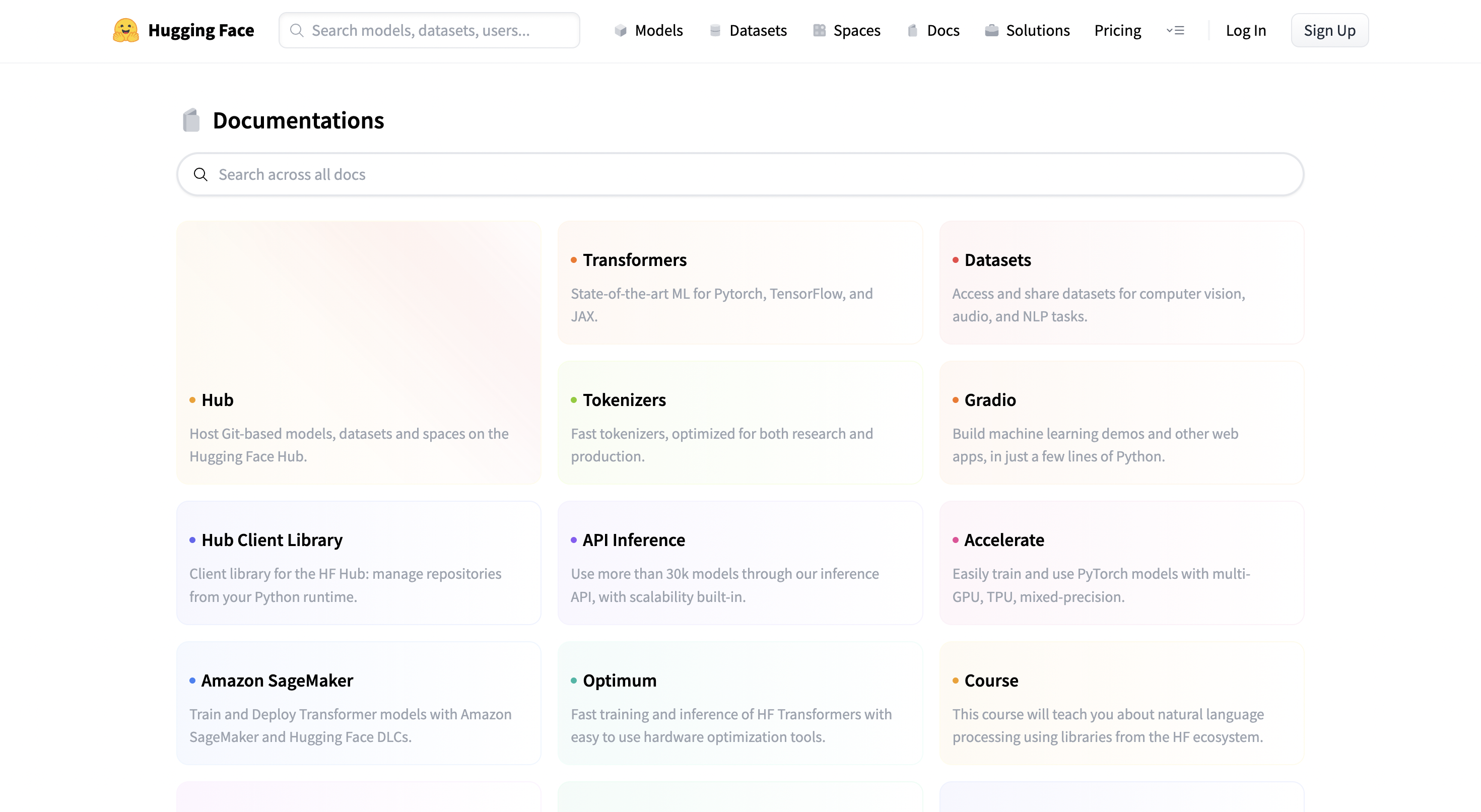
官方文档: Hugging Face - Documentation
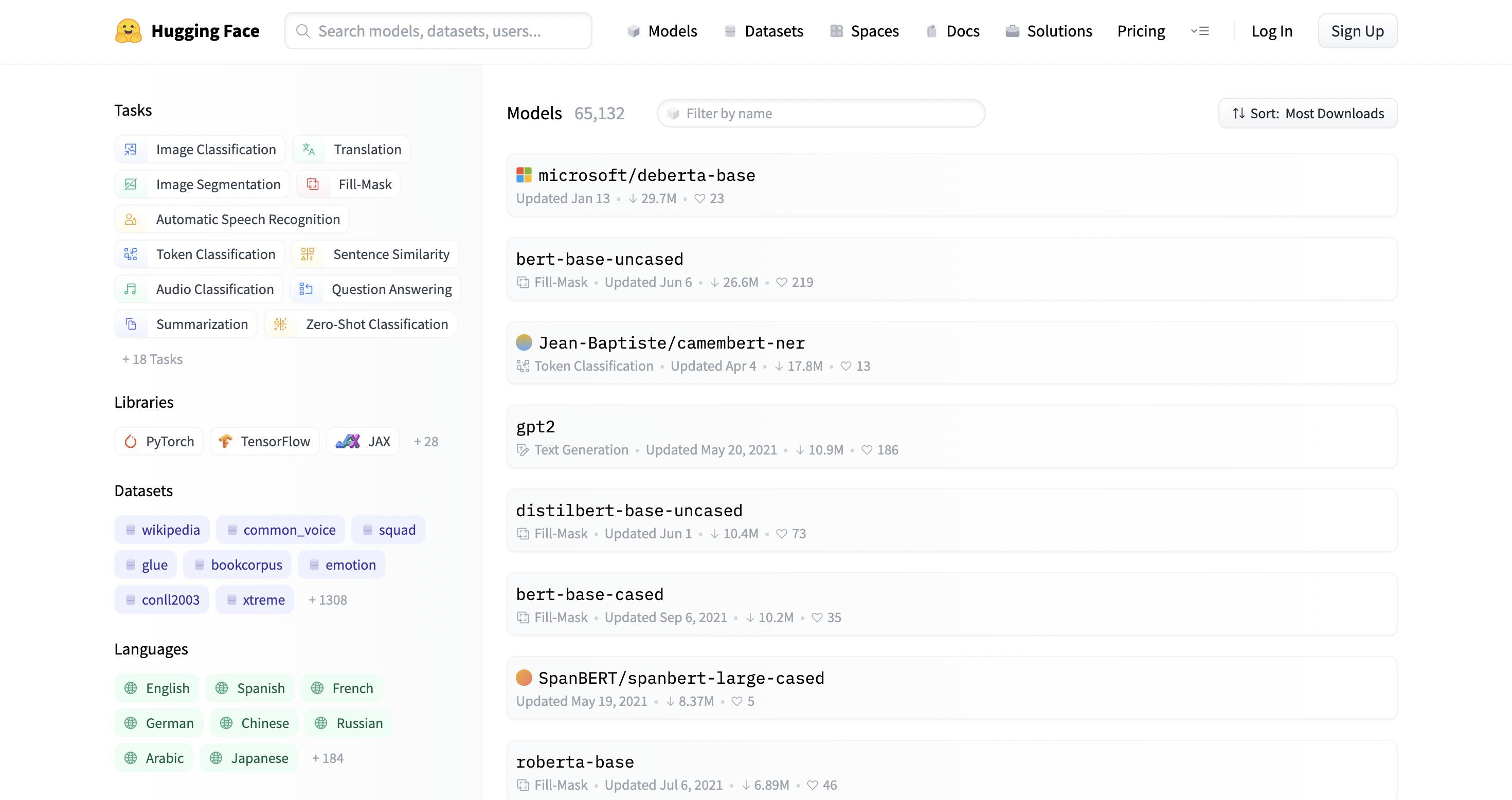
主要的模型:
自回归:GPT2、Transformer-XL、XLNet
自编码:BERT、ALBERT、RoBERTa、ELECTRA
Seq2Seq:BART、Pegasus、T5
安装环境:
前置环境:python、pytorch安装
安装transformers、datasets包:
#安装transformers
#pip安装
pip install transformers

#conda安装
conda install -c huggingface transformers

#安装datasets
#pip安装
pip install datasets

#conda安装
conda install -c huggingface -c conda-forge datasets
推荐使用pip进行安装
在加载tokenizer的时候要传一个name,这个name与模型的name相一致,所以一个模型对应一个tokenizer
from transformers import BertTokenizer

#加载预训练字典和分词方法
tokenizer = BertTokenizer.from_pretrained(
    pretrained_model_name_or_path='bert-base-chinese',
    cache_dir=None,
    force_download=False,
)

sents = [
    '选择珠江花园的原因就是方便。',
    '笔记本的键盘确实爽。',
    '房间太小。其他的都一般。',
    '今天才知道这书还有第6卷,真有点郁闷.',
    '机器背面似乎被撕了张什么标签,残胶还在。',
]

tokenizer, sents一次编码两个句子,text_pair是可以不传的,如果不传的话就是一次编码一个句子
#编码两个句子
out = tokenizer.encode(
    text=sents[0],
    text_pair=sents[1],

    #当句子长度大于max_length时,截断
    truncation=True,

    #一律补pad到max_length长度
    padding='max_length',
    add_special_tokens=True,
    max_length=30,
    return_tensors=None,# 默认返回list
)

print(out)

tokenizer.decode(out)#增强的编码函数
out = tokenizer.encode_plus(
text=sents[0],
text_pair=sents[1],
#当句子长度大于max_length时,截断
truncation=True,
#一律补零到max_length长度
padding='max_length',
max_length=30,
add_special_tokens=True,
#可取值tf,pt,np,默认为返回list
return_tensors=None,
#返回token_type_ids
return_token_type_ids=True,
#返回attention_mask
return_attention_mask=True,
#返回special_tokens_mask 特殊符号标识
return_special_tokens_mask=True,
#返回offset_mapping 标识每个词的起止位置,这个参数只能BertTokenizerFast使用
#return_offsets_mapping=True,
#返回length 标识长度
return_length=True,
)
增强编码的结果:
#input_ids 就是编码后的词
#token_type_ids 第一个句子和特殊符号的位置是0,第二个句子的位置是1
#special_tokens_mask 特殊符号的位置是1,其他位置是0
#attention_mask pad的位置是0,其他位置是1
#length 返回句子长度
for k, v in out.items():
    print(k, ':', v)

tokenizer.decode(out['input_ids']) 
上述方式是一次编码一个或者一对句子,但是实际操作中需要批量编码句子。这里编码的是一个一个的句子,而不是一对一对的句子
#批量编码句子
out = tokenizer.batch_encode_plus(
    batch_text_or_text_pairs=[sents[0], sents[1]],
    add_special_tokens=True,

    #当句子长度大于max_length时,截断
    truncation=True,

    #一律补零到max_length长度
    padding='max_length',
    max_length=15,

    #可取值tf,pt,np,默认为返回list
    return_tensors=None,

    #返回token_type_ids
    return_token_type_ids=True,

    #返回attention_mask
    return_attention_mask=True,

    #返回special_tokens_mask 特殊符号标识
    return_special_tokens_mask=True,

    #返回offset_mapping 标识每个词的起止位置,这个参数只能BertTokenizerFast使用
    #return_offsets_mapping=True,

    #返回length 标识长度
    return_length=True,
)
批量编码的结果:
#input_ids 就是编码后的词
#token_type_ids 第一个句子和特殊符号的位置是0,第二个句子的位置是1
#special_tokens_mask 特殊符号的位置是1,其他位置是0
#attention_mask pad的位置是0,其他位置是1
#length 返回句子长度
for k, v in out.items():
    print(k, ':', v)

tokenizer.decode(out['input_ids'][0]), tokenizer.decode(out['input_ids'][1])
传入的list中是一个一个的tuple,tuple中是一对句子
#批量编码成对的句子
out = tokenizer.batch_encode_plus(
    batch_text_or_text_pairs=[(sents[0], sents[1]), (sents[2], sents[3])],
    add_special_tokens=True,

    #当句子长度大于max_length时,截断
    truncation=True,

    #一律补零到max_length长度
    padding='max_length',
    max_length=30,

    #可取值tf,pt,np,默认为返回list
    return_tensors=None,

    #返回token_type_ids
    return_token_type_ids=True,

    #返回attention_mask
    return_attention_mask=True,

    #返回special_tokens_mask 特殊符号标识
    return_special_tokens_mask=True,

    #返回offset_mapping 标识每个词的起止位置,这个参数只能BertTokenizerFast使用
    #return_offsets_mapping=True,

    #返回length 标识长度
    return_length=True,
)
批量成对编码结果:
#input_ids 就是编码后的词
#token_type_ids 第一个句子和特殊符号的位置是0,第二个句子的位置是1
#special_tokens_mask 特殊符号的位置是1,其他位置是0
#attention_mask pad的位置是0,其他位置是1
#length 返回句子长度
for k, v in out.items():
print(k, ':', v)
tokenizer.decode(out['input_ids'][0]) 字典操作
字典操作操作tokenizer中的字典,当前的字典以一个字为一个词
#获取字典
zidian = tokenizer.get_vocab()

type(zidian), len(zidian), '月光' in zidian, 
#添加新词
tokenizer.add_tokens(new_tokens=['月光', '希望'])

#添加新符号
tokenizer.add_special_tokens({'eos_token': '[EOS]'})

zidian = tokenizer.get_vocab()

type(zidian), len(zidian), zidian['月光'], zidian['[EOS]']
编码新词:
#编码新添加的词
out = tokenizer.encode(
    text='月光的新希望[EOS]',
    text_pair=None,

    #当句子长度大于max_length时,截断
    truncation=True,

    #一律补pad到max_length长度
    padding='max_length',
    add_special_tokens=True,
    max_length=8,
    return_tensors=None,
)

print(out)

tokenizer.decode(out)以情感分类数据集为例
from datasets import load_dataset

#加载数据
dataset = load_dataset(path='seamew/ChnSentiCorp')

dataset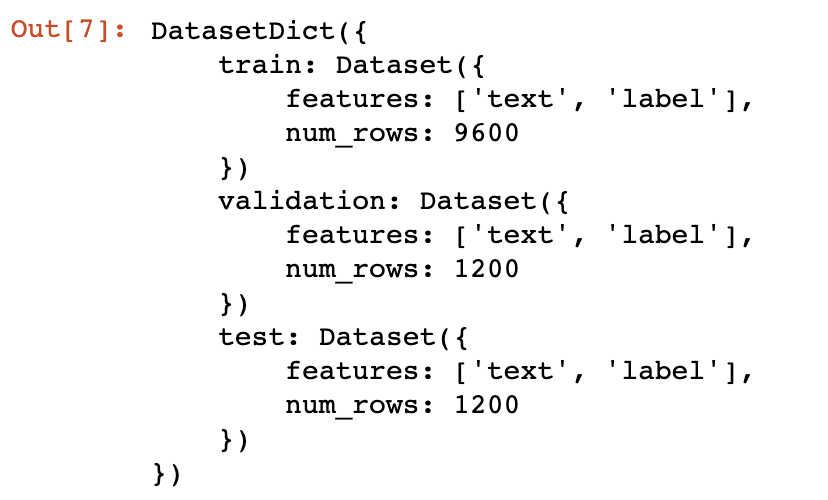
#查看一个数据
dataset[0] 排序和打乱
排序和打乱#sort
#未排序的label是乱序的
print(dataset['label'][:10])
#排序之后label有序了
sorted_dataset = dataset.sort('label')
print(sorted_dataset['label'][:10])
print(sorted_dataset['label'][-10:])
#shuffle

#打乱顺序
shuffled_dataset = sorted_dataset.shuffle(seed=42)

shuffled_dataset['label'][:10]
#select
dataset.select([0, 10, 20, 30, 40, 50]) 
#filter
def f(data):
    return data['text'].startswith('选择')


start_with_ar = dataset.filter(f)

len(start_with_ar), start_with_ar['text']
#train_test_split, 切分训练集和测试集
dataset.train_test_split(test_size=0.1)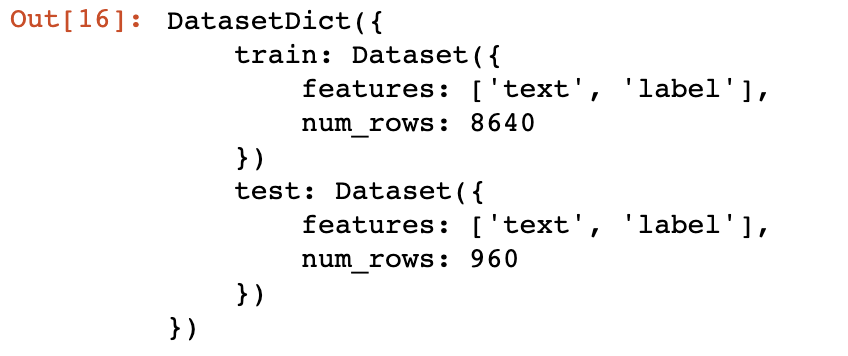
#shard
#把数据切分到4个桶中,均匀分配
dataset.shard(num_shards=4, index=0)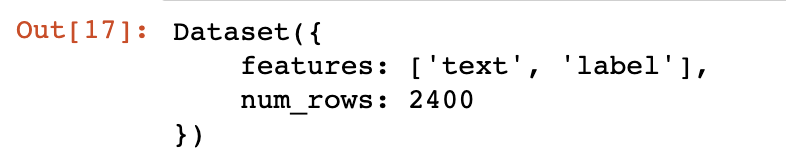
#rename_column
dataset.rename_column('text', 'textA')
#remove_columns
dataset.remove_columns(['text'])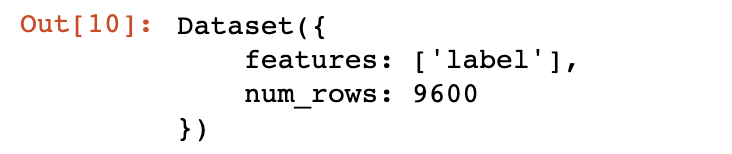
#set_format
dataset.set_format(type='torch', columns=['label'])

dataset[0]
对数据集中的每一条数据都做函数f操作
#map
def f(data):
    data['text'] = 'My sentence: ' + data['text']
    return data


datatset_map = dataset.map(f)

datatset_map['text'][:5]
#保存数据集到磁盘
dataset.save_to_disk(dataset_dict_path='./data/ChnSentiCorp')

#从磁盘加载数据
from datasets import load_from_disk

dataset = load_from_disk('./data/ChnSentiCorp')
导出和保存为其他格式
#导出为csv格式
dataset = load_dataset(path='seamew/ChnSentiCorp', split='train')
dataset.to_csv(path_or_buf='./data/ChnSentiCorp.csv')

#加载csv格式数据
csv_dataset = load_dataset(path='csv',
                           data_files='./data/ChnSentiCorp.csv',
                           split='train')

#导出为json格式
dataset = load_dataset(path='seamew/ChnSentiCorp', split='train')
dataset.to_json(path_or_buf='./data/ChnSentiCorp.json')

#加载json格式数据
json_dataset = load_dataset(path='json',
                            data_files='./data/ChnSentiCorp.json',
                            split='train')
from datasets import list_metrics

#列出评价指标
metrics_list = list_metrics()

len(metrics_list), metrics_list可以按照评价指标的说明文档中的示例代码来使用该指标
from datasets import load_metric

#加载一个评价指标
metric = load_metric('glue', 'mrpc')

print(metric.inputs_description)#计算一个评价指标
predictions = [0, 1, 0]
references = [0, 1, 1]
final_score = metric.compute(predictions=predictions, references=references)
final_score
pipeline提供了一些不需要训练就可以执行一些nlp任务的模型,实用价值不高
from transformers import pipeline

#文本分类
classifier = pipeline("sentiment-analysis")

result = classifier("I hate you")[0]
print(result)

result = classifier("I love you")[0]
print(result)from transformers import pipeline
#阅读理解
question_answerer = pipeline("question-answering")
context = r"""
Extractive Question Answering is the task of extracting an answer from a text given a question. An example of a
question answering dataset is the SQuAD dataset, which is entirely based on that task. If you would like to fine-tune
a model on a SQuAD task, you may leverage the examples/pytorch/question-answering/run_squad.py script.
"""
result = question_answerer(question="What is extractive question answering?",
context=context)
print(result)
result = question_answerer(
question="What is a good example of a question answering dataset?",
context=context)
print(result)from transformers import pipeline
#完形填空
unmasker = pipeline("fill-mask")
from pprint import pprint
sentence = 'HuggingFace is creating a <mask> that the community uses to solve NLP tasks.'
unmasker(sentence)from transformers import pipeline
#文本生成
text_generator = pipeline("text-generation")
text_generator("As far as I am concerned, I will",
max_length=50,
do_sample=False)from transformers import pipeline
#命名实体识别
ner_pipe = pipeline("ner")
sequence = """Hugging Face Inc. is a company based in New York City. Its headquarters are in DUMBO,
therefore very close to the Manhattan Bridge which is visible from the window."""
for entity in ner_pipe(sequence):
print(entity)from transformers import pipeline
#文本总结
summarizer = pipeline("summarization")
ARTICLE = """ New York (CNN)When Liana Barrientos was 23 years old, she got married in Westchester County, New York.
A year later, she got married again in Westchester County, but to a different man and without divorcing her first husband.
Only 18 days after that marriage, she got hitched yet again. Then, Barrientos declared "I do" five more times, sometimes only within two weeks of each other.
In 2010, she married once more, this time in the Bronx. In an application for a marriage license, she stated it was her "first and only" marriage.
Barrientos, now 39, is facing two criminal counts of "offering a false instrument for filing in the first degree," referring to her false statements on the
2010 marriage license application, according to court documents.
Prosecutors said the marriages were part of an immigration scam.
On Friday, she pleaded not guilty at State Supreme Court in the Bronx, according to her attorney, Christopher Wright, who declined to comment further.
After leaving court, Barrientos was arrested and charged with theft of service and criminal trespass for allegedly sneaking into the New York subway through an emergency exit, said Detective
Annette Markowski, a police spokeswoman. In total, Barrientos has been married 10 times, with nine of her marriages occurring between 1999 and 2002.
All occurred either in Westchester County, Long Island, New Jersey or the Bronx. She is believed to still be married to four men, and at one time, she was married to eight men at once, prosecutors say.
Prosecutors said the immigration scam involved some of her husbands, who filed for permanent residence status shortly after the marriages.
Any divorces happened only after such filings were approved. It was unclear whether any of the men will be prosecuted.
The case was referred to the Bronx District Attorney\'s Office by Immigration and Customs Enforcement and the Department of Homeland Security\'s
Investigation Division. Seven of the men are from so-called "red-flagged" countries, including Egypt, Turkey, Georgia, Pakistan and Mali.
Her eighth husband, Rashid Rajput, was deported in 2006 to his native Pakistan after an investigation by the Joint Terrorism Task Force.
If convicted, Barrientos faces up to four years in prison. Her next court appearance is scheduled for May 18.
"""
summarizer(ARTICLE, max_length=130, min_length=30, do_sample=False)from transformers import pipeline
#翻译
translator = pipeline("translation_en_to_de")
sentence = "Hugging Face is a technology company based in New York and Paris"
translator(sentence, max_length=40)from transformers import AutoTokenizer
#加载分词工具
tokenizer = AutoTokenizer.from_pretrained('bert-base-cased')from datasets import load_dataset
from datasets import load_from_disk
#加载数据集
#从网络加载
#datasets = load_dataset(path='glue', name='sst2')
#从本地磁盘加载数据
datasets = load_from_disk('./data/glue_sst2')
#分词
def f(data):
return tokenizer(
data['sentence'],
padding='max_length',
truncation=True,
max_length=30,
)
datasets = datasets.map(f, batched=True, batch_size=1000, num_proc=4)
#取数据子集,否则数据太多跑不动
dataset_train = datasets['train'].shuffle().select(range(1000))
dataset_test = datasets['validation'].shuffle().select(range(200))
del datasets
dataset_trainfrom transformers import AutoModelForSequenceClassification
#加载模型
model = AutoModelForSequenceClassification.from_pretrained('bert-base-cased',
num_labels=2)
print(sum([i.nelement() for i in model.parameters()]) / 10000) # 查看模型参数数量import numpy as np
from datasets import load_metric
from transformers.trainer_utils import EvalPrediction
#加载评价函数
metric = load_metric('accuracy')
#定义评价函数
def compute_metrics(eval_pred):
logits, labels = eval_pred
logits = logits.argmax(axis=1)
return metric.compute(predictions=logits, references=labels)
#模拟测试输出
eval_pred = EvalPrediction(
predictions=np.array([[0, 1], [2, 3], [4, 5], [6, 7]]),
label_ids=np.array([1, 1, 1, 1]),
)
compute_metrics(eval_pred)from transformers import TrainingArguments, Trainer
#初始化训练参数
args = TrainingArguments(output_dir='./output_dir', evaluation_strategy='epoch')
args.num_train_epochs = 1
args.learning_rate = 1e-4
args.weight_decay = 1e-2
args.per_device_eval_batch_size = 32
args.per_device_train_batch_size = 16
#初始化训练器
trainer = Trainer(
model=model,
args=args,
train_dataset=dataset_train,
eval_dataset=dataset_test,
compute_metrics=compute_metrics,
)
#评价模型
trainer.evaluate()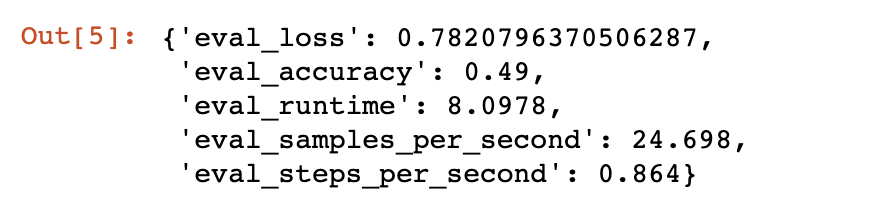
模型未训练前的准确率是0.49
#训练
trainer.train() 
训练一个epoch之后的准确率为0.8
#保存模型
trainer.save_model(output_dir='./output_dir')import torch
def collate_fn(data):
label = [i['label'] for i in data]
input_ids = [i['input_ids'] for i in data]
token_type_ids = [i['token_type_ids'] for i in data]
attention_mask = [i['attention_mask'] for i in data]
label = torch.LongTensor(label)
input_ids = torch.LongTensor(input_ids)
token_type_ids = torch.LongTensor(token_type_ids)
attention_mask = torch.LongTensor(attention_mask)
return label, input_ids, token_type_ids, attention_mask
#数据加载器
loader_test = torch.utils.data.DataLoader(dataset=dataset_test,
batch_size=4,
collate_fn=collate_fn,
shuffle=True,
drop_last=True)
for i, (label, input_ids, token_type_ids,
attention_mask) in enumerate(loader_test):
break
label, input_ids, token_type_ids, attention_maskimport torch
#测试
def test():
#加载参数
model.load_state_dict(torch.load('./output_dir/pytorch_model.bin'))
model.eval()
#运算
out = model(input_ids=input_ids,
token_type_ids=token_type_ids,
attention_mask=attention_mask)
#[4, 2] -> [4]
out = out['logits'].argmax(dim=1)
correct = (out == label).sum().item()
return correct / len(label)
test()
1.postman介绍Postman一款非常流行的API调试工具。其实,开发人员用的更多。因为测试人员做接口测试会有更多选择,例如Jmeter、soapUI等。不过,对于开发过程中去调试接口,Postman确实足够的简单方便,而且功能强大。2.下载安装官网地址:https://www.postman.com/下载完成后双击安装吧,安装过程极其简单,无需任何操作3.使用教程这里以百度为例,工具使用简单,填写URL地址即可发送请求,在下方查看响应结果和响应状态码常用方法都有支持请求方法:getpostputdeleteGet、Post、Put与Delete的作用get:请求方法一般是用于数据查询,
在VMware16.2.4安装Ubuntu一、安装VMware1.打开VMwareWorkstationPro官网,点击即可进入。2.进入后向下滑动找到Workstation16ProforWindows,点击立即下载。3.下载完成,文件大小615MB,如下图:4.鼠标右击,以管理员身份运行。5.点击下一步6.勾选条款,点击下一步7.先勾选,再点击下一步8.去掉勾选,点击下一步9.点击下一步10.点击安装11.点击许可证12.在百度上搜索VM16许可证,复制填入,然后点击输入即可,亲测有效。13.点击完成14.重启系统,点击是15.双击VMwareWorkstationPro图标,进入虚拟机主
1.1.1 YARN的介绍 为克服Hadoop1.0中HDFS和MapReduce存在的各种问题⽽提出的,针对Hadoop1.0中的MapReduce在扩展性和多框架⽀持⽅⾯的不⾜,提出了全新的资源管理框架YARN. ApacheYARN(YetanotherResourceNegotiator的缩写)是Hadoop集群的资源管理系统,负责为计算程序提供服务器计算资源,相当于⼀个分布式的操作系统平台,⽽MapReduce等计算程序则相当于运⾏于操作系统之上的应⽤程序。 YARN被引⼊Hadoop2,最初是为了改善MapReduce的实现,但是因为具有⾜够的通⽤性,同样可以⽀持其他的分布式计算模
我是Ruby新手,并被要求在我们的新项目中使用它。我们还被要求使用Padrino(Sinatra)作为后端/框架。我们被要求使用Rspec进行测试。我一直在寻找可以指导在Padrino上使用RspecforRuby的教程。我得到的主要是引用RoR。但是,我需要RubyonPadrino。请在任何入门/指南/引用/讨论等方面指导我。如有不妥之处请指正。可能是我没有针对我的问题搜索正确的词/短语组合。我正在使用Ruby1.9.3和Padrinov.0.10.6。注意:我还提到了SOquestion,但它没有帮助。 最佳答案 我没用过Pa
文章目录1.任务背景2.任务目标3.相关知识点4.任务实操4.1安装配置JDK4.2启动FISCOBCOS4.3下载解压WeBASE-Front4.4拷贝sdk证书文件4.5启动节点4.6访问节点4.7检查运行状态5.任务总结1.任务背景FISCOBCOS其实是有控制台管理工具,用来对区块链系统进行各种管理操作。但是对于初学者来说,还是可视化界面更友好,本节就来介绍WeBASE管理平台,这是一款微众银行开源的自研区块链中间件平台,可以降低区块链使用的门槛,大幅提高区块链应用的开发效率。微众银行是腾讯牵头设立的民营银行,在国内民营银行里还是比较出名的。微众银行参与FISCOBCOS生态建设,一定
这个问题在这里已经有了答案:关闭10年前。PossibleDuplicate:FlashMessagesinPartials(Rails3)我正在做MichaelHartl的Railstutorial和listing7.26将flash消息添加到应用程序布局:...">...这很好用。但是,我试图通过在我的部分文件夹中创建一个_flash.html.erb来清理这段代码...">-->...并且比使用......在我的应用程序布局中,我的所有Rspec测试开始失败,每个测试都显示以下消息:Failure/Error:before{visitsignup_path}ActionView:
我正在使用SublimeText2,同时遵循MichaelHartl的RubyonRails教程。可以在http://ruby.railstutorial.org/book/ruby-on-rails-tutorial找到我所指的教程的具体部分。(ctrl+F“list5.26”)。我能够创建规范/支持文件。但是,在尝试创建spec/support/utilities.rb文件时,我收到消息“无法保存~/rails_projects/sample_app/spec/support/utilities.rb”。有人知道为什么会这样吗?SublimeText论坛上有人似乎遇到了完全相同的问
目录一、安装包链接二、安装详细步骤1.安装Wireshark和WinPcap2.安装OracleVMVirtualBox3.安装ensp三、安装后注册四、启动路由器出现40错误怎么解决一、安装包链接二、安装详细步骤链接:https://pan.baidu.com/s/1QbUUYMOMIV2oeIKHWP1SpA?pwd=xftx提取码:xftx1.安装Wireshark和WinPcap找到Wireshark安装包所在文件夹,双击它,按照以下步骤安装。2.安装OracleVMVirtualBox找到OracleVMVirtualBox安装包所在文件夹,双击它,按照以下步骤安装。注:可自定义安装
【适用平台】私有云 说明:完成私有云部分是需要两台虚拟机的,分别为controller、compute两个节点,但我们只需配置一台,然后克隆就方便多啦!需要用到的映射文件:关于vm的安装我就不介绍的,毕竟挺简单的,下面让我们看看基于私有云模块中,虚拟机的搭建吧。1、创建新的虚拟机,这里一般我会选择自定义,毕竟后面的配置都要根据私有云相关来进行搭建,会比较复杂。(如果是基础的可以选择典型,典型的满足一般虚拟机的配置) 2、选择稍后安装操作系统会比较方便后续的选择,这里你也可以自己选择自己的映像文件(但不建议) 3、我们是基于Linux下操作的,所以选择Linux客户机操作系统,版本选择自己
听说PostgreSQL的可以用Ruby写存储过程但我一直没能找到更多关于它的信息,教人们如何实际去做。有人可以为此推荐好的资源。谢谢 最佳答案 显然,您需要安装PL/Ruby。之后,你可以写:CREATEFUNCTIONruby_max(int4,int4)RETURNSint4AS'ifargs[0].to_i>args[1].to_ireturnargs[0]elsereturnargs[1]end'LANGUAGE'plruby';查看其GitHubrepository安装说明。
