本文基于Ambari集群搭建最新版本的海豚调度dolphinscheduler-3.1.3版本,后续会尝试整合到Ambari中。
安装dolphinscheduler需要在环境中安装如下依赖
① JDK8
下载JDK (1.8+),安装并配置 JAVA_HOME 环境变量,并将其下的 bin 目录追加到 PATH 环境变量中
② 数据库:PostgreSQL (8.2.15+) 或者 MySQL (5.7+),两者任选其一即可,如 MySQL 则需要 JDBC Driver 8.0.16
③ 注册中心:ZooKeeper (3.4.6+)
| 节点 | ip | 服务角色 |
|---|---|---|
| Ambari-1 | 192.168.x.31 | ds-master ds-api ds-alert |
| Ambari-2 | 192.168.x.32 | ds-master |
| Ambari-3 | 192.168.x.33 | ds-worker |
| Ambari-4 | 192.168.x.34 | ds-worker |
| Ambari-5 | 192.168.x.35 | ds-worker |
新建dolphinscheduler用户,并且一定要配置 sudo 免密.
# 创建用户需使用 root 登录
useradd dolphinscheduler

# 添加密码
echo "dolphinscheduler" | passwd --stdin dolphinscheduler

# 配置 sudo 免密
sed -i '$adolphinscheduler  ALL=(ALL)  NOPASSWD: NOPASSWD: ALL' /etc/sudoers
sed -i 's/Defaults    requirett/#Defaults    requirett/g' /etc/sudoers

# 修改目录权限,使得部署用户对二进制包解压后的 apache-dolphinscheduler-*-bin 目录有操作权限
chown -R dolphinscheduler:dolphinscheduler apache-dolphinscheduler-*-bin
配置免密
su dolphinscheduler
ssh-keygen -t rsa -P '' -f ~/.ssh/id_rsa
cat ~/.ssh/id_rsa.pub >> ~/.ssh/authorized_keys
chmod 600 ~/.ssh/authorized_keys
集群之间完成免密
ssh-copy-id -i ~/.ssh/id_rsa.pub dolphinscheduler@主机
DolphinScheduler 元数据存储在关系型数据库中,故需创建相应的数据库和用户。注:这里根据Mysql安装版本的不同选择不同的执行方式。
mysql5.6/5.7
mysql -uroot -p
mysql> CREATE DATABASE dolphinscheduler DEFAULT CHARACTER SET utf8 DEFAULT COLLATE utf8_general_ci;
# 修改 {user} 和 {password} 为你希望的用户名和密码
mysql> GRANT ALL PRIVILEGES ON dolphinscheduler.* TO '{user}'@'%' IDENTIFIED BY '{password}';
mysql> GRANT ALL PRIVILEGES ON dolphinscheduler.* TO '{user}'@'localhost' IDENTIFIED BY '{password}';
mysql> flush privileges;
mysql8:
创建数据库并指定编码格式
mysql> CREATE DATABASE dolphinscheduler DEFAULT CHARACTER SET utf8 DEFAULT COLLATE utf8_general_ci;
开启权限
# 修改 {user} 和 {password} 为你希望的用户名和密码
mysql> CREATE USER '{user}'@'%' IDENTIFIED BY '{password}';
mysql> GRANT ALL PRIVILEGES ON dolphinscheduler.* TO '{user}'@'%';
mysql> CREATE USER '{user}'@'localhost' IDENTIFIED BY '{password}';
mysql> GRANT ALL PRIVILEGES ON dolphinscheduler.* TO '{user}'@'localhost';
mysql> FLUSH PRIVILEGES;
执行过程中可能出现如下报错:
ERROR 1819 (HY000): Your password does not satisfy the current policy requirements
执行如下命令查看mysql密码要求规则
show variables like 'validate_password%';
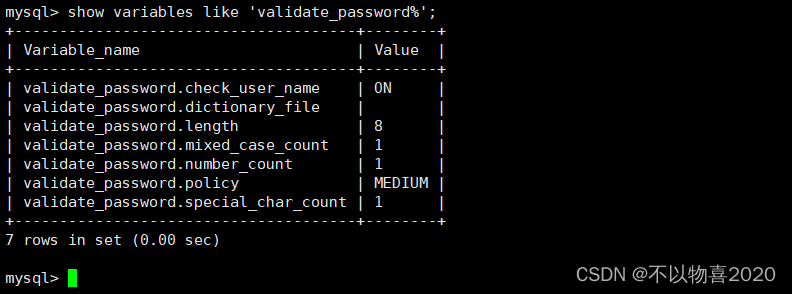
修改校验登记为LOW,重新设置即可
set global validate_password.policy=LOW;

包括 api-server/libs 和 alert-server/libs 和 master-server/libs 和 worker-server/libs
cp ../mysql-connector-java-8.0.16.jar ./lib
cp ../mysql-connector-java-8.0.16.jar ./api-server/libs/
cp ../mysql-connector-java-8.0.16.jar ./alert-server/libs/
cp ../mysql-connector-java-8.0.16.jar ./master-server/libs/
cp ../mysql-connector-java-8.0.16.jar ./worker-server/libs/
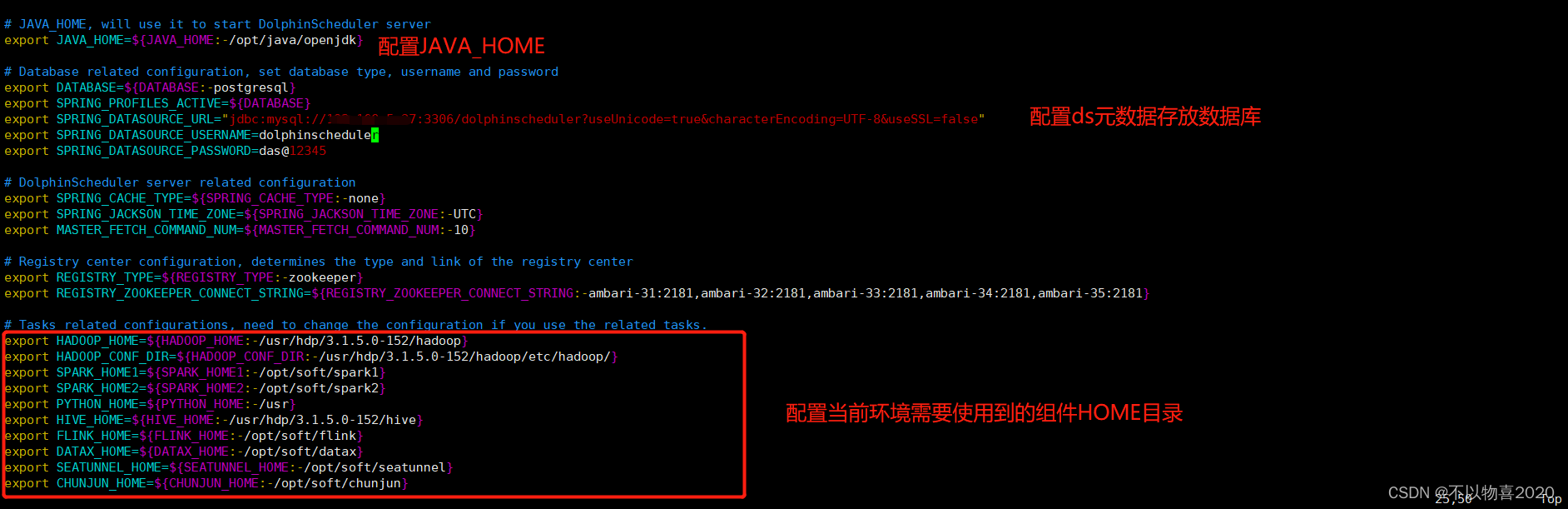
我们仅需修改INSTALL MACHINE,DolphinScheduler ENV、Database、Registry Server
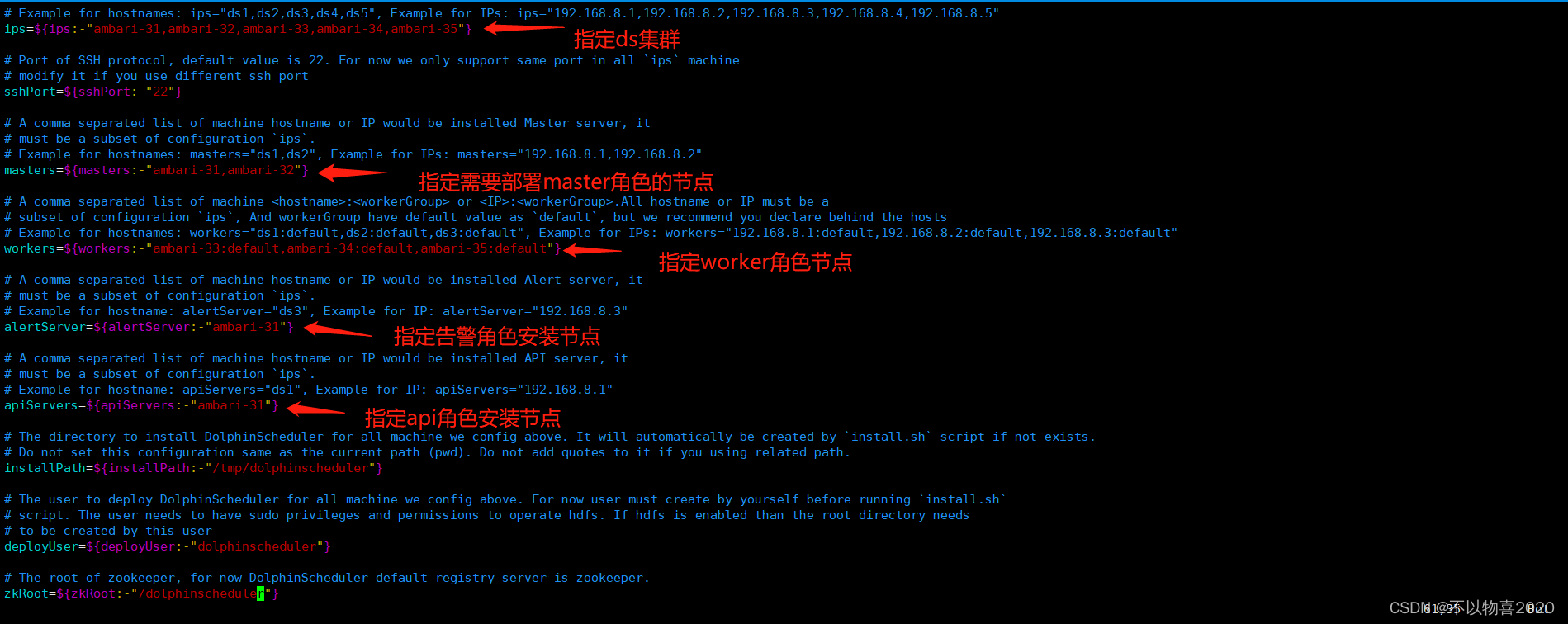
bin/env/dolphinscheduler_env.sh 中配置JAVA_HOME、数据库、注册中心等相关配置
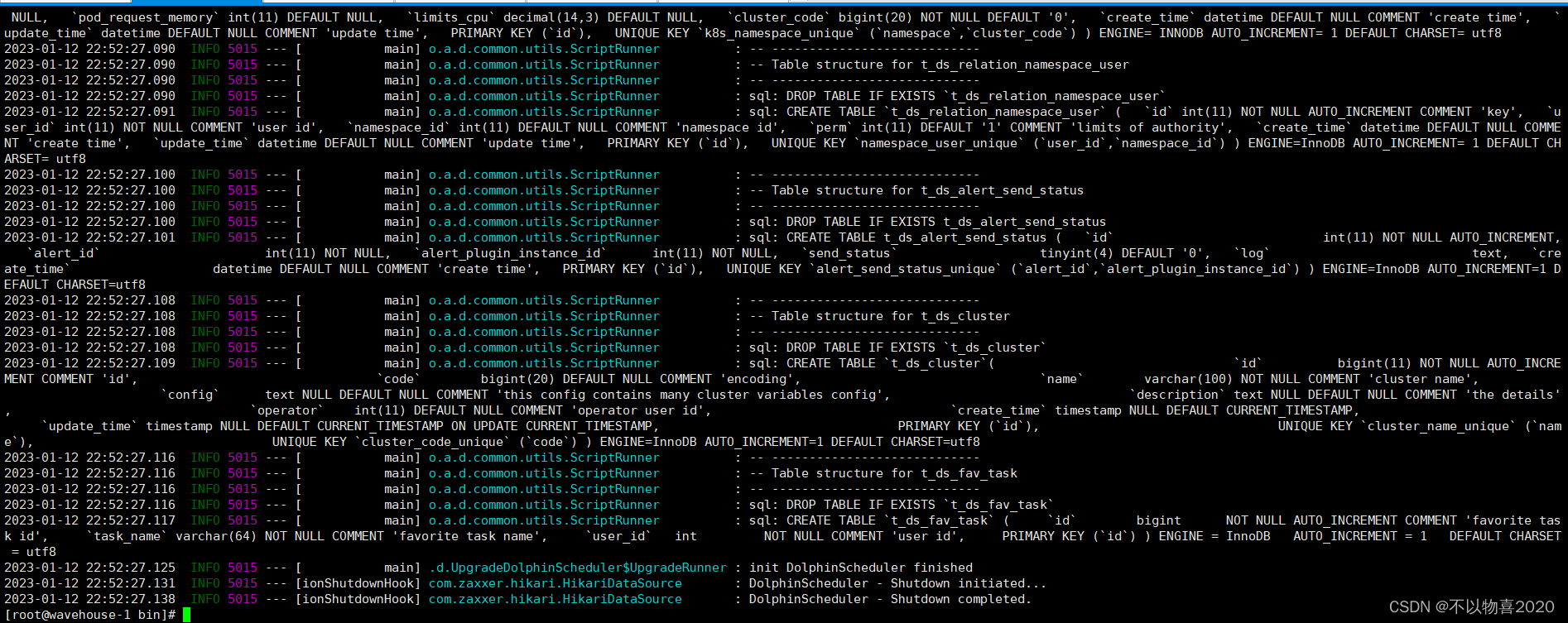
bash tools/bin/upgrade-schema.sh
sh install.sh
报错如下:
9:32:47.555 [main] INFO org.apache.zookeeper.common.X509Util - Setting -D jdk.tls.rejectClientInitiatedRenegotiation=true to disable client-initiated TLS renegotiation
09:32:47.561 [main] INFO org.apache.zookeeper.ClientCnxnSocket - jute.maxbuffer value is 1048575 Bytes
09:32:47.578 [main] INFO org.apache.zookeeper.ClientCnxn - zookeeper.request.timeout value is 0. feature enabled=false
ZooKeeper -server host:port -client-configuration properties-file cmd args
addWatch [-m mode] path # optional mode is one of [PERSISTENT, PERSISTENT_RECURSIVE] - default is PERSISTENT_RECURSIVE
addauth scheme auth
close
config [-c] [-w] [-s]
connect host:port
create [-s] [-e] [-c] [-t ttl] path [data] [acl]
delete [-v version] path
deleteall path [-b batch size]
delquota [-n|-b|-N|-B] path
get [-s] [-w] path
getAcl [-s] path
getAllChildrenNumber path
getEphemerals path
history
listquota path
ls [-s] [-w] [-R] path
printwatches on|off
quit
reconfig [-s] [-v version] [[-file path] | [-members serverID=host:port1:port2;port3[,…]]] | [-add serverId=host:port1:port2;port3[,…]] [-remove serverId[,…]*]
redo cmdno
removewatches path [-c|-d|-a] [-l]
set [-s] [-v version] path data
setAcl [-s] [-v version] [-R] path acl
setquota -n|-b|-N|-B val path
stat [-w] path
sync path
version
whoami
Command not found: Command not found rmr
09:32:47.584 [main] ERROR org.apache.zookeeper.util.ServiceUtils - Exiting JVM with code 127
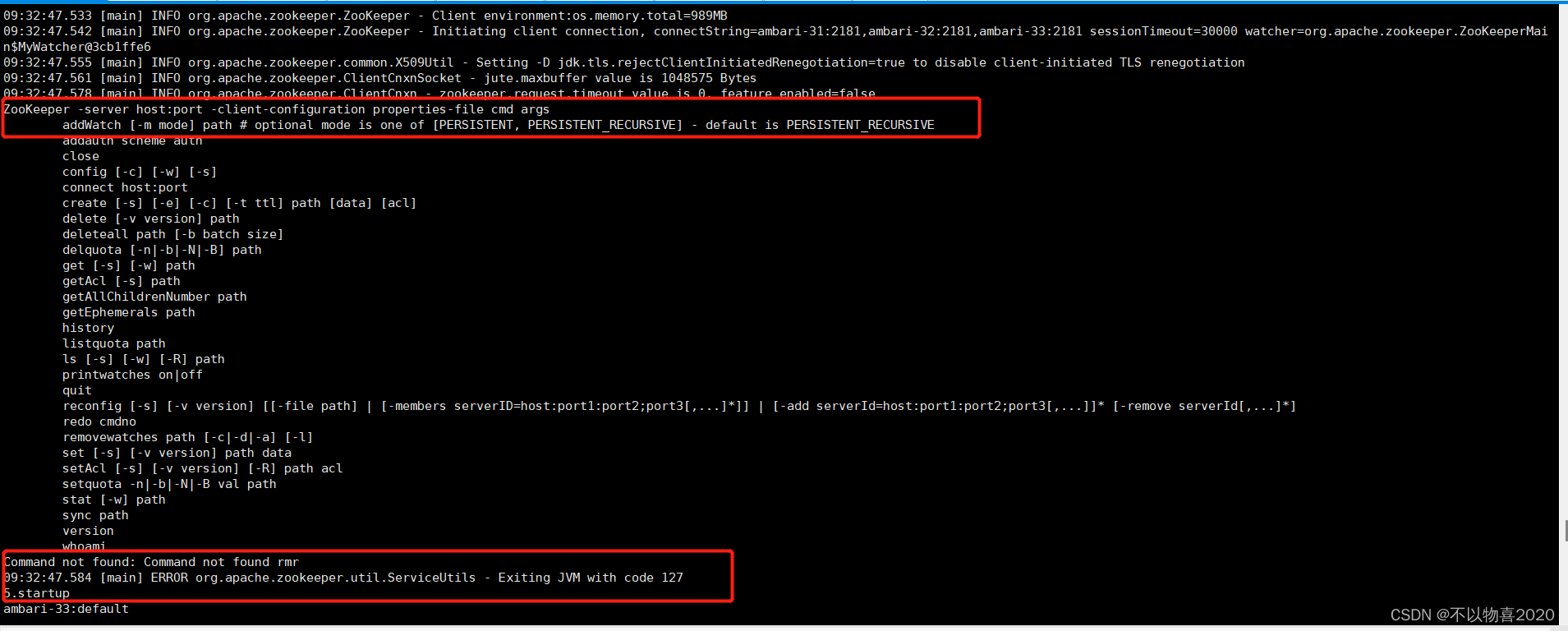
查看具体生成日志发现如下报错:
Caused by: org.apache.dolphinscheduler.registry.api.RegistryException: Failed to put registry key: /nodes/master
239 at org.apache.dolphinscheduler.plugin.registry.zookeeper.ZookeeperRegistry.put(ZookeeperRegistry.java:186)
240 at org.apache.dolphinscheduler.service.registry.RegistryClient.initNodes(RegistryClient.java:247)
241 at org.apache.dolphinscheduler.service.registry.RegistryClient.afterConstruct(RegistryClient.java:77)
242 at sun.reflect.NativeMethodAccessorImpl.invoke0(Native Method)
243 at sun.reflect.NativeMethodAccessorImpl.invoke(NativeMethodAccessorImpl.java:62)
244 at sun.reflect.DelegatingMethodAccessorImpl.invoke(DelegatingMethodAccessorImpl.java:43)
245 at java.lang.reflect.Method.invoke(Method.java:498)
246 at org.springframework.beans.factory.annotation.InitDestroyAnnotationBeanPostProcessor L i f e c y c l e E l e m e n t . i n v o k e ( I n i t D e s t r o y A n n o t a t i o n B e a n P o s t P r o c e s s o r . j a v a : 389 ) 247 a t o r g . s p r i n g f r a m e w o r k . b e a n s . f a c t o r y . a n n o t a t i o n . I n i t D e s t r o y A n n o t a t i o n B e a n P o s t P r o c e s s o r LifecycleElement.invoke(InitDestroyAnnotationBeanPostProcessor.java:389) 247 at org.springframework.beans.factory.annotation.InitDestroyAnnotationBeanPostProcessor LifecycleElement.invoke(InitDestroyAnnotationBeanPostProcessor.java:389)247atorg.springframework.beans.factory.annotation.InitDestroyAnnotationBeanPostProcessorLifecycleMetadata.invokeInitMethods(InitDestroyAnnotationBeanPostProcessor.java:333)
248 at org.springframework.beans.factory.annotation.InitDestroyAnnotationBeanPostProcessor.postProcessBeforeInitialization(InitDestroyAnnotationBeanPostProcessor.java:157)
249 … 46 common frames omitted
250 Caused by: org.apache.zookeeper.KeeperException$UnimplementedException: KeeperErrorCode = Unimplemented for /dolphinscheduler/nodes/master
251 at org.apache.zookeeper.KeeperException.create(KeeperException.java:106)
252 at org.apache.zookeeper.KeeperException.create(KeeperException.java:54)
253 at org.apache.zookeeper.ZooKeeper.create(ZooKeeper.java:1450)
254 at org.apache.curator.framework.imps.CreateBuilderImpl$18.call(CreateBuilderImpl.java:1216)
255 at org.apache.curator.framework.imps.CreateBuilderImpl$18.call(CreateBuilderImpl.java:1193)
256 at org.apache.curator.RetryLoop.callWithRetry(RetryLoop.java:93)
257 at org.apache.curator.framework.imps.CreateBuilderImpl.pathInForeground(CreateBuilderImpl.java:1190)
258 at org.apache.curator.framework.imps.CreateBuilderImpl.protectedPathInForeground(CreateBuilderImpl.java:605)
259 at org.apache.curator.framework.imps.CreateBuilderImpl.forPath(CreateBuilderImpl.java:595)
260 at org.apache.curator.framework.imps.CreateBuilderImpl.forPath(CreateBuilderImpl.java:48)
261 at org.apache.dolphinscheduler.plugin.registry.zookeeper.ZookeeperRegistry.put(ZookeeperRegistry.java:184)
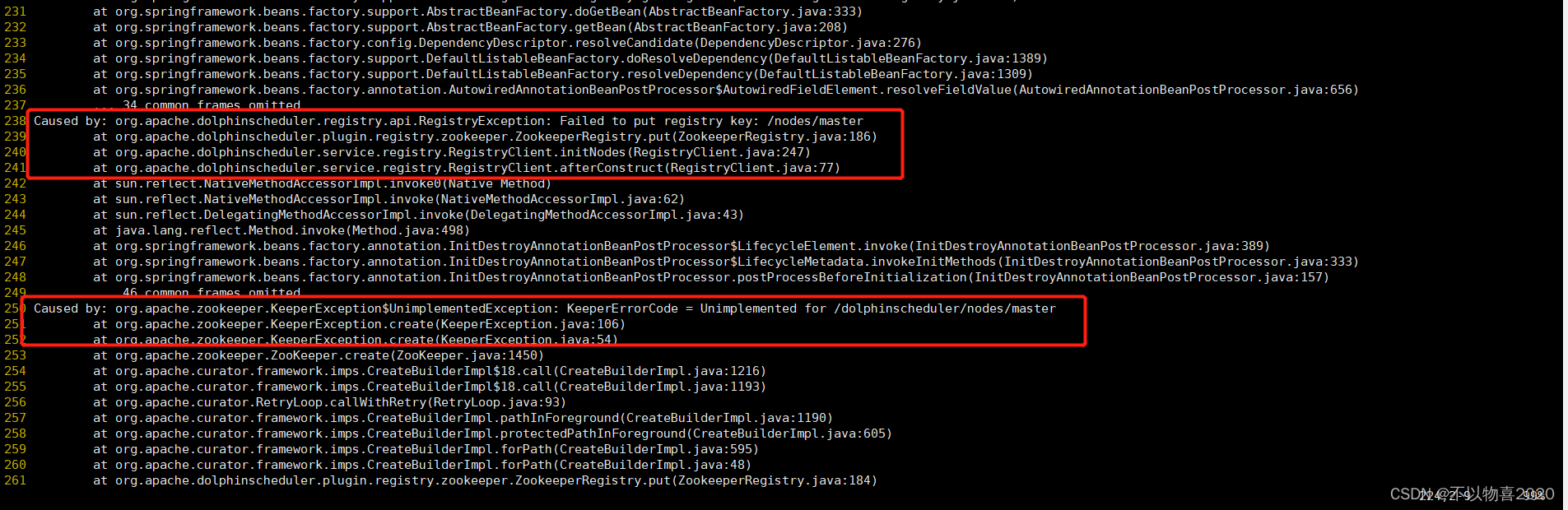
这里最新版本的ds与zk版本不兼容,最新版本的ds需要最新版本的zk,即3.8版本,当前环境安装的是3.4.6。通过查看ds依赖的zk的jarb包也能验证这一点

解决思路:下载3.8版本的zk并安装
下载地址:
https://www.apache.org/dyn/closer.lua/zookeeper/zookeeper-3.8.0/apache-zookeeper-3.8.0-bin.tar.gz
安装方法可以看这篇文章《zookeeper快速入门》
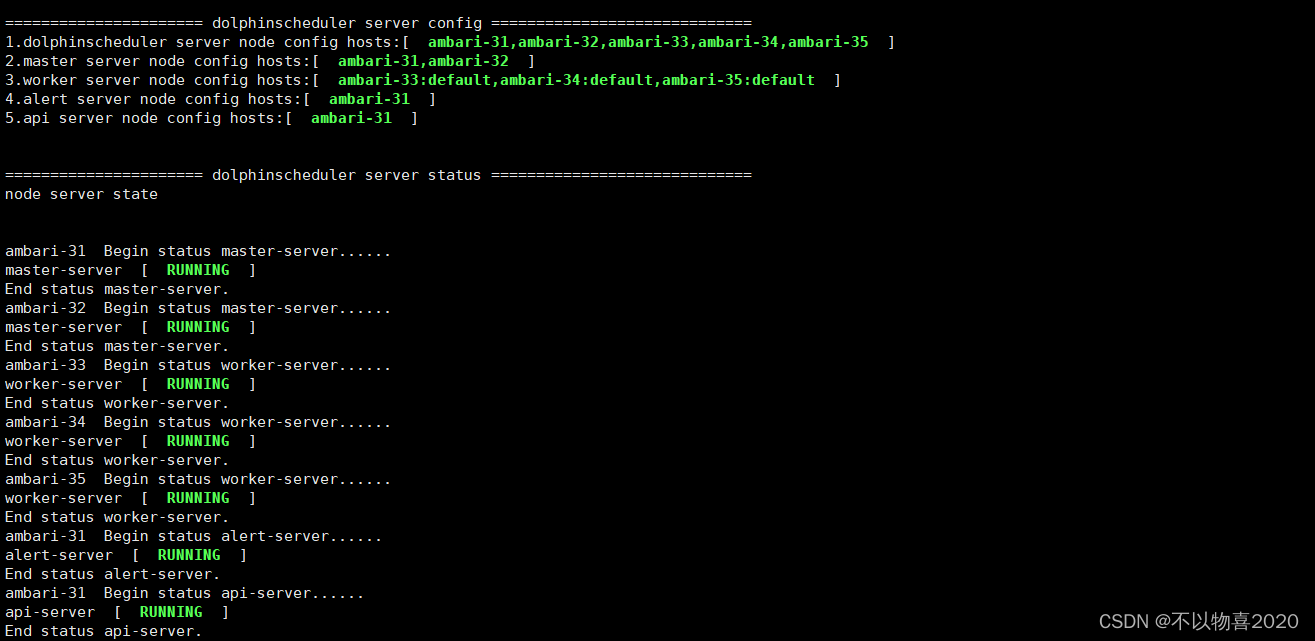
安装完成并启动zk,然后再重新启动ds成功。
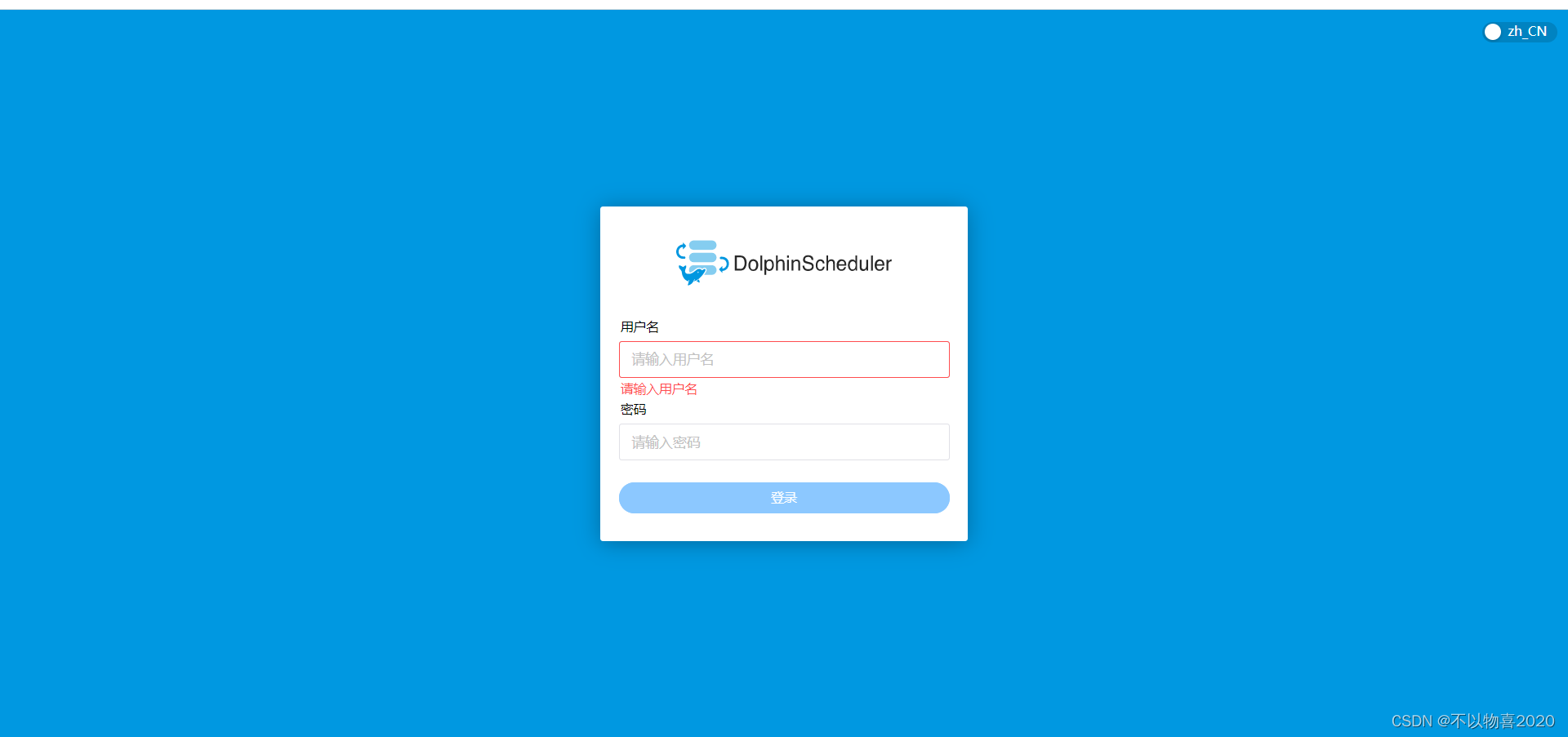
访问master节点url连接:
http://<your_ip>:12345/dolphinscheduler/ui/login
默认账户密码:admin/dolphinscheduler123
当前ds-3.1.3版本数据源还不支持trino,可以修改源码,增加对trino数据源的支持,修改完成后使用如下命令重新编译并完成打包。
./mvnw clean install -Prelease -DskipTests=true
这里的-DskipTests=true指跳过测试,如果不加该参数,整个耗时会特别长。编译完成后可看到如下成功页面。
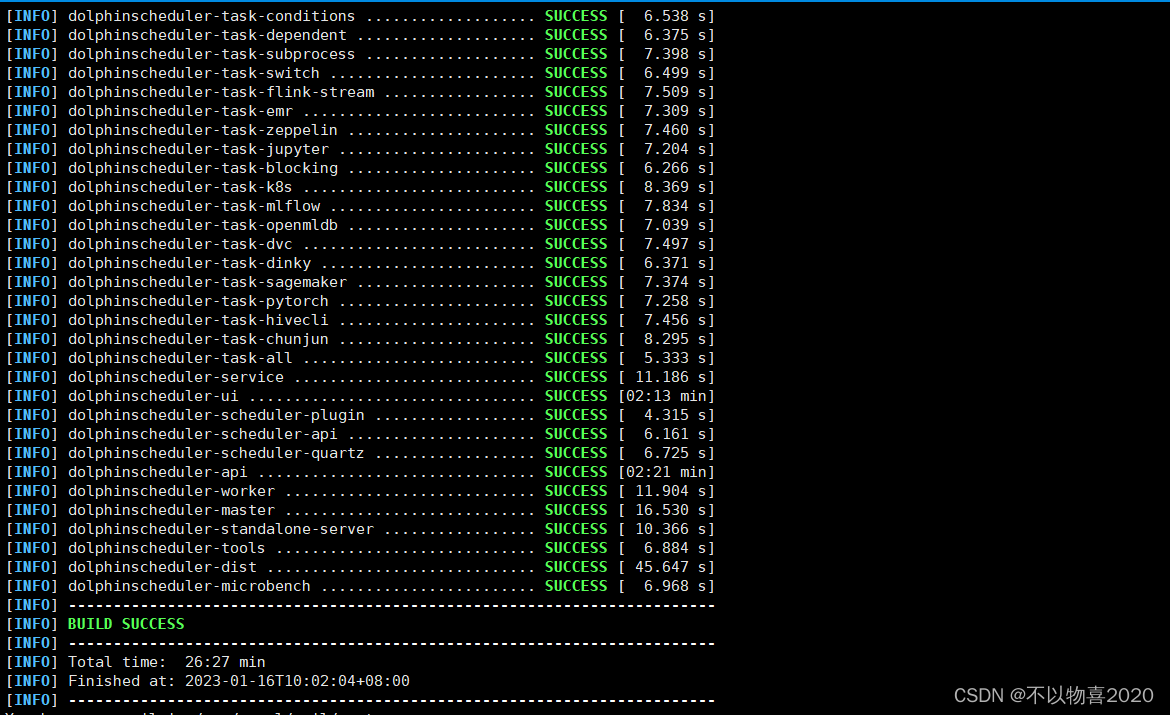
然后进入你的maven仓库即可发现已经打包的ds-3.1.3安装包
cd /root/.m2/repository/org/apache/dolphinscheduler/dolphinscheduler-dist/3.1.3
ll -h

我想为Heroku构建一个Rails3应用程序。他们使用Postgres作为他们的数据库,所以我通过MacPorts安装了postgres9.0。现在我需要一个postgresgem并且共识是出于性能原因你想要pggem。但是我对我得到的错误感到非常困惑当我尝试在rvm下通过geminstall安装pg时。我已经非常明确地指定了所有postgres目录的位置可以找到但仍然无法完成安装:$envARCHFLAGS='-archx86_64'geminstallpg--\--with-pg-config=/opt/local/var/db/postgresql90/defaultdb/po
我打算为ruby脚本创建一个安装程序,但我希望能够确保机器安装了RVM。有没有一种方法可以完全离线安装RVM并且不引人注目(通过不引人注目,就像创建一个可以做所有事情的脚本而不是要求用户向他们的bash_profile或bashrc添加一些东西)我不是要脚本本身,只是一个关于如何走这条路的快速指针(如果可能的话)。我们还研究了这个很有帮助的问题:RVM-isthereawayforsimpleofflineinstall?但有点误导,因为答案只向我们展示了如何离线在RVM中安装ruby。我们需要能够离线安装RVM本身,并查看脚本https://raw.github.com/wayn
我有一个奇怪的问题:我在rvm上安装了rubyonrails。一切正常,我可以创建项目。但是在我输入“railsnew”时重新启动后,我有“程序'rails'当前未安装。”。SystemUbuntu12.04ruby-v"1.9.3p194"gemlistactionmailer(3.2.5)actionpack(3.2.5)activemodel(3.2.5)activerecord(3.2.5)activeresource(3.2.5)activesupport(3.2.5)arel(3.0.2)builder(3.0.0)bundler(1.1.4)coffee-rails(
我刚刚为fedora安装了emacs。我想用emacs编写ruby。为ruby提供代码提示、代码完成类型功能所需的工具、扩展是什么? 最佳答案 ruby-mode已经包含在Emacs23之后的版本中。不过,它也可以通过ELPA获得。您可能感兴趣的其他一些事情是集成RVM、feature-mode(Cucumber)、rspec-mode、ruby-electric、inf-ruby、rinari(用于Rails)等。这是我当前用于Ruby开发的Emacs配置:https://github.com/citizen428/emacs
我正在尝试在我的centos服务器上安装therubyracer,但遇到了麻烦。$geminstalltherubyracerBuildingnativeextensions.Thiscouldtakeawhile...ERROR:Errorinstallingtherubyracer:ERROR:Failedtobuildgemnativeextension./usr/local/rvm/rubies/ruby-1.9.3-p125/bin/rubyextconf.rbcheckingformain()in-lpthread...yescheckingforv8.h...no***e
我的最终目标是安装当前版本的RubyonRails。我在OSXMountainLion上运行。到目前为止,这是我的过程:已安装的RVM$\curl-Lhttps://get.rvm.io|bash-sstable检查已知(我假设已批准)安装$rvmlistknown我看到当前的稳定版本可用[ruby-]2.0.0[-p247]输入命令安装$rvminstall2.0.0-p247注意:我也试过这些安装命令$rvminstallruby-2.0.0-p247$rvminstallruby=2.0.0-p247我很快就无处可去了。结果:$rvminstall2.0.0-p247Search
我实际上是在尝试使用RVM在我的OSX10.7.5上更新ruby,并在输入以下命令后:rvminstallruby我得到了以下回复:Searchingforbinaryrubies,thismighttakesometime.Checkingrequirementsforosx.Installingrequirementsforosx.Updatingsystem.......Errorrunning'requirements_osx_brew_update_systemruby-2.0.0-p247',pleaseread/Users/username/.rvm/log/138121
由于fast-stemmer的问题,我很难安装我想要的任何rubygem。我把我得到的错误放在下面。Buildingnativeextensions.Thiscouldtakeawhile...ERROR:Errorinstallingfast-stemmer:ERROR:Failedtobuildgemnativeextension./System/Library/Frameworks/Ruby.framework/Versions/2.0/usr/bin/rubyextconf.rbcreatingMakefilemake"DESTDIR="cleanmake"DESTDIR=
当我尝试安装Ruby时遇到此错误。我试过查看this和this但无济于事➜~brewinstallrubyWarning:YouareusingOSX10.12.Wedonotprovidesupportforthispre-releaseversion.Youmayencounterbuildfailuresorotherbreakages.Pleasecreatepull-requestsinsteadoffilingissues.==>Installingdependenciesforruby:readline,libyaml,makedepend==>Installingrub
当我执行>rvminstall1.9.2时一切顺利。然后我做>rvmuse1.9.2也很顺利。但是当涉及到ruby-v时..sam@sjones:~$rvminstall1.9.2/home/sam/.rvm/rubies/ruby-1.9.2-p136,thismaytakeawhiledependingonyourcpu(s)...ruby-1.9.2-p136-#fetchingruby-1.9.2-p136-#downloadingruby-1.9.2-p136,thismaytakeawhiledependingonyourconnection...%Total%Rece

