HTML 5 视频/音频参考手册 https://www.w3school.com.cn/html5/html5_ref_audio_video_dom.asp本文主要依靠HTML 5 api ,所有用的HTML 5 api 的使用和各项信息请参考以上链接!
如果你打算参考本文,这里所用的视频什么的请自行准备。这里仅建议初学者参考。
因为主要依靠HTML 5的api,所有也没什么好说的,关于api的使用方法在上面的链接里讲的已经非常清楚了(视频相关事件在上面的链接里有讲)
进度条什么的主要用到mousedown、mousemove和mouseup事件,offsetWidth、offsetLeft等属性,HTML结构就是几个块级元素嵌套在一起。
下载功能的话,这里是通过创建a元素并设置download属性,然后触发a元素进行下载。
效果图
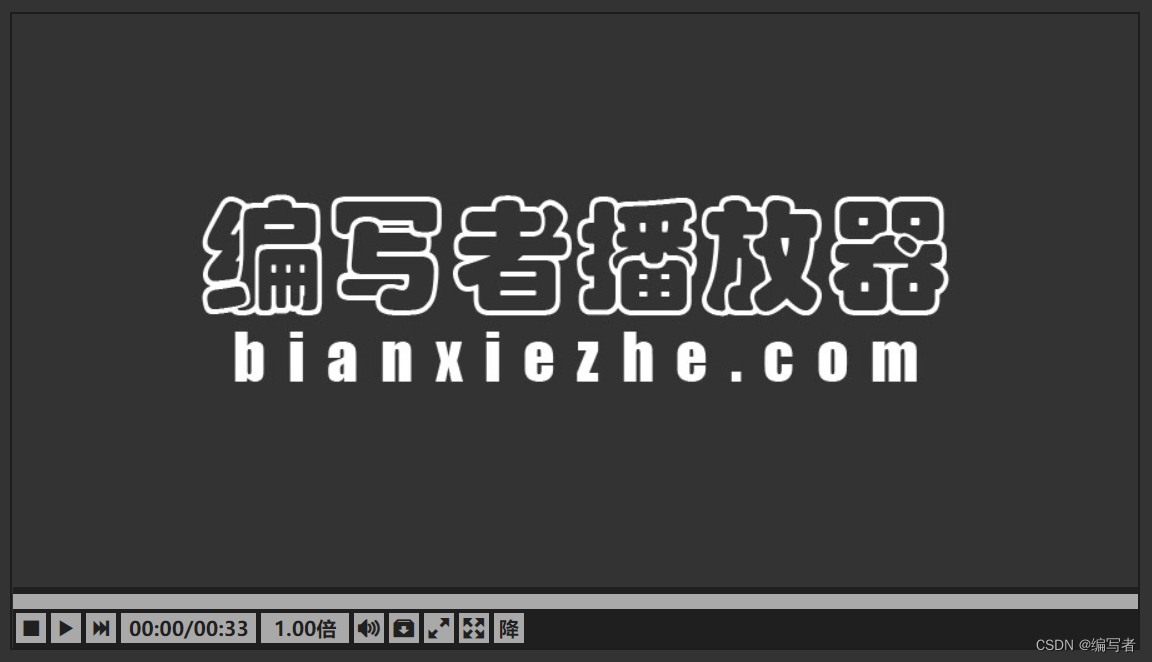
视频封面图片:编写者播放器.jpeg(bianxiezhe.com里面没有播放器,仅为美观而添加bianxiezhe.com字样)
css文件:player.css
* {
	margin: 0px;
	padding: 0px;
}

body {
	width: 100vw;
	height: 100vh;
	color: #555555;
	display: flex;/* 弹性布局 */
	align-items: center;/* 垂直居中 */
	justify-content: center;/* 水平居中 */
	background-color: #333333;
}

main {
	min-width: 900px;
	/* 溢出裁剪 */
	overflow: hidden;
}

.main {
	width: 900px;
	height: 507px;
	position: relative;
	border: 2px solid rgb(29, 29, 29);
}

.mainPro {
	width: 100vw;
	height: 100vh;
	position: fixed;
}

.Loading {
	width: 100%;
	height: 100%;
	position: absolute;
	text-align: center;
	line-height: 506px;
	font-size: 56px;
	font-weight: bold;
	background-color: rgb(169, 169, 169);
}

video {
	width: 100%;
	height: 100%;
}

.control {
	width: 100%;
	height: 43px;
	padding-top: 6px;
	background-color: rgba(29, 29, 29, 0.95);
	position: absolute;
	top: calc(100% - 49px);
}

.controlPro,
.controlHover {
	width: 100%;
	height: 43px;
	padding-top: 6px;
	background-color: rgba(29, 29, 29, 0.95);
	position: absolute;
	/* 设置动画时间 */
	transition: 0.3s;
	top: 100%;
}

main:hover .controlHover {
	top: calc(100% - 49px);
}

.LoadingBarDiv {
	width: calc(100% + 7.5px);
	height: 12px;
	display: flex;
	align-items: center;
	position: relative;
	background-color: rgb(169, 169, 169);
}

.obtain {
	height: 100%;
	width: 0px;
	/* 设置穿透节点 */
	pointer-events: none;
	/* 设置动画时间 */
	transition: width 0.5s;
	position: absolute;
	background-color: rgb(219, 219, 219);
}

.LoadingBar {
	width: 0px;
	max-width: 100%;
	/* 设置穿透节点 */
	pointer-events: none;
	height: 12px;
	background-color: rgb(99, 99, 99);
}

.spot {
	width: 15px;
	height: 15px;
	/* 设置渐变背景 */
	background-image: linear-gradient(to right, rgb(169, 169, 169), rgb(99, 99, 99));
	margin-left: -7.5px;
	border-radius: 50%;
	display: none;
}

.spotPro {
	width: 15px;
	height: 15px;
	background-image: linear-gradient(to right, rgb(169, 169, 169), rgb(99, 99, 99));
	margin-left: -7.5px;
	border-radius: 50%;
}

.LoadingBar,
.spot,
.spotPro {
	position: relative;
	z-index: 1;
}

.LoadingBarDiv:hover .spot {
	display: block;
}

.time {
	width: 56px;
	height: 24px;
	position: absolute;
	margin-top: -44px;
	background-color: rgb(169, 169, 169);
	color: rgb(32, 32, 32);
	border-bottom: 2px solid rgb(32, 32, 32);
	text-align: center;
	font-weight: bold;
	line-height: 24px;
	display: none;
}

.timePro {
	width: 56px;
	height: 24px;
	position: absolute;
	margin-top: -44px;
	background-color: rgb(169, 169, 169);
	color: rgb(32, 32, 32);
	border-bottom: 2px solid rgb(32, 32, 32);
	text-align: center;
	font-weight: bold;
	line-height: 24px;
}

.LoadingBarDiv:hover~.time {
	display: block;
}

.ul {
	height: 24px;
	width: 406px;
	margin: 3px;
}

.ul>li {
	background-color: rgb(169, 169, 169);
	color: rgb(32, 32, 32);
	float: left;
	list-style-type: none;
	height: 100%;
	width: 24px;
	font-weight: bold;
	line-height: 24px;
	text-align: center;
	cursor: default;
	user-select: none;
}

.ul>li+li {
	margin-left: 4px;
}

.ul>li:hover {
	background-color: rgb(219, 219, 219);
}

#timeTextId {
	width: 108px;
}

#speedId {
	width: 70px;
}

#timeTextId,
#speedId,
#volumeId {
	background-color: rgb(169, 169, 169);
}

.SpeedOption {
	width: 70px;
	height: 24px;
	position: absolute;
	margin-top: -149px;
	display: none;
	z-index: 1;
}

#speedId:hover .SpeedOption {
	display: block;
}

.SpeedOption>li {
	width: 100%;
	height: 100%;
	background-color: rgb(169, 169, 169);
	list-style-type: none;
	text-align: center;
	font-weight: bold;
	border-bottom: 1px solid rgb(32, 32, 32);
}

.SpeedOption>li:hover {
	background-color: rgb(219, 219, 219);
}

.volumeTwo {
	width: 6px;
	height: 126px;
	padding: 12px 9px;
	background-color: rgb(169, 169, 169);
	border-bottom: 1px solid rgb(32, 32, 32);
	top: -130px;
	position: absolute;
	display: none;
	z-index: 1;
}

.volumeTwoPro {
	width: 6px;
	height: 126px;
	padding: 12px 9px;
	background-color: rgb(169, 169, 169);
	border-bottom: 1px solid rgb(32, 32, 32);
	top: -130px;
	position: absolute;
	z-index: 1;
}

.volume:hover .volumeTwo {
	display: block;
}

.volumeTwoPro>.volumeThree,
.volumeTwo>.volumeThree {
	width: 6px;
	height: 130px;
	background-color: rgb(32, 32, 32);
	position: absolute;
}

.volumeThree>.VolumeValue {
	width: 6px;
	height: 0px;
	background-color: #dddddd;
}

.volumeThree>.VolumeSpot {
	width: 12px;
	height: 12px;
	margin-top: -4.5px;
	margin-left: -2.5px;
	border-radius: 50%;
	background-image: radial-gradient(#dddddd, rgb(32, 32, 32));
}

.VolumeText {
	width: 100px;
	height: 24px;
	line-height: 23px;
	margin-left: 15px;
	margin-top: -9px;
	position: absolute;
	background-color: rgb(169, 169, 169);
	border-left: 1px solid rgb(32, 32, 32);
	text-align: center;
	font-weight: bold;
}

input {
	width: 100%;
	height: 100%;
	border: none;
	border-radius: 0px;
	display: none;
}

label {
	width: 100%;
	height: 100%;
	display: block;
	line-height: 24px;
	text-align: center;
	font-weight: bold;
}

.proposalORreport {
	width: 100px;
	height: 24px;
	line-height: 23px;
	border-radius: 3px;
	position: absolute;
	color: #dddddd;
	top: 0px;
	background-color: rgb(29, 29, 29);
	text-align: center;
	font-weight: bold;
	display: none;
	cursor: default;
	user-select: none;
}
html文件:player.html
<!DOCTYPE html>
<html>
	<head>
		<meta charset="utf-8">
		<link rel="stylesheet" href="icomoon/demo-files/demo.css">
		<link rel="stylesheet" href="icomoon/style.css">
		<link rel="stylesheet" href="./css/player.css">
		<title>播放器</title>
	</head>
	<body>
		<main class="main">
			<div class="Loading" id="LoadingId">加载中</div>
			<video src="#" id="media" poster="编写者播放器.jpeg" data-custom></video>
			<div class="control" id="controlId">
				<div class="LoadingBarDiv" id="LoadingBarDivId">
					<div class="obtain" id="obtainId"></div>
					<div class="LoadingBar"></div>
					<div class="spot"></div>
				</div>
				<div class="time" id="timeId">00:00</div>
				<ul class="ul" id="ulId">
					<li class="icon-stop2 Reset" id="ResetId"></li>
					<li class="icon-play3 playORsuspend" id="playORsuspendId"></li>
					<li class="icon-last next" id="nextId"></li>
					<li class="timeText" id="timeTextId">00:00/00:00</li>
					<li class="speed" id="speedId">
						<span id="SpeedValueId">1.00倍</span>
						<ul class="SpeedOption">
							<li>0.50倍</li>
							<li>0.75倍</li>
							<li>1.00倍</li>
							<li>1.25倍</li>
							<li>1.50倍</li>
						</ul>
					</li>
					<li class="icon-volume-high volume" id="volumeId" data-custom>
						<div class="volumeTwo" id="volumeTwoId">
							<div class="volumeThree" id="volumeThreeId">
								<div class="VolumeValue" id="VolumeValueId"></div>
								<div class="VolumeSpot" id="VolumeSpotId"></div>
							</div>
							<div class="VolumeText" id="VolumeTextId">音量:100%</div>
						</div>
					</li>
					<li class="icon-box-add download" id="downloadId"></li>
					<li class="icon-enlarge2 WebFullScreen" id="WebFullScreenId" data-custom></li>
					<li class="icon-enlarge FullScreen" id="FullScreenId" data-custom></li>
					<li class="dropORstay" id="dropORstayId">
						<label for="choice">降</label>
						<input type="checkbox" id="choice" />
					</li>
				</ul>
			</div>
			<div class="proposalORreport" id="proposalORreportId">建议或举报</div>
		</main>
		<script src="./javascript/player.js"></script>
	</body>
</html>
js文件:player.js
(function() {
	//获取所需操作节点,这里用到的变量名均与id名、标签名、类名其中一个相同
	const LoadingId = document.getElementById("LoadingId"),
		controlId = document.getElementById("controlId"),
		LoadingBarDivId = document.getElementById("LoadingBarDivId"),
		obtainId = document.getElementById("obtainId"),
		timeId = document.getElementById("timeId"),
		ResetId = document.getElementById("ResetId"),
		playORsuspendId = document.getElementById("playORsuspendId"),
		volumeId = document.getElementById("volumeId"),
		nextId = document.getElementById("nextId"),
		timeTextId = document.getElementById("timeTextId"),
		SpeedValueId = document.getElementById("SpeedValueId"),
		VolumeValueId = document.getElementById("VolumeValueId"),
		VolumeSpotId = document.getElementById("VolumeSpotId"),
		VolumeTextId = document.getElementById("VolumeTextId"),
		downloadId = document.getElementById("downloadId"),
		WebFullScreenId = document.getElementById("WebFullScreenId"),
		FullScreenId = document.getElementById("FullScreenId"),
		proposalORreportId = document.getElementById("proposalORreportId"),
		input = document.getElementById('choice'),
		volumeTwoId = document.getElementById('volumeTwoId'),
		body = document.querySelector("body"),
		main = document.querySelector('main'),
		video = document.querySelector('video'),
		LoadingBar = document.querySelector('.LoadingBar'),
		SpeedOption = document.querySelector('.SpeedOption'),
		spot = document.querySelector('.spot'),
		label = document.querySelector('label');

	// 播放名单
	const VideoUrl = {
		media1: '10-12-1.mp4',
		media2: '10-12-3.mp4',
		media3: 'trailer_test.mp4',
		media4: '配乐音量.mp4'
	}
	// 设置video节点的src值,这里采用协议、域名(ip)、端口自适应
	video.src = './Video/' + VideoUrl['media' + Math.floor(Math.random() * (5 - 1) + 1)];

	function enhanceVideoSeek() {
		let minute = 0,
			second = 0,
			VideoMinute = 0,
			VideoSecond = 0;
		// toFixed(1)会四舍五入,parseInt不会
		// 已播放的分钟
		minute = parseInt(video.currentTime % 3600 / 60);
		// 三目运算:小于10则在前面添加0
		minute = minute < 10 ? '0' + minute : minute;
		// 已播放的秒钟
		second = parseInt(video.currentTime % 3600 % 60);
		// 三目运算:小于10则在前面添加0
		second = second < 10 ? '0' + second : second;
		// 总时长的分钟
		VideoMinute = parseInt(video.duration % 3600 / 60);
		// 三目运算:小于10则在前面添加0
		VideoMinute = VideoMinute < 10 ? '0' + VideoMinute : VideoMinute;
		// 总时长的秒钟
		VideoSecond = parseInt(video.duration % 3600 % 60);
		// 三目运算:小于10则在前面添加0
		VideoSecond = VideoSecond < 10 ? '0' + VideoSecond : VideoSecond;
		// 设置对应节点的文本节点
		timeTextId.innerText = minute + ":" + second + "/" + VideoMinute + ":" + VideoSecond;
	}

	// 遍历“倍速”节点,给它的所有字节的设置单击事件
	for (let itme of SpeedOption.children) {
		itme.addEventListener('click', function() {
			// 获取itme文本后截取数字部分转为浮点型并设置视频播放速率
			video.playbackRate = parseFloat(itme.innerText.substring(0, 4));
			// 设置对应节点的文本节点
			SpeedValueId.innerText = itme.innerText;
		});
	}

	function setClassName(ele, removeClass, addClas) {
		// 删除类名
		ele.classList.remove(removeClass);
		// 添加类名
		ele.classList.add(addClas);
	}

	function playPause() {
		// 捕获异常
		try {
			// 如果处于暂停状态则播放,否则暂停
			if (video.paused) {
				video.play(); //播放
				// 设置自定义属性,方便后续操作
				video.setAttribute('data-custom', 'play');
				// 设置“暂停/播放”按键的class属性值,变更其文字图案表现
				// 调用setClassName方法
				setClassName(playORsuspendId, 'icon-play3', 'icon-pause2');
			} else {
				video.pause(); //暂停
				// 设置自定义属性,方便后续操作
				video.setAttribute('data-custom', 'pause');
				// 设置“暂停/播放”按键的class属性值,变更其文字图案表现
				// 调用setClassName方法
				setClassName(playORsuspendId, 'icon-pause2', 'icon-play3');
			}
		} catch (e) {
			console.log('%c出错啦!暂停/播放状态请勿切换过快!!!',
				'background-color:#be191c;color:#f3f3f3;border-radius: 1px;padding:2px 8px;text-align: center;font-weight: bold;'
			);
		}
	}

	function timeFun(e) {
		let minute = 0,
			second = 0;
		// toFixed(1)会四舍五入,parseInt不会
		// 鼠标所指之处的分钟
		minute = parseInt(((e.clientX - main.offsetLeft) / (LoadingBarDivId.offsetWidth - spot.offsetWidth / 2)) *
			video.duration % 3600 / 60);
		// 三目运算:小于10则在前面添加0
		minute = minute < 10 ? '0' + minute : minute;
		// 鼠标所指之处的秒钟
		second = parseInt(((e.clientX - main.offsetLeft) / (LoadingBarDivId.offsetWidth - spot.offsetWidth / 2)) *
			video.duration % 3600 % 60);
		// 三目运算:小于10则在前面添加0
		second = second < 10 ? '0' + second : second;
		// 设置对应节点的文本节点
		timeId.innerText = minute + ":" + second;
		// 计算id名为timeId的节点应该具有的左边距的距离
		let marginLeft = ((e.clientX - main.offsetLeft) - (timeId.offsetWidth / 2));
		if (marginLeft < 0) { // 判断marginLeft的值是否小于0
			// 设置id名为timeId的节点的左边距
			timeId.style.marginLeft = '0px';
		} else if (marginLeft > ((LoadingBarDivId.offsetWidth - spot.offsetWidth / 2) - timeId
				.offsetWidth)) { // 判断marginLeft的值加上id名为timeId的节点的宽度是否大于于进度条容器的宽度
			// 设置id名为timeId的节点的左边距
			timeId.style.marginLeft = (LoadingBarDivId.offsetWidth - spot.offsetWidth / 2) - timeId
				.offsetWidth + 'px';
		} else {
			// 设置id名为timeId的节点的左边距
			timeId.style.marginLeft = marginLeft + 'px';
		}
	}

	function show_coords(e, parameter) {
		// 判断进度条宽度是否超过其容器的宽度
		if (parameter <= controlId.offsetWidth && parameter >= 0) {
			// 设置进度条宽度
			LoadingBar.style.width = parameter + 'px';
			if (e) {
				// 调用timeFun方法
				timeFun(e);
			}
			// 计算进度条宽度与其容器宽度的比例
			let percent = LoadingBar.offsetWidth / (LoadingBarDivId.offsetWidth - spot.offsetWidth / 2);
			// 设置视频播放时间(即播放到哪里了)
			video.currentTime = percent * video.duration;
		}
	}

	function LoadingBarWidthFun(e) {
		// 被单击的如果是进度条上的圆点,则结束这个方法;否则调用show_coords方法
		if (e.target.className === "spot" || e.target.className === "spotPro") return null;
		show_coords(null, e.offsetX);
	};

	// 加载完视频“元数据”后触发loadedmetadata事件
	video.addEventListener("loadedmetadata", function() {
		LoadingBar.style.width = '0px';
		// 调用enhanceVideoSeek方法
		enhanceVideoSeek();
		// 双击video节点时触发事件
		video.addEventListener("dblclick", function() {
			// 调用playPause方法
			playPause();
		});
		// 键盘按下某一个键时触发事件
		document.addEventListener("keydown", function(e) {
			// 如果按下的是空格键
			if (e.keyCode === 32) {
				// 调用playPause方法
				playPause();
			}
		});

		// 隐藏“加载中”提示节点
		LoadingId.style.display = 'none';

		// 单击id名为ResetId的节点时触发事件
		ResetId.addEventListener("click", function() {
			// 设置(归零)视频播放时间(即播放到哪里了)
			video.currentTime = 0;
			obtainId.style.width='0px';
		});

		// 单击id名为playORsuspendId的节点时触发事件
		playORsuspendId.addEventListener("click", playPause);

		// 单击id名为LoadingBarDivId的节点时触发事件
		LoadingBarDivId.addEventListener("click", LoadingBarWidthFun);

		// 单击id名为downloadId的节点时触发事件
		downloadId.addEventListener('click', function() {
			// 通过协议判断是不是只是打开了html文件,而不是在网站上打开页面
			if (!window.location.protocol || window.location.protocol === 'file:') { // 如果是
				return alert('你的文件为本地文件,不能下载');
			} else { // 如果不是
				// 创建a节点
				let a = document.createElement("a"),
					// 获取视频文件名“.”前面的部分
					FileName = window.decodeURIComponent(video.src.substring(video.src.lastIndexOf(
						"/") + 1, video.src.lastIndexOf(".")));
				// 将video节点的src属性值赋值给a节点的href属性
				a.href = video.src;
				// 设置a节点的download属性,该属性值就是下载到本地时的文件名,该属性仅在网站上可用
				a.download = FileName + new Date().getTime() + a.href.substr(a.href.lastIndexOf(
					"."));
				// 添加节点到body节点
				body.appendChild(a);
				// 设置定时器,定时(0.1秒后)删除a节点
				let aSet = setTimeout(function() {
					// 删除a节点
					body.removeChild(a);
					// 移除定时器
					clearTimeout(aSet);
				}, 100);
				// 触发a节点的单击事件
				a.click();
			}
		});

		// 进度条圆点按下时
		spot.addEventListener('mousedown', function(e) {
			video.pause(); // 暂停播放

			// 修改相应节点类名,达到样式需求效果
			spot.className = "spotPro";
			timeId.className = "timePro";

			// 计算鼠标按下时,鼠标相对于进度条圆点的位置,以免抖动
			let xPro = (e.clientX - main.offsetLeft) - (spot.offsetLeft + spot.offsetWidth / 2);

			// 鼠标移动时触发
			document.onmousemove = function(e) {
				// 移除进度条容器的单击事件
				LoadingBarDivId.removeEventListener("click", LoadingBarWidthFun);

				// 计算进度条长度
				let x = (e.clientX - main.offsetLeft) - xPro;
				// 调用show_coords方法
				show_coords(e, x);

				// 鼠标按下开始拖动,时触发事件;没啥用,只是样式需要而已
				document.ondragstart = function(ev) {
					// 阻止默认事件
					ev.preventDefault();
				};

				// 鼠标结束拖动并松开,时触发事件;没啥用,只是样式需要而已
				document.ondragend = function(ev) {
					// 阻止默认事件
					ev.preventDefault();
				};
			}

			// 鼠标松开时触发事件
			document.onmouseup = function(e) {
				// 移除相应事件
				document.onmousemove = null;
				document.onmouseup = null;
				// 给进度条容器绑定单击事件
				LoadingBarDivId.addEventListener("click", LoadingBarWidthFun);
				// 修改相应节点类名,达到样式需求效果
				spot.className = "spot";
				timeId.className = "time";
				// 通过自定义属性判断拖动进度条前的播放状态,决定播放还是暂停
				if (video.getAttribute('data-custom') === "play") {
					video.play(); //播放
				} else if (video.getAttribute('data-custom') === "pause") {
					video.pause(); //暂停
				}
			};
		});

		// 鼠标进入在进度条时触发事件
		LoadingBarDivId.addEventListener('mousemove', function(e) {
			// 如果节点的id名为不为timeId
			if (e.target.id != 'timeId') {
				// 调用timeFun方法
				timeFun(e);
			}
		});
	});

	// 视频播放时间变化时触发事件
	video.addEventListener("timeupdate", function(e) {
		// 计算已播放时间和总时长的比例
		let ratio = video.currentTime / video.duration;
		// 计算并设置进度条长度
		LoadingBar.style.width = (LoadingBarDivId.offsetWidth - 7.5) * ratio + 'px';
		// 调用enhanceVideoSeek方法
		enhanceVideoSeek();
		// 判断已缓冲数据长度是否大于零
		if (video.buffered.length > 0) {
			// 计算已缓冲视频提示条长度
			let obtainWidth = (video.buffered.end(video.buffered.length - 1) / video.duration) *
				LoadingBarDivId.offsetWidth;
			// 设置已缓冲视频提示条长度
			obtainId.style.width = obtainWidth + "px";
		}
	});

	// 单击id名为nextId的节点时触发事件
	nextId.addEventListener('click', function() {
		// 获取视频路径,这里采用协议、域名(ip)、端口自适应
		let src = './Video/' + VideoUrl['media' + Math.floor(Math.random() * (5 - 1) + 1)];
		// 获取video节点src属性相对应部分(中文有需要window.decodeURIComponent解码)
		VideoName = window.decodeURIComponent(video.src.substr(video.src.lastIndexOf("/") + 1));
		if (src !== './Video/' + VideoName) { // 如果不同
			try {
				video.removeAttribute('src');
				obtainId.style.width='0px';
				// 设置video节点的src值
				video.src = src;
				// 通过自定义属性判断拖动进度条前的播放状态,决定播放还是暂停
				video.playbackRate = parseFloat(SpeedValueId.innerText.substring(0, 4));
				if (video.getAttribute('data-custom') === "play") {
					video.play(); // 播放
				} else if (video.getAttribute('data-custom') === "pause") {
					video.pause(); // 暂停
				}
			} catch (e) {
				console.log(e)
			}
		} else { // 如果相同
			// 触发id名为nextId的节点的单击事件
			nextId.click();
		}
	});

	// 单击id名为volumeId的节点时触发事件
	volumeId.addEventListener('click', function(e) {
		// 阻止事件冒泡
		e.stopPropagation();
		// 如果节点的id名为为volumeId
		if (e.srcElement.id === 'volumeId') {
			// 如果自定义属性值不存在或为空
			if (!volumeId.getAttribute('data-custom')) {
				// 调用setClassName方法
				setClassName(volumeId, 'icon-volume-high', 'icon-volume-mute2');
				// 设置自定义属性值
				volumeId.setAttribute('data-custom', 'Mute');
				// 设置视频音量为0
				video.volume = 0;
				// 修改音量提示块的文本信息
				VolumeTextId.innerText = '音量:静音';
			} else if (volumeId.getAttribute('data-custom') !== "change") {
				// 调用setClassName方法
				setClassName(volumeId, 'icon-volume-mute2', 'icon-volume-high');
				// 设置自定义属性值
				volumeId.setAttribute('data-custom', '');
				// 计算并设置视频音量
				video.volume = (124 - VolumeValueId.offsetHeight) / 124;
				// 修改音量提示块的文本信息
				VolumeTextId.innerText = '音量:' + ((124 - VolumeValueId.offsetHeight) / 124 * 100)
					.toFixed(0) + '%';
			} else {
				// 设置自定义属性值
				volumeId.setAttribute('data-custom', '');
			}
		}
	});

	function volumeFun(e) {
		// 判断e是否为空,如果为空就设置它
		e = e || document;
		// 计算y的值
		let y = e.clientY - controlId.offsetTop - (VolumeSpotId.offsetHeight / 2);
		// 判断y的值是否符合要求并设置id名为VolumeValueId的节点的高度
		if (y >= 0 && y <= 124) {
			VolumeValueId.style.height = y + 'px';
		} else if (y > 124) {
			VolumeValueId.style.height = '124px';
		} else {
			VolumeValueId.style.height = '0px';
		}
		// 设置id名为VolumeTextId的节点的上边距
		VolumeTextId.style.marginTop = (VolumeValueId.offsetHeight - 9) + 'px';
		// 计算并设置视频音量
		video.volume = (124 - VolumeValueId.offsetHeight) / 124;
		// 判断是否处于静音状态,如果不是
		if (!volumeId.getAttribute('data-custom') || volumeId.getAttribute('data-custom') === "change") {
			// 修改音量提示块的文本信息
			VolumeTextId.innerText = '音量:' + ((124 - VolumeValueId.offsetHeight) / 124 * 100).toFixed(0) + '%';
		}
	}

	// 单击id名为volumeThreeId的节点时触发事件
	volumeThreeId.addEventListener('click', volumeFun);

	// 音量圆点按下时
	VolumeSpotId.addEventListener('mousedown', function(e) {
		// 修改相应节点类名,达到样式需求效果
		volumeTwoId.className = "volumeTwoPro";
		// 鼠标移动时触发
		document.onmousemove = function(e) {
			// 设置自定义属性值
			volumeId.setAttribute('data-custom', 'change');
			// 调用volumeFun方法
			volumeFun(e);
			// 鼠标按下开始拖动,时触发事件;没啥用,只是样式需要而已
			document.ondragstart = function(ev) {
				// 阻止默认事件
				ev.preventDefault();
			};
			// 鼠标结束拖动并松开,时触发事件;没啥用,只是样式需要而已
			document.ondragend = function(ev) {
				// 阻止默认事件
				ev.preventDefault();
			};
		}

		// 鼠标松开时触发事件
		document.onmouseup = function(e) {
			// 修改相应节点类名,达到样式需求效果
			volumeTwoId.className = "volumeTwo";
			// 移除相应事件
			document.onmousemove = null;
			document.onmouseup = null;
			// 如果节点的id名为不为volumeId
			if (e.srcElement.id !== 'volumeId') {
				// 设置自定义属性值
				volumeId.setAttribute('data-custom', '');
			}
		};
	});

	function isFullscreenForNoScroll(e) {
		// 如果节点的id名为为FullScreenId
		if (e.srcElement.id === "FullScreenId") {
			// 如果自定义属性值不存在或为空
			if (!e.srcElement.getAttribute('data-custom')) {
				// 设置main节点全屏
				main.webkitRequestFullscreen();
				// 调用setClassName方法
				setClassName(e.srcElement, 'icon-enlarge', 'icon-shrink');
				// 设置自定义属性值
				e.srcElement.setAttribute('data-custom', 'FullScreenId');
				// 移除main节点的相应事件
				main.onmousemove = null;
				// 给main节点的mousemove事件
				main.onmousemove = function() {
					// 修改鼠标样式
					video.style.cursor = "auto";
					// 判断多选框是否被选中
					if (input.checked === true) { // 被选中
						// 修改相应节点类名,达到样式需求效果
						controlId.className = 'controlHover';
					} else { // 不被选中
						// 修改相应节点类名,达到样式需求效果
						controlId.className = 'control';
					}
					// 设置定时器
					let timer = setTimeout(function() {
						// 如果自定义属性值存在且不为空
						if (FullScreenId.getAttribute('data-custom')) {
							// 判断多选框是否被选中
							if (input.checked === true) { // 被选中
								// 修改相应节点类名,达到样式需求效果
								controlId.className = 'controlPro';
							}
							// 修改鼠标样式
							video.style.cursor = "none";
							// 移除定时器
							clearTimeout(timer);
							timer = null;
						}
					}, 10000);
				}
			} else {
				// 退出全屏
				document.exitFullscreen();
				// 调用setClassName方法
				setClassName(e.srcElement, 'icon-shrink', 'icon-enlarge');
				// 设置自定义属性值
				e.srcElement.setAttribute('data-custom', '');
			}
		} else {
			if (FullScreenId.getAttribute('data-custom')) {
				// 退出全屏
				document.exitFullscreen();
				// 调用setClassName方法
				setClassName(FullScreenId, 'icon-shrink', 'icon-enlarge');
				// 设置自定义属性值
				FullScreenId.setAttribute('data-custom', '');
			}
			if (!e.srcElement.getAttribute('data-custom')) {
				// 修改相应节点类名,达到样式需求效果
				main.className = "mainPro";
				// 调用setClassName方法
				setClassName(e.srcElement, 'icon-enlarge2', 'icon-shrink2');
				// 设置自定义属性值
				e.srcElement.setAttribute('data-custom', 'WebFullScreenId');
			} else {
				// 修改相应节点类名,达到样式需求效果
				main.className = "main";
				// 调用setClassName方法
				setClassName(e.srcElement, 'icon-shrink2', 'icon-enlarge2');
				// 设置自定义属性值
				e.srcElement.setAttribute('data-custom', '');
			}
		}
	}

	// 单击id名为WebFullScreenId的节点时触发事件
	WebFullScreenId.addEventListener('click', isFullscreenForNoScroll);

	// 单击id名为FullScreenId的节点时触发事件
	FullScreenId.addEventListener('click', isFullscreenForNoScroll);

	// 多选框的值发生变化时触发事件
	input.addEventListener('change', function() {
		// 判断多选框是否被选中
		if (input.checked === true) { // 被选中
			// 修改对应节点的文本信息
			label.innerText = '留';
			// 修改相应节点类名,达到样式需求效果
			controlId.className = 'controlHover';
		} else { // 不被选中
			// 修改对应节点的文本信息
			label.innerText = '降';
			// 修改相应节点类名,达到样式需求效果
			controlId.className = 'control';
		}
	});

	// 右击时触发该事件
	document.addEventListener('contextmenu', function(e) {
		// 判断被右击的元素的id是否符合要求
		if (e.target.id === 'media' || e.target.id === 'proposalORreportId') {
			// 阻止默认事件
			e.preventDefault();
			// 判断被右击的元素的id是否为media同时是否处于非全屏状态
			if (e.target.id === 'media' && !FullScreenId.getAttribute('data-custom')) {
				// 计算x的值
				let x = e.target.offsetWidth - proposalORreportId.offsetWidth;
				// 判断鼠标的x坐标是否小于等于x
				if (e.offsetX <= x) { //如果小于等于x
					// 赋值x等于e.offsetX
					x = e.offsetX;
				}
				// 计算y的值
				let y = e.target.offsetHeight - controlId.offsetHeight - proposalORreportId.offsetHeight;
				// 判断鼠标的y坐标是否小于等于y
				if (e.offsetY <= y) { // 如果小于等于y
					// 赋值y等于e.offsetY
					y = e.offsetY;
				}
				// 设置id为proposalORreportId的节点的样式
				proposalORreportId.style.cssText = 'display:block;top:' + y + 'px;left:' + x + 'px';
			}
		}
	});

	document.addEventListener('click', function(e) {
		if (e.target.id === 'proposalORreportId') {
			alert('我们一概不接受建议和举报!!!');
		} else {
			proposalORreportId.style.display = 'none';
		}
	});

	video.addEventListener("ended", function() { // 当视频由于结束而停止
		// 设置自定义属性值
		video.setAttribute('data-custom', '');
		// 调用setClassName方法
		setClassName(playORsuspendId, 'icon-pause2', 'icon-play3');
	});

	// video.addEventListener("seeking", function() {// 当用户开始移动/跳跃到音频/视频中的新位置时
	// 	LoadingId.style.display = 'block';
	// });

	// video.addEventListener("seeked", function() {// 当用户已移动/跳跃到音频/视频中的新位置时
	// 	LoadingId.style.display = 'none';
	// });

	video.addEventListener("waiting", function() { // 当视频由于需要缓冲下一帧而停止
		LoadingId.style.display = 'block';
	});

	video.addEventListener("playing", function() { // 当音频/视频在已因缓冲而暂停或停止后已就绪时
		LoadingId.style.display = 'none';
	});

})();我有一个用户工厂。我希望默认情况下确认用户。但是鉴于unconfirmed特征,我不希望它们被确认。虽然我有一个基于实现细节而不是抽象的工作实现,但我想知道如何正确地做到这一点。factory:userdoafter(:create)do|user,evaluator|#unwantedimplementationdetailshereunlessFactoryGirl.factories[:user].defined_traits.map(&:name).include?(:unconfirmed)user.confirm!endendtrait:unconfirmeddoenden
有没有办法在这个简单的get方法中添加超时选项?我正在使用法拉第3.3。Faraday.get(url)四处寻找,我只能先发起连接后应用超时选项,然后应用超时选项。或者有什么简单的方法?这就是我现在正在做的:conn=Faraday.newresponse=conn.getdo|req|req.urlurlreq.options.timeout=2#2secondsend 最佳答案 试试这个:conn=Faraday.newdo|conn|conn.options.timeout=20endresponse=conn.get(url
我想在Ruby中创建一个用于开发目的的极其简单的Web服务器(不,不想使用现成的解决方案)。代码如下:#!/usr/bin/rubyrequire'socket'server=TCPServer.new('127.0.0.1',8080)whileconnection=server.acceptheaders=[]length=0whileline=connection.getsheaders想法是从命令行运行这个脚本,提供另一个脚本,它将在其标准输入上获取请求,并在其标准输出上返回完整的响应。到目前为止一切顺利,但事实证明这真的很脆弱,因为它在第二个请求上中断并出现错误:/usr/b
我意识到这可能是一个非常基本的问题,但我现在已经花了几天时间回过头来解决这个问题,但出于某种原因,Google就是没有帮助我。(我认为部分问题在于我是一个初学者,我不知道该问什么......)我也看过O'Reilly的RubyCookbook和RailsAPI,但我仍然停留在这个问题上.我找到了一些关于多态关系的信息,但它似乎不是我需要的(尽管如果我错了请告诉我)。我正在尝试调整MichaelHartl'stutorial创建一个包含用户、文章和评论的博客应用程序(不使用脚手架)。我希望评论既属于用户又属于文章。我的主要问题是:我不知道如何将当前文章的ID放入评论Controller。
我的工作要求我为某些测试自动生成电子邮件。我一直在四处寻找,但未能找到可以快速实现的合理解决方案。它需要在outlook而不是其他邮件服务器中,因为我们有一些奇怪的身份验证规则,我们需要保存草稿而不是仅仅发送邮件的选项。显然win32ole可以做到这一点,但我找不到任何相当简单的例子。 最佳答案 假设存储了Outlook凭据并且您设置为自动登录到Outlook,WIN32OLE可以很好地完成此操作:require'win32ole'outlook=WIN32OLE.new('Outlook.Application')message=
华为OD机试题本篇题目:明明的随机数题目输入描述输出描述:示例1输入输出说明代码编写思路最近更新的博客华为od2023|什么是华为od,od薪资待遇,od机试题清单华为OD机试真题大全,用Python解华为机试题|机试宝典【华为OD机试】全流程解析+经验分享,题型分享,防作弊指南华为o
C#实现简易绘图工具一.引言实验目的:通过制作窗体应用程序(C#画图软件),熟悉基本的窗体设计过程以及控件设计,事件处理等,熟悉使用C#的winform窗体进行绘图的基本步骤,对于面向对象编程有更加深刻的体会.Tutorial任务设计一个具有基本功能的画图软件**·包括简单的新建文件,保存,重新绘图等功能**·实现一些基本图形的绘制,包括铅笔和基本形状等,学习橡皮工具的创建**·设计一个合理舒适的UI界面**注明:你可能需要先了解一些关于winform窗体应用程序绘图的基本知识,以及关于GDI+类和结构的知识二.实验环境Windows系统下的visualstudio2017C#窗体应用程序三.
//1.验证返回状态码是否是200pm.test("Statuscodeis200",function(){pm.response.to.have.status(200);});//2.验证返回body内是否含有某个值pm.test("Bodymatchesstring",function(){pm.expect(pm.response.text()).to.include("string_you_want_to_search");});//3.验证某个返回值是否是100pm.test("Yourtestname",function(){varjsonData=pm.response.json
在前面两节的例子中,主界面窗口的尺寸和标签控件显示的矩形区域等,都是用C++代码编写的。窗口和控件的尺寸都是预估的,控件如果多起来,那就不好估计每个控件合适的位置和大小了。用C++代码编写图形界面的问题就是不直观,因此Qt项目开发了专门的可视化图形界面编辑器——QtDesigner(Qt设计师)。通过QtDesigner就可以很方便地创建图形界面文件*.ui,然后将ui文件应用到源代码里面,做到“所见即所得”,大大方便了图形界面的设计。本节就演示一下QtDesigner的简单使用,学习拖拽控件和设置控件属性,并将ui文件应用到Qt程序代码里。使用QtDesigner设计界面在开始菜单中找到「Q
MIMO技术的优缺点优点通过下面三个增益来总体概括:阵列增益。阵列增益是指由于接收机通过对接收信号的相干合并而活得的平均SNR的提高。在发射机不知道信道信息的情况下,MIMO系统可以获得的阵列增益与接收天线数成正比复用增益。在采用空间复用方案的MIMO系统中,可以获得复用增益,即信道容量成倍增加。信道容量的增加与min(Nt,Nr)成正比分集增益。在采用空间分集方案的MIMO系统中,可以获得分集增益,即可靠性性能的改善。分集增益用独立衰落支路数来描述,即分集指数。在使用了空时编码的MIMO系统中,由于接收天线或发射天线之间的间距较远,可认为它们各自的大尺度衰落是相互独立的,因此分布式MIMO
