第一步
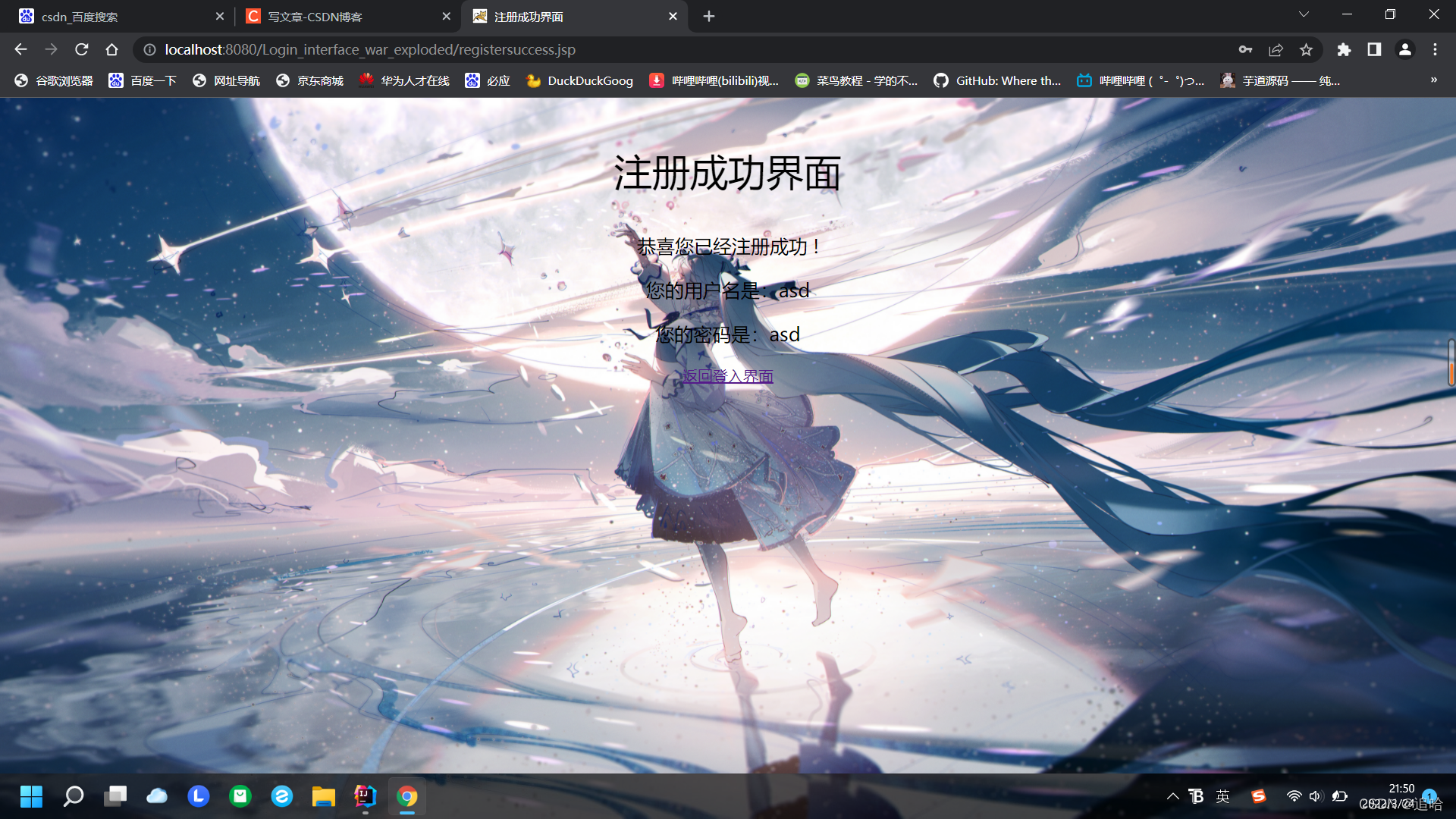
首先我们来看看效果
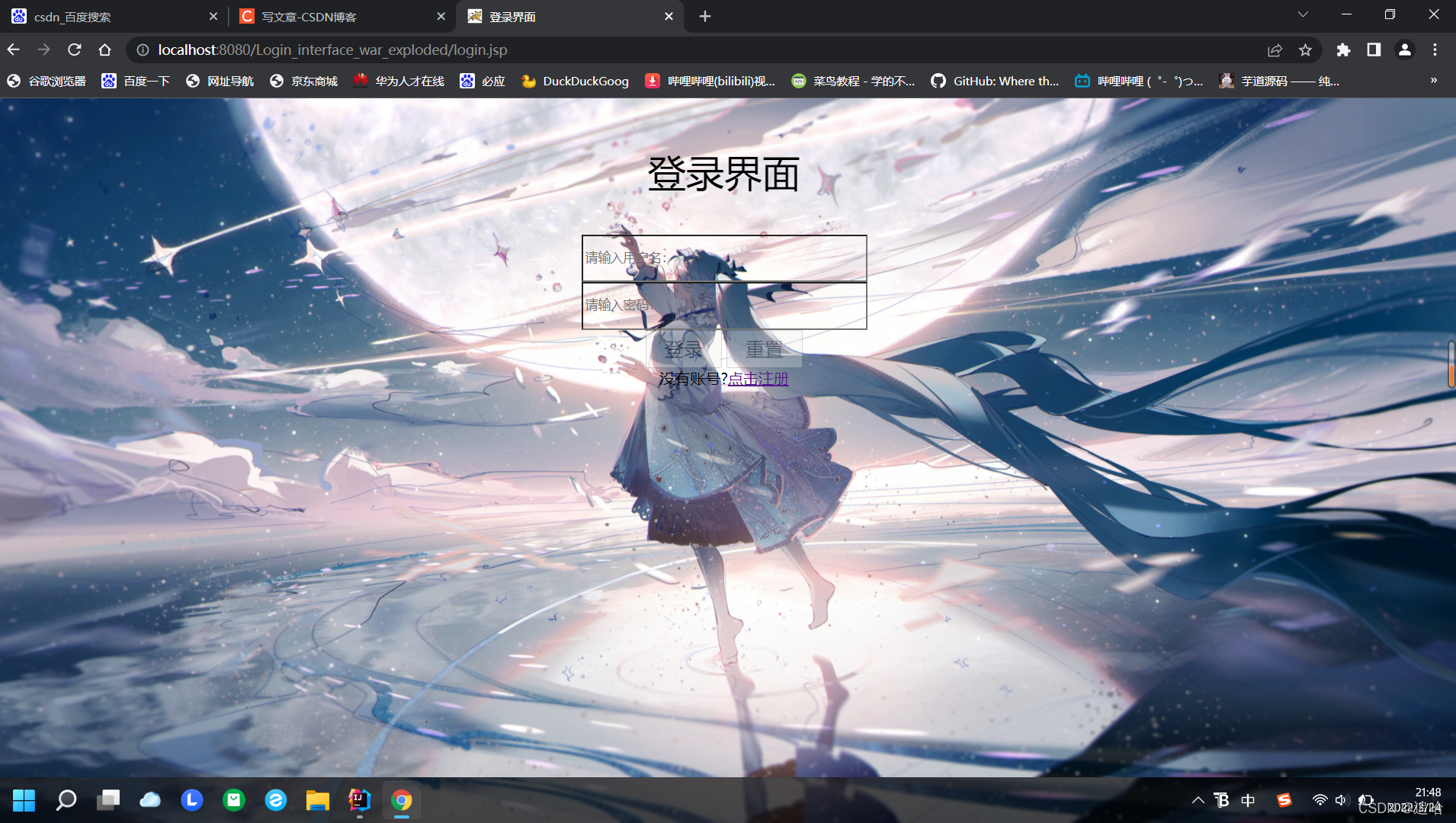
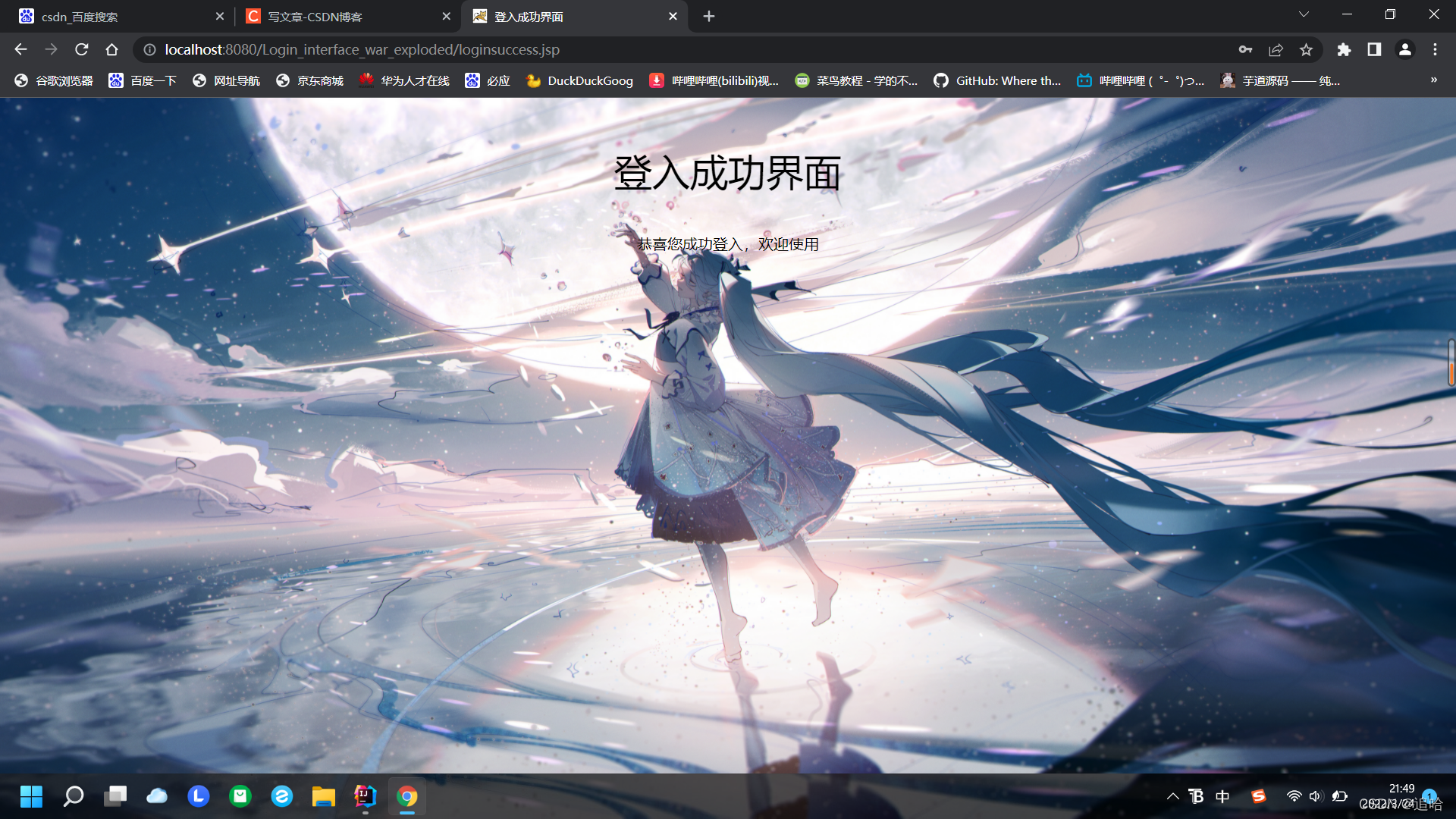
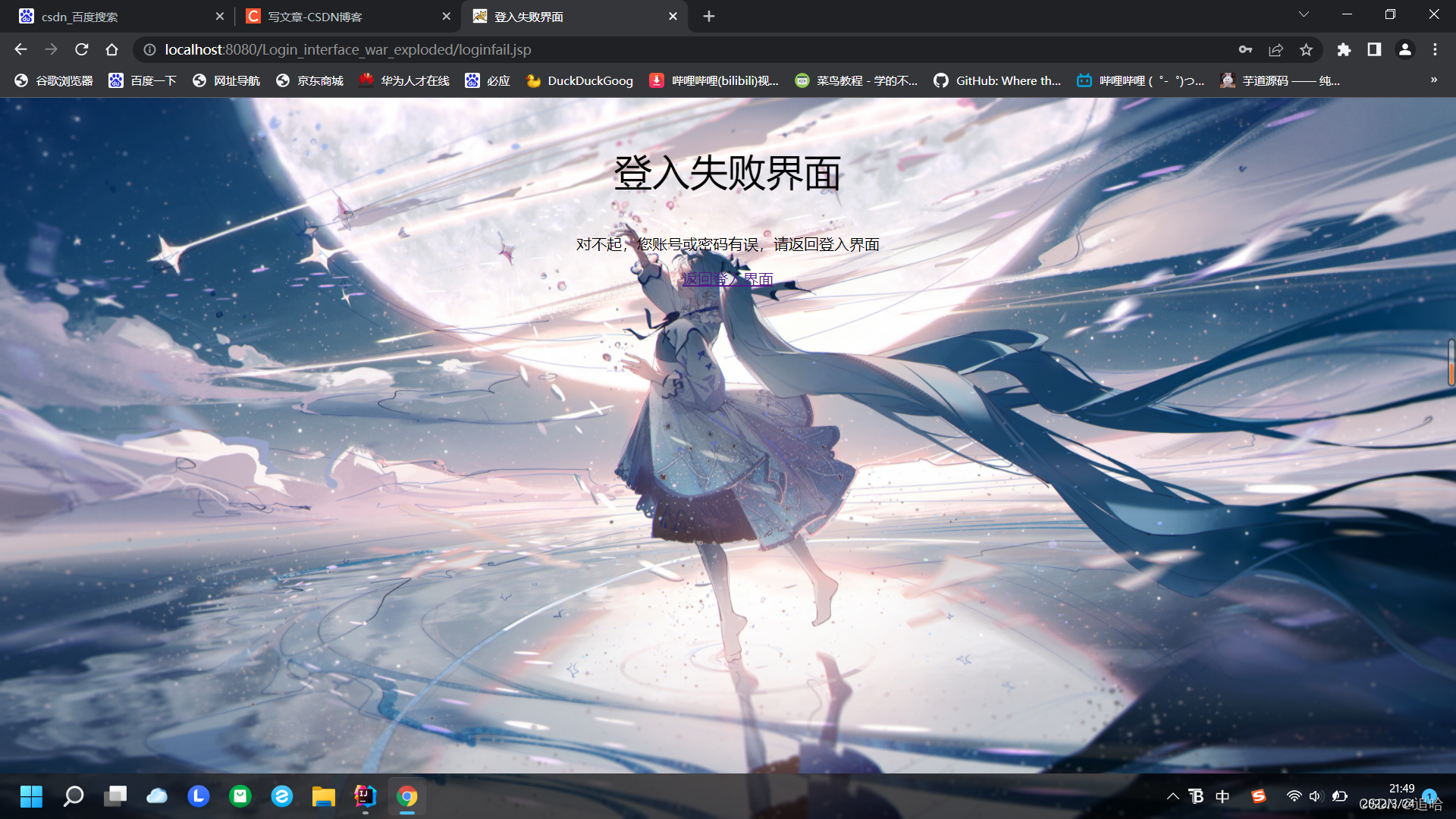
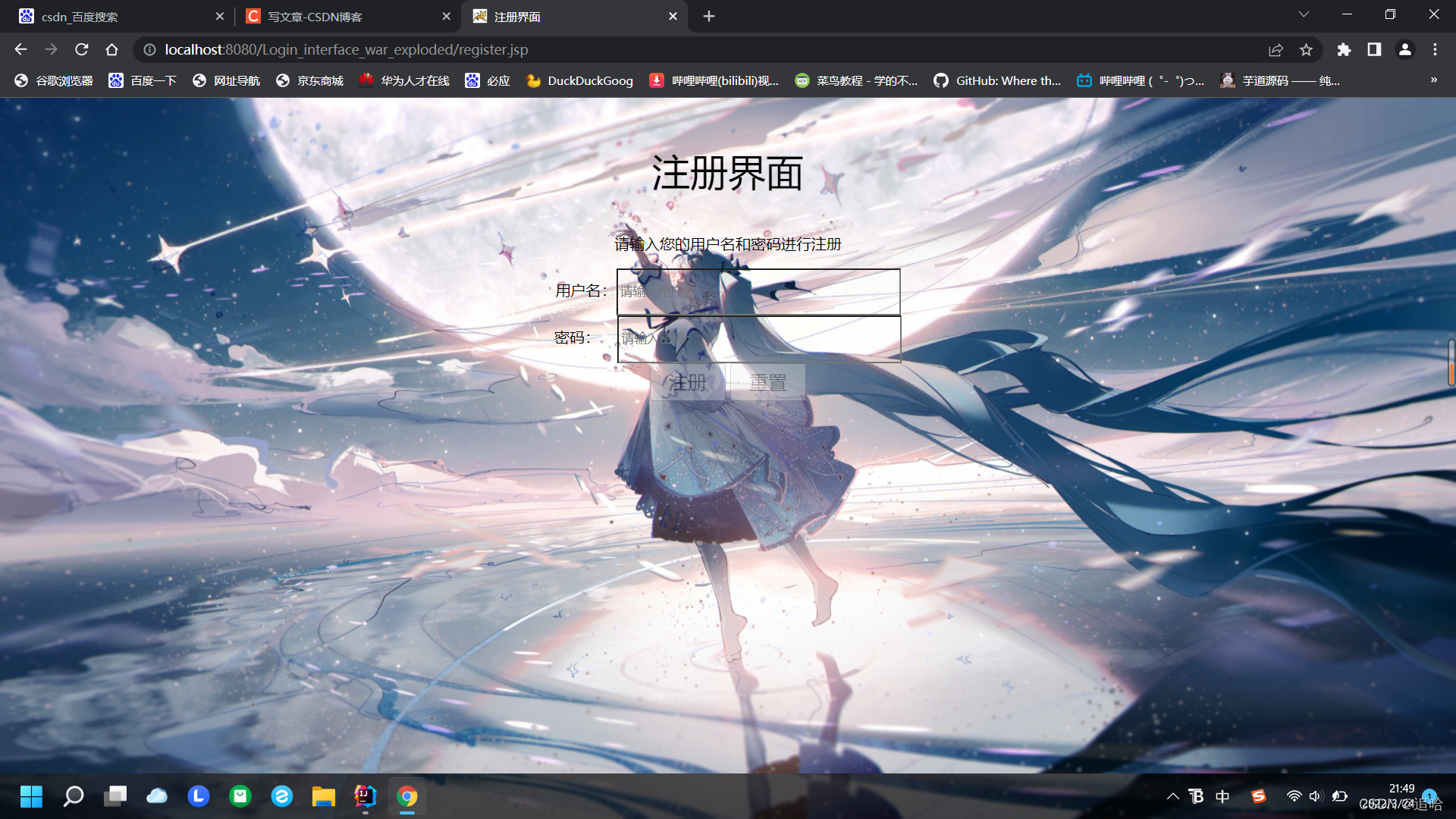
第二步
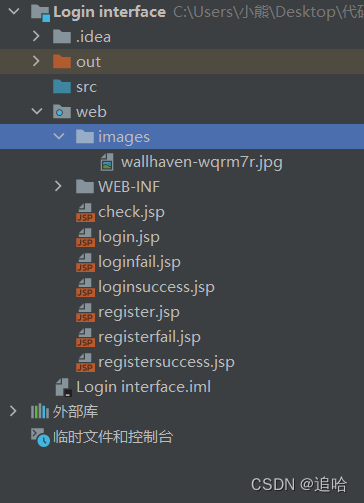
创建项目,再添加框架支持,把文件全部创建到通一个目录里面,新建image文件夹,放入我们的背景图片(可爱的小姐姐),如图:
在login文件写入
<%@ page contentType="text/html;charset=UTF-8" language="java" %>
<html>
  <head>
    <title>登入界面</title>
  </head>
  <body>
  <h1>登录界面</h1>
  <form method="post" action="check.jsp">
    <input type="text" name="user"><br>
    <input type="password" name="pass"><br>
    <button type="submit" value="login">登入</button>
    <a href="register.jsp">注册</a>
  </form>
  </body>
</html>
在register文件写入
<%@ page contentType="text/html;charset=UTF-8" language="java" %>
<html>
<head>
    <title>Title</title>
</head>
<body>
<h2>注册界面</h2>
    <form method="post" action="registersuccess.jsp">
    请输入您的用户名:<input type="text" name="user" size="20"><br>
    请输入您的密码:<input type="password" name="pass" size="20"><br>
    <button type="submit" value="login">注册</button>
    <button type="reset" value="reset">重置</button>
</form>
</body>
</html>
在registersuccess文件写入
<%@ page contentType="text/html;charset=UTF-8" language="java" %>
<html>
<head>
    <title>Title</title>
</head>
<body>
<form method="post" action="check.jsp">

<%
    String user = "a";
    String pass = "b";
    if(request.getParameter("user")!=null && request.getParameter("pass") != null)
    {
        user = request.getParameter("user");
        session.setAttribute("user",user);
        pass = request.getParameter("pass");
        session.setAttribute("pass",pass);
    }

%>
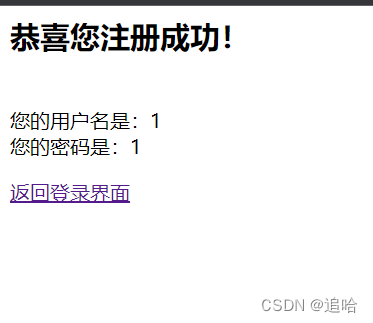
<h2>恭喜您注册成功!</h2><br>
您的用户名是:<%=user%> <br>
您的密码是:<%=pass%>
</form>
<a href="login.jsp">返回登录界面</a>
</body>
</html>
在loginsuccess文件写入
<%@ page contentType="text/html;charset=UTF-8" language="java" %>
<html>
<head>
    <title>Title</title>
</head>
<body>
<h2 align="center">登录成功</h2>
</body>
</html>
在loginfail文件写入
<%@ page contentType="text/html;charset=UTF-8" language="java" %>
<html>
<head>
    <title>Title</title>
</head>
<body>
<h2 align="center">登录失败</h2>
<h3 align="center"><a href="login.jsp" style="color:#FAAF46; font-size:10px">返回登录页面</a></h3>
</body>
</html>
在check文件写入
<%--
  Created by IntelliJ IDEA.
  User: 小熊
  Date: 2022/3/24
  Time: 15:53
  To change this template use File | Settings | File Templates.
--%>
<%@ page contentType="text/html;charset=UTF-8" language="java" %>
<html>
<head>
    <title>Title</title>
</head>
<body>
<form method="post" action="">
    <%
        String user=(String)session.getAttribute("user");
        String pass=(String)session.getAttribute("pass");
        String name=request.getParameter("user");
        session.setAttribute("name", name);
        String password1=request.getParameter("pass");
        session.setAttribute("password", password1);
        if(user.equals(name)&&password1.equals(pass))
        { response.sendRedirect("loginsuccess.jsp");}
        else
            response.sendRedirect("loginfail.jsp");
    %>
</form>
</body>
</html>
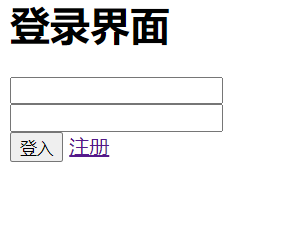
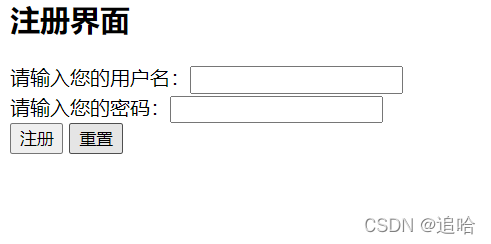
那么我们来看看效果:
第三步
我们加点css美化一下:
在login文件加入(字体居中效果,背景图片,按钮的透明度,输入框的透明度等)
<%@ page contentType="text/html;charset=UTF-8" language="java" %>
<html>
<head>
    <title>注册失败界面</title>
    <style type="text/css">
        .center{
            text-align:center;
            margin-top: 50px;
        }
        .fon{
            font-size: 40px;
        }
        .fon1{
            font-size: 20px;
        }
        body{
            background: url("images/wallhaven-wqrm7r.jpg");
            background-size: 100% 100%;
        }
        input {
            background-color: transparent;
            outline: none;
            color: black;
        }

    </style>
</head>
<body>
<h2></h2>


<div class="center">
    <p class="fon">注册失败界面</p>
    <p class="fon1">对不起,您输入的有误,请返回注册界面</p>
    <a href="register.jsp">返回注册界面</a>
</div>

</body>
</html>
在loginsuccess文件加入(字体居中效果,背景图片)
<%@ page contentType="text/html;charset=UTF-8" language="java" %>
<html>
<head>
    <title>登入成功界面</title>
    <style type="text/css">
        .center{
            text-align:center;
            margin-top: 50px;
        }
        .fon{
            font-size: 40px;
        }
        body{
            background: url("images/wallhaven-wqrm7r.jpg");
            background-size: 100% 100%;
        }
        input {
            background-color: transparent;
            outline: none;
            color: black;
        }

    </style>
</head>
<body>
<div class="center">
    <p class="fon">登入成功界面</p>
    <p class="fon1">恭喜您成功登入,欢迎使用</p>
</div>
</body>
</html>
在loginfail文件加入(字体居中效果,背景图片)
<%@ page contentType="text/html;charset=UTF-8" language="java" %>
<html>
<head>
    <title>登入失败界面</title>
    <style type="text/css">
        .center{
            text-align:center;
            margin-top: 50px;
        }
        .fon{
            font-size: 40px;
        }
        body{
            background: url("images/wallhaven-wqrm7r.jpg");
            background-size: 100% 100%;
        }
        input {
            background-color: transparent;
            outline: none;
            color: black;
        }
    </style>
</head>
<body>
<div class="center">
    <p class="fon">登入失败界面</p>
    <p class="fon1">对不起,您账号或密码有误,请返回登入界面</p>
    <a href="login.jsp">返回登入界面</a>
</div>
</body>
</html>
在register文件加入(字体居中效果,背景图片,按钮的透明度,输入框的透明度等)
<%@ page contentType="text/html;charset=UTF-8" language="java" %>
<html>
<head>
<title>注册界面</title>
<style type="text/css">
.center{
text-align:center;
margin-top: 50px;
}
.fon{
font-size: 40px;
}
body{
background: url("images/wallhaven-wqrm7r.jpg");
background-size: 100% 100%;
}
input {
background-color: transparent;
outline: none;
color: black;
}
.clear{
opacity:0.3;
}
</style>
</head>
<body>
<div class="center">
<p class="fon">注册界面</p>
<p>请输入您的用户名和密码进行注册</p>
<form method="post" action="registersuccess.jsp">
用户名:<input type="text" name="user" name="user" style="width: 300px;height: 50px" placeholder="请输入用户名:" > <br>
密码: <input type="password" name="pass" name="user" style="width: 300px;height: 50px" placeholder="请输入密码:" > <br>
<button type="submit" style="width:80px;height:40px; font-size: 20px" class="clear">注册</button>
<button type="reset" style="width:80px;height:40px; font-size: 20px" class="clear">重置</button>
<br>
</form>
</div>
</body>
</html>
在registersuccess文件加入(字体居中效果,背景图片)
<%@ page contentType="text/html;charset=UTF-8" language="java" %>
<html>
<head>
    <title>注册成功界面</title>
    <style type="text/css">
        .center{
            text-align:center;
            margin-top: 50px;
        }
        .fon{
            font-size: 40px;
        }
        .fon1{
            font-size: 20px;
        }
        body{
            background: url("images/wallhaven-wqrm7r.jpg");
            background-size: 100% 100%;
        }
        input {
            background-color: transparent;
            outline: none;
            color: black;
        }
    </style>
</head>
<body>
<form method="post" action="check.jsp">
    <%
        String user = null;
        String pass = null;
        if(request.getParameter("user")!=null && request.getParameter("pass") != null)
        {
            user = request.getParameter("user");
            session.setAttribute("user",user);
            pass = request.getParameter("pass");
            session.setAttribute("pass",pass);
        }
    %>

    <div class="center">
        <p class="fon">注册成功界面</p>
        <p class="fon1">恭喜您已经注册成功 !</p>
        <p class="fon1">您的用户名是:<%=user%></p>
        <p class="fon1">您的密码是:<%=pass%></p>
        <a href="login.jsp">返回登入界面</a>
    </div>

</form>
</body>
</html>
check不变
<%@ page contentType="text/html;charset=UTF-8" language="java" %>
<html>
<head>
    <title>检查界面</title>
</head>
<body>

<form method="post" action="">

    <%
        String user = (String) session.getAttribute("user");
        String pass = (String) session.getAttribute("pass");
        String user1 = request.getParameter("user");
        session.setAttribute("user1",user1);
        String pass1 = request.getParameter("pass");
        session.setAttribute("pass1",pass1);

        if (user.equals(user1) && pass.equals(pass1)) {
            response.sendRedirect("loginsuccess.jsp");
        }
        else {
            response.sendRedirect("loginfail.jsp");
        }
    %>
</form>
</body>
</html>
(编辑好配置)点击运行效果就出来了。
<%--
/*
#                       _oo0oo_
#                      o8888888o
#                      88" . "88
#                      (| -_- |)
#                      0\  =  /0
#                    ___/`---'\___
#                  .' \\|     |// '.
#                 / \\|||  :  |||// \
#                / _||||| -:- |||||- \
#               |   | \\\  -  /// |   |
#               | \_|  ''\---/''  |_/ |
#               \  .-\__  '-'  ___/-. /
#             ___'. .'  /--.--\  `. .'___
#          ."" '<  `.___\_<|>_/___.' >' "".
#         | | :  `- \`.;`\ _ /`;.`/ - ` : | |
#         \  \ `_.   \_ __\ /__ _/   .-` /  /
#     =====`-.____`.___ \_____/___.-`___.-'=====
#                       `=---='
#
#
#     ~~~~~~~~~~~~~~~~~~~~~~~~~~~~~~~~~~~~~~~~~~~
#
#               佛祖保佑         永无BUG
*/
--%>
(求关注)写代码写的好累啊,今天八节课,写代码写博客写到22点了,洗澡去了。
后面会更新android,jquery,jsp,蓝桥杯等等。
我在MiniTest::Spec和Capybara中使用以下规范:find_field('Email').must_have_css('[autofocus]')检查名为“电子邮件”的字段是否具有autofocus属性。doc说如下:has_css?(path,options={})ChecksifagivenCSSselectorisonthepageorcurrentnode.据我了解,字段“Email”是一个节点,因此调用must_have_css绝对有效!我做错了什么? 最佳答案 通过JonasNicklas得到了答案:No
我有一个用户工厂。我希望默认情况下确认用户。但是鉴于unconfirmed特征,我不希望它们被确认。虽然我有一个基于实现细节而不是抽象的工作实现,但我想知道如何正确地做到这一点。factory:userdoafter(:create)do|user,evaluator|#unwantedimplementationdetailshereunlessFactoryGirl.factories[:user].defined_traits.map(&:name).include?(:unconfirmed)user.confirm!endendtrait:unconfirmeddoenden
有没有办法在这个简单的get方法中添加超时选项?我正在使用法拉第3.3。Faraday.get(url)四处寻找,我只能先发起连接后应用超时选项,然后应用超时选项。或者有什么简单的方法?这就是我现在正在做的:conn=Faraday.newresponse=conn.getdo|req|req.urlurlreq.options.timeout=2#2secondsend 最佳答案 试试这个:conn=Faraday.newdo|conn|conn.options.timeout=20endresponse=conn.get(url
我想在Ruby中创建一个用于开发目的的极其简单的Web服务器(不,不想使用现成的解决方案)。代码如下:#!/usr/bin/rubyrequire'socket'server=TCPServer.new('127.0.0.1',8080)whileconnection=server.acceptheaders=[]length=0whileline=connection.getsheaders想法是从命令行运行这个脚本,提供另一个脚本,它将在其标准输入上获取请求,并在其标准输出上返回完整的响应。到目前为止一切顺利,但事实证明这真的很脆弱,因为它在第二个请求上中断并出现错误:/usr/b
只是想确保我理解了事情。据我目前收集到的信息,Cucumber只是一个“包装器”,或者是一种通过将事物分类为功能和步骤来组织测试的好方法,其中实际的单元测试处于步骤阶段。它允许您根据事物的工作方式组织您的测试。对吗? 最佳答案 有点。它是一种组织测试的方式,但不仅如此。它的行为就像最初的Rails集成测试一样,但更易于使用。这里最大的好处是您的session在整个Scenario中保持透明。关于Cucumber的另一件事是您(应该)从使用您的代码的浏览器或客户端的角度进行测试。如果您愿意,您可以使用步骤来构建对象和设置状态,但通常您
我意识到这可能是一个非常基本的问题,但我现在已经花了几天时间回过头来解决这个问题,但出于某种原因,Google就是没有帮助我。(我认为部分问题在于我是一个初学者,我不知道该问什么......)我也看过O'Reilly的RubyCookbook和RailsAPI,但我仍然停留在这个问题上.我找到了一些关于多态关系的信息,但它似乎不是我需要的(尽管如果我错了请告诉我)。我正在尝试调整MichaelHartl'stutorial创建一个包含用户、文章和评论的博客应用程序(不使用脚手架)。我希望评论既属于用户又属于文章。我的主要问题是:我不知道如何将当前文章的ID放入评论Controller。
我有一个div,它根据表单是否正确提交而改变。我想知道是否可以检查类的特定元素?开始元素看起来像这样。如果输入不正确,添加错误类。 最佳答案 试试这个:browser.div(:id=>"myerrortest").class_name更多信息:http://watir.github.com/watir-webdriver/doc/Watir/HTMLElement.html#class_name-instance_method另一种选择是只查看具有您期望的类的div是否存在browser.div((:id=>"myerrortes
我的工作要求我为某些测试自动生成电子邮件。我一直在四处寻找,但未能找到可以快速实现的合理解决方案。它需要在outlook而不是其他邮件服务器中,因为我们有一些奇怪的身份验证规则,我们需要保存草稿而不是仅仅发送邮件的选项。显然win32ole可以做到这一点,但我找不到任何相当简单的例子。 最佳答案 假设存储了Outlook凭据并且您设置为自动登录到Outlook,WIN32OLE可以很好地完成此操作:require'win32ole'outlook=WIN32OLE.new('Outlook.Application')message=
华为OD机试题本篇题目:明明的随机数题目输入描述输出描述:示例1输入输出说明代码编写思路最近更新的博客华为od2023|什么是华为od,od薪资待遇,od机试题清单华为OD机试真题大全,用Python解华为机试题|机试宝典【华为OD机试】全流程解析+经验分享,题型分享,防作弊指南华为o
C#实现简易绘图工具一.引言实验目的:通过制作窗体应用程序(C#画图软件),熟悉基本的窗体设计过程以及控件设计,事件处理等,熟悉使用C#的winform窗体进行绘图的基本步骤,对于面向对象编程有更加深刻的体会.Tutorial任务设计一个具有基本功能的画图软件**·包括简单的新建文件,保存,重新绘图等功能**·实现一些基本图形的绘制,包括铅笔和基本形状等,学习橡皮工具的创建**·设计一个合理舒适的UI界面**注明:你可能需要先了解一些关于winform窗体应用程序绘图的基本知识,以及关于GDI+类和结构的知识二.实验环境Windows系统下的visualstudio2017C#窗体应用程序三.
