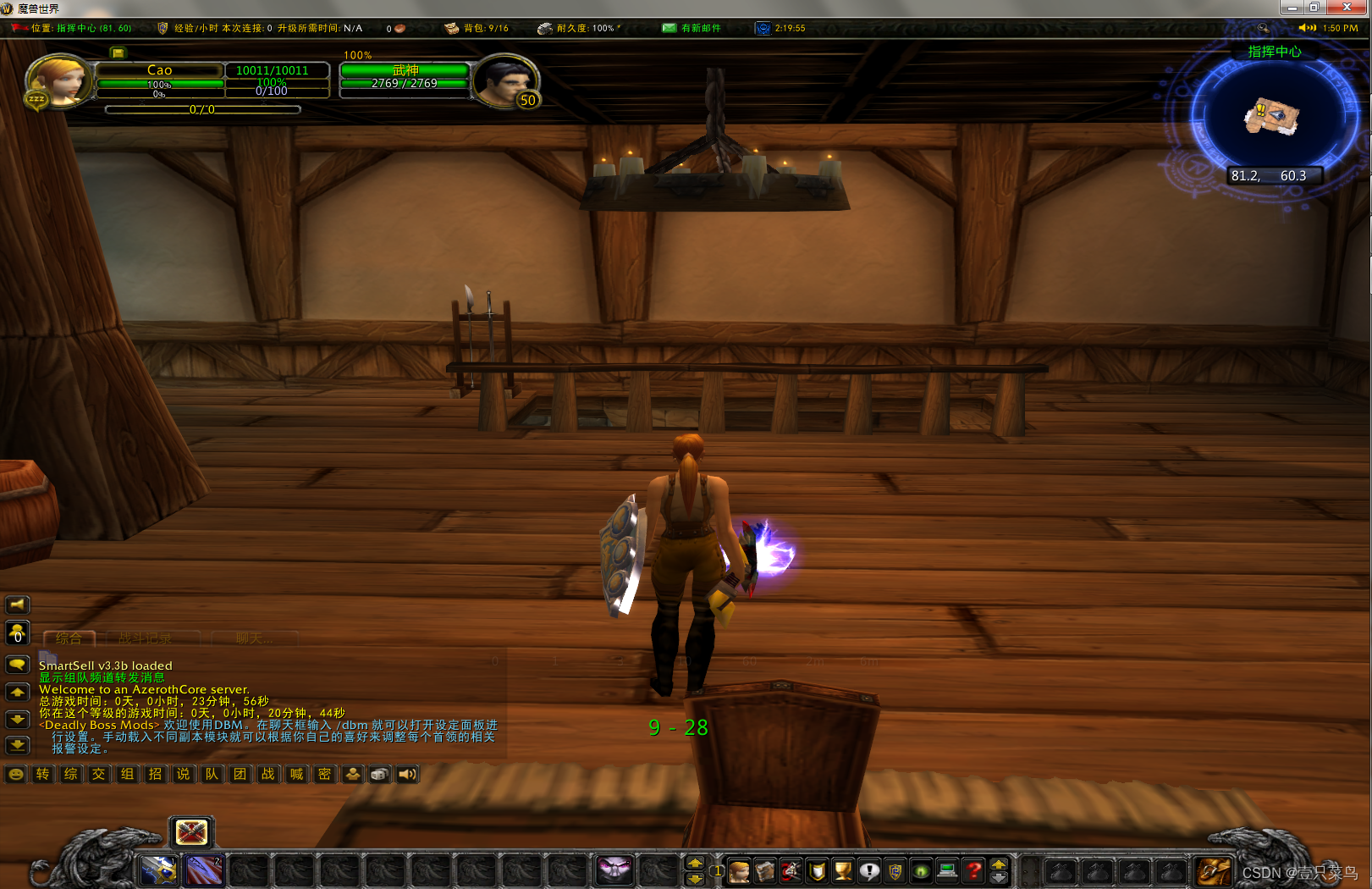
魔兽世界服务端AzerothCore+Centos系统+docker编译教程
声明:本文只做探讨性研究,不以盈利为目的,仅供个人娱乐。如果涉及侵权行为,请联系本作者删除。
安装docker CentOS 环境下安装 Docker
安装docker compose 12.2.2 二进制包
安装git:yum install git
cd /
git clone https://gitee.com/53957105/azerothcore-wotlk.git
下载完成后,会出现 /azerothcore-wotlk 目录
地图文件下载地址 (data.zip)
上传地图数据文件到 docker/worldserver/data/
解压地图数据
cd /azerothcore-wotlk/docker/worldserver/data/
unzip data.zip
进入 /azerothcore-wotlk 目录
[root@localhost ~]# cd /azerothcore-wotlk/
[root@localhost azerothcore-wotlk]# cp .env.dist .env
[root@localhost azerothcore-wotlk]# cat .env
WORLDSERVER_DATA=./docker/worldserver/data
WORLDSERVER_ETC=./docker/worldserver/etc
WORLDSERVER_LOGS=./docker/worldserver/logs

AUTHSERVER_ETC=./docker/authserver/etc
AUTHSERVER_LOGS=./docker/authserver/logs

WORLD_EXTERNAL_PORT=1001
AUTH_EXTERNAL_PORT=1002
DB_EXTERNAL_PORT=1003
DB_ROOT_PASSWORD=123456
SOAP_EXTERNAL_PORT=1004
端口可自定义,后面操作同步修改
chmod +x -R ../azerothcore-wotlk
[root@localhost azerothcore-wotlk]# cat docker/worldserver/etc/worldserver.conf
################################################
# AzerothCore World Server configuration file #
################################################
[worldserver]

# Do NOT change those Dir configs
LogsDir = "/azeroth-server/logs" # will reflect on your host directory: docker/worldserver/logs
DataDir = "/azeroth-server/data"

# Change this configuration accordingly with your docker setup
# The format is "hostname;port;username;password;database":
# - docker containers must be on the same docker network to be able to communicate
# - the DB hostname will be the name of the database docker container
LoginDatabaseInfo     = "ac-database;3306;root;123456;acore_auth"
WorldDatabaseInfo     = "ac-database;3306;root;123456;acore_world"
CharacterDatabaseInfo = "ac-database;3306;root;123456;acore_characters"

# Add more configuration overwrites by copying settings from worldserver.conf.dist
LogLevel = 2

# Disable idle connections automatic kick since it doesn't work well on macOS + Docker
CloseIdleConnections = 0

SOAP.Enabled = 1
SOAP.IP = "0.0.0.0"
SOAP.Port = 7878
[root@localhost azerothcore-wotlk]# cat docker/authserver/etc/authserver.conf
###############################################
# AzerothCore Auth Server configuration file #
###############################################
[authserver]

# Do not change this
LogsDir = "/azeroth-server/logs" # will reflect on your host directory: docker/worldserver/logs

# Change this configuration accordingly with your docker setup
# The format is "hostname;port;username;password;database":
# - docker containers must be on the same docker network to be able to communicate
# - the DB hostname will be the name of the database docker container
LoginDatabaseInfo = "ac-database;3306;root;123456;acore_auth"

# Add more configuration overwrites by copying settings from from authserver.conf.dist
LogLevel = 3
SQLDriverLogFile = "SQLDriver.log"
SQLDriverQueryLogging = 1
./bin/acore-docker-build
docker-compose up
如果失败,再试一次
显示下面内容,表示服务器启动成功:
ac-worldserver_1  | Max allowed socket connections 1048576
ac-worldserver_1  | AzerothCore rev. 036a8c2450ef+ 2020-10-13 10:23:18 +0200 (master branch) (Unix, Release) (worldserver-daemon) ready...
[root@localhost azerothcore-wotlk]# docker ps
CONTAINER ID   IMAGE                     COMMAND                  CREATED        STATUS                  PORTS                                                                                  NAMES
a7c8660f835d   azerothcore/worldserver   "/azeroth-server/bin…"   25 hours ago   Up 24 hours (healthy)   0.0.0.0:1004->7878/tcp, :::1004->7878/tcp, 0.0.0.0:1001->8085/tcp, :::1001->8085/tcp   azerothcore-wotlk_ac-worldserver_1
a0a051f3a1ab   azerothcore/authserver    "/azeroth-server/bin…"   2 days ago     Up 24 hours (healthy)   0.0.0.0:1002->3724/tcp, :::1002->3724/tcp                                              azerothcore-wotlk_ac-authserver_1
f6d8ff788432   azerothcore/database      "docker-entrypoint.s…"   2 days ago     Up 24 hours (healthy)   33060/tcp, 0.0.0.0:1003->3306/tcp, :::1003->3306/tcp                                   azerothcore-wotlk_ac-database_1
当程序启动成功,可以切换至后台运行
docker-compose up -d
如果出现网络问题,无法启动,可参考以下内容修改
[root@localhost azerothcore-wotlk]# cat docker-compose.yml
version: '3.2'

services:

  ac-database:
    image: azerothcore/database
    restart: unless-stopped
    build:
      context: .
      dockerfile: ./docker/database/Dockerfile
    networks:
      proxy:
        ipv4_address: 169.17.0.10
    ports:
      - ${DB_EXTERNAL_PORT:-3306}:3306
    environment:
      - MYSQL_ROOT_PASSWORD=${DB_ROOT_PASSWORD:-password}
    volumes:
      - type: volume
        source: ac-database
        target: /var/lib/mysql

  ac-worldserver:
    stdin_open: true
    tty: true
    image: azerothcore/worldserver
    restart: unless-stopped
    privileged: true
    build:
      context: ./docker/worldserver
      dockerfile: Dockerfile
    networks:
      proxy:
        ipv4_address: 169.17.0.11
    ports:
      - ${WORLD_EXTERNAL_PORT:-8085}:8085
      - ${SOAP_EXTERNAL_PORT:-7878}:7878
    volumes:
      - type: bind
        source: ./docker/worldserver/bin
        target: /azeroth-server/bin
      - type: bind
        source: ${WORLDSERVER_ETC:-./docker/worldserver/etc}
        target: /azeroth-server/etc
      - type: bind
        source: ${WORLDSERVER_LOGS:-./docker/worldserver/logs}
        target: /azeroth-server/logs
      - type: bind
        source: ${WORLDSERVER_DATA:-./docker/worldserver/data}
        target: /azeroth-server/data
    depends_on:
      - ac-database

  ac-authserver:
    image: azerothcore/authserver
    restart: unless-stopped
    build:
      context: ./docker/authserver
      dockerfile: Dockerfile
    networks:
      proxy:
        ipv4_address: 169.17.0.12
    ports:
      - ${AUTH_EXTERNAL_PORT:-3724}:3724
    volumes:
      - type: bind
        source: ./docker/authserver/bin
        target: /azeroth-server/bin
      - type: bind
        source: ${AUTHSERVER_ETC:-./docker/authserver/etc}
        target: /azeroth-server/etc
      - type: bind
        source: ${AUTHSERVER_LOGS:-./docker/authserver/logs}
        target: /azeroth-server/logs
    depends_on:
      - ac-database

volumes:
  ac-database:

networks:
  proxy:
    ipam:
      config:
      - subnet: 169.17.0.0/24
如果因为时区问题,无法启动,参考如下修改
[root@localhost azerothcore-wotlk]# cat docker/authserver/Dockerfile
FROM ubuntu:20.04

# List of timezones: http://en.wikipedia.org/wiki/List_of_tz_database_time_zones

# set timezone environment variable
ENV TZ=Asia/Shanghai

# set noninteractive mode so tzdata doesn't ask to set timezone on install
ENV DEBIAN_FRONTEND=noninteractive

# install the required dependencies to run the authserver
RUN apt update && apt install -y libmysqlclient-dev libssl-dev libace-6.4.5 libace-dev net-tools tzdata;

# change timezone in container
RUN ln -snf /usr/share/zoneinfo/$TZ /etc/localtime && echo $TZ > /etc/timezone && dpkg-reconfigure --frontend noninteractive tzdata

HEALTHCHECK --interval=5s --timeout=15s --start-period=30s --retries=1 CMD netstat -lnpt | grep :3724 || exit 1

# run the authserver located in the directory "docker/authserver/bin" of the host machine
CMD ["/azeroth-server/bin/authserver"]
[root@localhost azerothcore-wotlk]# cat docker/database/Dockerfile
FROM alpine:3.9 as builder

# install bash
RUN apk add --no-cache bash

# copy the sources from the host machine
COPY apps /azerothcore/apps
COPY bin /azerothcore/bin
COPY conf /azerothcore/conf
COPY data /azerothcore/data
COPY deps /azerothcore/deps
COPY acore.json /azerothcore/acore.json

# run the AzerothCore database assembler
RUN ./azerothcore/bin/acore-db-asm 1

FROM mysql:5.7

# List of timezones: http://en.wikipedia.org/wiki/List_of_tz_database_time_zones

# set timezone environment variable
ENV TZ=Asia/Shanghai

ENV LANG C.UTF-8

# copy files from the previous build stage - see: https://docs.docker.com/develop/develop-images/multistage-build/
COPY --from=builder /azerothcore/env/dist/sql /sql

# adding the "generate-databases.sh" to the directory "/docker-entrypoint-initdb.d"
# because all scripts included in that directory will automatically be executed when the docker container starts
COPY docker/database/generate-databases.sh /docker-entrypoint-initdb.d

HEALTHCHECK --interval=5s --timeout=15s --start-period=30s --retries=1 CMD mysqladmin -uroot -p$MYSQL_ROOT_PASSWORD ping -h localhost
[root@localhost azerothcore-wotlk]# cat docker/worldserver/Dockerfile
FROM ubuntu:20.04

# List of timezones: http://en.wikipedia.org/wiki/List_of_tz_database_time_zones

# set timezone environment variable
ENV TZ=Aisa/Shanghai

# set noninteractive mode so tzdata doesn't ask to set timezone on install
ENV DEBIAN_FRONTEND=noninteractive

# install the required dependencies to run the authserver
RUN apt update && apt install -y libmysqlclient-dev libssl-dev libace-6.4.5 libace-dev libreadline-dev net-tools tzdata;

# change timezone in container
RUN ln -snf /usr/share/zoneinfo/$TZ /etc/localtime && echo $TZ > /etc/timezone && dpkg-reconfigure --frontend noninteractive tzdata

HEALTHCHECK --interval=5s --timeout=15s --start-period=30s --retries=1 CMD netstat -lnpt | grep :8085 || exit 1

# run the worldserver located in the directory "docker/worldserver/bin" of the host machine
CMD ["/azeroth-server/bin/worldserver"]
[root@localhost azerothcore-wotlk]# docker exec -it azerothcore-wotlk_ac-database_1 bash
bash-4.2# mysql -uroot -p
Enter password:
Welcome to the MySQL monitor.  Commands end with ; or \g.
Your MySQL connection id is 1416
Server version: 5.7.41 MySQL Community Server (GPL)

Copyright (c) 2000, 2023, Oracle and/or its affiliates.

Oracle is a registered trademark of Oracle Corporation and/or its
affiliates. Other names may be trademarks of their respective
owners.

Type 'help;' or '\h' for help. Type '\c' to clear the current input statement.

mysql>
mysql> use acore_auth;
Reading table information for completion of table and column names
You can turn off this feature to get a quicker startup with -A

Database changed
mysql> show tables;
+----------------------+
| Tables_in_acore_auth |
+----------------------+
| account              |
| account_access       |
| account_banned       |
| account_muted        |
| autobroadcast        |
| ip2nation            |
| ip2nationCountries   |
| ip_banned            |
| logs                 |
| logs_ip_actions      |
| realmcharacters      |
| realmlist            |
| uptime               |
| version_db_auth      |
+----------------------+
14 rows in set (0.00 sec)

mysql> select * from realmlist;
+----+-------------+---------------+--------------+-----------------+------+------+------+----------+----------------------+------------+-----------+
| id | name        | address       | localAddress | localSubnetMask | port | icon | flag | timezone | allowedSecurityLevel | population | gamebuild |
+----+-------------+---------------+--------------+-----------------+------+------+------+----------+----------------------+------------+-----------+
|  1 | AzerothCore | 192.168.1.200 | 127.0.0.1    | 255.255.255.0   | 1001 |    0 |    0 |        1 |                    0 |          0 |     12340 |
+----+-------------+---------------+--------------+-----------------+------+------+------+----------+----------------------+------------+-----------+
1 row in set (0.00 sec)
update realmlist set address='192.168.1.200',port='1001';
进入服务器容器,并创建gm账号
docker attach azerothcore-wotlk_ac-worldserver_1

account create admin 123456
account set gmlevel admin 3 -1
创建完成,退出容器
在客户端中,创建 login.bat 文件,并写入如下内容:
@echo y | rd /s "Cache"
echo SET realmlist "192.168.1.200:1002"> realmlist.wtf
echo SET realmList "192.168.1.200:1002"> Data/zhCN/realmlist.wtf
echo SET realmList "192.168.1.200:1002"> Data/zhTW/realmlist.wtf

ren Data\commoo.MPQ common.MPQ
ren Data\expansioo.MPQ expansion.MPQ
start wow.exe
goto end
:end
ENJOR YOUR GAME!
我正在尝试使用ruby和Savon来使用网络服务。测试服务为http://www.webservicex.net/WS/WSDetails.aspx?WSID=9&CATID=2require'rubygems'require'savon'client=Savon::Client.new"http://www.webservicex.net/stockquote.asmx?WSDL"client.get_quotedo|soap|soap.body={:symbol=>"AAPL"}end返回SOAP异常。检查soap信封,在我看来soap请求没有正确的命名空间。任何人都可以建议我
我想安装一个带有一些身份验证的私有(private)Rubygem服务器。我希望能够使用公共(public)Ubuntu服务器托管内部gem。我读到了http://docs.rubygems.org/read/chapter/18.但是那个没有身份验证-如我所见。然后我读到了https://github.com/cwninja/geminabox.但是当我使用基本身份验证(他们在他们的Wiki中有)时,它会提示从我的服务器获取源。所以。如何制作带有身份验证的私有(private)Rubygem服务器?这是不可能的吗?谢谢。编辑:Geminabox问题。我尝试“捆绑”以安装新的gem..
我正在尝试在我的centos服务器上安装therubyracer,但遇到了麻烦。$geminstalltherubyracerBuildingnativeextensions.Thiscouldtakeawhile...ERROR:Errorinstallingtherubyracer:ERROR:Failedtobuildgemnativeextension./usr/local/rvm/rubies/ruby-1.9.3-p125/bin/rubyextconf.rbcheckingformain()in-lpthread...yescheckingforv8.h...no***e
最近,当我启动我的Rails服务器时,我收到了一长串警告。虽然它不影响我的应用程序,但我想知道如何解决这些警告。我的估计是imagemagick以某种方式被调用了两次?当我在警告前后检查我的git日志时。我想知道如何解决这个问题。-bcrypt-ruby(3.1.2)-better_errors(1.0.1)+bcrypt(3.1.7)+bcrypt-ruby(3.1.5)-bcrypt(>=3.1.3)+better_errors(1.1.0)bcrypt和imagemagick有关系吗?/Users/rbchris/.rbenv/versions/2.0.0-p247/lib/ru
在Rails4.0.2中,我使用s3_direct_upload和aws-sdkgems直接为s3存储桶上传文件。在开发环境中它工作正常,但在生产环境中它会抛出如下错误,ActionView::Template::Error(noimplicitconversionofnilintoString)在View中,create_cv_url,:id=>"s3_uploader",:key=>"cv_uploads/{unique_id}/${filename}",:key_starts_with=>"cv_uploads/",:callback_param=>"cv[direct_uplo
我想在Ruby中创建一个用于开发目的的极其简单的Web服务器(不,不想使用现成的解决方案)。代码如下:#!/usr/bin/rubyrequire'socket'server=TCPServer.new('127.0.0.1',8080)whileconnection=server.acceptheaders=[]length=0whileline=connection.getsheaders想法是从命令行运行这个脚本,提供另一个脚本,它将在其标准输入上获取请求,并在其标准输出上返回完整的响应。到目前为止一切顺利,但事实证明这真的很脆弱,因为它在第二个请求上中断并出现错误:/usr/b
您如何在Rails中的实时服务器上进行有效调试,无论是在测试版/生产服务器上?我试过直接在服务器上修改文件,然后重启应用,但是修改好像没有生效,或者需要很长时间(缓存?)我也试过在本地做“脚本/服务器生产”,但是那很慢另一种选择是编码和部署,但效率很低。有人对他们如何有效地做到这一点有任何见解吗? 最佳答案 我会回答你的问题,即使我不同意这种热修补服务器代码的方式:)首先,你真的确定你已经重启了服务器吗?您可以通过跟踪日志文件来检查它。您更改的代码显示的View可能会被缓存。缓存页面位于tmp/cache文件夹下。您可以尝试手动删除
无论您是想搭建桌面端、WEB端或者移动端APP应用,HOOPSPlatform组件都可以为您提供弹性的3D集成架构,同时,由工业领域3D技术专家组成的HOOPS技术团队也能为您提供技术支持服务。如果您的客户期望有一种在多个平台(桌面/WEB/APP,而且某些客户端是“瘦”客户端)快速、方便地将数据接入到3D应用系统的解决方案,并且当访问数据时,在各个平台上的性能和用户体验保持一致,HOOPSPlatform将帮助您完成。利用HOOPSPlatform,您可以开发在任何环境下的3D基础应用架构。HOOPSPlatform可以帮您打造3D创新型产品,HOOPSSDK包含的技术有:快速且准确的CAD
1.错误信息:Errorresponsefromdaemon:Gethttps://registry-1.docker.io/v2/:net/http:requestcanceledwhilewaitingforconnection(Client.Timeoutexceededwhileawaitingheaders)或者:Errorresponsefromdaemon:Gethttps://registry-1.docker.io/v2/:net/http:TLShandshaketimeout2.报错原因:docker使用的镜像网址默认为国外,下载容易超时,需要修改成国内镜像地址(首先阿里
1.postman介绍Postman一款非常流行的API调试工具。其实,开发人员用的更多。因为测试人员做接口测试会有更多选择,例如Jmeter、soapUI等。不过,对于开发过程中去调试接口,Postman确实足够的简单方便,而且功能强大。2.下载安装官网地址:https://www.postman.com/下载完成后双击安装吧,安装过程极其简单,无需任何操作3.使用教程这里以百度为例,工具使用简单,填写URL地址即可发送请求,在下方查看响应结果和响应状态码常用方法都有支持请求方法:getpostputdeleteGet、Post、Put与Delete的作用get:请求方法一般是用于数据查询,
