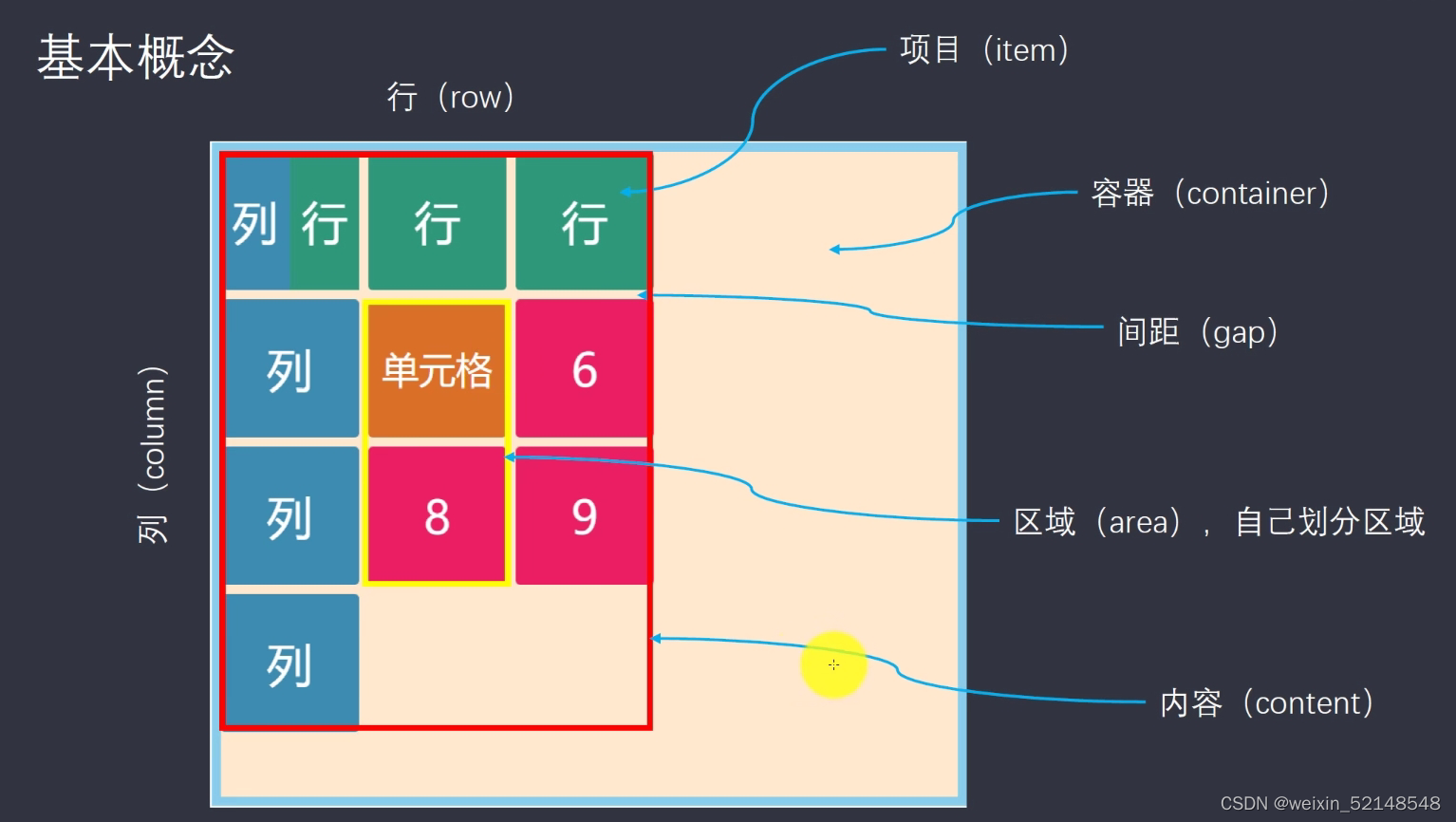
Grid布局是将容器划分成“行”和“列”,产生单元格,然后指定“项目所在”的单元格,可以看作是二维布局。
<!DOCTYPE html>
<html lang="en">
<head>
    <meta charset="UTF-8">
    <meta http-equiv="X-UA-Compatible" content="IE=edge">
    <meta name="viewport" content="width=device-width, initial-scale=1.0">
    <title>Document</title>
</head>
<style>
    *{
        padding: 0;
        border: 0;
    }
    .container{
    	margin-top:100px;
        border: solid 10px red;
        height: 600px;
        width: 600px;
        margin: auto;
        /* 设置容器布局为grid布局 */
        display: grid;
         /* 指定每一行的宽度 每个宽度中间用空格隔开 */
        grid-template-rows:150px 150px 150px;
        /* 指定每一列的宽度 每个宽度中间用空格隔开 */
        grid-template-columns: 100px 100px 100px;
    }
    .item1{
        background-color: powderblue;
    }
    .item2{
        background-color: plum;
    }
    .item3{
        background-color: palevioletred;
    }
    .item4{
        background-color: peru;
    }
    .item5{
        background-color: sandybrown;
    }
    .item6{
        background-color: springgreen;
    }
    .item7{
        background-color: turquoise;
    }
    .item8{
        background-color: yellowgreen;
    }
    .item9{
        background-color: yellow;
    }
    div{
        font-size: 100px;
    }
</style>
<body>
    <div class="container">
        <!-- 选项 item -->
        <div class="item1">1</div>
        <div class="item2">2</div>
        <div class="item3">3</div>
        <div class="item4">4</div>
        <div class="item5">5</div>
        <div class="item6">6</div>
        <div class="item7">7</div>
        <div class="item8">8</div>
        <div class="item9">9</div>
    </div>
</body>
</html>
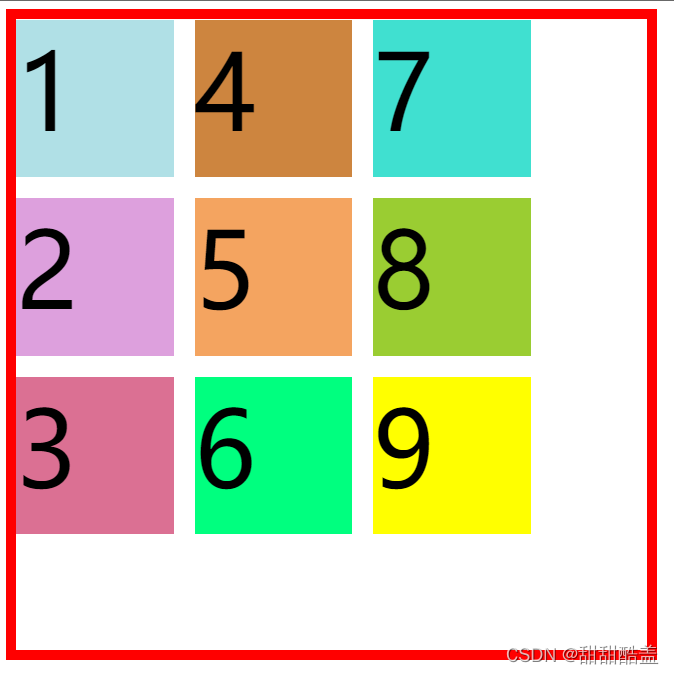
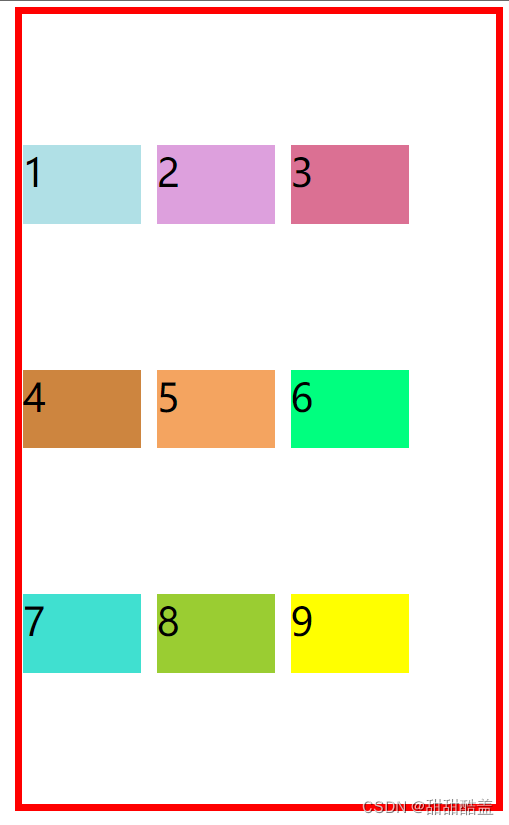
结果如图,此时共有三行三列,每行为150px,每列为100px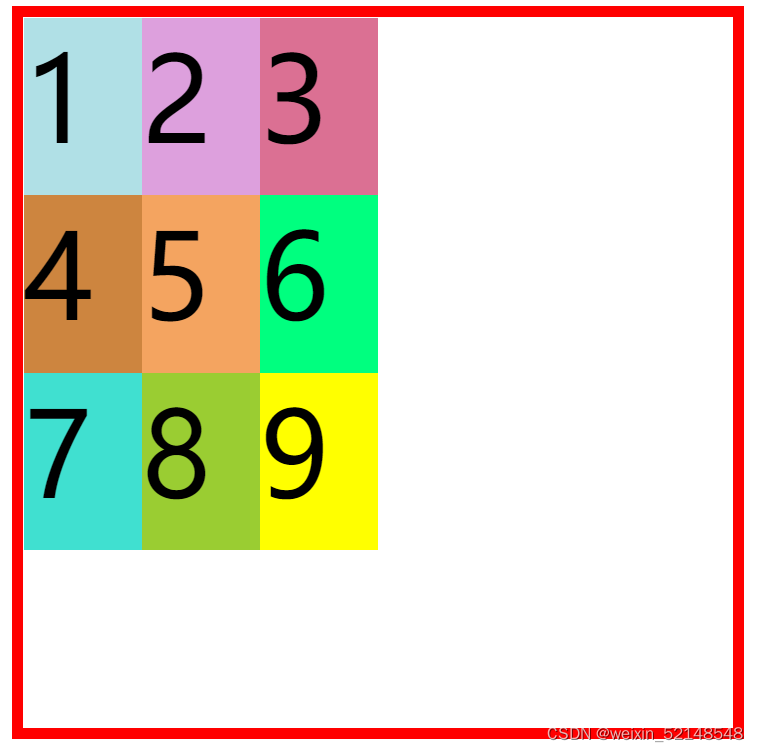
repeat():第一个参数是重复的次数,第二个参数是所要重复的值
/* grid-template-columns: 100px 100px 100px;也可写成 grid-template-columns:repeat(3,100px) */
/* grid-template-rows: 150px 150px 150px;也可写成 grid-template-rows:repeat(3,150px) */
auto-fill:有时单元格的大小是固定的,但是容器的大小不确定,这个属性就会自动填充
 .container{
       /*未定义容器的宽高*/
        margin-top: 100px;
        border: solid 10px red;
        margin: auto;
        display: grid;
        grid-template-columns: repeat(auto-fill,100px);
    }
结果如图,会随着浏览器的大小的改变自动填充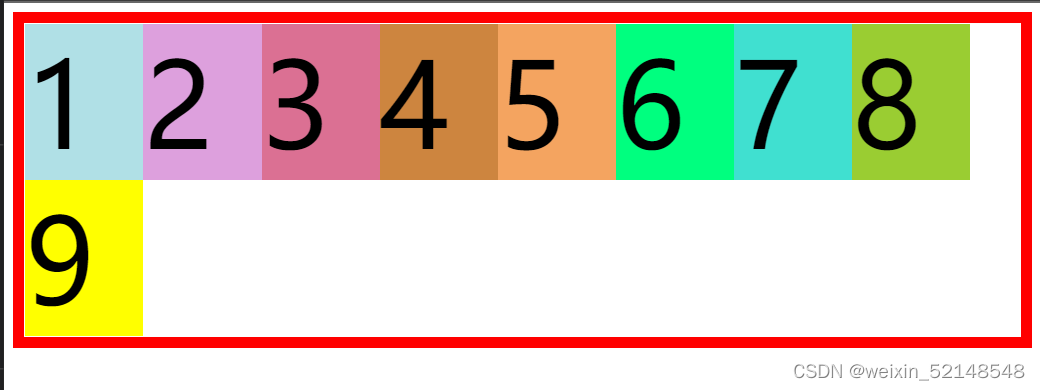
fr:为了方便表示比例关系,网格布局提供了fr关键字(fraction的缩写,意为片段)
.container{
        margin-top: 100px;
        border: solid 10px red;
        height: 600px;
        width: 600px;
        margin: auto;
        display: grid;
        /* 宽度平均分成4份 */
        grid-template-columns: repeat(4,1fr);
        /* 高度平均分成3份 */
        grid-template-rows: repeat(3,1fr);
    }
结果如图,宽度平均分成4份,高度平均分成3份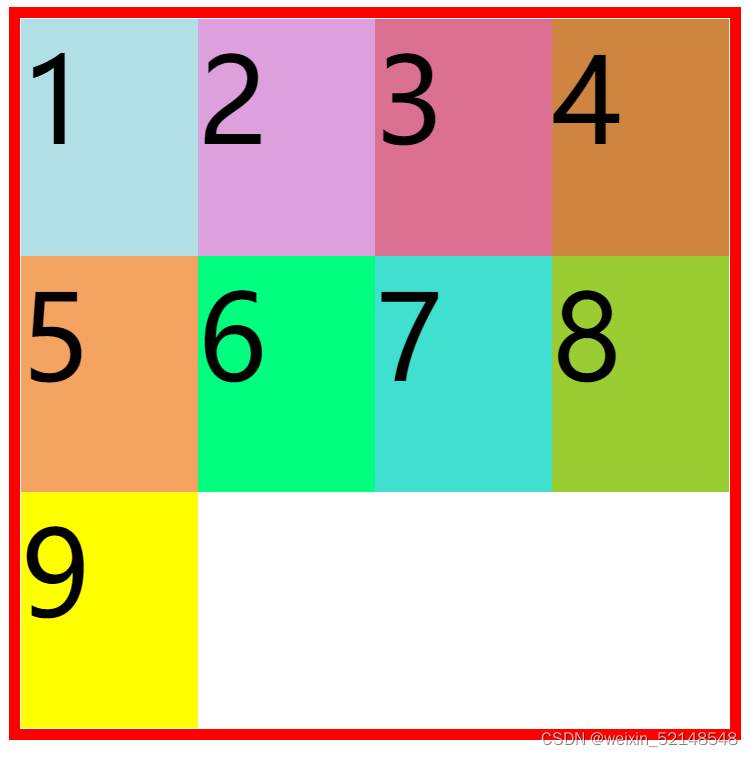
minmax():函数产生一个长度范围,表示长度就在这个范围之中,它接受两个参数,分别为最小值和最大值
.container{
        margin-top: 100px;
        border: solid 10px red;
        height: 600px;
        width: 600px;
        margin: auto;
        display: grid;
        /*共有3列,第一列150px,第二列400px,第三列宽度最小为20px,最大为90px*/
        grid-template-columns:  150px 400px minmax(20px,90px);
    }
此时3的宽度为50px,位于20px~90px之间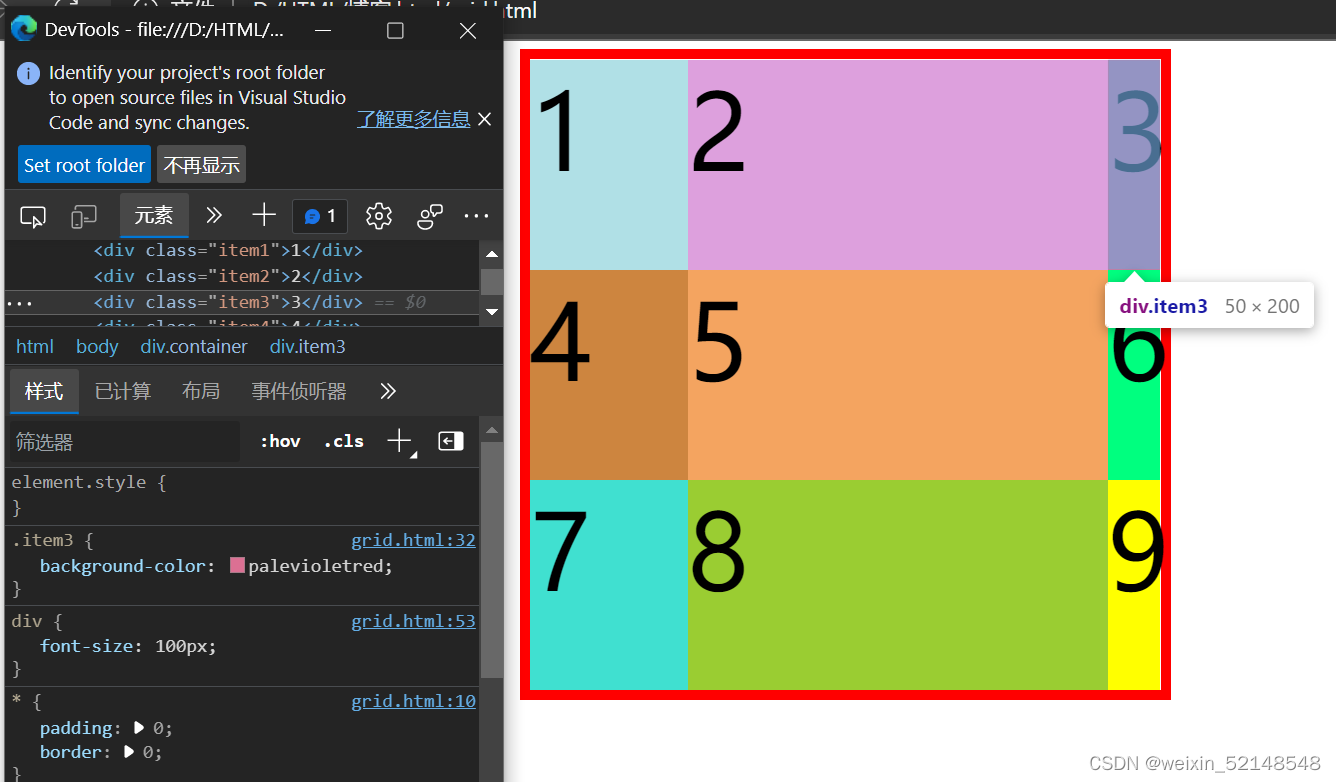
auto:表示由浏览器自己决定长度
.container{
        margin-top: 100px;
        border: solid 10px red;
        height: 600px;
        width: 600px;
        margin: auto;
        display: grid;
        /* 中间的宽度由浏览器自己决定 */
        grid-template-columns:  100px auto 100px;
    }
结果如图,容器总宽600px,第一列和第三列宽100px,浏览器自动将剩余的400px分配为第二列的宽度。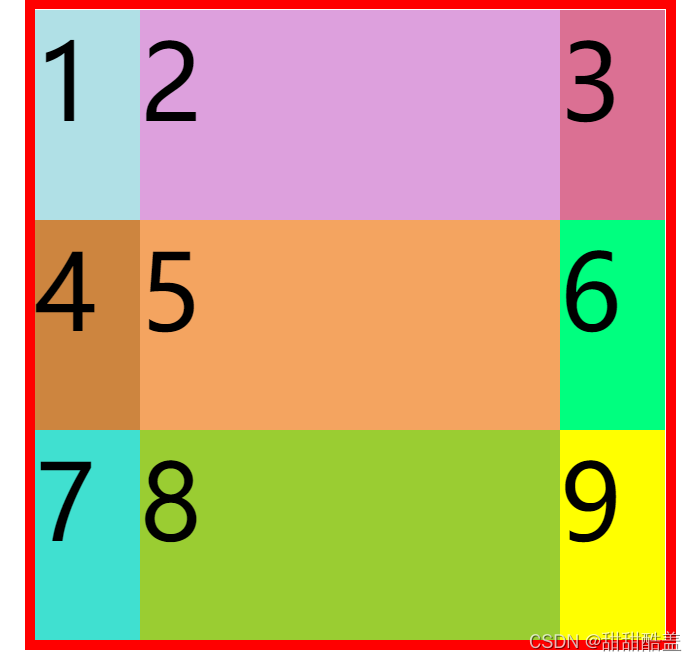
.container{
        margin-top: 100px;
        border: solid 10px red;
        height: 600px;
        width: 600px;
        margin: auto;
        display: grid;
        grid-template-columns:  repeat(3,150px);
        grid-template-rows:  repeat(3,150px);
        column-gap:20px ;
        row-gap: 40px;
    }
结果如图,每个项目列与列之间的距离为20px,行与行之间的距离为40px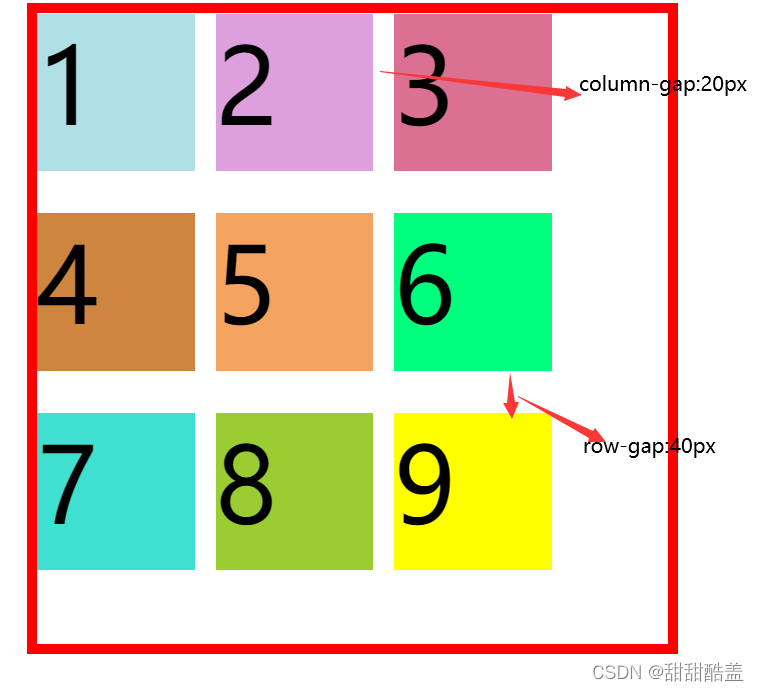
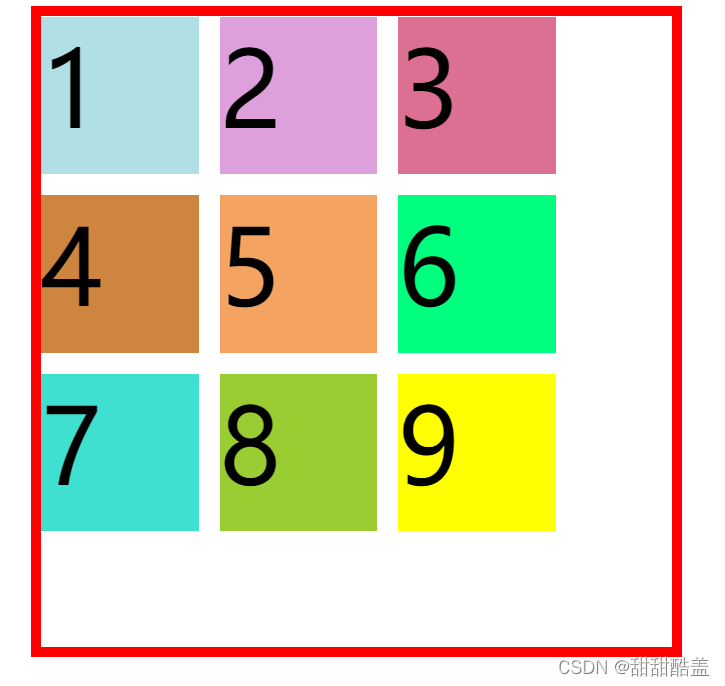
/* row-gap: 40px;column-gap:20px;可缩写成 gap: 40px 20px;
        第一个数值表示row之间的距离,第二个数值表示column之间距离,中间用空格隔开*/
/*当row-gap和column-gap值相同时,例如都为20px时,可写成gap:20px;*/
运行结果同上
 grid-template-areas: 'a b c'
                             'd e f'
                             'g h i';
        grid-template-areas: 'a a a'
                             'b b b'
                             'c c c';
        grid-template-areas: 'a . c'
                             'd . f'
                             'g . i';
 .container{
        margin-top: 100px;
        border: solid 10px red;
        height: 700px;
        width: 600px;
        margin: auto;
        display: grid;
        grid-template-columns:  repeat(3,150px);
        grid-template-rows:  repeat(3,150px);
        gap:20px;
        grid-auto-flow: row;
    }
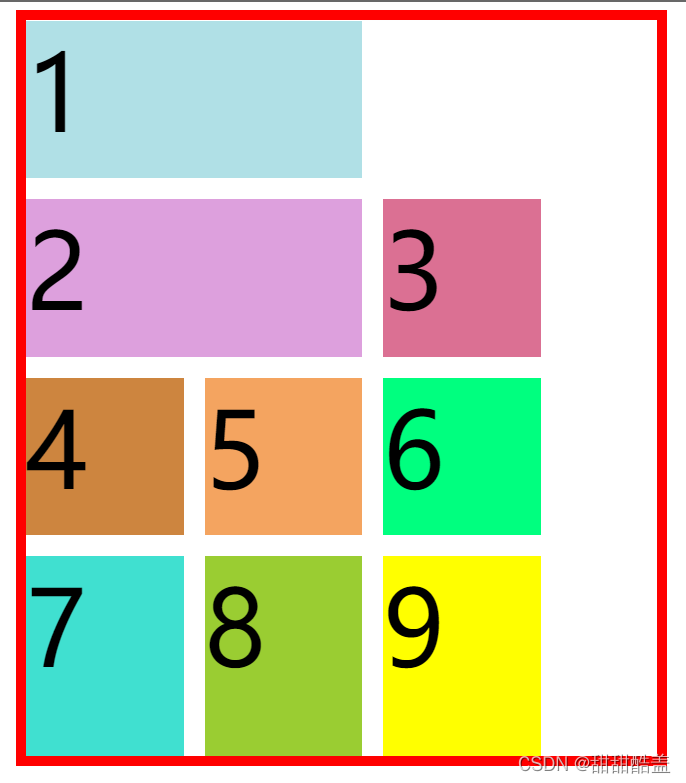
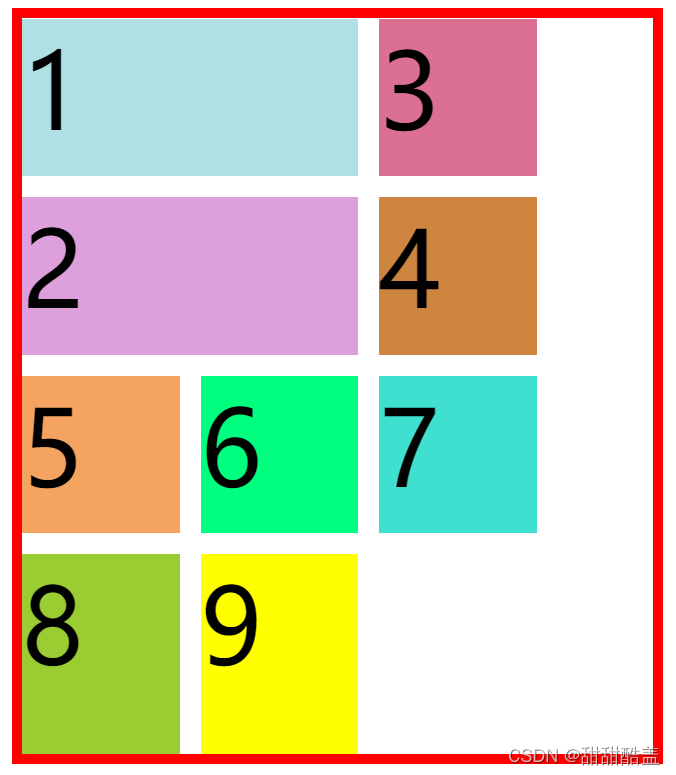
利用dense属性可提高空间利用率。grid-auto-flow:row dense;
.container{
        margin-top: 100px;
        border: solid 10px red;
        height: 700px;
        width: 600px;
        margin: auto;
        display: grid;
        grid-template-columns:  repeat(3,150px);
        grid-template-rows:  repeat(3,150px);
        gap:20px;
        grid-auto-flow: row dense;
    }
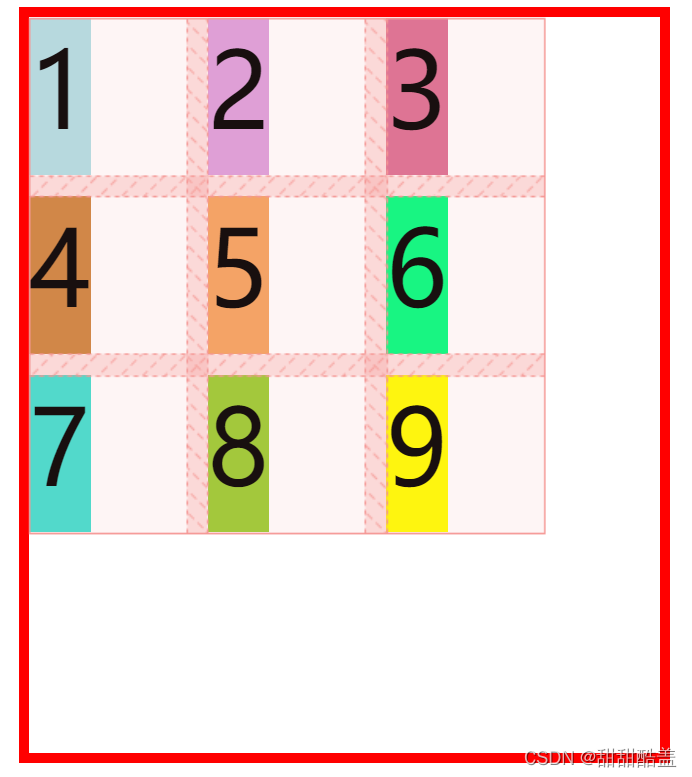
justify-items(水平方向)/ align-items(垂直方向)
设置单元格内容的水平和垂直对齐方式。
水平方向上:
justify-items:start|end|center|stretch;
justify-items:start; 起始方向对齐
justify-items:center; 居中对齐
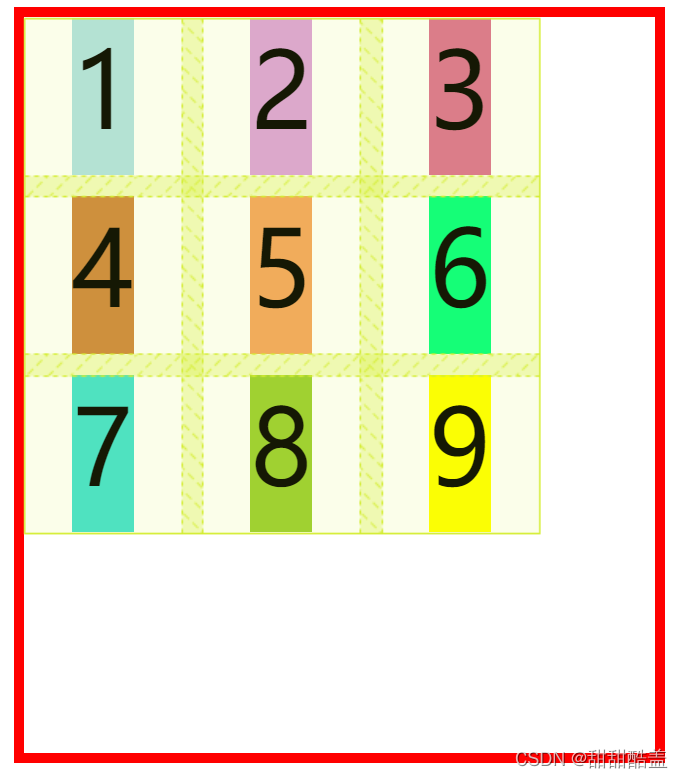
justify-items:end; 末尾对齐
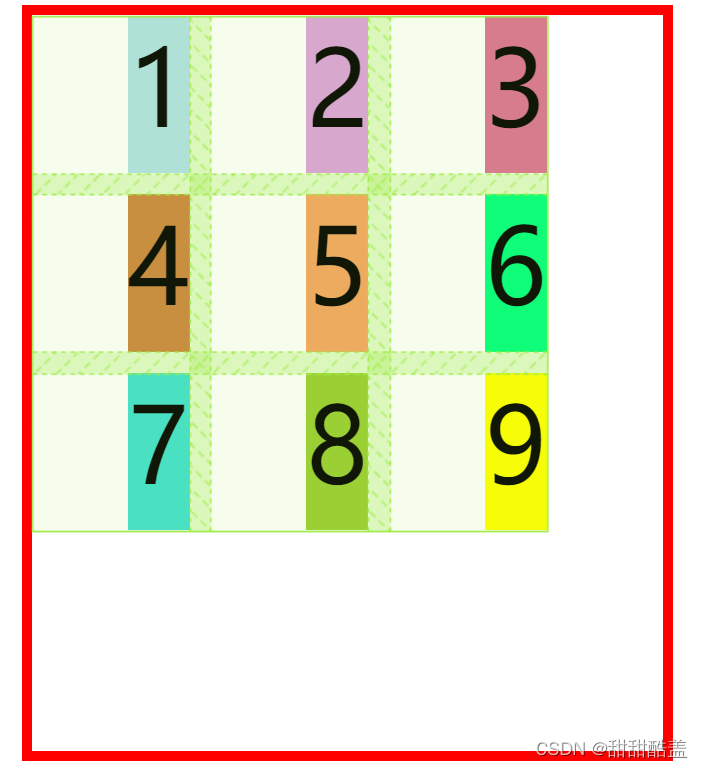
justify-items:stretch; 延伸,以填满整个单元格
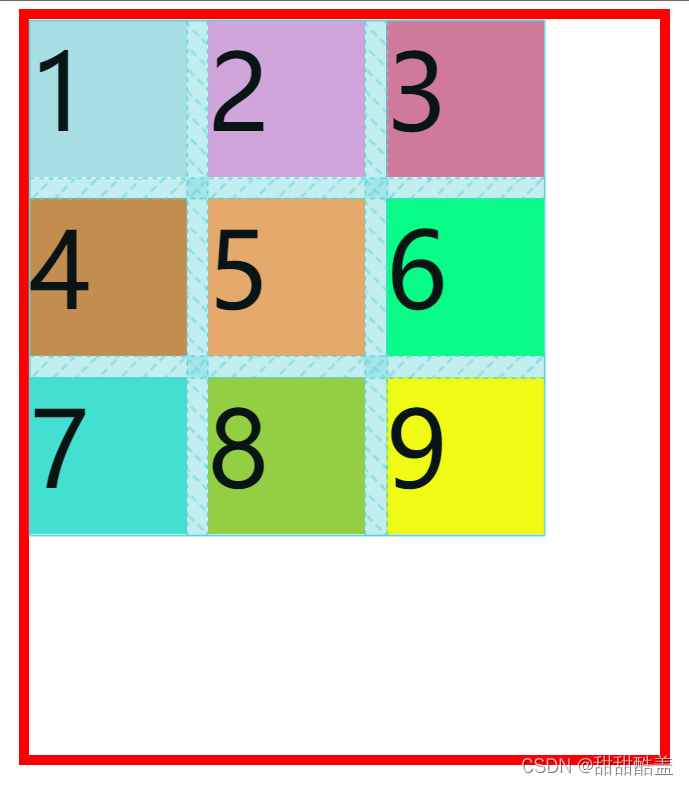
竖直方向上:
align-items:start|center|end|stretch;
align-items:start; 起始对齐
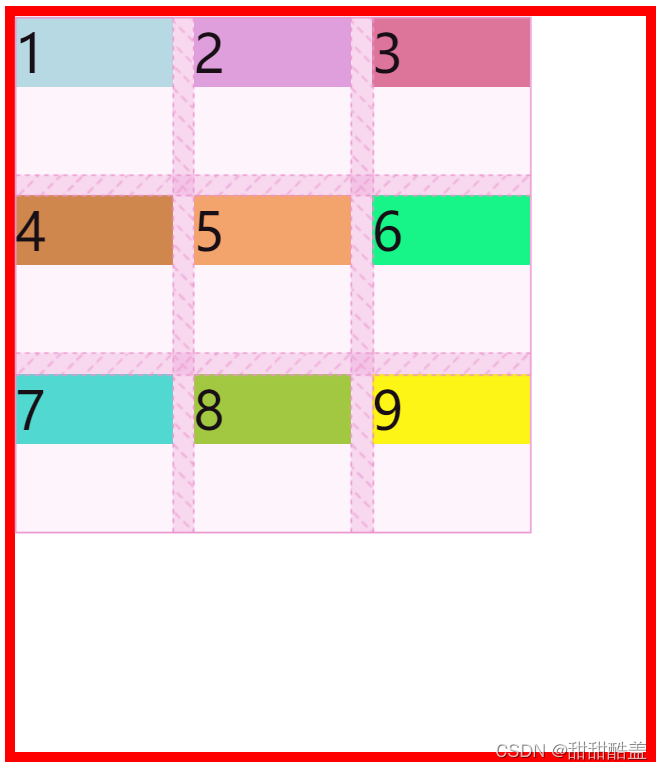
align-items:center; 竖直方向居中对齐
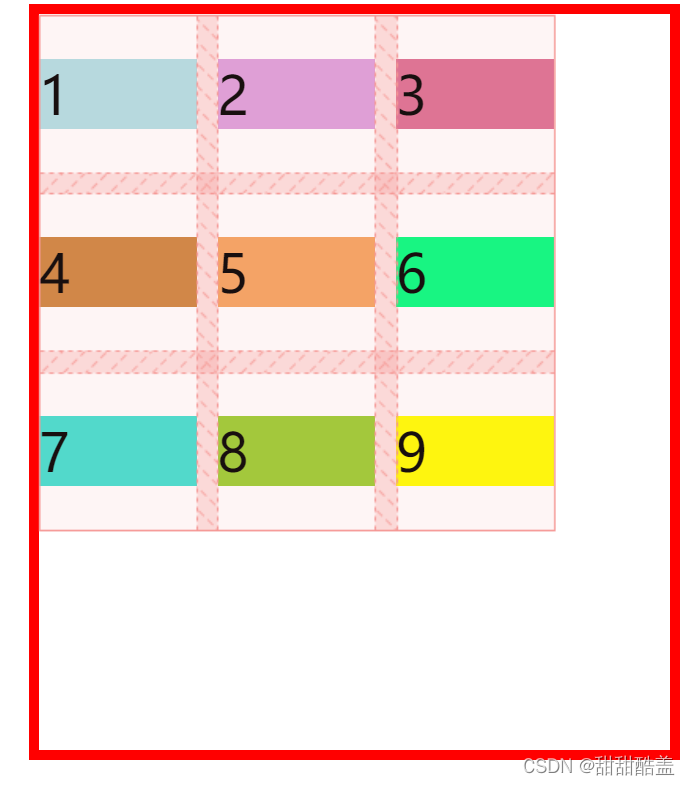
align-items:end; 末尾对齐
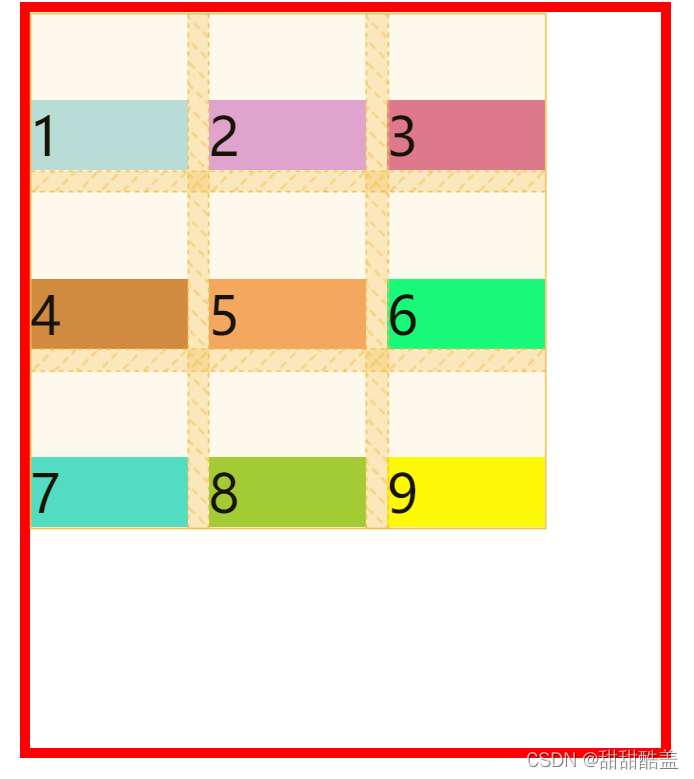
align-items:stretch; 延伸,以填满整个单元格
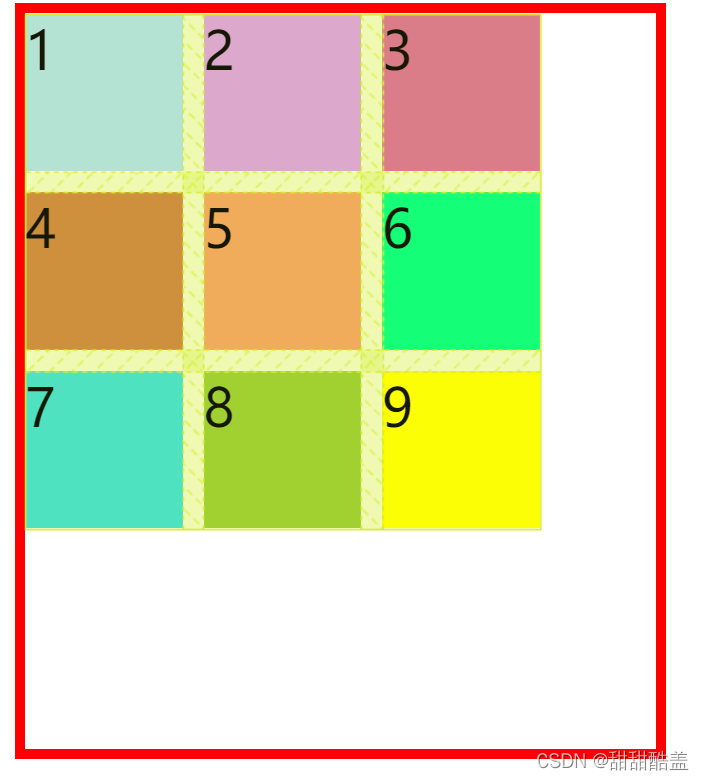
place-items属性是align-items和justify-items属性的合并简写形式。
place-items:justify-items align-items;
先水平再竖直,中间用空格隔开。
justify-content(水平方向)/ align-content(垂直方向)
设置整个内容区域的水平和垂直的对齐方式
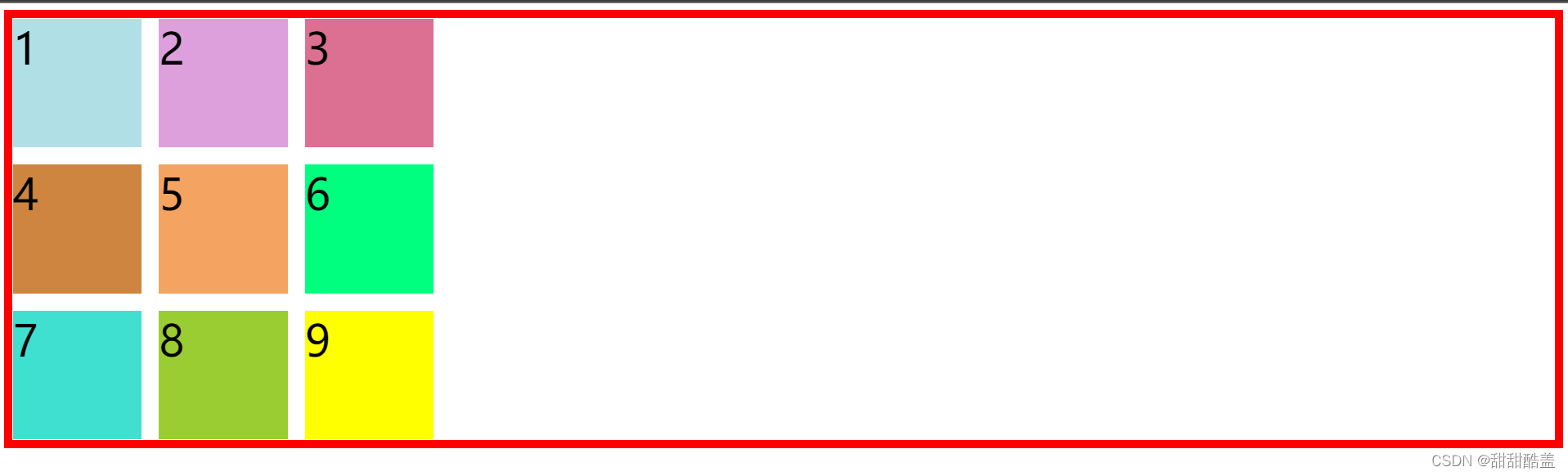
不设置容器的宽高,让我们来看看这些属性的区别。
首先,水平方向上:justify-content: start | end | center | stretch | space-around | space-between | space-evenly ;
justify-content:start;
从行首开始排列。每行第一个元素与行首对齐,同时所有后续的元素与前一个对齐。
.container{
        margin-top: 100px;
        border: solid 10px red;
        margin: auto;
        display: grid;
        gap: 20px;
        grid-template-columns:  repeat(3,150px);
        grid-template-rows:  repeat(3,150px);
        justify-content: start;
    }
justify-content:center;
在容器中剧中排列。
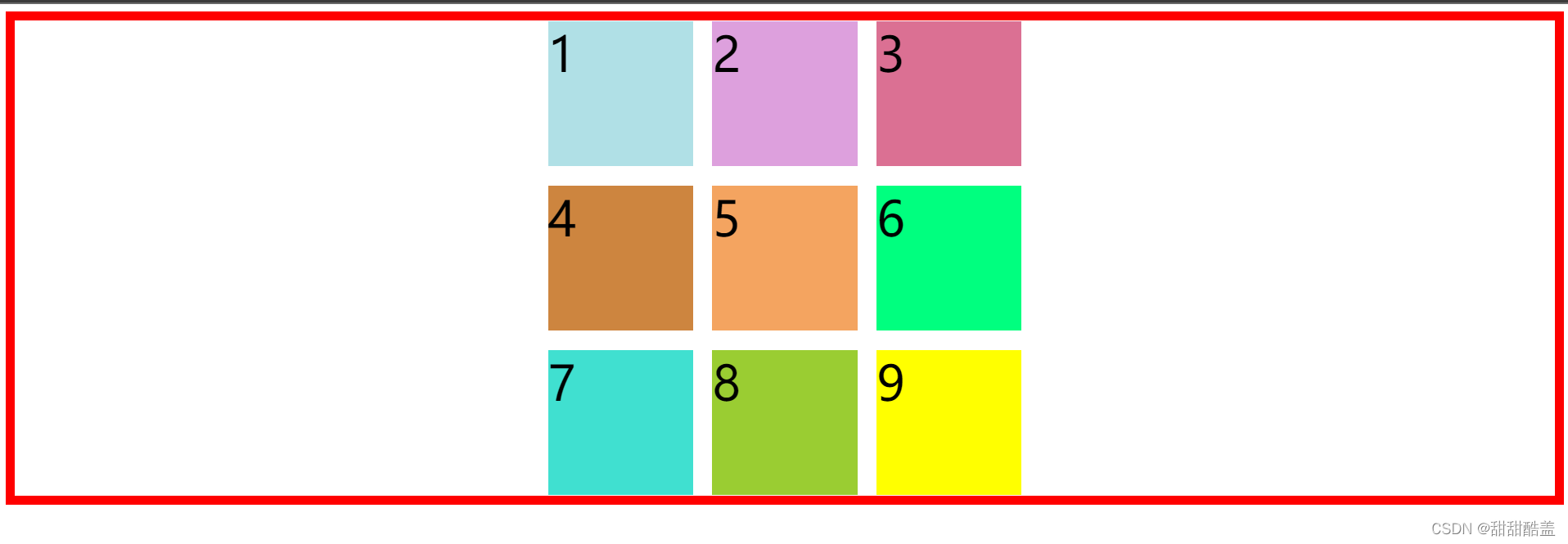
justify-content:end;
从行末开始排列。
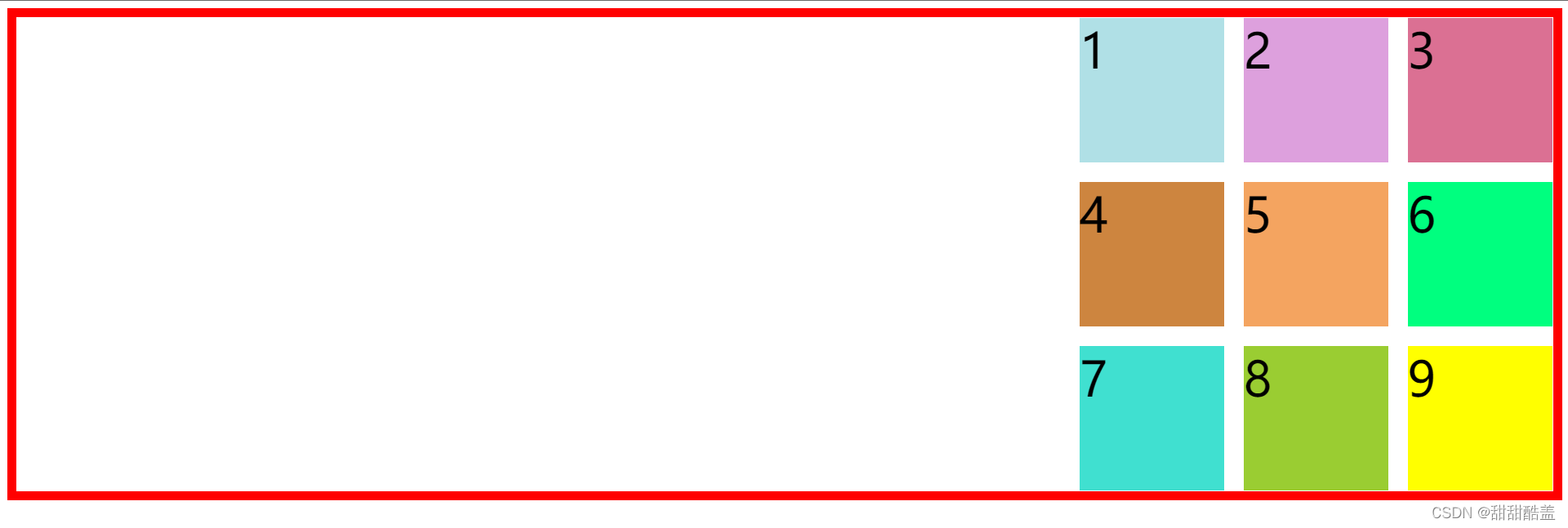
justify-content: stretch; 均匀分布项目,拉伸‘自动’-大小的项目以充满容器
我们不设置项目的大小,看一下运行结果
.container{
        margin-top: 100px;
        border: solid 10px red;
        margin: auto;
        display: grid;
        /* width: 600px;
        height: 1000px; */
        gap: 20px;
        /* grid-template-columns:  repeat(3,150px);
        grid-template-rows:  repeat(3,100px); */
        align-content:stretch;
    }
如图,项目被拉伸以填满容器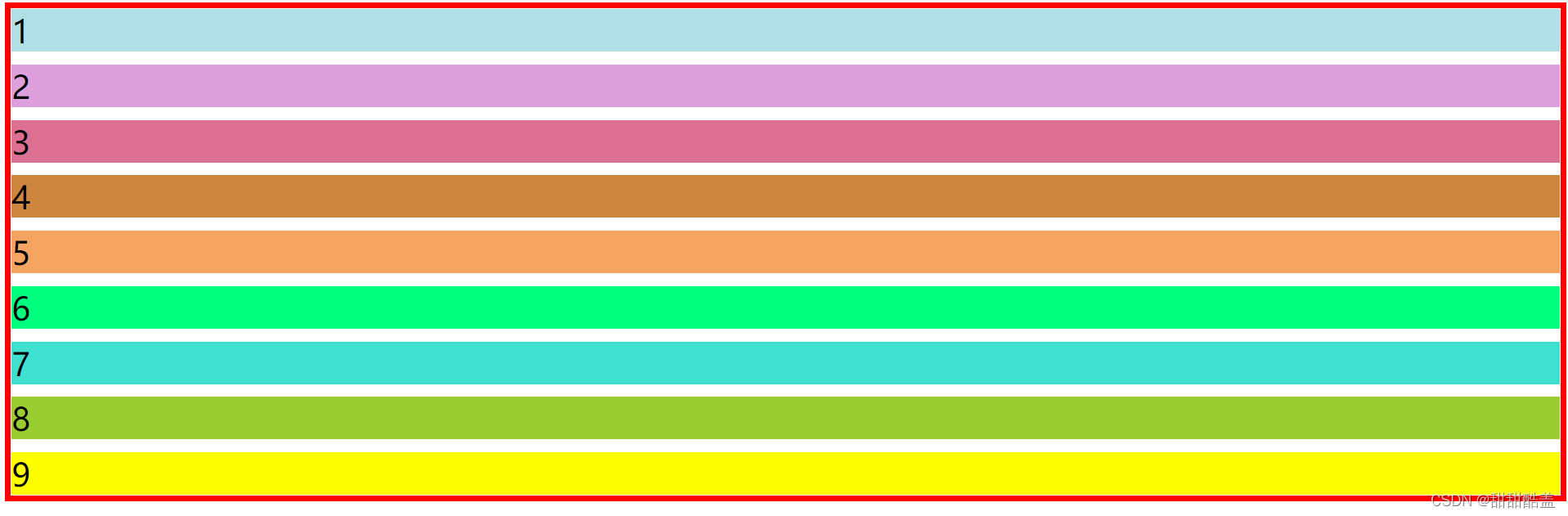
justify-content:space-around;
在每行上均匀分配弹性元素。相邻元素间距离相同。每行第一个元素到行首的距离和每行最后一个元素到行尾的距离将会是相邻元素之间距离的一半。
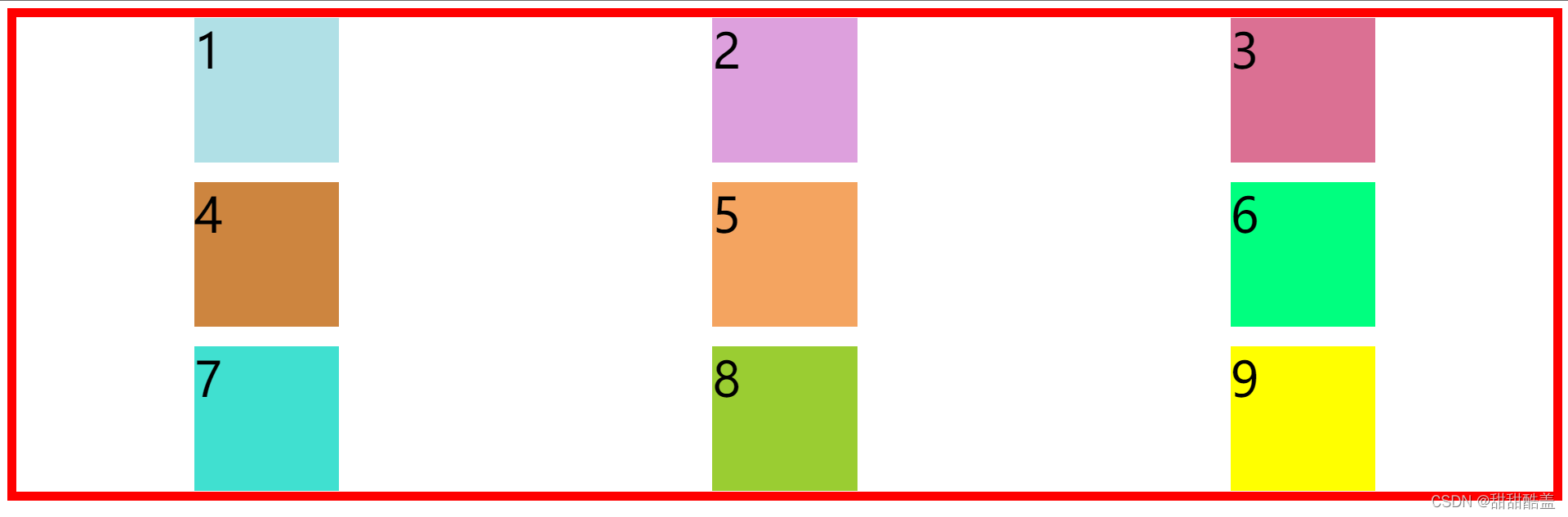
justify-content:space-between;
在每行上均匀分配弹性元素。相邻元素间距离相同。每行第一个元素与行首对齐,每行最后一个元素与行尾对齐。
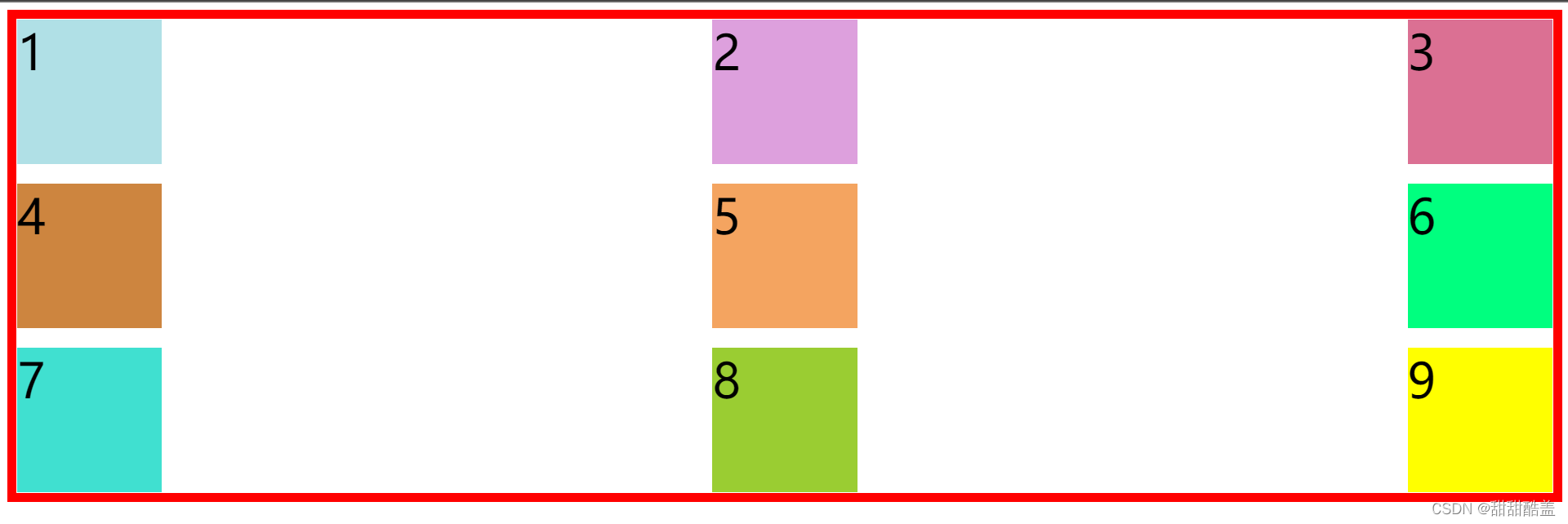
justify-content:space-evenly;
项目与项目之间的距离和项目与起始位置的距离都相同。
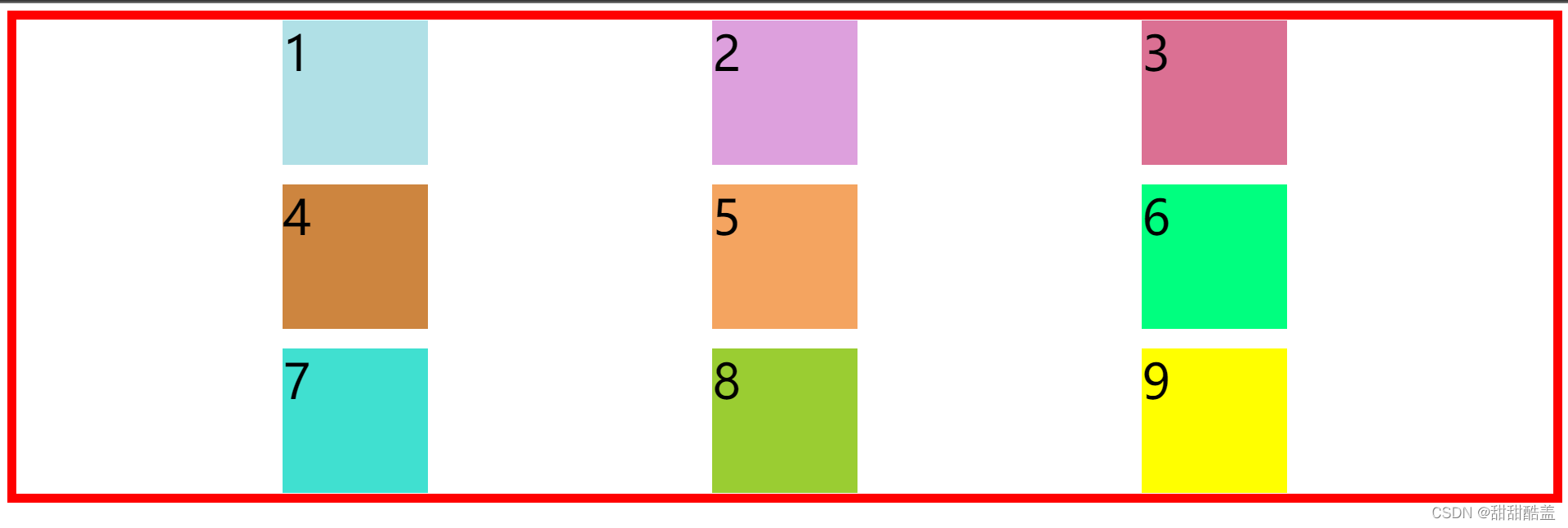
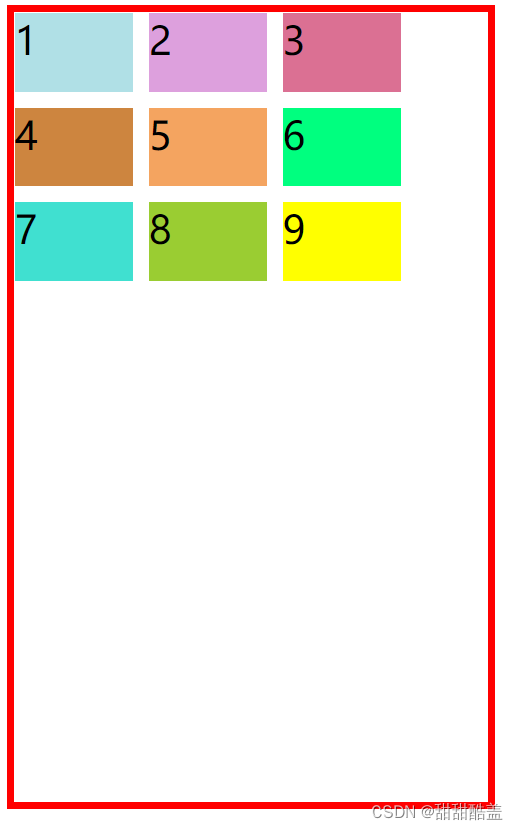
接下来,竖直方向上:align-content: start | end | center | stretch | space-around | space-between | space-evenly ;
align-content:start; 最先放置项目
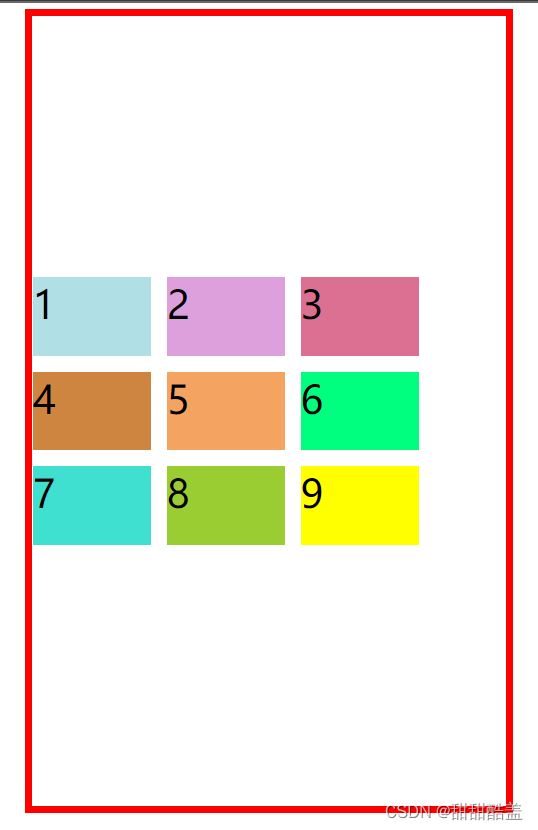
.container{
        margin-top: 100px;
        border: solid 10px red;
        margin: auto;
        display: grid;
        width: 600px;
        height: 1000px;
        gap: 20px;
        grid-template-columns:  repeat(3,150px);
        grid-template-rows:  repeat(3,100px);
        align-content:start;
    }
align-content:center; 将项目放置在中点
align-content:end; 将项目放在末尾
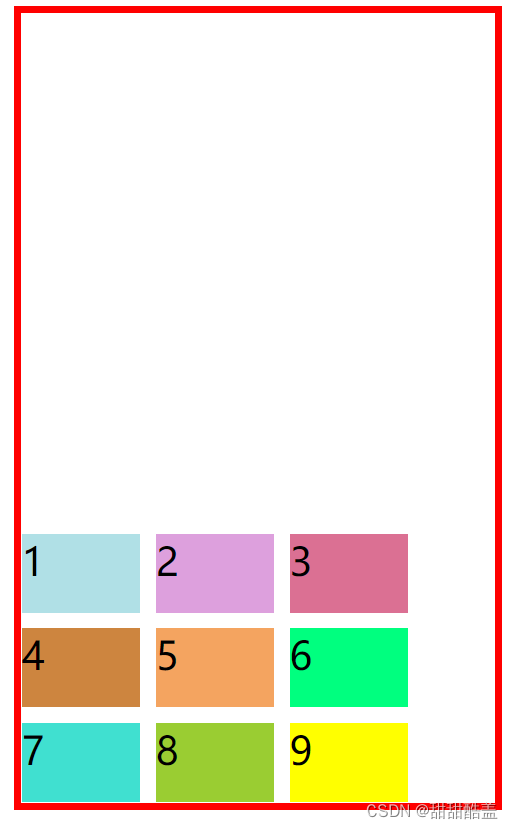
align-content:stretch;
均匀分布项目,拉伸‘自动’-大小的项目以充满容器
同样,不设置项目的大小,我们来看一下结果。
.container{
        margin-top: 100px;
        border: solid 10px red;
        margin: auto;
        display: grid;
        width: 600px;
        height: 1000px;
        gap: 20px;
        /* grid-template-columns:  repeat(3,150px);
        grid-template-rows:  repeat(3,100px); */
        align-content:stretch;
    }
如图,大小自动的项目都被拉伸以填满容器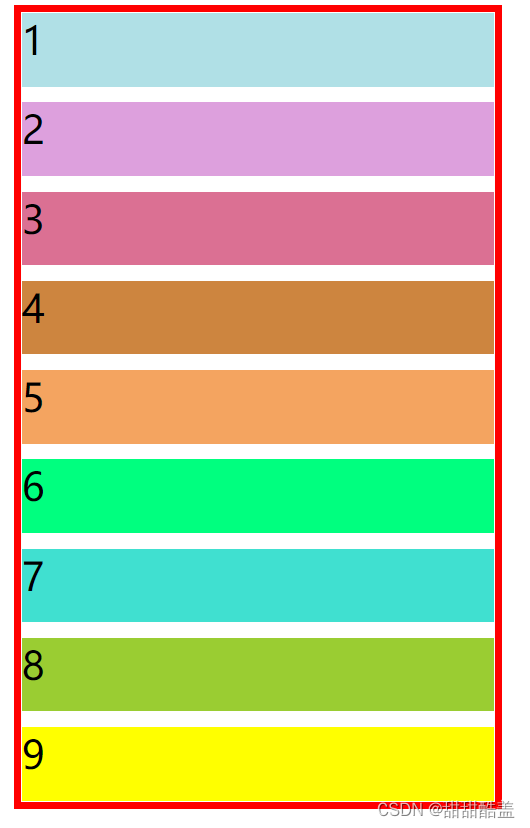
align-content:space-around;
均匀分布项目,项目在两端有一半大小的空间
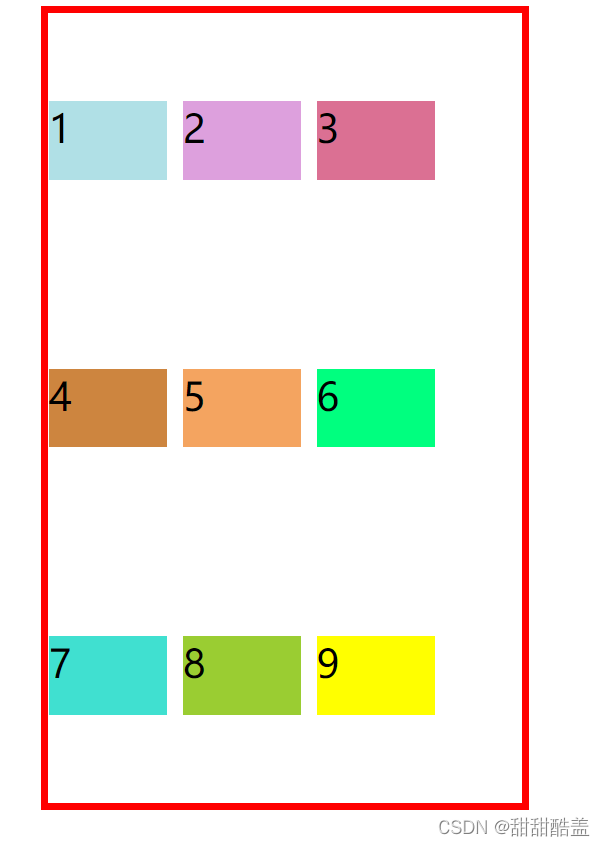
align-content:space-between;
均匀分布项目,,第一项与起始点齐平,最后一项与终止点齐平
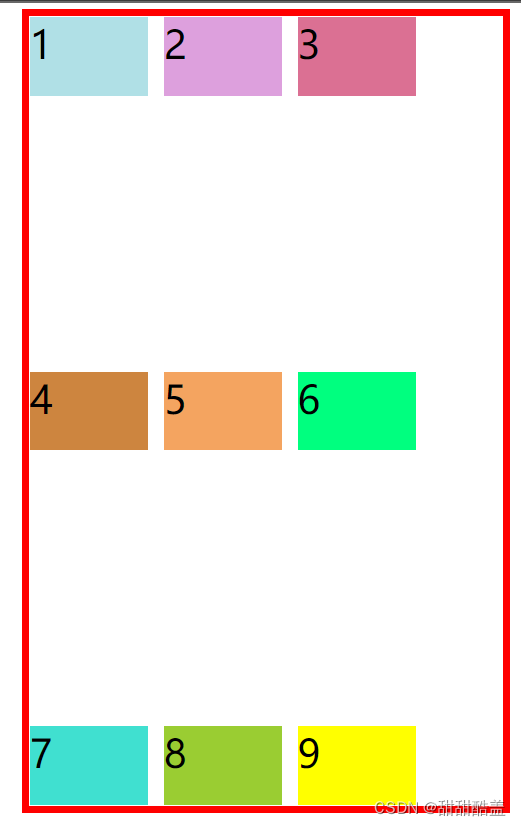
align-content:space-evenly;
均匀分布项目,项目周围有相等的空间
grid-auto-rows:
未设置时
 .container{
        margin-top: 100px;
        border: solid 10px red;
        margin: auto;
        display: grid;
        width: 600px;
        height: 600px;
        gap: 20px;
        grid-template-columns:  repeat(3,150px);
        grid-template-rows:  repeat(3,120px);

    }
未定义10的高度,浏览器自动将10延伸到容器底部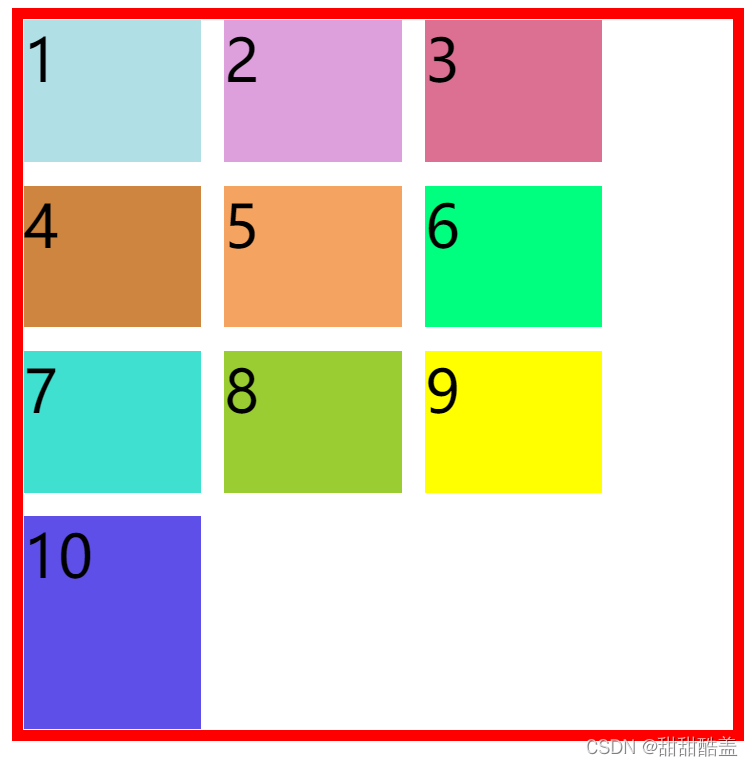
接下来我们一起设置一下:
grid-auto-rows: 50px;
结果如图,10的高度为50px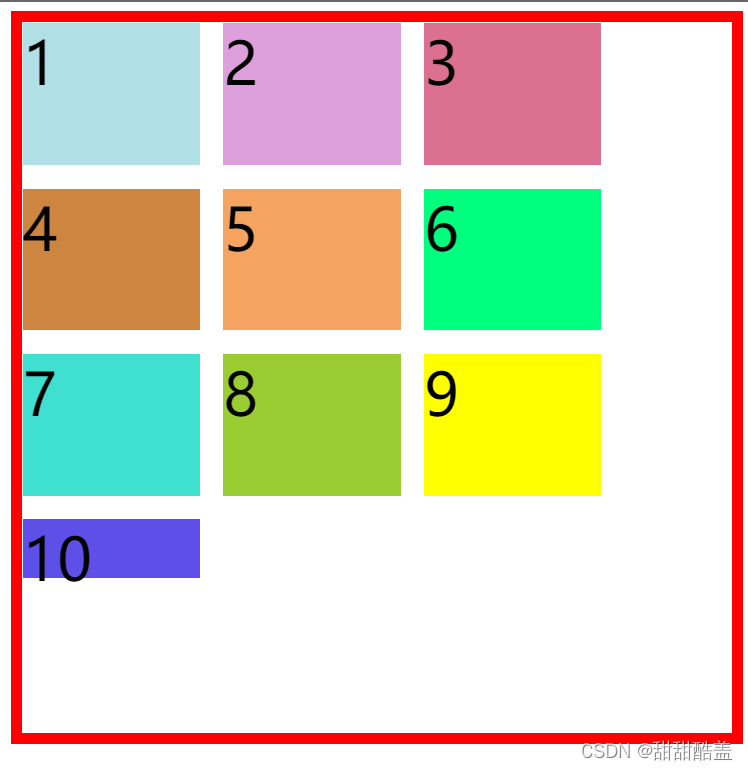
grid-auto-clumns:
先用grid-auto-flow:columns;属性将排列方式改成先列后行
未设置时:
 .container{
        margin-top: 100px;
        border: solid 10px red;
        margin: auto;
        display: grid;
        width: 700px;
        height: 600px;
        gap: 30px;
        grid-template-columns:  repeat(3,150px);
        grid-template-rows:  repeat(3,180px);
        /* 先列后行 */
        grid-auto-flow: column;
    }
浏览器默认将10延伸到容器最左边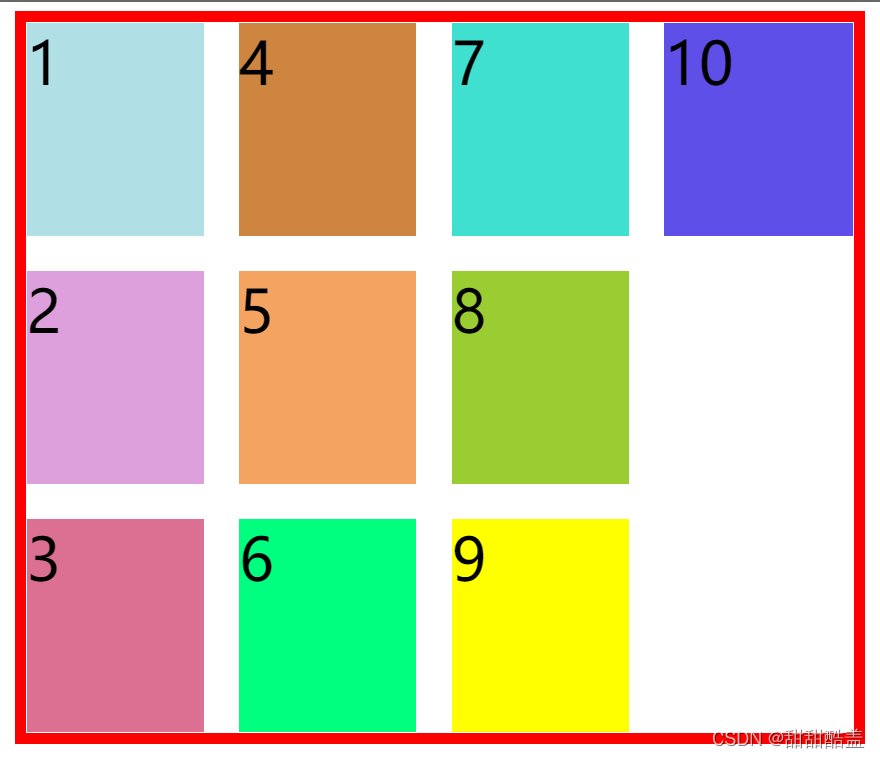
接下来我们一起设置一下:
grid-auto-columns: 50px;
结果如图,设置后10的宽度为50px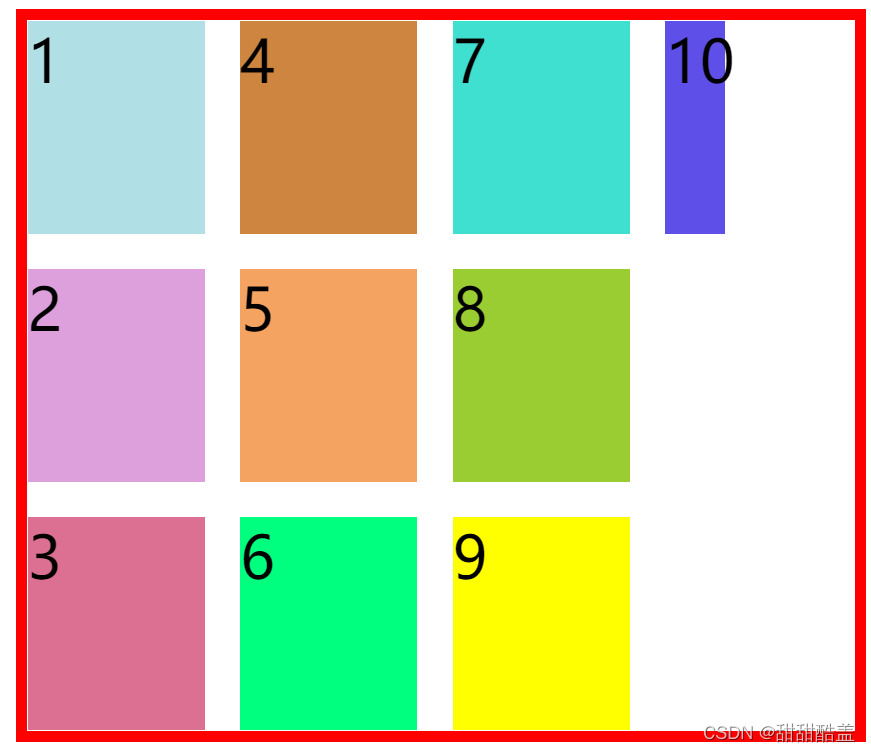
grid-column-start/grid-column-end
grid-row-start/grid-row-end
指定item的具体位置,根据在哪根网络线,在项目里设置
如图所示: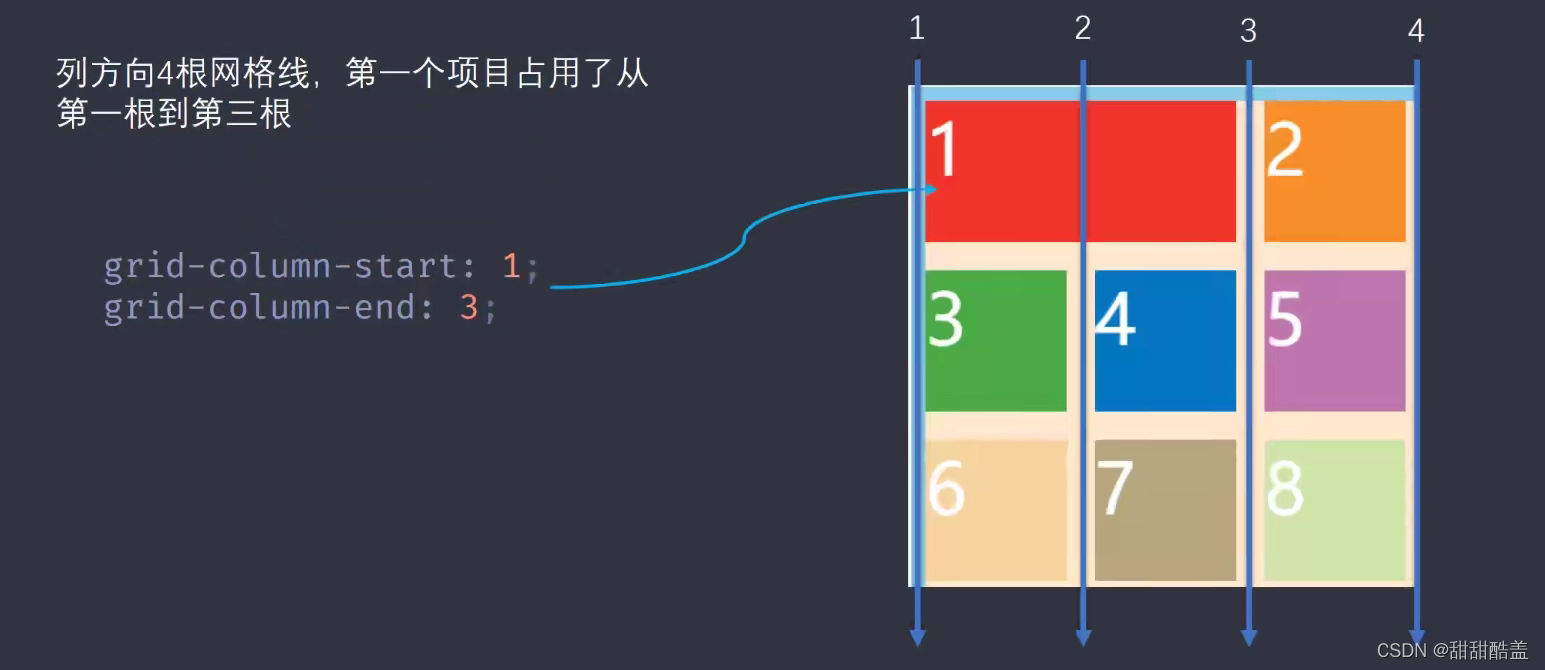
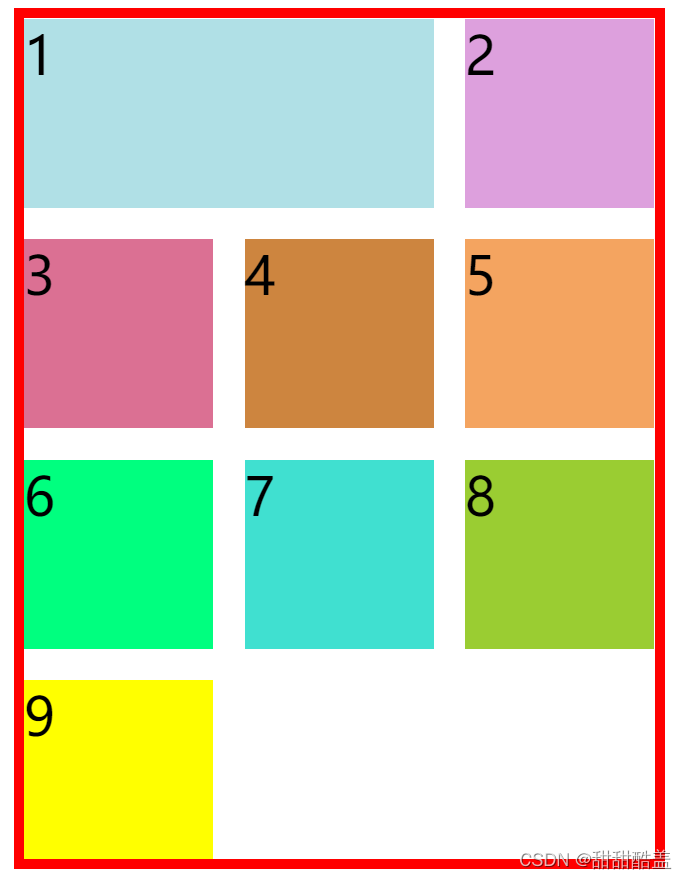
设置单元格1宽度,从第一条线开始到第三条线结束
代码为:
 grid-column-start: 1;grid-column-end: 3;
   /* 也可简写成grid-column:1 / 3;
	  或grid-column:span 2;
	  span 2表示跨2个单元格 */
.container{
        margin-top: 100px;
        border: solid 10px red;
        margin: auto;
        display: grid;
        width: 600px;
        height: 800px;
        gap: 30px;
        grid-template-columns:  repeat(3,180px);
        grid-template-rows:  repeat(3,180px);
    }
    .item1{
        background-color: powderblue;
        grid-column-start: 1;
        grid-column-end: 3;
    }
结果如图:
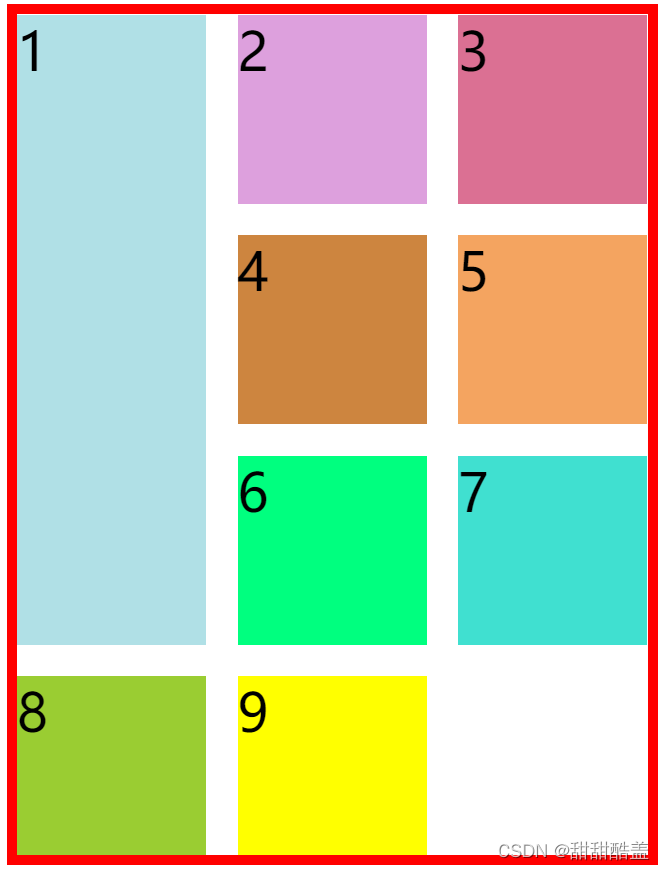
设置单元格1的宽度,从第一条线开始到第四条线结束
代码为:
 grid-row-start: 1;grid-row-end: 4;
  /* 也可简写成grid-row:1 / 4;
  		或grid-row:span 3;
  		span 3表示跨三个单元格 */
 .container{
        margin-top: 100px;
        border: solid 10px red;
        margin: auto;
        display: grid;
        width: 600px;
        height: 800px;
        gap: 30px;
        grid-template-columns:  repeat(3,180px);
        grid-template-rows:  repeat(3,180px);
    }
    .item1{
        background-color: powderblue;
        grid-row-start: 1;
        grid-row-end: 4;
    }
结果如图:
.container{
        margin-top: 100px;
        border: solid 10px red;
        margin: auto;
        display: grid;
        width: 600px;
        height: 800px;
        gap: 30px;
        grid-template-columns:  repeat(3,180px);
        grid-template-rows:  repeat(3,180px);
        grid-template-areas:'a a a'
                            'd f b'
                            'h i j';
    }
    .item1{
        background-color: powderblue;
        grid-area: a;
    }
我们可以看到,container中设置了单元格的分布区域,item1中设置了将项目1放在a区域。
运行结果如图:
可见,所有的a的区域都是项目1的区域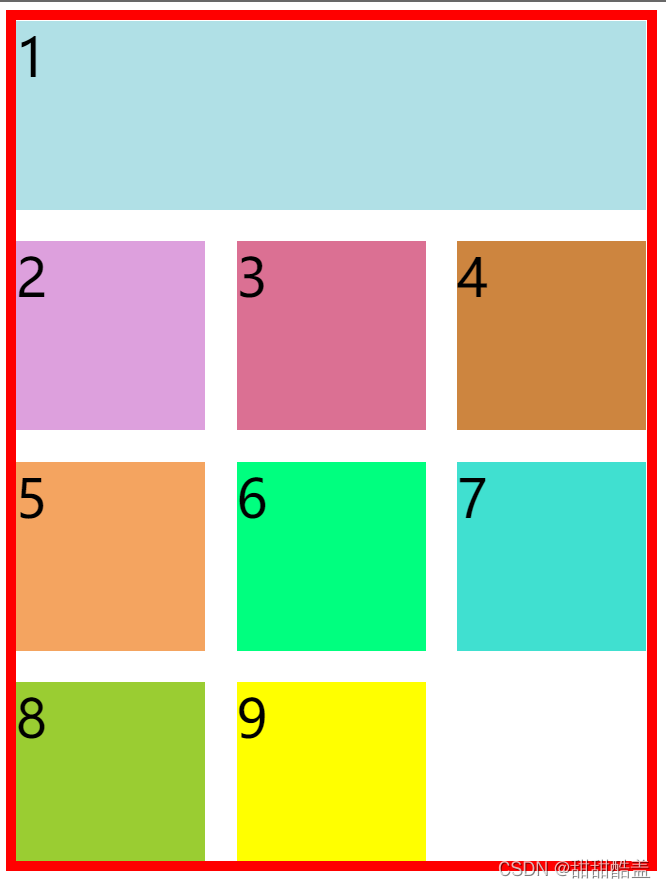
grid-area也可用作简写,形式如图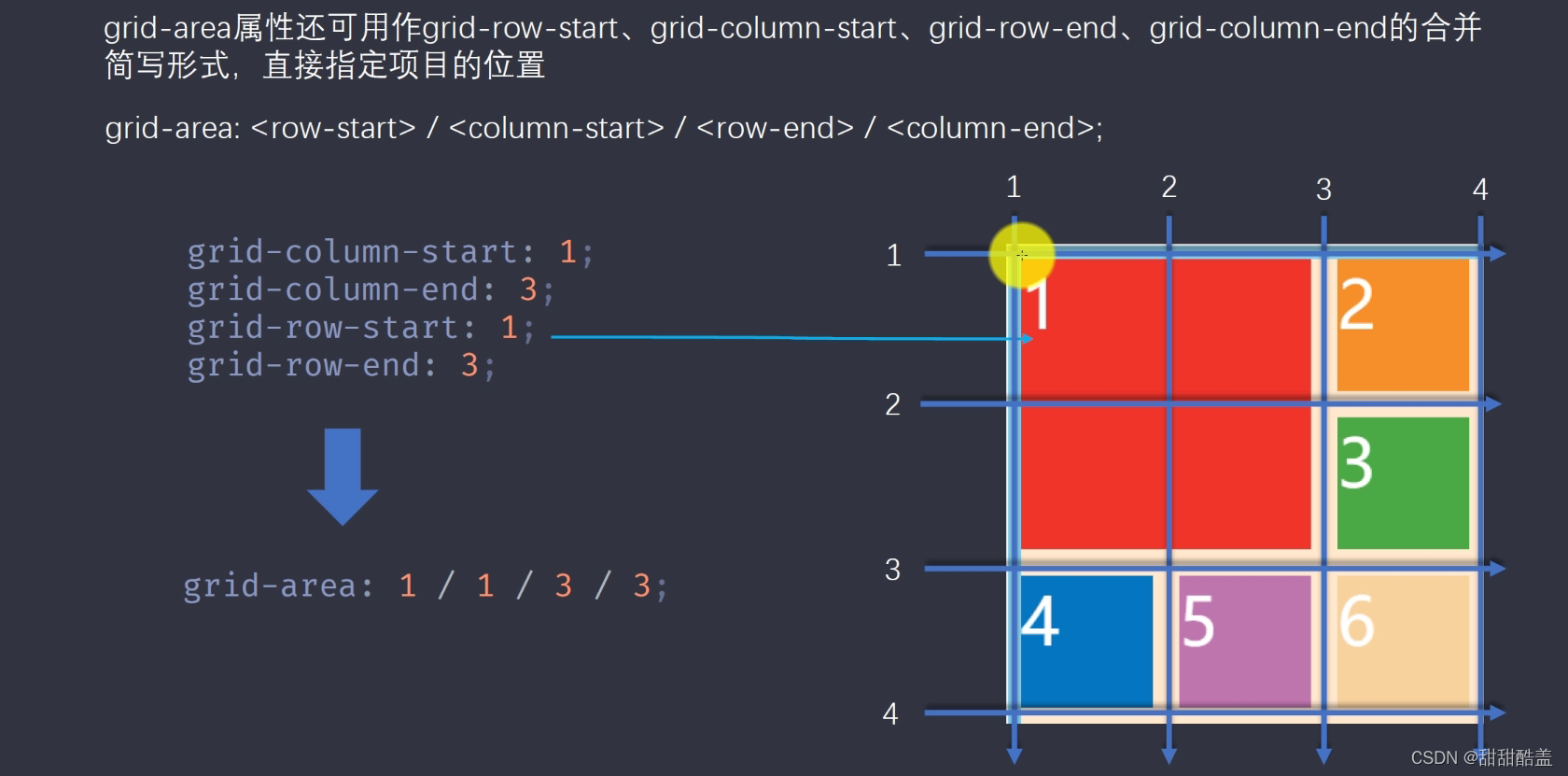
.container{
        margin-top: 100px;
        border: solid 10px red;
        margin: auto;
        display: grid;
        width: 600px;
        height: 800px;
        gap: 30px;
        grid-template-columns:  repeat(3,180px);
    }
justify-self:start | end | center | stretch;
结果依次为:
 .item1{
        background-color: powderblue;
        justify-self: start;
    }

.item1{
        background-color: powderblue;
        justify-self: end;
    }
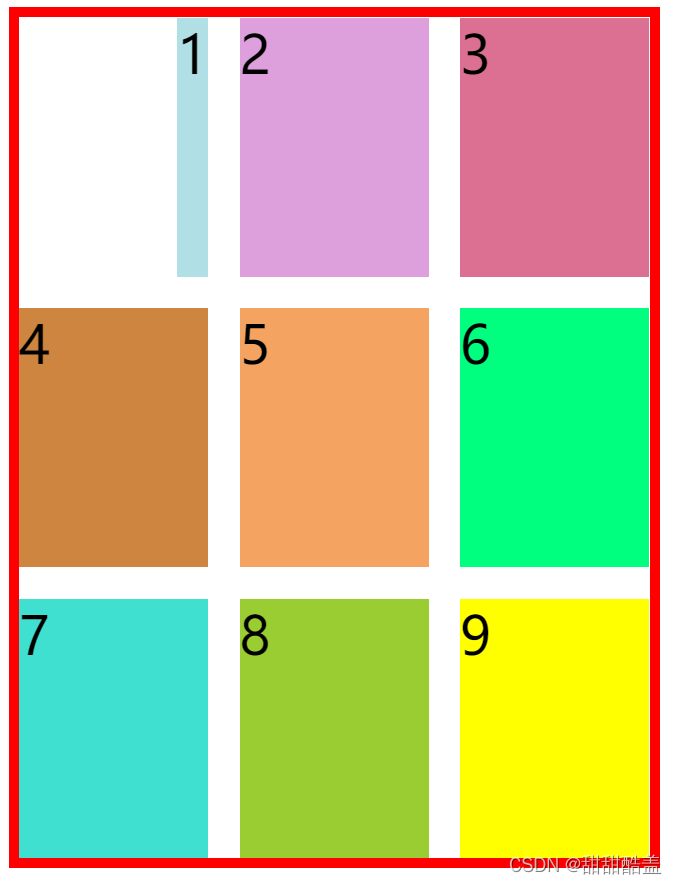
.item1{
        background-color: powderblue;
        justify-self: center;
    }

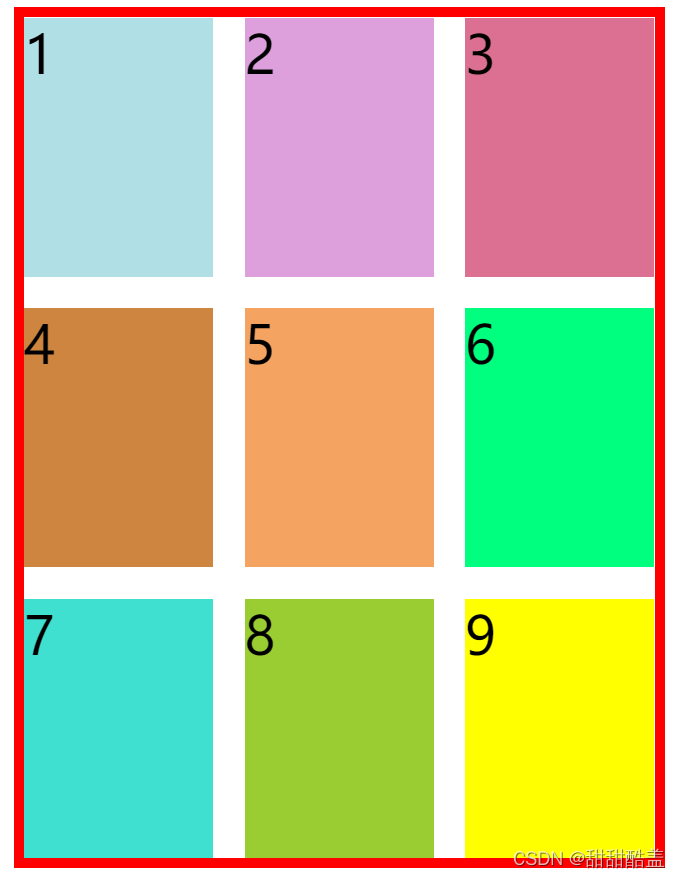
.item1{
        background-color: powderblue;
        justify-self: stretch;
    }
延伸以填满整个单元格
垂直方向上:
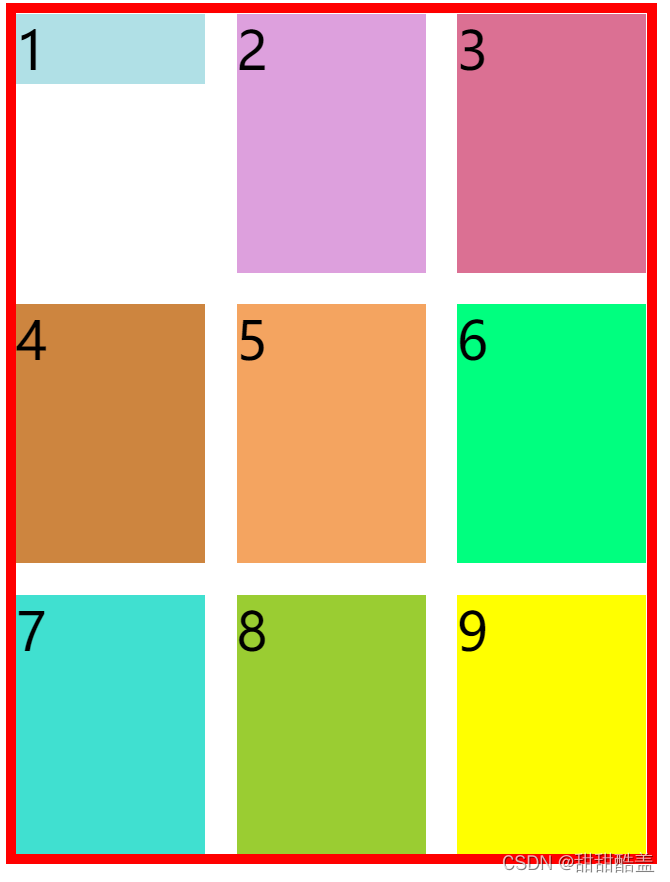
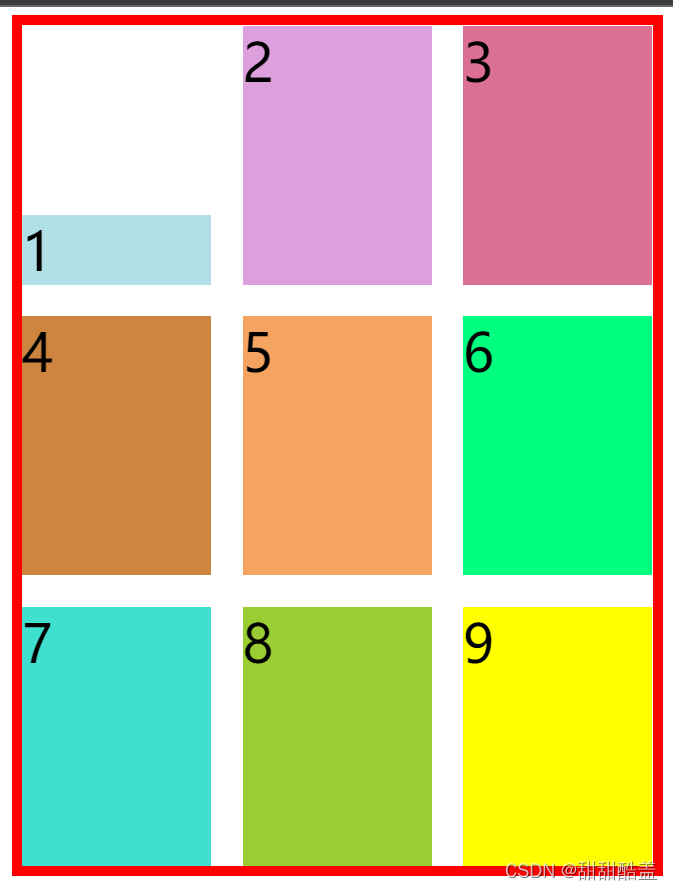
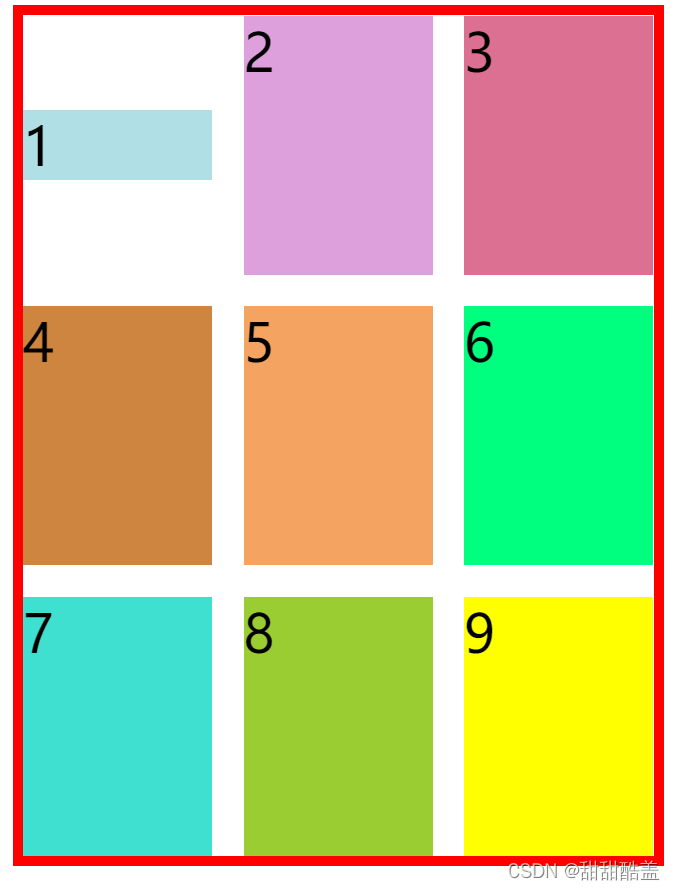
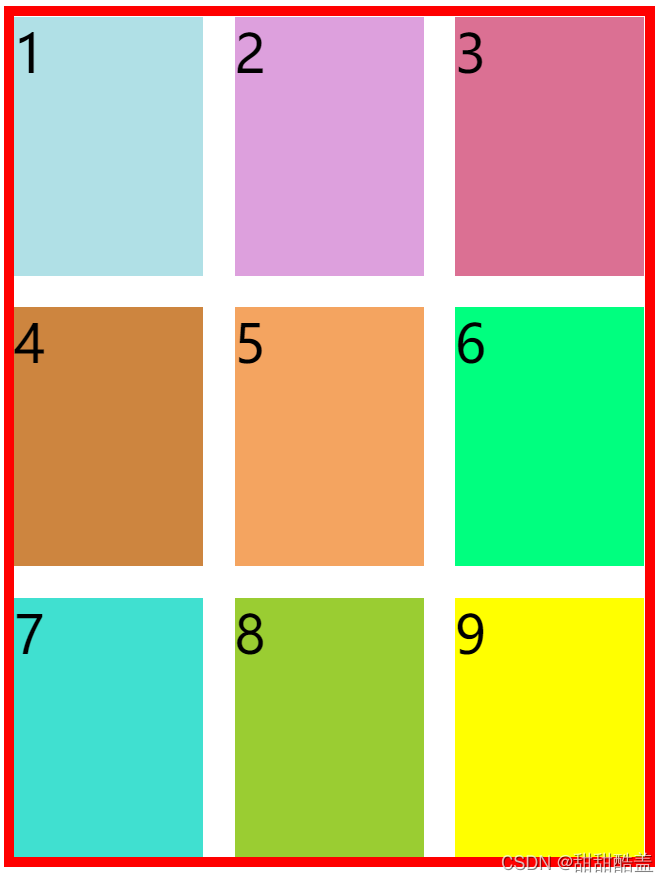
align-self:设置单元格内容的垂直位置(上中下),和align-items属性的用法完全一致,但只作用于单个项目(垂直方向)
align-self:start | end | center | stretch;
结果依次为:
.item1{
        background-color: powderblue;
        align-self: start;
    }
  .item1{
        background-color: powderblue;
        align-self: end;
    }
.item1{
        background-color: powderblue;
        align-self: center;
    }
.item1{
        background-color: powderblue;
        align-self: stretch;
    }
延伸以填满整个单元格
place-self:上两个的缩写,先水平再竖直,中间用空格隔开。
例如justify-self:center;align-self:end;可写成:place-self:center end;
我在MiniTest::Spec和Capybara中使用以下规范:find_field('Email').must_have_css('[autofocus]')检查名为“电子邮件”的字段是否具有autofocus属性。doc说如下:has_css?(path,options={})ChecksifagivenCSSselectorisonthepageorcurrentnode.据我了解,字段“Email”是一个节点,因此调用must_have_css绝对有效!我做错了什么? 最佳答案 通过JonasNicklas得到了答案:No
是否可以为特定(或所有)项目使用多个布局?例如,我有几个项目,我想对其应用两种不同的布局。一个是绿色的,一个是蓝色的(但是)。我想将它们编译到我的输出目录中的两个不同文件夹中(例如v1和v2)。我一直在玩弄规则和编译block,但我不知道这是怎么回事。因为,每个项目在编译过程中只编译一次,我不能告诉nanoc第一次用layout1编译,第二次用layout2编译。我试过这样的东西,但它导致输出文件损坏。compile'*'doifitem.binary?#don’tfilterbinaryitemselsefilter:erblayout'layout1'layout'layout2'
我有一个div,它根据表单是否正确提交而改变。我想知道是否可以检查类的特定元素?开始元素看起来像这样。如果输入不正确,添加错误类。 最佳答案 试试这个:browser.div(:id=>"myerrortest").class_name更多信息:http://watir.github.com/watir-webdriver/doc/Watir/HTMLElement.html#class_name-instance_method另一种选择是只查看具有您期望的类的div是否存在browser.div((:id=>"myerrortes
?博客主页:https://xiaoy.blog.csdn.net?本文由呆呆敲代码的小Y原创,首发于CSDN??学习专栏推荐:Unity系统学习专栏?游戏制作专栏推荐:游戏制作?Unity实战100例专栏推荐:Unity实战100例教程?欢迎点赞?收藏⭐留言?如有错误敬请指正!?未来很长,值得我们全力奔赴更美好的生活✨------------------❤️分割线❤️-------------------------
项目介绍随着我国经济迅速发展,人们对手机的需求越来越大,各种手机软件也都在被广泛应用,但是对于手机进行数据信息管理,对于手机的各种软件也是备受用户的喜爱小学生兴趣延时班预约小程序的设计与开发被用户普遍使用,为方便用户能够可以随时进行小学生兴趣延时班预约小程序的设计与开发的数据信息管理,特开发了小程序的设计与开发的管理系统。小学生兴趣延时班预约小程序的设计与开发的开发利用现有的成熟技术参考,以源代码为模板,分析功能调整与小学生兴趣延时班预约小程序的设计与开发的实际需求相结合,讨论了小学生兴趣延时班预约小程序的设计与开发的使用。开发环境开发说明:前端使用微信微信小程序开发工具:后端使用ssm:VU
Rails相对较新。我正在尝试调用一个API,它应该向我返回一个唯一的URL。我的应用程序中捆绑了HTTParty。我已经创建了一个UniqueNumberController,并且我已经阅读了几个HTTParty指南,直到我想要什么,但也许我只是有点迷路,真的不知道该怎么做。基本上,我需要做的就是调用API,获取它返回的URL,然后将该URL插入到用户的数据库中。谁能给我指出正确的方向或与我分享一些代码? 最佳答案 假设API为JSON格式并返回如下数据:{"url":"http://example.com/unique-url"
我正在尝试复制此GETcurl请求:curl-D--XGET-H"Authorization:BasicdGVzdEB0YXByZXNlYXJjaC5jb206NGMzMTg2Mjg4YWUyM2ZkOTY2MWNiNWRmY2NlMTkzMGU="-H"Content-Type:application/json"http://staging.example.com/api/v1/campaigns在Ruby中,通过电子邮件+apikey生成身份验证:auth="Basic"+Base64::encode64("test@example.com:4c3186288ae23fd9661c
我开始了一个新的Rails3.2.5项目,Assets管道不再工作了。CSS和Javascript文件不再编译。这是尝试生成Assets时日志的输出:StartedGET"/assets/application.css?body=1"for127.0.0.1at2012-06-1623:59:11-0700Servedasset/application.css-200OK(0ms)[2012-06-1623:59:11]ERRORNoMethodError:undefinedmethod`each'fornil:NilClass/Users/greg/.rbenv/versions/1
rails新手。只是想了解\assests目录中的这两个文件。例如,application.js文件有如下行://=requirejquery//=requirejquery_ujs//=require_tree.我理解require_tree。只是将所有JS文件添加到当前目录中。根据上下文,我可以看出requirejquery添加了jQuery库。但是它从哪里得到这些jQuery库呢?我没有在我的Assets文件夹中看到任何jquery.js文件——或者直接在我的整个应用程序中没有看到任何jquery.js文件?同样,我正在按照一些说明安装TwitterBootstrap(http:
我正在尝试消除使用Bootstrap3的Rails4元素中的glyphicon错误。我没有使用任何Bootstrapgem将其添加到Assets管道中。我手动将bootstrap.css和bootstrap.js添加到各自的app/assets目录下,分别添加到application.css和application.js什么的我现在在网络浏览器的控制台中看到以下内容:GEThttp://localhost:3000/fonts/glyphicons-halflings-regular.woff404(NotFound)localhost/:1GEThttp://localhost:30
