目录
第1关 使用flex布局实现Educoder顶部导航栏容器布局
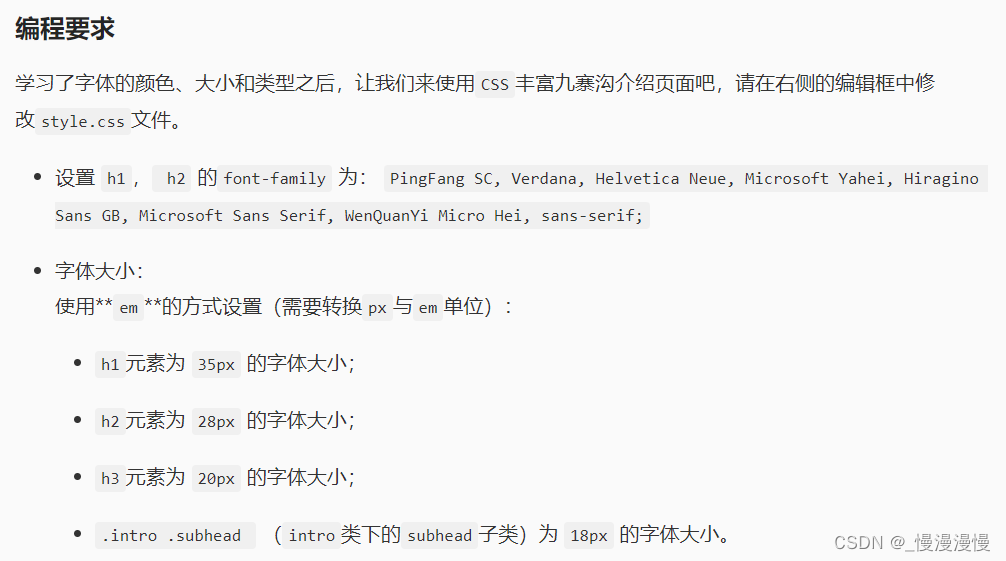
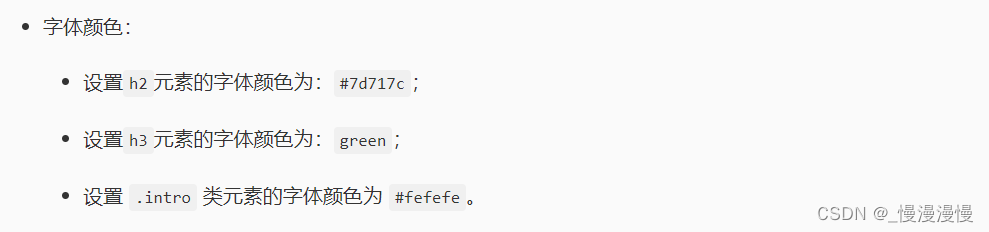
body {
    /*背景渐变*/
    background: -webkit-linear-gradient(left, #7ECABA, #E2FCCB);
    /* Safari 5.1 - 6.0 */
    background: -o-linear-gradient(right, #7ECABA, #E2FCCB);
    /* Opera 11.1 - 12.0 */
    background: -moz-linear-gradient(right, #7ECABA, #E2FCCB);
    /* Firefox 3.6 - 15 */
    background: linear-gradient(to right, #7ECABA, #E2FCCB);
    /* 标准的语法 */
    font: 100% PingFang SC, Verdana, Helvetica Neue, Microsoft Yahei, Hiragino Sans GB, Microsoft Sans Serif, WenQuanYi Micro Hei, sans-serif;
    /*居中页面*/
    width: 45em;
    margin: 0 auto;
}

h1,
h2 {
    /* ********** BEGIN ***********/
    font-family: PingFang SC, Verdana, Helvetica Neue, Microsoft Yahei, Hiragino Sans GB, Microsoft Sans Serif, WenQuanYi Micro Hei, sans-serif;
    /* ********** END ***********/
}

h1 {
    /* ********** BEGIN ***********/
    font-size: 2.1875em;

    /* ********** END ************/
}

h2 {
    background-color: #eaebef;
    /* ********** BEGIN ***********/
    font-size: 1.75em;
    color: #7d717c;
    /* ********** END ************/
}

h3 {
    background-color: white;
    /* ********** BEGIN ***********/
    font-size: 1.25em;
    color: green;
    /* ********** END ************/
    padding-left: 10px;
}

hr {
    height: 1px;
    border: none;
    border-top: 2px dashed #88b2d2;
}

footer {
    margin: 10px auto;
}

/* CONTENT
----------------------------------- */

.architect {
    background-color: #fff;
    padding: 1.5em 1.75em;
}

/* :::: Intro ::::: */

.intro {
    background-color: #888888;
    /* ********** BEGIN ***********/

    color: #fefefe;
    /* ********** END ************/
    padding: 1px 1.875em .7em;
}

.intro .subhead {
    /* ********** BEGIN ***********/
    font-size: 1.125em;
    /* ********** END ************/
}

.intro p {
    font-size: 1.0625em;
}

/* :::: chapter Descriptions ::::: */

.chapter p {
    font-size: .9375em;
}

img {
    border-radius: 8px;
}

/* :::: Links :::: */

a:link {
    color: #e10000;
}

a:visited {
    color: #b44f4f;
}

a:hover {
    color: #f00;
}

.intro a {
    color: #fdb09d;
}

.intro a:hover {
    color: #fec4b6;
}
body {
    /*背景渐变*/
    background: -webkit-linear-gradient(left, #7ECABA, #E2FCCB);
    /* Safari 5.1 - 6.0 */
    background: -o-linear-gradient(right, #7ECABA, #E2FCCB);
    /* Opera 11.1 - 12.0 */
    background: -moz-linear-gradient(right, #7ECABA, #E2FCCB);
    /* Firefox 3.6 - 15 */
    background: linear-gradient(to right, #7ECABA, #E2FCCB);
    /* 标准的语法 */
    font: 100% PingFang SC, Verdana, Helvetica Neue, Microsoft Yahei, Hiragino Sans GB, Microsoft Sans Serif, WenQuanYi Micro Hei, sans-serif;
    /*居中页面*/
    width: 45em;
    margin: 0 auto;
}

h1,
h2 {
    /* 设置h1, h2 的font-family*/
    font-family: PingFang SC, Verdana, Helvetica Neue, Microsoft Yahei, Hiragino Sans GB, Microsoft Sans Serif, WenQuanYi Micro Hei, sans-serif;
    /* ********** BEGIN ***********/
    font-weight: normal;
    /* ********** END ***********/
}

h1 {
    /* 设置h1元素为 35px 的字体大小 */
    font-size: 2.1875em;
    /* 35px/16px */
}

h2 {
    background-color: #eaebef;
    /* 设置h2元素的字体颜色为:#7d717c */
    color: #7d717c;
    /* 使用em的方式设置h2元素为 28px 的字体大小 */
    font-size: 1.75em;
    /*28px/16px */
}

h3 {
    background-color: white;
    /* 使用em的方式设置h3元素为 20px 的字体大小 */
    font-size: 1.25em;
    /* 设置h3元素的字体颜色为:green */
    color: green;
    padding-left: 10px;
}

hr {
    height: 1px;
    border: none;
    border-top: 2px dashed #88b2d2;
}

/* 子选择器 */

em,
a:link,
.intro .subhead {
    font-weight: bold;
}

footer {
    /* ********** BEGIN ***********/
    font-weight: light;
    font-style: italic;
    /* ********** END ***********/
    margin: 10px auto;
}

footer a {
    font-style: normal;
}

/* CONTENT
----------------------------------- */

.architect {
    background-color: #fff;
    padding: 1.5em 1.75em;
}

/* :::: Intro ::::: */

.intro {
    background-color: #888888;
    /* 设置 .intro 类元素的字体颜色为 #fefefe */
    color: #fefefe;
    padding: 1px 1.875em .7em;
}

.intro .subhead {
    /* 使用em的方式设置 `.intro .subhead ` (intro类下得subhead子类)为 18px 的字体大小。 */
    font-size: 1.125em;
}

.intro p {
    font-size: 1.0625em;
}

/* :::: chapter Descriptions ::::: */

.chapter p {
    font-size: .9375em;
}

img {
    border-radius: 8px;
}

/* :::: Links :::: */

a:link {
    /* 设置 a:link 元素的字体颜色为 #b44f4f */
    color: #e10000;
}

a:visited {
    color: #b44f4f;
}

a:hover {
    color: #f00;
}

.intro a {
    color: #fdb09d;
}

.intro a:hover {
    color: #fec4b6;
}
body {
    /*背景渐变*/
    background: -webkit-linear-gradient(left, #7ECABA, #E2FCCB);
    /* Safari 5.1 - 6.0 */
    background: -o-linear-gradient(right, #7ECABA, #E2FCCB);
    /* Opera 11.1 - 12.0 */
    background: -moz-linear-gradient(right, #7ECABA, #E2FCCB);
    /* Firefox 3.6 - 15 */
    background: linear-gradient(to right, #7ECABA, #E2FCCB);
    /* 标准的语法 */
    font: 100% PingFang SC, Verdana, Helvetica Neue, Microsoft Yahei, Hiragino Sans GB, Microsoft Sans Serif, WenQuanYi Micro Hei, sans-serif;
    /*居中页面*/
    width: 45em;
    margin: 0 auto;
}

h1,
h2 {
    font-family: PingFang SC, Verdana, Helvetica Neue, Microsoft Yahei, Hiragino Sans GB, Microsoft Sans Serif, WenQuanYi Micro Hei, sans-serif;
    font-weight: normal;
    /*********** BEGIN ***********/
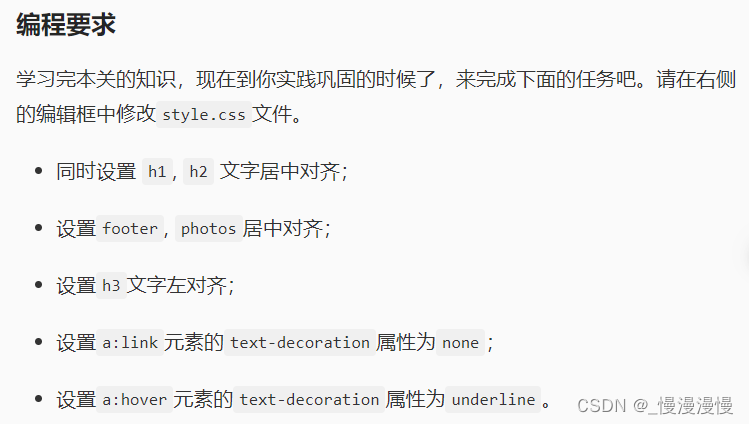
    text-align: center;
    /************ END ************/
}

h1 {
    /* 设置h1元素为 35px 的字体大小 */
    font-size: 2.1875em;
    /* 35px/16px */
}

h2 {
    background-color: #eaebef;
    /* 设置h2元素的字体颜色为:#7d717c */
    color: #7d717c;
    /* 使用em的方式设置h2元素为 28px 的字体大小 */
    font-size: 1.75em;
    /*28px/16px */
}

h3 {
    background-color: white;
    /* 使用em的方式设置h3元素为 20px 的字体大小 */
    font-size: 1.25em;
    /* 设置h3元素的字体颜色为:green */
    color: green;
    padding-left: 10px;
    /*********** BEGIN ***********/
    text-align: left;
    /************ END ************/
}

p {
    text-align: justify;
}

hr {
    height: 1px;
    border: none;
    border-top: 2px dashed #88b2d2;
}

/* 子选择器 */

em,
a:link,
.intro .subhead {
    font-weight: bold;
}

footer {
    font-weight: light;
    font-style: italic;
    /* ********** BEGIN ***********/
    text-align: center;
    /* ********** END ***********/
    margin: 10px auto;
}

footer a {
    font-style: normal;
}

/* CONTENT
----------------------------------- */

.architect {
    background-color: #fff;
    padding: 1.5em 1.75em;
}

/* :::: Intro ::::: */

.intro {
    background-color: #888888;
    /* 设置 .intro 类元素的字体颜色为 #fefefe */
    color: #fefefe;
    padding: 1px 1.875em .7em;
}

.intro .subhead {
    /* 使用em的方式设置 `.intro .subhead ` (intro类下得subhead子类)为 18px 的字体大小。 */
    font-size: 1.125em;
    text-align: center;
}

.intro p {
    font-size: 1.0625em;
}

/* :::: chapter Descriptions ::::: */

.chapter p {
    font-size: .9375em;
}

.photos {
    /*********** BEGIN ***********/
    text-align: center;
    /*********** END *************/
}

img {
    border-radius: 8px;
}

/* :::: Links :::: */

/* 默认显示样式 */

a:link {
    color: #e10000;
    /*********** BEGIN ***********/
    text-decoration: none;
    /*********** END *************/
}

a:visited {
    color: #b44f4f;
}

/* 鼠标放在上面的显示样式 */

a:hover {
    color: #f00;
    /*********** BEGIN ***********/
    text-decoration: underline;
    /*********** END *************/
}

.intro a {
    color: #fdb09d;
}

.intro a:hover {
    color: #fec4b6;
}
/* ********** BEGIN ********** */
body {
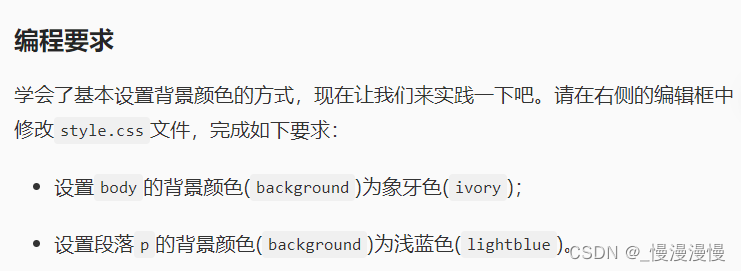
    background-color: ivory;
}


/* ********** END ********** */

h1 {
    font-size: 40px;
    text-align: center;
}

p {
    font-size: 18px;
    color: grey;
    /* ********** BEGIN ********** */
    background-color: lightblue;
    /* ********** END ********** */
}
body {
    /* ********** BEGIN ********** */
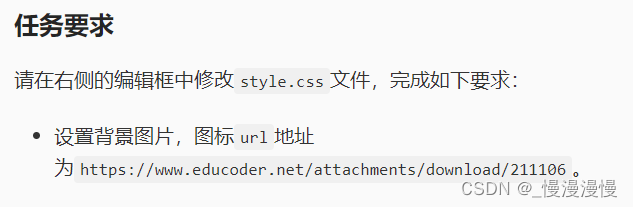
    /*设置背景图片*/
    background-image:url("https://www.educoder.net/attachments/download/211106") ;

    /* ********** END ********** */
}

div {
    width: 90%;
    height: 100%;
    margin: auto;
}
 body {
     margin-right: 200px;
     /* ********** BEGIN ********** */
     /*设置背景图片*/
    background: url("https://www.educoder.net/attachments/download/211104") no-repeat fixed right top;
     /* ********** END ********** */
 }

 div {
     width: 90%;
     height: 100%;
     margin: auto;
 }
<!DOCTYPE html>
<html lang="zh">
<head>
  <meta charset="UTF-8">
  <meta name="viewport" content="width=device-width, initial-scale=1.0">
  <meta http-equiv="X-UA-Compatible" content="ie=edge">
  <title>元素选择器</title>
  <style type="text/css">
    /* ********** BEGIN ********** */
    /* 元素选择器 */
    html {
      background-color:#F0F0F0;
    }

    header {
      padding:40px;
      background-color:white;
    }


    footer {
      margin-top: 20px;
      font-size:0.6em;
      color:grey;
    }

    /* ********** END ********** */
  </style>
</head>
<body>

<div>

  <header>
    <li><a href="#chosen">精选</a></li>
    <li><a href="#news">时事</a></li>
    <li><a href="#finance">财政</a></li>
    <li><a href="#think">思想</a></li>
    <li><a href="#life">生活</a></li>
  </header>

  <div>
    <section>
      <h2>精选</h2>
      <li>精选新闻1</li>
      <li>精选新闻2</li>
      <li>精选新闻3</li>
    </section>
    <section>
      <h2>时事</h2>
      <li>时事新闻1</li>
      <li>时事新闻2</li>
      <li>时事新闻3</li>
    </section>
    <section>
      <h2>财政</h2>
      <li>财政新闻1</li>
      <li>财政新闻2</li>
      <li>财政新闻3</li>
    </section>
    <section>
      <h2>思想</h2>
      <li>思想新闻1</li>
      <li>思想新闻2</li>
      <li>思想新闻3</li>
    </section>
    <section>
      <h2>生活</h2>
      <li>生活新闻1</li>
      <li>生活新闻2</li>
      <li>生活新闻3</li>
    </section>
  </div>

  <footer>Copyright (c) News Copyright Holder All Rights Reserved.</footer>

</div>

</body>
</html>
<!DOCTYPE html>
<html lang="zh">
<head>
  <meta charset="UTF-8">
  <meta name="viewport" content="width=device-width, initial-scale=1.0">
  <meta http-equiv="X-UA-Compatible" content="ie=edge">
  <title>类选择器</title>
  <style type="text/css">
    /* 元素选择器 */
    html {
      background-color: #F0F0F0;
    }
    header {
      padding: 40px;
      background-color: white;
    }
    footer {
      margin-top: 20px;
      font-size: 0.6em;
      color: grey;
    }
    /* 类选择器 */
    .main {
      margin: 10px;
    }
	/* ********** BEGIN ********** */
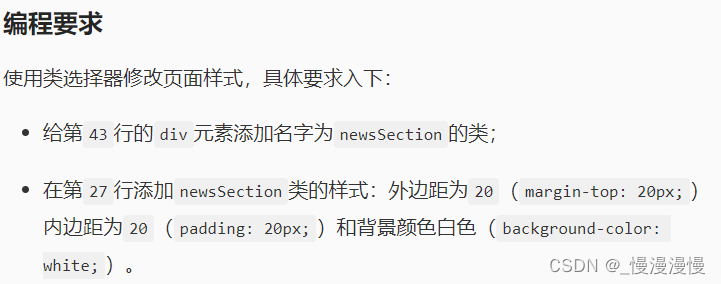
  .newsSection {
    margin-top:20px;
    padding:20px;
    background-color:white;
  }


    /* ********** END ********** */
  </style>
</head>
<body>
<div class="main">
  <header>
    <li><a href="#chosen">精选</a></li>
    <li><a href="#news">时事</a></li>
    <li><a href="#finance">财政</a></li>
    <li><a href="#think">思想</a></li>
    <li><a href="#life">生活</a></li>
  </header>
  <!-- ********** BEGIN ********** -->
  <div class="newsSection">
  <!-- ********** END ********** -->
    <section>
      <h2>精选</h2>
      <li>精选新闻1</li>
      <li>精选新闻2</li>
      <li>精选新闻3</li>
    </section>
    <section>
      <h2>时事</h2>
      <li>时事新闻1</li>
      <li>时事新闻2</li>
      <li>时事新闻3</li>
    </section>
    <section>
      <h2>财政</h2>
      <li>财政新闻1</li>
      <li>财政新闻2</li>
      <li>财政新闻3</li>
    </section>
    <section>
      <h2>思想</h2>
      <li>思想新闻1</li>
      <li>思想新闻2</li>
      <li>思想新闻3</li>
    </section>
    <section>
      <h2>生活</h2>
      <li>生活新闻1</li>
      <li>生活新闻2</li>
      <li>生活新闻3</li>
    </section>
  </div>

  <footer>Copyright (c) News Copyright Holder All Rights Reserved.</footer>
</div>

</body>
</html>
<!DOCTYPE html>
<html lang="zh">
<head>
  <meta charset="UTF-8">
  <meta name="viewport" content="width=device-width, initial-scale=1.0">
  <meta http-equiv="X-UA-Compatible" content="ie=edge">
  <title>ID选择器</title>
  <style type="text/css">
    /* 元素选择器 */
    html {
      background-color: #F0F0F0;
    }
    header {
      padding: 40px;
      background-color: white;
    }
    footer {
      margin-top: 20px;
      font-size: 0.6em;
      color: grey;
    }

    /* 类选择器 */
    .main {
      margin: 10px;
    }
    .newsSection {
      margin-top: 20px;
      padding: 20px;
      background-color: white;
    }
    /* ********** BEIGN ********** */
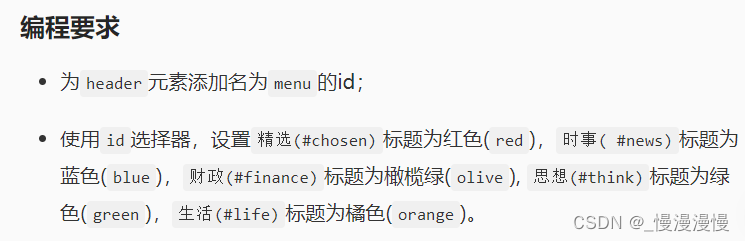
    #menu {

    }
    #chosen {
      color:red;
    }
    #news {
      color:blue;
    }
    #finance {
      color:olive;
    }
    #think {
      color:green;
    }
    #life {
      color:orange;
    }


    /*选择menu元素下的li子元素*/
    #menu li {
      float: left;
      width: 70px;
      font-size: 1.2em;
      font-weight: lighter;
    }
    /*选择menu元素下的li子元素和li下得a子元素*/
    #menu li, li a {
      list-style: none;
      text-decoration: none;
    }
    /* ********** END ********** */
  </style>
</head>
<body>
<div class="main">
  <!-- ********** BEGIN ********** -->
  <header id="menu">
  <!-- ********** END ********** -->
    <li><a href="#chosen">精选</a></li>
    <li><a href="#news">时事</a></li>
    <li><a href="#finance">财政</a></li>
    <li><a href="#think">思想</a></li>
    <li><a href="#life">生活</a></li>
  </header>

  <div class="newsSection">
    <section>
      <h2 id="chosen">精选</h2>
      <li>精选新闻1</li>
      <li>精选新闻2</li>
      <li>精选新闻3</li>
    </section>
    <section>
      <h2 id="news">时事</h2>
      <li>时事新闻1</li>
      <li>时事新闻2</li>
      <li>时事新闻3</li>
    </section>
    <section>
      <h2 id="finance">财政</h2>
      <li>财政新闻1</li>
      <li>财政新闻2</li>
      <li>财政新闻3</li>
    </section>
    <section>
      <h2 id="think">思想</h2>
      <li>思想新闻1</li>
      <li>思想新闻2</li>
      <li>思想新闻3</li>
    </section>
    <section>
      <h2 id="life">生活</h2>
      <li>生活新闻1</li>
      <li>生活新闻2</li>
      <li>生活新闻3</li>
    </section>
  </div>
  <footer>Copyright (c) News Copyright Holder All Rights Reserved.</footer>
</div>

</body>
</html>
<!DOCTYPE html>
<html lang="en">

<head>
	<meta charset="UTF-8">
	<title>Educoder</title>
	<script src="https://cdn.staticfile.org/jquery/1.10.2/jquery.min.js"></script>
	<script src="step1/verify.js"></script>
</head>
<style type="text/css">
	body {
		padding: 0;
		margin: 0;
	}

	.color-white {
		color: white;
	}

	/*********** Begin ************/
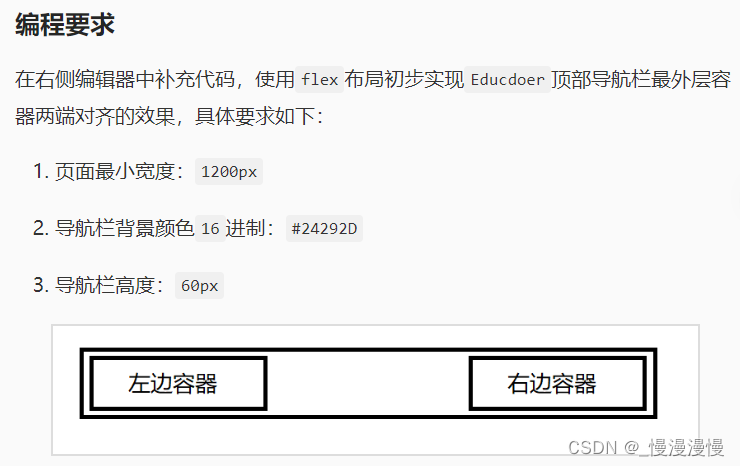
	.container {
		height: 60px;
		display: flex;
		justify-content: space-between;
	}

	/*********** End ************/
</style>

<body>
	<div class="container">
		<header style="background: #24292D; min-width:1200px;">
			<div class="left-wrap color-white">左边容器</div>
			<div class="right-wrap color-white">右边容器</div>
		</header>
	</div>
</body>

</html>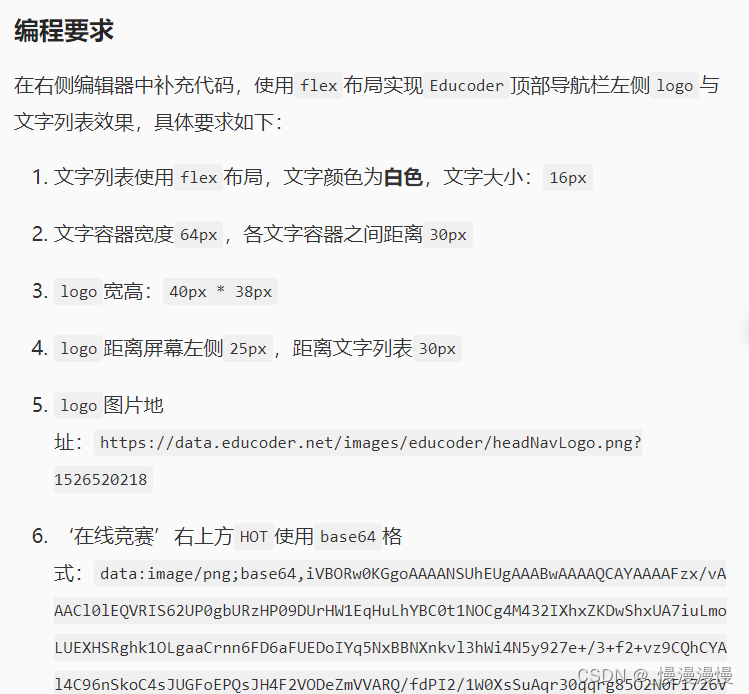
<!DOCTYPE html>
<html lang="en">

<head>
	<meta charset="UTF-8">
	<title>Educoder</title>
	<script src="https://cdn.staticfile.org/jquery/1.10.2/jquery.min.js"></script>
	<script src="step2/verify.js"></script>
</head>
<style type="text/css">
	body {
		padding: 0;
		margin: 0;
	}

	.container {
		min-width: 1200px;
	}

	.flex {
		display: flex;
	}

	.full-height {
		height: 100%;
	}

	header {
		background: #24292D;
		height: 60px;
		justify-content: space-between;
		padding: 0 25px;
	}

	header>div {
		height: 100%;
		display: flex;
		align-items: center;
	}

	/*********** Begin ************/
	.logo-block {
		display: flex;
		align-items: center;
		justify-content: center;
	}

	.logo {
		width: 40px;
		height: 38px;
		margin-right: 30px;
	}

	.menu-item {
		color: #ffffff;
		font-size: 16px;
		width: 64px;
		height: 100%;
		display: flex;
		align-items: center;
		margin-right: 30px;
		position: relative;
	}

	.hot {
		position: absolute;
		top: 10px;
		right: -22px;
	}

	/*********** End ************/
</style>

<body>
	<div class="container">
		<header class="flex">
			<div class="left-wrap">
				<!--********** Begin **********-->
				<div class="logo-block">
					<img src="https://data.educoder.net/images/educoder/headNavLogo.png?1526520218" class="logo">
      </div>
					<div class="menu-block full-height flex">
						<div class="menu-item"><span>实践课程</span></div>
						<div class="menu-item"><span>翻转课堂</span></div>
						<div class="menu-item"><span>实训项目</span></div>
						<div class="menu-item">
							<span>在线竞赛<img class="hot" src="https://img-blog.csdnimg.cn/2022010612112358534.png"></span>
						</div>
						<div class="menu-item"><span>教学案例</span></div>
						<div class="menu-item"><span>交流问答</span></div>
					</div>
					<!--********** End **********-->
				</div>
				<div class="right-wrap">
				</div>
		</header>
	</div>
</body>

</html>
<!DOCTYPE html>
<html lang="en">
<head>
  <meta charset="UTF-8">
  <title>Educoder</title>
  <script src="https://cdn.staticfile.org/jquery/1.10.2/jquery.min.js"></script>
  <script src="step3/verify.js"></script>
</head>
<style type="text/css">
  body {
    padding: 0;
    margin: 0;
  }

  .container {
    min-width: 1200px;
  }

  .flex {
    display: flex;
  }

  .full-height{
    height: 100%;
  }

  header {
    background: #24292D;
    height: 60px;
    justify-content: space-between;
    padding: 0 25px;
  }

  header > div {
    height: 100%;
    display: flex;
    align-items: center;
  }

  .logo-block{
    display: flex;
    align-items: center;
    justify-content: center;
  }

  .logo {
    width: 40px;
    height: 38px;
    margin-right: 30px;
  }

  .menu-item {
    color: #ffffff;
    font-size: 16px;
    width: 64px;
    height: 100%;
    display: flex;
    align-items: center;
    margin-right: 30px;
    position: relative;
  }

  .hot{
    position: absolute;
    top: 10px;
    right: -22px;
  }
  /*********** Begin ************/
  .icon-item{
    height: 100%;
    width: 48px;
    display: flex;
    align-items: center;
    justify-content: center;
  }
  .user{
    width: 34px;
    height: 34px;
    margin-left: 15px;
  }
  /*********** End ************/
</style>
<body>
<div class="container">
  <header class="flex">
    <div class="left-wrap">
      <div class="logo-block">
        <img src="https://www.educoder.net/images/educoder/headNavLogo.png?1526520218" class="logo">
      </div>
      <div class="menu-block full-height flex">
        <div class="menu-item"><span>实践课程</span></div>
        <div class="menu-item"><span>翻转课堂</span></div>
        <div class="menu-item"><span>实训项目</span></div>
        <div class="menu-item"><span>在线竞赛<img class="hot" src="data:image/png;base64,iVBORw0KGgoAAAANSUhEUgAAABwAAAAQCAYAAAAFzx/vAAACl0lEQVRIS62UP0gbURzHP09DUrHW1EqHuLhYBC0t1NOCg4M432IXhxZKDwShxUA7iuLmoLUEXHSRghk1OLgaaCrnn6FD6aFUEDoIYq5NxBBNXnkvl3hWi4N5y927e+/3+f2+vz9CQhCYAl4C96nSkoC4sJUGFoEPQsJH4F2VODeZmVVARQ/fdPI2/1W0XsSuAqr30qqrg85O2N0F1726V2ciEejqQp6fI1IppOsivG9+p5TRguOQcxxOgbzaK5kvAQ0DbBtME5lIgGEg/PupKUQ0CtksBIOQz8PQEDIQQKysXBFhf3yc3YmJSkQ1/wNK0wQfUO8PDhBbW8j5eRgehnAYsb6ObGzkuLWVQ+DUMHhm22ybJr/VfUBDfE8dYUVTLyK5tASOAy0tCMtCAUVzMywsIPv6EMmklic3Okr99DRf2trI7e1x1zDosW2+mSaZf4AVeNGfwzJQ5TCTgVAI0dGhJda5m5uD3l5yqRQ/gcDICI9iMba7u8ltblJvGDy1bb77gApUbg8d7XVADfAkVTnVEabTkEySjUZxZmY4AdqXl2nq72enoUHn6Y5h8MS2+WGa/Ekk/H2o5VVgBdRtob3wikYDfEDlwFkiQX51lbqBAdIbG9SGQoR7ejgYG+NwclIbVMDHto3jAf1VpFJQA2lRgFngrfZAyWZZEI+XchiJULAsTuJxfjkOLtA0OEhDezuyWCSzs8PJ2lqlCgORCA8ti6N4XLdDuTaKXh9K+KSKJlgsjbZXAsIXTQk54Ag4Bs6AWq/alHPlc0oZ9a6MquUzrr97/9wCLD6A975xV7og4Svw3Lu/BrwQkL3NpPHfvQ64D7QCn4HXohRc1dZ1QDWJYnqy+1umSshLQAn3gDcCpqtk/4qZv02gFT1dbcRiAAAAAElFTkSuQmCC"></span></div>
        <div class="menu-item"><span>教学案例</span></div>
        <div class="menu-item"><span>交流问答</span></div>
      </div>
    </div>
    <div class="right-wrap">
      <!--********** Begin **********-->
      <div class="icon-list full-height flex">
      <div class="icon-item"><img src="https://data.educoder.net/api/attachments/411643" alt=""></div>
      <div class="icon-item"><img src="https://data.educoder.net/api/attachments/411644" alt=""></div>
      <div class="icon-item"><img src="https://data.educoder.net/api/attachments/411645" alt=""></div>
      </div>
      <img class="user" src="https://data.educoder.net/images/avatars/User/b?t=1569204859650" alt="">
      <!--********** End **********-->
    </div>
  </header>
</div>
</body>
</html>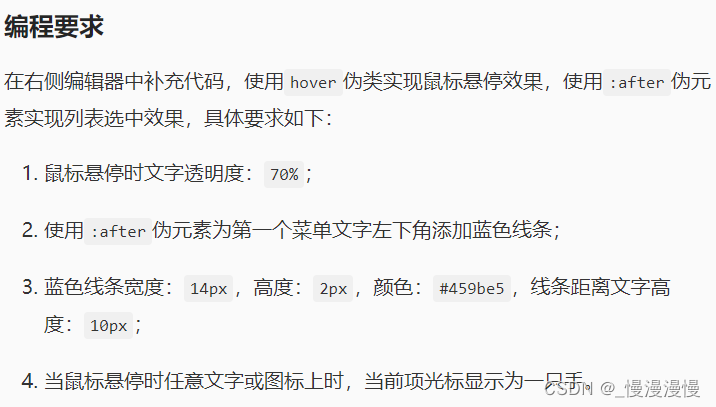
<!DOCTYPE html>
<html lang="en">
<head>
  <meta charset="UTF-8">
  <title>Educoder</title>
  <script src="https://cdn.staticfile.org/jquery/1.10.2/jquery.min.js"></script>
  <script src="step4/verify.js"></script>
</head>
<style type="text/css">
  body {
    padding: 0;
    margin: 0;
  }

  .container {
    min-width: 1200px;
  }

  .flex {
    display: flex;
  }

  .full-height {
    height: 100%;
  }

  header {
    background: #24292D;
    height: 60px;
    justify-content: space-between;
    padding: 0 25px;
  }

  header > div {
    height: 100%;
    display: flex;
    align-items: center;
  }

  .logo-block {
    display: flex;
    align-items: center;
    justify-content: center;
  }

  .logo {
    width: 40px;
    height: 38px;
    margin-right: 30px;
  }

  .menu-item {
    color: #ffffff;
    font-size: 16px;
    width: 64px;
    height: 100%;
    display: flex;
    align-items: center;
    margin-right: 30px;
    position: relative;
    cursor: pointer;
  }

  .hot {
    position: absolute;
    top: 10px;
    right: -22px;
  }

  .icon-item {
    height: 100%;
    width: 48px;
    display: flex;
    align-items: center;
    cursor: pointer;
    justify-content: center;
  }

  .user {
    width: 34px;
    height: 34px;
    margin-left: 15px;
    cursor: pointer;
  }

  /*********** Begin ************/
  .menu-item:hover {
    opacity:.7;
  }
  .active {
    position:relative;
    color:#459be5;
  }
  .active:after {
    position:absolute;
    content: ' ';
    width: 14px;
    height: 2px;
    background: #459be5;
    bottom: -10px;
    left: 0;
  }
  /*********** End ************/
</style>
<body>
<div class="container">
  <header class="flex">
    <div class="left-wrap">
      <div class="logo-block">
        <img src="https://www.educoder.net/images/educoder/headNavLogo.png?1526520218" class="logo">
      </div>
      <div class="menu-block full-height flex">
        <div class="menu-item"><span class="active">实践课程</span></div>
        <div class="menu-item"><span>翻转课堂</span></div>
        <div class="menu-item"><span>实训项目</span></div>
        <div class="menu-item"><span>在线竞赛<img class="hot"
                                              src="data:image/png;base64,iVBORw0KGgoAAAANSUhEUgAAABwAAAAQCAYAAAAFzx/vAAACl0lEQVRIS62UP0gbURzHP09DUrHW1EqHuLhYBC0t1NOCg4M432IXhxZKDwShxUA7iuLmoLUEXHSRghk1OLgaaCrnn6FD6aFUEDoIYq5NxBBNXnkvl3hWi4N5y927e+/3+f2+vz9CQhCYAl4C96nSkoC4sJUGFoEPQsJH4F2VODeZmVVARQ/fdPI2/1W0XsSuAqr30qqrg85O2N0F1726V2ciEejqQp6fI1IppOsivG9+p5TRguOQcxxOgbzaK5kvAQ0DbBtME5lIgGEg/PupKUQ0CtksBIOQz8PQEDIQQKysXBFhf3yc3YmJSkQ1/wNK0wQfUO8PDhBbW8j5eRgehnAYsb6ObGzkuLWVQ+DUMHhm22ybJr/VfUBDfE8dYUVTLyK5tASOAy0tCMtCAUVzMywsIPv6EMmklic3Okr99DRf2trI7e1x1zDosW2+mSaZf4AVeNGfwzJQ5TCTgVAI0dGhJda5m5uD3l5yqRQ/gcDICI9iMba7u8ltblJvGDy1bb77gApUbg8d7XVADfAkVTnVEabTkEySjUZxZmY4AdqXl2nq72enoUHn6Y5h8MS2+WGa/Ekk/H2o5VVgBdRtob3wikYDfEDlwFkiQX51lbqBAdIbG9SGQoR7ejgYG+NwclIbVMDHto3jAf1VpFJQA2lRgFngrfZAyWZZEI+XchiJULAsTuJxfjkOLtA0OEhDezuyWCSzs8PJ2lqlCgORCA8ti6N4XLdDuTaKXh9K+KSKJlgsjbZXAsIXTQk54Ag4Bs6AWq/alHPlc0oZ9a6MquUzrr97/9wCLD6A975xV7og4Svw3Lu/BrwQkL3NpPHfvQ64D7QCn4HXohRc1dZ1QDWJYnqy+1umSshLQAn3gDcCpqtk/4qZv02gFT1dbcRiAAAAAElFTkSuQmCC"></span>
        </div>
        <div class="menu-item"><span>教学案例</span></div>
        <div class="menu-item"><span>交流问答</span></div>
      </div>
    </div>
    <div class="right-wrap">
      <div class="icon-list full-height flex">
        <div class="icon-item"><img src="https://www.educoder.net/api/attachments/411643" alt=""></div>
        <div class="icon-item"><img src="https://www.educoder.net/api/attachments/411644" alt=""></div>
        <div class="icon-item"><img src="https://www.educoder.net/api/attachments/411645" alt=""></div>
      </div>
      <img class="user" src="https://www.educoder.net/images/avatars/User/b?t=1569204859650" alt="">
    </div>
  </header>
</div>
</body>
</html>
我在MiniTest::Spec和Capybara中使用以下规范:find_field('Email').must_have_css('[autofocus]')检查名为“电子邮件”的字段是否具有autofocus属性。doc说如下:has_css?(path,options={})ChecksifagivenCSSselectorisonthepageorcurrentnode.据我了解,字段“Email”是一个节点,因此调用must_have_css绝对有效!我做错了什么? 最佳答案 通过JonasNicklas得到了答案:No
我有一个div,它根据表单是否正确提交而改变。我想知道是否可以检查类的特定元素?开始元素看起来像这样。如果输入不正确,添加错误类。 最佳答案 试试这个:browser.div(:id=>"myerrortest").class_name更多信息:http://watir.github.com/watir-webdriver/doc/Watir/HTMLElement.html#class_name-instance_method另一种选择是只查看具有您期望的类的div是否存在browser.div((:id=>"myerrortes
目录前言滤波电路科普主要分类实际情况单位的概念常用评价参数函数型滤波器简单分析滤波电路构成低通滤波器RC低通滤波器RL低通滤波器高通滤波器RC高通滤波器RL高通滤波器部分摘自《LC滤波器设计与制作》,侵权删。前言最近需要学习放大电路和滤波电路,但是由于只在之前做音乐频谱分析仪的时候简单了解过一点点运放,所以也是相当从零开始学习了。滤波电路科普主要分类滤波器:主要是从不同频率的成分中提取出特定频率的信号。有源滤波器:由RC元件与运算放大器组成的滤波器。可滤除某一次或多次谐波,最普通易于采用的无源滤波器结构是将电感与电容串联,可对主要次谐波(3、5、7)构成低阻抗旁路。无源滤波器:无源滤波器,又称
@作者:SYFStrive @博客首页:HomePage📜:微信小程序📌:个人社区(欢迎大佬们加入)👉:社区链接🔗📌:觉得文章不错可以点点关注👉:专栏连接🔗💃:感谢支持,学累了可以先看小段由小胖给大家带来的街舞👉微信小程序(🔥)目录自定义组件-behaviors 1、什么是behaviors 2、behaviors的工作方式 3、创建behavior 4、导入并使用behavior 5、behavior中所有可用的节点 6、同名字段的覆盖和组合规则总结最后自定义组件-behaviors 1、什么是behaviorsbehaviors是小程序中,用于实现
遍历文件夹我们通常是使用递归进行操作,这种方式比较简单,也比较容易理解。本文为大家介绍另一种不使用递归的方式,由于没有使用递归,只用到了循环和集合,所以效率更高一些!一、使用递归遍历文件夹整体思路1、使用File封装初始目录,2、打印这个目录3、获取这个目录下所有的子文件和子目录的数组。4、遍历这个数组,取出每个File对象4-1、如果File是否是一个文件,打印4-2、否则就是一个目录,递归调用代码实现publicclassSearchFile{publicstaticvoidmain(String[]args){//初始目录Filedir=newFile("d:/Dev");Datebeg
ES一、简介1、ElasticStackES技术栈:ElasticSearch:存数据+搜索;QL;Kibana:Web可视化平台,分析。LogStash:日志收集,Log4j:产生日志;log.info(xxx)。。。。使用场景:metrics:指标监控…2、基本概念Index(索引)动词:保存(插入)名词:类似MySQL数据库,给数据Type(类型)已废弃,以前类似MySQL的表现在用索引对数据分类Document(文档)真正要保存的一个JSON数据{name:"tcx"}二、入门实战{"name":"DESKTOP-1TSVGKG","cluster_name":"elasticsear
我开始了一个新的Rails3.2.5项目,Assets管道不再工作了。CSS和Javascript文件不再编译。这是尝试生成Assets时日志的输出:StartedGET"/assets/application.css?body=1"for127.0.0.1at2012-06-1623:59:11-0700Servedasset/application.css-200OK(0ms)[2012-06-1623:59:11]ERRORNoMethodError:undefinedmethod`each'fornil:NilClass/Users/greg/.rbenv/versions/1
rails新手。只是想了解\assests目录中的这两个文件。例如,application.js文件有如下行://=requirejquery//=requirejquery_ujs//=require_tree.我理解require_tree。只是将所有JS文件添加到当前目录中。根据上下文,我可以看出requirejquery添加了jQuery库。但是它从哪里得到这些jQuery库呢?我没有在我的Assets文件夹中看到任何jquery.js文件——或者直接在我的整个应用程序中没有看到任何jquery.js文件?同样,我正在按照一些说明安装TwitterBootstrap(http:
我正在尝试消除使用Bootstrap3的Rails4元素中的glyphicon错误。我没有使用任何Bootstrapgem将其添加到Assets管道中。我手动将bootstrap.css和bootstrap.js添加到各自的app/assets目录下,分别添加到application.css和application.js什么的我现在在网络浏览器的控制台中看到以下内容:GEThttp://localhost:3000/fonts/glyphicons-halflings-regular.woff404(NotFound)localhost/:1GEThttp://localhost:30
我有一个使用twitterbootstrap和sass的Rails元素。scss文件结构化到文件夹中,所以我有更好的概述。现在我想为包含我的颜色等的全局变量定义一个文件,并将这些值传递给其他文件,这样我就有更少的冗余代码。虽然所有代码都已正确导入和应用,变量不起作用。这是当前的设置:样式表/application.css.scss/**=require_self*=require_tree*//*stylesheets/||–base/||–_reset.scss#Reset/normalize||–_typography.scss#Typographyrules||–componen
