环境:es(7.14.0)+kibana(7.14.2)
GET /
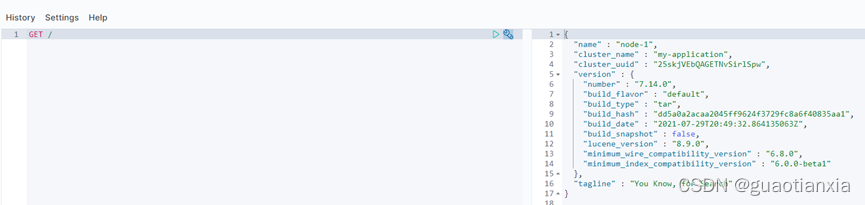
PUT demo_person
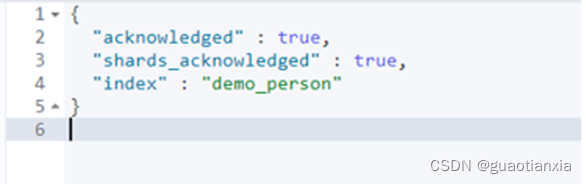
DELETE demo_person
说明:
DELETE /index_one,index_two --删除两个索引
DELETE /index_* --删除index_k开头的索引
DELETE /_all --删除全部索引
DELETE /* --删除全部索引
PUT demo_person
{
    "settings": {
      "number_of_shards": 5,
      "number_of_replicas": 1
    },
    "mappings": {
	  "properties": {
		"about": {
		  "type": "text",
		  "fields": {
			"keyword": {
			  "type": "keyword",
			  "ignore_above": 256
			}
		  }
		},
		"age": {
		  "type": "long"
		},
		"first_name": {
		  "type": "text",
		  "fields": {
			"keyword": {
			  "type": "keyword",
			  "ignore_above": 256
			}
		  }
		},
		"interests": {
		  "type": "text",
		  "fields": {
			"keyword": {
			  "type": "keyword",
			  "ignore_above": 256
			}
		  },
		  "fielddata": true
		},
		"last_name": {
		  "type": "keyword"
		}
	 }
  }
}
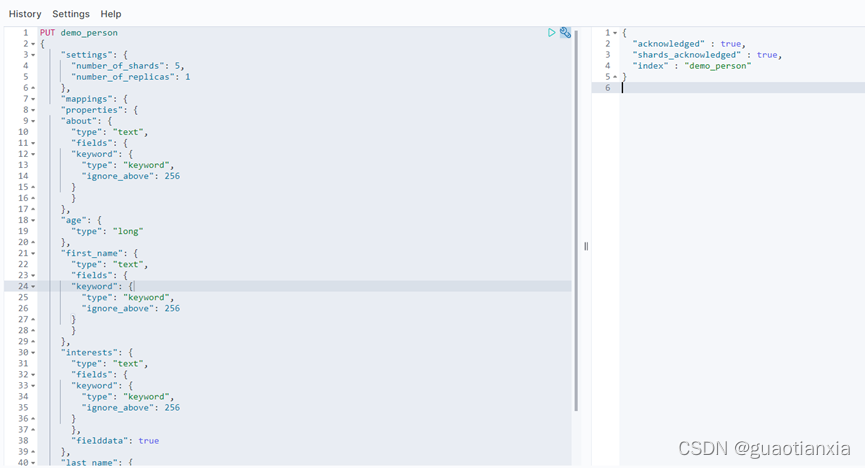
PUT demo_person/_settings
{
  "number_of_replicas" : 2
}

只能修改副本分片,主分片在创建索引时确定,后续不可以再次修改
PUT demo_person/_mapping/_doc?include_type_name=true
{
    "properties":{
        "interests":{
            "type":"text",
            "fielddata":true
        }
    }
}
GET demo_person/_count
{
  "query": {
    "match_all": {}
  }
}
PUT /demo_person/_doc/1
{
    "first_name" : "John",
    "last_name" :  "Smith",
    "age" :        25,
    "about" :      "I love to go rock climbing",
    "interests": [ "sports", "music" ]
}

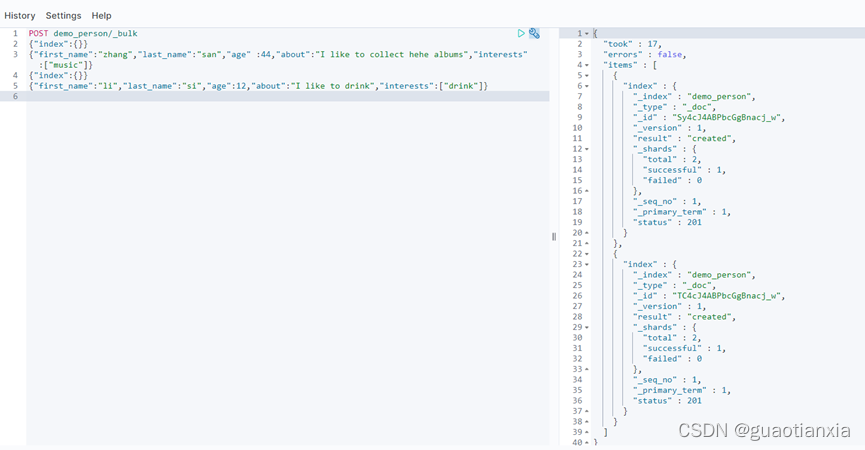
POST demo_person/_bulk
{"index":{}}
{"first_name":"zhang","last_name":"san","age" :44,"about":"I like to collect hehe albums","interests":["music"]}
{"index":{}}
{"first_name":"li","last_name":"si","age":12,"about":"I like to drink","interests":["drink"]}
GET demo_person/_search
{
  "query": {
    "match_all": {}
  }
}
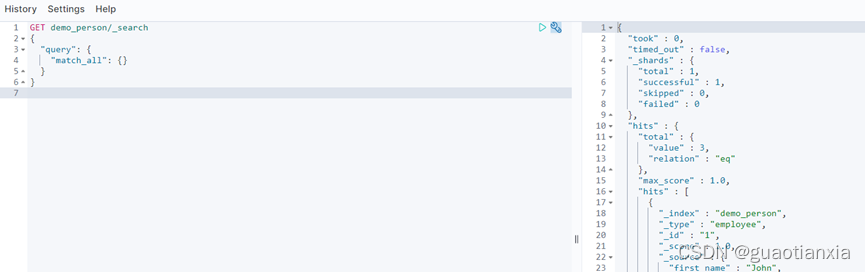
GET demo_person/_search
{  "size": 20,
  "query": {
    "match_all": {}
  }
}
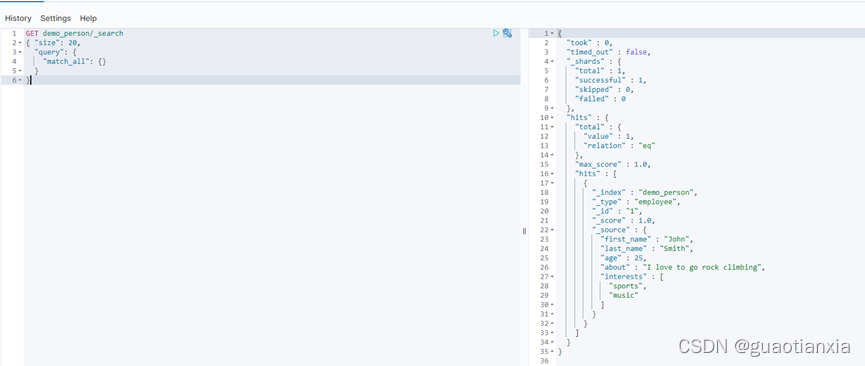
GET /demo_person/_doc/1?pretty
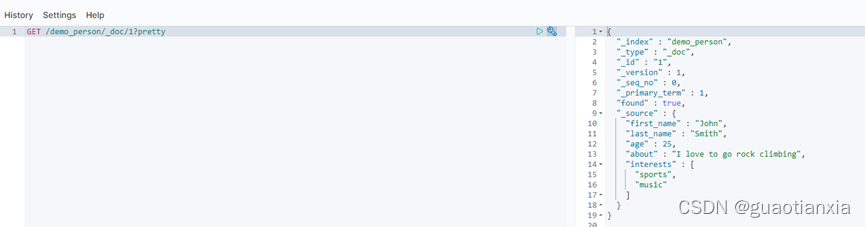
GET /demo_person/_search?q=last_name:Smith
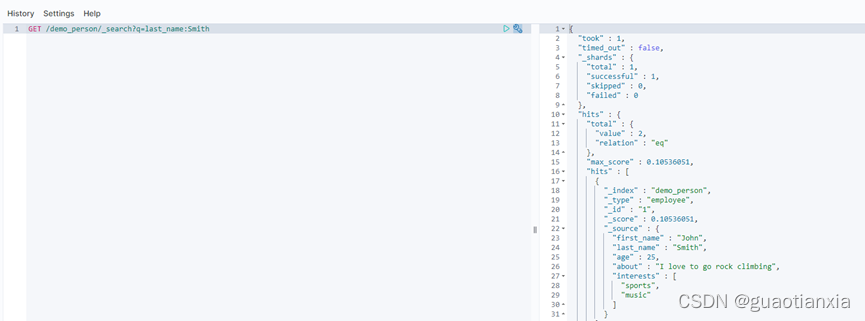
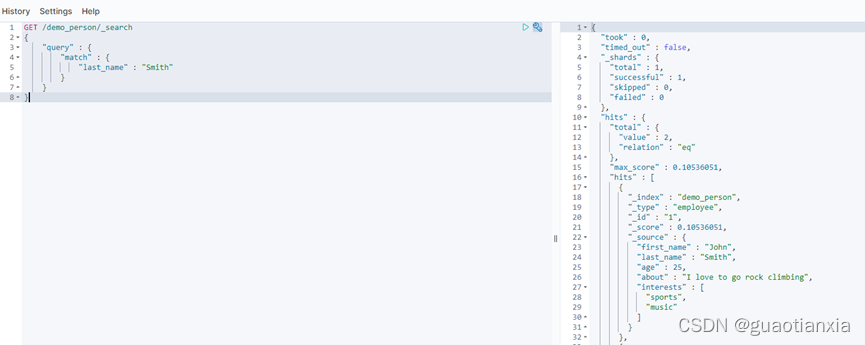
GET /demo_person/_search
{
    "query" : {
        "match" : {
            "last_name" : "Smith"
        }
    }
}
GET /demo_person/_search
{
  "query": {
    "term": {
      "last_name": {
        "value": "Smith"
      }
    }
  }
}
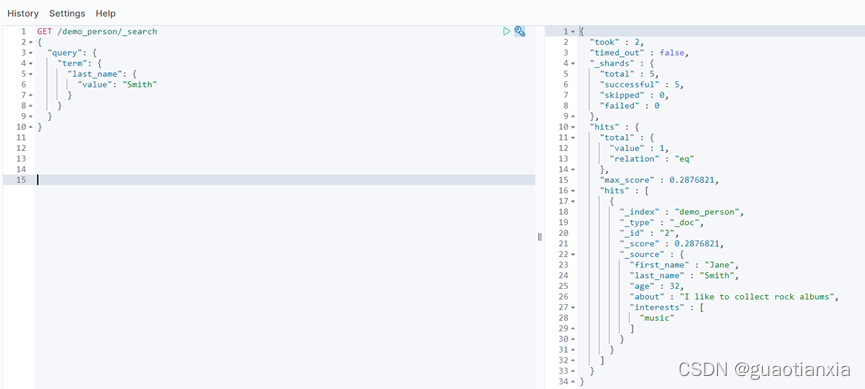
基于词项的查询
如 term 或 fuzzy 这样的底层查询不需要分析阶段,它们对单个词项进行操作。用 term 查询词项 Foo 只要在倒排索引中查找 准确词项 ,并且用 TF/IDF 算法为每个包含该词项的文档计算相关度评分 _score 。
记住 term 查询只对倒排索引的词项精确匹配,这点很重要,它不会对词的多样性进行处理(如, foo 或 FOO )。这里,无须考虑词项是如何存入索引的。如果是将 ["Foo","Bar"] 索引存入一个不分析的( not_analyzed )包含精确值的字段,或者将 Foo Bar 索引到一个带有 whitespace 空格分析器的字段,两者的结果都会是在倒排索引中有 Foo 和 Bar 这两个词。
基于全文的查询
像 match 或 query_string 这样的查询是高层查询,它们了解字段映射的信息:
如果查询 日期(date) 或 整数(integer) 字段,它们会将查询字符串分别作为日期或整数对待。
如果查询一个( not_analyzed )未分析的精确值字符串字段,它们会将整个查询字符串作为单个词项对待。
但如果要查询一个( analyzed )已分析的全文字段,它们会先将查询字符串传递到一个合适的分析器,然后生成一个供查询的词项列表。
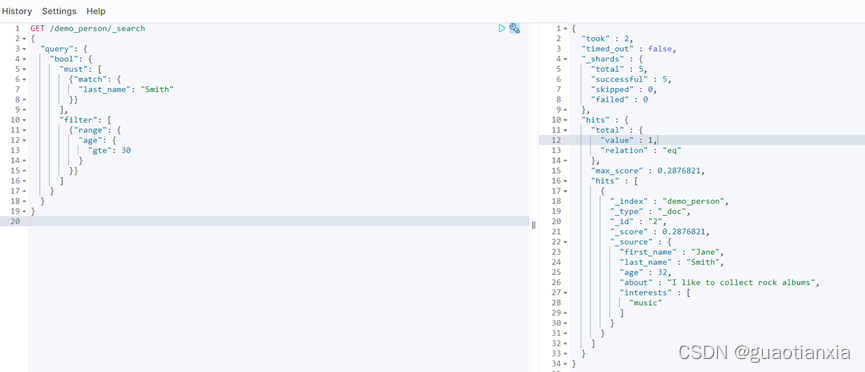
GET /demo_person/_search
{
  "query": {
    "bool": {
      "must": [
        {"match": {
          "last_name": "Smith"
        }}
      ],
      "filter": [
        {"range": {
          "age": {
            "gte": 30
          }
        }}
      ]
    }
  }
}
说明:
must: 完全匹配条件 相当于sql中的and
should: 至少满足一个条件 相当于sql中的 or
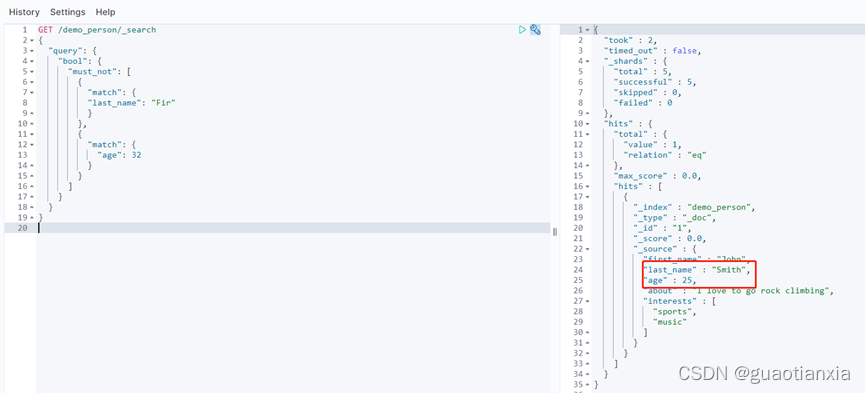
must_not: 文档必须不匹配条件 相当于sql中的!=
GET /demo_person/_search
{
  "query": {
    "bool": {
      "must": [
        {
          "match": {
          "last_name": "Smith"
          }
        },
        {
          "match": {
            "age": 32
          }
        }
      ]
    }
  }
}
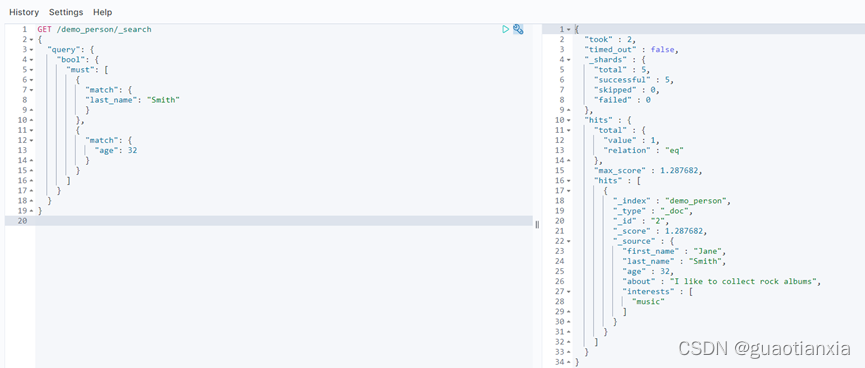
GET /demo_person/_search
{
  "query": {
    "bool": {
      "should": [
        {
          "match": {
          "last_name": "Fir"
          }
        },
        {
          "match": {
            "age": 32
          }
        }
      ]
    }
  }
}
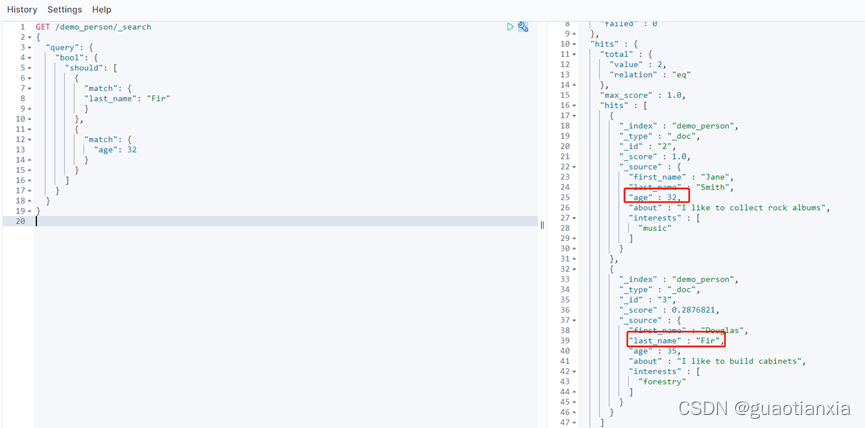
GET /demo_person/_search
{
  "query": {
    "bool": {
      "must_not": [
        {
          "match": {
          "last_name": "Fir"
          }
        },
        {
          "match": {
            "age": 32
          }
        }
      ]
    }
  }
}
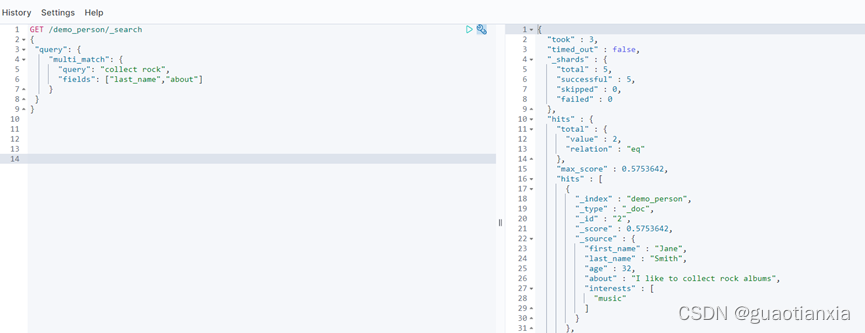
GET /demo_person/_search
{
 "query": {
    "multi_match": {
      "query": "collect rock",
      "fields": ["last_name","about"]
    }
 }
}
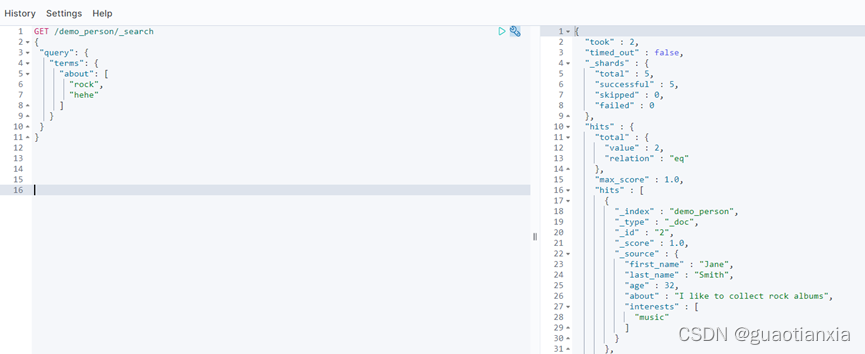
GET /demo_person/_search
{
 "query": {
   "terms": {
     "about": [
       "rock",
       "hehe"
     ]
   }
 }
}
GET /demo_person/_search
{
 "query": {
   "bool": {
     "filter": [
      {
         "wildcard":{
         "last_name":"*mi*"
        }
      }]
   }
 }
}
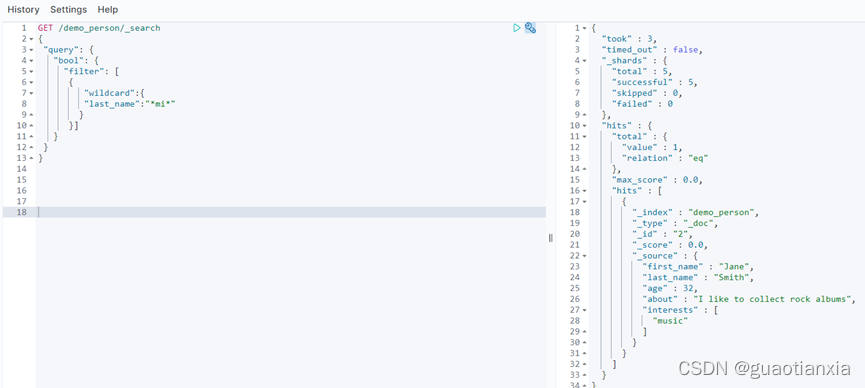
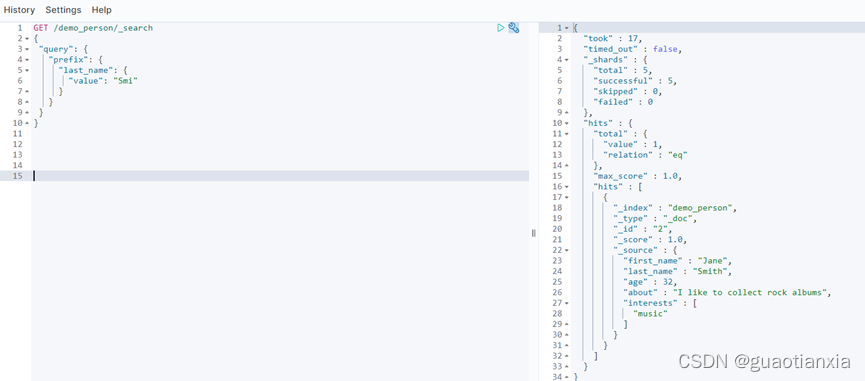
GET /demo_person/_search
{
 "query": {
   "prefix": {
     "last_name": {
       "value": "Smi"
     }
   }
 }
}
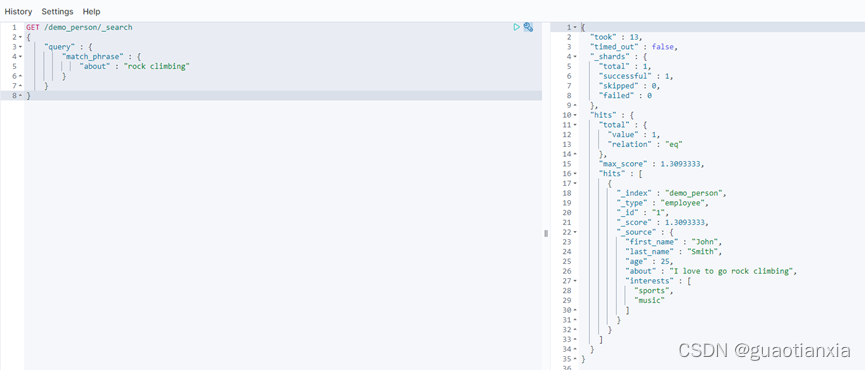
GET /demo_person/_search
{
    "query" : {
        "match_phrase" : {
            "about" : "rock climbing"
        }
    }
}
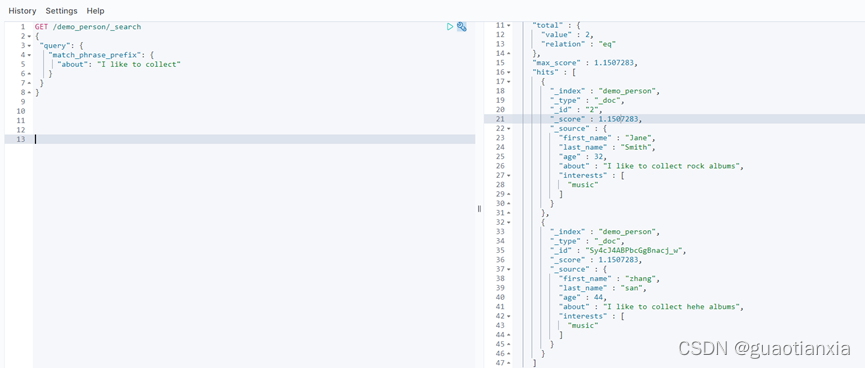
GET /demo_person/_search
{
 "query": {
   "match_phrase_prefix": {
     "about": "I like to collect"
   }
 }
}
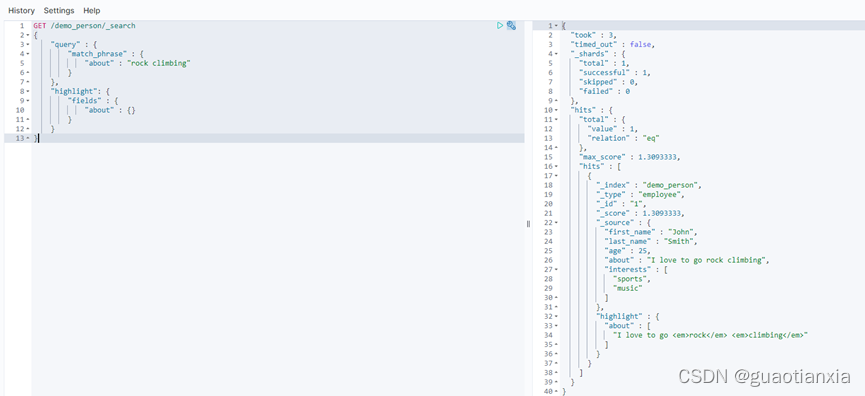
GET /demo_person/_search
{
    "query" : {
        "match_phrase" : {
            "about" : "rock climbing"
        }
    },
    "highlight": {
        "fields" : {
            "about" : {}
        }
    }
}
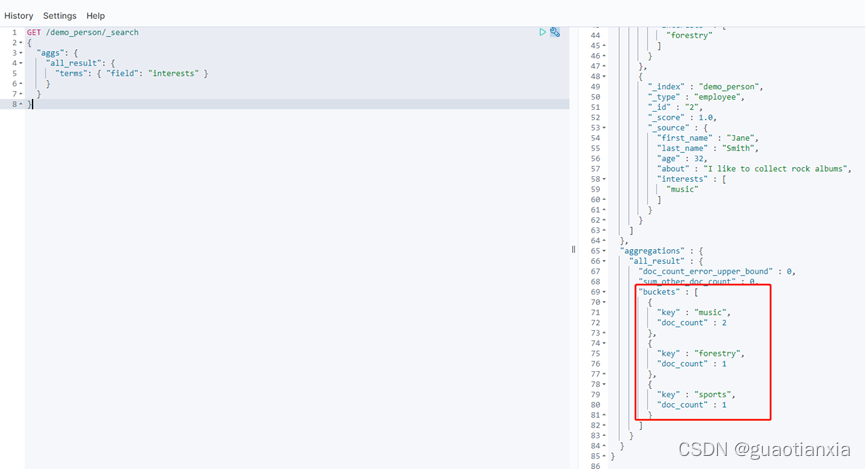
GET /demo_person/_search
{
  "aggs": {
    "all_result": {
      "terms": { "field": "interests" }
    }
  }
}
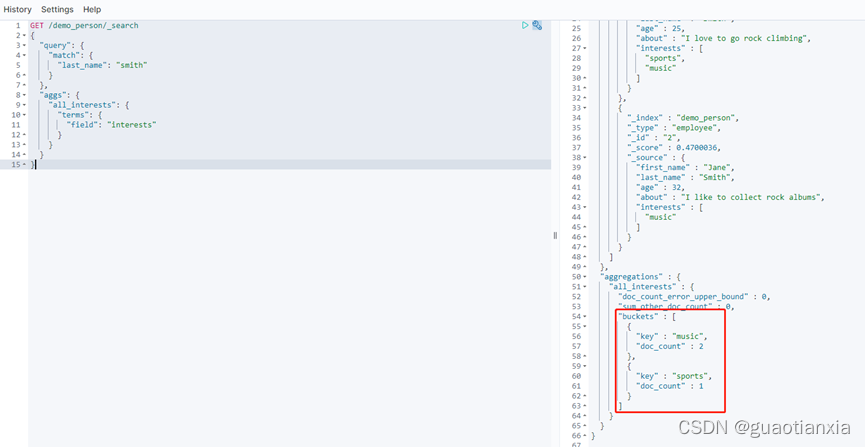
GET /demo_person/_search
{
  "query": {
    "match": {
      "last_name": "smith"
    }
  },
  "aggs": {
    "all_interests": {
      "terms": {
        "field": "interests"
      }
    }
  }
}
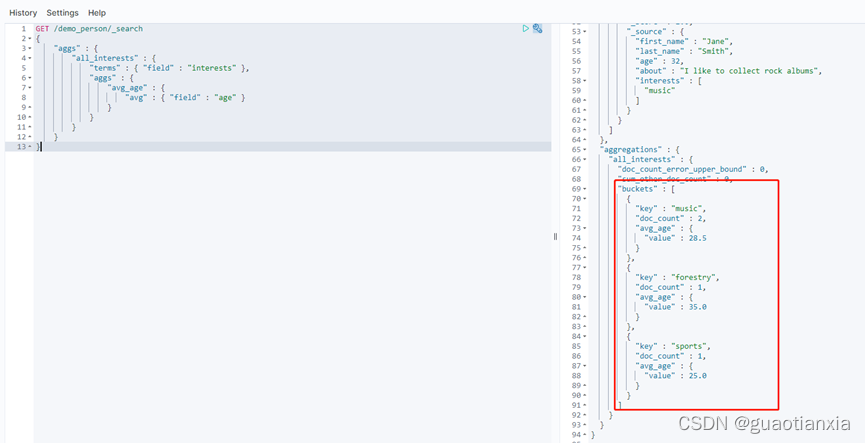
GET /demo_person/_search
{
    "aggs" : {
        "all_interests" : {
            "terms" : { "field" : "interests" },
            "aggs" : {
                "avg_age" : {
                    "avg" : { "field" : "age" }
                }
            }
        }
    }
}
GET /demo_person/_search
{
  "query": {
    "multi_match": {
      "query": "Smith",
      "fields": ["last_name","about"]
    }
  }
}
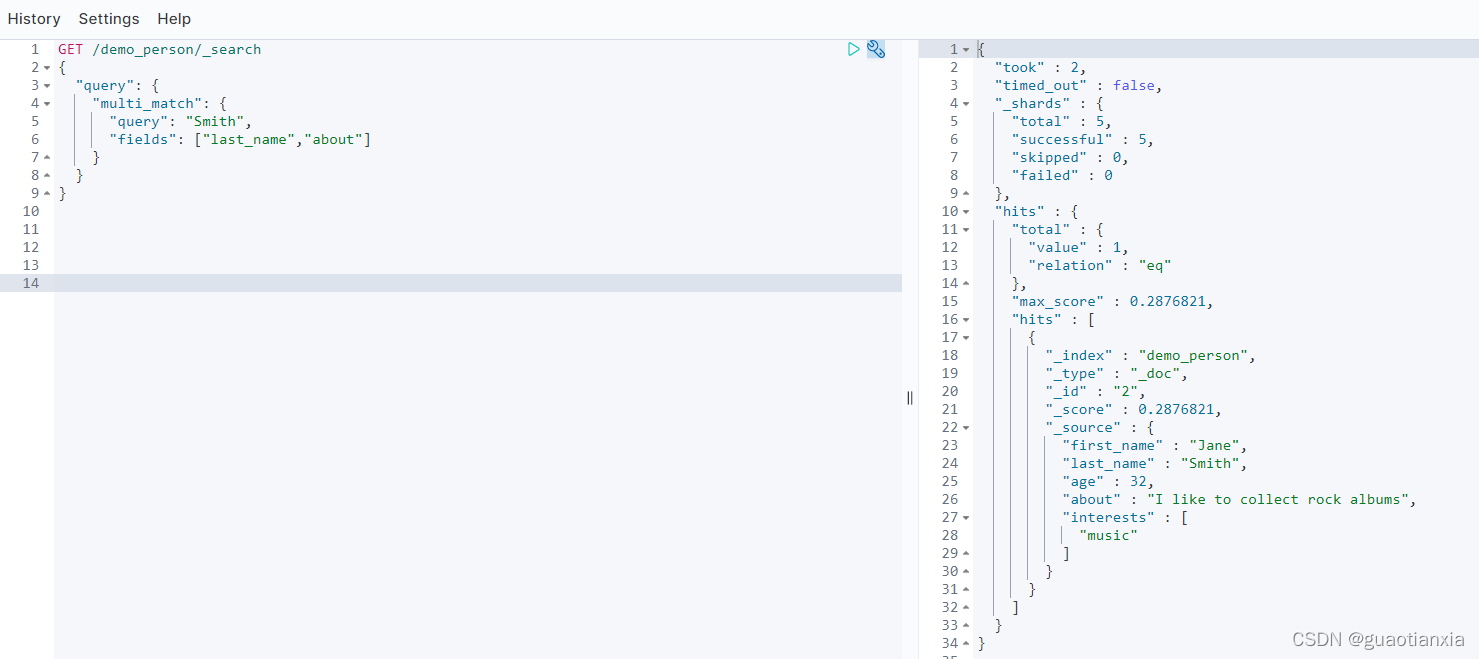
GET demo_person/_search
{
  "query": {
    "range": {
      "age": {
        "gte": 30,
        "lt": 35
      }
    }
  }
}
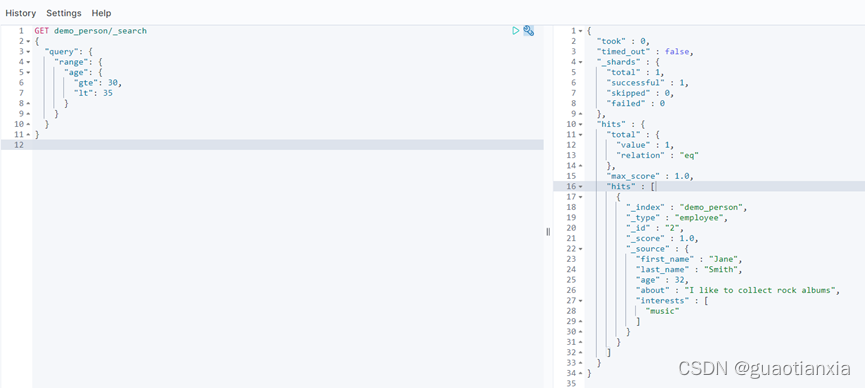
GET /demo_person/_search
{
  "query": {
    "bool": {
      "must": [
        {"term": {
          "last_name.keyword": {
            "value": "Smith"
          }
        }},
        {
          "term": {
            "about": {
              "value": "climbing"
            }
          }
        }
      ]
    }
  },
  "sort": [
    {
      "last_name": {
        "order": "desc"
      }
    }
  ]
}
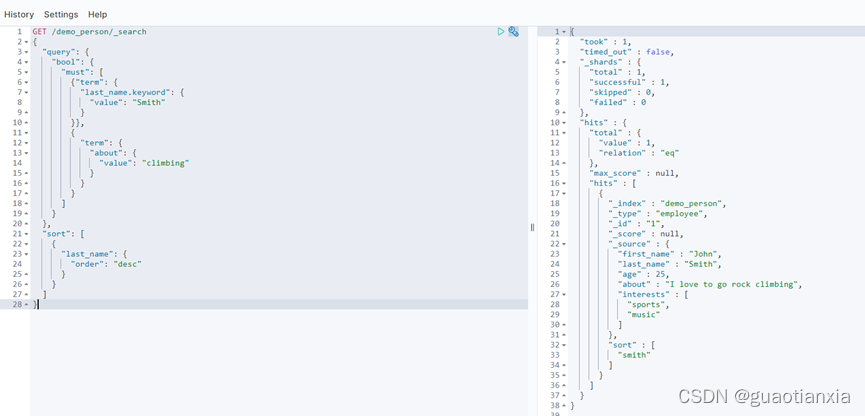
DELETE /demo_person/_doc/TC4cJ4ABPbcGgBnacj_w
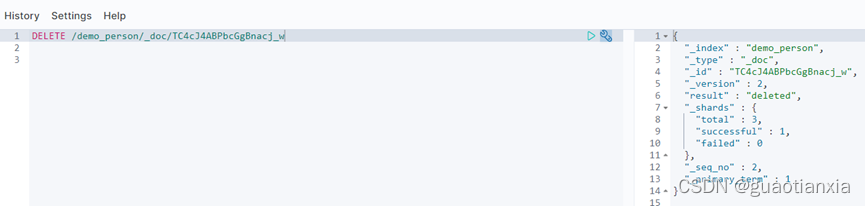
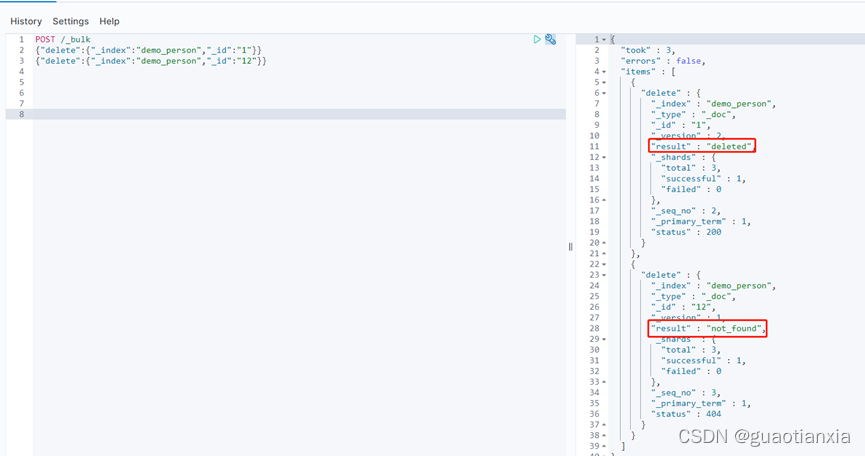
POST /_bulk
{"delete":{"_index":"demo_person","_id":"1"}}
{"delete":{"_index":"demo_person","_id":"12"}}
GET /demo_person/_search?from=1&size=10
或者
GET /demo_person/_search
{
  "from": 1,
  "size": 10
}
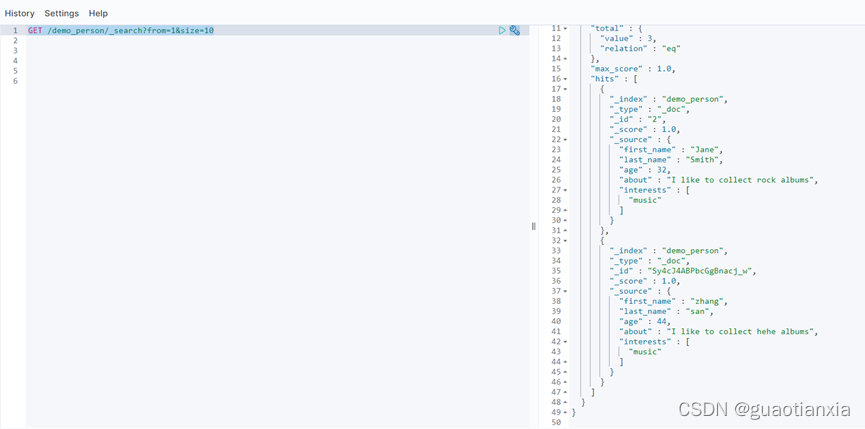
Size:显示应该返回的结果数量,默认是 10
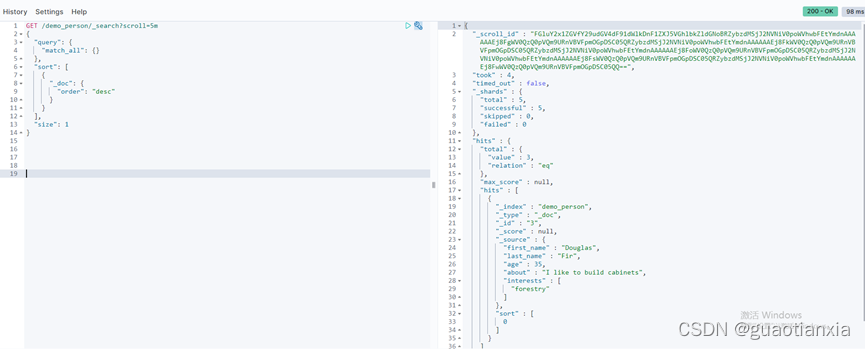
From:显示应该跳过的初始结果数量,默认是 0
GET /demo_person/_search?scroll=5m
{
  "query": {
    "match_all": {}
  },
  "sort": [
    {
      "_doc": {
        "order": "desc"
      }
    }
  ],
  "size": 1
}
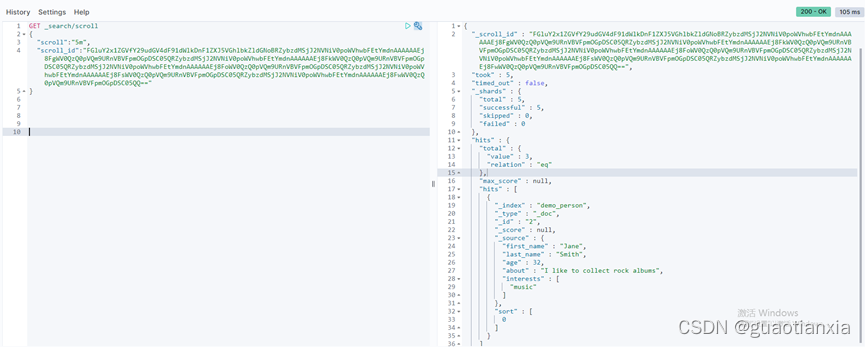
然后获取scroll_id继续查询,如下
GET _search/scroll
{
  "scroll":"5m",
"scroll_id":"FGluY2x1ZGVfY29udGV4dF91dWlkDnF1ZXJ5VGhlbkZldGNoBRZybzdMSjJ2NVNiV0poWVhwbFEtYmdnAAAAAAEj8FgWV0QzQ0pVQm9URnVBVFpmOGpDSC05QRZybzdMSjJ2NVNiV0poWVhwbFEtYmdnAAAAAAEj8FkWV0QzQ0pVQm9URnVBVFpmOGpDSC05QRZybzdMSjJ2NVNiV0poWVhwbFEtYmdnAAAAAAEj8FoWV0QzQ0pVQm9URnVBVFpmOGpDSC05QRZybzdMSjJ2NVNiV0poWVhwbFEtYmdnAAAAAAEj8FsWV0QzQ0pVQm9URnVBVFpmOGpDSC05QRZybzdMSjJ2NVNiV0poWVhwbFEtYmdnAAAAAAEj8FwWV0QzQ0pVQm9URnVBVFpmOGpDSC05QQ=="
}
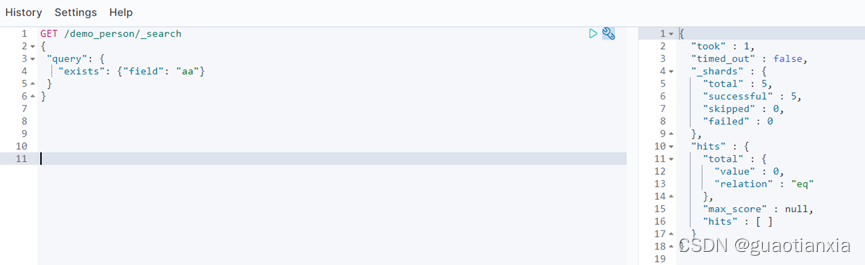
GET /demo_person/_search
{
 "query": {
   "exists": {"field": "aa"}
 }
}
Demo1
{
    "bool": {
        "must":     { "match": { "tweet": "elasticsearch" }},
        "must_not": { "match": { "name":  "mary" }},
        "should":   { "match": { "tweet": "full text" }},
        "filter":   { "range": { "age" : { "gt" : 30 }} }
    }
}
demo2
{
    "bool": {
        "must": { "match":   { "email": "business opportunity" }},
        "should": [
            { "match":       { "starred": true }},
            { "bool": {
                "must":      { "match": { "folder": "inbox" }},
                "must_not":  { "match": { "spam": true }}
            }}
        ],
        "minimum_should_match": 1
    }
}
Demo3
GET /my_store/products/_search
{
   "query" : {
      "filtered" : {
         "filter" : {
            "bool" : {
              "should" : [
                { "term" : {"productID" : "KDKE-B-9947-#kL5"}},
                { "bool" : {
                  "must" : [
                    { "term" : {"productID" : "JODL-X-1937-#pV7"}},
                    { "term" : {"price" : 30}}
                  ]
                }}
              ]
           }
         }
      }
   }
}
POST _reindex
{
  "source": {
    "index": "twitter"
  },
  "dest": {
    "index": "new_twitter"
  }
}
PUT /my_index_v1 –创建索引
PUT /my_index_v1/_alias/my_index --创建my_index_v1别名为my_index
GET /*/_alias/my_index –-查看别名指向哪个索引
GET /my_index_v1/_alias/* --查看哪些别名指向此索引
GET /_cluster/health
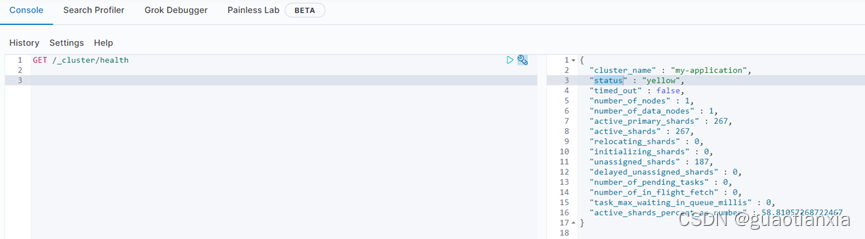
status 字段指示着当前集群在总体上是否工作正常。它的三种颜色含义如下:
green:所有的主分片和副本分片都正常运行。
Yellow:所有的主分片都正常运行,但不是所有的副本分片都正常运行。
Red:有主分片没能正常运行。
我正在用Ruby编写一个简单的程序来检查域列表是否被占用。基本上它循环遍历列表,并使用以下函数进行检查。require'rubygems'require'whois'defcheck_domain(domain)c=Whois::Client.newc.query("google.com").available?end程序不断出错(即使我在google.com中进行硬编码),并打印以下消息。鉴于该程序非常简单,我已经没有什么想法了-有什么建议吗?/Library/Ruby/Gems/1.8/gems/whois-2.0.2/lib/whois/server/adapters/base.
我知道我可以指定某些字段来使用pluck查询数据库。ids=Item.where('due_at但是我想知道,是否有一种方法可以指定我想避免从数据库查询的某些字段。某种反拔?posts=Post.where(published:true).do_not_lookup(:enormous_field) 最佳答案 Model#attribute_names应该返回列/属性数组。您可以排除其中一些并传递给pluck或select方法。像这样:posts=Post.where(published:true).select(Post.attr
文章目录一、概述简介原理模块二、配置Mysql使用版本环境要求1.操作系统2.mysql要求三、配置canal-server离线下载在线下载上传解压修改配置单机配置集群配置分库分表配置1.修改全局配置2.实例配置垂直分库水平分库3.修改group-instance.xml4.启动监听四、配置canal-adapter1修改启动配置2配置映射文件3启动ES数据同步查询所有订阅同步数据同步开关启动4.验证五、配置canal-admin一、概述简介canal是Alibaba旗下的一款开源项目,Java开发。基于数据库增量日志解析,提供增量数据订阅&消费。Git地址:https://github.co
//1.验证返回状态码是否是200pm.test("Statuscodeis200",function(){pm.response.to.have.status(200);});//2.验证返回body内是否含有某个值pm.test("Bodymatchesstring",function(){pm.expect(pm.response.text()).to.include("string_you_want_to_search");});//3.验证某个返回值是否是100pm.test("Yourtestname",function(){varjsonData=pm.response.json
文章目录git常用命令(简介,详细参数往下看)Git提交代码步骤gitpullgitstatusgitaddgitcommitgitpushgit代码冲突合并问题方法一:放弃本地代码方法二:合并代码常用命令以及详细参数gitadd将文件添加到仓库:gitdiff比较文件异同gitlog查看历史记录gitreset代码回滚版本库相关操作远程仓库相关操作分支相关操作创建分支查看分支:gitbranch合并分支:gitmerge删除分支:gitbranch-ddev查看分支合并图:gitlog–graph–pretty=oneline–abbrev-commit撤消某次提交git用户名密码相关配置g
ES一、简介1、ElasticStackES技术栈:ElasticSearch:存数据+搜索;QL;Kibana:Web可视化平台,分析。LogStash:日志收集,Log4j:产生日志;log.info(xxx)。。。。使用场景:metrics:指标监控…2、基本概念Index(索引)动词:保存(插入)名词:类似MySQL数据库,给数据Type(类型)已废弃,以前类似MySQL的表现在用索引对数据分类Document(文档)真正要保存的一个JSON数据{name:"tcx"}二、入门实战{"name":"DESKTOP-1TSVGKG","cluster_name":"elasticsear
我正在尝试查询我的Rails数据库(Postgres)中的购买表,我想查询时间范围。例如,我想知道在所有日期的下午2点到3点之间进行了多少次购买。此表中有一个created_at列,但我不知道如何在不搜索特定日期的情况下完成此操作。我试过:Purchases.where("created_atBETWEEN?and?",Time.now-1.hour,Time.now)但这最终只会搜索今天与那些时间的日期。 最佳答案 您需要使用PostgreSQL'sdate_part/extractfunction从created_at中提取小时
我对图像处理完全陌生。我对JPEG内部是什么以及它是如何工作一无所知。我想知道,是否可以在某处找到执行以下简单操作的ruby代码:打开jpeg文件。遍历每个像素并将其颜色设置为fx绿色。将结果写入另一个文件。我对如何使用ruby-vips库实现这一点特别感兴趣https://github.com/ender672/ruby-vips我的目标-学习如何使用ruby-vips执行基本的图像处理操作(Gamma校正、亮度、色调……)任何指向比“helloworld”更复杂的工作示例的链接——比如ruby-vips的github页面上的链接,我们将不胜感激!如果有ruby-
我正在构建一个应用程序,想知道是否将未使用的对象设置为nil是生产级编码中的常见做法。我知道这只是垃圾收集器的提示,并不总是处理对象。 最佳答案 根据这个thread如果您使用完一个成员对象,将其设置为nil将引发被引用对象被垃圾回收。如果它是局部变量,方法exit将做同样的事情。也就是说,如果您要求将成员显式设置为nil,我会质疑您的设计。 关于ruby-将对象设置为nil是否很常见?,我们在StackOverflow上找到一个类似的问题: https://
我最近与一位同事讨论了以下Ruby语法:value=ifa==0"foo"elsifa>42"bar"else"fizz"end我个人并没有看到太多这种逻辑,但我的同事指出,这实际上是一种相当普遍的Rubyism。我试着用谷歌搜索这个主题,但没有找到任何文章、页面或SO问题来讨论它,这让我相信这可能是一种非常实际的技术。然而,另一位同事发现语法令人困惑,而是将上面的逻辑写成这样:ifa==0value="foo"elsifa>42value="bar"elsevalue="fizz"end缺点是value=的重复声明和隐式elsenil的丢失,如果我们想使用它的话。这也感觉它与Ruby
