dolphinscheduler 3.0.1 数据源中心
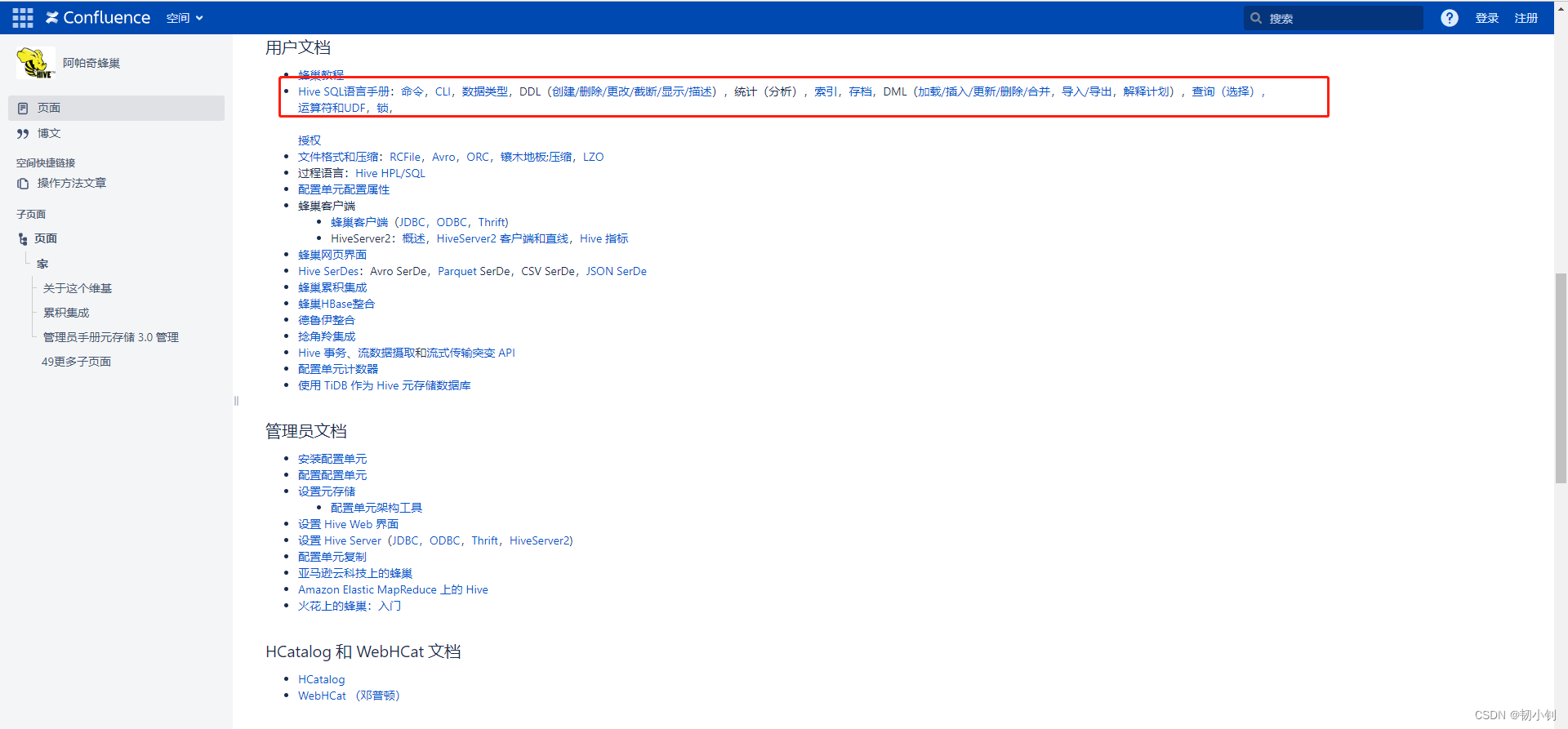
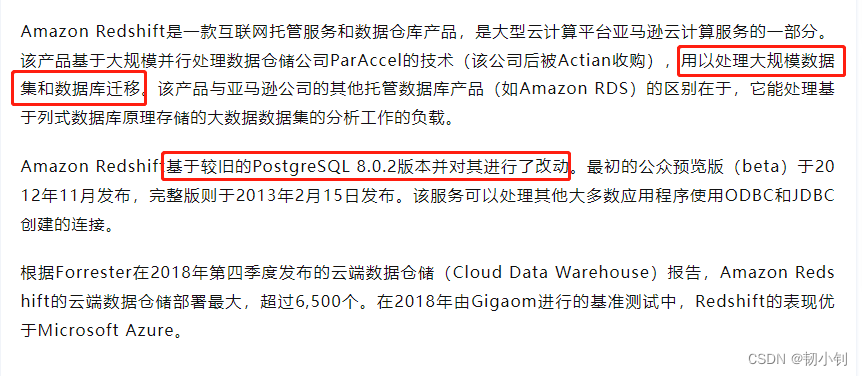
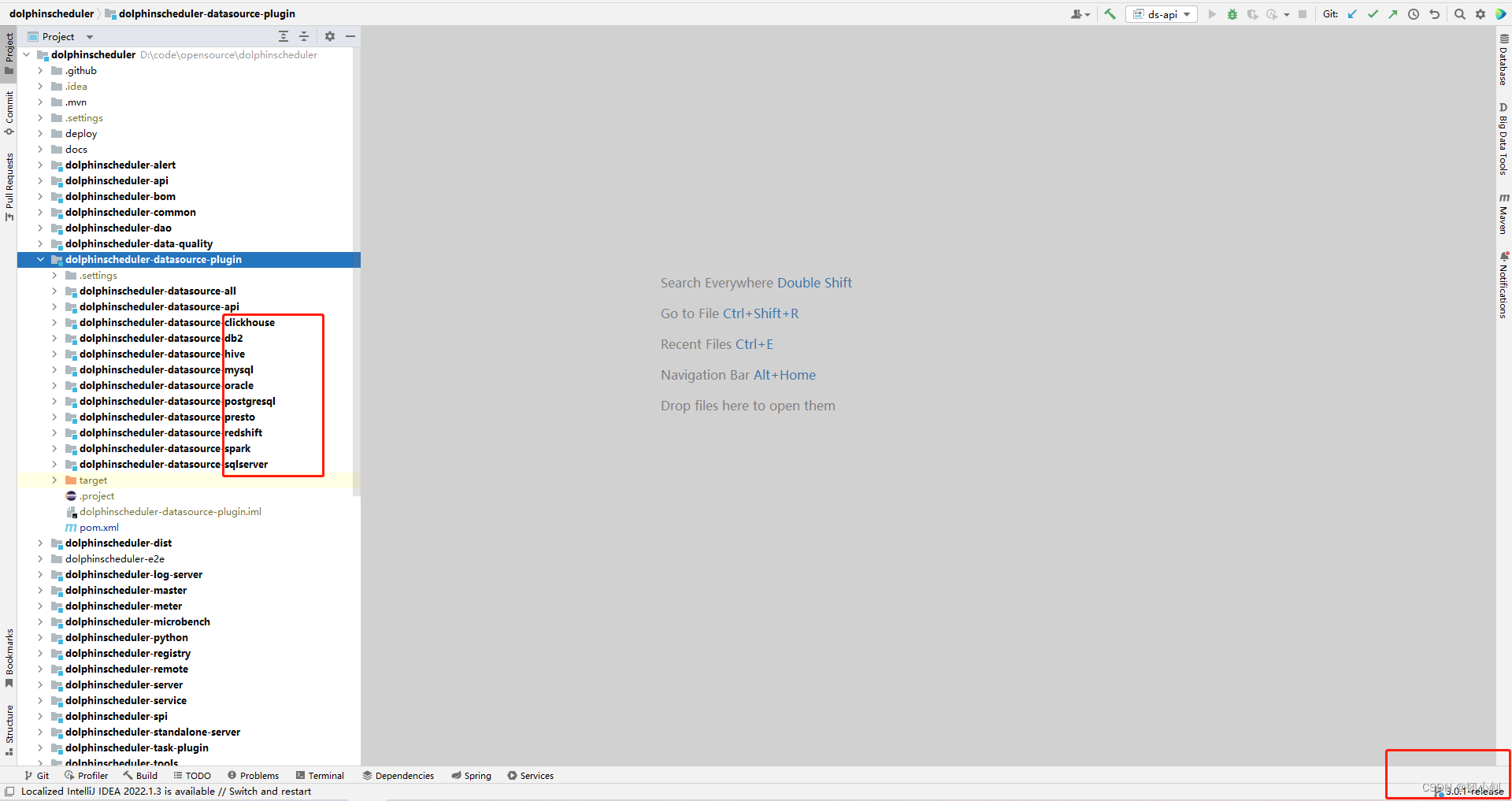
2.0常见数据库都支持,MySQL、PostgreSQL、Oracle、SQLServer、Hive,这样都验证过,都支持,Spark是不支持的,2.0没开发spark数据库组件,据说3.0支持,今天就来验证一下。至于其它的,目前完全没接触过的(有兴趣的自研吧):
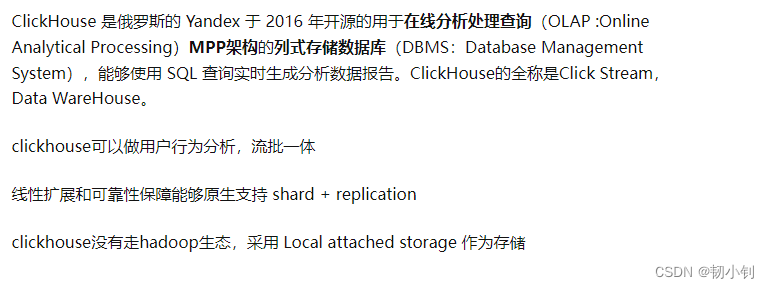
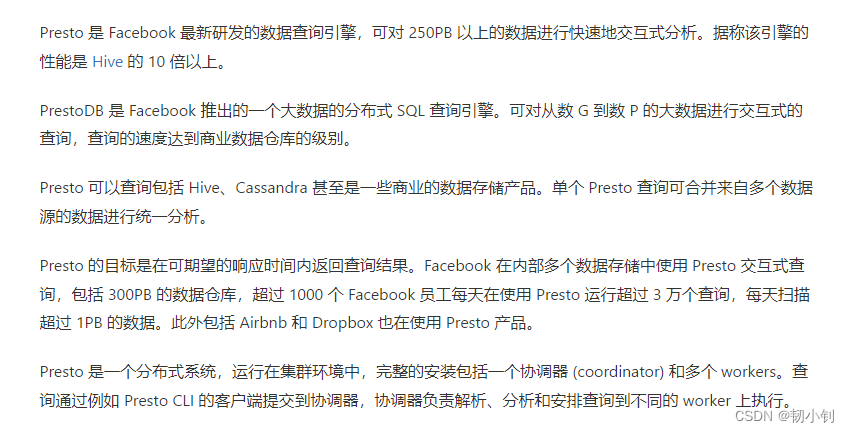
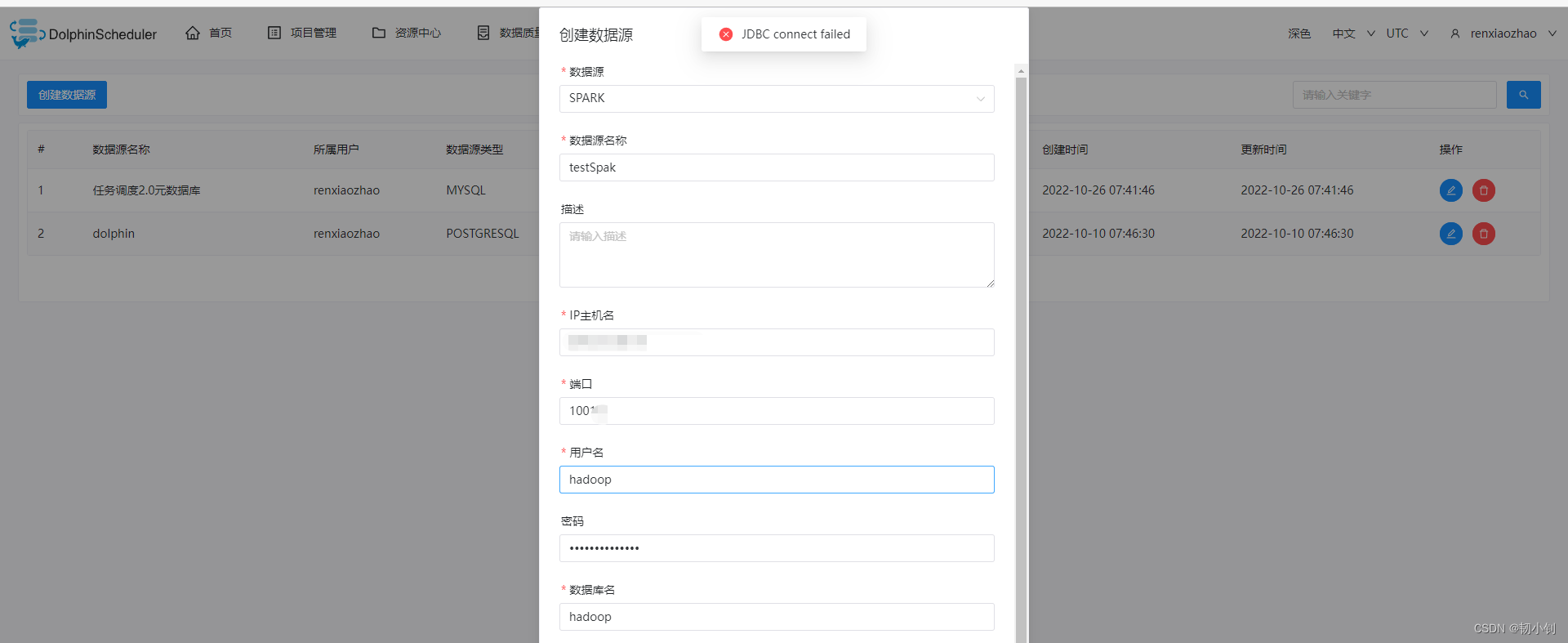
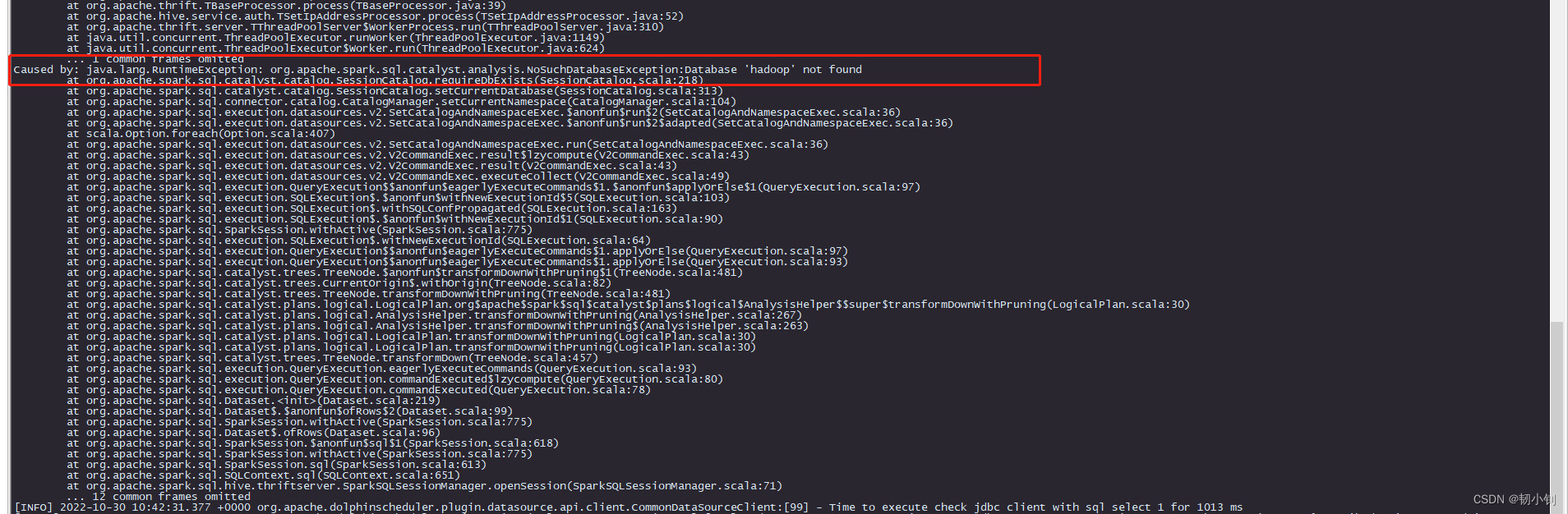
看日志是输入的数据库名称不对,看来3.0确实是支持spark数据库插件了
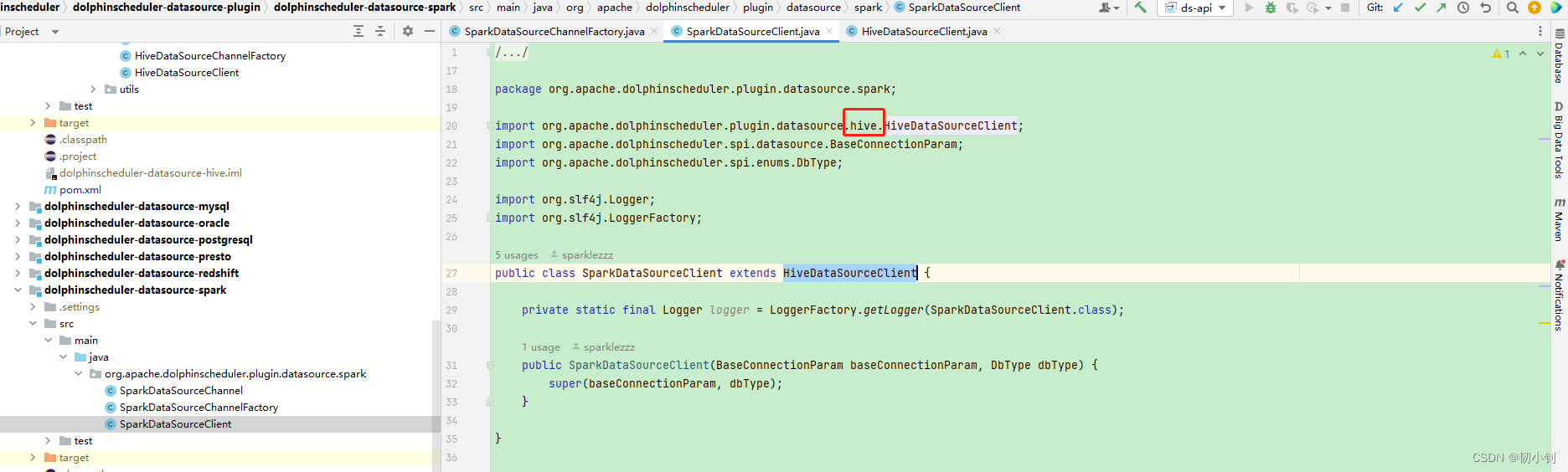
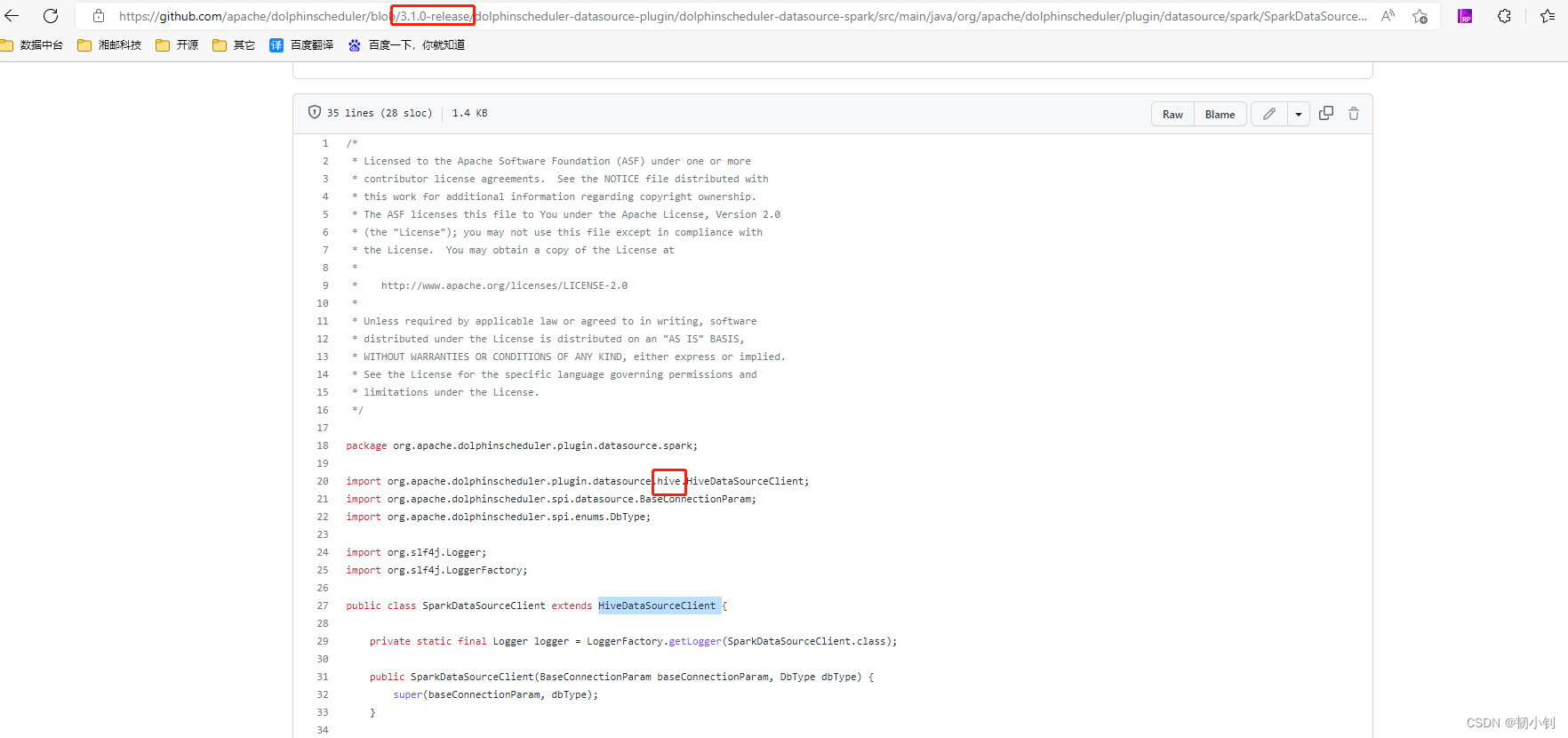
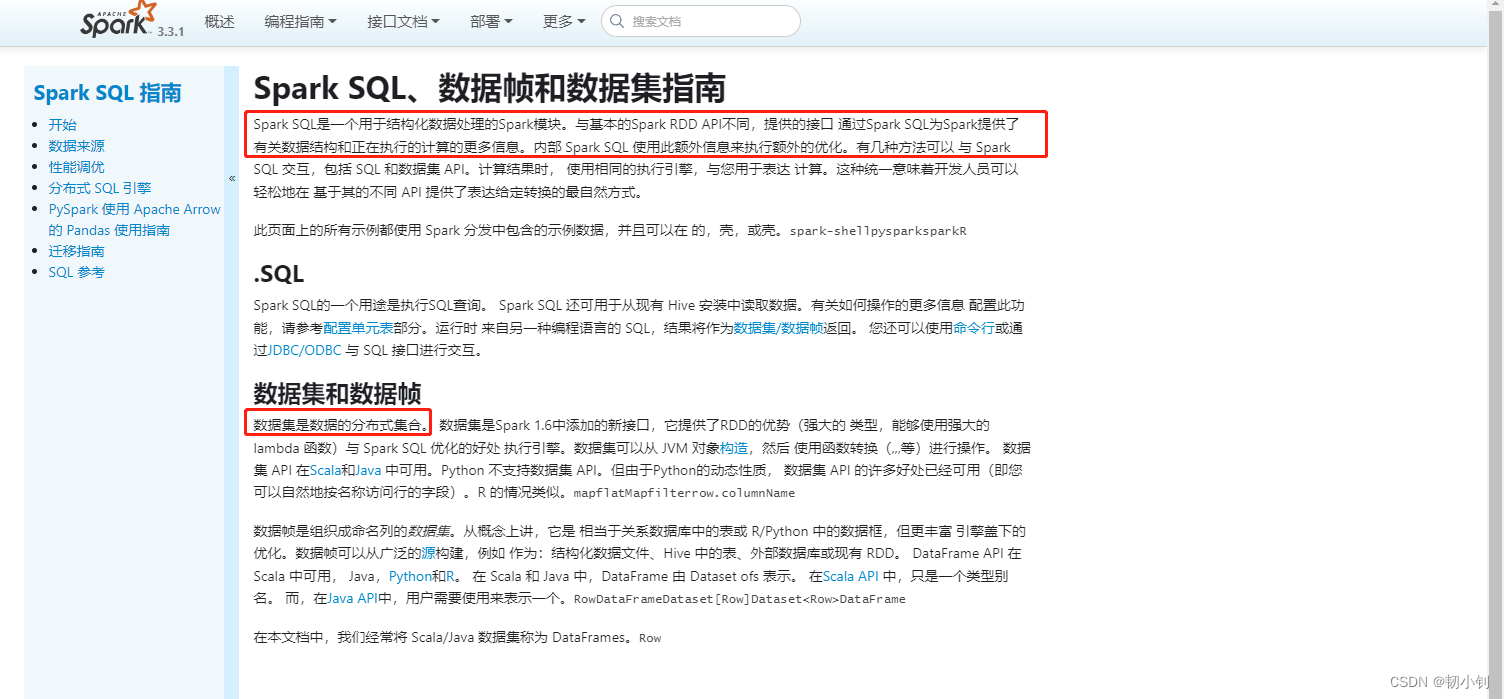
一说到大数据就能想到hadoop、spark。其实hive/spark sql目前还没接触过,因为spark比较出门,加上2.0的时候测试了spark数据源,插件不支持,所以对spark sql兴趣比较大,稍微调研下吧。
Spark SQL 允许您使用 SQL 或熟悉的DataFrame API 查询 Spark 程序中的结构化数据。可用于Java,Scala,Python和R。以相同的方式连接到任何数据源。
DataFrame 和 SQL 提供了一种访问各种数据源的通用方法,包括 Hive、Avro、Parquet、ORC、JSON 和 JDBC。您甚至可以跨这些源联接数据。在现有仓库上运行 SQL 或 HiveQL 查询。
Spark SQL支持HiveQL语法以及Hive SerDes和UDF,允许 以访问现有的 Hive 仓库。服务器模式为商业智能工具提供行业标准的 JDBC 和 ODBC 连接。
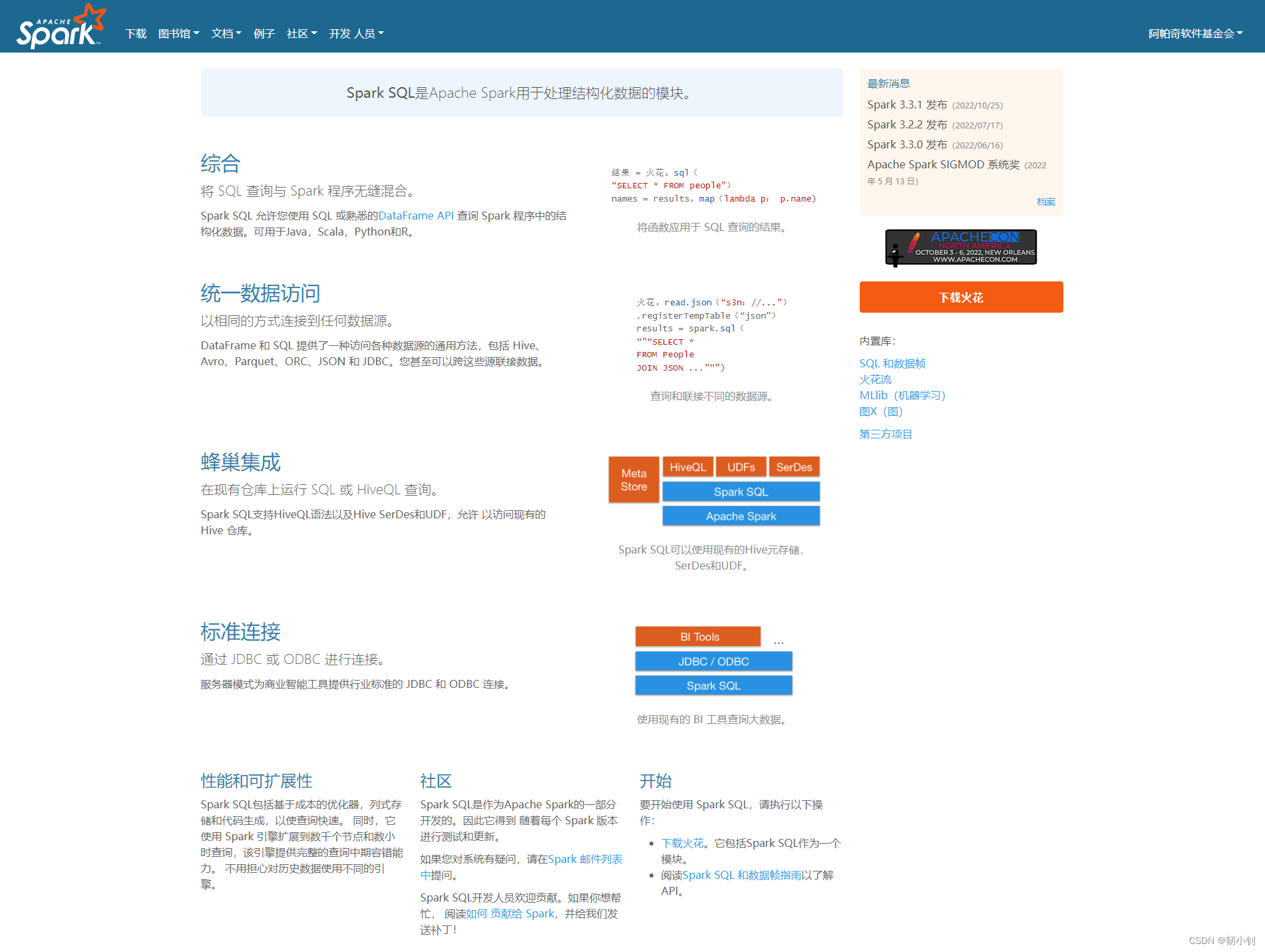
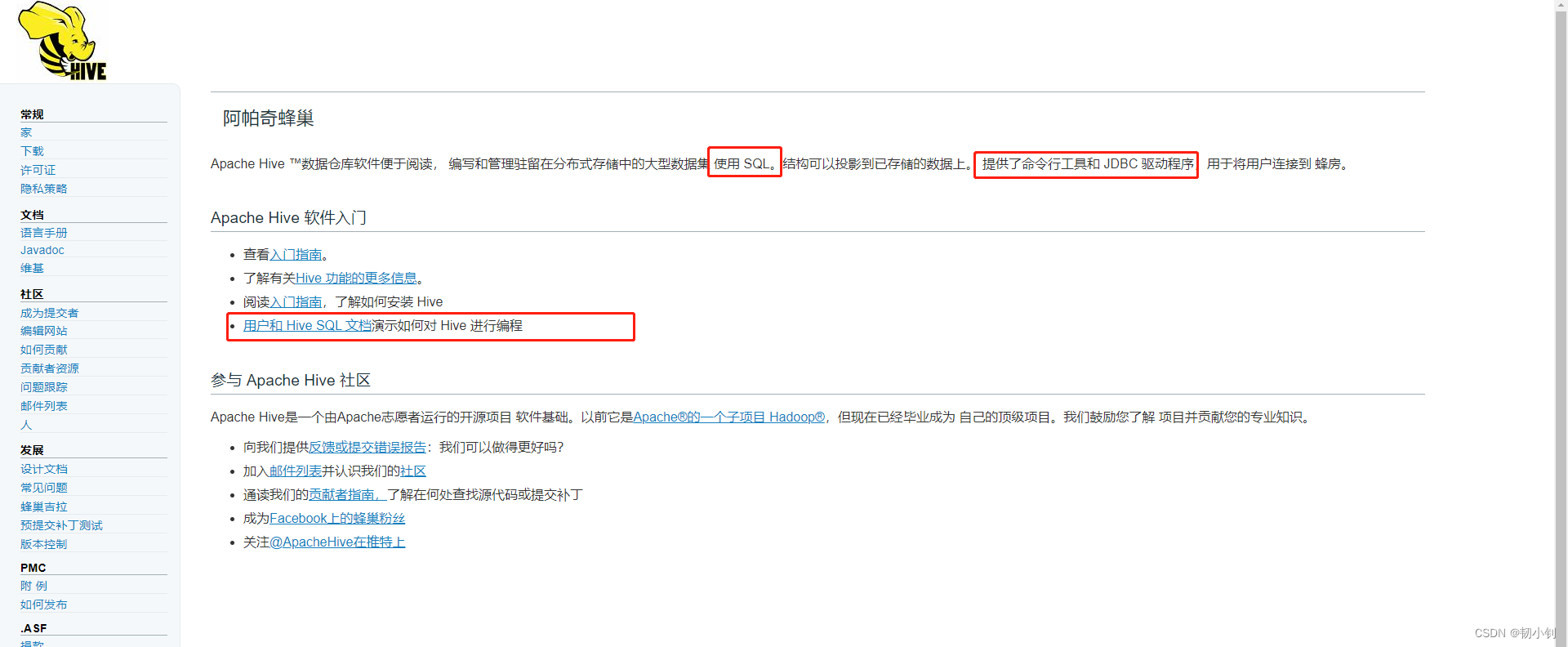
官网,从主要功能看,hive sql感觉简称hive
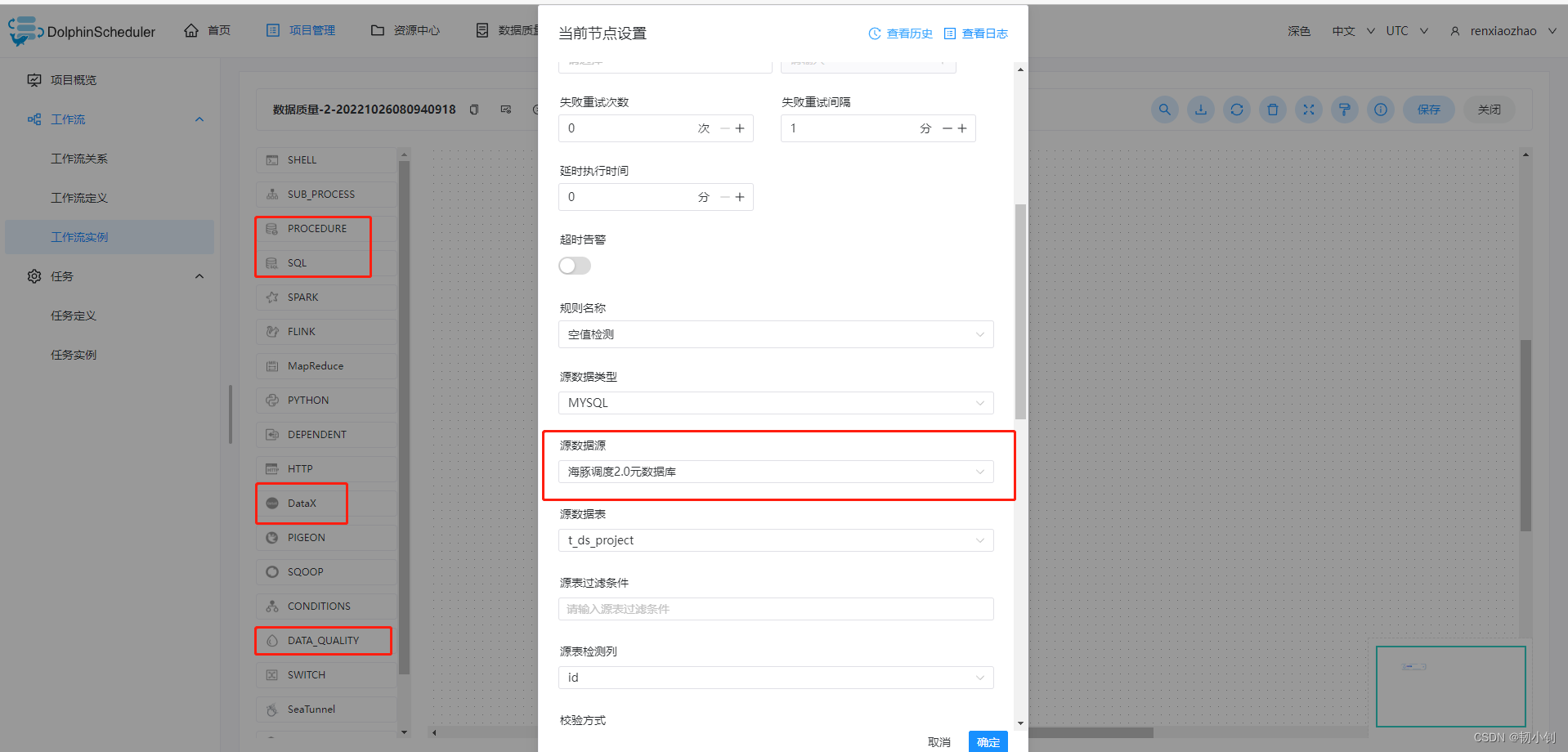
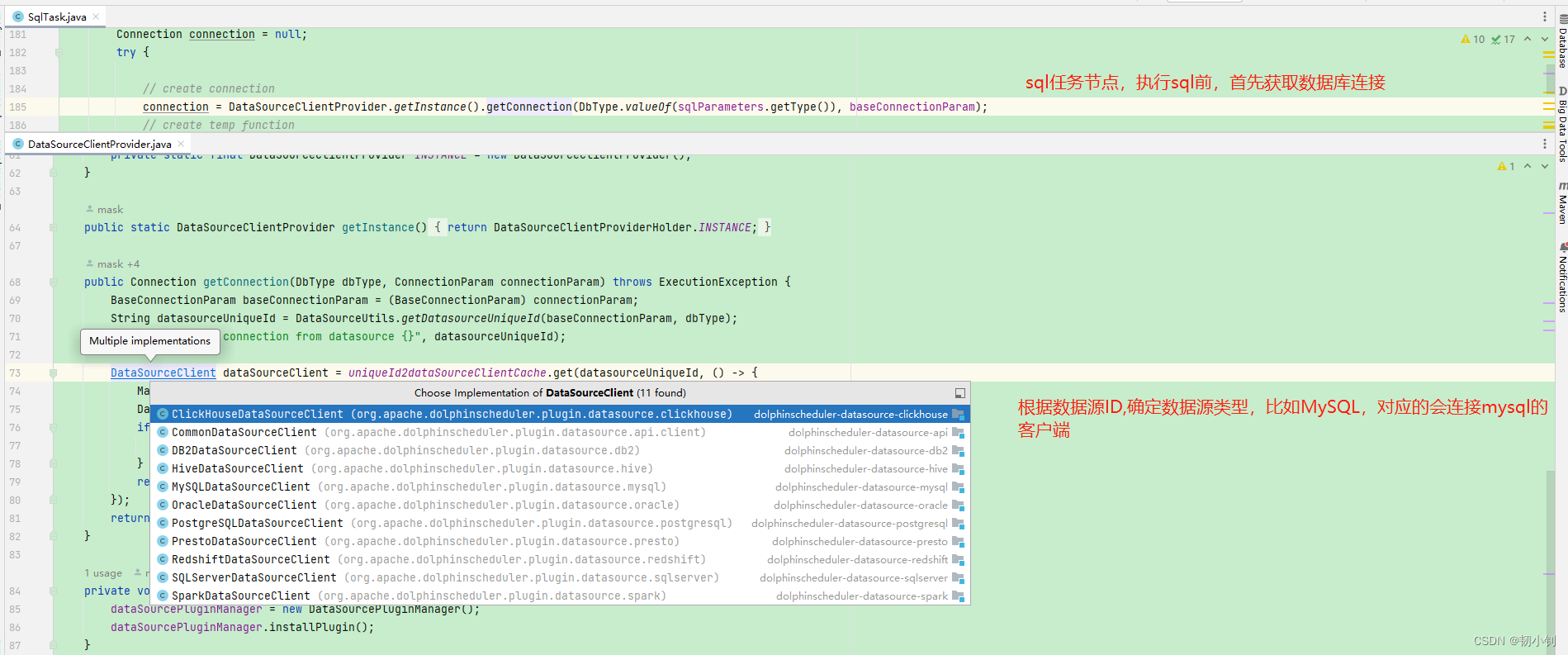
定义任务节点,涉及数据库操作的时候会使用到定义好的数据源
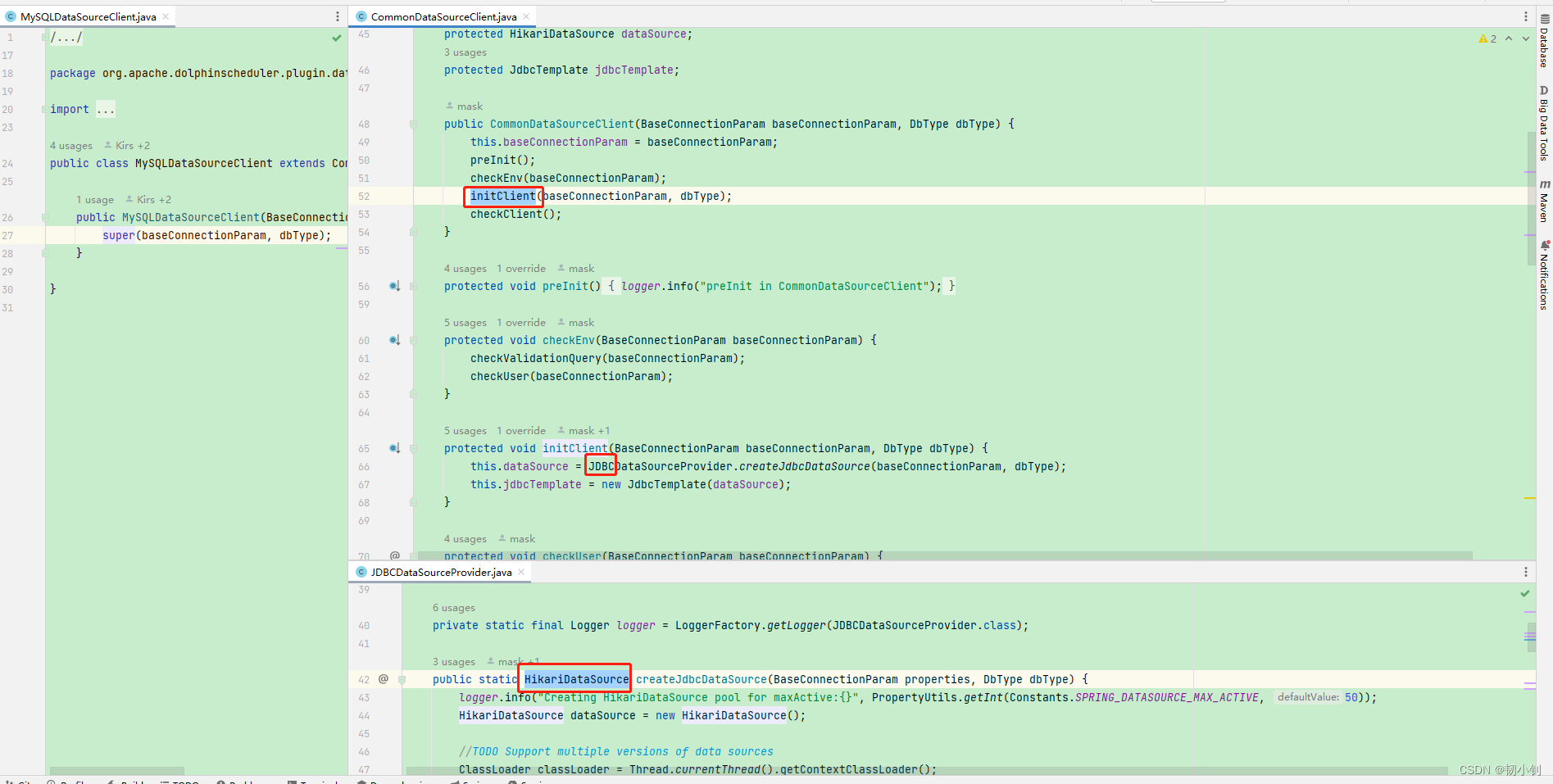
是什么?数据库连接池,高性能的 JDBC 连接池组件.
特点?最快
spring boot的默认数据库连接池:回到上图代码,直接new HikariDataSource(),便获取到了连接
    public static HikariDataSource createJdbcDataSource(BaseConnectionParam properties, DbType dbType) {
        logger.info("Creating HikariDataSource pool for maxActive:{}", PropertyUtils.getInt(Constants.SPRING_DATASOURCE_MAX_ACTIVE, 50));
        HikariDataSource dataSource = new HikariDataSource();

        //TODO Support multiple versions of data sources
        ClassLoader classLoader = Thread.currentThread().getContextClassLoader();
        loaderJdbcDriver(classLoader, properties, dbType);

        dataSource.setDriverClassName(properties.getDriverClassName());
        dataSource.setJdbcUrl(DataSourceUtils.getJdbcUrl(dbType, properties));
        dataSource.setUsername(properties.getUser());
        dataSource.setPassword(PasswordUtils.decodePassword(properties.getPassword()));

        dataSource.setMinimumIdle(PropertyUtils.getInt(Constants.SPRING_DATASOURCE_MIN_IDLE, 5));
        dataSource.setMaximumPoolSize(PropertyUtils.getInt(Constants.SPRING_DATASOURCE_MAX_ACTIVE, 50));
        dataSource.setConnectionTestQuery(properties.getValidationQuery());

        if (properties.getProps() != null) {
            properties.getProps().forEach(dataSource::addDataSourceProperty);
        }

        logger.info("Creating HikariDataSource pool success.");
        return dataSource;
    }
 <dependency>
      <groupId>com.zaxxer</groupId>
      <artifactId>HikariCP</artifactId>
      <version>4.0.3</version>
 </dependency>
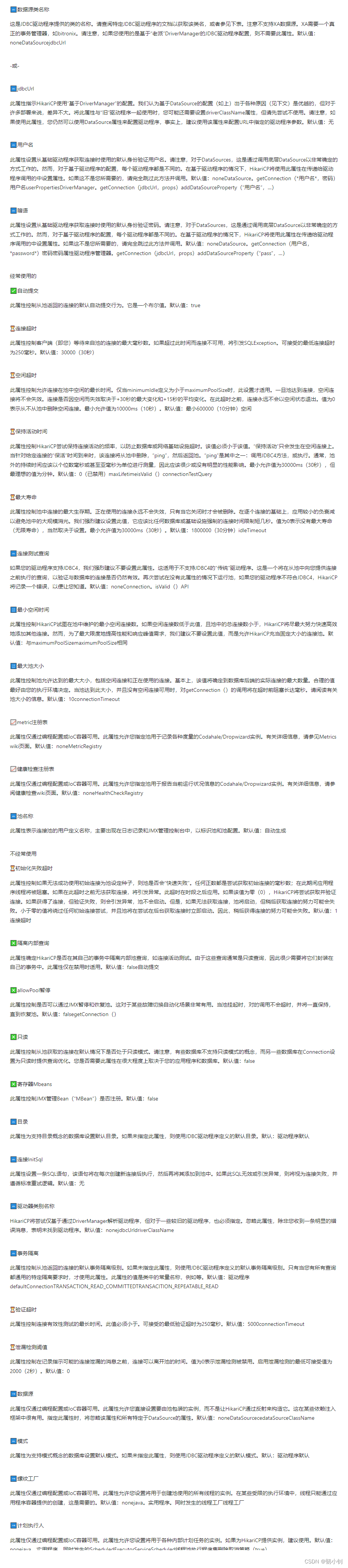
README.md,里面有具体参数使用说明
Essentials


🔤
                                dataSourceClassName


This is the name of the class provided by the JDBC driver.
                                Consult the documentation for your specific JDBC driver to get this class name, or see the table below.
                                Note XA data sources are not supported.
                                XA requires a real transaction manager like bitronix.
                                Note that you do not need this property if you are using for "old-school" DriverManager-based JDBC driver configuration.
                                Default: noneDataSourcejdbcUrl


- or -


🔤
                                jdbcUrl


This property directs HikariCP to use "DriverManager-based" configuration.
                                We feel that DataSource-based configuration (above) is superior for a variety of reasons (see below), but for many deployments there is little significant difference.
                                When using this property with "old" drivers, you may also need to set the driverClassName property, but try it first without.
                                Note that if this property is used, you may still use DataSource properties to configure your driver and is in fact recommended over driver parameters specified in the URL itself.
                                Default: none


🔤
                                username


This property sets the default authentication username used when obtaining Connections from the underlying driver.
                                Note that for DataSources this works in a very deterministic fashion by calling on the underlying DataSource.
                                However, for Driver-based configurations, every driver is different.
                                In the case of Driver-based, HikariCP will use this property to set a property in the passed to the driver's call.
                                If this is not what you need, skip this method entirely and call , for example.
                                Default: noneDataSource.
                                getConnection(*username*, password)usernameuserPropertiesDriverManager.
                                getConnection(jdbcUrl, props)addDataSourceProperty("username", ...)


🔤
                                password


This property sets the default authentication password used when obtaining Connections from the underlying driver.
                                Note that for DataSources this works in a very deterministic fashion by calling on the underlying DataSource.
                                However, for Driver-based configurations, every driver is different.
                                In the case of Driver-based, HikariCP will use this property to set a property in the passed to the driver's call.
                                If this is not what you need, skip this method entirely and call , for example.
                                Default: noneDataSource.
                                getConnection(username, *password*)passwordpasswordPropertiesDriverManager.
                                getConnection(jdbcUrl, props)addDataSourceProperty("pass", ...)


Frequently used


✅
                                autoCommit


This property controls the default auto-commit behavior of connections returned from the pool.
                                It is a boolean value.
                                Default: true


⏳
                                connectionTimeout


This property controls the maximum number of milliseconds that a client (that's you) will wait for a connection from the pool.
                                If this time is exceeded without a connection becoming available, a SQLException will be thrown.
                                Lowest acceptable connection timeout is 250 ms. Default: 30000 (30 seconds)


⏳
                                idleTimeout


This property controls the maximum amount of time that a connection is allowed to sit idle in the pool.
                                This setting only applies when minimumIdle is defined to be less than maximumPoolSize.
                                Idle connections will not be retired once the pool reaches connections.
                                Whether a connection is retired as idle or not is subject to a maximum variation of +30 seconds, and average variation of +15 seconds.
                                A connection will never be retired as idle before this timeout.
                                A value of 0 means that idle connections are never removed from the pool.
                                The minimum allowed value is 10000ms (10 seconds).
                                Default: 600000 (10 minutes)minimumIdle


⏳
                                keepaliveTime


This property controls how frequently HikariCP will attempt to keep a connection alive, in order to prevent it from being timed out by the database or network infrastructure.
                                This value must be less than the value.
                                A "keepalive" will only occur on an idle connection.
                                When the time arrives for a "keepalive" against a given connection, that connection will be removed from the pool, "pinged", and then returned to the pool.
                                The 'ping' is one of either: invocation of the JDBC4 method, or execution of the .
                                Typically, the duration out-of-the-pool should be measured in single digit milliseconds or even sub-millisecond, and therefore should have little or no noticeable performance impact.
                                The minimum allowed value is 30000ms (30 seconds), but a value in the range of minutes is most desirable.
                                Default: 0 (disabled)maxLifetimeisValid()connectionTestQuery


⏳
                                maxLifetime


This property controls the maximum lifetime of a connection in the pool.
                                An in-use connection will never be retired, only when it is closed will it then be removed.
                                On a connection-by-connection basis, minor negative attenuation is applied to avoid mass-extinction in the pool.
                                We strongly recommend setting this value, and it should be several seconds shorter than any database or infrastructure imposed connection time limit.
                                A value of 0 indicates no maximum lifetime (infinite lifetime), subject of course to the setting.
                                The minimum allowed value is 30000ms (30 seconds).
                                Default: 1800000 (30 minutes)idleTimeout


🔤
                                connectionTestQuery


If your driver supports JDBC4 we strongly recommend not setting this property.
                                This is for "legacy" drivers that do not support the JDBC4 .
                                This is the query that will be executed just before a connection is given to you from the pool to validate that the connection to the database is still alive.
                                Again, try running the pool without this property, HikariCP will log an error if your driver is not JDBC4 compliant to let you know.
                                Default: noneConnection.
                                isValid() API


🔢
                                minimumIdle


This property controls the minimum number of idle connections that HikariCP tries to maintain in the pool.
                                If the idle connections dip below this value and total connections in the pool are less than , HikariCP will make a best effort to add additional connections quickly and efficiently.
                                However, for maximum performance and responsiveness to spike demands, we recommend not setting this value and instead allowing HikariCP to act as a fixed size connection pool.
                                Default: same as maximumPoolSizemaximumPoolSize


🔢
                                maximumPoolSize


This property controls the maximum size that the pool is allowed to reach, including both idle and in-use connections.
                                Basically this value will determine the maximum number of actual connections to the database backend.
                                A reasonable value for this is best determined by your execution environment.
                                When the pool reaches this size, and no idle connections are available, calls to getConnection() will block for up to milliseconds before timing out.
                                Please read about pool sizing.
                                Default: 10connectionTimeout


📈
                                metricRegistry


This property is only available via programmatic configuration or IoC container.
                                This property allows you to specify an instance of a Codahale/Dropwizard to be used by the pool to record various metrics.
                                See the Metrics wiki page for details.
                                Default: noneMetricRegistry


📈
                                healthCheckRegistry


This property is only available via programmatic configuration or IoC container.
                                This property allows you to specify an instance of a Codahale/Dropwizard to be used by the pool to report current health information.
                                See the Health Checks wiki page for details.
                                Default: noneHealthCheckRegistry


🔤
                                poolName


This property represents a user-defined name for the connection pool and appears mainly in logging and JMX management consoles to identify pools and pool configurations.
                                Default: auto-generated


Infrequently used


⏳
                                initializationFailTimeout


This property controls whether the pool will "fail fast" if the pool cannot be seeded with an initial connection successfully.
                                Any positive number is taken to be the number of milliseconds to attempt to acquire an initial connection;
                                the application thread will be blocked during this period.
                                If a connection cannot be acquired before this timeout occurs, an exception will be thrown.
                                This timeout is applied after the period.
                                If the value is zero (0), HikariCP will attempt to obtain and validate a connection.
                                If a connection is obtained, but fails validation, an exception will be thrown and the pool not started.
                                However, if a connection cannot be obtained, the pool will start, but later efforts to obtain a connection may fail.
                                A value less than zero will bypass any initial connection attempt, and the pool will start immediately while trying to obtain connections in the background.
                                Consequently, later efforts to obtain a connection may fail.
                                Default: 1connectionTimeout


❎
                                isolateInternalQueries


This property determines whether HikariCP isolates internal pool queries, such as the connection alive test, in their own transaction.
                                Since these are typically read-only queries, it is rarely necessary to encapsulate them in their own transaction.
                                This property only applies if is disabled.
                                Default: falseautoCommit


❎
                                allowPoolSuspension


This property controls whether the pool can be suspended and resumed through JMX.
                                This is useful for certain failover automation scenarios.
                                When the pool is suspended, calls to will not timeout and will be held until the pool is resumed.
                                Default: falsegetConnection()


❎
                                readOnly


This property controls whether Connections obtained from the pool are in read-only mode by default.
                                Note some databases do not support the concept of read-only mode, while others provide query optimizations when the Connection is set to read-only.
                                Whether you need this property or not will depend largely on your application and database.
                                Default: false


❎
                                registerMbeans


This property controls whether or not JMX Management Beans ("MBeans") are registered or not.
                                Default: false


🔤
                                catalog


This property sets the default catalog for databases that support the concept of catalogs.
                                If this property is not specified, the default catalog defined by the JDBC driver is used.
                                Default: driver default


🔤
                                connectionInitSql


This property sets a SQL statement that will be executed after every new connection creation before adding it to the pool.
                                If this SQL is not valid or throws an exception, it will be treated as a connection failure and the standard retry logic will be followed.
                                Default: none


🔤
                                driverClassName


HikariCP will attempt to resolve a driver through the DriverManager based solely on the , but for some older drivers the must also be specified.
                                Omit this property unless you get an obvious error message indicating that the driver was not found.
                                Default: nonejdbcUrldriverClassName


🔤
                                transactionIsolation


This property controls the default transaction isolation level of connections returned from the pool.
                                If this property is not specified, the default transaction isolation level defined by the JDBC driver is used.
                                Only use this property if you have specific isolation requirements that are common for all queries.
                                The value of this property is the constant name from the class such as , , etc. Default: driver defaultConnectionTRANSACTION_READ_COMMITTEDTRANSACTION_REPEATABLE_READ


⏳
                                validationTimeout


This property controls the maximum amount of time that a connection will be tested for aliveness.
                                This value must be less than the .
                                Lowest acceptable validation timeout is 250 ms. Default: 5000connectionTimeout


⏳
                                leakDetectionThreshold


This property controls the amount of time that a connection can be out of the pool before a message is logged indicating a possible connection leak.
                                A value of 0 means leak detection is disabled.
                                Lowest acceptable value for enabling leak detection is 2000 (2 seconds).
                                Default: 0


➡
                                dataSource


This property is only available via programmatic configuration or IoC container.
                                This property allows you to directly set the instance of the to be wrapped by the pool, rather than having HikariCP construct it via reflection.
                                This can be useful in some dependency injection frameworks.
                                When this property is specified, the property and all DataSource-specific properties will be ignored.
                                Default: noneDataSourcedataSourceClassName


🔤
                                schema


This property sets the default schema for databases that support the concept of schemas.
                                If this property is not specified, the default schema defined by the JDBC driver is used.
                                Default: driver default


➡
                                threadFactory


This property is only available via programmatic configuration or IoC container.
                                This property allows you to set the instance of the that will be used for creating all threads used by the pool.
                                It is needed in some restricted execution environments where threads can only be created through a provided by the application container.
                                Default: nonejava.
                                util.
                                concurrent.
                                ThreadFactoryThreadFactory


➡
                                scheduledExecutor


This property is only available via programmatic configuration or IoC container.
                                This property allows you to set the instance of the that will be used for various internally scheduled tasks.
                                If supplying HikariCP with a instance, it is recommended that is used.
                                Default: nonejava.
                                util.
                                concurrent.
                                ScheduledExecutorServiceScheduledThreadPoolExecutorsetRemoveOnCancelPolicy(true)
参考文献
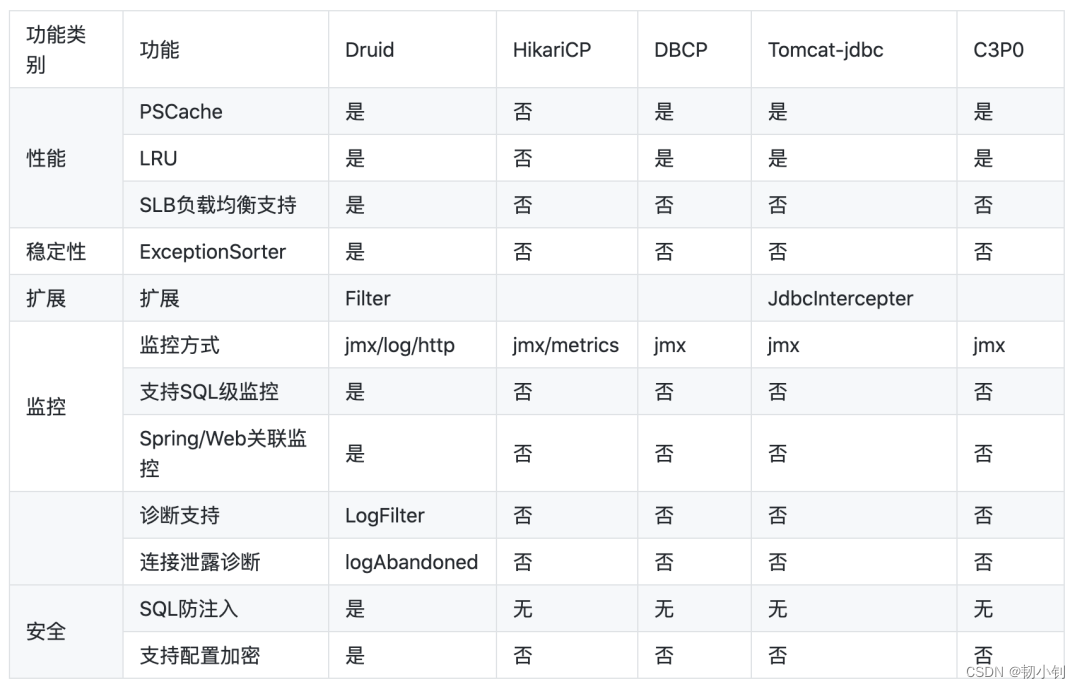
可以看到Druid功能更加全面,但是HikariCP的性能是最高的。其中Druid防sql注入可以研究下,正好前端时间项目通过拦截器增加加了SQL、xss防注入拦截。
有时间可以测试对比一下之前增加的SQL防注入拦截器和Druid配置防sql注入效果
 <!-- 配置监控统计拦截的filters,和防sql注入 -->
  <property name="filters" value="stat,wall" />
我正在学习如何使用Nokogiri,根据这段代码我遇到了一些问题:require'rubygems'require'mechanize'post_agent=WWW::Mechanize.newpost_page=post_agent.get('http://www.vbulletin.org/forum/showthread.php?t=230708')puts"\nabsolutepathwithtbodygivesnil"putspost_page.parser.xpath('/html/body/div/div/div/div/div/table/tbody/tr/td/div
我有一个Ruby程序,它使用rubyzip压缩XML文件的目录树。gem。我的问题是文件开始变得很重,我想提高压缩级别,因为压缩时间不是问题。我在rubyzipdocumentation中找不到一种为创建的ZIP文件指定压缩级别的方法。有人知道如何更改此设置吗?是否有另一个允许指定压缩级别的Ruby库? 最佳答案 这是我通过查看rubyzip内部创建的代码。level=Zlib::BEST_COMPRESSIONZip::ZipOutputStream.open(zip_file)do|zip|Dir.glob("**/*")d
类classAprivatedeffooputs:fooendpublicdefbarputs:barendprivatedefzimputs:zimendprotecteddefdibputs:dibendendA的实例a=A.new测试a.foorescueputs:faila.barrescueputs:faila.zimrescueputs:faila.dibrescueputs:faila.gazrescueputs:fail测试输出failbarfailfailfail.发送测试[:foo,:bar,:zim,:dib,:gaz].each{|m|a.send(m)resc
很好奇,就使用rubyonrails自动化单元测试而言,你们正在做什么?您是否创建了一个脚本来在cron中运行rake作业并将结果邮寄给您?git中的预提交Hook?只是手动调用?我完全理解测试,但想知道在错误发生之前捕获错误的最佳实践是什么。让我们理所当然地认为测试本身是完美无缺的,并且可以正常工作。下一步是什么以确保他们在正确的时间将可能有害的结果传达给您? 最佳答案 不确定您到底想听什么,但是有几个级别的自动代码库控制:在处理某项功能时,您可以使用类似autotest的内容获得关于哪些有效,哪些无效的即时反馈。要确保您的提
假设我做了一个模块如下:m=Module.newdoclassCendend三个问题:除了对m的引用之外,还有什么方法可以访问C和m中的其他内容?我可以在创建匿名模块后为其命名吗(就像我输入“module...”一样)?如何在使用完匿名模块后将其删除,使其定义的常量不再存在? 最佳答案 三个答案:是的,使用ObjectSpace.此代码使c引用你的类(class)C不引用m:c=nilObjectSpace.each_object{|obj|c=objif(Class===objandobj.name=~/::C$/)}当然这取决于
我正在尝试使用ruby和Savon来使用网络服务。测试服务为http://www.webservicex.net/WS/WSDetails.aspx?WSID=9&CATID=2require'rubygems'require'savon'client=Savon::Client.new"http://www.webservicex.net/stockquote.asmx?WSDL"client.get_quotedo|soap|soap.body={:symbol=>"AAPL"}end返回SOAP异常。检查soap信封,在我看来soap请求没有正确的命名空间。任何人都可以建议我
关闭。这个问题是opinion-based.它目前不接受答案。想要改进这个问题?更新问题,以便editingthispost可以用事实和引用来回答它.关闭4年前。Improvethisquestion我想在固定时间创建一系列低音和高音调的哔哔声。例如:在150毫秒时发出高音调的蜂鸣声在151毫秒时发出低音调的蜂鸣声200毫秒时发出低音调的蜂鸣声250毫秒的高音调蜂鸣声有没有办法在Ruby或Python中做到这一点?我真的不在乎输出编码是什么(.wav、.mp3、.ogg等等),但我确实想创建一个输出文件。
我在我的项目目录中完成了compasscreate.和compassinitrails。几个问题:我已将我的.sass文件放在public/stylesheets中。这是放置它们的正确位置吗?当我运行compasswatch时,它不会自动编译这些.sass文件。我必须手动指定文件:compasswatchpublic/stylesheets/myfile.sass等。如何让它自动运行?文件ie.css、print.css和screen.css已放在stylesheets/compiled。如何在编译后不让它们重新出现的情况下删除它们?我自己编译的.sass文件编译成compiled/t
我想将html转换为纯文本。不过,我不想只删除标签,我想智能地保留尽可能多的格式。为插入换行符标签,检测段落并格式化它们等。输入非常简单,通常是格式良好的html(不是整个文档,只是一堆内容,通常没有anchor或图像)。我可以将几个正则表达式放在一起,让我达到80%,但我认为可能有一些现有的解决方案更智能。 最佳答案 首先,不要尝试为此使用正则表达式。很有可能你会想出一个脆弱/脆弱的解决方案,它会随着HTML的变化而崩溃,或者很难管理和维护。您可以使用Nokogiri快速解析HTML并提取文本:require'nokogiri'h
我想为Heroku构建一个Rails3应用程序。他们使用Postgres作为他们的数据库,所以我通过MacPorts安装了postgres9.0。现在我需要一个postgresgem并且共识是出于性能原因你想要pggem。但是我对我得到的错误感到非常困惑当我尝试在rvm下通过geminstall安装pg时。我已经非常明确地指定了所有postgres目录的位置可以找到但仍然无法完成安装:$envARCHFLAGS='-archx86_64'geminstallpg--\--with-pg-config=/opt/local/var/db/postgresql90/defaultdb/po