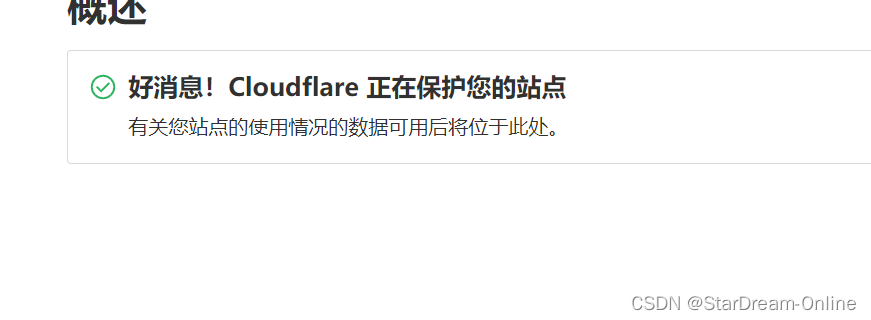
参考链接:利用cloudflare搭建属于自己的免费Github加速站
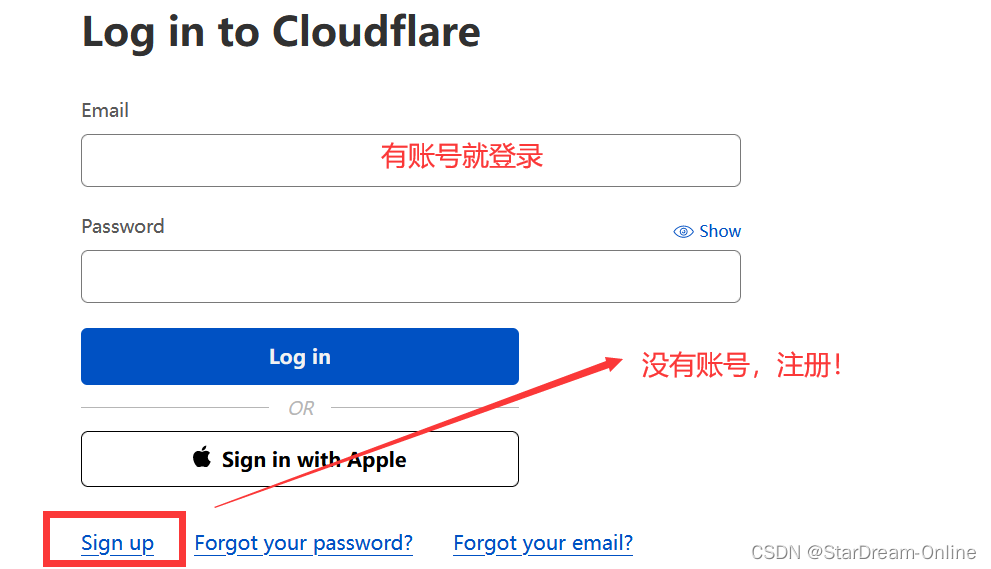
首先,点击 Cloud Flare 链接 ,创建一个属于自己的账户
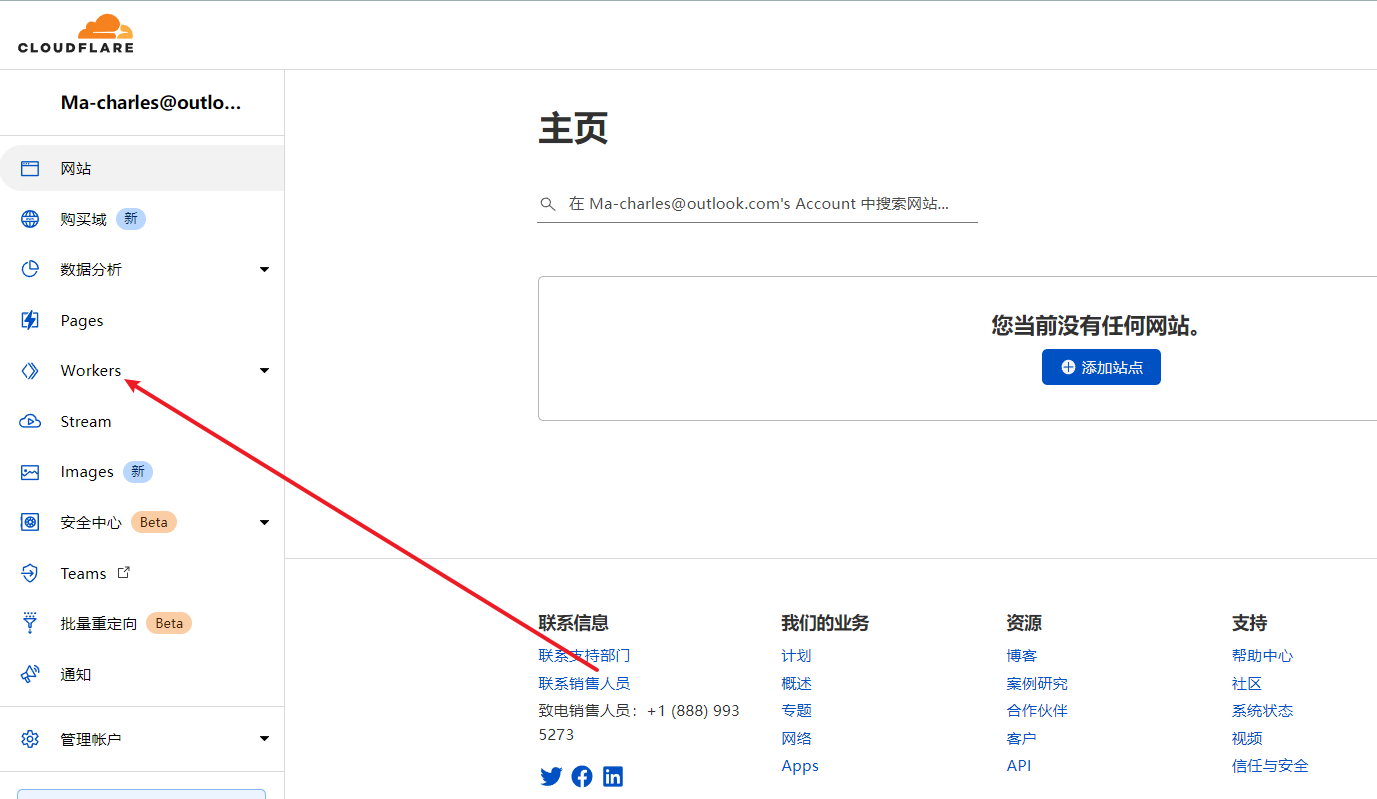
登录后,点击 Workers
这个子域,可以自定义
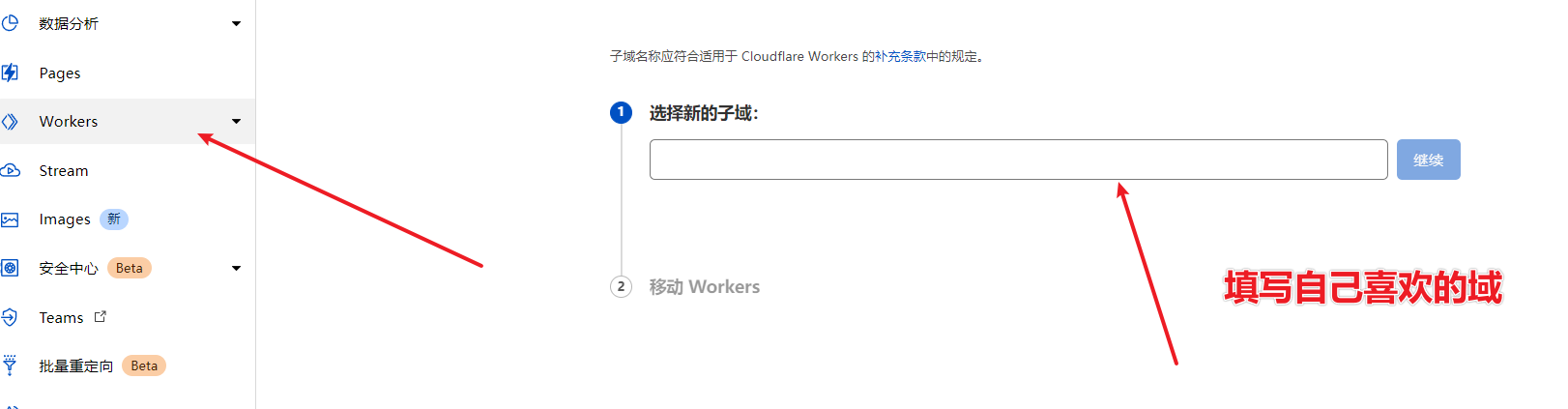
输入好后点set up
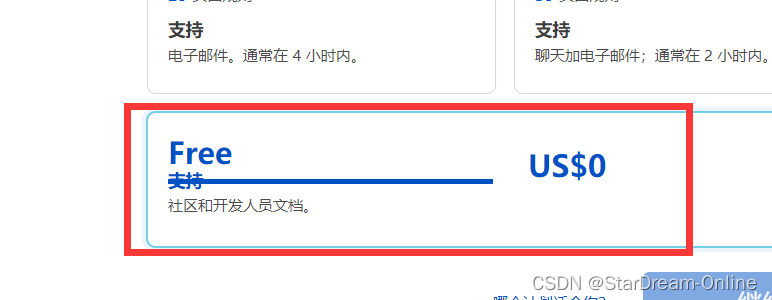
然后选择订阅模式,免费直接free!
免费版本每天的访问次数是10w次,应该是远远够用的!
如果你是第一次用cloudflare还会有邮箱验证,去邮箱验证一下就行了。
验证完后刷新,点击创建

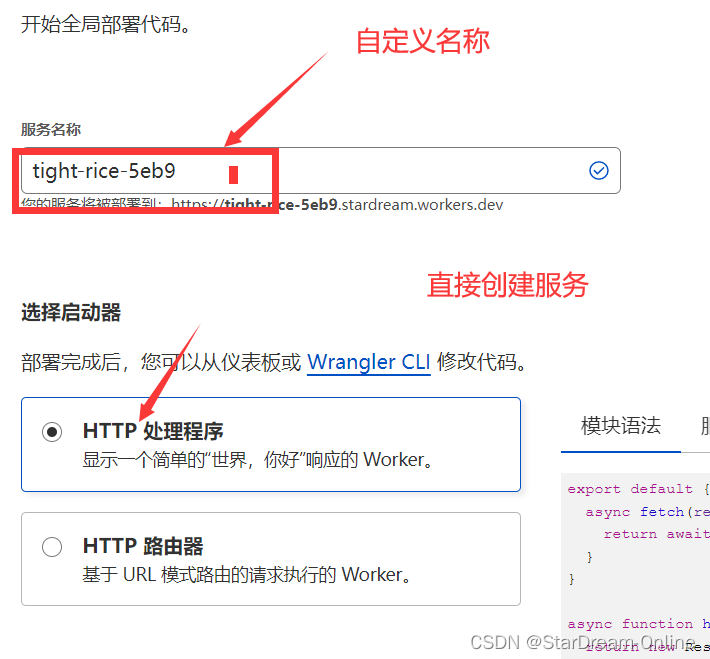 然后点击创建服务 。
创建服务后,点击快速编辑!

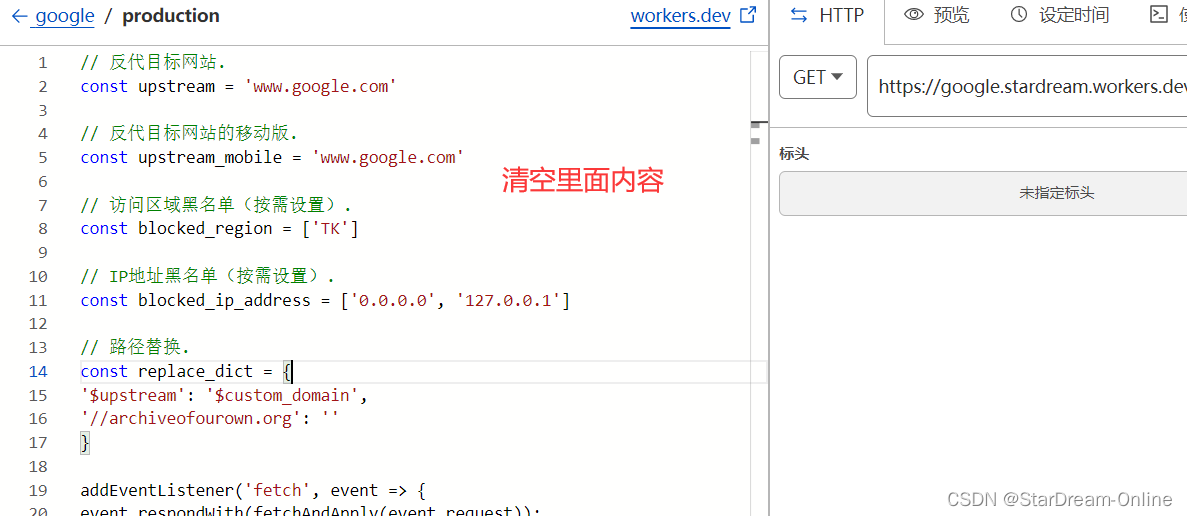 点击快速编辑后,复制下面代码,粘贴到上面代码区域
// 反代目标网站.
const upstream = 'www.google.com'

// 反代目标网站的移动版.
const upstream_mobile = 'www.google.com'

// 访问区域黑名单(按需设置).
const blocked_region = ['TK']

// IP地址黑名单(按需设置).
const blocked_ip_address = ['0.0.0.0', '127.0.0.1']

// 路径替换.
const replace_dict = {
'$upstream': '$custom_domain',
'//archiveofourown.org': ''
}

addEventListener('fetch', event => {
event.respondWith(fetchAndApply(event.request));
})

async function fetchAndApply(request) {

const region = request.headers.get('cf-ipcountry').toUpperCase();
const ip_address = request.headers.get('cf-connecting-ip');
const user_agent = request.headers.get('user-agent');

let response = null;
let url = new URL(request.url);
let url_host = url.host;

if (url.protocol == 'http:') {
    url.protocol = 'https:'
    response = Response.redirect(url.href);
    return response;
}

if (await device_status(user_agent)) {
    var upstream_domain = upstream;
} else {
    var upstream_domain = upstream_mobile;
}

url.host = upstream_domain;

if (blocked_region.includes(region)) {
    response = new Response('Access denied: WorkersProxy is not available in your region yet.', {
        status: 403
    });
} else if(blocked_ip_address.includes(ip_address)){
    response = new Response('Access denied: Your IP address is blocked by WorkersProxy.', {
        status: 403
    });
} else{
    let method = request.method;
    let request_headers = request.headers;
    let new_request_headers = new Headers(request_headers);

    new_request_headers.set('Host', upstream_domain);
    new_request_headers.set('Referer', url.href);

    let original_response = await fetch(url.href, {
        method: method,
        headers: new_request_headers
    })

    let original_response_clone = original_response.clone();
    let original_text = null;
    let response_headers = original_response.headers;
    let new_response_headers = new Headers(response_headers);
    let status = original_response.status;

    new_response_headers.set('cache-control' ,'public, max-age=14400')
    new_response_headers.set('access-control-allow-origin', '*');
    new_response_headers.set('access-control-allow-credentials', true);
    new_response_headers.delete('content-security-policy');
    new_response_headers.delete('content-security-policy-report-only');
    new_response_headers.delete('clear-site-data');

    const content_type = new_response_headers.get('content-type');
    if (content_type.includes('text/html') && content_type.includes('UTF-8')) {
        original_text = await replace_response_text(original_response_clone, upstream_domain, url_host);
    } else {
        original_text = original_response_clone.body
    }

    response = new Response(original_text, {
        status,
        headers: new_response_headers
    })
}
return response;
}

async function replace_response_text(response, upstream_domain, host_name) {
let text = await response.text()

var i, j;
for (i in replace_dict) {
    j = replace_dict[i]
    if (i == '$upstream') {
        i = upstream_domain
    } else if (i == '$custom_domain') {
        i = host_name
    }

    if (j == '$upstream') {
        j = upstream_domain
    } else if (j == '$custom_domain') {
        j = host_name
    }

    let re = new RegExp(i, 'g')
    text = text.replace(re, j);
}
return text;
}


async function device_status (user_agent_info) {
var agents = ["Android", "iPhone", "SymbianOS", "Windows Phone", "iPad", "iPod"];
var flag = true;
for (var v = 0; v < agents.length; v++) {
    if (user_agent_info.indexOf(agents[v]) > 0) {
        flag = false;
        break;
    }
}
return flag;
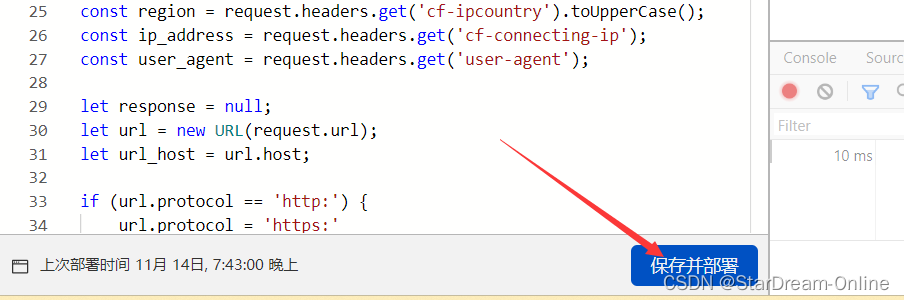
} 
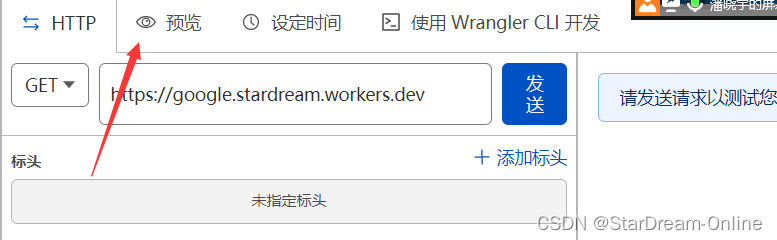
点击预览,就能看到Google了

不仅可以预览,将预览中的地址,粘贴到浏览器的地址栏也能够进行访问!
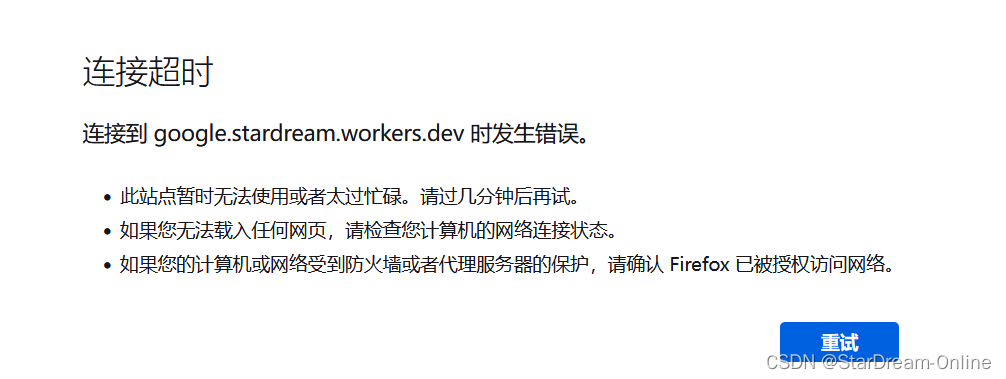
但是很遗憾,连接超时!!!下面是这篇文章的正题部分
前提:
- 拥有一个域名(可以百度搜索:免费域名)
- 在这里我推荐硅云【我就是在这里申请的免费域名】

登录之后,选择域名

添加域名模板,进行实名认证

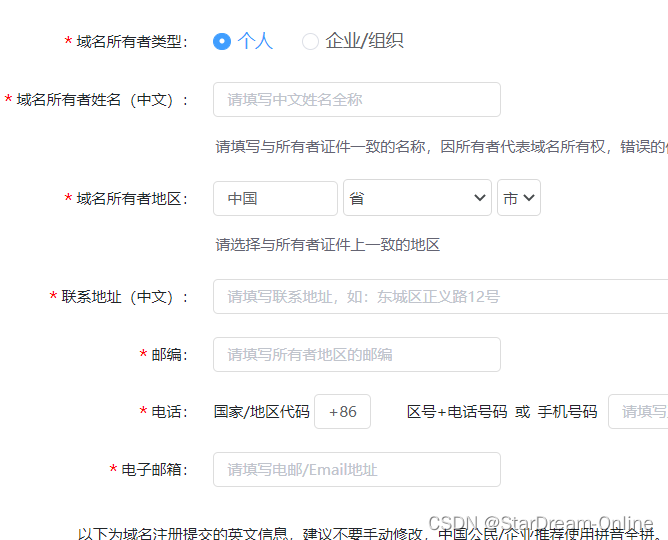
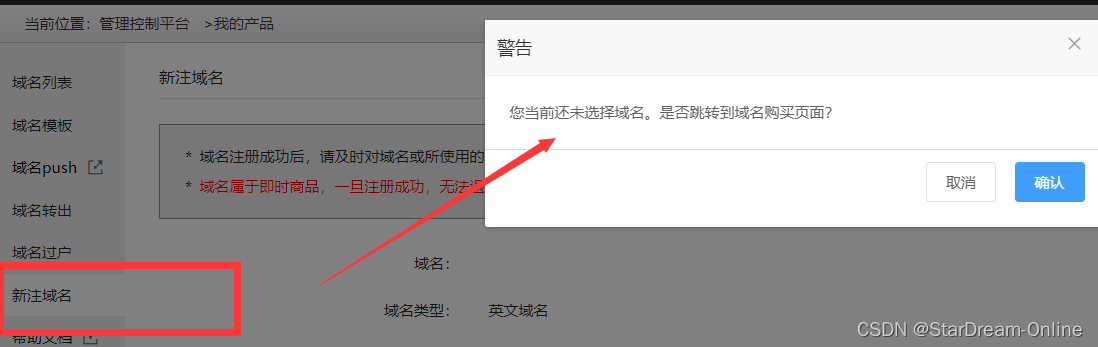
域名模板建立好后,点击新注域名,它会跳转到购买域名链接处

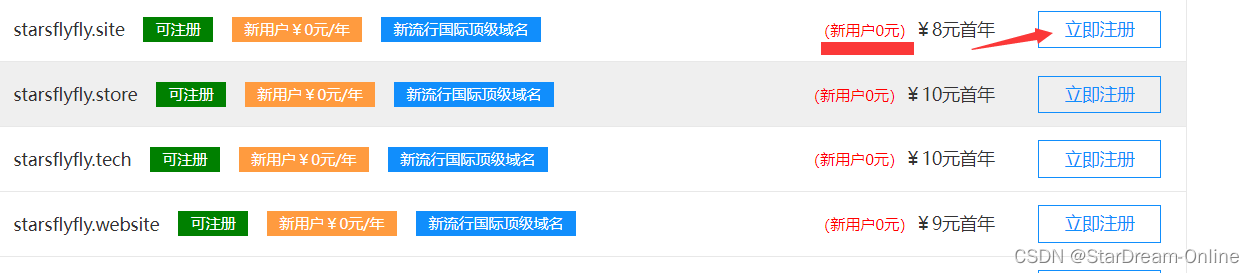

注意:是新用户,才是免费的!
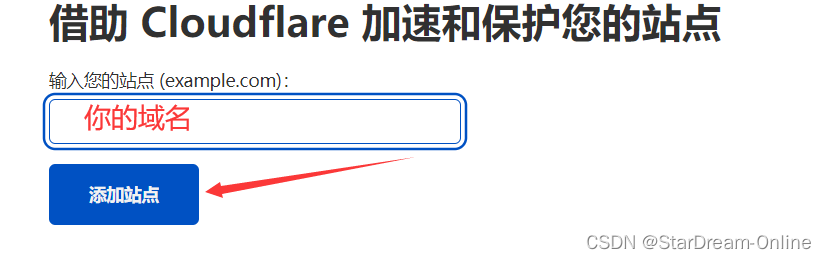
获取了域名后,将域名添加到Cloud Flare 中
添加站点
记住dns

回到硅云(你注册域名的地方,也叫域名提供商)
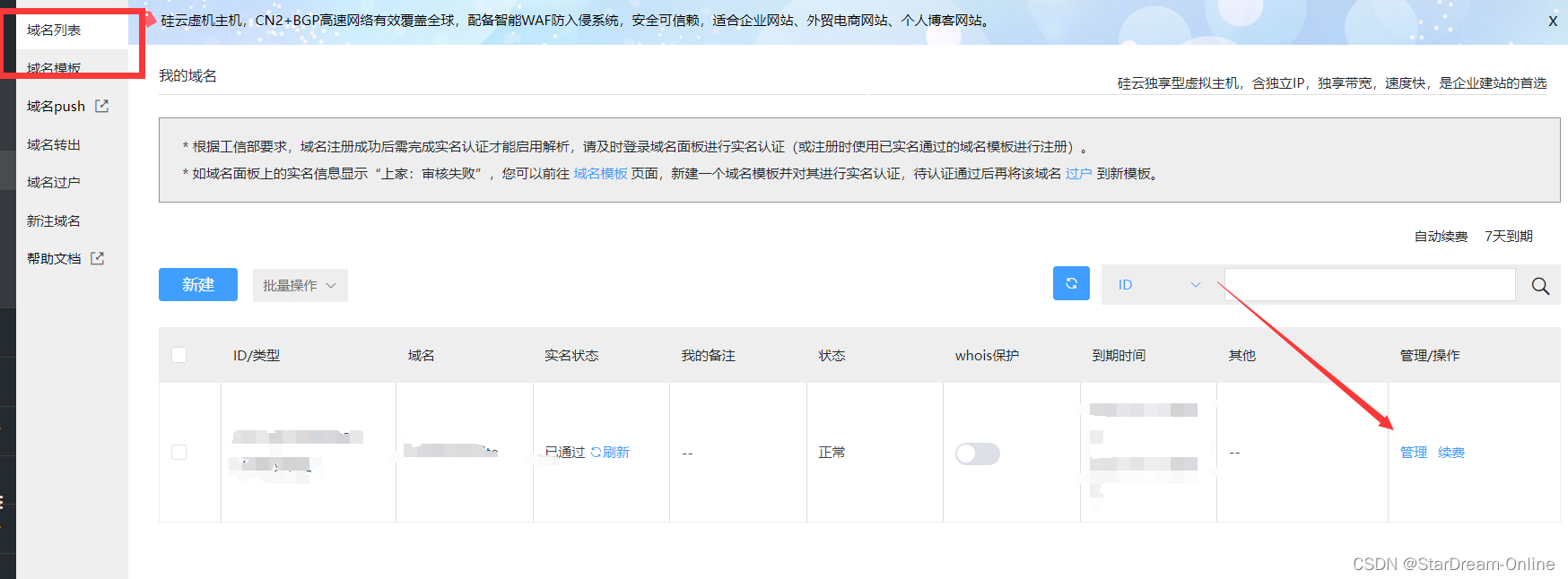
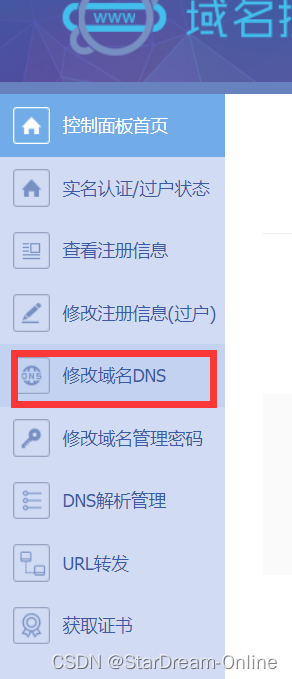
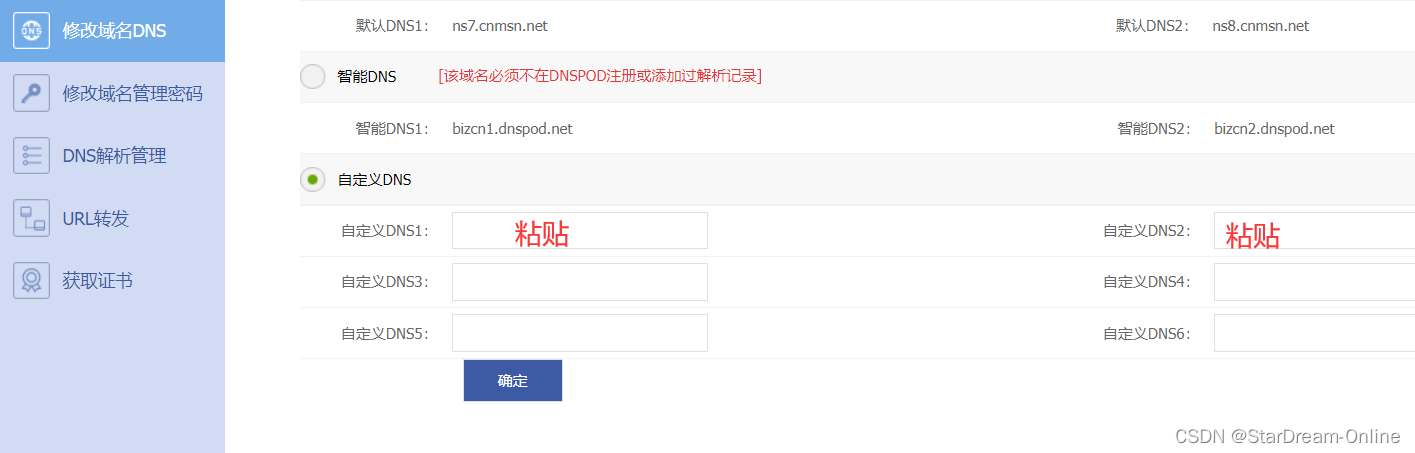 回到首页,即可看到添加成功

添加成功后,要等几个小时,会受到激活成功的邮箱信息,并且你添加的站点的首页也会出现下图所提示页面
参考链接:workers.dev 域名被 dns 污染的解决方案 | Sakura's Blog (smoe.top)
点击站点后,选中DNS,添加记录
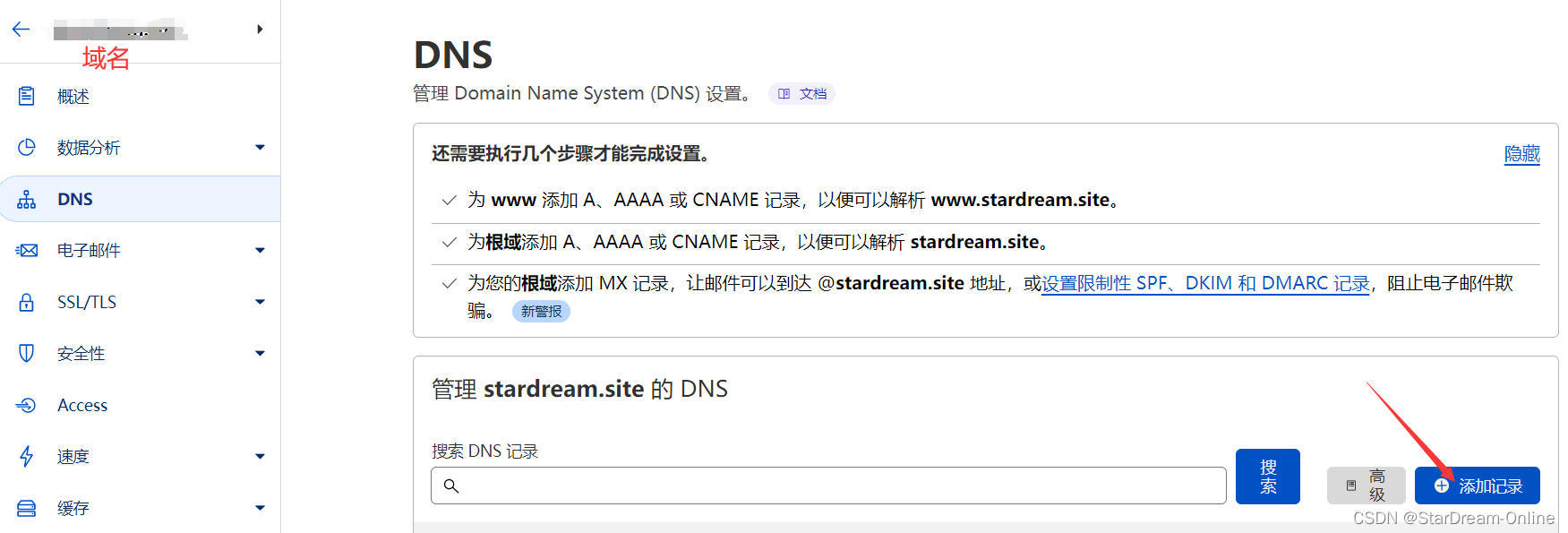


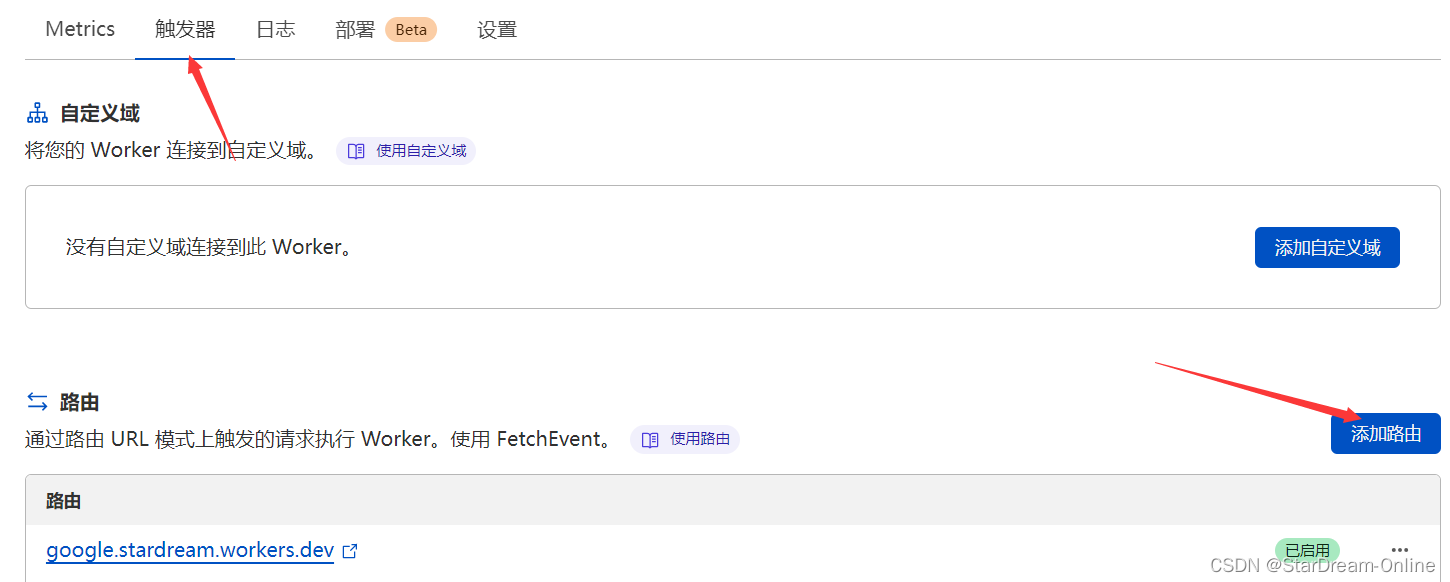
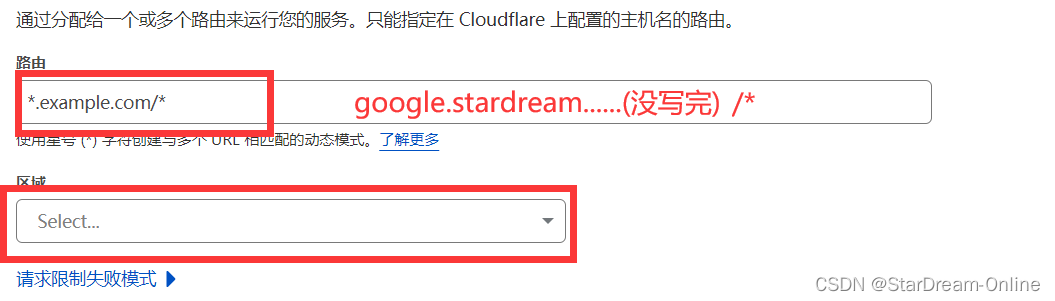
通过google.域名 就能够访问了
当我使用Bundler时,是否需要在我的Gemfile中将其列为依赖项?毕竟,我的代码中有些地方需要它。例如,当我进行Bundler设置时:require"bundler/setup" 最佳答案 没有。您可以尝试,但首先您必须用鞋带将自己抬离地面。 关于ruby-我需要将Bundler本身添加到Gemfile中吗?,我们在StackOverflow上找到一个类似的问题: https://stackoverflow.com/questions/4758609/
我有一个ModularSinatra应用程序,我正在尝试将Bootstrap添加到应用程序中。get'/bootstrap/application.css'doless:"bootstrap/bootstrap"end我在views/bootstrap中有所有less文件,包括bootstrap.less。我收到这个错误:Less::ParseErrorat/bootstrap/application.css'reset.less'wasn'tfound.Bootstrap.less的第一行是://CSSReset@import"reset.less";我尝试了所有不同的路径格式,但它
我正在使用Sequel构建一个愿望list系统。我有一个wishlists和itemstable和一个items_wishlists连接表(该名称是续集选择的名称)。items_wishlists表还有一个用于facebookid的额外列(因此我可以存储opengraph操作),这是一个NOTNULL列。我还有Wishlist和Item具有续集many_to_many关联的模型已建立。Wishlist类也有:selectmany_to_many关联的选项设置为select:[:items.*,:items_wishlists__facebook_action_id].有没有一种方法可以
当谈到运行时自省(introspection)和动态代码生成时,我认为ruby没有任何竞争对手,可能除了一些lisp方言。前几天,我正在做一些代码练习来探索ruby的动态功能,我开始想知道如何向现有对象添加方法。以下是我能想到的3种方法:obj=Object.new#addamethoddirectlydefobj.new_method...end#addamethodindirectlywiththesingletonclassclass这只是冰山一角,因为我还没有探索instance_eval、module_eval和define_method的各种组合。是否有在线/离线资
我注意到类定义,如果我打开classMyClass,并在不覆盖的情况下添加一些东西我仍然得到了之前定义的原始方法。添加的新语句扩充了现有语句。但是对于方法定义,我仍然想要与类定义相同的行为,但是当我打开defmy_method时似乎,def中的现有语句和end被覆盖了,我需要重写一遍。那么有什么方法可以使方法定义的行为与定义相同,类似于super,但不一定是子类? 最佳答案 我想您正在寻找alias_method:classAalias_method:old_func,:funcdeffuncold_func#similartoca
我有带有Logo图像的公司模型has_attached_file:logo我用他们的Logo创建了许多公司。现在,我需要添加新样式has_attached_file:logo,:styles=>{:small=>"30x15>",:medium=>"155x85>"}我是否应该重新上传所有旧数据以重新生成新样式?我不这么认为……或者有什么rake任务可以重新生成样式吗? 最佳答案 参见Thumbnail-Generation.如果rake任务不适合你,你应该能够在控制台中使用一个片段来调用重新处理!关于相关公司
我正在尝试使用Curbgem执行以下POST以解析云curl-XPOST\-H"X-Parse-Application-Id:PARSE_APP_ID"\-H"X-Parse-REST-API-Key:PARSE_API_KEY"\-H"Content-Type:image/jpeg"\--data-binary'@myPicture.jpg'\https://api.parse.com/1/files/pic.jpg用这个:curl=Curl::Easy.new("https://api.parse.com/1/files/lion.jpg")curl.multipart_form_
我正在开发一个创建网络博客的RubyonRails项目。我希望将一个名为featured的boolean数据库字段添加到Post模型中。该字段应该可以通过我添加的事件管理界面进行编辑。我使用了以下代码,但我什至没有在网站上显示另一列。$railsgeneratemigrationaddFeaturedfeatured:boolean$rakedb:migrate我是RubyonRails的新手,非常感谢任何帮助。我的index.html.erb文件中的相关代码(views):FeaturedPost架构.rb:ActiveRecord::Schema.define(:version=>
假设我有一个这样的单例类:classSettingsincludeSingletondeftimeout#lazy-loadtimeoutfromconfigfile,orwhateverendend现在,如果我想知道使用什么超时,我需要编写如下内容:Settings.instance.timeout但我宁愿将其缩短为Settings.timeout使这项工作有效的一个明显方法是将设置的实现修改为:classSettingsincludeSingletondefself.timeoutinstance.timeoutenddeftimeout#lazy-loadtimeoutfromc
我有一个要在我的Rails3项目中使用的数组扩展方法。它应该住在哪里?我有一个应用程序/类,我最初把它放在(array_extensions.rb)中,在我的config/application.rb中我加载路径:config.autoload_paths+=%W(#{Rails.root}/应用程序/类)。但是,当我转到railsconsole时,未加载扩展。是否有一个预定义的位置可以放置我的Rails3扩展方法?或者,一种预先定义的方式来添加它们?我知道Rails有自己的数组扩展方法。我应该将我的添加到active_support/core_ext/array/conversion