首先我们得了解一下大致的架构 ,如下:
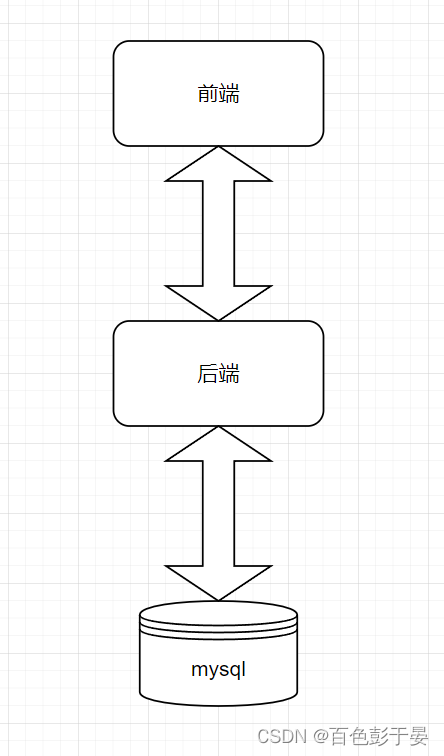
我们采用自底向上的方式进行开发,
一、先写mysql数据库
二、再写java后端(Spring MVC架构)(这个是什么东西不懂不要紧,跟着步骤做就行了)
三、最后写前端页面(HTML)
一、 Mysql数据库部分
我们要通过网页对数据库进行开发,那么我们需要先准备数据库。
为了方便开发,直接用navicat来创建数据库,名字叫做crud,字符集为utf8
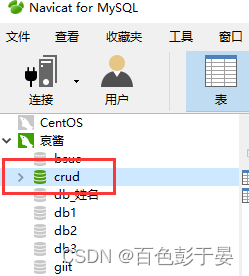
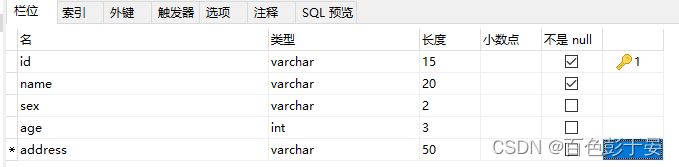
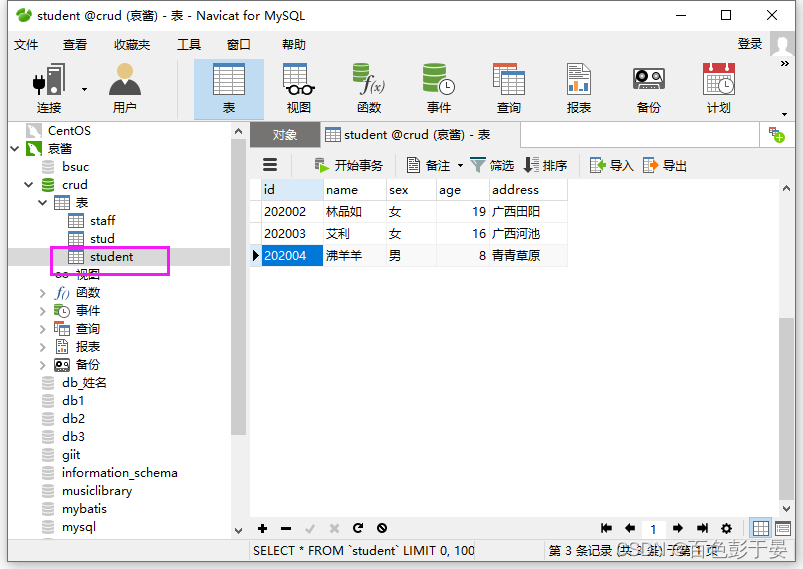
接着在数据库中建立数据表,我们以学生信息为例,建立一个名字叫做student的数据表
字段列表如下:
顺便向数据库中添加一些数据
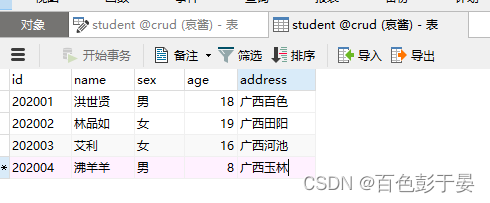
这样,我们第一部分就做好了,点支烟奖励一下自己~~
二、 编写java后端代码
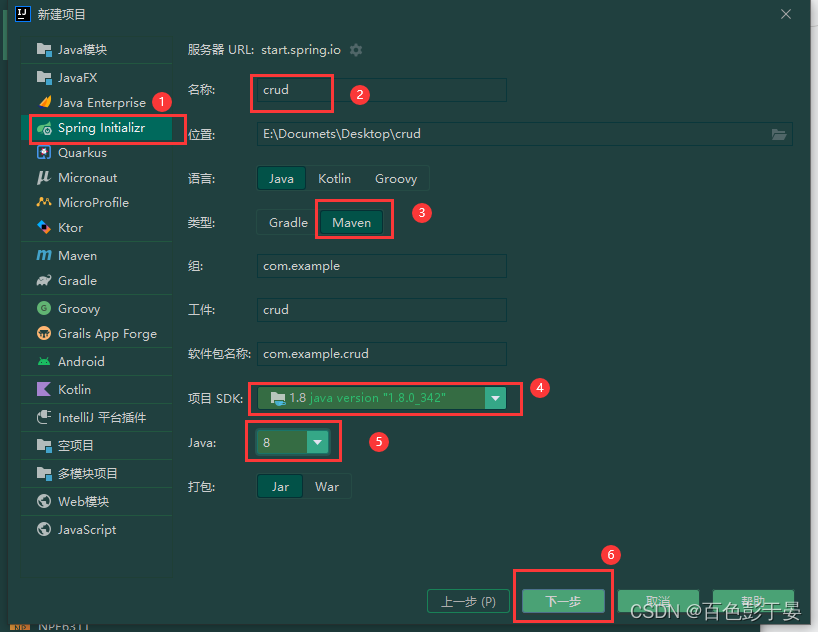
1.打开IDEA, 新建spring项目
勾选web依赖,就勾这个就好了
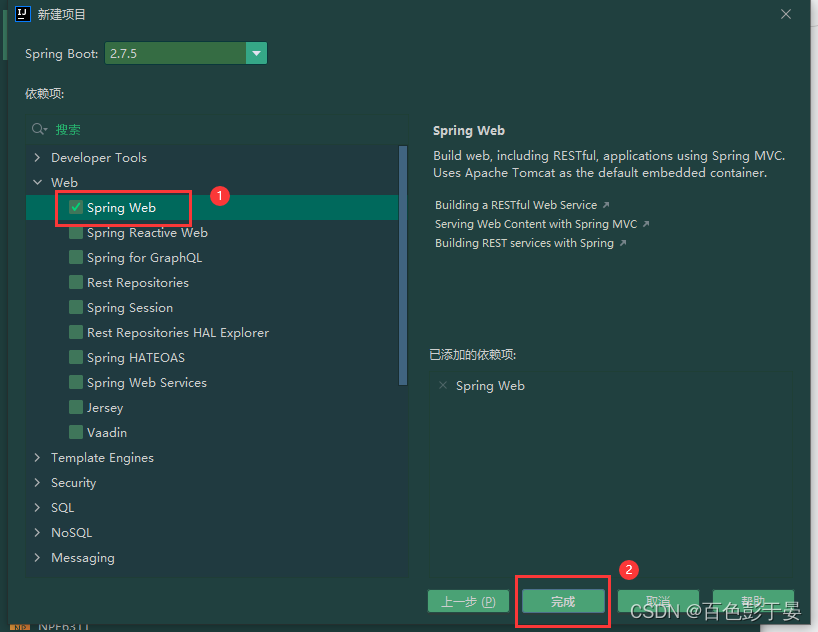
点击完成后,如果报错就打开这个链接:
IDEA创建springboot项目时提示https://start.spring.io初始化失败_暮晨丶的博客-CSDN博客
2.编写pom.xml文件
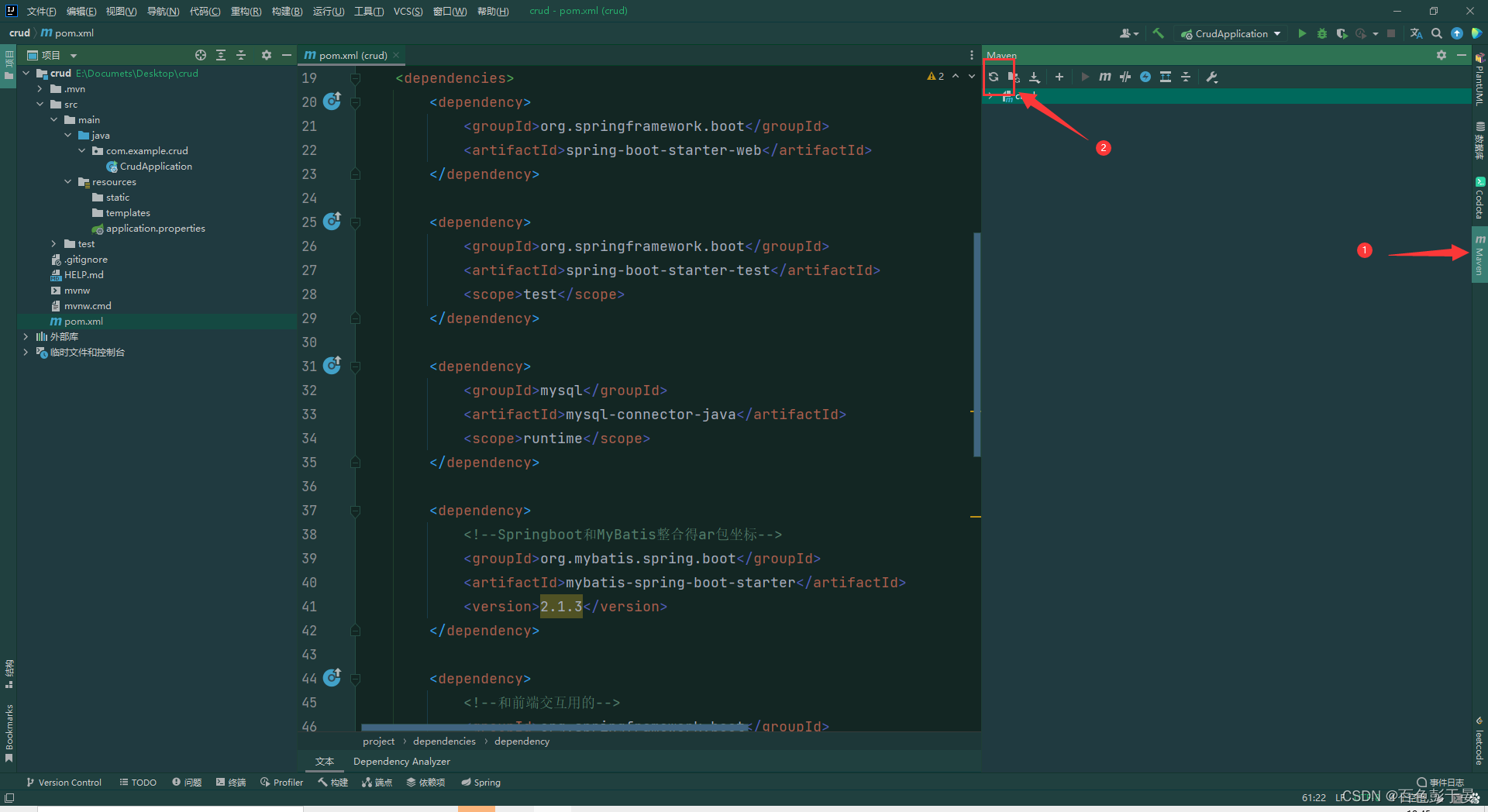
我们先找到这个“dependencies”标签
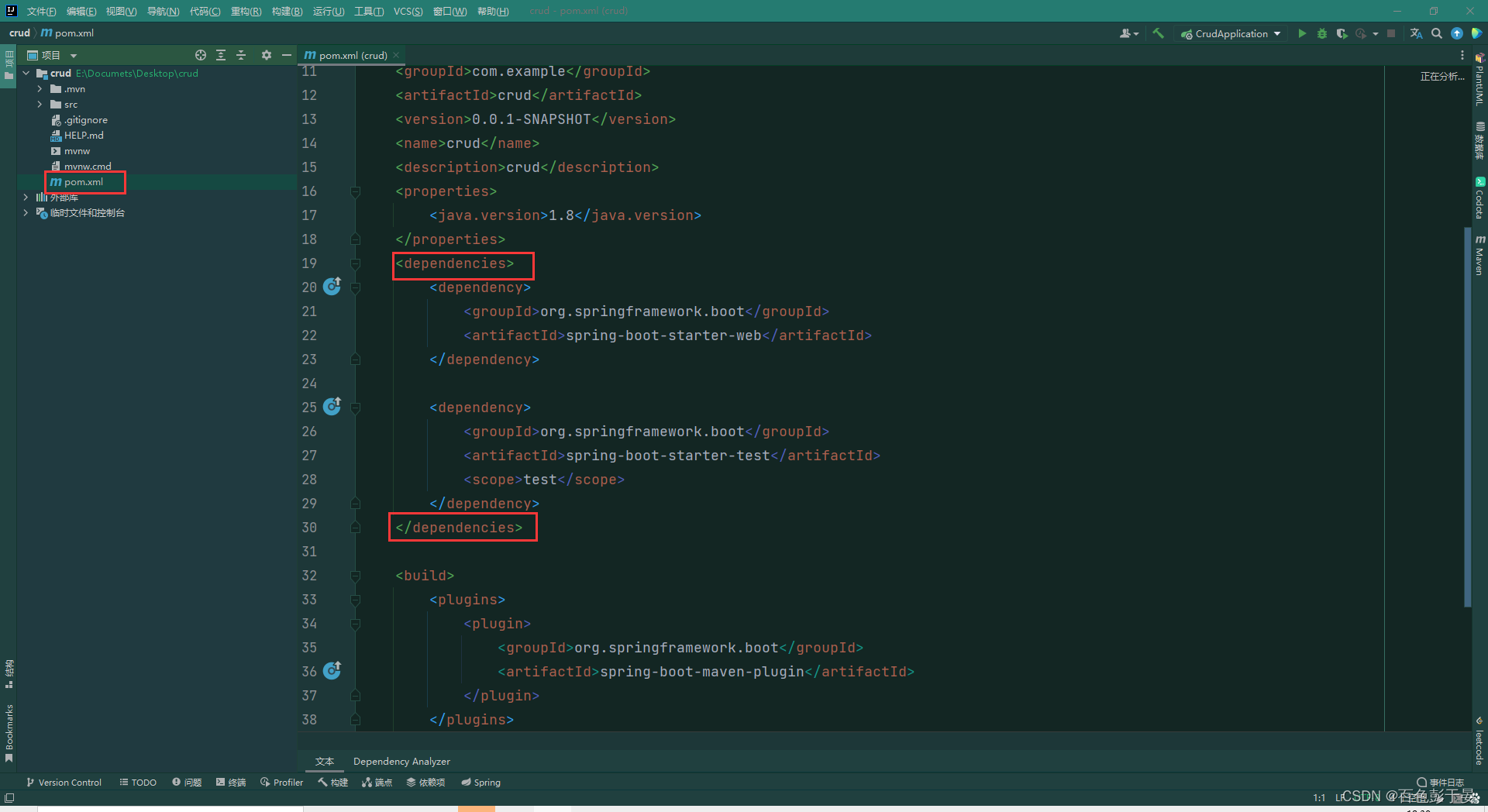
在这个标签内添加依赖坐标。
这个文件就是项目用到的外部依赖,我们分析一下:
连接mysql数据库我们需要添加驱动:
        <dependency>
            <groupId>mysql</groupId>
            <artifactId>mysql-connector-java</artifactId>
            <scope>runtime</scope>
        </dependency>
为了简化交互我们还需要添加mybatis的依赖坐标
        <dependency>
            <!--Springboot和MyBatis整合得ar包坐标-->
            <groupId>org.mybatis.spring.boot</groupId>
            <artifactId>mybatis-spring-boot-starter</artifactId>
            <version>2.1.3</version>
        </dependency>
还有和前端交互用 的thymeleaf依赖坐标
        <dependency>
            <!--和前端交互用的-->
            <groupId>org.springframework.boot</groupId>
            <artifactId>spring-boot-starter-thymeleaf</artifactId>
        </dependency>
还有一些杂七杂八好用的依赖
        <dependency>
            <!--德鲁伊数据源坐标-->
            <groupId>com.alibaba</groupId>
            <artifactId>druid</artifactId>
            <version>1.2.8</version>
        </dependency>

        <dependency>
            <!--注解开发自动导入的依赖   @Data那种 -->
            <groupId>org.projectlombok</groupId>
            <artifactId>lombok</artifactId>
        </dependency>
最后结果:
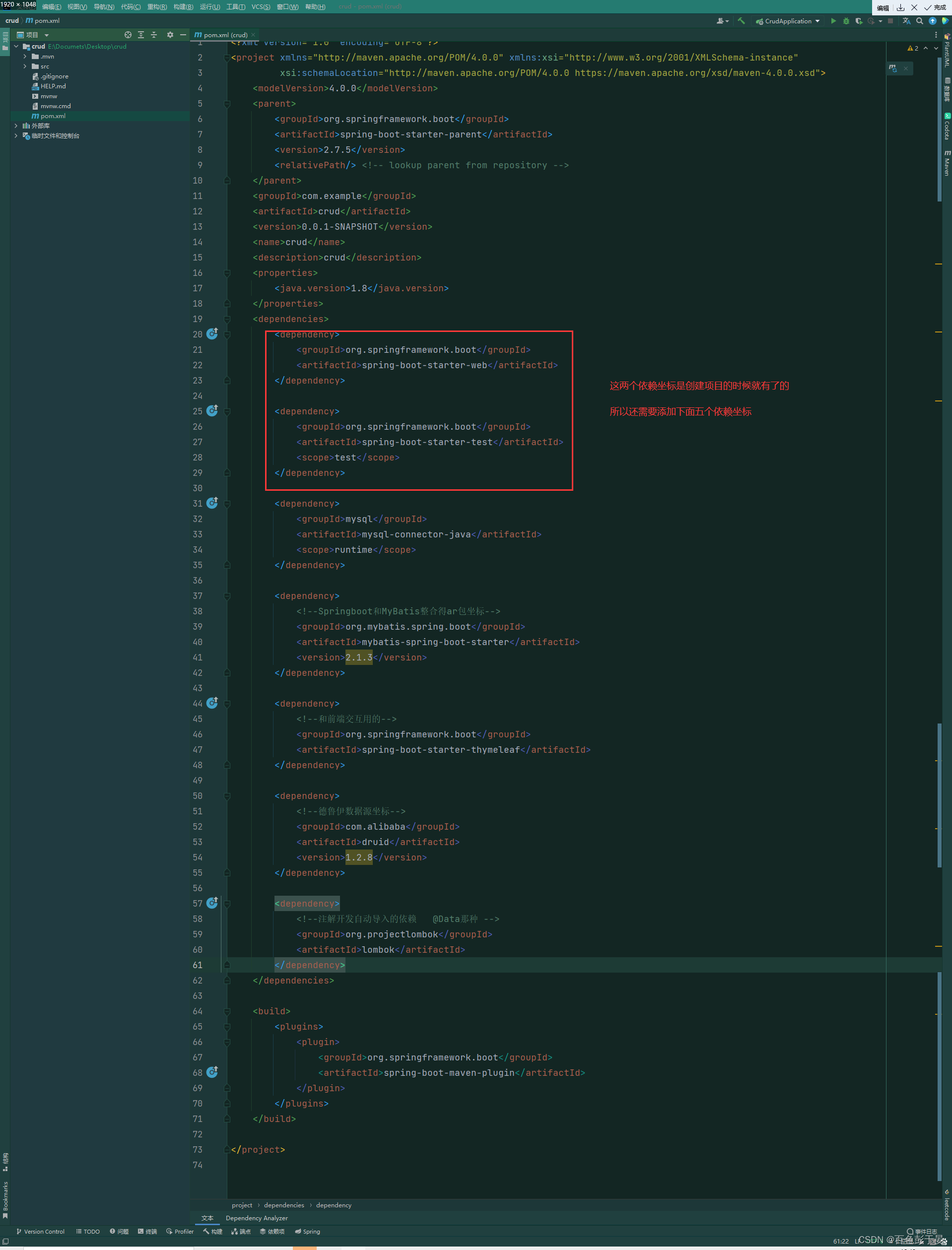
然后刷新maven pom文件就编写好了
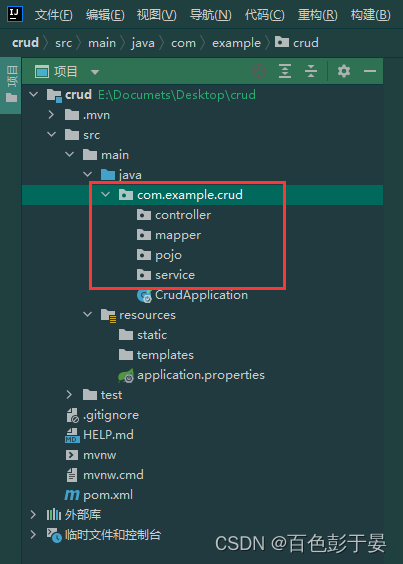
3.建包(3+1=4个包)
MVC架构:controller、service、mapper
存放实体类的包:pojo
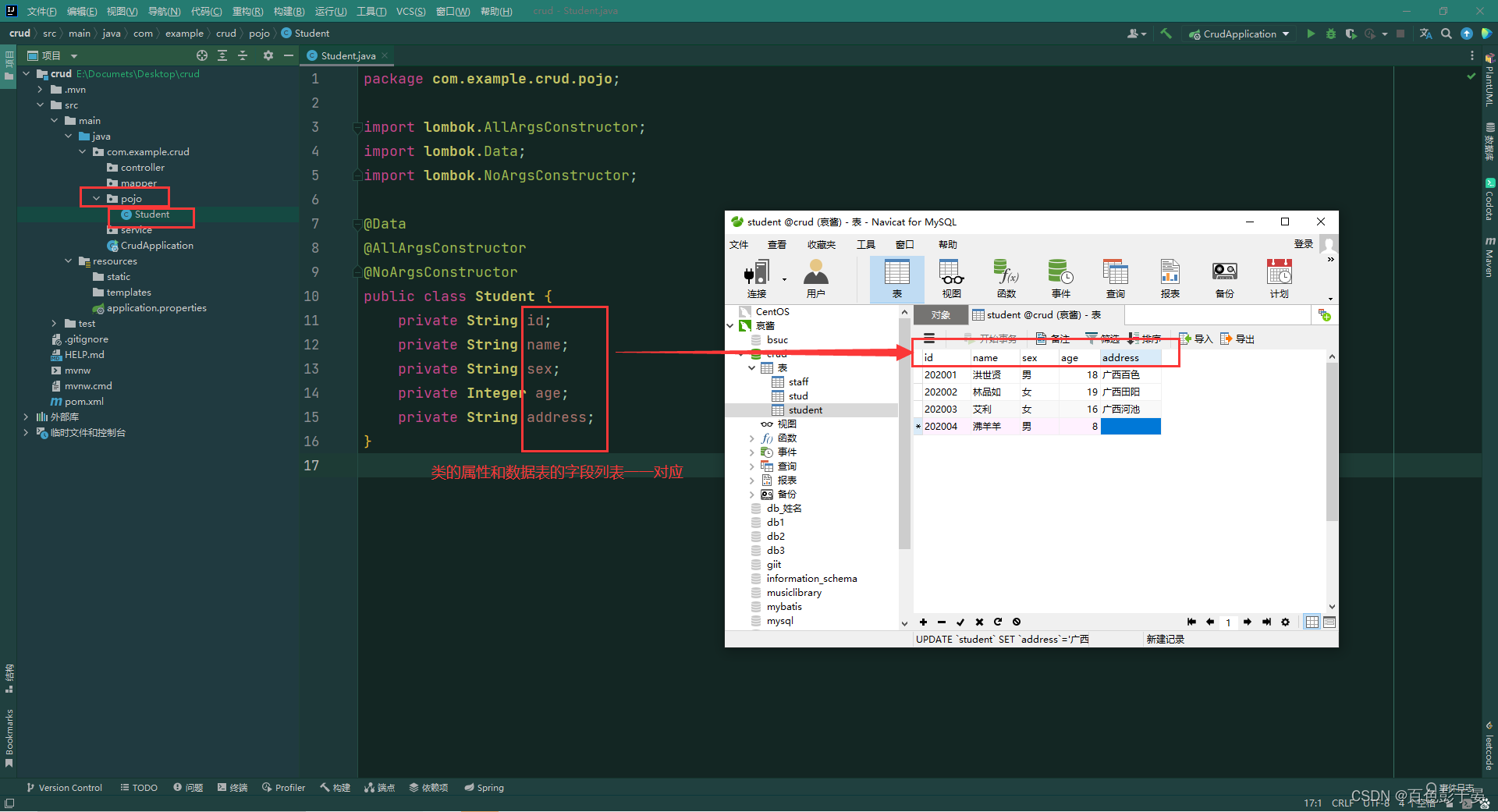
4.在pojo下建立实体类,类的属性要和数据表的字段对应
在pojo下创建一个 Student类,类上面添加三个注解,这三个注解的作用分别是
添加:get set方法、有参构造方法、无参构造方法
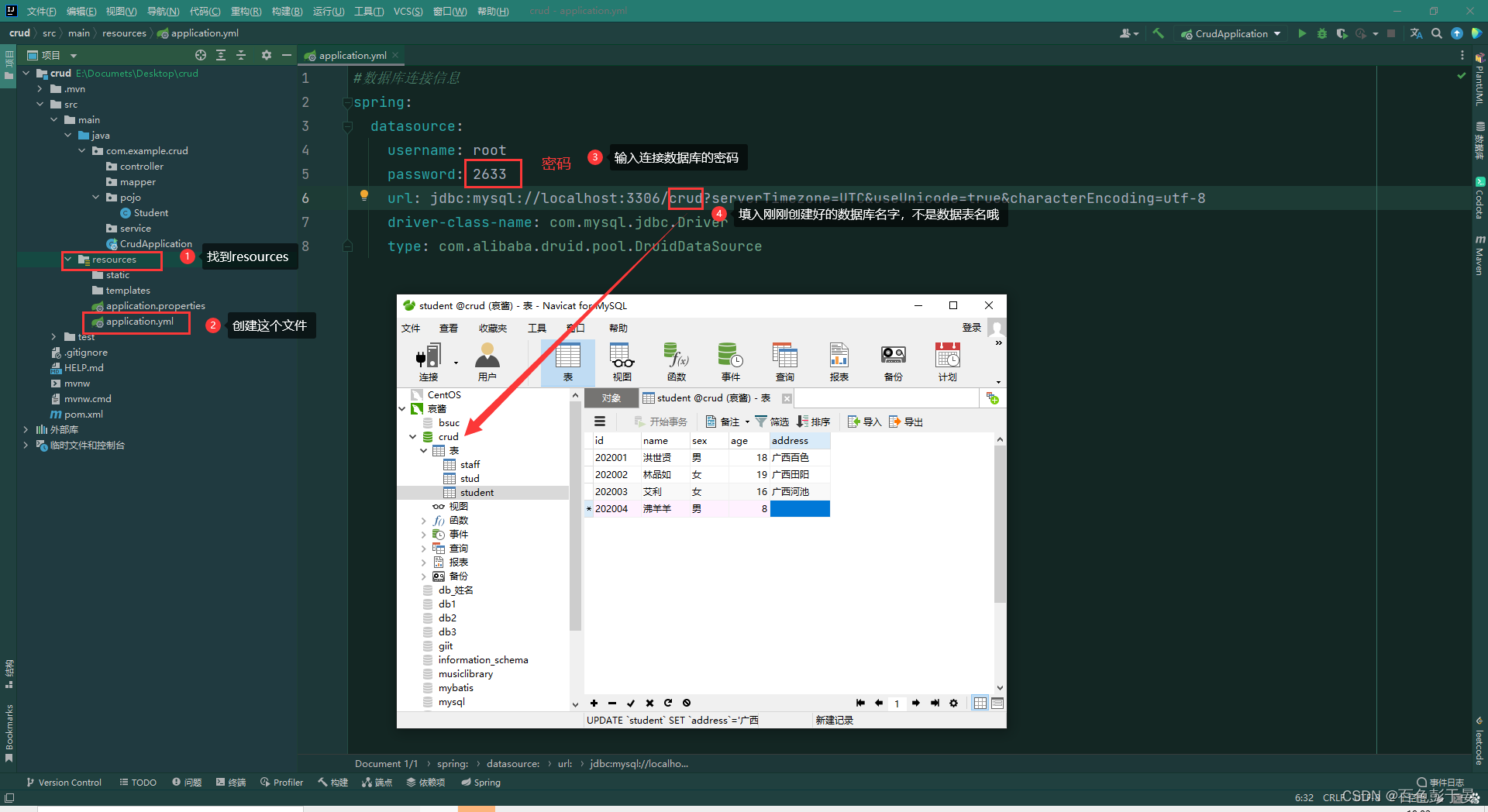
5. 配置数据库连接信息,通过yml文件(里面的缩进要格外注意,缩进一定要和我写的一样)
#数据库连接信息
spring:
  datasource:
    username: root
    password: 2633
    url: jdbc:mysql://localhost:3306/crud?serverTimezone=UTC&useUnicode=true&characterEncoding=utf-8
    driver-class-name: com.mysql.jdbc.Driver
    type: com.alibaba.druid.pool.DruidDataSource
结果:
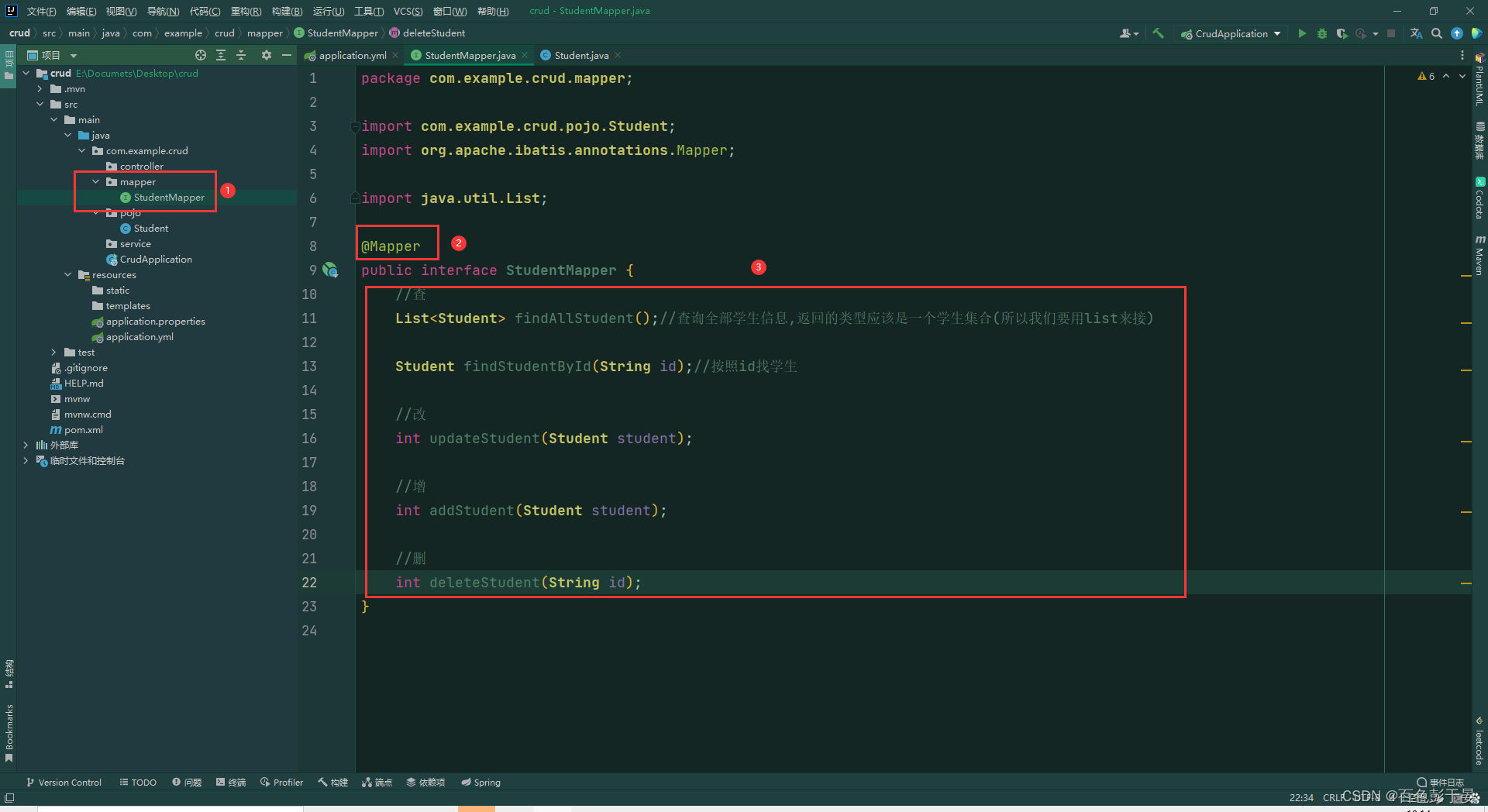
5. 编写mapper层
(1)在mapper中创建接口 名字为StudetMapper
(2)在接口中添加注解 @Mapper
(3) 在接口中编写增删改查的方法
6.编写SQL
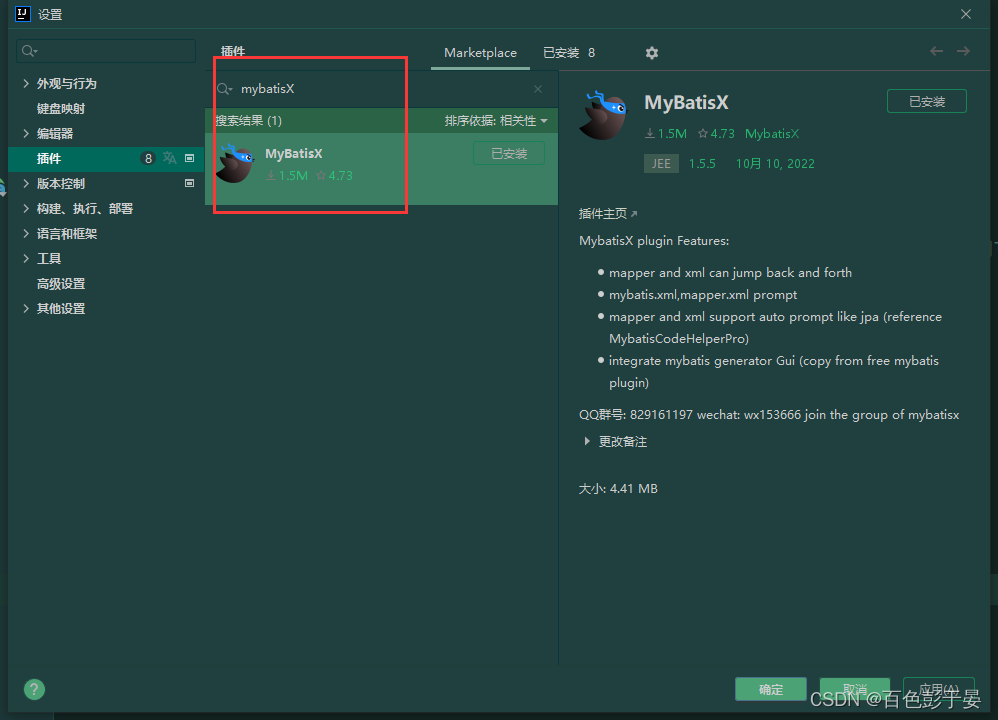
(1)先装一个 mybatis的插件
(2)在下面这个路径中先建立一个mapper目录,再创建一个StudentMapper.xml文件
<?xml version="1.0" encoding="UTF-8" ?>
<!DOCTYPE mapper
        PUBLIC "-//mybatis.org//DTD Mapper 3.0//EN"
        "http://mybatis.org/dtd/mybatis-3-mapper.dtd">

<mapper namespace="com.example.crud.mapper.StudentMapper">


</mapper>
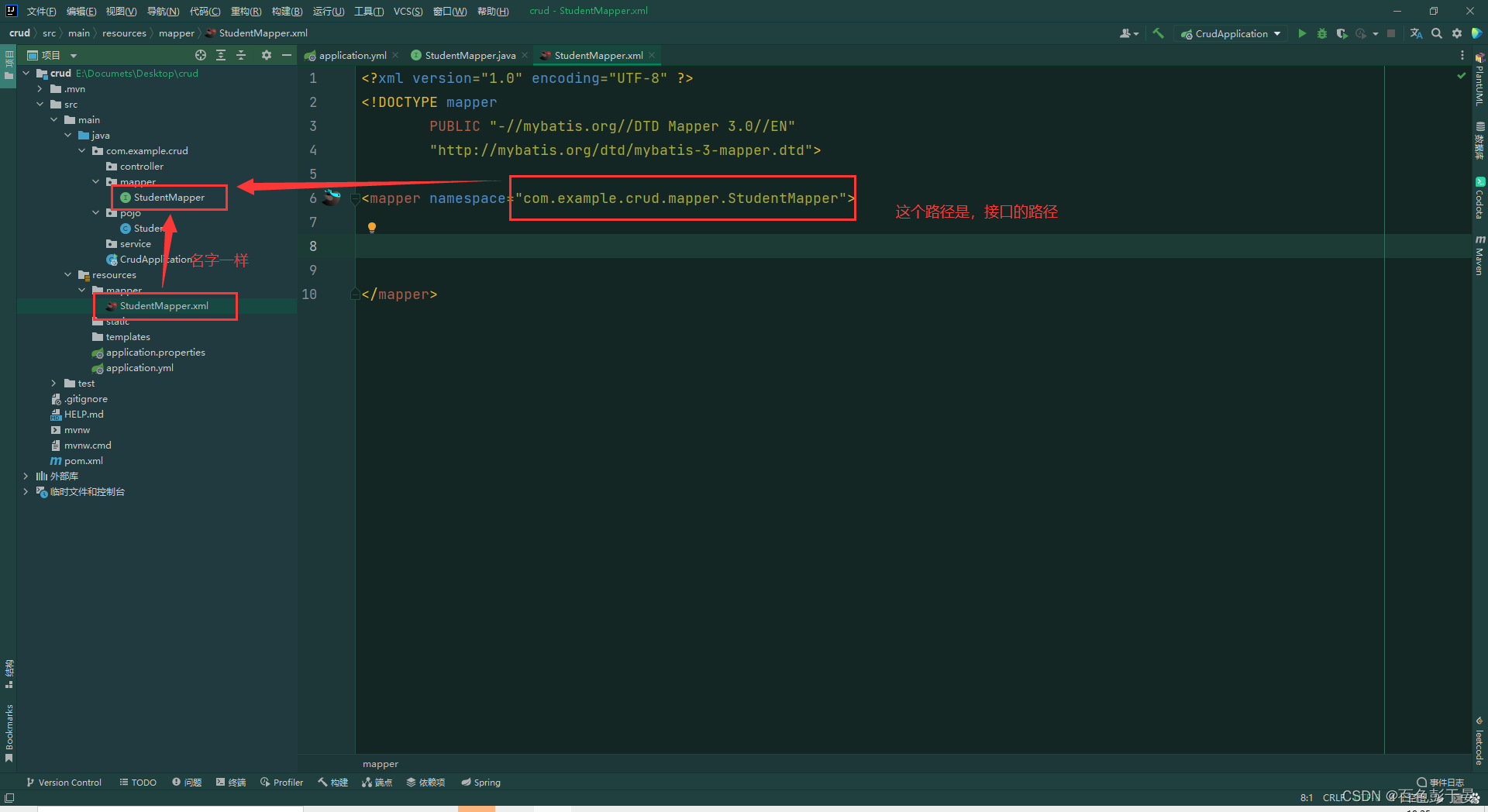
好了之后屏幕会有蓝色头绳的小鸟
点击小鸟,就会跳转到StudentMapper接口,这时我们可以看到接口方法报错了
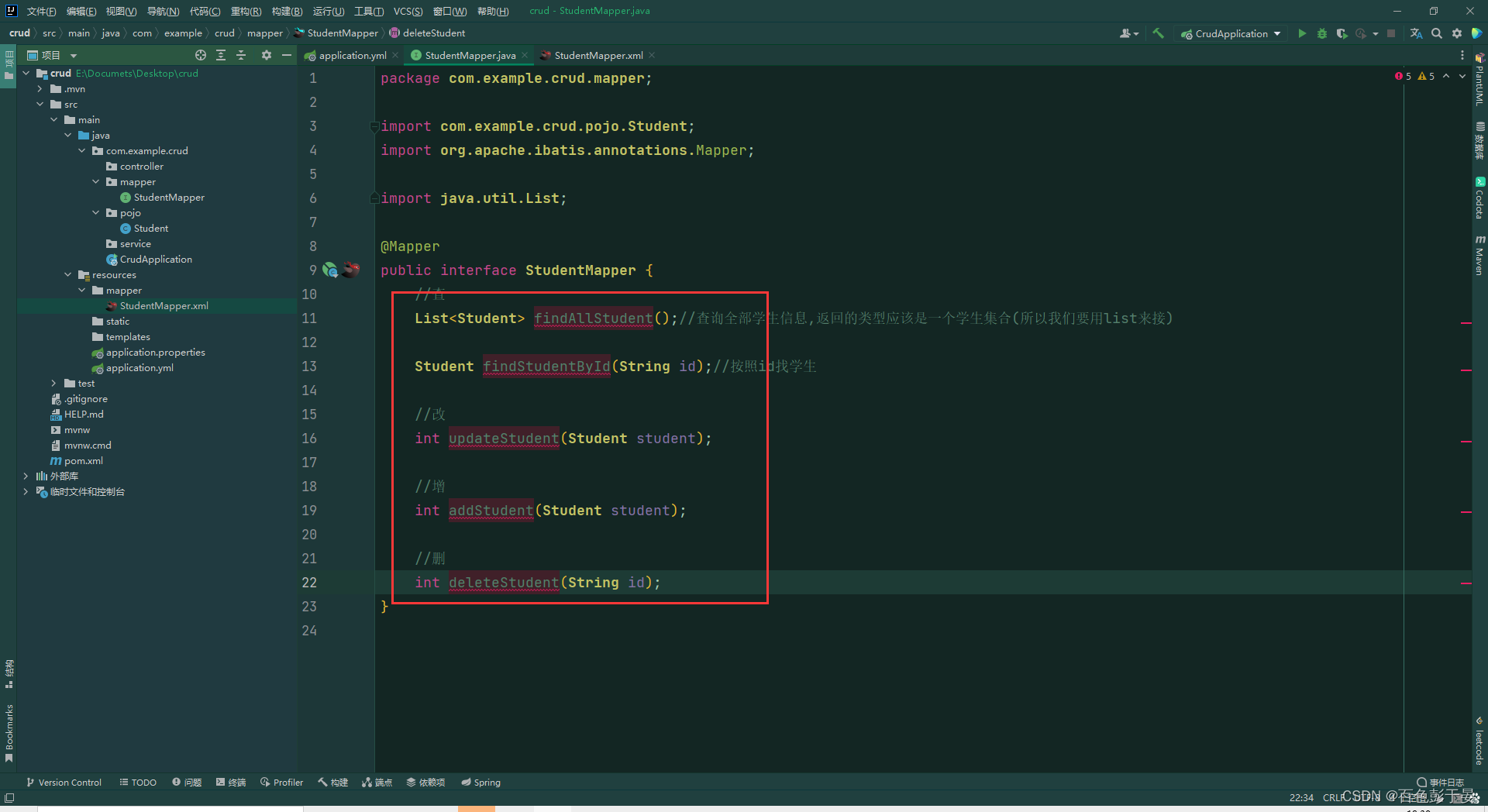
(3)在mapper标签中编写sql语句
把鼠标光标放到红色的地方,按快捷键 alt + 回车 就可以创建写sql的地方了,然后再标签里边编写sql
(4)连接数据库
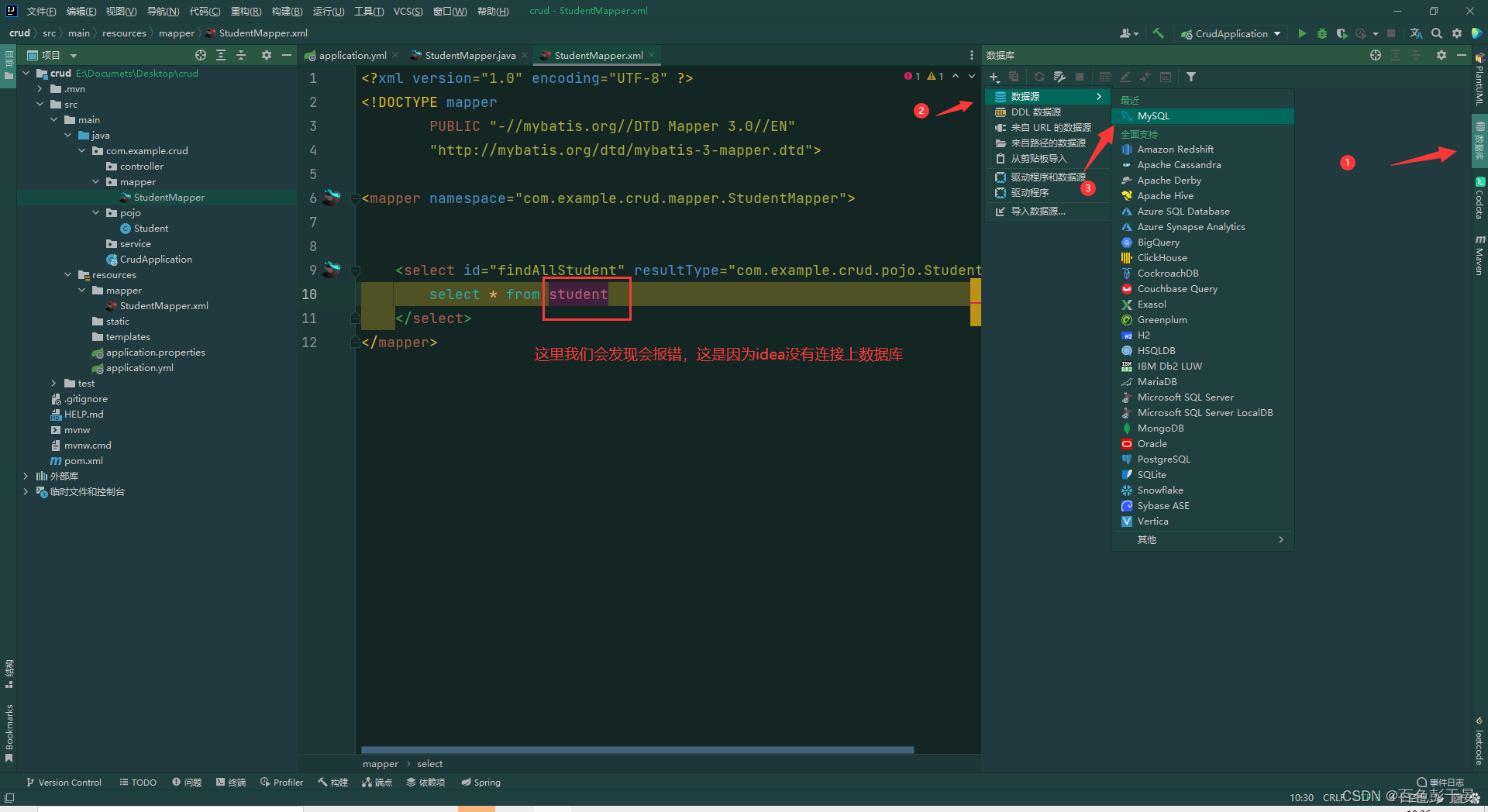
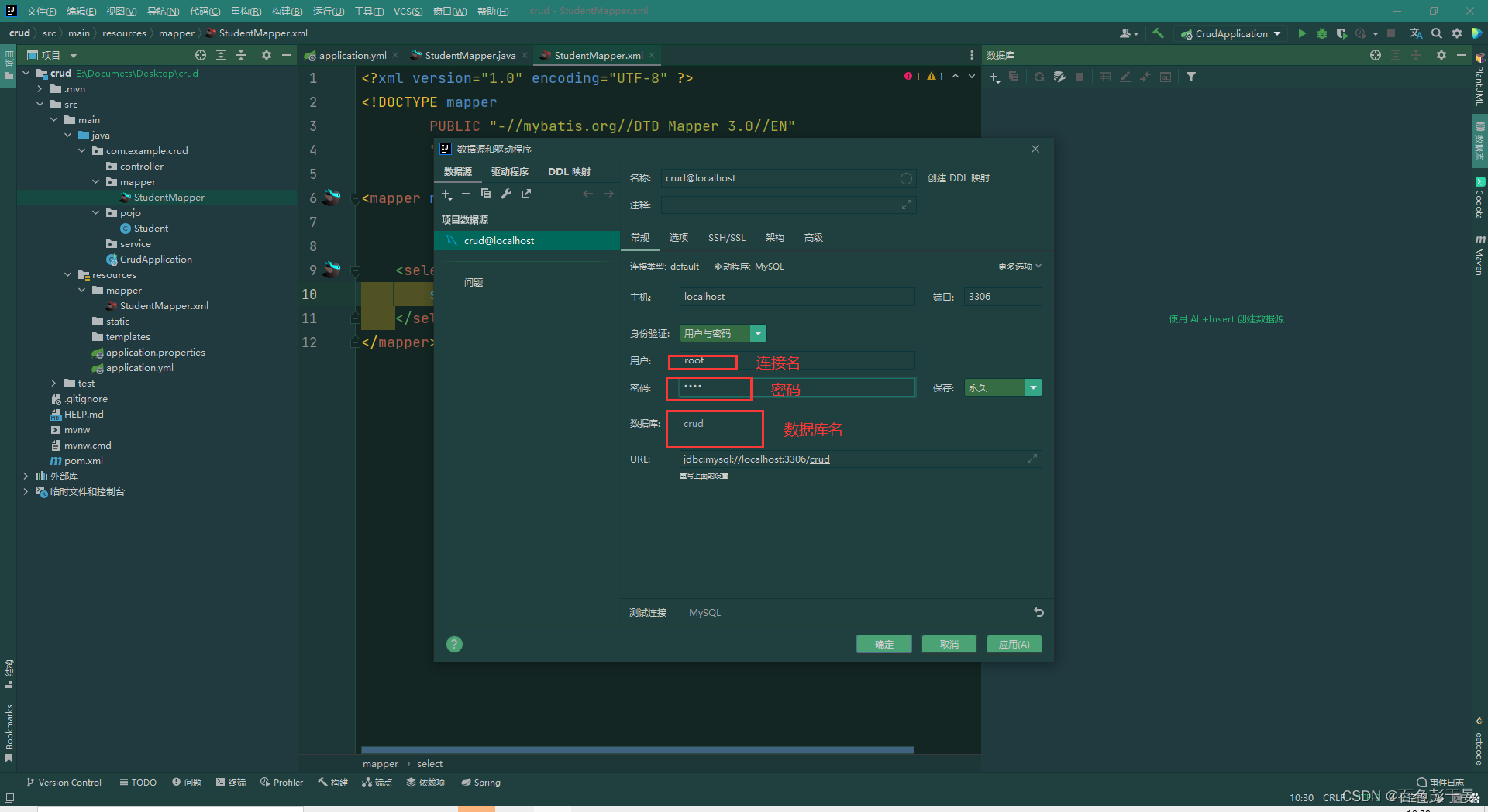
之后就不会报错了。
继续编写SQL语言,重复返回接口按ALT+回车+回车编写全部的SQL
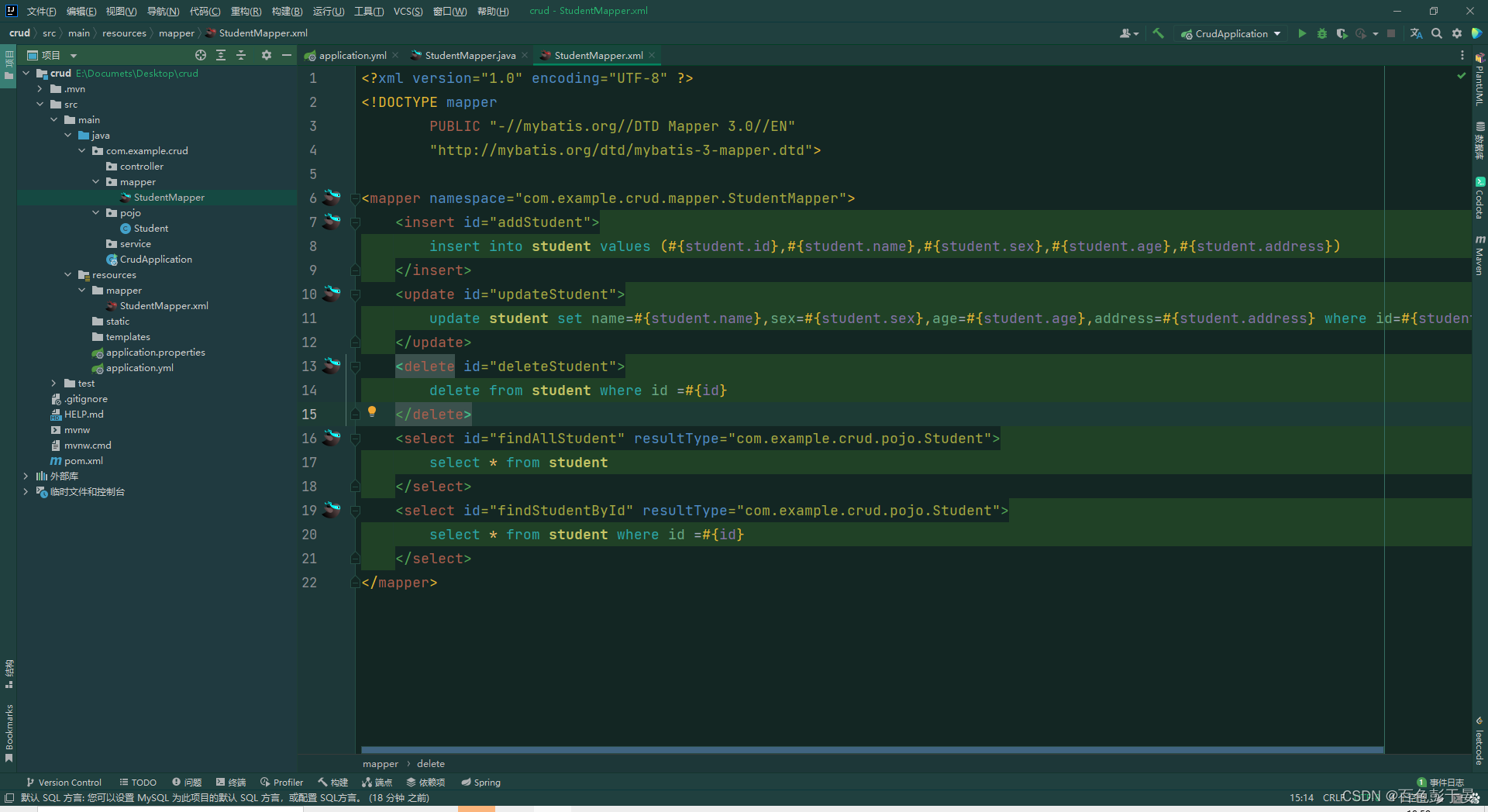
直到这里没有报错,并且有红色头绳小鸟
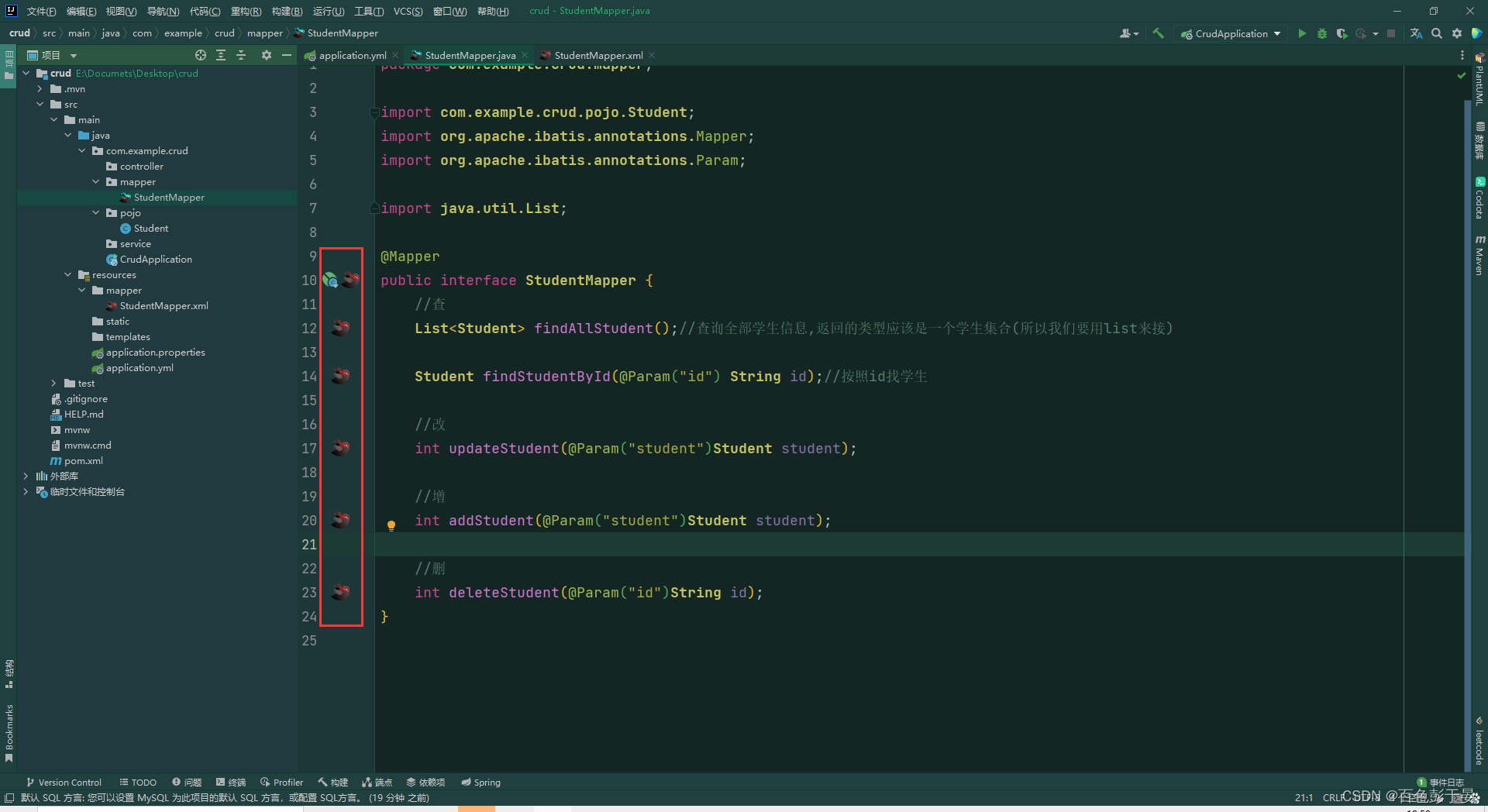
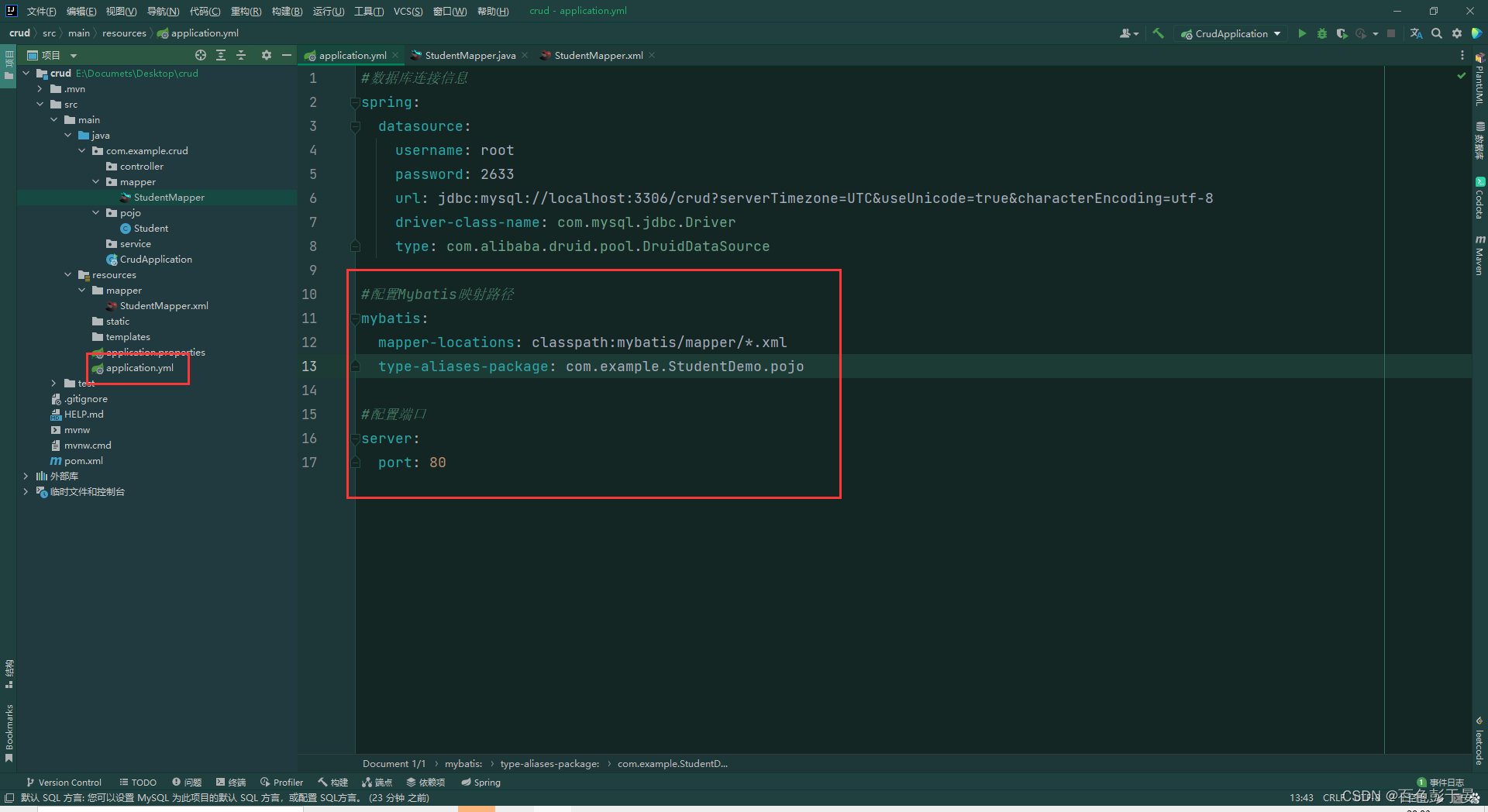
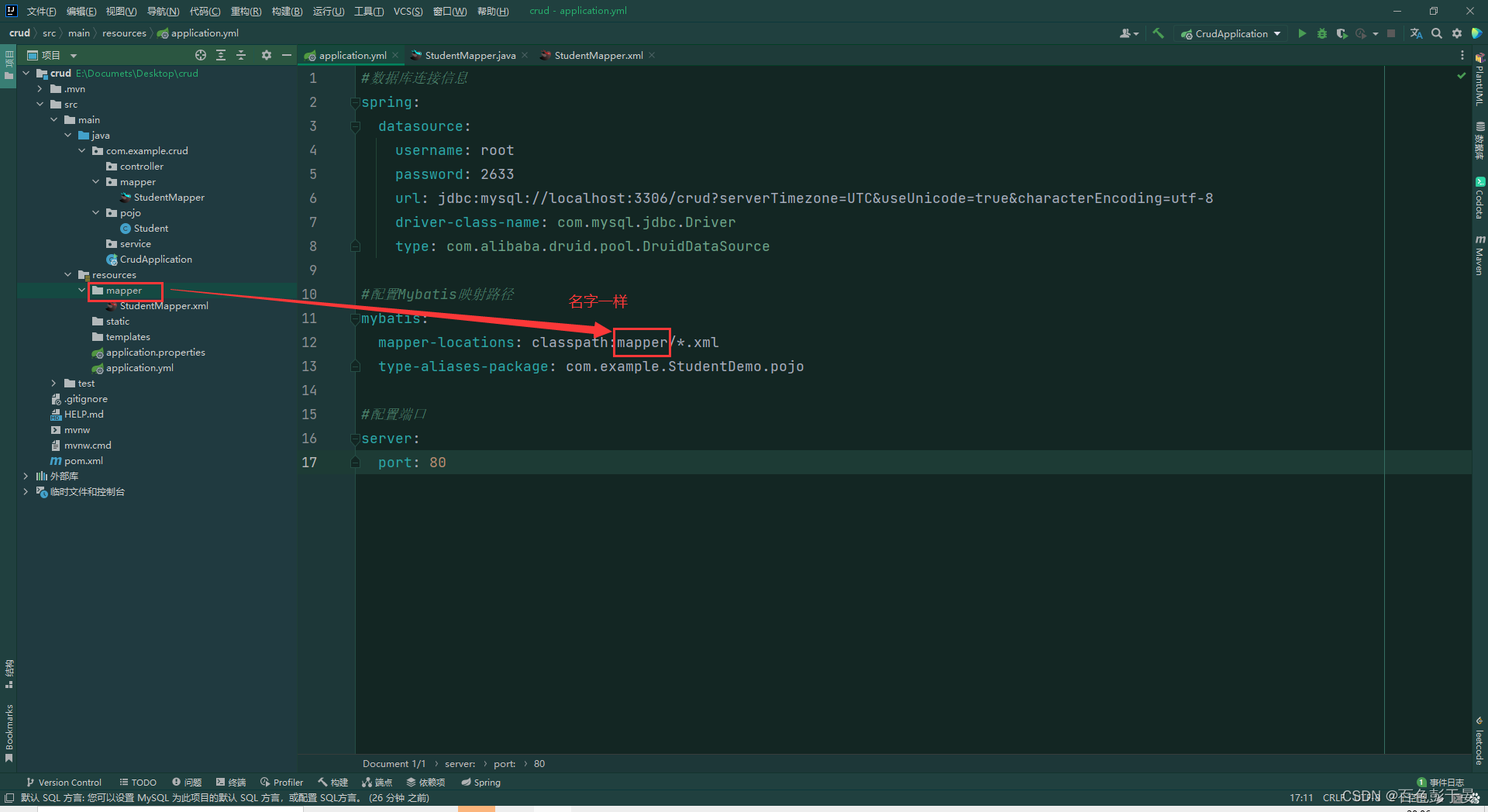
7.在application.yml文件中添加mybatis信息
#配置Mybatis映射路径
mybatis:
  mapper-locations: classpath:mapper/*.xml
  type-aliases-package: com.example.StudentDemo.pojo
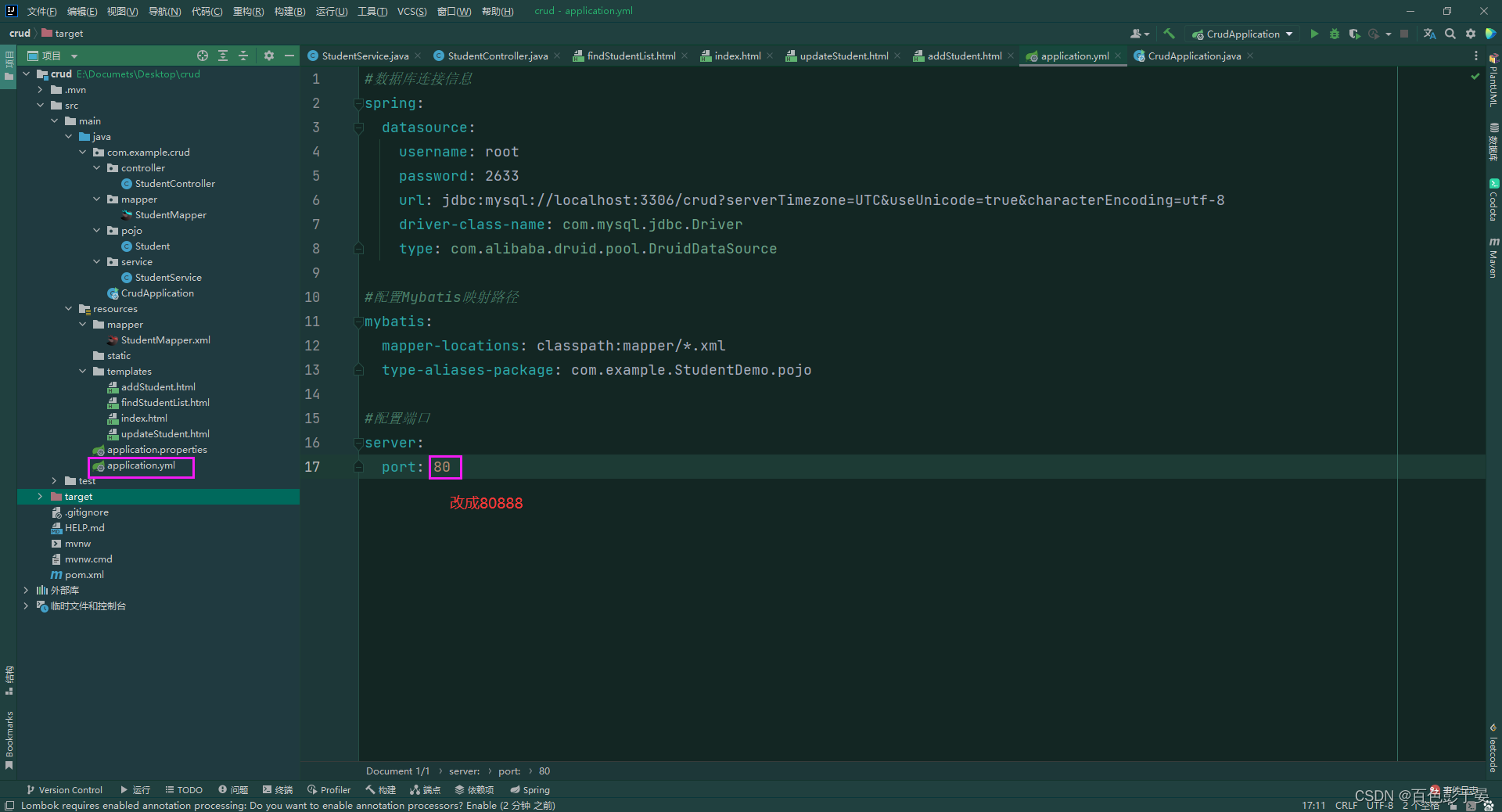
配置端口为80
#配置端口
server:
  port: 80
结果
8. 编写service层
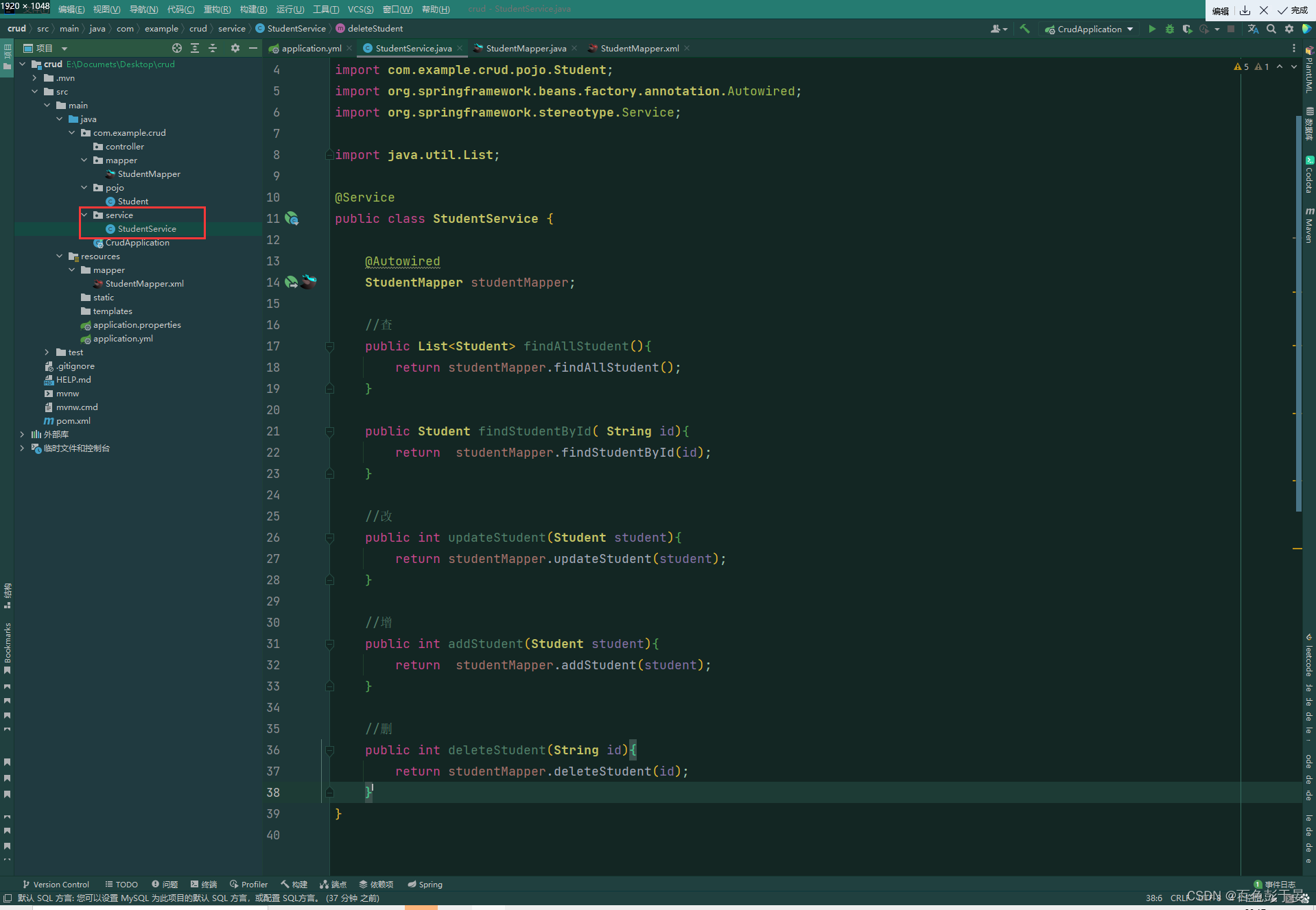
(1)在类外面添加@Service注解
(2)在类中添加
    @Autowired
    StudentMapper studentMapper;
(3)调用studentMapper的接口方法
结果截图:
9.编写controller层和前端页面
注:到这里是我认为最难的部分,如果前面没有做单元测试的话 会有可能报错,所以单元测试很重要
(1)在controller中创建StudentController类 ,在类外面注解为@Controller
(2)在类中添加注解@Autowired 调用StudentService
StudentController代码
package com.example.crud.controller;

import com.example.crud.pojo.Student;
import com.example.crud.service.StudentService;
import org.springframework.beans.factory.annotation.Autowired;
import org.springframework.stereotype.Controller;
import org.springframework.ui.Model;
import org.springframework.web.bind.annotation.GetMapping;
import org.springframework.web.bind.annotation.PathVariable;
import org.springframework.web.bind.annotation.PostMapping;

import java.util.List;

@Controller
public class StudentController {
    @Autowired
    StudentService studentService;

    @GetMapping("/toindex")
    public String toindex(){
        return "index";
    }

    //查询所有页面
    @GetMapping("/findStudentList")
    public String findStudentList(Model model){
        List<Student> studentList=studentService.findAllStudent();
        //传进去的是一个键值对
        model.addAttribute("studentList",studentList);//传进前端的东西
        //返回值==html文件名
        return "findStudentList";
    }

    //跳转到添加页面
    @GetMapping("/toaddStudent")
    public String toaddStudent(){
        //返回值为文件名
        return "addStudent";
    }

    //真正执行添加
    @PostMapping("/addStudent")
    public String addStudent(Student student)
    {
        studentService.addStudent(student);
        //跳转到哪里(文件名)
        return "redirect:/findStudentList";
    }

    @GetMapping("/toupdateStudent/{id}")
    public String toupdateStudent(@PathVariable("id")String id, Model model){
        //先找到被修改的对象
        Student student=studentService.findStudentById(id);
        //将对象保存到model中
        model.addAttribute("student",student);
        //html文件名
        return "updateStudent";
    }

    @PostMapping("/updateStudent")
    public String updateStudent(Student student){
        //获取当前页面学生信息,传入按照id修改学生信息的Service,进行信息修改
        studentService.updateStudent(student);
        return "redirect:/findStudentList";
    }

    @GetMapping("/deleteStudent/{id}")
    public String deleteStudent(@PathVariable("id")String id){
        studentService.deleteStudent(id);
        return "redirect:/findStudentList";
    }
}
结果截图

(3)编写首页index.html
<!DOCTYPE html>
<html lang="zh-CN" xmlns:th="http://www.thymeleaf.org">
<head>
    <meta charset="UTF-8">
    <title>Title</title>
</head>
<body>
<a th:href="@{/findStudentList}">查询信息</a>
</body>
</html>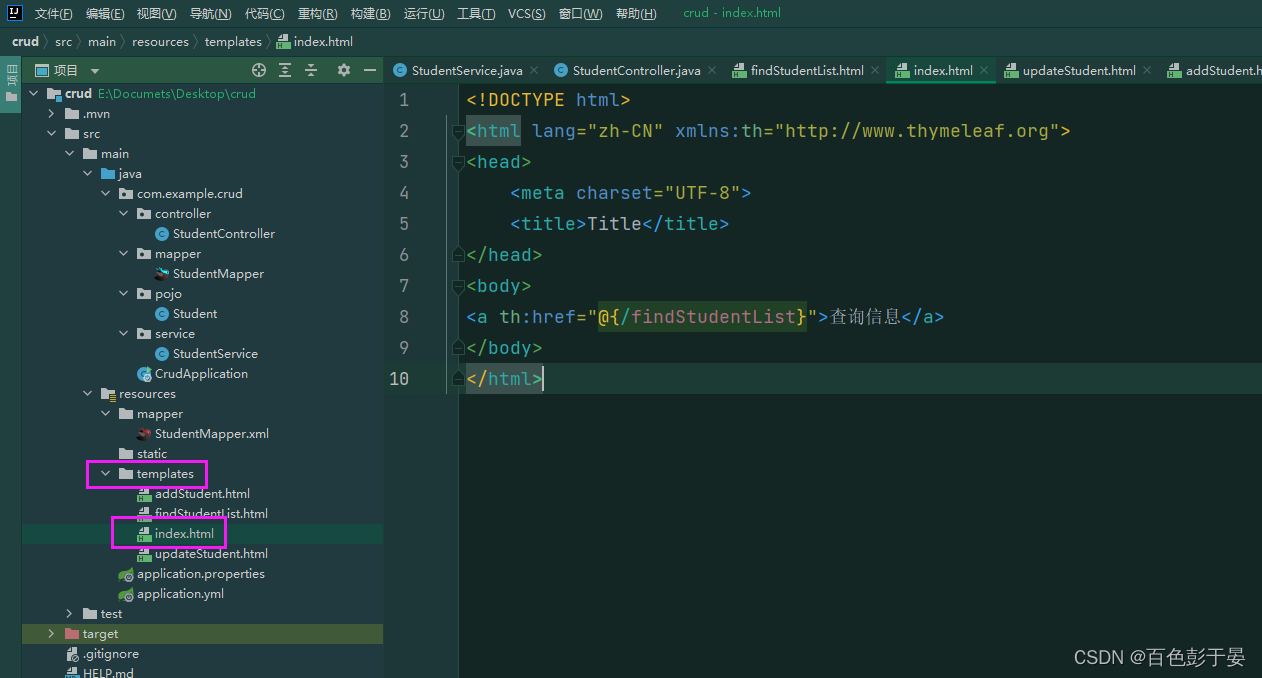
(4)编写查询所有页面 findStudentList.html
<!DOCTYPE html>
<html lang="zh-CN" xmlns:th="http://www.thymeleaf.org">
<!--/*@thymesVar id="student" type="com.example.crud.pojo.Student"*/-->
<!--/*@thymesVar id="studentList" type="com.example.crud.controller"*/-->
<head>
    <meta charset="UTF-8">
    <title>查询所有</title>
</head>
<body>
<table border="1">
    <tr><!--列-->
        <th>学号</th>
        <th>名字</th>
        <th>性别</th>
        <th>年龄</th>
        <th>籍贯</th>
        <th>操作</th>
    </tr>
    <tr th:each="student:${studentList}">
        <td th:text="${student.getId}"></td>
        <td th:text="${student.getName()}"></td>
        <td th:text="${student.getSex()}"></td>
        <td th:text="${student.getAge()}"></td>
        <td th:text="${student.getAddress()}"></td>
        <td>
            <a  role="button" th:href="@{/toupdateStudent/${student.getId()}}">修改</a>
            <a  role="button" th:href="@{/deleteStudent/${student.getId()}}">删除</a>
        </td>
    </tr>
</table>
<div >
    <a  role="button" th:href="@{/toaddStudent}">添加员工</a>
    <a  role="button" th:href="@{/toindex}">返回首页</a>
</div>
</body>
</html> 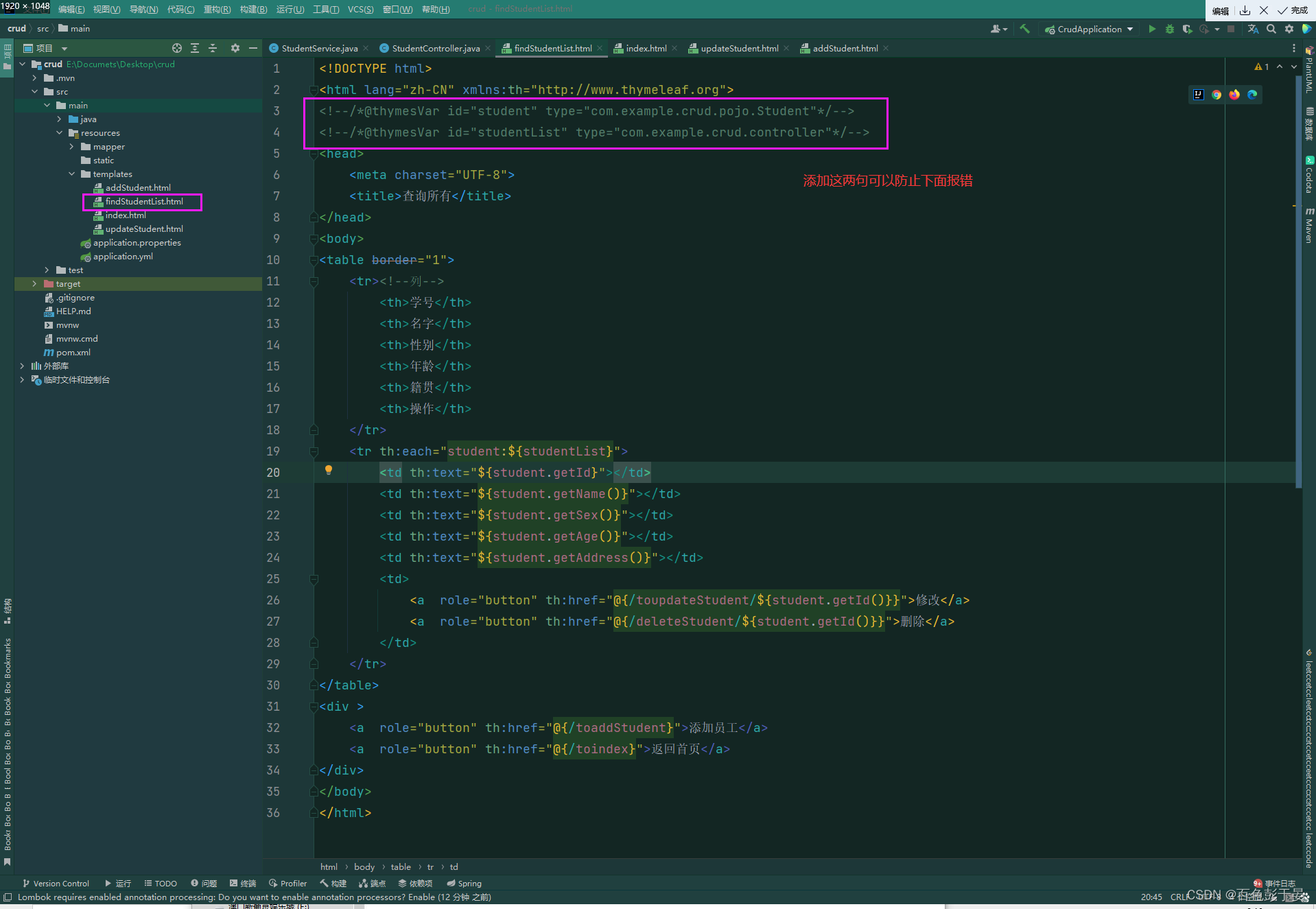
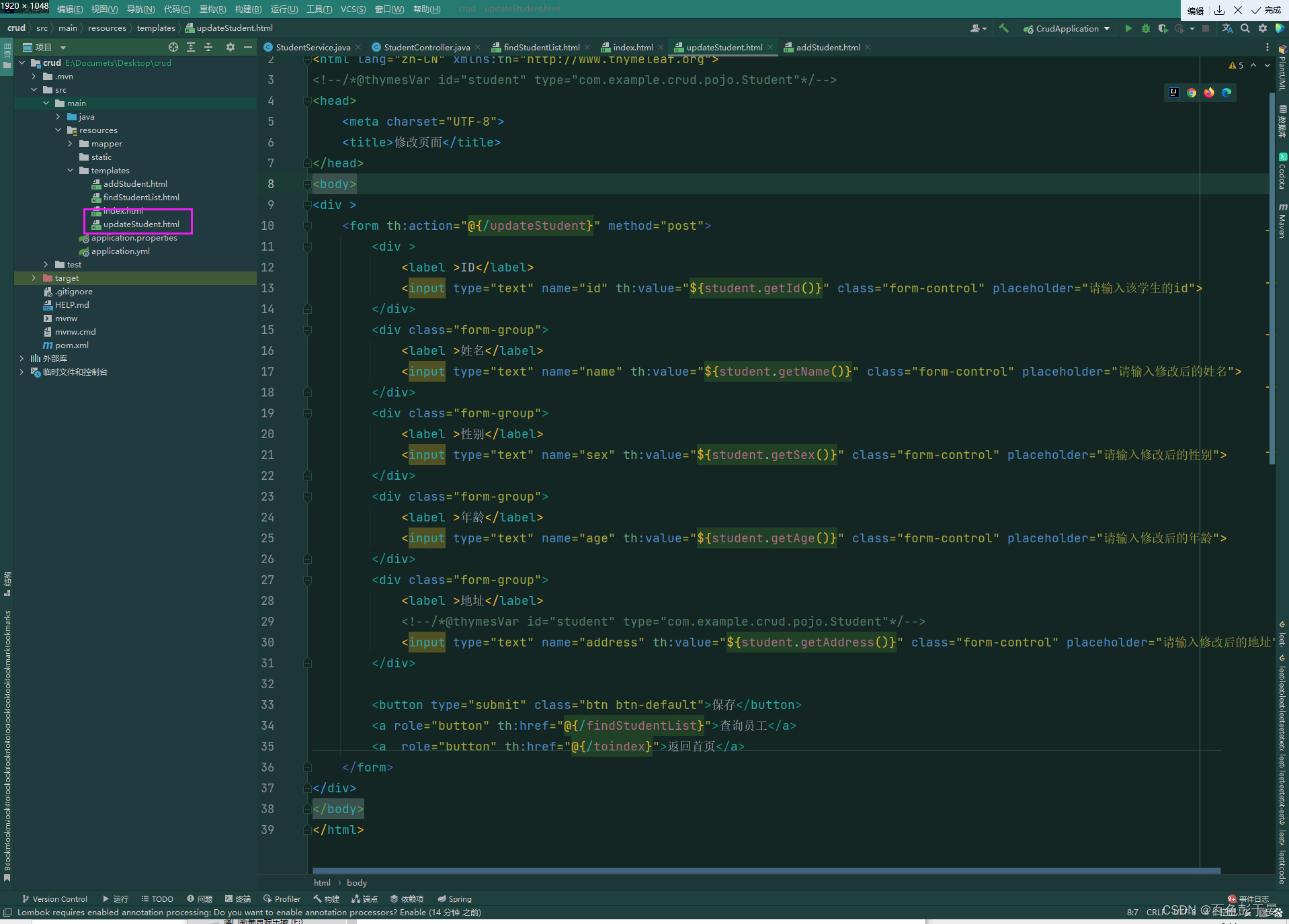
(5)编写修改页面
<!DOCTYPE html>
<html lang="zh-CN" xmlns:th="http://www.thymeleaf.org">
<!--/*@thymesVar id="student" type="com.example.crud.pojo.Student"*/-->
<head>
    <meta charset="UTF-8">
    <title>修改页面</title>
</head>
<body>
<div >
    <form th:action="@{/updateStudent}" method="post">
        <div >
            <label >ID</label>
            <input type="text" name="id" th:value="${student.getId()}" class="form-control" placeholder="请输入该学生的id">
        </div>
        <div class="form-group">
            <label >姓名</label>
            <input type="text" name="name" th:value="${student.getName()}" class="form-control" placeholder="请输入修改后的姓名">
        </div>
        <div class="form-group">
            <label >性别</label>
            <input type="text" name="sex" th:value="${student.getSex()}" class="form-control" placeholder="请输入修改后的性别">
        </div>
        <div class="form-group">
            <label >年龄</label>
            <input type="text" name="age" th:value="${student.getAge()}" class="form-control" placeholder="请输入修改后的年龄">
        </div>
        <div class="form-group">
            <label >地址</label>
            <!--/*@thymesVar id="student" type="com.example.crud.pojo.Student"*/-->
            <input type="text" name="address" th:value="${student.getAddress()}" class="form-control" placeholder="请输入修改后的地址">
        </div>

        <button type="submit" class="btn btn-default">保存</button>
        <a role="button" th:href="@{/findStudentList}">查询员工</a>
        <a  role="button" th:href="@{/toindex}">返回首页</a>
    </form>
</div>
</body>
</html>
截图
(6) 编写添加学生信息页面
<!DOCTYPE html>
<html lang="zh-CN" xmlns:th="http://www.thymeleaf.org">
<head>
    <meta charset="UTF-8">
    <title>添加页面</title>

</head>
<body>
<div  >
    <form th:action="@{/addStudent}" method="post">
        <div>
            <br>
            <label >ID</label>
            <input  type="text" name="id"  placeholder="请输入该员工的id">
        </div>

        <div>
            <label >姓名</label>
            <input type="text" name="name"  placeholder="">
        </div>

        <div>
            <label >性别</label>
            <select name="sex">
                <option value ="">null</option>
                <option value ="男">男</option>
                <option value ="女">女</option>
            </select>

        </div>

        <div>
            <label >年龄</label>
            <input type="text" name="age"  placeholder="">
        </div>

        <div>
            <label >地址</label>
            <input  type="text" name="address"  placeholder="">
        </div>

        <br>

        <button type="submit">点击添加</button>
        <a class="myButton" th:href="@{/findStudentList}">查询员工</a>
        <a class="myButton" th:href="@{/toindex}">返回首页</a>
    </form>


</div>

</body>
</html>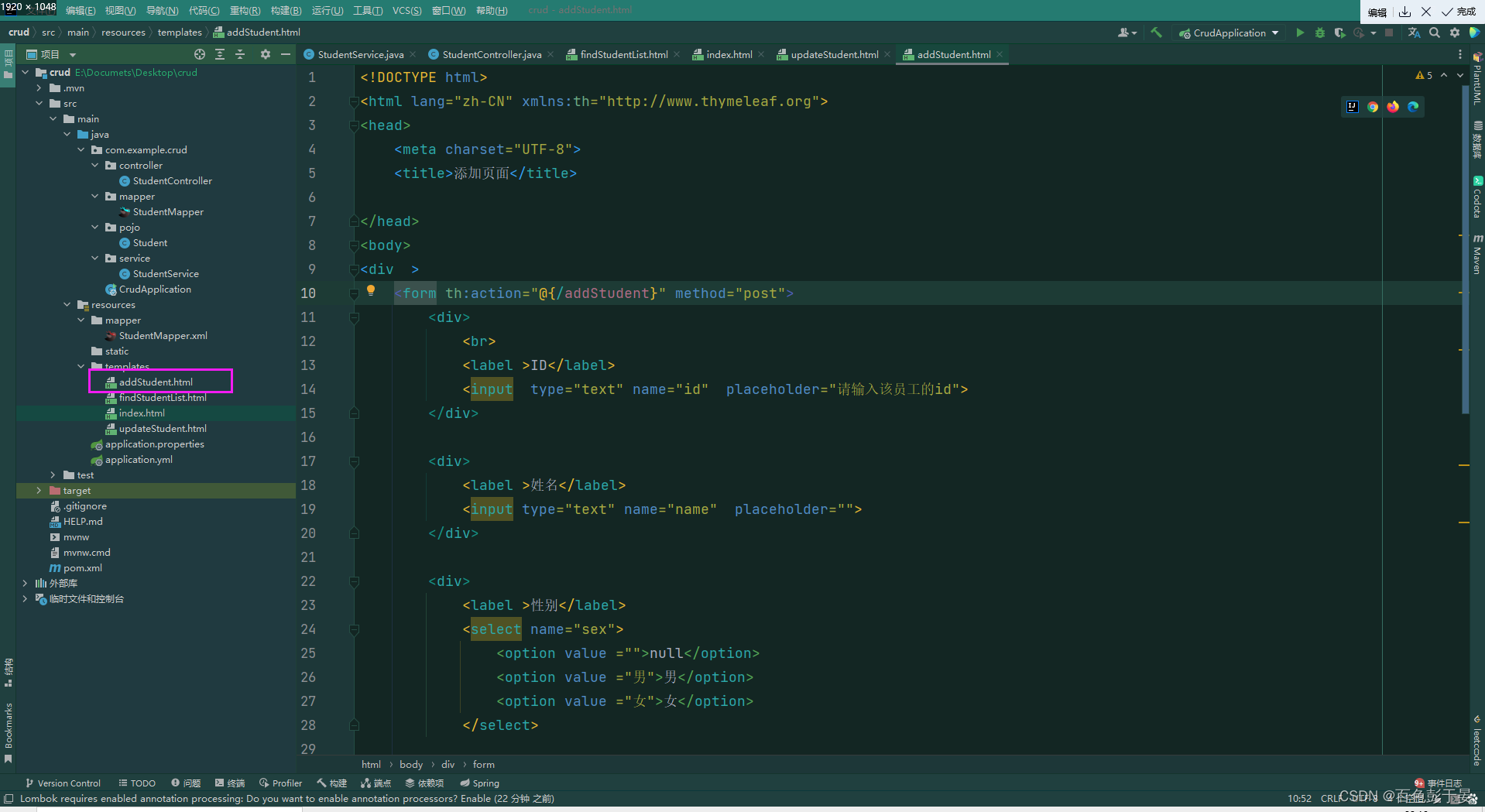
这样 整个项目就写完了
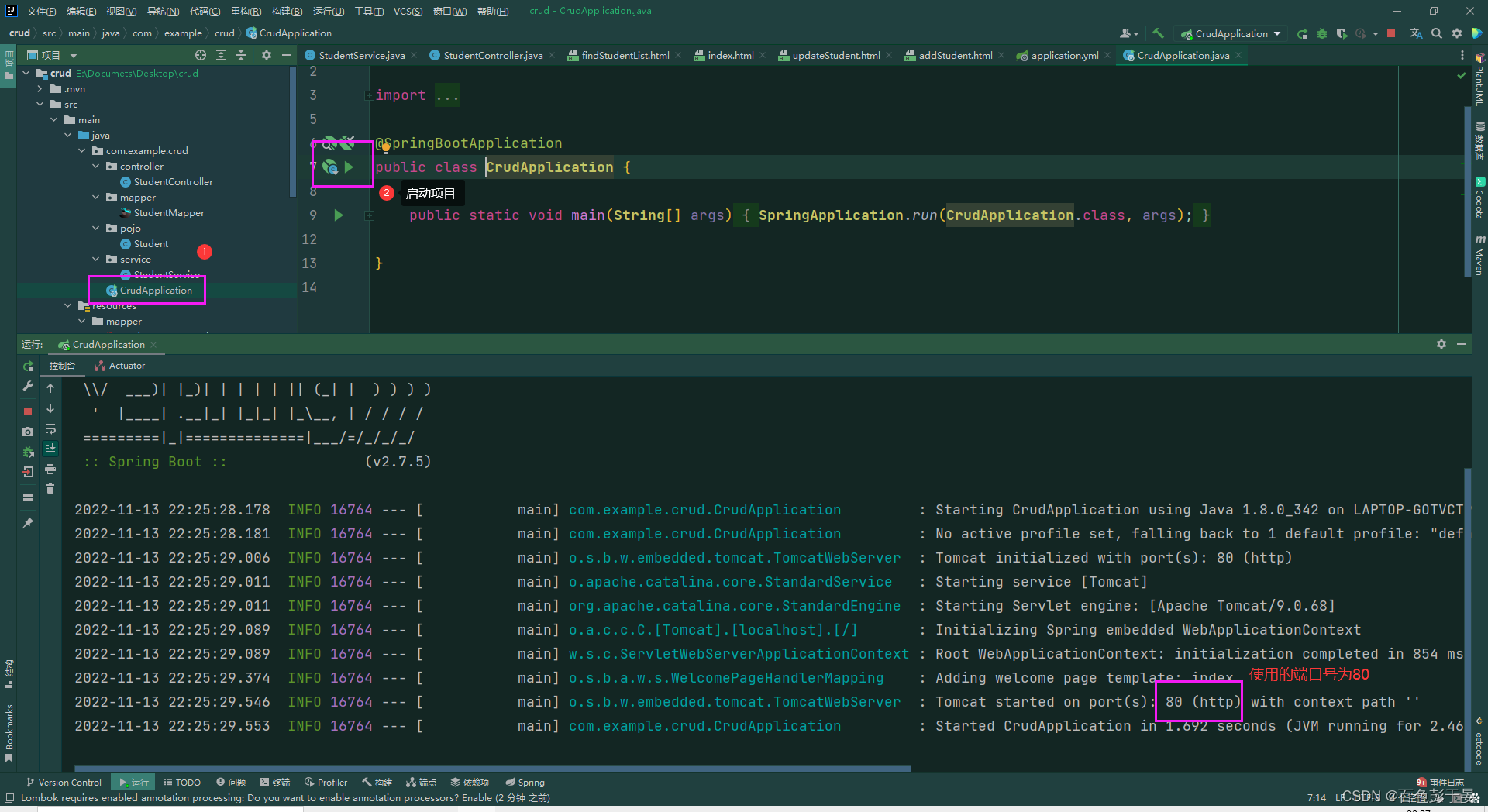
三、测试运行
成功开启服务截图:
开启服务失败截图:
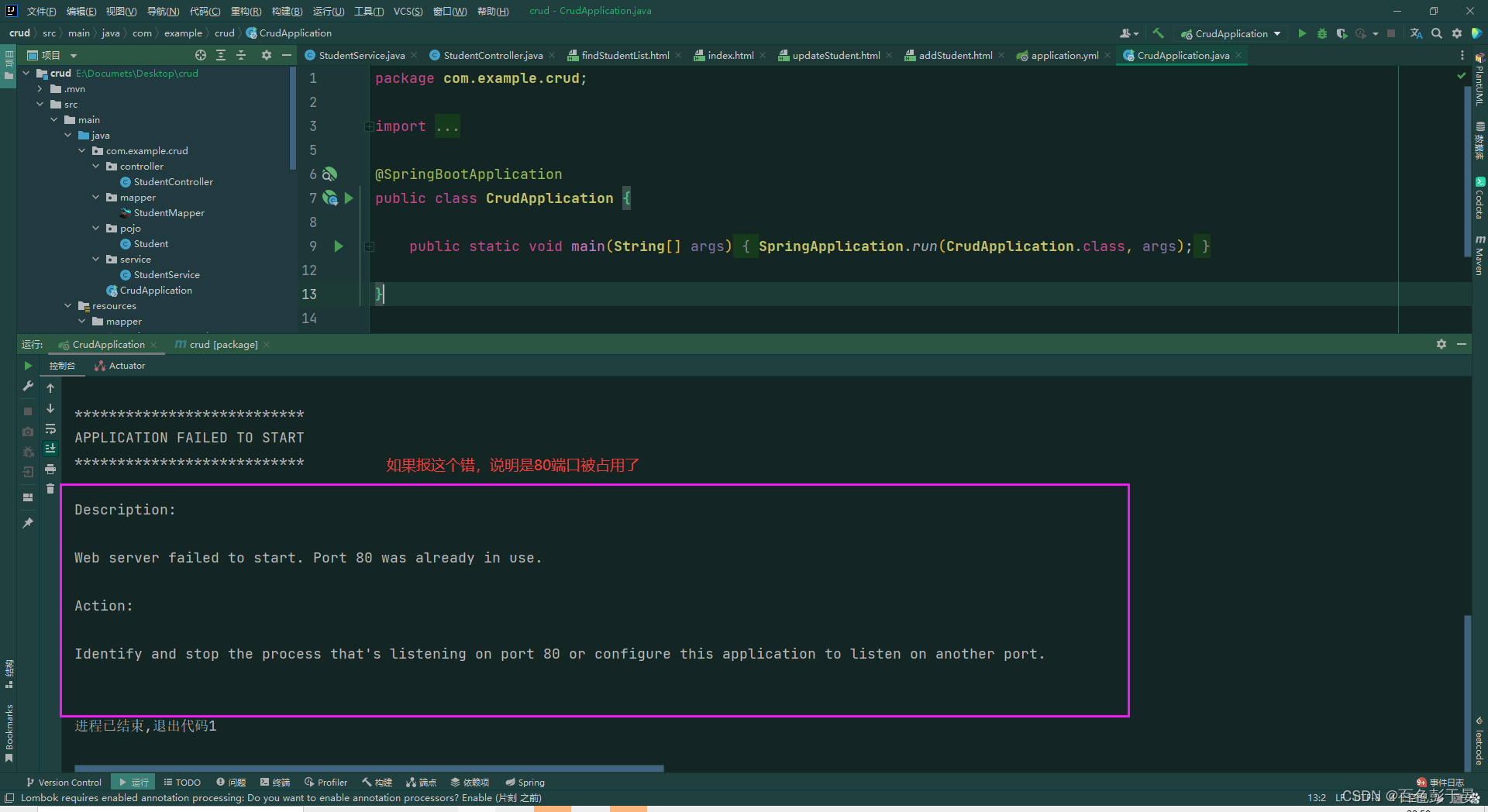
解决办法有两个:
1.修改端口号 ,在yml文件中
2. 杀死当前80端口的进程
win+r 进入命令行 输入
netstat -ano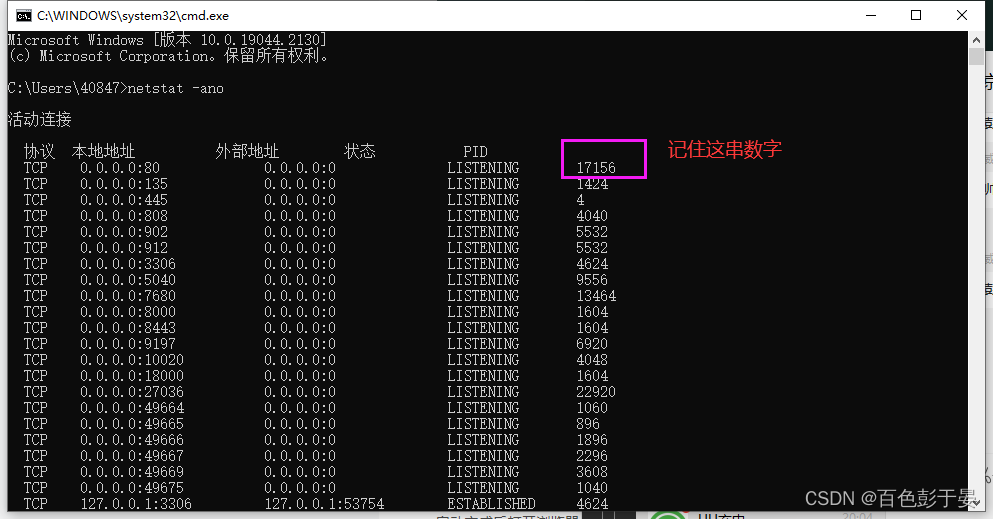
输入
taskkill /pid 17156 -f 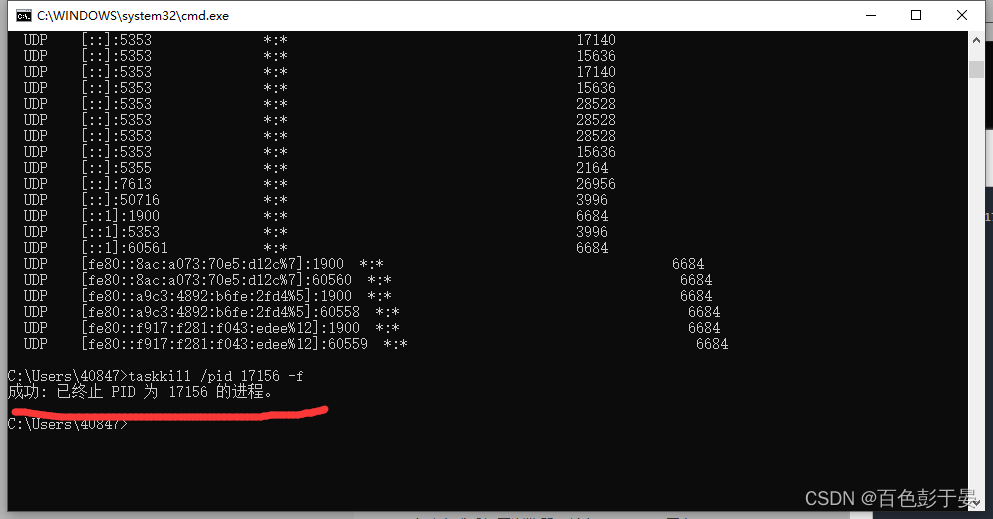
这样就可以继续启动服务了
启动完成后打开浏览器,输入 127.0.0.1 回车
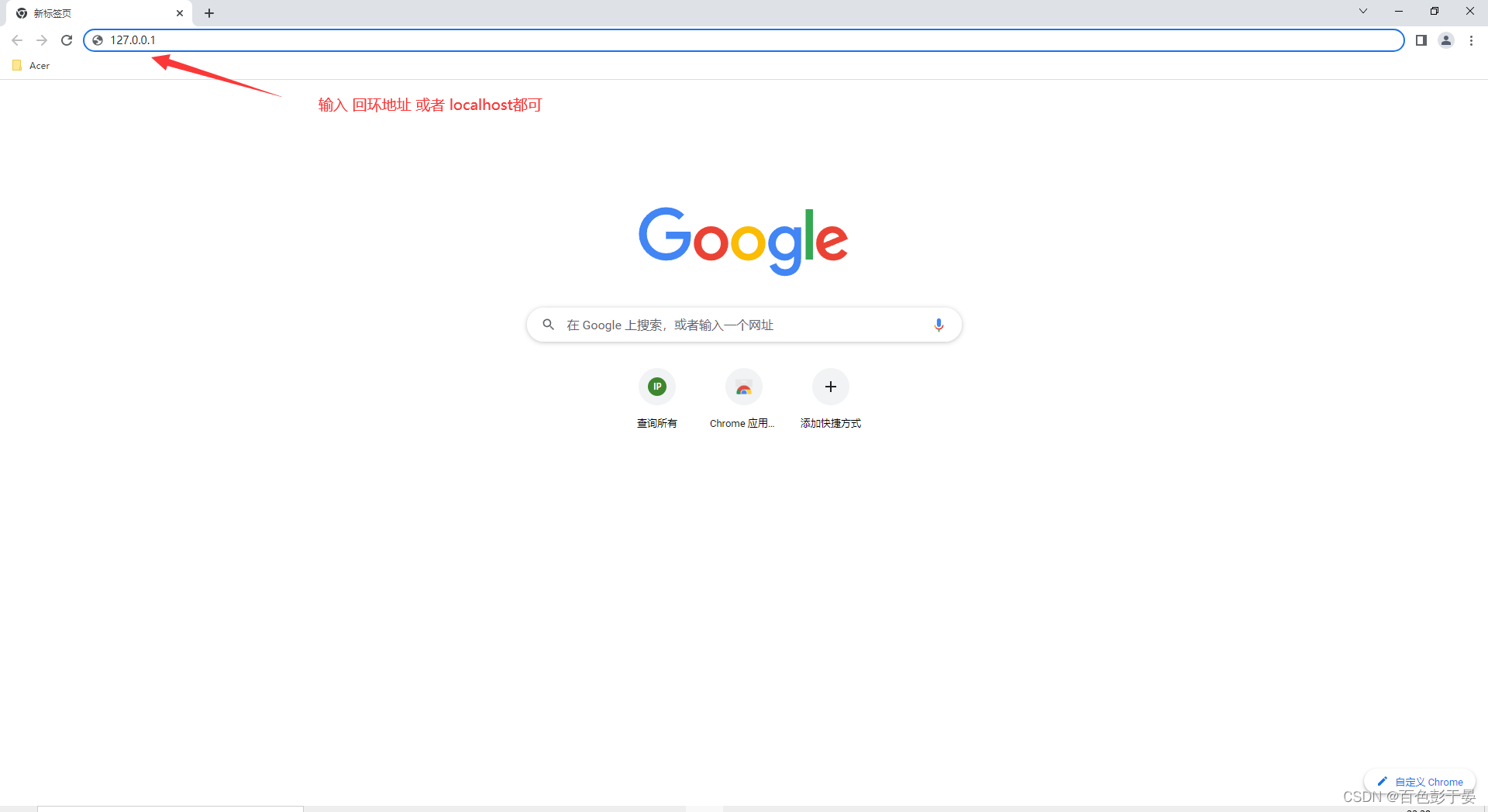
这样就访问到了 index.html页面
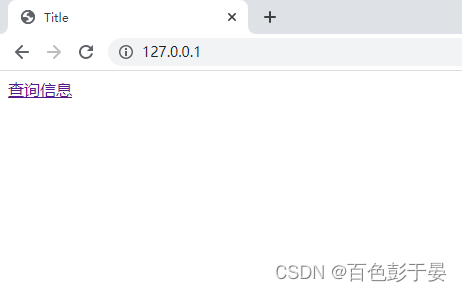
点击查询信息,就访问到了 findStudentList.html页面的内容,在页面上展示了数据库中的记录

点击修改 跳转到修改页面 updateStudent.html

点击删除 直接删除数据库中的内容
点击 添加 跳转到添加页面 addStudent.html

这样就完成了CRUD实例的编写,重点在Controller 和 交互前端交互的部分 有很多值得深究的地方,时间精力有限,不能一一解释,而且存在诸多BUG,有很多值得优化的地方,mybatis可以写的更好
1.并发控制的问题(一个线程把数据删除了,另一个线程点击了修改,这样就会报错)
2.添加一个空记录,然后把这个空记录进行删除(可以再前端页面用一个正则表达式解决)
3.添加一条重复的记录
仅记录学习。。。。。不足之处还需要大哥批评指正
项目源代码 http://链接:https://pan.baidu.com/s/1oXVY-eD0ypziKzPcaKGAmg?pwd=1234 提取码:1234

我想将html转换为纯文本。不过,我不想只删除标签,我想智能地保留尽可能多的格式。为插入换行符标签,检测段落并格式化它们等。输入非常简单,通常是格式良好的html(不是整个文档,只是一堆内容,通常没有anchor或图像)。我可以将几个正则表达式放在一起,让我达到80%,但我认为可能有一些现有的解决方案更智能。 最佳答案 首先,不要尝试为此使用正则表达式。很有可能你会想出一个脆弱/脆弱的解决方案,它会随着HTML的变化而崩溃,或者很难管理和维护。您可以使用Nokogiri快速解析HTML并提取文本:require'nokogiri'h
我主要使用Ruby来执行此操作,但到目前为止我的攻击计划如下:使用gemsrdf、rdf-rdfa和rdf-microdata或mida来解析给定任何URI的数据。我认为最好映射到像schema.org这样的统一模式,例如使用这个yaml文件,它试图描述数据词汇表和opengraph到schema.org之间的转换:#SchemaXtoschema.orgconversion#data-vocabularyDV:name:namestreet-address:streetAddressregion:addressRegionlocality:addressLocalityphoto:i
尝试通过RVM将RubyGems升级到版本1.8.10并出现此错误:$rvmrubygemslatestRemovingoldRubygemsfiles...Installingrubygems-1.8.10forruby-1.9.2-p180...ERROR:Errorrunning'GEM_PATH="/Users/foo/.rvm/gems/ruby-1.9.2-p180:/Users/foo/.rvm/gems/ruby-1.9.2-p180@global:/Users/foo/.rvm/gems/ruby-1.9.2-p180:/Users/foo/.rvm/gems/rub
我正在使用puppet为ruby程序提供一组常量。我需要提供一组主机名,我的程序将对其进行迭代。在我之前使用的bash脚本中,我只是将它作为一个puppet变量hosts=>"host1,host2"我将其提供给bash脚本作为HOSTS=显然这对ruby不太适用——我需要它的格式hosts=["host1","host2"]自从phosts和putsmy_array.inspect提供输出["host1","host2"]我希望使用其中之一。不幸的是,我终其一生都无法弄清楚如何让它发挥作用。我尝试了以下各项:我发现某处他们指出我需要在函数调用前放置“function_”……这
我正在查看instance_variable_set的文档并看到给出的示例代码是这样做的:obj.instance_variable_set(:@instnc_var,"valuefortheinstancevariable")然后允许您在类的任何实例方法中以@instnc_var的形式访问该变量。我想知道为什么在@instnc_var之前需要一个冒号:。冒号有什么作用? 最佳答案 我的第一直觉是告诉你不要使用instance_variable_set除非你真的知道你用它做什么。它本质上是一种元编程工具或绕过实例变量可见性的黑客攻击
在我的应用程序中,我需要能够找到所有数字子字符串,然后扫描每个子字符串,找到第一个匹配范围(例如5到15之间)的子字符串,并将该实例替换为另一个字符串“X”。我的测试字符串s="1foo100bar10gee1"我的初始模式是1个或多个数字的任何字符串,例如,re=Regexp.new(/\d+/)matches=s.scan(re)给出["1","100","10","1"]如果我想用“X”替换第N个匹配项,并且只替换第N个匹配项,我该怎么做?例如,如果我想替换第三个匹配项“10”(匹配项[2]),我不能只说s[matches[2]]="X"因为它做了两次替换“1fooX0barXg
我正在编写一个gem,我必须在其中fork两个启动两个webrick服务器的进程。我想通过基类的类方法启动这个服务器,因为应该只有这两个服务器在运行,而不是多个。在运行时,我想调用这两个服务器上的一些方法来更改变量。我的问题是,我无法通过基类的类方法访问fork的实例变量。此外,我不能在我的基类中使用线程,因为在幕后我正在使用另一个不是线程安全的库。所以我必须将每个服务器派生到它自己的进程。我用类变量试过了,比如@@server。但是当我试图通过基类访问这个变量时,它是nil。我读到在Ruby中不可能在分支之间共享类变量,对吗?那么,还有其他解决办法吗?我考虑过使用单例,但我不确定这是
在我的Controller中,我通过以下方式在我的index方法中支持HTML和JSON:respond_todo|format|format.htmlformat.json{renderjson:@user}end在浏览器中拉起它时,它会自然地以HTML呈现。但是,当我对/user资源进行内容类型为application/json的curl调用时(因为它是索引方法),我仍然将HTML作为响应。如何获取JSON作为响应?我还需要说明什么? 最佳答案 您应该将.json附加到请求的url,提供的格式在routes.rb的路径中定义。这
我的最终目标是安装当前版本的RubyonRails。我在OSXMountainLion上运行。到目前为止,这是我的过程:已安装的RVM$\curl-Lhttps://get.rvm.io|bash-sstable检查已知(我假设已批准)安装$rvmlistknown我看到当前的稳定版本可用[ruby-]2.0.0[-p247]输入命令安装$rvminstall2.0.0-p247注意:我也试过这些安装命令$rvminstallruby-2.0.0-p247$rvminstallruby=2.0.0-p247我很快就无处可去了。结果:$rvminstall2.0.0-p247Search
所以我在关注Railscast,我注意到在html.erb文件中,ruby代码有一个微弱的背景高亮效果,以区别于其他代码HTML文档。我知道Ryan使用TextMate。我正在使用SublimeText3。我怎样才能达到同样的效果?谢谢! 最佳答案 为SublimeText安装ERB包。假设您安装了SublimeText包管理器*,只需点击cmd+shift+P即可获得命令菜单,然后键入installpackage并选择PackageControl:InstallPackage获取包管理器菜单。在该菜单中,键入ERB并在看到包时选择
