学习 Python 之 Pygame 开发坦克大战(五)
我的素材放到了百度网盘里,里面还有原版坦克大战素材,我都放在一起来,我的素材是从原版改的,各位小伙伴可以直接用或者自己改一下再用,做出适合自己的素材
素材链接:百度网盘
链接:https://pan.baidu.com/s/19sCyH7rp37f6DzRj0iXDCA?pwd=tkdz
提取码:tkdz
那我们就继续编写坦克大战吧
坦克大战中,砖墙是最常见的墙,子弹都可以轻松击穿,下面我们来加入到自己的坦克大战中
创建砖墙类
import pygame.image
from ParentObject import ParentObject

class BrickWall(ParentObject):
    def __init__(self, x, y):
        super().__init__()
        self.image = pygame.image.load('../Image/Wall/BrickWall.png')
        self.rect = self.image.get_rect()
        self.rect.left = x
        self.rect.top = y
        self.isDestroy = False

    def draw(self, window):
        window.blit(self.image, self.rect)
在主类中加入砖墙列表
class MainGame:
    ...
    # 砖墙
    brickWallList = []
    ...
在主类中加入初始化砖墙函数和显示砖墙函数
def drawBrickWall(self, brickWallList):
    for brickWall in brickWallList:
        if brickWall.isDestroy:
            brickWallList.remove(brickWall)
        else:
            brickWall.draw(MainGame.window)

def initBrickWall(self):
    for i in range(20):
        MainGame.brickWallList.append(BrickWall(i * 25, 200))
这里我在y = 200的位置,连续画出20个砖,砖的图片是25x25的,所以为了防止重叠,要间隔25个距离(像素)
在主函数startGame()函数中调用函数
def startGame(self):
    # 初始化展示模块
    pygame.display.init()
    # 设置窗口大小
    size = (SCREEN_WIDTH, SCREEN_HEIGHT)
    # 初始化窗口
    MainGame.window = pygame.display.set_mode(size)
    # 设置窗口标题
    pygame.display.set_caption('Tank Battle')

    # 初始化我方坦克
    MainGame.playerTank = PlayerTank(PLAYER_TANK_POSITION[0], PLAYER_TANK_POSITION[1], 1, 1)

    # 播放开始音乐
    MainGame.startingSound.play()

    # 初始化场景
    self.initBrickWall()

    while 1:
        # 设置背景颜色
        MainGame.window.fill(BACKGROUND_COLOR)

        # 获取窗口事件
        self.getPlayingModeEvent()

        # 显示物体
        self.drawBrickWall(MainGame.brickWallList)

        # 展示敌方坦克
        self.drawEnemyTank()

        # 显示我方坦克
        MainGame.playerTank.draw(MainGame.window, PLAYER_TANK_POSITION[0], PLAYER_TANK_POSITION[1])

        # 我方坦克移动
        if not MainGame.playerTank.stop:
            MainGame.playerTank.move()
            MainGame.playerTank.collideEnemyTank(MainGame.enemyTankList)

        # 显示我方坦克子弹
        self.drawPlayerBullet(MainGame.playerBulletList)

        # 展示敌方坦克子弹
        self.drawEnemyBullet()

        # 展示爆炸效果
        self.drawExplode()

        # 更新窗口
        pygame.display.update()
运行一下,看看结果
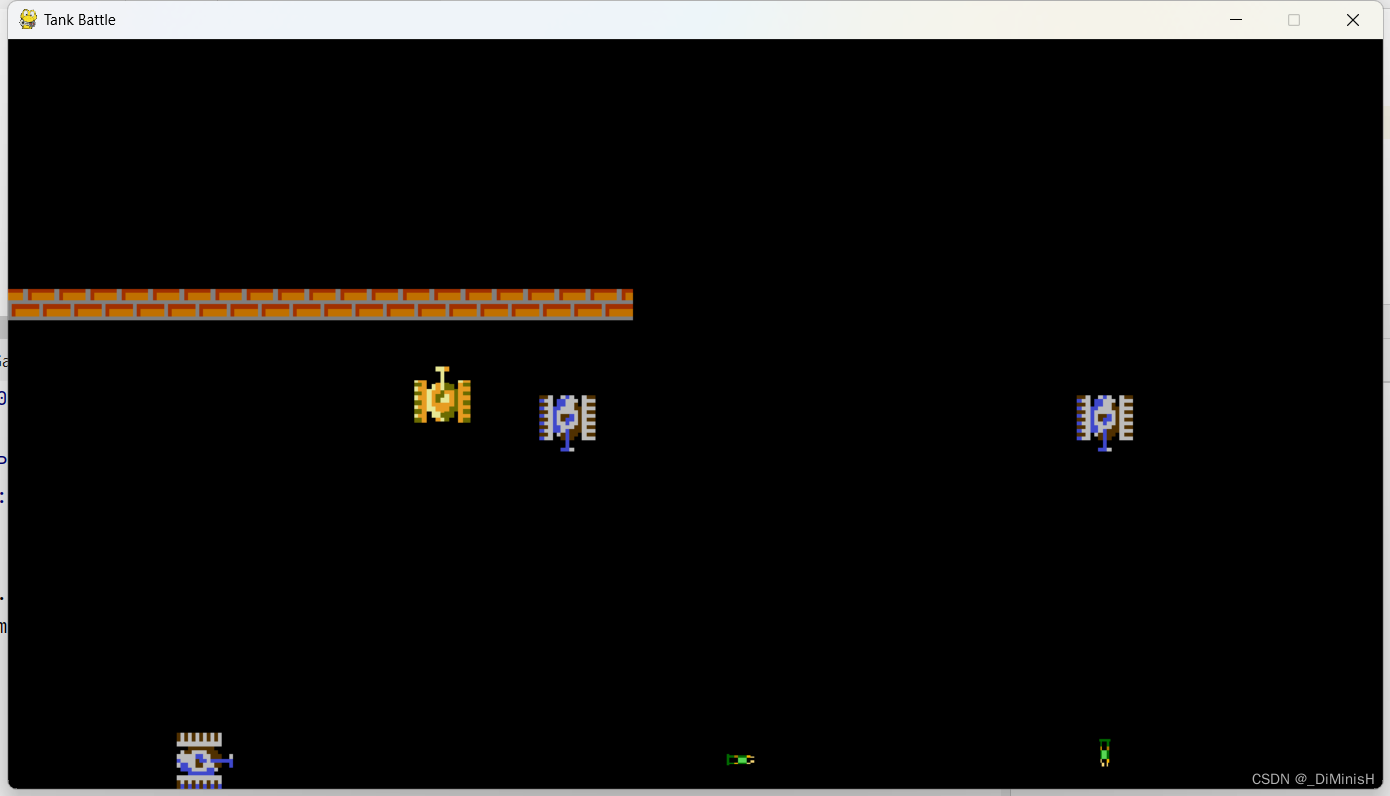
但是墙只是摆设,子弹可以穿过,坦克也可以穿过,下面给墙增加碰撞效果
在子弹类中增加函数
def bulletCollideBrickWall(self, brickWallList, explodeList):
    for brickWall in brickWallList:
        # 子弹与墙发生碰撞
        if pygame.sprite.collide_rect(self, brickWall):
            self.isDestroy = True
            brickWall.isDestroy = True
            # 碰撞出现爆炸效果
            explode = Explode(brickWall, 25)
            explodeList.append(explode)
            # 出现爆炸播放音效
            Sound('../Sound/block.wav').play()
在主函数中调用
修改显示子弹的两个函数
def drawPlayerBullet(self, playerBulletList):
    # 遍历整个子弹列表,如果是没有被销毁的状态,就把子弹显示出来,否则从列表中删除
    for bullet in playerBulletList:
        if not bullet.isDestroy:
            bullet.draw(MainGame.window)
            bullet.move(MainGame.explodeList)
            bullet.playerBulletCollideEnemyTank(MainGame.enemyTankList, MainGame.explodeList)
            bullet.bulletCollideBrickWall(MainGame.brickWallList, MainGame.explodeList)
        else:
            playerBulletList.remove(bullet)
def drawEnemyBullet(self):
    for bullet in MainGame.enemyTankBulletList:
        if not bullet.isDestroy:
            bullet.draw(MainGame.window)
            bullet.move(MainGame.explodeList)
            bullet.enemyBulletCollidePlayerTank(MainGame.playerTank, MainGame.explodeList)
            bullet.bulletCollideBrickWall(MainGame.brickWallList, MainGame.explodeList)
        else:
            bullet.source.bulletCount -= 1
            MainGame.enemyTankBulletList.remove(bullet)
运行一下看看
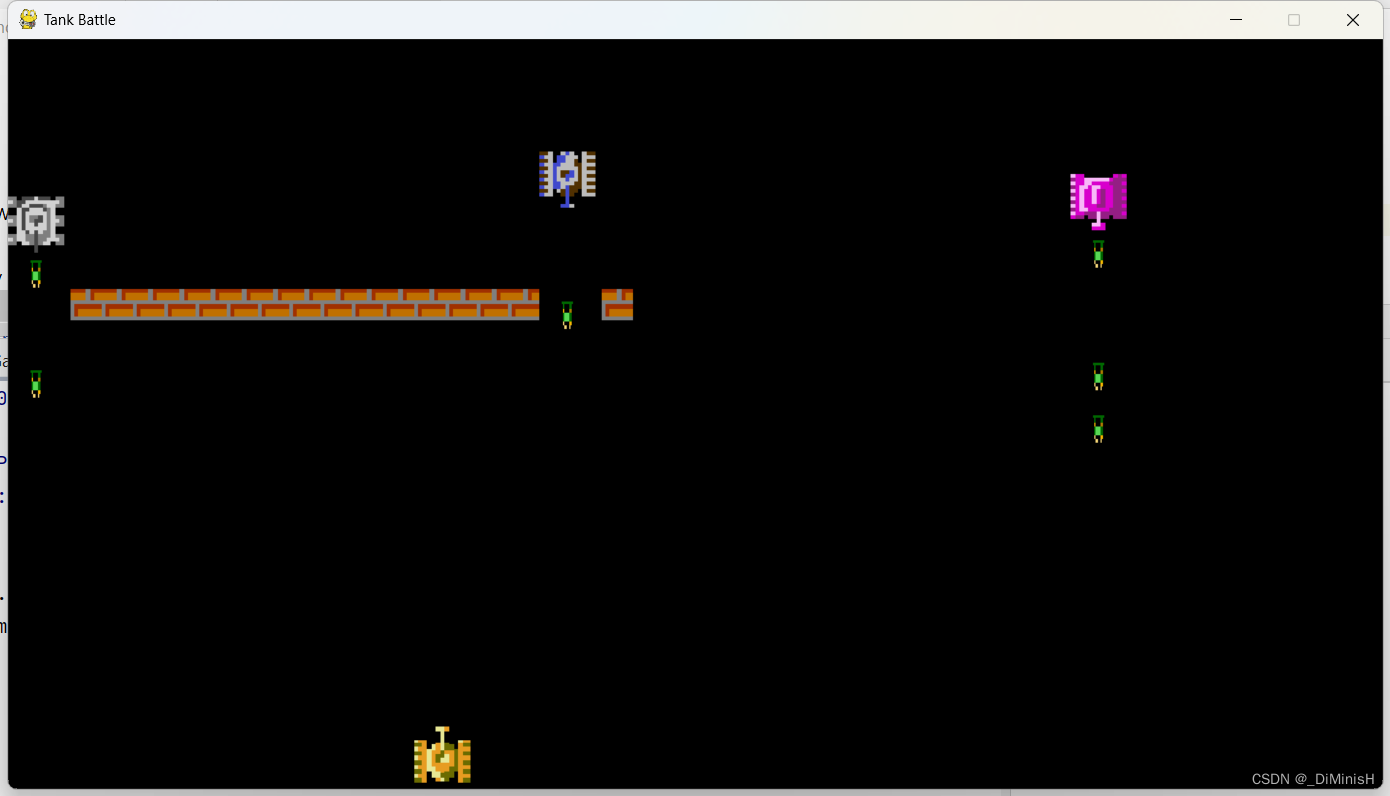
可以看到墙可以被打掉了
在敌方坦克类中加入函数,在我方坦克类中加入函数
collideBrickWall()
def collideBrickWall(self, brickWallList):
    for brickWall in brickWallList:
        if pygame.sprite.collide_rect(self, brickWall):
            self.rect.left = self.prvX
            self.rect.top = self.prvY
在主类中调用
在while循环中调用
while 1:
    # 设置背景颜色
    MainGame.window.fill(BACKGROUND_COLOR)

    # 获取窗口事件
    self.getPlayingModeEvent()

    # 显示物体
    self.drawBrickWall(MainGame.brickWallList)

    # 展示敌方坦克
    self.drawEnemyTank()

    # 显示我方坦克
    MainGame.playerTank.draw(MainGame.window, PLAYER_TANK_POSITION[0], PLAYER_TANK_POSITION[1])

    # 我方坦克移动
    if not MainGame.playerTank.stop:
        MainGame.playerTank.move()
        MainGame.playerTank.collideEnemyTank(MainGame.enemyTankList)
        # 不能撞墙
        MainGame.playerTank.collideBrickWall(MainGame.brickWallList)
在主类的drawEnemyTank()中调用
def drawEnemyTank(self):
    ...
    for tank in MainGame.enemyTankList:
        # 坦克还有生命值
        if tank.life > 0:
            tank.draw(MainGame.window)
            tank.move()
            tank.collidePlayerTank(MainGame.playerTank)
            tank.collideEnemyTank(MainGame.enemyTankList)
            # 不能撞墙
            tank.collideBrickWall(MainGame.brickWallList)
            bullet = tank.shot()
            if bullet is not None:
                MainGame.enemyTankBulletList.append(bullet)
        # 坦克生命值为0,就从列表中剔除
        else:
            MainGame.enemyTankCurrentCount -= 1
            MainGame.enemyTankList.remove(tank)
运行一下,看看效果
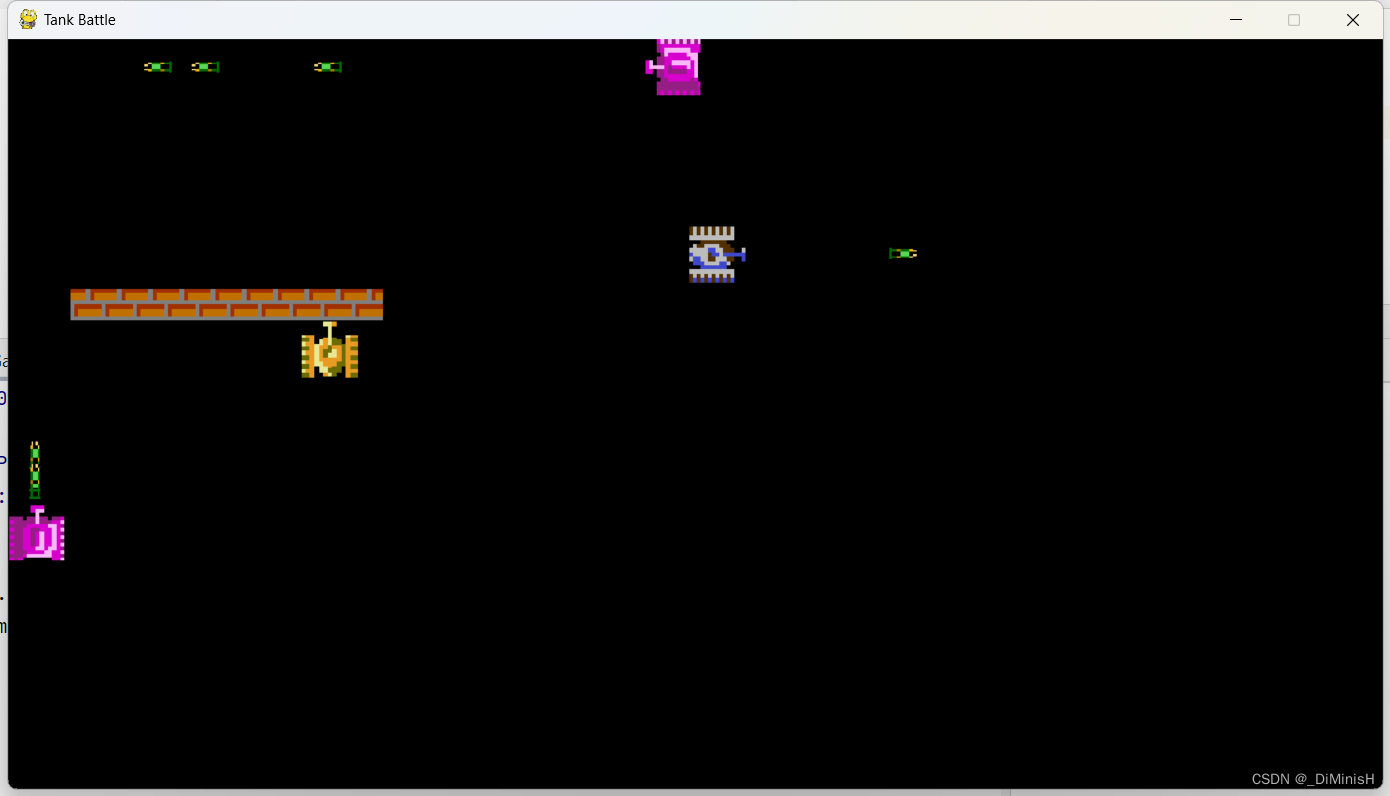
确实是不能穿过了
那就完成啦,接下来就是添加其他的物体了
添加的过程跟添加砖墙是一样的

创建石墙类
import pygame.image
from ParentObject import ParentObject

class StoneWall(ParentObject):
    def __init__(self, x, y):
        super().__init__()
        self.image = pygame.image.load('../Image/Wall/StoneWall.png')
        self.rect = self.image.get_rect()
        self.rect.left = x
        self.rect.top = y
        self.isDestroy = False

    def draw(self, window):
        window.blit(self.image, self.rect)
在主类中加入石墙列表
在主类中加入显示石墙函数
def initStoneWall(self):
    for i in range(20):
        MainGame.stoneWallList.append(StoneWall(i * 25, 400))

def drawStoneWall(self, stoneWallList):
    for stoneWall in stoneWallList:
        if stoneWall.isDestroy:
            stoneWallList.remove(stoneWall)
        else:
            stoneWall.draw(MainGame.window)
给石墙添加坦克不能通过的碰撞效果
在敌方坦克类中加入函数,在我方坦克类中加入函数
collideStoneWall()
def collideStoneWall(self, stoneWallList):
    for stoneWall in stoneWallList:
        if pygame.sprite.collide_rect(self, stoneWall):
            self.rect.left = self.prvX
            self.rect.top = self.prvY
在主类中调用函数
接下来是给子弹添加打击石墙的效果
def bulletCollideStoneWall(self, stoneWallList, explodeList):
    for stoneWall in stoneWallList:
        if pygame.sprite.collide_rect(self, stoneWall):
            # 判断坦克的等级,大于等于2时,可以打穿石墙
            if self.source.level >= 2:
                stoneWall.isDestroy = True
            self.isDestroy = True
            explode = Explode(stoneWall, 25)
            explodeList.append(explode)
            Sound('../Sound/block.wav').play()
在主类中调用函数
主类的完整代码
import pygame
import sys

from PlayerTank import PlayerTank
from EnemyTank import EnemyTank
from Sound import Sound
from BrickWall import BrickWall
from StoneWall import StoneWall

SCREEN_WIDTH = 1100
SCREEN_HEIGHT = 600
BACKGROUND_COLOR = pygame.Color(0, 0, 0)
FONT_COLOR = (255, 255, 255)
PLAYER_TANK_POSITION = (325, 550)

class MainGame:

    # 窗口Surface对象
    window = None

    # 玩家坦克
    playerTank = None

    # 玩家子弹
    playerBulletList = []
    playerBulletNumber = 3

    # 敌人坦克
    enemyTankList = []
    enemyTankTotalCount = 5
    # 用来给玩家展示坦克的数量
    enemyTankCurrentCount = 5

    # 敌人坦克子弹
    enemyTankBulletList = []

    # 爆炸列表
    explodeList = []

    # 坦克移动音效
    playerTankMoveSound = Sound('../Sound/player.move.wav').setVolume()

    # 游戏开始音效
    startingSound = Sound('../Sound/intro.wav')

    # 砖墙
    brickWallList = []
    # 石墙
    stoneWallList = []

    def __init__(self):
        pass

    def startGame(self):
        # 初始化展示模块
        pygame.display.init()
        # 设置窗口大小
        size = (SCREEN_WIDTH, SCREEN_HEIGHT)
        # 初始化窗口
        MainGame.window = pygame.display.set_mode(size)
        # 设置窗口标题
        pygame.display.set_caption('Tank Battle')

        # 初始化我方坦克
        MainGame.playerTank = PlayerTank(PLAYER_TANK_POSITION[0], PLAYER_TANK_POSITION[1], 1, 1)

        # 播放开始音乐
        MainGame.startingSound.play()

        # 初始化场景
        self.initBrickWall()
        self.initStoneWall()

        while 1:
            # 设置背景颜色
            MainGame.window.fill(BACKGROUND_COLOR)

            # 获取窗口事件
            self.getPlayingModeEvent()

            # 显示物体
            self.drawBrickWall(MainGame.brickWallList)
            self.drawStoneWall(MainGame.stoneWallList)

            # 展示敌方坦克
            self.drawEnemyTank()

            # 显示我方坦克
            MainGame.playerTank.draw(MainGame.window, PLAYER_TANK_POSITION[0], PLAYER_TANK_POSITION[1])

            # 我方坦克移动
            if not MainGame.playerTank.stop:
                MainGame.playerTank.move()
                MainGame.playerTank.collideEnemyTank(MainGame.enemyTankList)
                MainGame.playerTank.collideBrickWall(MainGame.brickWallList)
                MainGame.playerTank.collideStoneWall(MainGame.stoneWallList)

            # 显示我方坦克子弹
            self.drawPlayerBullet(MainGame.playerBulletList)

            # 展示敌方坦克子弹
            self.drawEnemyBullet()

            # 展示爆炸效果
            self.drawExplode()

            # 更新窗口
            pygame.display.update()

    def getPlayingModeEvent(self):
        # 获取所有事件
        eventList = pygame.event.get()
        for event in eventList:

            if event.type == pygame.QUIT:
                sys.exit()

            """
            stop属性用来控制坦克移动,当键盘按键按下时,坦克可以移动,一直按住一直移动,当按键抬起时,停止移动
            如果没有该属性,按一下按键移动一次,按一下移动一下,不能一直按住一直移动
            """
            if event.type == pygame.KEYDOWN:
                MainGame.playerTankMoveSound.play(-1)
                if event.key == pygame.K_w:
                    MainGame.playerTank.direction = 'UP'
                    MainGame.playerTank.stop = False
                elif event.key == pygame.K_s:
                    MainGame.playerTank.direction = 'DOWN'
                    MainGame.playerTank.stop = False
                elif event.key == pygame.K_a:
                    MainGame.playerTank.direction = 'LEFT'
                    MainGame.playerTank.stop = False
                elif event.key == pygame.K_d:
                    MainGame.playerTank.direction = 'RIGHT'
                    MainGame.playerTank.stop = False
                elif event.key == pygame.K_j:
                    # 判断子弹数量是否超过指定的个数
                    if len(MainGame.playerBulletList) < MainGame.playerBulletNumber:
                        bullet = MainGame.playerTank.shot()
                        MainGame.playerBulletList.append(bullet)
                        # 添加音效
                        Sound('../Sound/shoot.wav').play(0)

            if event.type == pygame.KEYUP:
                MainGame.playerTankMoveSound.stop()
                if event.key == pygame.K_w:
                    MainGame.playerTank.stop = True
                elif event.key == pygame.K_s:
                    MainGame.playerTank.stop = True
                elif event.key == pygame.K_a:
                    MainGame.playerTank.stop = True
                elif event.key == pygame.K_d:
                    MainGame.playerTank.stop = True

    def drawPlayerBullet(self, playerBulletList):
        # 遍历整个子弹列表,如果是没有被销毁的状态,就把子弹显示出来,否则从列表中删除
        for bullet in playerBulletList:
            if not bullet.isDestroy:
                bullet.draw(MainGame.window)
                bullet.move(MainGame.explodeList)
                bullet.playerBulletCollideEnemyTank(MainGame.enemyTankList, MainGame.explodeList)
                bullet.bulletCollideBrickWall(MainGame.brickWallList, MainGame.explodeList)
                bullet.bulletCollideStoneWall(MainGame.stoneWallList, MainGame.explodeList)
            else:
                playerBulletList.remove(bullet)

    def drawEnemyTank(self):
        # 如果当前坦克为0,那么就该重新生成坦克
        if len(MainGame.enemyTankList) == 0:
            # 一次性产生三个,如果剩余坦克数量超过三,那只能产生三个
            n = min(3, MainGame.enemyTankTotalCount)
            # 如果最小是0,就说明敌人坦克没有了,那么就赢了
            if n == 0:
                print('赢了')
                return
            # 没有赢的话,就产生n个坦克
            self.initEnemyTank(n)
            # 总个数减去产生的个数
            MainGame.enemyTankTotalCount -= n
        # 遍历坦克列表,展示坦克并且移动
        for tank in MainGame.enemyTankList:
            # 坦克还有生命值
            if tank.life > 0:
                tank.draw(MainGame.window)
                tank.move()
                tank.collidePlayerTank(MainGame.playerTank)
                tank.collideEnemyTank(MainGame.enemyTankList)
                tank.collideBrickWall(MainGame.brickWallList)
                tank.collideStoneWall(MainGame.stoneWallList)
                bullet = tank.shot()
                if bullet is not None:
                    MainGame.enemyTankBulletList.append(bullet)
            # 坦克生命值为0,就从列表中剔除
            else:
                MainGame.enemyTankCurrentCount -= 1
                MainGame.enemyTankList.remove(tank)

    def initEnemyTank(self, number):
        y = 0
        position = [0, 425, 850]
        index = 0
        for i in range(number):
            x = position[index]
            enemyTank = EnemyTank(x, y)
            MainGame.enemyTankList.append(enemyTank)
            index += 1

    def drawEnemyBullet(self):
        for bullet in MainGame.enemyTankBulletList:
            if not bullet.isDestroy:
                bullet.draw(MainGame.window)
                bullet.move(MainGame.explodeList)
                bullet.enemyBulletCollidePlayerTank(MainGame.playerTank, MainGame.explodeList)
                bullet.bulletCollideBrickWall(MainGame.brickWallList, MainGame.explodeList)
                bullet.bulletCollideStoneWall(MainGame.stoneWallList, MainGame.explodeList)
            else:
                bullet.source.bulletCount -= 1
                MainGame.enemyTankBulletList.remove(bullet)

    def drawExplode(self):
        for e in MainGame.explodeList:
            if e.isDestroy:
                MainGame.explodeList.remove(e)
            else:
                e.draw(MainGame.window)

    def drawBrickWall(self, brickWallList):
        for brickWall in brickWallList:
            if brickWall.isDestroy:
                brickWallList.remove(brickWall)
            else:
                brickWall.draw(MainGame.window)

    def initBrickWall(self):
        for i in range(20):
            MainGame.brickWallList.append(BrickWall(i * 25, 200))

    def initStoneWall(self):
        for i in range(20):
            MainGame.stoneWallList.append(StoneWall(i * 25, 400))

    def drawStoneWall(self, stoneWallList):
        for stoneWall in stoneWallList:
            if stoneWall.isDestroy:
                stoneWallList.remove(stoneWall)
            else:
                stoneWall.draw(MainGame.window)


if __name__ == '__main__':
    MainGame().startGame()
坦克大战是玩家坦克在保护自己基地的同时消灭敌方坦克,当玩家坦克生命值为0或者基地爆炸时,游戏失败,下面来添加玩家的基地
创建基地类
import pygame.image

from ParentObject import ParentObject


class Home(ParentObject):
    def __init__(self, x, y):
        super().__init__()
        self.image = pygame.image.load('../Image/Home/Home.png')
        self.rect = self.image.get_rect()
        self.rect.left = x
        self.rect.top = y
        self.isDestroy = False

    def draw(self, window):
        window.blit(self.image, self.rect)
为基地添加碰撞效果,在两个坦克类中加入下面的函数
def collideHome(self, home):
    if pygame.sprite.collide_rect(self, home):
        self.rect.left = self.prvX
        self.rect.top = self.prvY
在主函数创建基地变量,并初始化和调用上面的函数
之后给基地加入子弹击中效果
def bulletCollidePlayerHome(self, home, explodeList):
    if pygame.sprite.collide_rect(self, home):
        self.isDestroy = True
        explode = Explode(home, 50)
        explodeList.append(explode)
        Sound('../Sound/buh.wav').play()
        return True
    else:
        return False
返回值用来判断是否结束游戏
在主类中设置一个变量记录是否游戏结束
def __init__(self):
	# 初始化
    MainGame.home = Home(425, 550)

    # 记录是否输了
    self.isDefeated = False
在循环中检查
while 1:
	...
    # 检查是否输了
    if self.isDefeated:
        self.defeated()
        break
    ...
def defeated(self):
    # 失败了坦克不能移动了
    MainGame.playerTankMoveSound.stop()
    # 播放失败音乐
    Sound('../Sound/gameOver.wav').play()
    print('游戏结束')
    self.isDefeated = True
游戏结束后要改变窗口中的内容,显示你输了,所以要用break跳出
这里需要使用到在窗口显示文字,编写一个函数
def drawText(self, text, x, y, fontSize, window):
    # 初始化字体
    pygame.font.init()
    font = pygame.font.SysFont('georgia', fontSize)
    # 加载文字并设置颜色
    fontColor = pygame.Color(255, 255, 255)
    fontObject = font.render(text, True, fontColor)
    # 展示文字
    window.blit(fontObject, (x, y))
记得在主函数中调用
while 1:
    # 设置背景颜色
    MainGame.window.fill(BACKGROUND_COLOR)

    # 获取窗口事件
    self.getPlayingModeEvent()

    # 显示物体
    self.drawBrickWall(MainGame.brickWallList)
    self.drawStoneWall(MainGame.stoneWallList)
    MainGame.home.draw(MainGame.window)

    # 展示敌方坦克
    self.drawEnemyTank()

    # 显示我方坦克
    MainGame.playerTank.draw(MainGame.window, PLAYER_TANK_POSITION[0], PLAYER_TANK_POSITION[1])

    # 我方坦克移动
    if not MainGame.playerTank.stop:
        MainGame.playerTank.move()
        MainGame.playerTank.collideEnemyTank(MainGame.enemyTankList)
        MainGame.playerTank.collideBrickWall(MainGame.brickWallList)
        MainGame.playerTank.collideStoneWall(MainGame.stoneWallList)
        MainGame.playerTank.collideHome(MainGame.home)

    # 显示我方坦克子弹
    self.drawPlayerBullet(MainGame.playerBulletList)

    # 展示敌方坦克子弹
    self.drawEnemyBullet()

    # 展示爆炸效果
    self.drawExplode()

    # 检查是否输了
    if self.isDefeated:
        self.defeated()
        break

    # 更新窗口
    pygame.display.update()

# 设置背景颜色
MainGame.window.fill(BACKGROUND_COLOR)

# 显示字体
self.drawText('Defeated', 200, 200, 50, MainGame.window)

# 更新窗口
pygame.display.update()
给玩家提示敌人坦克数量
到这里,坦克大战的基本功能就实现了,接下来就是添加其他的场景物体和坦克样子了
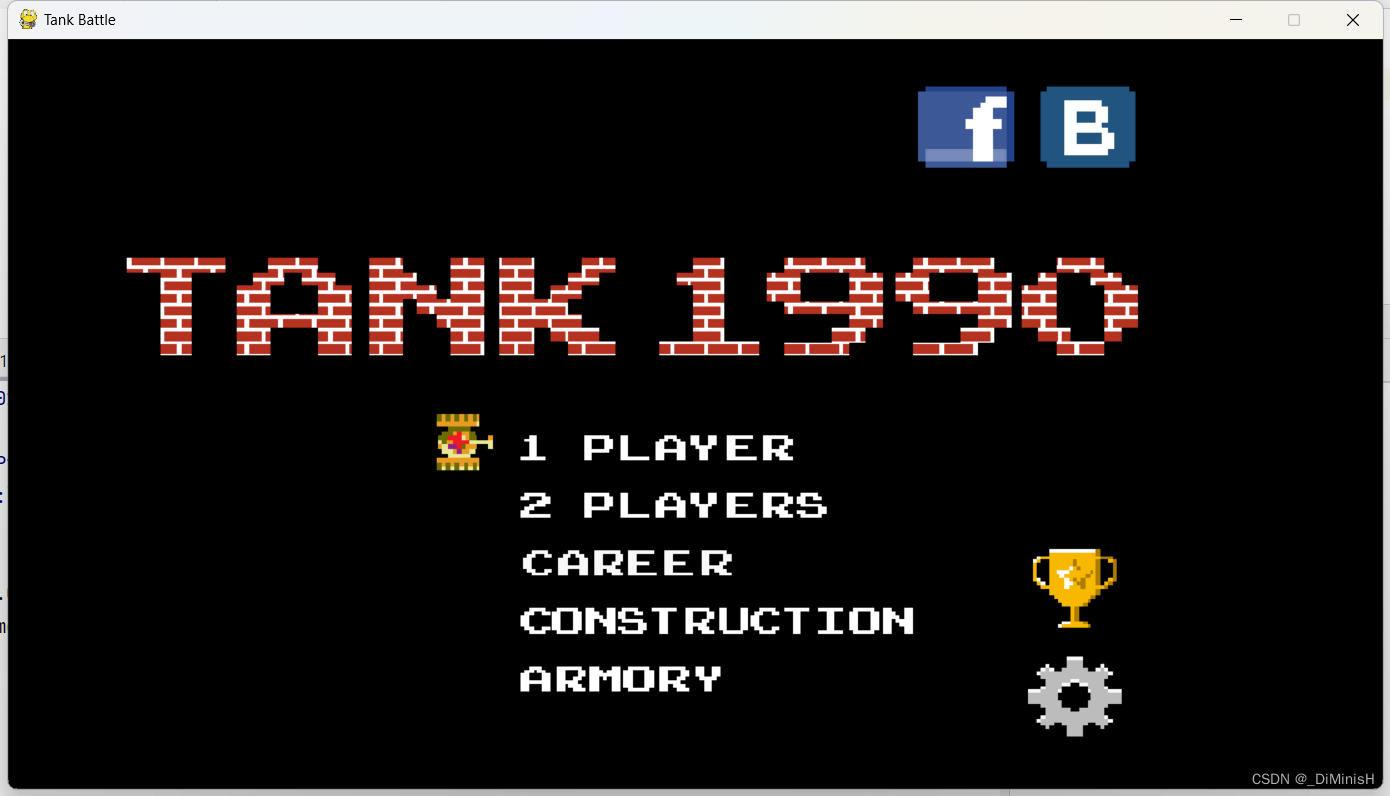
主界面,这里直接放了一张图片上去,图片在素材里,上面的坦克是自己画上去的,w和s键可以上下移动坦克,选择对应的模式
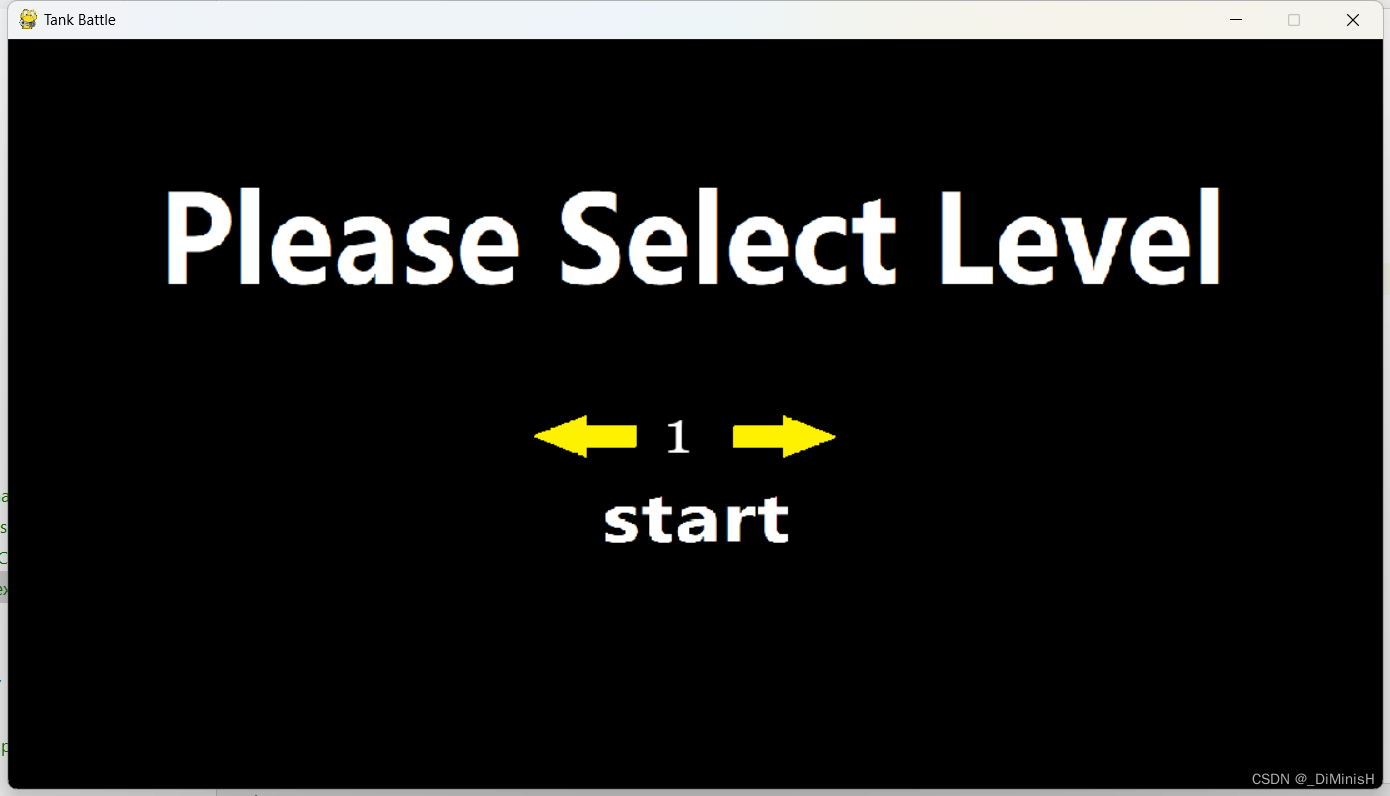
选择关卡,这里使用用了四张图片,左右箭头,上面的标题和start文字,这些都是图片,按下黄色箭头可以选择关卡,使用的鼠标事件
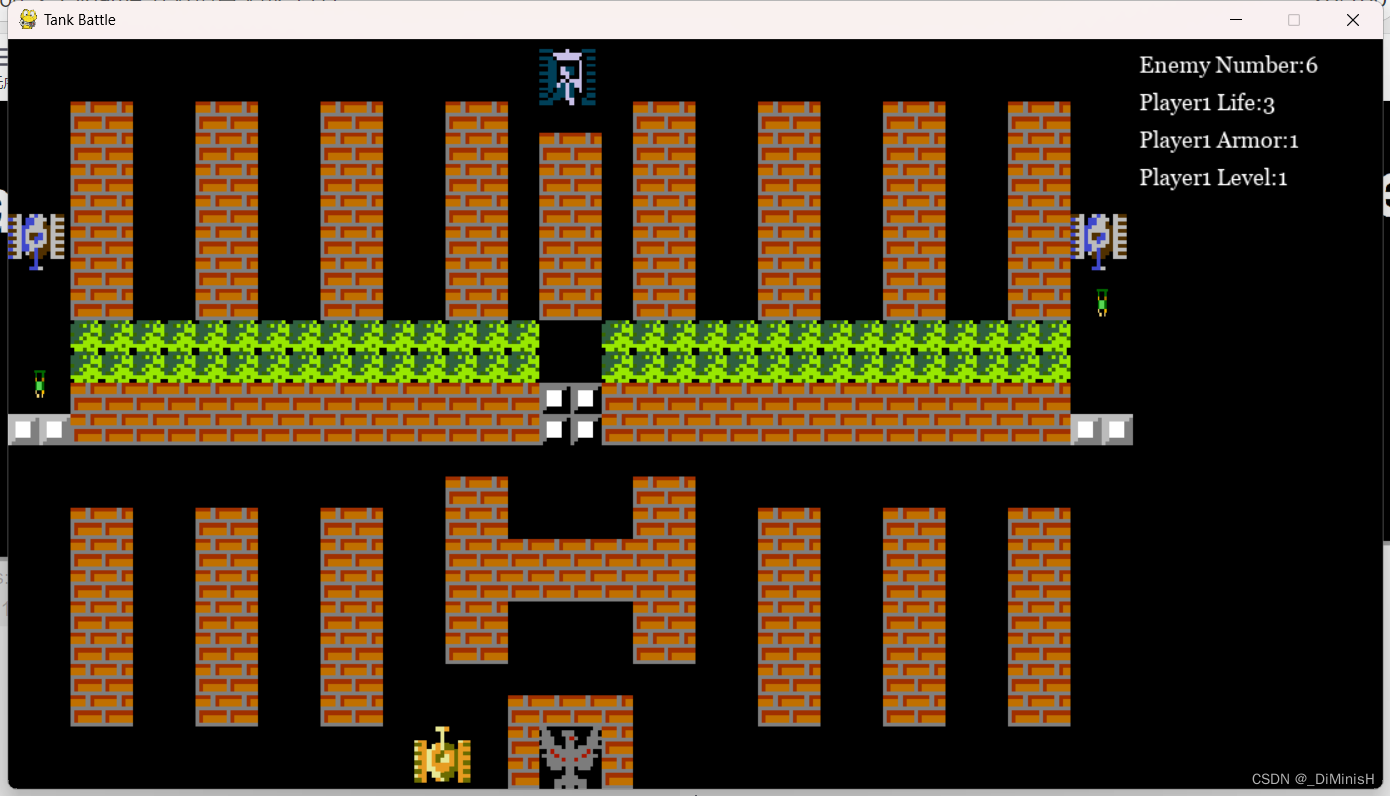
游戏界面
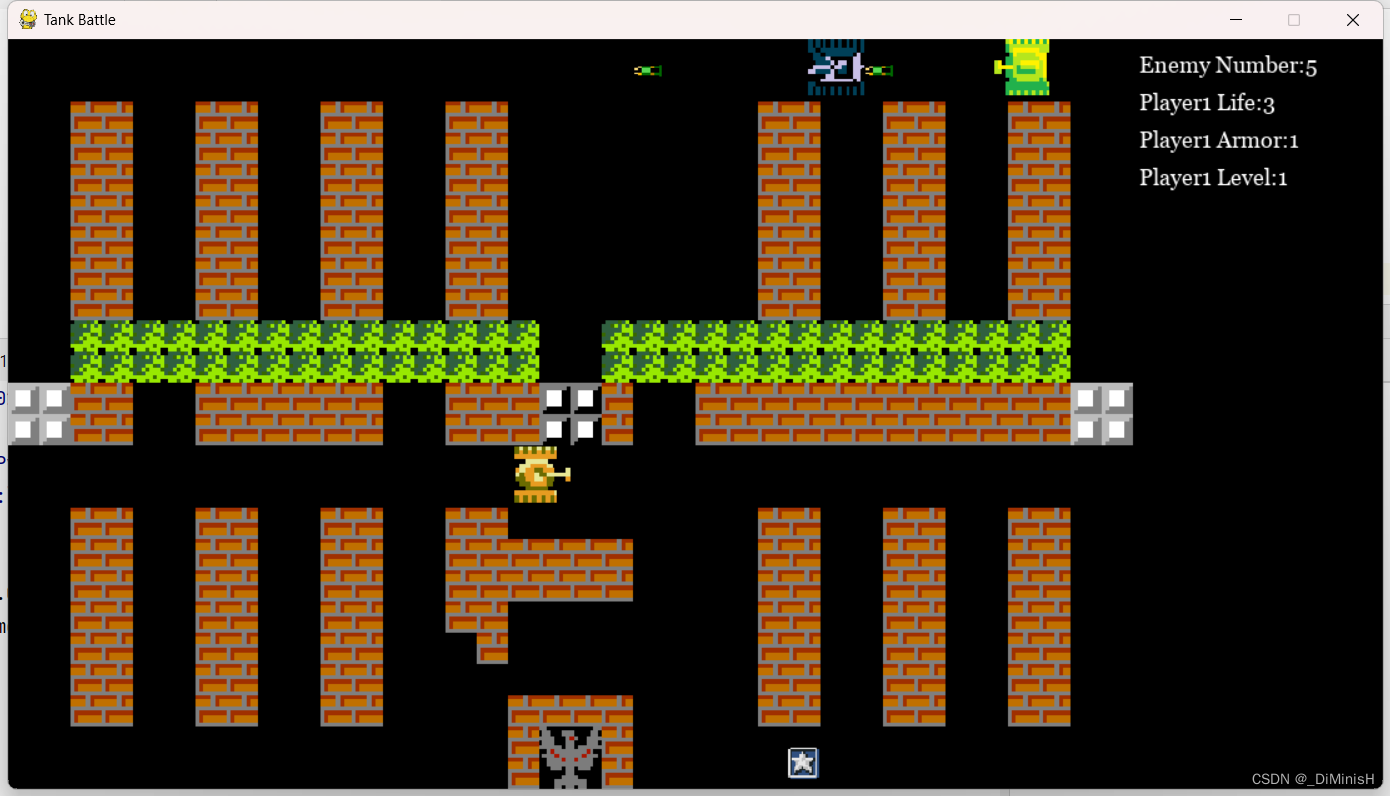
其中加入了奖励功能
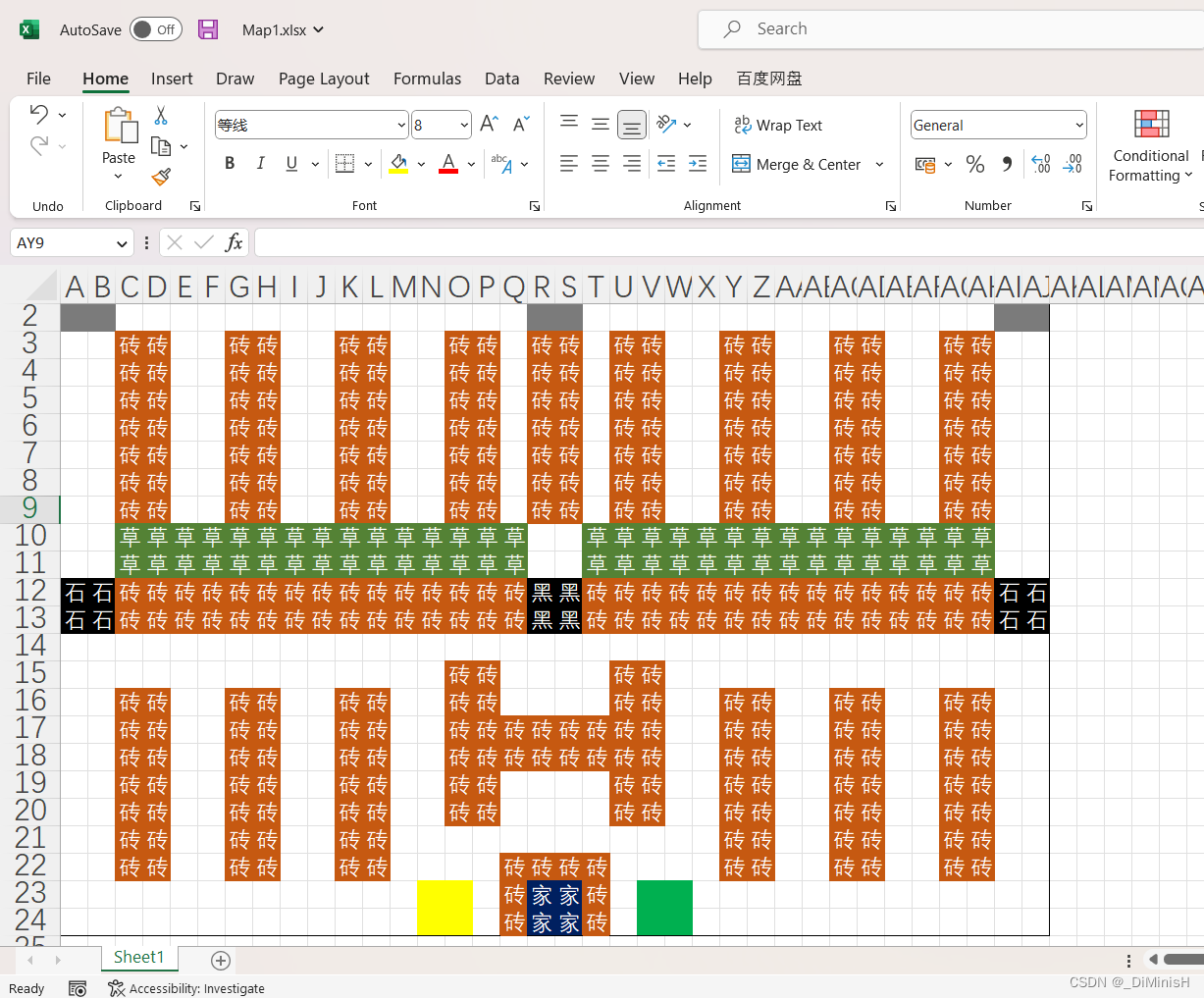
地图制作可以使用excel读取信息,下面是第一关的地图
坦克大战代码
链接:https://pan.baidu.com/s/1qFV-0hi0cgZS1Hnvx6mK6Q?pwd=90tk
提取码:90tk
关闭。这个问题是opinion-based.它目前不接受答案。想要改进这个问题?更新问题,以便editingthispost可以用事实和引用来回答它.关闭4年前。Improvethisquestion我想在固定时间创建一系列低音和高音调的哔哔声。例如:在150毫秒时发出高音调的蜂鸣声在151毫秒时发出低音调的蜂鸣声200毫秒时发出低音调的蜂鸣声250毫秒的高音调蜂鸣声有没有办法在Ruby或Python中做到这一点?我真的不在乎输出编码是什么(.wav、.mp3、.ogg等等),但我确实想创建一个输出文件。
我正在编写一个包含C扩展的gem。通常当我写一个gem时,我会遵循TDD的过程,我会写一个失败的规范,然后处理代码直到它通过,等等......在“ext/mygem/mygem.c”中我的C扩展和在gemspec的“扩展”中配置的有效extconf.rb,如何运行我的规范并仍然加载我的C扩展?当我更改C代码时,我需要采取哪些步骤来重新编译代码?这可能是个愚蠢的问题,但是从我的gem的开发源代码树中输入“bundleinstall”不会构建任何native扩展。当我手动运行rubyext/mygem/extconf.rb时,我确实得到了一个Makefile(在整个项目的根目录中),然后当
我已经在Sinatra上创建了应用程序,它代表了一个简单的API。我想在生产和开发上进行部署。我想在部署时选择,是开发还是生产,一些方法的逻辑应该改变,这取决于部署类型。是否有任何想法,如何完成以及解决此问题的一些示例。例子:我有代码get'/api/test'doreturn"Itisdev"end但是在部署到生产环境之后我想在运行/api/test之后看到ItisPROD如何实现? 最佳答案 根据SinatraDocumentation:EnvironmentscanbesetthroughtheRACK_ENVenvironm
我们的git存储库中目前有一个Gemfile。但是,有一个gem我只在我的环境中本地使用(我的团队不使用它)。为了使用它,我必须将它添加到我们的Gemfile中,但每次我checkout到我们的master/dev主分支时,由于与跟踪的gemfile冲突,我必须删除它。我想要的是类似Gemfile.local的东西,它将继承从Gemfile导入的gems,但也允许在那里导入新的gems以供使用只有我的机器。此文件将在.gitignore中被忽略。这可能吗? 最佳答案 设置BUNDLE_GEMFILE环境变量:BUNDLE_GEMFI
这似乎非常适得其反,因为太多的gem会在window上破裂。我一直在处理很多mysql和ruby-mysqlgem问题(gem本身发生段错误,一个名为UnixSocket的类显然在Windows机器上不能正常工作,等等)。我只是在浪费时间吗?我应该转向不同的脚本语言吗? 最佳答案 我在Windows上使用Ruby的经验很少,但是当我开始使用Ruby时,我是在Windows上,我的总体印象是它不是Windows原生系统。因此,在主要使用Windows多年之后,开始使用Ruby促使我切换回原来的系统Unix,这次是Linux。Rub
我正在玩HTML5视频并且在ERB中有以下片段:mp4视频从在我的开发环境中运行的服务器很好地流式传输到chrome。然而firefox显示带有海报图像的视频播放器,但带有一个大X。问题似乎是mongrel不确定ogv扩展的mime类型,并且只返回text/plain,如curl所示:$curl-Ihttp://0.0.0.0:3000/pr6.ogvHTTP/1.1200OKConnection:closeDate:Mon,19Apr201012:33:50GMTLast-Modified:Sun,18Apr201012:46:07GMTContent-Type:text/plain
这个问题在这里已经有了答案:关闭10年前。PossibleDuplicate:Pythonconditionalassignmentoperator对于这样一个简单的问题表示歉意,但是谷歌搜索||=并不是很有帮助;)Python中是否有与Ruby和Perl中的||=语句等效的语句?例如:foo="hey"foo||="what"#assignfooifit'sundefined#fooisstill"hey"bar||="yeah"#baris"yeah"另外,类似这样的东西的通用术语是什么?条件分配是我的第一个猜测,但Wikipediapage跟我想的不太一样。
什么是ruby的rack或python的Java的wsgi?还有一个路由库。 最佳答案 来自Python标准PEP333:Bycontrast,althoughJavahasjustasmanywebapplicationframeworksavailable,Java's"servlet"APImakesitpossibleforapplicationswrittenwithanyJavawebapplicationframeworktoruninanywebserverthatsupportstheservletAPI.ht
无论您是想搭建桌面端、WEB端或者移动端APP应用,HOOPSPlatform组件都可以为您提供弹性的3D集成架构,同时,由工业领域3D技术专家组成的HOOPS技术团队也能为您提供技术支持服务。如果您的客户期望有一种在多个平台(桌面/WEB/APP,而且某些客户端是“瘦”客户端)快速、方便地将数据接入到3D应用系统的解决方案,并且当访问数据时,在各个平台上的性能和用户体验保持一致,HOOPSPlatform将帮助您完成。利用HOOPSPlatform,您可以开发在任何环境下的3D基础应用架构。HOOPSPlatform可以帮您打造3D创新型产品,HOOPSSDK包含的技术有:快速且准确的CAD
华为OD机试题本篇题目:明明的随机数题目输入描述输出描述:示例1输入输出说明代码编写思路最近更新的博客华为od2023|什么是华为od,od薪资待遇,od机试题清单华为OD机试真题大全,用Python解华为机试题|机试宝典【华为OD机试】全流程解析+经验分享,题型分享,防作弊指南华为o
