部署LNMP(nginx1.22+mysql8.0+php8.1)
部署LAMP(httpd2.4+mysql8.0+php8.1)
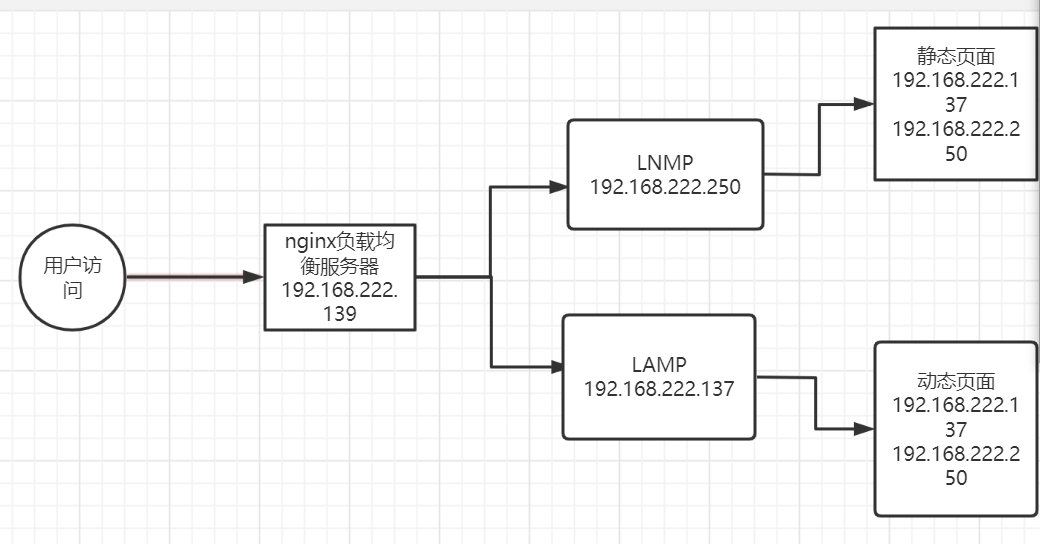
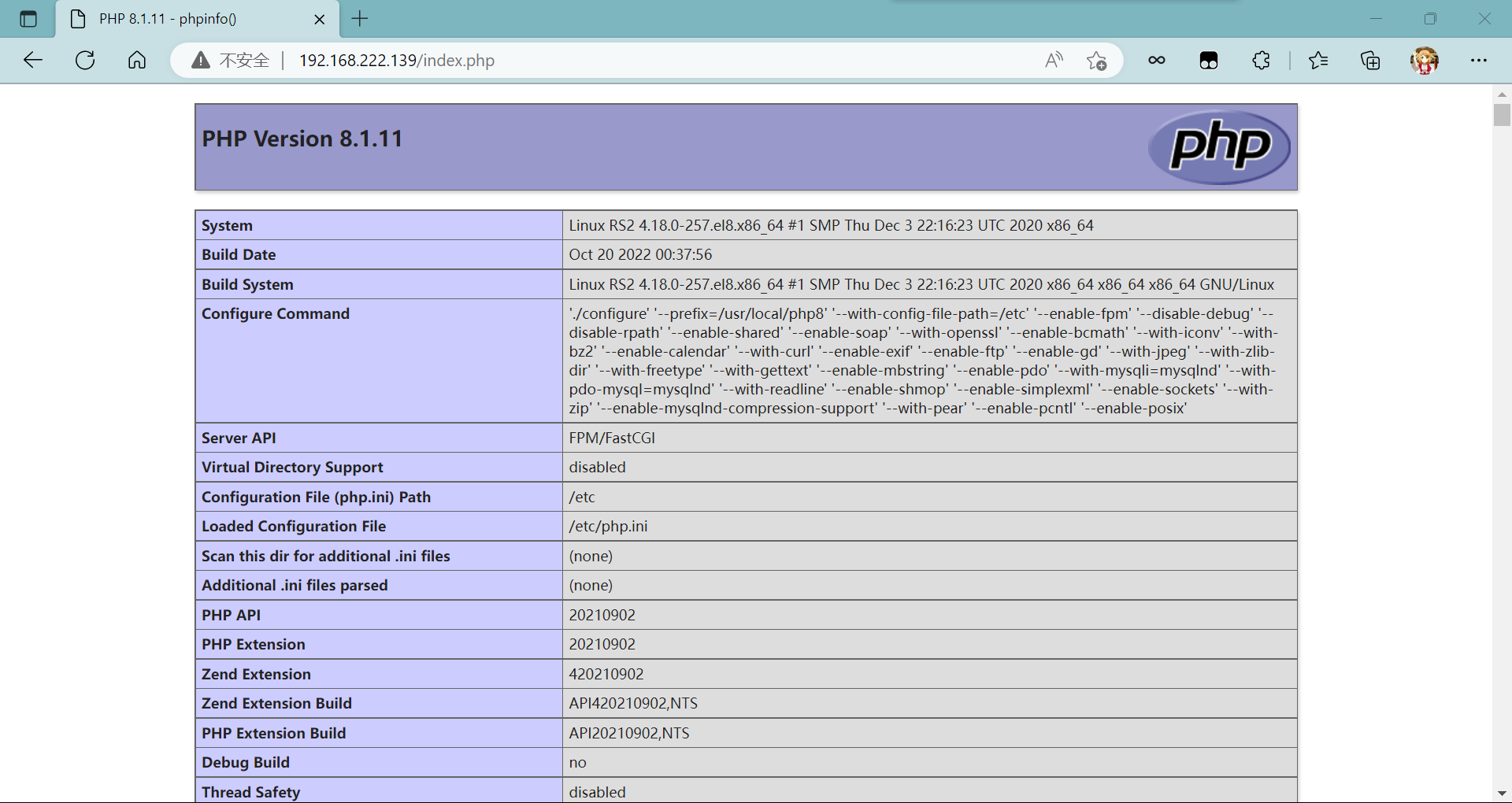
要求nginx和php使⽤编译安装最后要通过访问nginx负载均衡服务器的IP看到动静分离的效果
环境说明:
| 系统 | ip | 主机名 | 服务 |
|---|---|---|---|
| centos8 | 192.168.222.250 | RS1 | LNMP,动态资源,静态资源 |
| centos8 | 192.168.222.137 | RS2 | LAMP,静态资源,动态资源 |
| centos8 | 192.168.222.139 | node1 | nginx,负载均衡服务器 |
关闭防火墙
RS1
[root@localhost ~]# hostnamectl set-hostname RS1
[root@localhost ~]# bash
[root@RS1 ~]# systemctl stop firewalld.service
[root@RS1 ~]# sed -ri 's/^(SELINUX=).*/\1disabled/g' /etc/selinux/config
[root@RS1 ~]# setenforce 0
[root@RS1 ~]# systemctl disable --now firewalld.service
Removed /etc/systemd/system/multi-user.target.wants/firewalld.service.
Removed /etc/systemd/system/dbus-org.fedoraproject.FirewallD1.service.
RS2:
[root@localhost ~]# hostnamectl set-hostname RS2
[root@localhost ~]# bash
[root@RS2 ~]# systemctl stop firewalld.service
[root@RS2 ~]# sed -ri 's/^(SELINUX=).*/\1disabled/g' /etc/selinux/config
[root@RS2 ~]# setenforce 0
[root@RS2 ~]# systemctl disable --now firewalld.service
Removed /etc/systemd/system/multi-user.target.wants/firewalld.service.
Removed /etc/systemd/system/dbus-org.fedoraproject.FirewallD1.service.
node1:
[root@localhost ~]# hostnamectl set-hostname node1
[root@localhost ~]# bash
[root@node1 ~]# systemctl stop firewalld.service
[root@node1 ~]# sed -ri 's/^(SELINUX=).*/\1disabled/g' /etc/selinux/config
[root@node1 ~]# setenforce 0
[root@node1 ~]# systemctl disable --now firewalld.service
Removed /etc/systemd/system/multi-user.target.wants/firewalld.service.
Removed /etc/systemd/system/dbus-org.fedoraproject.FirewallD1.service.
[root@RS1 ~]# wget https://nginx.org/download/nginx-1.22.0.tar.gz
//安装nginx
[root@RS1 ~]# ls
anaconda-ks.cfg  nginx-1.22.0.tar.gz
[root@RS1 ~]# useradd -r -M -s /sbin/nologin nginx
//创建用户
[root@RS1 ~]# dnf -y install pcre-devel openssl openssl-devel gd-devel gcc gcc-c++ make vim
//安装依赖包
[root@RS1 ~]# mkdir -p /var/log/nginx   //创建日志存放目录
[root@RS1 ~]# chown -R nginx.nginx /var/log/nginx
[root@RS1 ~]# ll -d /var/log/nginx/
drwxr-xr-x. 2 nginx nginx 6 Oct 19 14:47 /var/log/nginx/
[root@RS1 ~]# tar xf nginx-1.22.0.tar.gz   //解压
[root@RS1 ~]# cd nginx-1.22.0/
[root@RS1 nginx-1.22.0]# ./configure \  //编译
--prefix=/usr/local/nginx \
--user=nginx \
--group=nginx \
--with-debug \
--with-http_ssl_module \
--with-http_realip_module \
--with-http_image_filter_module \
--with-http_gunzip_module \
--with-http_gzip_static_module \
--with-http_stub_status_module \
--http-log-path=/var/log/nginx/access.log \
--error-log-path=/var/log/nginx/error.log
[root@RS1 nginx-1.22.0]# make -j $(grep 'processor' /proc/cpuinfo | wc -l) && make install  //安装
[root@RS1 nginx-1.22.0]# cd
[root@RS1 ~]# echo "export PATH=$PATH:/usr/local/nginx/sbin" > /etc/profile.d/nginx.sh    //配置环境变量
[root@RS1 ~]# source /etc/profile.d/nginx.sh  //使其生效
[root@RS1 ~]# cp /usr/lib/systemd/system/sshd.service /usr/lib/systemd/system/nginx.service   //将其加入systemd服务中
[root@RS1 ~]# vim /usr/lib/systemd/system/nginx.service
[root@RS1 ~]# cat /usr/lib/systemd/system/nginx.service
[Unit]
Description=nginx server daemon
After=network.target

[Service]
Type=forking
ExecStart=/usr/local/nginx/sbin/nginx
ExecStop=/usr/local/nginx/sbin/nginx -s stop
ExecReload=/bin/kill -HUP \$MAINPID

[Install]
WantedBy=multi-user.target
[root@RS1 ~]# systemctl daemon-reload   //加载一下配置
[root@RS1 ~]# systemctl enable --now nginx.service
Created symlink /etc/systemd/system/multi-user.target.wants/nginx.service → /usr/lib/systemd/system/nginx.service.
[root@RS1 ~]# ss -antl   //查看端口
State       Recv-Q      Send-Q           Local Address:Port           Peer Address:Port      Process
LISTEN      0           128                    0.0.0.0:80                  0.0.0.0:*
LISTEN      0           128                    0.0.0.0:22                  0.0.0.0:*
LISTEN      0           128                       [::]:22                     [::]:*
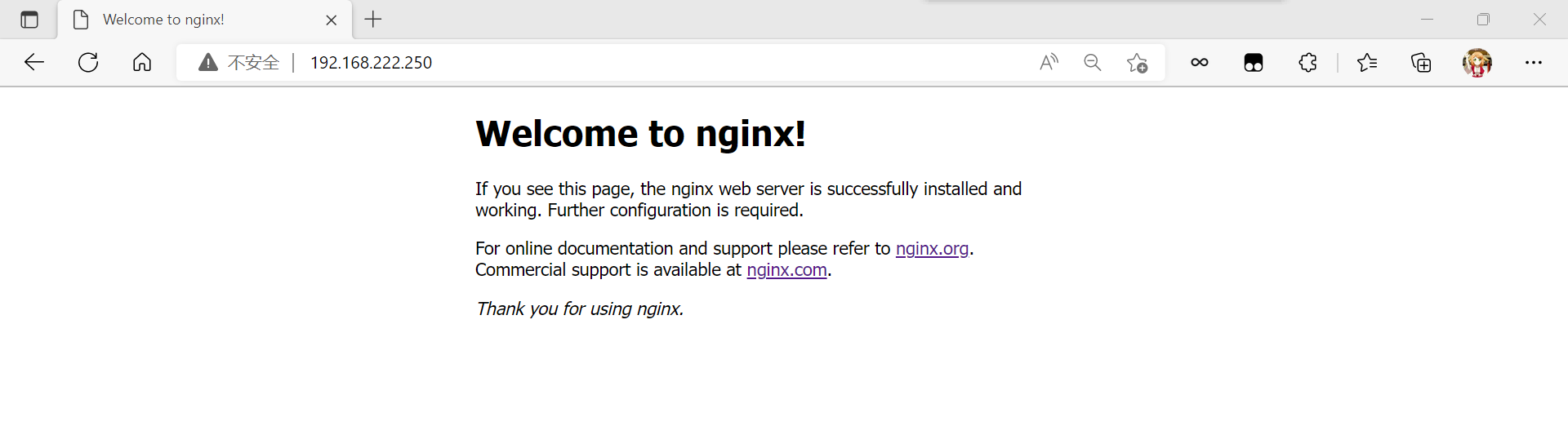
访问:
[root@RS1 ~]# wget https://downloads.mysql.com/archives/get/p/23/file/mysql-8.0.30-linux-glibc2.12-x86_64.tar.xz //下载安装包
[root@RS1 ~]# ls
anaconda-ks.cfg  mysql-8.0.30-linux-glibc2.12-x86_64.tar.xz  nginx-1.22.0  nginx-1.22.0.tar.gz
[root@RS1 ~]# dnf -y install ncurses-devel openssl-devel openssl cmake mariadb-devel ncurses-compat-lib //安装依赖包
[root@RS1 ~]# useradd -r -M -s /sbin/nologin mysql  //创建用户
[root@RS1 ~]# tar xf mysql-8.0.30-linux-glibc2.12-x86_64.tar.xz -C /usr/local/  //解压
[root@RS1 ~]# cd /usr/local/
[root@RS1 local]# ls
bin  games    lib    libexec                              nginx  share
etc  include  lib64  mysql-8.0.30-linux-glibc2.12-x86_64  sbin   src
[root@RS1 local]# mv mysql-8.0.30-linux-glibc2.12-x86_64 mysql
[root@RS1 local]# chown -R mysql.mysql mysql  //修改属组
[root@RS1 local]# ll -d mysql/
drwxr-xr-x. 9 mysql mysql 129 Oct 19 15:22 mysql/
[root@RS1 local]# ln -s /usr/local/mysql/include  /usr/include/mysql  //做头文件
[root@RS1 local]# echo '/usr/local/mysql/lib' > /etc/ld.so.conf.d/mysql.conf //配置库文件
[root@RS1 local]# vim /etc/man_db.conf  //配置man文档
MANDATORY_MANPATH                       /usr/man
MANDATORY_MANPATH                       /usr/share/man
MANDATORY_MANPATH                       /usr/local/share/man
MANDATORY_MANPATH                       /usr/local/mysql/man  //添加
[root@RS1 local]# cd
[root@RS1 ~]# echo 'export PATH=/usr/local/mysql/bin:$PATH' > /etc/profile.d/mysql.sh  //配置环境变量
[root@RS1 ~]# source /etc/profile.d/mysql.sh
[root@RS1 ~]# which mysql   //查找一下mysql
/usr/local/mysql/bin/mysql
[root@RS1 ~]# mkdir -p /opt/data   //建立数据存放目录
[root@RS1 ~]# chown -R mysql.mysql /opt/data/
[root@RS1 ~]# mysqld --initialize --user mysql --datadir /opt/data     //初始化数据库
2022-10-19T07:31:43.959369Z 0 [System] [MY-013169] [Server] /usr/local/mysql/bin/mysqld (mysqld 8.0.30) initializing of server in progress as process 170967
2022-10-19T07:31:43.974364Z 1 [System] [MY-013576] [InnoDB] InnoDB initialization has started.
2022-10-19T07:31:44.695177Z 1 [System] [MY-013577] [InnoDB] InnoDB initialization has ended.
2022-10-19T07:31:45.926693Z 6 [Note] [MY-010454] [Server] A temporary password is generated for root@localhost: FBjyVRqnF6%;
[root@RS1 ~]# echo 'FBjyVRqnF6%;' > password  //提前保存临时密码
[root@RS1 ~]# cat password
FBjyVRqnF6%;
[root@RS1 ~]# rpm -qa |grep mariadb   //查找mariadb的数据库
mariadb-connector-c-config-3.1.11-2.el8_3.noarch
mariadb-connector-c-3.1.11-2.el8_3.x86_64
mariadb-connector-c-devel-3.1.11-2.el8_3.x86_64
mariadb-devel-10.3.28-1.module_el8.3.0+757+d382997d.x86_64
[root@RS1 ~]# dnf -y remove mariadb*  //要卸载掉mariadb数据库不然到时候和mysql数据库发生冲突
[root@RS1 ~]# rpm -qa |grep mariadb //再次查看是否还有
[root@RS1 ~]# vim /etc/my.cnf   //编写配置文件
[root@RS1 ~]# cat /etc/my.cnf
[mysqld]
basedir = /usr/local/mysql
datadir = /opt/data
socket = /tmp/mysql.sock
port = 3306
pid-file = /opt/data/mysql.pid
user = mysql
skip-name-resolve
[root@RS1 support-files]# cp mysql.server /etc/init.d/mysqld
[root@RS1 support-files]# vim /etc/init.d/mysqld
basedir=/usr/local/mysql    //数据库存放位置
datadir=/opt/data    //数据存放位置
[root@RS1 support-files]# chmod +x /etc/init.d/mysqld
//赋予执行权限
[root@RS1 support-files]# cd
[root@RS1 ~]# cp /usr/lib/systemd/system/sshd.service /usr/lib/systemd/system/mysqld.service  //将其添加到systemd服务中
[root@RS1 ~]# vim /usr/lib/systemd/system/mysqld.service
[root@RS1 ~]# cat /usr/lib/systemd/system/mysqld.service
[Unit]
Description=mysqld server daemon
After=network.target

[Service]
Type=forking
ExecStart=/usr/local/mysql/support-files/mysql.server start
ExecStop=/usr/local/mysql/support-files/mysql.server stop
ExecReload=/bin/kill -HUP $MAINPID

[Install]
WantedBy=multi-user.target
[root@RS1 ~]# systemctl daemon-reload  //重新加载配置
[root@RS1 ~]# systemctl enable --now mysqld.service
[root@RS1 ~]# ss -antl  //查看端口
State       Recv-Q      Send-Q           Local Address:Port            Peer Address:Port     Process
LISTEN      0           128                    0.0.0.0:80                   0.0.0.0:*
LISTEN      0           128                    0.0.0.0:22                   0.0.0.0:*
LISTEN      0           70                           *:33060                      *:*
LISTEN      0           128                          *:3306                       *:*
LISTEN      0           128                       [::]:22                      [::]:*
[root@RS1 ~]# cat password   //查看密码
FBjyVRqnF6%;
[root@RS1 ~]# mysql -uroot -p'FBjyVRqnF6%;'  //使用临时密码登录
mysql: [Warning] Using a password on the command line interface can be insecure.
Welcome to the MySQL monitor.  Commands end with ; or \g.
Your MySQL connection id is 9
Server version: 8.0.30

Copyright (c) 2000, 2022, Oracle and/or its affiliates.

Oracle is a registered trademark of Oracle Corporation and/or its
affiliates. Other names may be trademarks of their respective
owners.

Type 'help;' or '\h' for help. Type '\c' to clear the current input statement.
mysql> alter user 'root'@'localhost' identified by '123456';
Query OK, 0 rows affected (0.01 sec)   //修改密码

mysql> exit
Bye
[root@RS1 ~]# mysql -uroot -p'123456'  //测试
mysql: [Warning] Using a password on the command line interface can be insecure.
Welcome to the MySQL monitor.  Commands end with ; or \g.
Your MySQL connection id is 10
Server version: 8.0.30 MySQL Community Server - GPL

Copyright (c) 2000, 2022, Oracle and/or its affiliates.

Oracle is a registered trademark of Oracle Corporation and/or its
affiliates. Other names may be trademarks of their respective
owners.

Type 'help;' or '\h' for help. Type '\c' to clear the current input statement.

mysql> exit
Bye
[root@RS1 ~]# wget https://www.php.net/distributions/php-8.1.11.tar.xz    //下载安装包
[root@RS1 ~]# ls
anaconda-ks.cfg                             nginx-1.22.0         password
mysql-8.0.30-linux-glibc2.12-x86_64.tar.xz  nginx-1.22.0.tar.gz  php-8.1.11.tar.xz
[root@RS1 ~]# vim /etc/hosts  //可以提前做一个映射,防止访问不了github
[root@RS1 ~]# cat /etc/hosts
127.0.0.1   localhost localhost.localdomain localhost4 localhost4.localdomain4
::1         localhost localhost.localdomain localhost6 localhost6.localdomain6
20.205.243.166 github.com  //添加
[root@RS1 ~]# yum -y install autoconf freetype gd libpng libpng-devel libjpeg libxml2 libxml2-devel zlib curl curl-devel net-snmp-devel libjpeg-devel php-ldap openldap-devel openldap-clients freetype-devel gmp-devel libzip libzip-devel sqlite-devel readline-devel
[root@RS1 ~]# yum -y install autoconf automake libtool
[root@RS1 ~]# wget https://github.com/kkos/oniguruma/archive/v6.9.4.tar.gz -O oniguruma-6.9.4.tar.gz
[root@RS1 ~]# tar xf oniguruma-6.9.4.tar.gz && cd oniguruma-6.9.4
[root@RS1 oniguruma-6.9.4]# ./autogen.sh && ./configure --prefix=/usr
[root@RS1 oniguruma-6.9.4]# make && make install
[root@RS1 oniguruma-6.9.4]# cd
[root@RS1 ~]# tar xf php-8.1.11.tar.xz
[root@RS1 ~]# cd php-8.1.11/
[root@RS1 php-8.1.11]# ./configure --prefix=/usr/local/php8  \
 --with-config-file-path=/etc \
 --enable-fpm \
 --disable-debug \
 --disable-rpath \
 --enable-shared \
 --enable-soap \
 --with-openssl \
 --enable-bcmath \
 --with-iconv \
 --with-bz2 \
 --enable-calendar \
 --with-curl \
 --enable-exif  \
 --enable-ftp \
 --enable-gd \
 --with-jpeg \
 --with-zlib-dir \
 --with-freetype \
 --with-gettext \
 --enable-mbstring \
 --enable-pdo \
 --with-mysqli=mysqlnd \
 --with-pdo-mysql=mysqlnd \
 --with-readline \
 --enable-shmop \
 --enable-simplexml \
 --enable-sockets \
 --with-zip \
 --enable-mysqlnd-compression-support \
 --with-pear \
 --enable-pcntl \
 --enable-posix
 ...
 +--------------------------------------------------------------------+
| License:                                                           |
| This software is subject to the PHP License, available in this     |
| distribution in the file LICENSE. By continuing this installation  |
| process, you are bound by the terms of this license agreement.     |
| If you do not agree with the terms of this license, you must abort |
| the installation process at this point.                            |
+--------------------------------------------------------------------+

Thank you for using PHP.
...
[root@RS1 php-8.1.11]# make && make install
//安装
[root@RS1 php8]# echo 'export PATH=/usr/local/php8/bin:/usr/local/php8/:sbin:$PATH' > /etc/profile.d/php8.sh  //配置环境变量
[root@RS1 php8]# source /etc/profile.d/php8.sh
[root@RS1 php8]# ln -s /usr/local/php8/include /usr/include/php
[root@RS1 php8]# ll -d /usr/include/php
lrwxrwxrwx. 1 root root 23 Oct 19 16:46 /usr/include/php -> /usr/local/php8/include   //做头文件
[root@RS1 php8]# echo '/usr/local/php8/lib' > /etc/ld.so.conf.d/php.conf   //配置lib库文件
[root@RS1 php8]# ldconfig   //使配置生效
[root@RS1 php8]# cd
[root@RS1 ~]# php -v   //查看版本
PHP 8.1.11 (cli) (built: Oct 19 2022 16:41:51) (NTS)
Copyright (c) The PHP Group
Zend Engine v4.1.11, Copyright (c) Zend Technologies
[root@RS1 ~]# cd php-8.1.11/
[root@RS1 php-8.1.11]# ls
CODING_STANDARDS.md  README.md            buildconf      include              sapi
CONTRIBUTING.md      TSRM                 buildconf.bat  libs                 scripts
EXTENSIONS           UPGRADING            config.log     libtool              tests
LICENSE              UPGRADING.INTERNALS  config.nice    main                 travis
Makefile             Zend                 config.status  modules              win32
Makefile.fragments   appveyor             configure      pear
Makefile.objects     azure                configure.ac   php.ini-development
NEWS                 azure-pipelines.yml  docs           php.ini-production
README.REDIST.BINS   build                ext            run-tests.php
[root@RS1 php-8.1.11]# cp php.ini-production /etc/php.ini
cp: overwrite '/etc/php.ini'? y
[root@RS1 php-8.1.11]# cp sapi/fpm/init.d.php-fpm /etc/init.d/php-fpm
[root@RS1 php-8.1.11]# chmod +x /etc/rc.d/init.d/php-fpm
[root@RS1 php-8.1.11]# ll /etc/rc.d/init.d/php-fpm
-rwxr-xr-x. 1 root root 2402 Oct 19 16:54 /etc/rc.d/init.d/php-fpm
[root@RS1 php-8.1.11]# pwd
/root/php-8.1.11
[root@RS1 php-8.1.11]# cd /usr/local/php7/etc/
[root@RS1 php-8.1.11]# ls
[root@RS1 etc]# ls
pear.conf  php-fpm.conf  php-fpm.conf.default  php-fpm.d
[root@RS1 etc]# cp php-fpm.conf.default php-fpm.conf
[root@RS1 etc]# cd php-fpm.d/
[root@RS1 php-fpm.d]# ls
www.conf.default
[root@RS1 php-fpm.d]# cp www.conf.default www.conf
[root@RS1 php-fpm.d]# ls
www.conf  www.conf.default
[root@RS1 php-fpm.d]# cd
[root@RS1 ~]# cd /etc/init.d
[root@RS1 init.d]# ls
README  functions  mysqld  php-fpm
[root@RS1 init.d]# service php-fpm start   //开启
Starting php-fpm  done
[root@RS1 init.d]# service php-fpm stop    //关闭
Gracefully shutting down php-fpm . done
[root@RS1 init.d]# service php-fpm start
Starting php-fpm  done
[root@RS1 init.d]# ss -antl   //查看端口
State       Recv-Q      Send-Q           Local Address:Port            Peer Address:Port     Process
LISTEN      0           128                    0.0.0.0:80                   0.0.0.0:*
LISTEN      0           128                    0.0.0.0:22                   0.0.0.0:*
LISTEN      0           128                  127.0.0.1:9000                 0.0.0.0:*
LISTEN      0           128                       [::]:22                      [::]:*
LISTEN      0           70                           *:33060                      *:*
LISTEN      0           128                          *:3306                       *:*
[root@RS1 init.d]# cd /usr/local/nginx/conf/
[root@RS1 conf]# ls
fastcgi.conf            koi-utf             nginx.conf           uwsgi_params
fastcgi.conf.default    koi-win             nginx.conf.default   uwsgi_params.default
fastcgi_params          mime.types          scgi_params          win-utf
fastcgi_params.default  mime.types.default  scgi_params.default
[root@RS1 conf]# vim nginx.conf
...
location / {
            root   html;
            index  index.php ;
        }
[root@RS1 ~]# systemctl restart nginx
[root@RS1 ~]# ss -antl
State       Recv-Q      Send-Q           Local Address:Port            Peer Address:Port     Process
LISTEN      0           128                    0.0.0.0:80                   0.0.0.0:*
LISTEN      0           128                    0.0.0.0:22                   0.0.0.0:*
LISTEN      0           128                  127.0.0.1:9000                 0.0.0.0:*
LISTEN      0           128                       [::]:22                      [::]:*
LISTEN      0           70                           *:33060                      *:*
LISTEN      0           128                          *:3306                       *:*
...

下面内容需要取消注释然后修改
location ~ \.php$ {
            root           html;
            fastcgi_pass   127.0.0.1:9000;
            fastcgi_index  index.php;
            fastcgi_param  SCRIPT_FILENAME  /usr/local/nginx/html$fastcgi_script_name;
            include        fastcgi_params;
        }
[root@RS1 ~]# cd
[root@RS1 ~]# cd /usr/local/nginx/html/
[root@RS1 html]# vim index.php   //编辑访问网站
[root@RS1 html]# cat index.php
<?php
    phpinfo();
?>
[root@RS1 html]# service php-fpm stop
Gracefully shutting down php-fpm . done
[root@RS1 html]# service php-fpm start
Starting php-fpm  done
[root@RS1 ~]# ss -antl
State       Recv-Q      Send-Q           Local Address:Port            Peer Address:Port     Process
LISTEN      0           128                    0.0.0.0:80                   0.0.0.0:*
LISTEN      0           128                    0.0.0.0:22                   0.0.0.0:*
LISTEN      0           128                  127.0.0.1:9000                 0.0.0.0:*
LISTEN      0           128                       [::]:22                      [::]:*
LISTEN      0           70                           *:33060                      *:*
LISTEN      0           128                          *:3306                       *:*
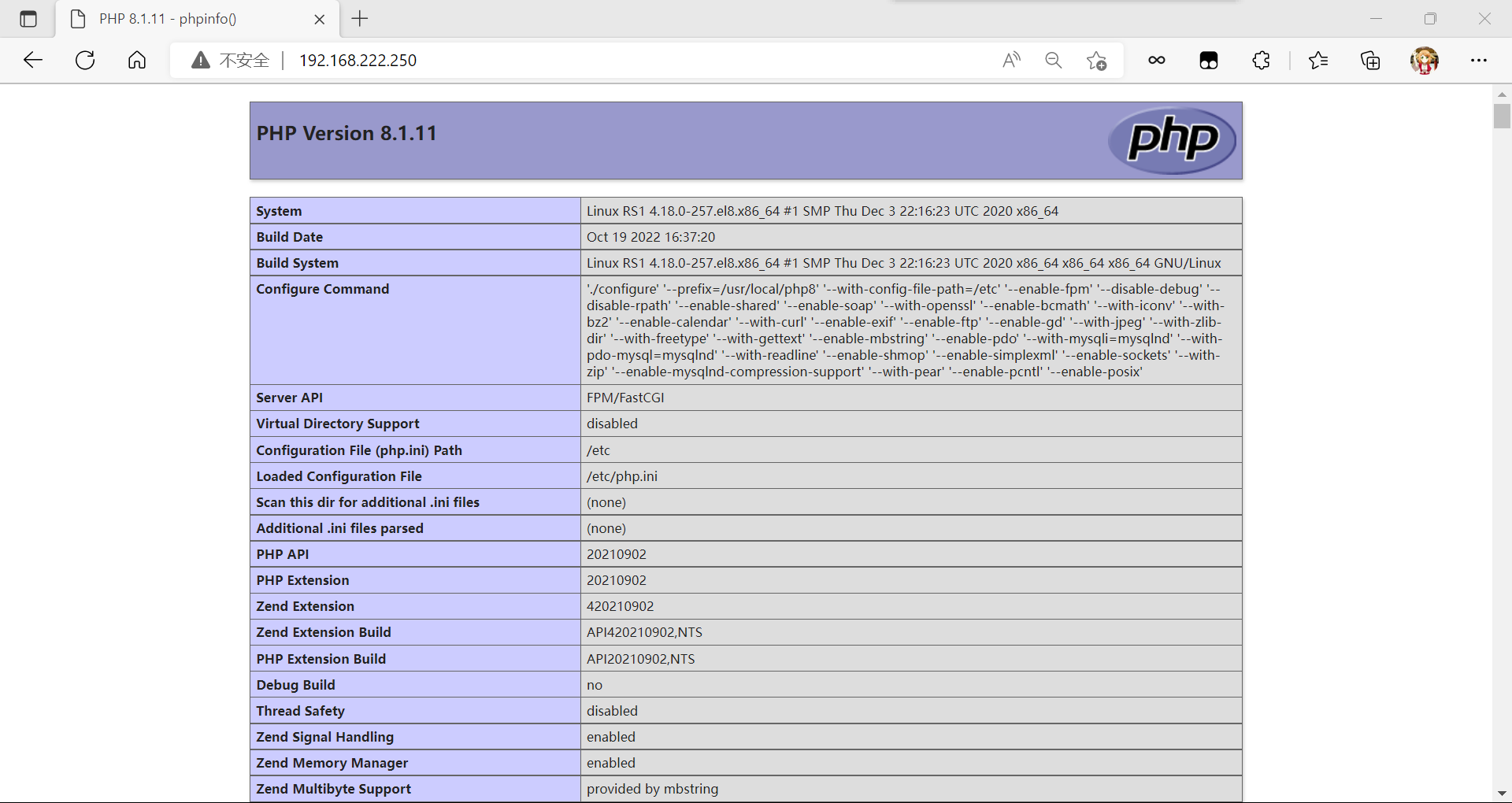
访问:
[root@RS1 ~]# vim /usr/local/nginx/conf/nginx.conf
#gzip  on;
    server {
        listen       82;
        root         html/tushanbu;
        index        index.html;
    }
[root@RS2 ~]# dnf groups mark install 'Development Tools' -y
//安装开发工具包
[root@RS2 ~]# dnf -y install openssl-devel pcre-devel expat-devel libtool gcc gcc-c++ wget vim make
//安装依赖包
[root@RS2 ~]# useradd -r -M -s /sbin/nologin  apache
//创建用户
[root@RS2 ~]# wget https://downloads.apache.org/apr/apr-1.7.0.tar.gz https://downloads.apache.org/apr/apr-util-1.6.1.tar.gz https://downloads.apache.org/httpd/httpd-2.4.54.tar.gz
//下载依赖包
[root@RS2 ~]# ls
anaconda-ks.cfg  apr-1.7.0.tar.gz  apr-util-1.6.1.tar.gz  httpd-2.4.54.tar.gz
[root@RS2 ~]# tar -xf apr-1.7.0.tar.gz  //解压
[root@RS2 ~]# tar -xf apr-util-1.6.1.tar.gz
[root@RS2 ~]# tar -xf httpd-2.4.54.tar.gz
[root@RS2 ~]# ls
anaconda-ks.cfg  apr-1.7.0.tar.gz  apr-util-1.6.1.tar.gz  httpd-2.4.54.tar.gz
apr-1.7.0        apr-util-1.6.1    httpd-2.4.54
[root@RS2 ~]# cd apr-1.7.0/
[root@RS2 apr-1.7.0]# ls
CHANGES         README         apr.pc.in         config.layout  file_io     locks       random      time
CMakeLists.txt  README.cmake   apr.spec          configure      helpers     memory      shmem       tools
LICENSE         apr-config.in  atomic            configure.in   include     misc        strings     user
Makefile.in     apr.dep        build             docs           libapr.dep  mmap        support
Makefile.win    apr.dsp        build-outputs.mk  dso            libapr.dsp  network_io  tables
NOTICE          apr.dsw        build.conf        emacs-mode     libapr.mak  passwd      test
NWGNUmakefile   apr.mak        buildconf         encoding       libapr.rc   poll        threadproc
[root@RS2 apr-1.7.0]# vim configure
$RM "$cfgfile"    //删除或者注释掉这个
[root@RS2 apr-1.7.0]# ./configure --prefix=/usr/local/apr //编译
[root@RS2 apr-1.7.0]# make && make install   //安装
[root@RS2 apr-1.7.0]# cd ../apr-util-1.6.1/
[root@RS2 apr-util-1.6.1]# ls
CHANGES         README.FREETDS  apu-config.in     configure.in       include         redis
CMakeLists.txt  README.cmake    buckets           crypto             ldap            renames_pending
LICENSE         apr-util.pc.in  build             dbd                libaprutil.dep  strmatch
Makefile.in     apr-util.spec   build-outputs.mk  dbm                libaprutil.dsp  test
Makefile.win    aprutil.dep     build.conf        docs               libaprutil.mak  uri
NOTICE          aprutil.dsp     buildconf         encoding           libaprutil.rc   xlate
NWGNUmakefile   aprutil.dsw     config.layout     export_vars.sh.in  memcache        xml
README          aprutil.mak     configure         hooks              misc
[root@RS2 apr-util-1.6.1]# ./configure --prefix=/usr/local/apr-util --with-apr=/usr/local/apr   //编译
[root@RS2 apr-util-1.6.1]# make && make install  //安装
[root@RS2 apr-util-1.6.1]# cd ../httpd-2.4.54/
[root@RS2 httpd-2.4.54]# ls
ABOUT_APACHE     INSTALL         NWGNUmakefile     acinclude.m4     configure     httpd.spec    server
Apache-apr2.dsw  InstallBin.dsp  README            ap.d             configure.in  include       srclib
Apache.dsw       LAYOUT          README.CHANGES    apache_probes.d  docs          libhttpd.dep  support
BuildAll.dsp     LICENSE         README.cmake      build            emacs-style   libhttpd.dsp  test
BuildBin.dsp     Makefile.in     README.platforms  buildconf        httpd.dep     libhttpd.mak
CHANGES          Makefile.win    ROADMAP           changes-entries  httpd.dsp     modules
CMakeLists.txt   NOTICE          VERSIONING        config.layout    httpd.mak     os
[root@RS2 httpd-2.4.54]# ./configure --prefix=/usr/local/apache \
> --enable-so \
> --enable-ssl \
> --enable-cgi \
> --enable-rewrite \
> --with-zlib \
> --with-pcre \
> --with-apr=/usr/local/apr \
> --with-apr-util=/usr/local/apr-util/ \
> --enable-modules=most \
> --enable-mpms-shared=all \
> --with-mpm=prefork
[root@RS2 httpd-2.4.54]# make && make install   //安装
[root@RS2 httpd-2.4.54]# cd
[root@RS2 ~]# echo 'export PATH=/usr/local/apache/bin:$PATH' > /etc/profile.d/httpd.sh    //配置环境变量
[root@RS2 ~]# source /etc/profile.d/httpd.sh
[root@RS2 ~]# ln -s /usr/local/apache/include /usr/include/apache  //做头文件
[root@RS2 ~]# ll -d /usr/include/apache
lrwxrwxrwx. 1 root root 25 Oct 19 23:21 /usr/include/apache -> /usr/local/apache/include
[root@RS2 ~]# vim /etc/man_db.conf   //配置man文档
MANDATORY_MANPATH                       /usr/man
MANDATORY_MANPATH                       /usr/share/man
MANDATORY_MANPATH                       /usr/local/share/man
MANDATORY_MANPATH                       /usr/local/apache/man //添加
[root@RS2 ~]# cp /usr/lib/systemd/system/sshd.service /usr/lib/systemd/system/httpd.service
[root@RS2 ~]# vim /usr/lib/systemd/system/httpd.service
[root@RS2 ~]# cat /usr/lib/systemd/system/httpd.service
[Unit]
Description=httpd server daemon
Documentation=man:httpd(5)
After=network.target sshd-keygen.target

[Service]
Type=forking
ExecStart=/usr/local/apache/bin/apachectl start
ExecStop=/usr/local/apache/bin/apachectl stop
ExecReload=/bin/kill -HUP $MAINPID

[Install]
WantedBy=multi-user.target
[root@RS2 ~]# systemctl daemon-reload  //重新加载配置
[root@RS2 ~]# systemctl enable --now httpd.service
Created symlink /etc/systemd/system/multi-user.target.wants/httpd.service → /usr/lib/systemd/system/httpd.service.
[root@RS2 ~]# ss -antl    //查看端口
State       Recv-Q      Send-Q           Local Address:Port           Peer Address:Port      Process
LISTEN      0           128                    0.0.0.0:22                  0.0.0.0:*
LISTEN      0           128                       [::]:22                     [::]:*
LISTEN      0           128                          *:80                        *:*
访问:

[root@RS2 ~]# dnf -y install ncurses-devel openssl-devel openssl cmake mariadb-devel ncurses-compat-libs
//安装依赖包
[root@RS2 ~]# useradd -r -M -s /sbin/nologin mysql
//创建用户
[root@RS2 ~]# wget https://downloads.mysql.com/archives/get/p/23/file/mysql-8.0.30-linux-glibc2.12-x86_64.tar.xz
//下载安装包
[root@RS2 ~]# ls
anaconda-ks.cfg  apr-1.7.0.tar.gz  apr-util-1.6.1.tar.gz  httpd-2.4.54.tar.gz
apr-1.7.0        apr-util-1.6.1    httpd-2.4.54           mysql-8.0.30-linux-glibc2.12-x86_64.tar.xz
[root@RS2 ~]# tar xf mysql-8.0.30-linux-glibc2.12-x86_64.tar.xz -C /usr/local/   //解压
[root@RS2 ~]# cd /usr/local/
[root@RS2 local]# ls
apache  apr-util  etc    include  lib64    mysql-8.0.30-linux-glibc2.12-x86_64  share
apr     bin       games  lib      libexec  sbin                                 src
[root@RS2 local]# mv mysql-8.0.30-linux-glibc2.12-x86_64 mysql
[root@RS2 local]# chown -R mysql.mysql mysql
[root@RS2 local]# ll
total 0
drwxr-xr-x. 14 root  root  164 Oct 19 23:20 apache
drwxr-xr-x.  6 root  root   58 Oct 19 23:09 apr
drwxr-xr-x.  5 root  root   43 Oct 19 23:13 apr-util
drwxr-xr-x.  2 root  root    6 May 19  2020 bin
drwxr-xr-x.  2 root  root    6 May 19  2020 etc
drwxr-xr-x.  2 root  root    6 May 19  2020 games
drwxr-xr-x.  2 root  root    6 May 19  2020 include
drwxr-xr-x.  2 root  root    6 May 19  2020 lib
drwxr-xr-x.  3 root  root   17 Sep 26 23:27 lib64
drwxr-xr-x.  2 root  root    6 May 19  2020 libexec
drwxr-xr-x.  9 mysql mysql 129 Oct 19 23:40 mysql
drwxr-xr-x.  2 root  root    6 May 19  2020 sbin
drwxr-xr-x.  5 root  root   49 Sep 26 23:27 share
drwxr-xr-x.  2 root  root    6 May 19  2020 src
[root@RS2 local]# ln -s /usr/local/mysql/include  /usr/include/mysql   //做头文件
[root@RS2 local]# echo '/usr/local/mysql/lib' > /etc/ld.so.conf.d/mysql.conf   //配置lib库文件
[root@RS2 local]# vim /etc/man_db.conf  //配置man文档
MANDATORY_MANPATH                       /usr/man
MANDATORY_MANPATH                       /usr/share/man
MANDATORY_MANPATH                       /usr/local/share/man
MANDATORY_MANPATH                       /usr/local/apache/man
MANDATORY_MANPATH                       /usr/local/mysql/man  //添加
[root@RS2 local]# cd
[root@RS2 ~]# echo 'export PATH=/usr/local/mysql/bin:$PATH' > /etc/profile.d/mysql.sh  //配置环境变量
[root@RS2 ~]# source /etc/profile.d/mysql.sh
[root@RS2 ~]# which mysql   //查找是否有mysql
/usr/local/mysql/bin/mysql
[root@RS2 ~]# mkdir -p /opt/data   //建立数据存放目录
[root@RS2 ~]# chown -R mysql.mysql /opt/data/
[root@RS2 ~]# mysqld --initialize --user mysql --datadir /opt/data    //初始化数据库
2022-10-19T15:46:08.860840Z 0 [System] [MY-013169] [Server] /usr/local/mysql/bin/mysqld (mysqld 8.0.30) initializing of server in progress as process 192456
2022-10-19T15:46:08.871399Z 1 [System] [MY-013576] [InnoDB] InnoDB initialization has started.
2022-10-19T15:46:09.366282Z 1 [System] [MY-013577] [InnoDB] InnoDB initialization has ended.
2022-10-19T15:46:10.866688Z 6 [Note] [MY-010454] [Server] A temporary password is generated for root@localhost: GtK_Q;t*l7s7
[root@RS2 ~]# echo 'GtK_Q;t*l7s7' >passwd  //将临时密码保存到这个文件里面
[root@RS2 ~]# cat passwd
GtK_Q;t*l7s7
[root@RS2 ~]# rpm -qa |grep mariadb  //查找mariadb的数据库
mariadb-devel-10.3.28-1.module_el8.3.0+757+d382997d.x86_64
mariadb-connector-c-3.1.11-2.el8_3.x86_64
mariadb-connector-c-devel-3.1.11-2.el8_3.x86_64
mariadb-connector-c-config-3.1.11-2.el8_3.noarch
[root@RS2 ~]# dnf -y remove mariadb*  //要卸载掉mariadb数据库不然到时候和mysql数据库发生冲突
[root@RS2 ~]# rpm -qa |grep mariadb //查看是否有存留
[root@RS2 ~]# vim /etc/my.cnf   //配置文件
[root@RS2 ~]# cat /etc/my.cnf
[mysqld]
basedir = /usr/local/mysql
datadir = /opt/data
socket = /tmp/mysql.sock
port = 3306
pid-file = /opt/data/mysql.pid
user = mysql
skip-name-resolve
[root@RS2 ~]# cd /usr/local/mysql/support-files/
[root@RS2 support-files]# ls
mysql-log-rotate  mysql.server  mysqld_multi.server
[root@RS2 support-files]# cp mysql.server /etc/init.d/mysqld
[root@RS2 support-files]# vim /etc/init.d/mysqld
basedir=/usr/local/mysql    //数据库存放位置
datadir=/opt/data    //数据存放位置
[root@RS2 support-files]# chmod +x /etc/init.d/mysqld
[root@RS2 support-files]# cd
[root@RS2 ~]# cp /usr/lib/systemd/system/sshd.service /usr/lib/systemd/system/mysqld.service
[root@RS2 ~]# vim /usr/lib/systemd/system/mysqld.service
[root@RS2 ~]# cat /usr/lib/systemd/system/mysqld.service
[Unit]
Description=mysqld server daemon
After=network.target

[Service]
Type=forking
ExecStart=/usr/local/mysql/support-files/mysql.server start
ExecStop=/usr/local/mysql/support-files/mysql.server stop
ExecReload=/bin/kill -HUP $MAINPID

[Install]
WantedBy=multi-user.target
[root@RS2 ~]# systemctl daemon-reload   //重新加载配置
[root@RS2 ~]# systemctl enable --now mysqld.service
[root@RS2 ~]# ss -antl
State       Recv-Q      Send-Q           Local Address:Port            Peer Address:Port     Process
LISTEN      0           128                    0.0.0.0:22                   0.0.0.0:*
LISTEN      0           128                       [::]:22                      [::]:*
LISTEN      0           70                           *:33060                      *:*
LISTEN      0           128                          *:3306                       *:*
LISTEN      0           128                          *:80                         *:*
[root@RS2 ~]# cat passwd
GtK_Q;t*l7s7
[root@RS2 ~]# mysql -uroot -p'GtK_Q;t*l7s7'  //使用临时密码登录
mysql: [Warning] Using a password on the command line interface can be insecure.
Welcome to the MySQL monitor.  Commands end with ; or \g.
Your MySQL connection id is 8
Server version: 8.0.30

Copyright (c) 2000, 2022, Oracle and/or its affiliates.

Oracle is a registered trademark of Oracle Corporation and/or its
affiliates. Other names may be trademarks of their respective
owners.

Type 'help;' or '\h' for help. Type '\c' to clear the current input statement.

mysql> ALTER USER 'root'@'localhost' IDENTIFIED WITH MYSQL_NATIVE_PASSWORD BY '123456';   //修改密码
Query OK, 0 rows affected (0.00 sec)

mysql> exit
Bye
[root@RS2 ~]# mysql -uroot -p'123456'  //测试
mysql: [Warning] Using a password on the command line interface can be insecure.
Welcome to the MySQL monitor.  Commands end with ; or \g.
Your MySQL connection id is 9
Server version: 8.0.30 MySQL Community Server - GPL

Copyright (c) 2000, 2022, Oracle and/or its affiliates.

Oracle is a registered trademark of Oracle Corporation and/or its
affiliates. Other names may be trademarks of their respective
owners.

Type 'help;' or '\h' for help. Type '\c' to clear the current input statement.

mysql> exit
Bye
[root@RS2 ~]# wget https://www.php.net/distributions/php-8.1.11.tar.xz   //下载包
[root@RS2 ~]# ls
anaconda-ks.cfg   apr-util-1.6.1         httpd-2.4.54.tar.gz                         php-8.1.11.tar.xz
apr-1.7.0         apr-util-1.6.1.tar.gz  mysql-8.0.30-linux-glibc2.12-x86_64.tar.xz
apr-1.7.0.tar.gz  httpd-2.4.54           passwd
[root@RS2 ~]# dnf -y install libxml2 libxml2-devel openssl openssl-devel bzip2 bzip2-devel libcurl libcurl-devel libicu-devel libjpeg libjpeg-devel libpng libpng-devel openldap-devel  pcre-devel freetype freetype-devel gmp gmp-devel libmcrypt libmcrypt-devel readline readline-devel libxslt libxslt-devel mhash mhash-devel php-mysqlnd  sqlite* libzip*  //安装依赖包
[root@RS2 ~]# vim /etc/hosts  //可以提前做一个映射,防止访问不了github
[root@RS2 ~]# cat /etc/hosts
127.0.0.1   localhost localhost.localdomain localhost4 localhost4.localdomain4
::1         localhost localhost.localdomain localhost6 localhost6.localdomain6
20.205.243.166 github.com   //添加
[root@RS2 ~]# tar xf php-8.1.11.tar.xz   //解压
[root@RS2 ~]# cd php-8.1.11/
[root@RS2 php-8.1.11]# wget https://github.com/kkos/oniguruma/archive/v6.9.4.tar.gz -O ./oniguruma-6.9.4.tar.gz
[root@RS2 php-8.1.11]# tar zxf ./oniguruma-6.9.4.tar.gz
[root@RS2 php-8.1.11]# cd oniguruma-6.9.4
[root@RS2 oniguruma-6.9.4]# ./autogen.sh
[root@RS2 oniguruma-6.9.4]# ./configure --prefix=/usr
[root@RS2 oniguruma-6.9.4]# make && make install
[root@RS2 oniguruma-6.9.4]# cd ..
[root@RS2 php-8.1.11]# ./configure --prefix=/usr/local/php8 \
--with-config-file-path=/etc --enable-fpm  \
--disable-debug \
--disable-rpath \
--enable-shared \
--enable-soap \
--with-openssl \
--enable-bcmath \
--with-iconv \
--with-bz2 \
--enable-calendar \
--with-curl \
--enable-exif  \
--enable-ftp \
--enable-gd \
--with-jpeg  \
--with-zlib-dir \
--with-freetype \
--with-gettext  \
--enable-mbstring \
--enable-pdo \
--with-mysqli=mysqlnd \
--with-pdo-mysql=mysqlnd \
--with-readline \
--enable-shmop \
--enable-simplexml \
--enable-sockets \
--with-zip \
--enable-mysqlnd-compression-support \
--with-pear \
--enable-pcntl \
--enable-posix
...
+--------------------------------------------------------------------+
| License:                                                           |
| This software is subject to the PHP License, available in this     |
| distribution in the file LICENSE. By continuing this installation  |
| process, you are bound by the terms of this license agreement.     |
| If you do not agree with the terms of this license, you must abort |
| the installation process at this point.                            |
+--------------------------------------------------------------------+

Thank you for using PHP.
[root@RS2 php-8.1.11]# make && make install   //安装
[root@RS2 php-8.1.11]# echo 'export PATH=/usr/local/php8/bin:$PATH' > /etc/profile.d/php8.sh  //配置环境变量
[root@RS2 php-8.1.11]# source /etc/profile.d/php8.sh
[root@RS2 php-8.1.11]# which php
/usr/local/php8/bin/php
[root@RS2 php-8.1.11]# php -v
PHP 8.1.11 (cli) (built: Oct 20 2022 00:44:10) (NTS)
Copyright (c) The PHP Group
Zend Engine v4.1.11, Copyright (c) Zend Technologies
[root@RS2 php-8.1.11]# cp php.ini-production /etc/php.ini
cp: overwrite '/etc/php.ini'? y
[root@RS2 php-8.1.11]# cd sapi/fpm/
[root@RS2 fpm]# cp init.d.php-fpm /etc/init.d/php-fpm
[root@RS2 fpm]# chmod +x /etc/init.d/php-fpm
[root@RS2 fpm]# cd /usr/local/php8/
[root@RS2 php8]# cd etc/
[root@RS2 etc]# cp php-fpm.conf.default php-fpm.conf
[root@RS2 etc]# cd php-fpm.d/
[root@RS2 php-fpm.d]# cp www.conf.default www.conf
[root@RS2 php-fpm.d]# ls
www.conf  www.conf.default
[root@RS2 php-fpm.d]# service php-fpm start
Starting php-fpm  done
[root@RS2 php-fpm.d]# ss -antl
State       Recv-Q      Send-Q           Local Address:Port            Peer Address:Port     Process
LISTEN      0           128                    0.0.0.0:22                   0.0.0.0:*
LISTEN      0           128                  127.0.0.1:9000                 0.0.0.0:*
LISTEN      0           128                       [::]:22                      [::]:*
LISTEN      0           70                           *:33060                      *:*
LISTEN      0           128                          *:3306                       *:*
LISTEN      0           128                          *:80                         *:*
[root@RS2 php-fpm.d]# cd
[root@RS2 ~]# chkconfig --add php-fpm  //设置开机自启
[root@RS2 ~]# ps -ef |grep php  //查看进程
root      453628       1  0 00:52 ?        00:00:00 php-fpm: master process (/usr/local/php8/etc/php-fpm.conf)
nobody    453629  453628  0 00:52 ?        00:00:00 php-fpm: pool www
nobody    453630  453628  0 00:52 ?        00:00:00 php-fpm: pool www
root      457056   42021  0 00:54 pts/0    00:00:00 grep --color=auto php
[root@RS2 ~]# cd /usr/local/apache/conf/
[root@RS2 conf]# ls
extra  httpd.conf  magic  mime.types  original
[root@RS2 conf]# vim httpd.conf
LoadModule proxy_module modules/mod_proxy.so   //取消注释
LoadModule proxy_fcgi_module modules/mod_proxy_fcgi.so //取消注释
[root@RS2 conf]# mkdir -p /usr/local/apache/htdocs/runtime //创建虚拟主机的存放位置
[root@RS2 conf]# vim /usr/local/apache/htdocs/runtime/index.php  //在刚刚创建的这个目录里面写一个网站
[root@RS2 conf]# cat /usr/local/apache/htdocs/runtime/index.php
<?php
   phpinfo();
?>
[root@RS2 conf]# cd extra/
[root@RS2 extra]# ls
httpd-autoindex.conf  httpd-info.conf       httpd-mpm.conf                 httpd-userdir.conf
httpd-dav.conf        httpd-languages.conf  httpd-multilang-errordoc.conf  httpd-vhosts.conf
httpd-default.conf    httpd-manual.conf     httpd-ssl.conf                 proxy-html.conf
[root@RS2 extra]# vim httpd-vhosts.conf
listen 82
<VirtualHost *:82>
    DocumentRoot "/usr/local/apache/htdocs/runtime"  //主机,网站存放位置
    ServerName runtime.example.com  //域名
    ErrorLog "logs/runtime.example.com-error_log" //错误日志
    CustomLog "logs/runtime.example.com-access_log" common //日志
    ProxyRequests Off  //关闭正向代理
    ProxyPassMatch ^/(.*\.php)$ fcgi://127.0.0.1:9000/usr/local/apache/htdocs/runtime/$1   //打开反向代理
    <Directory "/usr/local/apache/htdocs/runtime"> //存放网站的位置
        Options none
        AllowOverride none
        Require all granted   //允许所有人访问
    </Directory>
</VirtualHost>
[root@RS2 conf]# vim httpd.conf
AddType application/x-compress .Z
AddType application/x-gzip .gz .tgz  //在这两行下面添加
AddType application/x-httpd-php .php  //添加
AddType application/x-httpd-php-source .phps //添加

Include conf/extra/httpd-vhosts.conf   //取消注释,因为刚刚写了虚拟主机的文件
<IfModule dir_module>
    DirectoryIndex index.php index.html
</IfModule>
//在index.html前面添加index.php,表示我默认去访问index.php页面
[root@RS2 conf]# systemctl restart httpd.service //重启服务
[root@RS2 conf]# systemctl status httpd.service  //查看状态
● httpd.service - httpd server daemon
   Loaded: loaded (/usr/lib/systemd/system/httpd.service; enabled; vendor preset: disabled)
   Active: active (running) since Thu 2022-10-20 01:08:26 CST; 9s ago
     Docs: man:httpd(5)
  Process: 477285 ExecStop=/usr/local/apache/bin/apachectl stop (code=exited, status=1/FAILURE)
  Process: 483228 ExecStart=/usr/local/apache/bin/apachectl start (code=exited, status=0/SUCCESS)
 Main PID: 483231 (httpd)
    Tasks: 6 (limit: 12221)
   Memory: 6.1M
   CGroup: /system.slice/httpd.service
           ├─483231 /usr/local/apache/bin/httpd -k start
           ├─483232 /usr/local/apache/bin/httpd -k start
           ├─483233 /usr/local/apache/bin/httpd -k start
           ├─483234 /usr/local/apache/bin/httpd -k start
           ├─483235 /usr/local/apache/bin/httpd -k start
           └─483236 /usr/local/apache/bin/httpd -k start

Oct 20 01:08:26 RS2 systemd[1]: Starting httpd server daemon...
Oct 20 01:08:26 RS2 apachectl[483228]: AH00558: httpd: Could not reliably determine the server's fully qu>
Oct 20 01:08:26 RS2 systemd[1]: Started httpd server daemon.
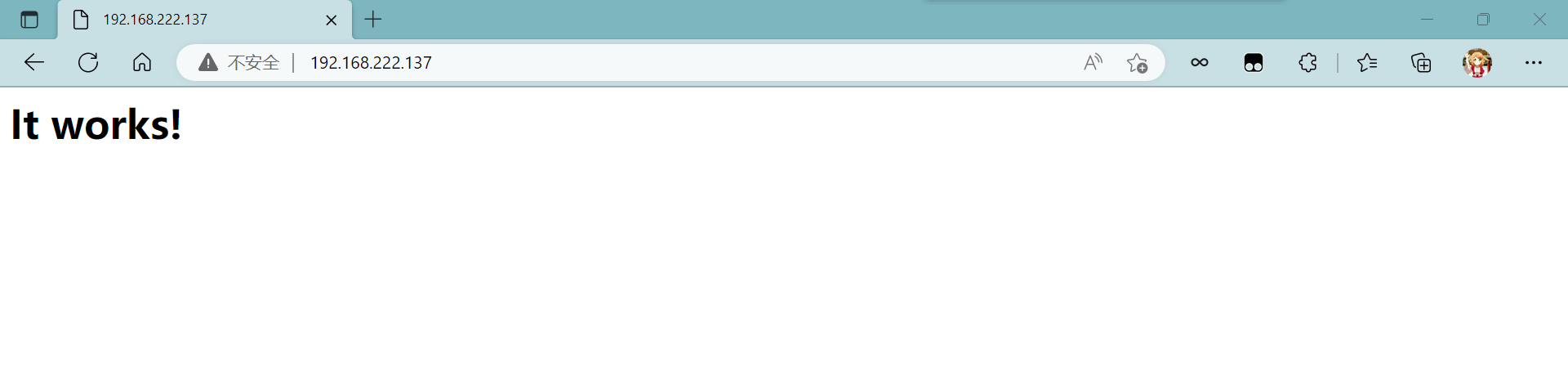
访问:
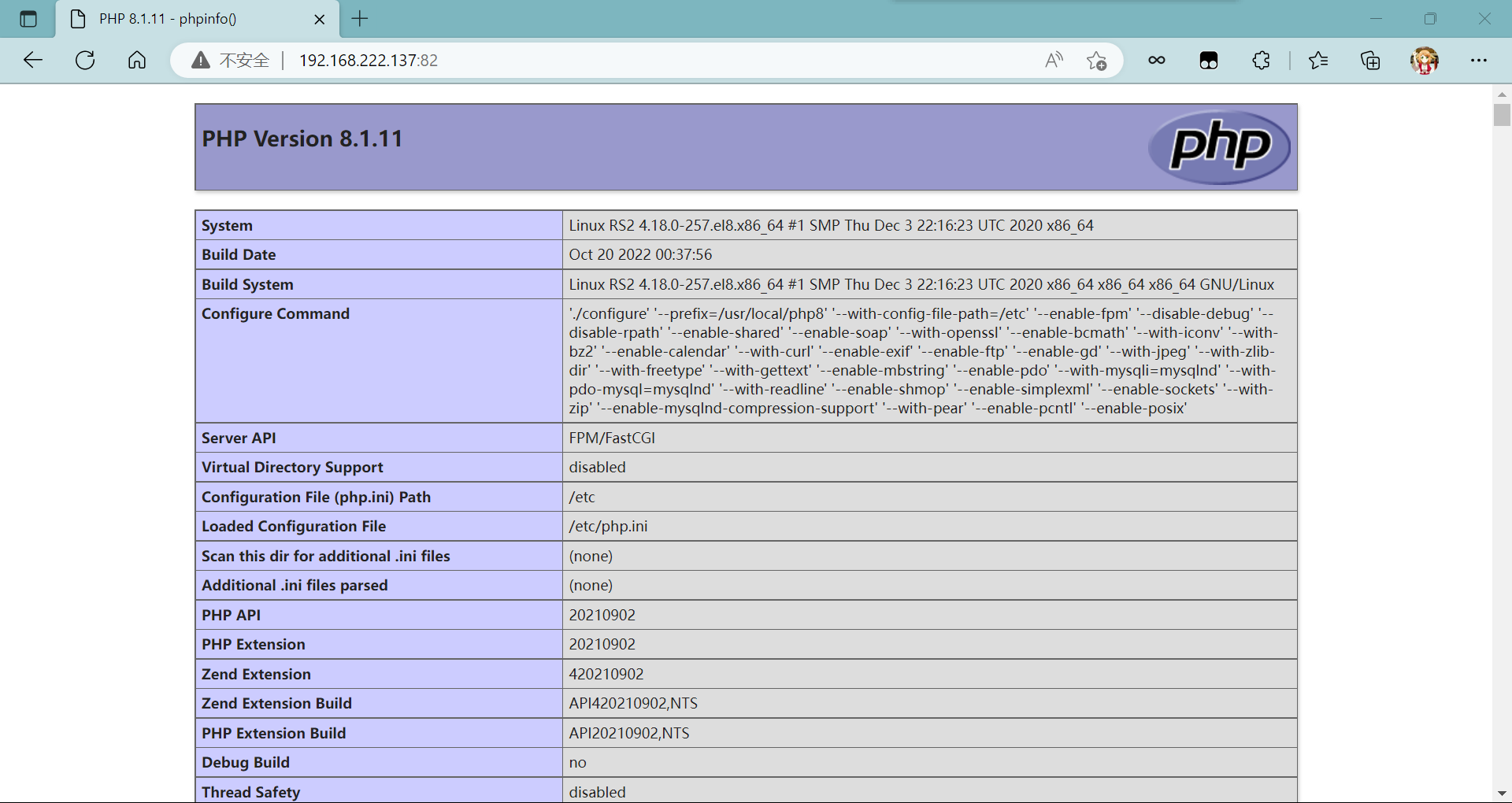
[root@node1 ~]# wget https://nginx.org/download/nginx-1.22.0.tar.gz   //安装包
[root@node1 ~]# ls
anaconda-ks.cfg  nginx-1.22.0.tar.gz
[root@node1 ~]# useradd -rMs /sbin/nologin nginx
//创建用户
[root@node1 ~]# dnf -y install pcre-devel openssl openssl-devel gd-devel gcc gcc-c++ make vim
//安装依赖包
[root@node1 ~]# mkdir -p /var/log/nginx  //创建日志存放目录
[root@node1 ~]# chown -R nginx.nginx /var/log/nginx
[root@node1 ~]# tar xf nginx-1.22.0.tar.gz  //解压
[root@node1 ~]# cd nginx-1.22.0/
[root@node1 nginx-1.22.0]# ./configure \  //进行编译
 --prefix=/usr/local/nginx \
 --user=nginx \
 --group=nginx \
 --with-debug \
 --with-http_ssl_module \
 --with-http_realip_module \
 --with-http_gunzip_module \
 --with-http_gzip_static_module \
 --with-http_stub_status_module
[root@node1 nginx-1.22.0]# make -j $(grep 'processor' /proc/cpuinfo | wc -l) && make install   //安装
[root@node1 ~]# echo "export PATH=$PATH:/usr/local/nginx/sbin" > /etc/profile.d/nginx.sh    //配置环境变量
[root@node1 ~]# source /etc/profile.d/nginx.sh
[root@node1 ~]# cp /usr/lib/systemd/system/sshd.service /usr/lib/systemd/system/nginx.service
[root@node1 ~]# vim /usr/lib/systemd/system/nginx.service
[root@node1 ~]# cat /usr/lib/systemd/system/nginx.service
[Unit]
Description=nginx server daemon
After=network.target

[Service]
Type=forking
ExecStart=/usr/local/nginx/sbin/nginx
ExecStop=/usr/local/nginx/sbin/nginx -s stop
ExecReload=/bin/kill -HUP \$MAINPID

[Install]
WantedBy=multi-user.target
[root@node1 ~]# systemctl daemon-reload  //重新加载配置
[root@node1 ~]# systemctl enable --now nginx.service
Created symlink /etc/systemd/system/multi-user.target.wants/nginx.service → /usr/lib/systemd/system/nginx.service.
[root@node1 ~]# ss -antl  //查看端口
State       Recv-Q      Send-Q           Local Address:Port           Peer Address:Port      Process
LISTEN      0           128                    0.0.0.0:22                  0.0.0.0:*
LISTEN      0           128                    0.0.0.0:80                  0.0.0.0:*
LISTEN      0           128                       [::]:22                     [::]:*
[root@node1 conf]# pwd
/usr/local/nginx/conf
[root@node1 conf]# vim nginx.conf
 upstream static {
        server 192.168.222.250;     //lnmp的ip
        server 192.168.222.137;     //lamp的ip
    }
    upstream dynamic {
         server 192.168.222.250;    //lnmp的ip
         server 192.168.222.137:82;    //lamp的ip
    }

location / {
            proxy_pass http://static;
        }

location / {
            proxy_pass http://static;  //访问静态资源会自动跳转到进行访问
        }
        location ~ \.php$ {
            proxy_pass   http://dynamic;  //访问动态资源会自动跳转到进行访问
        }
[root@node1 conf]# nginx -t
nginx: the configuration file /usr/local/nginx/conf/nginx.conf syntax is ok
nginx: configuration file /usr/local/nginx/conf/nginx.conf test is successful
[root@node1 conf]# systemctl restart nginx.service
访问静:
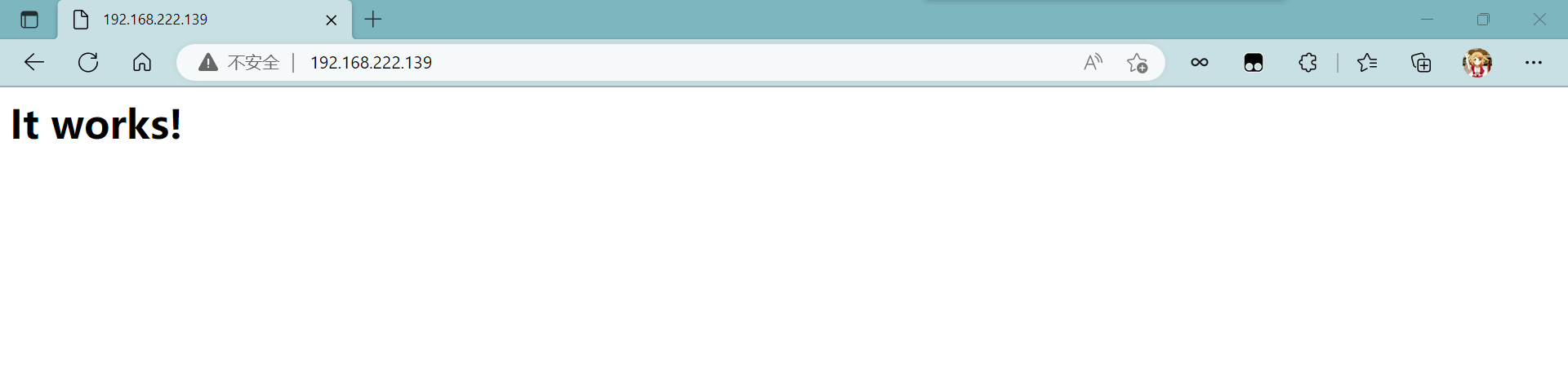
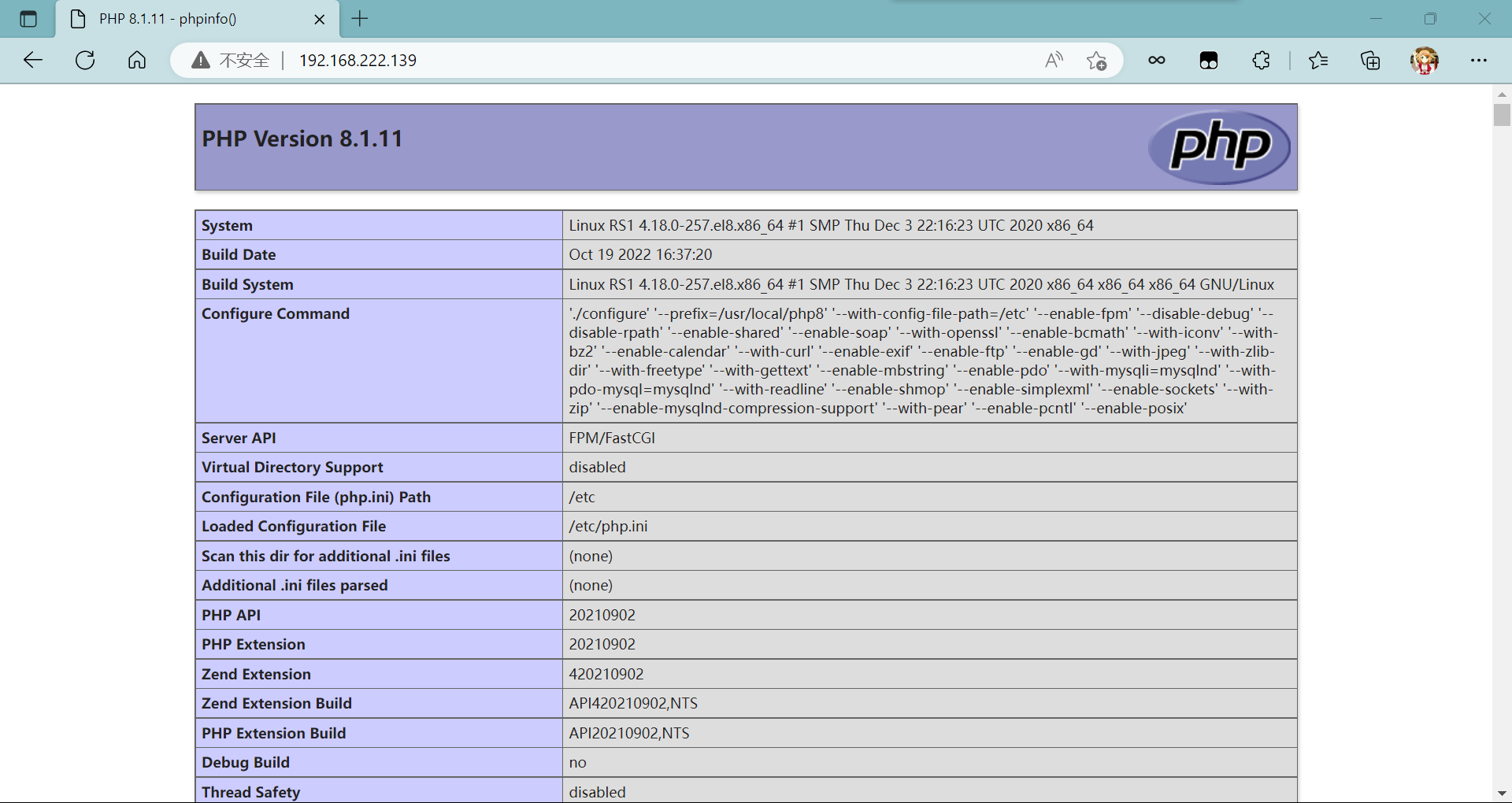
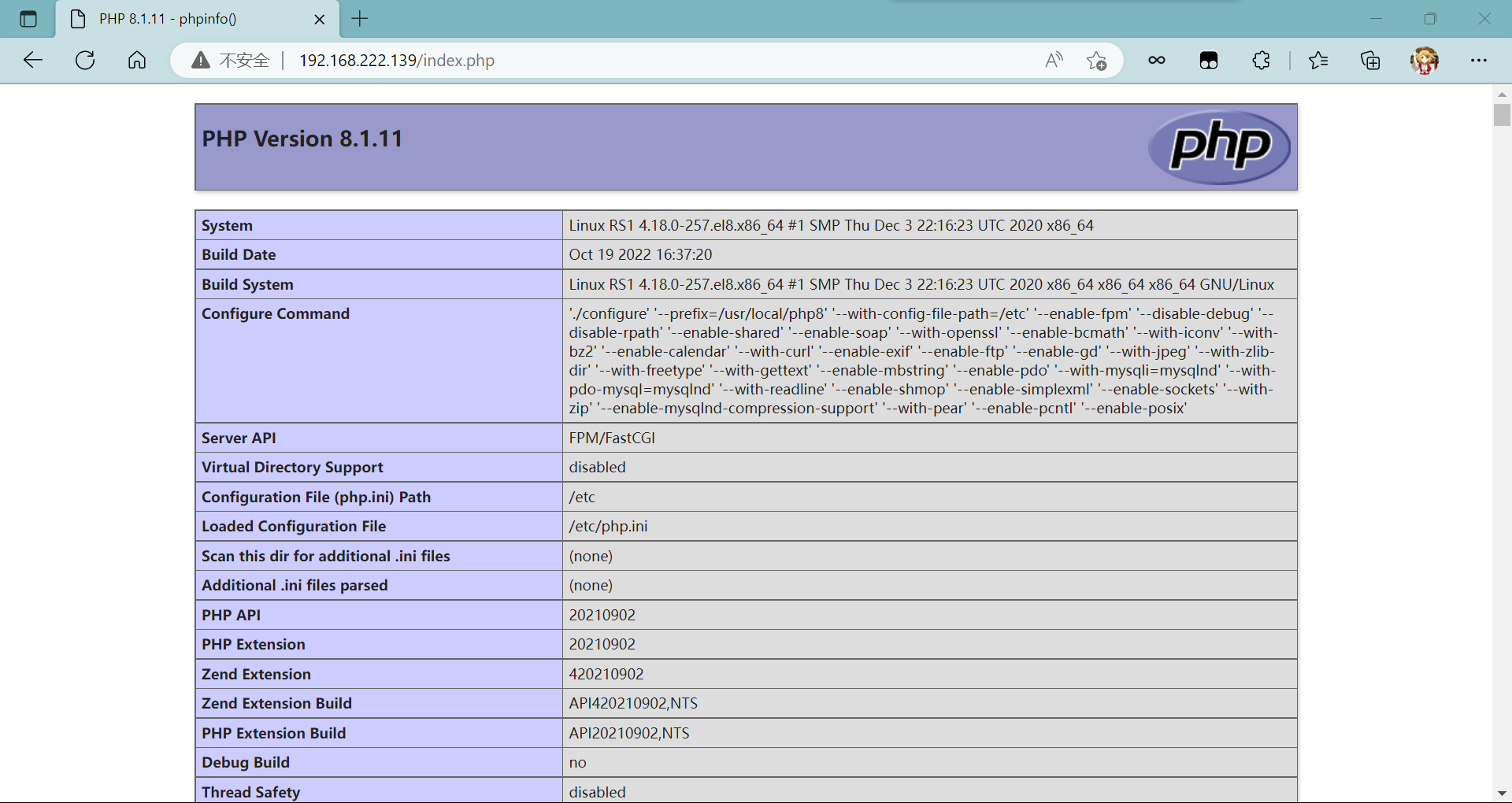
访问动:
我正在尝试使用ruby和Savon来使用网络服务。测试服务为http://www.webservicex.net/WS/WSDetails.aspx?WSID=9&CATID=2require'rubygems'require'savon'client=Savon::Client.new"http://www.webservicex.net/stockquote.asmx?WSDL"client.get_quotedo|soap|soap.body={:symbol=>"AAPL"}end返回SOAP异常。检查soap信封,在我看来soap请求没有正确的命名空间。任何人都可以建议我
我想安装一个带有一些身份验证的私有(private)Rubygem服务器。我希望能够使用公共(public)Ubuntu服务器托管内部gem。我读到了http://docs.rubygems.org/read/chapter/18.但是那个没有身份验证-如我所见。然后我读到了https://github.com/cwninja/geminabox.但是当我使用基本身份验证(他们在他们的Wiki中有)时,它会提示从我的服务器获取源。所以。如何制作带有身份验证的私有(private)Rubygem服务器?这是不可能的吗?谢谢。编辑:Geminabox问题。我尝试“捆绑”以安装新的gem..
我的瘦服务器配置了nginx,我的ROR应用程序正在它们上运行。在我发布代码更新时运行thinrestart会给我的应用程序带来一些停机时间。我试图弄清楚如何优雅地重启正在运行的Thin实例,但找不到好的解决方案。有没有人能做到这一点? 最佳答案 #Restartjustthethinserverdescribedbythatconfigsudothin-C/etc/thin/mysite.ymlrestartNginx将继续运行并代理请求。如果您将Nginx设置为使用多个上游服务器,例如server{listen80;server
我有一个在Linux服务器上运行的ruby脚本。它不使用rails或任何东西。它基本上是一个命令行ruby脚本,可以像这样传递参数:./ruby_script.rbarg1arg2如何将参数抽象到配置文件(例如yaml文件或其他文件)中?您能否举例说明如何做到这一点?提前谢谢你。 最佳答案 首先,您可以运行一个写入YAML配置文件的独立脚本:require"yaml"File.write("path_to_yaml_file",[arg1,arg2].to_yaml)然后,在您的应用中阅读它:require"yaml"arg
最近,当我启动我的Rails服务器时,我收到了一长串警告。虽然它不影响我的应用程序,但我想知道如何解决这些警告。我的估计是imagemagick以某种方式被调用了两次?当我在警告前后检查我的git日志时。我想知道如何解决这个问题。-bcrypt-ruby(3.1.2)-better_errors(1.0.1)+bcrypt(3.1.7)+bcrypt-ruby(3.1.5)-bcrypt(>=3.1.3)+better_errors(1.1.0)bcrypt和imagemagick有关系吗?/Users/rbchris/.rbenv/versions/2.0.0-p247/lib/ru
在Rails4.0.2中,我使用s3_direct_upload和aws-sdkgems直接为s3存储桶上传文件。在开发环境中它工作正常,但在生产环境中它会抛出如下错误,ActionView::Template::Error(noimplicitconversionofnilintoString)在View中,create_cv_url,:id=>"s3_uploader",:key=>"cv_uploads/{unique_id}/${filename}",:key_starts_with=>"cv_uploads/",:callback_param=>"cv[direct_uplo
我已经在Sinatra上创建了应用程序,它代表了一个简单的API。我想在生产和开发上进行部署。我想在部署时选择,是开发还是生产,一些方法的逻辑应该改变,这取决于部署类型。是否有任何想法,如何完成以及解决此问题的一些示例。例子:我有代码get'/api/test'doreturn"Itisdev"end但是在部署到生产环境之后我想在运行/api/test之后看到ItisPROD如何实现? 最佳答案 根据SinatraDocumentation:EnvironmentscanbesetthroughtheRACK_ENVenvironm
我想在Ruby中创建一个用于开发目的的极其简单的Web服务器(不,不想使用现成的解决方案)。代码如下:#!/usr/bin/rubyrequire'socket'server=TCPServer.new('127.0.0.1',8080)whileconnection=server.acceptheaders=[]length=0whileline=connection.getsheaders想法是从命令行运行这个脚本,提供另一个脚本,它将在其标准输入上获取请求,并在其标准输出上返回完整的响应。到目前为止一切顺利,但事实证明这真的很脆弱,因为它在第二个请求上中断并出现错误:/usr/b
您如何在Rails中的实时服务器上进行有效调试,无论是在测试版/生产服务器上?我试过直接在服务器上修改文件,然后重启应用,但是修改好像没有生效,或者需要很长时间(缓存?)我也试过在本地做“脚本/服务器生产”,但是那很慢另一种选择是编码和部署,但效率很低。有人对他们如何有效地做到这一点有任何见解吗? 最佳答案 我会回答你的问题,即使我不同意这种热修补服务器代码的方式:)首先,你真的确定你已经重启了服务器吗?您可以通过跟踪日志文件来检查它。您更改的代码显示的View可能会被缓存。缓存页面位于tmp/cache文件夹下。您可以尝试手动删除
之前在培训新生的时候,windows环境下配置opencv环境一直教的都是网上主流的vsstudio配置属性表,但是这个似乎对新生来说难度略高(虽然个人觉得完全是他们自己的问题),加之暑假之后对cmake实在是爱不释手,且这样配置确实十分简单(其实都不需要配置),故斗胆妄言vscode下配置CV之法。其实极为简单,图比较多所以很长。如果你看此文还配不好,你应该思考一下是不是自己的问题。闲话少说,直接开始。0.CMkae简介有的人到大二了都不知道cmake是什么,我不说是谁。CMake是一个开源免费并且跨平台的构建工具,可以用简单的语句来描述所有平台的编译过程。它能够根据当前所在平台输出对应的m
