这是一篇有关数值矩阵、颜色矩阵、颜色列表的技巧整合,会以随笔的形式想到哪写到哪,可能思绪会比较飘逸请大家见谅,本文大体分为以下几个部分:
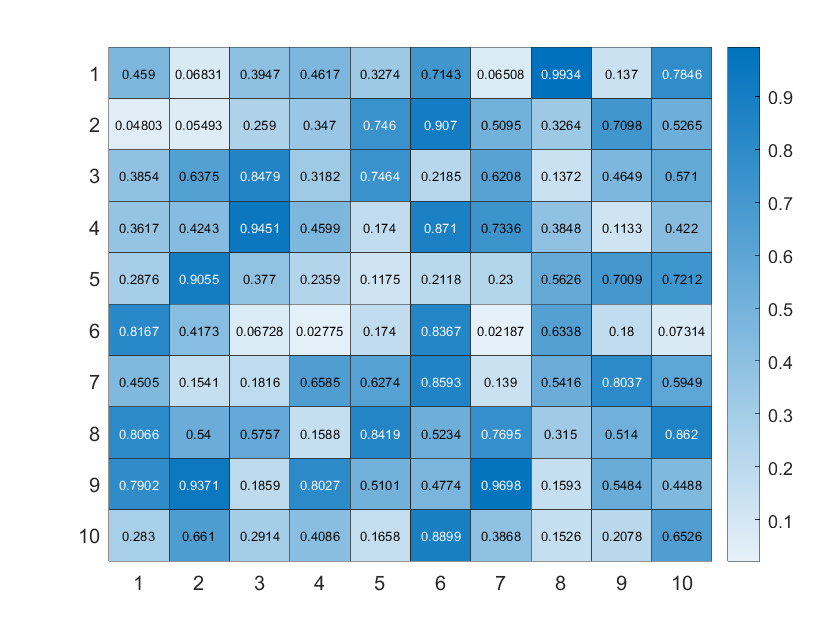
我们最常用的肯定就是heatmap函数显示数值矩阵:
X=rand(10);
heatmap(X);
字体颜色可设置为透明:
X=rand(10);
HM=heatmap(X);
HM.CellLabelColor='none';

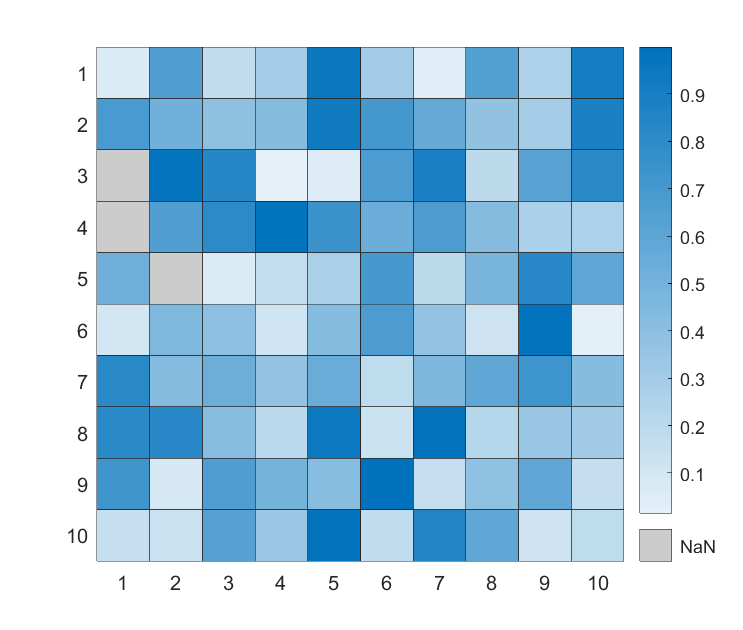
如果由NaN值,会显示为黑色:
X=rand(10);
X([3,4,15])=nan;
HM=heatmap(X);
HM.CellLabelColor='none';

这个颜色也可以改,比如改成浅灰色:
X=rand(10);
X([3,4,15])=nan;
HM=heatmap(X);
HM.CellLabelColor='none';
HM.MissingDataColor=[.8,.8,.8];
imagesc随便加个colorbar就和heatmap非常像了,而且比较容易进行图像组合(heatmap的父类不能是axes),但是没有边缘:
X=rand(10);
imagesc(X)
colormap(winter)
colorbar
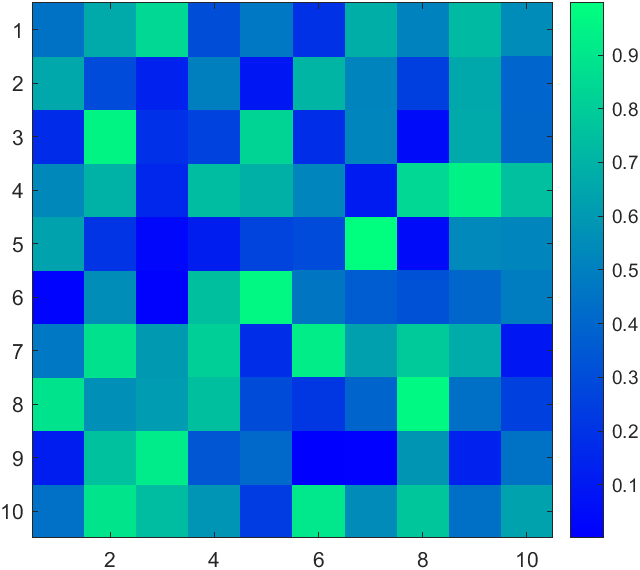
比较烦的是imagesc即使数据有NaN也会对其进行插值显示,好坏参半吧。
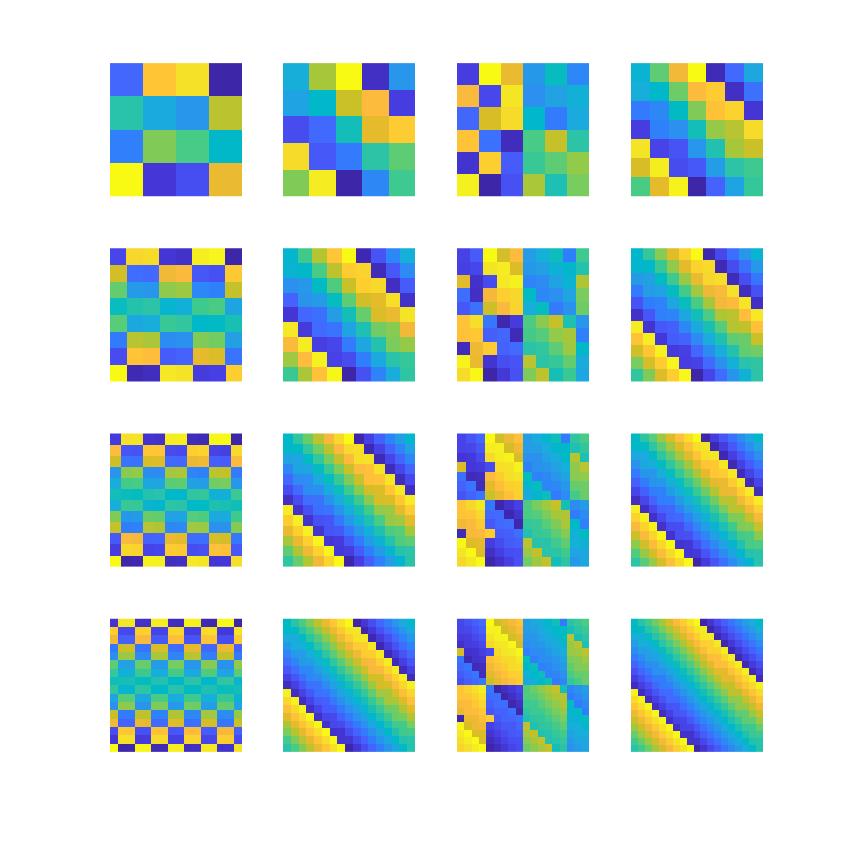
另外随便写了点代码发现MATLAB自带的幻方绘制挺有规律的hiahiahia:
for i=1:16
    ax=subplot(4,4,i);
    hold on;axis tight off equal
    X=magic(3+i);
    imagesc(X);
end
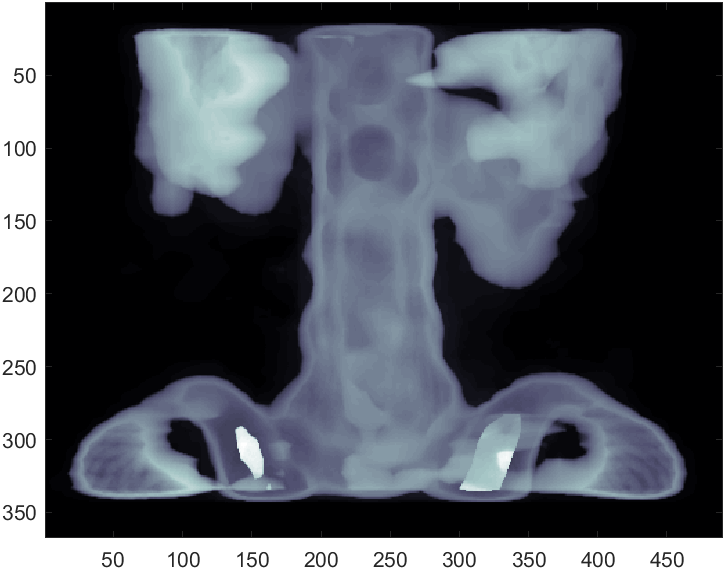
image函数单通道时也可以设置colormap来进行颜色映射:
load spine
image(X)
colormap(map)
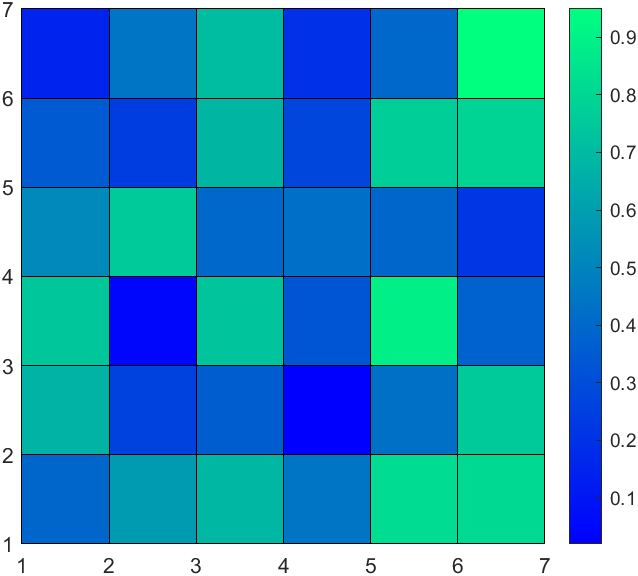
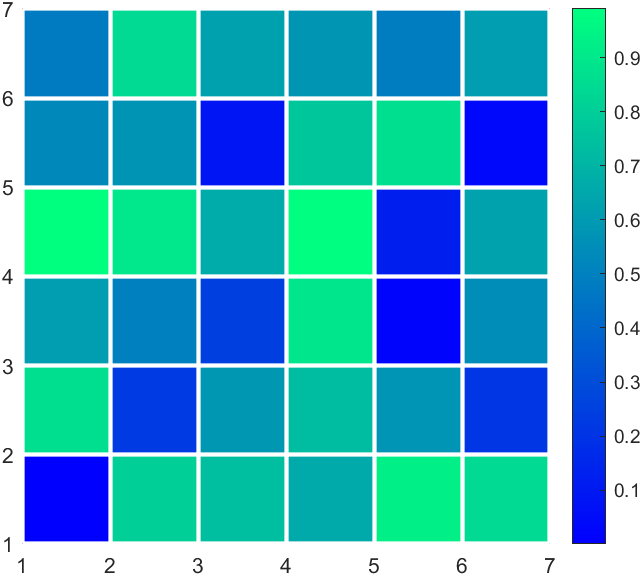
pcolor由于每个方块颜色都会使用左上角的数值来计算,因此会缺一行一列,我们可以补上一行一列nan:
X=rand(6);
X(end+1,:)=nan;
X(:,end+1)=nan;
pcolor(X);
colormap(winter)
colorbar
可修饰的东西就比较丰富了,比如边缘颜色:
X=rand(6);
X(end+1,:)=nan;
X(:,end+1)=nan;
pHdl=pcolor(X);
pHdl.EdgeColor=[1,1,1];
pHdl.LineWidth=2;
colormap(winter)
colorbar
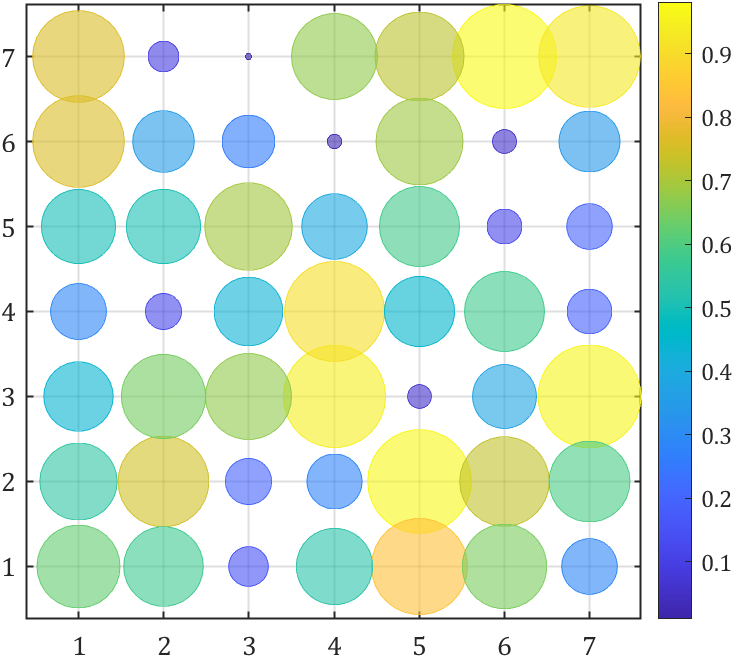
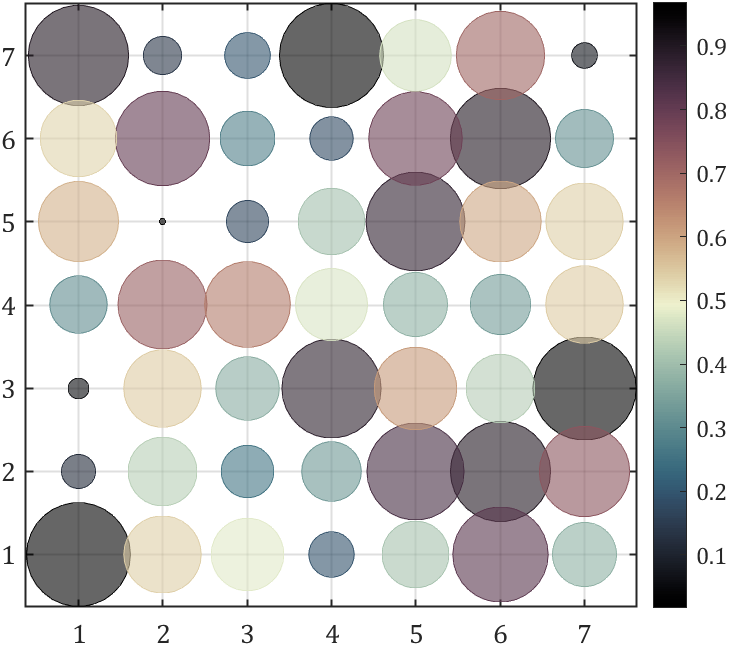
气泡图大概也能冒充一下热图:
Z=rand(7);
[X,Y]=meshgrid(1:size(Z,2),1:size(Z,1));

bubblechart(X(:),Y(:),Z(:),Z(:),'MarkerFaceAlpha',.6)
colormap(parula)
colorbar
set(gca,'XTick',1:size(Z,2),'YTick',1:size(Z,1),'LineWidth',1,...
    'XGrid','on','YGrid','on','FontName','Cambria','FontSize',13)
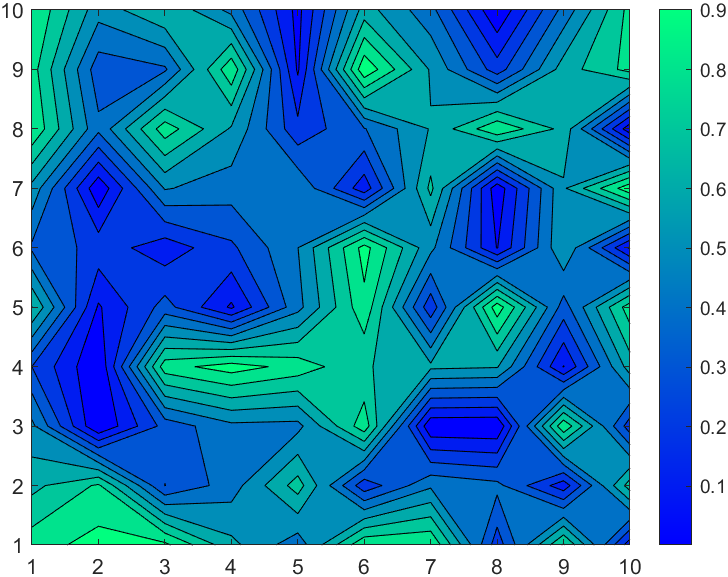
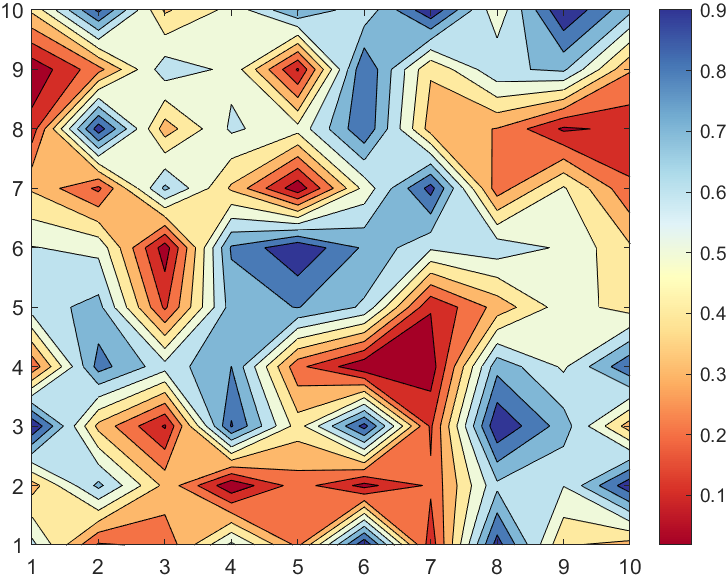
虽然surf函数调整视角也像是热图的样子,但是不打算讲了,反而等高线填充图虽然不像热图但是很有意思,感觉可以当作colormap展示的示例图:
X=rand(10);
CF=contourf(X);
colormap(winter)
colorbar
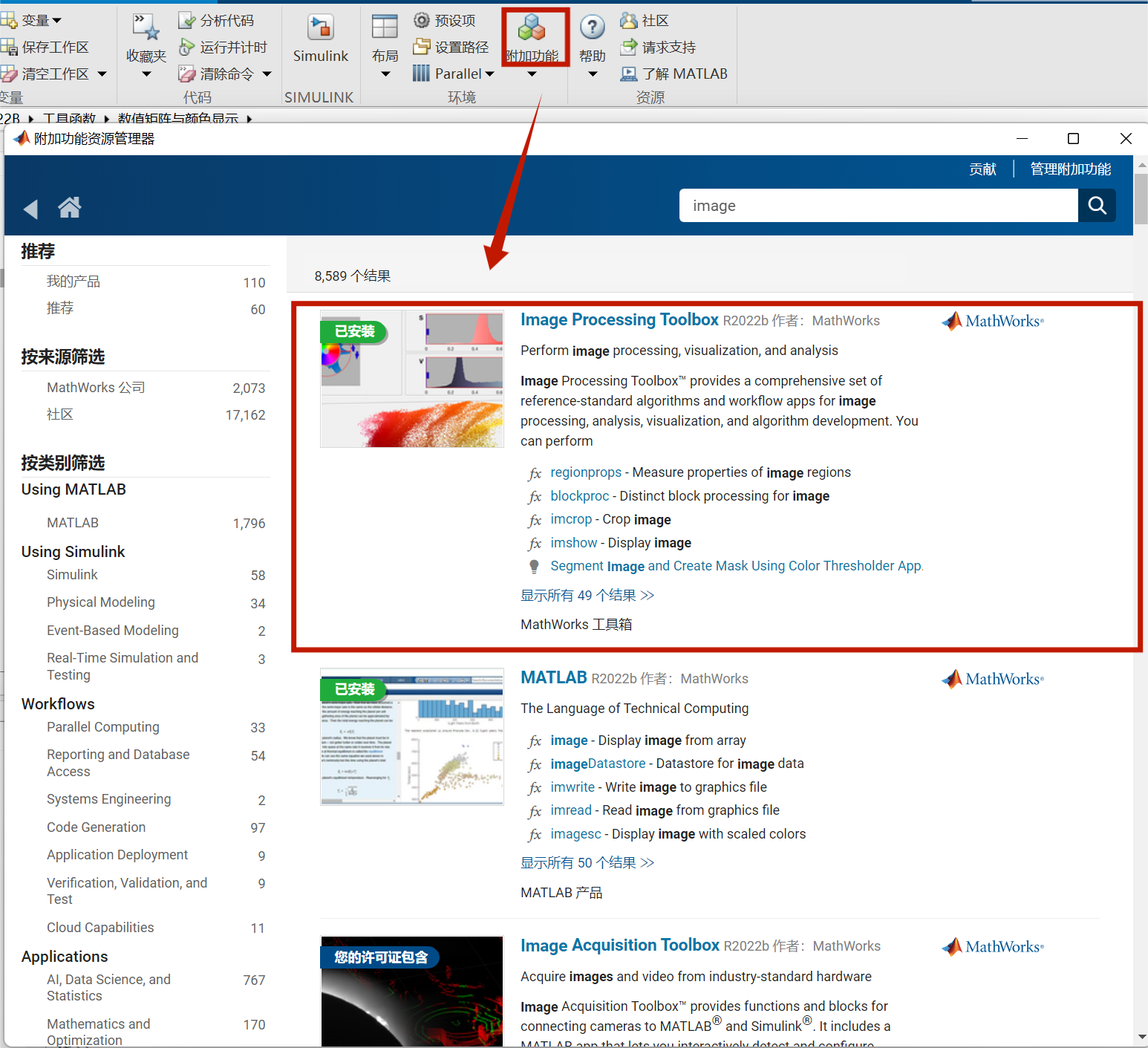
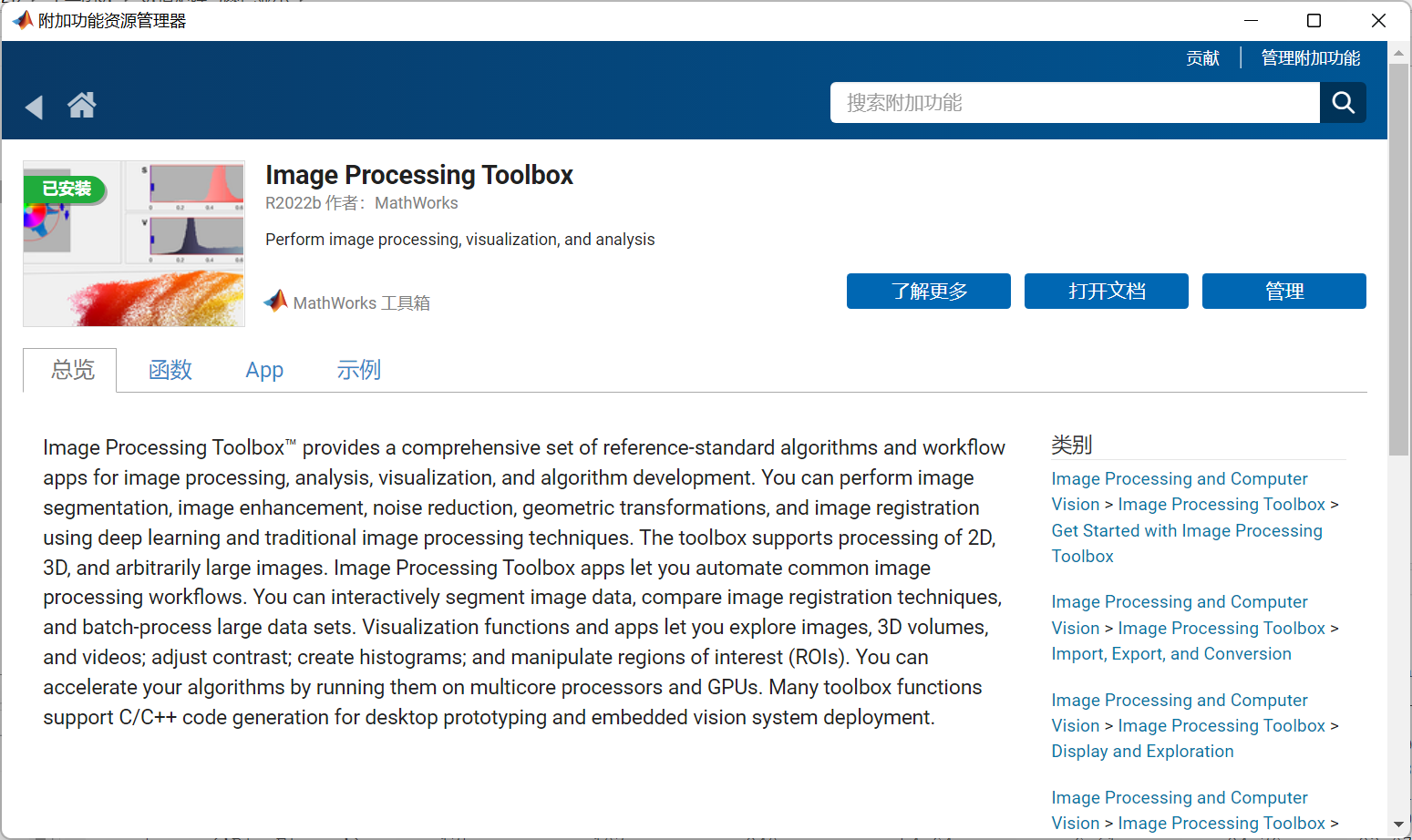
需要安装:
Image Processing Toolbox
图像处理工具箱.
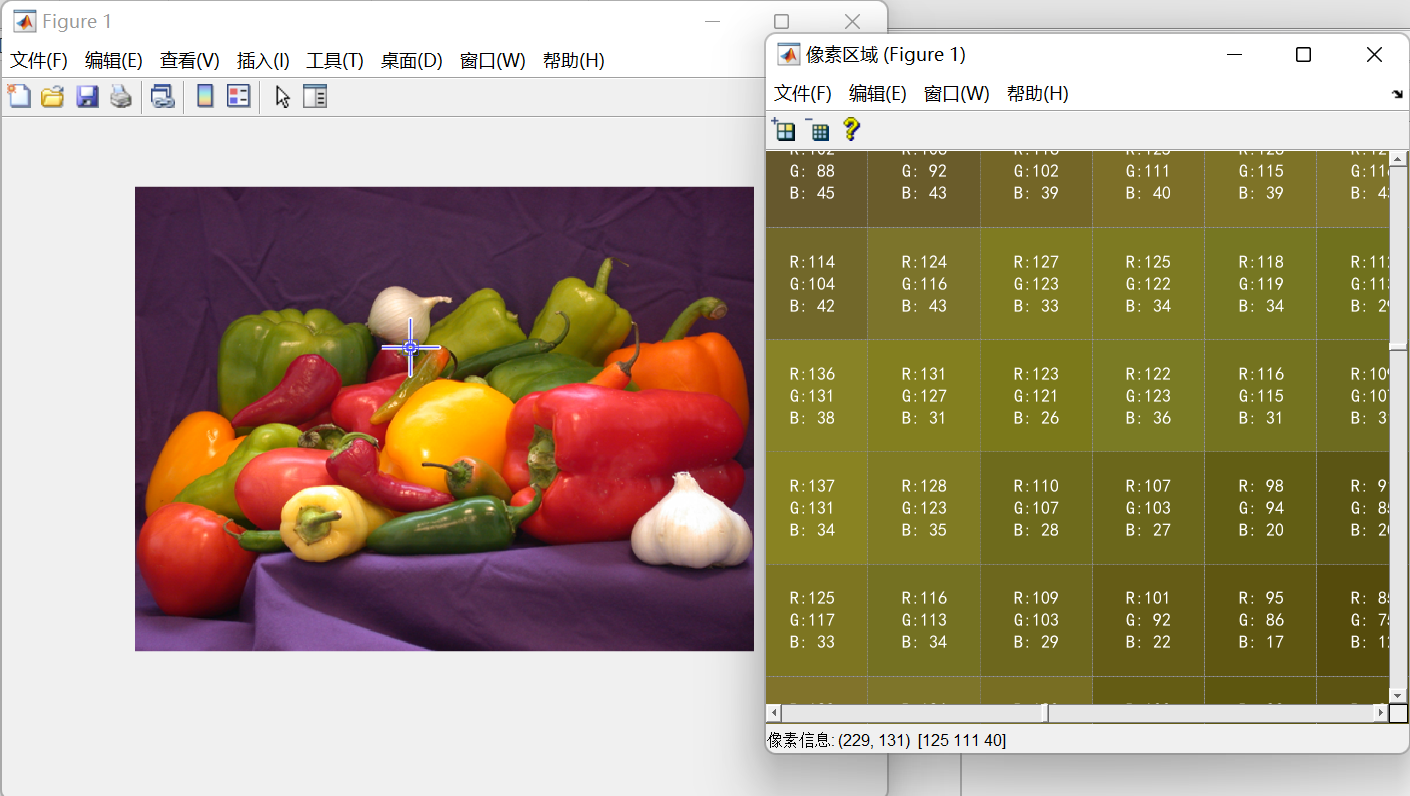
使用以下代码可以显示每个像素RGB值:
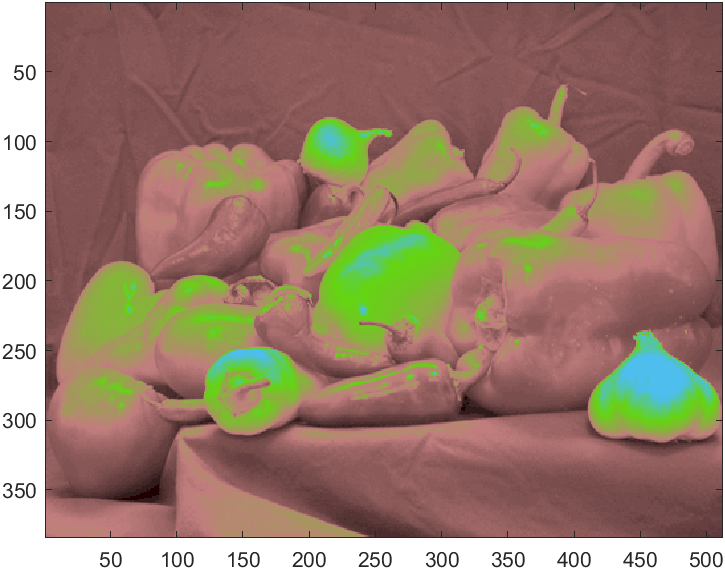
imshow('peppers.png')
impixelregion
我写过一个RGB颜色统计图绘制函数:
function HistogramPic(pic)
FreqNum=zeros(size(pic,3),256);
for i=1:size(pic,3)
    for j=0:255
        FreqNum(i,j+1)=sum(sum(pic(:,:,i)==j));
    end
end
ax=gca;hold(ax,'on');box on;grid on
if size(FreqNum,1)==3
    bar(0:255,FreqNum(1,:),'FaceColor',[0.6350 0.0780 0.1840],'FaceAlpha',0.5);
    bar(0:255,FreqNum(2,:),'FaceColor',[0.2400 0.5300 0.0900],'FaceAlpha',0.5);
    bar(0:255,FreqNum(3,:),'FaceColor',[0      0.4470 0.7410],'FaceAlpha',0.5);
    ax.XLabel.String='RGB brightness';
    rrange=[num2str(min(pic(:,:,1),[],[1,2])),' , ',num2str(max(pic(:,:,1),[],[1,2]))];
    grange=[num2str(min(pic(:,:,2),[],[1,2])),' , ',num2str(max(pic(:,:,2),[],[1,2]))];
    brange=[num2str(min(pic(:,:,3),[],[1,2])),' , ',num2str(max(pic(:,:,3),[],[1,2]))];
    legend({['R: range[',rrange,']'],['G: range[',grange,']'],['B: range[',brange,']']},...
             'Location','northwest','Color',[0.9412    0.9412    0.9412],...
             'FontName','Cambria','LineWidth',0.8,'FontSize',11);
else
    bar(0:255,FreqNum(1,:),'FaceColor',[0.50 0.50 0.50],'FaceAlpha',0.5);
    ax.XLabel.String='Gray scale';
    krange=[num2str(min(pic(:,:,1),[],[1,2])),' , ',num2str(max(pic(:,:,1),[],[1,2]))];
    legend(['Gray: range[',krange,']'],...
           'Location','northwest','Color',[0.9412    0.9412    0.9412],...
           'FontName','Cambria','LineWidth',0.8,'FontSize',11);
end
ax.LineWidth=1;
ax.GridLineStyle='--';
ax.XLim=[-5 255];
ax.XTick=[0:45:255,255];
ax.YLabel.String='Frequency number';
ax.FontName='Cambria';
ax.FontSize=13;
end
非常简单的使用方法,就是读取图片后调用函数即可:
pic=imread('test.png');
HistogramPic(pic)
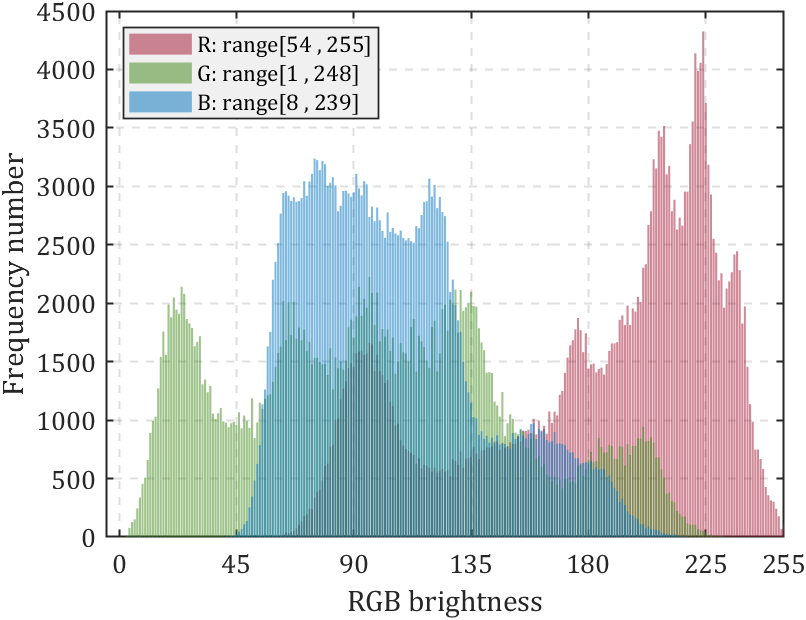
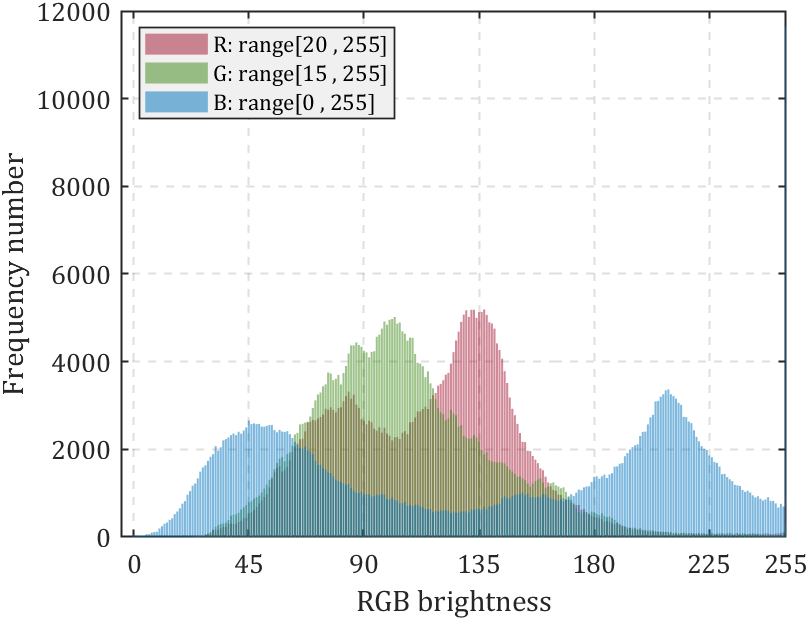
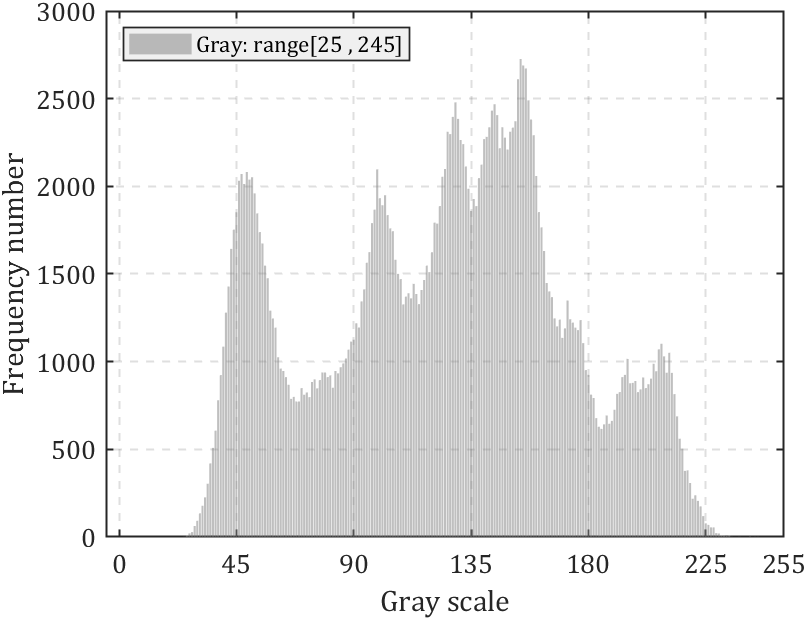
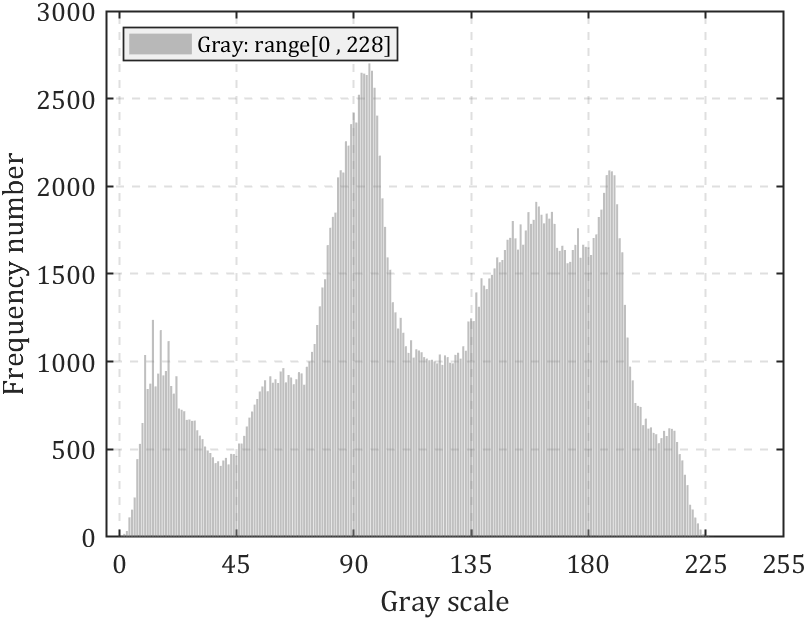
若图像为灰度图则效果如下:
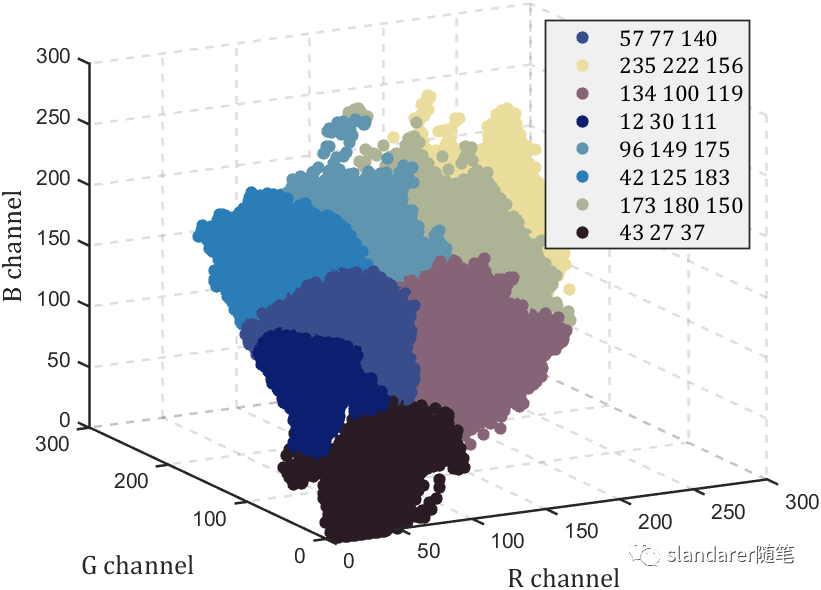
从图片中提取主要颜色:https://mp.weixin.qq.com/s/Pj6t0SMDBAjQi3ecj6KVaA
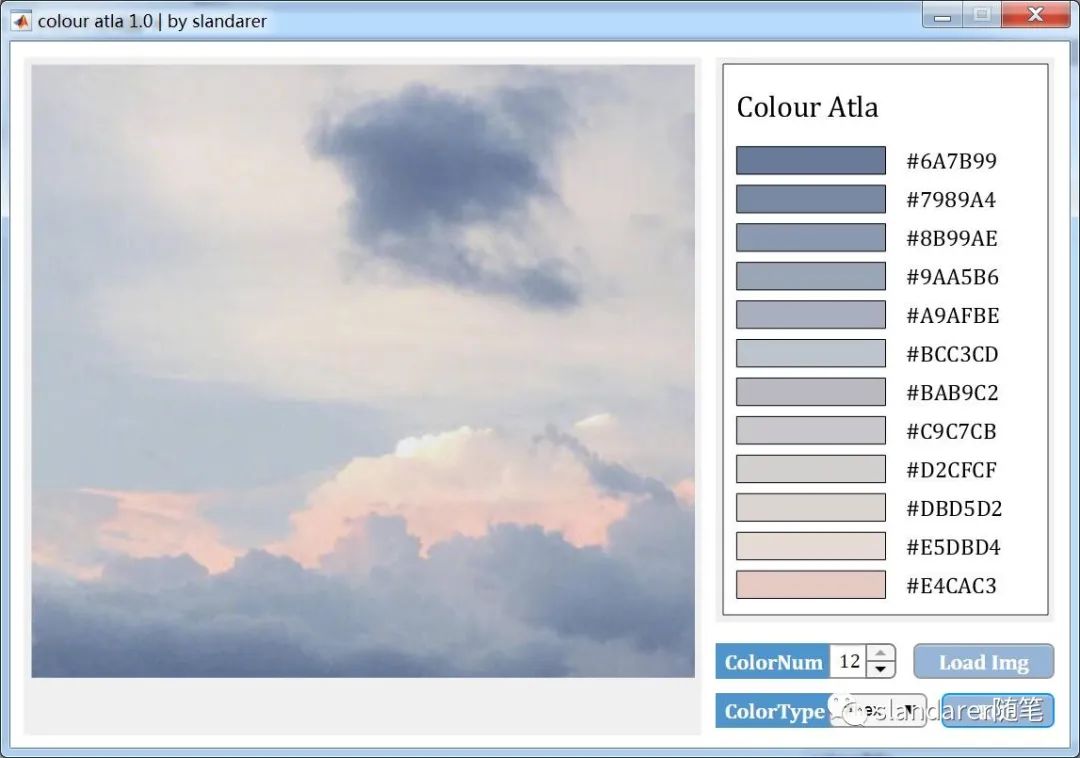
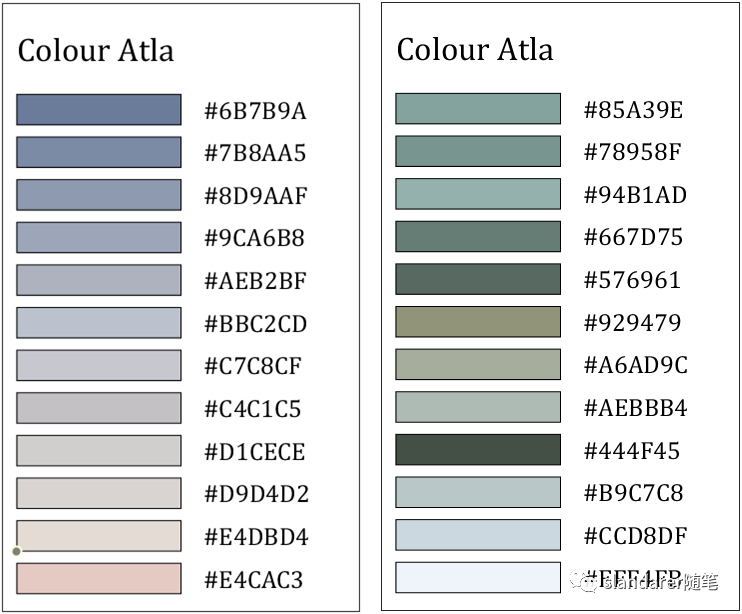
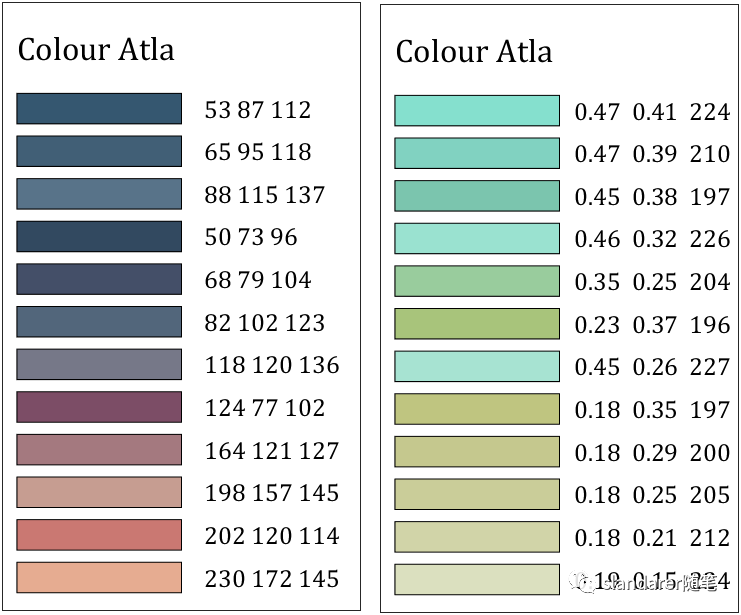
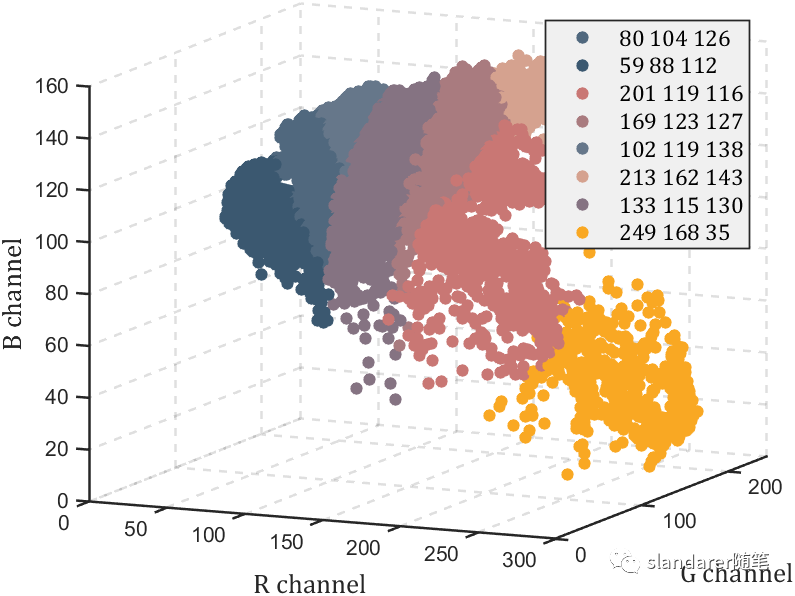
推荐两款颜色提取器,一款免费一款付费:
免费版:https://mp.weixin.qq.com/s/uIyvqQa9Vnz7gYLgd7lUtg
付费版:https://mp.weixin.qq.com/s/BpegP7CpOQERwrUXHexsGQ
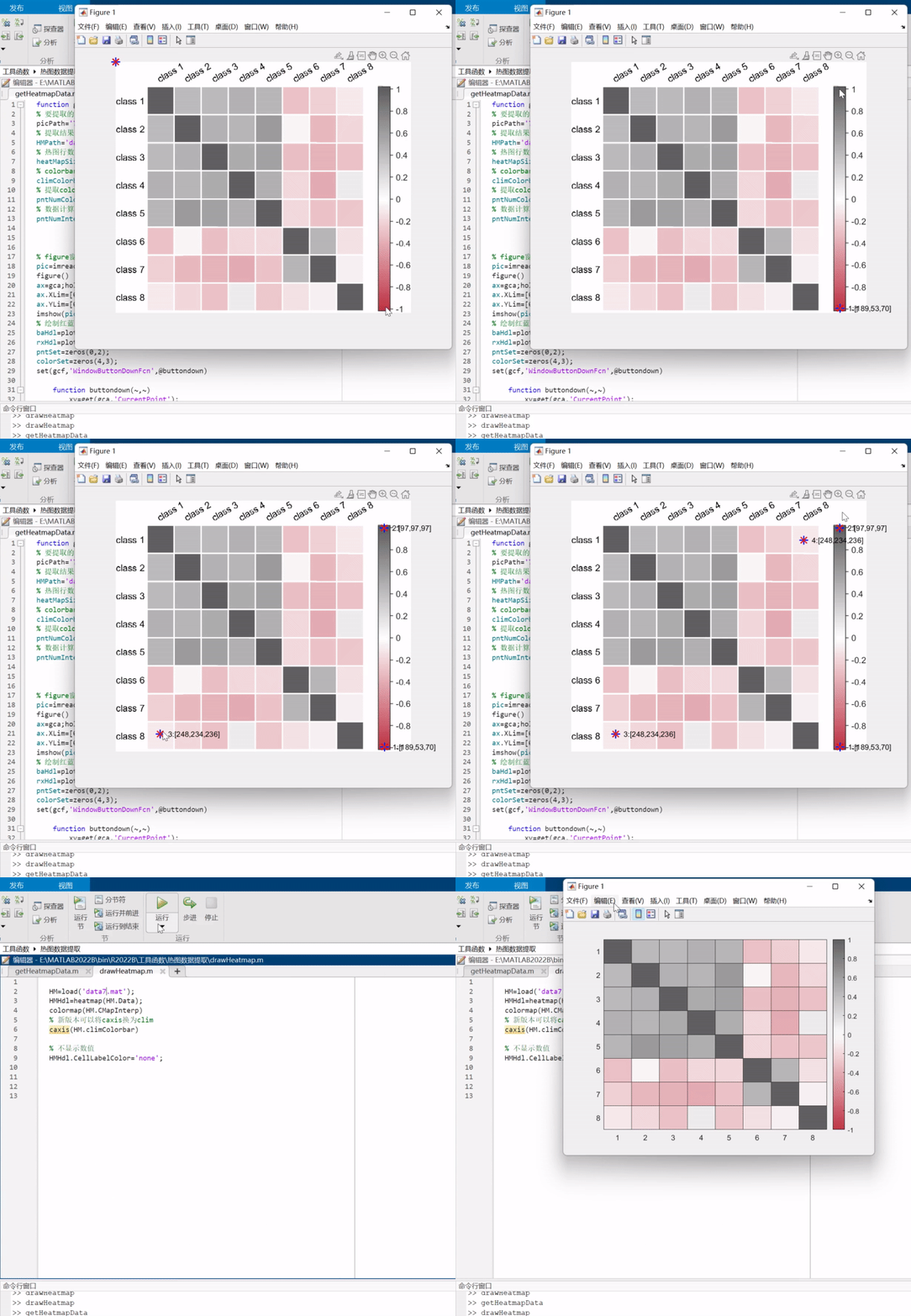
之前写过一列把热图变为数值矩阵的函数,可以去瞅一眼:https://mp.weixin.qq.com/s/wzqCCFF2yvC80-ruqMKOpQ
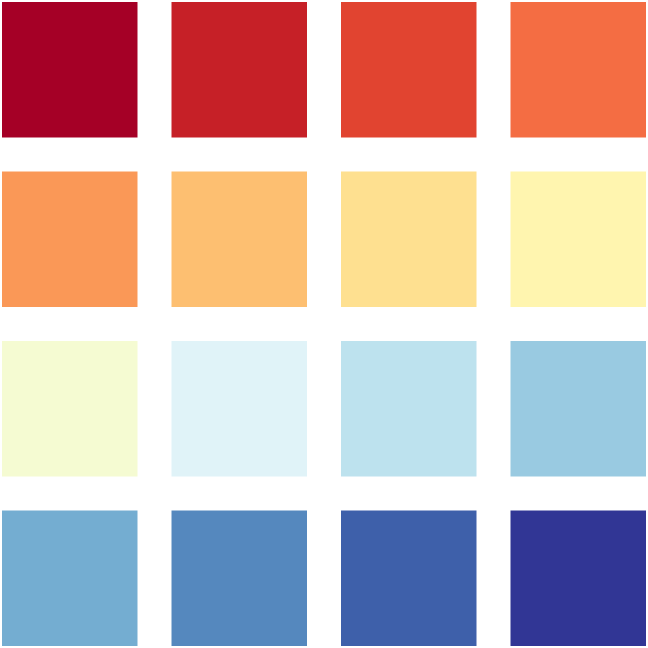
写了个用来显示颜色的小函数:
function colorSwatches(C,sz)
ax=gca;hold on;
ax.YDir='reverse';
ax.XColor='none';
ax.YColor='none';
ax.DataAspectRatio=[1,1,1];
for i=1:sz(1)
    for j=1:sz(2)
        if j+(i-1)*sz(2)<=size(C,1)
            fill([-.4,-.4,.4,.4]+j,[-.4,.4,.4,-.4]+i,C(j+(i-1)*sz(2),:),...
                'EdgeColor','none')
        end
    end
end
end
使用方式(第一个参数是颜色列表,第二个参数是显示行列数):
C=lines(7);
colorSwatches(C,[3,3])

C=[0.6471         0    0.1490
    0.7778    0.1255    0.1516
    0.8810    0.2680    0.1895
    0.9569    0.4275    0.2627
    0.9804    0.5974    0.3412
    0.9935    0.7477    0.4418
    0.9961    0.8784    0.5647
    0.9987    0.9595    0.6876
    0.9595    0.9843    0.8235
    0.8784    0.9529    0.9725
    0.7399    0.8850    0.9333
    0.5987    0.7935    0.8824
    0.4549    0.6784    0.8196
    0.3320    0.5320    0.7438
    0.2444    0.3765    0.6654
    0.1922    0.2118    0.5843];
colorSwatches(C,[4,4])
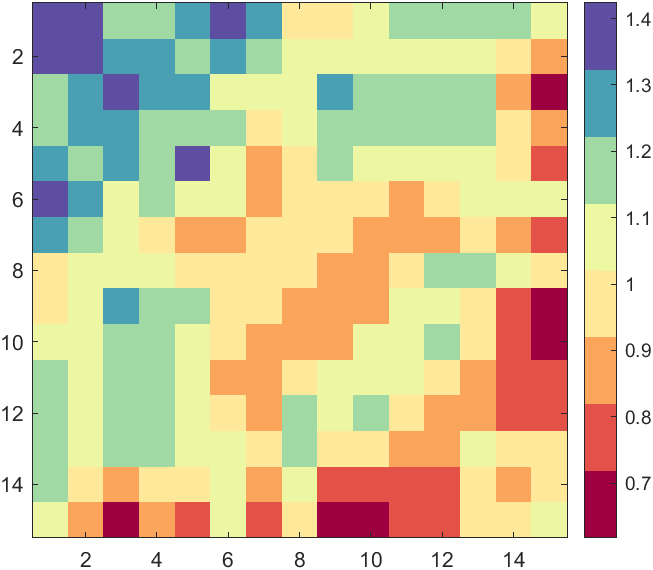
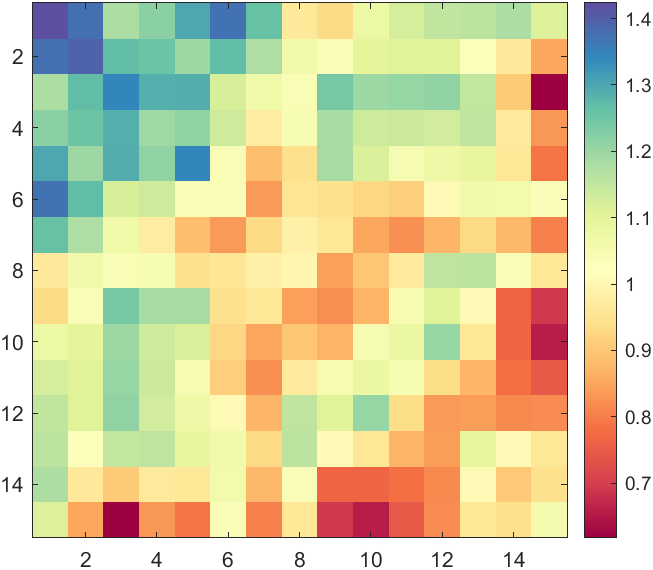
要是自己准备的颜色列表颜色数量少可能会不连续:
XData=rand(15,15);
XData=XData+XData.';
H=fspecial('average',3);
XData=imfilter(XData,H,'replicate');

imagesc(XData)
CM=[0.6196    0.0039    0.2588
    0.8874    0.3221    0.2896
    0.9871    0.6459    0.3636
    0.9972    0.9132    0.6034
    0.9300    0.9720    0.6398
    0.6319    0.8515    0.6437
    0.2835    0.6308    0.7008
    0.3686    0.3098    0.6353];
colormap(CM)
colorbar
hold on
ax=gca;
ax.DataAspectRatio=[1,1,1];
可以对其进行插值:
rng(24)
XData=rand(15,15);
XData=XData+XData.';
H=fspecial('average',3);
XData=imfilter(XData,H,'replicate');

imagesc(XData)
CM=[0.6196    0.0039    0.2588
    0.8874    0.3221    0.2896
    0.9871    0.6459    0.3636
    0.9972    0.9132    0.6034
    0.9300    0.9720    0.6398
    0.6319    0.8515    0.6437
    0.2835    0.6308    0.7008
    0.3686    0.3098    0.6353];
CMX=linspace(0,1,size(CM,1));
CMXX=linspace(0,1,256)';
CM=[interp1(CMX,CM(:,1),CMXX,'pchip'),interp1(CMX,CM(:,2),CMXX,'pchip'),interp1(CMX,CM(:,3),CMXX,'pchip')];
colormap(CM)
colorbar
hold on
ax=gca;
ax.DataAspectRatio=[1,1,1];
colormapeditor
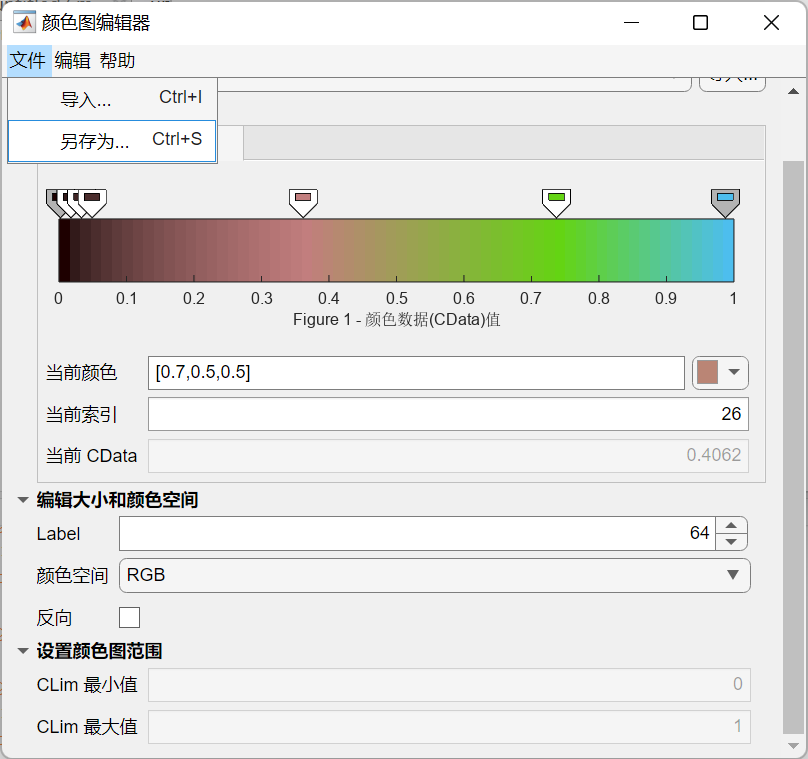
编辑完可以另存工作区,之后存为mat文件:
save CM.mat CustomColormap
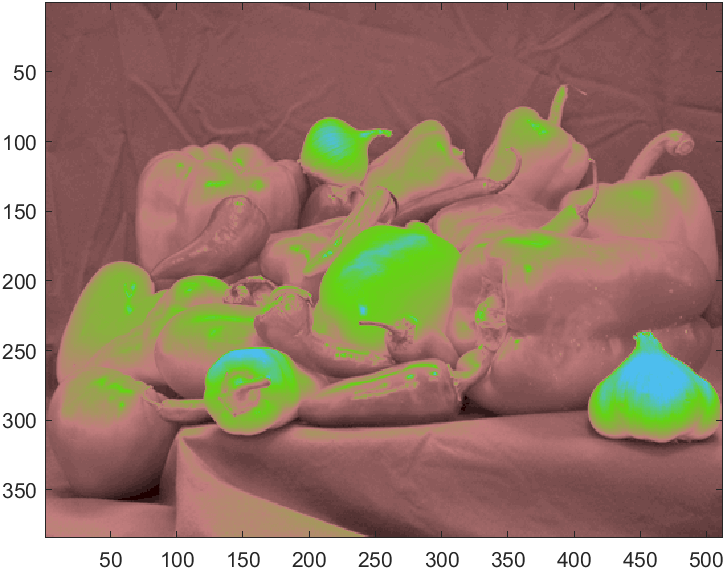
之后画图就可以用啦:
rgbImage=imread("peppers.png");
imagesc(rgb2gray(rgbImage))

load CM.mat
colormap(CustomColormap)
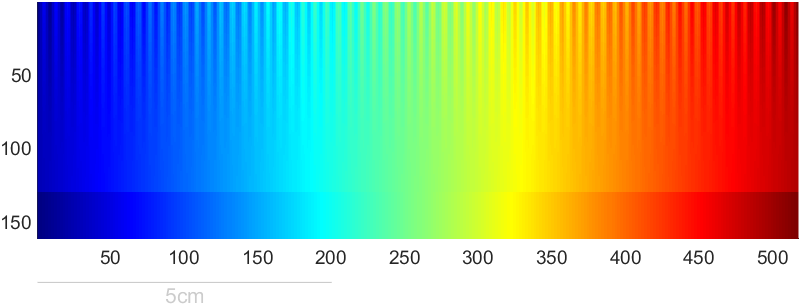
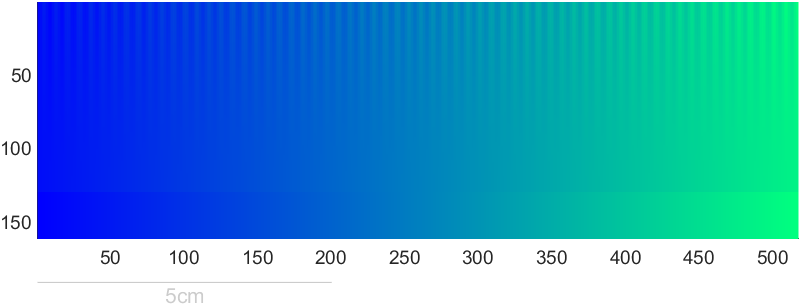
Steve Eddins大佬写了个美观的colormap展示器
Steve Eddins (2023). Colormap Test Image (https://www.mathworks.com/matlabcentral/fileexchange/63726-colormap-test-image), MATLAB Central File Exchange. 检索来源 2023/2/13.
function I = colormapTestImage(map)
% colormapTestImage Create or display colormap test image.
%   I = colormapTestImage creates a grayscale image matrix that is useful
%   for evaluating the effectiveness of colormaps for visualizing
%   sequential data. In particular, the small-amplitude sinusoid pattern at
%   the top of the image is useful for evaluating the perceptual uniformity
%   of a colormap.
%
%   colormapTestImage(map) displays the test image using the specified
%   colormap. The colormap can be specified as the name of a colormap
%   function (such as 'parula' or 'jet'), a function handle to a colormap
%   function (such as @parula or @jet), or a P-by-3 colormap matrix.
%
%   EXAMPLES
%
%     Compute the colormap test image and save it to a file.
%
%       mk = colormapTestImage;
%       imwrite(mk,'test-image.png');
%
%     Compare the perceptual characteristics of the parula and jet
%     colormaps.
%
%       colormapTestImage('parula')
%       colormapTestImage('jet')
%
%   NOTES
%
%   The image is inspired by and adapted from the test image proposed in
%   Peter Kovesi, "Good Colour Maps: How to Design Them," CoRR, 2015,
%   https://arxiv.org/abs/1509.03700
%
%   The upper portion of the image is a linear ramp (from 0.05 to 0.95)
%   with a superimposed sinusoid. The amplitude of the sinusoid ranges from
%   0.05 at the top of the image to 0 at the bottom of the upper portion.
%
%   The lower portion of the image is a pure linear ramp from 0.0 to 1.0.
%
%   This test image differs from Kovesi's in three ways:
%
%     (a) The Kovesi test image superimposes a sinusoid on top of a
%     full-range linear ramp (0 to 1). It then rescales each row
%     independently to have full range, resulting in a linear trend slope
%     that slowly varies from row to row. The modified test image uses the
%     same linear ramp (0.05 to 0.95) on each row, with no need for
%     rescaling.
%
%     (b) The Kovesi test image has exactly 64 sinusoidal cycles
%     horizontally. This test image has 64.5 cycles plus one sample. With
%     this modification, the sinusoid is at the cycle minimum at the left
%     of the image, and it is at the cycle maximum at the right of the
%     image. With this modification, the top row of the modified test image
%     varies from exactly 0.0 on the left to exactly 1.0 on the right,
%     without rescaling.
%
%     (c) The modified test image adds to the bottom of the image a set of
%     rows containing a full-range (0.0 to 1.0) linear ramp with no
%     sinusoidal variation. That makes it easy to view how the colormap
%     appears with a full-range linear ramp.
%
%   Reference: Peter Kovesi, "Good Colour Maps: How to Design Them,"
%   CoRR, 2015, https://arxiv.org/abs/1509.03700

%   Steve Eddins
%   Copyright 2017 The MathWorks, Inc.

% Compare with 64 in Kovesi 2015. Adding a half-cycle here so that the ramp
% + sinusoid will be at the lowest part of the cycle on the left side of
% the image and at the highest part of the cycle on the right side of the
% image.
num_cycles = 64.5;

if nargin < 1
    I = testImage(num_cycles);
else
    displayTestImage(map,num_cycles)
end

function I = testImage(num_cycles)

pixels_per_cycle = 8;
A = 0.05;

% Compare with width = pixels_per_cycle * num_cycles in Kovesi 2015. Here,
% the extra sample is added to fully reach the peak of the sinusoid on the
% right side of the image.
width = pixels_per_cycle * num_cycles + 1;

% Determined by inspection of
% http://peterkovesi.com/projects/colourmaps/colourmaptest.tif
height = round((width - 1) / 4);

% The strategy for superimposing a varying-amplitude sinusoid on top of a
% ramp is somewhat different from Kovesi 2015. For each row of the test
% image, Kovesi adds the sinusoid to a full-range ramp and then rescales
% the row so that ramp+sinusoid is full range. A benefit of this approach
% is that each row is full range. A drawback is that the linear trend of
% each row varies as the amplitude of the superimposed sinusoid changes.
%
% Our approach here is a modification. The same linear ramp is used for
% every row of the test image, and it goes from A to 1-A, where A is the
% amplitude of the sinusoid. That way, the linear trend is identical on
% each row. The drawback is that the bottom of the test image goes from
% 0.05 to 0.95 (assuming A = 0.05) instead of from 0.00 to 1.00.
ramp = linspace(A, 1-A, width);

k = 0:(width-1);
x = -A*cos((2*pi/pixels_per_cycle) * k);

% Amplitude of the superimposed sinusoid varies with the square of the
% distance from the bottom of the image.
q = 0:(height-1);
y = ((height - q) / (height - 1)).^2;
I1 = (y') .* x;

% Add the sinusoid to the ramp.
I = I1 + ramp;

% Add region to the bottom of the image that is a full-range linear ramp.
I = [I ; repmat(linspace(0,1,width), round(height/4), 1)];

function displayTestImage(map,num_cycles)

name = '';
if isstring(map)
    map = char(map);
    name = map;
    f = str2func(map);
    map = f(256);
elseif ischar(map)
    name = map;
    f = str2func(map);
    map = f(256);
elseif isa(map,'function_handle')
    name = func2str(map);
    map = map(256);
end

I = testImage(num_cycles);
[M,N] = size(I);

% Display the image with a width of 2mm per cycle.
display_width_cm = num_cycles * 2 / 10;
display_height_cm = display_width_cm * M / N;

fig = figure('Visible','off',...
    'Color','k');
fig.Units = 'centimeters';

% Figure width and height will be image width and height plus 2 cm all the
% way around.
margin = 2;
fig_width = display_width_cm + 2*margin;
fig_height = display_height_cm + 2*margin;
fig.Position(3:4) = [fig_width fig_height];

ax = axes('Parent',fig,...
    'DataAspectRatio',[1 1 1],...
    'YDir','reverse',...
    'CLim',[0 1],...
    'XLim',[0.5 N+0.5],...
    'YLim',[0.5 M+0.5]);
ax.Units = 'centimeters';
ax.Position = [margin margin display_width_cm display_height_cm];
ax.Units = 'normalized';
box(ax,'off')

im = image('Parent',ax,...
    'CData',I,...
    'XData',[1 N],...
    'YData',[1 M],...
    'CDataMapping','scaled');

if ~isempty(name)
    title(ax,name,'Color',[0.8 0.8 0.8],'Interpreter','none')
end

% Draw scale line.
pixels_per_centimeter = N / (display_width_cm);
x = [0.5 5*pixels_per_centimeter];
y = (M + 30) * [1 1];
line('Parent',ax,...
    'XData',x,...
    'YData',y,...
    'Color',[0.8 0.8 0.8],...
    'Clipping','off');
text(ax,mean(x),y(1),'5cm',...
    'VerticalAlignment','top',...
    'HorizontalAlignment','center',...
    'Color',[0.8 0.8 0.8]);

colormap(fig,map)

fig.Visible = 'on';
用的时候就正常后面放颜色列表就行:
colormapTestImage(jet)
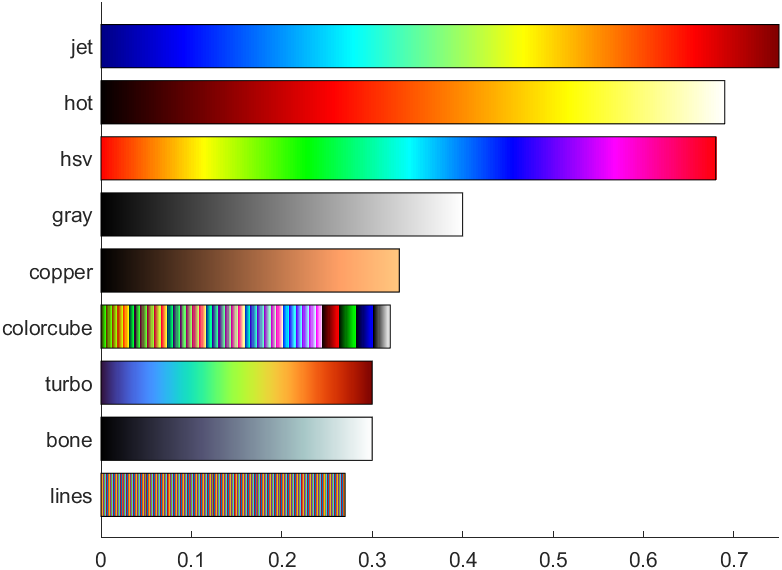
Ned Gulley大佬在迷你黑客大赛有趣的数据分析中给出的图片,展示了各种colormap使用频率排行:
https://blogs.mathworks.com/community/2022/11/08/minihack2022/?s_tid=srchtitle_minihack_1&from=cn
没提供完整代码我自己写了个:
cmaps={'jet','hot','hsv','gray','copper','colorcube','turbo','bone','lines'};
props=[.75,.69,.68,.4,.33,.32,.3,.3,.27];

ax=gca;hold on
ax.XLim=[0,max(props)];
ax.YLim=[.3,1.3*length(cmaps)+1];
ax.YTick=(1:length(cmaps)).*1.3;
ax.YTickLabel=cmaps;
ax.YDir='reverse';
for i=1:length(cmaps)
    c=eval(cmaps{i});
    c=reshape(c,1,size(c,1),3);
    image([0,props(i)],[i,i].*1.3,c);
    rectangle('Position',[0 i.*1.3-.5,props(i) 1])
end
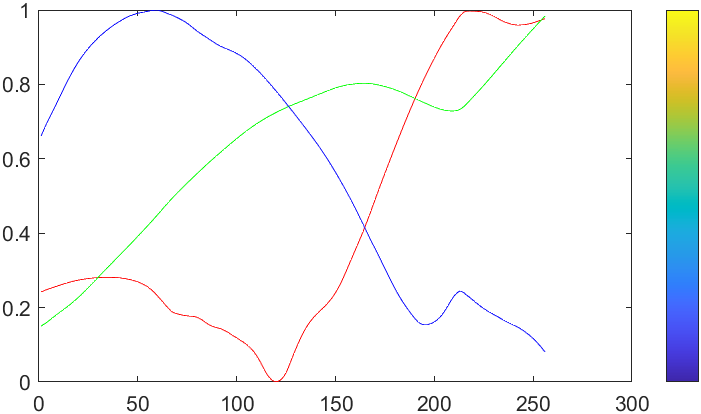
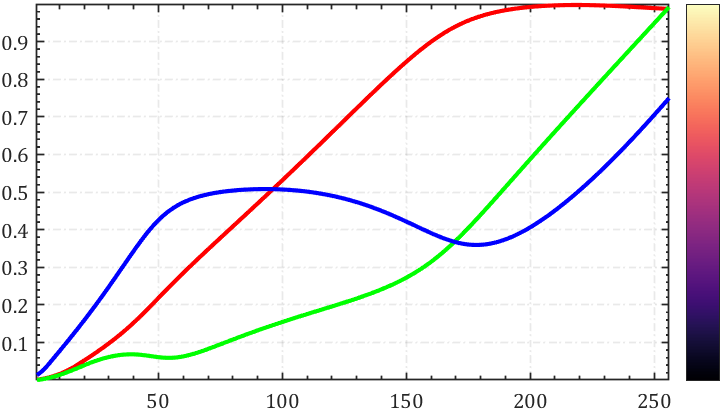
统计colormap中RGB值变化:
rgbplot(parula)
hold on
colormap(parula)
colorbar('Ticks',[])
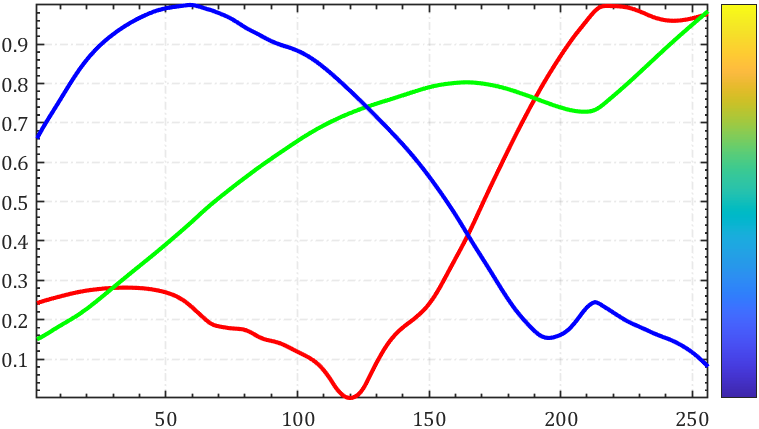
修饰一下能好看点:
rgbplot(parula)
hold on
colormap(parula)
colorbar('Ticks',[])

ax=gca;hold on;axis tight
set(ax,'XMinorTick','on','YMinorTick','on','FontName','Cambria',...
    'XGrid','on','YGrid','on','GridLineStyle','-.','GridAlpha',.1,'LineWidth',.8);
lHdl=findobj(ax,'type','line');
for i=1:length(lHdl)
    lHdl(i).LineWidth=2;
end
需要安装:
Image Processing Toolbox
图像处理工具箱.
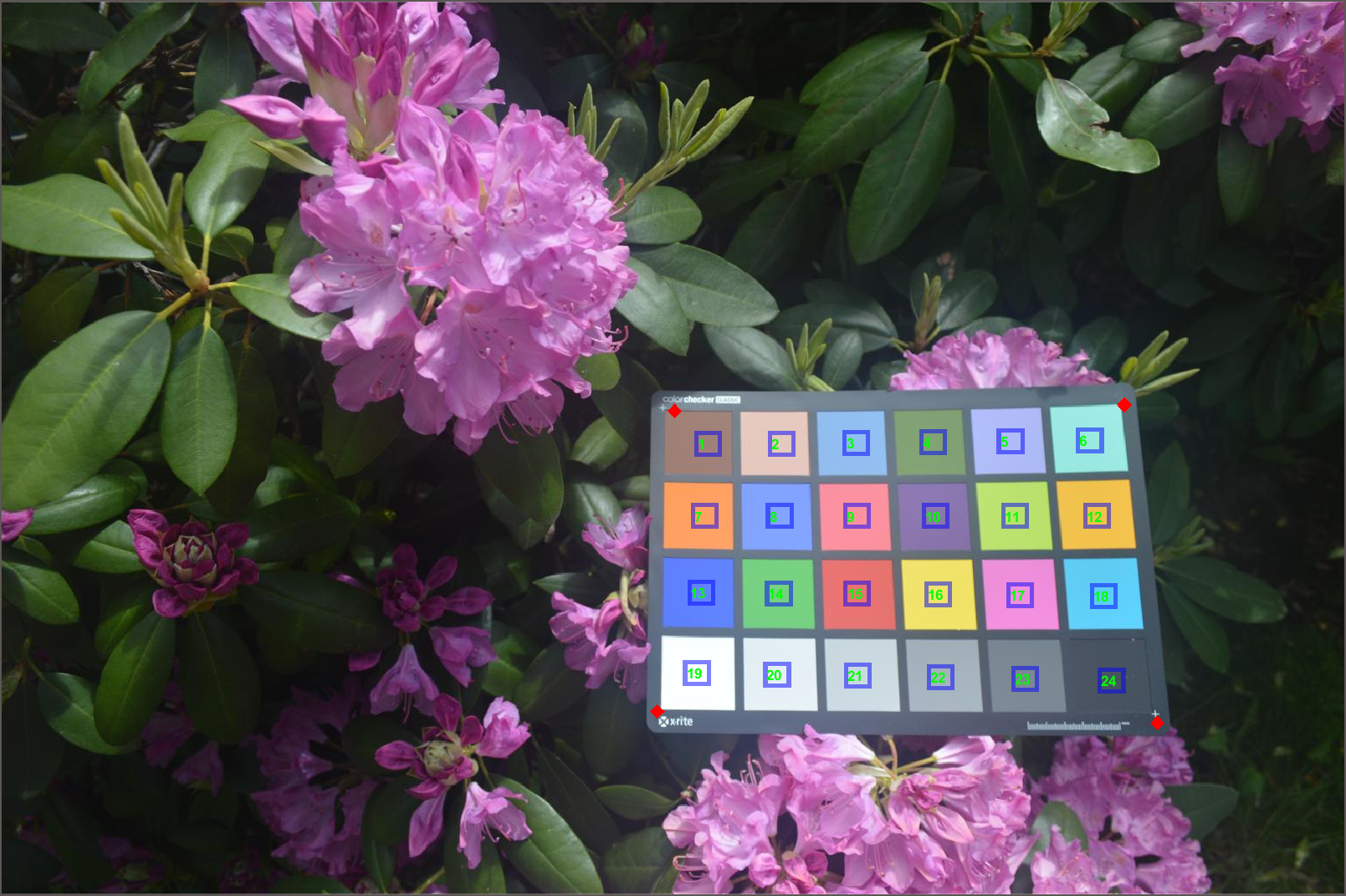
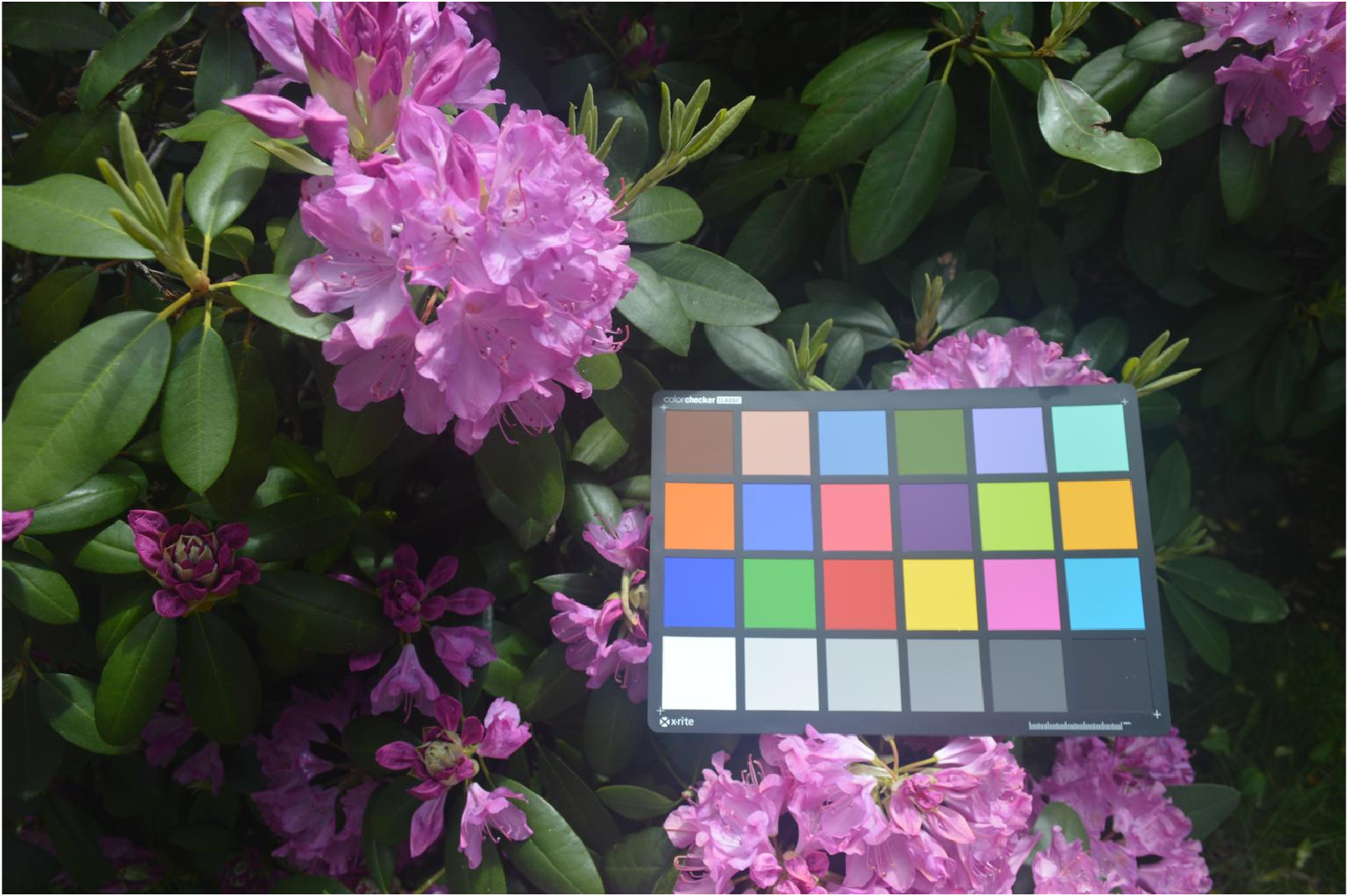
首先展示一下示例图片:
I=imread("colorCheckerTestImage.jpg");
imshow(I)
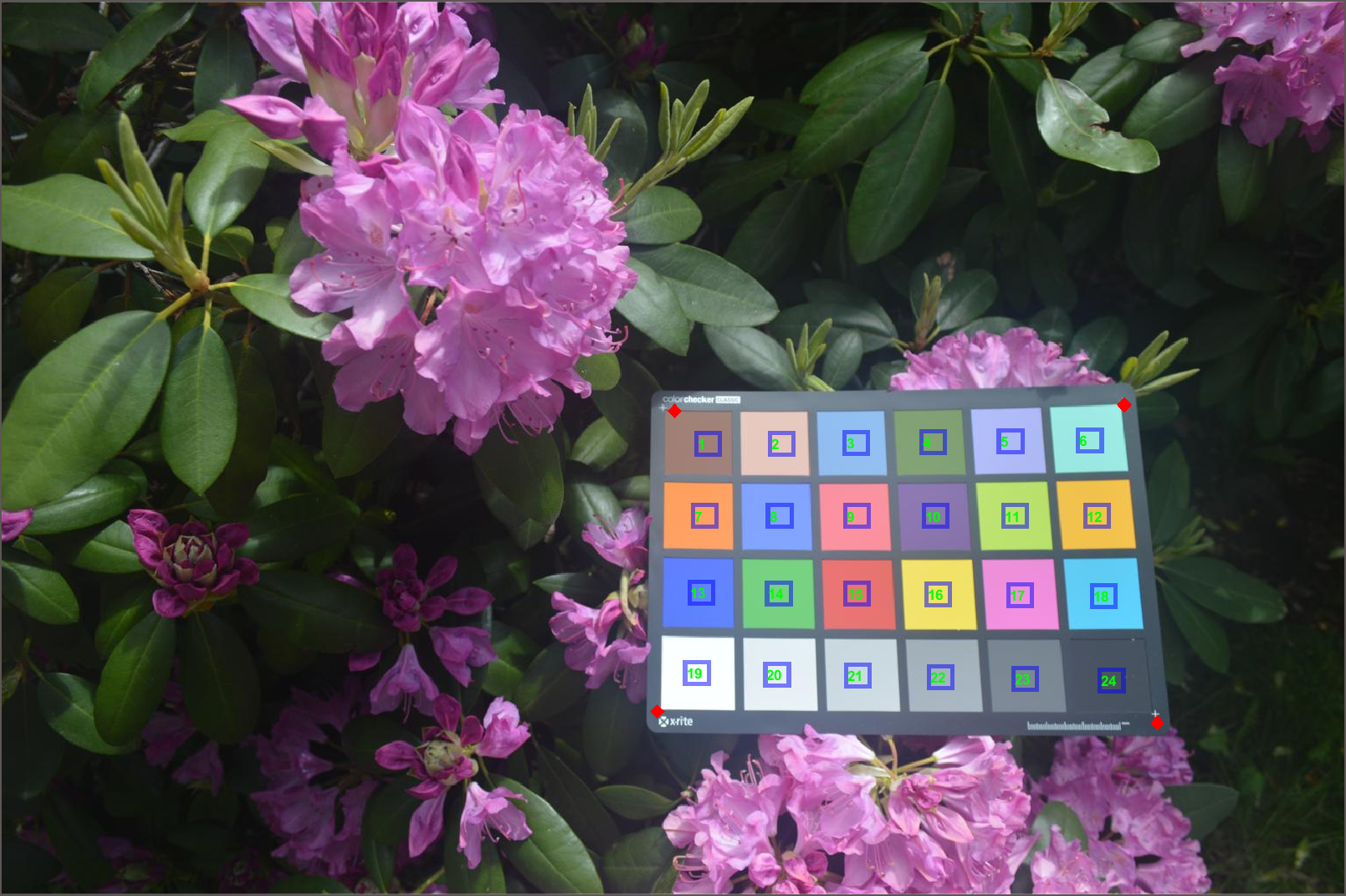
检测并进行位置标注:
chart=colorChecker(I);
displayChart(chart)
四个角点位置:
chart.RegistrationPoints
ans =
1.0e+03 *
1.3266 0.8282
0.7527 0.8147
0.7734 0.4700
1.2890 0.4632
展示检测颜色:
colorTable=measureColor(chart)
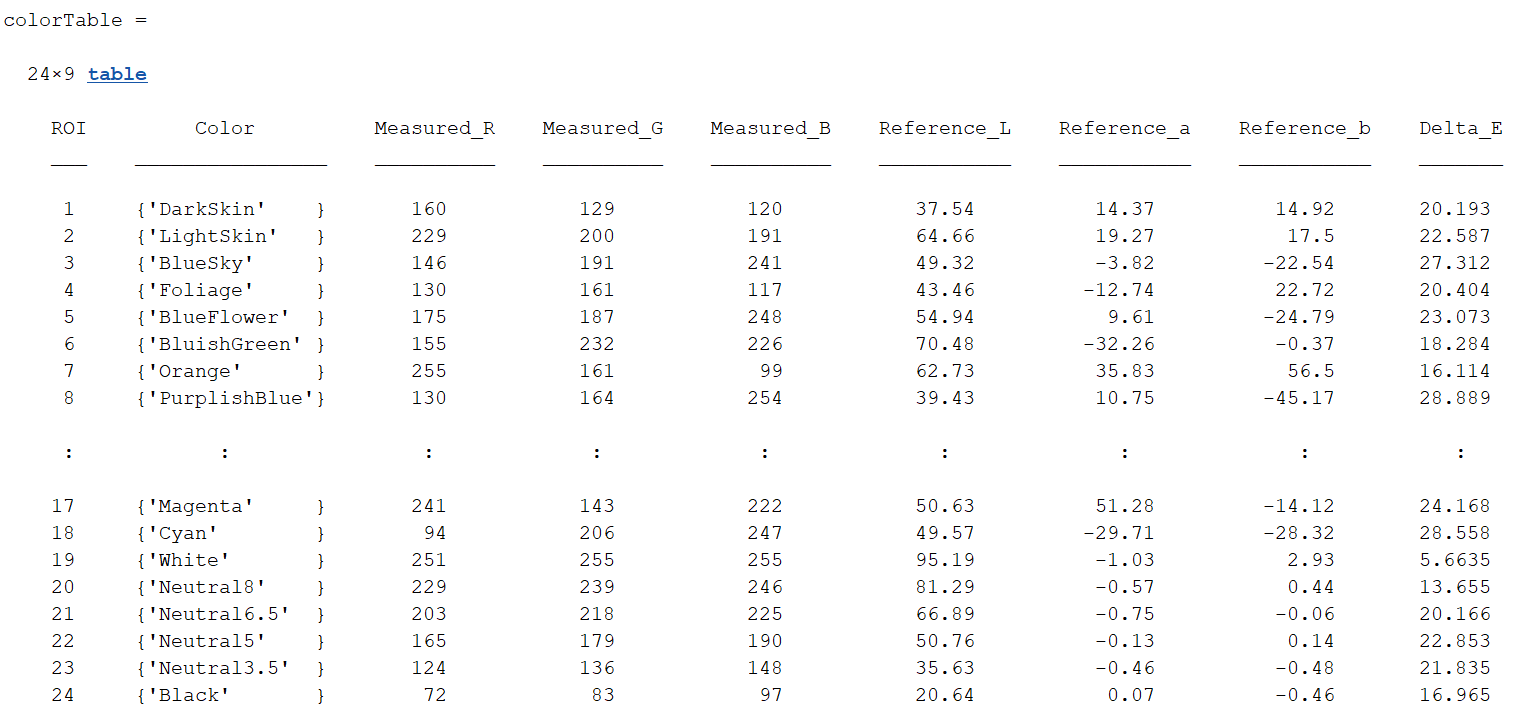
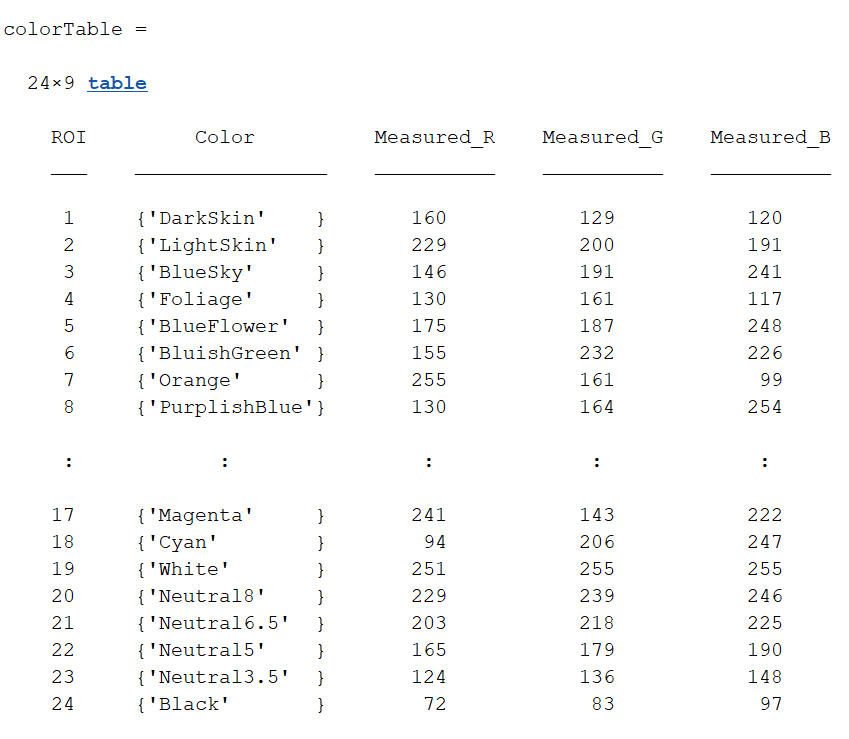
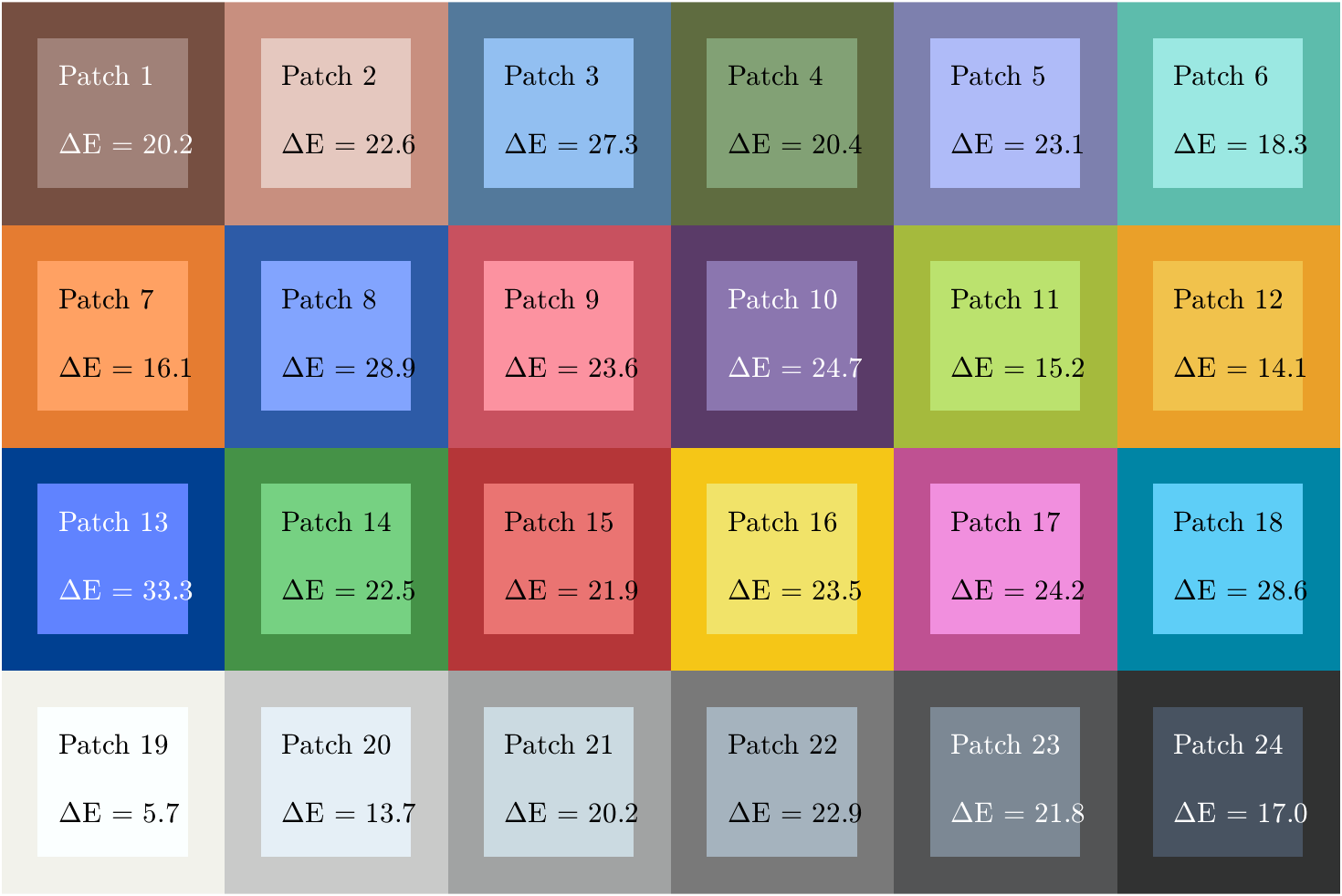
展示标准颜色和检测颜色差别:
figure
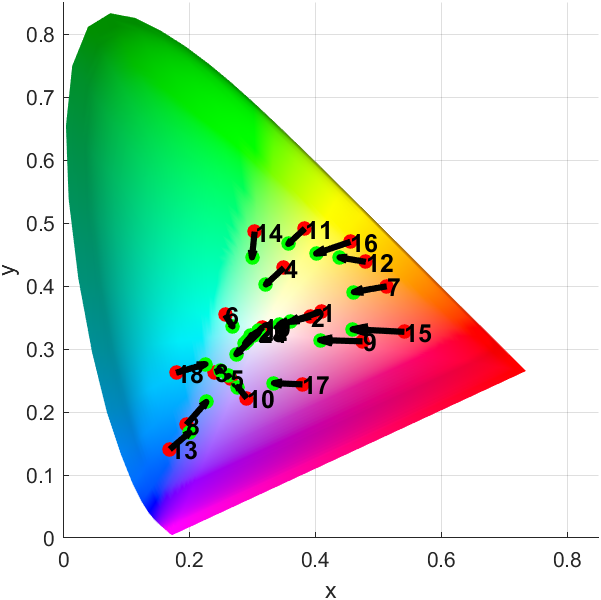
displayColorPatch(colorTable)
绘制CIE 1976 L* a* b*颜色空间中的测量和参考颜色对比:
figure
plotChromaticity(colorTable)
我希望我的UserPrice模型的属性在它们为空或不验证数值时默认为0。这些属性是tax_rate、shipping_cost和price。classCreateUserPrices8,:scale=>2t.decimal:tax_rate,:precision=>8,:scale=>2t.decimal:shipping_cost,:precision=>8,:scale=>2endendend起初,我将所有3列的:default=>0放在表格中,但我不想要这样,因为它已经填充了字段,我想使用占位符。这是我的UserPrice模型:classUserPrice回答before_val
是否有类似“RVMuse1”或“RVMuselist[0]”之类的内容而不是键入整个版本号。在任何时候,我们都会看到一个可能包含5个或更多ruby的列表,我们可以轻松地键入一个数字而不是X.X.X。这也有助于rvmgemset。 最佳答案 这在RVM2.0中是可能的=>https://docs.google.com/document/d/1xW9GeEpLOWPcddDg_hOPvK4oeLxJmU3Q5FiCNT7nTAc/edit?usp=sharing-知道链接的任何人都可以发表评论
我想在一个没有Sass引擎的类中使用Sass颜色函数。我已经在项目中使用了sassgem,所以我认为搭载会像以下一样简单:classRectangleincludeSass::Script::FunctionsdefcolorSass::Script::Color.new([0x82,0x39,0x06])enddefrender#hamlengineexecutedwithcontextofself#sothatwithintemlateicouldcall#%stop{offset:'0%',stop:{color:lighten(color)}}endend更新:参见上面的#re
如何使用Ruby的默认Curses库获取颜色?所以像这样:puts"\e[0m\e[30;47mtest\e[0m"效果很好。在浅灰色背景上呈现漂亮的黑色。但是这个:#!/usr/bin/envrubyrequire'curses'Curses.noecho#donotshowtypedkeysCurses.init_screenCurses.stdscr.keypad(true)#enablearrowkeys(forpageup/down)Curses.stdscr.nodelay=1Curses.clearCurses.setpos(0,0)Curses.addstr"Hello
状态:我正在构建一个应用程序,其中需要一个可供用户选择颜色的字段,该字段将包含RGB颜色代码字符串。我已经测试了一个看起来很漂亮但效果不佳的。它是“挑剔的颜色”,并托管在此存储库中:https://github.com/Astorsoft/picky-color.在这里我打开一个关于它的一些问题的问题。问题:请建议我在Rails3应用程序中使用一些颜色选择器。 最佳答案 也许页面上的列表jQueryUIDevelopment:ColorPicker为您提供开箱即用的产品。原因是jQuery现在包含在Rails3应用程序中,因此使用基
matlab打开matlab,用最简单的imread方法读取一个图像clcclearimg_h=imread('hua.jpg');返回一个数组(矩阵),往往是a*b*cunit8类型解释一下这个三维数组的意思,行数、数和层数,unit8:指数据类型,无符号八位整形,可理解为0~2^8的数三个层数分别代表RGB三个通道图像rgb最常用的是24-位实现方法,即RGB每个通道有256色阶(2^8)。基于这样的24-位RGB模型的色彩空间可以表现256×256×256≈1670万色当imshow传入了一个二维数组,它将以灰度方式绘制;可以把图像拆分为rgb三层,可以以灰度的方式观察它figure(1
点向量坐标矩阵的几何意义介绍旋转矩阵的几何含义之前,先介绍一下点向量坐标矩阵的几何含义点:在一维空间下就是一个标量,如同一条直线上,以任意某一个位置为0点,以一定的尺度间隔为1,2,3...,相反方向为-1,-2,-3...;如此就形成了一维坐标系,这时候任何一个点都可以用一个数值表示,如点p1=5,即即从原点出发沿着x轴正方向移动5个尺度;点p2=-3,负方向移动3个尺度; 在一维坐标系上过原点做垂直于一维坐标系的直线,则形成了二维坐标系,此时描述一个点需要两个数值来表示点p3=(3,2),即从原点出发沿着x轴正方向移动3个尺度,在此基础上沿着y轴正方向移动两个尺度的位置就是点p3。
MIMO技术的优缺点优点通过下面三个增益来总体概括:阵列增益。阵列增益是指由于接收机通过对接收信号的相干合并而活得的平均SNR的提高。在发射机不知道信道信息的情况下,MIMO系统可以获得的阵列增益与接收天线数成正比复用增益。在采用空间复用方案的MIMO系统中,可以获得复用增益,即信道容量成倍增加。信道容量的增加与min(Nt,Nr)成正比分集增益。在采用空间分集方案的MIMO系统中,可以获得分集增益,即可靠性性能的改善。分集增益用独立衰落支路数来描述,即分集指数。在使用了空时编码的MIMO系统中,由于接收天线或发射天线之间的间距较远,可认为它们各自的大尺度衰落是相互独立的,因此分布式MIMO
动漫制作技巧是很多新人想了解的问题,今天小编就来解答与大家分享一下动漫制作流程,为了帮助有兴趣的同学理解,大多数人会选择动漫培训机构,那么今天小编就带大家来看看动漫制作要掌握哪些技巧?一、动漫作品首先完成草图设计和原型制作。设计草图要有目的、有对象、有步骤、要形象、要简单、符合实际。设计图要一致性,以保证制作的顺利进行。二、原型制作是根据设计图纸和制作材料,可以是手绘也可以是3d软件创建。在此步骤中,要注意的问题是色彩和平面布局。三、动漫制作制作完成后,加工成型。完成不同的表现形式后,就要对设计稿进行加工处理,使加工的难易度降低,并得到一些基本准确的概念,以便于后续的大样、准确的尺寸制定。四、
我正在使用Rails3.2.3和Ruby1.9.3p0。我发现我经常需要确定某个字符串是否出现在选项列表中。看来我可以使用Ruby数组.includemethod:或正则表达式equals-tildematchshorthand用竖线分隔选项:就性能而言,一个比另一个好吗?还有更好的方法吗? 最佳答案 总结:Array#include?包含String元素,在接受和拒绝输入时均胜出,对于您的示例只有三个可接受的值。对于要检查的更大的集合,看起来Set#include?和String元素可能会获胜。如何测试我们应该根据经验对此进行测试
