不知道说啥了,看看吧
文章目录
在之前的学习中,基本上都是围绕内存展开的~
MySQL 主要是操作硬盘的
文件IO也是是操作硬盘的~
IO : input output
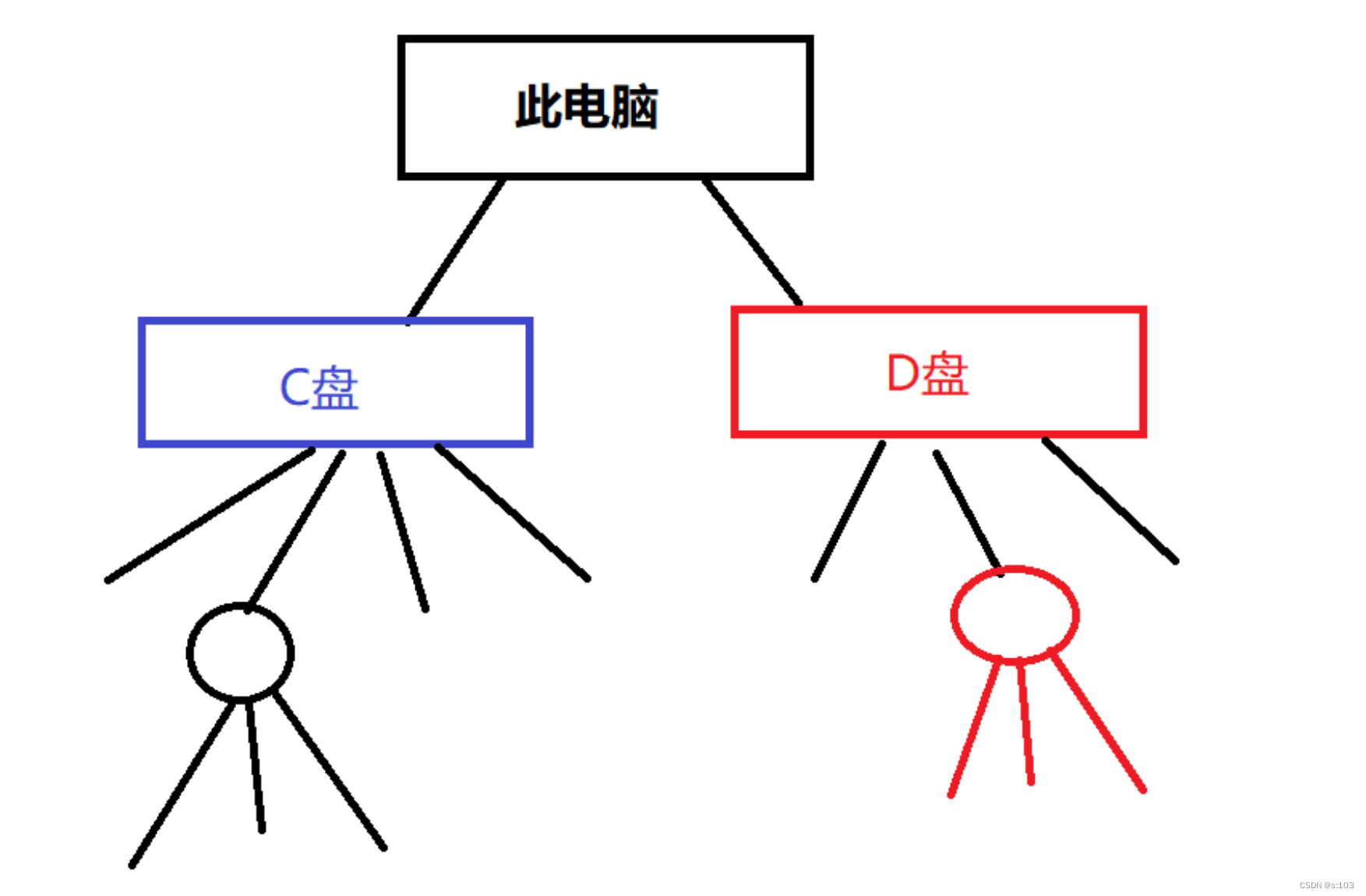

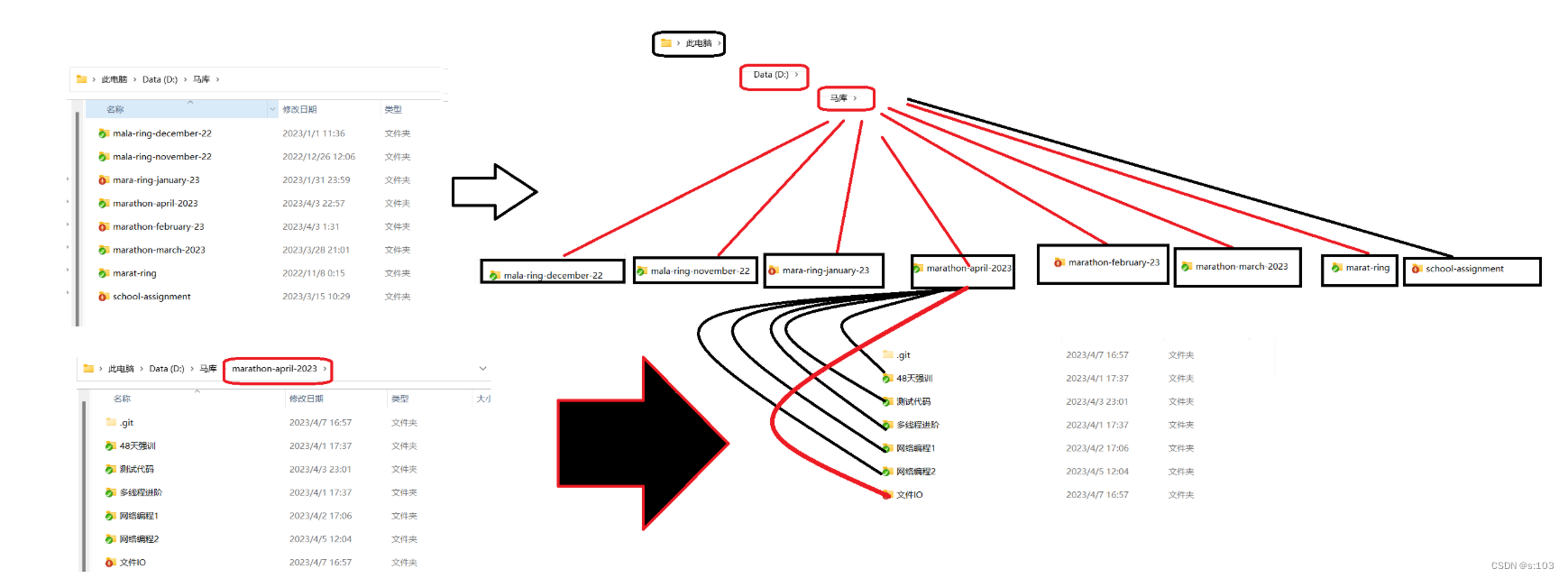
而里面的src目录下有java文件,out目录里面就有class文件,同样有对应的路径
绝对路径可以认为是以“此电脑”为工作目录的相对路径
并且任何一个文件/目录,对应的路径,肯定是唯一的
路径与文件一一对应~
路径为文件的身份
文本文件:
二进制文件:
判断:
.txt文件:文本 / 二进制,看你怎么创造的~
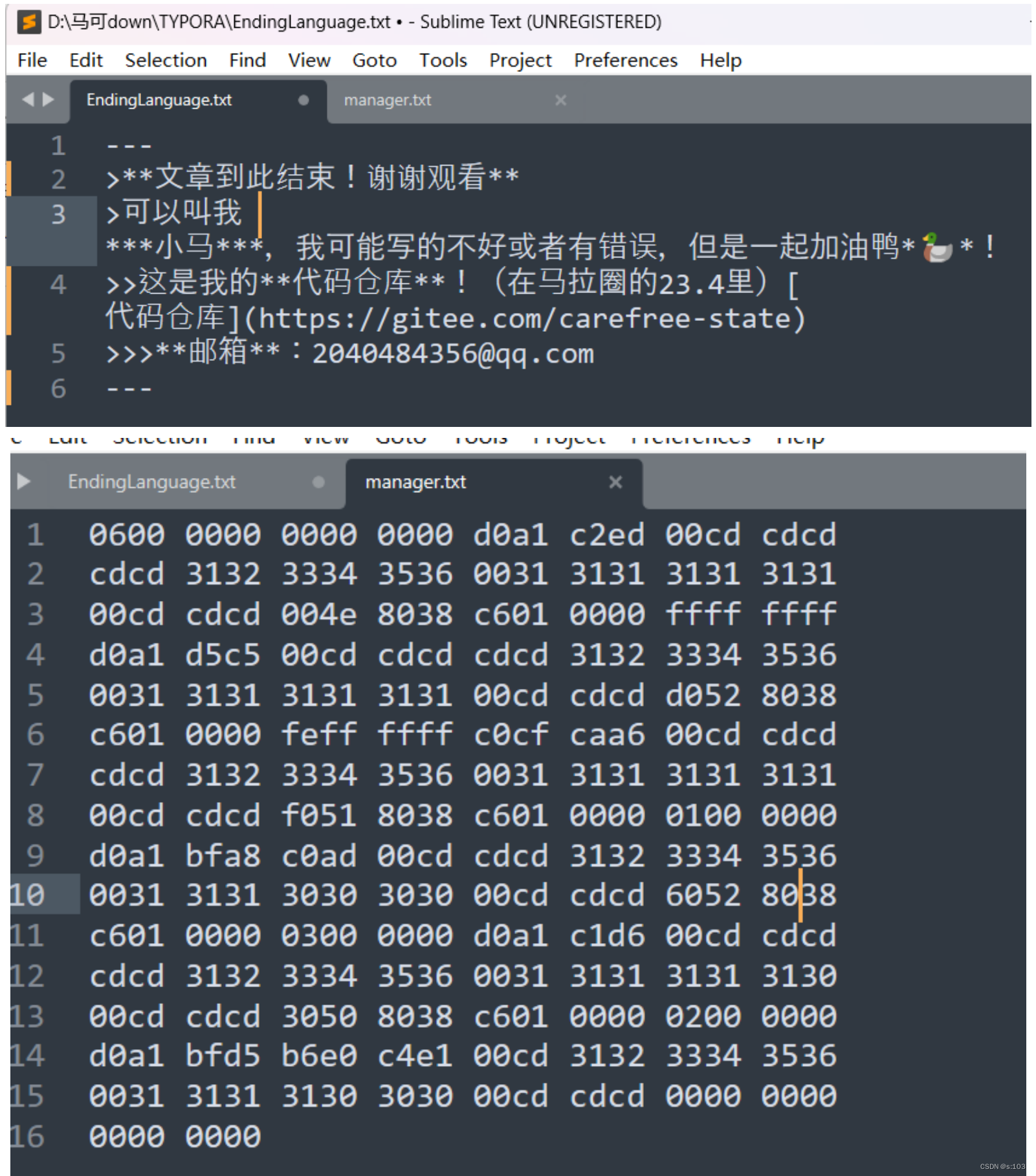
.java / .c 文件 : 文本文件

.class / .exe 文件: 二进制文件~
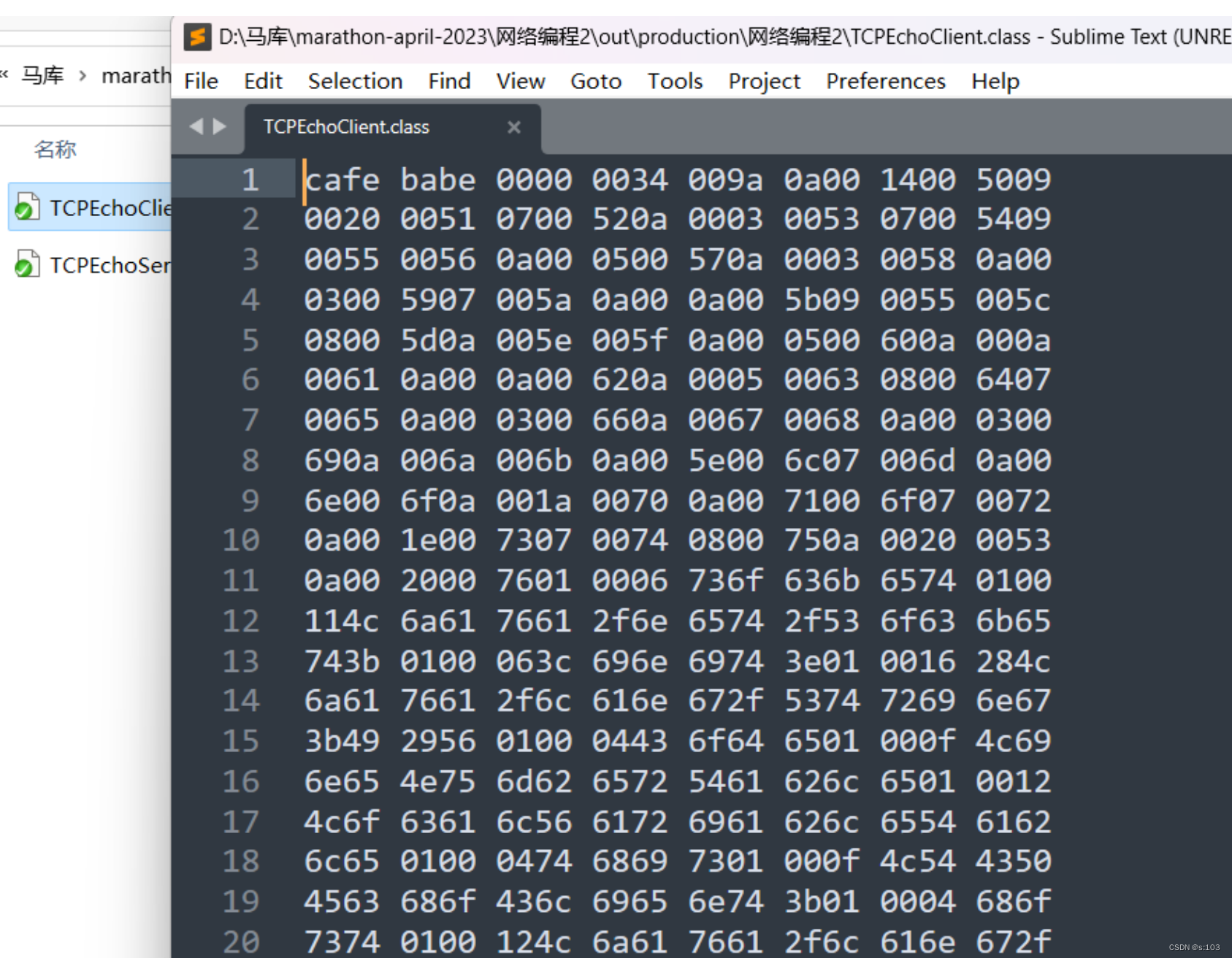
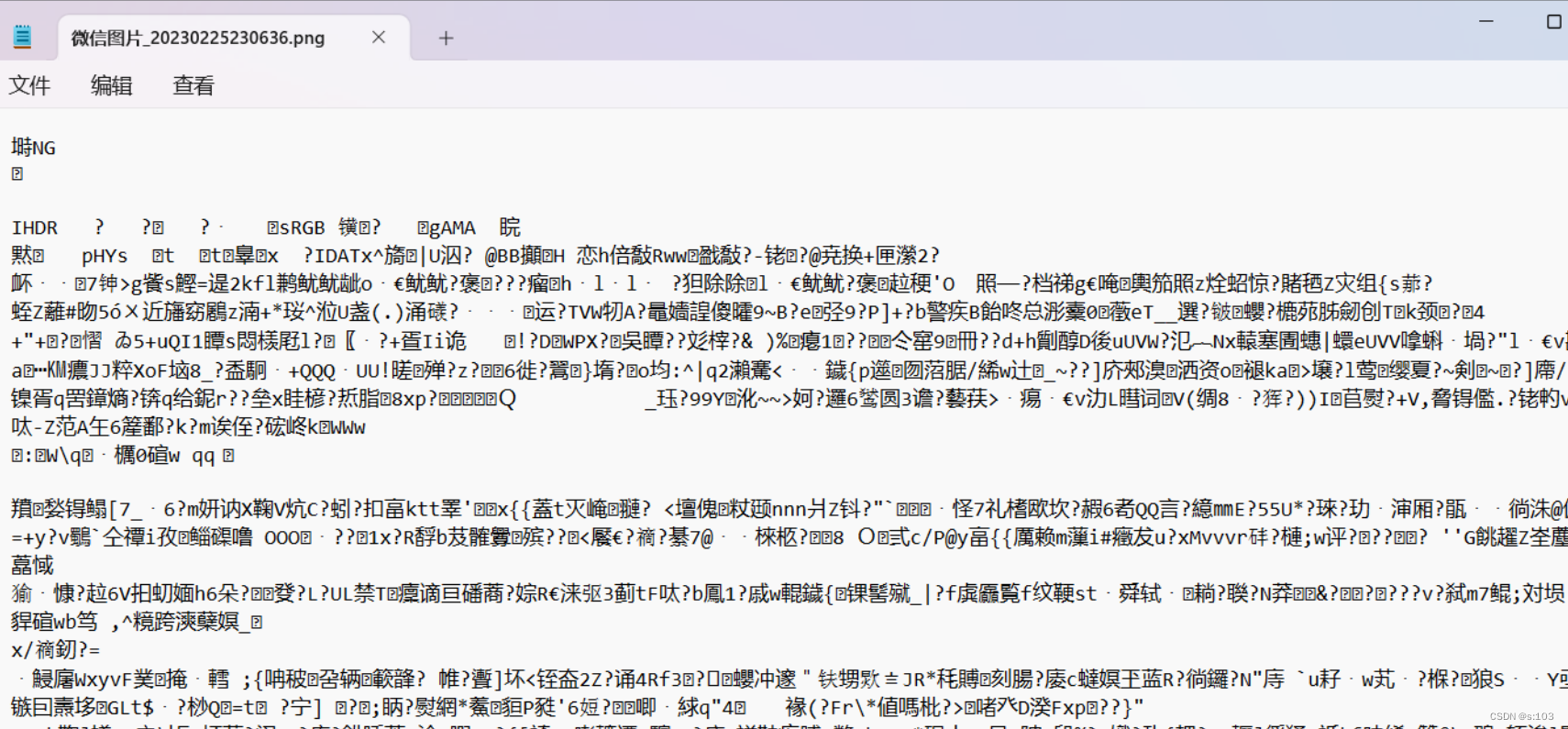
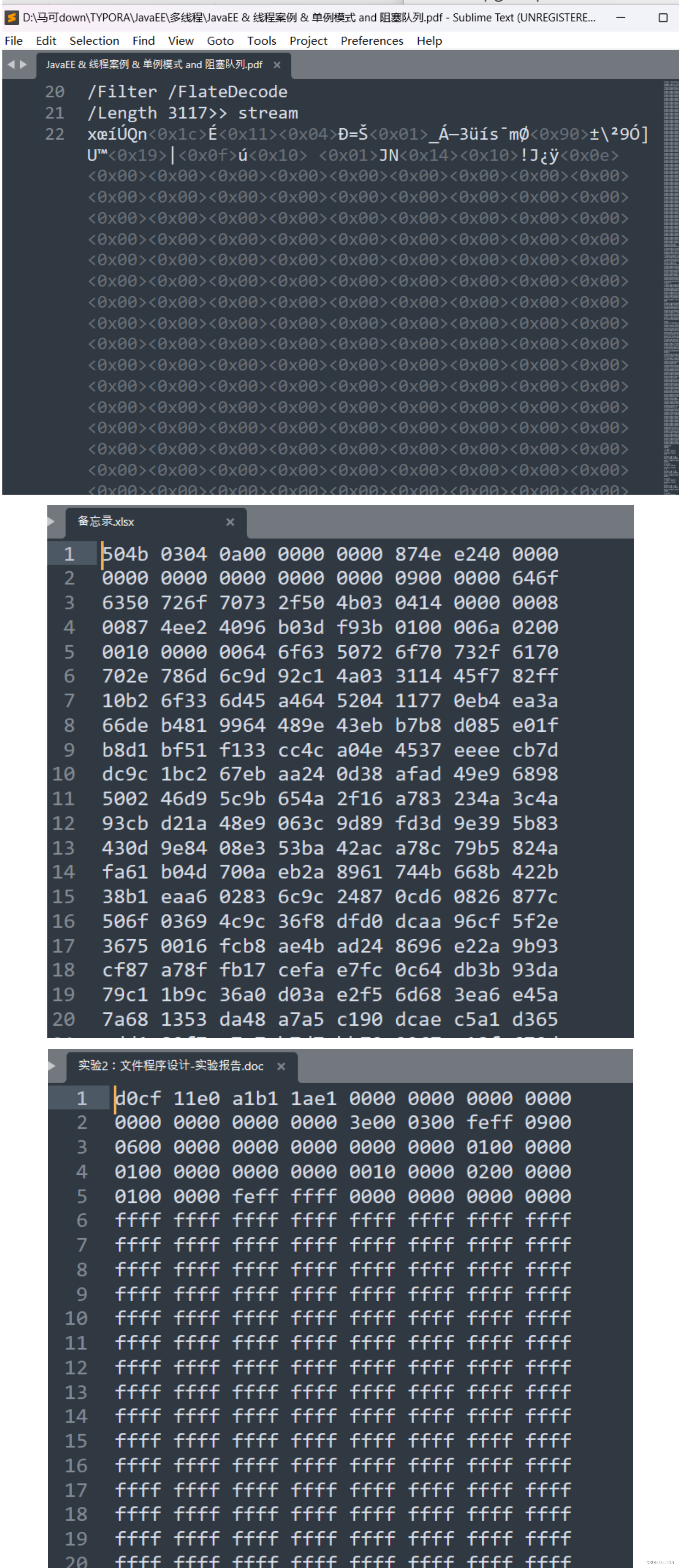
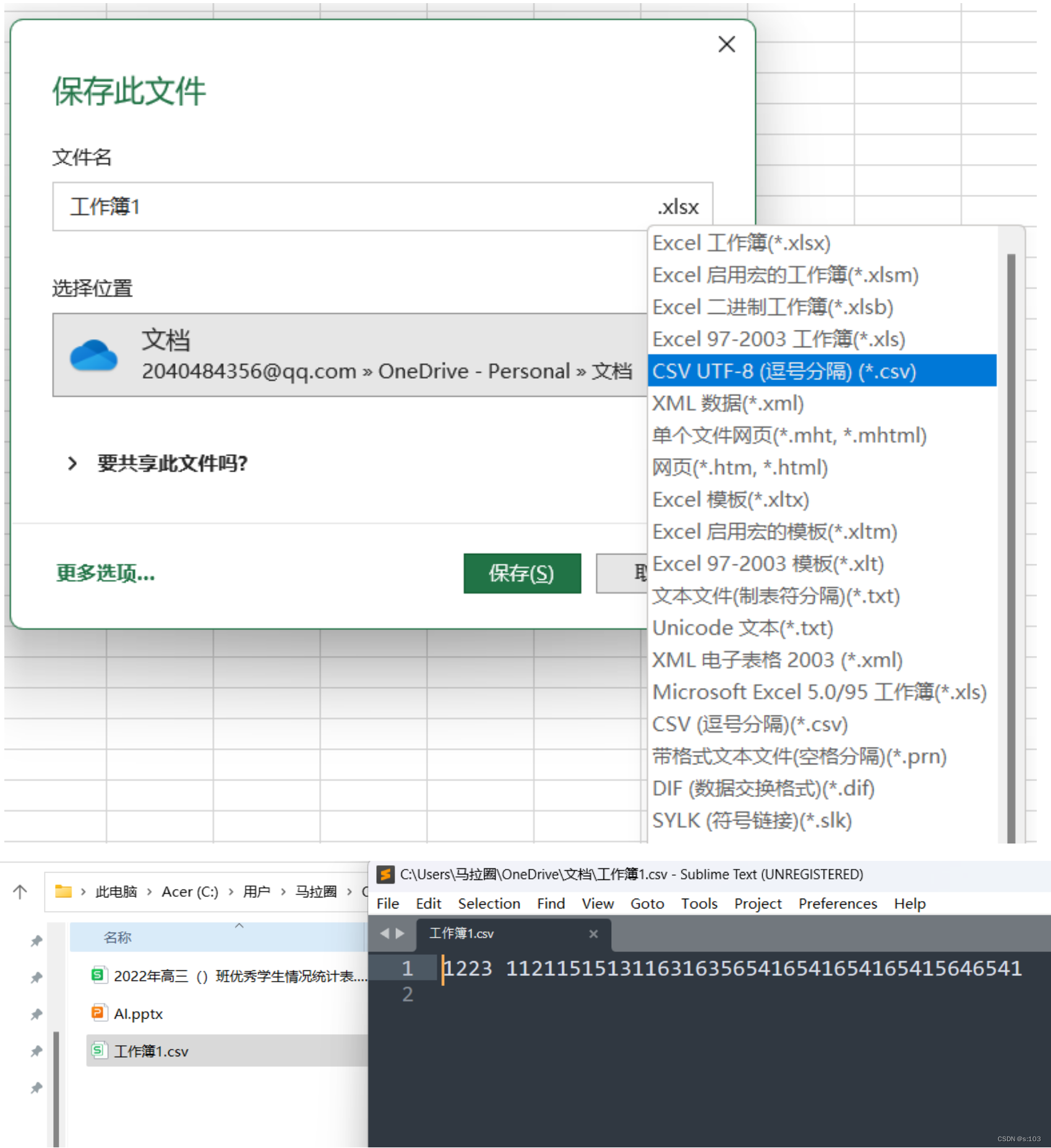
例如这张图片~

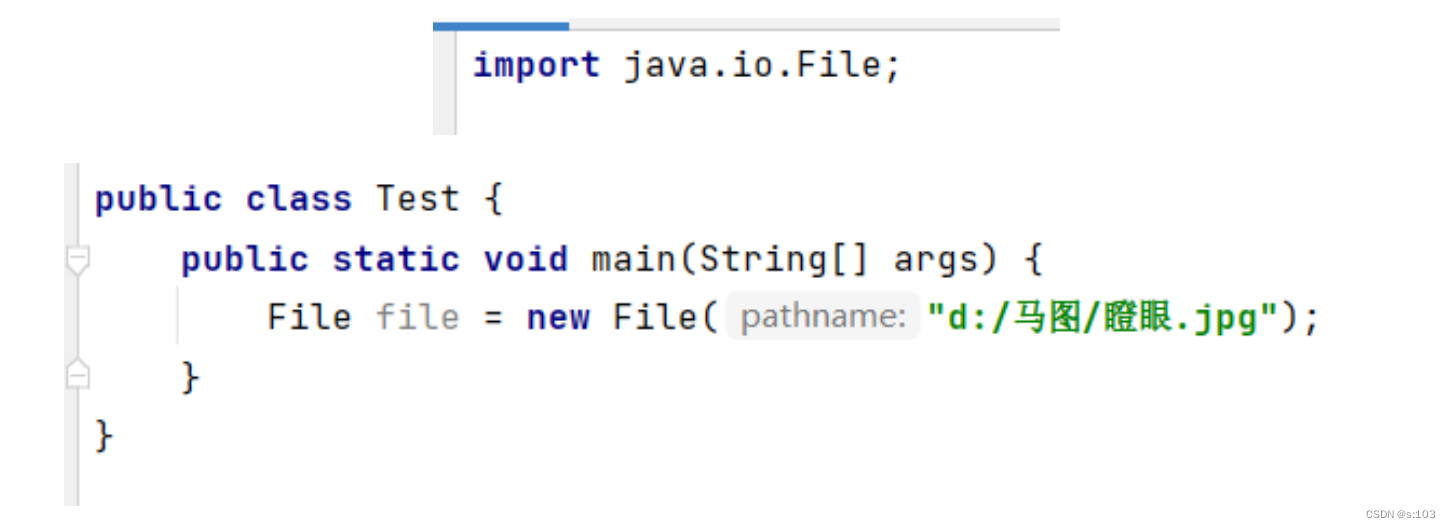
| 序号 | 方法名 | 方法说明 |
|---|---|---|
| 1 | String getParent() | 返回 File 对象的父目录文件路径 |
| 2 | String getName() | 返回 FIle 对象的纯文件名称 |
| 3 | String getPath() | 返回 File 对象的文件路径 |
| 4 | String getAbsolutePath() | 返回 File 对象的绝对路径 |
| 5 | String getCanonicalPath() | 返回 File 对象的修饰过的绝对路径 |
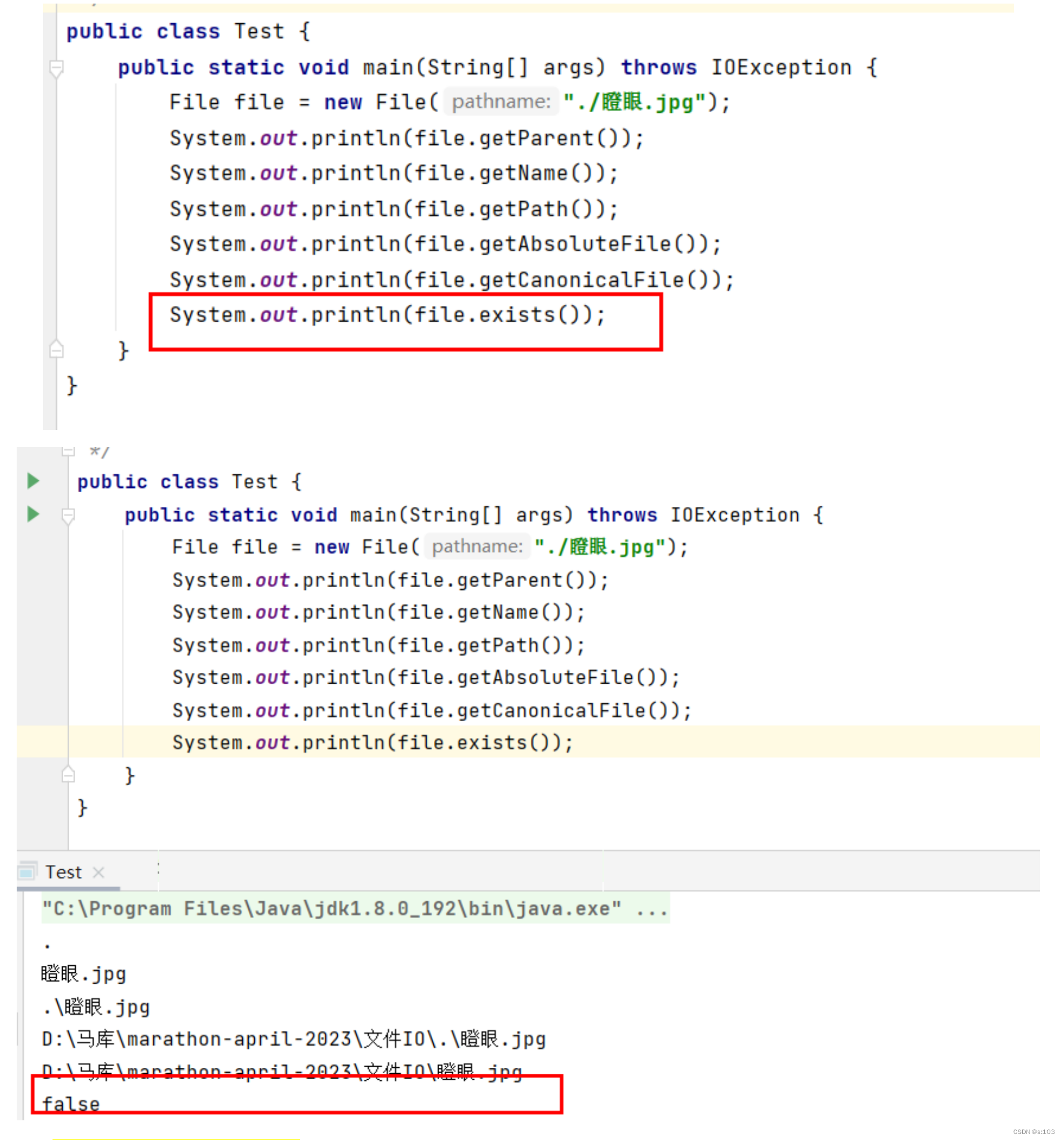
| 6 | boolean exists() | 判断 File 对象描述的文件是否真实存在 |
| 7 | boolean isDirectory() | 判断 File 对象代表的文件是否是一个目录 |
| 8 | boolean isFile() | 判断 File 对象代表的文件是否是一个普通文件 |
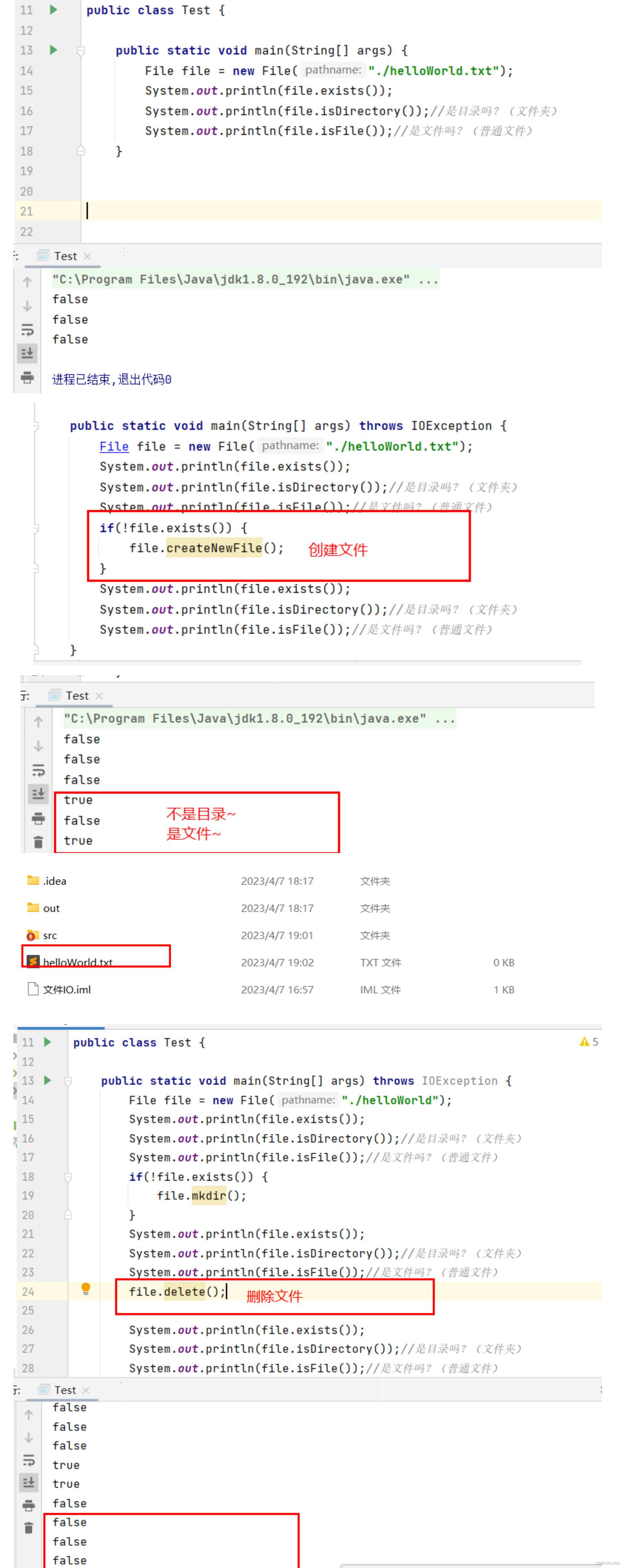
| 9 | boolean createNewFile() | 根据 File 对象,自动创建一个空文件。成功创建后返 回 true |
| 10 | boolean delete() | 根据 File 对象,删除该文件。成功删除后返回 true |
| 11 | void deleteOnExit() | 根据 File 对象,标注文件将被删除,删除动作会到 JVM 运行结束时才会进行 |
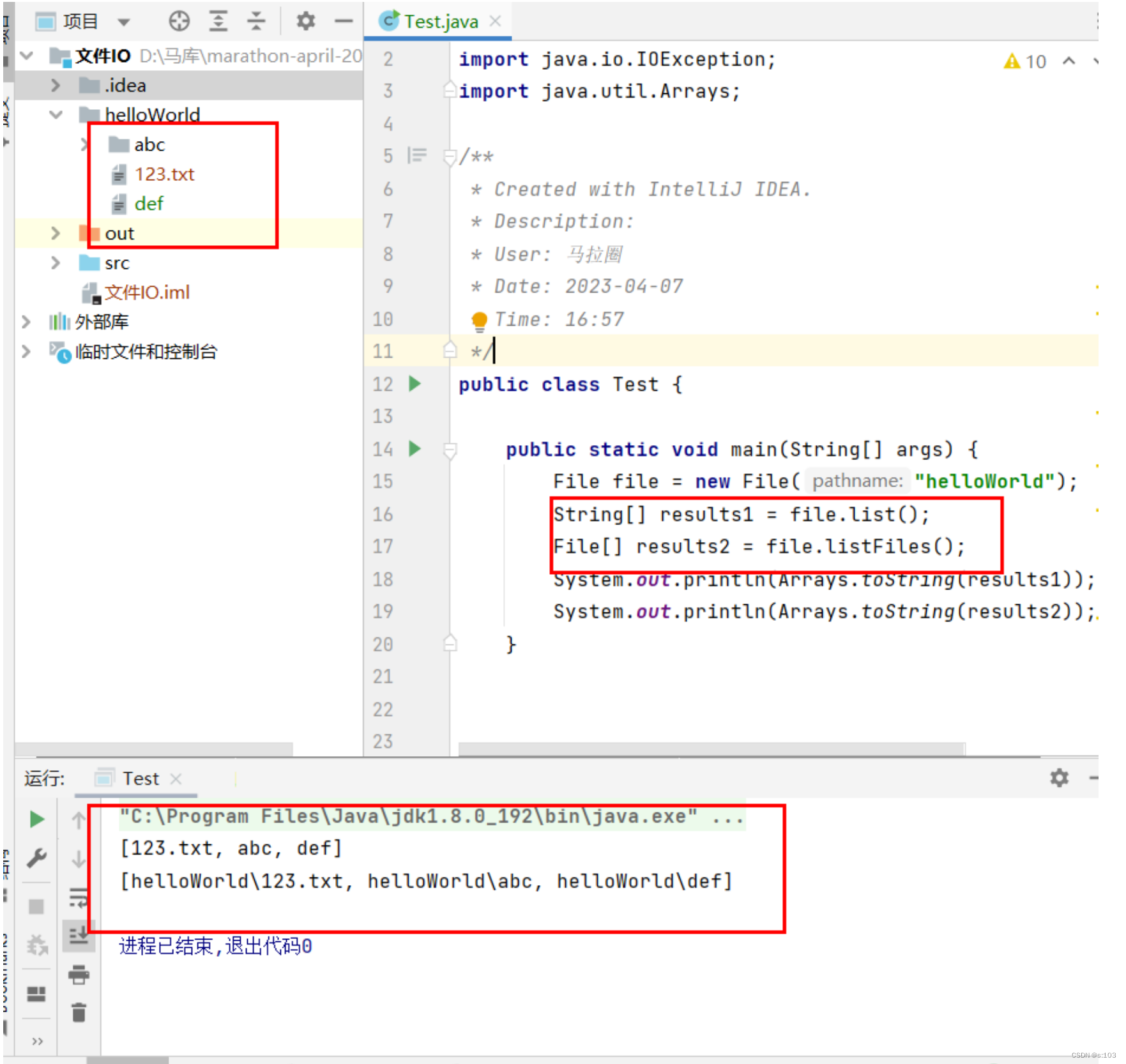
| 12 | String[] list() | 返回 File 对象代表的目录下的所有文件名 |
| 13 | File[] listFiles() | 返回 File 对象代表的目录下的所有文件,以 File 对象表示 |
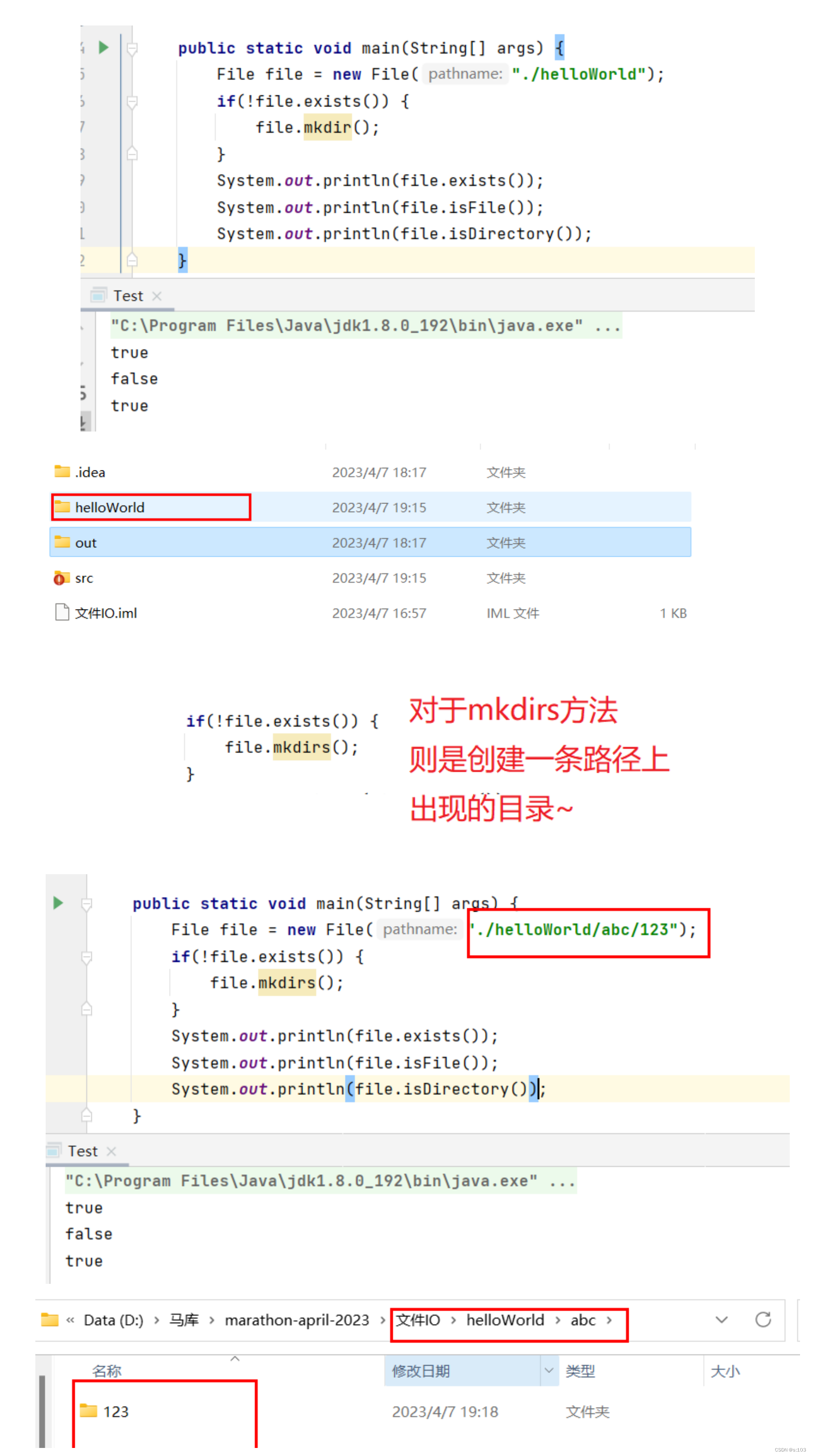
| 14 | boolean mkdir() | 创建 File 对象代表的目录 |
| 15 | boolean mkdirs() | 创建 File 对象代表的目录,如果必要,会创建中间目录 |
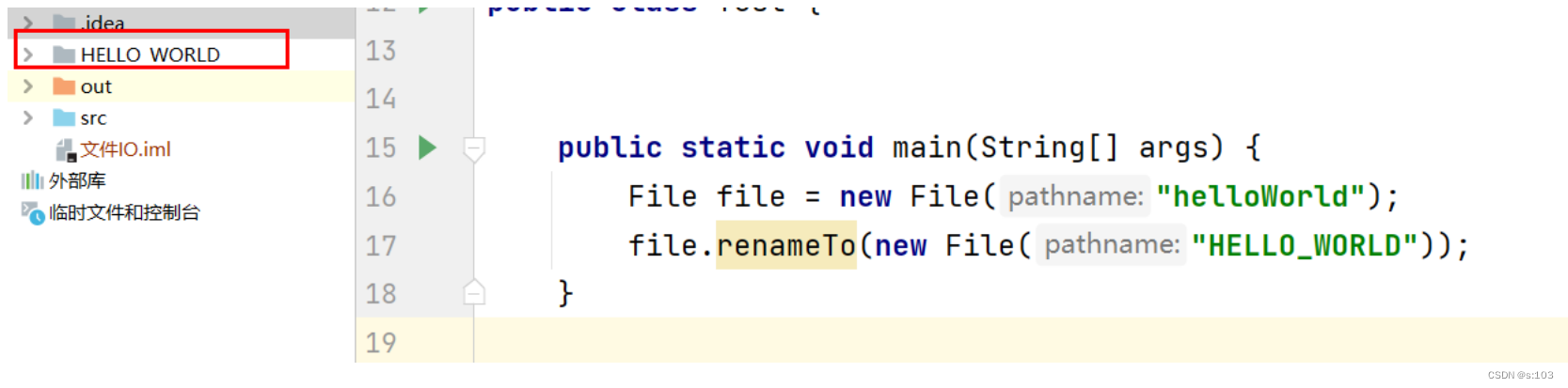
| 16 | boolean renameTo(File dest) | 进行文件改名,也可以视为我们平时的剪切、粘贴操作 |
| 17 | boolean canRead() | 判断用户是否对文件有可读权限 |
| 18 | boolean canWrite() | 判断用户是否对文件有可写权限 |
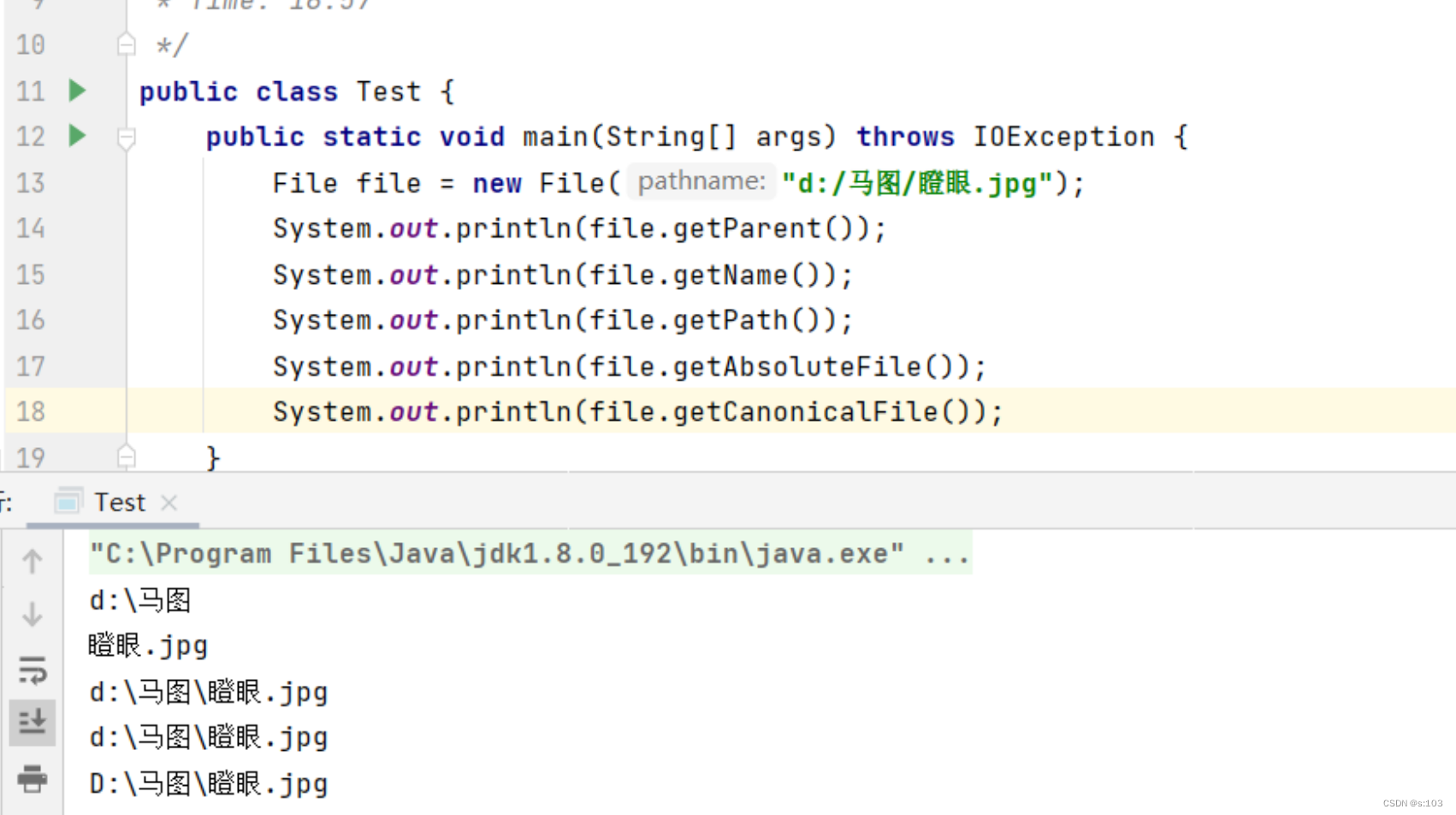
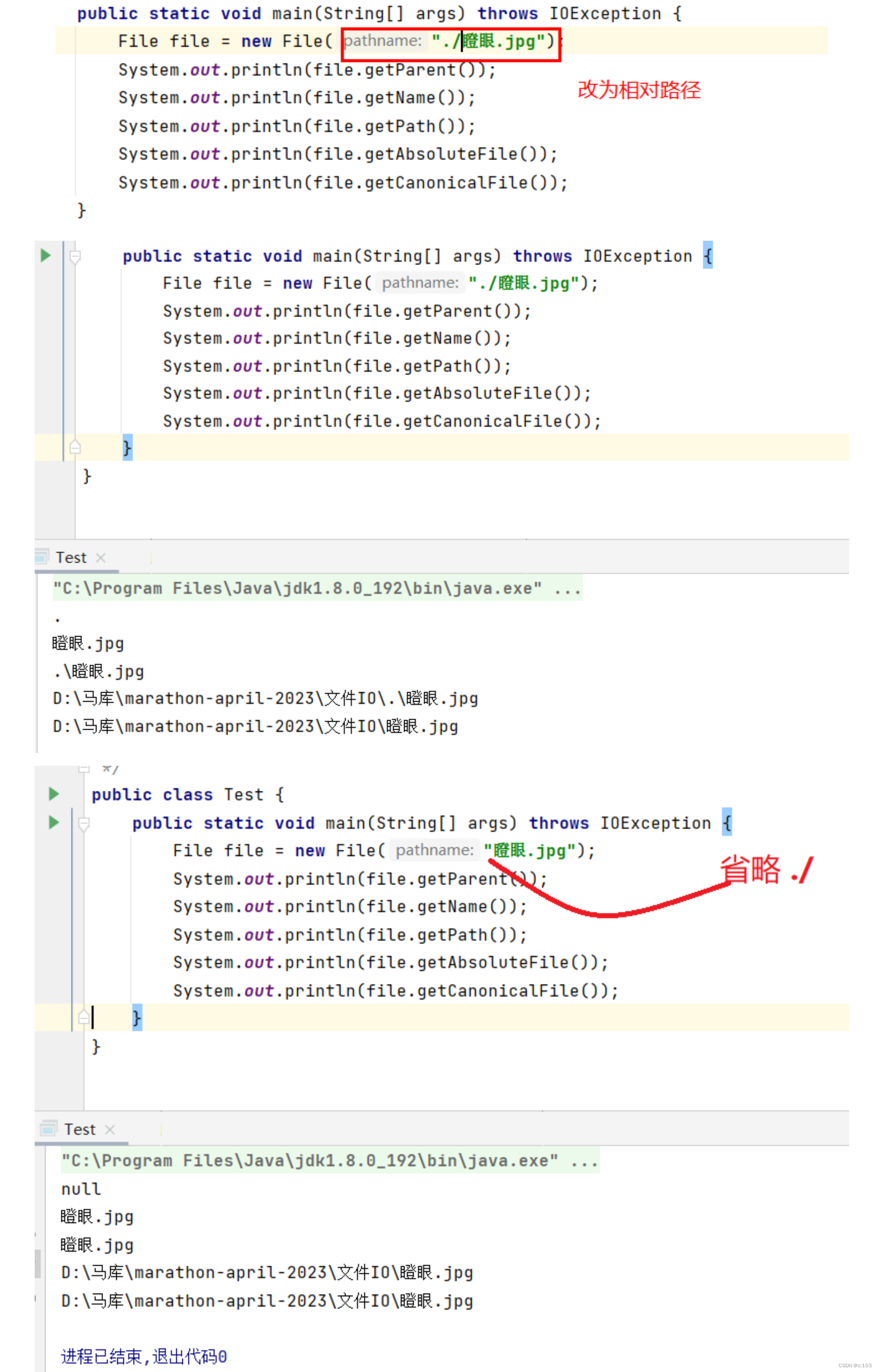
小小演示:
public static void main(String[] args) throws IOException {
    File file = new File("d:/马图/瞪眼.jpg");
    System.out.println(file.getParent());
    System.out.println(file.getName());
    System.out.println(file.getPath());
    System.out.println(file.getAbsoluteFile());
    System.out.println(file.getCanonicalFile());
}
public static void main(String[] args) {
    File file = new File("./helloWorld.txt");
    System.out.println(file.exists());
    System.out.println(file.isDirectory());//是目录吗?(文件夹)
    System.out.println(file.isFile());//是文件吗?(普通文件)
}
public static void main(String[] args) {
    File file = new File("./helloWorld");
    if(!file.exists()) {
        file.mkdir();
    }
    System.out.println(file.exists());
    System.out.println(file.isFile());
    System.out.println(file.isDirectory());
}
make directory
获取目录里的所有文件/目录
public static void main(String[] args) {
    File file = new File("helloWorld");
    String[] results1 = file.list();
    File[] results2 = file.listFiles();
    System.out.println(Arrays.toString(results1));
    System.out.println(Arrays.toString(results2));
}
public static void main(String[] args) {
    File file = new File("helloWorld");
    file.renameTo(new File("HELLO_WORLD"));
}
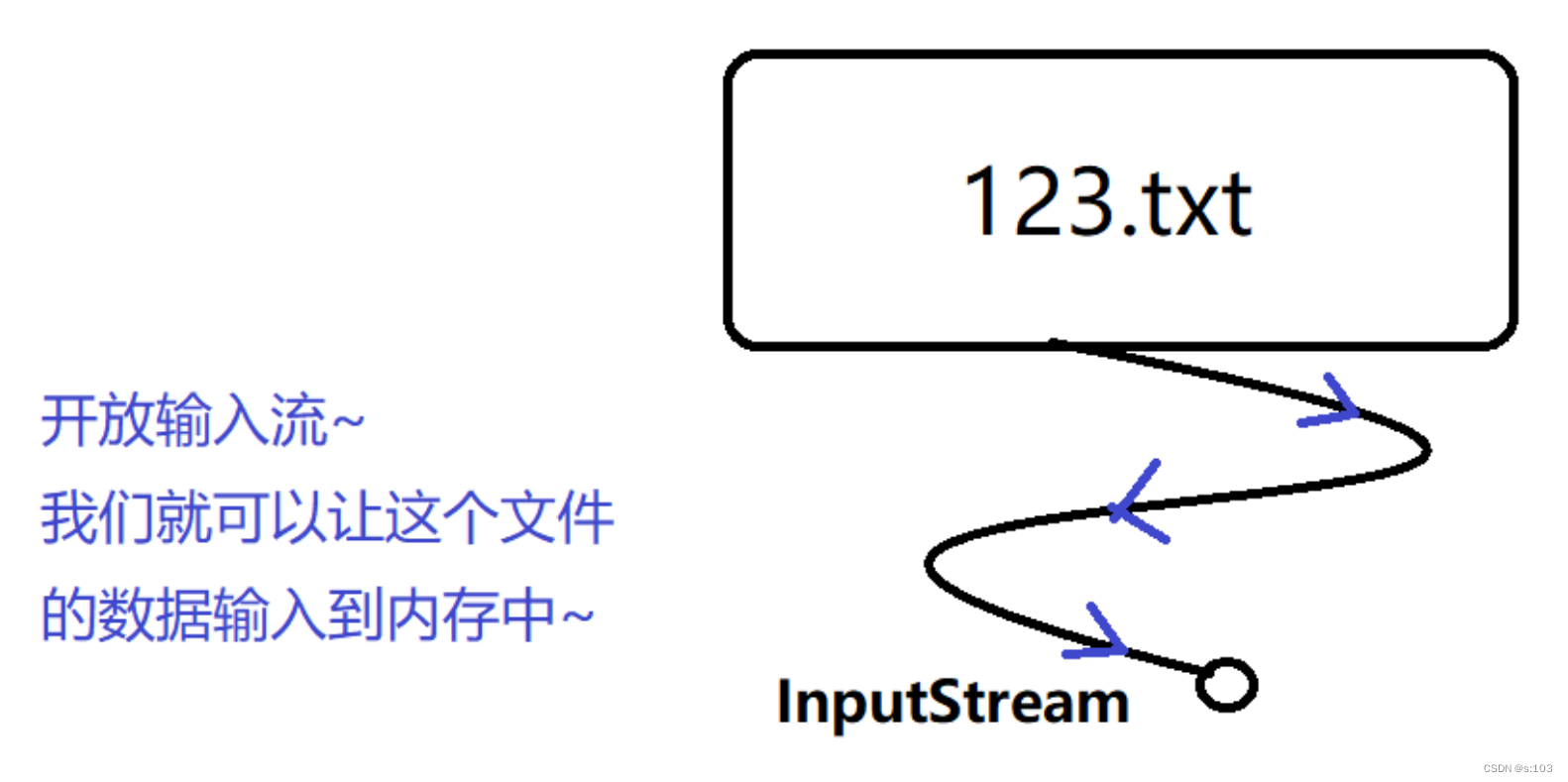
针对文件内容进行 读 与 写
文件操作依赖于一些类,或者说是多组类
“流”:

public static void main(String[] args) throws IOException {
    InputStream inputStream = new FileInputStream("HELLO_WORLD");

    //coding

    inputStream.close();

}
有了输入流,就相当于你有了“介质”
关闭输入流
正确的写法:(利用finally保证关闭能够进行)
public static void main(String[] args) {
    try(InputStream inputStream = new FileInputStream("HELLO_WORLD/123.txt")) {

    } catch (FileNotFoundException e) {
        e.printStackTrace();
    } catch (IOException e) {
        e.printStackTrace();
    }
}

| 方法名 | 方法说明 |
|---|---|
| int read() | 一次读一个字节并返回,返回-1代表读完了 |
| int read(byte[] b) | 填满此数组为止,返回-1表示读完(可能填不满) |
| int read(byte[] b, int off, int len) | 填满此数组的[off, off + len)为止,返回-1表示读完(可能填不满) |
手写一些数据:
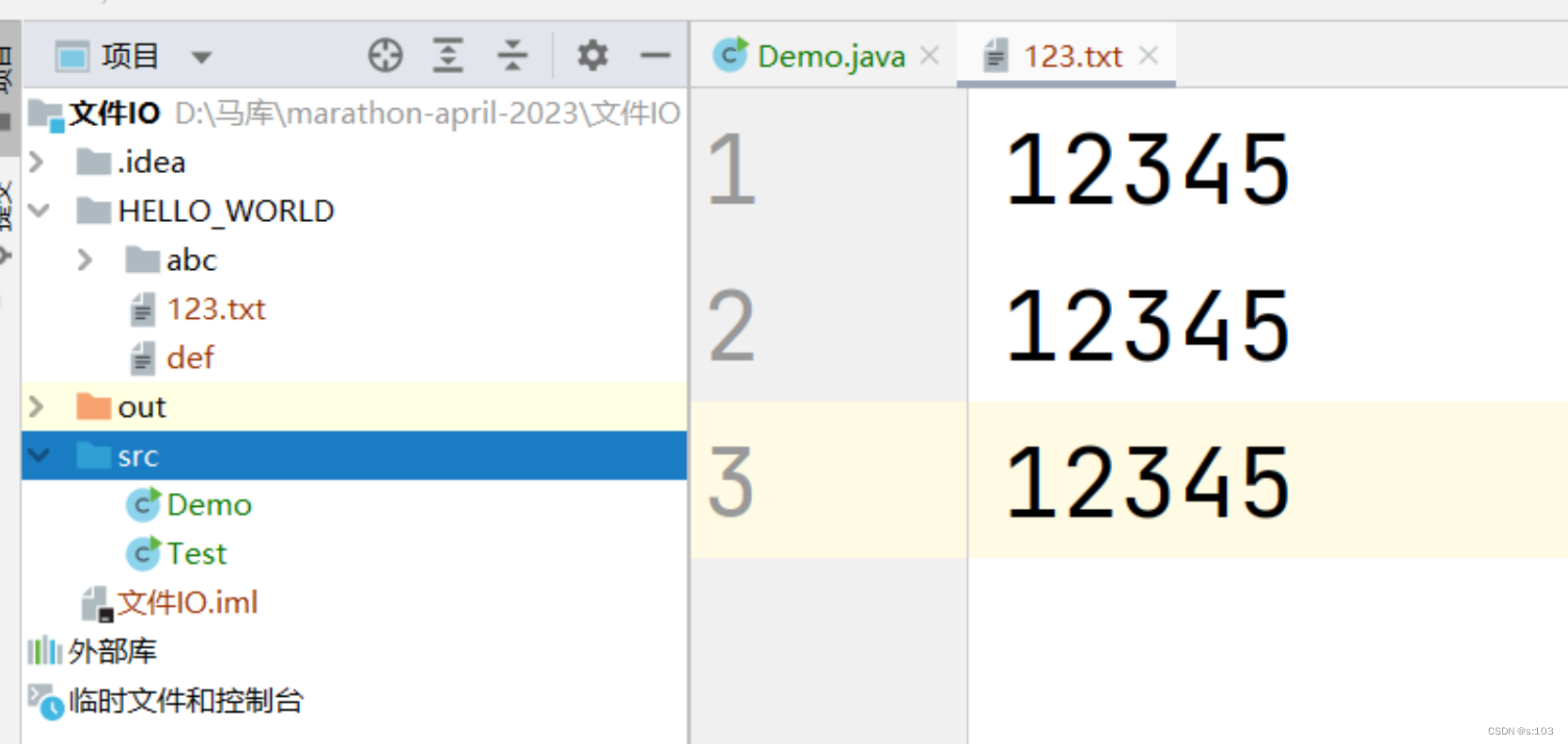
public static void main(String[] args) {
    try(InputStream inputStream = new FileInputStream("HELLO_WORLD/123.txt")) {
        int b = 0;
        do {
            b = inputStream.read();
            System.out.println(b);
        }while(b != -1);

    } catch (FileNotFoundException e) {
        e.printStackTrace();
    } catch (IOException e) {
        e.printStackTrace();
    }
}
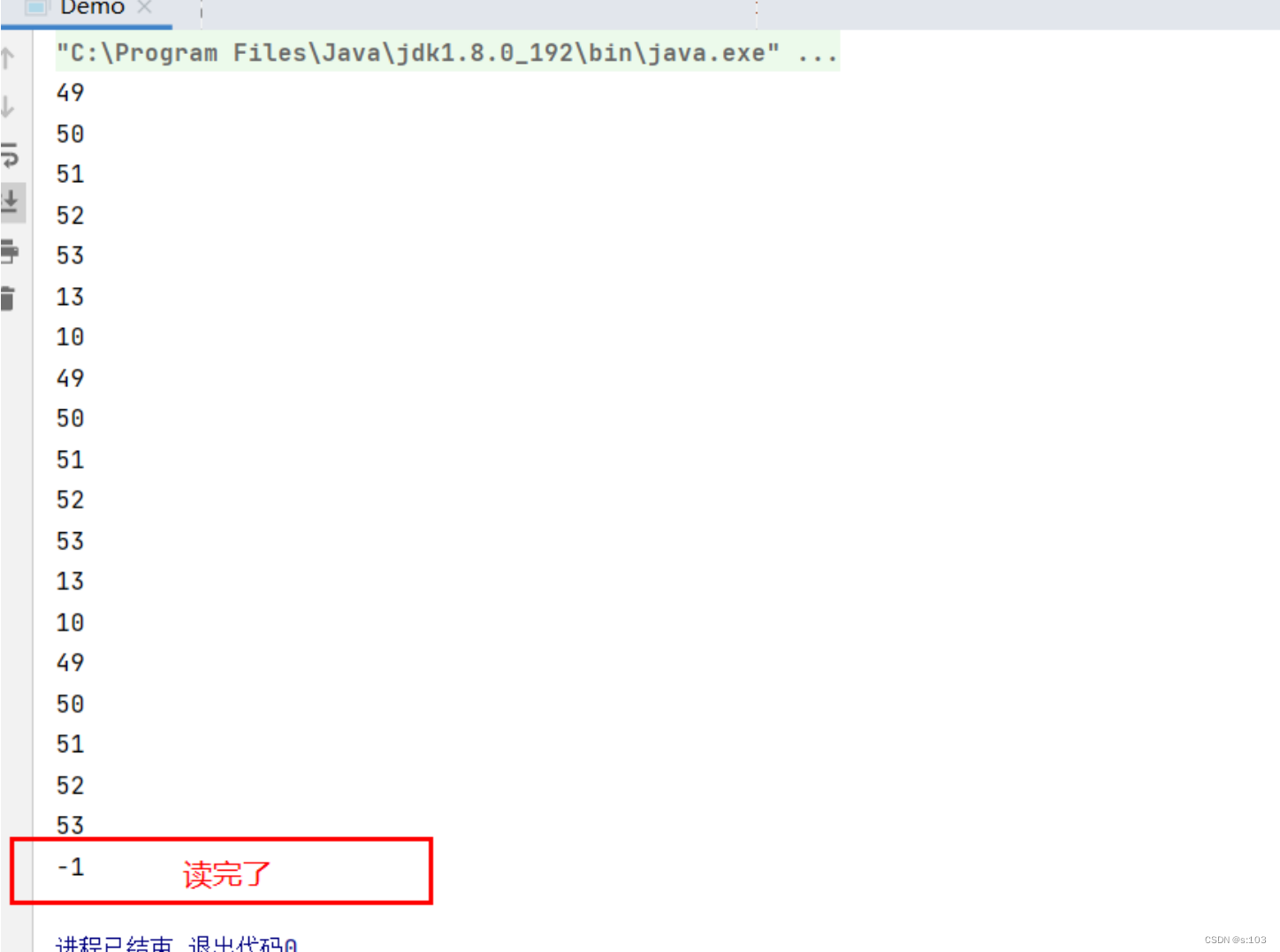
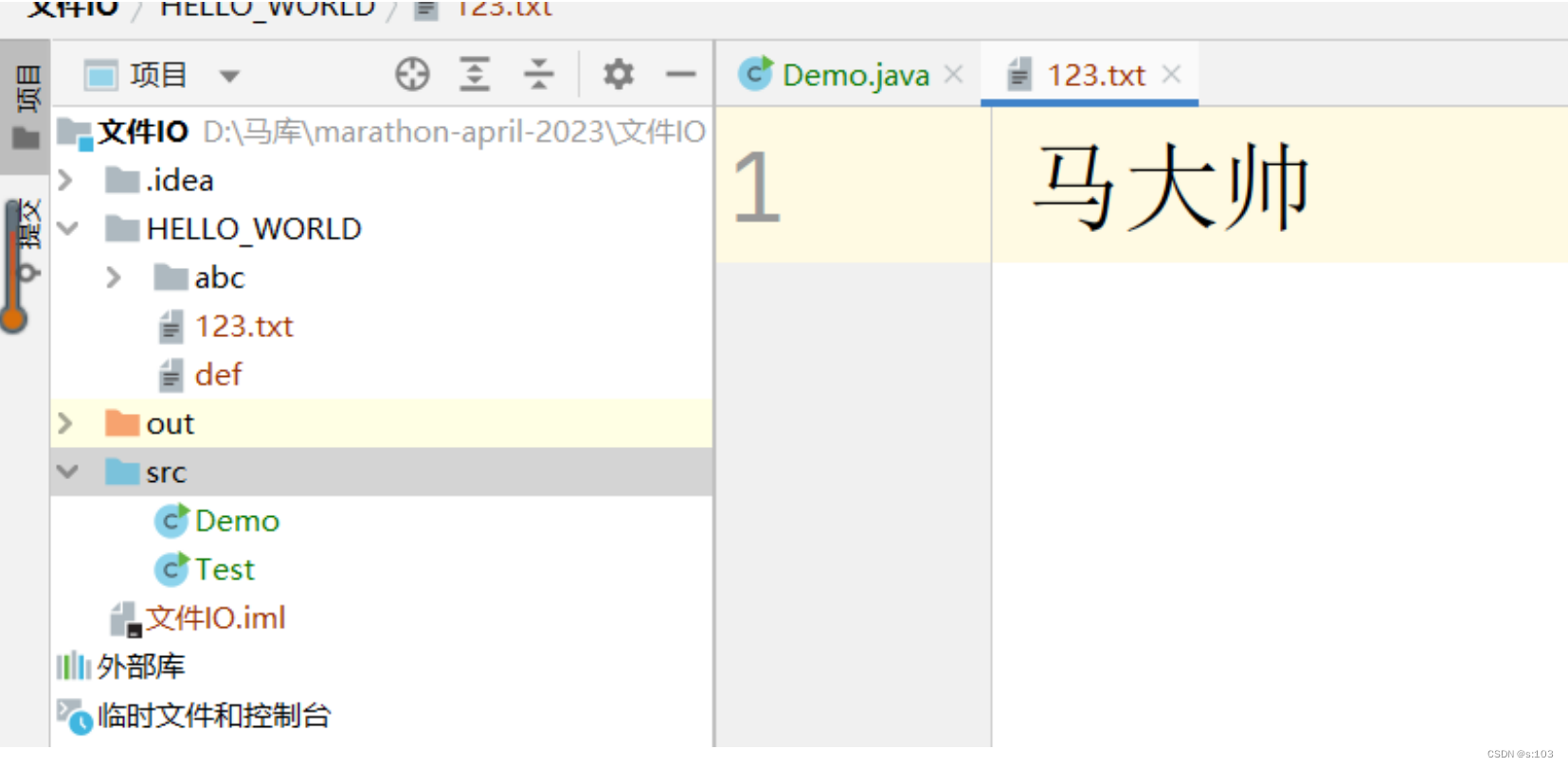
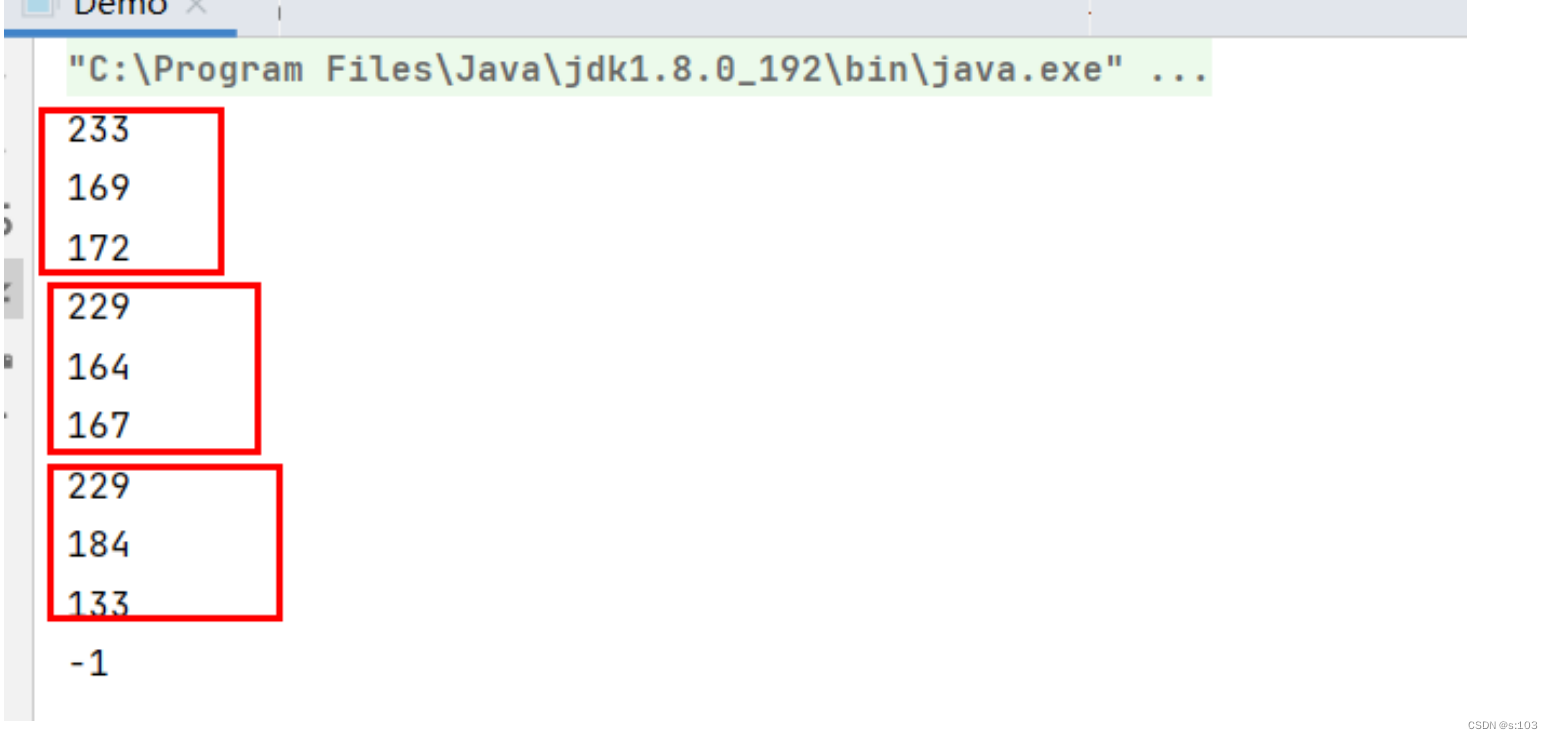
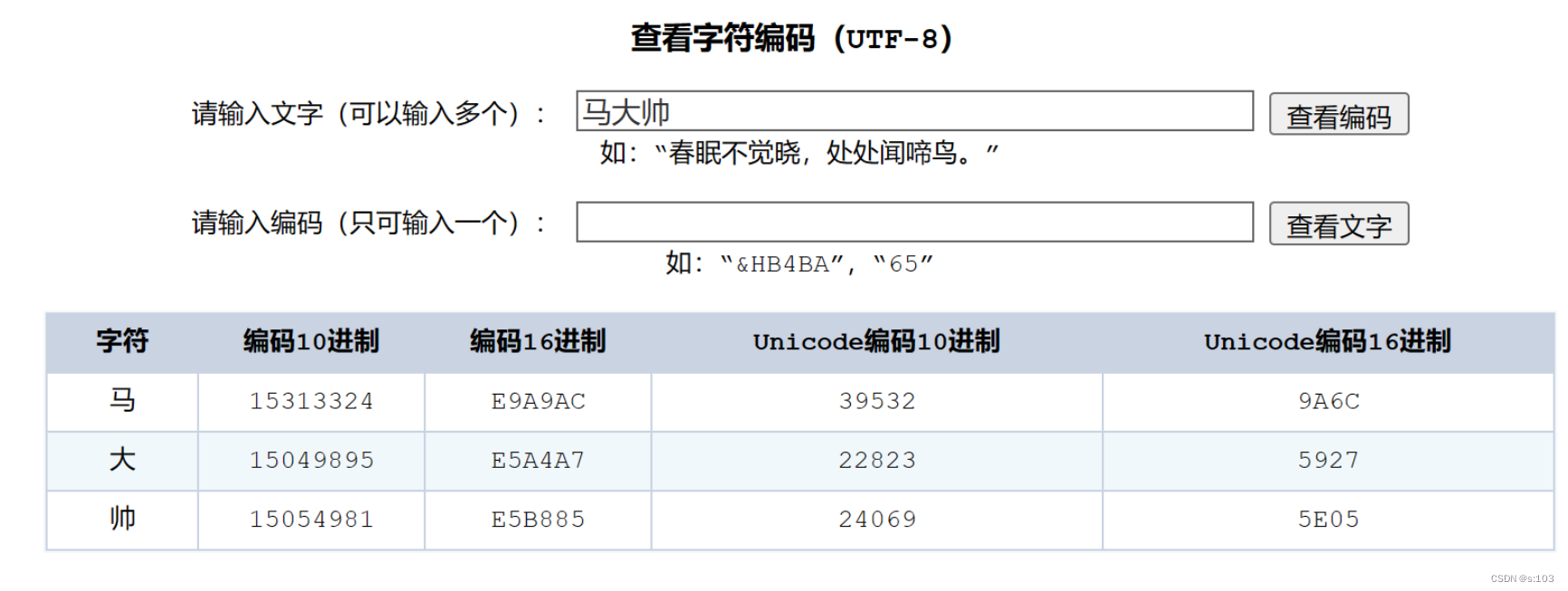
E9 : 233 A9 : 169 AC : 172 ················
完美对应~
public static void main(String[] args) {
    try(InputStream inputStream = new FileInputStream("HELLO_WORLD/123.txt")) {
        byte[] bytes = new byte[9];
        System.out.println(inputStream.read(bytes));
        System.out.println(Arrays.toString(bytes));


    } catch (FileNotFoundException e) {
        e.printStackTrace();
    } catch (IOException e) {
        e.printStackTrace();
    }
}
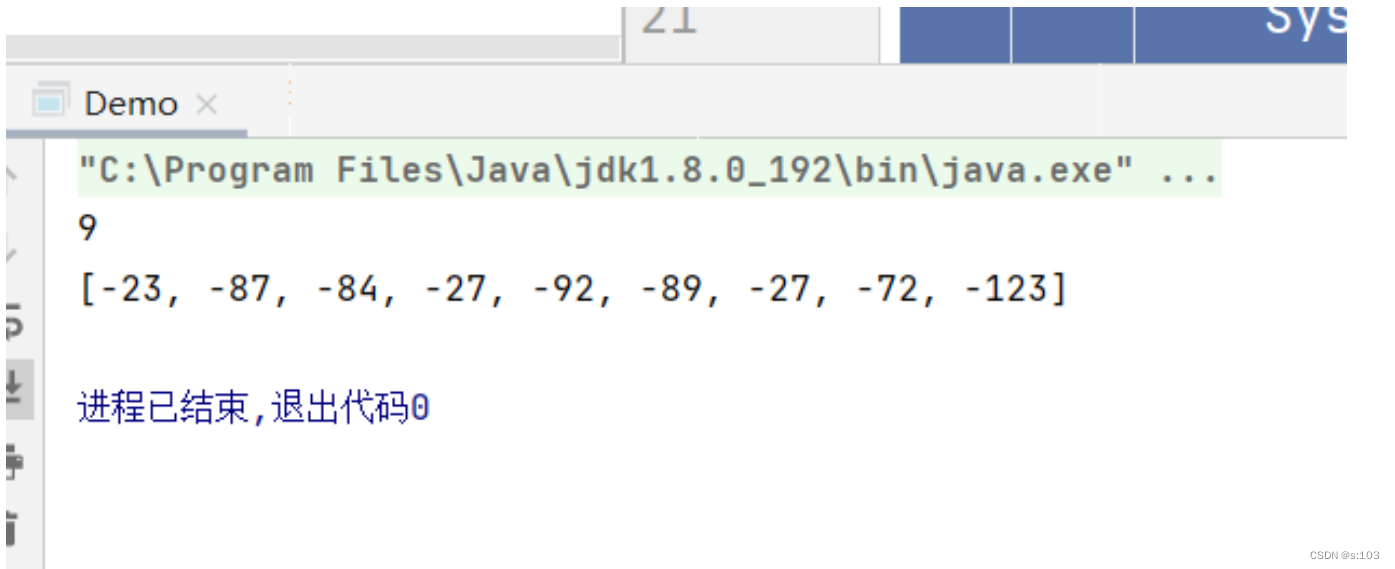
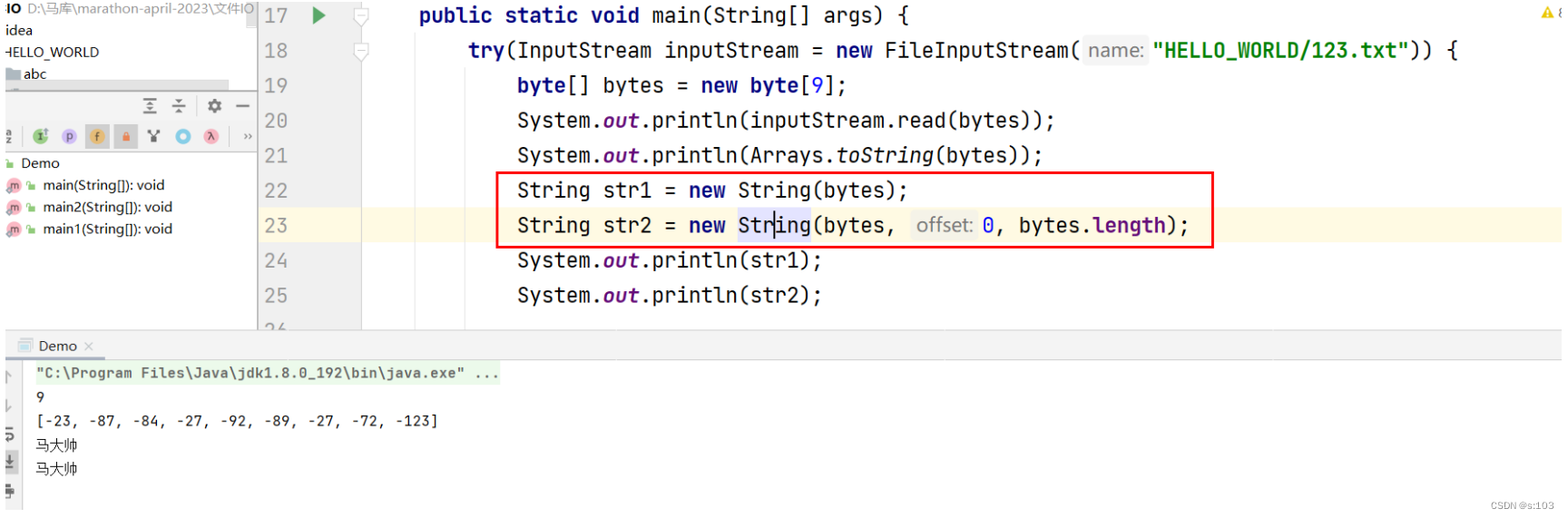
咋变负数了?
如何翻译呢?
public static void main(String[] args) {
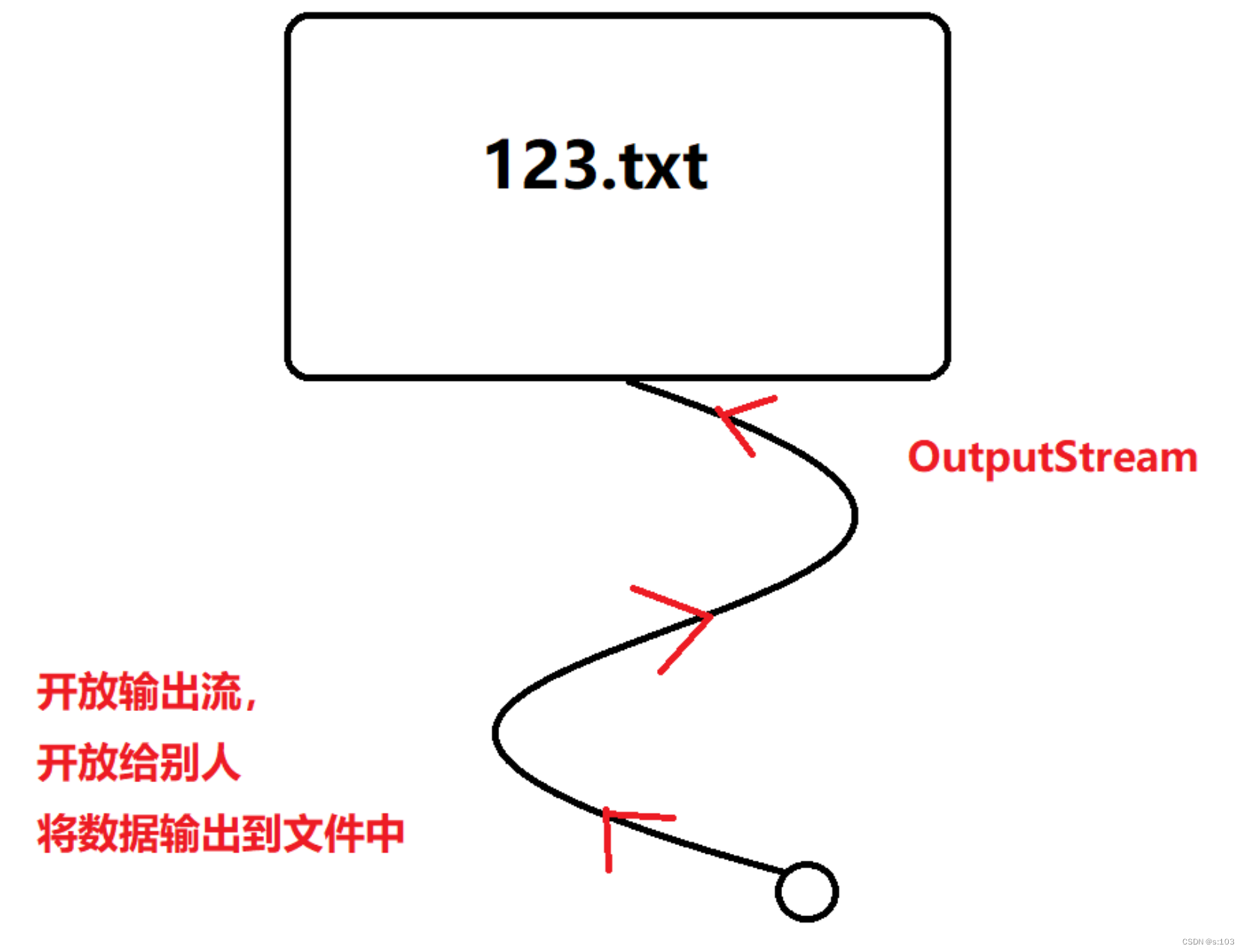
    //每次打开输出流,都会清空文件内容~
    try(OutputStream outputStream = new FileOutputStream("HELLO_WORLD/123.txt")) {


    } catch (IOException e) {
        e.printStackTrace();
    }
}
| 方法名 | 方法说明 |
|---|---|
| void write(int b) | 传入一个int型,内部强行转化为byte型 |
| void write(byte[] b) | 将整个字节数组写入文件中 |
| int write(byte[] b, int off, int len) | 将字节数组的[off, off + len)部分写入文件中 |
| void flush() | 重要:我们知道 I/O 的速度是很慢的,所以,大多的 OutputStream 为 了减少设备操作的次数,在写数据的时候都会将数据先暂时写入内存的 一个指定区域里,直到该区域满了或者其他指定条件时才真正将数据写 入设备中,这个区域一般称为缓冲区。但造成一个结果,就是我们写的 数据,很可能会遗留一部分在缓冲区中。需要在最后或者合适的位置, 调用 flush(刷新)操作,将数据刷到设备中。 |
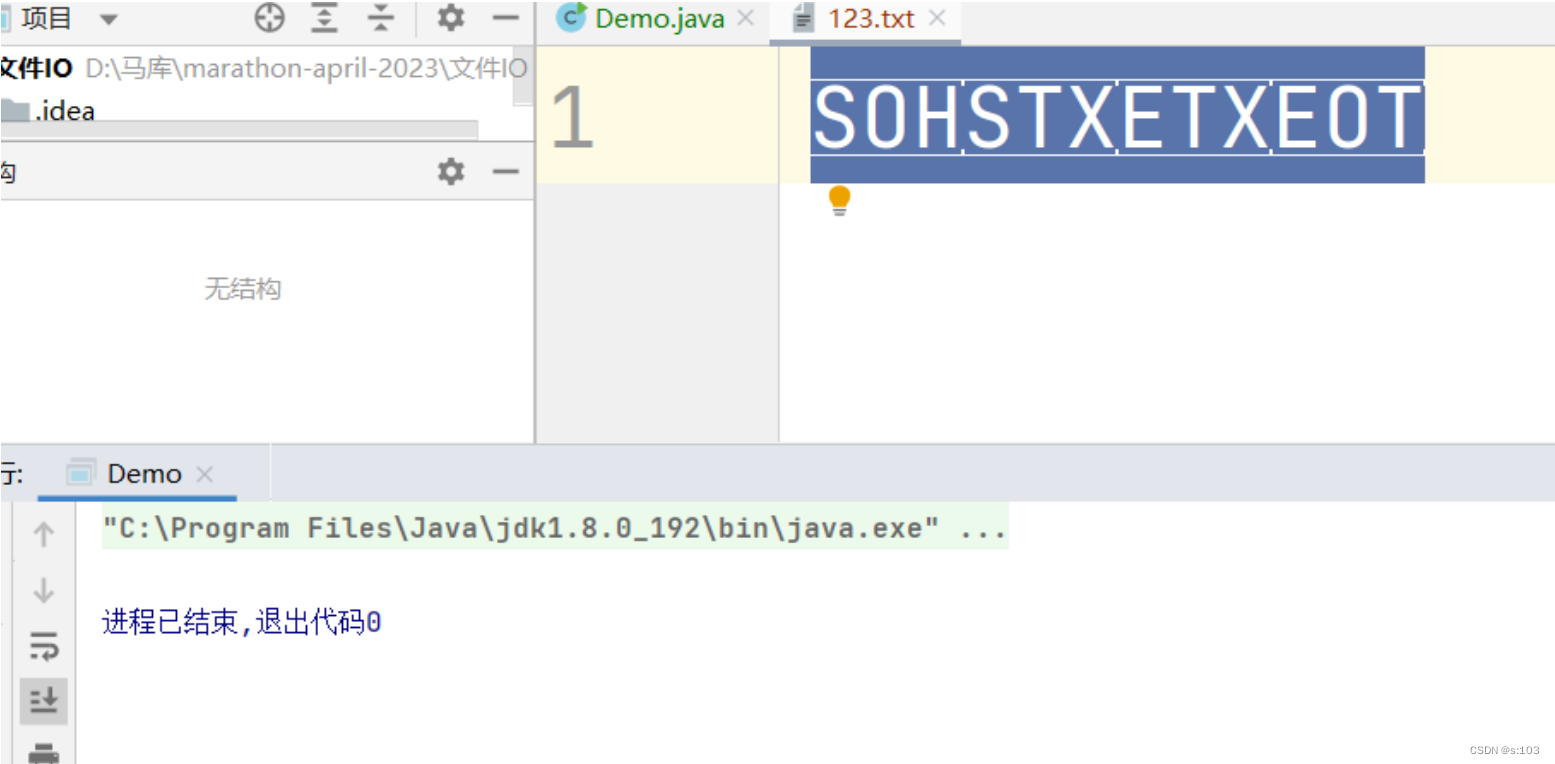
public static void main(String[] args) {
    //每次打开输出流,都会清空文件内容~
    try(OutputStream outputStream = new FileOutputStream("HELLO_WORLD/123.txt")) {

        outputStream.write(1);
        outputStream.write(2);
        outputStream.write(3);
        outputStream.write(4);
        outputStream.flush();

    } catch (FileNotFoundException e) {
        e.printStackTrace();
    } catch (IOException e) {
        e.printStackTrace();
    }
}
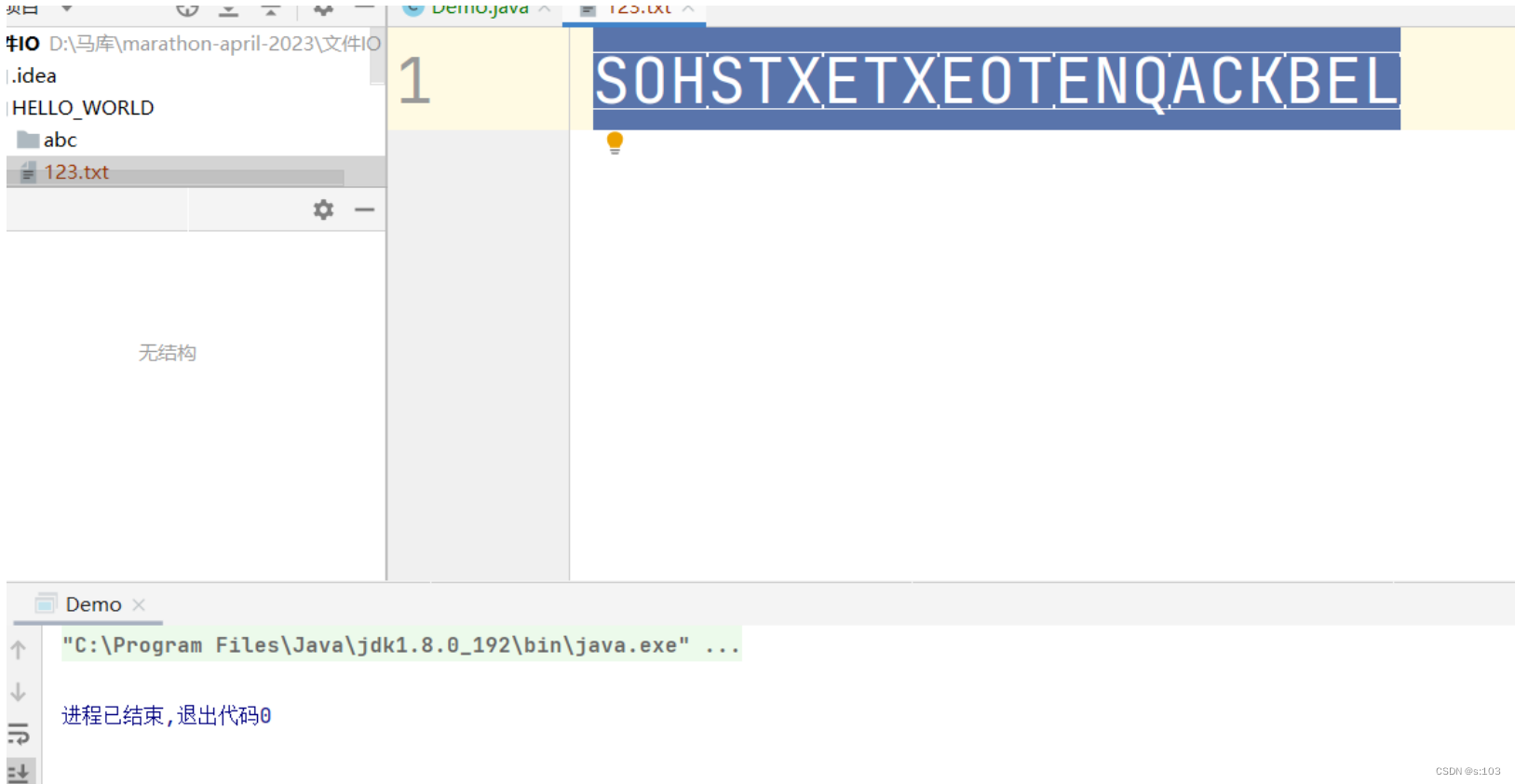
public static void main(String[] args) {
    //每次打开输出流,都会清空文件内容~
    try(OutputStream outputStream = new FileOutputStream("HELLO_WORLD/123.txt")) {

        outputStream.write(new byte[]{1, 2, 3, 4, 5, 6, 7});
        outputStream.flush();

    } catch (FileNotFoundException e) {
        e.printStackTrace();
    } catch (IOException e) {
        e.printStackTrace();
    }
}
    public static void main(String[] args) throws FileNotFoundException {
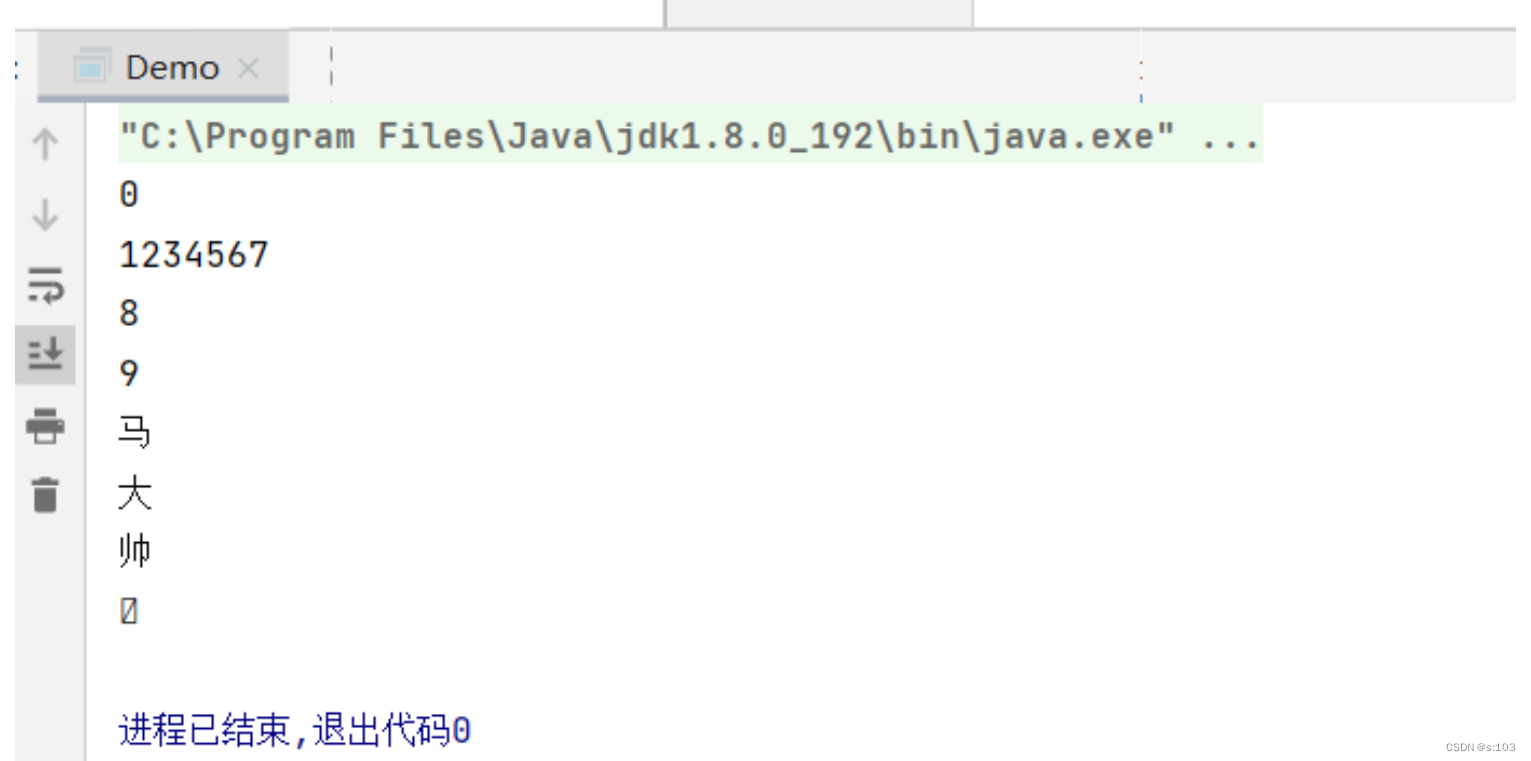
        try(Reader reader = new FileReader("HELLO_WORLD/123.txt")) {
            char ch = (char)reader.read();
            char[] chars = new char[7];
            reader.read(chars);
            System.out.println(ch);
            System.out.println(chars);
            int c = 0;
            do {
                c = reader.read();
                System.out.println((char)c);
            }while (c != -1);
        } catch (IOException e) {
            e.printStackTrace();
        }
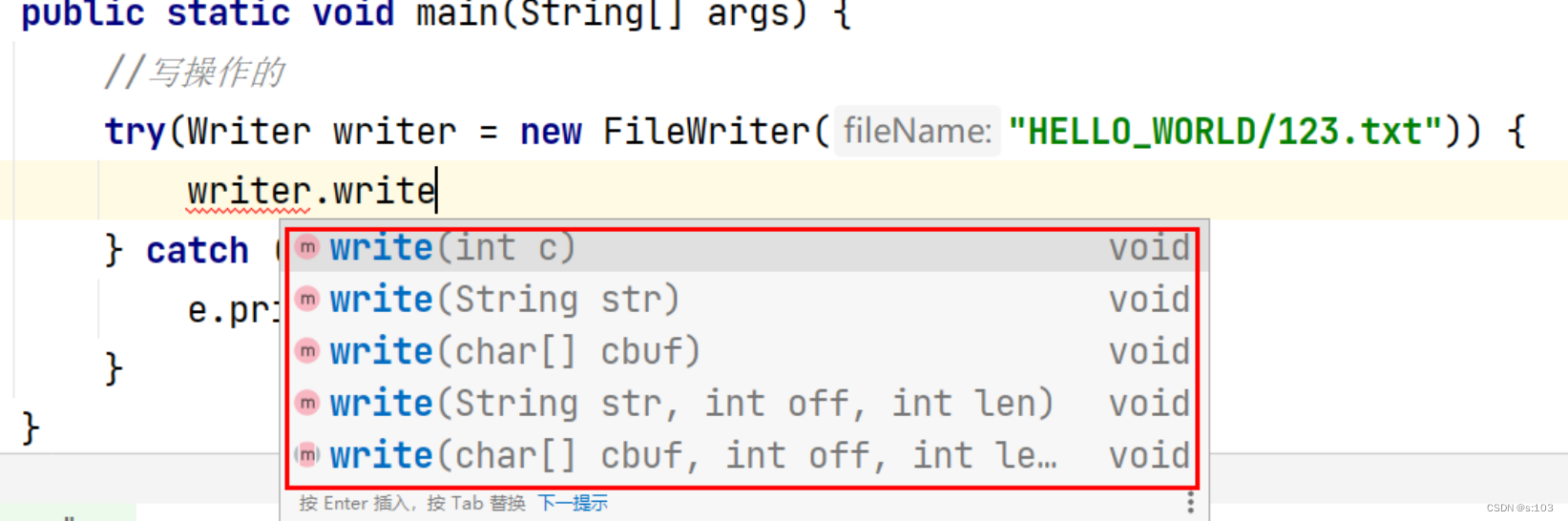
    public static void main(String[] args) {
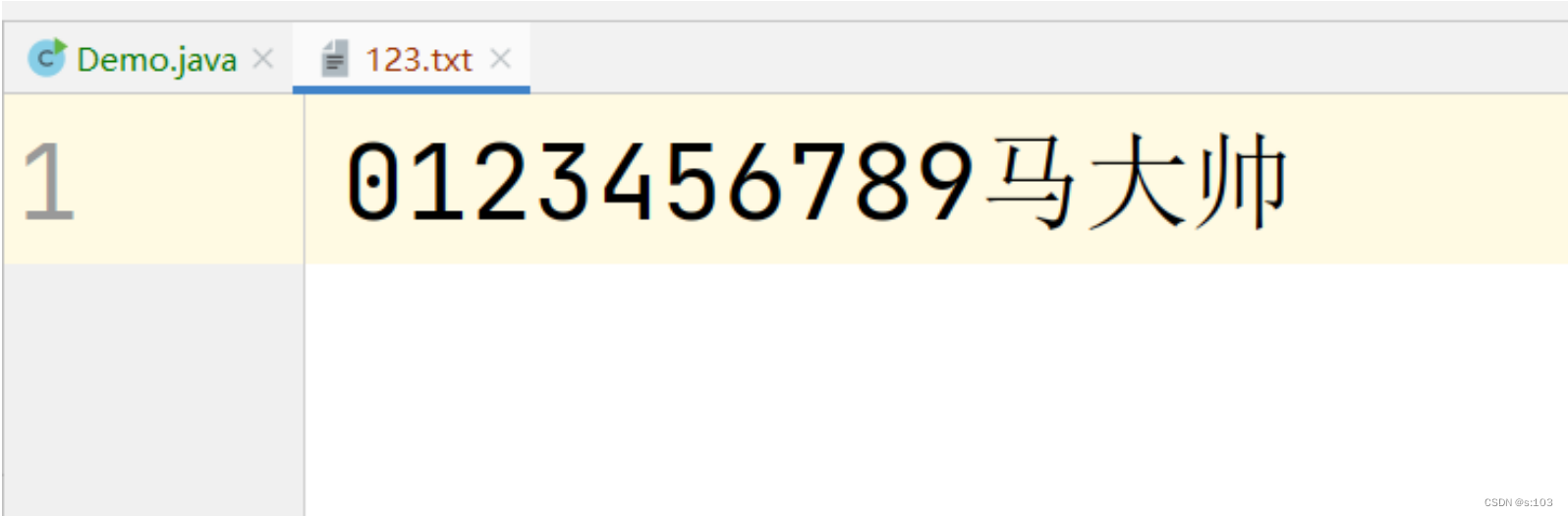
        try(Writer writer = new FileWriter("HELLO_WORLD/123.txt")) {
            writer.write('0');
            writer.write(new char[]{'1', '2', '3', '4', '5', '6'});
            writer.write("789");
            writer.flush();
        } catch (IOException e) {
            e.printStackTrace();
        }
    }
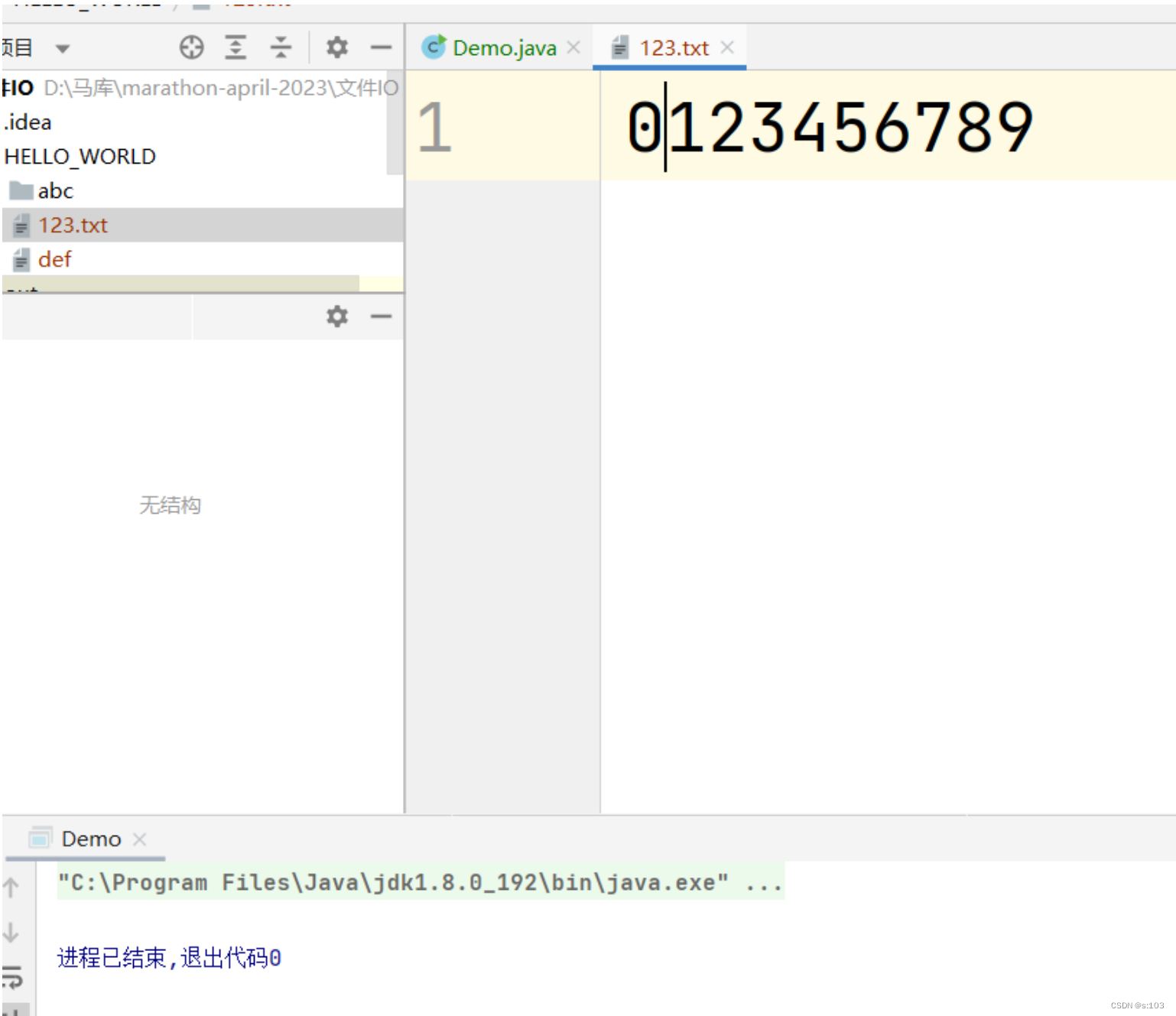
写操作跟字节流一样,无此文件,自动创建~
并且还会清空原内容
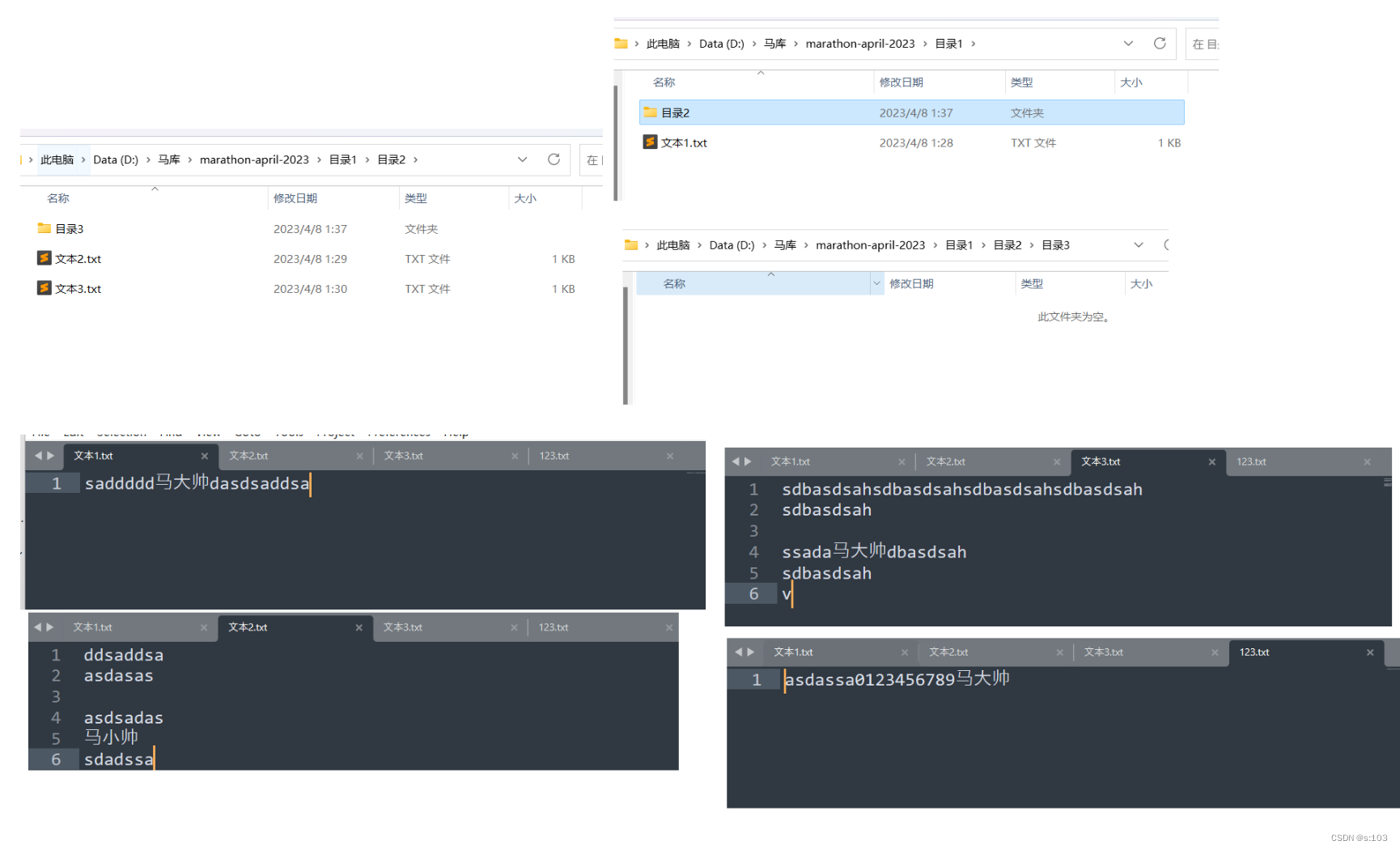
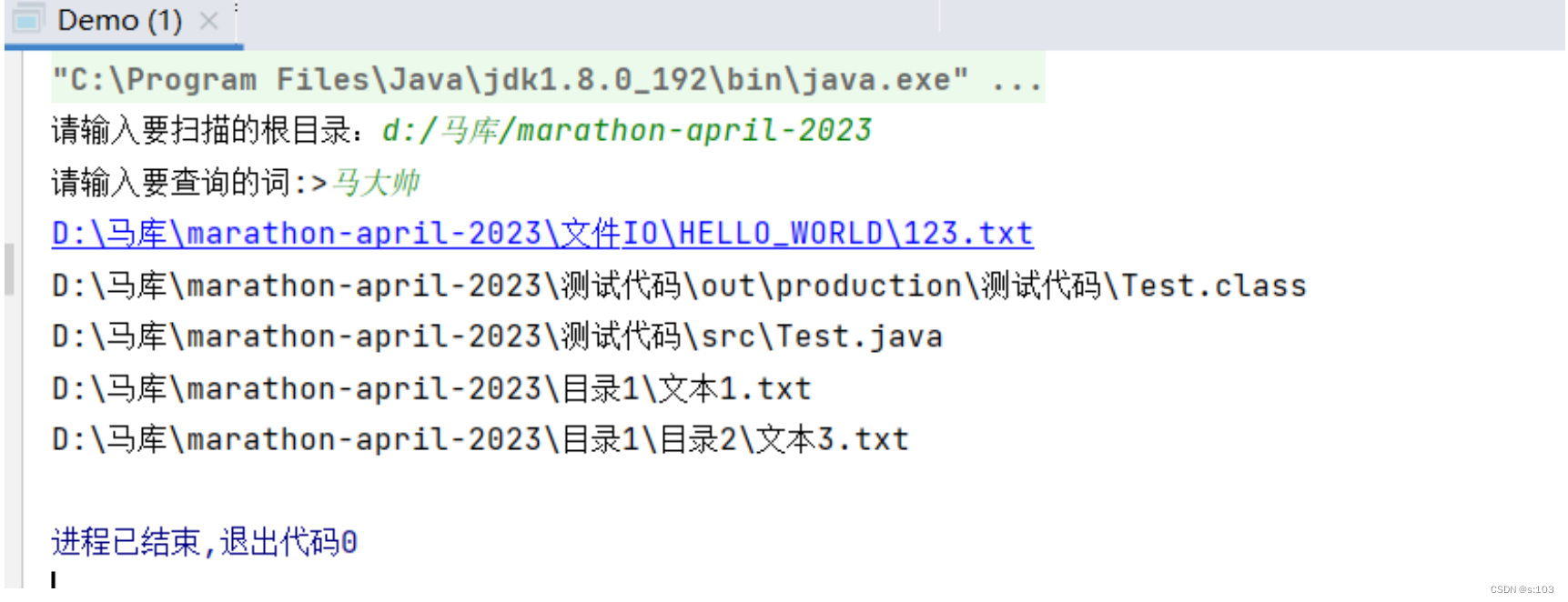
测试结果:
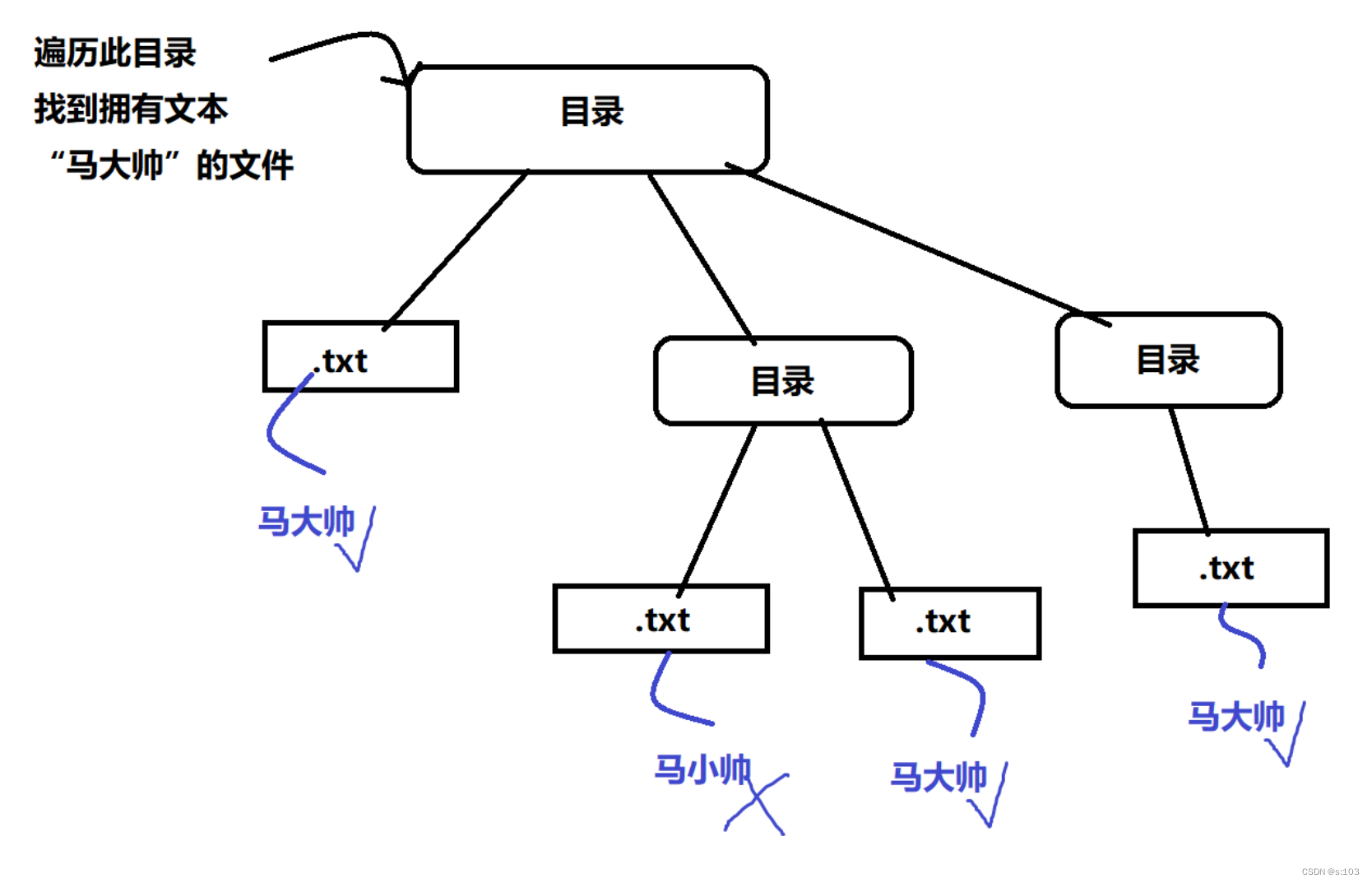
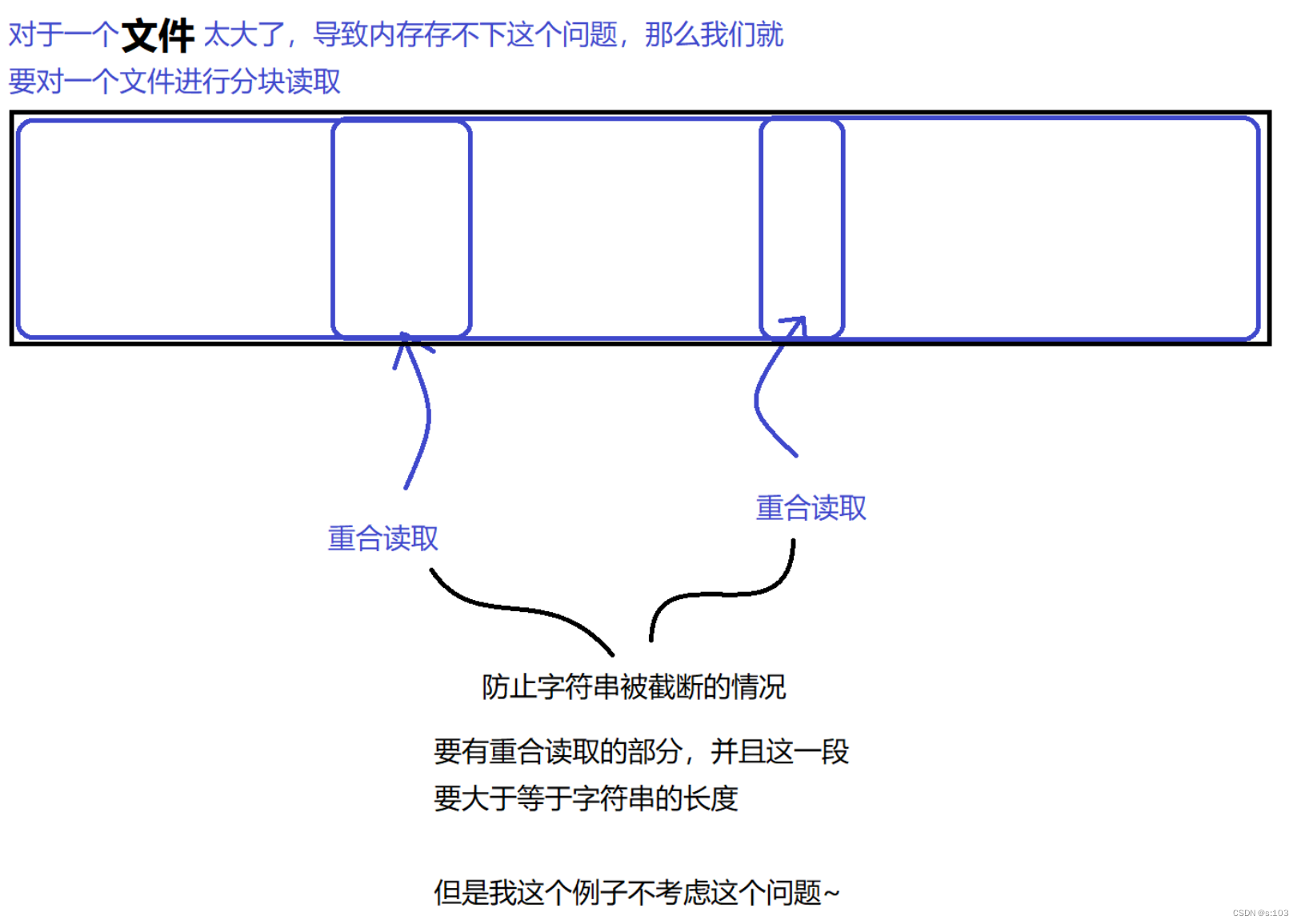
接下来以简单粗暴的方式去实现~
public static void main(String[] args) throws IOException {
    Scanner scanner = new Scanner(System.in);
    System.out.print("请输入要扫描的根目录:");
    String root = scanner.next();
    File file = new File(root);
    if(!file.isDirectory()) { // 1. 目录不存在 2. 不是目录
        System.out.println("输入错误");
        return;
    }
    System.out.print("请输入要查询的词:>");
    String words = scanner.next();
    scan(file, words);//扫描
}
public static void scan(File file, String words) throws IOException {
    File[] files = file.listFiles();
    if(files == null) {
        // 这里空目录对应的并不是空数组!是null~
        return;
    }else {
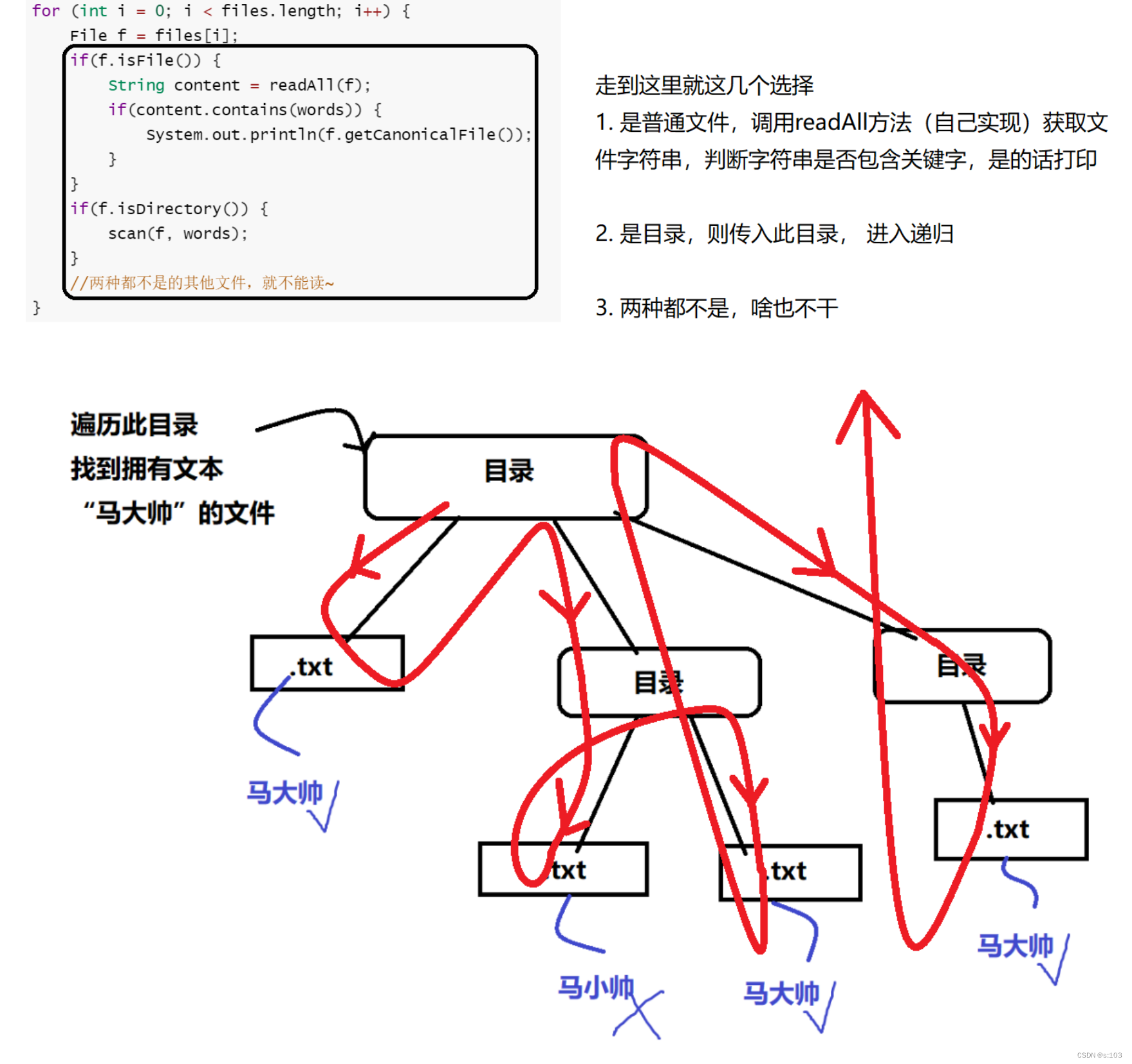
        for (int i = 0; i < files.length; i++) {
            File f = files[i];
            if(f.isFile()) {
                String content = readAll(f);
                if(content.contains(words)) {
                    System.out.println(f.getCanonicalFile());
                }
            }
            if(f.isDirectory()) {
                scan(f, words);
            }
            //两种都不是的其他文件,就不能读~
        }
    }

}
public static String readAll(File f) {
    StringBuilder stringBuilder = new StringBuilder();
    try (Reader reader = new FileReader(f)){
        while(true) {
            int c = reader.read();
            if(c == -1) {
                break;
            }
            stringBuilder.append((char)c);
        }
    } catch (FileNotFoundException e) {
        e.printStackTrace();
    } catch (IOException e) {
        e.printStackTrace();
    }
    return stringBuilder.toString();
}

文章到此结束!谢谢观看
可以叫我 小马,我可能写的不好或者有错误,但是一起加油鸭🦆!文件操作的讲解告一段落,后面也会涉及到哦!
实践才是最好的学习!
我有一个Ruby程序,它使用rubyzip压缩XML文件的目录树。gem。我的问题是文件开始变得很重,我想提高压缩级别,因为压缩时间不是问题。我在rubyzipdocumentation中找不到一种为创建的ZIP文件指定压缩级别的方法。有人知道如何更改此设置吗?是否有另一个允许指定压缩级别的Ruby库? 最佳答案 这是我通过查看rubyzip内部创建的代码。level=Zlib::BEST_COMPRESSIONZip::ZipOutputStream.open(zip_file)do|zip|Dir.glob("**/*")d
我试图在一个项目中使用rake,如果我把所有东西都放到Rakefile中,它会很大并且很难读取/找到东西,所以我试着将每个命名空间放在lib/rake中它自己的文件中,我添加了这个到我的rake文件的顶部:Dir['#{File.dirname(__FILE__)}/lib/rake/*.rake'].map{|f|requiref}它加载文件没问题,但没有任务。我现在只有一个.rake文件作为测试,名为“servers.rake”,它看起来像这样:namespace:serverdotask:testdoputs"test"endend所以当我运行rakeserver:testid时
我的目标是转换表单输入,例如“100兆字节”或“1GB”,并将其转换为我可以存储在数据库中的文件大小(以千字节为单位)。目前,我有这个:defquota_convert@regex=/([0-9]+)(.*)s/@sizes=%w{kilobytemegabytegigabyte}m=self.quota.match(@regex)if@sizes.include?m[2]eval("self.quota=#{m[1]}.#{m[2]}")endend这有效,但前提是输入是倍数(“gigabytes”,而不是“gigabyte”)并且由于使用了eval看起来疯狂不安全。所以,功能正常,
我正在尝试测试是否存在表单。我是Rails新手。我的new.html.erb_spec.rb文件的内容是:require'spec_helper'describe"messages/new.html.erb"doit"shouldrendertheform"dorender'/messages/new.html.erb'reponse.shouldhave_form_putting_to(@message)with_submit_buttonendendView本身,new.html.erb,有代码:当我运行rspec时,它失败了:1)messages/new.html.erbshou
我在从html页面生成PDF时遇到问题。我正在使用PDFkit。在安装它的过程中,我注意到我需要wkhtmltopdf。所以我也安装了它。我做了PDFkit的文档所说的一切......现在我在尝试加载PDF时遇到了这个错误。这里是错误:commandfailed:"/usr/local/bin/wkhtmltopdf""--margin-right""0.75in""--page-size""Letter""--margin-top""0.75in""--margin-bottom""0.75in""--encoding""UTF-8""--margin-left""0.75in""-
Rails2.3可以选择随时使用RouteSet#add_configuration_file添加更多路由。是否可以在Rails3项目中做同样的事情? 最佳答案 在config/application.rb中:config.paths.config.routes在Rails3.2(也可能是Rails3.1)中,使用:config.paths["config/routes"] 关于ruby-on-rails-Rails3中的多个路由文件,我们在StackOverflow上找到一个类似的问题
我在我的项目目录中完成了compasscreate.和compassinitrails。几个问题:我已将我的.sass文件放在public/stylesheets中。这是放置它们的正确位置吗?当我运行compasswatch时,它不会自动编译这些.sass文件。我必须手动指定文件:compasswatchpublic/stylesheets/myfile.sass等。如何让它自动运行?文件ie.css、print.css和screen.css已放在stylesheets/compiled。如何在编译后不让它们重新出现的情况下删除它们?我自己编译的.sass文件编译成compiled/t
对于具有离线功能的智能手机应用程序,我正在为Xml文件创建单向文本同步。我希望我的服务器将增量/差异(例如GNU差异补丁)发送到目标设备。这是计划:Time=0Server:hasversion_1ofXmlfile(~800kiB)Client:hasversion_1ofXmlfile(~800kiB)Time=1Server:hasversion_1andversion_2ofXmlfile(each~800kiB)computesdeltaoftheseversions(=patch)(~10kiB)sendspatchtoClient(~10kiBtransferred)Cl
我正在寻找执行以下操作的正确语法(在Perl、Shell或Ruby中):#variabletoaccessthedatalinesappendedasafileEND_OF_SCRIPT_MARKERrawdatastartshereanditcontinues. 最佳答案 Perl用__DATA__做这个:#!/usr/bin/perlusestrict;usewarnings;while(){print;}__DATA__Texttoprintgoeshere 关于ruby-如何将脚
使用带有Rails插件的vim,您可以创建一个迁移文件,然后一次性打开该文件吗?textmate也可以这样吗? 最佳答案 你可以使用rails.vim然后做类似的事情::Rgeneratemigratonadd_foo_to_bar插件将打开迁移生成的文件,这正是您想要的。我不能代表textmate。 关于ruby-使用VimRails,您可以创建一个新的迁移文件并一次性打开它吗?,我们在StackOverflow上找到一个类似的问题: https://sta


