模式识别与图像处理课程实验一:图像处理实验-->> 颜色算子实验、Susan、Harris角点检测实验、 sobel边缘算子检测实验
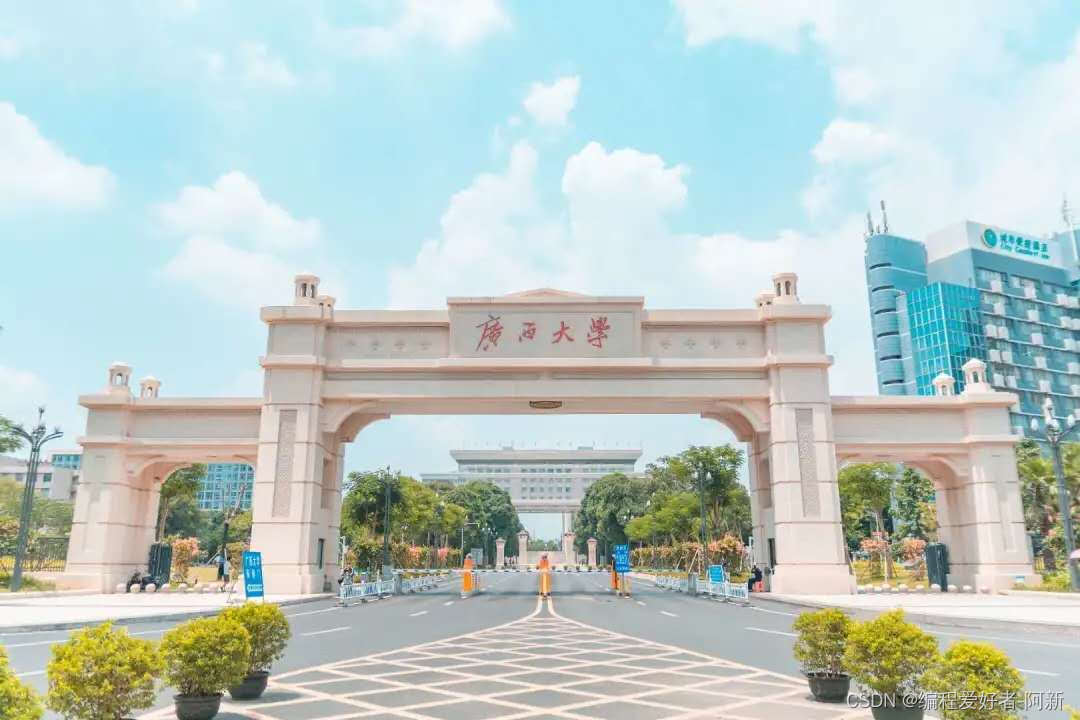
要求编写一个包含颜色算子,Susan,Harris,角点,sobel边缘算子的程。
import numpy as np
import cv2 as cv

image = cv.imread("1.jpg")
image = image / np.ones([1, 1, 3]).astype(np.float32)
image = cv.cvtColor(image, cv.COLOR_BGR2RGB)
print(image.shape)

# 颜色算子
# red
redAdd = np.ones([1, 1, 3]).astype(np.float32)
redAdd[0, 0, 0] = 1.0
redAdd[0, 0, 1] = 0.5
redAdd[0, 0, 2] = 0.25

redSub = np.ones([1, 1, 3]).astype(np.float32)
redSub[0, 0, 0] = 0.25
redSub[0, 0, 1] = 0.5
redSub[0, 0, 2] = 1.0

image1 = np.mean(image * redAdd, 2)
image2 = np.mean(image * redSub, 2) + 100
imageRed = image1 / image2

redMax = np.max(imageRed)
redMin = np.min(imageRed)

imageRed = 255 * (imageRed - redMin) / (redMax - redMin)
cv.imwrite("1red.png", imageRed)
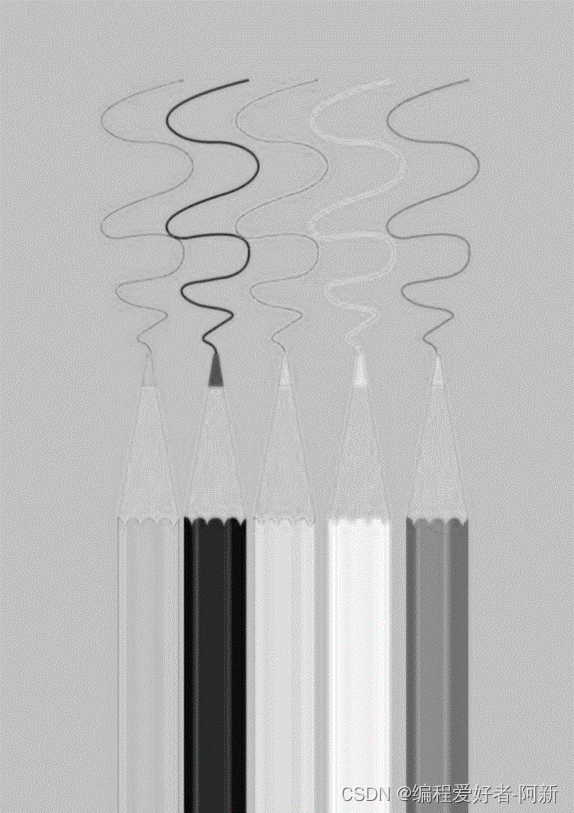
运行结果如下

实验的程序如下
import numpy as np
import cv2 as cv

image = cv.imread("1.jpg")
image = image / np.ones([1, 1, 3]).astype(np.float32)
image = cv.cvtColor(image, cv.COLOR_BGR2RGB)
print(image.shape)

# green
greenAdd = np.ones([1, 1, 3]).astype(np.float32)
greenAdd[0, 0, 0] = 0.5
greenAdd[0, 0, 1] = 1.0
greenAdd[0, 0, 2] = 0.25

greenSub = np.ones([1, 1, 3]).astype(np.float32)
greenSub[0, 0, 0] = 0.5
greenSub[0, 0, 1] = 0.25
greenSub[0, 0, 2] = 1.0

image1 = np.mean(image * greenAdd, 2)
image2 = np.mean(image * greenSub, 2) + 100

imageGreen = image1 / image2
greenMax = np.max(imageGreen)
greenMin = np.min(imageGreen)

imageRed = 255 * (imageGreen - greenMin) / (greenMax - greenMin)
cv.imwrite("1green.png", imageRed)
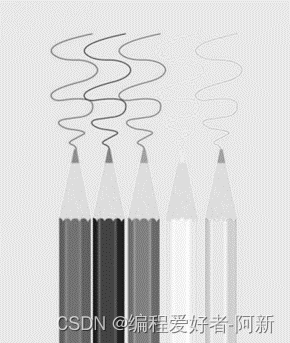
运行结果如下
实验原图

实验结果图
import numpy as np
import cv2 as cv

image = cv.imread("1.jpg")
image = image / np.ones([1, 1, 3]).astype(np.float32)
image = cv.cvtColor(image, cv.COLOR_BGR2RGB)
print(image.shape)

# bule
buleAdd = np.ones([1, 1, 3]).astype(np.float32)
buleAdd[0, 0, 0] = 0.25
buleAdd[0, 0, 1] = 0.5
buleAdd[0, 0, 2] = 1.0

buleSub = np.ones([1, 1, 3]).astype(np.float32)
buleSub[0, 0, 0] = 1.0
buleSub[0, 0, 1] = 0.5
buleSub[0, 0, 2] = 0.25

image1 = np.mean(image * buleAdd, 2)
image2 = np.mean(image * buleSub, 2) + 100

imageBlue = image1 / image2
blueMax = np.max(imageBlue)
blueMin = np.min(imageBlue)

imageBlue = 255 * (imageBlue - blueMin) / (blueMax - blueMin)

cv.imwrite("1blue.png", imageBlue)
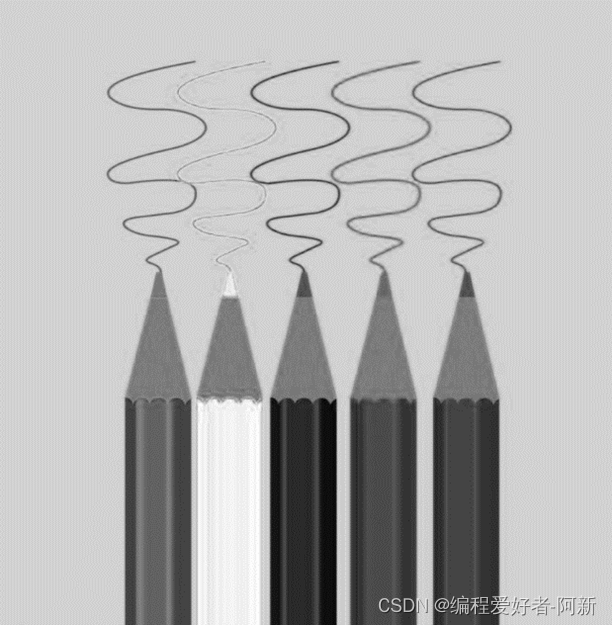
运行结果如下
实验原图

实验结果图
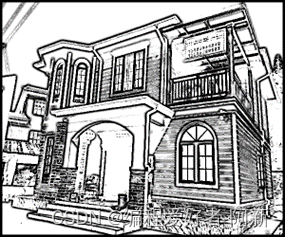
Susan角点检测程序如下
import numpy as np
import cv2 as cv

image = cv.imread("2.jpg")
image = np.mean(image, 2)

height = image.shape[0]
width = image.shape[1]
print(image.shape)

#susan 算子
radius = 5
imageSusan = np.zeros([height, width]).astype(np.float32)

for h in range(radius, height-radius):
    for w in range(radius, width-radius):
        numSmall = 0
        numLarge = 0
        numAll = 0

        for y in range(-radius, radius + 1):
            for x in range(-radius, radius+1):
                distance = np.sqrt(y**2 + x**2)

                if distance <= radius:
                    numAll += 1

                    if image[h + y, w + x] < image[h, w] - 27:
                        numSmall += 1
                    if image[h + y, w + x] > image[h, w] + 27:
                        numLarge += 1

        ratio = 1.0 * numSmall / numAll
        ratio2 = 1.0 * numLarge / numAll

        if ratio < 0.3:
            imageSusan[h, w] = 0.3 - ratio
        if ratio2 > 0.7:
            imageSusan[h, w] = ratio2 - 0.7

imageMax = np.max(imageSusan)
imageMin = np.min(imageSusan)

imageSusan = 255*(imageSusan - imageMin)/(imageMax - imageMin)
print(imageSusan.shape)

cv.imwrite("2.png", imageSusan)
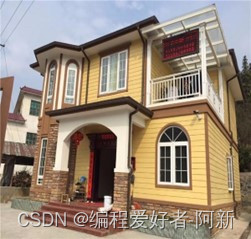
实验原图
实验结果图
import cv2 as cv
import numpy as np
import matplotlib.pyplot as plt

# 读取图像
img = cv.imread('3.jpg')
lenna_img = cv.cvtColor(img, cv.COLOR_BGR2RGB)

# 图像转换成灰度图像
grayImage = cv.cvtColor(img, cv.COLOR_BGR2GRAY)
grayImage = np.float32(grayImage)

# Harris算子
harrisImage = cv.cornerHarris(grayImage, 2, 3, 0.04)

harrisImage = cv.dilate(harrisImage, None)

# 设置阈值
thresImage = 0.006 * harrisImage.max()

img[harrisImage > thresImage] = [255, 0, 0]

# 显示正常中文的标签
plt.rcParams['font.sans-serif'] = ['SimHei']

titles = [u'(a)原始图像', u'(b)Harris图像']
images = [lenna_img, img]

for i in range(2):
    plt.subplot(1, 2, i + 1), plt.imshow(images[i], 'gray')
    plt.title(titles[i])
    plt.xticks([]), plt.yticks([])
plt.show()
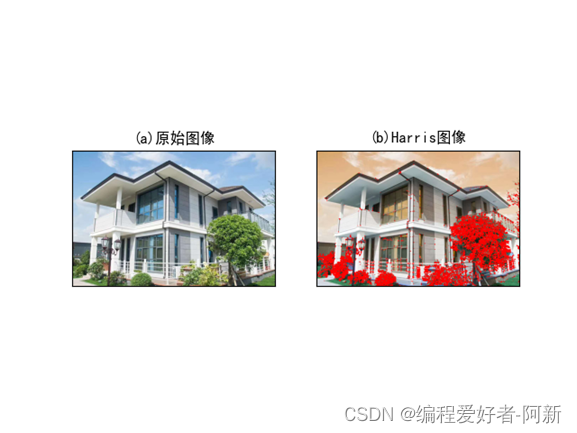
运行结果如下
import numpy as np
import cv2

image = cv2.imread("3.jpg")
height = image.shape[0]
width = image.shape[1]

sobelResult = np.zeros([height - 2, width - 2, 1]).astype(np.float32)
sobelX = np.zeros([3, 3, 1]).astype(np.float32)
sobelY = np.zeros([3, 3, 1]).astype(np.float32)

sobelX[0, 0, 0] = -1
sobelX[1, 0, 0] = -2
sobelX[2, 0, 0] = -1
sobelX[0, 2, 0] = 1
sobelX[1, 2, 0] = 2
sobelX[2, 2, 0] = 1

sobelY[0, 0, 0] = -1
sobelY[0, 1, 0] = -2
sobelY[0, 2, 0] = -1
sobelY[2, 0, 0] = 1
sobelY[2, 1, 0] = 2
sobelY[2, 2, 0] = 1


for h in range(0, height - 3):
    for w in range(0, width - 3):
        #求方向梯度
        imageIncre = image[h:h + 3, w:w + 3]
        gradientX = np.sum(imageIncre * sobelX)
        gradientY = np.sum(imageIncre * sobelY)
        gradient = np.sqrt(gradientX**2 + gradientY**2)
        sobelResult[h, w, 0] = gradient


imageMax = np.max(sobelResult)
imageMin = np.min(sobelResult)

sobelResult = 255*(sobelResult - imageMin) / (imageMax - imageMin)
cv2.imwrite("3.png", sobelResult)
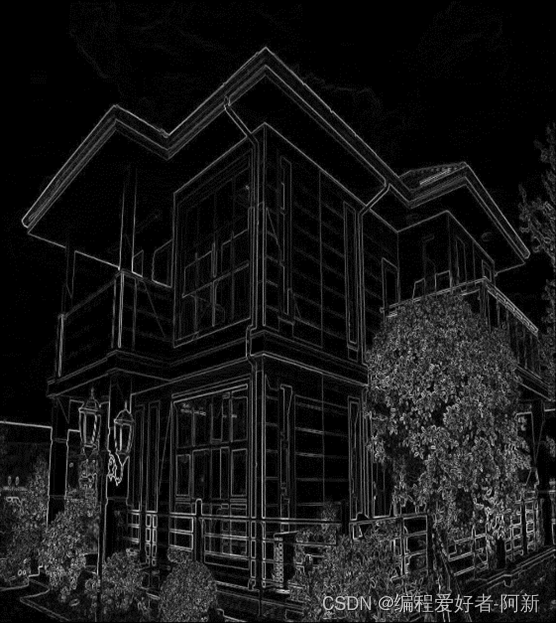
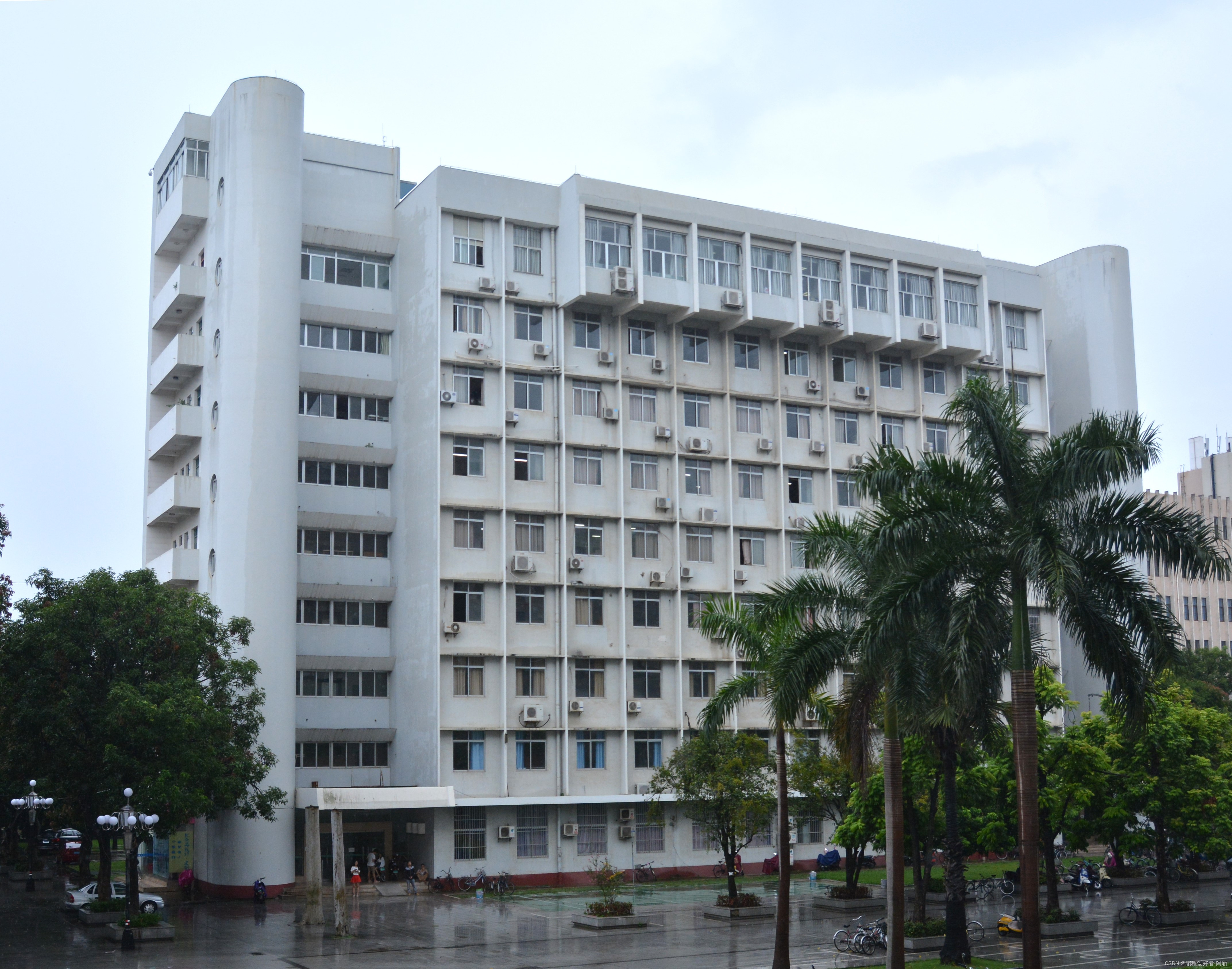
2、 运行结果如下
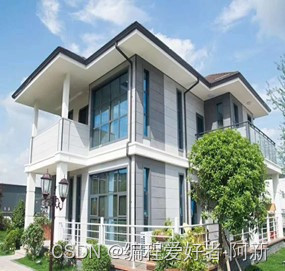
实验原图
实验结果图
Rackup通过Rack的默认处理程序成功运行任何Rack应用程序。例如:classRackAppdefcall(environment)['200',{'Content-Type'=>'text/html'},["Helloworld"]]endendrunRackApp.new但是当最后一行更改为使用Rack的内置CGI处理程序时,rackup给出“NoMethodErrorat/undefinedmethod`call'fornil:NilClass”:Rack::Handler::CGI.runRackApp.newRack的其他内置处理程序也提出了同样的反对意见。例如Rack
我收到这个错误:RuntimeError(自动加载常量Apps时检测到循环依赖当我使用多线程时。下面是我的代码。为什么会这样?我尝试多线程的原因是因为我正在编写一个HTML抓取应用程序。对Nokogiri::HTML(open())的调用是一个同步阻塞调用,需要1秒才能返回,我有100,000多个页面要访问,所以我试图运行多个线程来解决这个问题。有更好的方法吗?classToolsController0)app.website=array.join(',')putsapp.websiteelseapp.website="NONE"endapp.saveapps=Apps.order("
我有带有Logo图像的公司模型has_attached_file:logo我用他们的Logo创建了许多公司。现在,我需要添加新样式has_attached_file:logo,:styles=>{:small=>"30x15>",:medium=>"155x85>"}我是否应该重新上传所有旧数据以重新生成新样式?我不这么认为……或者有什么rake任务可以重新生成样式吗? 最佳答案 参见Thumbnail-Generation.如果rake任务不适合你,你应该能够在控制台中使用一个片段来调用重新处理!关于相关公司
我正在尝试使用Ruby2.0.0和Rails4.0.0提供的API从imgur中提取图像。我已尝试按照Ruby2.0.0文档中列出的各种方式构建http请求,但均无济于事。代码如下:require'net/http'require'net/https'defimgurheaders={"Authorization"=>"Client-ID"+my_client_id}path="/3/gallery/image/#{img_id}.json"uri=URI("https://api.imgur.com"+path)request,data=Net::HTTP::Get.new(path
2022/8/4更新支持加入水印水印必须包含透明图像,并且水印图像大小要等于原图像的大小pythonconvert_image_to_video.py-f30-mwatermark.pngim_dirout.mkv2022/6/21更新让命令行参数更加易用新的命令行使用方法pythonconvert_image_to_video.py-f30im_dirout.mkvFFMPEG命令行转换一组JPG图像到视频时,是将这组图像视为MJPG流。我需要转换一组PNG图像到视频,FFMPEG就不认了。pyav内置了ffmpeg库,不需要系统带有ffmpeg工具因此我使用ffmpeg的python包装p
有这样的事吗?我想在Ruby程序中使用它。 最佳答案 试试这个http://csl.sublevel3.org/jp2a/此外,Imagemagick可能还有一些东西 关于ruby-是否有将图像文件转换为ASCII艺术的命令行程序或库?,我们在StackOverflow上找到一个类似的问题: https://stackoverflow.com/questions/6510445/
我正在使用Dragonfly在Rails3.1应用程序上处理图像。我正在努力通过url将图像分配给模型。我有一个很好的表格:{:multipart=>true}do|f|%>RemovePicture?Dragonfly的文档指出:Dragonfly提供了一个直接从url分配的访问器:@album.cover_image_url='http://some.url/file.jpg'但是当我在控制台中尝试时:=>#ruby-1.9.2-p290>picture.image_url="http://i.imgur.com/QQiMz.jpg"=>"http://i.imgur.com/QQ
我对图像处理完全陌生。我对JPEG内部是什么以及它是如何工作一无所知。我想知道,是否可以在某处找到执行以下简单操作的ruby代码:打开jpeg文件。遍历每个像素并将其颜色设置为fx绿色。将结果写入另一个文件。我对如何使用ruby-vips库实现这一点特别感兴趣https://github.com/ender672/ruby-vips我的目标-学习如何使用ruby-vips执行基本的图像处理操作(Gamma校正、亮度、色调……)任何指向比“helloworld”更复杂的工作示例的链接——比如ruby-vips的github页面上的链接,我们将不胜感激!如果有ruby-
我有一个super简单的脚本,它几乎包含了FayeWebSocketGitHub页面上用于处理关闭连接的内容:ws=Faye::WebSocket::Client.new(url,nil,:headers=>headers)ws.on:opendo|event|p[:open]#sendpingcommand#sendtestcommand#ws.send({command:'test'}.to_json)endws.on:messagedo|event|#hereistheentrypointfordatacomingfromtheserver.pJSON.parse(event.d
Organization和Image具有一对一的关系。Image有一个名为filename的列,它存储文件的路径。我在Assets管道中包含这样一个文件:app/assets/other/image.jpg。播种时如何包含此文件的路径?我已经在我的种子文件中尝试过:@organization=...@organization.image.create!(filename:File.open('app/assets/other/image.jpg'))#Ialsotried:#@organization.image.create!(filename:'app/assets/other/i
