到目前为止,我们只使用了HTTP Nasic作为身份验证方法,它的身份验证方法很简单,我们前面的例子也拿他用于示例和演示,是一个非常不错的选择。但是出于同样的原因,它可能并不适合我们需要实现的所有现实场景。
本节将介绍与HTTP Basic相关的更多配置。此外,还将探究一种名为FormLogin的新身份验证方法。
HTTP Basic身份验证提供的默认值就非常够用了。但是在更复杂的应用程序中,你可能会发现需要自定义其中一些设置。例如,我们可能想为身份验证过程失败的情况实现特定的逻辑。
首先我们来看一下如何设置HTTP Basic:
我们在我们的配置类通过扩展configure()设置HTTP Basic身份验证
    @Override
    protected void configure(HttpSecurity http) throws Exception {
        http
       .httpBasic();
   }
就这样几行代码就可以开启HTTP Basic身份验证,但是我们可以在其基础上对其追加配置,我们可以通过使用Customizer自定义失败身份验证的响应。如果在身份验证失败的情况下,系统的客户期望响应中有特定的内容,就需要这样做。我们可能需要添加或删除一个或多个头信息。或者可以使用一些逻辑来过滤主体信息,以确保应用程序不会向客户端公开任何敏感数据。
为了自定义失败身份验证的响应,可以实现AuthenticationEntryPoint。它的commence()方法会接收HttpServletRequest\HttpServletResponse和导致身份验证失败的AuthenticationException。如下代码我们就展示了如何实现AuthenticationEntryPoint的方法,该方法会向响应添加一个头信息,并将HTTP状态设置为401 Unauthorized.
import org.springframework.http.HttpStatus;
import org.springframework.security.core.AuthenticationException;
import org.springframework.security.web.AuthenticationEntryPoint;
import org.springframework.stereotype.Component;

import javax.servlet.ServletException;
import javax.servlet.http.HttpServletRequest;
import javax.servlet.http.HttpServletResponse;
import java.io.IOException;

@Component
public class CustomEntryPoint implements AuthenticationEntryPoint {
	@Override
	public void commence(HttpServletRequest request,
						 HttpServletResponse response,
						 AuthenticationException authException) throws IOException, ServletException {
		response.addHeader("message","LiuQing I'm your father");
		response.sendError(HttpStatus.UNAUTHORIZED.value());

	}
}
在身份验证失败时,AuthenticationEntryPoint接口的名称并没有反映其使用情况,这有点含糊不清。在Spring Security架构中,它由名称为ExceptionTranslationManager的组件直接使用,该组件会处理过滤链中抛出的任何AccessDeniedException和AuthenticationException异常。可以将ExceptionTranslationManager看作Java异常和HTTP响应之间的桥梁。
然后可以使用配置类中的HTTP Basic方法注册CustomEntryPoint.如下代码展示了自定义入口点的配置类:
@Configuration
@RequiredArgsConstructor
@EnableAsync
public class SpringSecurityConfig extends WebSecurityConfigurerAdapter {
    private final CustomEntryPoint customEntryPoint;

    @Override
    protected void configure(HttpSecurity http) throws Exception {
                http.httpBasic(c->c.authenticationEntryPoint(customEntryPoint));
   }
你会发现这种配置方式当你请求失败导致401时,例如密码错误,由于HttpBasic会识别你的错误方式导致抛出两次异常,第一个是因为你的错误请求原因抛出的异常,例如密码错误就是org.springframework.security.authentication.BadCredentialsException: Bad credentials

然后再次抛出认证异常,因为我们没有认证通过所以访问不了资源。
org.springframework.security.authentication.InsufficientAuthenticationException: Full authentication is required to access this resource

该异常和上面的BadCredentialsException均实现了AuthenticationException,ExceptionTranslationManager均会处理这两个异常,所以你会发现请求头被重复添加了两次:
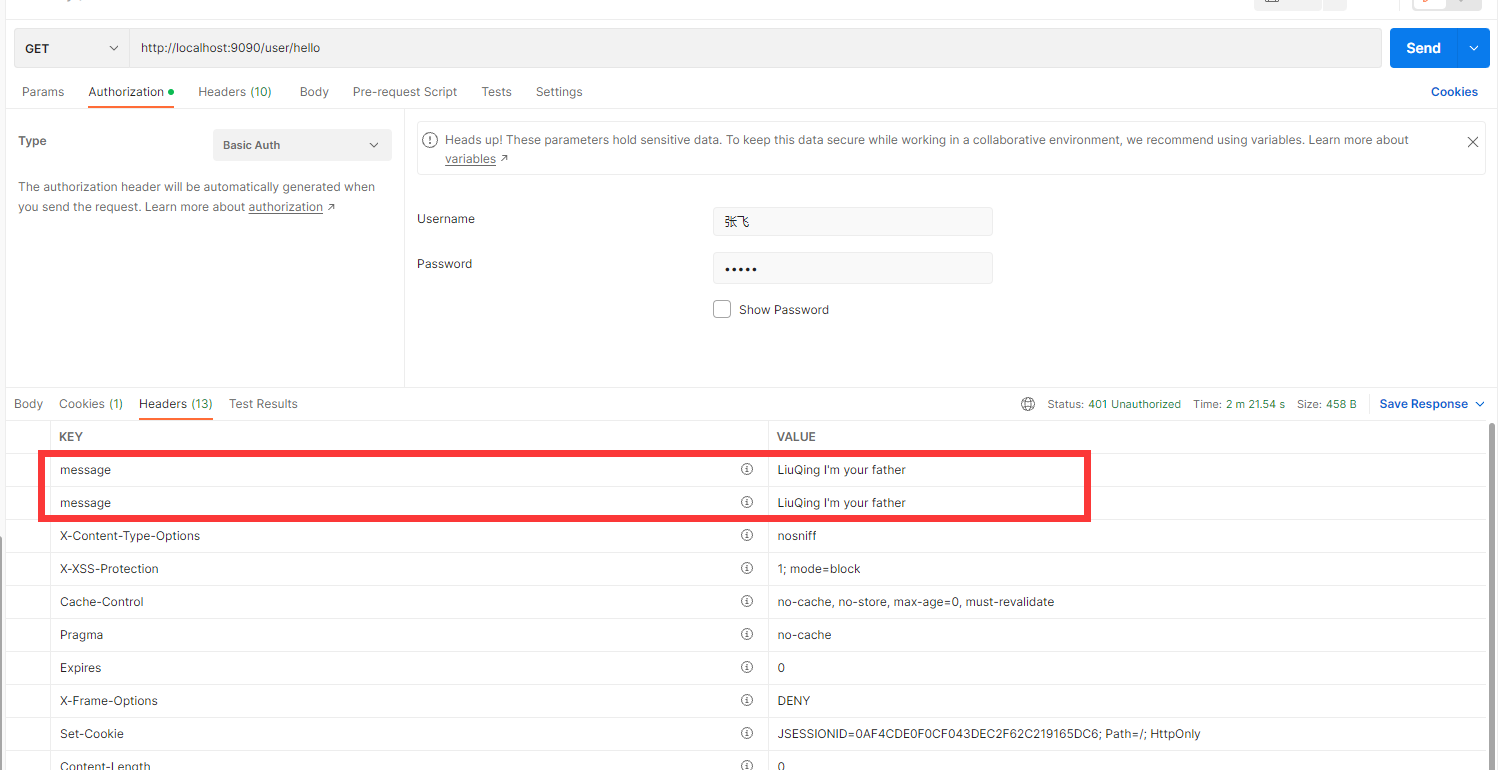
这样显然是不对的,所以我们可以使用另一种处理方式,既然HTTP Basic会连续抛出两次异常,那我就不再Http Basic里配置,我将其抽出作为认证异常的统一处理,代码如下:
@Configuration
@RequiredArgsConstructor
@EnableAsync
public class SpringSecurityConfig extends WebSecurityConfigurerAdapter {
    private final CustomEntryPoint customEntryPoint;

    @Override
    protected void configure(HttpSecurity http) throws Exception {
                http.httpBasic();
                http.exceptionHandling().authenticationEntryPoint(customEntryPoint).and()
                .authorizeRequests()
                .anyRequest().authenticated();
                }
再次运行,你会发现只抛出了org.springframework.security.authentication.InsufficientAuthenticationException
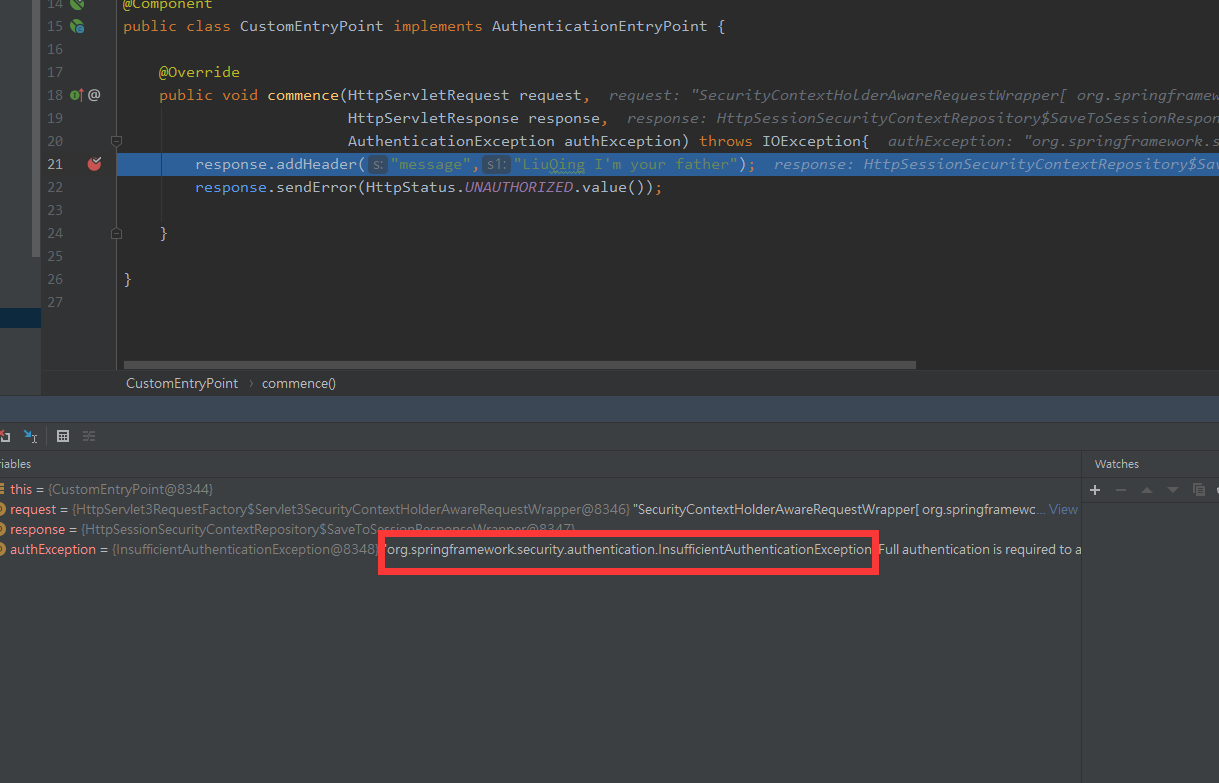
然后被ExceptionTranslationManager处理,entryPoint当然也就只处理了一次,所以最后只添加了一次请求头。
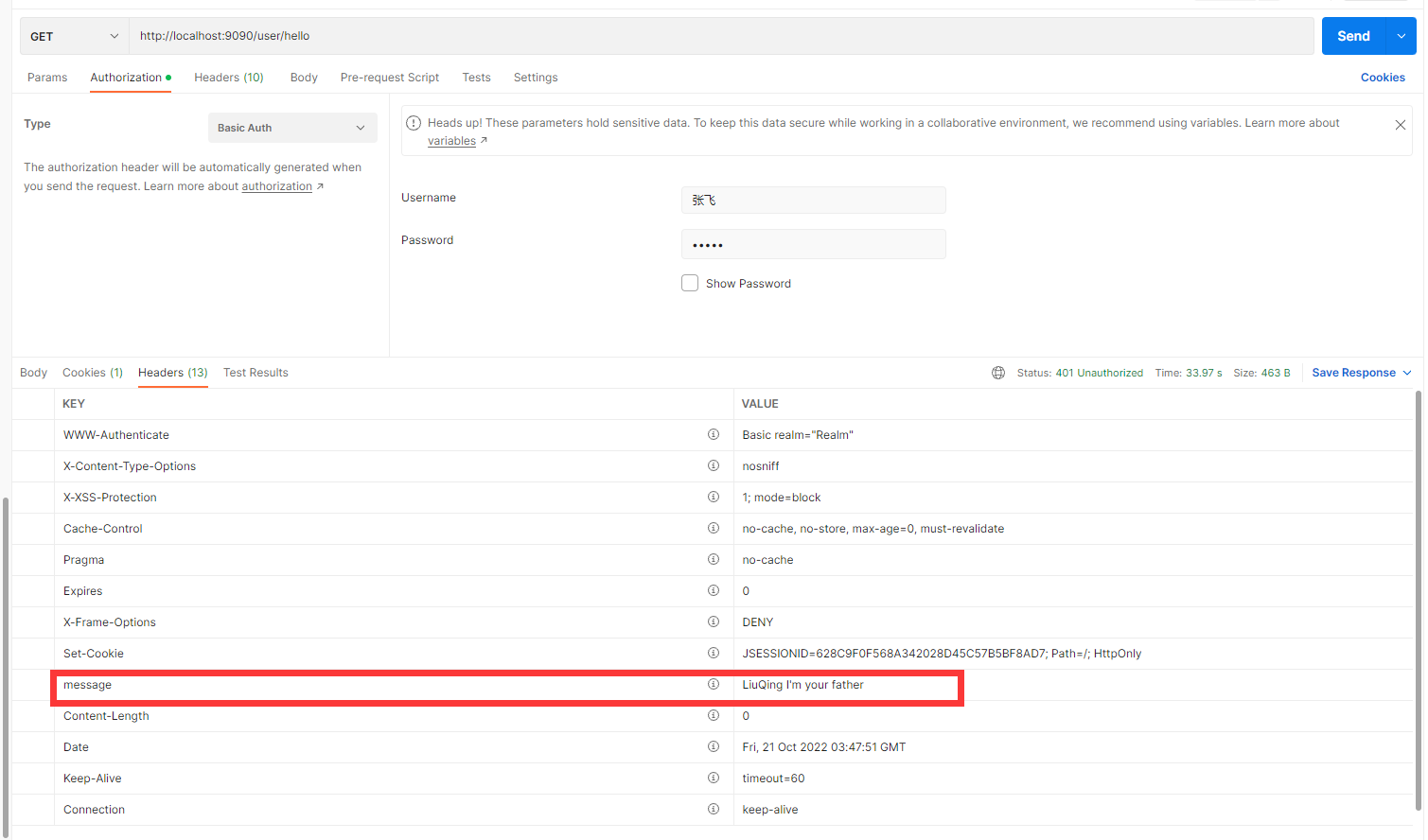
当然这只是作者的解决方式,这种解决方法算是有点跑题,毕竟我们初衷是为了在Http Basic内部配置,如果大家有更好的解决方法可以在评论区分享。
在开发Web应用程序时,我们可能希望提供一个对用户友好的登陆表单,用户可以在其中输入他们的凭据。同样,我们可能希望通过身份验证的用户能够在登录后浏览Web页面并能够注销。对于小型Web应用程序,可以利用基于表单的登陆方法,但是对于需要水平可伸缩的大型应用程序而言,使用服务器端会话管理安全上下文是不可取的,这个在我们后面学习OAuth时会详细讨论这方面内容。
回到正题,我们先看下下图通过表单登录的主要流程图:
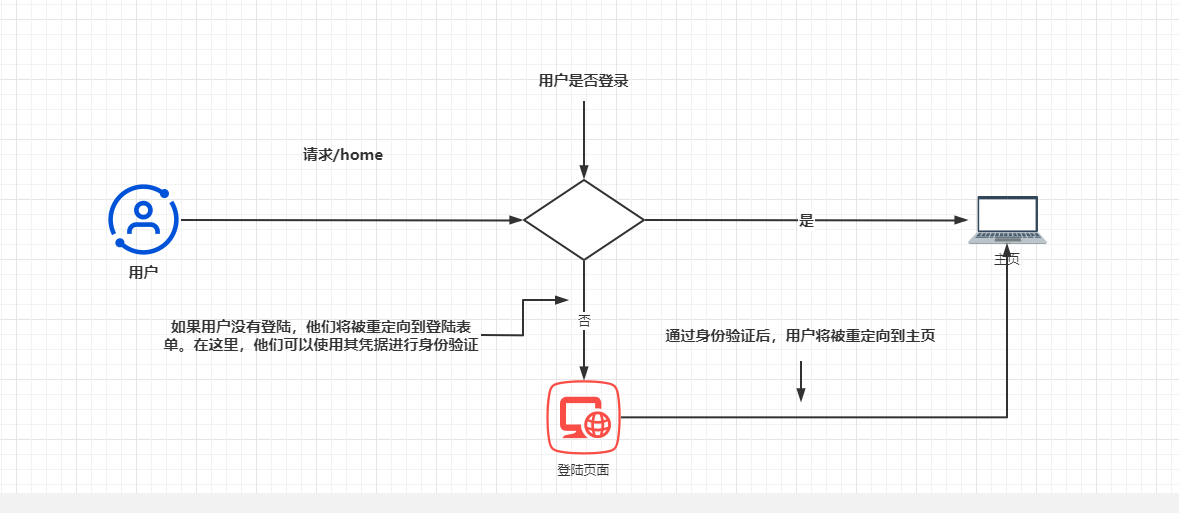
在使用Spring Security自己最基础的表单登录之前,记得先将之前配置过的entryPoint的代码给注释下,否则打不开Spring Security为我们提供的登录页面。目前登录路径我们先不由我们自己决定,我们先使用Spring Security为我们提供的页面。要将身份验证方法更改为基于表单的登录,可以在配置类的configure(HttpSecurity http)方法而非httpBasic()中,调用HttpSecurity参数的formLogin()方法。代码如下:
  @Override
    protected void configure(HttpSecurity http) throws Exception {
                //开启formlogin也可同时开启httpBasic身份验证
                http.httpBasic();
                http.exceptionHandling().authenticationEntryPoint(customEntryPoint).and()
                .formLogin()
                .and()
                .authorizeRequests()
                .anyRequest().authenticated();
    }
启动应用程序并且现在访问我们一个接口,会发现它将我们重定向到一个登陆页面
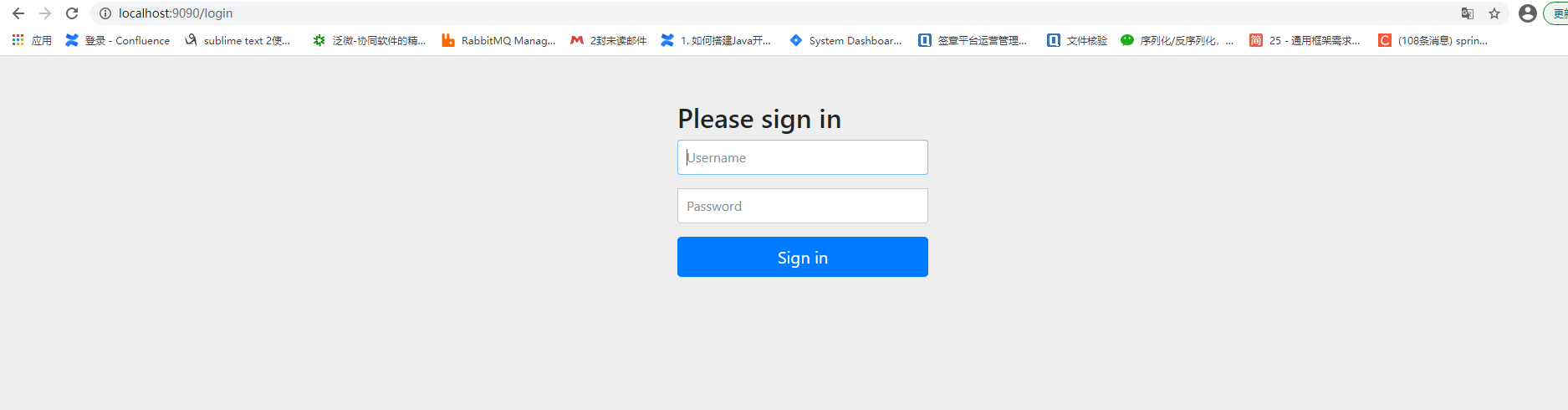
只要没注册UserDetailsService,就可以使用所提供的默认凭据进行登录。即之前提到过的user和那串控制台的UUID。
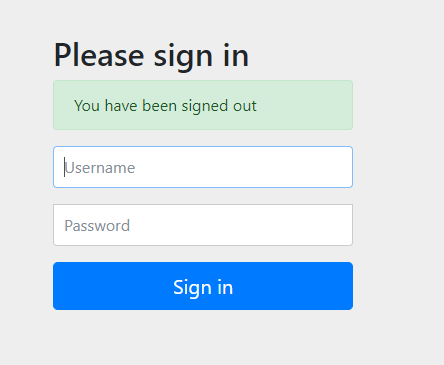
然后我们可以访问/logout路径,则SpringSecurity会将我们重定向到注销页面
尝试在未登录的情况下访问路径后,用户将被自动重定向到登录页面。成功登录后,应用程序会将用户重定向回他们最初试图访问的路径。如果该路径不存在,应用程序将显示一个默认错误页面,该页面是error.html。
formLogin()方法会返回类型为FormLoginConfigurer< HttpSecurity>的对象,该对象允许我们进行自定义。例如,可以通过调用defaultSuccessUrl()方法来实现这一点,如下代码:
首先我们定义一个Controller,注意注解不是@RestController,而是@Controller,因为我们需要重定向到一个页面。
@Controller
public class HomeController {
	@GetMapping("/home")
	public String home(){
		return "home";
	}
}
然后准备该主页:
<!DOCTYPE html>
<html lang="en">
<head>
    <meta charset="UTF-8">
    <title>Title</title>
</head>
<body>
<h1>Welcome</h1>
</body>
</html>
然后在配置类中配置登陆成功自动重定向的成功页面:
 @Override
    protected void configure(HttpSecurity http) throws Exception {
                //开启formlogin也可同时开启httpBasic身份验证
                http.httpBasic();
                http.exceptionHandling().authenticationEntryPoint(customEntryPoint).and()
                .formLogin()
                .defaultSuccessUrl("/home",true)
                .and()
                .authorizeRequests()
                .anyRequest().authenticated();
    }
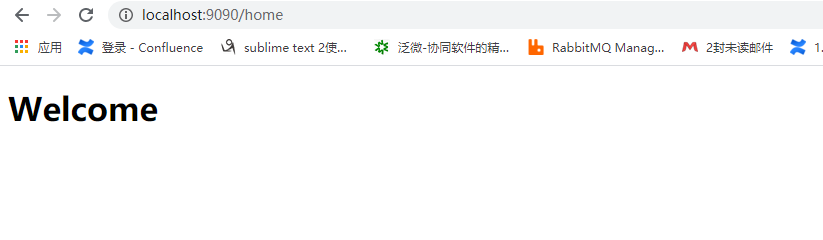
然后我们访问localhost:9090/login,登陆成功后发现自动重定向到home.html:
如果需要就此进行更深入的处理,可以使用AuthenticationSuccessHandler和AuthenticationFailureHandler对象所提供的更详细的自定义方法。这两个接口允许实现一个对象,通过该对象可以应用为身份验证而执行的逻辑。
如果希望自定义成功身份验证的逻辑,则可以自定义AuthenticationSuccessHandler.onAuthenticationSuccess()方法会接收servlet请求、servlet响应和Authentication对象作为参数。这一点在后面学习jwt我们常常会在这个类对我们的token作相关处理,所以这个类是很重要的。具有非常大的灵活性,但是我们目前只是举一个例子:
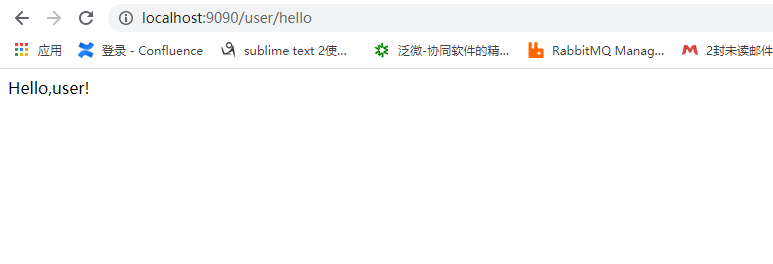
例如下面该类认证成功后验证用户所拥有的权限是否有read权限,然后做出相应的接口调用
@Component
@Slf4j
public class CommonLoginSuccessHandler implements AuthenticationSuccessHandler {
	@Override
	public void onAuthenticationSuccess(HttpServletRequest request,
										HttpServletResponse response,
										Authentication authentication) throws IOException, ServletException {
		Collection<? extends GrantedAuthority> authorities = authentication.getAuthorities();
		Optional<? extends GrantedAuthority> auth = authorities.stream().filter(a -> a.getAuthority().equals("read")).findFirst();
		if(auth.isPresent()){
			log.info("您有足够的权限访问此资源");
			response.sendRedirect("/user/hello");
		}else {
			log.info("您没有足够的权限访问此资源");
			response.sendRedirect("/user/error");
		}

	}
}
然后既然有AuthenticationSuccessHandler,自然有对应的AuthenticationFailureHandler,对于这个Handler,我们也仍然是简单的打印一句话然后增加一个请求头:
import lombok.extern.slf4j.Slf4j;
import org.springframework.security.core.AuthenticationException;
import org.springframework.security.web.authentication.AuthenticationFailureHandler;
import org.springframework.stereotype.Component;

import javax.servlet.ServletException;
import javax.servlet.http.HttpServletRequest;
import javax.servlet.http.HttpServletResponse;
import java.io.IOException;
import java.time.LocalDateTime;

@Component
@Slf4j
public class CommonLoginFailureHandler implements AuthenticationFailureHandler {
	@Override
	public void onAuthenticationFailure(HttpServletRequest request,
										HttpServletResponse response,
										AuthenticationException exception) throws IOException, ServletException {
		log.warn("认证失败");
		response.setHeader("failed", LocalDateTime.now().toString());

	}
}
然后将它们通过@Component交由Spring管理并在配置类注入并配置它们
@Configuration
@RequiredArgsConstructor
@EnableAsync
public class SpringSecurityConfig extends WebSecurityConfigurerAdapter {
	private final UserDetailsServiceImpl commonUserDetailServiceImpl;
	private final CustomEntryPoint customEntryPoint;
	private final CommonLoginSuccessHandler successHandler;
	private final CommonLoginFailureHandler failureHandler;

	@Override
	protected void configure(HttpSecurity http) throws Exception {

		http.csrf().disable()
                .logout()
                .and()
				.formLogin()
				.successHandler(successHandler)
				.failureHandler(failureHandler)
				.and()
				.exceptionHandling().authenticationEntryPoint(customEntryPoint).and()
				.httpBasic().and()
				.authorizeRequests()
				// 登录、验证码允许匿名访问
				.anyRequest().authenticated();
	}

	@Override
	protected void configure(AuthenticationManagerBuilder auth) throws Exception {
		auth.userDetailsService(commonUserDetailServiceImpl)
				.passwordEncoder(passwordEncoder());
	}


	@Bean
	public PasswordEncoder passwordEncoder() {
		HashMap<String, PasswordEncoder> encoders = new HashMap<>();
		encoders.put("noop", NoOpPasswordEncoder.getInstance());
		encoders.put("bcrypt", new BCryptPasswordEncoder());
		encoders.put("scrypt", new SCryptPasswordEncoder());
		return new DelegatingPasswordEncoder("bcrypt", encoders);
	}
然后分别尝试认证成功和认证失败:
首先认证成功有read权限:
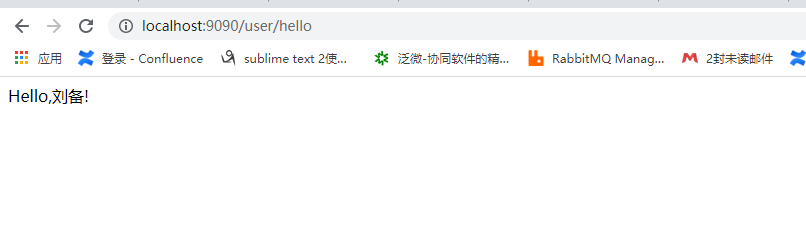
 然后是认证成功但是没有read权限:
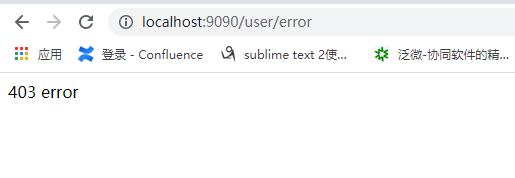

最后是认证失败:
打开F12我们可以看到我们追加的回应头
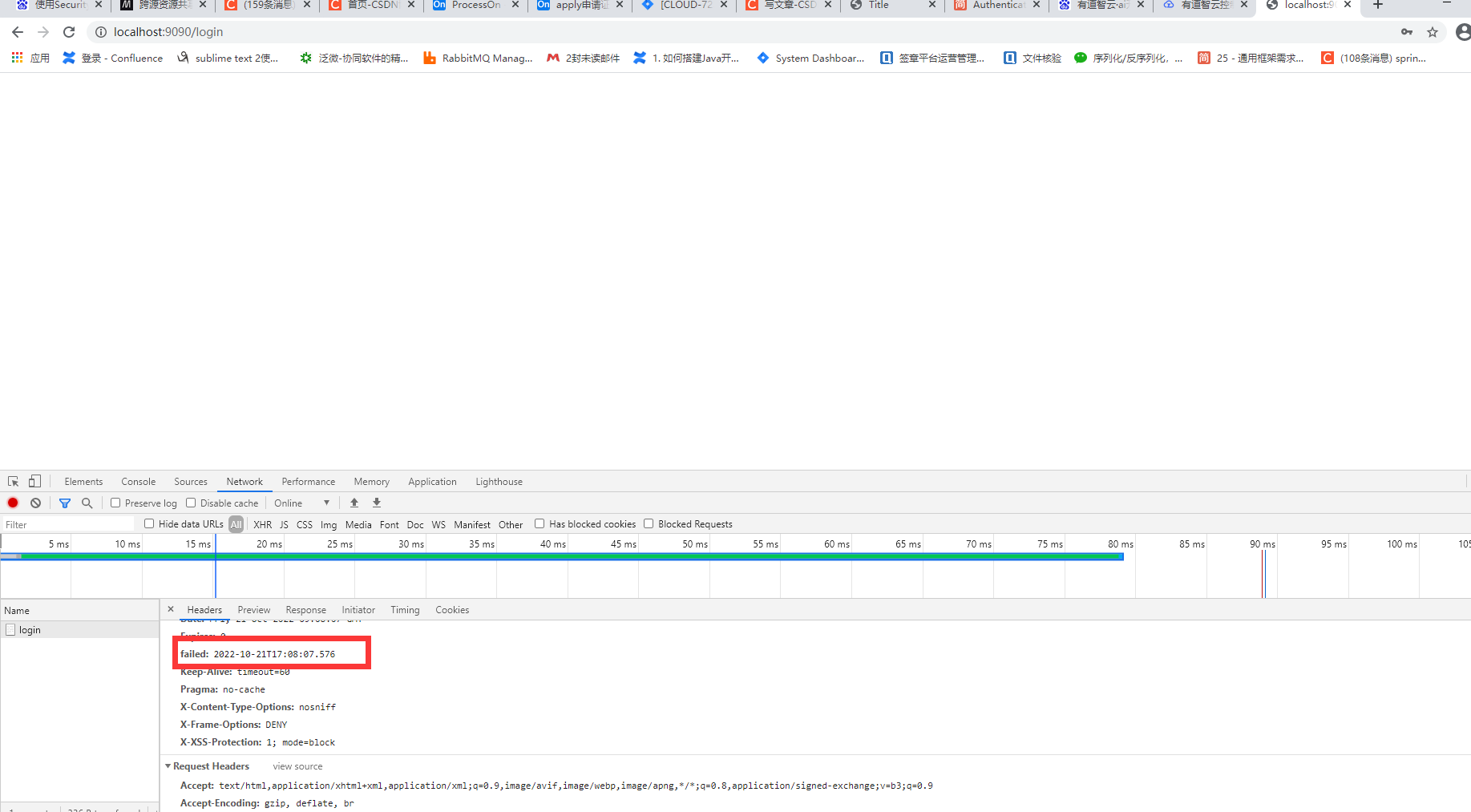
日志中也有认证失败:

那么至此basic和formLogin我们差不多有了一个大概的认识,后面我们会在前后端分离中去深入了解。这一节动手的比较多,大家可以自己实践一下,碰到bug可以自己先尝试解决。细心的朋友可能发现我的userDetailsService换了个类,这是我为后面的权限做了一个全新的模块,我想的是将业务的User和UserDetailsService给分离开来,我们在实际开发更多的场景也是如此,所以从下一章开始我将会重新带着大家布置一个新模块。
给定这段代码defcreate@upgrades=User.update_all(["role=?","upgraded"],:id=>params[:upgrade])redirect_toadmin_upgrades_path,:notice=>"Successfullyupgradeduser."end我如何在该操作中实际验证它们是否已保存或未重定向到适当的页面和消息? 最佳答案 在Rails3中,update_all不返回任何有意义的信息,除了已更新的记录数(这可能取决于您的DBMS是否返回该信息)。http://ar.ru
我想安装一个带有一些身份验证的私有(private)Rubygem服务器。我希望能够使用公共(public)Ubuntu服务器托管内部gem。我读到了http://docs.rubygems.org/read/chapter/18.但是那个没有身份验证-如我所见。然后我读到了https://github.com/cwninja/geminabox.但是当我使用基本身份验证(他们在他们的Wiki中有)时,它会提示从我的服务器获取源。所以。如何制作带有身份验证的私有(private)Rubygem服务器?这是不可能的吗?谢谢。编辑:Geminabox问题。我尝试“捆绑”以安装新的gem..
我得到了一个包含嵌套链接的表单。编辑时链接字段为空的问题。这是我的表格:Editingkategori{:action=>'update',:id=>@konkurrancer.id})do|f|%>'Trackingurl',:style=>'width:500;'%>'Editkonkurrence'%>|我的konkurrencer模型:has_one:link我的链接模型:classLink我的konkurrancer编辑操作:defedit@konkurrancer=Konkurrancer.find(params[:id])@konkurrancer.link_attrib
我希望我的UserPrice模型的属性在它们为空或不验证数值时默认为0。这些属性是tax_rate、shipping_cost和price。classCreateUserPrices8,:scale=>2t.decimal:tax_rate,:precision=>8,:scale=>2t.decimal:shipping_cost,:precision=>8,:scale=>2endendend起初,我将所有3列的:default=>0放在表格中,但我不想要这样,因为它已经填充了字段,我想使用占位符。这是我的UserPrice模型:classUserPrice回答before_val
我有一个表单,其中有很多字段取自数组(而不是模型或对象)。我如何验证这些字段的存在?solve_problem_pathdo|f|%>... 最佳答案 创建一个简单的类来包装请求参数并使用ActiveModel::Validations。#definedsomewhere,atthesimplest:require'ostruct'classSolvetrue#youcouldevencheckthesolutionwithavalidatorvalidatedoerrors.add(:base,"WRONG!!!")unlesss
我有一些非常大的模型,我必须将它们迁移到最新版本的Rails。这些模型有相当多的验证(User有大约50个验证)。是否可以将所有这些验证移动到另一个文件中?说app/models/validations/user_validations.rb。如果可以,有人可以提供示例吗? 最佳答案 您可以为此使用关注点:#app/models/validations/user_validations.rbrequire'active_support/concern'moduleUserValidationsextendActiveSupport:
当我的预订模型通过rake任务在状态机上转换时,我试图找出如何跳过对ActiveRecord对象的特定实例的验证。我想在reservation.close时跳过所有验证!叫做。希望调用reservation.close!(:validate=>false)之类的东西。仅供引用,我们正在使用https://github.com/pluginaweek/state_machine用于状态机。这是我的预订模型的示例。classReservation["requested","negotiating","approved"])}state_machine:initial=>'requested
我有一个服务模型/表及其注册表。在表单中,我几乎拥有服务的所有字段,但我想在验证服务对象之前自动设置其中一些值。示例:--服务Controller#创建Action:defcreate@service=Service.new@service_form=ServiceFormObject.new(@service)@service_form.validate(params[:service_form_object])and@service_form.saverespond_with(@service_form,location:admin_services_path)end在验证@ser
这里有一个很好的答案解释了如何在Ruby中下载文件而不将其加载到内存中:https://stackoverflow.com/a/29743394/4852737require'open-uri'download=open('http://example.com/image.png')IO.copy_stream(download,'~/image.png')我如何验证下载文件的IO.copy_stream调用是否真的成功——这意味着下载的文件与我打算下载的文件完全相同,而不是下载一半的损坏文件?documentation说IO.copy_stream返回它复制的字节数,但是当我还没有下
导读:随着叮咚买菜业务的发展,不同的业务场景对数据分析提出了不同的需求,他们希望引入一款实时OLAP数据库,构建一个灵活的多维实时查询和分析的平台,统一数据的接入和查询方案,解决各业务线对数据高效实时查询和精细化运营的需求。经过调研选型,最终引入ApacheDoris作为最终的OLAP分析引擎,Doris作为核心的OLAP引擎支持复杂地分析操作、提供多维的数据视图,在叮咚买菜数十个业务场景中广泛应用。作者|叮咚买菜资深数据工程师韩青叮咚买菜创立于2017年5月,是一家专注美好食物的创业公司。叮咚买菜专注吃的事业,为满足更多人“想吃什么”而努力,通过美好食材的供应、美好滋味的开发以及美食品牌的孵
