

本次采用Docker部署集群,并且首先主从实例配置。
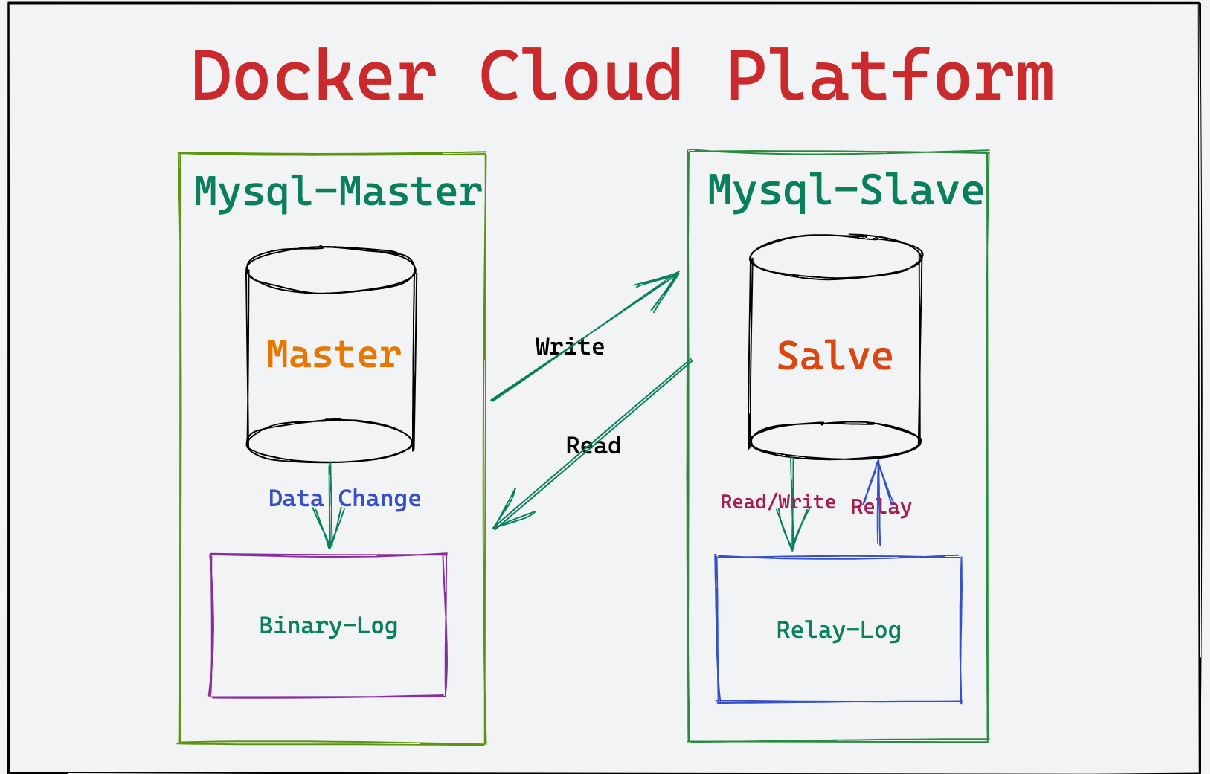
创建 Mysql-Cluster集群主要配置目录如下:

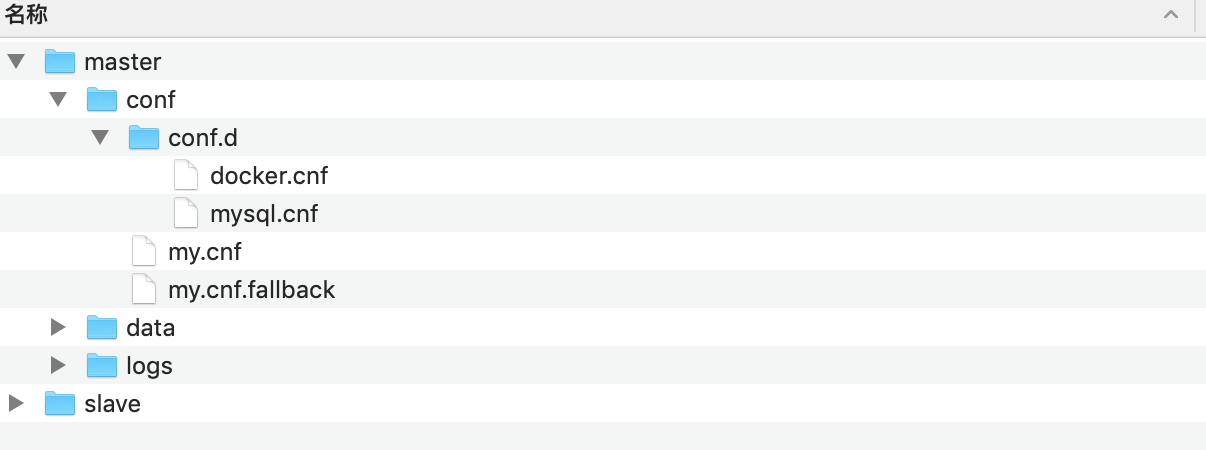
创建 Mysql-Slave节点主要配置文件目录以及配置文件如下:
[1].mysql.cnf配置文件:
# Copyright (c) 2015, 2021, Oracle and/or its affiliates.
#
# This program is free software; you can redistribute it and/or modify
# it under the terms of the GNU General Public License, version 2.0,
# as published by the Free Software Foundation.
#
# This program is also distributed with certain software (including
# but not limited to OpenSSL) that is licensed under separate terms,
# as designated in a particular file or component or in included license
# documentation.  The authors of MySQL hereby grant you an additional
# permission to link the program and your derivative works with the
# separately licensed software that they have included with MySQL.
#
# This program is distributed in the hope that it will be useful,
# but WITHOUT ANY WARRANTY; without even the implied warranty of
# MERCHANTABILITY or FITNESS FOR A PARTICULAR PURPOSE.  See the
# GNU General Public License, version 2.0, for more details.
#
# You should have received a copy of the GNU General Public License
# along with this program; if not, write to the Free Software
# Foundation, Inc., 51 Franklin St, Fifth Floor, Boston, MA 02110-1301  USA

#
# The MySQL  Client configuration file.
#
# For explanations see
# http://dev.mysql.com/doc/mysql/en/server-system-variables.html
[mysql]
skip-grant-tables
skip-host-cache
skip-name-resolve
default_authentication_plugin=mysql_native_password
bind-address = 0.0.0.0
mysqlx-bind-address = 0.0.0.0
character-set-client-handshake=FALSE
character-set-server=utf8mb4
collation-server=utf8mb4_unicode_ci
init_connect='SET NAMES utf8mb4'
open_files_limit = 3072
back_log=200
max_connections = 20
max_connect_errors = 10
table_open_cache = 128
external-locking = FALSE
max_allowed_packet = 4M
sort_buffer_size = 2M
join_buffer_size = 2M
thread_cache_size = 128
tmp_table_size = 16M
max_heap_table_size = 8M
slow_query_log = 1
long_query_time = 0.05
sync_binlog = 1
binlog_cache_size = 4M
max_binlog_cache_size = 8M
max_binlog_size = 512M
key_buffer_size = 8M
read_buffer_size = 1M
read_rnd_buffer_size = 8M
bulk_insert_buffer_size = 32M
default-storage-engine=InnoDB
log-bin=mysql-bin
binlog_format=row
server-id = 1
transaction_isolation = REPEATABLE-READ
sql_mode='STRICT_TRANS_TABLES,NO_ZERO_IN_DATE,NO_ZERO_DATE,ERROR_FOR_DIVISION_BY_ZERO,NO_ENGINE_SUBSTITUTION'
default-storage-engine=INNODB
innodb_thread_concurrency=12
innodb_flush_log_at_trx_commit=1
innodb_max_dirty_pages_pct=30
innodb_io_capacity=10000
innodb_log_buffer_size=1024M
innodb_flush_method=O_DIRECT
innodb_flush_neighbors=0
innodb_log_files_in_group=4
innodb_compression_level=0
innodb_file_per_table=1
innodb_compression_pad_pct_max=50
innodb_buffer_pool_size=256M
interactive_timeout=500
wait_timeout=500
innodb_log_file_size=256M
lower_case_table_names=1
lower_case_file_system=ON
replicate-ignore-db=mysql
replicate-ignore-db=sys
replicate-ignore-db=information_schema
replicate-ignore-db=performance_schema
[mysqld]
default_authentication_plugin=mysql_native_password
bind-address = 0.0.0.0
mysqlx-bind-address = 0.0.0.0
skip-grant-tables
skip-host-cache
skip-name-resolve
skip-grant-tables
init_connect='SET NAMES utf8mb4'
open_files_limit = 3072
back_log=200
max_connections = 20
max_connect_errors = 10
table_open_cache = 128
external-locking = FALSE
max_allowed_packet = 4M
sort_buffer_size = 2M
join_buffer_size = 2M
thread_cache_size = 128
tmp_table_size = 16M
max_heap_table_size = 8M
slow_query_log = 1
long_query_time = 0.05
sync_binlog = 1
binlog_cache_size = 4M
max_binlog_cache_size = 8M
max_binlog_size = 512M
key_buffer_size = 8M
read_buffer_size = 1M
read_rnd_buffer_size = 8M
bulk_insert_buffer_size = 32M
default-storage-engine=InnoDB
log-bin=mysql-bin
binlog_format=row
server-id = 1
transaction_isolation = REPEATABLE-READ
sql_mode='STRICT_TRANS_TABLES,NO_ZERO_IN_DATE,NO_ZERO_DATE,ERROR_FOR_DIVISION_BY_ZERO,NO_ENGINE_SUBSTITUTION'
default-storage-engine=INNODB
innodb_thread_concurrency=12
innodb_flush_log_at_trx_commit=1
innodb_max_dirty_pages_pct=30
innodb_io_capacity=10000
innodb_log_buffer_size=1024M
innodb_flush_method=O_DIRECT
innodb_flush_neighbors=0
innodb_log_files_in_group=4
innodb_compression_level=0
innodb_file_per_table=1
innodb_compression_pad_pct_max=50
innodb_buffer_pool_size=256M
interactive_timeout=500
wait_timeout=500
innodb_log_file_size=256M
lower_case_table_names=1
lower_case_file_system=ON
replicate-ignore-db=mysql
replicate-ignore-db=sys
replicate-ignore-db=information_schema
replicate-ignore-db=performance_schema
[mysqldump]
quick
quote-names
max_allowed_packet=500M
[client]
default-character-set=utf8mb4
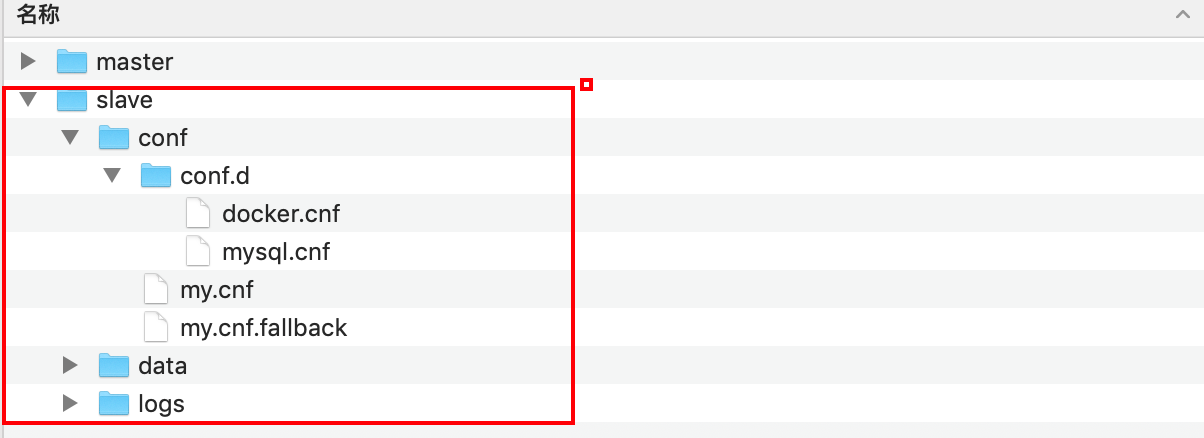
创建 Mysql-Slave节点主要配置文件目录以及配置文件如下:
[1].mysql.cnf配置文件:
 # Copyright (c) 2015, 2021, Oracle and/or its affiliates.
#
# This program is free software; you can redistribute it and/or modify
# it under the terms of the GNU General Public License, version 2.0,
# as published by the Free Software Foundation.
#
# This program is also distributed with certain software (including
# but not limited to OpenSSL) that is licensed under separate terms,
# as designated in a particular file or component or in included license
# documentation.  The authors of MySQL hereby grant you an additional
# permission to link the program and your derivative works with the
# separately licensed software that they have included with MySQL.
#
# This program is distributed in the hope that it will be useful,
# but WITHOUT ANY WARRANTY; without even the implied warranty of
# MERCHANTABILITY or FITNESS FOR A PARTICULAR PURPOSE.  See the
# GNU General Public License, version 2.0, for more details.
#
# You should have received a copy of the GNU General Public License
# along with this program; if not, write to the Free Software
# Foundation, Inc., 51 Franklin St, Fifth Floor, Boston, MA 02110-1301  USA

#
# The MySQL  Client configuration file.
#
# For explanations see
# http://dev.mysql.com/doc/mysql/en/server-system-variables.html
[mysql]
skip-grant-tables
skip-host-cache
skip-name-resolve
default_authentication_plugin=mysql_native_password
bind-address = 0.0.0.0
mysqlx-bind-address = 0.0.0.0
character-set-client-handshake=FALSE
character-set-server=utf8mb4
collation-server=utf8mb4_unicode_ci
init_connect='SET NAMES utf8mb4'
open_files_limit = 3072
back_log=200
max_connections = 20
max_connect_errors = 10
table_open_cache = 128
external-locking = FALSE
max_allowed_packet = 4M
sort_buffer_size = 2M
join_buffer_size = 2M
thread_cache_size = 128
tmp_table_size = 16M
max_heap_table_size = 8M
slow_query_log = 1
long_query_time = 0.05
sync_binlog = 1
binlog_cache_size = 4M
max_binlog_cache_size = 8M
max_binlog_size = 512M
key_buffer_size = 8M
read_buffer_size = 1M
read_rnd_buffer_size = 8M
bulk_insert_buffer_size = 32M
default-storage-engine=InnoDB
log-bin=mysql-bin
binlog_format=row
server-id = 2
relay-log = mysql-relay
transaction_isolation = REPEATABLE-READ
sql_mode='STRICT_TRANS_TABLES,NO_ZERO_IN_DATE,NO_ZERO_DATE,ERROR_FOR_DIVISION_BY_ZERO,NO_ENGINE_SUBSTITUTION'
default-storage-engine=INNODB
innodb_thread_concurrency=12
innodb_flush_log_at_trx_commit=1
innodb_max_dirty_pages_pct=30
innodb_io_capacity=10000
innodb_log_buffer_size=1024M
innodb_flush_method=O_DIRECT
innodb_flush_neighbors=0
innodb_log_files_in_group=4
innodb_compression_level=0
innodb_file_per_table=1
innodb_compression_pad_pct_max=50
innodb_buffer_pool_size=256M
interactive_timeout=500
wait_timeout=500
innodb_log_file_size=256M
lower_case_table_names=1
lower_case_file_system=ON
replicate-ignore-db=mysql
replicate-ignore-db=sys
replicate-ignore-db=information_schema
replicate-ignore-db=performance_schema
[mysqld]
default_authentication_plugin=mysql_native_password
bind-address = 0.0.0.0
mysqlx-bind-address = 0.0.0.0
skip-grant-tables
skip-host-cache
skip-name-resolve
skip-grant-tables
init_connect='SET NAMES utf8mb4'
open_files_limit = 3072
back_log=200
max_connections = 20
max_connect_errors = 10
table_open_cache = 128
external-locking = FALSE
max_allowed_packet = 4M
sort_buffer_size = 2M
join_buffer_size = 2M
thread_cache_size = 128
tmp_table_size = 16M
max_heap_table_size = 8M
slow_query_log = 1
long_query_time = 0.05
sync_binlog = 1
binlog_cache_size = 4M
max_binlog_cache_size = 8M
max_binlog_size = 512M
key_buffer_size = 8M
read_buffer_size = 1M
read_rnd_buffer_size = 8M
bulk_insert_buffer_size = 32M
default-storage-engine=InnoDB
log-bin=mysql-bin
binlog_format=row
server-id = 2
relay-log = mysql-relay
transaction_isolation = REPEATABLE-READ
sql_mode='STRICT_TRANS_TABLES,NO_ZERO_IN_DATE,NO_ZERO_DATE,ERROR_FOR_DIVISION_BY_ZERO,NO_ENGINE_SUBSTITUTION'
default-storage-engine=INNODB
innodb_thread_concurrency=12
innodb_flush_log_at_trx_commit=1
innodb_max_dirty_pages_pct=30
innodb_io_capacity=10000
innodb_log_buffer_size=1024M
innodb_flush_method=O_DIRECT
innodb_flush_neighbors=0
innodb_log_files_in_group=4
innodb_compression_level=0
innodb_file_per_table=1
innodb_compression_pad_pct_max=50
innodb_buffer_pool_size=256M
interactive_timeout=500
wait_timeout=500
innodb_log_file_size=256M
lower_case_table_names=1
lower_case_file_system=ON
replicate-ignore-db=mysql
replicate-ignore-db=sys
replicate-ignore-db=information_schema
replicate-ignore-db=performance_schema
[mysqldump]
quick
quote-names
max_allowed_packet=500M
[client]
default-character-set=utf8mb4
docker run -itd -p 3308:3306 --restart always --privileged=true --name mysql-master --network-alias mysql-master --hostname mysql-master -v /docker/mysql-cluster/master/conf/my.cnf:/etc/mysql/my.cnf -v /docker/mysql-cluster/master/conf/conf.d/:/etc/mysql/conf/conf.d/ -v /docker/mysql-cluster/master/data:/var/lib/mysql -e "JAVA_OPTS=-server -Xms512m -Xmx512m -Xmn256m -Duser.home=/opt -XX:MetaspaceSize=128m -XX:MaxMetaspaceSize=320m -XX:+AlwaysPreTouch -XX:-UseBiasedLocking" -e TZ="Asia/Shanghai" -e MYSQL_ROOT_PASSWORD=PivotalCloud999@Love mysql:latest
docker run -itd -p 3309:3306 --restart always --privileged=true --name mysql-slave --network-alias mysql-slave --hostname mysql-slave -v /docker/mysql-cluster/slave/conf/my.cnf:/etc/mysql/my.cnf -v /docker/mysql-cluster/slave/conf/conf.d/:/etc/mysql/conf/conf.d/ -v /docker/mysql-cluster/slave/data:/var/lib/mysql -e "JAVA_OPTS=-server -Xms512m -Xmx512m -Xmn256m -Duser.home=/opt -XX:MetaspaceSize=128m -XX:MaxMetaspaceSize=320m -XX:+AlwaysPreTouch -XX:-UseBiasedLocking" -e TZ="Asia/Shanghai" -e MYSQL_ROOT_PASSWORD=PivotalCloud999@Love mysql:latest
Marklin:~ marklin$ docker run -itd -p 3308:3306 --restart always  --privileged=true --name mysql-master --network-alias mysql-master  --hostname mysql-master -v /docker/mysql-cluster/master/conf/my.cnf:/etc/mysql/my.cnf -v /docker/mysql-cluster/master/conf/conf.d/:/etc/mysql/conf/conf.d/ -v /docker/mysql-cluster/master/data:/var/lib/mysql  -e "JAVA_OPTS=-server -Xms512m -Xmx512m -Xmn256m -Duser.home=/opt -XX:MetaspaceSize=128m -XX:MaxMetaspaceSize=320m -XX:+AlwaysPreTouch -XX:-UseBiasedLocking" -e TZ="Asia/Shanghai" -e MYSQL_ROOT_PASSWORD=PivotalCloud999@Love  mysql:latest
d99ac84d4e11dd3835b89ff410a488c8041c43ec67aa4bccb1679edf57b08539
Marklin:~ marklin$
Marklin:~ marklin$ docker run -itd -p 3309:3306 --restart always  --privileged=true --name mysql-slave --network-alias mysql-slave  --hostname mysql-slave -v /docker/mysql-cluster/slave/conf/my.cnf:/etc/mysql/my.cnf -v /docker/mysql-cluster/slave/conf/conf.d/:/etc/mysql/conf/conf.d/ -v /docker/mysql-cluster/slave/data:/var/lib/mysql  -e "JAVA_OPTS=-server -Xms512m -Xmx512m -Xmn256m -Duser.home=/opt -XX:MetaspaceSize=128m -XX:MaxMetaspaceSize=320m -XX:+AlwaysPreTouch -XX:-UseBiasedLocking" -e TZ="Asia/Shanghai" -e MYSQL_ROOT_PASSWORD=PivotalCloud999@Love  mysql:latest
fe3eb3b02fc0cf9e187a8158b58bb5832d70a4462b583d4ba4cf4297ff7dd8d3
Marklin:~ marklin$
Mysql-Cluster集群部署:
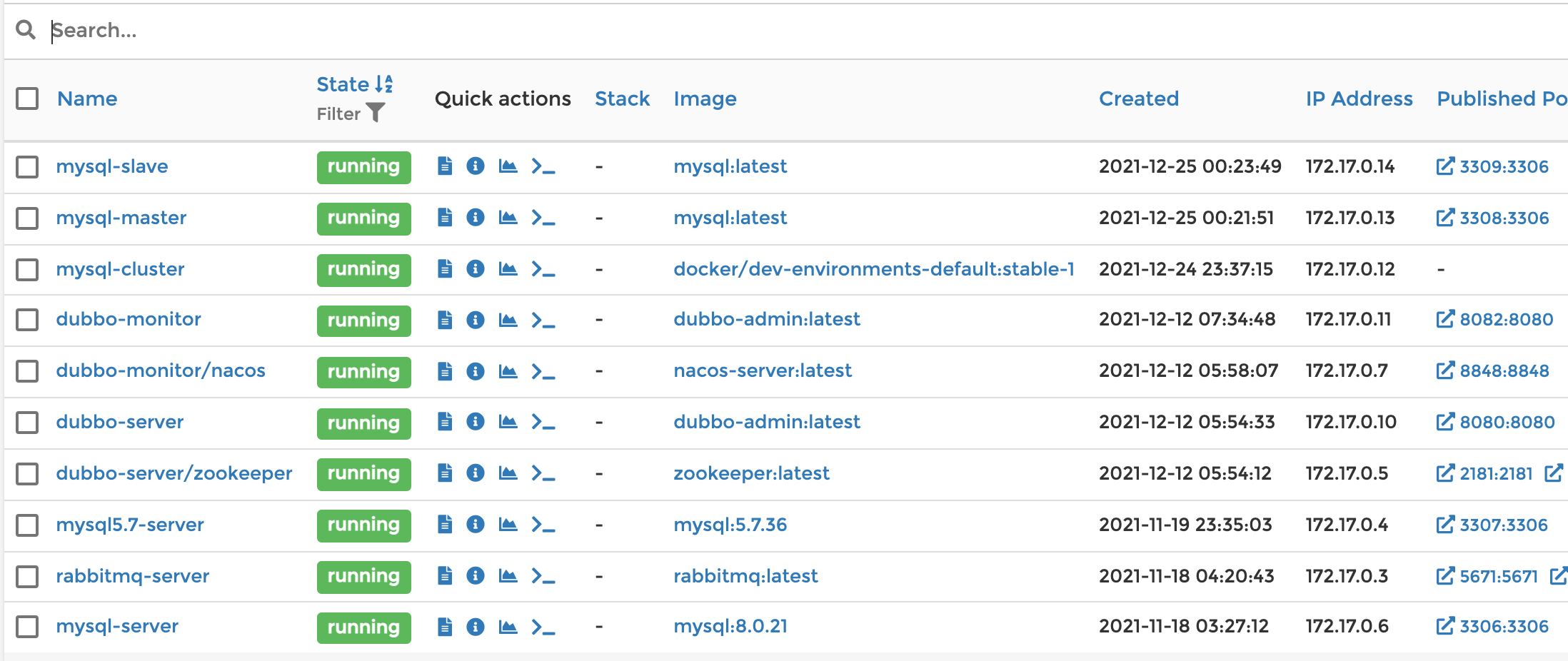
测试Navicat客户端连接数据如下:
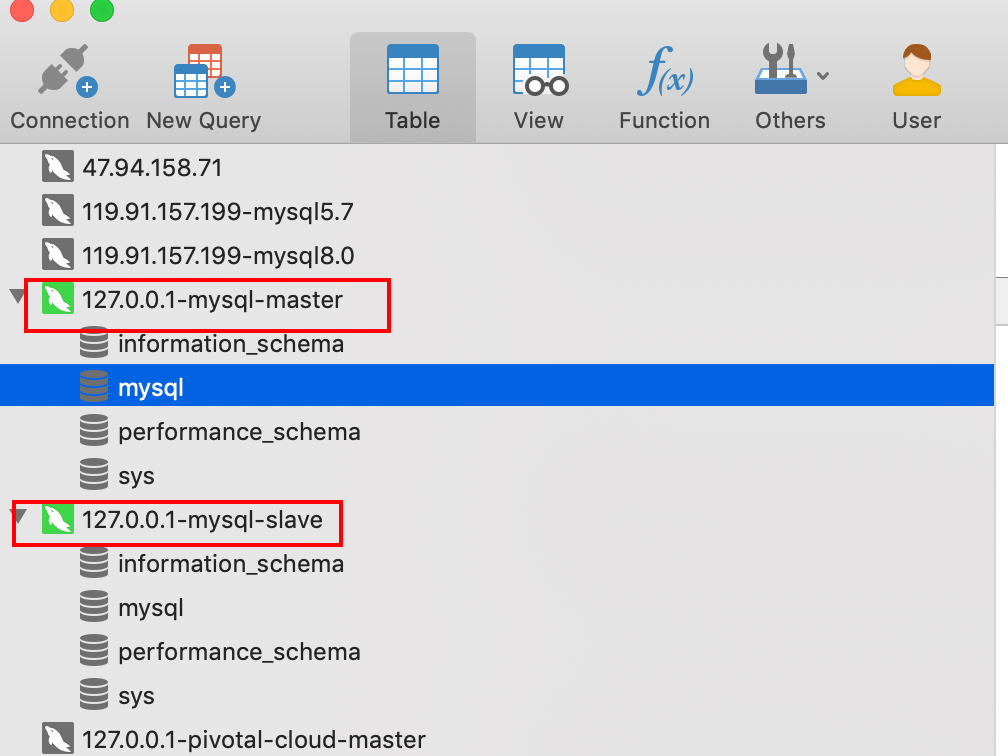

1.mysql-master节点IPAddress: docker inspect --format='{{.NetworkSettings.IPAddress}}' mysql-master
Marklin:~ marklin$ docker inspect --format='{{.NetworkSettings.IPAddress}}' mysql-master
172.17.0.13
Marklin:~ marklin$
2.查看mysql-slave节点的IPAddress: docker inspect --format='{{.NetworkSettings.IPAddress}}' mysql-slave
Marklin:~ marklin$ docker inspect --format='{{.NetworkSettings.IPAddress}}' mysql-slave
172.17.0.14
Marklin:~ marklin$
进入Docker后台的两种方式:
1.通过终端输入docker ps查看容器进程,最后执行docker exec -it mysql容器名称/id bash
执行docker ps:
Marklin:~ marklin$ docker ps
CONTAINER ID   IMAGE                                      COMMAND                  CREATED        STATUS         PORTS                                                                                              NAMES
fe3eb3b02fc0   mysql:latest                               "docker-entrypoint.s…"   18 hours ago   Up 2 hours     33060/tcp, 0.0.0.0:3309->3306/tcp                                                                  mysql-slave
d99ac84d4e11   mysql:latest                               "docker-entrypoint.s…"   18 hours ago   Up 2 hours     33060/tcp, 0.0.0.0:3308->3306/tcp                                                                  mysql-master
59030d0bff07   docker/dev-environments-default:stable-1   "sleep infinity"         19 hours ago   Up 4 minutes                                                                                                      mysql-cluster
d0f4142d8781   dubbo-admin:latest                         "tini -- /usr/local/…"   13 days ago    Up 2 hours     0.0.0.0:8082->8080/tcp                                                                             dubbo-monitor
c91f1bd81cf9   nacos-server:latest                        "bin/docker-startup.…"   13 days ago    Up 2 hours     0.0.0.0:8848->8848/tcp                                                                             nacos-server
fefa57c84ee1   dubbo-admin:latest                         "tini -- /usr/local/…"   13 days ago    Up 2 hours     0.0.0.0:8080->8080/tcp                                                                             dubbo-server
f3b3f54acfc3   zookeeper:latest                           "/docker-entrypoint.…"   13 days ago    Up 2 hours     0.0.0.0:2181->2181/tcp, 0.0.0.0:2888->2888/tcp, 0.0.0.0:3888->3888/tcp, 8080/tcp                   zookeeper-server
1f323ef0299f   mysql:5.7.36                               "docker-entrypoint.s…"   5 weeks ago    Up 2 hours     33060/tcp, 0.0.0.0:3307->3306/tcp                                                                  mysql5.7-server
a53b9713927f   rabbitmq:latest                            "docker-entrypoint.s…"   5 weeks ago    Up 2 hours     0.0.0.0:5671-5672->5671-5672/tcp, 4369/tcp, 15691-15692/tcp, 25672/tcp, 0.0.0.0:15672->15672/tcp   rabbitmq-server
bd7637c345b6   mysql:8.0.21                               "docker-entrypoint.s…"   5 weeks ago    Up 2 hours     0.0.0.0:3306->3306/tcp, 33060/tcp                                                                  mysql-server
87aa352ecead   redis:latest                               "docker-entrypoint.s…"   5 weeks ago    Up 2 hours     0.0.0.0:6379->6379/tcp                                                                             redis-server
6af30979d57c   minio:latest                               "/usr/bin/docker-ent…"   5 weeks ago    Up 2 hours     0.0.0.0:8081->8081/tcp, 0.0.0.0:9000->9000/tcp                                                     minio-server
51ffd8d090ba   portainer-ce:latest                        "/portainer"             5 weeks ago    Up 2 hours     8000/tcp, 9443/tcp, 0.0.0.0:9999->9000/tcp                                                         portainer-server
Marklin:~ marklin$
进入mysql容器: docker exec -it d99ac84d4e11 bash
Marklin:~ marklin$ docker exec -it d99ac84d4e11 bash
root@mysql-master:/#
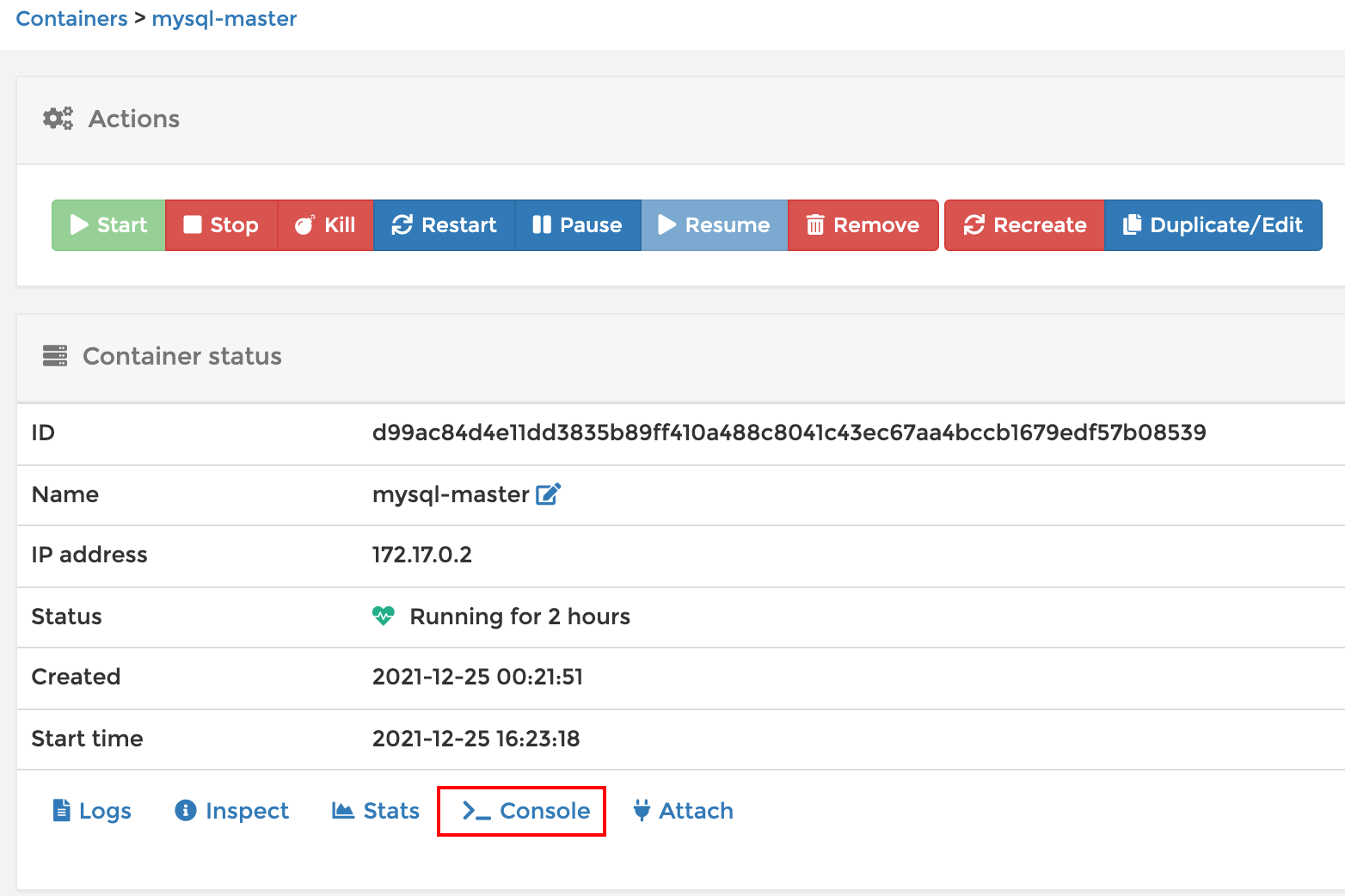
2.通过Docker可视化后台进入:
点击Consle:
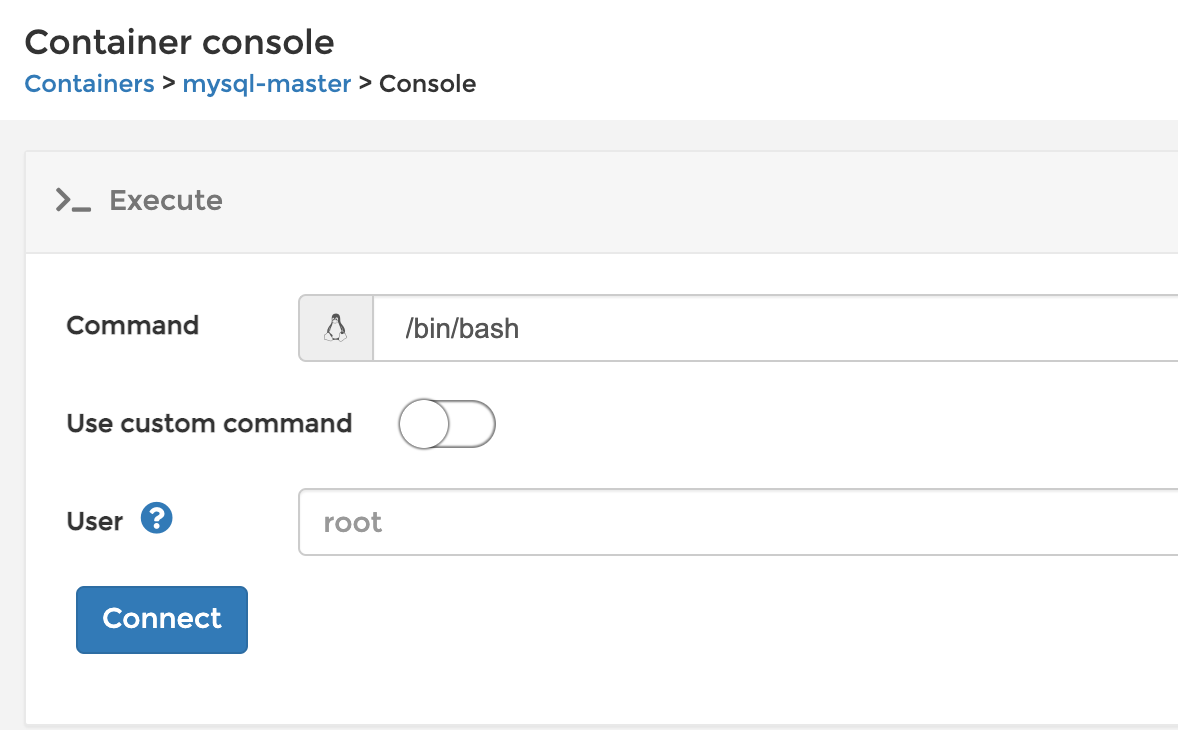
点击Conect:
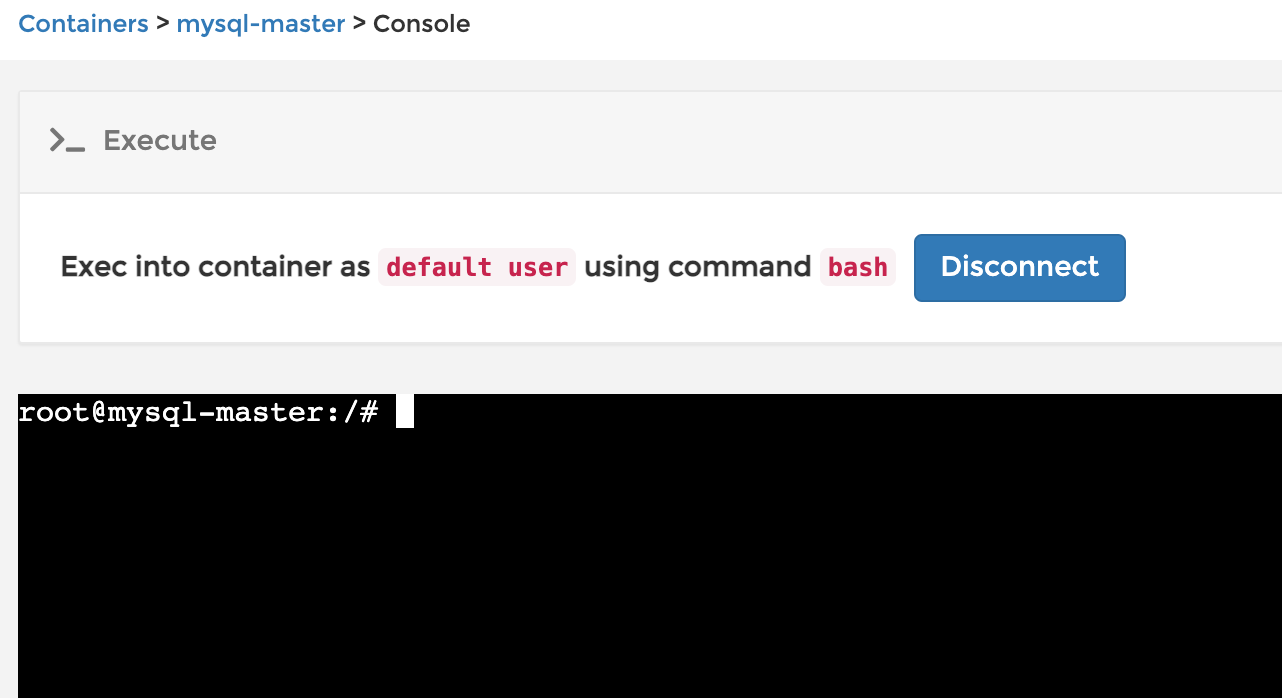
进入到mysql容器:
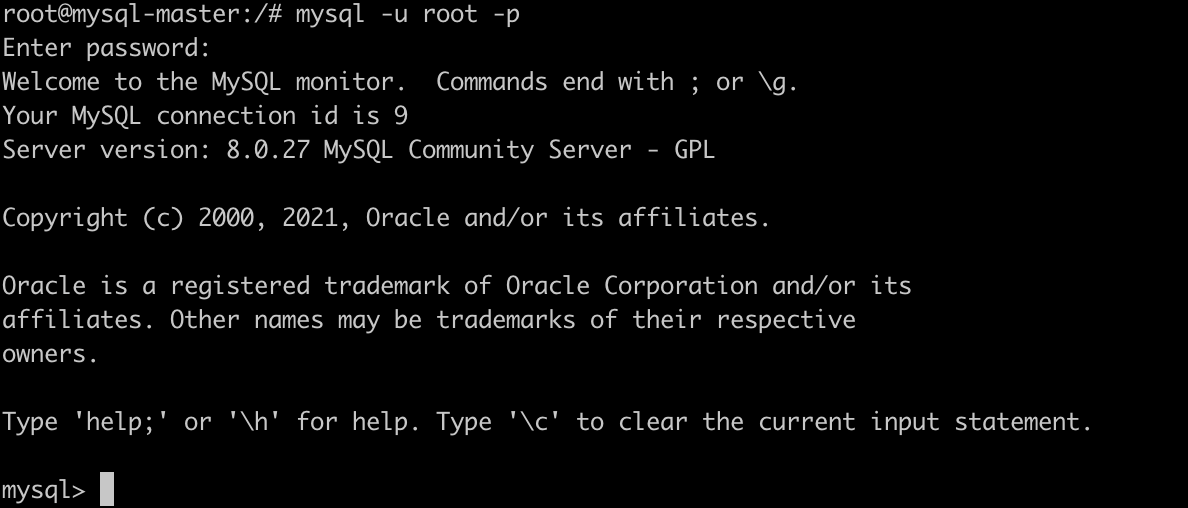
登录mysql客户端:mysql -u root -p
root@mysql-master:/# mysql -u root -p
Enter password:
Welcome to the MySQL monitor.  Commands end with ; or \g.
Your MySQL connection id is 9
Server version: 8.0.27 MySQL Community Server - GPL

Copyright (c) 2000, 2021, Oracle and/or its affiliates.

Oracle is a registered trademark of Oracle Corporation and/or its
affiliates. Other names may be trademarks of their respective
owners.

Type 'help;' or '\h' for help. Type '\c' to clear the current input statement.

mysql>
如图所示:
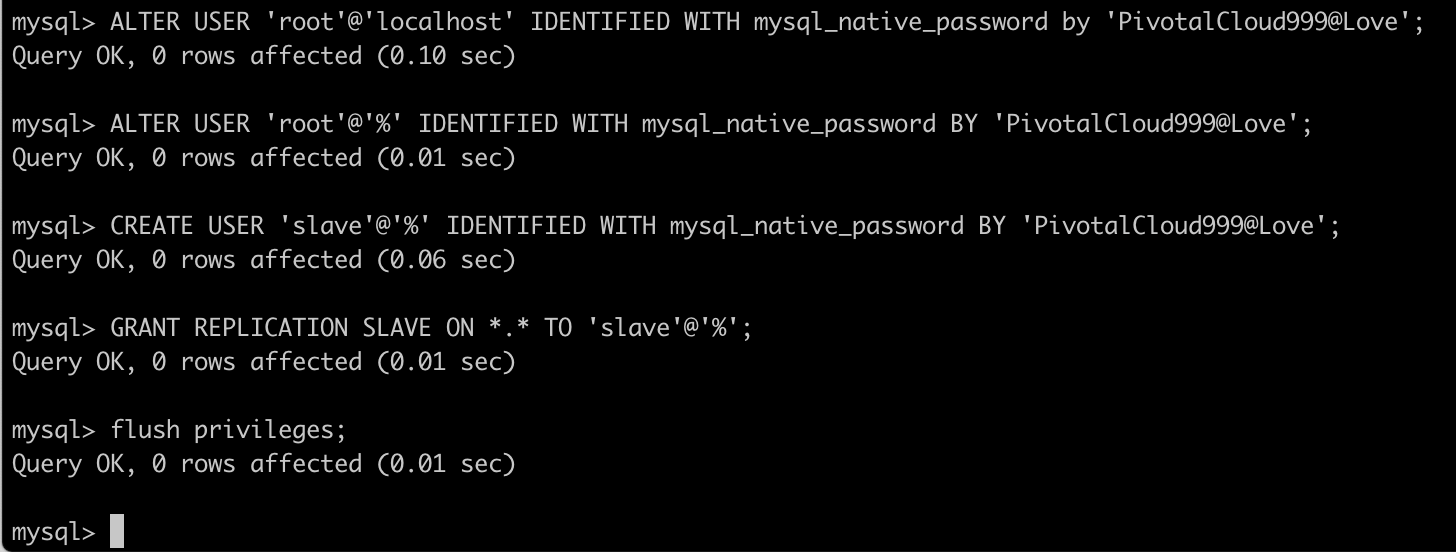
创建用户并授权:
mysql> ALTER USER 'root'@'localhost' IDENTIFIED WITH mysql_native_password by 'PivotalCloud999@Love';
Query OK, 0 rows affected (0.10 sec)

mysql> ALTER USER 'root'@'%' IDENTIFIED WITH mysql_native_password BY 'PivotalCloud999@Love';
Query OK, 0 rows affected (0.01 sec)

mysql> CREATE USER 'slave'@'%' IDENTIFIED WITH mysql_native_password BY 'PivotalCloud999@Love';
Query OK, 0 rows affected (0.06 sec)

mysql> GRANT REPLICATION SLAVE ON *.* TO 'slave'@'%';
Query OK, 0 rows affected (0.01 sec)

mysql> flush privileges;
Query OK, 0 rows affected (0.01 sec)

mysql>
如图所示:
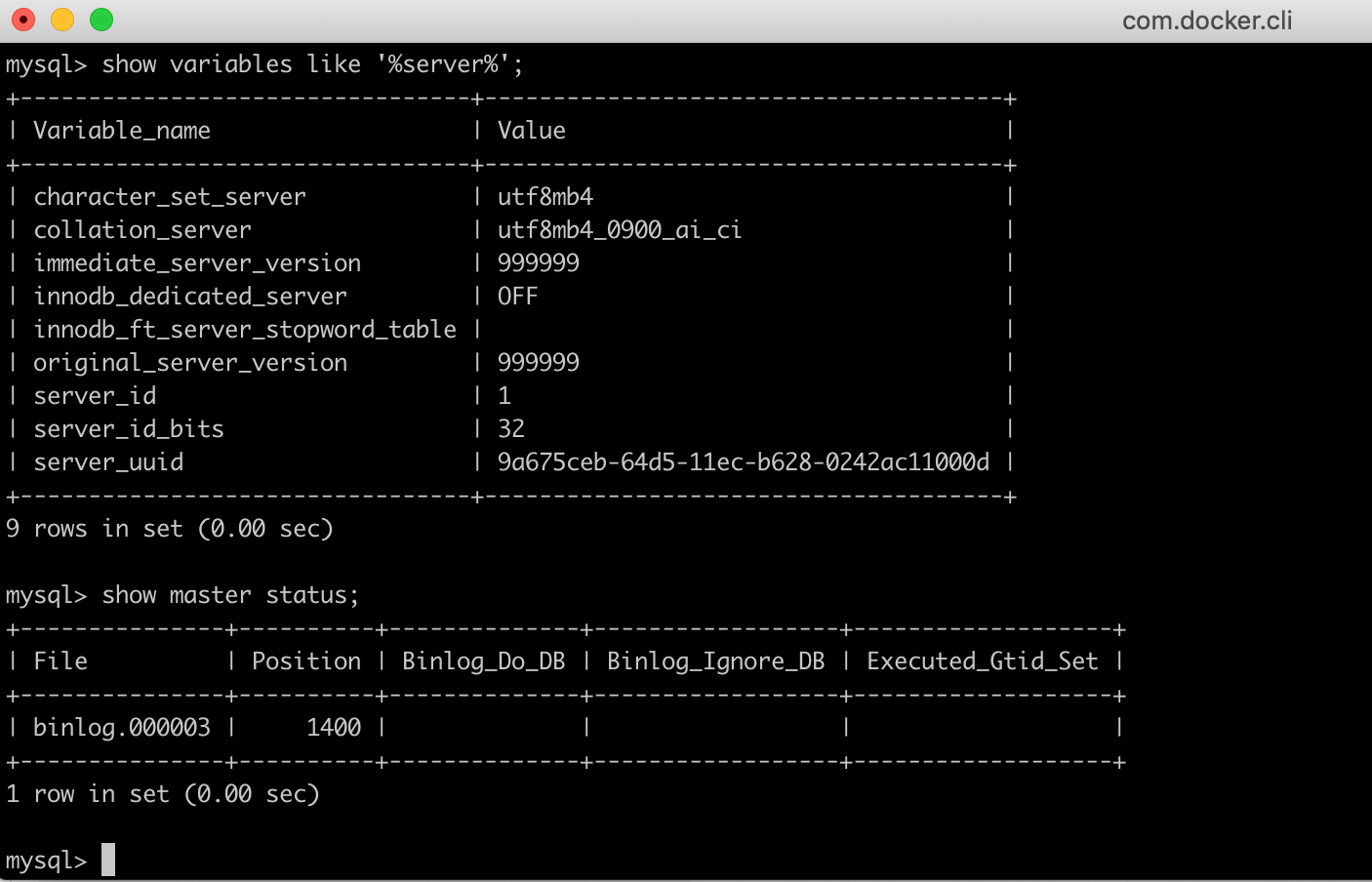
查看master状态:show master status; ,记录二进制文件名和位置
mysql> show variables like '%server%';
+---------------------------------+--------------------------------------+
| Variable_name                   | Value                                |
+---------------------------------+--------------------------------------+
| character_set_server            | utf8mb4                              |
| collation_server                | utf8mb4_0900_ai_ci                   |
| immediate_server_version        | 999999                               |
| innodb_dedicated_server         | OFF                                  |
| innodb_ft_server_stopword_table |                                      |
| original_server_version         | 999999                               |
| server_id                       | 1                                    |
| server_id_bits                  | 32                                   |
| server_uuid                     | 9a675ceb-64d5-11ec-b628-0242ac11000d |
+---------------------------------+--------------------------------------+
9 rows in set (0.00 sec)

mysql> show master status;
+---------------+----------+--------------+------------------+-------------------+
| File          | Position | Binlog_Do_DB | Binlog_Ignore_DB | Executed_Gtid_Set |
+---------------+----------+--------------+------------------+-------------------+
| binlog.000003 |     1400 |              |                  |                   |
+---------------+----------+--------------+------------------+-------------------+
1 row in set (0.00 sec)

mysql>
如图所示:
版权声明:本文为博主原创文章,遵循相关版权协议,如若转载或者分享请附上原文出处链接和链接来源。
我主要使用Ruby来执行此操作,但到目前为止我的攻击计划如下:使用gemsrdf、rdf-rdfa和rdf-microdata或mida来解析给定任何URI的数据。我认为最好映射到像schema.org这样的统一模式,例如使用这个yaml文件,它试图描述数据词汇表和opengraph到schema.org之间的转换:#SchemaXtoschema.orgconversion#data-vocabularyDV:name:namestreet-address:streetAddressregion:addressRegionlocality:addressLocalityphoto:i
有时我需要处理键/值数据。我不喜欢使用数组,因为它们在大小上没有限制(很容易不小心添加超过2个项目,而且您最终需要稍后验证大小)。此外,0和1的索引变成了魔数(MagicNumber),并且在传达含义方面做得很差(“当我说0时,我的意思是head...”)。散列也不合适,因为可能会不小心添加额外的条目。我写了下面的类来解决这个问题:classPairattr_accessor:head,:taildefinitialize(h,t)@head,@tail=h,tendend它工作得很好并且解决了问题,但我很想知道:Ruby标准库是否已经带有这样一个类? 最佳
我正在尝试使用Curbgem执行以下POST以解析云curl-XPOST\-H"X-Parse-Application-Id:PARSE_APP_ID"\-H"X-Parse-REST-API-Key:PARSE_API_KEY"\-H"Content-Type:image/jpeg"\--data-binary'@myPicture.jpg'\https://api.parse.com/1/files/pic.jpg用这个:curl=Curl::Easy.new("https://api.parse.com/1/files/lion.jpg")curl.multipart_form_
无论您是想搭建桌面端、WEB端或者移动端APP应用,HOOPSPlatform组件都可以为您提供弹性的3D集成架构,同时,由工业领域3D技术专家组成的HOOPS技术团队也能为您提供技术支持服务。如果您的客户期望有一种在多个平台(桌面/WEB/APP,而且某些客户端是“瘦”客户端)快速、方便地将数据接入到3D应用系统的解决方案,并且当访问数据时,在各个平台上的性能和用户体验保持一致,HOOPSPlatform将帮助您完成。利用HOOPSPlatform,您可以开发在任何环境下的3D基础应用架构。HOOPSPlatform可以帮您打造3D创新型产品,HOOPSSDK包含的技术有:快速且准确的CAD
导读:随着叮咚买菜业务的发展,不同的业务场景对数据分析提出了不同的需求,他们希望引入一款实时OLAP数据库,构建一个灵活的多维实时查询和分析的平台,统一数据的接入和查询方案,解决各业务线对数据高效实时查询和精细化运营的需求。经过调研选型,最终引入ApacheDoris作为最终的OLAP分析引擎,Doris作为核心的OLAP引擎支持复杂地分析操作、提供多维的数据视图,在叮咚买菜数十个业务场景中广泛应用。作者|叮咚买菜资深数据工程师韩青叮咚买菜创立于2017年5月,是一家专注美好食物的创业公司。叮咚买菜专注吃的事业,为满足更多人“想吃什么”而努力,通过美好食材的供应、美好滋味的开发以及美食品牌的孵
本教程将在Unity3D中混合Optitrack与数据手套的数据流,在人体运动的基础上,添加双手手指部分的运动。双手手背的角度仍由Optitrack提供,数据手套提供双手手指的角度。 01 客户端软件分别安装MotiveBody与MotionVenus并校准人体与数据手套。MotiveBodyMotionVenus数据手套使用、校准流程参照:https://gitee.com/foheart_1/foheart-h1-data-summary.git02 数据转发打开MotiveBody软件的Streaming,开始向Unity3D广播数据;MotionVenus中设置->选项选择Unit
文章目录一、概述简介原理模块二、配置Mysql使用版本环境要求1.操作系统2.mysql要求三、配置canal-server离线下载在线下载上传解压修改配置单机配置集群配置分库分表配置1.修改全局配置2.实例配置垂直分库水平分库3.修改group-instance.xml4.启动监听四、配置canal-adapter1修改启动配置2配置映射文件3启动ES数据同步查询所有订阅同步数据同步开关启动4.验证五、配置canal-admin一、概述简介canal是Alibaba旗下的一款开源项目,Java开发。基于数据库增量日志解析,提供增量数据订阅&消费。Git地址:https://github.co
C#实现简易绘图工具一.引言实验目的:通过制作窗体应用程序(C#画图软件),熟悉基本的窗体设计过程以及控件设计,事件处理等,熟悉使用C#的winform窗体进行绘图的基本步骤,对于面向对象编程有更加深刻的体会.Tutorial任务设计一个具有基本功能的画图软件**·包括简单的新建文件,保存,重新绘图等功能**·实现一些基本图形的绘制,包括铅笔和基本形状等,学习橡皮工具的创建**·设计一个合理舒适的UI界面**注明:你可能需要先了解一些关于winform窗体应用程序绘图的基本知识,以及关于GDI+类和结构的知识二.实验环境Windows系统下的visualstudio2017C#窗体应用程序三.
1.错误信息:Errorresponsefromdaemon:Gethttps://registry-1.docker.io/v2/:net/http:requestcanceledwhilewaitingforconnection(Client.Timeoutexceededwhileawaitingheaders)或者:Errorresponsefromdaemon:Gethttps://registry-1.docker.io/v2/:net/http:TLShandshaketimeout2.报错原因:docker使用的镜像网址默认为国外,下载容易超时,需要修改成国内镜像地址(首先阿里
我正在尝试在Rails上安装ruby,到目前为止一切都已安装,但是当我尝试使用rakedb:create创建数据库时,我收到一个奇怪的错误:dyld:lazysymbolbindingfailed:Symbolnotfound:_mysql_get_client_infoReferencedfrom:/Library/Ruby/Gems/1.8/gems/mysql2-0.3.11/lib/mysql2/mysql2.bundleExpectedin:flatnamespacedyld:Symbolnotfound:_mysql_get_client_infoReferencedf
