pytest测试框架也是主流的一个测试框架,推荐使用该框架,对比unnitest框架来说,其效率更高
pytest测试框架也是主流的一个测试框架,推荐使用该框架,对比unnitest框架来说,其不需要像unittest那样单独创建类继承unittest.TestCase。它使用起来非常简单,只需要创建测试类或者测试文件,然后以test开头即可,pytest可以按照这个规则找到测试用例并执行。
pytest测试框架,主要有以下几个特点:
pytest不是Python默认的package,需要手动安装。其同时可以在windows、unix系统上安装。最新的pytest版本为5.4.1,pytest5.4.1支持Python 3.5、3.6、3.7版本。本书采取(书籍资料包中)的Python版本为Python3.7,因此可以与pytest结合使用。
打开windows系统的cmd命令窗口,在命令行中运行以下命令:
pip install -U pytest
注:
通过cmd安装pytest,可能下载过程较长或安装过程报错中断,多尝试几次。
安装进度,如图所示。

图 pytest安装
:::
如仍然安装不成功,可以指定国内镜像,如国内的清华大学开源软件镜像站,地址是:https://mirrors.tuna.tsinghua.edu.cn/,命令如下:
pip install --index https://mirrors.ustc.edu.cn/pypi/web/simple/ pytest
安装进度,如下所示。
C:\Windows\system32>pip install --index https://mirrors.ustc.edu.cn/pypi/web/simple/ pytest
Looking in indexes: https://mirrors.ustc.edu.cn/pypi/web/simple/
Collecting pytest
  Downloading https://mirrors.tuna.tsinghua.edu.cn/pypi/web/packages/c7/e2/c19c667f42f72716a7d03e8dd4d6f63f47d39feadd44cc1ee7ca3089862c/pytest-5.4.1-py3-none-any.whl (246kB)
     |████████████████████████████████| 256kB 1.7MB/s
Collecting pluggy<1.0,>=0.12 (from pytest)
  Downloading https://mirrors.tuna.tsinghua.edu.cn/pypi/web/packages/a0/28/85c7aa31b80d150b772fbe4a229487bc6644da9ccb7e427dd8cc60cb8a62/pluggy-0.13.1-py2.py3-none-any.whl
Collecting colorama; sys_platform == "win32" (from pytest)
  Downloading https://mirrors.tuna.tsinghua.edu.cn/pypi/web/packages/c9/dc/45cdef1b4d119eb96316b3117e6d5708a08029992b2fee2c143c7a0a5cc5/colorama-0.4.3-py2.py3-none-any.whl
Collecting py>=1.5.0 (from pytest)
  Downloading https://mirrors.tuna.tsinghua.edu.cn/pypi/web/packages/99/8d/21e1767c009211a62a8e3067280bfce76e89c9f876180308515942304d2d/py-1.8.1-py2.py3-none-any.whl (83kB)
     |████████████████████████████████| 92kB 2.0MB/s
Collecting more-itertools>=4.0.0 (from pytest)
  Downloading https://mirrors.tuna.tsinghua.edu.cn/pypi/web/packages/72/96/4297306cc270eef1e3461da034a3bebe7c84eff052326b130824e98fc3fb/more_itertools-8.2.0-py3-none-any.whl (43kB)
     |████████████████████████████████| 51kB 3.4MB/s
Collecting packaging (from pytest)
  Downloading https://mirrors.tuna.tsinghua.edu.cn/pypi/web/packages/62/0a/34641d2bf5c917c96db0ded85ae4da25b6cd922d6b794648d4e7e07c88e5/packaging-20.3-py2.py3-none-any.whl
Collecting attrs>=17.4.0 (from pytest)
  Downloading https://mirrors.tuna.tsinghua.edu.cn/pypi/web/packages/a2/db/4313ab3be961f7a763066401fb77f7748373b6094076ae2bda2806988af6/attrs-19.3.0-py2.py3-none-any.whl
Collecting atomicwrites>=1.0; sys_platform == "win32" (from pytest)
  Downloading https://mirrors.tuna.tsinghua.edu.cn/pypi/web/packages/52/90/6155aa926f43f2b2a22b01be7241be3bfd1ceaf7d0b3267213e8127d41f4/atomicwrites-1.3.0-py2.py3-none-any.whl
Collecting importlib-metadata>=0.12; Python_version < "3.8" (from pytest)
  Downloading https://mirrors.tuna.tsinghua.edu.cn/pypi/web/packages/8b/03/a00d504808808912751e64ccf414be53c29cad620e3de2421135fcae3025/importlib_metadata-1.5.0-py2.py3-none-any.whl
Collecting wcwidth (from pytest)
  Downloading https://mirrors.tuna.tsinghua.edu.cn/pypi/web/packages/58/b4/4850a0ccc6f567cc0ebe7060d20ffd4258b8210efadc259da62dc6ed9c65/wcwidth-0.1.8-py2.py3-none-any.whl
Collecting six (from packaging->pytest)
  Downloading https://mirrors.tuna.tsinghua.edu.cn/pypi/web/packages/65/eb/1f97cb97bfc2390a276969c6fae16075da282f5058082d4cb10c6c5c1dba/six-1.14.0-py2.py3-none-any.whl
Collecting pyparsing>=2.0.2 (from packaging->pytest)
  Downloading https://mirrors.tuna.tsinghua.edu.cn/pypi/web/packages/5d/bc/1e58593167fade7b544bfe9502a26dc860940a79ab306e651e7f13be68c2/pyparsing-2.4.6-py2.py3-none-any.whl (67kB)
     |████████████████████████████████| 71kB 4.8MB/s
Collecting zipp>=0.5 (from importlib-metadata>=0.12; Python_version < "3.8"->pytest)
  Downloading https://mirrors.tuna.tsinghua.edu.cn/pypi/web/packages/b2/34/bfcb43cc0ba81f527bc4f40ef41ba2ff4080e047acb0586b56b3d017ace4/zipp-3.1.0-py3-none-any.whl
Installing collected packages: zipp, importlib-metadata, pluggy, colorama, py, more-itertools, six, pyparsing, packaging, attrs, atomicwrites, wcwidth, pytest
Successfully installed atomicwrites-1.3.0 attrs-19.3.0 colorama-0.4.3 importlib-metadata-1.5.0 more-itertools-8.2.0 packaging-20.3 pluggy-0.13.1 py-1.8.1 pyparsing-2.4.6 pytest-5.4.1 six-1.14.0 wcwidth-0.1.8 zipp-3.1.0
WARNING: You are using pip version 19.2.3, however version 20.0.2 is available.
You should consider upgrading via the 'Python -m pip install --upgrade pip' command.
检查您是否安装了正确的版本
pytest --version。
C:\Windows\system32>pytest --version
This is pytest version 5.4.1, imported from d:\program files\python37\lib\site-packages\pytest\__init__.py
Pytest帮助命令
pytest --help或pytest -h。
E:\pytestDemo>pytest --help
usage: pytest [options] [file_or_dir] [file_or_dir] [...]

positional arguments:
  file_or_dir

general:
  -k EXPRESSION         only run tests which match the given substring expression. An expression is a Python evaluatable
                        expression where all names are substring-matched against test names and their parent classes.
                        Example: -k 'test_method or test_other' matches all test functions and classes whose name
                        contains 'test_method' or 'test_other', while -k 'not test_method' matches those that don't
                        contain 'test_method' in their names. -k 'not test_method and not test_other' will eliminate the
                        matches. Additionally keywords are matched to classes and functions containing extra names in
                        their 'extra_keyword_matches' set, as well as functions which have names assigned directly to
                        them. The matching is case-insensitive.
  -m MARKEXPR           only run tests matching given mark expression. example: -m 'mark1 and not mark2'.
  --markers             show markers (builtin, plugin and per-project ones).
  -x, --exitfirst       exit instantly on first error or failed test.
  --maxfail=num         exit after first num failures or errors.
通过PyCharm在工程目录下,创建pytestDemo的Python package,Pytest的案例均存放在pytestDemo下。
pytest测试用例编写非常简单,pytest可以在不同的函数、包中发现用例,但pytest有如下约束。
在pytestDemo下新建test_demo.py文件,代码如下:
def add(a,b):
    return  a + b

def test_add():
    assert add(2,3) == 5
通过cmd进入到test_demo.py所在的文件夹下,然后运行pytest,如下所示。
E:\>cd pytestDemo
E:\pytestDemo>pytest
================================================= test session starts =================================================
platform win32 -- Python 3.7.5, pytest-5.4.1, py-1.8.1, pluggy-0.13.1
rootdir: E:\pytestDemo
collected 1 item

test_demo.py .                                                                                                   [100%]
================================ 1 passed in 0.02s =============
将test_demo.py将代码进行变动,将实际值与期望值改成不一致,代码如下:
def add(a,b):
    return  a + b

def test_add():
    assert add(2,3) == 6
cmd进入到test_demo.py所在的文件夹下,然后运行pytest,如下所示。
E:\pytestDemo>pytest
======================= test session starts ===========================
platform win32 -- Python 3.7.5, pytest-5.4.1, py-1.8.1, pluggy-0.13.1
rootdir: E:\pytestDemo
collected 1 item
test_demo.py F                                                                                                   [100%]
======================= FAILURES =========================
_____________________ test_add __________________________
    def test_add():
>       assert add(2,3) == 6
E       assert 5 == 6
E        +  where 5 = add(2, 3)
test_demo.py:5: AssertionError
========================   short test summary info ==========================
FAILED test_demo.py::test_add - assert 5 == 6
==================== 1 failed in 0.06s ============================
可将测试用例放在测试类中,通过执行测试类,而执行类中的测试用例。
将test_demo.py将代码进行优化,代码如下:
def add(a, b):
    return a + b

  def minus(a, b):
    return a - b

class TestClass:
    def test_add(self):
        assert add(2, 3) == 5

    def test_minus(self):
        assert minus(3, 2) == 2
cmd进入到test_demo.py所在的文件夹下,然后运行pytest,结果如下所示。
E:\pytestDemo>pytest
===================== test session starts ==========================
platform win32 -- Python 3.7.5, pytest-5.4.1, py-1.8.1, pluggy-0.13.1
rootdir: E:\pytestDemo
collected 2 items
test_demo.py .F                                                                                                  [100%]
=================== FAILURES =========================
___________________ TestClass.test_minus _______________________________
self = <pytestDemo.test_demo.TestClass object at 0x0000023E3C369FC8>
    def test_minus(self):
>       assert minus(3, 2) == 2
E       assert 1 == 2
E        +  where 1 = minus(3, 2)

test_demo.py:27: AssertionError
===================== short test summary info ===========
FAILED test_demo.py::TestClass::test_minus - assert 1 == 2
=============== 1 failed, 1 passed in 0.06s ==============================



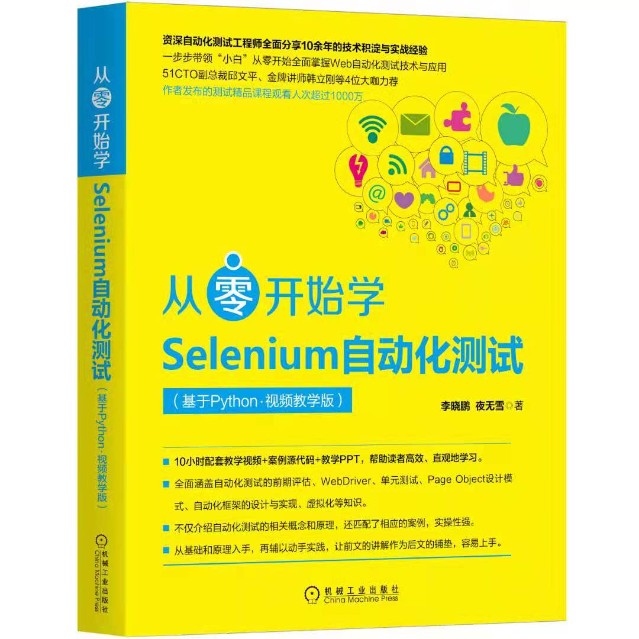
图书京东、当当有售
京东:https://item.jd.com/12784287.html
当当:http://product.dangdang.com/29177828.html)!
很好奇,就使用rubyonrails自动化单元测试而言,你们正在做什么?您是否创建了一个脚本来在cron中运行rake作业并将结果邮寄给您?git中的预提交Hook?只是手动调用?我完全理解测试,但想知道在错误发生之前捕获错误的最佳实践是什么。让我们理所当然地认为测试本身是完美无缺的,并且可以正常工作。下一步是什么以确保他们在正确的时间将可能有害的结果传达给您? 最佳答案 不确定您到底想听什么,但是有几个级别的自动代码库控制:在处理某项功能时,您可以使用类似autotest的内容获得关于哪些有效,哪些无效的即时反馈。要确保您的提
我正在编写一个包含C扩展的gem。通常当我写一个gem时,我会遵循TDD的过程,我会写一个失败的规范,然后处理代码直到它通过,等等......在“ext/mygem/mygem.c”中我的C扩展和在gemspec的“扩展”中配置的有效extconf.rb,如何运行我的规范并仍然加载我的C扩展?当我更改C代码时,我需要采取哪些步骤来重新编译代码?这可能是个愚蠢的问题,但是从我的gem的开发源代码树中输入“bundleinstall”不会构建任何native扩展。当我手动运行rubyext/mygem/extconf.rb时,我确实得到了一个Makefile(在整个项目的根目录中),然后当
我有一个围绕一些对象的包装类,我想将这些对象用作散列中的键。包装对象和解包装对象应映射到相同的键。一个简单的例子是这样的:classAattr_reader:xdefinitialize(inner)@inner=innerenddefx;@inner.x;enddef==(other)@inner.x==other.xendenda=A.new(o)#oisjustanyobjectthatallowso.xb=A.new(o)h={a=>5}ph[a]#5ph[b]#nil,shouldbe5ph[o]#nil,shouldbe5我试过==、===、eq?并散列所有无济于事。
我有一些Ruby代码,如下所示:Something.createdo|x|x.foo=barend我想编写一个测试,它使用double代替block参数x,这样我就可以调用:x_double.should_receive(:foo).with("whatever").这可能吗? 最佳答案 specify'something'dox=doublex.should_receive(:foo=).with("whatever")Something.should_receive(:create).and_yield(x)#callthere
Sinatra新手;我正在运行一些rspec测试,但在日志中收到了一堆不需要的噪音。如何消除日志中过多的噪音?我仔细检查了环境是否设置为:test,这意味着记录器级别应设置为WARN而不是DEBUG。spec_helper:require"./app"require"sinatra"require"rspec"require"rack/test"require"database_cleaner"require"factory_girl"set:environment,:testFactoryGirl.definition_file_paths=%w{./factories./test/
我遵循MichaelHartl的“RubyonRails教程:学习Web开发”,并创建了检查用户名和电子邮件长度有效性的测试(名称最多50个字符,电子邮件最多255个字符)。test/helpers/application_helper_test.rb的内容是:require'test_helper'classApplicationHelperTest在运行bundleexecraketest时,所有测试都通过了,但我看到以下消息在最后被标记为错误:ERROR["test_full_title_helper",ApplicationHelperTest,1.820016791]test
我收到这个错误:RuntimeError(自动加载常量Apps时检测到循环依赖当我使用多线程时。下面是我的代码。为什么会这样?我尝试多线程的原因是因为我正在编写一个HTML抓取应用程序。对Nokogiri::HTML(open())的调用是一个同步阻塞调用,需要1秒才能返回,我有100,000多个页面要访问,所以我试图运行多个线程来解决这个问题。有更好的方法吗?classToolsController0)app.website=array.join(',')putsapp.websiteelseapp.website="NONE"endapp.saveapps=Apps.order("
我已经构建了一些serverspec代码来在多个主机上运行一组测试。问题是当任何测试失败时,测试会在当前主机停止。即使测试失败,我也希望它继续在所有主机上运行。Rakefile:namespace:specdotask:all=>hosts.map{|h|'spec:'+h.split('.')[0]}hosts.eachdo|host|begindesc"Runserverspecto#{host}"RSpec::Core::RakeTask.new(host)do|t|ENV['TARGET_HOST']=hostt.pattern="spec/cfengine3/*_spec.r
我在app/helpers/sessions_helper.rb中有一个帮助程序文件,其中包含一个方法my_preference,它返回当前登录用户的首选项。我想在集成测试中访问该方法。例如,这样我就可以在测试中使用getuser_path(my_preference)。在其他帖子中,我读到这可以通过在测试文件中包含requiresessions_helper来实现,但我仍然收到错误NameError:undefinedlocalvariableormethod'my_preference'.我做错了什么?require'test_helper'require'sessions_hel
只是想确保我理解了事情。据我目前收集到的信息,Cucumber只是一个“包装器”,或者是一种通过将事物分类为功能和步骤来组织测试的好方法,其中实际的单元测试处于步骤阶段。它允许您根据事物的工作方式组织您的测试。对吗? 最佳答案 有点。它是一种组织测试的方式,但不仅如此。它的行为就像最初的Rails集成测试一样,但更易于使用。这里最大的好处是您的session在整个Scenario中保持透明。关于Cucumber的另一件事是您(应该)从使用您的代码的浏览器或客户端的角度进行测试。如果您愿意,您可以使用步骤来构建对象和设置状态,但通常您
