Deploy ECK in your Kubernetes cluster | Elastic Cloud on Kubernetes [2.1] | Elastic
部署 Elastic Stack
1.Install custom resource definitions and the operator with its RBAC rules:
kubectl create -f https://download.elastic.co/downloads/eck/1.9.1/crds.yaml
kubectl apply -f https://download.elastic.co/downloads/eck/1.9.1/operator.yaml
2. Monitor the operator logs:
kubectl -n elastic-system logs -f statefulset.apps/elastic-operator
3. 创建eck 集群
cat <<EOF | kubectl apply -f -
apiVersion: elasticsearch.k8s.elastic.co/v1
kind: Elasticsearch
metadata:
  name: quickstart
spec:
  version: 7.17.0
  nodeSets:
  - name: default
    count: 1
    config:
      node.store.allow_mmap: false
EOF
kubectl -n es get elasticsearch

kubectl logs -f quickstart-es-default-0
5. 获取es 集群访问权限
PASSWORD=$(kubectl -n es get secret quickstart-es-elastic-user -o go-template='{{.data.elastic | base64decode}}')
echo "$PASSWORD"


# 在k8s集群同命名空间下的pod内
curl -u "elastic:IQ2DEORp61tfd70Goy76710g" -k "https://quickstart-es-http:9200"
cat <<EOF | kubectl apply -f -
apiVersion: kibana.k8s.elastic.co/v1
kind: Kibana
metadata:
  name: quickstart
spec:
  version: 7.9.2
  count: 1
  elasticsearchRef:
    name: quickstart
EOF
2. Monitor Kibana health and creation progress.
Similar to Elasticsearch, you can retrieve details about Kibana instances:
kubectl get kibana
安装 ingress
https://yuque.antfin.com/ke5an3/rgf45y/myuxgq
禁用 TLS
TLS certificates | Elastic Cloud on Kubernetes [master] | Elastic
You can explicitly disable TLS for Kibana, APM Server, Enterprise Search and the HTTP layer of Elasticsearch.
修改 elasticsearch 的yaml 文件,禁用自签名证书
spec:
  http:
    tls:
      selfSignedCertificate:
        disabled: true
es-ingress.yaml 文件
apiVersion: networking.k8s.io/v1
kind: Ingress
metadata:
  generation: 1
  name: es-ingress
  namespace: es
spec:
  ingressClassName: nginx
  rules:
  - host: es.suoyi.com
    http:
      paths:
      - backend:
          service:
            name: quickstart-es-http
            port:
              number: 9200
        path: /
        pathType: Prefix
创建并验证请求
# 创建 ingress
kubectl -n es apply -f es-ingress.yaml

# 在节点外进行请求
curl -u "elastic:IQ2DEORp61tfd70Goy76710g" -k "http://es.suoyi.com:31201"
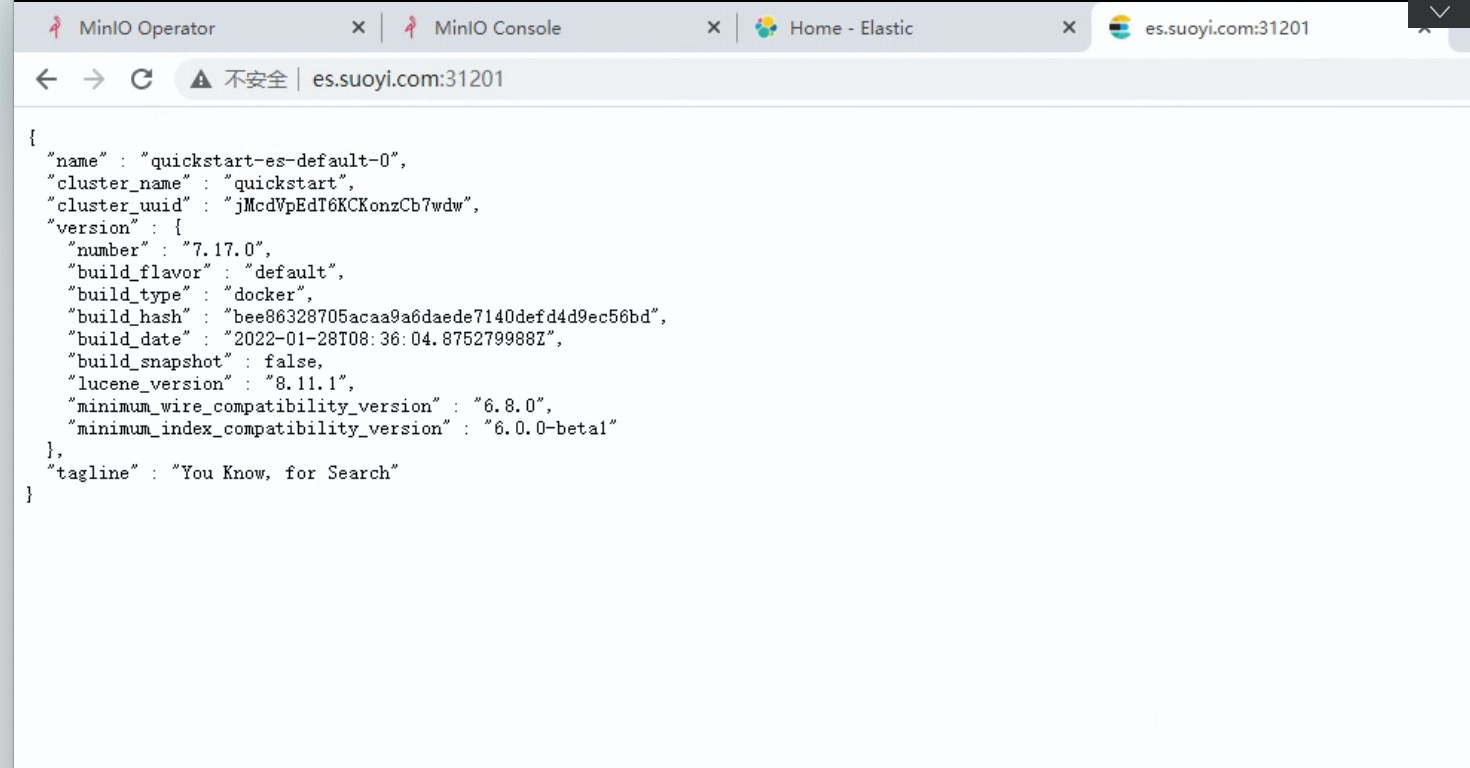
ECK会自动创建一个默认用户elastic,密码存储于k8s secret中:
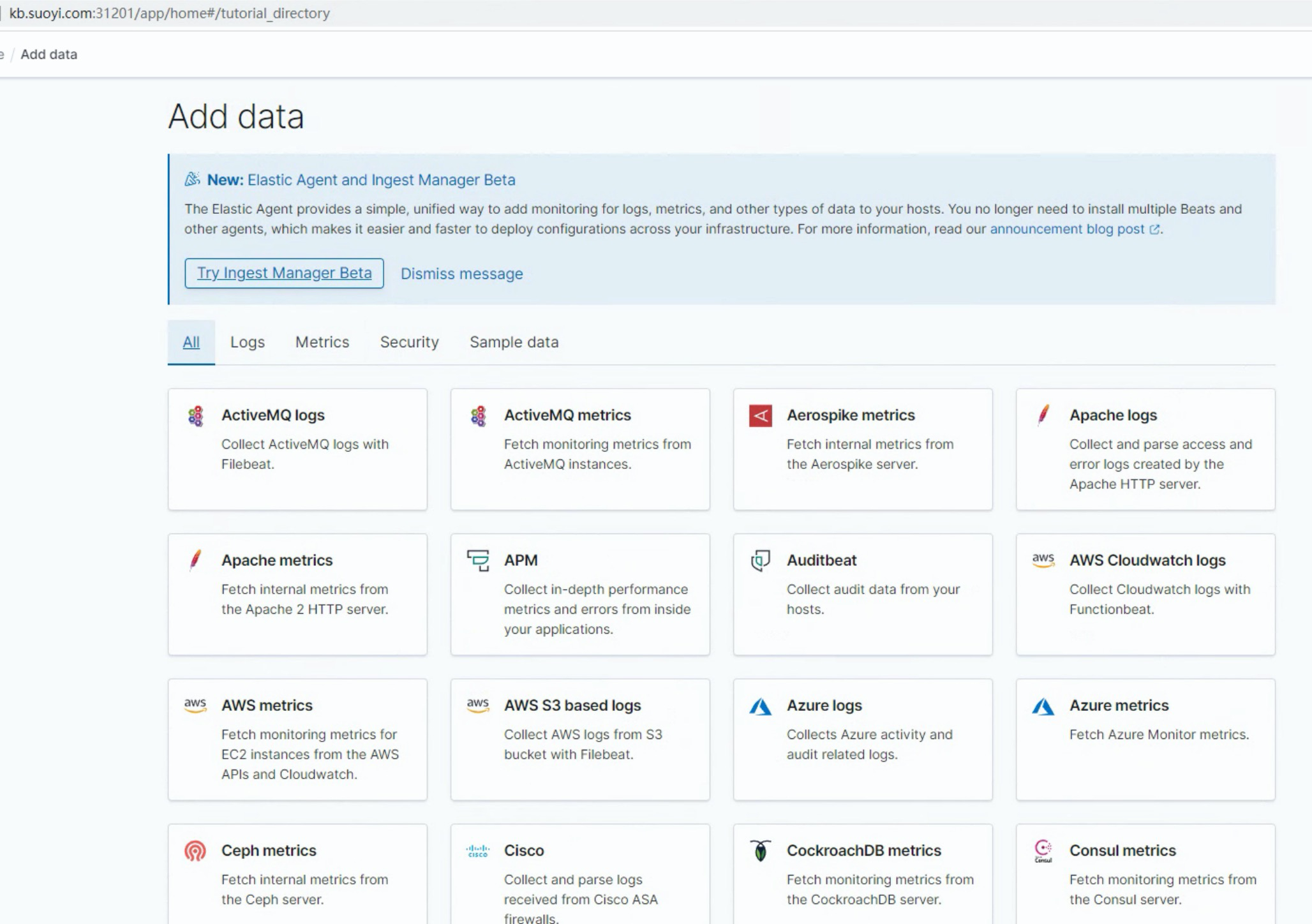
kibana的用户名和密码同es集群:
下载 es版本 对应 ik 分词器和拼音 插件
wget https://github.com/medcl/elasticsearch-analysis-ik/releases/download/v8.0.0/elasticsearch-analysis-ik-8.0.0.zip
wget https://github.com/medcl/elasticsearch-analysis-pinyin/releases/download/v8.0.0/elasticsearch-analysis-pinyin-8.0.0.zip
编写Dockerfile
FROM docker.elastic.co/elasticsearch/elasticsearch:8.0.0
COPY ./elasticsearch-analysis-ik-8.0.0.zip /home/
COPY ./elasticsearch-analysis-pinyin-8.0.0.zip /home/
RUN bin/elasticsearch-plugin install --batch file:/home/elasticsearch-analysis-ik-8.0.0.zip
RUN bin/elasticsearch-plugin install --batch file:/home/elasticsearch-analysis-pinyin-8.0.0.zip
构建定制es镜像
docker build --tag elasticsearch-ik:8.0.0 .
在yaml 文件 指定es镜像
apiVersion: elasticsearch.k8s.elastic.co/v1
kind: Elasticsearch
metadata:
  name: quickstart
spec:
  image: elasticsearch-ik:8.0.0
  auth: {}
  http:
    service:
      metadata: {}
      spec: {}
    tls:
      certificate: {}
      selfSignedCertificate:
        disabled: true
  nodeSets:
  - config:
      node.store.allow_mmap: false
    count: 1
    name: default
    podTemplate:
      spec:
        containers: null
  version: 8.0.0
参考文档
Ingress
how to configure ingress to direct traffic to an https backend using https
Elastic Cloud Kubernetes(ECK)安装Elasticsearch、Kibana实战教程
Elastic Cloud Kubernetes(ECK)安装Elasticsearch、Kibana实战教程-阿里云开发者社区
elasticsearch create custom images
Create custom images | Elastic Cloud on Kubernetes [2.1] | Elastic
k8s无脑系列(十一) helm安装ElasticSearch到集群并设置中文分词
我正在尝试使用ruby和Savon来使用网络服务。测试服务为http://www.webservicex.net/WS/WSDetails.aspx?WSID=9&CATID=2require'rubygems'require'savon'client=Savon::Client.new"http://www.webservicex.net/stockquote.asmx?WSDL"client.get_quotedo|soap|soap.body={:symbol=>"AAPL"}end返回SOAP异常。检查soap信封,在我看来soap请求没有正确的命名空间。任何人都可以建议我
我想安装一个带有一些身份验证的私有(private)Rubygem服务器。我希望能够使用公共(public)Ubuntu服务器托管内部gem。我读到了http://docs.rubygems.org/read/chapter/18.但是那个没有身份验证-如我所见。然后我读到了https://github.com/cwninja/geminabox.但是当我使用基本身份验证(他们在他们的Wiki中有)时,它会提示从我的服务器获取源。所以。如何制作带有身份验证的私有(private)Rubygem服务器?这是不可能的吗?谢谢。编辑:Geminabox问题。我尝试“捆绑”以安装新的gem..
最近,当我启动我的Rails服务器时,我收到了一长串警告。虽然它不影响我的应用程序,但我想知道如何解决这些警告。我的估计是imagemagick以某种方式被调用了两次?当我在警告前后检查我的git日志时。我想知道如何解决这个问题。-bcrypt-ruby(3.1.2)-better_errors(1.0.1)+bcrypt(3.1.7)+bcrypt-ruby(3.1.5)-bcrypt(>=3.1.3)+better_errors(1.1.0)bcrypt和imagemagick有关系吗?/Users/rbchris/.rbenv/versions/2.0.0-p247/lib/ru
在Rails4.0.2中,我使用s3_direct_upload和aws-sdkgems直接为s3存储桶上传文件。在开发环境中它工作正常,但在生产环境中它会抛出如下错误,ActionView::Template::Error(noimplicitconversionofnilintoString)在View中,create_cv_url,:id=>"s3_uploader",:key=>"cv_uploads/{unique_id}/${filename}",:key_starts_with=>"cv_uploads/",:callback_param=>"cv[direct_uplo
我想在Ruby中创建一个用于开发目的的极其简单的Web服务器(不,不想使用现成的解决方案)。代码如下:#!/usr/bin/rubyrequire'socket'server=TCPServer.new('127.0.0.1',8080)whileconnection=server.acceptheaders=[]length=0whileline=connection.getsheaders想法是从命令行运行这个脚本,提供另一个脚本,它将在其标准输入上获取请求,并在其标准输出上返回完整的响应。到目前为止一切顺利,但事实证明这真的很脆弱,因为它在第二个请求上中断并出现错误:/usr/b
您如何在Rails中的实时服务器上进行有效调试,无论是在测试版/生产服务器上?我试过直接在服务器上修改文件,然后重启应用,但是修改好像没有生效,或者需要很长时间(缓存?)我也试过在本地做“脚本/服务器生产”,但是那很慢另一种选择是编码和部署,但效率很低。有人对他们如何有效地做到这一点有任何见解吗? 最佳答案 我会回答你的问题,即使我不同意这种热修补服务器代码的方式:)首先,你真的确定你已经重启了服务器吗?您可以通过跟踪日志文件来检查它。您更改的代码显示的View可能会被缓存。缓存页面位于tmp/cache文件夹下。您可以尝试手动删除
require"socket"server="irc.rizon.net"port="6667"nick="RubyIRCBot"channel="#0x40"s=TCPSocket.open(server,port)s.print("USERTesting",0)s.print("NICK#{nick}",0)s.print("JOIN#{channel}",0)这个IRC机器人没有连接到IRC服务器,我做错了什么? 最佳答案 失败并显示此消息::irc.shakeababy.net461*USER:Notenoughparame
我有一个使用PDFKit呈现网页的pdf版本的Rails应用程序。我使用Thin作为开发服务器。问题是当我处于开发模式时。当我使用“bundleexecrailss”启动我的服务器并尝试呈现任何PDF时,整个过程会陷入僵局,因为当您呈现PDF时,会向服务器请求一些额外的资源,如图像和css,看起来只有一个线程.如何配置Rails开发服务器以运行多个工作线程?非常感谢。 最佳答案 我找到的最简单的解决方案是unicorn.geminstallunicorn创建一个unicorn.conf:worker_processes3然后使用它:
关于如何使用git设置类似Dropbox的服务,您有什么建议吗?您认为git是解决此问题的合适工具吗?我在考虑使用git+rush解决方案,你觉得怎么样? 最佳答案 检查这个开源项目:https://github.com/hbons/SparkleShare来自项目的自述文件:Howdoesitwork?SparkleSharecreatesaspecialfolderonyourcomputer.Youcanaddremotelyhostedfolders(or"projects")tothisfolder.Theseprojec
我将以下代码放在一起用于一个简单的RubyTFTP服务器。它工作正常,因为它监听端口69并且我的TFTP客户端连接到它,我能够将数据包写入test.txt,但我不只是写入数据包,我希望能够从我的客户端通过TFTP传输文件到/temp目录。预先感谢您的帮助!require'socket.so'classTFTPServerdefinitialize(port)@port=portenddefstart@socket=UDPSocket.new@socket.bind('',@port)whiletruepacket=@socket.recvfrom(1024)putspacketFile
