ES常用知识点整理第一部分
本文列举的es用法可能不全或者不清楚,具体建议参考官方文档:
https://www.elastic.co/guide/index.html
#创建索引,不指定mapping,会在添加第一条文档时,自动解析形成mapping
PUT /stu
{
  "settings": {
    "number_of_shards": 1,
    "number_of_replicas": 0
  }
}

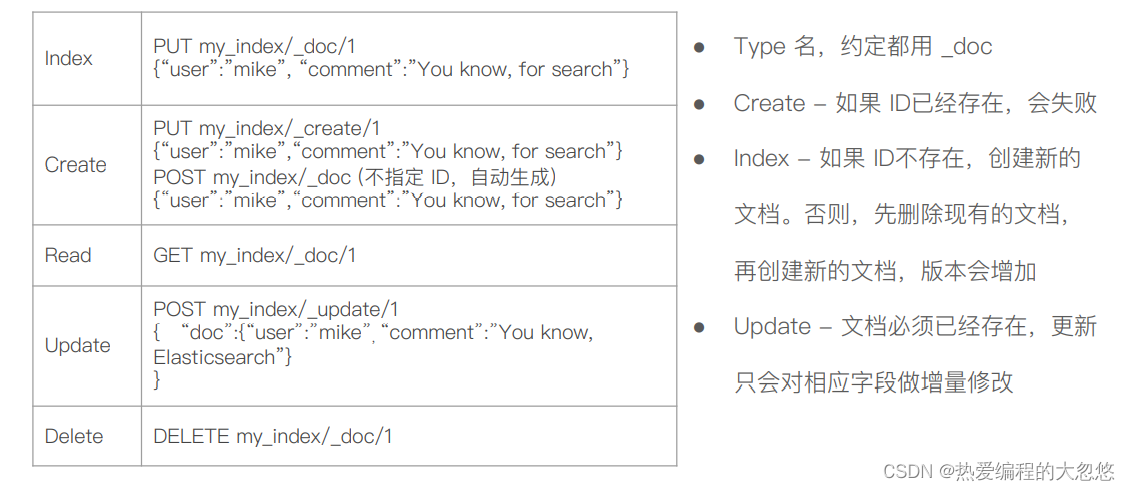
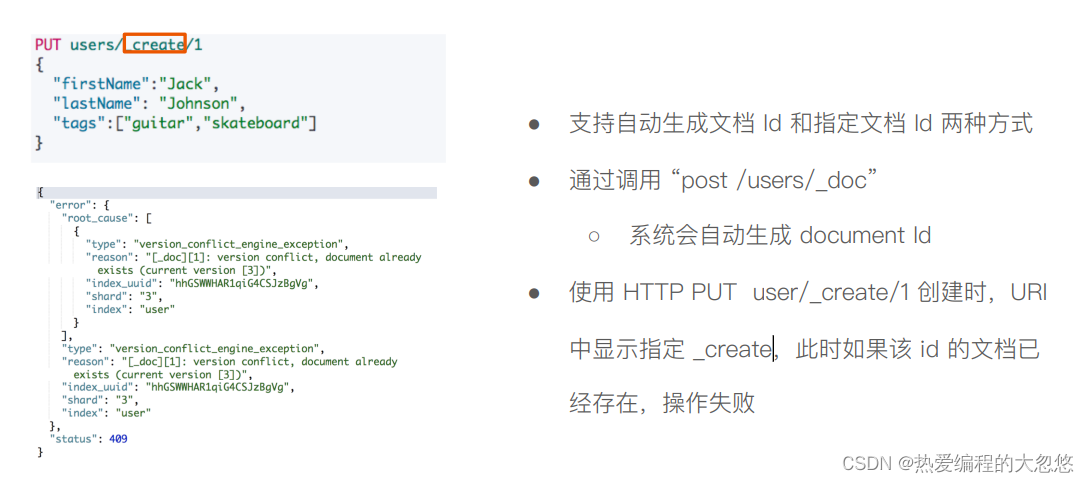
#添加文档---id存在,则添加失败
put /stu/_create/1
{
   "name":"大忽悠",
   "age":18
}

#添加文档--随机生成文档id
post /stu/_doc
{
   "name":"小朋友",
   "age":20
}
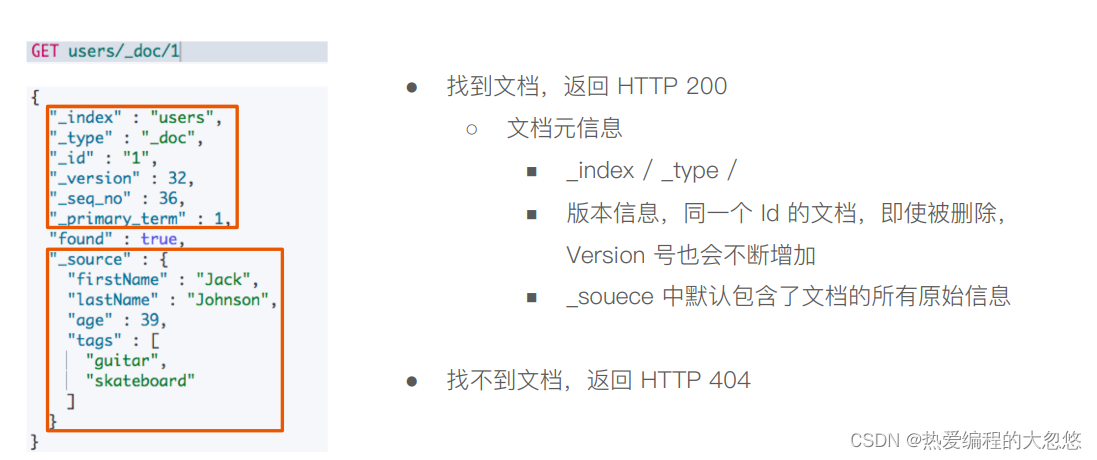
#获取文档
get /stu/_doc/1
get /stu/_doc/dM_04YUB7nCycfEBpay0

#查询结果
{
  "_index" : "stu",
  "_type" : "_doc",
  "_id" : "1",
  "_version" : 1,
  "_seq_no" : 0,
  "_primary_term" : 1,
  "found" : true,
  "_source" : {
    "name" : "大忽悠",
    "age" : 18
  }
}

{
  "_index" : "stu",
  "_type" : "_doc",
  "_id" : "dM_04YUB7nCycfEBpay0",
  "_version" : 1,
  "_seq_no" : 1,
  "_primary_term" : 1,
  "found" : true,
  "_source" : {
    "name" : "小朋友",
    "age" : 20
  }
}
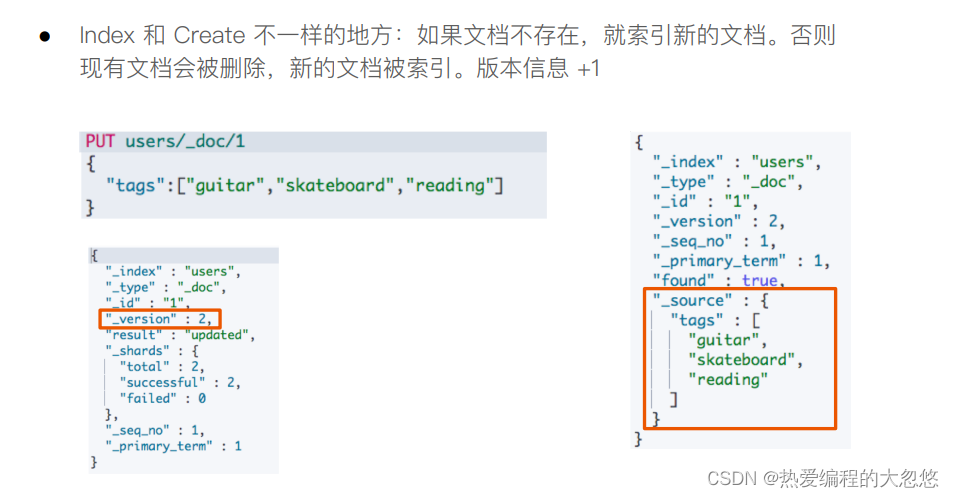
#索引一个文档
put /stu/_doc/1
{
   "name":"dhy",
   "age":21
}

#索引结果
{
  "_index" : "stu",
  "_type" : "_doc",
  "_id" : "1",
  "_version" : 3,
  "result" : "updated",
  "_shards" : {
    "total" : 1,
    "successful" : 1,
    "failed" : 0
  },
  "_seq_no" : 3,
  "_primary_term" : 1
}
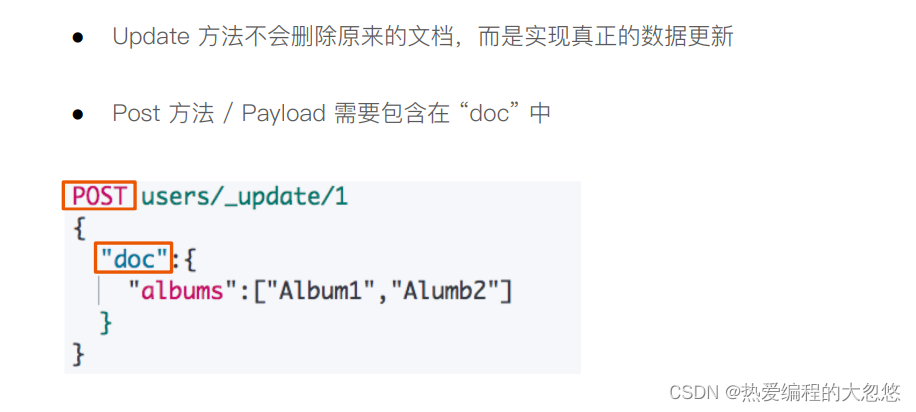
#更新一个文档
post /stu/_update/1
{
  "doc":{
    "name":"大忽悠和小朋友"
  }
}

#更新结果
{
  "_index" : "stu",
  "_type" : "_doc",
  "_id" : "1",
  "_version" : 4,
  "result" : "noop",
  "_shards" : {
    "total" : 0,
    "successful" : 0,
    "failed" : 0
  },
  "_seq_no" : 4,
  "_primary_term" : 1
}
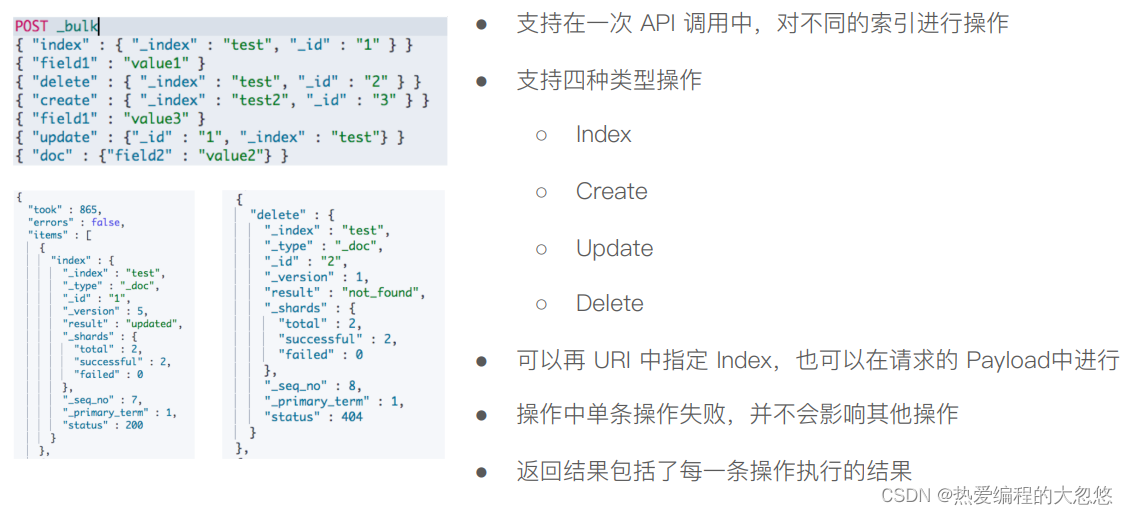
#批量操作
post _bulk
{"index":{"_index":"stu","_id":"3"}}
{"name":"张三","age":20}
{"delete":{"_index":"stu","_id":"1"}}
{"create":{"_index":"stu","_id":"4"}}
{"name":"李四","age":21}
{"update":{"_index":"stu","_id":"4"}}
{"doc":{"age":25}}

#结果
{
  "took" : 2,
  "errors" : true,
  "items" : [
    {
      "index" : {
        "_index" : "stu",
        "_type" : "_doc",
        "_id" : "3",
        "_version" : 4,
        "result" : "updated",
        "_shards" : {
          "total" : 1,
          "successful" : 1,
          "failed" : 0
        },
        "_seq_no" : 13,
        "_primary_term" : 1,
        "status" : 200
      }
    },
    {
      "delete" : {
        "_index" : "stu",
        "_type" : "_doc",
        "_id" : "1",
        "_version" : 2,
        "result" : "not_found",
        "_shards" : {
          "total" : 1,
          "successful" : 1,
          "failed" : 0
        },
        "_seq_no" : 14,
        "_primary_term" : 1,
        "status" : 404
      }
    },
    {
      "create" : {
        "_index" : "stu",
        "_type" : "_doc",
        "_id" : "4",
        "status" : 409,
        "error" : {
          "type" : "version_conflict_engine_exception",
          "reason" : "[4]: version conflict, document already exists (current version [2])",
          "index_uuid" : "Oh7Ujc5tSgS5KzsFqIXf5g",
          "shard" : "0",
          "index" : "stu"
        }
      }
    },
    {
      "update" : {
        "_index" : "stu",
        "_type" : "_doc",
        "_id" : "4",
        "_version" : 2,
        "result" : "noop",
        "_shards" : {
          "total" : 1,
          "successful" : 1,
          "failed" : 0
        },
        "_seq_no" : 12,
        "_primary_term" : 1,
        "status" : 200
      }
    }
  ]
}
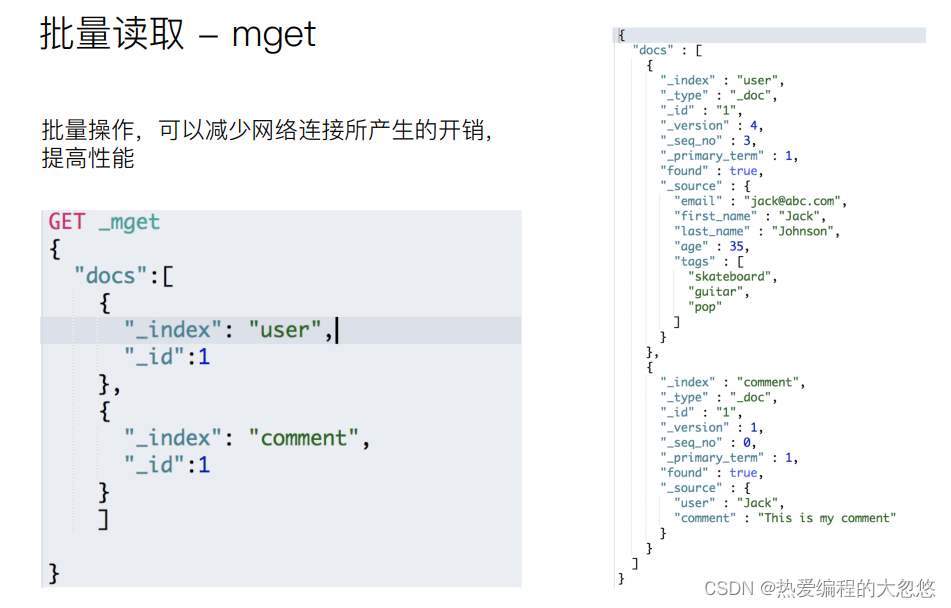
#批量读取
get _mget
{
  "docs":[
    {
      "_index":"stu",
      "_id":1
    },
    {
      "_index":"stu",
      "_id":3
    }
  ]
}

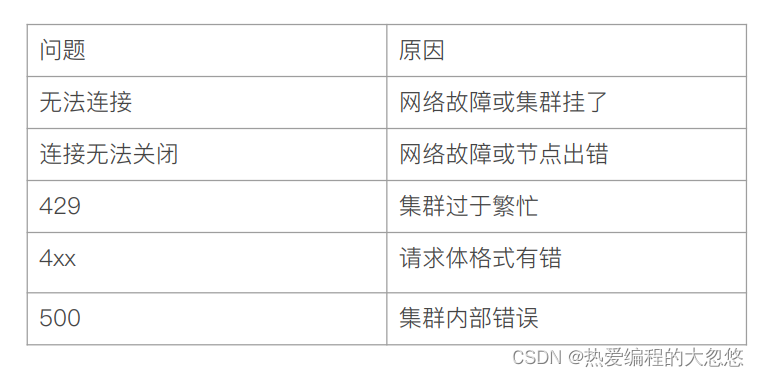
#结果
{
  "docs" : [
    {
      "_index" : "stu",
      "_type" : "_doc",
      "_id" : "1",
      "found" : false
    },
    {
      "_index" : "stu",
      "_type" : "_doc",
      "_id" : "3",
      "_version" : 4,
      "_seq_no" : 13,
      "_primary_term" : 1,
      "found" : true,
      "_source" : {
        "name" : "张三",
        "age" : 20
      }
    }
  ]
}
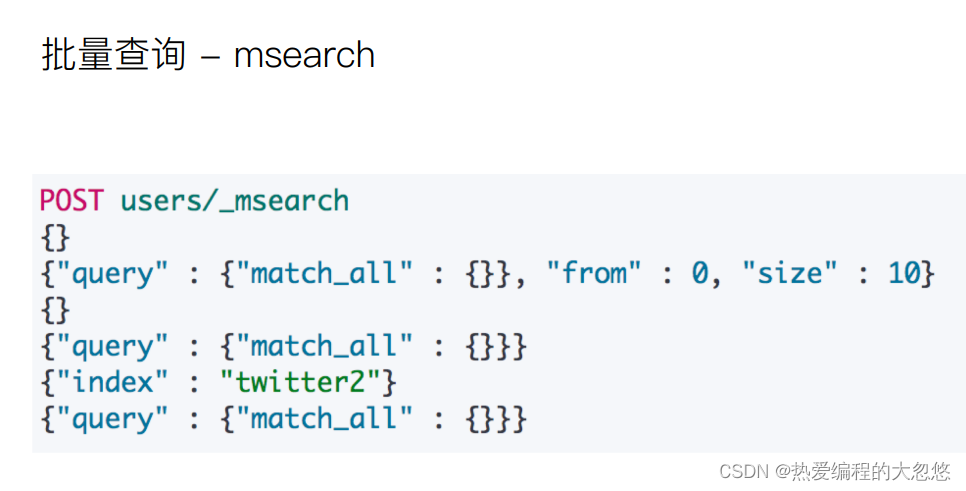
#批量查询--格式为header boby,header为空,也需要保留
post stu/_msearch
{}
{"query":{"match_all":{}},"from":0,"size":10}
{"index":"shop"}
{"query":{"match_all":{}}}
平时使用的mysql数据库通常都是根据ID定位一条记录的,而对于搜索引擎而,往往需要根据某个内容,定位到具体的文档ID
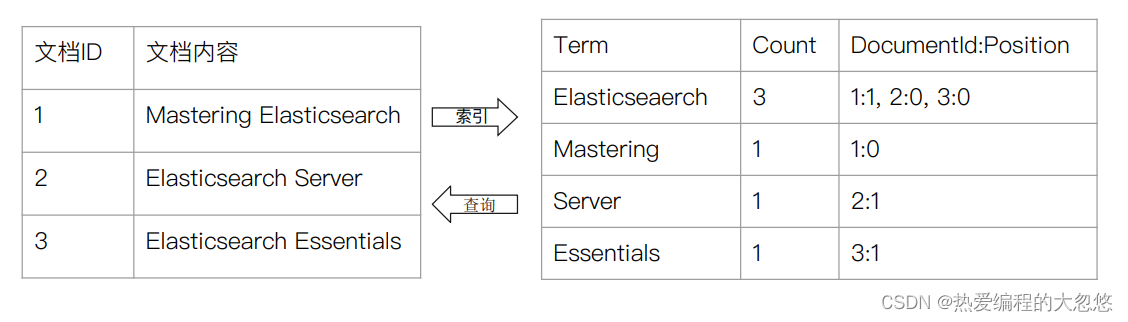
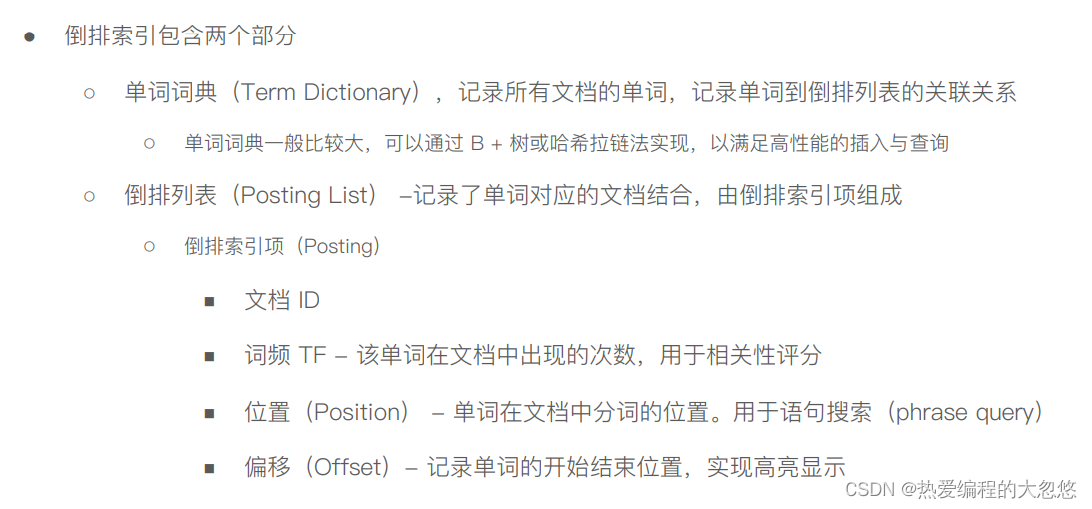
我画了一张简图如下:
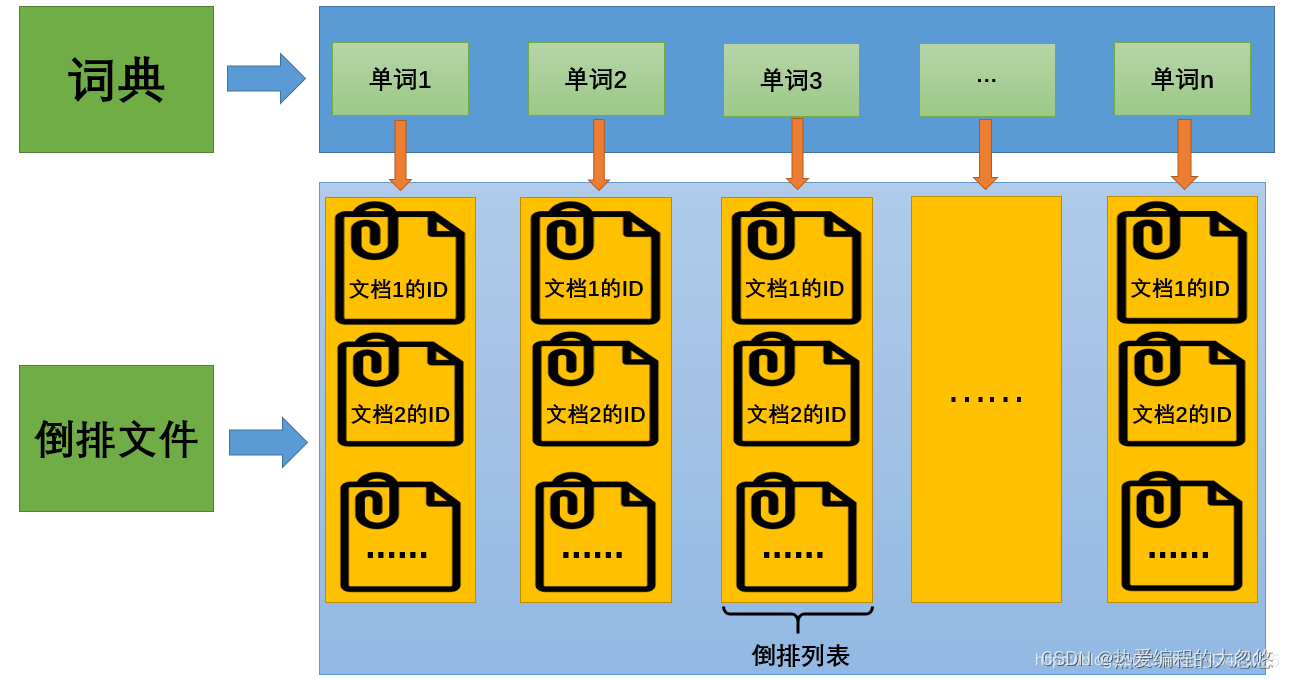
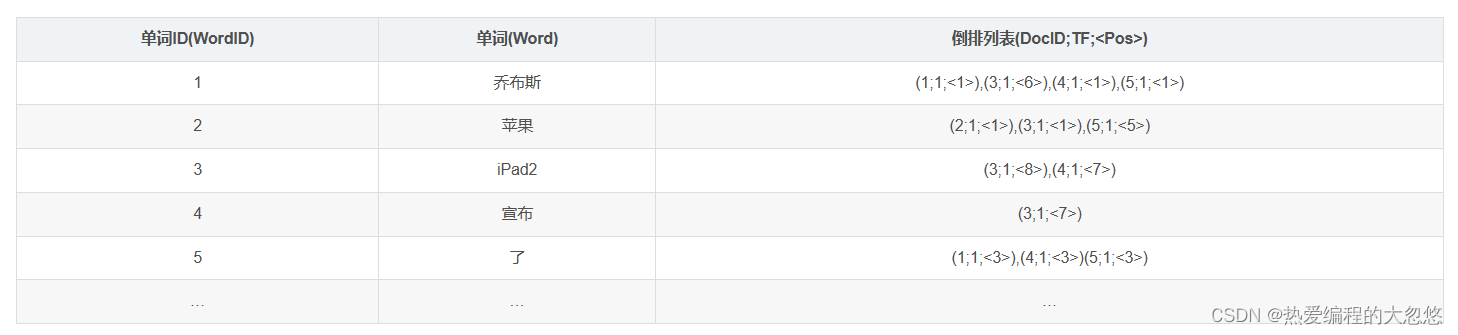
第三列倒排索引包含的信息为(文档ID,单词频次,<单词位置>),比如单词“乔布斯”对应的倒排索引里的第一项(1;1;<1>)意思是,文档1包含了“乔布斯”,并且在这个文档中只出现了1次,位置在第一个。
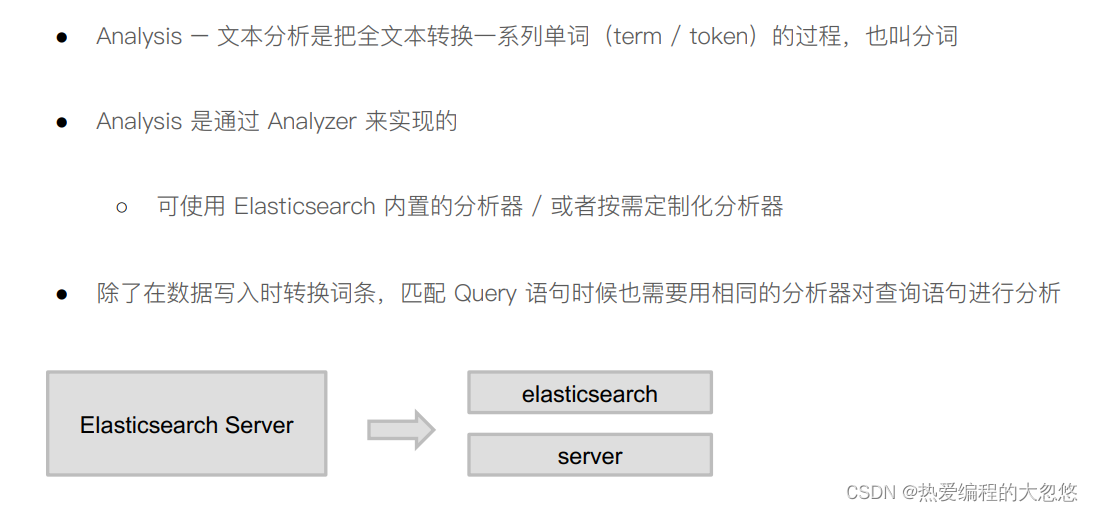
es的JSON文档中每个字段,都有自己的倒排索引,我们可以指定某些字段不做索引:
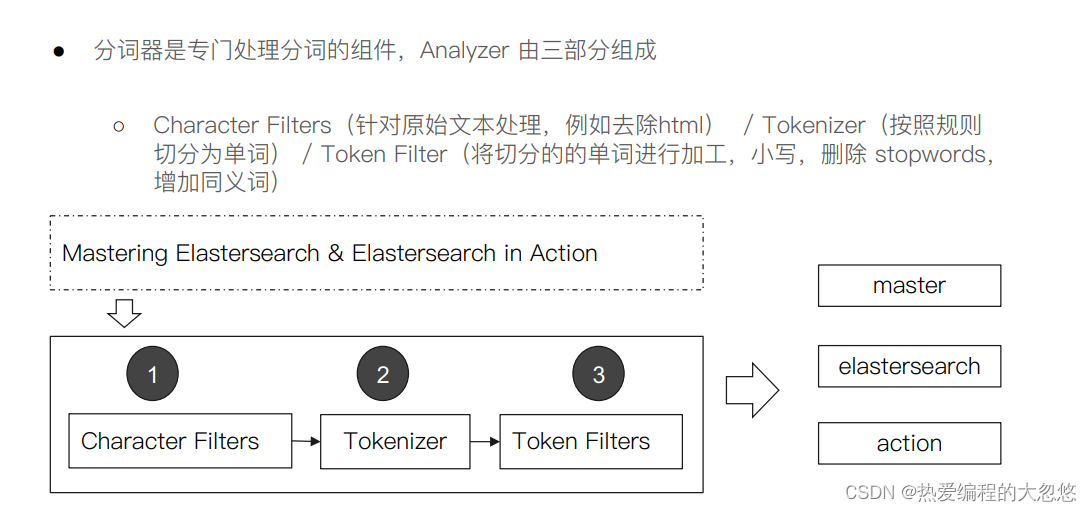
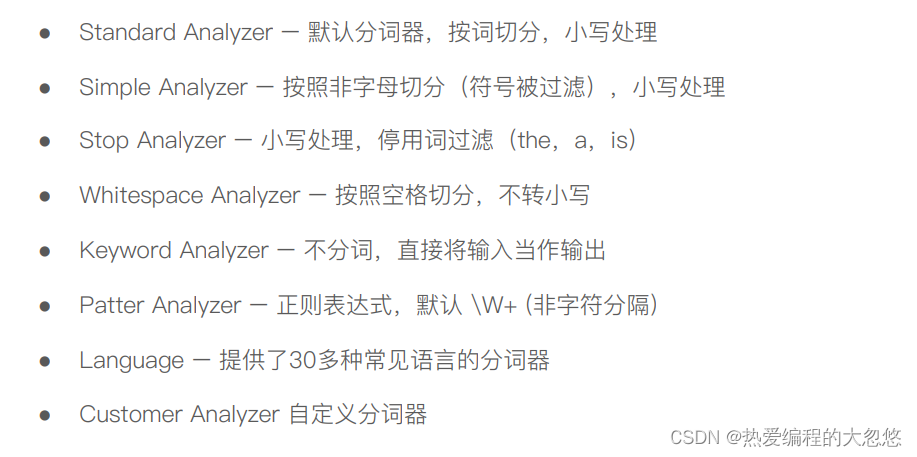
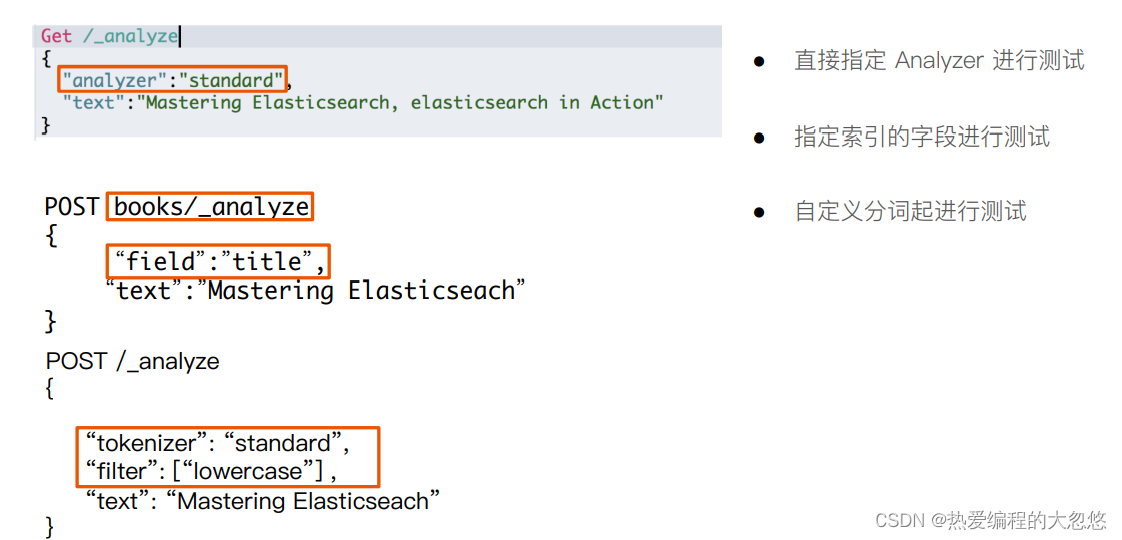
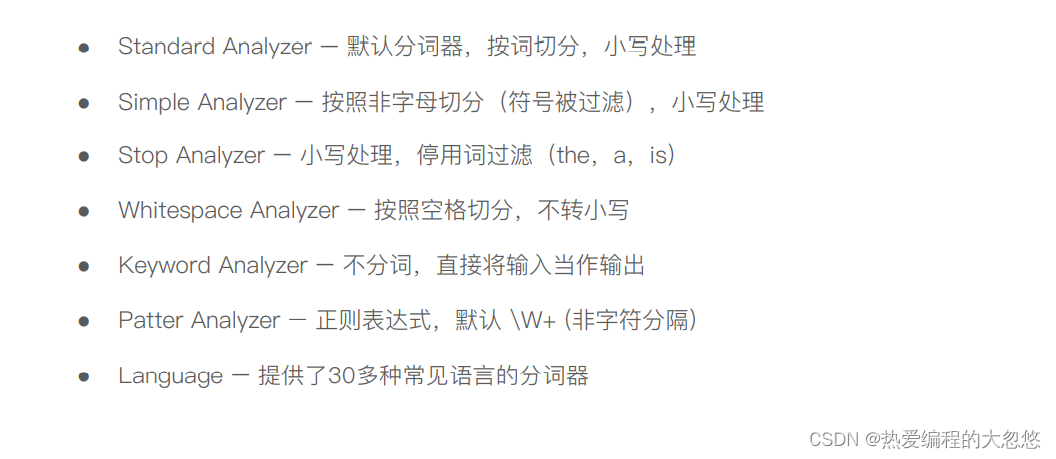
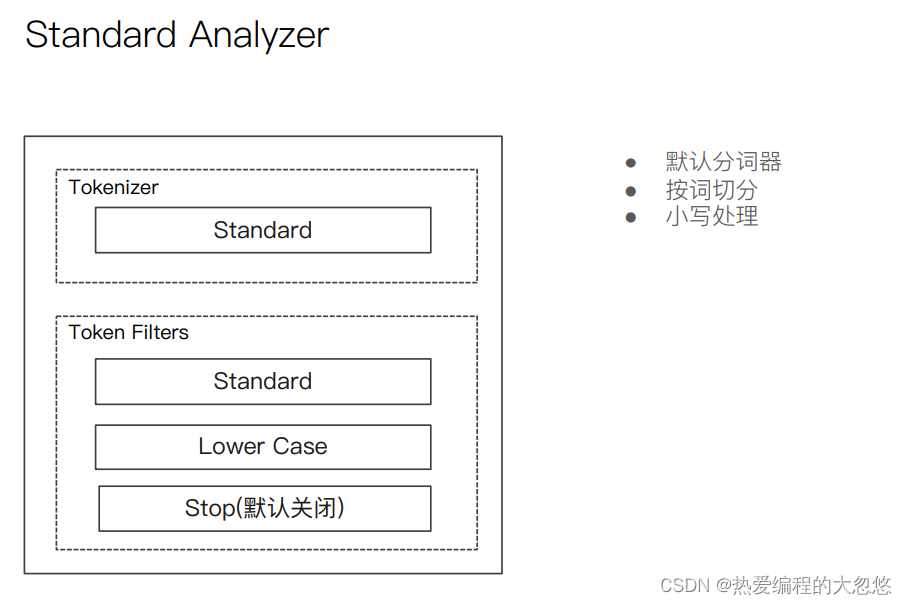
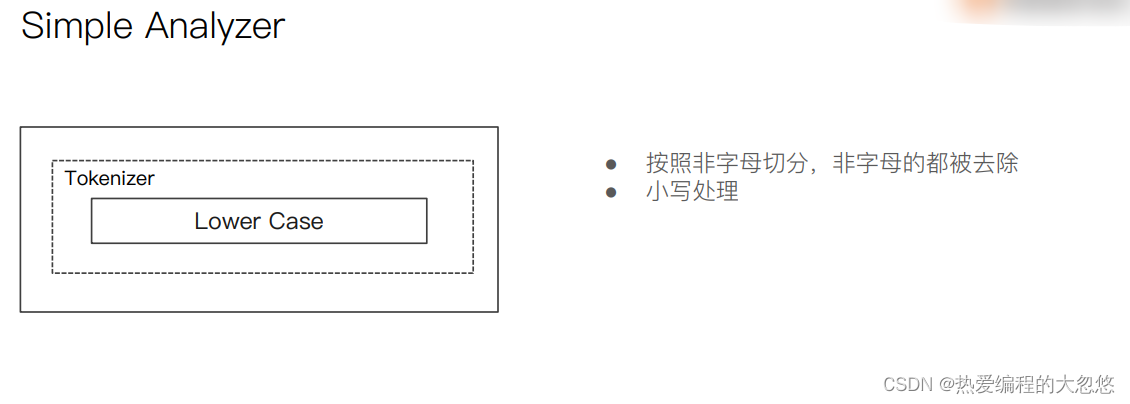
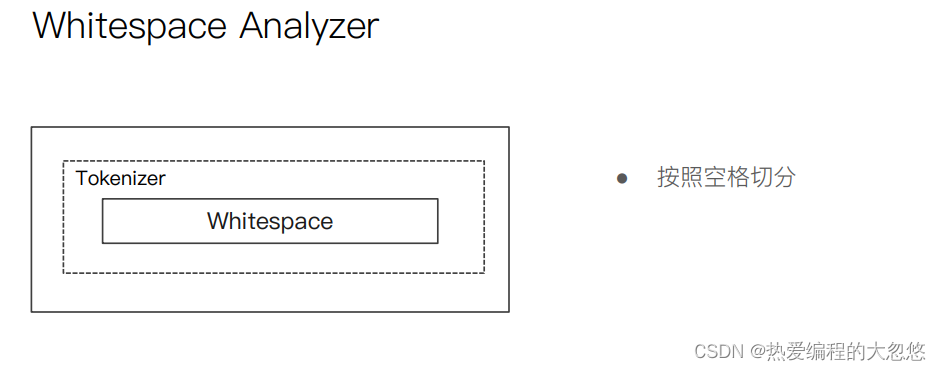
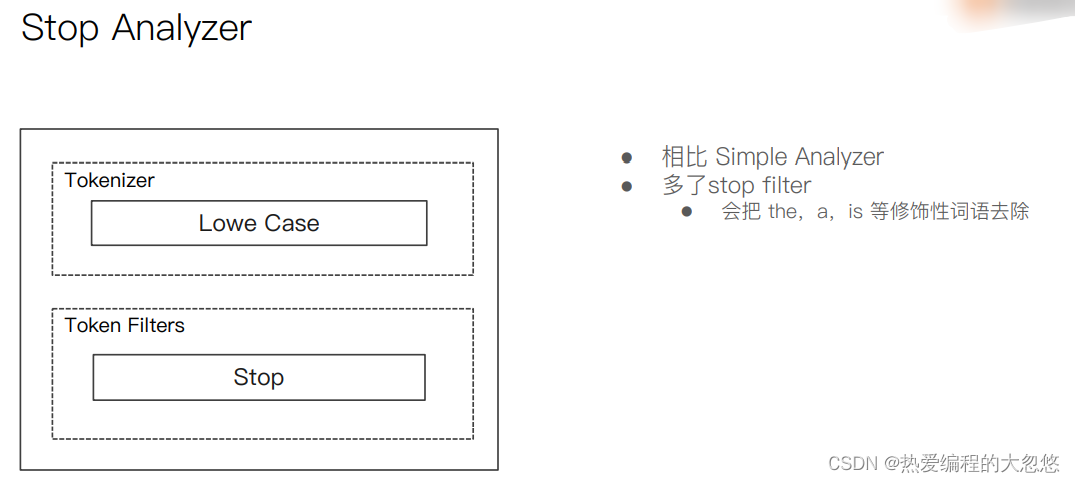
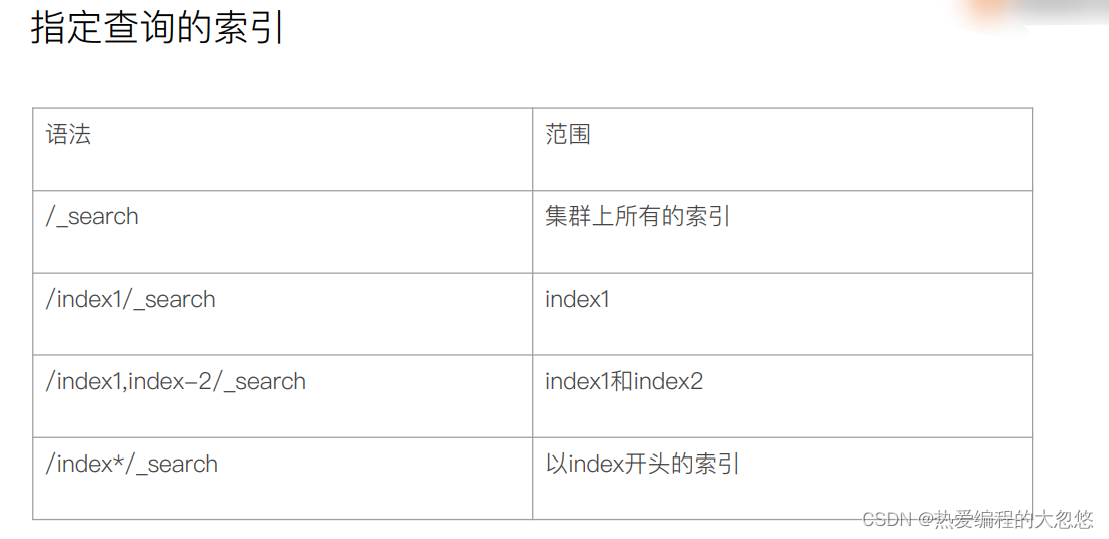
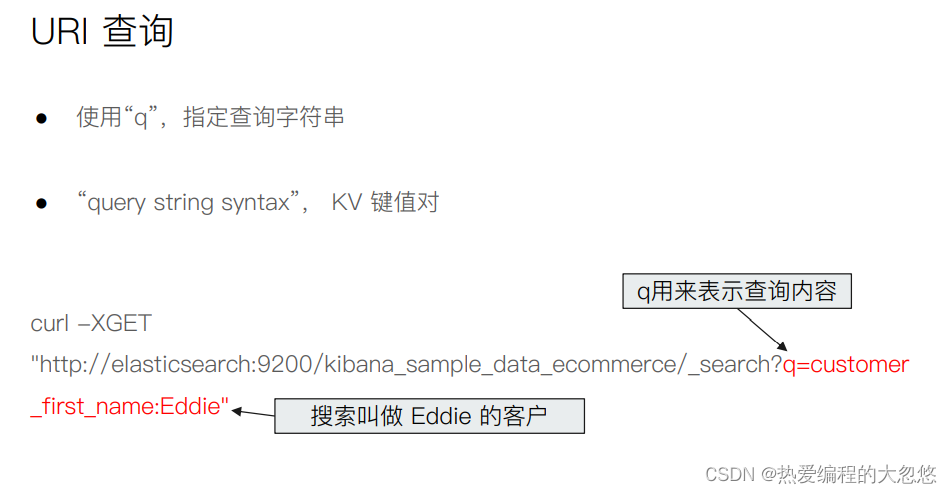
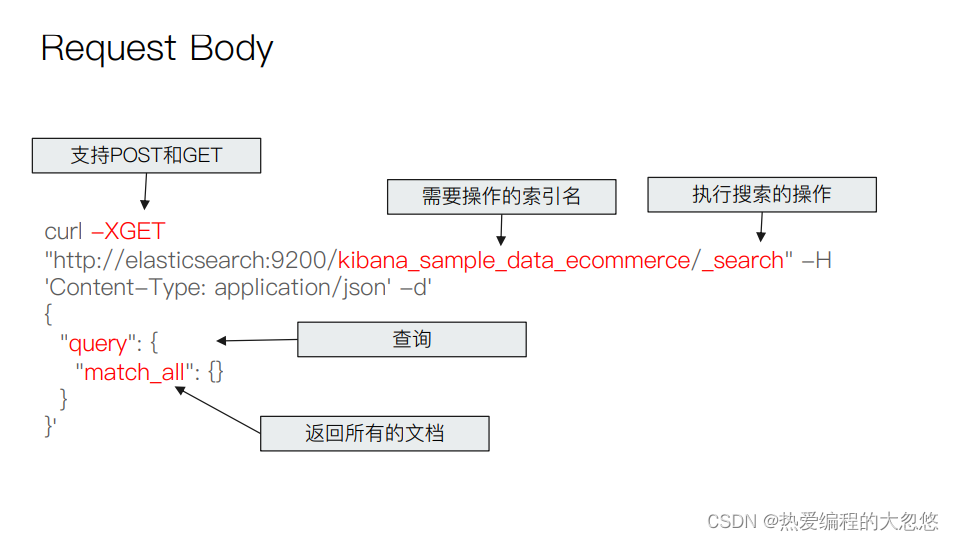
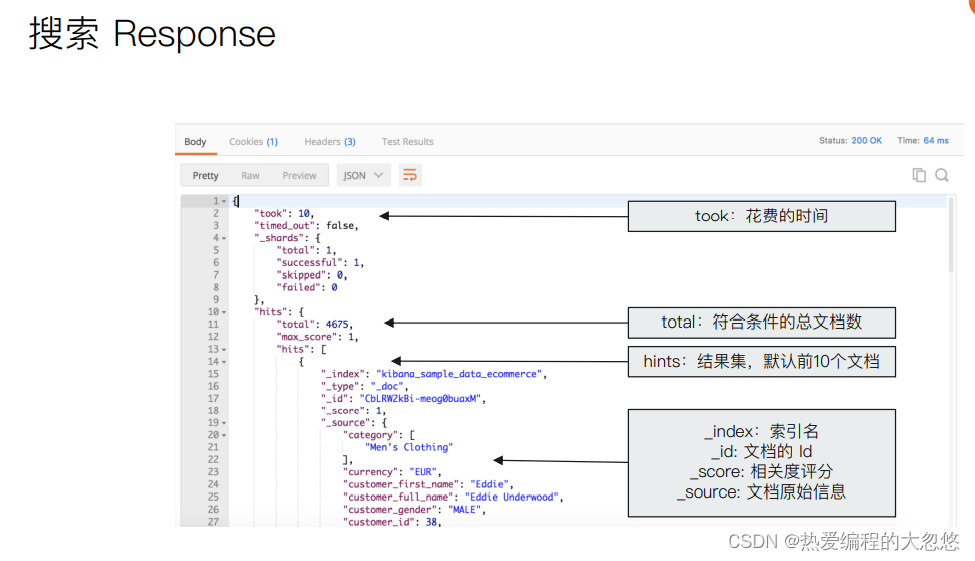
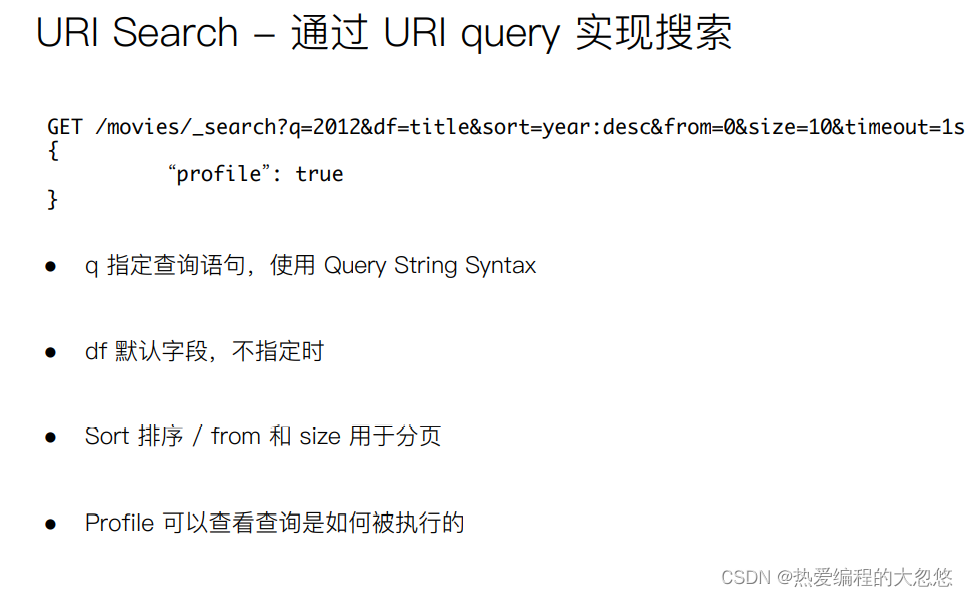
q:指定查询的语句,语法为 Query String Syntax
df(default field):q 中不指定字段时,默认查询的字段,如果不指定,es 会查询所有字段
sort:排序
timeout:指定超时时间,默认不超时
from,size:用于分页

//查询 user 字段包含 seina 的文档,结果按照 age 升序排列,返回第 5~15 个文档
//如果超过 1s 没有结束,则以超时结束
GET /my_index/_search?q=seina&df=user&sort=age:asc&from=4&size=10&timeout=1s
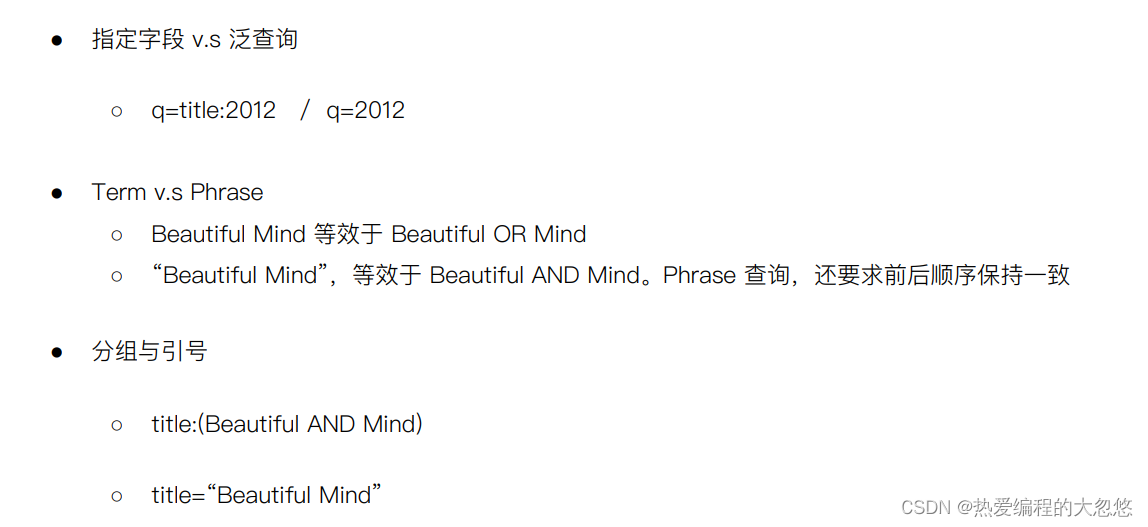
//表示 seina 或 gao,只包含某一个就符合查询需求
seina gao

//表示词语查询,要求先后顺序,必须是 seina gao 连起来才可以
"seina gao"
//表示必须先判断前面括号里的,再判断后面的
(quick OR brown) AND fox

//表示 status 字段的值是 active 或者 pending
//如果不加括号,status:active OR pending 表示 status 字段的值是 active 或者全部字段的值是 pending
//因为 es 如果不指定字段,可能会按全部字段去匹配
status:(active OR pending)
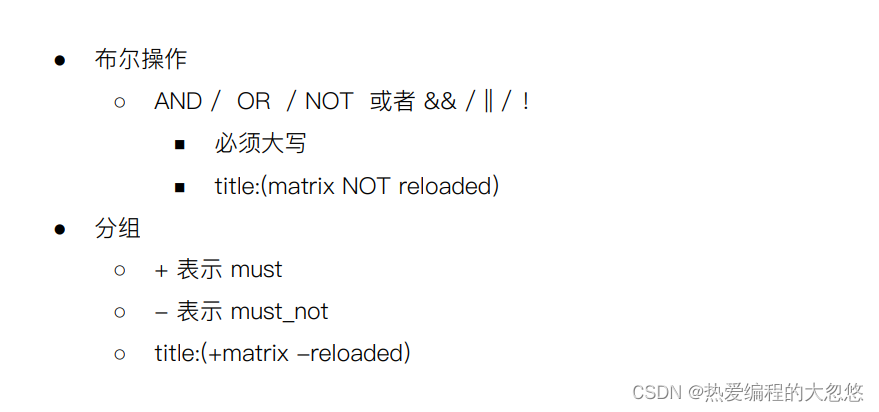
//可以包含 tom 但不要有 lee
username:(tom NOT lee)

//下面两个都表示可以包含 tom,一定包含 lee,也一定不包含 seina
//由此可见 ➕➖可以简化查询语句写法
username:(tom +lee -seina)
username:((lee && !seina) || (tom && lee && !seina))
注意➕在 url 中会被解析成空格,要使用 encode 后的结果,就是 %2B

age:[1 TO 10] //表示 1 <= age <= 10
age:[1 TO 10} //表示 1 <= age < 10
age:[1 TO ]  //表示 age >= 10
age:[* TO 10] //表示 age <= 10

age:>= 1
age:(>= 1 && <= 10) 或者 age:(+ >= 10 + <= 10)
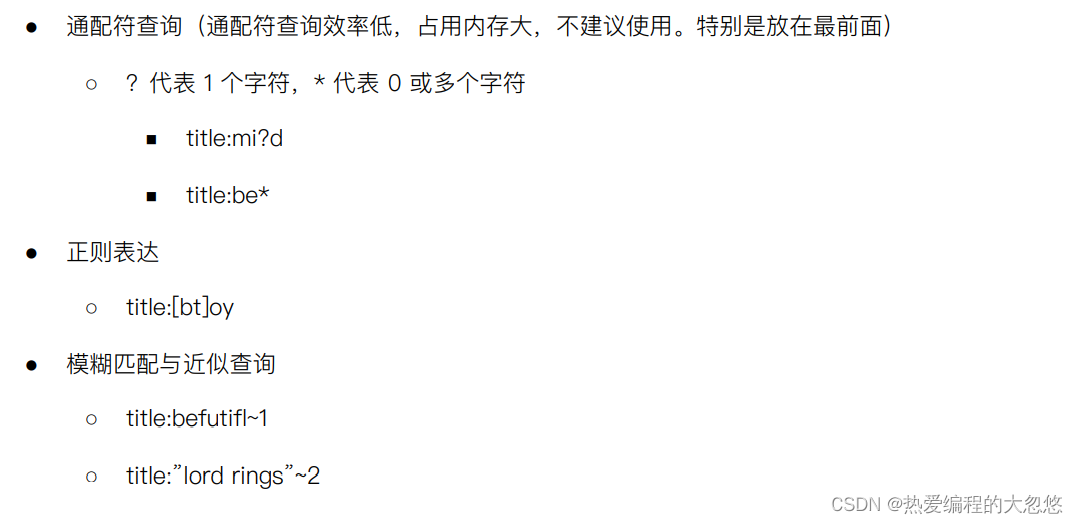
name:t?m
name:tom*

name:roam~1 //表示匹配与 roam 差 1 个 character 的词,比如 foam roams 等
//以 term 为单位进行差异比较,允许在 quick 和 fox 之间插入一个词,比如 “quick fox”“quick brown fox” 都会被匹配
"quick fox"~1
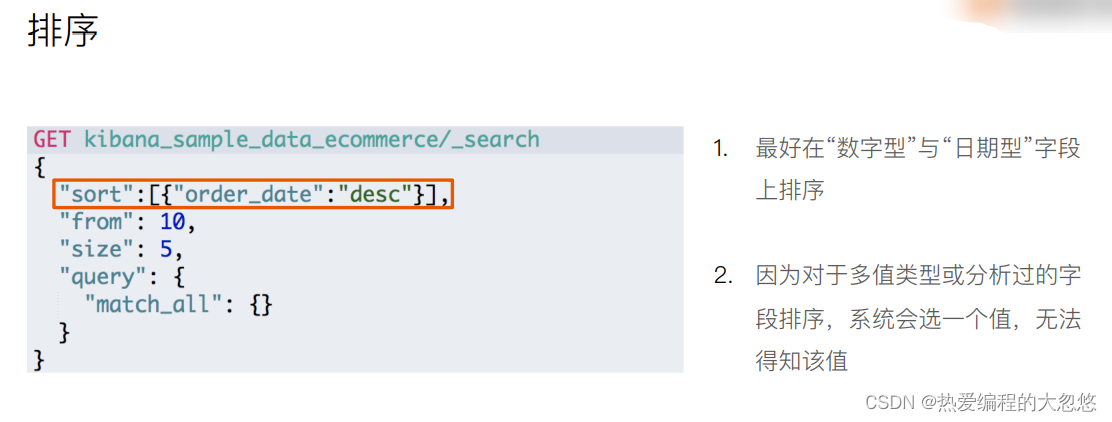
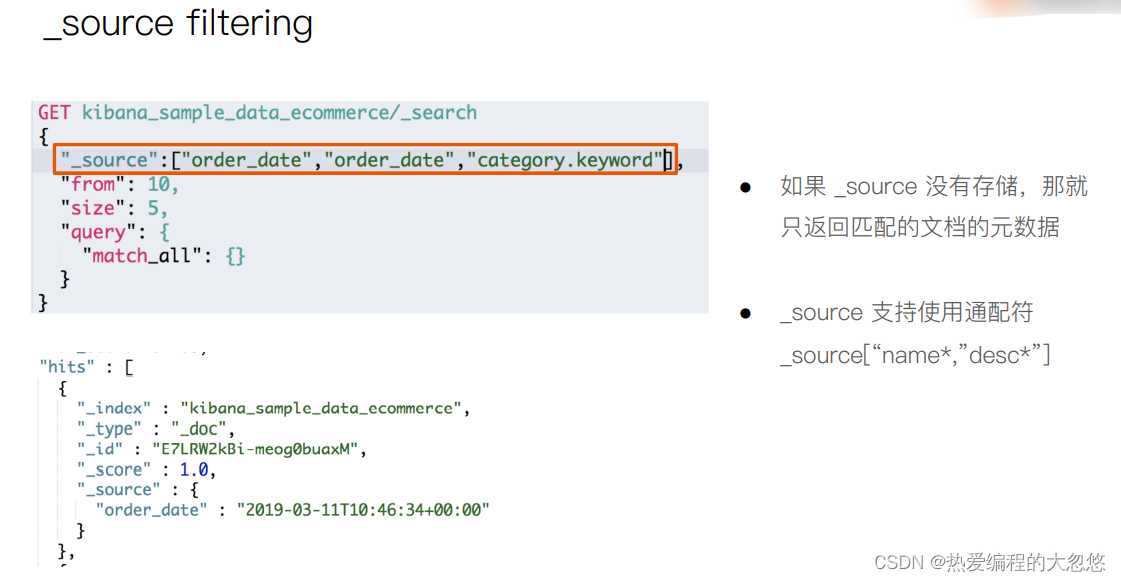
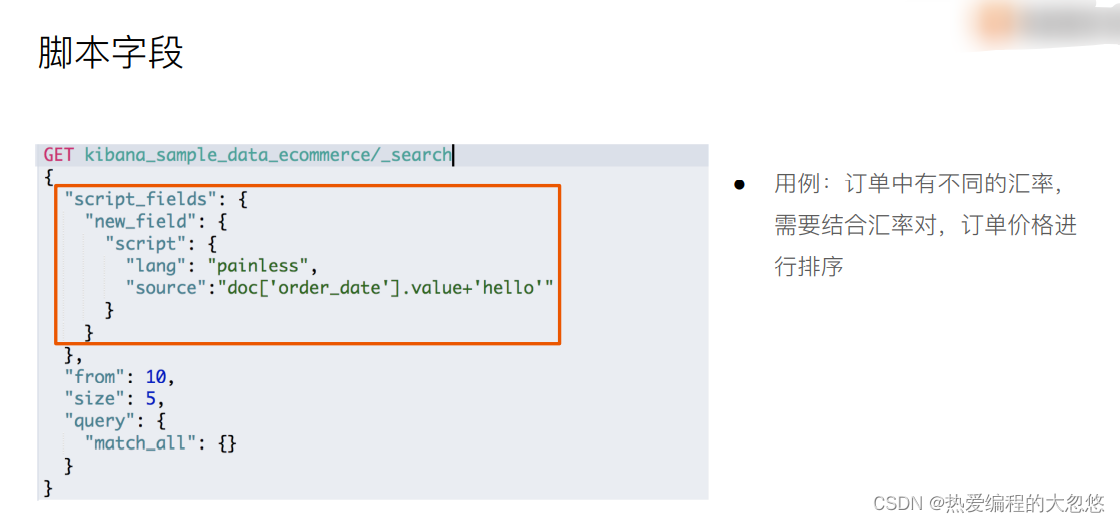
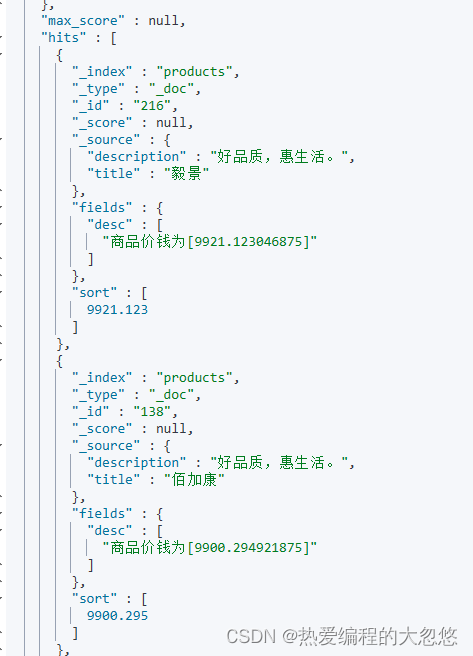
Elasticsearch(es)大多数脚本都围绕指定文档字段数据来使用,可以 doc[‘field_name’] 形式来访问文档内指定字段数据。值得注意的是,只针对简单的值生效(数值类型字段或者不分词字段)。
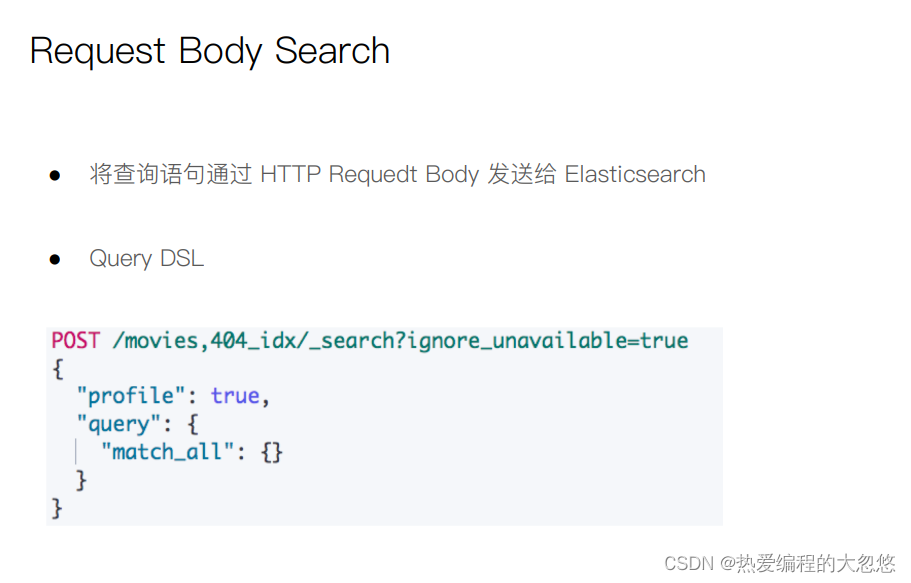
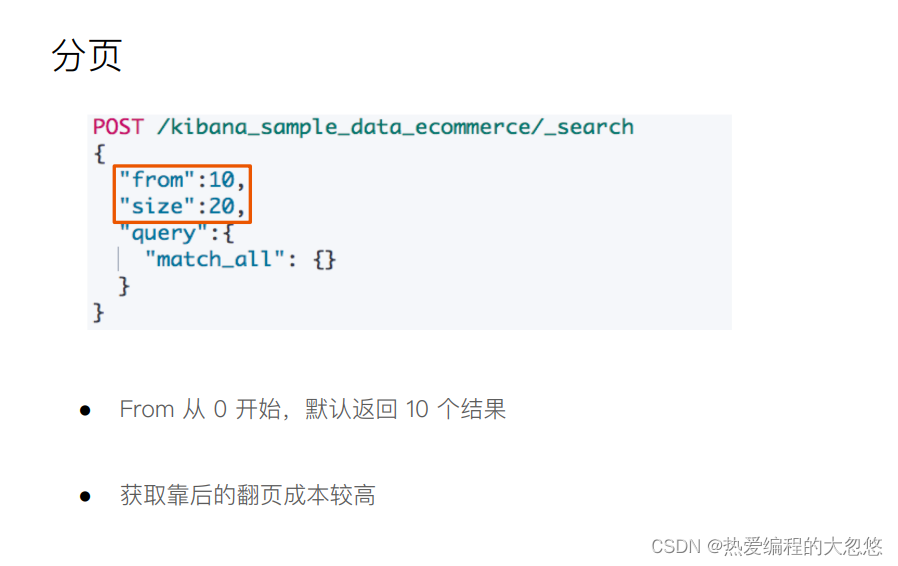
post /products/_search
{
  "profile":true,
  "from": 10,
  "size":10,
  "sort":[{"price":"desc"}],
  "_source":["title","description"],
  "script_fields":{
    "desc":{
      "script":{
        "lang": "painless",
        "source":"'商品价钱为'+ doc['price']"
      }
    }
  },
  "query":{
    "match_all": {}
  }
}
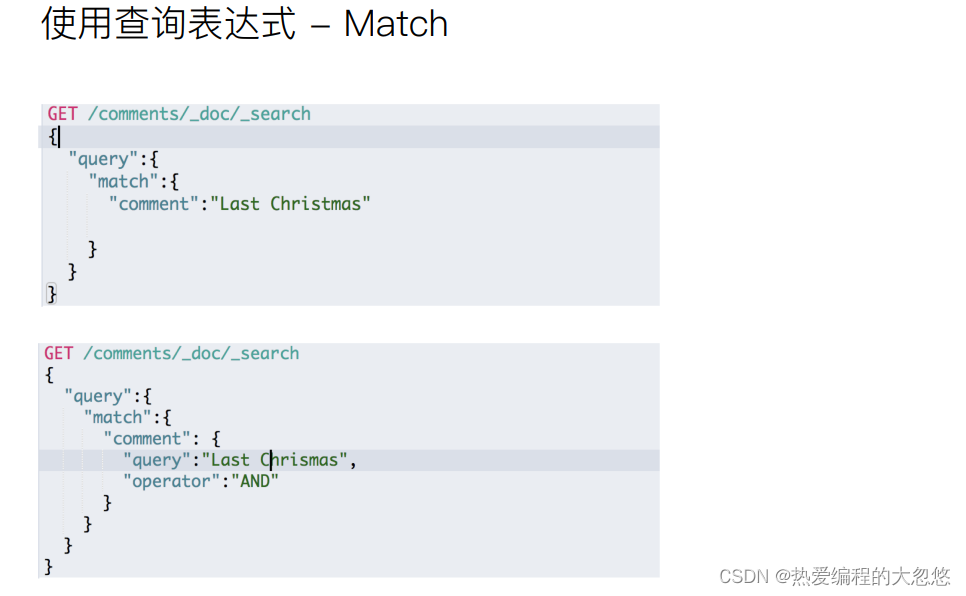
{
  "products" : {
    "mappings" : {
      "properties" : {
        "_class" : {
          "type" : "text"
        },
        "description" : {
          "type" : "text",
          "analyzer" : "ik_max_word"
        },
        "id" : {
          "type" : "long"
        },
        "price" : {
          "type" : "float"
        },
        "sku" : {
          "type" : "long"
        },
        "title" : {
          "type" : "text",
          "analyzer" : "ik_max_word"
        }
      }
    }
  }
}
post /products/_search
{
  "profile":true,
  "sort":[{"price":"desc"}],
  "_source":["title","price","description"],
  "query":{
    "match": {
      "description": "甄选 享受"
    }
  }
}

post /products/_search
{
  "profile":true,
  "sort":[{"price":"desc"}],
  "_source":["title","price","description"],
  "query":{
    "match": {
      "description": {
        "query": "甄选 享受",
        "analyzer": "standard"
      }
    }
  }
}

post /products/_search
{
  "profile":true,
  "sort":[{"price":"desc"}],
  "_source":["title","price","description"],
  "query":{
    "match": {
      "description": {
        "query": "甄选服务"
        , "operator": "and"
      }
    }
  }
}
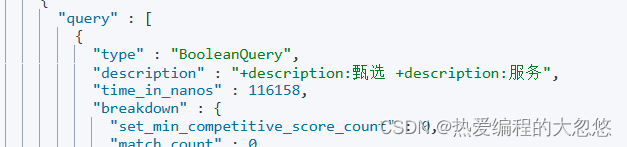
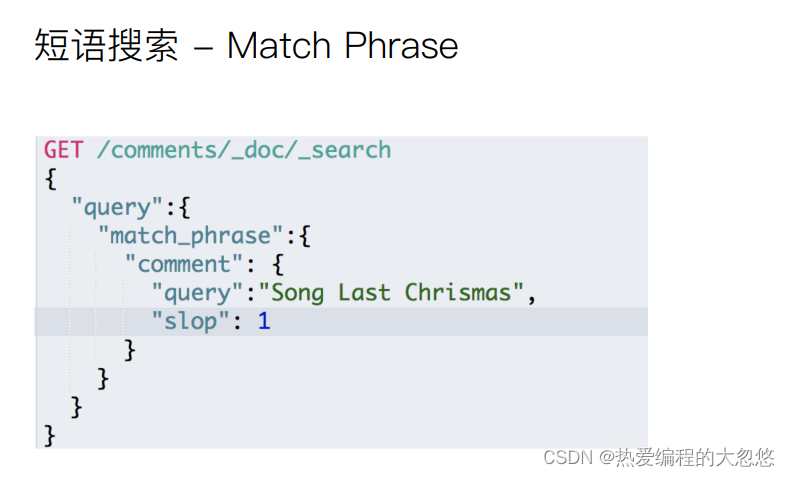
甄选服务会被ik_max_word分词器拆分为两个词,此时and条件要求对应的description字段包含全部分词结果:
post /products/_search
{
  "profile":true,
  "sort":[{"price":"desc"}],
  "_source":["title","price","description"],
  "query":{
    "match_phrase": {
      "description": {
        "query": "甄选 品味"
        ,"slop": 1
      }
    }
  }
}
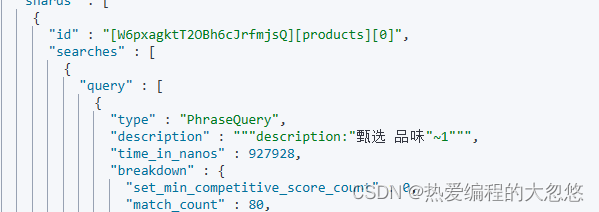
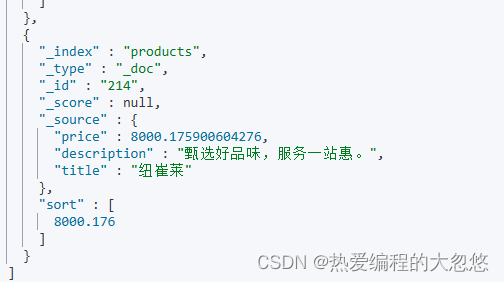
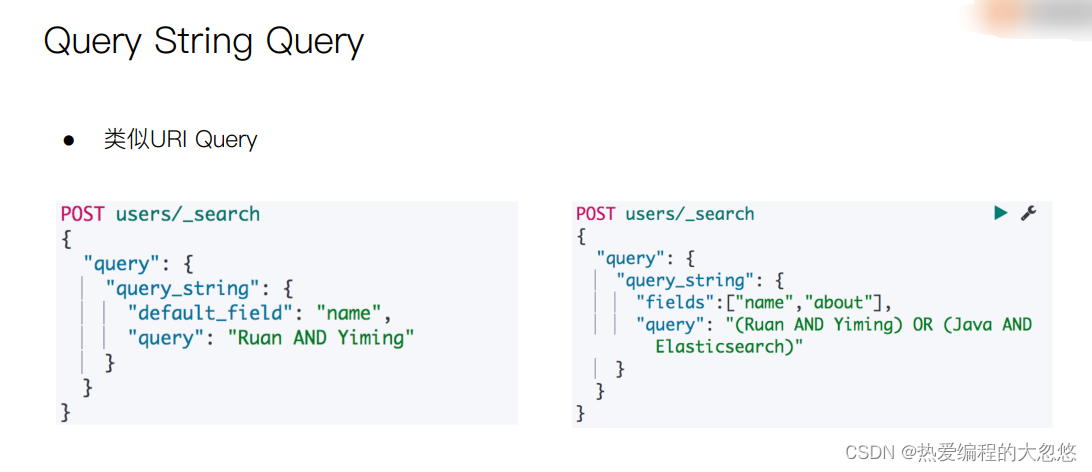
甄选 品味 被ik_max_word分词器拆分后会得到两个单词甄选和品味,match_phrase要求两个单词前后顺序保持一致,slop允许两个短语之间插入一个字符:
post /products/_search
{
  "profile":true,
  "sort":[{"price":"desc"}],
  "_source":["title","price","description"],
  "query":{
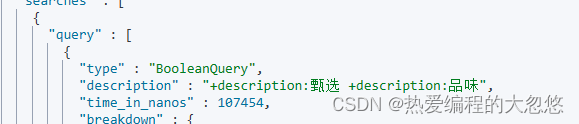
    "query_string": {
       #指定默认查询字段
       "default_field": "description",
       "query": "甄选 AND 品味"
    }
  }
}
post /products/_search
{
  "profile":true,
  "sort":[{"price":"desc"}],
  "_source":["title","price","description"],
  "query":{
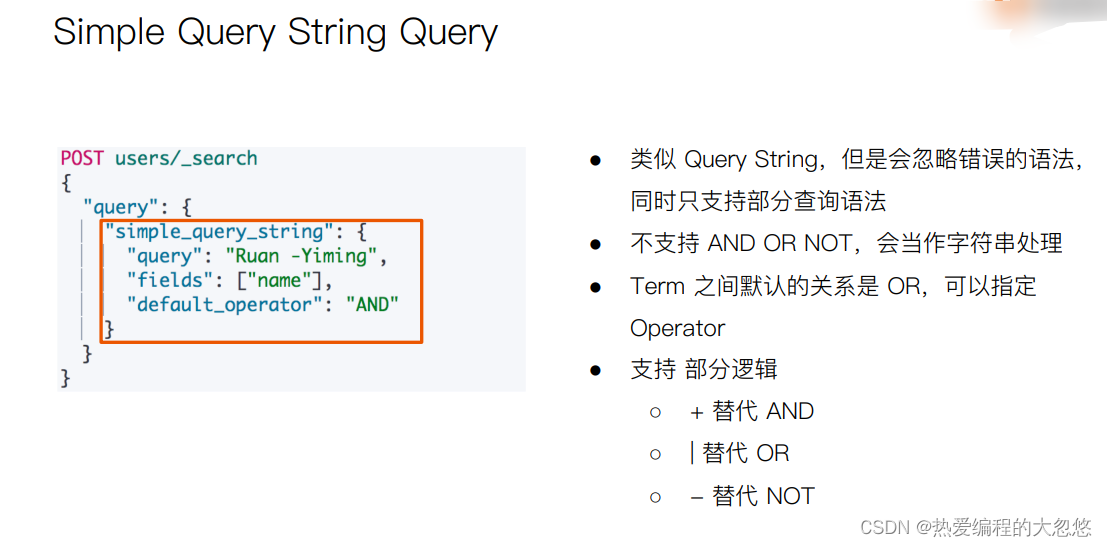
    "simple_query_string": {
       "fields": ["description"],
       "query": "甄选 AND 品味"
    }
  }
}
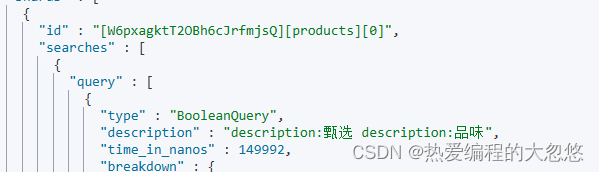
post /products/_search
{
  "profile":true,
  "sort":[{"price":"desc"}],
  "_source":["title","price","description"],
  "query":{
    "simple_query_string": {
       "fields": ["description"],
       "query": "甄选 AND 品味",
       "default_operator": "AND"
    }
  }
}
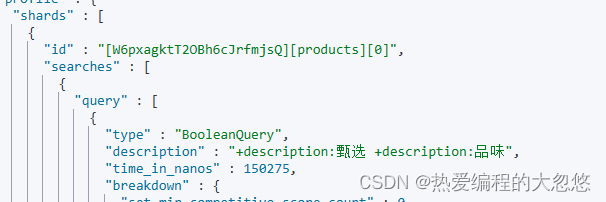
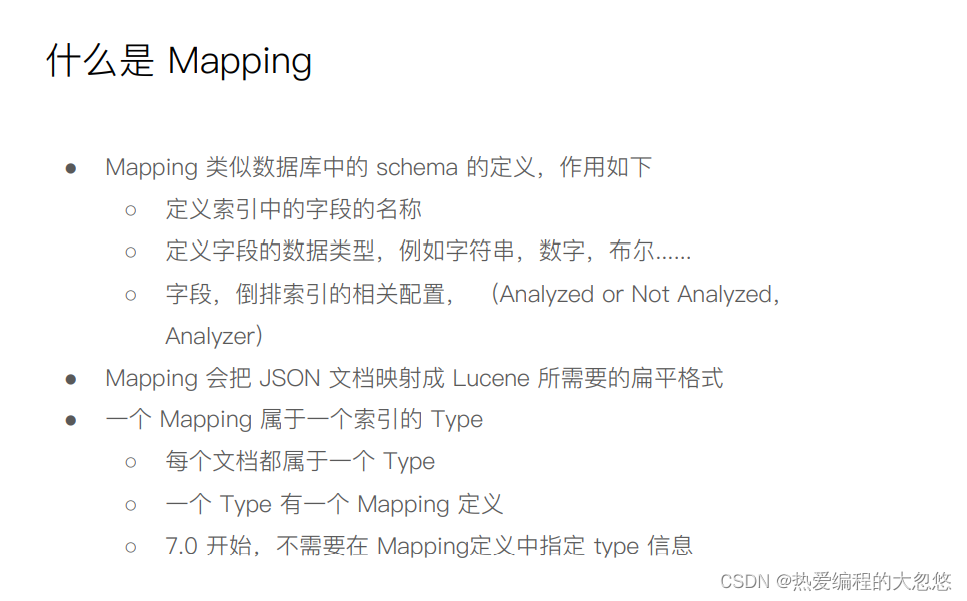
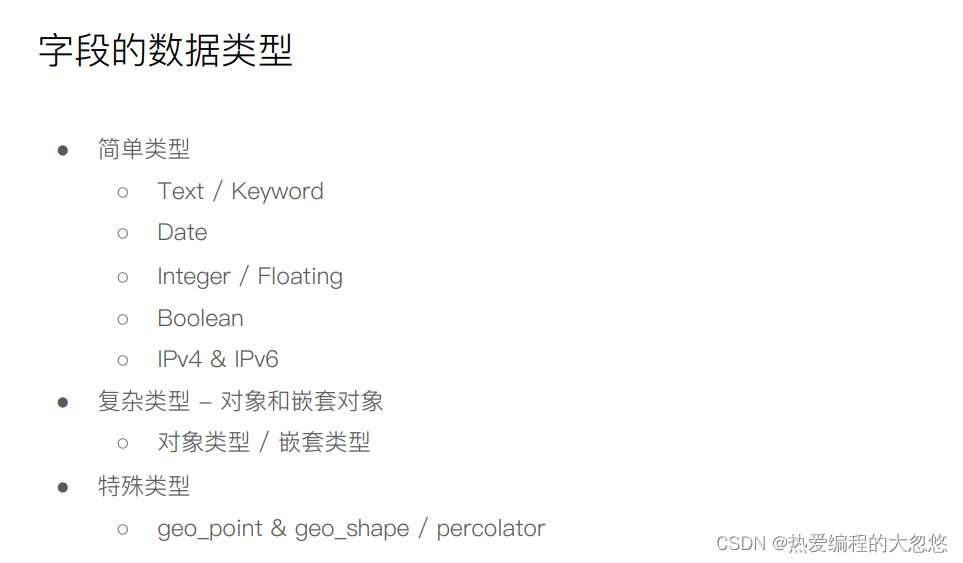
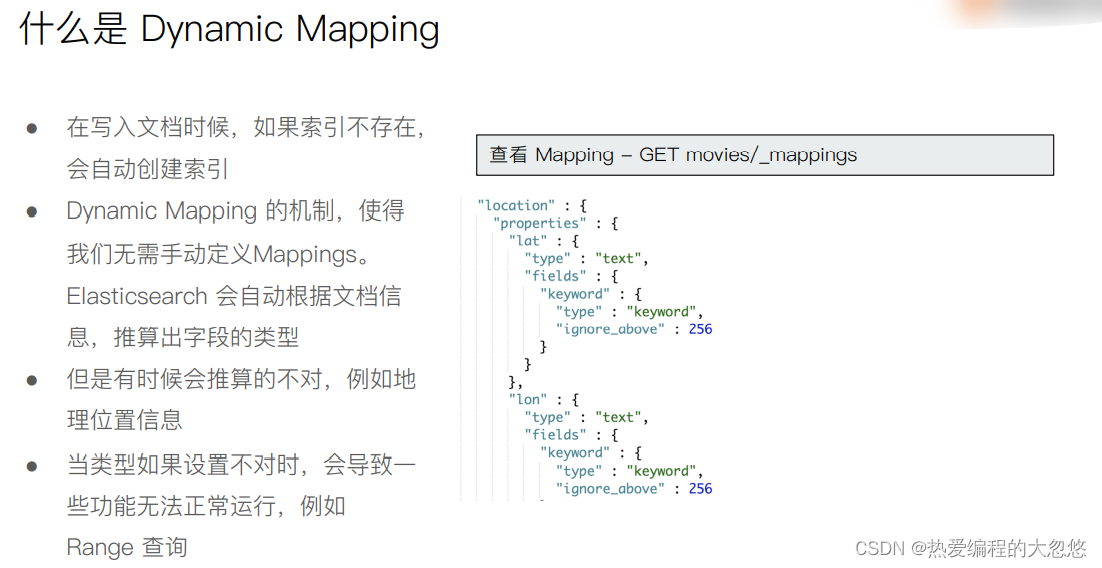
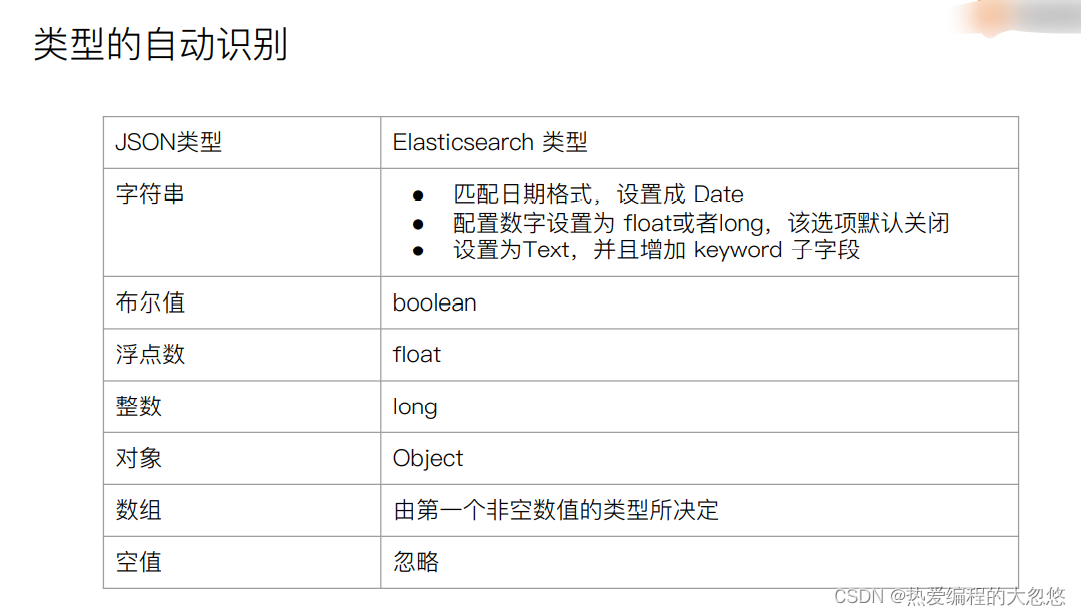
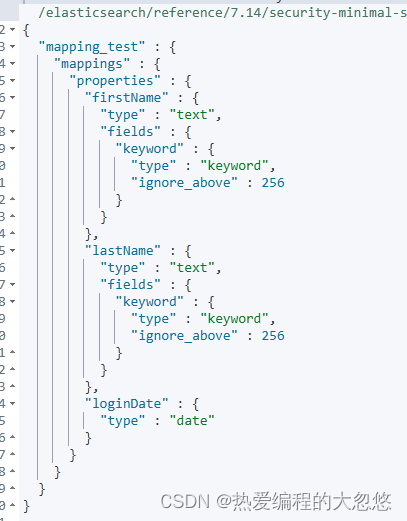
#写入文档,查看 Mapping
PUT mapping_test/_doc/1
{
  "firstName":"Chan",
  "lastName": "Jackie",
  "loginDate":"2018-07-24T10:29:48.103Z"
}

#查看 Mapping文件
GET mapping_test/_mapping
#Delete index
DELETE mapping_test

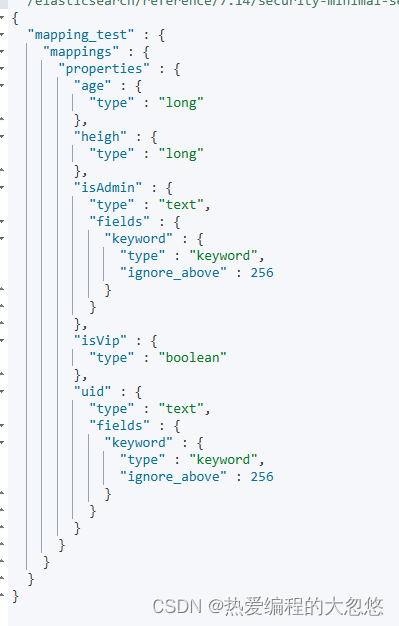
#dynamic mapping,推断字段的类型
PUT mapping_test/_doc/1
{
    "uid" : "123",
    "isVip" : false,
    "isAdmin": "true",
    "age":19,
    "heigh":180
}

#查看 Dynamic
GET mapping_test/_mapping
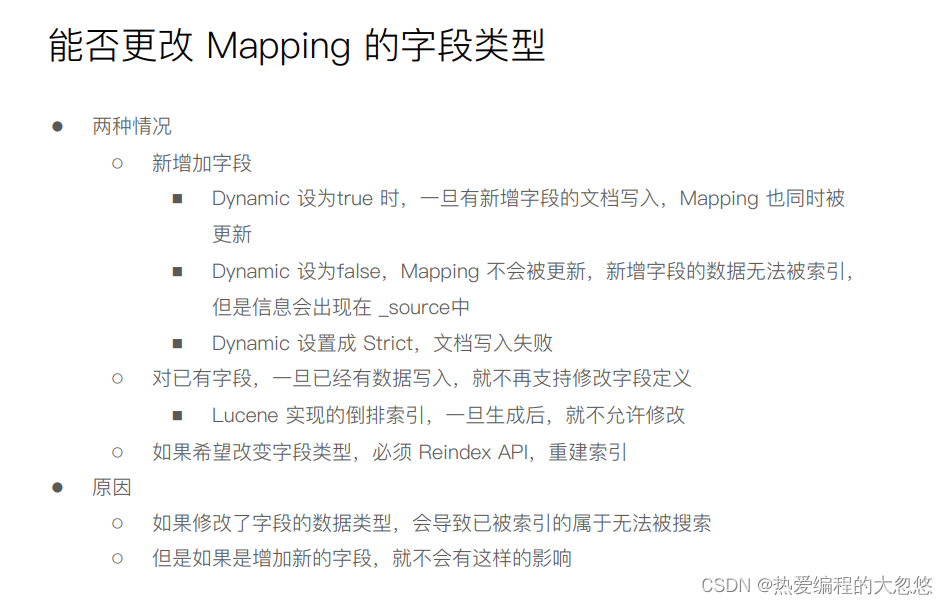
#默认Mapping支持dynamic,写入的文档中加入新的字段
PUT dynamic_mapping_test/_doc/1
{
  "newField":"someValue"
}

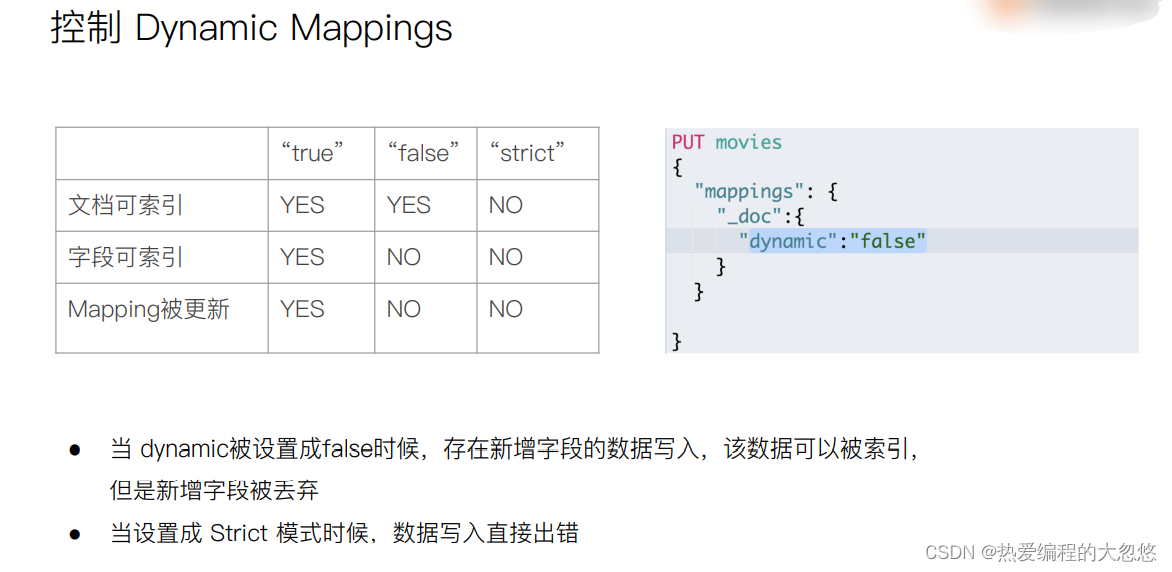
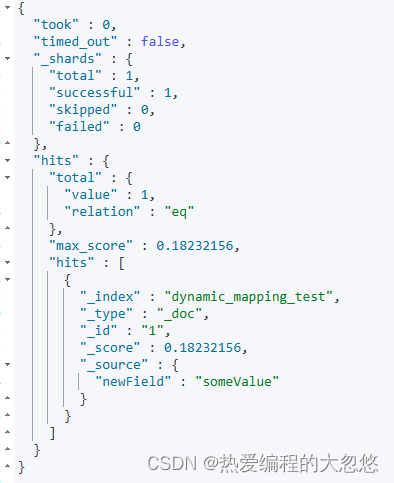
#该字段可以被搜索,数据也在_source中出现
POST dynamic_mapping_test/_search
{
  "query":{
    "match":{
      "newField":"someValue"
    }
  }
}
#修改为dynamic false
PUT dynamic_mapping_test/_mapping
{
  "dynamic": false
}

#新增 anotherField
PUT dynamic_mapping_test/_doc/10
{
  "anotherField":"someValue"
}


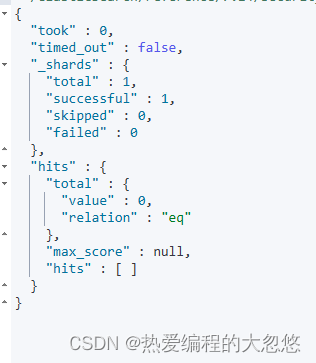
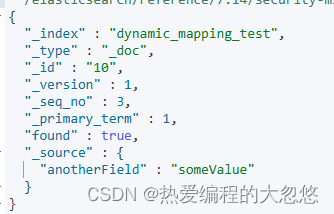
#该字段不可以被搜索,因为dynamic已经被设置为false
POST dynamic_mapping_test/_search
{
  "query":{
    "match":{
      "anotherField":"someValue"
    }
  }
}

get dynamic_mapping_test/_doc/10
#修改为strict
PUT dynamic_mapping_test/_mapping
{
  "dynamic": "strict"
}


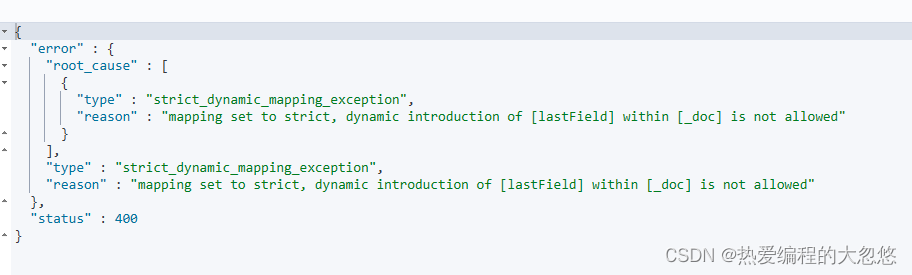
#写入数据出错,HTTP Code 400
PUT dynamic_mapping_test/_doc/12
{
  "lastField":"value"
}

DELETE dynamic_mapping_test
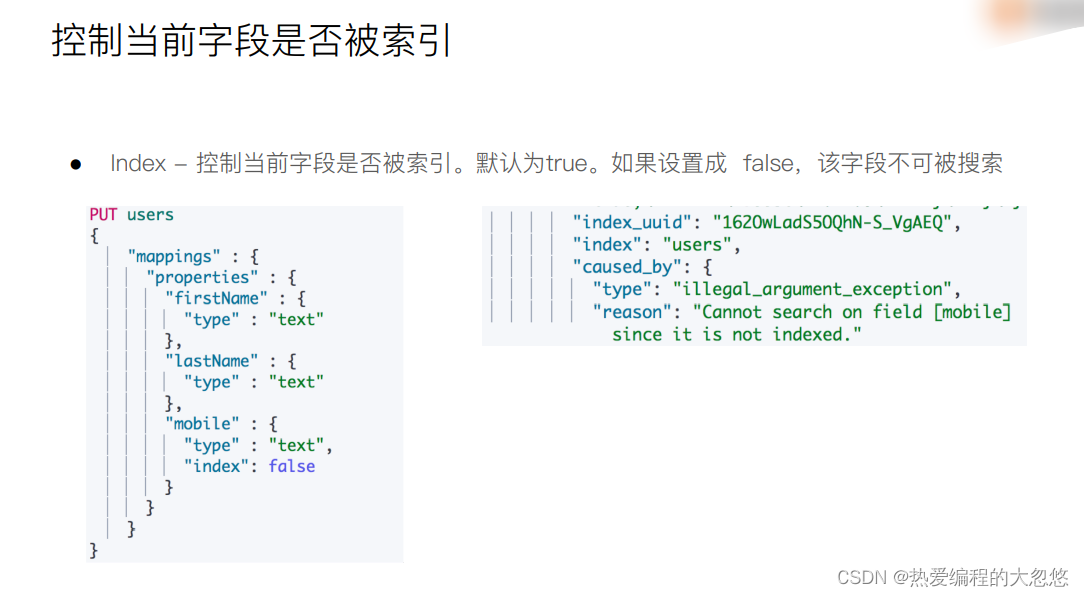
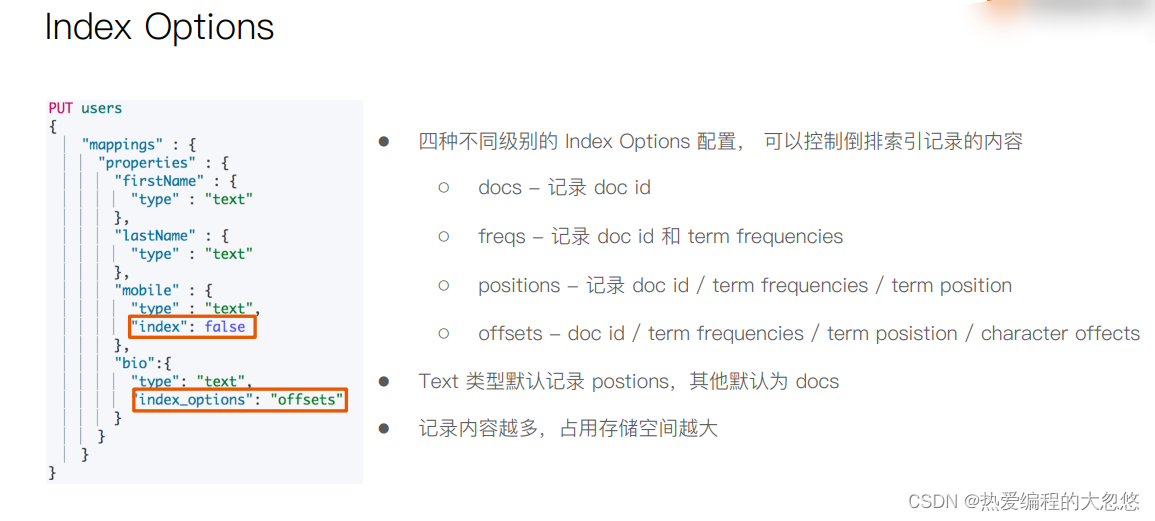
#设置 index 为 false
DELETE users

PUT users
{
    "mappings" : {
      "properties" : {
        "firstName" : {
          "type" : "text"
        },
        "lastName" : {
          "type" : "text"
        },
        "mobile" : {
          "type" : "text",
          "index": false
        }
      }
    }
}

PUT users/_doc/1
{
  "firstName":"Ruan",
  "lastName": "Yiming",
  "mobile": "12345678"
}

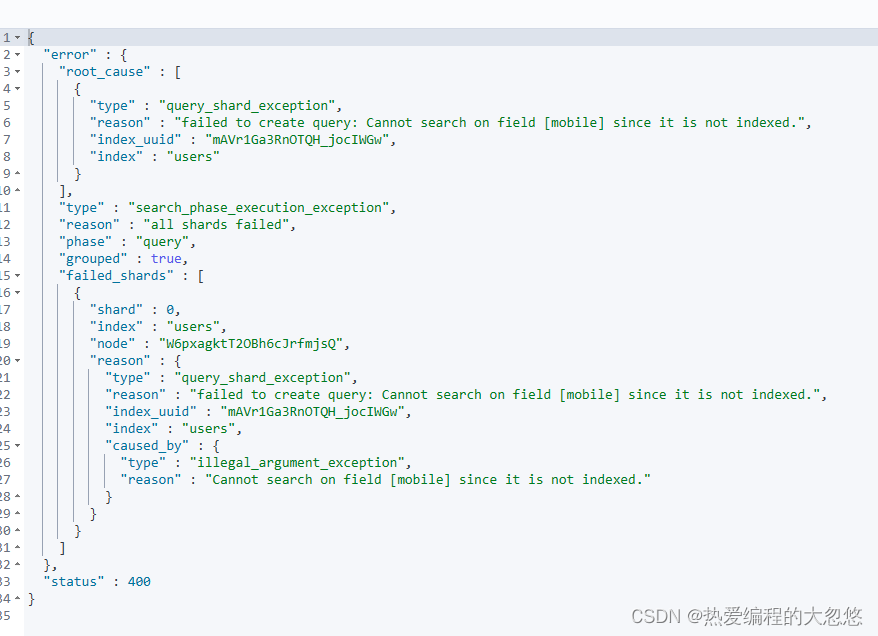
POST /users/_search
{
  "query": {
    "match": {
      "mobile":"12345678"
    }
  }
}
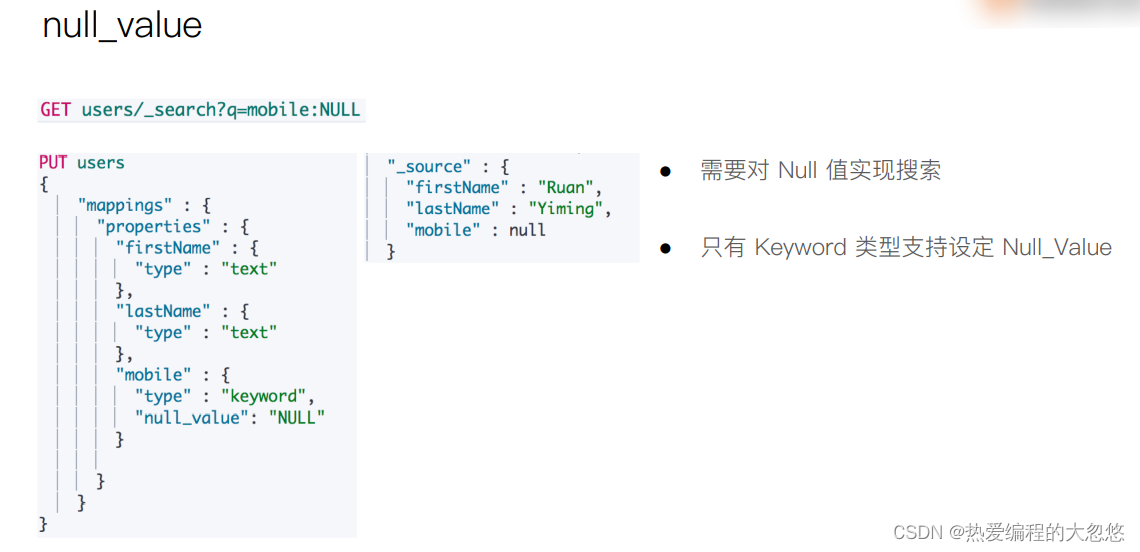
#设定Null_value

DELETE users
PUT users
{
    "mappings" : {
      "properties" : {
        "firstName" : {
          "type" : "text"
        },
        "lastName" : {
          "type" : "text"
        },
        "mobile" : {
          "type" : "keyword",
          "null_value": "NULL"
        }

      }
    }
}

PUT users/_doc/1
{
  "firstName":"Ruan",
  "lastName": "Yiming",
  "mobile": null
}


PUT users/_doc/2
{
  "firstName":"Ruan2",
  "lastName": "Yiming2"

}

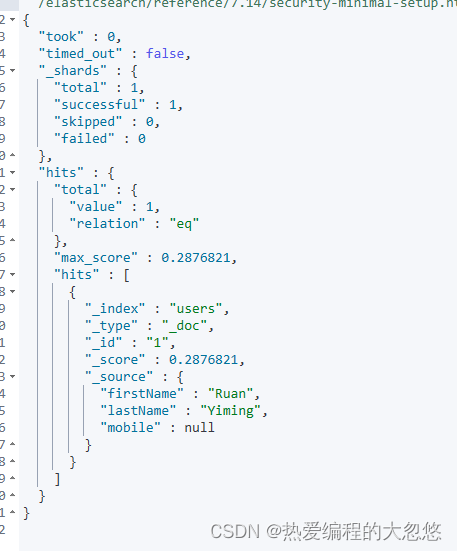
GET users/_search
{
  "query": {
    "match": {
      "mobile":"NULL"
    }
  }

}
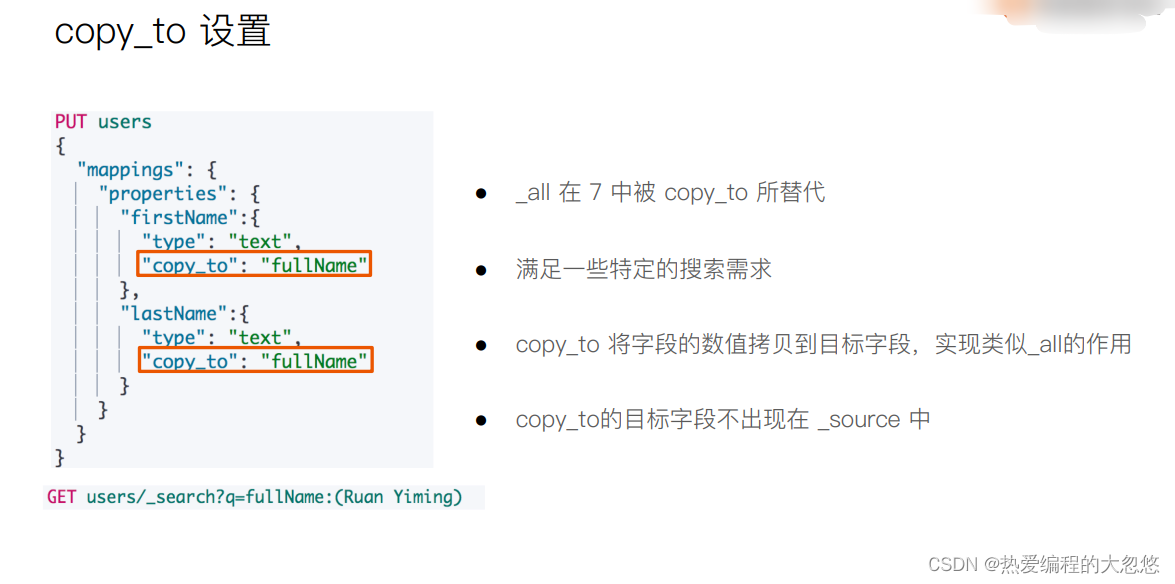
#设置 Copy to
DELETE users
PUT users
{
  "mappings": {
    "properties": {
      "firstName":{
        "type": "text",
        "copy_to": "fullName"
      },
      "lastName":{
        "type": "text",
        "copy_to": "fullName"
      }
    }
  }
}
PUT users/_doc/1
{
  "firstName":"Ruan",
  "lastName": "Yiming"
}

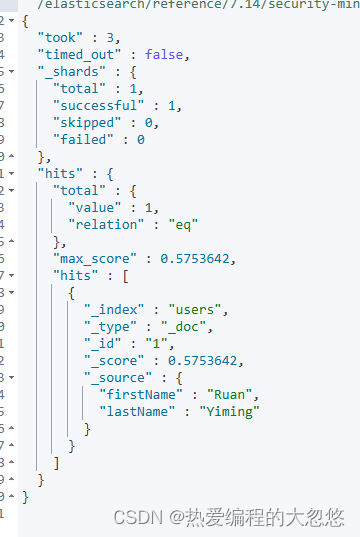
GET users/_search?q=fullName:(Ruan Yiming)

POST users/_search
{
  "query": {
    "match": {
       "fullName":{
        "query": "Ruan Yiming",
        "operator": "and"
      }
    }
  }
}
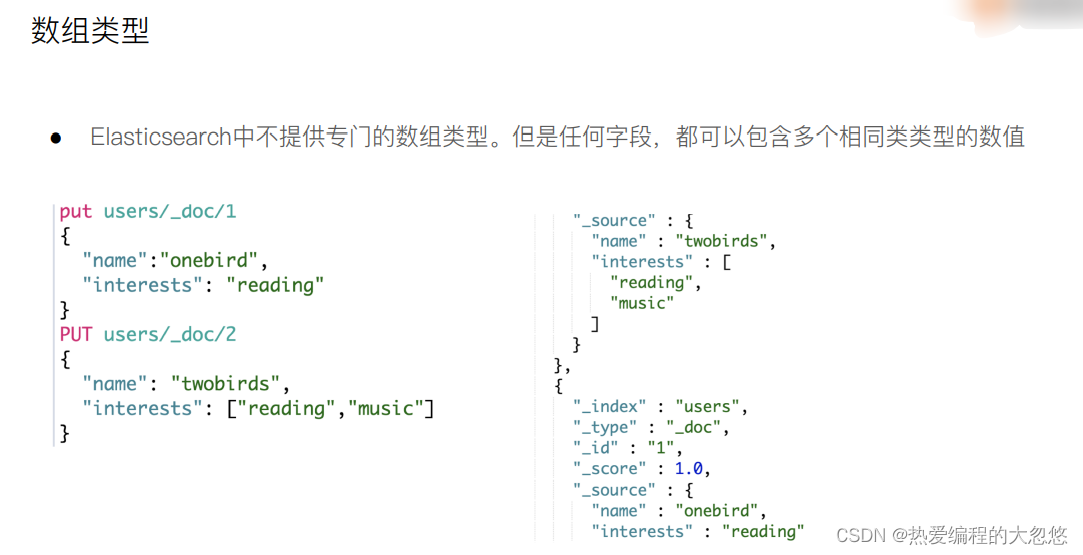
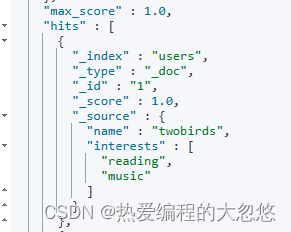
#数组类型
PUT users/_doc/1
{
  "name":"onebird",
  "interests":"reading"
}

PUT users/_doc/1
{
  "name":"twobirds",
  "interests":["reading","music"]
}

POST users/_search
{
  "query": {
		"match_all": {}
	}
}

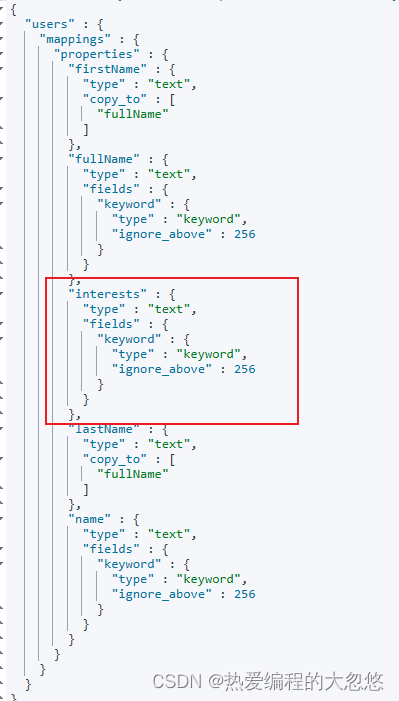
GET users/_mapping
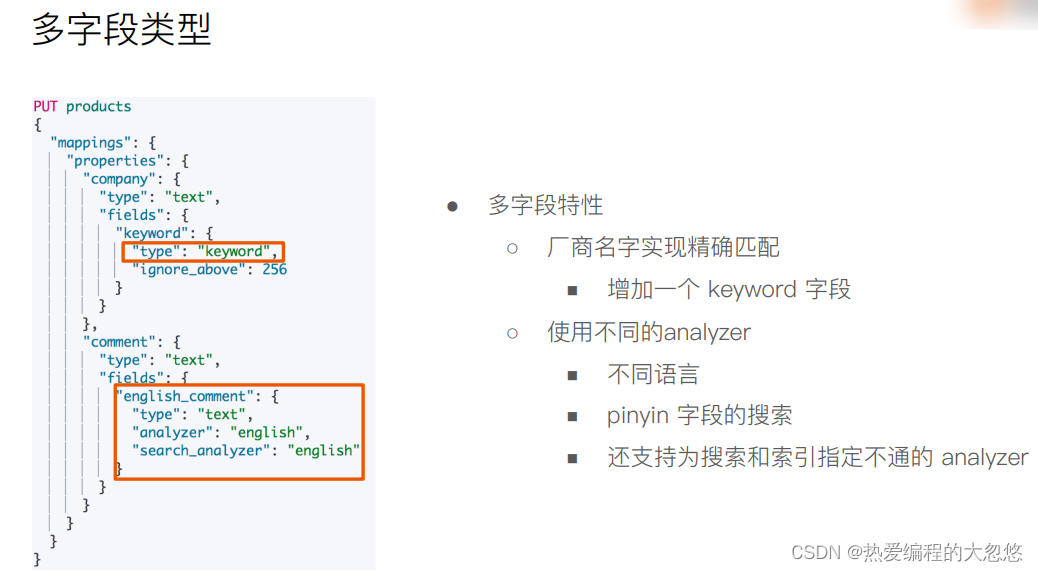
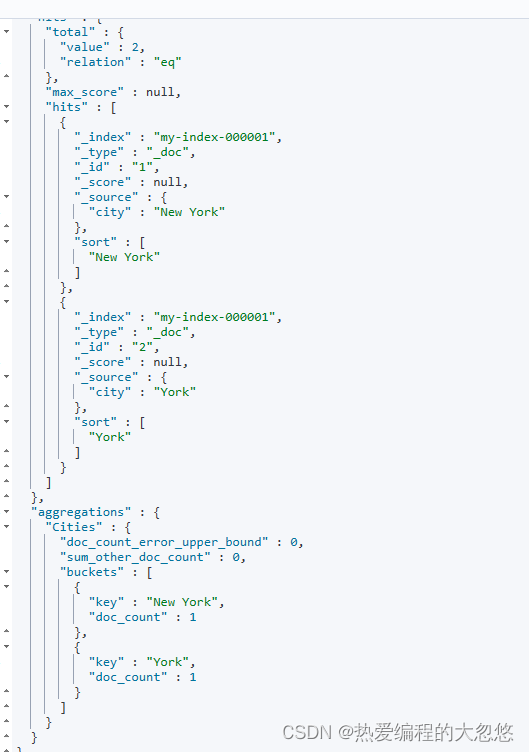
多字段作用通常有如下几个:
PUT my-index-000001
{
  "mappings": {
    "properties": {
      "city": {
        "type": "text",
        "fields": {
          "raw": {
            "type":  "keyword"
          }
        }
      }
    }
  }
}

PUT my-index-000001/_doc/1
{
  "city": "New York"
}

PUT my-index-000001/_doc/2
{
  "city": "York"
}

GET my-index-000001/_search
{
  "query": {
    "match": {
      "city": "york"
    }
  },
  "sort": {
    "city.raw": "asc"
  },
  "aggs": {
    "Cities": {
      "terms": {
        "field": "city.raw"
      }
    }
  }
}
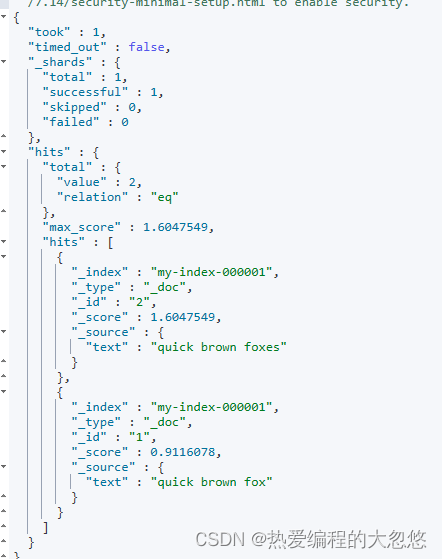
DELETE m
PUT my-index-000001
{
  "mappings": {
    "properties": {
      "text": {
        "type": "text",
        "fields": {
          "english": {
            "type":     "text",
            "analyzer": "english"
          }
        }
      }
    }
  }
}

PUT my-index-000001/_doc/1
{ "text": "quick brown fox" }

PUT my-index-000001/_doc/2
{ "text": "quick brown foxes" }

GET my-index-000001/_search
{
  "query": {
    "multi_match": {
      "query": "quick brown foxes",
      "fields": [
        "text",
        "text.english"
      ],
      "type": "most_fields"
    }
  }
}
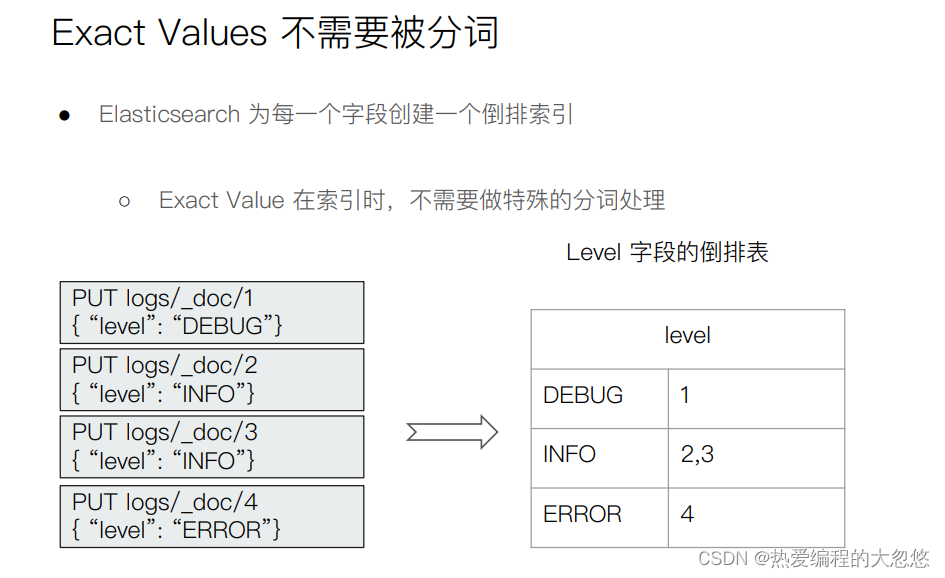
PUT logs/_doc/1
{"level":"DEBUG"}

GET /logs/_mapping

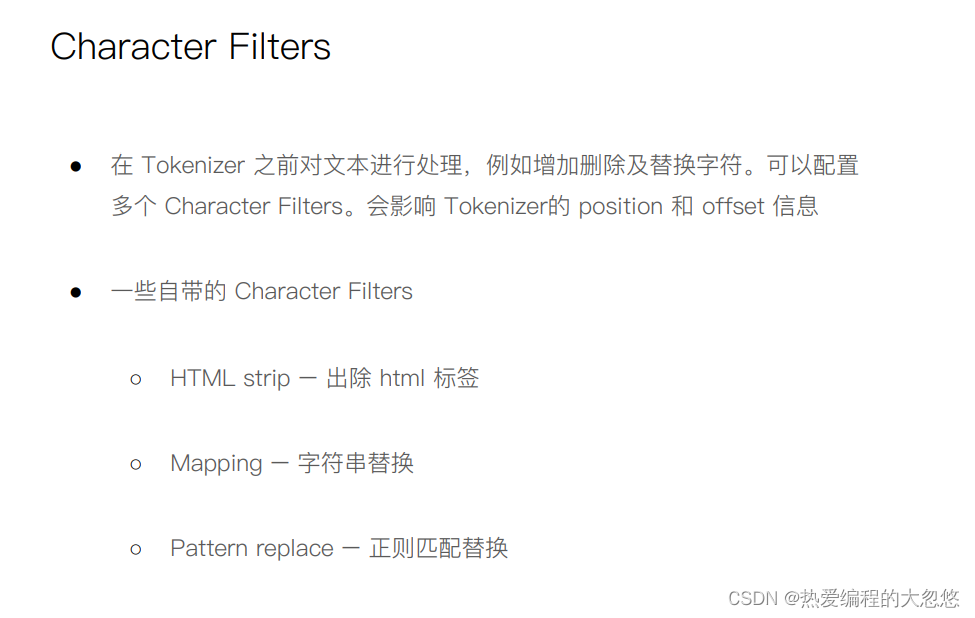
POST _analyze
{
  "tokenizer":"keyword",
  "char_filter":["html_strip"],
  "text": "<b>hello world</b>"
}
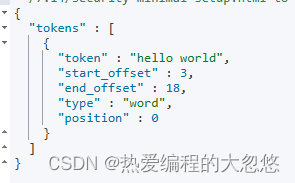
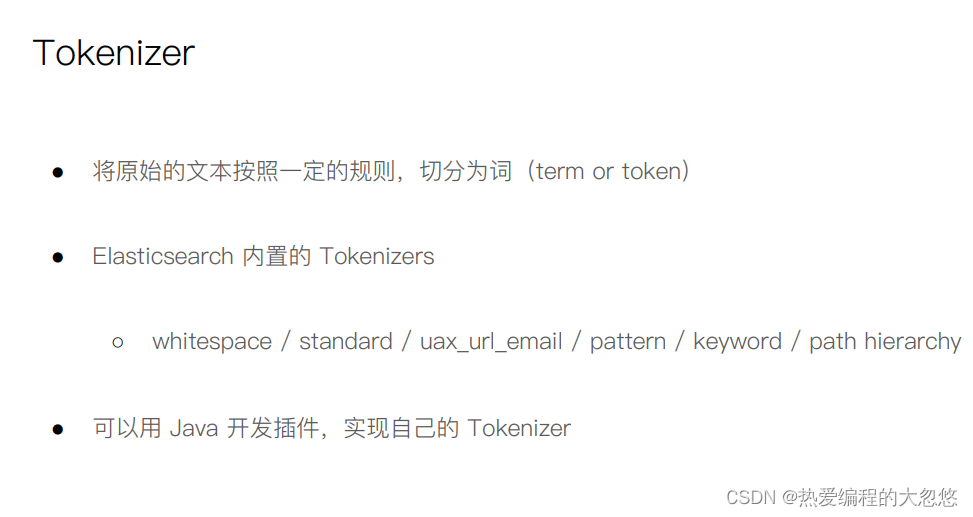
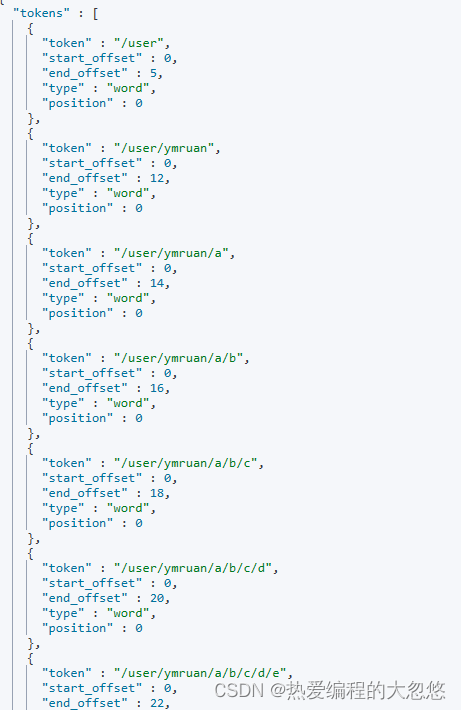
POST _analyze
{
  "tokenizer":"path_hierarchy",
  "text":"/user/ymruan/a/b/c/d/e"
}
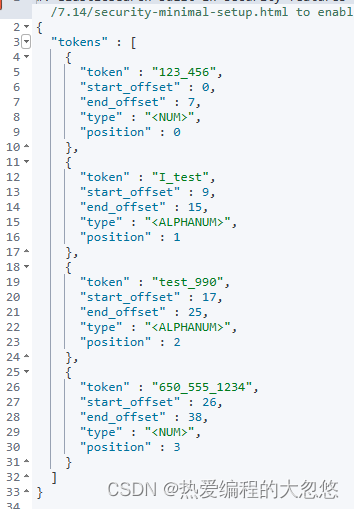
#使用char filter进行替换
POST _analyze
{
  "tokenizer": "standard",
  "char_filter": [
      {
        "type" : "mapping",
        "mappings" : [ "- => _"]
      }
    ],
  "text": "123-456, I-test! test-990 650-555-1234"
}
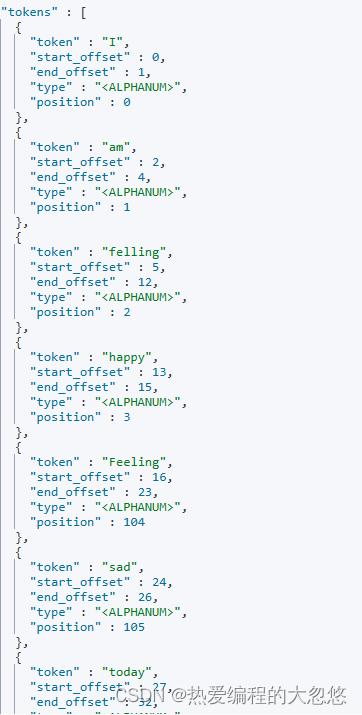
//char filter 替换表情符号
POST _analyze
{
  "tokenizer": "standard",
  "char_filter": [
      {
        "type" : "mapping",
        "mappings" : [ ":) => happy", ":( => sad"]
      }
    ],
    "text": ["I am felling :)", "Feeling :( today"]
}
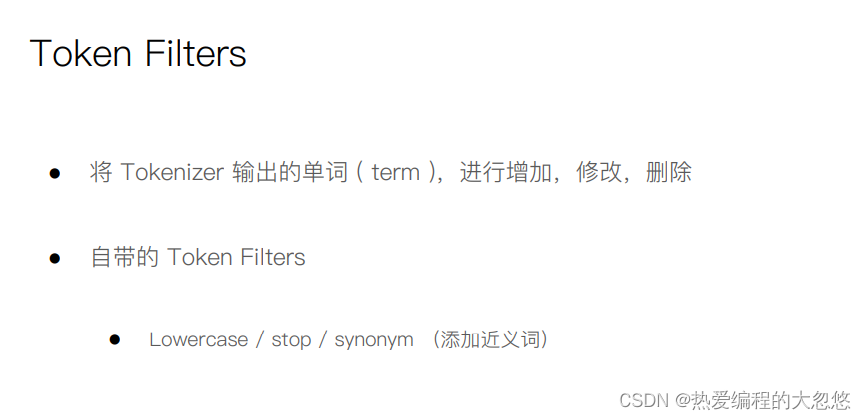
// white space and snowball
GET _analyze
{
  "tokenizer": "whitespace",
  "filter": ["stop","snowball"],
  "text": ["The gilrs in China are playing this game!"]
}
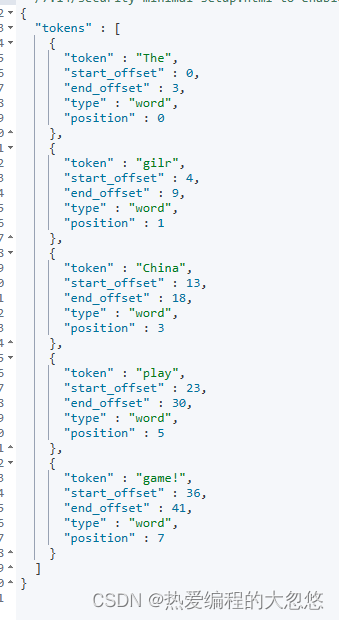
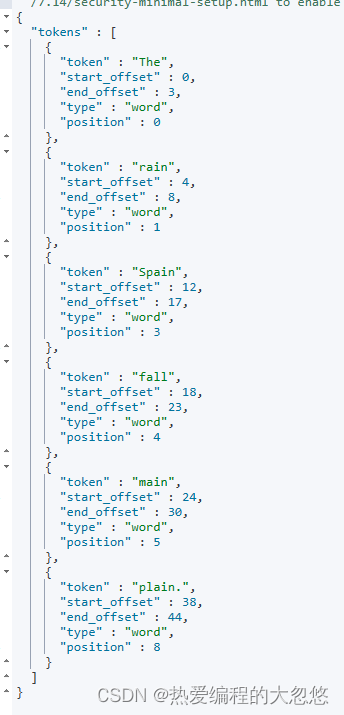
// whitespace与stop
GET _analyze
{
  "tokenizer": "whitespace",
  "filter": ["stop","snowball"],
  "text": ["The rain in Spain falls mainly on the plain."]
}
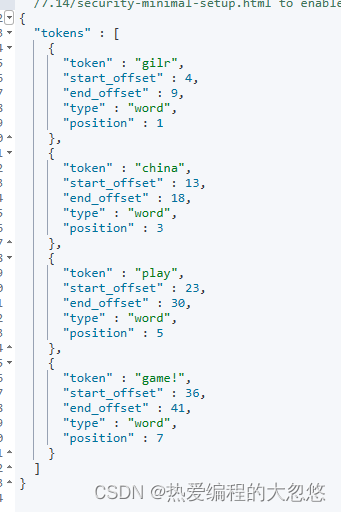
//remove 加入lowercase后,The被当成 stopword删除
GET _analyze
{
  "tokenizer": "whitespace",
  "filter": ["lowercase","stop","snowball"],
  "text": ["The gilrs in China are playing this game!"]
}
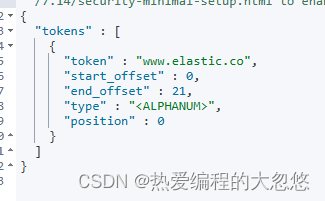
//正则表达式
GET _analyze
{
  "tokenizer": "standard",
  "char_filter": [
      {
        "type" : "pattern_replace",
        "pattern" : "http://(.*)",
        "replacement" : "$1"
      }
    ],
    "text" : "http://www.elastic.co"
}
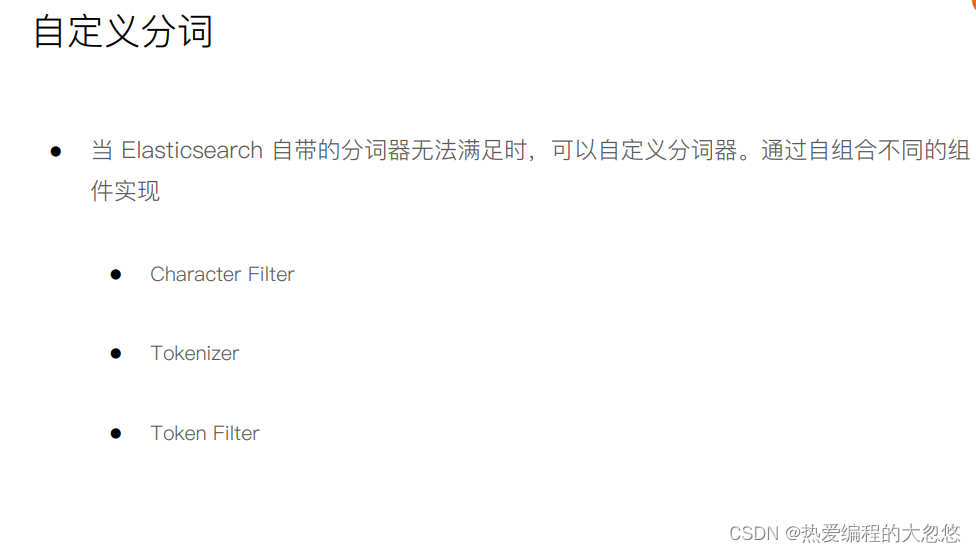
自定义分词器:
PUT /my_index
{
    "settings": {
        "analysis": {
            "char_filter": { ... custom character filters ... },//字符过滤器
            "tokenizer":   { ...    custom tokenizers     ... },//分词器
            "filter":      { ...   custom token filters   ... },  //词单元过滤器
            "analyzer":    { ...    custom analyzers      ... }
        }
    }
}
============================实例===========================
PUT /my_index
{
    "settings": {
        "analysis": {
            "char_filter": {
                "&_to_and": {
                    "type":       "mapping",
                    "mappings": [ "&=> and "]
            }},
            "filter": {
                "my_stopwords": {
                    "type":       "stop",
                    "stopwords": [ "the", "a" ]
            }},
            "analyzer": {
                "my_analyzer": {
                    "type":         "custom",
                    "char_filter":  [ "html_strip", "&_to_and" ],
                    "tokenizer":    "standard",
                    "filter":       [ "lowercase", "my_stopwords" ]
            }}
}}}


============================实例===========================
比如自定义好的analyzer名字是my_analyzer,在此索引下的某个新增字段应用此分析器
PUT /my_index/_mapping
{
   "properties":{
        "username":{
             "type":"text",
              "analyzer" : "my_analyzer"
         },
        "password" : {
          "type" : "text"
        }

  }
}
=================插入数据====================
PUT /my_index/_doc/1
{
  "username":"The quick & brown fox ",
   "password":"The quick & brown fox "


}
====username采用自定义分析器my_analyzer,password采用默认的standard分析器==
===验证
GET /index_v1/_analyze
{
  "field":"username",
  "text":"The quick & brown fox"
}

GET /index_v1/_analyze
{
  "field":"password",
  "text":"The quick & brown fox"
}
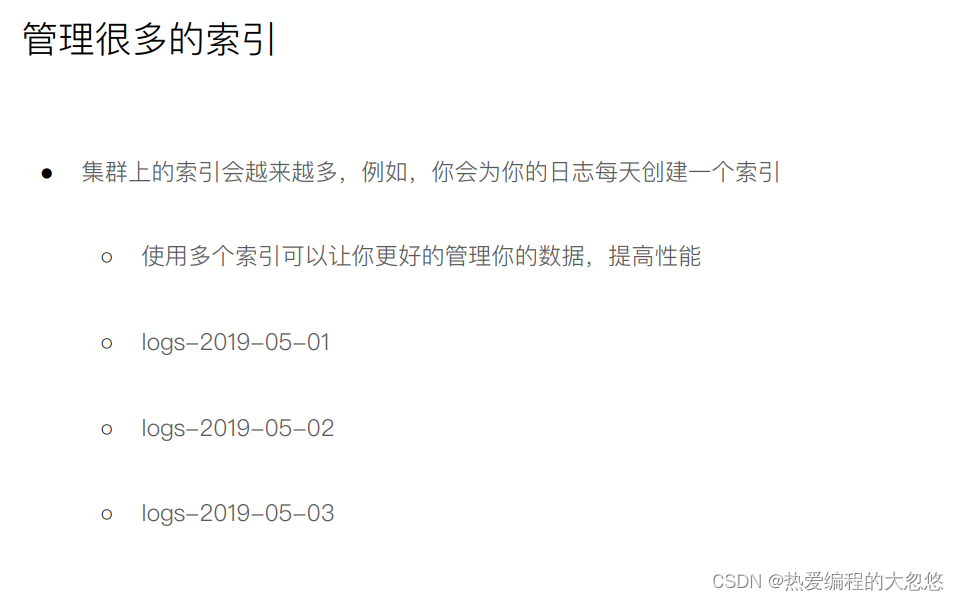
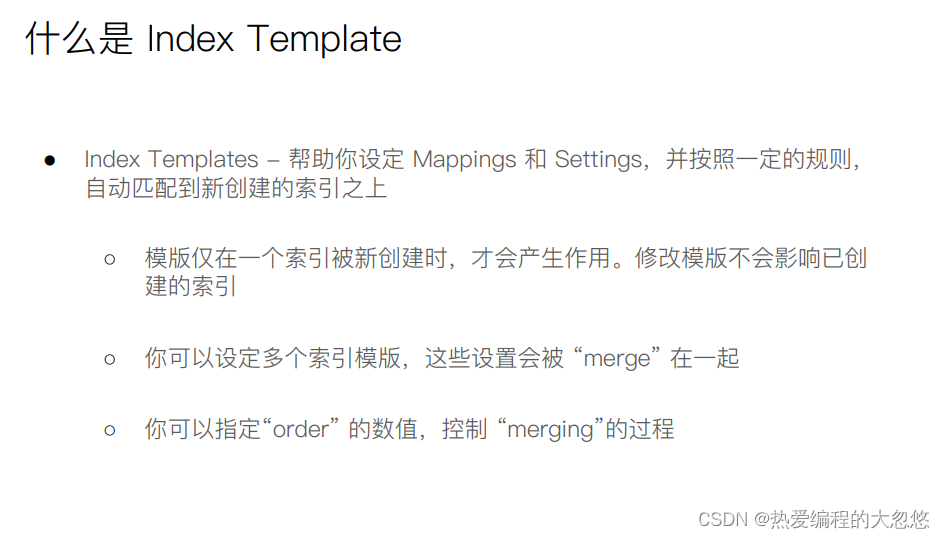
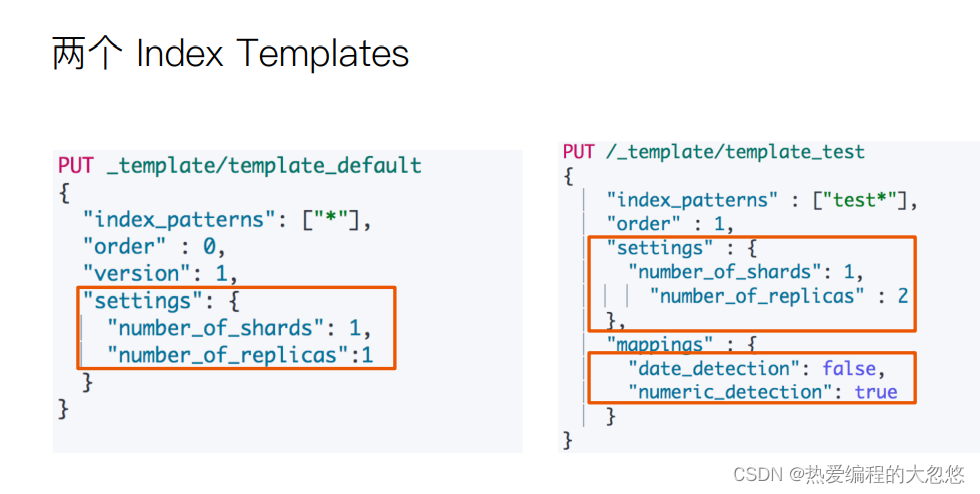
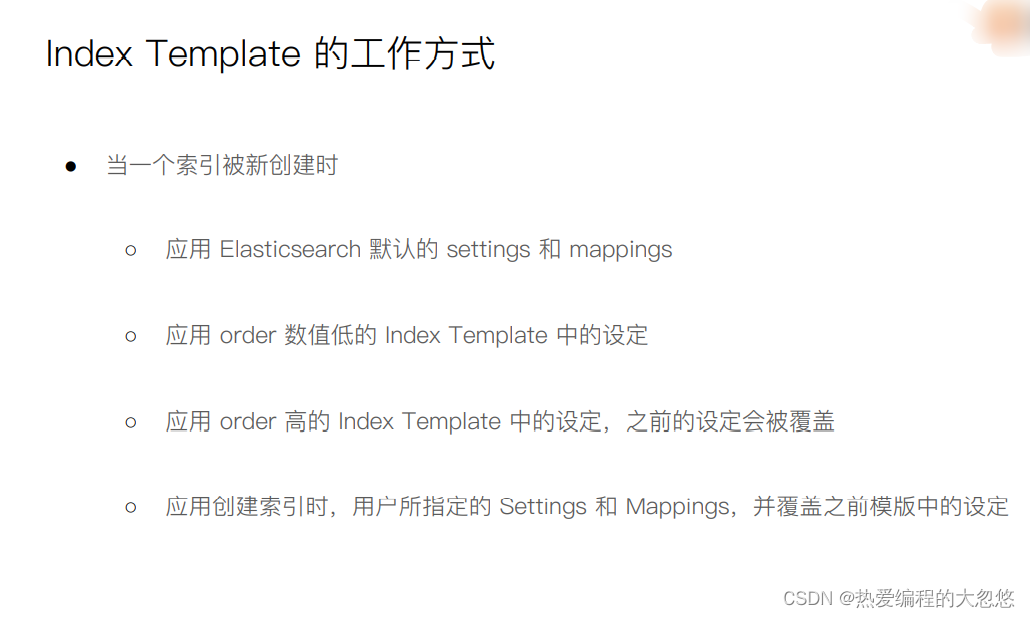
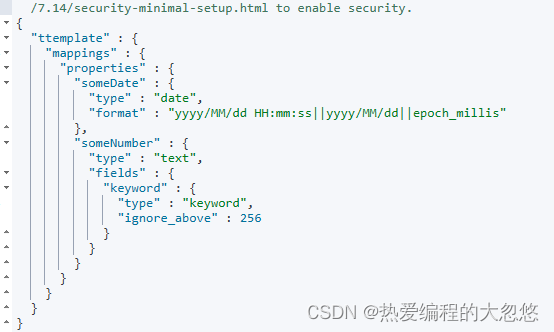
#数字字符串被映射成text,日期字符串被映射成日期
PUT ttemplate/_doc/1
{
	"someNumber":"1",
	"someDate":"2019/01/01"
}
GET ttemplate/_mapping
#Create a default template
PUT _template/template_default
{
  #应用到哪些索引上
  "index_patterns": ["*"],
  "order" : 0,
  "version": 1,
  "settings": {
    "number_of_shards": 1,
    "number_of_replicas":1
  }
}


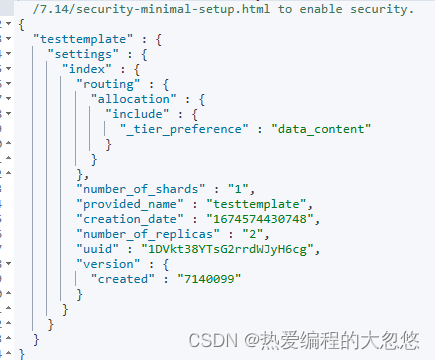
PUT /_template/template_test
{
    "index_patterns" : ["test*"],
    "order" : 1,
    "settings" : {
    	"number_of_shards": 1,
        "number_of_replicas" : 2
    },
    "mappings" : {
         #关闭符合日期格式字符串到日期类型的自动转换
    	"date_detection": false,
    	#开启对数值类型的字符串的探测
    	"numeric_detection": true
    }
}

#查看template信息
GET /_template/template_default
GET /_template/temp*
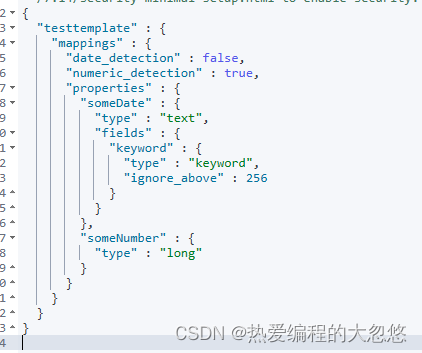
#写入新的数据,index以test开头
PUT testtemplate/_doc/1
{
	"someNumber":"1",
	"someDate":"2019/01/01"
}
GET testtemplate/_mapping
get testtemplate/_settings
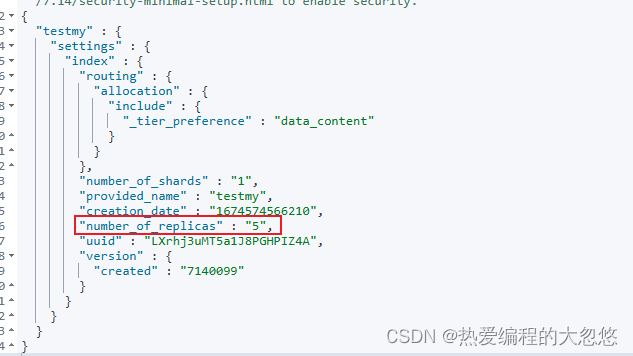
PUT testmy
{
	"settings":{
		"number_of_replicas":5
	}
}

put testmy/_doc/1
{
  "key":"value"
}

get testmy/_settings
DELETE testmy
DELETE /_template/template_default
DELETE /_template/template_test
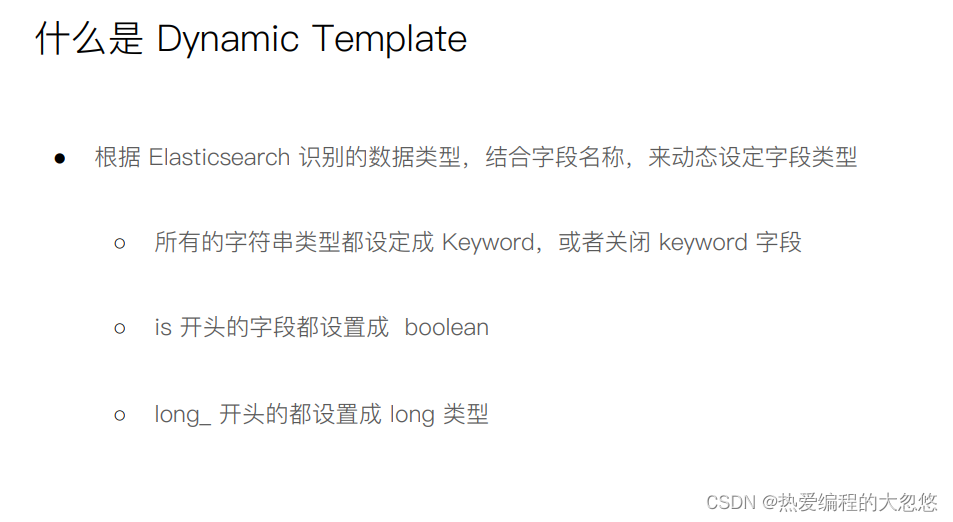
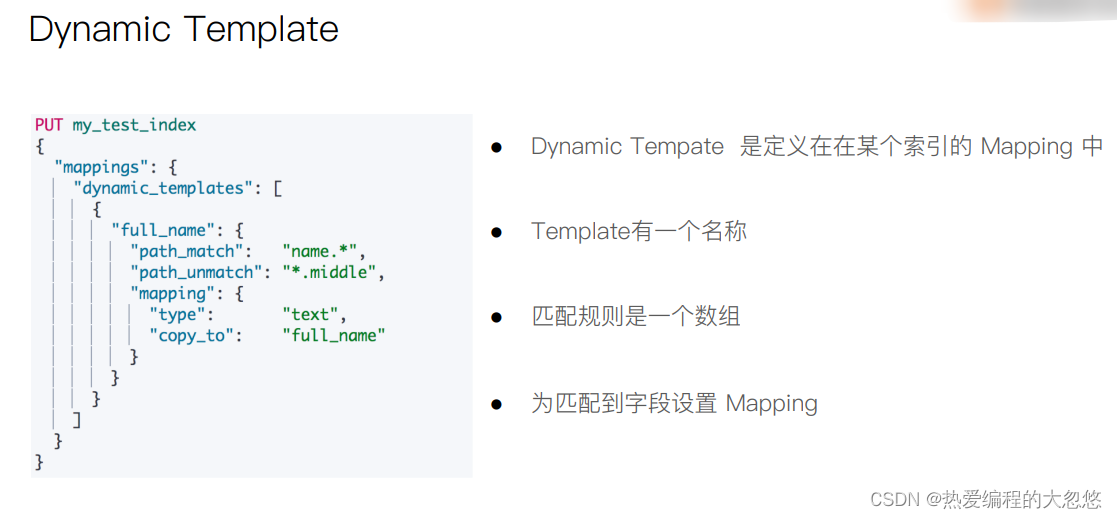
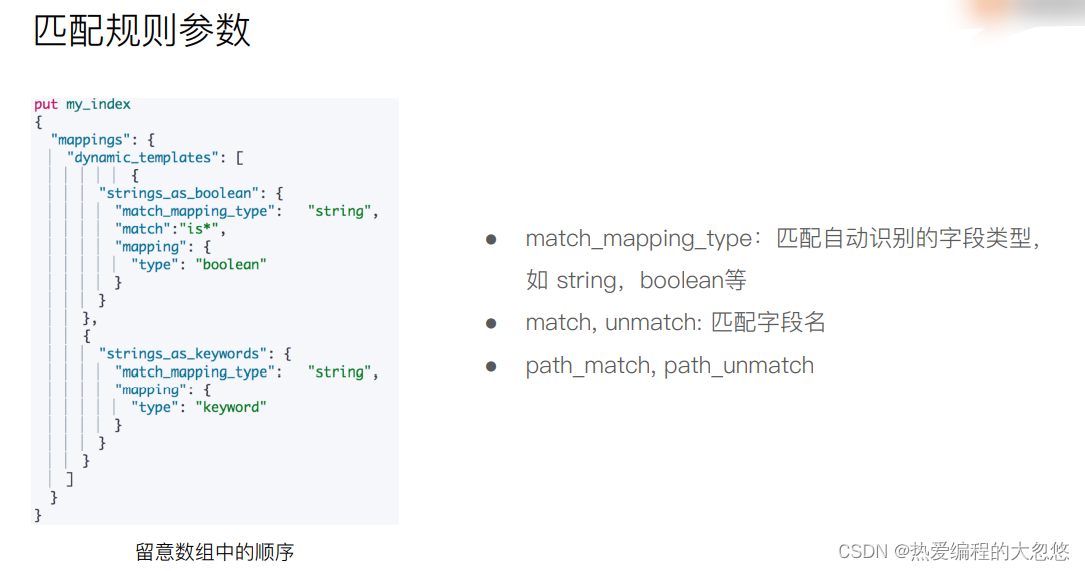
#Dynaminc Mapping 根据类型和字段名
DELETE my_index

PUT my_index/_doc/1
{
  "firstName":"Ruan",
  "isVIP":"true"
}

GET my_index/_mapping
DELETE my_index
PUT my_index
{
  "mappings": {
    "dynamic_templates": [
            {
        "strings_as_boolean": {
          "match_mapping_type":   "string",
          "match":"is*",
          "mapping": {
            "type": "boolean"
          }
        }
      },
      {
        "strings_as_keywords": {
          "match_mapping_type":   "string",
          "mapping": {
            "type": "keyword"
          }
        }
      }
    ]
  }
}
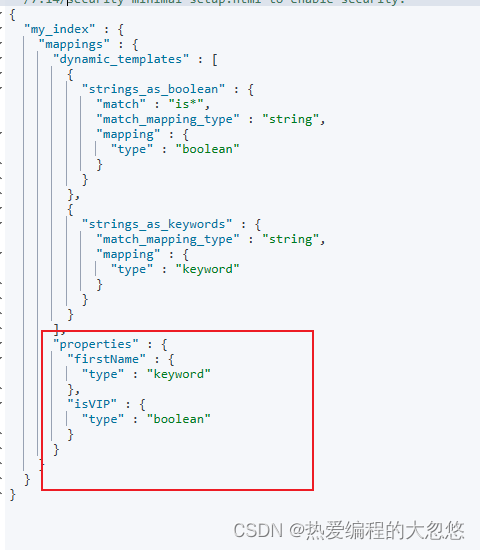
DELETE my_index
#结合路径
PUT my_index
{
  "mappings": {
    "dynamic_templates": [
      {
        "full_name": {
          "path_match":   "name.*",
          "path_unmatch": "*.middle",
          "mapping": {
            "type":       "text",
            "copy_to":    "full_name"
          }
        }
      }
    ]
  }
}


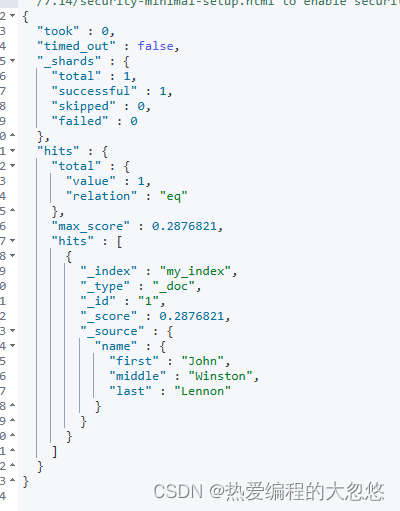
PUT my_index/_doc/1
{
  "name": {
    "first":  "John",
    "middle": "Winston",
    "last":   "Lennon"
  }
}

GET my_index/_search?q=full_name:Lennon
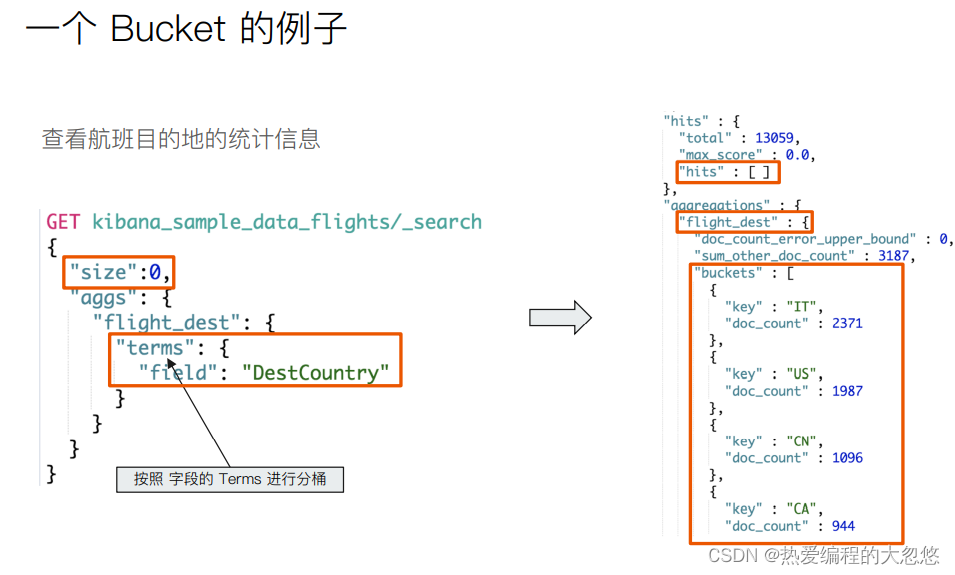
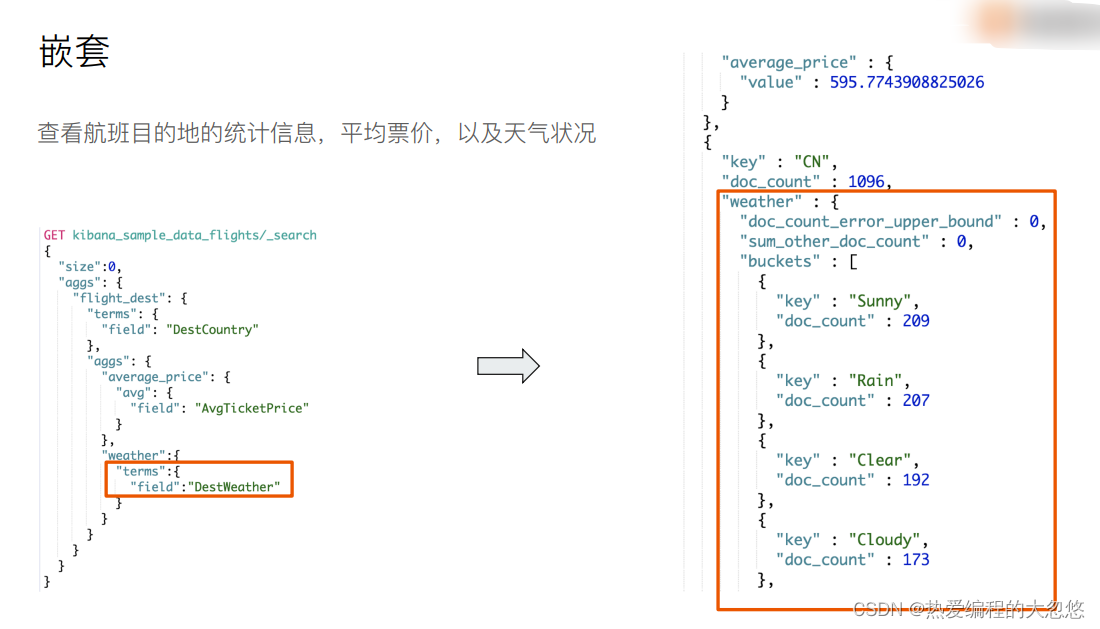
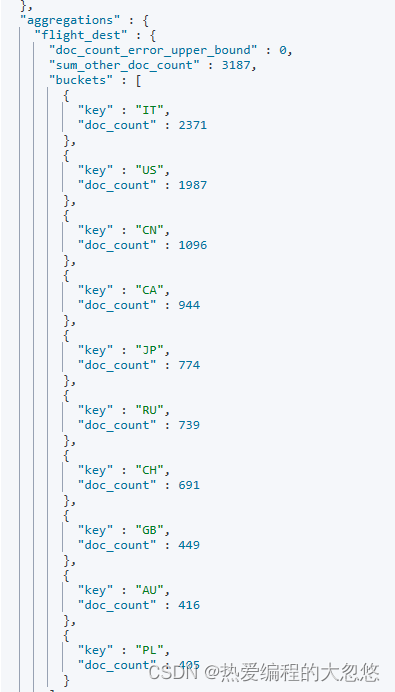
#按照目的地进行分桶统计
GET kibana_sample_data_flights/_search
{
	"size": 0,
	"aggs":{
		"flight_dest":{
			"terms":{
				"field":"DestCountry"
			}
		}
	}
}
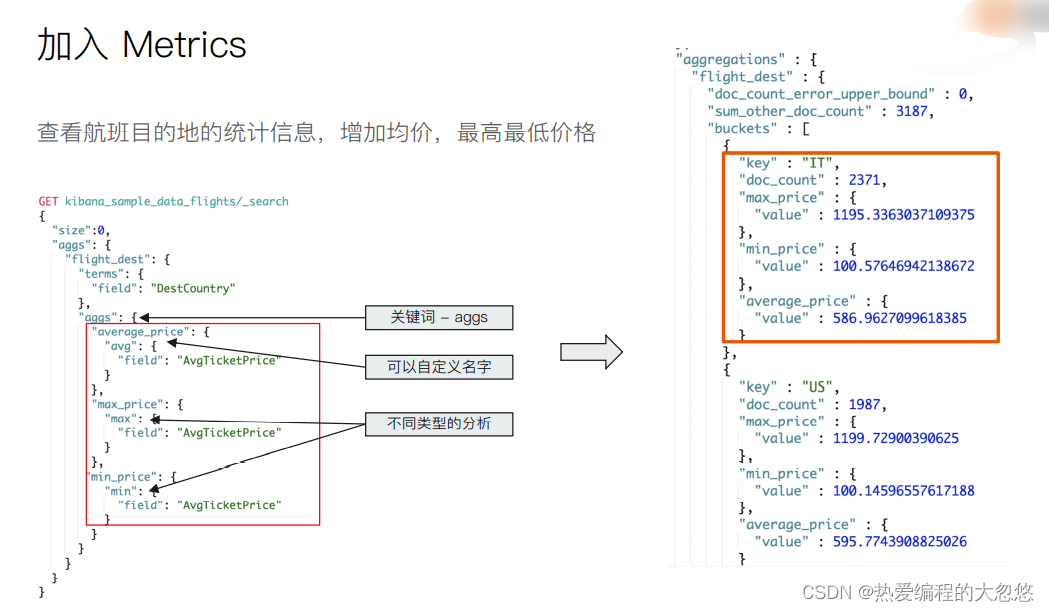
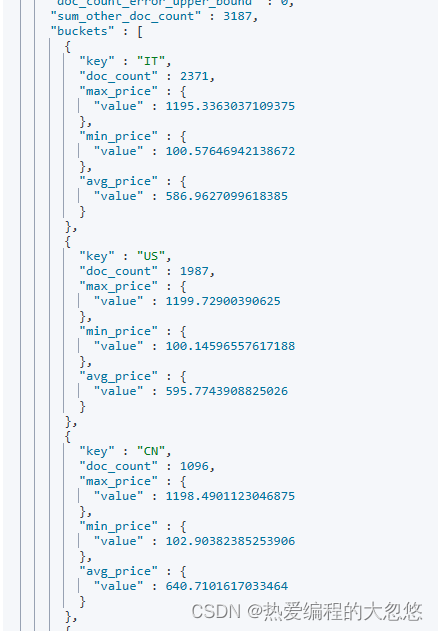
#查看航班目的地的统计信息,增加平均,最高最低价格
GET kibana_sample_data_flights/_search
{
	"size": 0,
	"aggs":{
		"flight_dest":{
			"terms":{
				"field":"DestCountry"
			},
			"aggs":{
				"avg_price":{
					"avg":{
						"field":"AvgTicketPrice"
					}
				},
				"max_price":{
					"max":{
						"field":"AvgTicketPrice"
					}
				},
				"min_price":{
					"min":{
						"field":"AvgTicketPrice"
					}
				}
			}
		}
	}
}
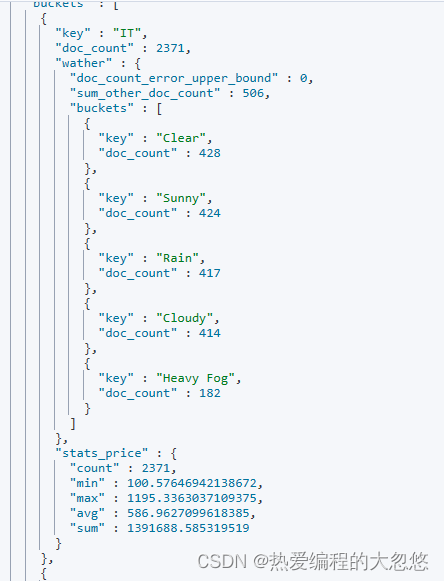
#价格统计信息+天气信息
GET kibana_sample_data_flights/_search
{
	"size": 0,
	"aggs":{
		"flight_dest":{
			"terms":{
				"field":"DestCountry"
			},
			"aggs":{
				"stats_price":{
					"stats":{
						"field":"AvgTicketPrice"
					}
				},
				"wather":{
				  "terms": {
				    "field": "DestWeather",
				    "size": 5
				  }
				}

			}
		}
	}
}
https://www.elastic.co/guide/en/elasticsearch/reference/7.1/search-aggregations.html
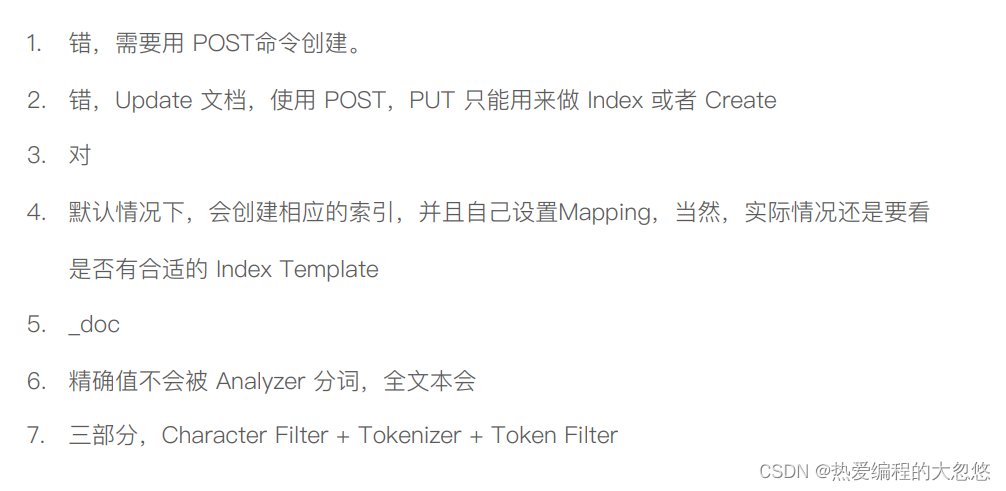
小测验1:
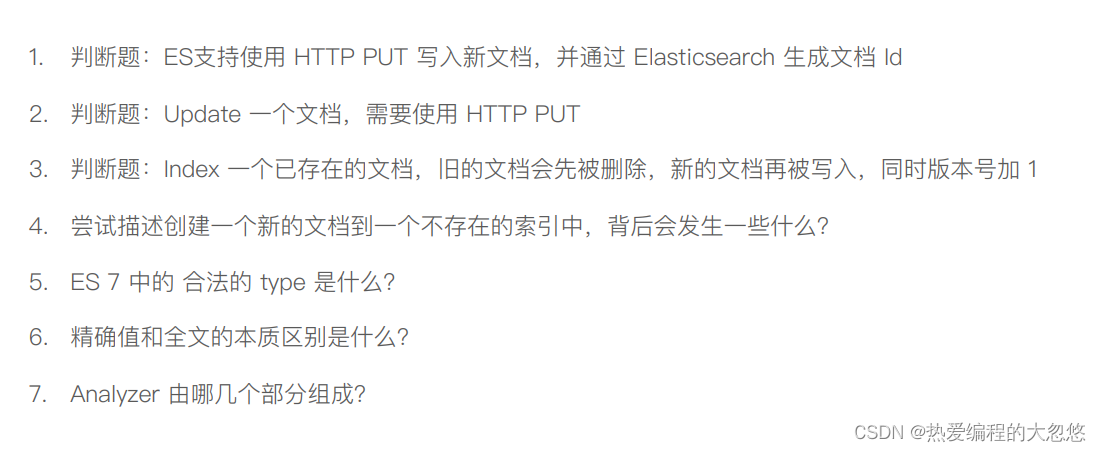
答案:
小测验2:
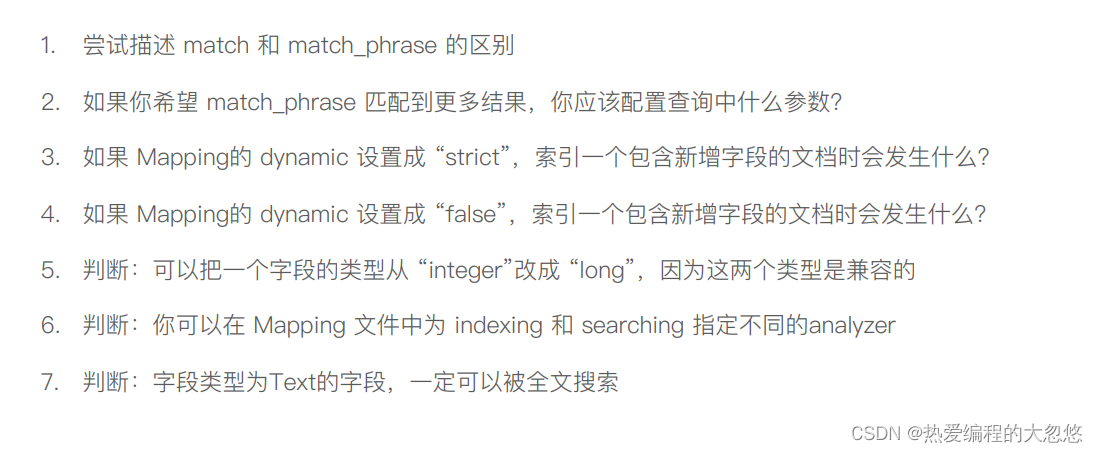
答案:

大约一年前,我决定确保每个包含非唯一文本的Flash通知都将从模块中的方法中获取文本。我这样做的最初原因是为了避免一遍又一遍地输入相同的字符串。如果我想更改措辞,我可以在一个地方轻松完成,而且一遍又一遍地重复同一件事而出现拼写错误的可能性也会降低。我最终得到的是这样的:moduleMessagesdefformat_error_messages(errors)errors.map{|attribute,message|"Error:#{attribute.to_s.titleize}#{message}."}enddeferror_message_could_not_find(obje
文章目录一、概述简介原理模块二、配置Mysql使用版本环境要求1.操作系统2.mysql要求三、配置canal-server离线下载在线下载上传解压修改配置单机配置集群配置分库分表配置1.修改全局配置2.实例配置垂直分库水平分库3.修改group-instance.xml4.启动监听四、配置canal-adapter1修改启动配置2配置映射文件3启动ES数据同步查询所有订阅同步数据同步开关启动4.验证五、配置canal-admin一、概述简介canal是Alibaba旗下的一款开源项目,Java开发。基于数据库增量日志解析,提供增量数据订阅&消费。Git地址:https://github.co
ES一、简介1、ElasticStackES技术栈:ElasticSearch:存数据+搜索;QL;Kibana:Web可视化平台,分析。LogStash:日志收集,Log4j:产生日志;log.info(xxx)。。。。使用场景:metrics:指标监控…2、基本概念Index(索引)动词:保存(插入)名词:类似MySQL数据库,给数据Type(类型)已废弃,以前类似MySQL的表现在用索引对数据分类Document(文档)真正要保存的一个JSON数据{name:"tcx"}二、入门实战{"name":"DESKTOP-1TSVGKG","cluster_name":"elasticsear
我的Rails应用程序中安装了carrierwave。但是,当用户上传多页pdf时,我只希望应用程序获取文档中的第一页并将其转换为jpeg。这可能吗?用什么命令?这是我的uploader。#encoding:utf-8classImageUploader[200,300]##defscale(width,height)##dosomething#end#Createdifferentversionsofyouruploadedfiles:version:thumbdoprocess:resize_to_fill=>[150,210]process:convert=>:jpgdefful
有没有办法跳过CSV文件的第一行,让第二行作为标题?我有一个CSV文件,第一行是日期,第二行是标题,所以我需要能够在遍历它时跳过第一行。我尝试使用slice但它会将CSV转换为数组,我真的很想将其读取为CSV,以便我可以利用header。 最佳答案 根据您的数据,您可以使用另一种方法和skip_lines-option此示例跳过所有以#开头的行require'csv'CSV.parse(DATA.read,:col_sep=>';',:headers=>true,:skip_lines=>/^#/#Markcomments!)do|
我的任务是从数组中选择最高和最低的数字。我想我很清楚我想做什么,但只是努力以正确的格式访问信息以满足通过标准。defhigh_and_low(numbers)array=numbers.split("").map!{|x|x.to_i}array.sort!{|a,b|ba}putsarray[0,-1]end数字可能看起来像"80917234100",要通过,我需要输出"9234"。我正在尝试putsarray.first.last,但一直无法弄明白。 最佳答案 有Array#minmax完全满足您需要的方法:array=[80,
按照目前的情况,这个问题不适合我们的问答形式。我们希望答案得到事实、引用或专业知识的支持,但这个问题可能会引发辩论、争论、投票或扩展讨论。如果您觉得这个问题可以改进并可能重新打开,visitthehelpcenter指导。关闭9年前。我最近开始学习Ruby,这是我的第一门编程语言。我对语法感到满意,并且我已经完成了许多只教授相同基础知识的教程。我已经写了一些小程序(包括我自己的数组排序方法,在有人告诉我谷歌“冒泡排序”之前我认为它非常聪明),但我觉得我需要尝试更大更难的东西来理解更多关于Ruby.关于如何执行此操作的任何想法?
或者好像我必须自己写方法?(保持DHA不变):ruby-1.9.2-p180:001>s='omega-3(DHA)'=>"omega-3(DHA)"ruby-1.9.2-p180:002>s.capitalize=>"Omega-3(dha)"ruby-1.9.2-p180:003>s.titleize=>"Omega3(Dha)"ruby-1.9.2-p180:005>s[0].upcase+s[1..-1]=>"Omega-3(DHA)" 最佳答案 如果我的回答只是垃圾,我深表歉意(我不做ruby)。但我相信我已经为您找到了答
我有这个字符串:auteur="comtedeFlandreetHainaut,Baudouin,Jacques,Thierry"我想删除第一个逗号之前的所有内容,即在这种情况下保留“Baudouin,Jacques,Thierry”试过这个:nom=auteur.gsub(/.*,/,'')但这会删除最后一个逗号之前的每个逗号,只保留“Thierry”。 最佳答案 auteur.partition(",").last#=>"Baudouin,Jacques,Thierry" 关于rub
我有一个以时间戳为键的哈希。hash={"2016-05-31T22:30:58+02:00"=>{"path"=>"/","method"=>"GET"},"2016-05-31T22:31:23+02:00"=>{"path"=>"/tour","method"=>"GET"},"2016-05-31T22:31:05+02:00"=>{"path"=>"/contact_us","method"=>"GET"}}我订购了这个系列并得到了第一双这样的:hash.sort_by{|k,_|k}.first.first但是我该如何删除它呢?删除方法requiresyou知道key的准确