本篇主要介绍一下 ViewPager2 + TabLayout + BottomNavigationView 的结合操作

相信大家都看过今日头条的的样式 如下: 顶部有这种tab 并且是可以滑动的, 这就是本篇所介绍的 ViewPager2 + TabLayout 的组合 下面来看看如何实现把

编写 Fragment 用于集成ViewPager2 和TabLayout其中 menu 使用上一篇中的指定的 menu
<?xml version="1.0" encoding="utf-8"?>
<androidx.constraintlayout.widget.ConstraintLayout xmlns:android="http://schemas.android.com/apk/res/android"
    xmlns:app="http://schemas.android.com/apk/res-auto"
    xmlns:tools="http://schemas.android.com/tools"
    android:layout_width="match_parent"
    android:layout_height="match_parent"
    tools:context=".ViewPager2TabLayoutActivity">

    <androidx.fragment.app.FragmentContainerView
        android:id="@+id/container_view"
        android:layout_width="match_parent"
        android:layout_height="0dp"
        app:layout_constraintTop_toTopOf="parent"
        app:layout_constraintBottom_toTopOf="@id/bootomnav3"/>

    <com.google.android.material.bottomnavigation.BottomNavigationView
        android:id="@+id/bootomnav3"
        android:layout_width="match_parent"
        android:layout_height="0dp"
        app:layout_constraintStart_toStartOf="parent"
        app:layout_constraintBottom_toBottomOf="parent"
        app:menu="@menu/bottom_item_menu"
        app:labelVisibilityMode="labeled"
        />
</androidx.constraintlayout.widget.ConstraintLayout>
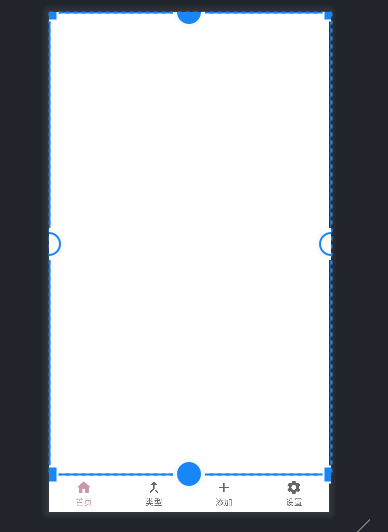
主要想在这个 Home首页 Fragment 中 实现TabLayout 和 ViewPager2滑动功能
<?xml version="1.0" encoding="utf-8"?>
<androidx.constraintlayout.widget.ConstraintLayout xmlns:android="http://schemas.android.com/apk/res/android"
    xmlns:tools="http://schemas.android.com/tools"
    android:layout_width="match_parent"
    android:layout_height="match_parent"
    xmlns:app="http://schemas.android.com/apk/res-auto"
    tools:context=".tablayout.TabLayoutHomeFragment">

    <com.google.android.material.tabs.TabLayout
        android:id="@+id/mytablayout2"
        android:layout_width="match_parent"
        android:layout_height="wrap_content"
        app:tabMode="auto"
        app:tabGravity="start"
        app:tabBackground="@color/pink"
        app:tabTextColor="@color/white"
        app:layout_constraintStart_toStartOf="parent"
        app:layout_constraintTop_toTopOf="parent"
        app:layout_constraintBottom_toTopOf="@id/myviepage2"
        />
    <androidx.viewpager2.widget.ViewPager2
        android:id="@+id/myviepage2"
        android:layout_width="match_parent"
        android:layout_height="0dp"
        app:layout_constraintTop_toBottomOf="@id/mytablayout2"
        app:layout_constraintBottom_toBottomOf="parent"
        app:layout_constraintStart_toStartOf="parent"
        />

</androidx.constraintlayout.widget.ConstraintLayout>
package com.johnny.slzzing.tablayout;

import android.os.Bundle;
import android.util.Log;
import android.view.LayoutInflater;
import android.view.View;
import android.view.ViewGroup;

import androidx.annotation.NonNull;
import androidx.annotation.Nullable;
import androidx.fragment.app.Fragment;
import androidx.fragment.app.FragmentActivity;
import androidx.viewpager2.adapter.FragmentStateAdapter;
import androidx.viewpager2.widget.ViewPager2;

import com.google.android.material.tabs.TabLayout;
import com.google.android.material.tabs.TabLayoutMediator;
import com.johnny.slzzing.BottomFragment;
import com.johnny.slzzing.R;
import com.johnny.slzzing.RecFragment;

import java.util.Arrays;
import java.util.List;

public class TabLayoutHomeFragment2 extends Fragment {

    private static final String ARG_PARAM1 = "param1";
    private static final String ARG_PARAM2 = "param2";
    private static final String TAG = "TabLayoutHomeFragment";

    // TODO: Rename and change types of parameters
    private String mParam1;
    private String mParam2;

    private ViewPager2 viewPager2;
    private TabLayout tabLayout;

    public TabLayoutHomeFragment2() {}

    public static TabLayoutHomeFragment2 newInstance(String param1, String param2) {
        TabLayoutHomeFragment2 fragment = new TabLayoutHomeFragment2();
        Bundle args = new Bundle();
        args.putString(ARG_PARAM1, param1);
        args.putString(ARG_PARAM2, param2);
        fragment.setArguments(args);
        return fragment;
    }

    @Override
    public void onCreate(Bundle savedInstanceState) {
        super.onCreate(savedInstanceState);
        if (getArguments() != null) {
            mParam1 = getArguments().getString(ARG_PARAM1);
            mParam2 = getArguments().getString(ARG_PARAM2);
        }
    }

    @Override
    public View onCreateView(
            LayoutInflater inflater, ViewGroup container, Bundle savedInstanceState) {
        return inflater.inflate(R.layout.fragment_tab_layout_home2, container, false);
    }

    @Override
    public void onViewCreated(@NonNull View view, @Nullable Bundle savedInstanceState) {
        super.onViewCreated(view, savedInstanceState);
        viewPager2 = view.findViewById(R.id.myviepage2);
        viewPager2.setSaveEnabled(false);
        tabLayout = view.findViewById(R.id.mytablayout2);
        List<String> titleList = initPageTitleList();
        TabLayoutChildViewPager tabLayoutChildViewPager =
                new TabLayoutChildViewPager(getActivity(),initChildFragmentList());
         //重点!! ViewPager2绑定Adapter
        viewPager2.setAdapter(tabLayoutChildViewPager);
         //重点!! 关联 TabLayout 和 ViewPager2
        new TabLayoutMediator(tabLayout, viewPager2, true,
                (tab, position) -> tab.setText(titleList.get(position)))
                .attach();

    }

    private List<String> initPageTitleList() {
       return Arrays.asList("推荐","关注","娱乐","游戏","电影", "电视剧","实时新闻");
    }

    private List<Fragment> initChildFragmentList() {
        //在tablayout 的第一个fragment 中使用 RecycleView 优化一下页面
        RecFragment recFragment = new RecFragment();
        //BottomFragment bottomFragment = BottomFragment.newInstance("推荐", "");
        BottomFragment bottomFragment2 = BottomFragment.newInstance("关注", "");
        BottomFragment bottomFragment3 = BottomFragment.newInstance("娱乐", "");
        BottomFragment bottomFragment4 = BottomFragment.newInstance("游戏", "");
        BottomFragment bottomFragment5 = BottomFragment.newInstance("电影", "");
        BottomFragment bottomFragment6 = BottomFragment.newInstance("电视剧", "");
        BottomFragment bottomFragment7 = BottomFragment.newInstance("实时新闻", "");

        return Arrays.asList(
                recFragment,
                bottomFragment2,
                bottomFragment3,
                bottomFragment4,
                bottomFragment5,
                bottomFragment6,
                bottomFragment7);
    }

    static class TabLayoutChildViewPager extends FragmentStateAdapter{

        private List<Fragment> fragmentList;


        public TabLayoutChildViewPager(@NonNull FragmentActivity fragmentActivity, List<Fragment> fragmentList) {
            super(fragmentActivity);
            this.fragmentList = fragmentList;
        }


        @NonNull
        @Override
        public Fragment createFragment(int position) {
            return fragmentList.get(position);
        }

        @Override
        public int getItemCount() {
            return fragmentList.size();
        }
    }
}
主要是优化TabLayout 的第一个fragment 样式
package com.johnny.slzzing;

import static com.johnny.slzzing.R.drawable.discountberry;
import static com.johnny.slzzing.R.drawable.discountbrocoli;
import static com.johnny.slzzing.R.drawable.discountmeat;

import android.os.Bundle;
import android.view.LayoutInflater;
import android.view.View;
import android.view.ViewGroup;

import androidx.annotation.NonNull;
import androidx.annotation.Nullable;
import androidx.fragment.app.Fragment;
import androidx.recyclerview.widget.LinearLayoutManager;
import androidx.recyclerview.widget.RecyclerView;

import java.util.ArrayList;
import java.util.List;

/**
 * A simple {@link Fragment} subclass.
 * Use the {@link RecFragment#newInstance} factory method to
 * create an instance of this fragment.
 */
public class RecFragment extends Fragment {

    // TODO: Rename parameter arguments, choose names that match
    // the fragment initialization parameters, e.g. ARG_ITEM_NUMBER
    private static final String ARG_PARAM1 = "param1";
    private static final String ARG_PARAM2 = "param2";

    // TODO: Rename and change types of parameters
    private String mParam1;
    private String mParam2;

    private RecyclerView discountRecyclerView;
    private DiscountedProductAdapter discountedProductAdapter;

    public RecFragment() {
        // Required empty public constructor
    }

    /**
     * Use this factory method to create a new instance of
     * this fragment using the provided parameters.
     *
     * @param param1 Parameter 1.
     * @param param2 Parameter 2.
     * @return A new instance of fragment RecFragment.
     */
    // TODO: Rename and change types and number of parameters
    public static RecFragment newInstance(String param1, String param2) {
        RecFragment fragment = new RecFragment();
        Bundle args = new Bundle();
        args.putString(ARG_PARAM1, param1);
        args.putString(ARG_PARAM2, param2);
        fragment.setArguments(args);
        return fragment;
    }

    @Override
    public void onCreate(Bundle savedInstanceState) {
        super.onCreate(savedInstanceState);
        if (getArguments() != null) {
            mParam1 = getArguments().getString(ARG_PARAM1);
            mParam2 = getArguments().getString(ARG_PARAM2);
        }
    }

    @Override
    public View onCreateView(LayoutInflater inflater, ViewGroup container,
                             Bundle savedInstanceState) {
        // Inflate the layout for this fragment
        return inflater.inflate(R.layout.fragment_rec, container, false);
    }

    @Override
    public void onViewCreated(@NonNull View view, @Nullable Bundle savedInstanceState) {
        super.onViewCreated(view, savedInstanceState);
        discountRecyclerView = view.findViewById(R.id.discountedRecycler);
        setDiscountedRecycler(initDiscountList());
    }

    private List<DiscountedProducts> initDiscountList() {
        List<DiscountedProducts> discountedProductsList = new ArrayList<>();
        discountedProductsList.add(new DiscountedProducts(1, discountberry, "草莓", "草莓,多年生草本植物。高10-40厘米,茎低于叶或近相等,密被开展黄色柔毛"));
        discountedProductsList.add(new DiscountedProducts(2, discountbrocoli, "花菜","花椰菜(是十字花科、芸薹属植物野甘蓝的变种。"));
        discountedProductsList.add(new DiscountedProducts(3, discountmeat, "西红柿", "番茄 是茄科茄属 [2]  一年生或多年生草本植物,体高0.6-2米,全体生粘质腺毛,有强烈气味,茎易倒伏,叶羽状复叶或羽状深裂"));
        discountedProductsList.add(new DiscountedProducts(4, discountberry, "西瓜","西瓜 一年生蔓生藤本;茎、枝粗壮,具明显的棱。卷须较粗壮,具短柔毛,叶柄粗,密被柔毛"));
        discountedProductsList.add(new DiscountedProducts(5, discountbrocoli,  "南瓜","南瓜 葫芦科南瓜属的一个种,一年生蔓生草本植物"));
        discountedProductsList.add(new DiscountedProducts(6, discountmeat, "猕猴桃", "中华猕猴桃 是猕猴桃科、猕猴桃属大植物。大型落叶藤本;幼一枝或厚或薄地被有灰白色茸毛或褐色长硬毛或铁锈色硬毛状刺毛,老时秃净或留有断损残毛"));
        discountedProductsList.add(new DiscountedProducts(7, discountberry, "草莓", "草莓,多年生草本植物。高10-40厘米,茎低于叶或近相等,密被开展黄色柔毛"));
        discountedProductsList.add(new DiscountedProducts(8, discountbrocoli, "花菜","花椰菜 是十字花科、芸薹属植物野甘蓝的变种。"));
        discountedProductsList.add(new DiscountedProducts(9, discountmeat, "西红柿", "番茄 是茄科茄属 [2]  一年生或多年生草本植物,体高0.6-2米,全体生粘质腺毛,有强烈气味,茎易倒伏,叶羽状复叶或羽状深裂"));
        discountedProductsList.add(new DiscountedProducts(10, discountberry, "西瓜","西瓜 一年生蔓生藤本;茎、枝粗壮,具明显的棱。卷须较粗壮,具短柔毛,叶柄粗,密被柔毛"));
        discountedProductsList.add(new DiscountedProducts(11, discountbrocoli,  "南瓜","南瓜 葫芦科南瓜属的一个种,一年生蔓生草本植物"));
        discountedProductsList.add(new DiscountedProducts(12, discountmeat, "猕猴桃", "中华猕猴桃 是猕猴桃科、猕猴桃属大植物。大型落叶藤本;幼一枝或厚或薄地被有灰白色茸毛或褐色长硬毛或铁锈色硬毛状刺毛,老时秃净或留有断损残毛"));
        return discountedProductsList ;
    }

    private void setDiscountedRecycler(List<DiscountedProducts> dataList) {
        RecyclerView.LayoutManager layoutManager = new LinearLayoutManager(getContext(), LinearLayoutManager.VERTICAL, false);
        discountedProductAdapter = new DiscountedProductAdapter(getContext(),dataList);
        discountRecyclerView.setLayoutManager(layoutManager);
        discountRecyclerView.setAdapter(discountedProductAdapter);
    }
}
package com.johnny.slzzing;

import android.annotation.SuppressLint;
import android.os.Bundle;
import android.view.MenuItem;

import androidx.annotation.NonNull;
import androidx.appcompat.app.AppCompatActivity;
import androidx.fragment.app.Fragment;
import androidx.fragment.app.FragmentContainerView;

import com.google.android.material.bottomnavigation.BottomNavigationView;
import com.google.android.material.navigation.NavigationBarView;
import com.johnny.slzzing.tablayout.TabLayoutHomeFragment2;

import java.util.HashMap;
import java.util.Map;

public class ViewPager2TabLayoutActivity extends AppCompatActivity {

    BottomNavigationView bottomNavigationView;
    FragmentContainerView fragmentContainerView;

    @Override
    protected void onCreate(Bundle savedInstanceState) {
        super.onCreate(savedInstanceState);
        setContentView(R.layout.activity_view_pager2_tab_layout);
        bottomNavigationView = findViewById(R.id.bootomnav3);
        fragmentContainerView  = findViewById(R.id.container_view);
        Map<Integer, Fragment> fragmentMap = new HashMap<>();
        TabLayoutHomeFragment2 tabLayoutHomeFragment2 = new TabLayoutHomeFragment2();
        //这里 第一个home fragment 使用上面编写的 TabLayoutHomeFragment2
        fragmentMap.put(R.id.home_item,tabLayoutHomeFragment2);
        fragmentMap.put(R.id.type_item,Bottom2Fragment.newInstance("我是typefragment", ""));
        fragmentMap.put(R.id.add_item,Bottom2Fragment.newInstance("我是addfragment", ""));
        fragmentMap.put(R.id.setting_item,Bottom2Fragment.newInstance("我是settingfragment", ""));
        //bottomNavigationView 点击用于替换 FragmentContainerView
        bottomNavigationView.setOnItemSelectedListener(new NavigationBarView.OnItemSelectedListener() {
            @SuppressLint("NonConstantResourceId")
            @Override
            public boolean onNavigationItemSelected(@NonNull MenuItem item) {
                int itemId = item.getItemId();
                switch (itemId){
                    case R.id.home_item:
                        getSupportFragmentManager().beginTransaction()
                                .replace(R.id.container_view, fragmentMap.get(R.id.home_item))
                                .commit();
                        break;
                    case R.id.type_item:
                        getSupportFragmentManager().beginTransaction()
                                .replace(R.id.container_view, fragmentMap.get(R.id.type_item))
                                .commit();
                    case R.id.add_item:
                        getSupportFragmentManager().beginTransaction()
                                .replace(R.id.container_view, fragmentMap.get(R.id.add_item))
                                .commit();
                    case R.id.setting_item:
                        getSupportFragmentManager().beginTransaction()
                                .replace(R.id.container_view, fragmentMap.get(R.id.setting_item))
                                .commit();
                }
                return true;
            }
        });
        getSupportFragmentManager().beginTransaction()
                .replace(R.id.container_view, fragmentMap.get(R.id.home_item))
                .commit();


    }
}
可以看到 顶部有类似 今日头条的 Tab 并且可以滑动哟

本篇主要介绍了 ViewPager2 + TabLayout 的一个集成 实现类似今日头条的顶部Tab 并且支持滑动
核心联动代码
不同于ViewPager , ViewPager2 使用 TabLayoutMediator 来联动TabLayout 和ViewPager2 以及 tab的标题,注意最后要 attach()
viewPager2.setAdapter(tabLayoutChildViewPager);
new TabLayoutMediator(tabLayout, viewPager2, true,
        (tab, position) -> tab.setText(titleList.get(position)))
        .attach();
欢迎大家访问 个人博客 Johnny小屋
欢迎关注个人公众号

我正在为我的Viewpager使用选项卡,这是现在的XML:它们看起来很棒,但我希望能够有更多选项卡,而不是让所有内容都挤在屏幕上。但是我不喜欢切换到可滚动的tabMode,因为那样的话一切都会变平并且看起来很乱。如何设置各个选项卡的宽度? 最佳答案 TabLayout不提供特定选项卡固定宽度的属性。但是您可以设置最小和最大宽度。tabMinWidthandtabMaxWidthhttps://developer.android.com/reference/android/support/design/widget/TabLayou
当按下后退按钮时,我的fragment正在更改为主页,但底部图标没有改变。我在这里发布了我的所有代码。如果我从底部导航View项目中选择了两个以上的导航按钮,那么当我按下后退按钮时,它将重定向到最后选择的按钮项目。但现在发生的事情是,假设我在最后一个项目上说“通知”[如您在屏幕截图中所见],现在当我按下后退按钮时,它会直接带我到“主页”按钮,但是我想要的是它应该首先带我到“搜索”按钮项目然后到“主页”而不是直接到“主页”。我怎样才能做到这一点?这是布局:这是Activity:publicclassMainActivityextendsAppCompatActivity{privates
在我的布局底部,我有一个包含三个fragment的BottomNavigationView。如果我单击后退按钮,fragment会切换,但不会切换底部图标。我该如何解决?addToBackStack()有效。也许您对代码的美化有一些建议。在Activity或fragment中使用fragment标签是一种好的做法吗?publicclassMainActivityextendsAppCompatActivity{privateFragmentManagermFragmentManager;privateBottomNavigationViewmBottomNavigationView;p
我正在ViewPager内的TabLayout上设置高度,但它根本没有显示。我在stackoverflow上尝试了很多答案,但无法解决问题。在CoordinatorLayout中设置android:clipToPadding="false"也不能解决问题。任何帮助,将不胜感激。这是我正在使用但现在提升的布局的xml: 最佳答案 要使阴影可见,您必须在TabLayout上设置背景。它可以与您的窗口背景颜色相同(只要它是没有alpha的纯色)。此外,您还必须为其提供Tablayout边距以查看高度。最小margin应该是您提供的elev
这是闪烁的:http://gph.is/2GH9P0b样式.xml@color/colorPrimary@drawable/nav_bottom_selector@drawable/nav_bottom_text_selector选择器nav_bottom_text_selector和nav_bottom_selector具有相同的代码。MainActivity.class这是标签更改监听器。但我不认为问题出在这里,因为即使我评论这部分它仍然在闪烁。navigation.setOnNavigationItemSelectedListener(newBottomNavigationVie
我有一个没有图标,只有文本字段的底部导航View。我想将文本垂直和水平居中,并为不同的状态添加高亮显示:topnavigationview.setItemBackgroundResource(R.drawable.mainactivitybackgroundhighlight_top);使用xml代码:View是这样包含的:但是,它现在看起来像这样:如您所见,高亮部分并未覆盖菜单的一半,更像是40%;选择右边的项目时,它是一样的——尽管宽度被设置为match_parent。文本既不是垂直居中也不是水平居中;1)如何让菜单文本在布局中垂直居中?2)如何让两个菜单项都占据导航View的50
自从appcompat库从23.1.0升级到23.1.1后,在TabLayout.Tab上调用setCustomView()会抛出NullPointerException.例如TabLayout.Tabtab=mTabLayout.newTab();tab.setCustomView(R.layout.tab_photo_indicator);mTabLayout.addTab(tab);在第二行抛出一个NullPointerException。异常指向appcompat库内的TabLayout.java:1019,下面的inflater=行:publicTabsetCustomVie
我正在开发一个应用程序,在我的MainActivity中,我使用抽屉导航来切换框架布局上的fragment。其中一个fragment是“帮助”fragment,我在其中使用Tab布局和viewpager在三个页面之间滑动,“关于我们”、“帮助”和“联系我们”在以下Lollipop设备上一切正常。操作栏似乎坚持选项卡布局(使用工具栏作为操作栏)。但在Lollipop设备上,它显示为操作栏和标签布局是分开的。我怎样才能在Lollipop设备上也达到同样的效果?主要Activity:publicclassMainActivityextendsAppCompatActivityimplemen
我正在开发一个RTL应用程序,它使用TabLayout(可滚动模式)和ViewPager来滑动fragment页面!在对不同的api进行测试后,我注意到api17和18中TabLayout的异常行为!然后我想我的xml或我的代码可能有问题!我决定使用第三方库来避免这个问题,但同样的结果发生了!在与第三方库所有者调查后,我们注意到库和TabLayout都使用HorizontalScrollView,也许这就是问题所在!调查链接:https://github.com/ogaclejapan/SmartTabLayout/issues/107请指导我解决这个问题!有没有办法将api23中
我无法将fragment滚动到制表布局中。这是我的MainActivity类publicclassMainctivityextendsAppCompatActivity{privateTabLayouttabLayout;privateViewPagerviewPager;ViewPagerAdapterviewPagerAdapter;@OverrideprotectedvoidonCreate(BundlesavedInstanceState){super.onCreate(savedInstanceState);setContentView(R.layout.activity_m
