文章目录
先把人家的git放过来:https://github.com/CompVis/stable-diffusion
40.7k 的stars, flask 和 django 两个web框架也不过如此数量级吧。
就是给一段文字,它能按照文字描述给你画画。画出来的还挺好看,是一个text-to-image diffusion model
是基于transformer 和多模态的一个产品。
Stable Diffusion is a latent text-to-image diffusion model. Thanks to a generous compute donation from Stability AI and support from LAION, we were able to train a Latent Diffusion Model on 512x512 images from a subset of the LAION-5B database. Similar to Google’s Imagen, this model uses a frozen CLIP ViT-L/14 text encoder to condition the model on text prompts. With its 860M UNet and 123M text encoder, the model is relatively lightweight and runs on a GPU with at least 10GB VRAM.
这一段是我从git上copy下来的,翻译:
Stable Diffusion 是文本到图像的扩散模型,多亏了来自Stability AI和 LAION的支持我们能基于数据集LAION-5B database训练出一个512x512图像的潜在扩散模型。和 Google的画像类似,我们这个模型用了fronzen的CLIP vv - l /14文本编码器来根据文本提示调整模型,由于60M UNet 和 123M text encoder,这个模型是轻量级别的,并且可以跑在最低10GB显存的GPU上,[妈的,这还是轻量级的],
A suitable conda environment named ldm can be created and activated with:
conda env create -f environment.yaml
conda activate ldm
conda install pytorch torchvision -c pytorch
pip install transformers==4.19.2 diffusers invisible-watermark
pip install -e .
可能遇到的问题:
ERROR: Command errored out with exit status 128: git clone -q https://github.com/openai/CLIP.git /home/jianming_ge/workplace/stable-diffusion-main/src/clip Check the logs for full command output.
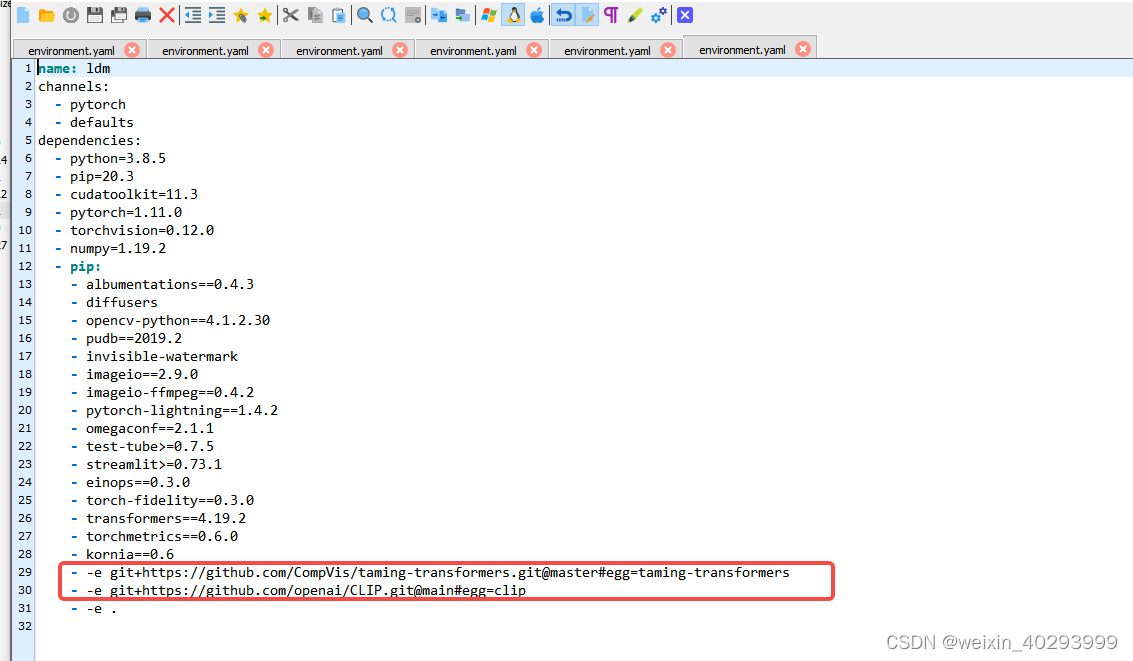
原因在这里,是因为server网络连不到git上。
我的解决方案:
 pip install taming-transformers
 pip install clip
 # 最后
 pip install -e .
权重文件在git的这里。
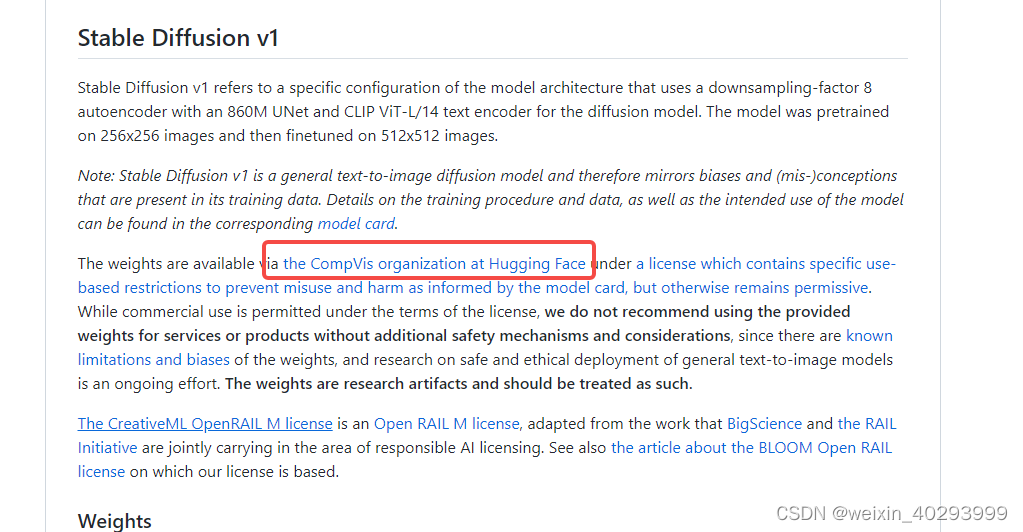
我选的是stable-diffusion-v1-4,
https://huggingface.co/CompVis/stable-diffusion-v1-4
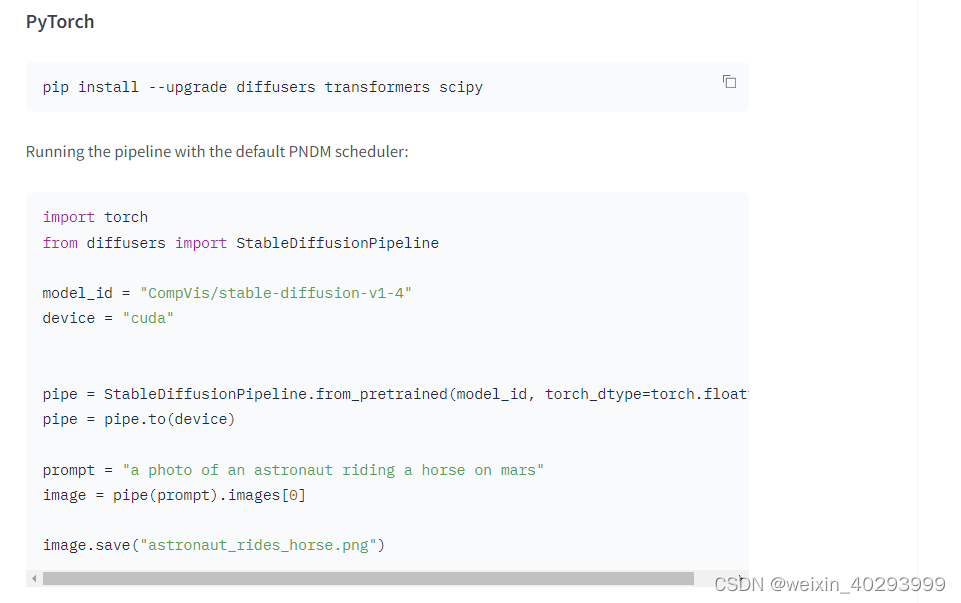
漫长的下载过程
(py39_torch1.10.1) [jianming_ge@localhost workplace]$ /home/jianming_ge/miniconda3/envs/py39_torch1.10.1/bin/python /home/jianming_ge/workplace/ldm.py
Downloading (…)ain/model_index.json: 100%|██████████████████████████████████████████████████████████████████████████████████████████████████████████| 543/543 [00:00<00:00, 86.8kB/s]
Downloading (…)rocessor_config.json: 100%|██████████████████████████████████████████████████████████████████████████████████████████████████████████| 342/342 [00:00<00:00, 85.7kB/s]
Downloading (…)_checker/config.json: 100%|███████████████████████████████████████████████████████████████████████████████████████████████████████| 4.56k/4.56k [00:00<00:00, 916kB/s]
Downloading (…)_encoder/config.json: 100%|███████████████████████████████████████████████████████████████████████████████████████████████████████████| 592/592 [00:00<00:00, 160kB/s]
Downloading (…)cheduler_config.json: 100%|██████████████████████████████████████████████████████████████████████████████████████████████████████████| 313/313 [00:00<00:00, 62.5kB/s]
Downloading (…)nfig-checkpoint.json: 100%|██████████████████████████████████████████████████████████████████████████████████████████████████████████| 209/209 [00:00<00:00, 43.9kB/s]
Downloading (…)okenizer_config.json: 100%|███████████████████████████████████████████████████████████████████████████████████████████████████████████| 806/806 [00:00<00:00, 186kB/s]
Downloading (…)3d4/unet/config.json: 100%|███████████████████████████████████████████████████████████████████████████████████████████████████████████| 743/743 [00:00<00:00, 318kB/s]
Downloading (…)cial_tokens_map.json: 100%|███████████████████████████████████████████████████████████████████████████████████████████████████████████| 472/472 [00:00<00:00, 101kB/s]
Downloading (…)nfig-checkpoint.json:   0%|                                                                                                                 | 0.00/209 [00:00<?, ?B/s/home/jianming_ge/miniconda3/envs/ldm/bin/python /home/jianming_ge/workplace/ldm.py                                                                         | 0.00/806 [00:00<?, ?B/s]
Downloading (…)23d4/vae/config.json: 100%|███████████████████████████████████████████████████████████████████████████████████████████████████████████| 522/522 [00:00<00:00, 176kB/s]
Downloading (…)tokenizer/merges.txt: 100%|████████████████████████████████████████████████████████████████████████████████████████████████████████| 525k/525k [00:16<00:00, 31.7kB/s]
Downloading (…)tokenizer/vocab.json: 100%|██████████████████████████████████████████████████████████████████████████████████████████████████████| 1.06M/1.06M [00:30<00:00, 34.8kB/s]
Downloading (…)"pytorch_model.bin";: 100%|████████████████████████████████████████████████████████████████████████████████████████████████████████| 492M/492M [06:19<00:00, 1.30MB/s]
Downloading (…)_pytorch_model.bin";: 100%|█████████████████████████████████████████████████████████████████████████████████████████████████████████| 335M/335M [11:17<00:00, 494kB/s]
Downloading (…)"pytorch_model.bin";:   3%|███▌                                                                                                  | 41.9M/1.22G [00:26<13:22, 1.46MB/s]
Downloading (…)"pytorch_model.bin";:  26%|██████████████████████████▉                                                                             | 315M/1.22G [06:06<23:42, 634kB/s]
Downloading (…)"pytorch_model.bin";:  47%|█████████████████████████████████████████████████▎                                                      | 577M/1.22G [11:12<14:50, 718kB/s]
Downloading (…)"pytorch_model.bin";:  89%|██████████████████████████████████████████████████████████████████████████████████████████▌           | 1.08G/1.22G [16:20<01:12, 1.88MB/s]
Downloading (…)_pytorch_model.bin";:  38%|██████████████████████████████████████▌                                                               | 1.30G/3.44G [16:14<21:55, 1.63MB/s]
Downloading (…)_pytorch_model.bin";: 100%|█████████████████████████████████████████████████████████████████████████████████████████████████████████| 335M/335M [11:17<00:00, 458kB/s]
深度学习一半时间在鼓捣环境啊
出来了
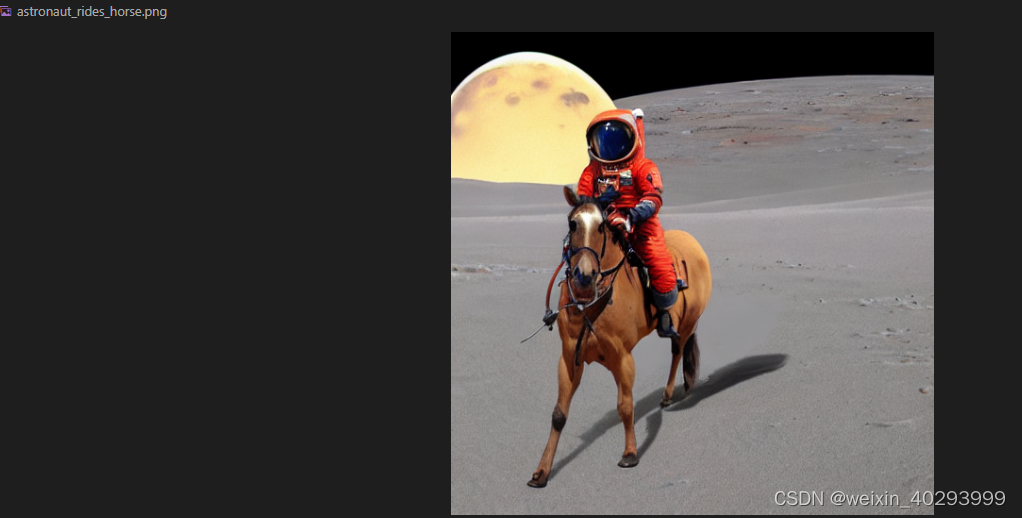
全套代码在这里
import torch
from diffusers import StableDiffusionPipeline

model_id = "CompVis/stable-diffusion-v1-4"
device = "cuda"


pipe = StableDiffusionPipeline.from_pretrained(model_id, torch_dtype=torch.float16)
pipe = pipe.to(device)

prompt = "a photo of an astronaut riding a horse on mars"
image = pipe(prompt).images[0]

image.save("astronaut_rides_horse.png")
命令行下10几秒钟一张
模型提示输入这个会快一些:
pip install accelerate
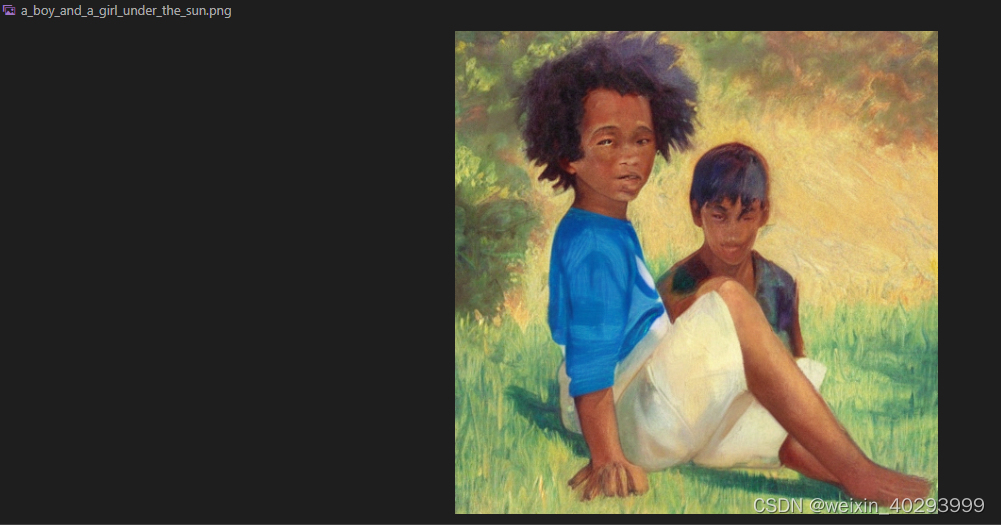
待续
好玩是挺好玩,但是就拉个git没学到东西啊,算法工程师真的就是git拉个项目么。。。。呜呜呜
唯一遇到的问题是可能服务器上安装不上因为
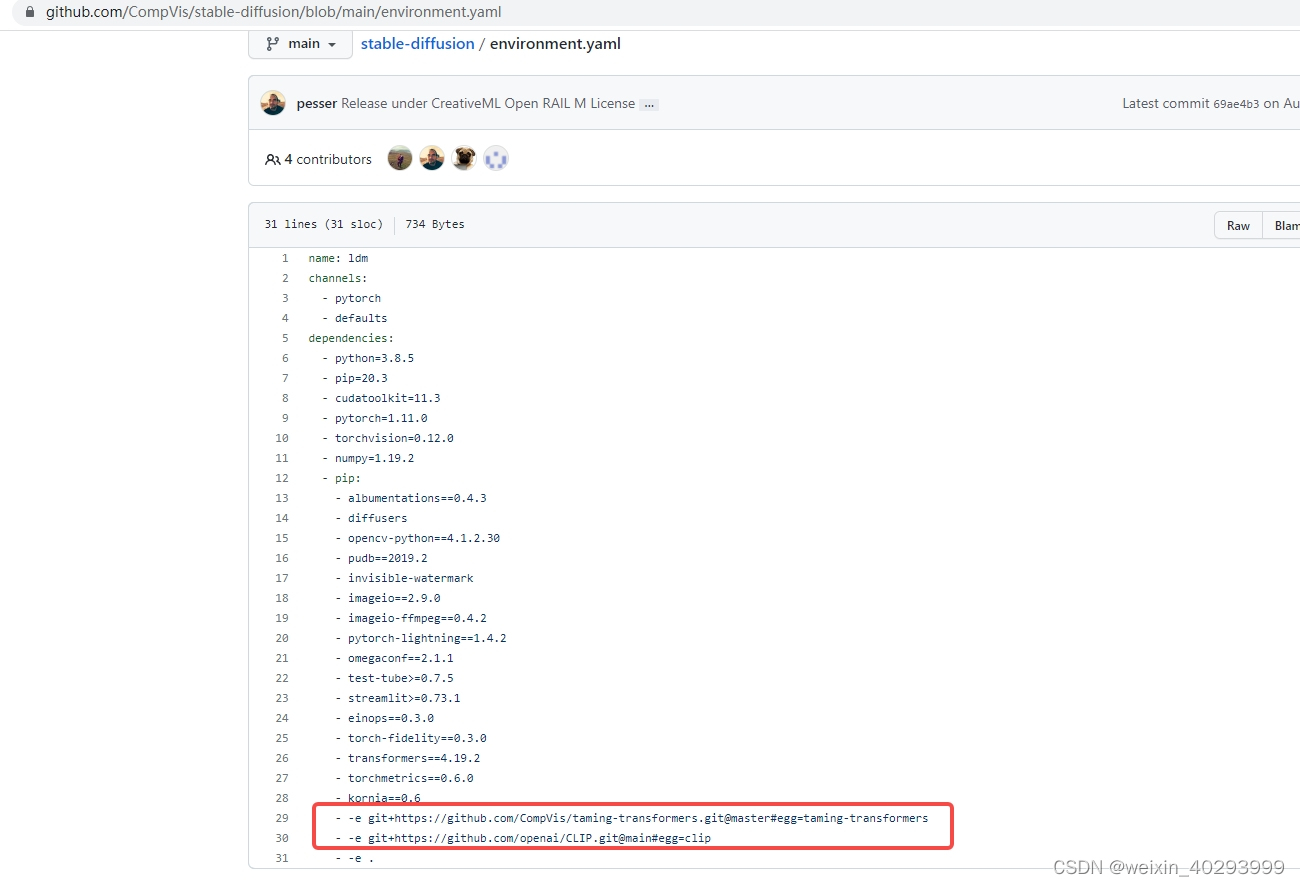
你连上git
总的来说,我对ruby还比较陌生,我正在为我正在创建的对象编写一些rspec测试用例。许多测试用例都非常基础,我只是想确保正确填充和返回值。我想知道是否有办法使用循环结构来执行此操作。不必为我要测试的每个方法都设置一个assertEquals。例如:describeitem,"TestingtheItem"doit"willhaveanullvaluetostart"doitem=Item.new#HereIcoulddotheitem.name.shouldbe_nil#thenIcoulddoitem.category.shouldbe_nilendend但我想要一些方法来使用
如何在buildr项目中使用Ruby?我在很多不同的项目中使用过Ruby、JRuby、Java和Clojure。我目前正在使用我的标准Ruby开发一个模拟应用程序,我想尝试使用Clojure后端(我确实喜欢功能代码)以及JRubygui和测试套件。我还可以看到在未来的不同项目中使用Scala作为后端。我想我要为我的项目尝试一下buildr(http://buildr.apache.org/),但我注意到buildr似乎没有设置为在项目中使用JRuby代码本身!这看起来有点傻,因为该工具旨在统一通用的JVM语言并且是在ruby中构建的。除了将输出的jar包含在一个独特的、仅限ruby
在选择我想要运行操作的频率时,唯一的选项是“每天”、“每小时”和“每10分钟”。谢谢!我想为我的Rails3.1应用程序运行调度程序。 最佳答案 这不是一个优雅的解决方案,但您可以安排它每天运行,并在实际开始工作之前检查日期是否为当月的第一天。 关于ruby-如何每月在Heroku运行一次Scheduler插件?,我们在StackOverflow上找到一个类似的问题: https://stackoverflow.com/questions/8692687/
exe应该在我打开页面时运行。异步进程需要运行。有什么方法可以在ruby中使用两个参数异步运行exe吗?我已经尝试过ruby命令-system()、exec()但它正在等待过程完成。我需要用参数启动exe,无需等待进程完成是否有任何rubygems会支持我的问题? 最佳答案 您可以使用Process.spawn和Process.wait2:pid=Process.spawn'your.exe','--option'#Later...pid,status=Process.wait2pid您的程序将作为解释器的子进程执行。除
我尝试运行2.x应用程序。我使用rvm并为此应用程序设置其他版本的ruby:$rvmuseree-1.8.7-head我尝试运行服务器,然后出现很多错误:$script/serverNOTE:Gem.source_indexisdeprecated,useSpecification.Itwillberemovedonorafter2011-11-01.Gem.source_indexcalledfrom/Users/serg/rails_projects_terminal/work_proj/spohelp/config/../vendor/rails/railties/lib/r
我在我的Rails项目中使用Pow和powifygem。现在我尝试升级我的ruby版本(从1.9.3到2.0.0,我使用RVM)当我切换ruby版本、安装所有gem依赖项时,我通过运行railss并访问localhost:3000确保该应用程序正常运行以前,我通过使用pow访问http://my_app.dev来浏览我的应用程序。升级后,由于错误Bundler::RubyVersionMismatch:YourRubyversionis1.9.3,butyourGemfilespecified2.0.0,此url不起作用我尝试过的:重新创建pow应用程序重启pow服务器更新战俘
Sinatra新手;我正在运行一些rspec测试,但在日志中收到了一堆不需要的噪音。如何消除日志中过多的噪音?我仔细检查了环境是否设置为:test,这意味着记录器级别应设置为WARN而不是DEBUG。spec_helper:require"./app"require"sinatra"require"rspec"require"rack/test"require"database_cleaner"require"factory_girl"set:environment,:testFactoryGirl.definition_file_paths=%w{./factories./test/
我已经像这样安装了一个新的Rails项目:$railsnewsite它执行并到达:bundleinstall但是当它似乎尝试安装依赖项时我得到了这个错误Gem::Ext::BuildError:ERROR:Failedtobuildgemnativeextension./System/Library/Frameworks/Ruby.framework/Versions/2.0/usr/bin/rubyextconf.rbcheckingforlibkern/OSAtomic.h...yescreatingMakefilemake"DESTDIR="cleanmake"DESTDIR="
GivenIamadumbprogrammerandIamusingrspecandIamusingsporkandIwanttodebug...mmm...let'ssaaay,aspecforPhone.那么,我应该把“require'ruby-debug'”行放在哪里,以便在phone_spec.rb的特定点停止处理?(我所要求的只是一个大而粗的箭头,即使是一个有挑战性的程序员也能看到:-3)我已经尝试了很多位置,除非我没有正确测试它们,否则会发生一些奇怪的事情:在spec_helper.rb中的以下位置:require'rubygems'require'spork'
假设我有这个范围:("aaaaa".."zzzzz")如何在不事先/每次生成整个项目的情况下从范围中获取第N个项目? 最佳答案 一种快速简便的方法:("aaaaa".."zzzzz").first(42).last#==>"aaabp"如果出于某种原因你不得不一遍又一遍地这样做,或者如果你需要避免为前N个元素构建中间数组,你可以这样写:moduleEnumerabledefskip(n)returnto_enum:skip,nunlessblock_given?each_with_indexdo|item,index|yieldit
