目录
前言:这些小项目全都是自创的。
如果需要应用,或则转发的话请与
博主联系,感谢你们的理解,

在页面中放置26个div,每个div中写一个字
母。html结构中引入8个音频结构。给每个
div绑定点击键盘事件。根据键盘的每个
keyCode的不同来动态绑定对应的音频文件。
当按下对应的键盘字母,增添css样式,
音频播放。放开时,存储点击的事件,
将对应的音频存储在一个数组中。
点击按钮,循环播放存储的音频数组
html:
 <div id="container">
        <div data-key="81" class="key">
            <kbd>Q</kbd>
            <span class="sound">clap</span>
        </div>
        <div data-key="87" class="key">
            <kbd>W</kbd>
            <span class="sound">clap</span>
        </div>
        <div data-key="69" class="key">
            <kbd>E</kbd>
            <span class="sound">clap</span>
        </div>
        <div data-key="82" class="key">
            <kbd>R</kbd>
            <span class="sound">clap</span>
        </div>
        <div data-key="84" class="key">
            <kbd>T</kbd>
            <span class="sound">clap</span>
        </div>
        <div data-key="89" class="key">
            <kbd>Y</kbd>
            <span class="sound">clap</span>
        </div>
        <div data-key="85" class="key">
            <kbd>U</kbd>
            <span class="sound">clap</span>
        </div>
        <div data-key="73" class="key">
            <kbd>I</kbd>
            <span class="sound">clap</span>
        </div>
        <div data-key="79" class="key">
            <kbd>O</kbd>
            <span class="sound">clap</span>
        </div>
        <div data-key="80" class="key">
            <kbd>P</kbd>
            <span class="sound">clap</span>
        </div>
        <div data-key="65" class="key">
            <kbd>A</kbd>
            <span class="sound">clap</span>
        </div>
        <div data-key="83" class="key">
            <kbd>S</kbd>
            <span class="sound">clap</span>
        </div>
        <div data-key="68" class="key">
            <kbd>D</kbd>
            <span class="sound">clap</span>
        </div>
        <div data-key="70" class="key">
            <kbd>F</kbd>
            <span class="sound">clap</span>
        </div>
        <div data-key="71" class="key">
            <kbd>G</kbd>
            <span class="sound">clap</span>
        </div>
        <div data-key="72" class="key">
            <kbd>H</kbd>
            <span class="sound">clap</span>
        </div>
        <div data-key="74" class="key">
            <kbd>J</kbd>
            <span class="sound">clap</span>
        </div>
        <div data-key="75" class="key">
            <kbd>K</kbd>
            <span class="sound">clap</span>
        </div>
        <div data-key="76" class="key">
            <kbd>L</kbd>
            <span class="sound">clap</span>
        </div>
        <div data-key="90" class="key">
            <kbd>Z</kbd>
            <span class="sound">clap</span>
        </div>
        <div data-key="88" class="key">
            <kbd>X</kbd>
            <span class="sound">clap</span>
        </div>
        <div data-key="67" class="key">
            <kbd>C</kbd>
            <span class="sound">clap</span>
        </div>
        <div data-key="86" class="key">
            <kbd>V</kbd>
            <span class="sound">clap</span>
        </div>
        <div data-key="66" class="key">
            <kbd>B</kbd>
            <span class="sound">clap</span>
        </div>
        <div data-key="78" class="key">
            <kbd>N</kbd>
            <span class="sound">clap</span>
        </div>
        <div data-key="77" class="key">
            <kbd>M</kbd>
            <span class="sound">clap</span>
        </div>
    </div>
    <div id='btn'>提交数据</div>
    <audio data-key="81" src="sounds/clap.wav"></audio>
  <audio data-key="87" src="sounds/hihat.wav"></audio>
  <audio data-key="69" src="sounds/kick.wav"></audio>
  <audio data-key="82" src="sounds/openhat.wav"></audio>
  <audio data-key="84" src="sounds/boom.wav"></audio>
  <audio data-key="89" src="sounds/ride.wav"></audio>
  <audio data-key="85" src="sounds/snare.wav"></audio>
  <audio data-key="73" src="sounds/tom.wav"></audio>
  <audio data-key="79" src="sounds/tink.wav"></audio>
  <audio data-key="80" src="sounds/clap.wav"></audio>
  <audio data-key="83" src="sounds/hihat.wav"></audio>
  <audio data-key="68" src="sounds/kick.wav"></audio>
  <audio data-key="65" src="sounds/openhat.wav"></audio>
  <audio data-key="71" src="sounds/boom.wav"></audio>
  <audio data-key="72" src="sounds/ride.wav"></audio>
  <audio data-key="74" src="sounds/snare.wav"></audio>
  <audio data-key="75" src="sounds/tom.wav"></audio>
  <audio data-key="76" src="sounds/tink.wav"></audio>
  <audio data-key="70" src="sounds/clap.wav"></audio>
  <audio data-key="90" src="sounds/hihat.wav"></audio>
  <audio data-key="88" src="sounds/kick.wav"></audio>
  <audio data-key="67" src="sounds/openhat.wav"></audio>
  <audio data-key="86" src="sounds/openhat.wav"></audio>
  <audio data-key="66" src="sounds/boom.wav"></audio>
  <audio data-key="78" src="sounds/ride.wav"></audio>
  <audio data-key="77" src="sounds/snare.wav"></audio>
css:
*{
    margin:0;
    padding:0;
}
.top{
    width:100%;
    height:100px;
}
.top i{
    font-size: 24px;
}
.top-left{
    width:20%;
    height:100%;
    float:left;
    text-align: center;
    line-height: 100px;
    position: relative;
}
.top-left .cls5{
    position: absolute;
    left:40px;
}
.top-middle{
    width:50%;
    height:100%;
    float:left;
    text-align: center;
    line-height: 100px;
    position:relative;
}
.top-middle .cls1{
    position: absolute;
    left:30px;
}
.top-middle .cls2{
    position: absolute;
    left:60px;
}
.top-middle .cls3{
    position: absolute;
    right:500px;
}
.top-middle .container{
    width:300px;
    height:40px;
    border:1px solid whitesmoke;
    border-radius: 10px;
   position:absolute;
   left:100px;
   top:30px;
   text-align: center;
   line-height: 40px;
}
.top-middle .container .cls4{
    position: absolute;
    left:20px;
}
.top-right{
    width:30%;
    height:100%;
    float:right;
}
.top-right ul{
    list-style: none;
    text-align: center;
    height:100px;
    line-height:100px ;
}
.top-right ul li{
    float:right;
    margin:0 20px 0 20px;
}


.bottom{
    width:100%;
    height:100px;
    margin-top:710px;
}
.bottom i{
    font-size: 24px;
}
.bottom-left{
    width:20%;
    height:100px;
    line-height: 100px;
    float:left;
    text-align: center;
}
.bottom-left ul{
    list-style: none;
}
.bottom-left ul li{
    float:left;
    margin:0 30px 0 30px;
}

.bottom-mid{
    width:50%;
    height:100px;
    line-height: 100px;
    float:left;
}
.bottom-mid ul{
    list-style: none;
}
.bottom-mid ul li{
    float:left;
    margin: auto 50px;
}
.bot-mid-top{
    width:100%;
    height:60px;
    text-align: center;
    line-height: 50px;
}
.bot-mid-top .clf1{
    margin-left:250px;
}
.bot-mid-bot{
    width:100%;
    height:40px;
    line-height: 40px;
}
.bot-mid-bot .item{
    width:80%;
    border:1px solid #333;
    border-radius: 3px;
    height:9px;

    margin-top:12px;
    margin-left:100px;
}
.bottom-right{
    width:30%;
    height:100px;
    line-height: 100px;
    float:left;
}
.bottom-right ul{
    list-style: none;
}
.bottom-right ul li{
    float:left;
    margin:0 30px 0 30px;
}
.bottom-right ul .clf2{
    margin-left:200px;
}
js:
let audioArr = []


function removeClass(e) {
    let  key = document.querySelector(`div[data-key="${e.keyCode}`)
    let audio = document.querySelector(`audio[data-key="${e.keyCode}"]`)
    key.classList.remove('playing')
    audioArr.push(audio)
}

function playAudio(e) {
    let  key = document.querySelector(`div[data-key="${e.keyCode}`)
   let audio = document.querySelector(`audio[data-key="${e.keyCode}"]`)
    key.classList.add('playing')
    //audio.currentTime = 0; // 每次播放之后都使音频播放进度归零
    if (!audio) return;
    audio.play()
}

window.addEventListener('keydown', e => playAudio(e))
window.addEventListener('keyup', e => removeClass(e))

const btn = document.getElementById('btn')

 function Play() {
  const self=this
  const item1=setInterval(function(){
    self.i++
    console.log(self.i)
    audioArr[self.i-2].play()
    if(self.i>audioArr.length){
      clearInterval(item1)
    }
  }, 200);
}

let obj={
   i:1
}

function bind(){
  Play.call(obj)
}
btn.addEventListener("click",bind)
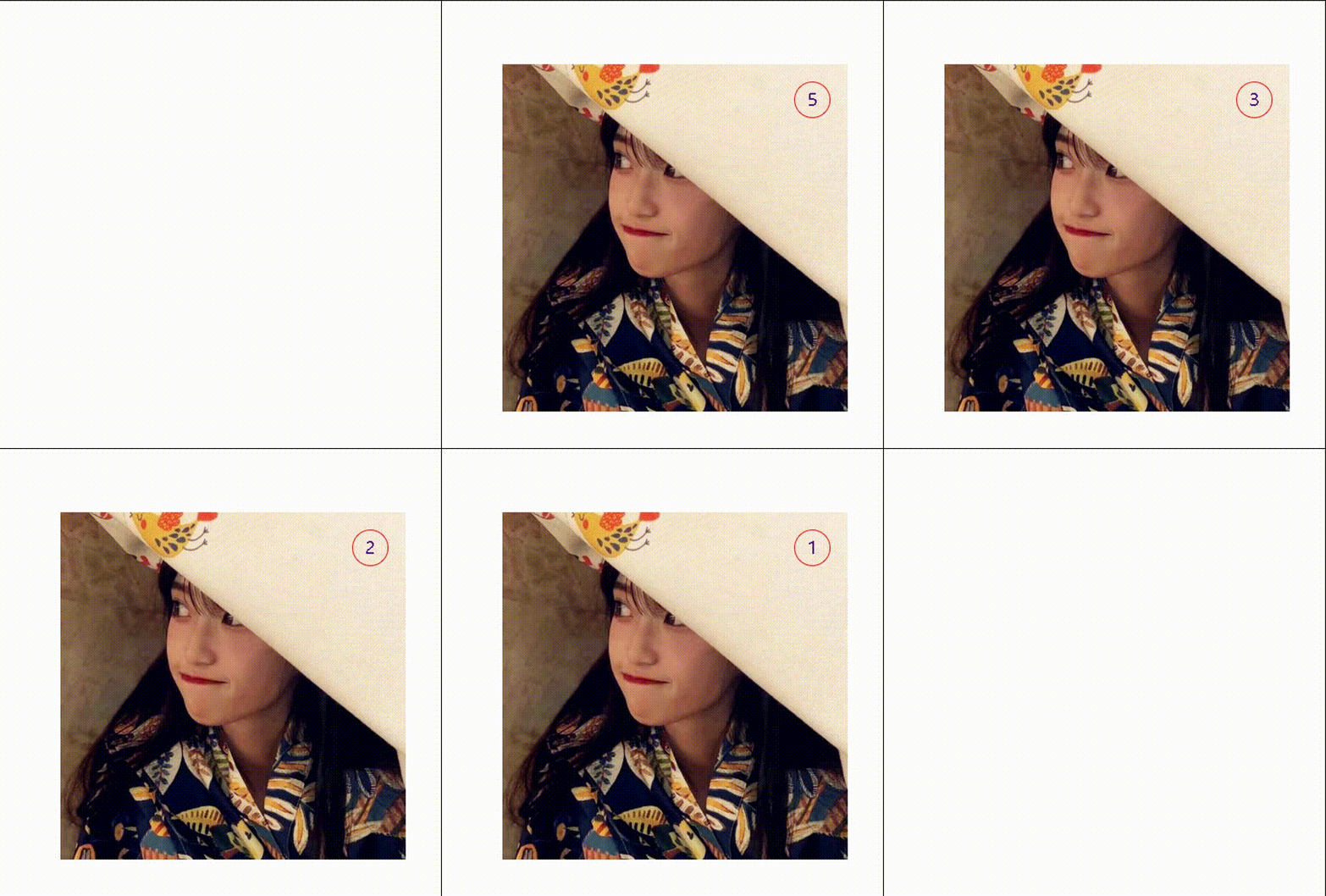
一张图片,在其右上角放置一个div
,分别得到那个元素,在div中插入数字
开启一个定时器,每隔一段时间减一。
直到为0.图片消失
<style>
.ad{
	width:400px;
	height:400px;
	background-image: url(img/1.jpg);
	position:relative;
	margin:200px auto;
}
#sj{
	display:block;
	width:40px;
	height:40px;
	line-height:30px;
	border-radius:50%;
	border:1px solid red;
	position:absolute;
	top:20px;
	right:20px;
	text-decoration: none;
	text-align: center;
	line-height: 40px;
	font-size: 20px;
}
</style>
</head>
<body>
	<div id="gg" class="ad">
		<a href="" > <span id="sj">5</span></a>
	</div>
<script>
var gg=document.getElementById("gg");
var sj=document.getElementById("sj")
var time=setInterval(function(){
	sj.innerHTML-=1;
	if(sj.innerHTML==0){
		gg.style.display="none";
		clearInterval(time);
	}
},1000);
</script>
</body>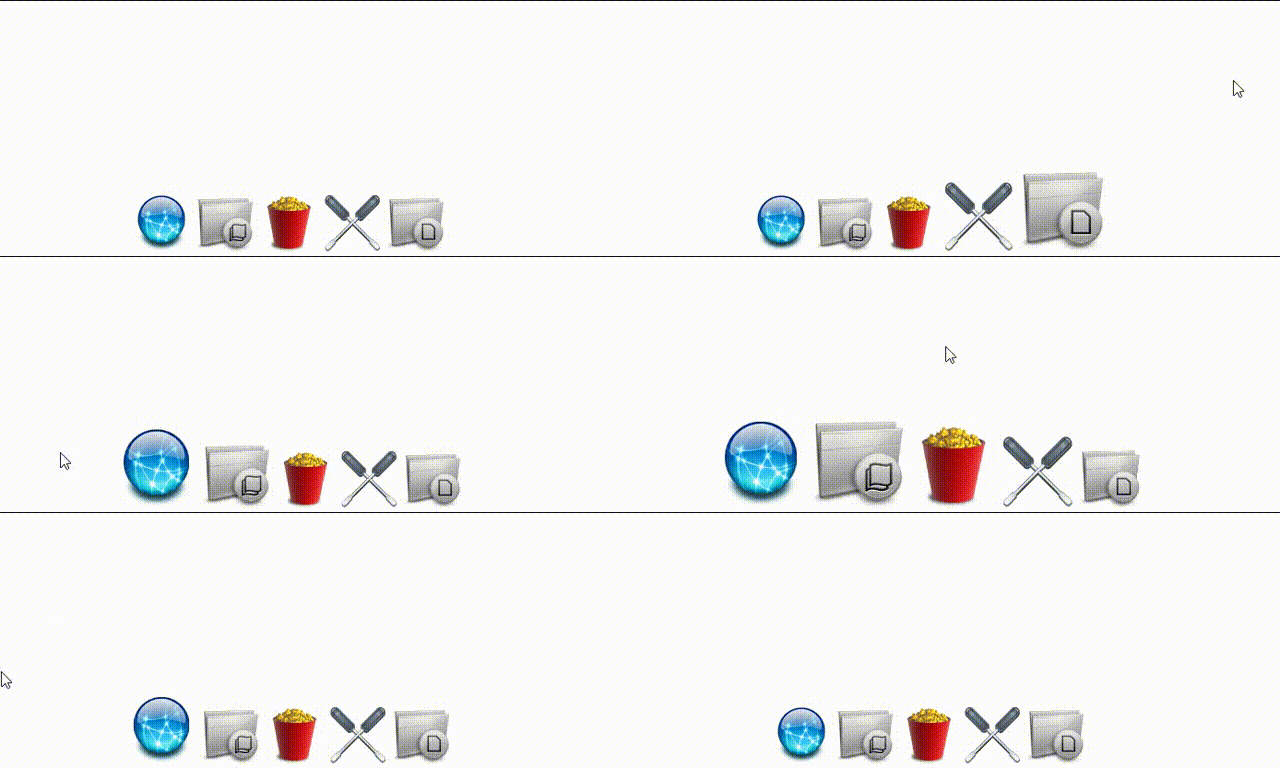
放置三张图片,移动到那个图片,
改变他的偏移量。
*{
	padding:0;
	margin:0;
	}
body,html{
	width:100%;
	 overflow:hidden;
	}
#wrap1{
	width:100%;
	position:absolute;
	bottom:0;
	left:0;
	text-align: center;
	}
#wrap1>img{
	width:64px;
	}
</style>
</head>
<body>
	<div id="wrap1">
		<img src="img/1.png" />
		<img src="img/2.png" />
		<img src="img/3.png" />
		<img src="img/4.png" />
		<img src="img/5.png" />
	</div>
<script type="text/javascript">
	window.onload=function(){
		var r=320
		var imgNodes=document.querySelectorAll("#wrap1>img")
		document.onmousemove=function(ev){
		ev=ev||event
		for(var i=0;i<imgNodes.length;i++){
var a= imgNodes[i].getBoundingClientRect().top+imgNodes[i].offsetHeight/2-ev.clientY
var b= imgNodes[i].getBoundingClientRect().right+ imgNodes[i].offsetWidth/2-ev.clientX
	var c=Math.sqrt(a*a+b*b)
			if(c>=r){
					c=r
					}
				 imgNodes[i].style.width=128-c*0.2+'px'
					}
				}
			}
</script>旋转音乐盒
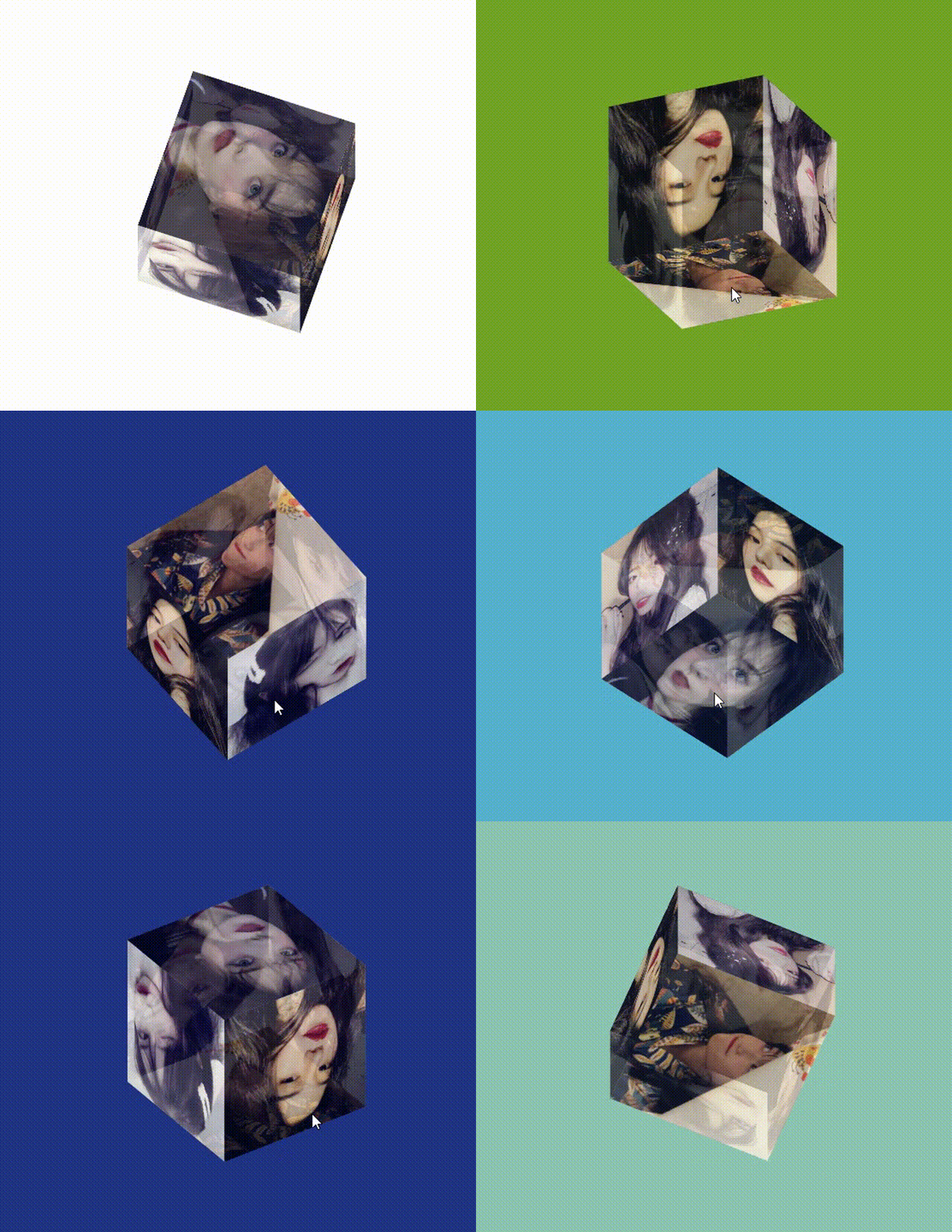
放置六张图片,将他们绝对定位。
根据所学css来对每一张图片进行定位
然后就是当点击哪一个图片时,播放
对应的音频音乐。
css:
*{
	padding:0;
	margin:0;
}
.cube{
	width:200px;
	height:200px;
	position: relative;
	margin:200px auto;
   //使效果呈现3d效果
	transform-style: preserve-3d;
	animation: rotate 30s infinite linear;
	}
@keyframes rotate{
	from{
       transform:rotateX(0deg) rotateY(0deg);
        }
    to{
       transform: rotateX(360deg) rotateY(360deg);
        }
}
html{
   //屏幕与我们的视距
	perspective: 10000px;
	}
.cube>div{
	width:200px;
	height:200px;
	position:absolute;
	opacity: 0.7;
	}
img{
	width:200px;
	height:200px;
	}
.box1{
	transform: rotateX(90deg) translateZ(100px);
	}
.box2{
	transform: rotateX(-90deg) translateZ(100px);
	}
.box3{
	transform:  rotateY(0deg) translateZ(100px);
	}
.box4{
	transform:  rotateY(180deg) translateZ(100px);
	}
.box5 {
	transform: rotateY(90deg) translateZ(100px);
	}
.box6  {
	transform: rotateY(-90deg) translateZ(100px);
	}
.change{
	transform:  translateZ(50px);
}
</style>
html:
<div class="cube">
	<div class="box1" data-key="1"><img src="./img/imgs/1.jpg"></div>
	<div class="box2" data-key="2"><img src="./img/imgs/2.jpg"></div>
	<div class="box3" data-key="3"><img src="./img/imgs/3.jpg"></div>
	<div class="box4" data-key="4"><img src="./img/imgs/4.jpg"></div>
	<div class="box5" data-key="5"><img src="./img/imgs/5.jpg"></div>
	<div class="box6" data-key="6"><img src="./img/imgs/6.jpg"></div>
</div>
<audio src="./img/audio/1.mp3" data-key="1"></audio>
<audio src="./img/audio/2.mp3" data-key="2"></audio>
<audio src="./img/audio/3.mp3" data-key="3"></audio>
<audio src="./img/audio/4.mp3" data-key="4"></audio>
<audio src="./img/audio/5.mp3" data-key="5"></audio>
js:
let divs=document.querySelectorAll('.cube>div')
let audios=document.querySelectorAll('audio')
    for(let i=0;i<divs.length;i++){
		for(let j=0;j<audios.length;j++){
			if(divs[i].dataset.key===audios[j].dataset.key){
				divs[i].onclick=function(){
					audios[j].play()
				}
			}
		}
	}
✍在最后,如果觉得博主写的还行
,期待🍟点赞 🍬评论 🍪收藏
如何在buildr项目中使用Ruby?我在很多不同的项目中使用过Ruby、JRuby、Java和Clojure。我目前正在使用我的标准Ruby开发一个模拟应用程序,我想尝试使用Clojure后端(我确实喜欢功能代码)以及JRubygui和测试套件。我还可以看到在未来的不同项目中使用Scala作为后端。我想我要为我的项目尝试一下buildr(http://buildr.apache.org/),但我注意到buildr似乎没有设置为在项目中使用JRuby代码本身!这看起来有点傻,因为该工具旨在统一通用的JVM语言并且是在ruby中构建的。除了将输出的jar包含在一个独特的、仅限ruby
我在我的Rails项目中使用Pow和powifygem。现在我尝试升级我的ruby版本(从1.9.3到2.0.0,我使用RVM)当我切换ruby版本、安装所有gem依赖项时,我通过运行railss并访问localhost:3000确保该应用程序正常运行以前,我通过使用pow访问http://my_app.dev来浏览我的应用程序。升级后,由于错误Bundler::RubyVersionMismatch:YourRubyversionis1.9.3,butyourGemfilespecified2.0.0,此url不起作用我尝试过的:重新创建pow应用程序重启pow服务器更新战俘
我已经像这样安装了一个新的Rails项目:$railsnewsite它执行并到达:bundleinstall但是当它似乎尝试安装依赖项时我得到了这个错误Gem::Ext::BuildError:ERROR:Failedtobuildgemnativeextension./System/Library/Frameworks/Ruby.framework/Versions/2.0/usr/bin/rubyextconf.rbcheckingforlibkern/OSAtomic.h...yescreatingMakefilemake"DESTDIR="cleanmake"DESTDIR="
假设我有这个范围:("aaaaa".."zzzzz")如何在不事先/每次生成整个项目的情况下从范围中获取第N个项目? 最佳答案 一种快速简便的方法:("aaaaa".."zzzzz").first(42).last#==>"aaabp"如果出于某种原因你不得不一遍又一遍地这样做,或者如果你需要避免为前N个元素构建中间数组,你可以这样写:moduleEnumerabledefskip(n)returnto_enum:skip,nunlessblock_given?each_with_indexdo|item,index|yieldit
matlab打开matlab,用最简单的imread方法读取一个图像clcclearimg_h=imread('hua.jpg');返回一个数组(矩阵),往往是a*b*cunit8类型解释一下这个三维数组的意思,行数、数和层数,unit8:指数据类型,无符号八位整形,可理解为0~2^8的数三个层数分别代表RGB三个通道图像rgb最常用的是24-位实现方法,即RGB每个通道有256色阶(2^8)。基于这样的24-位RGB模型的色彩空间可以表现256×256×256≈1670万色当imshow传入了一个二维数组,它将以灰度方式绘制;可以把图像拆分为rgb三层,可以以灰度的方式观察它figure(1
我正在尝试创建一个带有项目符号字符的Ruby1.9.3字符串。str="•"+"helloworld"但是,当我输入它时,我收到有关非ASCII字符的语法错误。我该怎么做? 最佳答案 你可以把Unicode字符放在那里。str="\u2022"+"helloworld" 关于ruby-如何在Ruby字符串中插入项目符号字符?,我们在StackOverflow上找到一个类似的问题: https://stackoverflow.com/questions/1195
我的Rails站点使用了一个确实不是很好的gem。每次我需要做一些新的事情时,我最终不得不花费与向实际Rails项目添加代码一样多的时间来为gem添加功能。但我不介意,我将我的Gemfile设置为指向我的gem的GitHub分支(我尝试提交PR,但维护者似乎已经下台)。问题是我真的没有找到一种合理的方法来测试我添加到gem的新东西。在railsc中测试它会特别好,但我能想到的唯一方法是a)更改~/.rvm/gems/.../foo。rb,这看起来不对或者b)升级版本,推送到Github,然后运行bundleup,这除了耗时之外显然是一场灾难,因为我不确定我所做的promise是否正
我一直在尝试使用nanoc用于生成静态网站。我需要组织一个复杂的排列页面,我想让我的内容保持干燥。包含或合并的概念在nanoc系统中如何运作?我已阅读文档,但似乎找不到我想要的内容。例如:我如何获取两个部分内容项并将它们合并到一个新的内容项中。在staticmatic您可以在您的页面中执行以下操作。=partial('partials/shared/navigation')类似的约定在nanoc中如何运作? 最佳答案 这里是nanoc的作者。在nanoc中,部分是布局。因此,您可以拥有layouts/partials/shared/
我安装了ruby、yeoman,当我运行我的项目时,出现了这个错误:Warning:Running"compass:dist"(compass)taskWarning:YouneedtohaveRubyandCompassinstalledthistasktowork.Moreinfo:https://github.com/gruUse--forcetocontinue.Use--forcetocontinue.我有进入可变session目标的路径,但它不起作用。谁能帮帮我? 最佳答案 我必须运行这个:geminstallcom
我有一个包含多个组件的存储库,其中大部分是用JavaScript(Node.js)编写的,一个是用Ruby(RubyonRails)编写的。我想要一个.travis.yml文件来触发一个运行每个组件的所有测试的构建。根据thisTravisCIGoogleGroupthread,目前还没有官方支持。我的目录结构是这样的:.├──构建服务器├──核心├──扩展├──网络应用├──流浪文件├──package.json├──.travis.yml└──生成文件我希望能够运行特定版本的Ruby(2.2.2)和Node.js(0.12.2)。我已经有了一个make目标,所以maketest在每