之前Unity3d的程序在win pc上打开网页一般使用EmbeddedBrowser插件,也算是比较好用的,不过经过查找我发现3D WebView for Windows and macOS (Web Browser)插件也很不错。支持?Vuplex VR/AR 浏览器的相同代码,轻松地在 Windows 和 macOS 上以 3D 形式渲染 Web 内容并与之进行交互。支持Android、iOS、Windows、macOS?和?UWP/Hololens这些平台,不过这里的版本仅支持Windows and macOS平台。其余的平台需要下载其他版本。支持调用键盘和鼠标事件,以编程方式调整大小、缩放、滚动和后退/前进;支持在当前页面的上下文中执行 JavaScript; 支持将消息从JavaScript(网页) 发送到 C# 或者反向发送;支持监听浏览器事件,例如TitleChanged、UrlChanged以及PageLoadFailed;支持查看 PDF;支持在世界坐标系内和UI画布上打开网页。功能很齐全,但是价格也很不美丽。
这是打开网页:
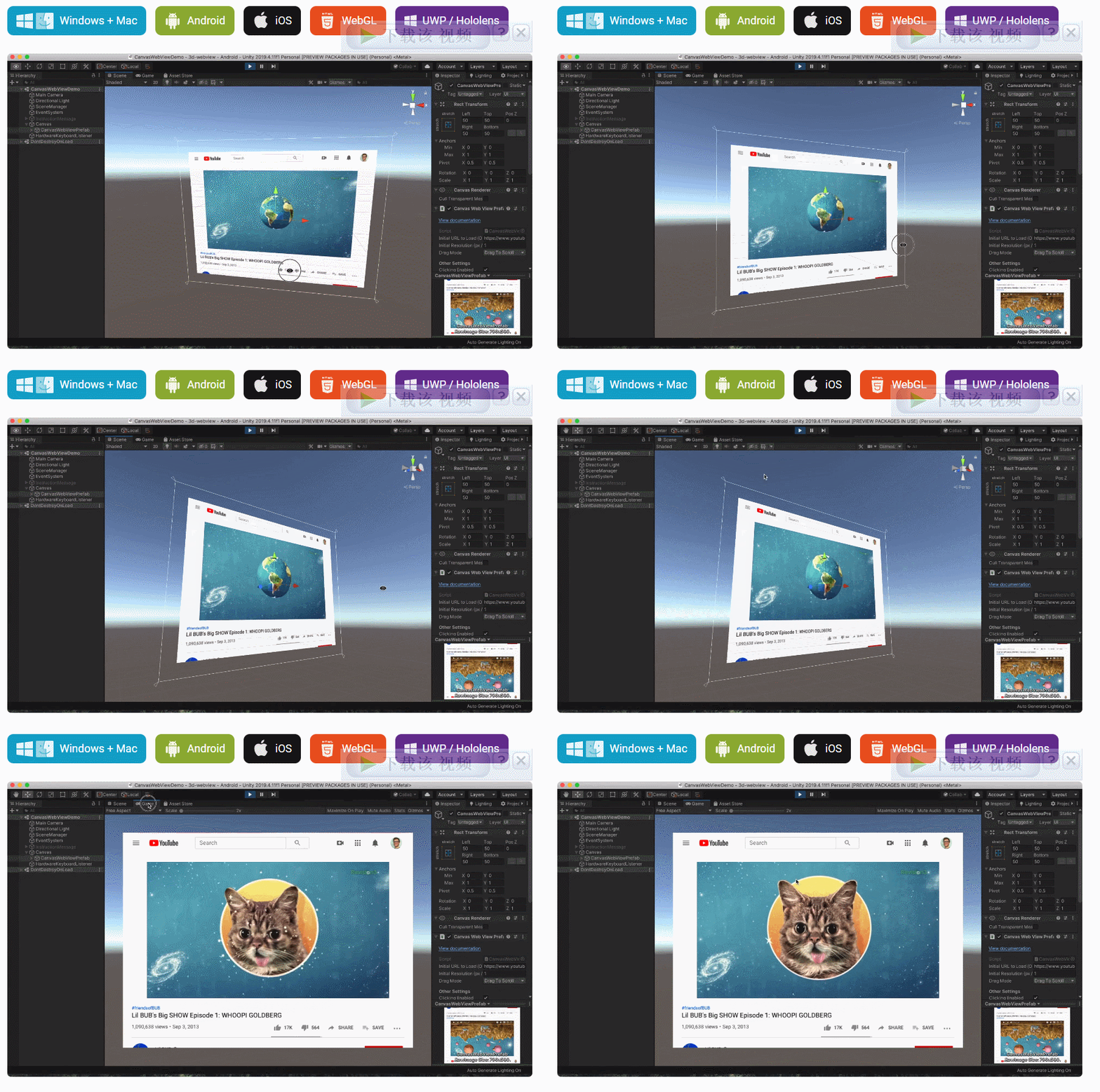
VR中应用:
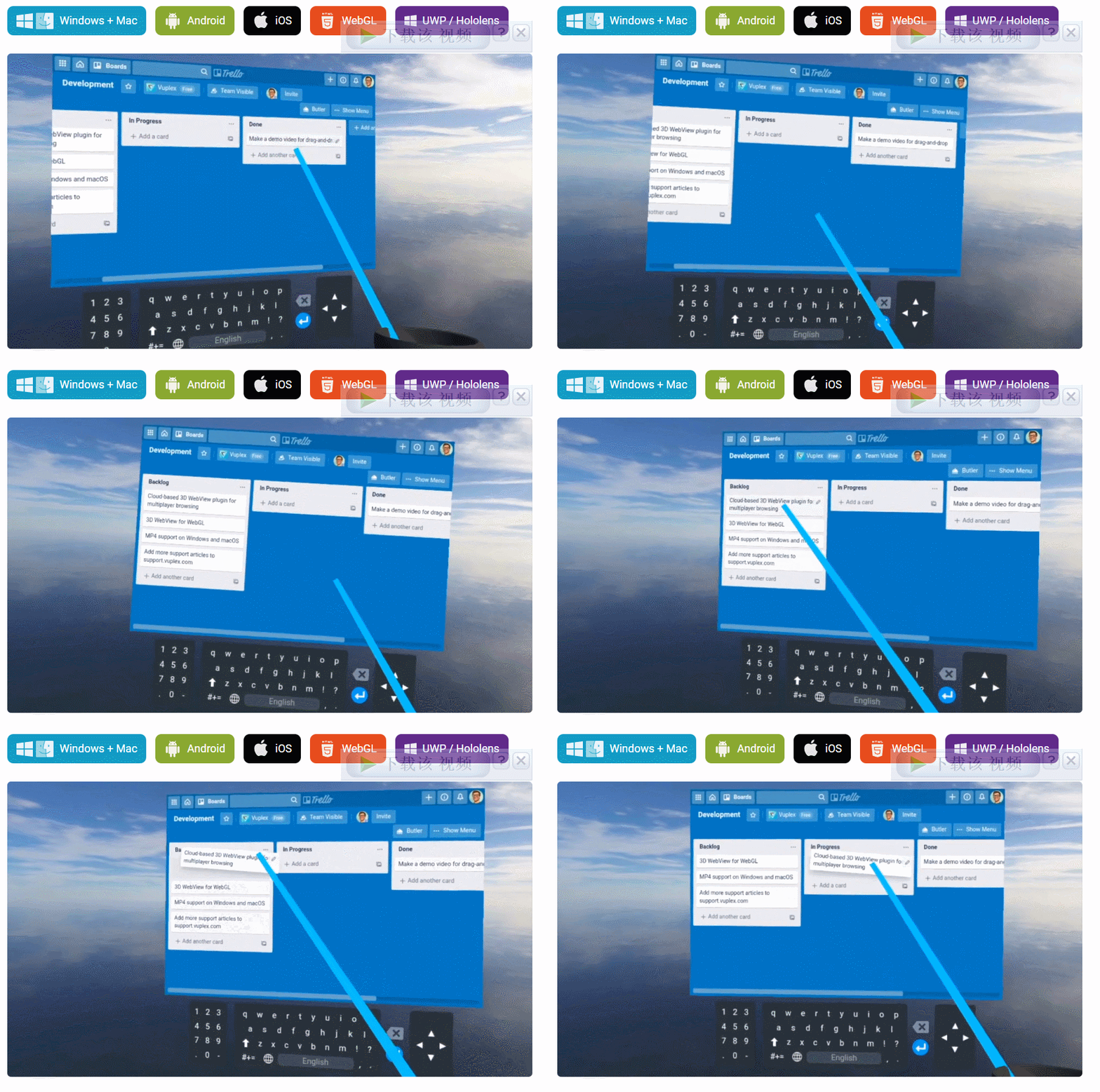
这里就使用CanvasWebViewPrefab?快速上手,打开网页它们会自动渲染为 Texture2D 并处理用户互动(单击、滚动、悬停、拖动)。
新建一个场景,并新建一个Canvas。
导入插件后,找到Assets\Vuplex\WebView\Core\Prefabs\Resources\CanvasWebViewPrefab.prefab预设:
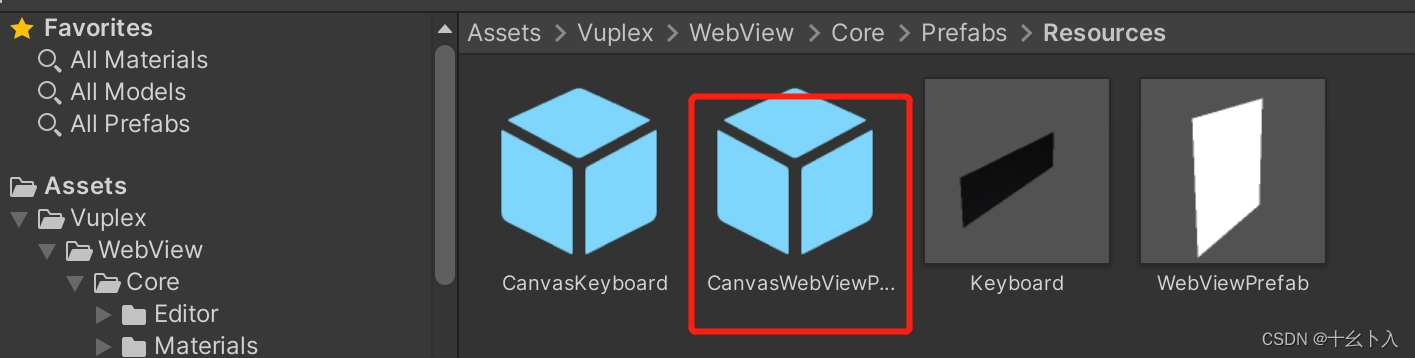
将其拖到Canvas下。
这里我们在运行就打开Unity官网:
using UnityEngine;
using Vuplex.WebView;

public class test : MonoBehaviour
{
    public CanvasWebViewPrefab canvasWebView;

    async void Start()
    {
        await canvasWebView.WaitUntilInitialized();

        canvasWebView.WebView.LoadUrl("https://unity.cn/");
    }
}
将脚本组件挂到场景,并将canvasWebView关联起来。
运行起来效果:
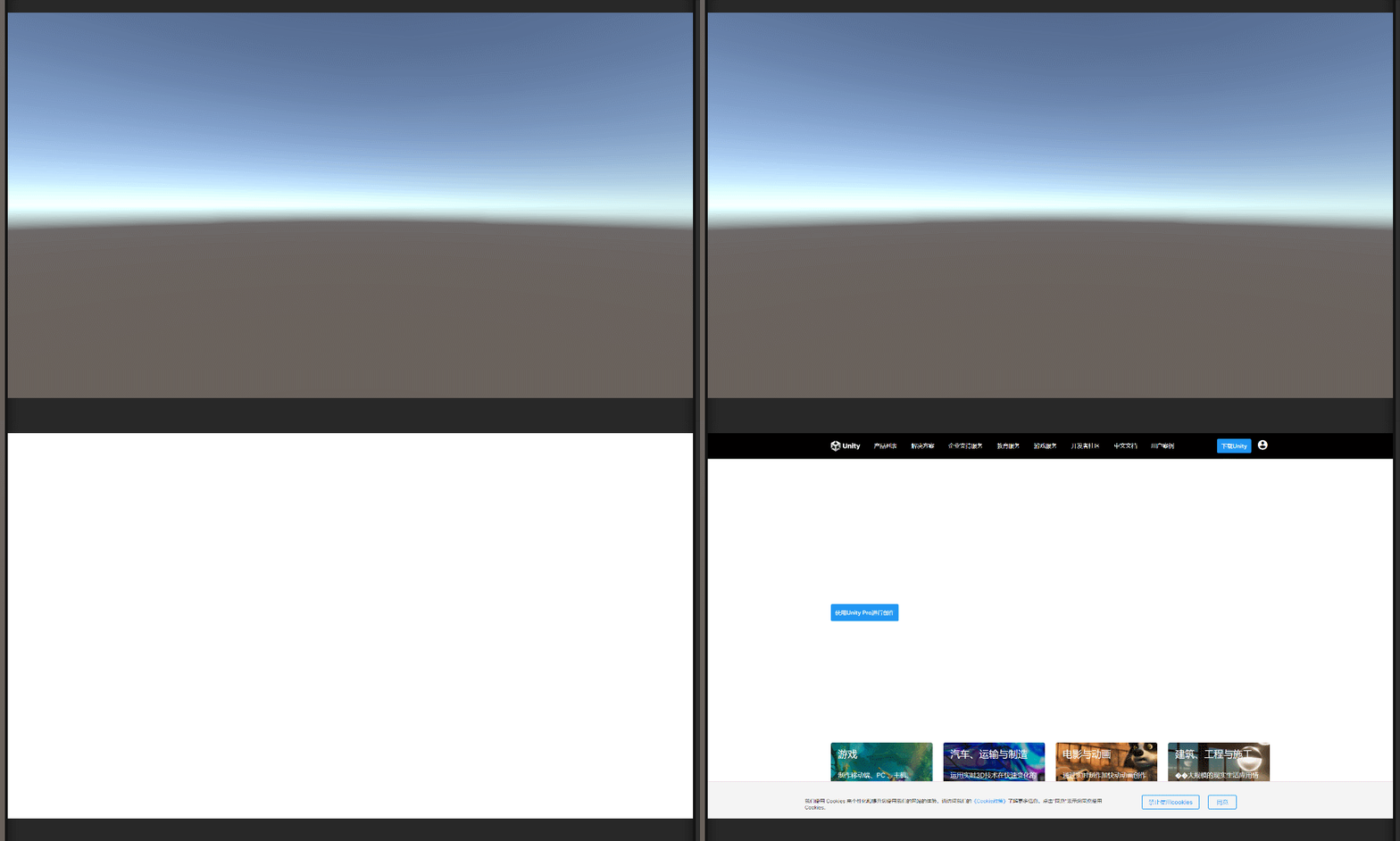
这个主要调用ExecuteJavaScript来实现,该函数有两个重载:
void?ExecuteJavaScript(string?javaScript,?Action<string>?callback)
Task<string>?ExecuteJavaScript(string?javaScript)
为了运行 JavaScript,必须首先加载网页。您可以使用WaitForNextPageLoadToFinish()或LoadProgressChanged事件在页面加载后运行 JavaScript。
如:
await webViewPrefab.WaitUntilInitialized();
 await webViewPrefab.WebView.WaitForNextPageLoadToFinish();
var headerText = await webViewPrefab.WebView.ExecuteJavaScript("document.getElementsByTagName('h1')[0].innerText");
Debug.Log("H1 text: " + headerText);
这就是找到标签名 h1并输出它的文本。
使用该插件是可以实现 Unity与网页的双向通信,只不过要对接完美,需要两边的开发者协商好通信消息以及格式。
从 Unity向 网页 发送消息是使用PostMessage()函数来实现。
发送消息的 C# 脚本:
async void Start() {
    var webViewPrefab = GameObject.Find("WebViewPrefab").GetComponent<WebViewPrefab>();
    // Wait for the WebViewPrefab to initialize, because the WebViewPrefab.WebView property
    // is null until the prefab has initialized.
    await webViewPrefab.WaitUntilInitialized();
    // Send a message after the page has loaded.
    await webViewPrefab.WebView.WaitForNextPageLoadToFinish();
    webViewPrefab.WebView.PostMessage("{\"type\": \"greeting\", \"message\": \"Hello from C#!\"}");
}
在网页端,通过对象?message事件监听消息的 JavaScript :
if (window.vuplex) {
    addMessageListener();
} else {
    window.addEventListener('vuplexready', addMessageListener);
}function addMessageListener() {
    window.vuplex.addEventListener('message', function(event) {
        let json = event.data;
        // > JSON received: { "type": "greeting", "message": "Hello from C#!" }
        console.log('JSON received: ' + json);
    });
}
3D WebView 有一个内置的window.vuplex.postMessage() JavaScript API,可用于将消息从 网页发送到 Unity。由于它内置在浏览器中,因此您无需在页面中包含任何第三方脚本即可使用它。以下为发消息示例脚本:
// The window.vuplex object gets created when the page starts loading,// so we double-check that it exists before using it here.// You can skip this step if you're sending a message after the page has loaded.
if (window.vuplex) {
    // The window.vuplex object already exists, so go ahead and send the message.
    sendMessageToCSharp();
} else {
    // The window.vuplex object hasn't been initialized yet because the page is still
    // loading, so add an event listener to send the message once it's initialized.
    window.addEventListener('vuplexready', sendMessageToCSharp);
}function sendMessageToCSharp() {
    // This object passed to postMessage() automatically gets serialized as JSON
    // and is emitted via the C# MessageEmitted event. This API mimics the window.postMessage API.
    window.vuplex.postMessage({ type: 'greeting', message: 'Hello from JavaScript!' });
}
在Unity端通过MessageEmitted 事件的监听来接收网页发送过来的消息。
Unity 中接收该消息脚本示例:
async void Start() {
    // This assumes that there's a WebViewPrefab already in the scene.
    var webViewPrefab = GameObject.Find("WebViewPrefab").GetComponent<WebViewPrefab>();
    // Wait for the WebViewPrefab to initialize, because the WebViewPrefab.WebView property
    // is null until the prefab has initialized.
    await webViewPrefab.WaitUntilInitialized();
    webViewPrefab.WebView.MessageEmitted += (sender, eventArgs) => {
        // > JSON received: { "type": "greeting", "message": "Hello from JavaScript!" }
        Debug.Log("JSON received: " + eventArgs.Value);
    };
}
通过click函数来实现:
void?Click(Vector2?normalizedPoint,?bool?preventStealingFocus?= false)
示例脚本:
// Click in the exact center of the page.
webViewPrefab.WebView.Click(new Vector2(0.5f, 0.5f));
// Click in the upper right quadrant of the page// and prevent stealing focus from another webview.
webViewPrefab.WebView.Click(new Vector2(0.75f, 0.25f), true);
只不过normalizedPoint是采用标准化点而不是像素坐标,即Vector2? 每个元素的取值范围 0–1。
选择所有文本,具体取决于页面的焦点元素:
webViewPrefab.WebView.SelectAll();
将选定的文本复制到剪贴板:
webViewPrefab.WebView.Copy();
将选定的文本复制到剪贴板并将其删除:
webViewPrefab.WebView.Cut();
本教程将在Unity3D中混合Optitrack与数据手套的数据流,在人体运动的基础上,添加双手手指部分的运动。双手手背的角度仍由Optitrack提供,数据手套提供双手手指的角度。 01 客户端软件分别安装MotiveBody与MotionVenus并校准人体与数据手套。MotiveBodyMotionVenus数据手套使用、校准流程参照:https://gitee.com/foheart_1/foheart-h1-data-summary.git02 数据转发打开MotiveBody软件的Streaming,开始向Unity3D广播数据;MotionVenus中设置->选项选择Unit
我正在尝试用ruby编写一个简单的网络抓取代码。它一直工作到第29个url,然后我收到此错误消息:C:/Ruby193/lib/ruby/1.9.1/open-uri.rb:346:in`open_http':500InternalServerError(OpenURI::HTTPError)fromC:/Ruby193/lib/ruby/1.9.1/open-uri.rb:775:in`buffer_open'fromC:/Ruby193/lib/ruby/1.9.1/open-uri.rb:203:in`blockinopen_loop'fromC:/Ruby193/lib/r
我已经按照https://github.com/wayneeseguin/rvm#installation上的说明通过RVM安装了Ruby.有关信息,我有所有文件(readline-5.2.tar.gz、readline-6.2.tar.gz、ruby-1.9.3-p327.tar.bz2、rubygems-1.8.24.tgz、wayneeseguin-rvm-stable.tgz和yaml-0.1.4.tar.gz)在~/.rvm/archives目录中,我不想在任何目录中重新下载它们方式。当我这样做时:sudo/usr/bin/apt-getinstallbuild-essent
我的Ruby-on-Rails项目中有以下文件结构,用于规范:/spec/msd/serviceservice_spec.rb/support/my_modulerequests_stubs.rb我的request_stubs.rb有:moduleMyModule::RequestsStubsmodule_functiondeflist_clientsurl="dummysite.com/clients"stub_request(:get,url).to_return(status:200,body:"clientsbody")endend在我的service_spec.rb我有:re
Ruby是否支持(找不到更好的词)非转义(逐字)字符串?就像在C#中一样:@"c:\ProgramFiles\"...或者在Tcl中:{c:\ProgramFiles\} 最佳答案 是的,您需要在字符串前加上%前缀,然后是描述其类型的单个字符。你想要的是%q{c:\programfiles\}。镐书很好地涵盖了这一点here,部分是通用分隔输入。 关于ruby-Ruby是否支持逐字字符串?,我们在StackOverflow上找到一个类似的问题: https:/
我正在编写一个Rubygem,在我的代码中使用{key:'value'}哈希语法。我的测试都在1.9.x中通过,但我(可以理解)在1.8.7中得到syntaxerror,unexpected':',expecting')'。是否有支持1.8.x的最佳实践?我是否需要使用我们的老friend=>重写代码,还是有更好的策略? 最佳答案 我认为你运气不好,如果你想支持1.8,那么你必须使用=>。像往常一样,我会提到在1.9的某些情况下您必须使用=>:如果键不是一个符号。请记住,任何对象(符号、字符串、类、float……)都可以是Ruby哈
在Rails中,什么是集成更新模型某些元素的UDP监听过程的最佳方式(特别是它将向其中一个表添加行)。简单的答案似乎是在同一个进程中使用UDP套接字对象启动一个线程,但我什至不清楚我应该在哪里做适合Rails方式的事情。有没有一种巧妙的方法来开始收听UDP?具体来说,我希望能够编写一个UDPController并在每个数据报消息上调用一个特定的方法。理想情况下,我希望避免在UDP上使用HTTP(因为它会浪费一些在这种情况下非常宝贵的空间),但我完全控制消息格式,因此我可以为Rails提供它需要的任何信息。 最佳答案 Rails是一个
我是Ruby和Watir-Webdriver的新手。我有一套用VBScript编写的站点自动化程序,我想将其转换为Ruby/Watir,因为我现在必须支持Firefox。我发现我真的很喜欢Ruby,而且我正在研究Watir,但我已经花了一周时间试图让Webdriver显示我的登录屏幕。该站点以带有“我同意”区域的“警告屏幕”开头。用户点击我同意并显示登录屏幕。我需要单击该区域以显示登录屏幕(这是同一页面,实际上是一个表单,只是隐藏了)。我整天都在用VBScript这样做:objExplorer.Document.GetElementsByTagName("area")(0).click
我收到错误:unsupportedcipheralgorithm(AES-256-GCM)(RuntimeError)但我似乎具备所有要求:ruby版本:$ruby--versionruby2.1.2p95OpenSSL会列出gcm:$opensslenc-help2>&1|grepgcm-aes-128-ecb-aes-128-gcm-aes-128-ofb-aes-192-ecb-aes-192-gcm-aes-192-ofb-aes-256-ecb-aes-256-gcm-aes-256-ofbRuby解释器:$irb2.1.2:001>require'openssl';puts
我刚找到thiscomment来自mojombo:ThelatestonmasternowhasPluginsupport.Lookatlib/jekyll/convertersforexamplesofhowthey'redone.Also,any*.rbfilesina_pluginsdirectorywillbeloadedsothatyoucancreatecustompluginsofyourown.我看过/lib/jekyll/converters但无法理解它们应该如何工作。谁能给我解释一下?非常感谢。 最佳答案 一个新
