以下内容图示为主,主要探讨和早期版本的不同,给大家升级 8.0 或者更高版本铺路。
注意!!!!!
不要修改任何配置,一会我会讲为什么。
启动 elasticsearch 后,记录命令行提示的信息。如下:
-> Elasticsearch security features have been automatically configured!
-> Authentication is enabled and cluster connections are encrypted.

->  Password for the elastic user (reset with bin/elasticsearch-reset-password -u elastic):
  E28HdAOZEdumJU7A9wL7

->  HTTP CA certificate SHA-256 fingerprint:
  264b58e0f92f1e7492cc4cd407aac886012b026af6a20d777a05cd0ddccb43b4

->  Configure Kibana to use this cluster:
* Run Kibana and click the configuration link in the terminal when Kibana starts.
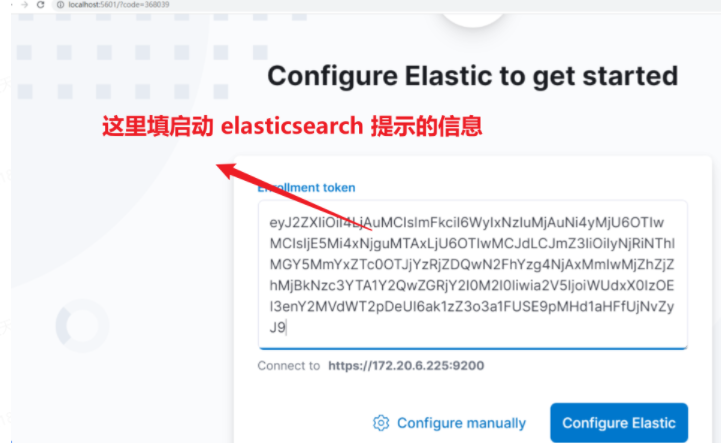
* Copy the following enrollment token and paste it into Kibana in your browser (valid for the next 30 minutes):
  eyJ2ZXIiOiI4LjAuMCIsImFkciI6WyIxNzIuMjAuNi4yMjU6OTIwMCIsIjE5Mi4xNjguMTAxLjU6OTIwMCJdLCJmZ3IiOiIyNjRiNThlMGY5MmYxZTc0OTJjYzRjZDQwN2FhYzg4NjAxMmIwMjZhZjZhMjBkNzc3YTA1Y2QwZGRjY2I0M2I0Iiwia2V5IjoiWUdxX0IzOEI3enY2MVdWT2pDeUI6ak1zZ3o3a1FUSE9pMHd1aHFfUjNvZyJ9

->  Configure other nodes to join this cluster:
* On this node:
  - Create an enrollment token with bin/elasticsearch-create-enrollment-token -s node.
  - Uncomment the transport.host setting at the end of config/elasticsearch.yml.
  - Restart Elasticsearch.
* On other nodes:
- Start Elasticsearch with bin/elasticsearch --enrollment-token <token>, using the enrollment token that you generated.注意下面的提示信息,提示我们浏览器访问,并完成配置。
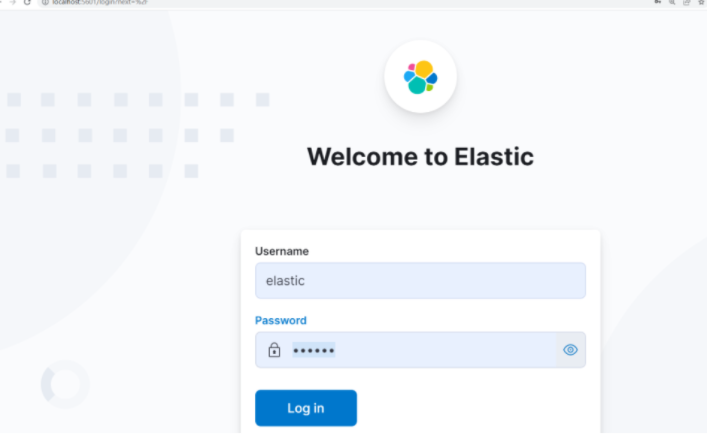
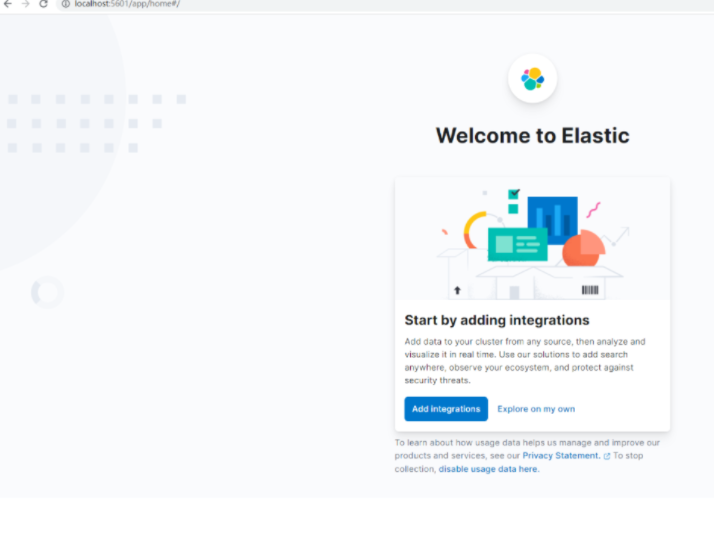
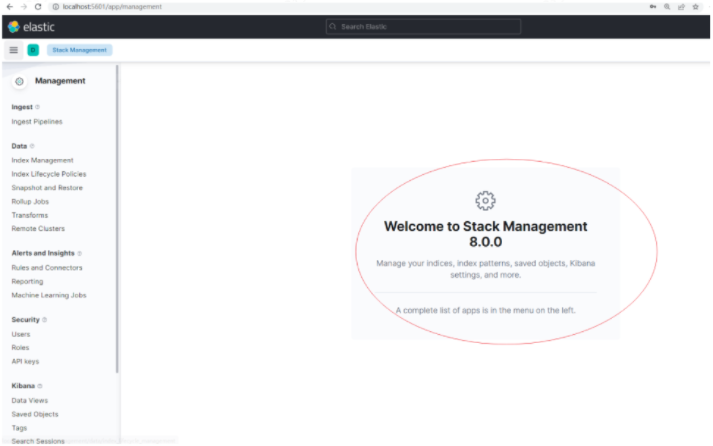
i Kibana has not been configured.

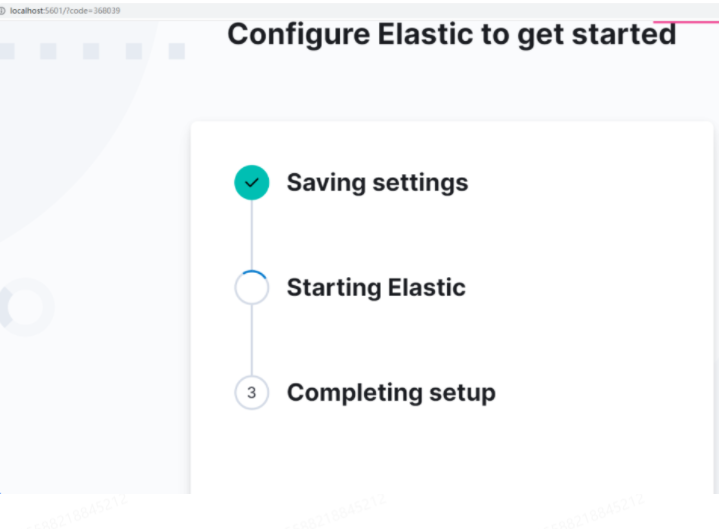
Go to http://localhost:5601/?code=368039 to get started.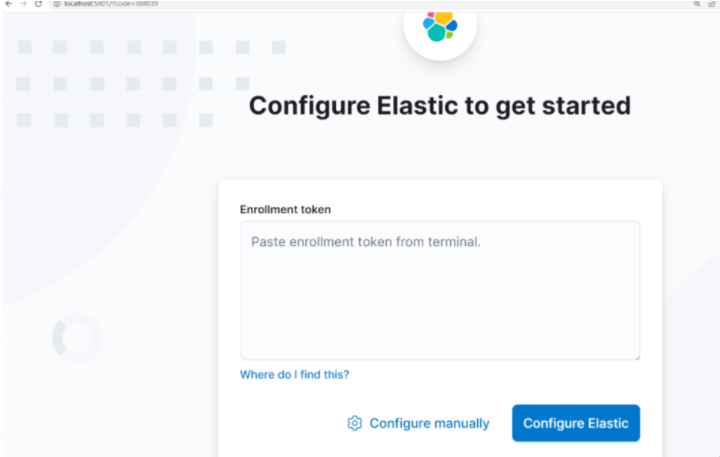
铭毅的观察:
节点无需任何安全配置,即可实现 TLS 加密通信、Https 加密通信。
TLS 应用于 节点间的通信。
Https 应用于 Http访问,例如:浏览器访问 elasticsearch。
在第一次启动之后,elasticsearch 下的elasticsearch.yml 文件自动新增配置如下:
Enable security features
xpack.security.enabled: true

xpack.security.enrollment.enabled: true

Enable encryption for HTTP API client connections, such as Kibana, Logstash, and Agents
xpack.security.http.ssl:
  enabled: true
  keystore.path: certs/http.p12

Enable encryption and mutual authentication between cluster nodes
xpack.security.transport.ssl:
  enabled: true
  verification_mode: certificate
  keystore.path: certs/transport.p12
  truststore.path: certs/transport.p12
Create a new cluster with the current node only
Additional nodes can still join the cluster later
cluster.initialmasternodes: ["DESKTOP-TKQF337"]

Allow HTTP API connections from localhost and local networks
Connections are encrypted and require user authentication
http.host: [local, site]

Allow other nodes to join the cluster from localhost and local networks
Connections are encrypted and mutually authenticated
#transport.host: [local, site]
#----------------------- END SECURITY AUTO CONFIGURATION -------------------------
而 Kibana 下的配置在浏览器配置完毕后,自动新增配置如下
# This section was automatically generated during setup.
elasticsearch.hosts: ['https://172.20.6.225:9200']
elasticsearch.serviceAccountToken: AAEAAWVsYXN0aWMva2liYW5hL2Vucm9sbC1wcm9jZXNzLXRva2VuLTE2NDUxMDI3NzQyOTg6VWszUEc1YUtTMkdXT1lxMkNaUVdXdw
elasticsearch.ssl.certificateAuthorities: ['D:\2.es_install\kibana-8.0.0-windows-x86_64\kibana-8.0.0\data\ca_1645102775117.crt']
xpack.fleet.outputs: [{id: fleet-default-output, name: default, is_default: true, is_default_monitoring: true, type: elasticsearch, hosts: ['https://172.20.6.225:9200'], ca_trusted_fingerprint: 264b58e0f92f1e7492cc4cd407aac886012b026af6a20d777a05cd0ddccb43b4}]这和早期版本使用不太一样的。
我习惯配置成本地 ip 地址,然后再访问的,包括云服务的我也是先改配置再访问。
优点:这种自动化的方式,单节点本机无需配置即可启动,非常方便。
缺点:对于云服务器方式,这种方式是不凑效的,为啥?
关于云服务器的不生效,本质原因,看官方文档:
https://www.elastic.co/guide/en/elasticsearch/reference/current/configuring-stack-security.html
When Elasticsearch starts for the first time, the security auto-configuration process binds the HTTP layer to both _site_ and _local_, but only binds the transport layer to _local_. This intended behavior ensures that you can start a single-node cluster with security enabled by default without any additional configuration.site
Any site-local addresses on the system, for example 192.168.0.1.
local
Any loopback addresses on the system, for example 127.0.0.1.
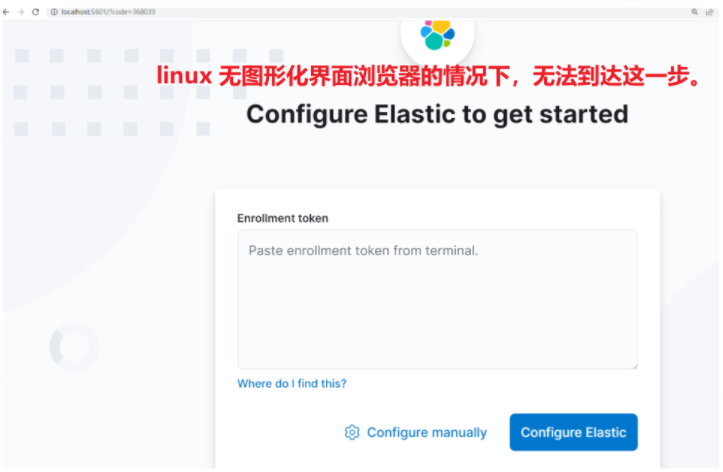
目前看 linux 云服务器在无图形化桌面浏览器的情况下无法通过浏览器实现。
那么云服务器的 Elasticsearch 怎么搞起来?且听下回分解。
下一篇:云服务器 Centos7 部署 Elasticsearch 8.0 + Kibana 8.0 指南
发文时间:2022-02-17
我需要在客户计算机上运行Ruby应用程序。通常需要几天才能完成(复制大备份文件)。问题是如果启用sleep,它会中断应用程序。否则,计算机将持续运行数周,直到我下次访问为止。有什么方法可以防止执行期间休眠并让Windows在执行后休眠吗?欢迎任何疯狂的想法;-) 最佳答案 Here建议使用SetThreadExecutionStateWinAPI函数,使应用程序能够通知系统它正在使用中,从而防止系统在应用程序运行时进入休眠状态或关闭显示。像这样的东西:require'Win32API'ES_AWAYMODE_REQUIRED=0x0
我是Google云的新手,我正在尝试对其进行首次部署。我的第一个部署是RubyonRails项目。我基本上是在关注thisguideinthegoogleclouddocumentation.唯一的区别是我使用的是我自己的项目,而不是他们提供的“helloworld”项目。这是我的app.yaml文件runtime:customvm:trueentrypoint:bundleexecrackup-p8080-Eproductionconfig.ruresources:cpu:0.5memory_gb:1.3disk_size_gb:10当我转到我的项目目录并运行gcloudprevie
这似乎非常适得其反,因为太多的gem会在window上破裂。我一直在处理很多mysql和ruby-mysqlgem问题(gem本身发生段错误,一个名为UnixSocket的类显然在Windows机器上不能正常工作,等等)。我只是在浪费时间吗?我应该转向不同的脚本语言吗? 最佳答案 我在Windows上使用Ruby的经验很少,但是当我开始使用Ruby时,我是在Windows上,我的总体印象是它不是Windows原生系统。因此,在主要使用Windows多年之后,开始使用Ruby促使我切换回原来的系统Unix,这次是Linux。Rub
我可以在Azure网站上部署RubyonRails吗? 最佳答案 还没有。目前仅支持.NET和PHP。 关于ruby-on-rails-RubyonRails可以部署在Azure网站上吗?,我们在StackOverflow上找到一个类似的问题: https://stackoverflow.com/questions/12964010/
之前在培训新生的时候,windows环境下配置opencv环境一直教的都是网上主流的vsstudio配置属性表,但是这个似乎对新生来说难度略高(虽然个人觉得完全是他们自己的问题),加之暑假之后对cmake实在是爱不释手,且这样配置确实十分简单(其实都不需要配置),故斗胆妄言vscode下配置CV之法。其实极为简单,图比较多所以很长。如果你看此文还配不好,你应该思考一下是不是自己的问题。闲话少说,直接开始。0.CMkae简介有的人到大二了都不知道cmake是什么,我不说是谁。CMake是一个开源免费并且跨平台的构建工具,可以用简单的语句来描述所有平台的编译过程。它能够根据当前所在平台输出对应的m
前置步骤我们都操作完了,这篇开始介绍jenkins的集成。话不多说,看操作1、登录进入jenkins后会让你选择安装插件,选择第一个默认的就行。安装完成后设置账号密码,重新登录。2、配置JDK和Git都需要执行路径,所以需要先把执行路径找到,先进入服务器的docker容器,2.1JDK的路径root@69eef9ee86cf:/usr/bin#echo$JAVA_HOME/usr/local/openjdk-82.2Git的路径root@69eef9ee86cf:/#whichgit/usr/bin/git3、先配置JDK和Git。点击:ManageJenkins>>GlobalToolCon
深度学习部署:Windows安装pycocotools报错解决方法1.pycocotools库的简介2.pycocotools安装的坑3.解决办法更多Ai资讯:公主号AiCharm本系列是作者在跑一些深度学习实例时,遇到的各种各样的问题及解决办法,希望能够帮助到大家。ERROR:Commanderroredoutwithexitstatus1:'D:\Anaconda3\python.exe'-u-c'importsys,setuptools,tokenize;sys.argv[0]='"'"'C:\\Users\\46653\\AppData\\Local\\Temp\\pip-instal
Ocra无法处理需要“tk”的应用程序require'tk'puts'nope'用奥克拉http://github.com/larsch/ocra不起作用(如链接中的一个问题所述)问题:https://github.com/larsch/ocra/issues/29(Ocra是1.9的"new"rubyscript2exe,本质上它用于将rb脚本部署为可执行文件)唯一的问题似乎是缺少tcl的DLL文件我不认为这是一个问题据我所知,问题是缺少tk的DLL文件如果它们是已知的,则可以在执行ocra时将它们包括在内有没有办法知道tk工作所需的DLL依赖项? 最佳答
我在目录“C:\DocumentsandSettings\test.exe”中有一个文件,但是当我用单引号编写命令时`C:\DocumentsandSettings\test.exe(我无法在此框中显示),用于在Ruby中执行命令,我无法这样做,我收到的错误是找不到文件或目录。我尝试用“//”和“\”替换“\”,但似乎没有任何效果。我也使用过系统、IO.popen和exec命令,但所有的努力都是徒劳的。exec命令还使程序退出,这是我不想发生的。提前致谢。 最佳答案 反引号环境就像双引号,所以反斜杠用于转义。此外,Ruby会将空格解
我有一个类unzipper.rb,它使用Rubyzip解压文件。在我的本地环境中,我可以成功解压缩文件,而无需使用require'zip'明确包含依赖项但是在Heroku上,我得到一个NameError(uninitializedconstantUnzipper::Zip)我只能通过使用明确的require来解决问题:为什么这在Heroku环境中是必需的,但在本地主机上却不是?我的印象是Rails自动需要所有gem。app/services/unzipper.rbrequire'zip'#OnlyrequiredforHeroku.Workslocallywithout!class
