      <dependency>
            <groupId>org.springframework.boot</groupId>
            <artifactId>spring-boot-starter-security</artifactId>
        </dependency>
        <dependency>
            <groupId>org.springframework.boot</groupId>
            <artifactId>spring-boot-starter-web</artifactId>
        </dependency>
  			<dependency>
            <groupId>org.springframework.boot</groupId>
            <artifactId>spring-boot-starter-thymeleaf</artifactId>
        </dependency>

        <dependency>
            <groupId>org.springframework.boot</groupId>
            <artifactId>spring-boot-starter-test</artifactId>
            <scope>test</scope>
        </dependency>
        <dependency>
            <groupId>org.springframework.security</groupId>
            <artifactId>spring-security-test</artifactId>
            <scope>test</scope>
        </dependency>
@RestController
public class HelloController {

    @GetMapping("/")
    public String hello(){
        return "hello SpringSecurity";
    }
}

  @Bean
    SecurityFilterChain filterChain(HttpSecurity httpSecurity) throws Exception {
        return httpSecurity.authorizeRequests()
                .mvcMatchers("/index").permitAll()
                .anyRequest().authenticated()
                .and()
                .formLogin()
                .and().build();
    }
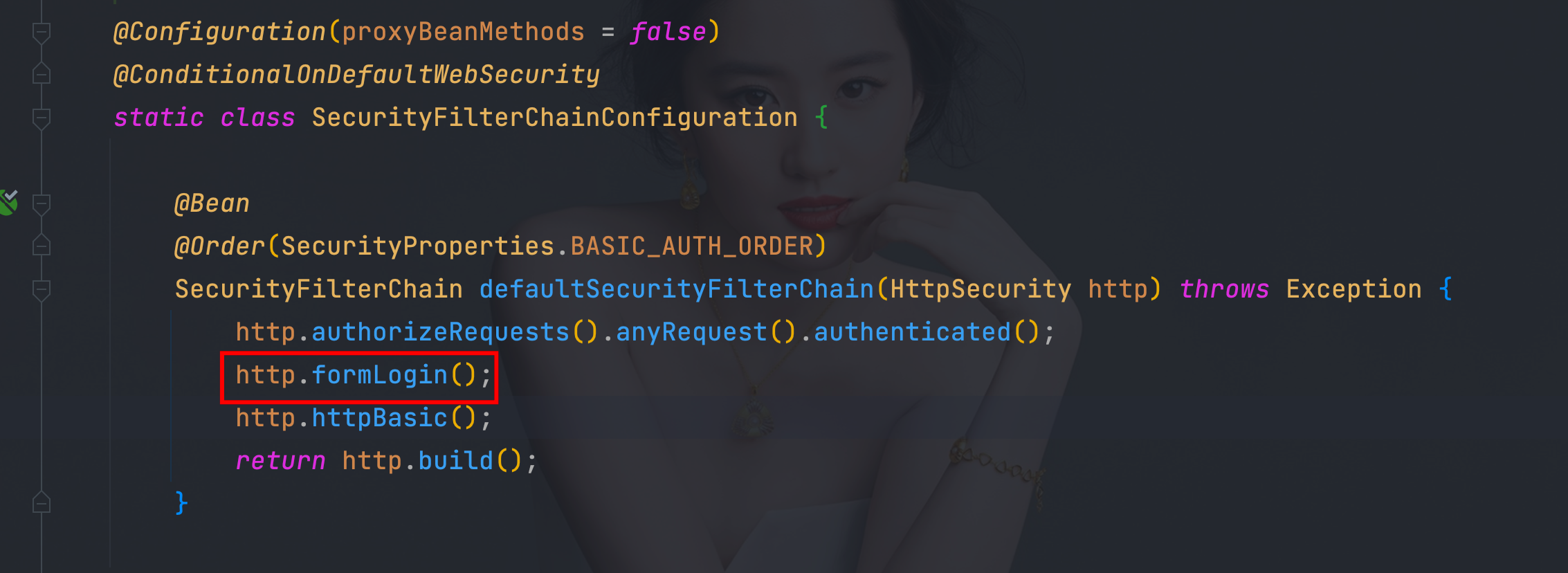
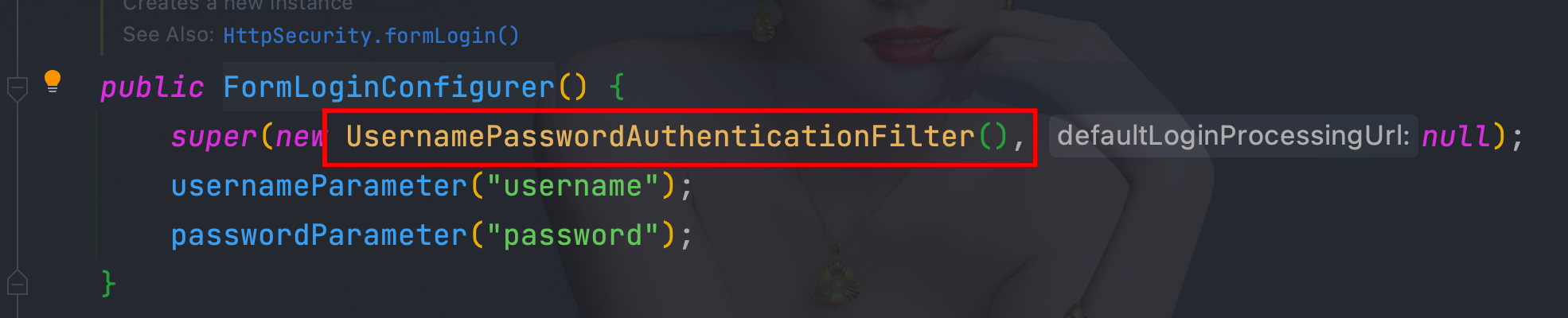
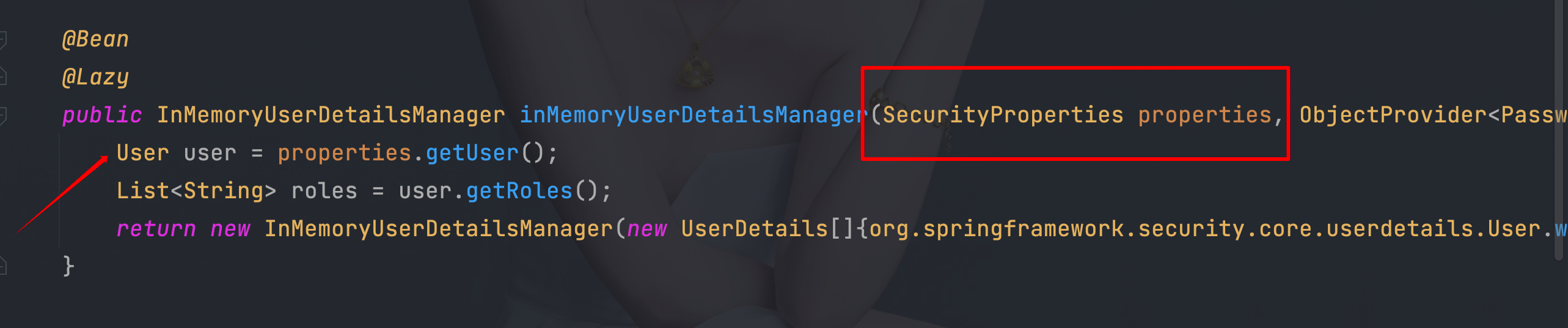

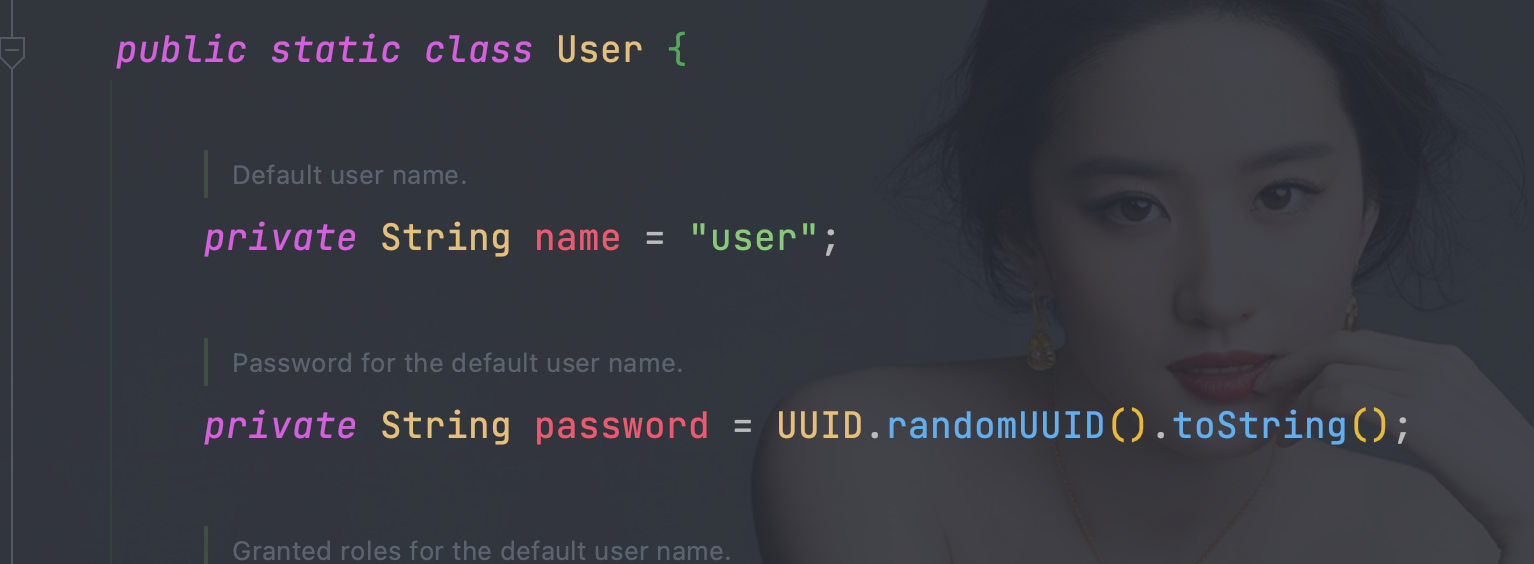
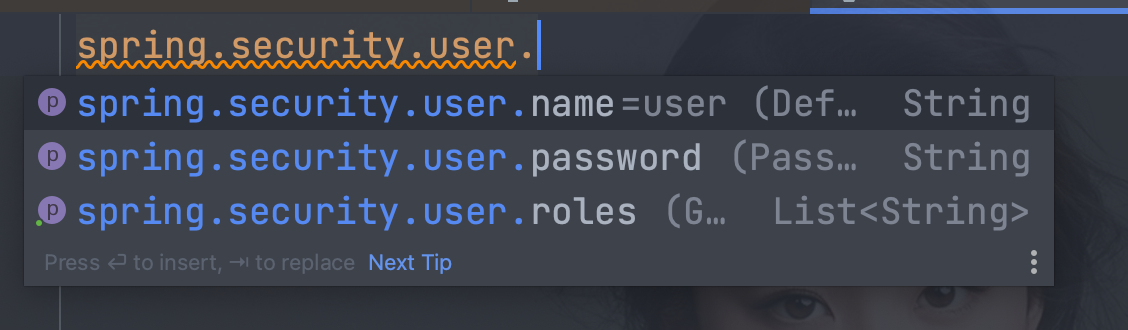
    @Bean
    SecurityFilterChain filterChain(HttpSecurity httpSecurity) throws Exception {
        return httpSecurity.authorizeRequests()
                .mvcMatchers("/index").permitAll()
                .anyRequest().authenticated()
                .and()
                .formLogin()
                .and().build();
    }
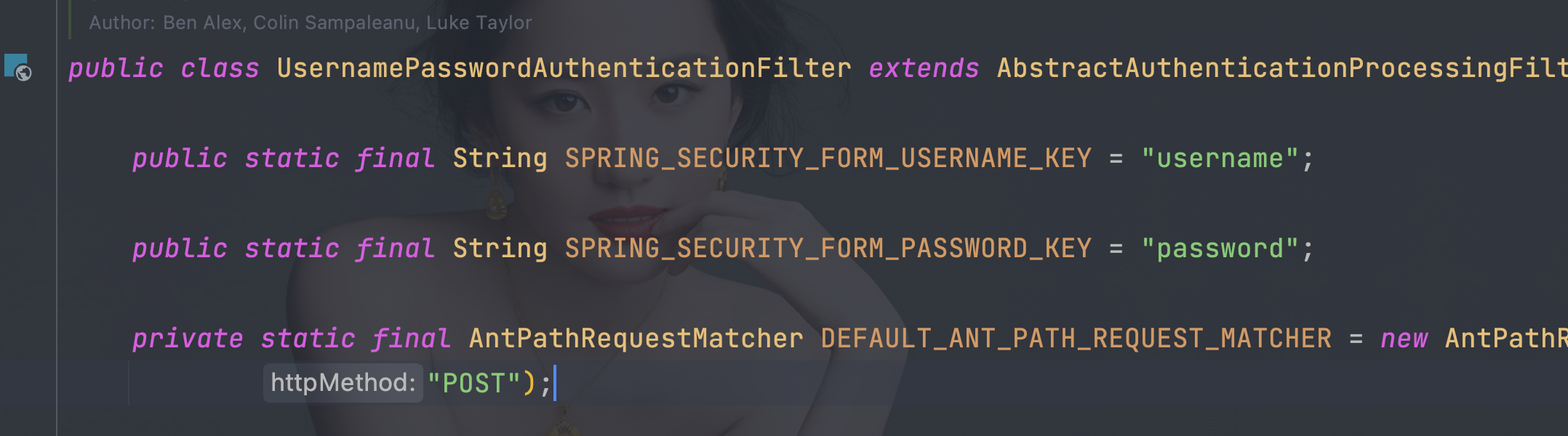
<!DOCTYPE html>
<html lang="en" xmlns:th="http://www.thymeleaf.org"
      xmlns:sec="http://www.thymeleaf.org/extras/spring-security">
<head>
    <meta charset="UTF-8">
    <title>login</title>
</head>
<body>
<form th:action="@{/doLogin}" method="post">
    <p>用户名:<label>
        <input name="username" type="text"/>
    </label></p>
    <p>密码:<label>
        <input name="password" type="password"/>
    </label></p>
    <p>
        <input type="submit">
    </p>
</form>

</body>
</html>
@Configuration
public class WebSecurityConfigurer {

    @Bean
    SecurityFilterChain filterChain(HttpSecurity httpSecurity) throws Exception {
        return
                //开启权限验证
                httpSecurity.authorizeRequests()
                //permitAll直接放行,必须在anyRequest().authenticated()前面
                .mvcMatchers("/toLogin").permitAll()
                .mvcMatchers("/index").permitAll()
                //anyRequest所有请求都需要认证
                .anyRequest().authenticated()
                .and()
                //使用form表单验证
                .formLogin()
                //自定义登陆页面
                .loginPage("/toLogin")
                //自定义登陆页面后必须指定处理登陆请求的url
                .loginProcessingUrl("/doLogin")
                .and()
                 //禁止csrf跨站请求保护
                .csrf().disable()
                .build();
    }
@Controller
public class LoginController {

    @RequestMapping("toLogin")
    public String toLogin(){
        return "login";
    }
}
@Configuration
public class WebSecurityConfigurer {

    @Bean
    SecurityFilterChain filterChain(HttpSecurity httpSecurity) throws Exception {
        return
                //开启权限验证
                httpSecurity.authorizeRequests()
                //permitAll直接放行,必须在anyRequest().authenticated()前面
                .mvcMatchers("/toLogin").permitAll()
                .mvcMatchers("/index").permitAll()
                //anyRequest所有请求都需要认证
                .anyRequest().authenticated()
                .and()
                //使用form表单验证
                .formLogin()
                //自定义登陆页面
                .loginPage("/toLogin")
                //自定义登陆页面后必须指定处理登陆请求的url
                .loginProcessingUrl("/doLogin")
//               自定义接收用户名的参数名为uname
                .usernameParameter("uname")
//               自定义接收密码的参数名为pwd
                .passwordParameter("pwd")
                .and()
                 //禁止csrf跨站请求保护
                .csrf().disable()
                .build();
    }
}
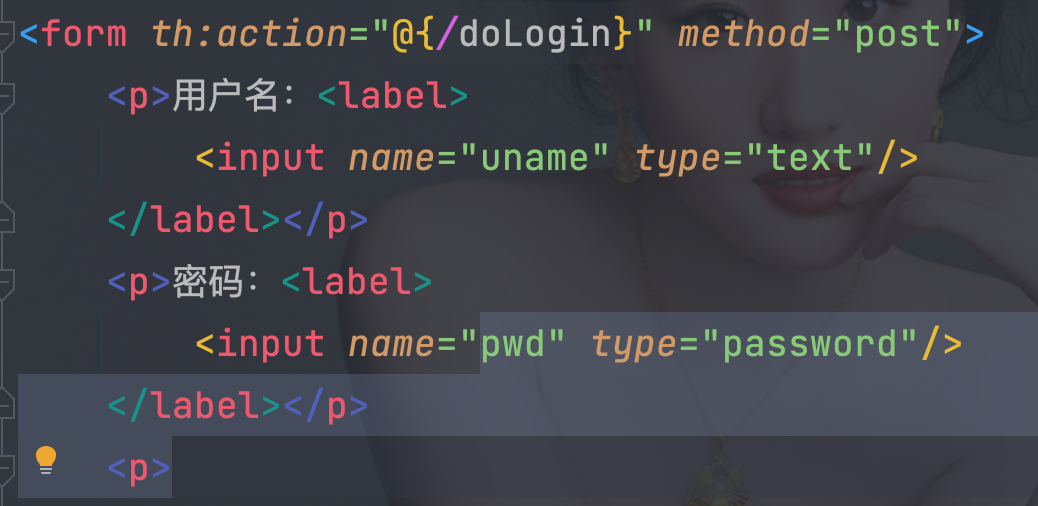
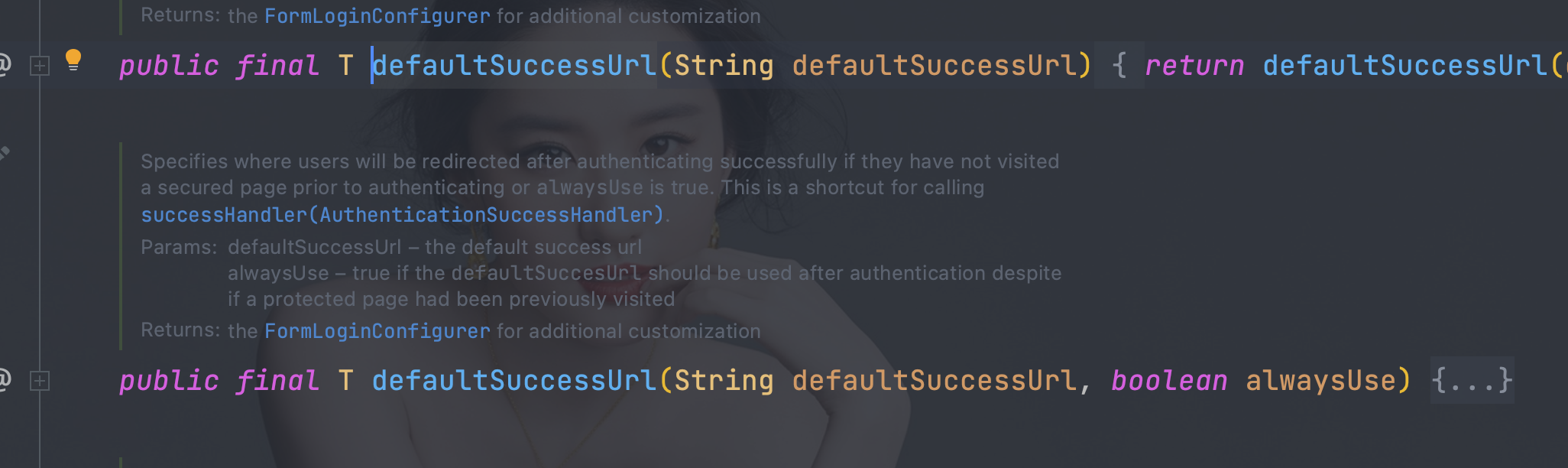
//               登陆认证成功后跳转的页面(转发),必须使用POST请求
//                .successForwardUrl("/test")
//               陆认证成功后跳转的页面(重定向),必须使用GET请求
                 .defaultSuccessUrl("/test",true)

public class MyAuthenticationSuccessHandler implements AuthenticationSuccessHandler {

    @Override
    public void onAuthenticationSuccess(HttpServletRequest request, HttpServletResponse response, Authentication authentication) throws IOException, ServletException {
        Map<String,Object> map = new HashMap<>();
        map.put("msg", "登陆成功");
        map.put("code", HttpStatus.OK);
        map.put("authentication", authentication);
        String s = new ObjectMapper().writeValueAsString(map);
        response.setContentType("application/json;charset=UTF-8");
        response.getWriter().write(s);
    }
}
@Configuration
public class WebSecurityConfigurer {

    @Bean
    @SuppressWarnings("all")
    SecurityFilterChain filterChain(HttpSecurity httpSecurity) throws Exception {
        return
                //开启权限验证
                httpSecurity.authorizeRequests()
                //permitAll直接放行,必须在anyRequest().authenticated()前面
                .mvcMatchers("/toLogin").permitAll()
                .mvcMatchers("/index").permitAll()
                //anyRequest所有请求都需要认证
                .anyRequest().authenticated()
                .and()
                //使用form表单验证
                .formLogin()
                //自定义登陆页面
                .loginPage("/toLogin")
                //自定义登陆页面后必须指定处理登陆请求的url
                .loginProcessingUrl("/doLogin")
//               自定义接收用户名的参数名为uname
                .usernameParameter("uname")
//               自定义接收密码的参数名为pwd
                .passwordParameter("pwd")
//               登陆认证成功后跳转的页面(转发),必须使用POST请求
//                .successForwardUrl("/test")
//               陆认证成功后跳转的页面(转发),必须使用GET请求
//                 .defaultSuccessUrl("/test",true)
                 //不会每次都跳转定义的页面,默认会记录认证拦截的请求,如果是拦截的受限资源会优先跳转到之前被拦截的请求。需要每次都跳转使defaultSuccessUrl("/test",true)
//                 .defaultSuccessUrl("/test")
//                前后端分离时代自定义认证成功处理
                .successHandler(new MyAuthenticationSuccessHandler())
                .and()
                 //禁止csrf跨站请求保护
                .csrf().disable()
                .build();
    }
}
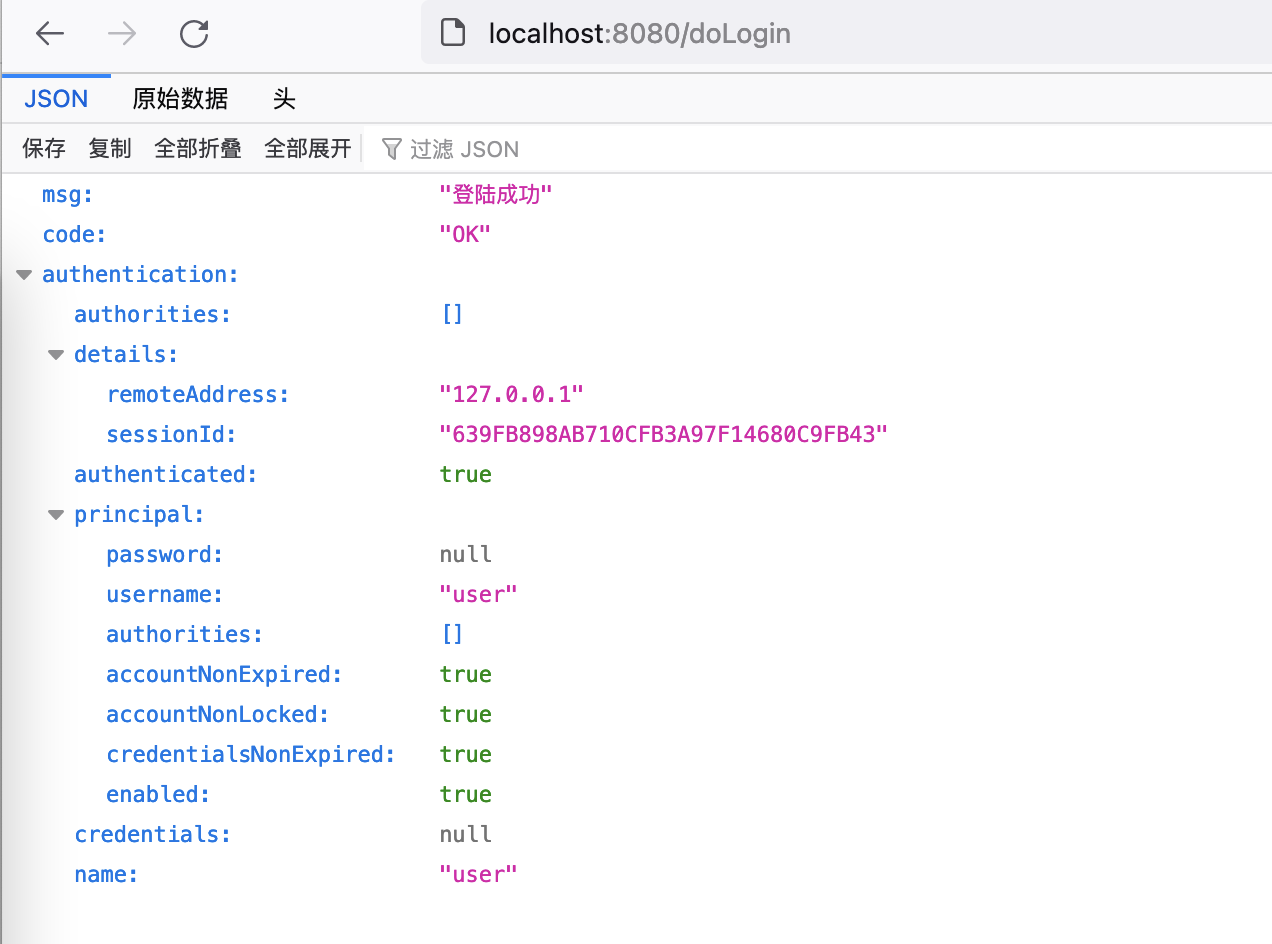
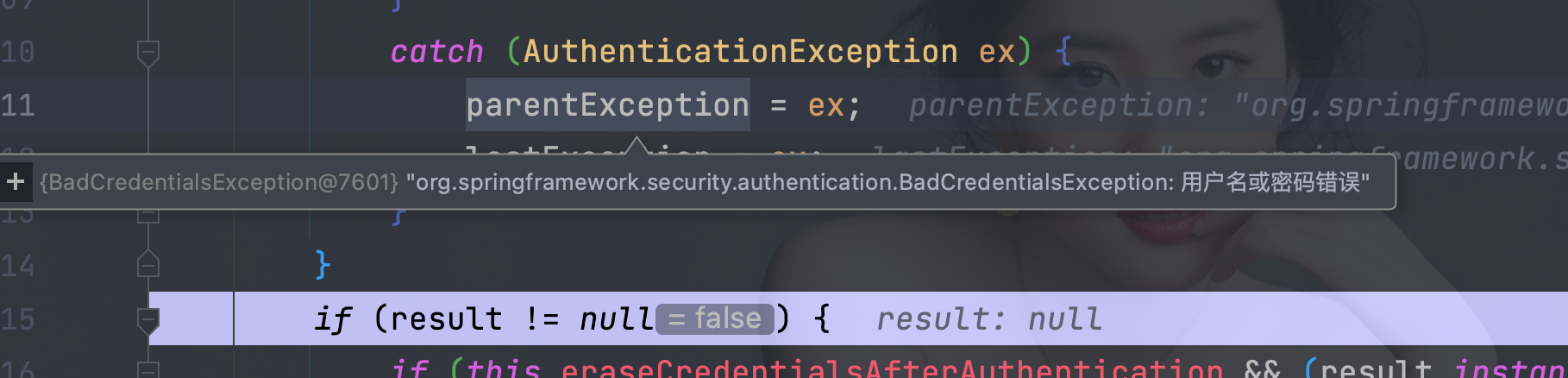
@Configuration
public class WebSecurityConfigurer {

    @Bean
    @SuppressWarnings("all")
    SecurityFilterChain filterChain(HttpSecurity httpSecurity) throws Exception {
        return
                //开启权限验证
                httpSecurity.authorizeRequests()
                //permitAll直接放行,必须在anyRequest().authenticated()前面
                .mvcMatchers("/toLogin").permitAll()
                .mvcMatchers("/index").permitAll()
                //anyRequest所有请求都需要认证
                .anyRequest().authenticated()
                .and()
                //使用form表单验证
                .formLogin()
                //自定义登陆页面
                .loginPage("/toLogin")
                //自定义登陆页面后必须指定处理登陆请求的url
                .loginProcessingUrl("/doLogin")
//               自定义接收用户名的参数名为uname
                .usernameParameter("uname")
//               自定义接收密码的参数名为pwd
                .passwordParameter("pwd")
//               登陆认证成功后跳转的页面(转发),必须使用POST请求
//                .successForwardUrl("/test")
//               陆认证成功后跳转的页面(转发),必须使用GET请求
//                 .defaultSuccessUrl("/test",true)
                 //不会每次都跳转定义的页面,默认会记录认证拦截的请求,如果是拦截的受限资源会优先跳转到之前被拦截的请求。需要每次都跳转使defaultSuccessUrl("/test",true)
//                 .defaultSuccessUrl("/test")
//                前后端分离时代自定义认证成功处理
                .successHandler(new MyAuthenticationSuccessHandler())
//               认证失败跳转页面,必须使用POST请求
                .failureForwardUrl("/toLogin")
            //  认证失败跳转页面,,必须使用GET请求
                // .failureUrl("/toLogin")
                .and()
                 //禁止csrf跨站请求保护
                .csrf().disable()
                .build();
    }
}
<!--  重定向错误信息存在session中  -->
<p th:text="${session.SPRING_SECURITY_LAST_EXCEPTION}"></p>
<!--  转发错误信息存在request中  -->
<p th:text="${SPRING_SECURITY_LAST_EXCEPTION}"></p>

public class MyAuthenticationFailureHandler implements AuthenticationFailureHandler {
    @Override
    public void onAuthenticationFailure(HttpServletRequest request, HttpServletResponse response, AuthenticationException exception) throws IOException, ServletException {
        Map<String,Object> map = new HashMap<>();
        map.put("msg", exception.getMessage());
        map.put("code", HttpStatus.INTERNAL_SERVER_ERROR.value());
        String s = new ObjectMapper().writeValueAsString(map);
        response.setContentType("application/json;charset=UTF-8");
        response.getWriter().write(s);
    }
}
@Configuration
public class WebSecurityConfigurer {

    @Bean
    @SuppressWarnings("all")
    SecurityFilterChain filterChain(HttpSecurity httpSecurity) throws Exception {
        return
                //开启权限验证
                httpSecurity.authorizeRequests()
                //permitAll直接放行,必须在anyRequest().authenticated()前面
                .mvcMatchers("/toLogin").permitAll()
                .mvcMatchers("/index").permitAll()
                //anyRequest所有请求都需要认证
                .anyRequest().authenticated()
                .and()
                //使用form表单验证
                .formLogin()
                //自定义登陆页面
                .loginPage("/toLogin")
                //自定义登陆页面后必须指定处理登陆请求的url
                .loginProcessingUrl("/doLogin")
//               自定义接收用户名的参数名为uname
                .usernameParameter("uname")
//               自定义接收密码的参数名为pwd
                .passwordParameter("pwd")
//               登陆认证成功后跳转的页面(转发),必须使用POST请求
//                .successForwardUrl("/test")
//               陆认证成功后跳转的页面(转发),必须使用GET请求
//                 .defaultSuccessUrl("/test",true)
                 //不会每次都跳转定义的页面,默认会记录认证拦截的请求,如果是拦截的受限资源会优先跳转到之前被拦截的请求。需要每次都跳转使defaultSuccessUrl("/test",true)
//                 .defaultSuccessUrl("/test")
//                前后端分离时代自定义认证成功处理
                .successHandler(new MyAuthenticationSuccessHandler())
//               认证失败跳转页面,必须使用POST请求
//                .failureForwardUrl("/toLogin")
//               认证失败跳转页面,必须使用GET请求
//                 .failureUrl("/toLogin")
//               前后端分离时代自定义认证失败处理
                .failureHandler(new MyAuthenticationFailureHandler())
                .and()
                 //禁止csrf跨站请求保护
                .csrf().disable()
                .build();
    }
}
.logout()
// 指定注销url,默认请求方式GET
.logoutUrl("/logout")
// 注销成功后跳转页面
.logoutSuccessUrl("/toLogin")
@Configuration
public class WebSecurityConfigurer {

    @Bean
    @SuppressWarnings("all")
    SecurityFilterChain filterChain(HttpSecurity httpSecurity) throws Exception {
        return
                //开启权限验证
                httpSecurity.authorizeRequests()
                //permitAll直接放行,必须在anyRequest().authenticated()前面
                .mvcMatchers("/toLogin").permitAll()
                .mvcMatchers("/index").permitAll()
                //anyRequest所有请求都需要认证
                .anyRequest().authenticated()
                .and()
                //使用form表单验证
                .formLogin()
                //自定义登陆页面
                .loginPage("/toLogin")
                //自定义登陆页面后必须指定处理登陆请求的url
                .loginProcessingUrl("/doLogin")
//               自定义接收用户名的参数名为uname
                .usernameParameter("uname")
//               自定义接收密码的参数名为pwd
                .passwordParameter("pwd")
//               登陆认证成功后跳转的页面(转发),必须使用POST请求
//                .successForwardUrl("/test")
//               陆认证成功后跳转的页面(转发),必须使用GET请求
//                 .defaultSuccessUrl("/test",true)
                 //不会每次都跳转定义的页面,默认会记录认证拦截的请求,如果是拦截的受限资源会优先跳转到之前被拦截的请求。需要每次都跳转使defaultSuccessUrl("/test",true)
//                 .defaultSuccessUrl("/test")
//                前后端分离时代自定义认证成功处理
                .successHandler(new MyAuthenticationSuccessHandler())
//               认证失败跳转页面,必须使用POST请求
//                .failureForwardUrl("/toLogin")
//               认证失败跳转页面,必须使用GET请求
//                 .failureUrl("/toLogin")
//               前后端分离时代自定义认证失败处理
                .failureHandler(new MyAuthenticationFailureHandler())
                .and()
//               注销
                .logout()
//               指定注销url,默认请求方式GET
                .logoutUrl("/logout")
//               销毁session,默认为true
                .invalidateHttpSession(true)
//               清除认证信息,默认为true
                .clearAuthentication(true)
//               注销成功后跳转页面
                .logoutSuccessUrl("/toLogin")
                .and()
                 //禁止csrf跨站请求保护
                .csrf().disable()
                .build();
    }
}
// 注销
.logout()
// 自定义注销url
.logoutRequestMatcher(newOrRequestMatcher(
newAntPathRequestMatcher("/aa","GET"),
newAntPathRequestMatcher("/bb","POST")
))
// 注销成功后跳转页面
.logoutSuccessUrl("/toLogin")
@Configuration
public class WebSecurityConfigurer {

    @Bean
    @SuppressWarnings("all")
    SecurityFilterChain filterChain(HttpSecurity httpSecurity) throws Exception {
        return
                //开启权限验证
                httpSecurity.authorizeRequests()
                //permitAll直接放行,必须在anyRequest().authenticated()前面
                .mvcMatchers("/toLogin").permitAll()
                .mvcMatchers("/index").permitAll()
                //anyRequest所有请求都需要认证
                .anyRequest().authenticated()
                .and()
                //使用form表单验证
                .formLogin()
                //自定义登陆页面
                .loginPage("/toLogin")
                //自定义登陆页面后必须指定处理登陆请求的url
                .loginProcessingUrl("/doLogin")
//               自定义接收用户名的参数名为uname
                .usernameParameter("uname")
//               自定义接收密码的参数名为pwd
                .passwordParameter("pwd")
//               登陆认证成功后跳转的页面(转发),必须使用POST请求
//                .successForwardUrl("/test")
//               陆认证成功后跳转的页面(转发),必须使用GET请求
//                 .defaultSuccessUrl("/test",true)
                 //不会每次都跳转定义的页面,默认会记录认证拦截的请求,如果是拦截的受限资源会优先跳转到之前被拦截的请求。需要每次都跳转使defaultSuccessUrl("/test",true)
//                 .defaultSuccessUrl("/test")
//                前后端分离时代自定义认证成功处理
                .successHandler(new MyAuthenticationSuccessHandler())
//               认证失败跳转页面,必须使用POST请求
//                .failureForwardUrl("/toLogin")
//               认证失败跳转页面,必须使用GET请求
//                 .failureUrl("/toLogin")
//               前后端分离时代自定义认证失败处理
                .failureHandler(new MyAuthenticationFailureHandler())
                .and()
//               注销
                .logout()
//               指定注销url,默认请求方式GET
//                .logoutUrl("/logout")
                .logoutRequestMatcher(new OrRequestMatcher(
                        new AntPathRequestMatcher("/aa","GET"),
                        new AntPathRequestMatcher("/bb","POST")
                ))
//               销毁session,默认为true
                .invalidateHttpSession(true)
//               清除认证信息,默认为true
                .clearAuthentication(true)
//               注销成功后跳转页面
                .logoutSuccessUrl("/toLogin")
                .and()
                 //禁止csrf跨站请求保护
                .csrf().disable()
                .build();
    }
}

public class MyLogoutSuccessHandler implements LogoutSuccessHandler {

    @Override
    public void onLogoutSuccess(HttpServletRequest request, HttpServletResponse response, Authentication authentication) throws IOException, ServletException {
        Map<String,Object> map = new HashMap<>();
        map.put("msg", "注销成功");
        map.put("code", HttpStatus.OK.value());
        map.put("authentication", authentication);
        String s = new ObjectMapper().writeValueAsString(map);
        response.setContentType("application/json;charset=UTF-8");
        response.getWriter().write(s);
    }
}
@Configuration
public class WebSecurityConfigurer {

    @Bean
    @SuppressWarnings("all")
    SecurityFilterChain filterChain(HttpSecurity httpSecurity) throws Exception {
        return
                //开启权限验证
                httpSecurity.authorizeRequests()
                //permitAll直接放行,必须在anyRequest().authenticated()前面
                .mvcMatchers("/toLogin").permitAll()
                .mvcMatchers("/index").permitAll()
                //anyRequest所有请求都需要认证
                .anyRequest().authenticated()
                .and()
                //使用form表单验证
                .formLogin()
                //自定义登陆页面
                .loginPage("/toLogin")
                //自定义登陆页面后必须指定处理登陆请求的url
                .loginProcessingUrl("/doLogin")
//               自定义接收用户名的参数名为uname
                .usernameParameter("uname")
//               自定义接收密码的参数名为pwd
                .passwordParameter("pwd")
//               登陆认证成功后跳转的页面(转发),必须使用POST请求
//                .successForwardUrl("/test")
//               陆认证成功后跳转的页面(转发),必须使用GET请求
//                 .defaultSuccessUrl("/test",true)
                 //不会每次都跳转定义的页面,默认会记录认证拦截的请求,如果是拦截的受限资源会优先跳转到之前被拦截的请求。需要每次都跳转使defaultSuccessUrl("/test",true)
//                 .defaultSuccessUrl("/test")
//                前后端分离时代自定义认证成功处理
                .successHandler(new MyAuthenticationSuccessHandler())
//               认证失败跳转页面,必须使用POST请求
//                .failureForwardUrl("/toLogin")
//               认证失败跳转页面,必须使用GET请求
//                 .failureUrl("/toLogin")
//               前后端分离时代自定义认证失败处理
                .failureHandler(new MyAuthenticationFailureHandler())
                .and()
//               注销
                .logout()
//               指定默认注销url,默认请求方式GET
//                .logoutUrl("/logout")
//               自定义注销url
                .logoutRequestMatcher(new OrRequestMatcher(
                        new AntPathRequestMatcher("/aa","GET"),
                        new AntPathRequestMatcher("/bb","POST")
                ))
//               销毁session,默认为true
                .invalidateHttpSession(true)
//               清除认证信息,默认为true
                .clearAuthentication(true)
//               注销成功后跳转页面
//                .logoutSuccessUrl("/toLogin")
                .logoutSuccessHandler(new MyLogoutSuccessHandler())
                .and()
                 //禁止csrf跨站请求保护
                .csrf().disable()
                .build();
    }
}
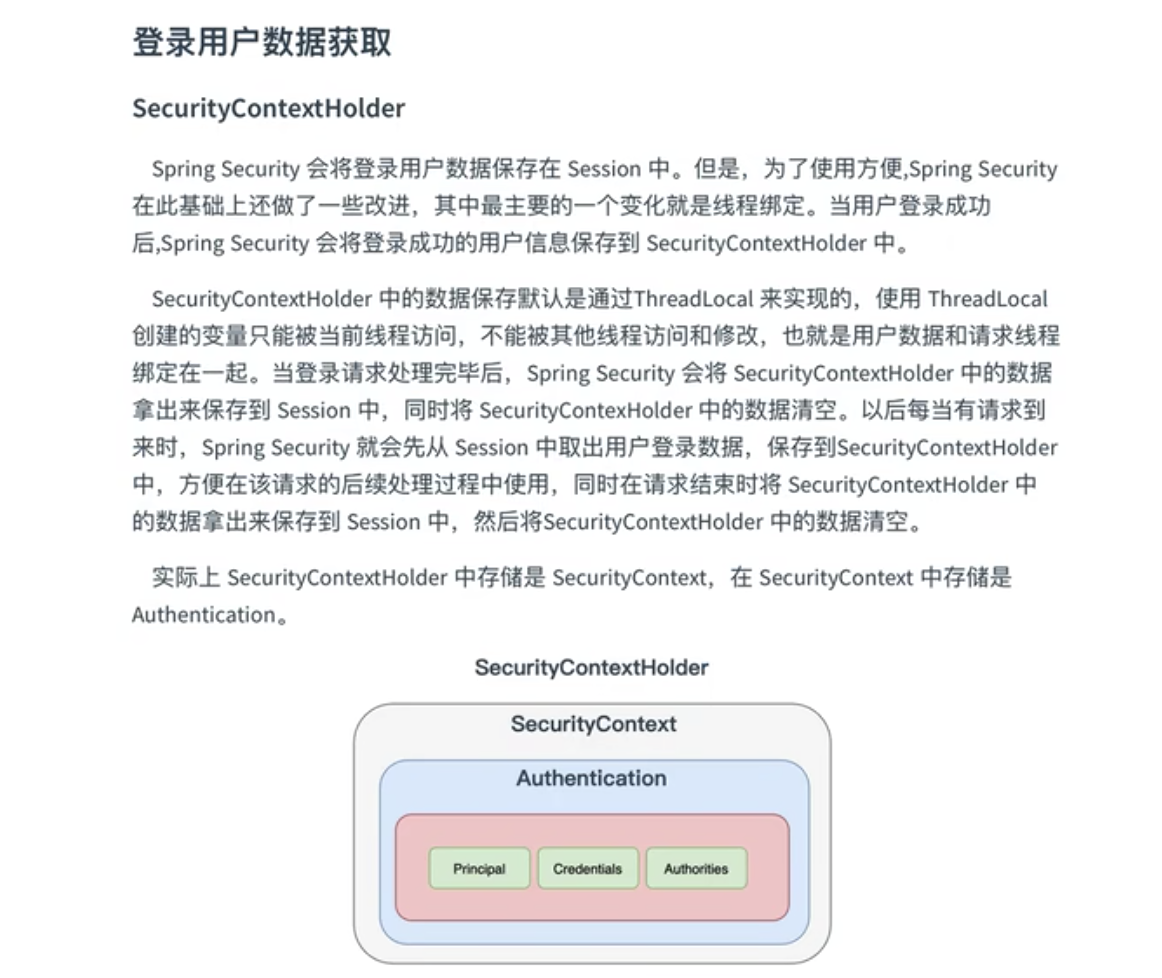
// 如果没有设置自定义的策略,就采用MODE_THREADLOCAL模式
public static final String MODE_THREADLOCAL = "MODE_THREADLOCAL";
// 采用InheritableThreadLocal,它是ThreadLocal的一个子类,适用多线程的环境
public static final String MODE_INHERITABLETHREADLOCAL = "MODE_INHERITABLETHREADLOCAL";
// 全局策略,实现方式就是static SecurityContext contextHolder
public static final String MODE_GLOBAL = "MODE_GLOBAL";
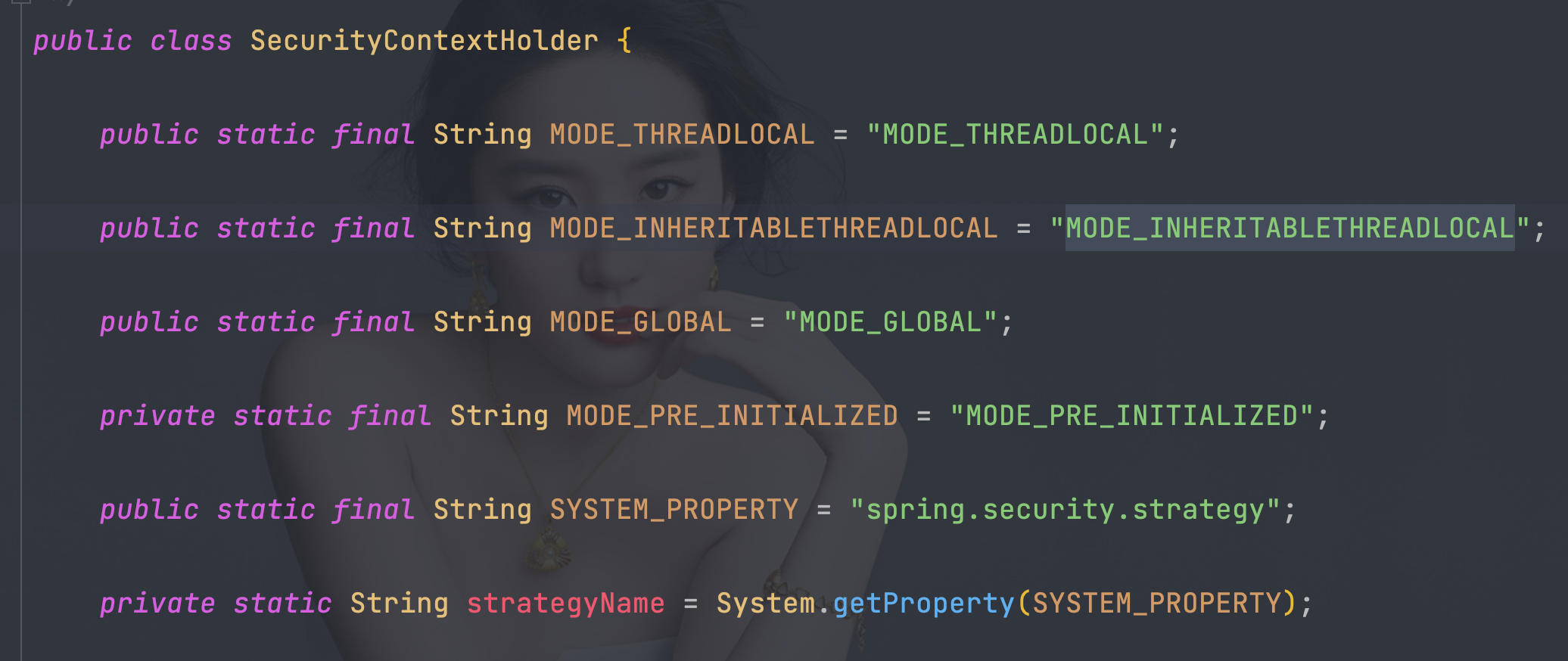
-Dspring.security.strategy=MODE_INHERITABLETHREADLOCAL

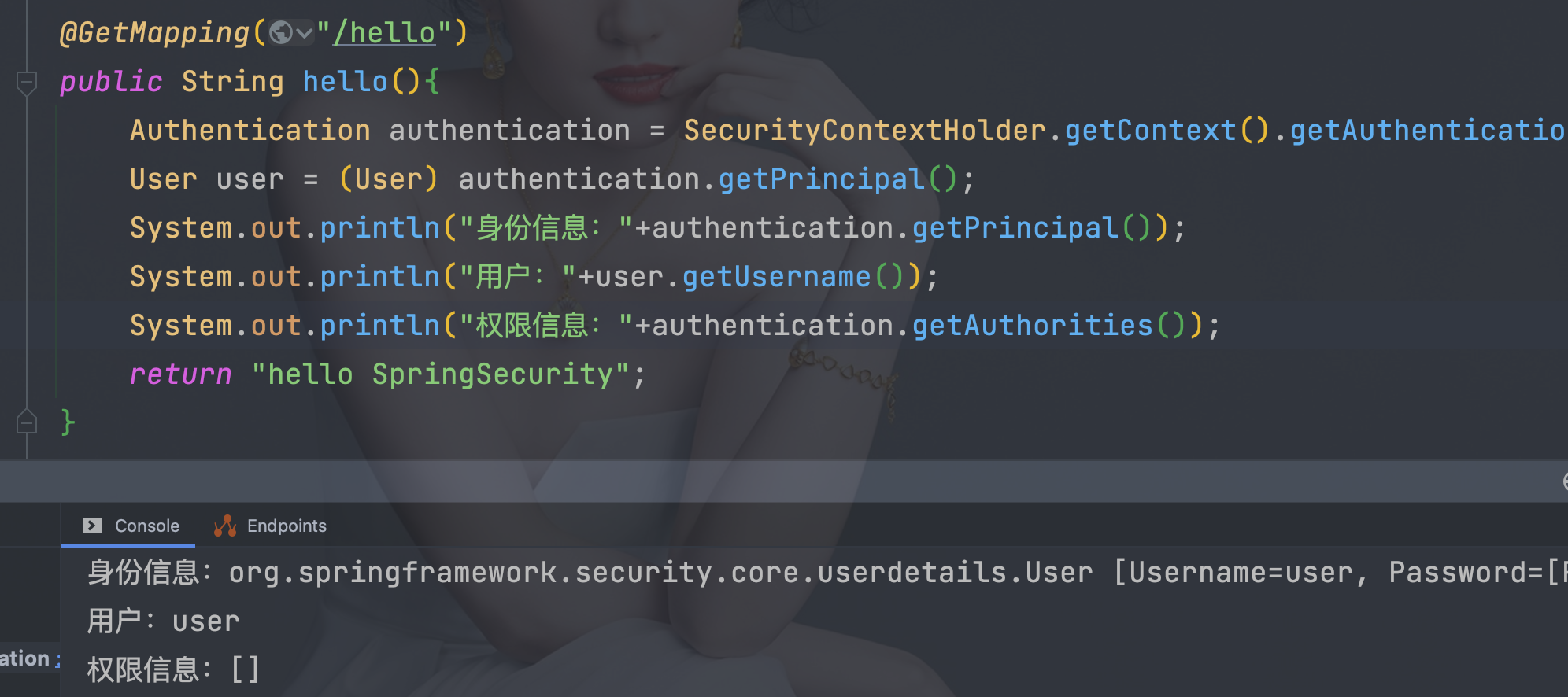
Authentication authentication = SecurityContextHolder.getContext().getAuthentication();
User user = (User) authentication.getPrincipal();
System.out.println("身份信息:" + authentication.getPrincipal());
System.out.println("用户:" + user.getUsername());
System.out.println("权限信息:" + authentication.getAuthorities());
        <dependency>
            <groupId>org.thymeleaf.extras</groupId>
            <artifactId>thymeleaf-extras-springsecurity5</artifactId>
        </dependency>
<!DOCTYPE html>
<html lang="en" xmlns:th="http://www.thymeleaf.org"
      xmlns:sec="http://www.thymeleaf.org/extras/spring-security">
<head>
    <meta charset="UTF-8">
    <title>login</title>
</head>
<body>
<form th:action="@{/bb}" method="post">
    <p>
        <input type="submit" value="注销登陆">
    </p>
</form>

<hr>

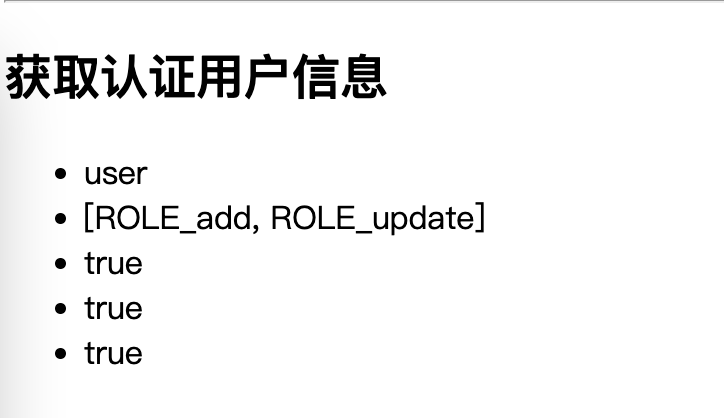
<h2>获取认证用户信息</h2>

<ul>
<!--     <li sec:authentication="name"></li>-->
<!--     <li sec:authentication="authorities"></li>-->
<!--     <li sec:authentication="credentials"></li>-->
<!--     <li sec:authentication="authenticated"></li>-->
     <li sec:authentication="principal.username"></li>
     <li sec:authentication="principal.authorities"></li>
     <li sec:authentication="principal.accountNonExpired"></li>
     <li sec:authentication="principal.accountNonLocked"></li>
     <li sec:authentication="principal.credentialsNonExpired"></li>
</ul>


</body>
</html>
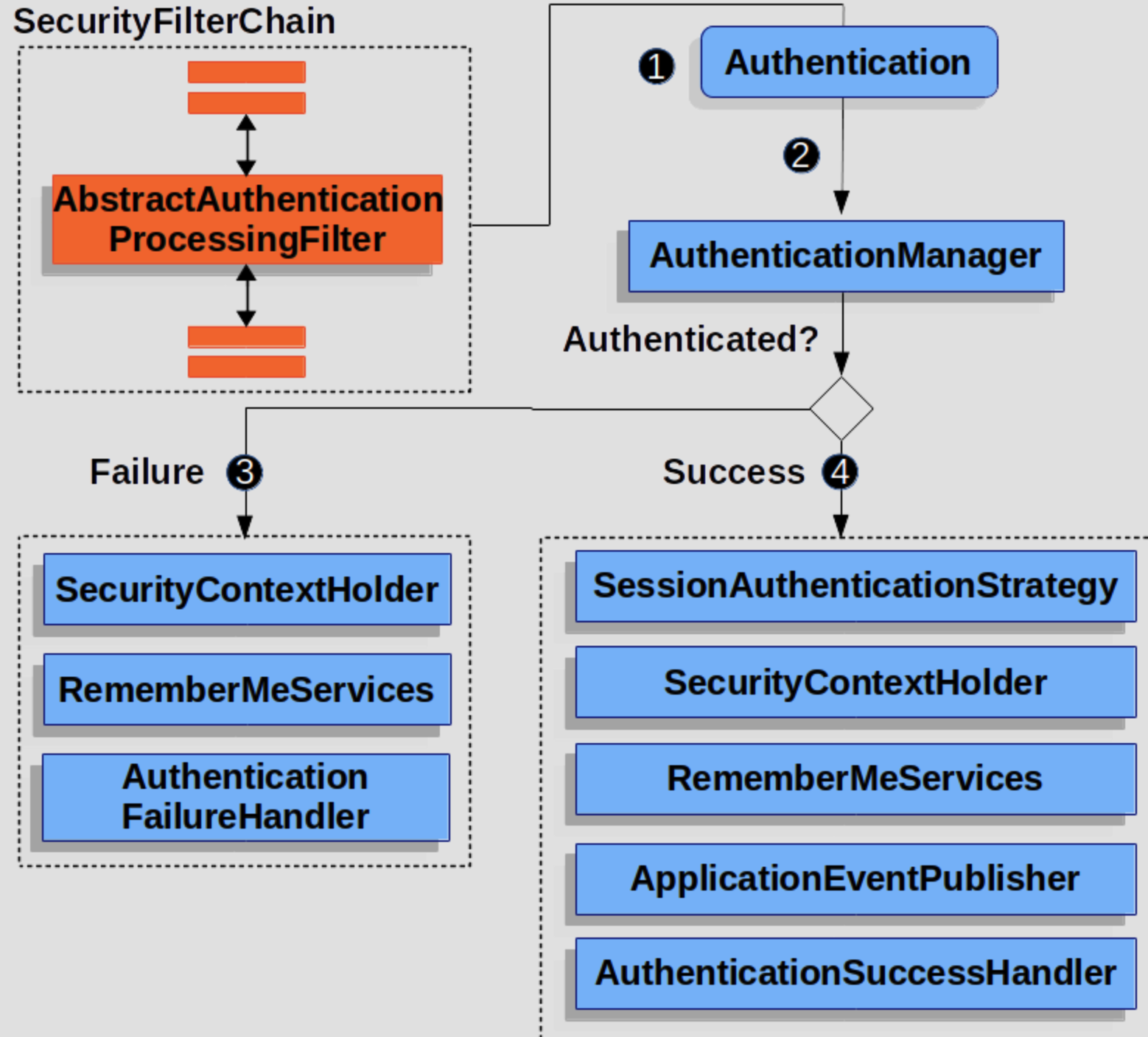
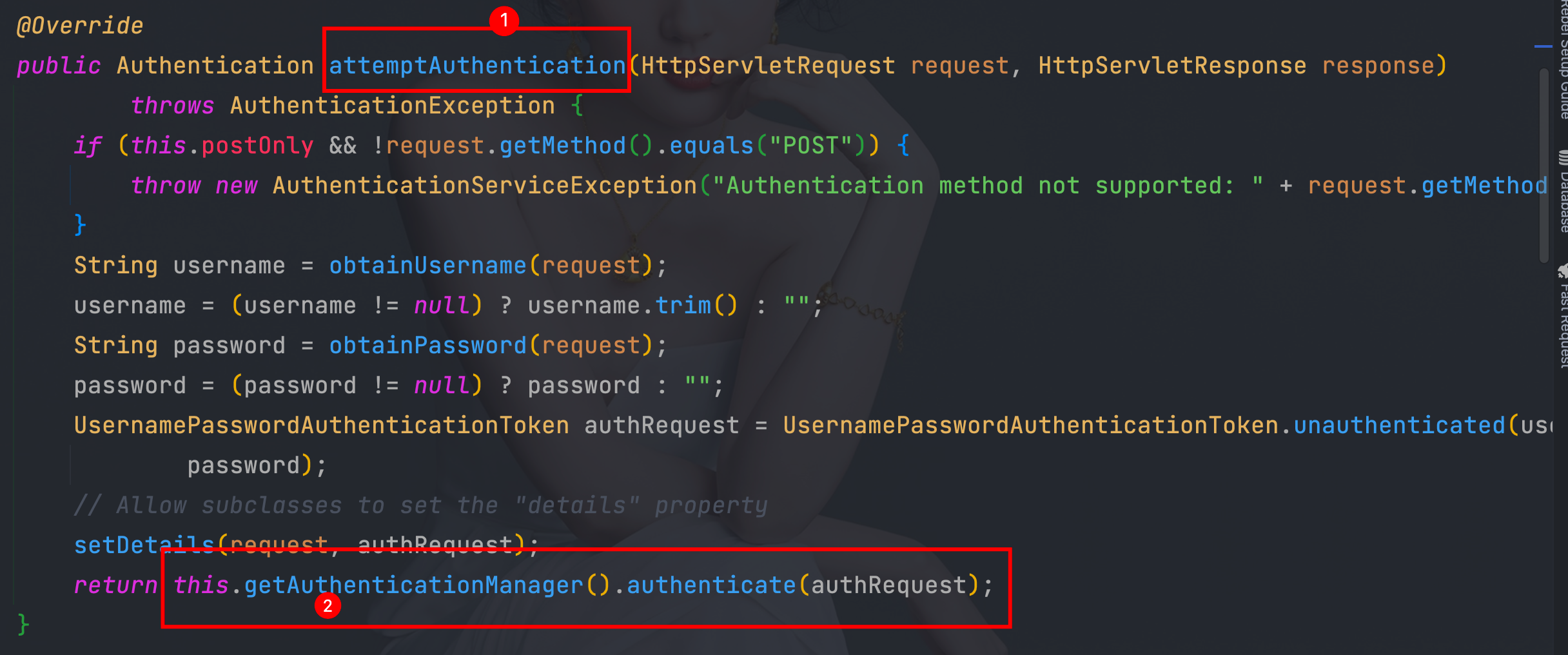
 When the user submits their credentials, the AbstractAuthenticationProcessingFilter creates an Authentication from the HttpServletRequest to be authenticated. The type of Authentication created depends on the subclass of AbstractAuthenticationProcessingFilter. For example, UsernamePasswordAuthenticationFilter creates a UsernamePasswordAuthenticationToken from a username and password that are submitted in the HttpServletRequest.
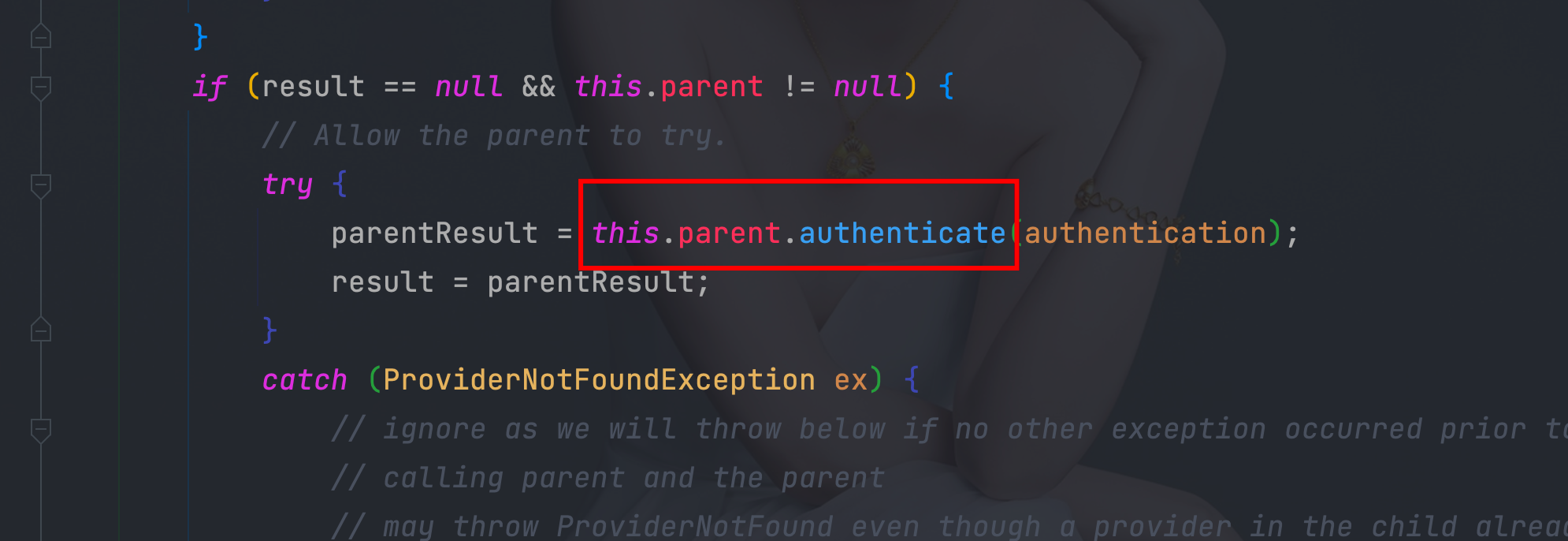
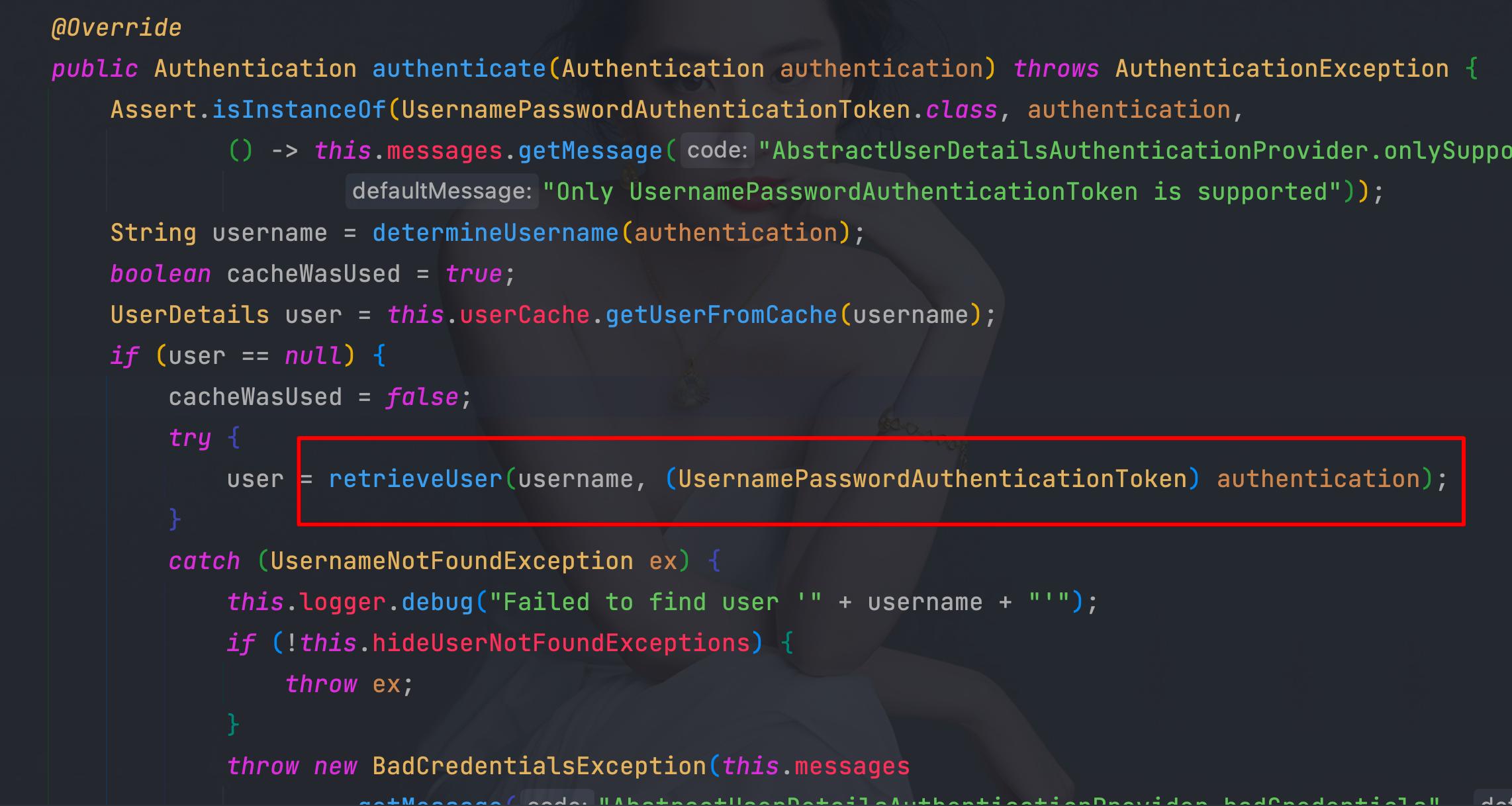
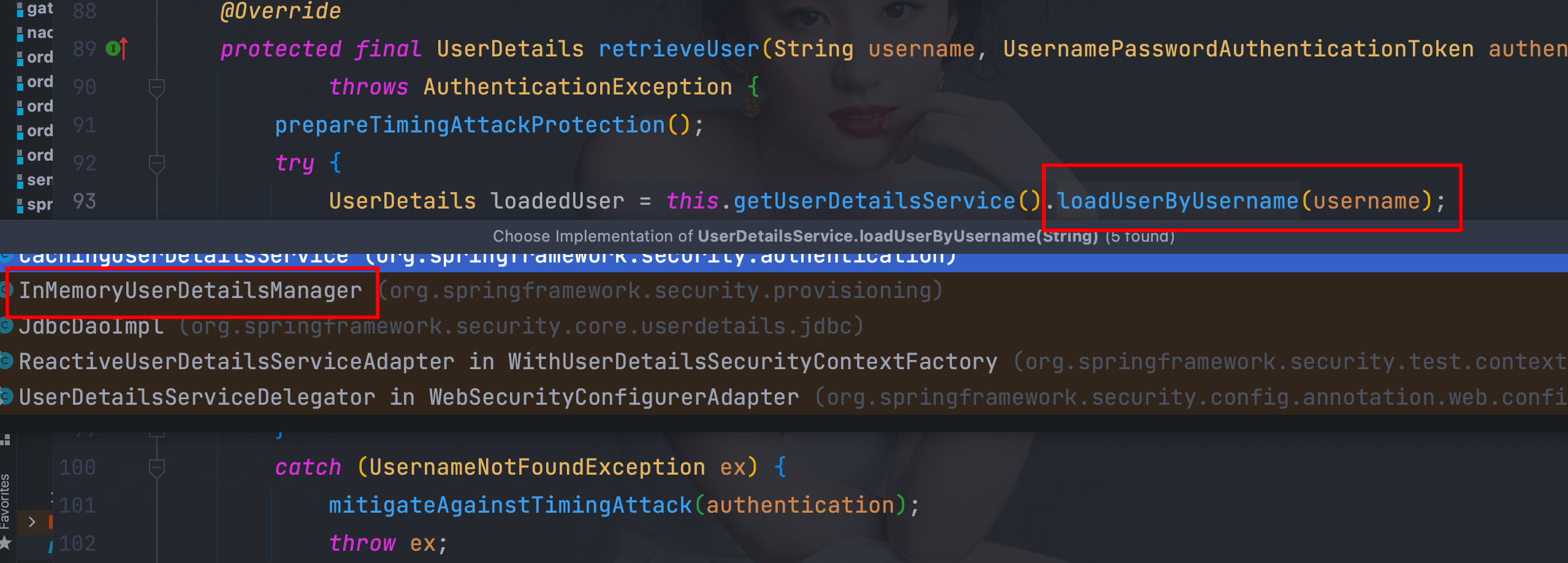
 Next, the Authentication is passed into the AuthenticationManager to be authenticated.
 If authentication fails, then Failure
 If authentication is successful, then Success.
  @Autowired
    DataSource dataSource;


    @Bean
    public PasswordEncoder bcryptPasswordEncoder() {
        return PasswordEncoderFactories.createDelegatingPasswordEncoder();
    }


    public UserDetailsService users(PasswordEncoder encoder) {
        // The builder will ensure the passwords are encoded before saving in memory
        UserDetails user = User.withUsername("user")
                .password(encoder.encode("123"))
                .roles("USER")
                .build();
        UserDetails admin = User.withUsername("admin")
                .password(encoder.encode("123"))
                .roles("USER", "ADMIN")
                .build();
        return new InMemoryUserDetailsManager(user, admin);
    }


    public UserDetailsService users() {
        JdbcUserDetailsManager users = new JdbcUserDetailsManager(dataSource);
//        UserDetails admin = User.withUsername("齐丰")
//                .password(encoder.encode("123456"))
//                .roles("USER")
//                .build();
//        users.createUser(admin);
        System.out.println(dataSource.getClass());
        return users;
    }
    @Bean
    @SuppressWarnings("all")
    SecurityFilterChain filterChain(HttpSecurity httpSecurity) throws Exception {
        return
                //开启权限验证
                httpSecurity
                        .authorizeRequests()
                        //permitAll直接放行,必须在anyRequest().authenticated()前面
                        .mvcMatchers("/toLogin").permitAll()
                        .mvcMatchers("/index").permitAll()
                        //anyRequest所有请求都需要认证
                        .anyRequest().authenticated()
                        .and()
                        //使用form表单验证
                        .formLogin()
                        //自定义登陆页面
                        .loginPage("/toLogin")
                        //自定义登陆页面后必须指定处理登陆请求的url
                        .loginProcessingUrl("/doLogin")
//               自定义接收用户名的参数名为uname
                        .usernameParameter("uname")
//               自定义接收密码的参数名为pwd
                        .passwordParameter("pwd")
//               登陆认证成功后跳转的页面(转发),必须使用POST请求
//                .successForwardUrl("/test")
//               陆认证成功后跳转的页面(转发),必须使用GET请求
//                 .defaultSuccessUrl("/test",true)
                        //不会每次都跳转定义的页面,默认会记录认证拦截的请求,如果是拦截的受限资源会优先跳转到之前被拦截的请求。需要每次都跳转使defaultSuccessUrl("/test",true)
//                 .defaultSuccessUrl("/test")
//                前后端分离时代自定义认证成功处理
                        .successHandler(new MyAuthenticationSuccessHandler())
//               认证失败跳转页面,必须使用POST请求
//                .failureForwardUrl("/toLogin")
//               认证失败跳转页面,必须使用GET请求
//                 .failureUrl("/toLogin")
//               前后端分离时代自定义认证失败处理
                        .failureHandler(new MyAuthenticationFailureHandler())
                        .and()
//               注销
                        .logout()
//               指定默认注销url,默认请求方式GET
//                .logoutUrl("/logout")
//               自定义注销url
                        .logoutRequestMatcher(new OrRequestMatcher(
                                new AntPathRequestMatcher("/aa", "GET"),
                                new AntPathRequestMatcher("/bb", "POST")
                        ))
//               销毁session,默认为true
                        .invalidateHttpSession(true)
//               清除认证信息,默认为true
                        .clearAuthentication(true)
//               注销成功后跳转页面
//                .logoutSuccessUrl("/toLogin")
                        .logoutSuccessHandler(new MyLogoutSuccessHandler())
                        .and()
                        .userDetailsService(users(bcryptPasswordEncoder()))
                        // .userDetailsService(users())
                        //禁止csrf跨站请求保护
                        .csrf().disable()
                        .build();
    }
        <dependency>
            <groupId>mysql</groupId>
            <artifactId>mysql-connector-java</artifactId>
        </dependency>
        <dependency>
            <groupId>com.alibaba</groupId>
            <artifactId>druid-spring-boot-starter</artifactId>
            <version>1.2.11</version>
        </dependency>
        <dependency>
            <groupId>org.springframework</groupId>
            <artifactId>spring-jdbc</artifactId>
        </dependency>
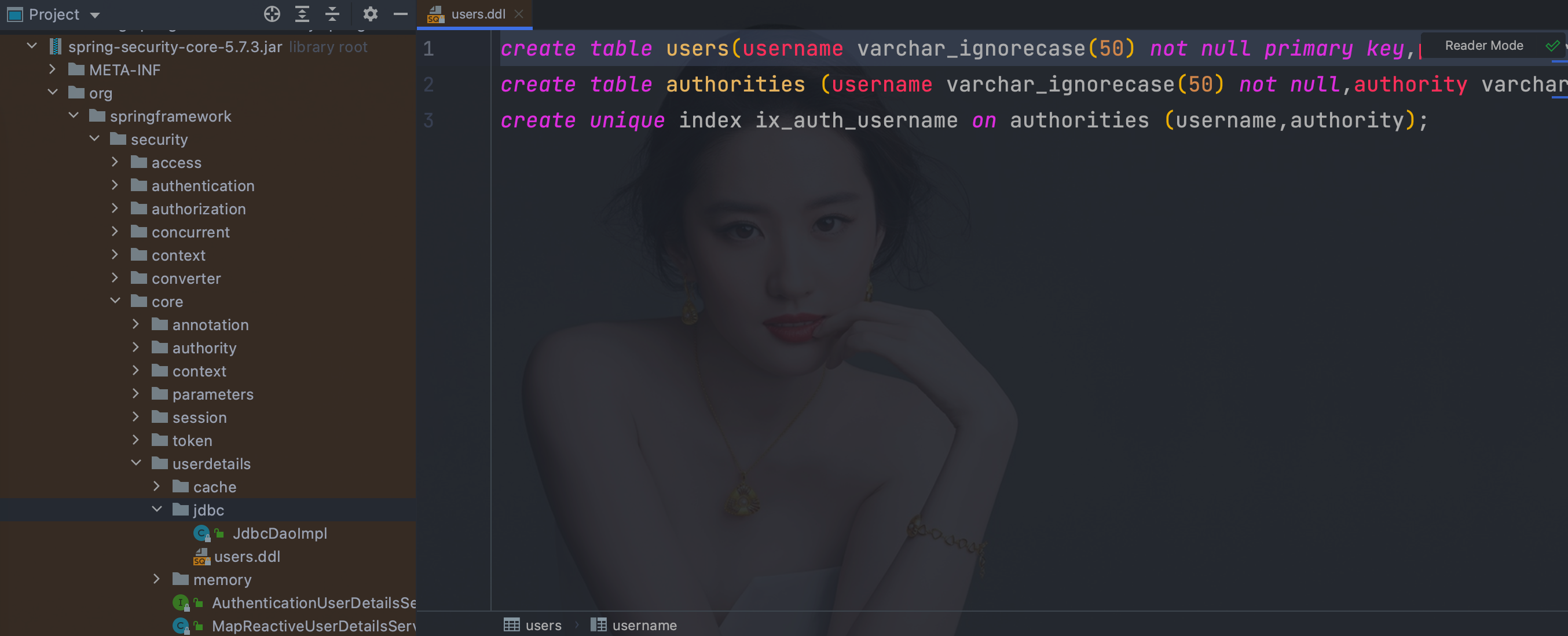
org/springframework/security/core/userdetails/jdbc/users.ddl
spring:
  datasource:
    type: com.alibaba.druid.pool.DruidDataSource
    driver-class-name: com.mysql.cj.jdbc.Driver
    url: jdbc:mysql://192.0.0.128:3306/test
    username: wq
    password: 123456
@Configuration
    public class WebSecurityConfigurer {

        @Autowired
        DataSource dataSource;

        @Bean
        public PasswordEncoder bcryptPasswordEncoder() {
            return PasswordEncoderFactories.createDelegatingPasswordEncoder();
        }

        public UserDetailsService inMemoryUsers(PasswordEncoder encoder) {
            // The builder will ensure the passwords are encoded before saving in memory
            UserDetails user = User.withUsername("user")
                .password(encoder.encode("123"))
                .roles("USER")
                .build();
            UserDetails admin = User.withUsername("admin")
                .password(encoder.encode("123"))
                .roles("USER", "ADMIN")
                .build();
            return new InMemoryUserDetailsManager(user, admin);
        }


        public UserDetailsService jdbcUsers(PasswordEncoder encoder) {
            JdbcUserDetailsManager users = new JdbcUserDetailsManager(dataSource);
            //        UserDetails admin = User.withUsername("齐丰")
            //                .password(encoder.encode("123456"))
            //                .roles("USER")
            //                .build();
            //        users.deleteUser(admin.getUsername());
            //        users.createUser(admin);
            System.out.println(dataSource.getClass());
            return users;
        }


        @Bean
        @SuppressWarnings("all")
        SecurityFilterChain filterChain(HttpSecurity httpSecurity) throws Exception {
            return
                //开启权限验证
                httpSecurity
                .authorizeRequests()
                //permitAll直接放行,必须在anyRequest().authenticated()前面
                .mvcMatchers("/toLogin").permitAll()
                .mvcMatchers("/index").permitAll()
                //anyRequest所有请求都需要认证
                .anyRequest().authenticated()
                .and()
                //使用form表单验证
                .formLogin(login ->
                           login
                           //自定义登陆页面
                           .loginPage("/toLogin")
                           //自定义登陆页面后必须指定处理登陆请求的url
                           .loginProcessingUrl("/doLogin")
                           // 自定义接收用户名的参数名为uname
                           .usernameParameter("uname")
                           //自定义接收密码的参数名为pwd
                           .passwordParameter("pwd")
                           // 认证成功后跳转的页面(转发),必须使用POST请求
                           //.successForwardUrl("/test")
                           // 证成功后跳转的页面(重定向),必须使用GET请求
                           //.defaultSuccessUrl("/test")
                           //不会每次都跳转定义的页面,默认会记录认证拦截的请求,如果是拦截的受限资源会优先跳转到之前被拦截的请求。需要每次都跳转使defaultSuccessUrl("/test",true)
                           //.defaultSuccessUrl("/test",true)
                           //前后端分离时代自定义认证成功处理
                           .successHandler(new MyAuthenticationSuccessHandler())
                           //前后端分离时代自定义认证失败处理
                           .failureHandler(new MyAuthenticationFailureHandler())
                          )
                //注销
                .logout(logout -> {
                    logout
                        //指定默认注销url,默认请求方式GET
                        //.logoutUrl("/logout")
                        .logoutRequestMatcher(
                            //自定义注销url
                            new OrRequestMatcher(
                                new AntPathRequestMatcher("/aa", "GET"),
                                new AntPathRequestMatcher("/bb", "POST")))
                        //注销成功后跳转页面
                        //.logoutSuccessUrl("/toLogin")
                        //前后端分离时代自定义注销登录处理器
                        .logoutSuccessHandler(new MyLogoutSuccessHandler())
                        //销毁session,默认为true
                        .invalidateHttpSession(true)
                        //清除认证信息,默认为true
                        .clearAuthentication(true);
                })
                //指定UserDetailsService来切换认证信息不同的存储方式(数据源)
                .userDetailsService(inMemoryUsers(bcryptPasswordEncoder()))
                .userDetailsService(jdbcUsers(bcryptPasswordEncoder()))
                //禁止csrf跨站请求保护
                .csrf().disable()
                .build();
        }
    }
方式一:通过指定userDetailsService来切换不同的认证数据储存方式,也可同时指定多个如:
.userDetailsService(users(bcryptPasswordEncoder()))
.userDetailsService(users())
方式二:在指定自定义的UserDetailsService上加上@Bean注解,或者实现UserDetailsService接口
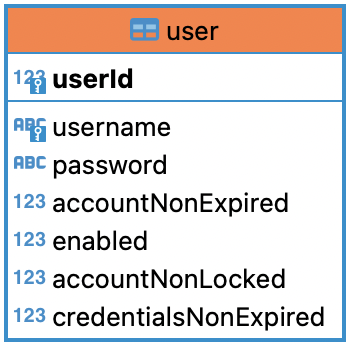
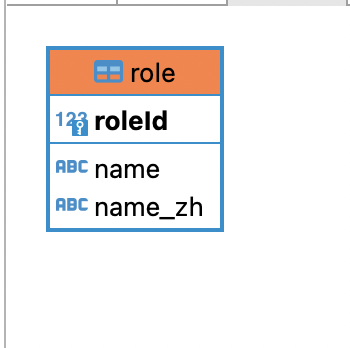
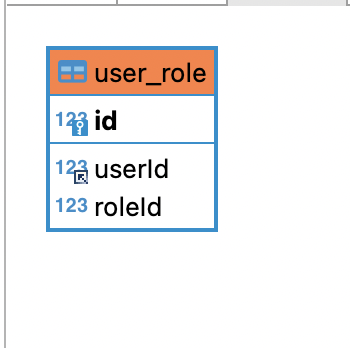
-- test1.`user` definition

CREATE TABLE `user` (
  `userId` bigint(20) NOT NULL AUTO_INCREMENT,
  `username` varchar(100) NOT NULL COMMENT '用户名',
  `password` varchar(500) NOT NULL COMMENT '密码',
  `accountNonExpired` tinyint(1) NOT NULL,
  `enabled` tinyint(1) NOT NULL,
  `accountNonLocked` tinyint(1) NOT NULL,
  `credentialsNonExpired` tinyint(1) NOT NULL,
  PRIMARY KEY (`userId`),
  UNIQUE KEY `user_UN` (`username`)
) ENGINE=InnoDB AUTO_INCREMENT=4 DEFAULT CHARSET=utf8;

-- test1.`role` definition

CREATE TABLE `role` (
  `roleId` bigint(20) NOT NULL AUTO_INCREMENT,
  `name` varchar(100) NOT NULL,
  `name_zh` varchar(100) NOT NULL,
  PRIMARY KEY (`roleId`)
) ENGINE=InnoDB AUTO_INCREMENT=4 DEFAULT CHARSET=utf8;

-- test1.`role` definition

CREATE TABLE `role` (
  `roleId` bigint(20) NOT NULL AUTO_INCREMENT,
  `name` varchar(100) NOT NULL,
  `name_zh` varchar(100) NOT NULL,
  PRIMARY KEY (`roleId`)
) ENGINE=InnoDB AUTO_INCREMENT=4 DEFAULT CHARSET=utf8;

INSERT INTO test1.`user` (username,password,accountNonExpired,enabled,accountNonLocked,credentialsNonExpired) VALUES
	 ('root','{noop}123',1,1,1,1),
	 ('admin','{noop}123',1,1,1,1),
	 ('qifeng','{noop}123',1,1,1,1);

INSERT INTO test1.`role` (name,name_zh) VALUES
	 ('ROLE_product','商品管理员'),
	 ('ROLE_admin','系统管理员'),
	 ('ROLE_user','用户管理员');

INSERT INTO test1.user_role (userId,roleId) VALUES
	 (1,1),
	 (1,2),
	 (2,2),
	 (3,3);
        <dependency>
            <groupId>org.springframework.boot</groupId>
            <artifactId>spring-boot-starter-security</artifactId>
        </dependency>
        <dependency>
            <groupId>org.springframework.boot</groupId>
            <artifactId>spring-boot-starter-thymeleaf</artifactId>
        </dependency>
        <dependency>
            <groupId>org.springframework.boot</groupId>
            <artifactId>spring-boot-starter-web</artifactId>
        </dependency>
        <dependency>
            <groupId>org.mybatis.spring.boot</groupId>
            <artifactId>mybatis-spring-boot-starter</artifactId>
            <version>2.2.2</version>
        </dependency>
        <dependency>
            <groupId>org.thymeleaf.extras</groupId>
            <artifactId>thymeleaf-extras-springsecurity5</artifactId>
        </dependency>
        <dependency>
            <groupId>com.alibaba</groupId>
            <artifactId>druid-spring-boot-starter</artifactId>
            <version>1.2.11</version>
        </dependency>

        <dependency>
            <groupId>mysql</groupId>
            <artifactId>mysql-connector-java</artifactId>
            <scope>runtime</scope>
        </dependency>
server:
  port: 8081
spring:
  datasource:
    type: com.alibaba.druid.pool.DruidDataSource
    driver-class-name: com.mysql.cj.jdbc.Driver
    url: jdbc:mysql://192.0.0.128:3306/test1
    username: wq
    password: 123456
mybatis:
  type-aliases-package: com.wanqi.pojo
  mapper-locations: classpath:mapper/*.xml
User继承UserDetails方便扩展
public class User implements UserDetails {
    private Long userId;
    private String username;
    private String password;
    /** 账户是否过期 */
    private Boolean accountNonExpired;
    /** 账户是否激活 */
    private Boolean enabled;
    /** 账户是否被锁定 */
    private Boolean accountNonLocked;
    /** 密码是否过期 */
    private Boolean credentialsNonExpired;
    private List<Role> roles = new ArrayList<>();

    public User() {
    }

    public User(String username, String password, Boolean accountNonExpired, Boolean enabled, Boolean accountNonLocked, Boolean credentialsNonExpired, List<Role> roles) {
        this.username = username;
        this.password = password;
        this.accountNonExpired = accountNonExpired;
        this.enabled = enabled;
        this.accountNonLocked = accountNonLocked;
        this.credentialsNonExpired = credentialsNonExpired;
        this.roles = roles;
    }

    @Override
    public Collection<? extends GrantedAuthority> getAuthorities() {
        Set<SimpleGrantedAuthority> authorities = new HashSet<>();
        roles.forEach(role -> authorities.add(new SimpleGrantedAuthority(role.getName())));
        return authorities;
    }

    @Override
    public String getPassword() {
        return password;
    }

    @Override
    public String getUsername() {
        return username;
    }

    @Override
    public boolean isAccountNonExpired() {
        return accountNonExpired;
    }

    @Override
    public boolean isAccountNonLocked() {
        return accountNonLocked;
    }

    @Override
    public boolean isCredentialsNonExpired() {
        return credentialsNonExpired;
    }

    @Override
    public boolean isEnabled() {
        return enabled;
    }

    public Long getUserId() {
        return userId;
    }

    public void setUserId(Long userId) {
        this.userId = userId;
    }

    public List<Role> getRoles() {
        return roles;
    }

    public void setRoles(List<Role> roles) {
        this.roles = roles;
    }

    public void setUsername(String username) {
        this.username = username;
    }

    public void setPassword(String password) {
        this.password = password;
    }

    public void setAccountNonExpired(Boolean accountNonExpired) {
        this.accountNonExpired = accountNonExpired;
    }

    public void setEnabled(Boolean enabled) {
        this.enabled = enabled;
    }

    public void setAccountNonLocked(Boolean accountNonLocked) {
        this.accountNonLocked = accountNonLocked;
    }

    public void setCredentialsNonExpired(Boolean credentialsNonExpired) {
        this.credentialsNonExpired = credentialsNonExpired;
    }
}
@Mapper
public interface UserMapper {
   /**
    * 根据用户名查询用户
    */
   User loadUserByUsername(@Param("username") String username);
}
<?xml version="1.0" encoding="UTF-8" ?>
<!DOCTYPE mapper
        PUBLIC "-//mybatis.org//DTD Mapper 3.0//EN"
        "http://mybatis.org/dtd/mybatis-3-mapper.dtd">
<mapper namespace="com.wanqi.mapper.UserMapper">
<select id="loadUserByUsername" parameterType="String" resultType="user">
    select * from user where username=#{username}
</select>
</mapper>
public class Role {
    private Long roleId;
    private String name;
    private String name_zh;

    public Long getRoleId() {
        return roleId;
    }

    public void setRoleId(Long roleId) {
        this.roleId = roleId;
    }

    public String getName() {
        return name;
    }

    public void setName(String name) {
        this.name = name;
    }

    public String getName_zh() {
        return name_zh;
    }

    public void setName_zh(String name_zh) {
        this.name_zh = name_zh;
    }

    public Role() {
    }

    public Role(String name, String name_zh) {
        this.name = name;
        this.name_zh = name_zh;
    }
}
@Mapper
public interface RoleMapper {
    /**
     * 根据用户编号查询角色信息
     */
    List<Role> getRoleByUserId(@Param("userId") Long userId);
}
<?xml version="1.0" encoding="UTF-8" ?>
<!DOCTYPE mapper
        PUBLIC "-//mybatis.org//DTD Mapper 3.0//EN"
        "http://mybatis.org/dtd/mybatis-3-mapper.dtd">
<mapper namespace="com.wanqi.mapper.RoleMapper">

<select id="getRoleByUserId" parameterType="Long" resultType="com.wanqi.pojo.Role">
    select r.roleId,
           r.name,
           r.name_zh
    from role r,user_role ur
    where r.roleId = ur.roleId
    and  ur.userId= #{userId}
</select>
</mapper>
@Component("userDetailsImpl")
public class UserDetailsImpl implements UserDetailsService {
    @Autowired
   private UserMapper userMapper;
    @Autowired
   private RoleMapper roleMapper;

    @Override
    public org.springframework.security.core.userdetails.UserDetails loadUserByUsername(String username) throws UsernameNotFoundException {
        User user = userMapper.loadUserByUsername(username);
        if(user == null){
            throw new UsernameNotFoundException("用户名不存在");
        }
        List<Role> roles = roleMapper.getRoleByUserId(user.getUserId());
        user.setRoles(roles);
        return user;
    }
}
@Configuration
    public class MyWebSecurityConfigurer {

        private UserDetailsImpl userDetailsImpl;

        @Autowired
        public void setUserDetailsImpl(UserDetailsImpl userDetailsImpl) {
            this.userDetailsImpl = userDetailsImpl;
        }

        @Bean
        @SuppressWarnings("all")
        SecurityFilterChain filterChain(HttpSecurity httpSecurity) throws Exception {
            return
                //开启权限验证
                httpSecurity
                .authorizeRequests()
                //permitAll直接放行,必须在anyRequest().authenticated()前面
                .mvcMatchers("/toLogin").permitAll()
                .mvcMatchers("/index").permitAll()
                //anyRequest所有请求都需要认证
                .anyRequest().authenticated()
                .and()
                //使用form表单验证
                .formLogin(login ->
                           login
                           //自定义登陆页面
                           .loginPage("/toLogin")
                           //自定义登陆页面后必须指定处理登陆请求的url
                           .loginProcessingUrl("/doLogin")
                           // 自定义接收用户名的参数名为uname
                           .usernameParameter("uname")
                           //自定义接收密码的参数名为pwd
                           .passwordParameter("pwd")
                           // 认证成功后跳转的页面(转发),必须使用POST请求
                           //.successForwardUrl("/test")
                           // 证成功后跳转的页面(重定向),必须使用GET请求
                           //.defaultSuccessUrl("/test")
                           //不会每次都跳转定义的页面,默认会记录认证拦截的请求,如果是拦截的受限资源会优先跳转到之前被拦截的请求。需要每次都跳转使defaultSuccessUrl("/test",true)
                           //.defaultSuccessUrl("/test",true)
                           //前后端分离时代自定义认证成功处理
                           .successHandler(new MyAuthenticationSuccessHandler())
                           //前后端分离时代自定义认证失败处理
                           .failureHandler(new MyAuthenticationFailureHandler())
                          )
                //注销
                .logout(logout -> {
                    logout
                        //指定默认注销url,默认请求方式GET
                        //.logoutUrl("/logout")
                        .logoutRequestMatcher(
                            //自定义注销url
                            new OrRequestMatcher(
                                new AntPathRequestMatcher("/aa", "GET"),
                                new AntPathRequestMatcher("/bb", "POST")))
                        //注销成功后跳转页面
                        //.logoutSuccessUrl("/toLogin")
                        //前后端分离时代自定义注销登录处理器
                        .logoutSuccessHandler(new MyLogoutSuccessHandler())
                        //销毁session,默认为true
                        .invalidateHttpSession(true)
                        //清除认证信息,默认为true
                        .clearAuthentication(true);
                })
                //指定UserDetailsService来切换认证信息不同的存储方式(数据源)
                .userDetailsService(userDetailsImpl)
                //禁止csrf跨站请求保护
                .csrf().disable()
                .build();
        }
    }
/*
* at:用指定的filter替换过滤器链中的指定filter
* before:放在过滤器链中哪一个filter之前
* after:放在过滤器链中哪一个filter之后
* httpSecurity.addFilterAt();
* httpSecurity.addFilterBefore(, );
* httpSecurity.addFilterAfter();
* */
public class JsonLoginFilter extends UsernamePasswordAuthenticationFilter {

    public JsonLoginFilter(AuthenticationManager authenticationManager) {
        super(authenticationManager);
    }

    @Override
    public Authentication attemptAuthentication(HttpServletRequest request, HttpServletResponse response) throws AuthenticationException {
        System.out.println("JosnLoginFilter");
        if (!request.getMethod().equals("POST")) {
            throw new AuthenticationServiceException("Authentication method not supported: " + request.getMethod());
        }
        if (request.getContentType().equalsIgnoreCase(MediaType.APPLICATION_JSON_VALUE)) {
            try {
                Map<String,String> map = new ObjectMapper().readValue(request.getInputStream(), Map.class);
                String username = map.get(getUsernameParameter());
                username = (username != null) ? username.trim() : "";
                String password = map.get(getPasswordParameter());
                password = (password != null) ? password : "";
                UsernamePasswordAuthenticationToken authRequest = UsernamePasswordAuthenticationToken.unauthenticated(username,
                        password);
                System.out.println(username);
                System.out.println(password);
                setDetails(request, authRequest);
                return getAuthenticationManager().authenticate(authRequest);
            } catch (IOException e) {
                e.printStackTrace();
            }
        }
        return super.attemptAuthentication(request, response);
    }
}
@Configuration
@EnableWebSecurity
public class WebSecurityConfigurer {

    private UserDetailsImpl userDetailsImpl;

    @Autowired
    public void setUserDetailsImpl(UserDetailsImpl userDetailsImpl) {
        this.userDetailsImpl = userDetailsImpl;
    }

    @Bean
    public PasswordEncoder bcryptPasswordEncoder() {
        return PasswordEncoderFactories.createDelegatingPasswordEncoder();
    }

    @Autowired
    AuthenticationConfiguration authenticationConfiguration;
    /**
     * 获取AuthenticationManager(认证管理器),登录时认证使用
     * @return
     * @throws Exception
     */
    @Bean
    public AuthenticationManager authenticationManager() throws Exception {
        return authenticationConfiguration.getAuthenticationManager();
    }

    @Bean
    public JsonLoginFilter josnLoginFilter() throws Exception {
        System.out.println("setAuthenticationManager");
        JsonLoginFilter filter = new JsonLoginFilter(authenticationManager());
        filter.setUsernameParameter("uname");
        filter.setPasswordParameter("pwd");
        //前后端分离时代自定义认证成功处理
        filter.setAuthenticationSuccessHandler(new MyAuthenticationSuccessHandler());
        //前后端分离时代自定义认证失败处理
        filter.setAuthenticationFailureHandler(new MyAuthenticationFailureHandler());
        return filter;
    }

    @Bean
    SecurityFilterChain filterChain(HttpSecurity httpSecurity) throws Exception {
        return
                //开启权限验证
                httpSecurity
                        .authorizeRequests()
                        //permitAll直接放行,必须在anyRequest().authenticated()前面
                        .mvcMatchers("/index").permitAll()
                        //anyRequest所有请求都需要认证
                        .anyRequest().authenticated()
                        .and()
                        //使用form表单验证
                        .formLogin()
                        .and()
                        .addFilterAt(josnLoginFilter(),UsernamePasswordAuthenticationFilter.class)
                        //注销
                        .logout(logout -> {
                            logout
                                    .logoutRequestMatcher(
                                            //自定义注销url
                                            new OrRequestMatcher(
                                                    new AntPathRequestMatcher("/aa", "GET"),
                                                    new AntPathRequestMatcher("/bb", "POST")))
                                    //前后端分离时代自定义注销登录处理器
                                    .logoutSuccessHandler(new MyLogoutSuccessHandler())
                                    //销毁session,默认为true
                                    .invalidateHttpSession(true)
                                    //清除认证信息,默认为true
                                    .clearAuthentication(true);
                        })
                        //指定UserDetailsService来切换认证信息不同的存储方式(数据源)
                        .userDetailsService(userDetailsImpl)
                        .exceptionHandling()
                        .authenticationEntryPoint((request, response, authException) -> {
//                            response.setContentType(MediaType.APPLICATION_JSON_UTF8_VALUE);
                            response.setHeader("content-type", "application/json;charset=UTF-8");
                            response.setStatus(HttpStatus.UNAUTHORIZED.value());
                            response.getWriter().write("请先认证后重试!");
                        })
                        .and()
                        //禁止csrf跨站请求保护
                        .csrf().disable()
                        .build();
    }
}
httpSecurity.formLogin()必须使用无参的
<dependency>
    <groupId>com.github.penggle</groupId>
    <artifactId>kaptcha</artifactId>
    <version>2.3.2</version>
</dependency>
@Configuration
public class KaptchaConfig {
    @Bean
    public Producer kaptchaProducer() {
        Properties properties = new Properties();
        //图片的宽度
        properties.setProperty("kaptcha.image.width", "150");
        //图片的高度
        properties.setProperty("kaptcha.image.height", "50");
        //字体大小
        properties.setProperty("kaptcha.textproducer.font.size", "32");
        //字体颜色(RGB)
        properties.setProperty("kaptcha.textproducer.font.color", "0,0,0");
        //验证码字符的集合
        properties.setProperty("kaptcha.textproducer.char.string", "0123456789");
        //验证码长度(即在上面集合中随机选取几位作为验证码)
        properties.setProperty("kaptcha.textproducer.char.length", "4");
        //图片的干扰样式
        properties.setProperty("kaptcha.noise.impl", "com.google.code.kaptcha.impl.NoNoise");

        DefaultKaptcha Kaptcha = new DefaultKaptcha();
        Config config = new Config(properties);
        Kaptcha.setConfig(config);
        return Kaptcha;
    }
}
public class KaptchaNotMatchException extends AuthenticationException {

    public KaptchaNotMatchException(String msg, Throwable cause) {
        super(msg, cause);
    }

    public KaptchaNotMatchException(String msg) {
        super(msg);
    }
}
public class VerifyCodeFilter extends UsernamePasswordAuthenticationFilter {

    public static final String VERIFY_CODE_KEY = "kaptcha";
    private String kaptchaParameter = VERIFY_CODE_KEY;

    public void setKaptchaParameter(String kaptchaParameter) {
        this.kaptchaParameter = kaptchaParameter;
    }

    public String getKaptchaParameter() {
        return kaptchaParameter;
    }

    public VerifyCodeFilter(AuthenticationManager authenticationManager) {
        super(authenticationManager);
    }

    @Override
    public Authentication attemptAuthentication(HttpServletRequest request, HttpServletResponse response) throws AuthenticationException {
        if (!request.getMethod().equals("POST")) {
            throw new AuthenticationServiceException("Authentication method not supported: " + request.getMethod());
        }
        String verifyCode = request.getParameter(getKaptchaParameter());
        String verifyCodeOld = (String) request.getSession().getAttribute("verifyCode");
        if (StringUtils.hasLength(verifyCode) && StringUtils.hasLength(verifyCodeOld)
                && verifyCode.equalsIgnoreCase(verifyCodeOld)) {
            return super.attemptAuthentication(request, response);
        }
        throw new KaptchaNotMatchException("验证码错误");
    }
}
private Producer producer;

@Autowired
    public void setProducer(Producer producer) {
    this.producer = producer;
}

@RequestMapping("/vc.img")
    public void img(HttpSession session, HttpServletResponse response) throws IOException {
    String verifyCode = producer.createText();
    BufferedImage image = producer.createImage(verifyCode);
    session.setAttribute("verifyCode",verifyCode);
    ServletOutputStream outputStream = response.getOutputStream();
    response.setContentType(MediaType.IMAGE_JPEG_VALUE);
    ImageIO.write(image, "jpg", outputStream);
}
<!DOCTYPE html>
<html lang="en" xmlns:th="http://www.thymeleaf.org"
      xmlns:sec="http://www.thymeleaf.org/extras/spring-security">
<head>
    <meta charset="UTF-8">
    <title>login</title>
</head>
<body>
<p th:text="${session.SPRING_SECURITY_LAST_EXCEPTION}"></p>
<form th:action="@{/doLogin}" method="post">
    <p>用户名:<label>
        <input name="uname" type="text"/>
    </label></p>
    <p>密码:<label>
        <input name="pwd" type="password"/>
    </label></p>
    <p>验证码:<label>
        <input name="yzm" type="text"/>
        <img th:src="@{/vc.img}" alt=""/>
    </label></p>
    <p>
        <input type="submit">
    </p>
    <p th:text="${SPRING_SECURITY_LAST_EXCEPTION}"></p>
</form>

</body>
</html>
	@Configuration
    @EnableWebSecurity
    public class MyWebSecurityConfigurer {

        private UserDetailsImpl userDetailsImpl;

        @Autowired
        public void setUserDetailsImpl(UserDetailsImpl userDetailsImpl) {
            this.userDetailsImpl = userDetailsImpl;
        }
        @Autowired
        AuthenticationConfiguration authenticationConfiguration;

        @Bean
        public PasswordEncoder bcryptPasswordEncoder() {
            return PasswordEncoderFactories.createDelegatingPasswordEncoder();
        }

        /**
        * 获取AuthenticationManager(认证管理器),登录时认证使用
        * @return
        * @throws Exception
        */
        @Bean
        public AuthenticationManager authenticationManager() throws Exception {
            return authenticationConfiguration.getAuthenticationManager();
        }

        public VerifyCodeFilter verifyCodeFilter() throws Exception {
            VerifyCodeFilter filter = new VerifyCodeFilter(authenticationManager());
            // 自定义接收用户名的参数名为uname
            filter.setUsernameParameter("uname");
            //自定义接收密码的参数名为pwd
            filter.setPasswordParameter("pwd");
            filter.setKaptchaParameter("yzm");
            filter.setFilterProcessesUrl("/doLogin");
            //前后端分离时代自定义认证成功处理
            filter.setAuthenticationSuccessHandler(new MyAuthenticationSuccessHandler());
            //前后端分离时代自定义认证失败处理
            filter.setAuthenticationFailureHandler(new MyAuthenticationFailureHandler());
            return filter;
        }


        @Bean
        @SuppressWarnings("all")
        SecurityFilterChain filterChain(HttpSecurity httpSecurity) throws Exception {
            return
                //开启权限验证
                httpSecurity
                .authorizeRequests()
                //permitAll直接放行,必须在anyRequest().authenticated()前面
                .mvcMatchers("/toLogin").permitAll()
                .mvcMatchers("/vc.img").permitAll()
                //anyRequest所有请求都需要认证
                .anyRequest().authenticated()
                .and()
                //使用form表单验证
                .formLogin()
                .loginPage("/toLogin")
                .and()
                .addFilterAt(verifyCodeFilter(), UsernamePasswordAuthenticationFilter.class)
                //注销
                .logout(logout -> {
                    logout
                        //指定默认注销url,默认请求方式GET
                        //.logoutUrl("/logout")
                        .logoutRequestMatcher(
                            //自定义注销url
                            new OrRequestMatcher(
                                new AntPathRequestMatcher("/aa", "GET"),
                                new AntPathRequestMatcher("/bb", "POST")))
                        //注销成功后跳转页面
                        .logoutSuccessUrl("/toLogin")
                        //前后端分离时代自定义注销登录处理器
                        //                                    .logoutSuccessHandler(new MyLogoutSuccessHandler())
                        //销毁session,默认为true
                        .invalidateHttpSession(true)
                        //清除认证信息,默认为true
                        .clearAuthentication(true)
                        ;})
                //指定UserDetailsService来切换认证信息不同的存储方式(数据源)
                .userDetailsService(userDetailsImpl)
                //禁止csrf跨站请求保护
                .csrf().disable()
                .build();
        }
    }
private Producer producer;

@Autowired
    public void setProducer(Producer producer) {
    this.producer = producer;
}

@RequestMapping("/cv.img")
    public String verifyCoder(HttpSession session, HttpServletResponse response) throws IOException {
    String verifyCode = producer.createText();
    BufferedImage image = producer.createImage(verifyCode);
    session.setAttribute("verifyCode",verifyCode);
    FastByteArrayOutputStream outputStream = new FastByteArrayOutputStream();
    ImageIO.write(image, "jpg", outputStream);
    return Base64Utils.encodeToString(outputStream.toByteArray());
}
public class JsonLoginFilter extends UsernamePasswordAuthenticationFilter {
    public static final String VERIFY_CODE_KEY = "kaptcha";
    private String kaptchaParameter = VERIFY_CODE_KEY;

    public void setKaptchaParameter(String kaptchaParameter) {
        this.kaptchaParameter = kaptchaParameter;
    }

    public String getKaptchaParameter() {
        return kaptchaParameter;
    }

    public JsonLoginFilter(AuthenticationManager authenticationManager) {
        super(authenticationManager);
    }

    @Override
    public Authentication attemptAuthentication(HttpServletRequest request, HttpServletResponse response) throws AuthenticationException {
        if (!request.getMethod().equals("POST")) {
            throw new AuthenticationServiceException("Authentication method not supported: " + request.getMethod());
        }
        if (request.getContentType().equalsIgnoreCase(MediaType.APPLICATION_JSON_VALUE)) {
            try {
                Map<String, String> map = new ObjectMapper().readValue(request.getInputStream(), Map.class);
                String verifyCode = map.get(getKaptchaParameter());
                String verifyCodeOld = (String) request.getSession().getAttribute("verifyCode");
                if (!ObjectUtils.isEmpty(verifyCode) && !ObjectUtils.isEmpty(verifyCodeOld)
                        && verifyCode.equalsIgnoreCase(verifyCodeOld)) {
                    String username = map.get(getUsernameParameter());
                    username = (username != null) ? username.trim() : "";
                    String password = map.get(getPasswordParameter());
                    password = (password != null) ? password : "";
                    UsernamePasswordAuthenticationToken authRequest = UsernamePasswordAuthenticationToken.unauthenticated(username,
                            password);
                    System.out.println(username);
                    System.out.println(password);
                    setDetails(request, authRequest);
                    return getAuthenticationManager().authenticate(authRequest);
                }
            } catch (IOException e) {
                e.printStackTrace();
            }
        }
        throw new KaptchaNotMatchException("验证码错误");
    }
}
@Configuration
@EnableWebSecurity
public class WebSecurityConfigurer {

    private UserDetailsImpl userDetailsImpl;

    @Autowired
    public void setUserDetailsImpl(UserDetailsImpl userDetailsImpl) {
        this.userDetailsImpl = userDetailsImpl;
    }

    @Bean
    public PasswordEncoder bcryptPasswordEncoder() {
        return PasswordEncoderFactories.createDelegatingPasswordEncoder();
    }

    @Autowired
    AuthenticationConfiguration authenticationConfiguration;
    /**
     * 获取AuthenticationManager(认证管理器),登录时认证使用
     * @return
     * @throws Exception
     */
    @Bean
    public AuthenticationManager authenticationManager() throws Exception {
        return authenticationConfiguration.getAuthenticationManager();
    }

    @Bean
    public JsonLoginFilter jsonLoginFilter() throws Exception {
        JsonLoginFilter filter = new JsonLoginFilter(authenticationManager());
        filter.setUsernameParameter("uname");
        filter.setPasswordParameter("pwd");
        filter.setKaptchaParameter("yzm");
        //前后端分离时代自定义认证成功处理
        filter.setAuthenticationSuccessHandler(new MyAuthenticationSuccessHandler());
        //前后端分离时代自定义认证失败处理
        filter.setAuthenticationFailureHandler(new MyAuthenticationFailureHandler());
        return filter;
    }

    @Bean
    SecurityFilterChain filterChain(HttpSecurity httpSecurity) throws Exception {
        return
                //开启权限验证
                httpSecurity
                        .authorizeRequests()
                        //permitAll直接放行,必须在anyRequest().authenticated()前面
                        .mvcMatchers("/cv.img").permitAll()
                        //anyRequest所有请求都需要认证
                        .anyRequest().authenticated()
                        .and()
                        //使用form表单验证
                        .formLogin()
                        .and()
                        .addFilterAt(jsonLoginFilter(),UsernamePasswordAuthenticationFilter.class)
                        //注销
                        .logout(logout -> {
                            logout
                                    .logoutRequestMatcher(
                                            //自定义注销url
                                            new OrRequestMatcher(
                                                    new AntPathRequestMatcher("/aa", "GET"),
                                                    new AntPathRequestMatcher("/bb", "POST")))
                                    //前后端分离时代自定义注销登录处理器
                                    .logoutSuccessHandler(new MyLogoutSuccessHandler())
                                    //销毁session,默认为true
                                    .invalidateHttpSession(true)
                                    //清除认证信息,默认为true
                                    .clearAuthentication(true);
                        })
                        //指定UserDetailsService来切换认证信息不同的存储方式(数据源)
                        .userDetailsService(userDetailsImpl)
                        .exceptionHandling()
                        .authenticationEntryPoint((request, response, authException) -> {
                            //response.setContentType(MediaType.APPLICATION_JSON_UTF8_VALUE);
                            response.setHeader("content-type", "application/json;charset=UTF-8");
                            response.setStatus(HttpStatus.UNAUTHORIZED.value());
                            response.getWriter().write("请先认证后重试!");
                        })
                        .and()
                        //禁止csrf跨站请求保护
                        .csrf().disable()
                        .build();
    }
}
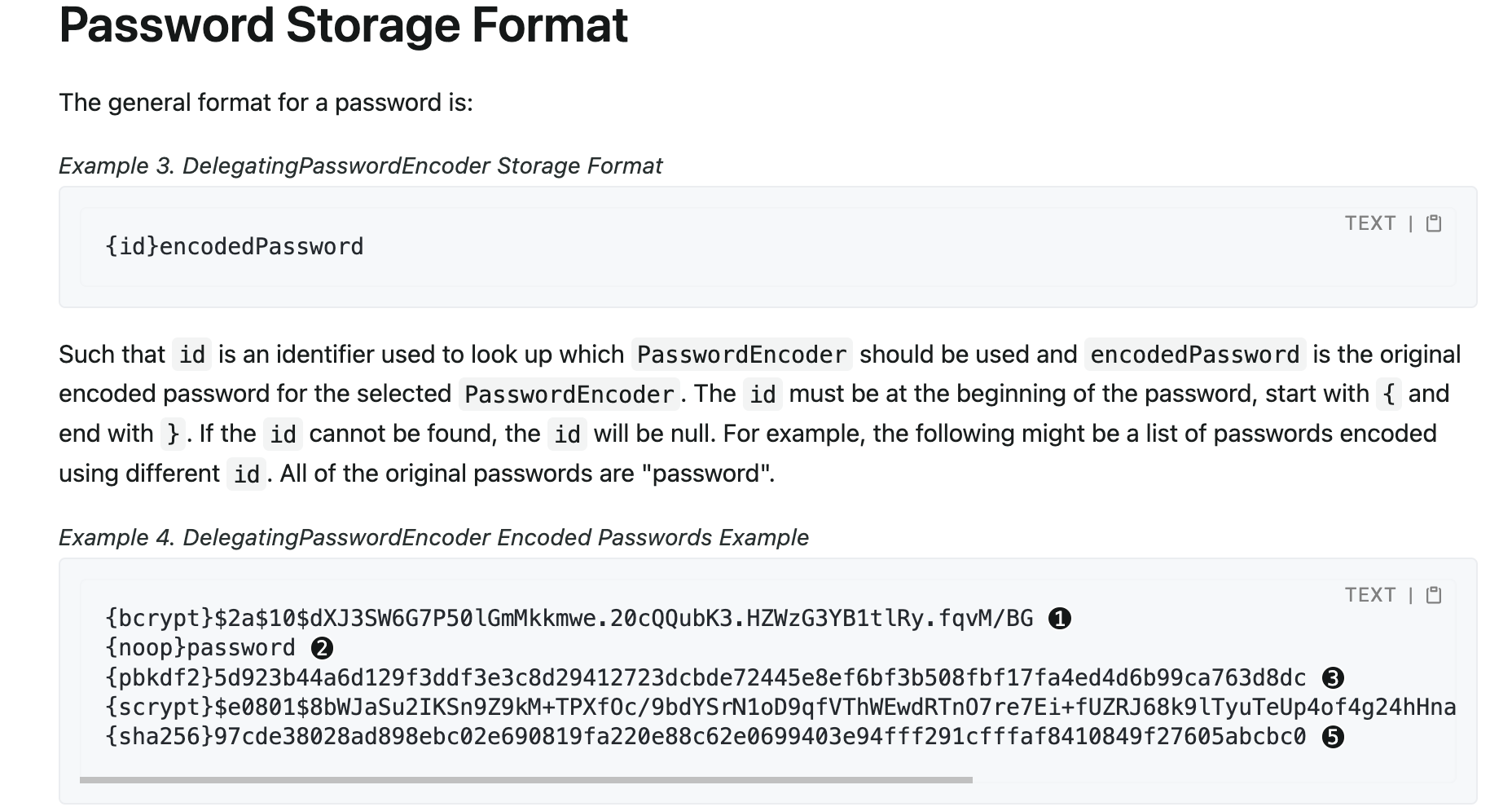
PasswordEncoder passwordEncoder =
    PasswordEncoderFactories.createDelegatingPasswordEncoder();
// Create an encoder with strength 16
BCryptPasswordEncoder encoder = new BCryptPasswordEncoder(16);
String result = encoder.encode("myPassword");
assertTrue(encoder.matches("myPassword", result));

// Create an encoder with all the defaults
Argon2PasswordEncoder encoder = new Argon2PasswordEncoder();
String result = encoder.encode("myPassword");
assertTrue(encoder.matches("myPassword", result));

// Create an encoder with all the defaults
Pbkdf2PasswordEncoder encoder = new Pbkdf2PasswordEncoder();
String result = encoder.encode("myPassword");
assertTrue(encoder.matches("myPassword", result));

// Create an encoder with all the defaults
SCryptPasswordEncoder encoder = new SCryptPasswordEncoder();
String result = encoder.encode("myPassword");
assertTrue(encoder.matches("myPassword", result));

实现UserDetailsPasswordService接口即可
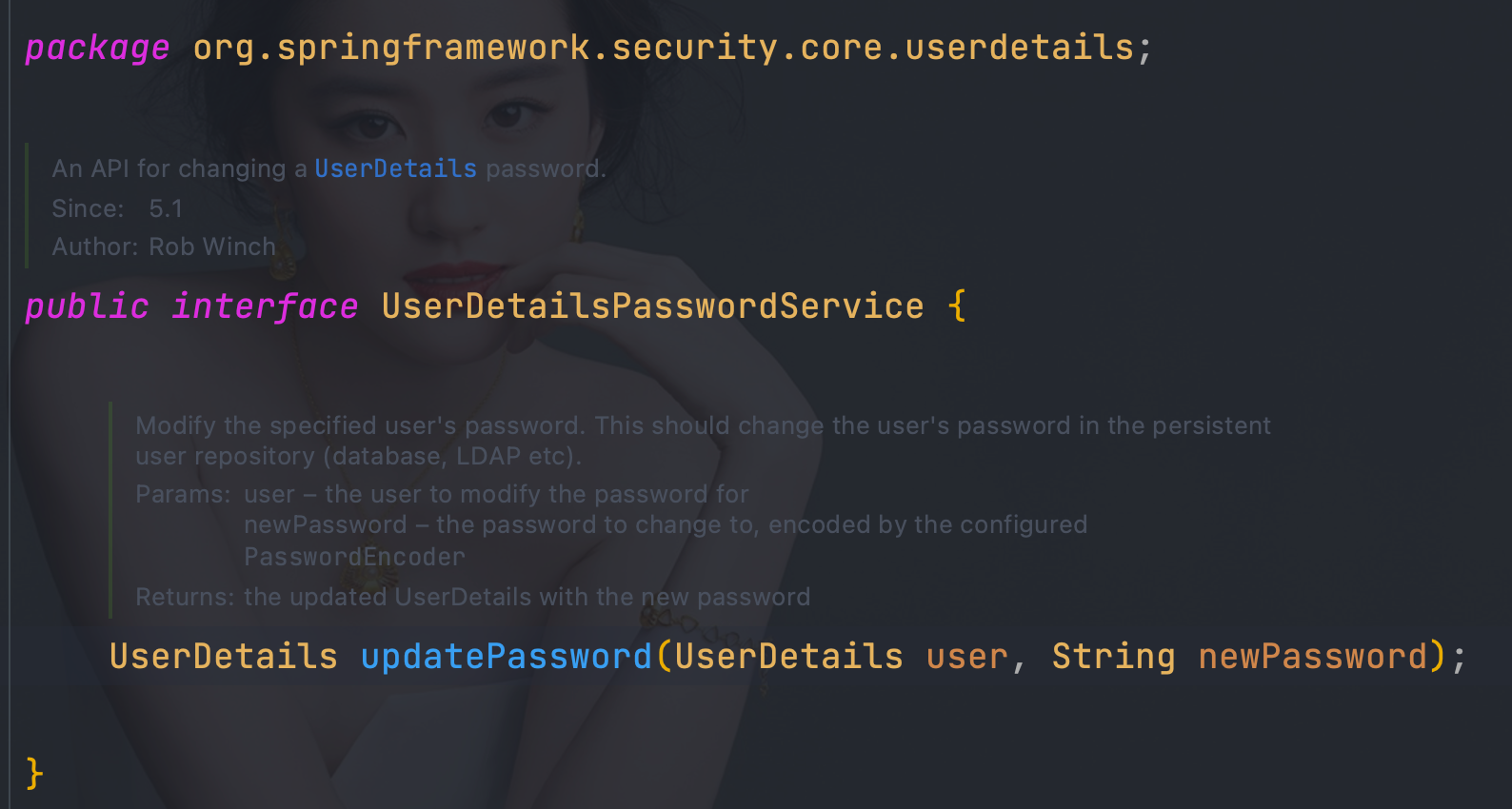
@Component("userDetailsImpl")
public class UserDetailsImpl implements UserDetailsService, UserDetailsPasswordService {
    @Autowired
   private UserMapper userMapper;
    @Autowired
   private RoleMapper roleMapper;

    @Override
    public org.springframework.security.core.userdetails.UserDetails loadUserByUsername(String username) throws UsernameNotFoundException {
        User user = userMapper.loadUserByUsername(username);
        if(user == null){
            throw new UsernameNotFoundException("用户名不存在");
        }
        List<Role> roles = roleMapper.getRoleByUserId(user.getUserId());
        user.setRoles(roles);
        return user;
    }

    @Override
    public UserDetails updatePassword(UserDetails user, String newPassword) {
        int state = userMapper.updatePassword(newPassword, user.getUsername());
        if (state == 1) {
            ((User) user).setPassword(newPassword);
        }
        return user;
    }
}
<!DOCTYPE html>
<html lang="en" xmlns:th="http://www.thymeleaf.org"
      xmlns:sec="http://www.thymeleaf.org/extras/spring-security">
<head>
    <meta charset="UTF-8">
    <title>login</title>
</head>
<body>
<form th:action="@{/doLogin}" method="post">
    <p>用户名:<label>
        <input name="uname" type="text"/>
    </label></p>
    <p>密码:<label>
        <input name="pwd" type="password"/>
    </label></p>
    <p>记住我:<label>
        <input name="remember-me" type="checkbox"/>
    </label></p>
    <p>
        <input type="submit">
    </p>
</form>

</body>
</html>
package com.wanqi.config;

import org.springframework.context.annotation.Bean;
import org.springframework.context.annotation.Configuration;
import org.springframework.security.config.annotation.web.builders.HttpSecurity;
import org.springframework.security.config.annotation.web.configuration.EnableWebSecurity;
import org.springframework.security.core.userdetails.User;
import org.springframework.security.core.userdetails.UserDetails;
import org.springframework.security.core.userdetails.UserDetailsService;
import org.springframework.security.crypto.factory.PasswordEncoderFactories;
import org.springframework.security.crypto.password.PasswordEncoder;
import org.springframework.security.provisioning.InMemoryUserDetailsManager;
import org.springframework.security.web.SecurityFilterChain;
import org.springframework.security.web.authentication.rememberme.JdbcTokenRepositoryImpl;
import org.springframework.security.web.authentication.rememberme.PersistentTokenBasedRememberMeServices;
import org.springframework.security.web.util.matcher.AntPathRequestMatcher;
import org.springframework.security.web.util.matcher.OrRequestMatcher;

import java.util.UUID;

@Configuration
@EnableWebSecurity
public class WebSecurityConfigurer {
    @Bean
    public PasswordEncoder bcryptPasswordEncoder() {
        return PasswordEncoderFactories.createDelegatingPasswordEncoder();
    }


    public UserDetailsService inMemoryUsers(PasswordEncoder encoder) {
        // The builder will ensure the passwords are encoded before saving in memory
        UserDetails user = User.withUsername("user")
                .password(encoder.encode("123"))
                .roles("USER")
                .build();
        UserDetails admin = User.withUsername("admin")
                .password(encoder.encode("123"))
                .roles("USER", "ADMIN")
                .build();
        return new InMemoryUserDetailsManager(user, admin);
    }

    @Bean(name = "rememberMeServices")
    public PersistentTokenBasedRememberMeServices rememberMeServices(){
       return new PersistentTokenBasedRememberMeServices(UUID.randomUUID().toString(), inMemoryUsers(bcryptPasswordEncoder()), new InMemoryTokenRepositoryImpl());
    }


    @Bean
    SecurityFilterChain filterChain(HttpSecurity httpSecurity) throws Exception {
        return
                //开启权限验证
                httpSecurity
                        .authorizeRequests()
                        //permitAll直接放行,必须在anyRequest().authenticated()前面
                        .mvcMatchers("/toLogin").permitAll()
                        //anyRequest所有请求都需要认证
                        .anyRequest().authenticated()
                        .and()
                        //使用form表单验证
                        .formLogin(login ->
                                login
                                        //自定义登陆页面
                                        .loginPage("/toLogin")
                                        //自定义登陆页面后必须指定处理登陆请求的url
                                        .loginProcessingUrl("/doLogin")
                                        // 自定义接收用户名的参数名为uname
                                        .usernameParameter("uname")
                                        //自定义接收密码的参数名为pwd
                                        .passwordParameter("pwd")
                                        // 认证成功后跳转的页面(转发),必须使用POST请求
                                        //.successForwardUrl("/test")
                                        // 证成功后跳转的页面(重定向),必须使用GET请求
                                        //.defaultSuccessUrl("/test")
                                        //不会每次都跳转定义的页面,默认会记录认证拦截的请求,如果是拦截的受限资源会优先跳转到之前被拦截的请求。需要每次都跳转使defaultSuccessUrl("/test",true)
                                        .defaultSuccessUrl("/toLogout",true)
                                        //前后端分离时代自定义认证成功处理
//                                        .successHandler(new MyAuthenticationSuccessHandler())
                                        //前后端分离时代自定义认证失败处理
//                                        .failureHandler(new MyAuthenticationFailureHandler())
                                        .failureUrl("/404")
                        )
                        //注销
                        .logout(logout -> {
                            logout
                                    //指定默认注销url,默认请求方式GET
//                                    .logoutUrl("/logout")
                                    .logoutRequestMatcher(
                                            //自定义注销url
                                            new OrRequestMatcher(
                                                    new AntPathRequestMatcher("/aa", "GET"),
                                                    new AntPathRequestMatcher("/bb", "POST")))
                                    //注销成功后跳转页面
                                    .logoutSuccessUrl("/toLogin")
                                    //前后端分离时代自定义注销登录处理器
//                                    .logoutSuccessHandler(new MyLogoutSuccessHandler())
                                    //销毁session,默认为true
                                    .invalidateHttpSession(true)
                                    //清除认证信息,默认为true
                                    .clearAuthentication(true);
                        })
                        //指定UserDetailsService来切换认证信息不同的存储方式(数据源)
                        .userDetailsService(inMemoryUsers(bcryptPasswordEncoder()))
                        //开启rememberMe
                        .rememberMe()
                        //自定义rememberMe参数名
//                        .rememberMeParameter();
                        .rememberMeServices(rememberMeServices())
                        .and()
                        //禁止csrf跨站请求保护
                        .csrf().disable()
                        .build();
    }
}
    @Bean
    public PersistentTokenRepository jdbcTokenRepository(){
        JdbcTokenRepositoryImpl jdbcTokenRepository = new JdbcTokenRepositoryImpl();
        jdbcTokenRepository.setDataSource(dataSource);
        //自动创建表结构,首次启动设置为true
//        jdbcTokenRepository.setCreateTableOnStartup(true);
        return jdbcTokenRepository;
    }
    @Bean
    SecurityFilterChain filterChain(HttpSecurity httpSecurity) throws Exception {
        return
                //开启权限验证
                httpSecurity
                        .authorizeRequests()
                        //permitAll直接放行,必须在anyRequest().authenticated()前面
                        .mvcMatchers("/toLogin").permitAll()
                        .mvcMatchers("/404").permitAll()
                        //anyRequest所有请求都需要认证
                        .anyRequest().authenticated()
                        .and()
                        //使用form表单验证
                        .formLogin(login ->
                                login
                                        //自定义登陆页面
                                        .loginPage("/toLogin")
                                        //自定义登陆页面后必须指定处理登陆请求的url
                                        .loginProcessingUrl("/doLogin")
                                        // 自定义接收用户名的参数名为uname
                                        .usernameParameter("uname")
                                        //自定义接收密码的参数名为pwd
                                        .passwordParameter("pwd")
                                        // 认证成功后跳转的页面(转发),必须使用POST请求
                                        //.successForwardUrl("/test")
                                        // 证成功后跳转的页面(重定向),必须使用GET请求
                                        //.defaultSuccessUrl("/test")
                                        //不会每次都跳转定义的页面,默认会记录认证拦截的请求,如果是拦截的受限资源会优先跳转到之前被拦截的请求。需要每次都跳转使defaultSuccessUrl("/test",true)
                                        .defaultSuccessUrl("/toLogout",true)
                                        //前后端分离时代自定义认证成功处理
//                                        .successHandler(new MyAuthenticationSuccessHandler())
                                        //前后端分离时代自定义认证失败处理
//                                        .failureHandler(new MyAuthenticationFailureHandler())
                                        .failureUrl("/404")
                        )
                        //注销
                        .logout(logout -> {
                            logout
                                    //指定默认注销url,默认请求方式GET
//                                    .logoutUrl("/logout")
                                    .logoutRequestMatcher(
                                            //自定义注销url
                                            new OrRequestMatcher(
                                                    new AntPathRequestMatcher("/aa", "GET"),
                                                    new AntPathRequestMatcher("/bb", "POST")))
                                    //注销成功后跳转页面
                                    .logoutSuccessUrl("/toLogin")
                                    //前后端分离时代自定义注销登录处理器
//                                    .logoutSuccessHandler(new MyLogoutSuccessHandler())
                                    //销毁session,默认为true
                                    .invalidateHttpSession(true)
                                    //清除认证信息,默认为true
                                    .clearAuthentication(true);
                        })
                        //指定UserDetailsService来切换认证信息不同的存储方式(数据源)
                        .userDetailsService(inMemoryUsers(bcryptPasswordEncoder()))
                        //开启rememberMe
                        .rememberMe()
                        .tokenRepository(jdbcTokenRepository())
                        .and()
                        //禁止csrf跨站请求保护
                        .csrf().disable()
                        .build();
    }
}
package com.wanqi.service;

import org.springframework.security.core.userdetails.UserDetailsService;
import org.springframework.security.web.authentication.rememberme.AbstractRememberMeServices;
import org.springframework.security.web.authentication.rememberme.PersistentTokenBasedRememberMeServices;
import org.springframework.security.web.authentication.rememberme.PersistentTokenRepository;

import javax.servlet.http.HttpServletRequest;

/**
 * @Description 自定义RememberMeServices实现类
 * @Version 1.0.0
 * @Date 2022/9/5
 * @Author wandaren
 */

public class RememberMeServices extends PersistentTokenBasedRememberMeServices {

    public RememberMeServices(String key, UserDetailsService userDetailsService, PersistentTokenRepository tokenRepository) {
        super(key, userDetailsService, tokenRepository);
    }

    @Override
    protected boolean rememberMeRequested(HttpServletRequest request, String parameter) {
        String paramValue = request.getAttribute(AbstractRememberMeServices.DEFAULT_PARAMETER).toString();
        return paramValue.equalsIgnoreCase("true") || paramValue.equalsIgnoreCase("on")
                || paramValue.equalsIgnoreCase("yes") || paramValue.equals("1");
    }
}
package com.wanqi.security.filter;

import com.fasterxml.jackson.databind.ObjectMapper;
import org.springframework.http.MediaType;
import org.springframework.security.authentication.AuthenticationManager;
import org.springframework.security.authentication.AuthenticationServiceException;
import org.springframework.security.authentication.UsernamePasswordAuthenticationToken;
import org.springframework.security.core.Authentication;
import org.springframework.security.core.AuthenticationException;
import org.springframework.security.web.authentication.UsernamePasswordAuthenticationFilter;
import org.springframework.security.web.authentication.rememberme.AbstractRememberMeServices;
import org.springframework.util.ObjectUtils;

import javax.servlet.http.HttpServletRequest;
import javax.servlet.http.HttpServletResponse;
import java.io.IOException;
import java.util.Map;

/**
 * @Description 处理Json方式的登录请求
 * @Version 1.0.0
 * @Date 2022/8/21
 * @Author wandaren
 */
public class JsonLoginFilter extends UsernamePasswordAuthenticationFilter {

    public JsonLoginFilter(AuthenticationManager authenticationManager) {
        super(authenticationManager);
    }

    @Override
    public Authentication attemptAuthentication(HttpServletRequest request, HttpServletResponse response) throws AuthenticationException {
        if (!request.getMethod().equals("POST")) {
            throw new AuthenticationServiceException("Authentication method not supported: " + request.getMethod());
        }
        if (request.getContentType().equalsIgnoreCase(MediaType.APPLICATION_JSON_VALUE)) {
            try {
                Map<String, String> map = new ObjectMapper().readValue(request.getInputStream(), Map.class);
                String username = map.get(getUsernameParameter());
                username = (username != null) ? username.trim() : "";
                String password = map.get(getPasswordParameter());
                password = (password != null) ? password : "";
                String rememberMe = map.get(AbstractRememberMeServices.DEFAULT_PARAMETER);
                if (!ObjectUtils.isEmpty(rememberMe)) {
                    request.setAttribute(AbstractRememberMeServices.DEFAULT_PARAMETER, rememberMe);
                }
                UsernamePasswordAuthenticationToken authRequest = UsernamePasswordAuthenticationToken.unauthenticated(username,
                        password);
                System.out.println(username);
                System.out.println(password);
                setDetails(request, authRequest);
                return getAuthenticationManager().authenticate(authRequest);
            } catch (IOException e) {
                e.printStackTrace();
            }
        }
        throw new AuthenticationServiceException("Authentication ContentType not supported: " + request.getContentType());
    }
}
filter.setRememberMeServices(rememberMeServices());

.rememberMe()
.rememberMeServices(rememberMeServices())
.tokenRepository(jdbcTokenRepository())
package com.wanqi.config;

import com.fasterxml.jackson.databind.ObjectMapper;
import com.wanqi.security.filter.JsonLoginFilter;
import com.wanqi.service.RememberMeServices;
import com.wanqi.service.impl.UserDetailsImpl;
import org.springframework.beans.factory.annotation.Autowired;
import org.springframework.context.annotation.Bean;
import org.springframework.context.annotation.Configuration;
import org.springframework.http.HttpStatus;
import org.springframework.security.authentication.AuthenticationManager;
import org.springframework.security.config.annotation.authentication.configuration.AuthenticationConfiguration;
import org.springframework.security.config.annotation.web.builders.HttpSecurity;
import org.springframework.security.config.annotation.web.configuration.EnableWebSecurity;
import org.springframework.security.core.Authentication;
import org.springframework.security.crypto.factory.PasswordEncoderFactories;
import org.springframework.security.crypto.password.PasswordEncoder;
import org.springframework.security.web.SecurityFilterChain;
import org.springframework.security.web.authentication.AuthenticationSuccessHandler;
import org.springframework.security.web.authentication.UsernamePasswordAuthenticationFilter;
import org.springframework.security.web.authentication.logout.LogoutSuccessHandler;
import org.springframework.security.web.authentication.rememberme.JdbcTokenRepositoryImpl;
import org.springframework.security.web.authentication.rememberme.PersistentTokenBasedRememberMeServices;
import org.springframework.security.web.authentication.rememberme.PersistentTokenRepository;
import org.springframework.security.web.util.matcher.AntPathRequestMatcher;
import org.springframework.security.web.util.matcher.OrRequestMatcher;

import javax.servlet.ServletException;
import javax.servlet.http.HttpServletRequest;
import javax.servlet.http.HttpServletResponse;
import javax.sql.DataSource;
import java.io.IOException;
import java.util.HashMap;
import java.util.Map;
import java.util.UUID;

/**
 * @Description TODO
 * @Version 1.0.0
 * @Date 2022/9/5
 * @Author wandaren
 */
@Configuration
@EnableWebSecurity
public class SecurityConfig {

    @Autowired
    DataSource dataSource;

    UserDetailsImpl userDetailsImpl;

    @Autowired
    public void setUserDetailsImpl(UserDetailsImpl userDetailsImpl) {
        this.userDetailsImpl = userDetailsImpl;
    }

    @Bean
    public PasswordEncoder bcryptPasswordEncoder() {
        return PasswordEncoderFactories.createDelegatingPasswordEncoder();
    }

    @Autowired
    public AuthenticationConfiguration authenticationConfiguration;

    /**
     * 获取AuthenticationManager(认证管理器),登录时认证使用
     *
     * @return
     * @throws Exception
     */
    @Bean
    public AuthenticationManager authenticationManager() throws Exception {
        return authenticationConfiguration.getAuthenticationManager();
    }

    @Bean
    public JsonLoginFilter jsonLoginFilter() throws Exception {
        JsonLoginFilter filter = new JsonLoginFilter(authenticationManager());
        //指定认证url
        filter.setFilterProcessesUrl("/doLogin");
        //指定接收json,用户名key
        filter.setUsernameParameter("uname");
        //指定接收json,密码key
        filter.setPasswordParameter("pwd");
        filter.setAuthenticationManager(authenticationManager());
        filter.setRememberMeServices(rememberMeServices());
        //前后端分离时代自定义认证成功处理
        filter.setAuthenticationSuccessHandler(new AuthenticationSuccessHandler() {
            @Override
            public void onAuthenticationSuccess(HttpServletRequest request, HttpServletResponse response, Authentication authentication) throws IOException, ServletException {
                Map<String, Object> map = new HashMap<>();
                map.put("msg", "登陆成功");
                map.put("code", HttpStatus.OK.value());
                map.put("authentication", authentication);
                String s = new ObjectMapper().writeValueAsString(map);
                response.setContentType("application/json;charset=UTF-8");
                response.getWriter().write(s);
            }
        });
        //前后端分离时代自定义认证失败处理
        filter.setAuthenticationFailureHandler((request, response, exception) -> {
            Map<String, Object> map = new HashMap<>();
            map.put("msg", exception.getMessage());
            map.put("code", HttpStatus.INTERNAL_SERVER_ERROR.value());
            String s = new ObjectMapper().writeValueAsString(map);
            response.setContentType("application/json;charset=UTF-8");
            response.getWriter().write(s);
        });
        return filter;
    }

    @Bean
    public PersistentTokenRepository jdbcTokenRepository(){
        JdbcTokenRepositoryImpl jdbcTokenRepository = new JdbcTokenRepositoryImpl();
        jdbcTokenRepository.setDataSource(dataSource);
        //自动创建表结构,首次启动设置为true
//        jdbcTokenRepository.setCreateTableOnStartup(true);
        return jdbcTokenRepository;
    }

    @Bean
    public RememberMeServices rememberMeServices(){
        return new RememberMeServices(UUID.randomUUID().toString(), userDetailsImpl, jdbcTokenRepository());
    }

    @Bean
    public SecurityFilterChain filterChain(HttpSecurity httpSecurity) throws Exception {
        return httpSecurity.authorizeRequests()
                .anyRequest().authenticated()
                .and()
                .formLogin()
                .and()
                .addFilterAt(jsonLoginFilter(), UsernamePasswordAuthenticationFilter.class)
                .logout(logout -> {
                    logout
                            .logoutRequestMatcher(
                                    //自定义注销url
                                    new OrRequestMatcher(
                                            new AntPathRequestMatcher("/aa", "GET"),
                                            new AntPathRequestMatcher("/bb", "POST")))
                            //前后端分离时代自定义注销登录处理器
                            .logoutSuccessHandler(new LogoutSuccessHandler() {
                                @Override
                                public void onLogoutSuccess(HttpServletRequest request, HttpServletResponse response, Authentication authentication) throws IOException, ServletException {
                                    Map<String, Object> map = new HashMap<>();
                                    map.put("msg", "注销成功");
                                    map.put("code", HttpStatus.OK.value());
                                    map.put("authentication", authentication);
                                    String s = new ObjectMapper().writeValueAsString(map);
                                    response.setContentType("application/json;charset=UTF-8");
                                    response.getWriter().write(s);
                                }
                            })
                            //销毁session,默认为true
                            .invalidateHttpSession(true)
                            //清除认证信息,默认为true
                            .clearAuthentication(true);
                })
                //指定UserDetailsService来切换认证信息不同的存储方式(数据源)
                .userDetailsService(userDetailsImpl)
                .exceptionHandling()
                .authenticationEntryPoint((request, response, authException) -> {
//                            response.setContentType(MediaType.APPLICATION_JSON_UTF8_VALUE);
                    response.setHeader("content-type", "application/json;charset=UTF-8");
                    response.setStatus(HttpStatus.UNAUTHORIZED.value());
                    response.getWriter().write("请先认证后重试!");
                })
                .and()
                .rememberMe()
                .rememberMeServices(rememberMeServices())
                .tokenRepository(jdbcTokenRepository())
                .and()
                //禁止csrf跨站请求保护
                .csrf().disable()
                .build();
    }

}
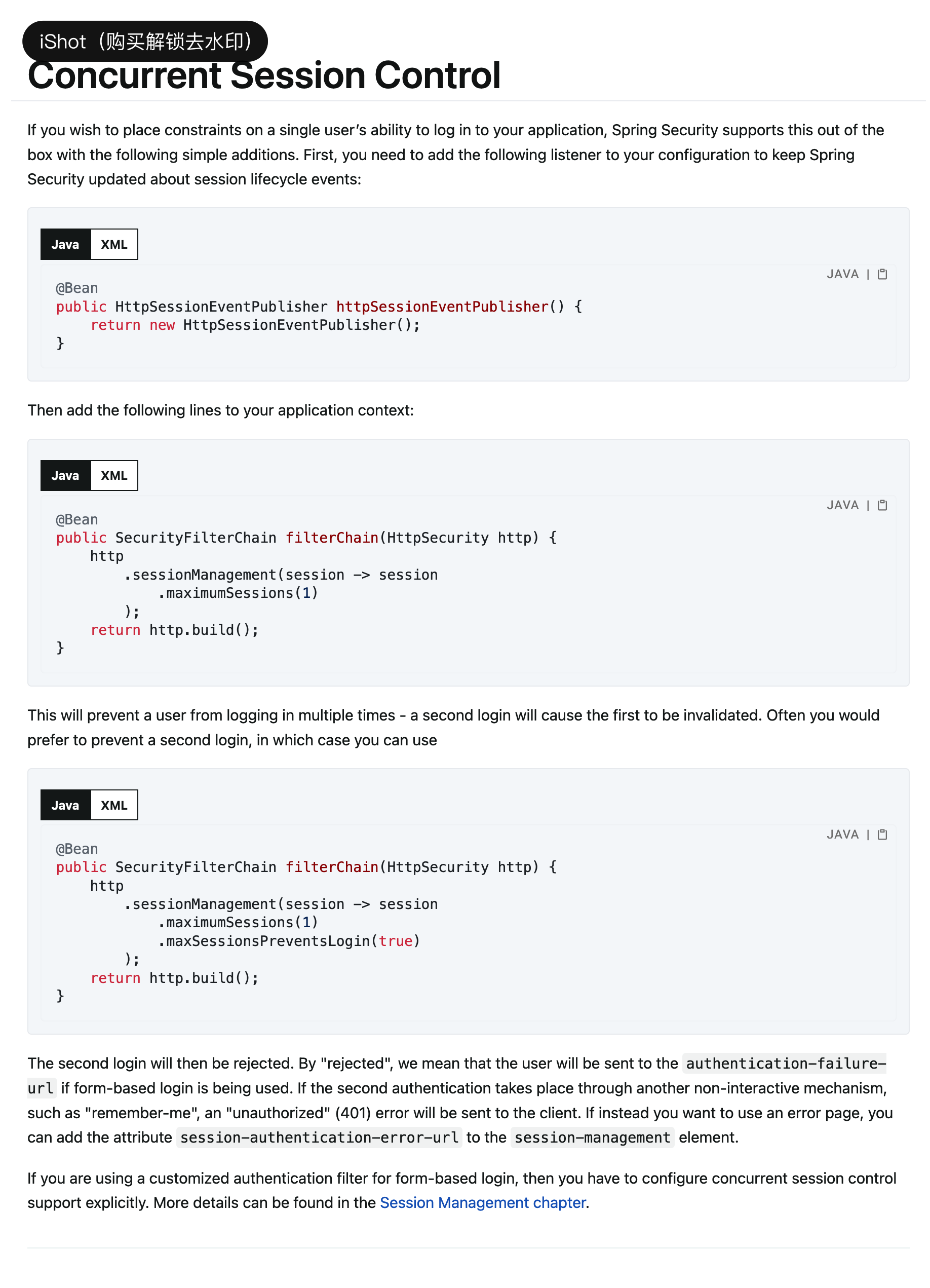
package com.wanqi.config;

import org.springframework.context.annotation.Bean;
import org.springframework.context.annotation.Configuration;
import org.springframework.security.config.annotation.web.builders.HttpSecurity;
import org.springframework.security.config.annotation.web.configuration.EnableWebSecurity;
import org.springframework.security.web.SecurityFilterChain;
import org.springframework.security.web.session.HttpSessionEventPublisher;

/**
 * @Description TODO
 * @Version 1.0.0
 * @Date 2022/9/5
 * @Author wandaren
 */
@Configuration
@EnableWebSecurity
public class SecurityConfig {

    @Bean
    SecurityFilterChain filterChain(HttpSecurity httpSecurity) throws Exception{
         httpSecurity.authorizeRequests()
                .anyRequest().authenticated()
                .and()
                .formLogin()
                .defaultSuccessUrl("/hello",true)
                .and()
                .csrf().disable()
                .sessionManagement(session -> session
                        //最多一个会话
                        .maximumSessions(1)
                        //true:超过会话上限不再容许登录
//                        .maxSessionsPreventsLogin(true)
                        // 会话失效(用户被挤下线后)跳转地址
                        // .expiredUrl("/login")
                    //  前后端分离处理方式
                        .expiredSessionStrategy(new SessionInformationExpiredStrategy() {
                            @Override
                            public void onExpiredSessionDetected(SessionInformationExpiredEvent event) throws IOException, ServletException {
                                event.getResponse().setHeader("content-type", "application/json;charset=UTF-8");
                                event.getResponse().setStatus(HttpStatus.UNAUTHORIZED.value());
                                event.getResponse().getWriter().write("会话超时!");
                            }
                        })
                );

         return httpSecurity.build();
    }

    @Bean
    public HttpSessionEventPublisher httpSessionEventPublisher() {
        return new HttpSessionEventPublisher();
    }
}
<dependency>
			<groupId>org.springframework.boot</groupId>
			<artifactId>spring-boot-starter-data-redis</artifactId>
		</dependency>
		<dependency>
			<groupId>org.springframework.session</groupId>
			<artifactId>spring-session-data-redis</artifactId>
		</dependency>
spring:
  redis:
    host: 172.16.156.139
    port: 6379
    password: qifeng
    database: 0
  main:
    allow-circular-references: true
package com.wanqi.config;

import org.springframework.beans.factory.annotation.Value;
import org.springframework.context.annotation.Bean;
import org.springframework.context.annotation.Configuration;
import org.springframework.data.redis.connection.RedisStandaloneConfiguration;
import org.springframework.data.redis.connection.lettuce.LettuceConnectionFactory;
import org.springframework.security.web.session.HttpSessionEventPublisher;

/**
 * @Description TODO
 * @Version 1.0.0
 * @Date 2022/9/5
 * @Author wandaren
 */
@Configuration
@EnableRedisHttpSession
public class RedisSessionConfig {
    @Value("${spring.redis.host}")
    private String host;
    @Value("${spring.redis.port}")
    private int port;
    @Value("${spring.redis.password}")
    private String password;
    @Value("${spring.redis.database}")
    private int database;

    @Bean
    RedisStandaloneConfiguration redisStandaloneConfiguration() {
        RedisStandaloneConfiguration redisStandaloneConfiguration = new RedisStandaloneConfiguration();
        redisStandaloneConfiguration.setHostName(host);
        redisStandaloneConfiguration.setPort(port);
        redisStandaloneConfiguration.setPassword(password);
        redisStandaloneConfiguration.setDatabase(database);
        return redisStandaloneConfiguration;
    }

    @Bean
    public LettuceConnectionFactory redisConnectionFactory() {
        return new LettuceConnectionFactory(redisStandaloneConfiguration());
    }


    @Bean
    public HttpSessionEventPublisher httpSessionEventPublisher() {
        return new HttpSessionEventPublisher();
    }
}
package com.wanqi.config;

import org.springframework.beans.factory.annotation.Autowired;
import org.springframework.context.annotation.Bean;
import org.springframework.context.annotation.Configuration;
import org.springframework.http.HttpStatus;
import org.springframework.security.config.annotation.web.builders.HttpSecurity;
import org.springframework.security.config.annotation.web.configuration.EnableWebSecurity;
import org.springframework.security.core.userdetails.User;
import org.springframework.security.core.userdetails.UserDetails;
import org.springframework.security.core.userdetails.UserDetailsService;
import org.springframework.security.crypto.factory.PasswordEncoderFactories;
import org.springframework.security.crypto.password.PasswordEncoder;
import org.springframework.security.provisioning.InMemoryUserDetailsManager;
import org.springframework.security.web.SecurityFilterChain;
import org.springframework.security.web.session.HttpSessionEventPublisher;
import org.springframework.security.web.session.SessionInformationExpiredEvent;
import org.springframework.security.web.session.SessionInformationExpiredStrategy;
import org.springframework.session.FindByIndexNameSessionRepository;
import org.springframework.session.Session;
import org.springframework.session.data.redis.config.annotation.web.http.EnableRedisHttpSession;
import org.springframework.session.security.SpringSessionBackedSessionRegistry;

import javax.servlet.ServletException;
import java.io.IOException;

/**
 * @Description TODO
 * @Version 1.0.0
 * @Date 2022/9/5
 * @Author wandaren
 */
@Configuration
@EnableWebSecurity
public class SecurityConfig<S extends Session> {
    @Autowired
    private FindByIndexNameSessionRepository<S> sessionRepository;

    @Bean
    public PasswordEncoder bcryptPasswordEncoder() {
        return PasswordEncoderFactories.createDelegatingPasswordEncoder();
    }

    @Bean
    public UserDetailsService inMemoryUsers(PasswordEncoder encoder) {
        // The builder will ensure the passwords are encoded before saving in memory
        UserDetails user = User.withUsername("user")
                .password(encoder.encode("123"))
                .roles("USER")
                .build();
        UserDetails admin = User.withUsername("admin")
                .password(encoder.encode("123"))
                .roles("USER", "ADMIN")
                .build();
        return new InMemoryUserDetailsManager(user, admin);
    }

    @Bean
    SecurityFilterChain filterChain(HttpSecurity httpSecurity) throws Exception{
         httpSecurity.authorizeRequests()
                .anyRequest().authenticated()
                .and()
                .formLogin()
                .defaultSuccessUrl("/hello",true)
                .and()
                .csrf().disable()
                .sessionManagement(session -> session
                        //最多一个会话
                        .maximumSessions(1)
                        //true超过会话上限不再容许登录
                        .maxSessionsPreventsLogin(true)
//                        被踢下线后跳转地址
//                        .expiredUrl("/login")
                        .expiredSessionStrategy(new SessionInformationExpiredStrategy() {
                            @Override
                            public void onExpiredSessionDetected(SessionInformationExpiredEvent event) throws IOException, ServletException {
                                event.getResponse().setHeader("content-type", "application/json;charset=UTF-8");
                                event.getResponse().setStatus(HttpStatus.UNAUTHORIZED.value());
                                event.getResponse().getWriter().write("会话超时!");
                            }
                        })
                        .sessionRegistry(sessionRegistry())
                )
                .userDetailsService(inMemoryUsers(bcryptPasswordEncoder()))
         ;

         return httpSecurity.build();
    }

    @Bean
    public SpringSessionBackedSessionRegistry<S> sessionRegistry() {
        return new SpringSessionBackedSessionRegistry<>(this.sessionRepository);
    }

}
<input type="hidden" name="_csrf" th:value="${_csrf.getToken()}">
httpSecurity.csrf()
httpSecurity.csrf()
    //SpringSecurity处理登陆的默认方法不加令牌
    .ignoringAntMatchers("/doLogin")
    //将令牌保存到cookie,容许前端获取
    .csrfTokenRepository(CookieCsrfTokenRepository.withHttpOnlyFalse())
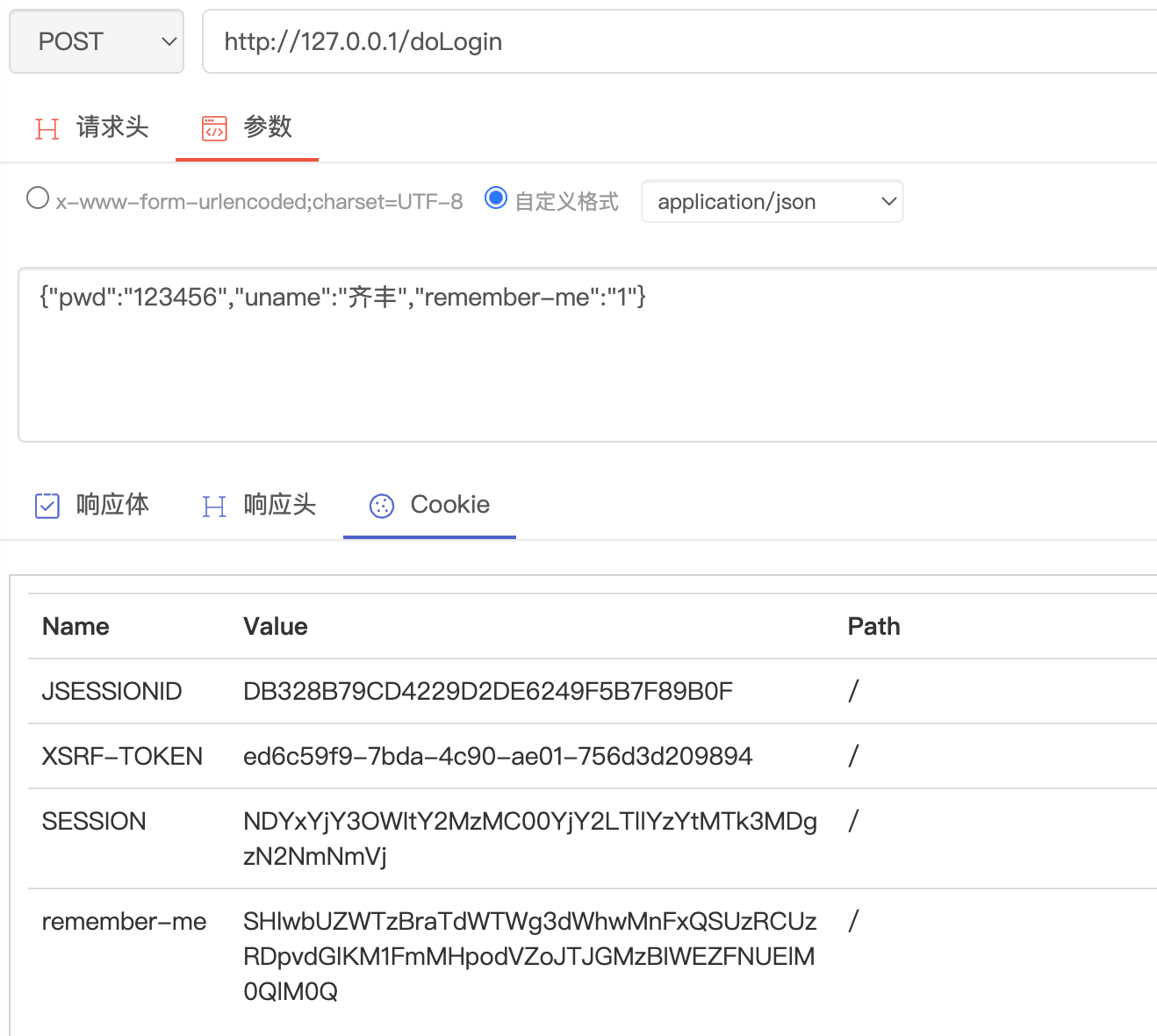
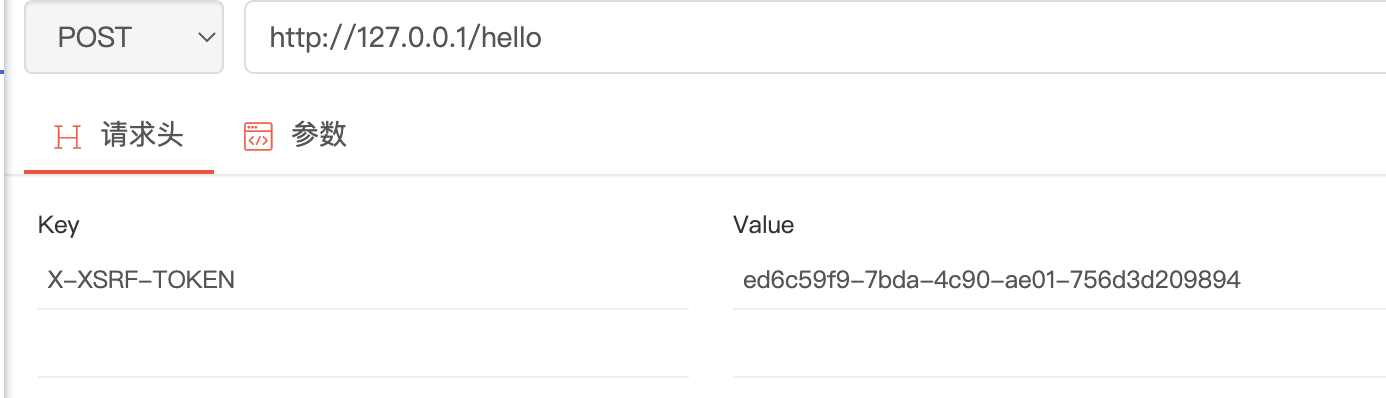
@RestController
public class HelloController {

    @RequestMapping("/hello")
    @CrossOrigin
    public String hello(){
        return "hello";
    }
}
package com.wanqi.config;

import org.springframework.context.annotation.Configuration;
import org.springframework.web.servlet.config.annotation.CorsRegistry;
import org.springframework.web.servlet.config.annotation.WebMvcConfigurer;

/**
 * @Description TODO
 * @Version 1.0.0
 * @Date 2022/9/6
 * @Author wandaren
 */
@Configuration
public class WebConfig implements WebMvcConfigurer {
    @Override
    public void addCorsMappings(CorsRegistry registry) {
        //对哪些请求进行跨域处理
        registry.addMapping("/**")
        .allowCredentials(false)
        .allowedHeaders("*")
        .allowedMethods("*")
        .allowedOrigins("*")
        .exposedHeaders("")
        .maxAge(3600)
        ;
    }
}
    @Bean
    FilterRegistrationBean<CorsFilter> corsFilter() {
        FilterRegistrationBean<CorsFilter> registrationBean = new FilterRegistrationBean<>();
        CorsConfiguration corsConfiguration = new CorsConfiguration();
        corsConfiguration.setAllowedOrigins(Collections.singletonList("*"));
        corsConfiguration.setAllowedHeaders(Collections.singletonList("*"));
        corsConfiguration.setAllowedMethods(Collections.singletonList("*"));
        corsConfiguration.setMaxAge(3600L);
        UrlBasedCorsConfigurationSource source = new UrlBasedCorsConfigurationSource();
        source.registerCorsConfiguration("/**", corsConfiguration);
        registrationBean.setFilter(new CorsFilter(source));
        //指定Filter执行顺序
        registrationBean.setOrder(-1);
        return registrationBean;
    }
@Bean
public CorsConfigurationSource configurationSource() {
    CorsConfiguration corsConfiguration = new CorsConfiguration();
    corsConfiguration.setAllowedOrigins(Collections.singletonList("*"));
    corsConfiguration.setAllowedHeaders(Collections.singletonList("*"));
    corsConfiguration.setAllowedMethods(Collections.singletonList("*"));
    corsConfiguration.setMaxAge(3600L);
    UrlBasedCorsConfigurationSource source = new UrlBasedCorsConfigurationSource();
    source.registerCorsConfiguration("/**", corsConfiguration);
    return source;
}


httpSecurity.cors()
    .configurationSource(configurationSource())
package com.wanqi.config;

import org.springframework.context.annotation.Bean;
import org.springframework.context.annotation.Configuration;
import org.springframework.security.config.annotation.web.builders.HttpSecurity;
import org.springframework.security.config.annotation.web.configuration.EnableWebSecurity;
import org.springframework.security.core.userdetails.User;
import org.springframework.security.core.userdetails.UserDetails;
import org.springframework.security.core.userdetails.UserDetailsService;
import org.springframework.security.crypto.factory.PasswordEncoderFactories;
import org.springframework.security.crypto.password.PasswordEncoder;
import org.springframework.security.provisioning.InMemoryUserDetailsManager;
import org.springframework.security.web.SecurityFilterChain;
import org.springframework.security.web.util.matcher.AntPathRequestMatcher;
import org.springframework.security.web.util.matcher.OrRequestMatcher;
import org.springframework.web.cors.CorsConfiguration;
import org.springframework.web.cors.CorsConfigurationSource;
import org.springframework.web.cors.UrlBasedCorsConfigurationSource;

import java.util.Collections;

/**
 * @Description TODO
 * @Version 1.0.0
 * @Date 2022/9/5
 * @Author wandaren
 */
@Configuration
@EnableWebSecurity
public class SecurityConfig {

    @Bean
    public PasswordEncoder bcryptPasswordEncoder() {
        return PasswordEncoderFactories.createDelegatingPasswordEncoder();
    }

    @Bean
    public UserDetailsService inMemoryUsers(PasswordEncoder encoder) {
        // The builder will ensure the passwords are encoded before saving in memory
        UserDetails user = User.withUsername("user")
                .password(encoder.encode("123"))
                .roles("USER")
                .build();
        UserDetails admin = User.withUsername("admin")
                .password(encoder.encode("123"))
                .roles("ADMIN")
                .build();
        UserDetails qifeng = User.withUsername("qifeng")
                .password(encoder.encode("123"))
                .authorities("READ_HELLO","ROLE_ADMIN","ROLE_USER")
                .build();

        return new InMemoryUserDetailsManager(user, admin, qifeng);
    }

    @Bean
    SecurityFilterChain filterChain(HttpSecurity httpSecurity) throws Exception {
        httpSecurity.authorizeRequests()
                //权限READ_HELLO
                .mvcMatchers("/hello").hasAuthority("READ_HELLO")
                //角色
                .mvcMatchers("/admin").hasRole("ADMIN")
                .mvcMatchers("/user").hasRole("USER")
                .anyRequest().authenticated()
                .and()
                .csrf().disable()
                .formLogin()
                .and()
                .logout(logout -> logout.logoutRequestMatcher(
                        //自定义注销url
                        new OrRequestMatcher(
                                new AntPathRequestMatcher("/aa", "GET")))
                        .logoutSuccessUrl("/login")
                )
                .userDetailsService(inMemoryUsers(bcryptPasswordEncoder()))
        ;

        return httpSecurity.build();
    }


}
package com.wanqi.controller;

import org.springframework.web.bind.annotation.CrossOrigin;
import org.springframework.web.bind.annotation.RequestMapping;
import org.springframework.web.bind.annotation.RestController;

/**
 * @Description TODO
 * @Version 1.0.0
 * @Date 2022/9/6
 * @Author wandaren
 */

@RestController
public class HelloController {

    @RequestMapping("/hello")
    public String hello(){
        return "hello";
    }

    @RequestMapping("/admin")
    public String admin(){
        return "admin";
    }

    @RequestMapping("/user")
    public String user(){
        return "user";
    }
}
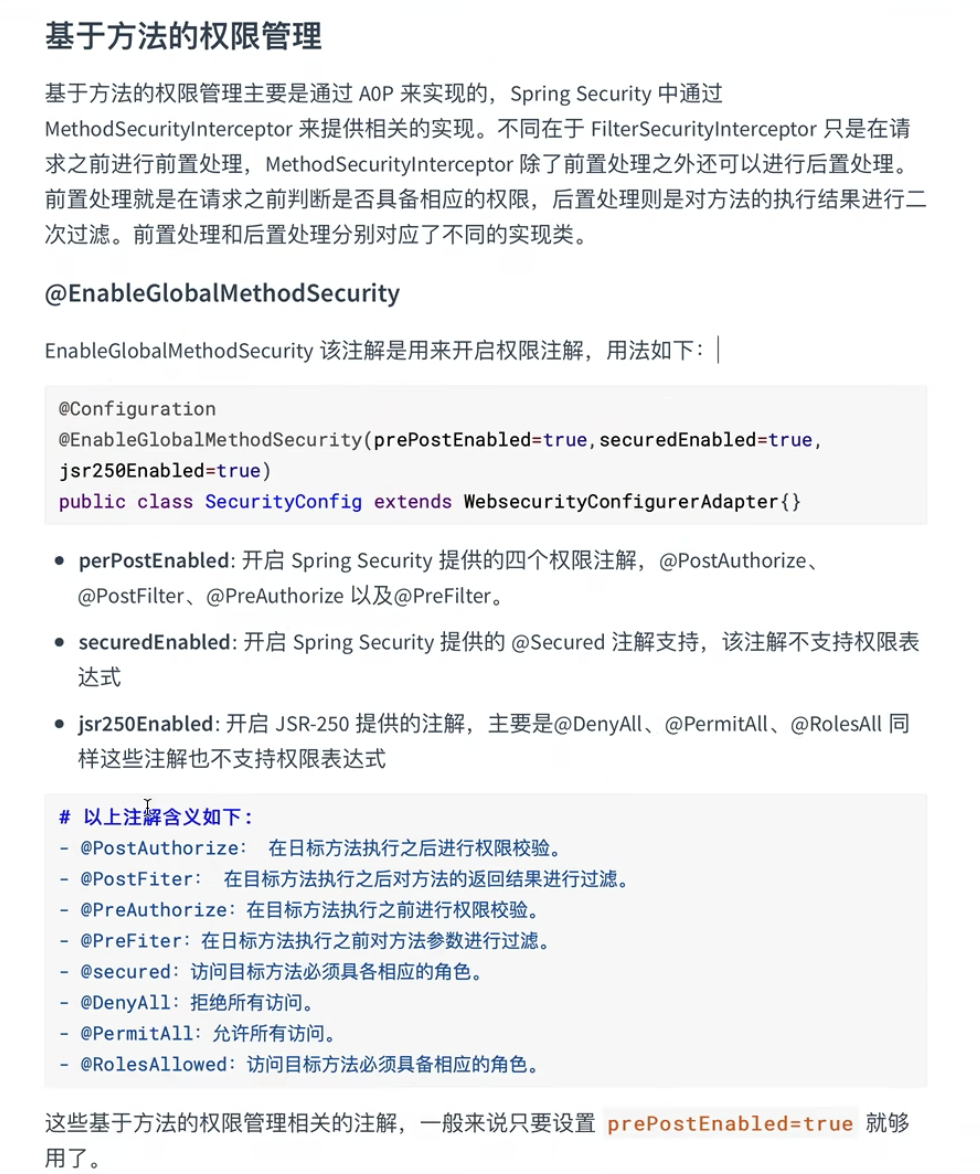
@Configuration
@EnableWebSecurity
@EnableMethodSecurity(prePostEnabled = true)
public class SecurityConfig {
package com.wanqi.controller;

import com.wanqi.pojo.DataDamo;
import org.springframework.security.access.prepost.PostAuthorize;
import org.springframework.security.access.prepost.PostFilter;
import org.springframework.security.access.prepost.PreAuthorize;
import org.springframework.security.access.prepost.PreFilter;
import org.springframework.web.bind.annotation.RequestBody;
import org.springframework.web.bind.annotation.RequestMapping;
import org.springframework.web.bind.annotation.RestController;

import java.util.ArrayList;
import java.util.List;

/**
 * @Description TODO
 * @Version 1.0.0
 * @Date 2022/9/6
 * @Author wandaren
 */
@RestController
@RequestMapping("/hi")
public class MethodController {

    @PreAuthorize("hasRole('ADMIN') and authentication.name=='qifeng'")
    @RequestMapping
    public String hi() {
        return "hi";
    }

    @PreAuthorize("authentication.name==#name")
    @RequestMapping("h1")
    public String hello(String name) {
        return "hello: " + name;
    }

    //filterTarget必须是:数组/集合
    @PreFilter(value = "filterObject.id%2 != 0", filterTarget = "dataDamos")
    @RequestMapping("users")
    public String users(@RequestBody List<DataDamo> dataDamos) {
        return "hello: " + dataDamos;
    }

    @PostAuthorize("returnObject.id==1")
    @RequestMapping("userId")
    public DataDamo userId(Integer id) {
        return new DataDamo(id, "ssss");
    }

    @PostFilter("filterObject.id>5")
    @RequestMapping("lists")
    public List<DataDamo> lists() {
        List<DataDamo> list = new ArrayList<>();
        for (int i = 0; i < 10; i++) {
            list.add(new DataDamo(i, "sss" + i));
        }
        return list;
    }

}
| 菜单/权限 | 角色(可访问) |
|---|---|
| /admin/** | ROLE_ADMIN |
| /user/** | ROLE_USER |
| /guest/** | ROLE_GUEST |
| 用户 | 角色 |
|---|---|
| admin | ADMIN、USER |
| user | USER |
| qifeng | GUEST |
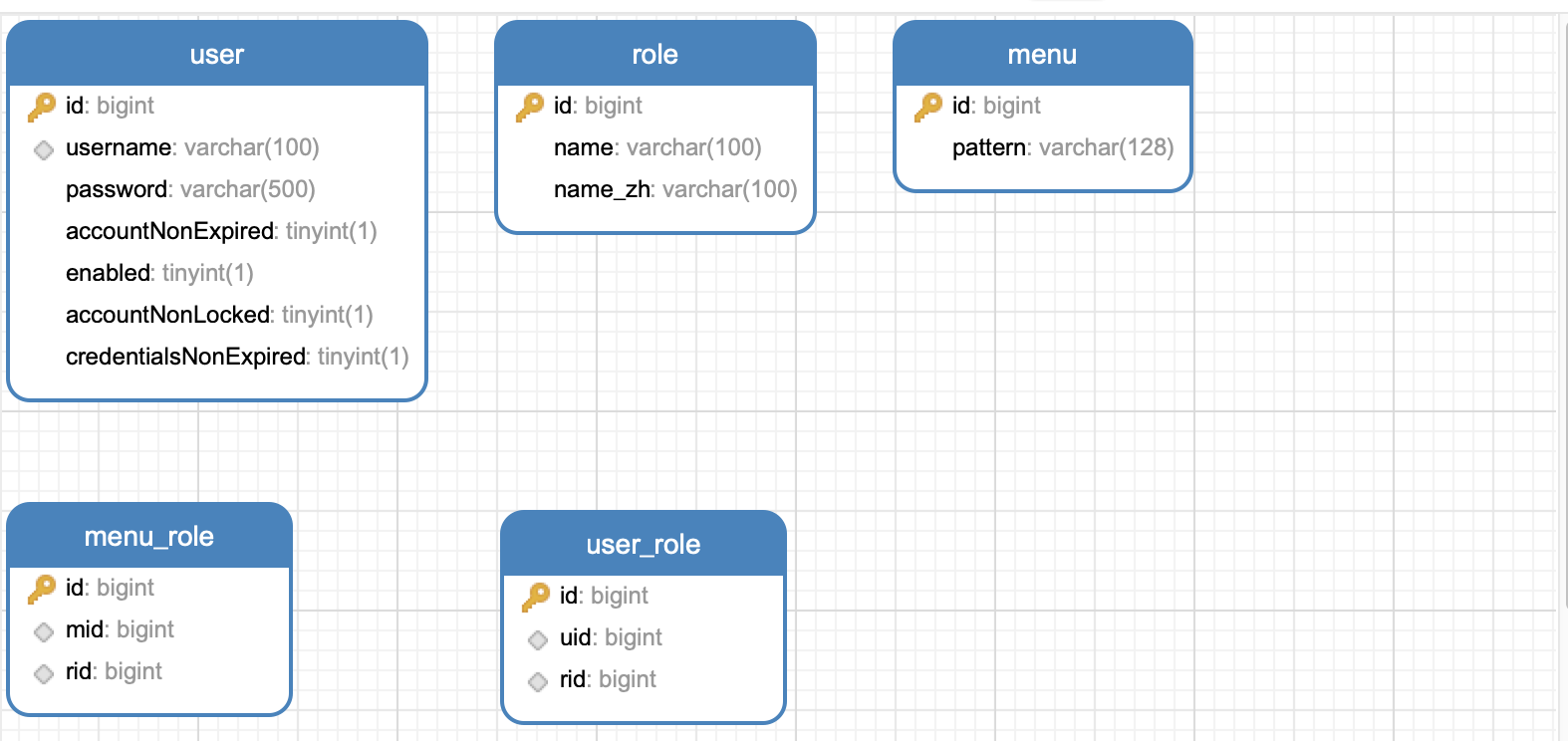
CREATE TABLE `menu` (
  `id` bigint NOT NULL AUTO_INCREMENT,
  `pattern` varchar(128) COLLATE utf8mb4_general_ci NOT NULL,
  PRIMARY KEY (`id`)
) ENGINE=InnoDB AUTO_INCREMENT=4 DEFAULT CHARSET=utf8mb4 COLLATE=utf8mb4_general_ci;

INSERT INTO menu (pattern) VALUES
	 ('/admin/**'),
	 ('/user/**'),
	 ('/guest/**');
CREATE TABLE `role` (
  `id` bigint NOT NULL AUTO_INCREMENT,
  `name` varchar(100) COLLATE utf8mb4_general_ci NOT NULL,
  `name_zh` varchar(100) COLLATE utf8mb4_general_ci NOT NULL,
  PRIMARY KEY (`id`)
) ENGINE=InnoDB AUTO_INCREMENT=4 DEFAULT CHARSET=utf8mb4 COLLATE=utf8mb4_general_ci;

INSERT INTO `role` (name,name_zh) VALUES
	 ('ROLE_ADMIN','管理员'),
	 ('ROLE_USER','普通用户'),
	 ('ROLE_GUEST','游客');
CREATE TABLE `menu_role` (
  `id` bigint NOT NULL AUTO_INCREMENT,
  `mid` bigint NOT NULL,
  `rid` bigint NOT NULL,
  PRIMARY KEY (`id`),
  KEY `menu_role_mid_IDX` (`mid`,`rid`) USING BTREE
) ENGINE=InnoDB AUTO_INCREMENT=5 DEFAULT CHARSET=utf8mb4 COLLATE=utf8mb4_general_ci;

INSERT INTO `security`.menu_role (mid,rid) VALUES
	 (1,1),
	 (2,2),
	 (3,2),
	 (3,3);
CREATE TABLE `user` (
  `id` bigint NOT NULL AUTO_INCREMENT,
  `username` varchar(100) COLLATE utf8mb4_general_ci NOT NULL COMMENT '用户名',
  `password` varchar(500) COLLATE utf8mb4_general_ci NOT NULL COMMENT '密码',
  `accountNonExpired` tinyint(1) NOT NULL COMMENT '账户是否过期',
  `enabled` tinyint(1) NOT NULL COMMENT '账户是否激活',
  `accountNonLocked` tinyint(1) NOT NULL COMMENT '账户是否被锁定',
  `credentialsNonExpired` tinyint(1) NOT NULL COMMENT '密码是否过期',
  PRIMARY KEY (`id`),
  KEY `user_username_IDX` (`username`) USING BTREE
) ENGINE=InnoDB AUTO_INCREMENT=4 DEFAULT CHARSET=utf8mb4 COLLATE=utf8mb4_general_ci;


INSERT INTO `user` (username,password,accountNonExpired,enabled,accountNonLocked,credentialsNonExpired) VALUES
	 ('admin','{noop}123',1,1,1,1),
	 ('user','{noop}123',1,1,1,1),
	 ('qifeng','{noop}123',1,1,1,1);
CREATE TABLE `user_role` (
  `id` bigint NOT NULL AUTO_INCREMENT,
  `uid` bigint NOT NULL COMMENT '用户编号',
  `rid` bigint NOT NULL COMMENT '角色编号',
  PRIMARY KEY (`id`),
  KEY `user_role_userId_IDX` (`uid`,`rid`) USING BTREE
) ENGINE=InnoDB AUTO_INCREMENT=5 DEFAULT CHARSET=utf8mb4 COLLATE=utf8mb4_general_ci;

INSERT INTO `security`.user_role (uid,rid) VALUES
	 (1,1),
	 (1,2),
	 (2,2),
	 (3,3);
<dependencies>
        <dependency>
            <groupId>org.springframework.boot</groupId>
            <artifactId>spring-boot-starter-security</artifactId>
        </dependency>
        <dependency>
            <groupId>org.springframework.boot</groupId>
            <artifactId>spring-boot-starter-web</artifactId>
        </dependency>
        <dependency>
            <groupId>org.mybatis.spring.boot</groupId>
            <artifactId>mybatis-spring-boot-starter</artifactId>
            <version>2.2.2</version>
        </dependency>
        <dependency>
            <groupId>com.alibaba</groupId>
            <artifactId>druid-spring-boot-starter</artifactId>
            <version>1.2.11</version>
        </dependency>

        <dependency>
            <groupId>mysql</groupId>
            <artifactId>mysql-connector-java</artifactId>
            <scope>runtime</scope>
        </dependency>
        <dependency>
            <groupId>org.springframework.boot</groupId>
            <artifactId>spring-boot-starter-test</artifactId>
            <scope>test</scope>
        </dependency>
        <dependency>
            <groupId>org.springframework.security</groupId>
            <artifactId>spring-security-test</artifactId>
            <scope>test</scope>
        </dependency>
    </dependencies>
server:
  port: 8081
spring:
  datasource:
    type: com.alibaba.druid.pool.DruidDataSource
    driver-class-name: com.mysql.cj.jdbc.Driver
    url: jdbc:mysql://172.16.156.139:3306/security?allowPublicKeyRetrieval=true
    username: wq
    password: qifeng
mybatis:
  type-aliases-package: com.wanqi.pojo
  mapper-locations: classpath:mapper/*.xml
package com.wanqi.pojo;

import java.util.ArrayList;
import java.util.List;

/**
 * @Description TODO
 * @Version 1.0.0
 * @Date 2022/9/7
 * @Author wandaren
 */
public class Menu {
    private Long id;
    private String pattern;
    private List<Role> roles = new ArrayList<>();

    public Long getId() {
        return id;
    }

    public void setId(Long id) {
        this.id = id;
    }

    public String getPattern() {
        return pattern;
    }

    public void setPattern(String pattern) {
        this.pattern = pattern;
    }

    public List<Role> getRoles() {
        return roles;
    }

    public void setRoles(List<Role> roles) {
        this.roles = roles;
    }

    public Menu(String pattern) {
        this.pattern = pattern;
    }

    public Menu() {
    }

    @Override
    public String toString() {
        return "Menu{" +
                "id=" + id +
                ", pattern='" + pattern + '\'' +
                ", roles=" + roles +
                '}';
    }
}
package com.wanqi.mapper;

import com.wanqi.pojo.Menu;
import org.apache.ibatis.annotations.Mapper;

import java.util.List;

/**
 * @Description TODO
 * @Version 1.0.0
 * @Date 2022/9/7
 * @Author wandaren
 */
@Mapper
public interface MenuMapper {
    public List<Menu> getAllMenu();
}
<?xml version="1.0" encoding="UTF-8" ?>
<!DOCTYPE mapper
        PUBLIC "-//mybatis.org//DTD Mapper 3.0//EN"
        "http://mybatis.org/dtd/mybatis-3-mapper.dtd">
<mapper namespace="com.wanqi.mapper.MenuMapper">

    <resultMap id="MenuResultMap" type="com.wanqi.pojo.Menu">
        <id property="id" column="id"/>
        <result property="pattern" column="pattern"/>
        <collection property="roles" ofType="com.wanqi.pojo.Role">
            <id property="id" column="rid"/>
            <result property="name" column="rname"/>
            <result property="nameZh" column="rnameZh"/>
        </collection>
    </resultMap>

    <select id="getAllMenu" resultMap="MenuResultMap">
        Select m.*, r.id as rid, r.name as rname, r.name_zh as rnameZh From menu m
        Left join menu_role mr on m.`id` = mr.`mid`
        Left join role r on r.`id` = mr.`rid`
    </select>

</mapper>
package com.wanqi.pojo;

public class Role {
    private Long id;
    private String name;
    private String nameZh;

    public Long getId() {
        return id;
    }

    public void setId(Long id) {
        this.id = id;
    }

    public String getName() {
        return name;
    }

    public void setName(String name) {
        this.name = name;
    }

    public String getNameZh() {
        return nameZh;
    }

    public void setNameZh(String nameZh) {
        this.nameZh = nameZh;
    }

    public Role() {
    }

    public Role(String name, String nameZh) {
        this.name = name;
        this.nameZh = nameZh;
    }

    @Override
    public String toString() {
        return "Role{" +
                "id=" + id +
                ", name='" + name + '\'' +
                ", nameZh='" + nameZh + '\'' +
                '}';
    }
}
package com.wanqi.mapper;

import com.wanqi.pojo.Role;
import org.apache.ibatis.annotations.Mapper;
import org.apache.ibatis.annotations.Param;

import java.util.List;

@Mapper
public interface RoleMapper {
    /**
     * 根据用户编号查询角色信息
     */
    List<Role> getRoleByUserId(@Param("userId") Long userId);
}
<?xml version="1.0" encoding="UTF-8" ?>
<!DOCTYPE mapper
        PUBLIC "-//mybatis.org//DTD Mapper 3.0//EN"
        "http://mybatis.org/dtd/mybatis-3-mapper.dtd">
<mapper namespace="com.wanqi.mapper.RoleMapper">

    <select id="getRoleByUserId" parameterType="Long" resultType="com.wanqi.pojo.Role">
        select r.id,
               r.name,
               r.name_zh as nameZh
        from role r,user_role ur
        where r.id = ur.rid
          and  ur.uid= #{userId}
    </select>

</mapper>
package com.wanqi.pojo;

import org.springframework.security.core.GrantedAuthority;
import org.springframework.security.core.authority.SimpleGrantedAuthority;
import org.springframework.security.core.userdetails.UserDetails;

import java.util.*;

public class User implements UserDetails {
    private Long id;
    private String username;
    private String password;
    /** 账户是否过期
     * 在MySQL中,0被认为是false,非零值被认为是true
     * */
    private Boolean accountNonExpired = true;
    /** 账户是否激活 */
    private Boolean enabled = true;
    /** 账户是否被锁定 */
    private Boolean accountNonLocked = true;
    /** 密码是否过期 */
    private Boolean credentialsNonExpired = true;
    private List<Role> roles = new ArrayList<>();

    public User() {
    }

    public User(String username, String password) {
        this.username = username;
        this.password = password;
    }

    @Override
    public Collection<? extends GrantedAuthority> getAuthorities() {
        Set<SimpleGrantedAuthority> authorities = new HashSet<>();
        roles.forEach(role -> authorities.add(new SimpleGrantedAuthority(role.getName())));
        return authorities;
    }

    public Long getId() {
        return id;
    }

    public void setRoles(List<Role> roles) {
        this.roles = roles;
    }

    public List<Role> getRoles() {
        return roles;
    }


    @Override
    public boolean isAccountNonExpired() {
        return accountNonExpired;
    }

    @Override
    public boolean isAccountNonLocked() {
        return accountNonLocked;
    }

    @Override
    public boolean isCredentialsNonExpired() {
        return credentialsNonExpired;
    }

    @Override
    public boolean isEnabled() {
        return enabled;
    }


    @Override
    public String getUsername() {
        return username;
    }

    public void setUsername(String username) {
        this.username = username;
    }

    @Override
    public String getPassword() {
        return password;
    }

    public void setPassword(String password) {
        this.password = password;
    }

    public void setId(Long id) {
        this.id = id;
    }

    public void setAccountNonExpired(Boolean accountNonExpired) {
        this.accountNonExpired = accountNonExpired;
    }

    public void setEnabled(Boolean enabled) {
        this.enabled = enabled;
    }

    public void setAccountNonLocked(Boolean accountNonLocked) {
        this.accountNonLocked = accountNonLocked;
    }

    public void setCredentialsNonExpired(Boolean credentialsNonExpired) {
        this.credentialsNonExpired = credentialsNonExpired;
    }
}
package com.wanqi.mapper;

import com.wanqi.pojo.User;
import org.apache.ibatis.annotations.Mapper;
import org.apache.ibatis.annotations.Param;

@Mapper
public interface UserMapper {
   /**
    * 根据用户名查询用户
    */
   User loadUserByUsername(@Param("username") String username);

   /**
    * 添加用户
    * @param user
    * @return int
    */
   int save(User user);

   /**
    *
    * 更新密码
    * @param password
    * @param username
    * @return int
    */
   int updatePassword(@Param("password")String password,@Param("username") String username);
}
<?xml version="1.0" encoding="UTF-8" ?>
<!DOCTYPE mapper
        PUBLIC "-//mybatis.org//DTD Mapper 3.0//EN"
        "http://mybatis.org/dtd/mybatis-3-mapper.dtd">
<mapper namespace="com.wanqi.mapper.UserMapper">
    <select id="loadUserByUsername" parameterType="String" resultType="user">
        select * from user where username=#{username}
    </select>

    <insert id="save" parameterType="user">
        INSERT INTO `user` (username, password, accountNonExpired, enabled, accountNonLocked, credentialsNonExpired)
        VALUES (#{username}, #{password}, #{accountNonExpired}, #{enabled}, #{accountNonLocked},
                #{credentialsNonExpired});
    </insert>

    <update id="updatePassword">
        UPDATE `user`
        SET password= #{password}
        WHERE username = #{username};
    </update>

</mapper>
package com.wanqi.security.filter;

import cn.hutool.json.JSONUtil;
import com.fasterxml.jackson.databind.ObjectMapper;
import com.wanqi.mapper.MenuMapper;
import com.wanqi.pojo.Menu;
import com.wanqi.pojo.Role;
import org.springframework.beans.factory.annotation.Autowired;
import org.springframework.context.annotation.Bean;
import org.springframework.security.access.ConfigAttribute;
import org.springframework.security.access.SecurityConfig;
import org.springframework.security.web.FilterInvocation;
import org.springframework.security.web.access.intercept.FilterInvocationSecurityMetadataSource;
import org.springframework.stereotype.Component;
import org.springframework.util.AntPathMatcher;

import java.util.Collection;
import java.util.List;

/**
 * @Description 自定义的资源(url)权限(角色)数据获取类
 * @Version 1.0.0
 * @Date 2022/9/7
 * @Author wandaren
 */
@Component
public class CustomFilterInvocationSecurityMetadataSource implements FilterInvocationSecurityMetadataSource {
    @Autowired
    private MenuMapper menuMapper;

    @Bean
    private AntPathMatcher antPathMatcher() {
        return new AntPathMatcher();
    }

    /**
     * 获取用户请求的某个具体的资源(url)所需要的权限(角色)集合
     */
    @Override
    public Collection<ConfigAttribute> getAttributes(Object object) throws IllegalArgumentException {
        //获取当前请求对象
        String requestURI = ((FilterInvocation) object).getRequest().getRequestURI();
        //查询所有的菜单
        List<Menu> allMenu = menuMapper.getAllMenu();
        System.out.println(JSONUtil.toJsonStr(allMenu));
        for (Menu menu : allMenu) {
            if (antPathMatcher().match(menu.getPattern(), requestURI)) {
                String[] roles = menu.getRoles().stream().map(Role::getName).toArray(String[]::new);
                System.out.println(JSONUtil.toJsonStr(roles));
                return SecurityConfig.createList(roles);
            }
        }
        return null;
    }


    @Override
    public Collection<ConfigAttribute> getAllConfigAttributes() {
        return null;
    }

    @Override
    public boolean supports(Class<?> clazz) {
        return FilterInvocation.class.isAssignableFrom(clazz);
    }
}
package com.wanqi.service.impl;

import cn.hutool.json.JSONUtil;
import com.wanqi.mapper.RoleMapper;
import com.wanqi.mapper.UserMapper;
import com.wanqi.pojo.Role;
import com.wanqi.pojo.User;
import org.springframework.beans.factory.annotation.Autowired;
import org.springframework.security.core.userdetails.UserDetails;
import org.springframework.security.core.userdetails.UserDetailsPasswordService;
import org.springframework.security.core.userdetails.UserDetailsService;
import org.springframework.security.core.userdetails.UsernameNotFoundException;
import org.springframework.stereotype.Component;

import java.util.List;

@Component("userDetailsImpl")
public class UserDetailsImpl implements UserDetailsService, UserDetailsPasswordService {
    @Autowired
   private UserMapper userMapper;
    @Autowired
   private RoleMapper roleMapper;

    @Override
    public org.springframework.security.core.userdetails.UserDetails loadUserByUsername(String username) throws UsernameNotFoundException {
        User user = userMapper.loadUserByUsername(username);
        System.out.println("---"+JSONUtil.toJsonStr(user));

        if(user == null){
            throw new UsernameNotFoundException("用户名不存在");
        }
        List<Role> roles = roleMapper.getRoleByUserId(user.getId());
        System.out.println("---"+JSONUtil.toJsonStr(roles));
        user.setRoles(roles);
        return user;
    }

    @Override
    public UserDetails updatePassword(UserDetails user, String newPassword) {
        int state = userMapper.updatePassword(newPassword, user.getUsername());
        if (state == 1) {
            ((User) user).setPassword(newPassword);
        }
        return user;
    }
}
package com.wanqi.service;

import org.springframework.security.core.userdetails.UserDetailsService;
import org.springframework.security.web.authentication.rememberme.AbstractRememberMeServices;
import org.springframework.security.web.authentication.rememberme.PersistentTokenBasedRememberMeServices;
import org.springframework.security.web.authentication.rememberme.PersistentTokenRepository;

import javax.servlet.http.HttpServletRequest;

/**
 * @Description 自定义RememberMeServices实现类
 * @Version 1.0.0
 * @Date 2022/9/5
 * @Author wandaren
 */

public class RememberMeServices extends PersistentTokenBasedRememberMeServices {

    public RememberMeServices(String key, UserDetailsService userDetailsService, PersistentTokenRepository tokenRepository) {
        super(key, userDetailsService, tokenRepository);
    }

    @Override
    protected boolean rememberMeRequested(HttpServletRequest request, String parameter) {
        Object attribute = request.getAttribute(AbstractRememberMeServices.DEFAULT_PARAMETER);
        if (attribute == null) {
            return false;
        }
        String paramValue = attribute.toString();
        return paramValue.equalsIgnoreCase("true") || paramValue.equalsIgnoreCase("on")
                || paramValue.equalsIgnoreCase("yes") || paramValue.equals("1");
    }
}
package com.wanqi.config;

import com.fasterxml.jackson.databind.ObjectMapper;
import com.wanqi.security.filter.CustomFilterInvocationSecurityMetadataSource;
import com.wanqi.service.RememberMeServices;
import com.wanqi.service.impl.UserDetailsImpl;
import org.springframework.beans.factory.annotation.Autowired;
import org.springframework.context.ApplicationContext;
import org.springframework.context.annotation.Bean;
import org.springframework.context.annotation.Configuration;
import org.springframework.http.HttpStatus;
import org.springframework.security.authentication.AuthenticationManager;
import org.springframework.security.config.annotation.ObjectPostProcessor;
import org.springframework.security.config.annotation.authentication.configuration.AuthenticationConfiguration;
import org.springframework.security.config.annotation.web.builders.HttpSecurity;
import org.springframework.security.config.annotation.web.configuration.EnableWebSecurity;
import org.springframework.security.config.annotation.web.configurers.UrlAuthorizationConfigurer;
import org.springframework.security.core.Authentication;
import org.springframework.security.crypto.factory.PasswordEncoderFactories;
import org.springframework.security.crypto.password.PasswordEncoder;
import org.springframework.security.web.SecurityFilterChain;
import org.springframework.security.web.access.intercept.FilterSecurityInterceptor;
import org.springframework.security.web.authentication.logout.LogoutSuccessHandler;
import org.springframework.security.web.authentication.rememberme.JdbcTokenRepositoryImpl;
import org.springframework.security.web.authentication.rememberme.PersistentTokenRepository;
import org.springframework.security.web.util.matcher.AntPathRequestMatcher;
import org.springframework.security.web.util.matcher.OrRequestMatcher;

import javax.servlet.ServletException;
import javax.servlet.http.HttpServletRequest;
import javax.servlet.http.HttpServletResponse;
import javax.sql.DataSource;
import java.io.IOException;
import java.util.HashMap;
import java.util.Map;
import java.util.UUID;

/**
 * @Description TODO
 * @Version 1.0.0
 * @Date 2022/9/5
 * @Author wandaren
 */
@Configuration
@EnableWebSecurity
public class SecurityConfig {

    @Autowired
    DataSource dataSource;
    @Autowired
    CustomFilterInvocationSecurityMetadataSource customFilterInvocationSecurityMetadataSource;

    UserDetailsImpl userDetailsImpl;

    @Autowired
    public void setUserDetailsImpl(UserDetailsImpl userDetailsImpl) {
        this.userDetailsImpl = userDetailsImpl;
    }

    @Bean
    public PasswordEncoder bcryptPasswordEncoder() {
        return PasswordEncoderFactories.createDelegatingPasswordEncoder();
    }

    @Autowired
    public AuthenticationConfiguration authenticationConfiguration;

    /**
     * 获取AuthenticationManager(认证管理器),登录时认证使用
     *
     * @return
     * @throws Exception
     */
    @Bean
    public AuthenticationManager authenticationManager() throws Exception {
        return authenticationConfiguration.getAuthenticationManager();
    }


    @Bean
    public PersistentTokenRepository jdbcTokenRepository(){
        JdbcTokenRepositoryImpl jdbcTokenRepository = new JdbcTokenRepositoryImpl();
        jdbcTokenRepository.setDataSource(dataSource);
        //自动创建表结构,首次启动设置为true
//        jdbcTokenRepository.setCreateTableOnStartup(true);
        return jdbcTokenRepository;
    }

    @Bean
    public RememberMeServices rememberMeServices(){
        return new RememberMeServices(UUID.randomUUID().toString(), userDetailsImpl, jdbcTokenRepository());
    }

    @Bean
    public SecurityFilterChain filterChain(HttpSecurity httpSecurity) throws Exception {
        //获取工厂对象
        ApplicationContext applicationContext = httpSecurity.getSharedObject(ApplicationContext.class);
        //设置自定义url权限处理
        httpSecurity.apply(new UrlAuthorizationConfigurer<>(applicationContext))
                .withObjectPostProcessor(new ObjectPostProcessor<FilterSecurityInterceptor>() {
                    @Override
                    public <O extends FilterSecurityInterceptor> O postProcess(O object) {
                        object.setSecurityMetadataSource(customFilterInvocationSecurityMetadataSource);
                        //是否拒绝公共资源访问
                        object.setRejectPublicInvocations(false);
                        return object;
                    }
                });
        httpSecurity.formLogin()
                .and()
                .logout(logout -> {
                    logout
                            .logoutRequestMatcher(
                                    //自定义注销url
                                    new OrRequestMatcher(
                                            new AntPathRequestMatcher("/aa", "GET"),
                                            new AntPathRequestMatcher("/bb", "POST")))
                            //前后端分离时代自定义注销登录处理器
                            .logoutSuccessHandler(new LogoutSuccessHandler() {
                                @Override
                                public void onLogoutSuccess(HttpServletRequest request, HttpServletResponse response, Authentication authentication) throws IOException, ServletException {
                                    Map<String, Object> map = new HashMap<>();
                                    map.put("msg", "注销成功");
                                    map.put("code", HttpStatus.OK.value());
                                    map.put("authentication", authentication);
                                    String s = new ObjectMapper().writeValueAsString(map);
                                    response.setContentType("application/json;charset=UTF-8");
                                    response.getWriter().write(s);
                                }
                            })
                            //销毁session,默认为true
                            .invalidateHttpSession(true)
                            //清除认证信息,默认为true
                            .clearAuthentication(true);
                })
                //指定UserDetailsService来切换认证信息不同的存储方式(数据源)
                .userDetailsService(userDetailsImpl)
                .rememberMe()
                .rememberMeServices(rememberMeServices())
                .tokenRepository(jdbcTokenRepository())
                .and()
                //禁止csrf跨站请求保护
                .csrf().disable();

        return httpSecurity.build();
    }

}
 <dependencies>
        <dependency>
            <groupId>org.springframework.boot</groupId>
            <artifactId>spring-boot-starter-oauth2-client</artifactId>
        </dependency>
        <dependency>
            <groupId>org.springframework.boot</groupId>
            <artifactId>spring-boot-starter-security</artifactId>
        </dependency>
        <dependency>
            <groupId>org.springframework.boot</groupId>
            <artifactId>spring-boot-starter-web</artifactId>
        </dependency>
        <dependency>
            <groupId>org.springframework.boot</groupId>
            <artifactId>spring-boot-starter-test</artifactId>
            <scope>test</scope>
        </dependency>
        <dependency>
            <groupId>org.springframework.security</groupId>
            <artifactId>spring-security-test</artifactId>
            <scope>test</scope>
        </dependency>
    </dependencies>
spring:
  security:
    oauth2:
      client:
        registration:
          gitee:
            client-id: daf0946aa26c28a661bbfb5bdb89357f8b90e121b53d98ba8b383afd348904e0
            client-secret: 1021637c412d22bd2b706f15c0c5c9dad6df859d9f4a01e36b93575b50d98c5c
            authorization-grant-type: authorization_code
            redirect-uri: http://localhost:8080/login/oauth2/code/gitee
            client-name: gitee
        provider:
          gitee:
            authorization-uri: https://gitee.com/oauth/authorize
            token-uri: https://gitee.com/oauth/token
            user-info-uri: https://gitee.com/api/v5/user
            user-name-attribute: name
package com.wanqi.config;

import org.springframework.context.annotation.Bean;
import org.springframework.context.annotation.Configuration;
import org.springframework.security.config.annotation.web.builders.HttpSecurity;
import org.springframework.security.config.annotation.web.configuration.EnableWebSecurity;
import org.springframework.security.oauth2.client.registration.ClientRegistration;
import org.springframework.security.oauth2.client.registration.ClientRegistrationRepository;
import org.springframework.security.oauth2.client.registration.InMemoryClientRegistrationRepository;
import org.springframework.security.oauth2.core.AuthorizationGrantType;
import org.springframework.security.web.SecurityFilterChain;


/**
 * @Description TODO
 * @Version 1.0.0
 * @Date 2022/9/8
 * @Author wandaren
 */
@Configuration
@EnableWebSecurity
public class SecurityConfig {
    @Bean
    public SecurityFilterChain filterChain(HttpSecurity http) throws Exception {
        http
                .authorizeHttpRequests(authorize -> authorize
                        .anyRequest().authenticated()
                )
                .oauth2Login();
        return http.build();
    }

    @Bean
    public ClientRegistrationRepository clientRegistrationRepository() {
        return new InMemoryClientRegistrationRepository(this.giteeClientRegistration());
    }

    private ClientRegistration giteeClientRegistration() {
        return ClientRegistration.withRegistrationId("gitee")
                .clientId("daf0946aa26c28a661bbfb5bdb89357f8b90e121b53d98ba8b383afd348904e0")
                .clientSecret("1021637c412d22bd2b706f15c0c5c9dad6df859d9f4a01e36b93575b50d98c5c")
                .authorizationGrantType(AuthorizationGrantType.AUTHORIZATION_CODE)
                .redirectUri("http://localhost:8080/login/oauth2/code/gitee")
                .authorizationUri("https://gitee.com/oauth/authorize")
                .tokenUri("https://gitee.com/oauth/token")
                .userInfoUri("https://gitee.com/api/v5/user")
                .userNameAttributeName("name")
                .clientName("gitee")
                .build();
    }
}
 (1)client_id、client-secret替换为Gitee获取的数据
 (2)authorization-grant-type:授权模式使用授权码模式
 (3)redirect-uri:回调地址,填写的与Gitee上申请的一致
 (4)client-name:客户端名称,可以在登录选择页面上显示
  Gitee的OAuth登录需要自定义provider,Spring Security OAuth提供了配置的方式来实现。
 (5)authorization-uri:授权服务器地址
 (6)token-uri:授权服务器获取token地址
 (7)user-info-uri:授权服务器获取用户信息的地址
 (8)user-name-attribute:用户信息中的用户名属性
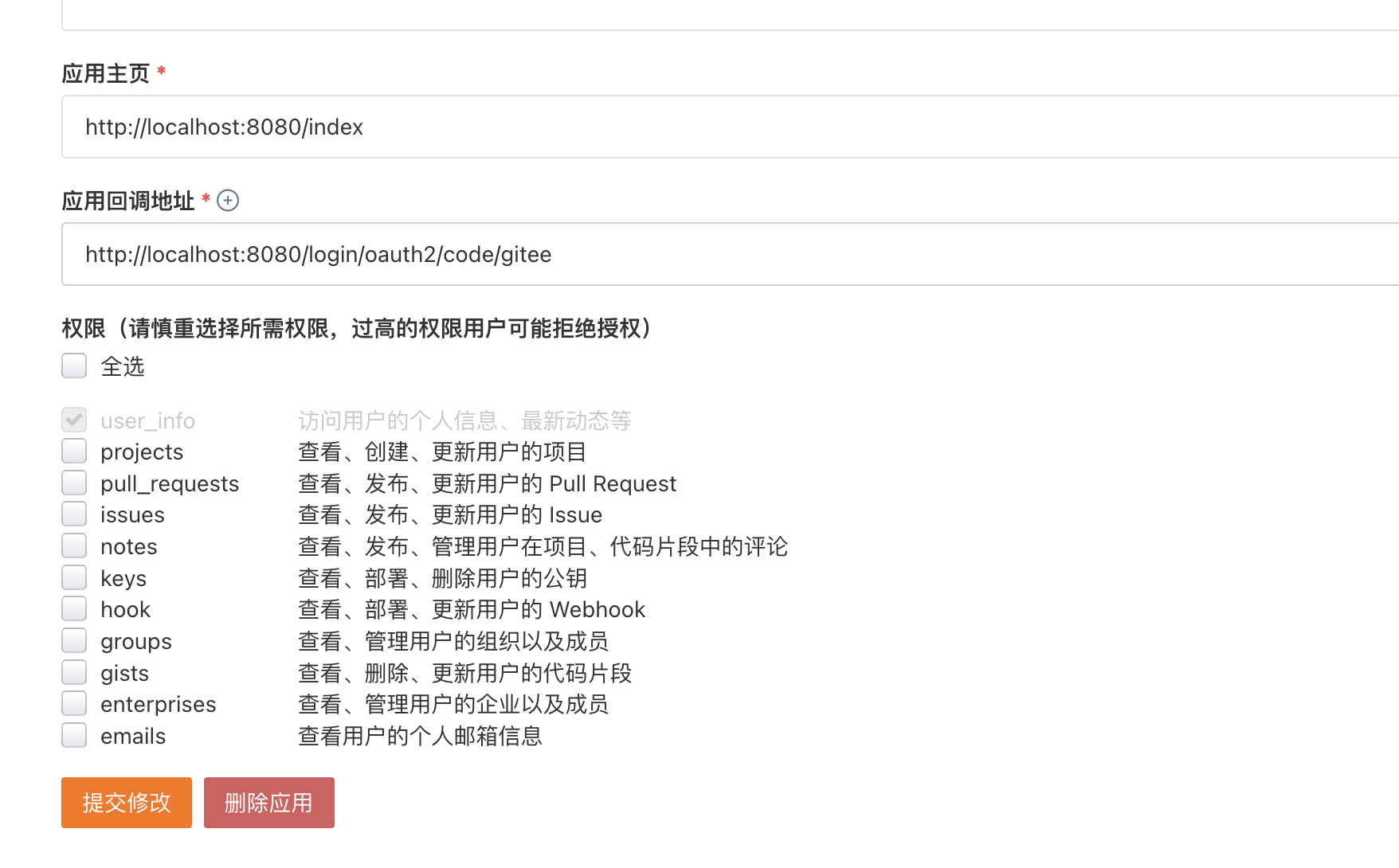
 <dependencies>
        <dependency>
            <groupId>org.springframework.boot</groupId>
            <artifactId>spring-boot-starter-security</artifactId>
        </dependency>
        <dependency>
            <groupId>org.springframework.boot</groupId>
            <artifactId>spring-boot-starter-web</artifactId>
        </dependency>
        <dependency>
            <groupId>org.springframework.cloud</groupId>
            <artifactId>spring-cloud-starter-oauth2</artifactId>
            <version>2.2.5.RELEASE</version>
        </dependency>

        <dependency>
            <groupId>org.springframework.boot</groupId>
            <artifactId>spring-boot-starter-test</artifactId>
            <scope>test</scope>
        </dependency>
        <dependency>
            <groupId>org.springframework.security</groupId>
            <artifactId>spring-security-test</artifactId>
            <scope>test</scope>
        </dependency>
    </dependencies>
package com.wanqi.config;

import com.fasterxml.jackson.databind.ObjectMapper;
import org.springframework.beans.factory.annotation.Qualifier;
import org.springframework.context.annotation.Bean;
import org.springframework.context.annotation.Configuration;
import org.springframework.http.HttpStatus;
import org.springframework.security.config.annotation.web.builders.HttpSecurity;
import org.springframework.security.config.annotation.web.configuration.EnableWebSecurity;
import org.springframework.security.config.annotation.web.configuration.WebSecurityConfigurerAdapter;
import org.springframework.security.core.Authentication;
import org.springframework.security.core.userdetails.User;
import org.springframework.security.core.userdetails.UserDetails;
import org.springframework.security.core.userdetails.UserDetailsService;
import org.springframework.security.crypto.factory.PasswordEncoderFactories;
import org.springframework.security.crypto.password.PasswordEncoder;
import org.springframework.security.provisioning.InMemoryUserDetailsManager;
import org.springframework.security.web.SecurityFilterChain;
import org.springframework.security.web.authentication.logout.LogoutSuccessHandler;
import org.springframework.security.web.util.matcher.AntPathRequestMatcher;
import org.springframework.security.web.util.matcher.OrRequestMatcher;

import javax.servlet.ServletException;
import javax.servlet.http.HttpServletRequest;
import javax.servlet.http.HttpServletResponse;
import java.io.IOException;
import java.util.HashMap;
import java.util.Map;

/**
 * @Description TODO
 * @Version 1.0.0
 * @Date 2022/9/8
 * @Author wandaren
 */
@Configuration
@EnableWebSecurity
public class SecurityConfig extends WebSecurityConfigurerAdapter {

    @Bean(value = "bcryptPasswordEncoder")
    public PasswordEncoder bcryptPasswordEncoder() {
        return PasswordEncoderFactories.createDelegatingPasswordEncoder();
    }

    @Bean
    public UserDetailsService inMemoryUsers(@Qualifier("bcryptPasswordEncoder") PasswordEncoder encoder) {
        UserDetails admin = User.withUsername("admin")
                .password(encoder.encode("123"))
                .roles("USER", "ADMIN")
                .build();
        return new InMemoryUserDetailsManager(admin);
    }

    @Override
    protected void configure(HttpSecurity http) throws Exception {
        //开启权限验证
        http.authorizeRequests()
                //permitAll直接放行,必须在anyRequest().authenticated()前面
                .mvcMatchers("/toLogin").permitAll()
                .mvcMatchers("/index").permitAll()
                //anyRequest所有请求都需要认证
                .anyRequest().authenticated()
                .and()
                //使用form表单验证
                .formLogin().and()
                //注销
                .logout(logout -> {
                    logout
                            //指定默认注销url,默认请求方式GET
                            //.logoutUrl("/logout")
                            .logoutRequestMatcher(
                                    //自定义注销url
                                    new OrRequestMatcher(
                                            new AntPathRequestMatcher("/aa", "GET")))
                            //注销成功后跳转页面
                            //.logoutSuccessUrl("/toLogin")
                            //前后端分离时代自定义注销登录处理器
                            .logoutSuccessHandler(new LogoutSuccessHandler() {
                                @Override
                                public void onLogoutSuccess(HttpServletRequest request, HttpServletResponse response, Authentication authentication) throws IOException, ServletException {
                                    Map<String, Object> map = new HashMap<>();
                                    map.put("msg", "注销成功");
                                    map.put("code", HttpStatus.OK.value());
                                    map.put("authentication", authentication);
                                    String s = new ObjectMapper().writeValueAsString(map);
                                    response.setContentType("application/json;charset=UTF-8");
                                    response.getWriter().write(s);
                                }
                            })
                            //销毁session,默认为true
                            .invalidateHttpSession(true)
                            //清除认证信息,默认为true
                            .clearAuthentication(true);
                })
                //指定UserDetailsService来切换认证信息不同的存储方式(数据源)
                .userDetailsService(inMemoryUsers(bcryptPasswordEncoder()))
                //禁止csrf跨站请求保护
                .csrf().disable();
    }

}
package com.wanqi.config;

import org.springframework.context.annotation.Configuration;
import org.springframework.security.crypto.password.PasswordEncoder;
import org.springframework.security.oauth2.config.annotation.configurers.ClientDetailsServiceConfigurer;
import org.springframework.security.oauth2.config.annotation.web.configuration.AuthorizationServerConfigurerAdapter;
import org.springframework.security.oauth2.config.annotation.web.configuration.EnableAuthorizationServer;

import javax.annotation.Resource;

/**
 * @Description 自定义 授权服务器配置
 * @Version 1.0.0
 * @Date 2022/9/8
 * @Author wandaren
 */
@Configuration
@EnableAuthorizationServer
public class AuthorizationServerConfig extends AuthorizationServerConfigurerAdapter {

    @Resource
    private PasswordEncoder bcryptPasswordEncoder;

    /**
     * 用来配置授权服务器可以为那些客户端授权
     * @param clients
     * @throws Exception
     */
    @Override
    public void configure(ClientDetailsServiceConfigurer clients) throws Exception {
        clients.inMemory()
                .withClient("app")
                //注册客户端密钥
                .secret(bcryptPasswordEncoder.encode("secret"))
                .redirectUris("https://cn.bing.com")
                //授权码模式,5选一
                .authorizedGrantTypes("authorization_code")
                //.authorizedGrantTypes("client_credentials", "password", "implicit", "authorization_code", "refresh_token");
                //令牌容许获取的资源权限
                .scopes("read:user")
        ;
    }
}
请求是否同意授权:http://127.0.0.1:8080/oauth/authorize?client_id=app&redirect_uri=https://cn.bing.com&response_type=code
获取令牌:http://app:secret@localhost:8080/oauth/token
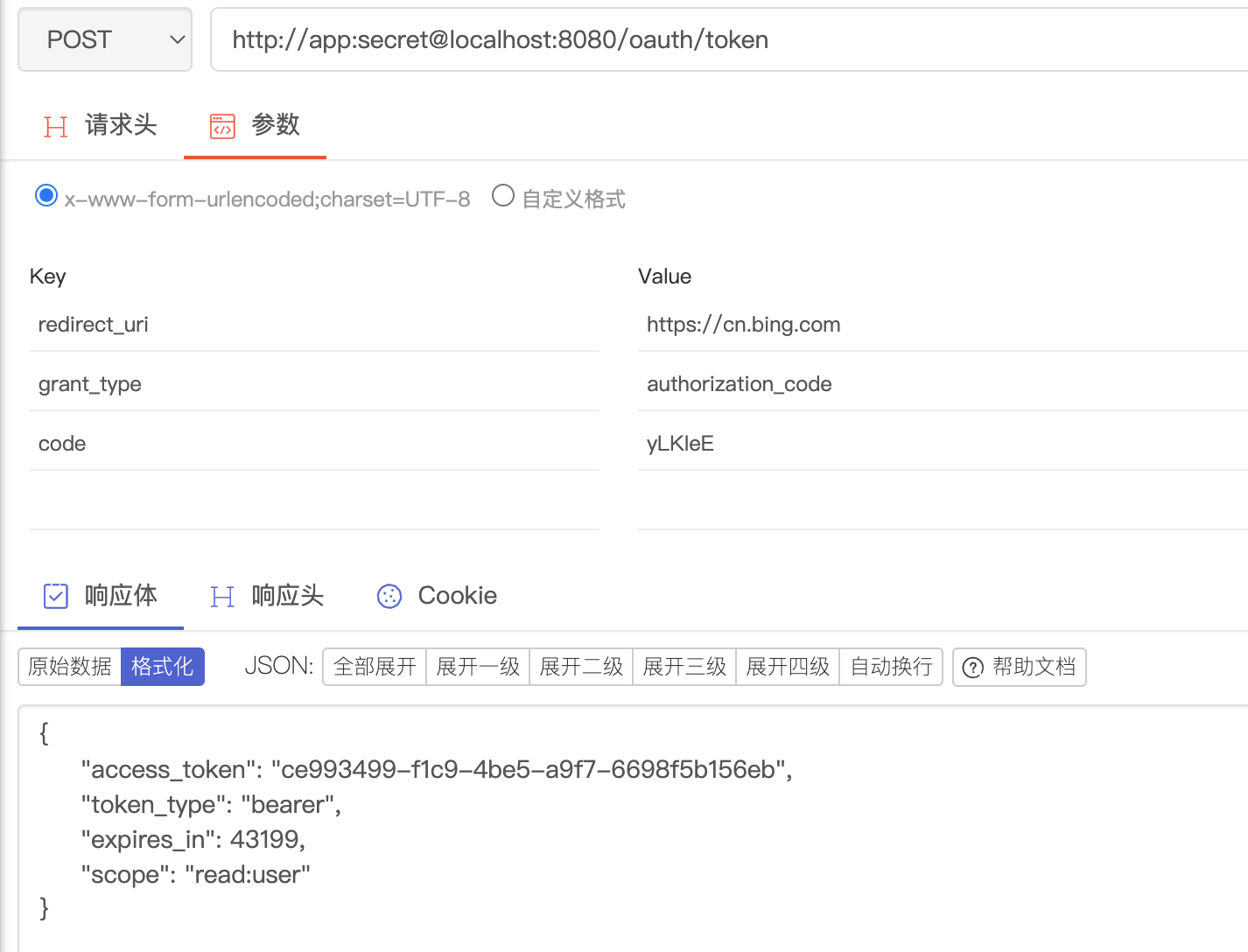
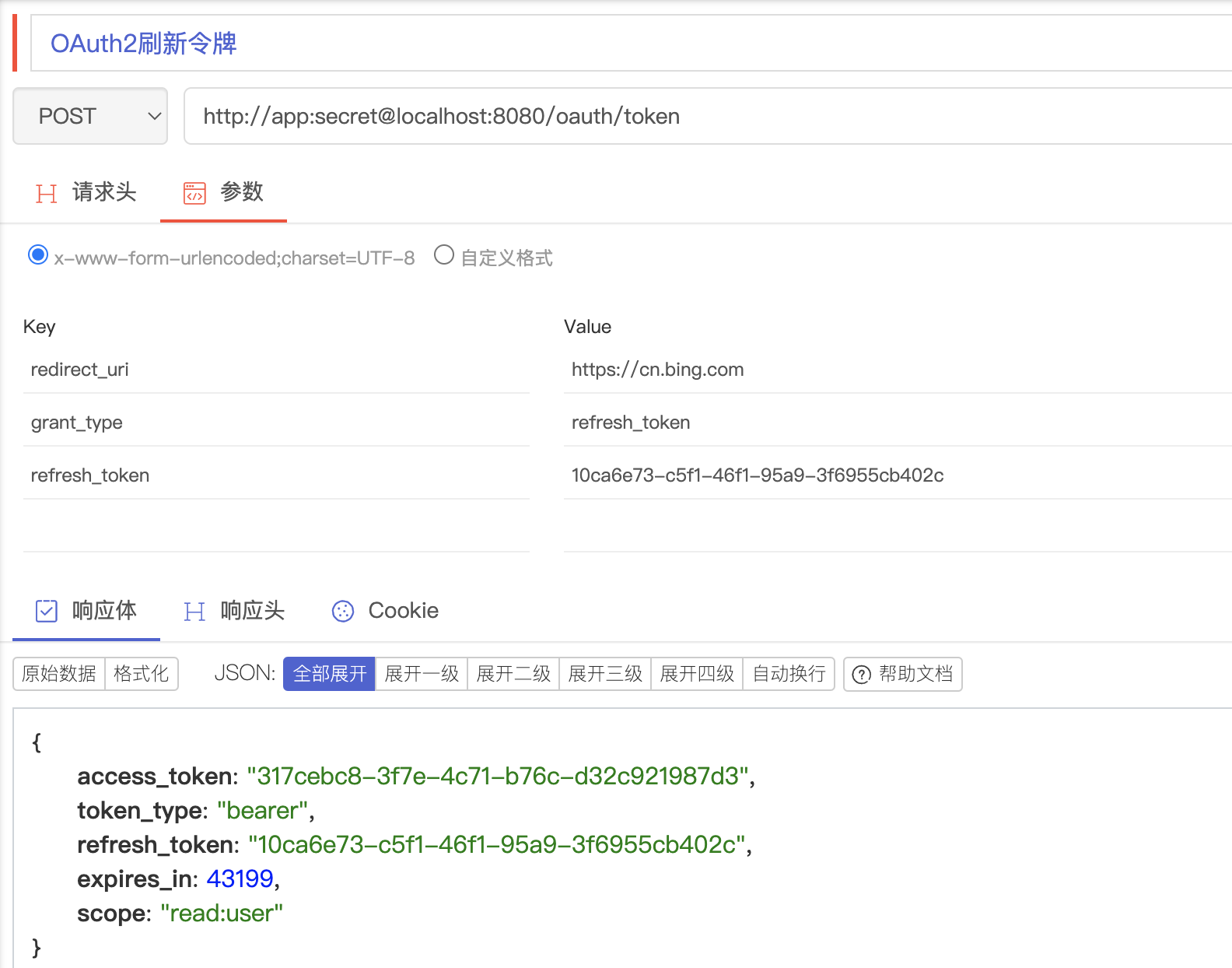
.authorizedGrantTypes("authorization_code","refresh_token")

 @Override
publicvoidconfigure(AuthorizationServerEndpointsConfigurerendpoints)throwsException{
endpoints.userDetailsService(userDetailsService);
}
package com.wanqi.config;

import org.springframework.context.annotation.Configuration;
import org.springframework.security.core.userdetails.UserDetailsService;
import org.springframework.security.crypto.password.PasswordEncoder;
import org.springframework.security.oauth2.config.annotation.configurers.ClientDetailsServiceConfigurer;
import org.springframework.security.oauth2.config.annotation.web.configuration.AuthorizationServerConfigurerAdapter;
import org.springframework.security.oauth2.config.annotation.web.configuration.EnableAuthorizationServer;
import org.springframework.security.oauth2.config.annotation.web.configurers.AuthorizationServerEndpointsConfigurer;

import javax.annotation.Resource;

/**
 * @Description 自定义 授权服务器配置
 * @Version 1.0.0
 * @Date 2022/9/8
 * @Author wandaren
 */
@Configuration
@EnableAuthorizationServer
public class AuthorizationServerConfig extends AuthorizationServerConfigurerAdapter {

    @Resource
    private PasswordEncoder bcryptPasswordEncoder;
    @Resource
    private UserDetailsService userDetailsService;

    /**
     * 用来配置授权服务器可以为那些客户端授权
     * @param clients
     * @throws Exception
     */
    @Override
    public void configure(ClientDetailsServiceConfigurer clients) throws Exception {
        clients.inMemory()
                .withClient("app")
                //注册客户端密钥
                .secret(bcryptPasswordEncoder.encode("secret"))
                .redirectUris("https://cn.bing.com")
                /* 授权码模式:client_credentials
                *  刷新令牌:refresh_token
                *  */
                .authorizedGrantTypes("authorization_code","refresh_token")
                //.authorizedGrantTypes("client_credentials", "password", "implicit", "authorization_code", "refresh_token");
                //令牌容许获取的资源权限
                .scopes("read:user")
        ;
    }

    @Override
    public void configure(AuthorizationServerEndpointsConfigurer endpoints) throws Exception {
        endpoints.userDetailsService(userDetailsService);
    }
}
 <dependencies>
        <dependency>
            <groupId>org.springframework.boot</groupId>
            <artifactId>spring-boot-starter-security</artifactId>
        </dependency>
        <dependency>
            <groupId>org.springframework.boot</groupId>
            <artifactId>spring-boot-starter-web</artifactId>
        </dependency>
        <dependency>
            <groupId>org.springframework.cloud</groupId>
            <artifactId>spring-cloud-starter-oauth2</artifactId>
            <version>2.2.5.RELEASE</version>
        </dependency>
        <dependency>
            <groupId>org.springframework.boot</groupId>
            <artifactId>spring-boot-starter-data-redis</artifactId>
        </dependency>

        <dependency>
            <groupId>org.springframework.boot</groupId>
            <artifactId>spring-boot-starter-test</artifactId>
            <scope>test</scope>
        </dependency>
        <dependency>
            <groupId>org.springframework.security</groupId>
            <artifactId>spring-security-test</artifactId>
            <scope>test</scope>
        </dependency>
    </dependencies>
spring:
  redis:
    port: 6379
    host: 172.16.156.139
    password: qifeng
    database: 1 #指定数据库
package com.wanqi.config;

import com.fasterxml.jackson.databind.ObjectMapper;
import org.springframework.beans.factory.annotation.Qualifier;
import org.springframework.context.annotation.Bean;
import org.springframework.context.annotation.Configuration;
import org.springframework.http.HttpStatus;
import org.springframework.security.authentication.AuthenticationManager;
import org.springframework.security.config.annotation.authentication.builders.AuthenticationManagerBuilder;
import org.springframework.security.config.annotation.web.builders.HttpSecurity;
import org.springframework.security.config.annotation.web.configuration.EnableWebSecurity;
import org.springframework.security.config.annotation.web.configuration.WebSecurityConfigurerAdapter;
import org.springframework.security.core.Authentication;
import org.springframework.security.core.userdetails.User;
import org.springframework.security.core.userdetails.UserDetails;
import org.springframework.security.core.userdetails.UserDetailsService;
import org.springframework.security.crypto.factory.PasswordEncoderFactories;
import org.springframework.security.crypto.password.PasswordEncoder;
import org.springframework.security.provisioning.InMemoryUserDetailsManager;
import org.springframework.security.web.SecurityFilterChain;
import org.springframework.security.web.authentication.logout.LogoutSuccessHandler;
import org.springframework.security.web.util.matcher.AntPathRequestMatcher;
import org.springframework.security.web.util.matcher.OrRequestMatcher;

import javax.servlet.ServletException;
import javax.servlet.http.HttpServletRequest;
import javax.servlet.http.HttpServletResponse;
import java.io.IOException;
import java.util.HashMap;
import java.util.Map;

/**
 * @Description TODO
 * @Version 1.0.0
 * @Date 2022/9/8
 * @Author wandaren
 */
@Configuration
@EnableWebSecurity
public class SecurityConfig extends WebSecurityConfigurerAdapter {

    @Bean(value = "bcryptPasswordEncoder")
    public PasswordEncoder bcryptPasswordEncoder() {
        return PasswordEncoderFactories.createDelegatingPasswordEncoder();
    }

    @Override
    protected void configure(AuthenticationManagerBuilder auth) throws Exception {
        auth.userDetailsService(inMemoryUsers(bcryptPasswordEncoder()));
    }

    @Override
    @Bean
    protected AuthenticationManager authenticationManager() throws Exception {
        return super.authenticationManager();
    }

    @Bean
    public UserDetailsService inMemoryUsers(@Qualifier("bcryptPasswordEncoder") PasswordEncoder encoder) {
        UserDetails admin = User.withUsername("admin")
                .password(encoder.encode("123"))
                .roles("USER", "ADMIN")
                .build();
        return new InMemoryUserDetailsManager(admin);
    }

    @Override
    protected void configure(HttpSecurity http) throws Exception {
        //开启权限验证
        http.authorizeRequests()
                //permitAll直接放行,必须在anyRequest().authenticated()前面
                .mvcMatchers("/toLogin").permitAll()
                .mvcMatchers("/index").permitAll()
                //anyRequest所有请求都需要认证
                .anyRequest().authenticated()
                .and()
                //使用form表单验证
                .formLogin().and()
                //注销
                .logout(logout -> {
                    logout
                            //指定默认注销url,默认请求方式GET
                            //.logoutUrl("/logout")
                            .logoutRequestMatcher(
                                    //自定义注销url
                                    new OrRequestMatcher(
                                            new AntPathRequestMatcher("/aa", "GET")))
                            //注销成功后跳转页面
                            //.logoutSuccessUrl("/toLogin")
                            //前后端分离时代自定义注销登录处理器
                            .logoutSuccessHandler(new LogoutSuccessHandler() {
                                @Override
                                public void onLogoutSuccess(HttpServletRequest request, HttpServletResponse response, Authentication authentication) throws IOException, ServletException {
                                    Map<String, Object> map = new HashMap<>();
                                    map.put("msg", "注销成功");
                                    map.put("code", HttpStatus.OK.value());
                                    map.put("authentication", authentication);
                                    String s = new ObjectMapper().writeValueAsString(map);
                                    response.setContentType("application/json;charset=UTF-8");
                                    response.getWriter().write(s);
                                }
                            })
                            //销毁session,默认为true
                            .invalidateHttpSession(true)
                            //清除认证信息,默认为true
                            .clearAuthentication(true);
                })
                //指定UserDetailsService来切换认证信息不同的存储方式(数据源)
                .userDetailsService(inMemoryUsers(bcryptPasswordEncoder()))
                //禁止csrf跨站请求保护
                .csrf().disable();
    }

}
package com.wanqi.config;

import org.springframework.beans.factory.annotation.Autowired;
import org.springframework.context.annotation.Configuration;
import org.springframework.data.redis.connection.RedisConnectionFactory;
import org.springframework.security.authentication.AuthenticationManager;
import org.springframework.security.core.userdetails.UserDetailsService;
import org.springframework.security.crypto.password.PasswordEncoder;
import org.springframework.security.oauth2.config.annotation.configurers.ClientDetailsServiceConfigurer;
import org.springframework.security.oauth2.config.annotation.web.configuration.AuthorizationServerConfigurerAdapter;
import org.springframework.security.oauth2.config.annotation.web.configuration.EnableAuthorizationServer;
import org.springframework.security.oauth2.config.annotation.web.configurers.AuthorizationServerEndpointsConfigurer;
import org.springframework.security.oauth2.provider.token.TokenStore;
import org.springframework.security.oauth2.provider.token.store.redis.RedisTokenStore;

import javax.annotation.Resource;

/**
 * @Description 自定义 授权服务器配置
 * @Version 1.0.0
 * @Date 2022/9/8
 * @Author wandaren
 */
@Configuration
@EnableAuthorizationServer
public class AuthorizationServerConfig extends AuthorizationServerConfigurerAdapter {

    @Resource
    private PasswordEncoder bcryptPasswordEncoder;
    @Resource
    private UserDetailsService userDetailsService;
    @Autowired
    private AuthenticationManager authenticationManager ;
    @Autowired
    private RedisConnectionFactory redisConnectionFactory ;
    /**
     * 用来配置授权服务器可以为那些客户端授权
     *
     * @param clients
     * @throws Exception
     */
    @Override
    public void configure(ClientDetailsServiceConfigurer clients) throws Exception {
        clients.inMemory()
                .withClient("app")
                //注册客户端密钥
                .secret(bcryptPasswordEncoder.encode("secret"))
                .redirectUris("https://cn.bing.com")
                /* 授权码模式:client_credentials
                 * 简化模式:implicit
                 * 密码模式:password
                 * 客户端模式:client_credentials
                 *  刷新令牌:refresh_token
                 *  */
                .authorizedGrantTypes("authorization_code", "refresh_token")
                //.authorizedGrantTypes("client_credentials", "password", "implicit", "authorization_code", "refresh_token");
                //令牌容许获取的资源权限
                .scopes("read:user")
                // token的有效期
                .accessTokenValiditySeconds(24*3600)
                // refresh_token的有效期
                .refreshTokenValiditySeconds(24*7*3600);
        super.configure(clients);
    }

    @Override
    public void configure(AuthorizationServerEndpointsConfigurer endpoints) throws Exception {
        endpoints.userDetailsService(userDetailsService)
                .authenticationManager(authenticationManager)
                .tokenStore(redisTokenStore());
    }

    public TokenStore redisTokenStore(){
        return new RedisTokenStore(redisConnectionFactory) ;
    }

    /*
     * 请求是否同意授权:http://127.0.0.1:8080/oauth/authorize?client_id=app&redirect_uri=https://cn.bing.com&response_type=code
     * 获取令牌:http://app:secret@localhost:8080/oauth/token
     *
     */
}
 <dependencies>
        <dependency>
            <groupId>org.springframework.boot</groupId>
            <artifactId>spring-boot-starter-security</artifactId>
        </dependency>
        <dependency>
            <groupId>org.springframework.boot</groupId>
            <artifactId>spring-boot-starter-web</artifactId>
        </dependency>
        <dependency>
            <groupId>org.springframework.cloud</groupId>
            <artifactId>spring-cloud-starter-oauth2</artifactId>
            <version>2.2.5.RELEASE</version>
        </dependency>
        <dependency>
            <groupId>org.springframework.boot</groupId>
            <artifactId>spring-boot-starter-data-redis</artifactId>
        </dependency>
        <dependency>
            <groupId>org.springframework.security</groupId>
            <artifactId>spring-security-oauth2-resource-server</artifactId>
        </dependency>

        <dependency>
            <groupId>org.springframework.boot</groupId>
            <artifactId>spring-boot-starter-test</artifactId>
            <scope>test</scope>
        </dependency>
        <dependency>
            <groupId>org.springframework.security</groupId>
            <artifactId>spring-security-test</artifactId>
            <scope>test</scope>
        </dependency>
    </dependencies>
spring:
  redis:
    port: 6379
    host: 172.16.156.139
    password: qifeng
    database: 1 #指定数据库
server:
  port: 8081
package com.wanqi.config;

import org.springframework.beans.factory.annotation.Autowired;
import org.springframework.context.annotation.Configuration;
import org.springframework.data.redis.connection.RedisConnectionFactory;
import org.springframework.security.oauth2.config.annotation.web.configuration.EnableResourceServer;
import org.springframework.security.oauth2.config.annotation.web.configuration.ResourceServerConfigurerAdapter;
import org.springframework.security.oauth2.config.annotation.web.configurers.ResourceServerSecurityConfigurer;
import org.springframework.security.oauth2.provider.token.TokenStore;
import org.springframework.security.oauth2.provider.token.store.redis.RedisTokenStore;

/**
 * @Description 自定义资源服务器配置
 * @Version 1.0.0
 * @Date 2022/9/8
 * @Author wandaren
 */
@Configuration
@EnableResourceServer
public class ResourceServerConfigurer extends ResourceServerConfigurerAdapter {

    @Autowired
    private RedisConnectionFactory redisConnectionFactory ;


    @Override
    public void configure(ResourceServerSecurityConfigurer resources) throws Exception {
        resources.tokenStore(redisTokenStore());
        super.configure(resources);
    }

    public TokenStore redisTokenStore(){
        return new RedisTokenStore(redisConnectionFactory) ;
    }

}
package com.wanqi.controller;

import org.springframework.web.bind.annotation.RequestMapping;
import org.springframework.web.bind.annotation.RestController;

/**
 * @Description TODO
 * @Version 1.0.0
 * @Date 2022/9/8
 * @Author wandaren
 */
@RestController
public class HelloController {

    @RequestMapping("/hello")
    public String hello(){
        return "hello";
    }
}
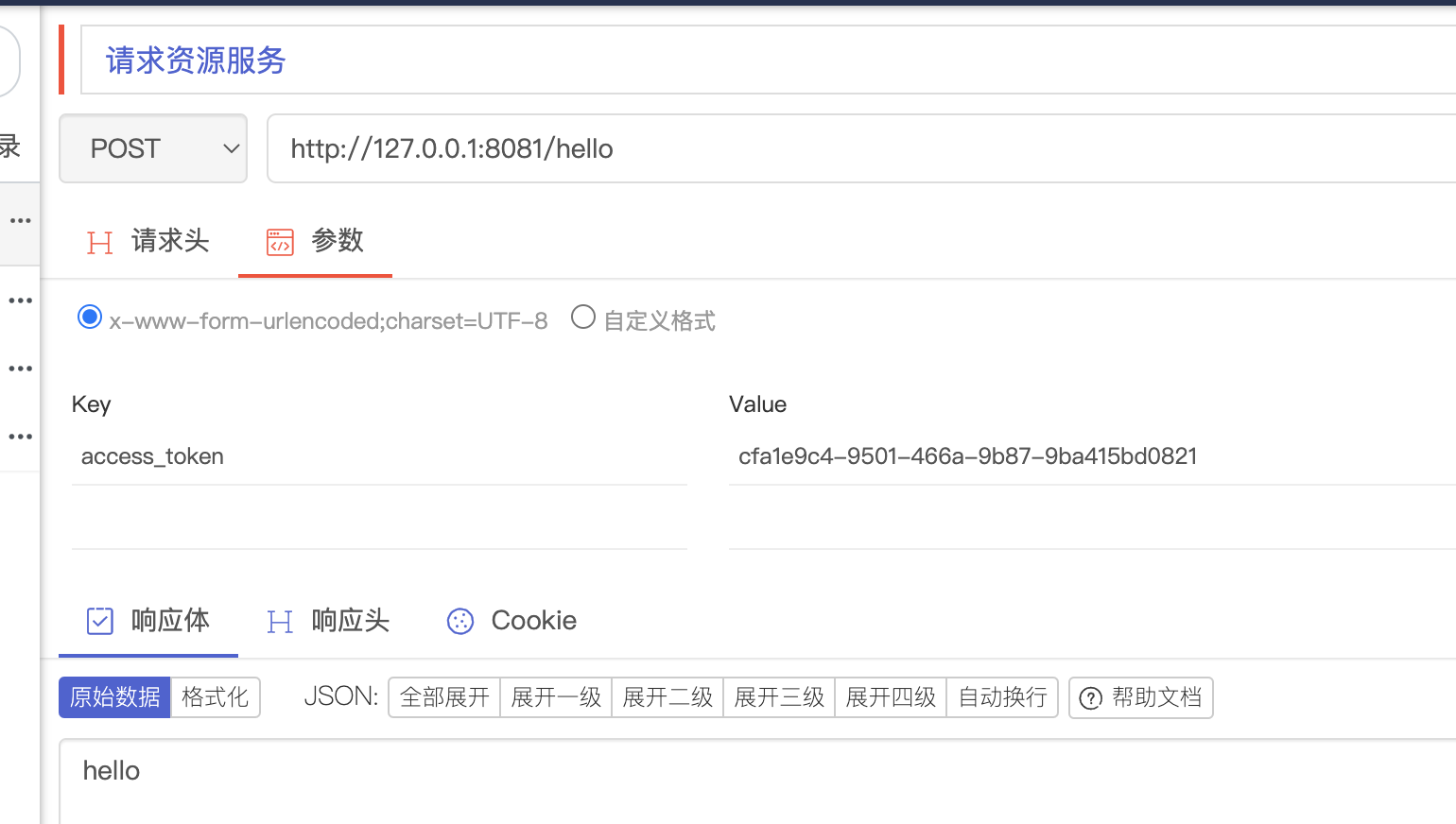
 <dependencies>
        <dependency>
            <groupId>org.springframework.boot</groupId>
            <artifactId>spring-boot-starter-security</artifactId>
        </dependency>
        <dependency>
            <groupId>org.springframework.boot</groupId>
            <artifactId>spring-boot-starter-web</artifactId>
        </dependency>
        <dependency>
            <groupId>org.springframework.cloud</groupId>
            <artifactId>spring-cloud-starter-oauth2</artifactId>
            <version>2.2.5.RELEASE</version>
        </dependency>

        <dependency>
            <groupId>org.springframework.boot</groupId>
            <artifactId>spring-boot-starter-test</artifactId>
            <scope>test</scope>
        </dependency>
        <dependency>
            <groupId>org.springframework.security</groupId>
            <artifactId>spring-security-test</artifactId>
            <scope>test</scope>
        </dependency>
    </dependencies>
package com.wanqi.config;

import com.fasterxml.jackson.databind.ObjectMapper;
import org.springframework.beans.factory.annotation.Qualifier;
import org.springframework.context.annotation.Bean;
import org.springframework.context.annotation.Configuration;
import org.springframework.http.HttpStatus;
import org.springframework.security.authentication.AuthenticationManager;
import org.springframework.security.config.annotation.authentication.builders.AuthenticationManagerBuilder;
import org.springframework.security.config.annotation.web.builders.HttpSecurity;
import org.springframework.security.config.annotation.web.configuration.EnableWebSecurity;
import org.springframework.security.config.annotation.web.configuration.WebSecurityConfigurerAdapter;
import org.springframework.security.core.Authentication;
import org.springframework.security.core.userdetails.User;
import org.springframework.security.core.userdetails.UserDetails;
import org.springframework.security.core.userdetails.UserDetailsService;
import org.springframework.security.crypto.factory.PasswordEncoderFactories;
import org.springframework.security.crypto.password.PasswordEncoder;
import org.springframework.security.provisioning.InMemoryUserDetailsManager;
import org.springframework.security.web.SecurityFilterChain;
import org.springframework.security.web.authentication.logout.LogoutSuccessHandler;
import org.springframework.security.web.util.matcher.AntPathRequestMatcher;
import org.springframework.security.web.util.matcher.OrRequestMatcher;

import javax.servlet.ServletException;
import javax.servlet.http.HttpServletRequest;
import javax.servlet.http.HttpServletResponse;
import java.io.IOException;
import java.util.HashMap;
import java.util.Map;

/**
 * @Description TODO
 * @Version 1.0.0
 * @Date 2022/9/8
 * @Author wandaren
 */
@Configuration
@EnableWebSecurity
public class SecurityConfig extends WebSecurityConfigurerAdapter {

    @Bean(value = "bcryptPasswordEncoder")
    public PasswordEncoder bcryptPasswordEncoder() {
        return PasswordEncoderFactories.createDelegatingPasswordEncoder();
    }

    @Override
    protected void configure(AuthenticationManagerBuilder auth) throws Exception {
        auth.userDetailsService(inMemoryUsers(bcryptPasswordEncoder()));
    }

    @Override
    @Bean
    protected AuthenticationManager authenticationManager() throws Exception {
        return super.authenticationManager();
    }

    @Bean
    public UserDetailsService inMemoryUsers(@Qualifier("bcryptPasswordEncoder") PasswordEncoder encoder) {
        UserDetails admin = User.withUsername("admin")
                .password(encoder.encode("123"))
                .roles("USER", "ADMIN")
                .build();
        return new InMemoryUserDetailsManager(admin);
    }

    @Override
    protected void configure(HttpSecurity http) throws Exception {
        //开启权限验证
        http.authorizeRequests()
                //permitAll直接放行,必须在anyRequest().authenticated()前面
                //anyRequest所有请求都需要认证
                .anyRequest().authenticated()
                .and()
                //使用form表单验证
                .formLogin().and()
                //注销
                .logout(logout -> {
                    logout
                            //指定默认注销url,默认请求方式GET
                            //.logoutUrl("/logout")
                            .logoutRequestMatcher(
                                    //自定义注销url
                                    new OrRequestMatcher(
                                            new AntPathRequestMatcher("/aa", "GET")))
                            //注销成功后跳转页面
                            //.logoutSuccessUrl("/toLogin")
                            //前后端分离时代自定义注销登录处理器
                            .logoutSuccessHandler(new LogoutSuccessHandler() {
                                @Override
                                public void onLogoutSuccess(HttpServletRequest request, HttpServletResponse response, Authentication authentication) throws IOException, ServletException {
                                    Map<String, Object> map = new HashMap<>();
                                    map.put("msg", "注销成功");
                                    map.put("code", HttpStatus.OK.value());
                                    map.put("authentication", authentication);
                                    String s = new ObjectMapper().writeValueAsString(map);
                                    response.setContentType("application/json;charset=UTF-8");
                                    response.getWriter().write(s);
                                }
                            })
                            //销毁session,默认为true
                            .invalidateHttpSession(true)
                            //清除认证信息,默认为true
                            .clearAuthentication(true);
                })
                //指定UserDetailsService来切换认证信息不同的存储方式(数据源)
                .userDetailsService(inMemoryUsers(bcryptPasswordEncoder()))
                //禁止csrf跨站请求保护
                .csrf().disable();
    }

}
package com.wanqi.config;

import org.springframework.security.oauth2.common.DefaultOAuth2AccessToken;
import org.springframework.security.oauth2.common.OAuth2AccessToken;
import org.springframework.security.oauth2.provider.OAuth2Authentication;
import org.springframework.security.oauth2.provider.token.TokenEnhancer;
import sun.jvm.hotspot.opto.HaltNode;

import java.util.HashMap;
import java.util.Map;

/**
 * @Description jwt内容增强
 * @Version 1.0.0
 * @Date 2022/9/9
 * @Author wandaren
 */
public class JwtTokenEnhancer implements TokenEnhancer {
    @Override
    public OAuth2AccessToken enhance(OAuth2AccessToken accessToken, OAuth2Authentication authentication) {
        Map<String,Object> map = new HashMap<>();
        map.put("test", "jwt内容增强");
        ((DefaultOAuth2AccessToken)accessToken).setAdditionalInformation(map);
        return accessToken;
    }
}
package com.wanqi.config;

import org.springframework.beans.factory.annotation.Autowired;
import org.springframework.context.annotation.Bean;
import org.springframework.context.annotation.Configuration;
import org.springframework.security.authentication.AuthenticationManager;
import org.springframework.security.core.userdetails.UserDetailsService;
import org.springframework.security.crypto.password.PasswordEncoder;
import org.springframework.security.oauth2.config.annotation.configurers.ClientDetailsServiceConfigurer;
import org.springframework.security.oauth2.config.annotation.web.configuration.AuthorizationServerConfigurerAdapter;
import org.springframework.security.oauth2.config.annotation.web.configuration.EnableAuthorizationServer;
import org.springframework.security.oauth2.config.annotation.web.configurers.AuthorizationServerEndpointsConfigurer;
import org.springframework.security.oauth2.provider.token.TokenEnhancer;
import org.springframework.security.oauth2.provider.token.TokenEnhancerChain;
import org.springframework.security.oauth2.provider.token.TokenStore;
import org.springframework.security.oauth2.provider.token.store.JwtAccessTokenConverter;
import org.springframework.security.oauth2.provider.token.store.JwtTokenStore;

import java.util.ArrayList;
import java.util.List;

@Configuration
// 开启授权服务器的功能
@EnableAuthorizationServer
public class JWTAuthorizationServerConfig extends AuthorizationServerConfigurerAdapter {

    @Autowired
    private PasswordEncoder passwordEncoder;

    @Autowired
    private AuthenticationManager authenticationManager;

    @Autowired
    private UserDetailsService userDetailsService;


    /**
     * 添加第三方的客户端
     */
    @Override
    public void configure(ClientDetailsServiceConfigurer clients) throws Exception {
        clients.inMemory()
                // 第三方客户端的名称
                .withClient("app")
                //  第三方客户端的密钥
                .secret(passwordEncoder.encode("secret"))
                .redirectUris("https://cn.bing.com")
                /* 授权码模式:client_credentials
                 * 简化模式:implicit
                 * 密码模式:password
                 * 客户端模式:client_credentials
                 *  刷新令牌:refresh_token
                 *  */
                .authorizedGrantTypes("authorization_code", "refresh_token")
                //第三方客户端的授权范围
                .scopes("all")
                // token的有效期
                .accessTokenValiditySeconds(24 * 3600)
                // refresh_token的有效期
                .refreshTokenValiditySeconds(24 * 7 * 3600);
        super.configure(clients);
    }

    /**
     * 配置验证管理器,UserdetailService
     */
    @Override
    public void configure(AuthorizationServerEndpointsConfigurer endpoints) throws Exception {
        super.configure(endpoints);
        //配置jwt增强内容
        TokenEnhancerChain tokenEnhancerChain = new TokenEnhancerChain();
        List<TokenEnhancer> list = new ArrayList<>();
        list.add(jwtTokenEnhancer());
        list.add(jwtAccessTokenConverter());
        tokenEnhancerChain.setTokenEnhancers(list);
        endpoints.authenticationManager(authenticationManager)
                .userDetailsService(userDetailsService)
                //设置token 存储策略
                .tokenStore(jwtTokenStore())
                .accessTokenConverter(jwtAccessTokenConverter())
                .tokenEnhancer(tokenEnhancerChain);
    }

    /**
     * jwtTokenStore
     *
     * @return
     */
    @Bean
    public TokenStore jwtTokenStore() {
        return new JwtTokenStore(jwtAccessTokenConverter());
    }

    @Bean
    public JwtAccessTokenConverter jwtAccessTokenConverter() {
        JwtAccessTokenConverter tokenConverter = new JwtAccessTokenConverter();
        tokenConverter.setSigningKey("name");
        return tokenConverter;
    }

    @Bean
    JwtTokenEnhancer jwtTokenEnhancer() {
        return new JwtTokenEnhancer();
    }
}
<dependencies>
        <dependency>
            <groupId>org.springframework.boot</groupId>
            <artifactId>spring-boot-starter-security</artifactId>
        </dependency>
        <dependency>
            <groupId>org.springframework.boot</groupId>
            <artifactId>spring-boot-starter-web</artifactId>
        </dependency>
        <dependency>
            <groupId>org.springframework.cloud</groupId>
            <artifactId>spring-cloud-starter-oauth2</artifactId>
            <version>2.2.5.RELEASE</version>
        </dependency>
        <dependency>
            <groupId>org.springframework.security</groupId>
            <artifactId>spring-security-oauth2-resource-server</artifactId>
        </dependency>

        <dependency>
            <groupId>org.springframework.boot</groupId>
            <artifactId>spring-boot-starter-test</artifactId>
            <scope>test</scope>
        </dependency>
        <dependency>
            <groupId>org.springframework.security</groupId>
            <artifactId>spring-security-test</artifactId>
            <scope>test</scope>
        </dependency>
    </dependencies>
package com.wanqi.config;

import org.springframework.context.annotation.Bean;
import org.springframework.context.annotation.Configuration;
import org.springframework.security.oauth2.config.annotation.web.configuration.EnableResourceServer;
import org.springframework.security.oauth2.config.annotation.web.configuration.ResourceServerConfigurerAdapter;
import org.springframework.security.oauth2.config.annotation.web.configurers.ResourceServerSecurityConfigurer;
import org.springframework.security.oauth2.provider.token.TokenStore;
import org.springframework.security.oauth2.provider.token.store.JwtAccessTokenConverter;
import org.springframework.security.oauth2.provider.token.store.JwtTokenStore;

/**
 * @Description 自定义资源服务器配置
 * @Version 1.0.0
 * @Date 2022/9/8
 * @Author wandaren
 */
@Configuration
@EnableResourceServer
public class JWTResourceServerConfigurer extends ResourceServerConfigurerAdapter {

    @Override
    public void configure(ResourceServerSecurityConfigurer resources) throws Exception {
        super.configure(resources);
        resources.resourceId("app")
                .tokenStore(jwtTokenStore())
                .stateless(true);
    }

    @Bean
    public TokenStore jwtTokenStore() {
        return new JwtTokenStore(jwtAccessTokenConverter());
    }

    @Bean
    public JwtAccessTokenConverter jwtAccessTokenConverter() {
        JwtAccessTokenConverter tokenConverter = new JwtAccessTokenConverter();
        tokenConverter.setSigningKey("name");
        return tokenConverter;
    }

}
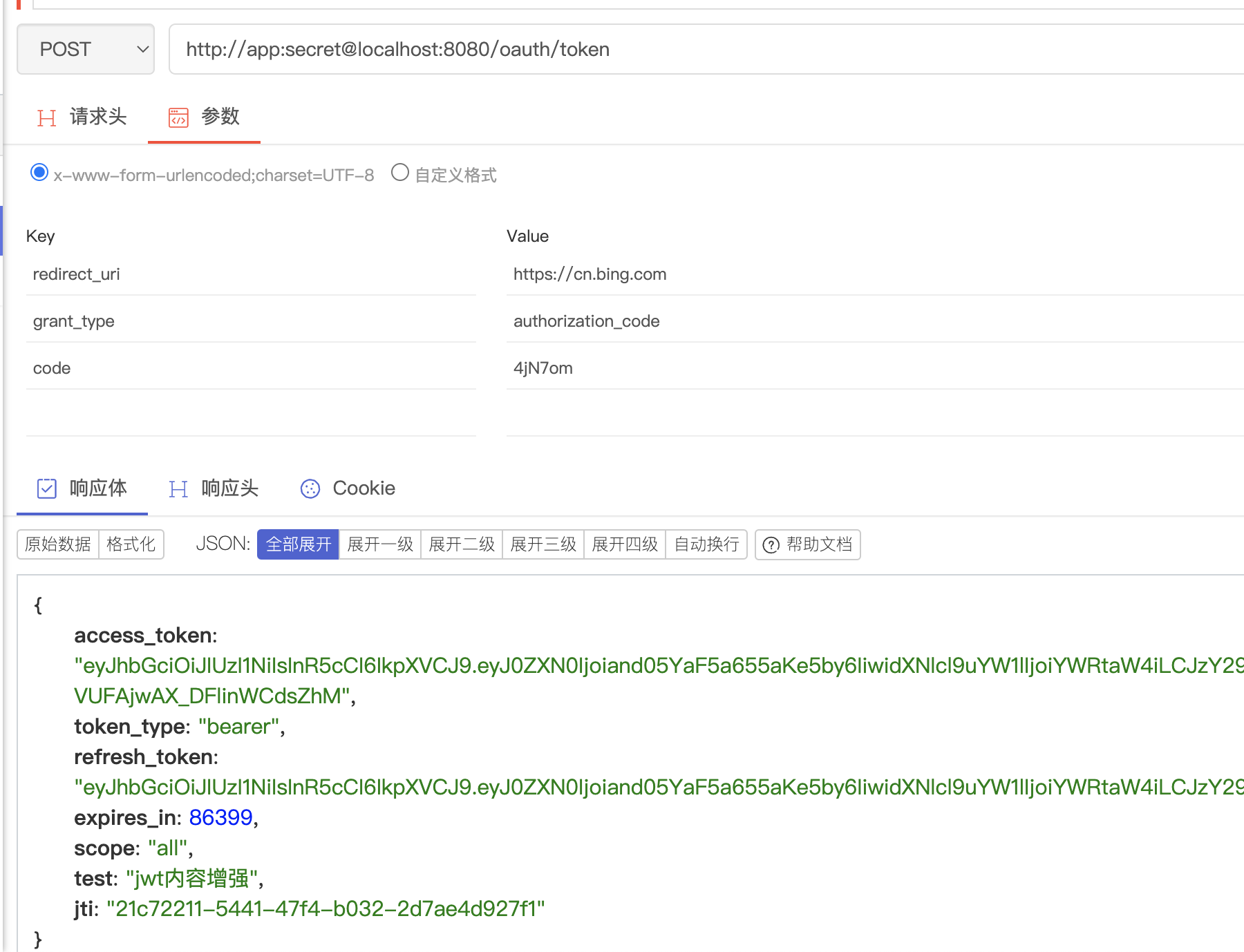
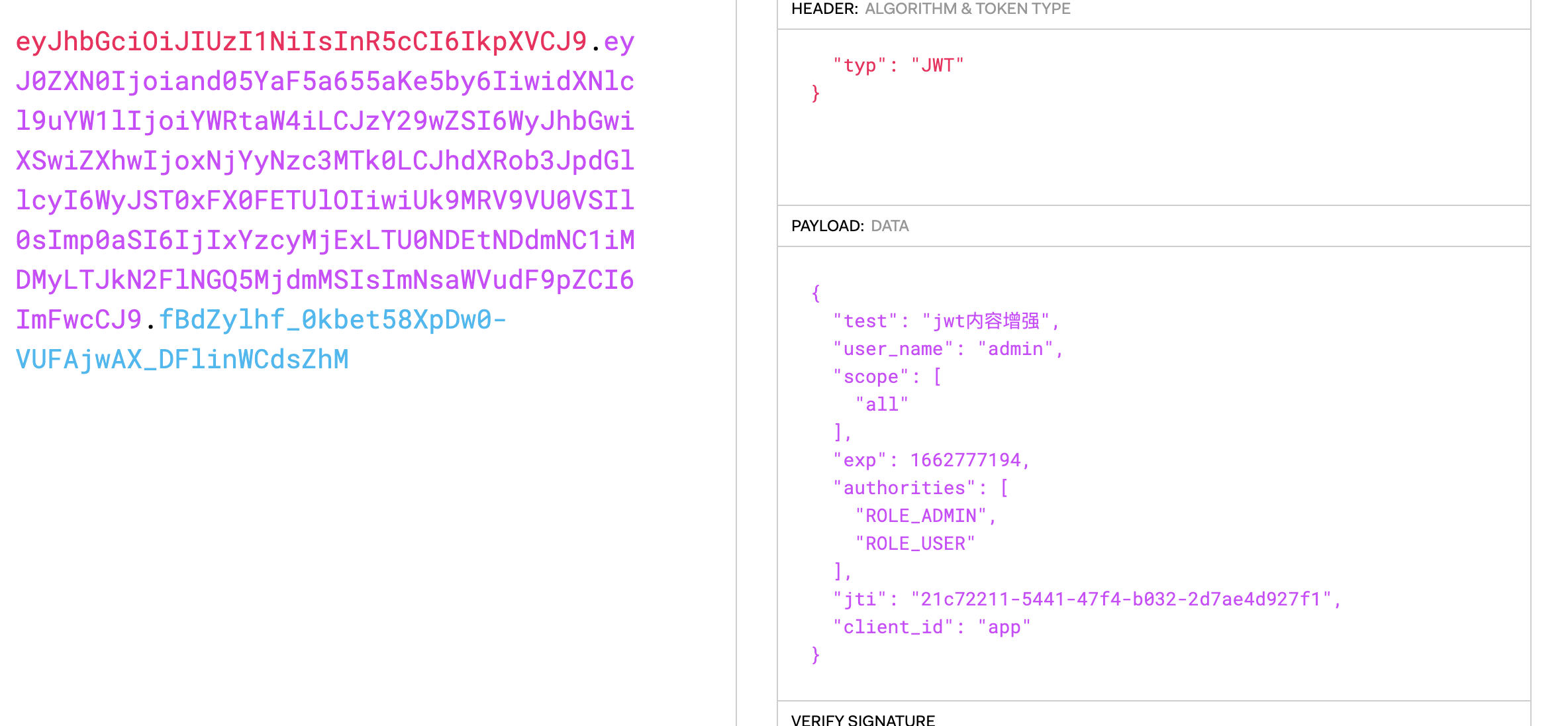
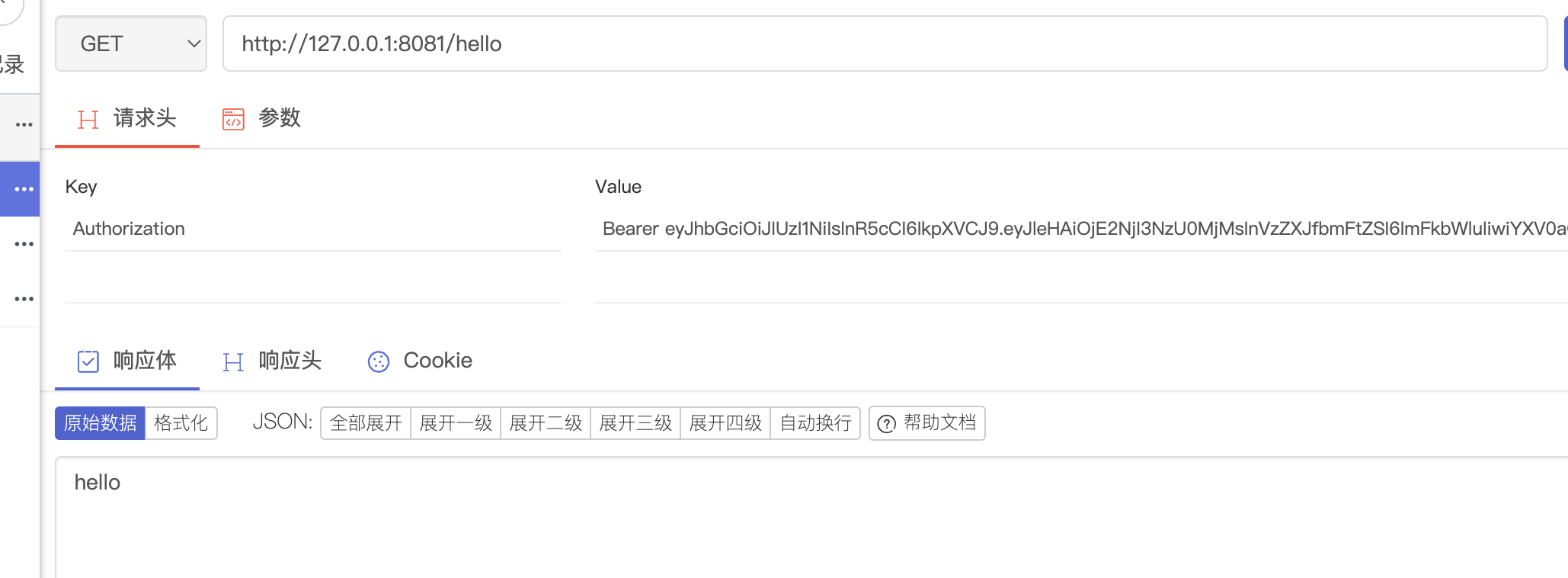
目录前言滤波电路科普主要分类实际情况单位的概念常用评价参数函数型滤波器简单分析滤波电路构成低通滤波器RC低通滤波器RL低通滤波器高通滤波器RC高通滤波器RL高通滤波器部分摘自《LC滤波器设计与制作》,侵权删。前言最近需要学习放大电路和滤波电路,但是由于只在之前做音乐频谱分析仪的时候简单了解过一点点运放,所以也是相当从零开始学习了。滤波电路科普主要分类滤波器:主要是从不同频率的成分中提取出特定频率的信号。有源滤波器:由RC元件与运算放大器组成的滤波器。可滤除某一次或多次谐波,最普通易于采用的无源滤波器结构是将电感与电容串联,可对主要次谐波(3、5、7)构成低阻抗旁路。无源滤波器:无源滤波器,又称
@作者:SYFStrive @博客首页:HomePage📜:微信小程序📌:个人社区(欢迎大佬们加入)👉:社区链接🔗📌:觉得文章不错可以点点关注👉:专栏连接🔗💃:感谢支持,学累了可以先看小段由小胖给大家带来的街舞👉微信小程序(🔥)目录自定义组件-behaviors 1、什么是behaviors 2、behaviors的工作方式 3、创建behavior 4、导入并使用behavior 5、behavior中所有可用的节点 6、同名字段的覆盖和组合规则总结最后自定义组件-behaviors 1、什么是behaviorsbehaviors是小程序中,用于实现
遍历文件夹我们通常是使用递归进行操作,这种方式比较简单,也比较容易理解。本文为大家介绍另一种不使用递归的方式,由于没有使用递归,只用到了循环和集合,所以效率更高一些!一、使用递归遍历文件夹整体思路1、使用File封装初始目录,2、打印这个目录3、获取这个目录下所有的子文件和子目录的数组。4、遍历这个数组,取出每个File对象4-1、如果File是否是一个文件,打印4-2、否则就是一个目录,递归调用代码实现publicclassSearchFile{publicstaticvoidmain(String[]args){//初始目录Filedir=newFile("d:/Dev");Datebeg
ES一、简介1、ElasticStackES技术栈:ElasticSearch:存数据+搜索;QL;Kibana:Web可视化平台,分析。LogStash:日志收集,Log4j:产生日志;log.info(xxx)。。。。使用场景:metrics:指标监控…2、基本概念Index(索引)动词:保存(插入)名词:类似MySQL数据库,给数据Type(类型)已废弃,以前类似MySQL的表现在用索引对数据分类Document(文档)真正要保存的一个JSON数据{name:"tcx"}二、入门实战{"name":"DESKTOP-1TSVGKG","cluster_name":"elasticsear
文章目录1.任务背景2.任务目标3.相关知识点4.任务实操4.1安装配置JDK4.2启动FISCOBCOS4.3下载解压WeBASE-Front4.4拷贝sdk证书文件4.5启动节点4.6访问节点4.7检查运行状态5.任务总结1.任务背景FISCOBCOS其实是有控制台管理工具,用来对区块链系统进行各种管理操作。但是对于初学者来说,还是可视化界面更友好,本节就来介绍WeBASE管理平台,这是一款微众银行开源的自研区块链中间件平台,可以降低区块链使用的门槛,大幅提高区块链应用的开发效率。微众银行是腾讯牵头设立的民营银行,在国内民营银行里还是比较出名的。微众银行参与FISCOBCOS生态建设,一定
TCL脚本语言简介•TCL(ToolCommandLanguage)是一种解释执行的脚本语言(ScriptingLanguage),它提供了通用的编程能力:支持变量、过程和控制结构;同时TCL还拥有一个功能强大的固有的核心命令集。TCL经常被用于快速原型开发,脚本编程,GUI和测试等方面。•实际上包含了两个部分:一个语言和一个库。首先,Tcl是一种简单的脚本语言,主要使用于发布命令给一些互交程序如文本编辑器、调试器和shell。由于TCL的解释器是用C\C++语言的过程库实现的,因此在某种意义上我们又可以把TCL看作C库,这个库中有丰富的用于扩展TCL命令的C\C++过程和函数,所以,Tcl是
文章目录一、项目场景二、基本模块原理与调试方法分析——信源部分:三、信号处理部分和显示部分:四、基本的通信链路搭建:四、特殊模块:interpretedMATLABfunction:五、总结和坑点提醒一、项目场景 最近一个任务是使用simulink搭建一个MIMO串扰消除的链路,并用实际收到的数据进行测试,在搭建的过程中也遇到了不少的问题(当然这比vivado里面的debug好不知道多少倍)。准备趁着这个机会,先以一个很基本的通信链路对simulink基础和相关的debug方法进行总结。 在本篇中,主要记录simulink的基本原理和基本的SISO通信传输链路(QPSK方式),计划在下篇记
目录一、ESP32简单介绍二、ESP32Wi-Fi模块介绍三、ESP32Wi-Fi编程模型四、ESP32Wi-Fi事件处理流程 五、ESP32Wi-Fi开发环境六、ESP32Wi-Fi具体代码七、ESP32Wi-Fi代码解读6.1主程序app_main7.2自定义代码wifi_init_sta()八、ESP32Wi-Fi连接验证8.1测试方法8.2服务器模拟工具sscom58.3测试代码8.4测试结果前言为了开发一款亚马逊物联网产品,开始入手ESP32模块。为了能够记录自己的学习过程,特记录如下操作过程。一、ESP32简单介绍ESP32是一套Wi-Fi(2.4GHz)和蓝牙(4.2)双模解决方
按照目前的情况,这个问题不适合我们的问答形式。我们希望答案得到事实、引用或专业知识的支持,但这个问题可能会引发辩论、争论、投票或扩展讨论。如果您觉得这个问题可以改进并可能重新打开,visitthehelpcenter指导。关闭10年前。我使用PHP的时间太长了,对它感到厌倦了。我也想学习一门新语言。我一直在使用Ruby并且喜欢它。我必须在Rails和Sinatra之间做出选择,那么您会推荐哪一个?Sinatra真的不能用来构建复杂的应用程序,它只能用于简单的应用程序吗?
📝学技术、更要掌握学习的方法,一起学习,让进步发生👩🏻作者:一只IT攻城狮。💐学习建议:1、养成习惯,学习java的任何一个技术,都可以先去官网先看看,更准确、更专业。💐学习建议:2、然后记住每个技术最关键的特性(通常一句话或者几个字),从主线入手,由浅入深学习。❤️《SpringCloud入门实战系列》解锁SpringCloud主流组件入门应用及关键特性。带你了解SpringCloud主流组件,是如何一战解决微服务诸多难题的。项目demo:源码地址👉🏻SpringCloud入门实战系列不迷路👈🏻:SpringCloud入门实战(一)什么是SpringCloud?SpringCloud入门实战
