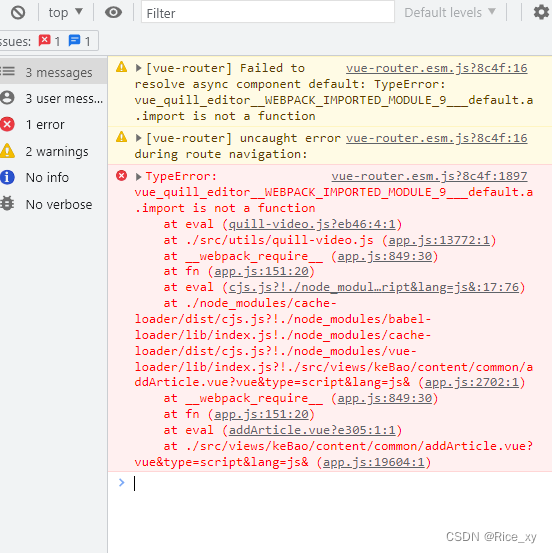
报错图片:
一、先下载依赖
1、npm install vue-quill-editor --save
2、npm install quill --save
3、npm install quill-image-drop-module --save (图片可拖动)
4、npm install quill-image-resize-module --save (图片可缩放)
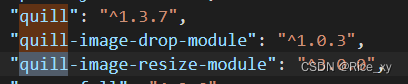
package.json中下载依赖的版本号
二、插件需要webpack的支持
在vue.config.js 中需要添加的代码
const webpack = require(‘webpack’)
module.exports = {
configureWebpack: {
plugins: [new webpack.ProvidePlugin({
‘window.Quill’: ‘quill/dist/quill.js’,
‘Quill’: ‘quill/dist/quill.js’
})]
}
}
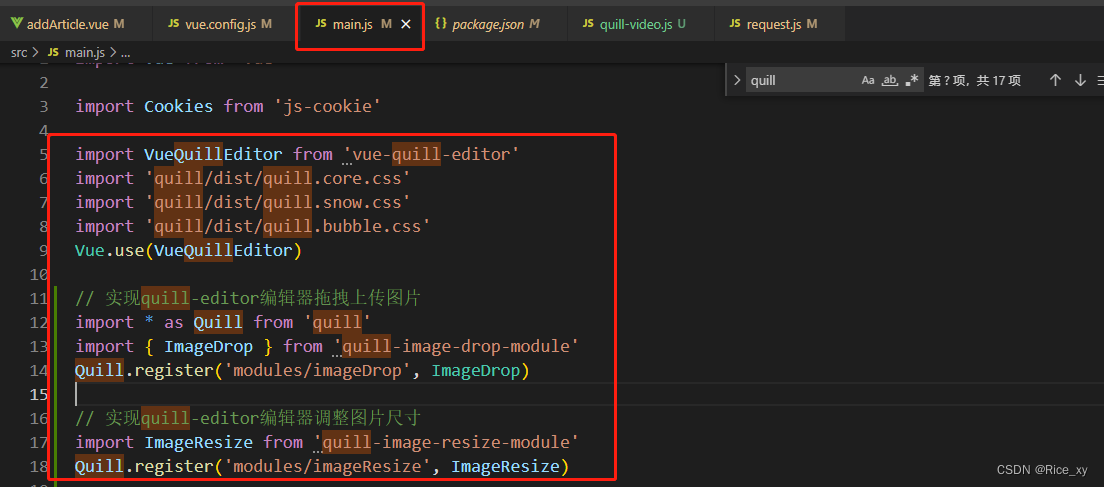
三、在main.js中全局挂载使用
import VueQuillEditor from ‘vue-quill-editor’
import ‘quill/dist/quill.core.css’
import ‘quill/dist/quill.snow.css’
import ‘quill/dist/quill.bubble.css’
Vue.use(VueQuillEditor)
// 实现quill-editor编辑器拖拽上传图片
import * as Quill from ‘quill’
import { ImageDrop } from ‘quill-image-drop-module’
Quill.register(‘modules/imageDrop’, ImageDrop)
// 实现quill-editor编辑器调整图片尺寸
import ImageResize from ‘quill-image-resize-module’
Quill.register(‘modules/imageResize’, ImageResize)
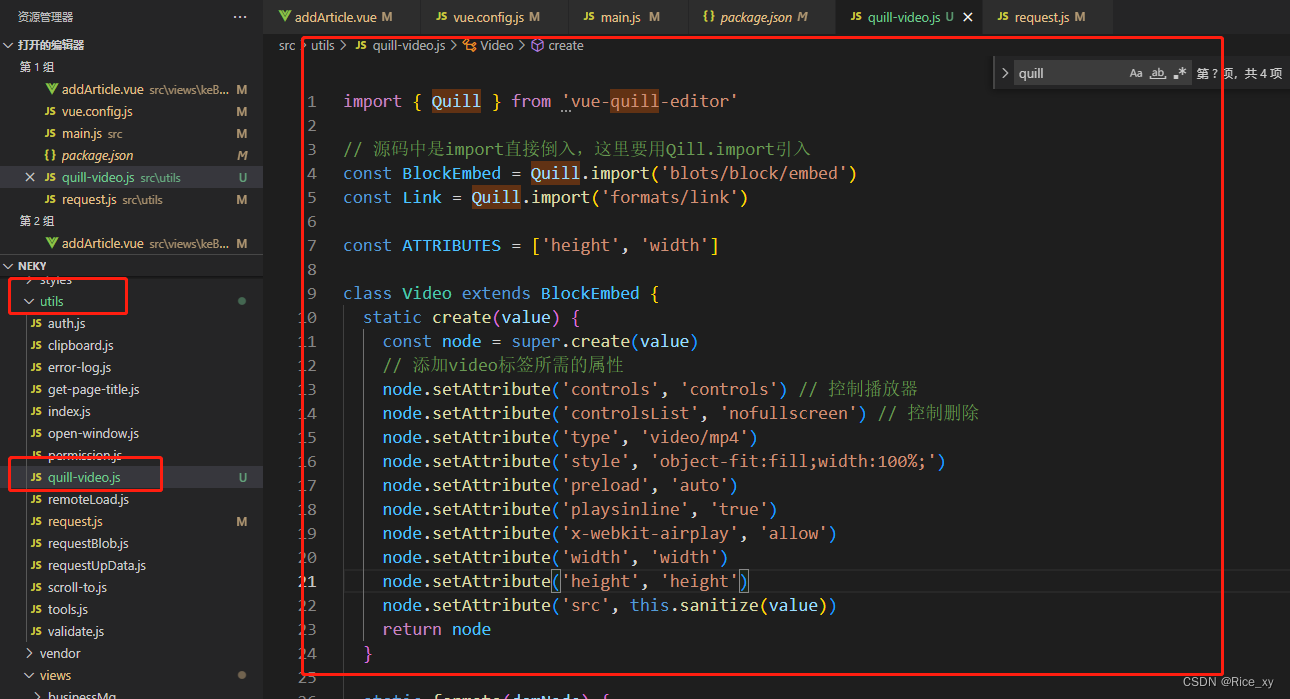
四、在util文件下新建quill-video.js,主要是解决富文本编辑器中,将视频作为文件流传给后端,后端返回给前端的地址,在文本中显示不出视频,做的动作是下载,后翻看博看知道插件中自带一些弊端,需要将iframe换成video,插件中的源码不好修改,所以有了这个步骤:
import { Quill } from 'vue-quill-editor'

// 源码中是import直接倒入,这里要用Qill.import引入
const BlockEmbed = Quill.import('blots/block/embed')
const Link = Quill.import('formats/link')

const ATTRIBUTES = ['height', 'width']

class Video extends BlockEmbed {
  static create(value) {
    const node = super.create(value)
    // 添加video标签所需的属性
    node.setAttribute('controls', 'controls') // 控制播放器
    node.setAttribute('controlsList', 'nofullscreen') // 控制删除
    node.setAttribute('type', 'video/mp4')
    node.setAttribute('style', 'object-fit:fill;width:100%;')
    node.setAttribute('preload', 'auto')
    node.setAttribute('playsinline', 'true')
    node.setAttribute('x-webkit-airplay', 'allow')
    node.setAttribute('width', 'width')
    node.setAttribute('height', 'height')
    node.setAttribute('src', this.sanitize(value))
    return node
  }

  static formats(domNode) {
    return ATTRIBUTES.reduce((formats, attribute) => {
      if (domNode.hasAttribute(attribute)) {
        formats[attribute] = domNode.getAttribute(attribute)
      }
      return formats
    }, {})
  }

  static sanitize(url) {
    return Link.sanitize(url)
  }

  static value(domNode) {
    return {
      url: domNode.getAttribute('src'),
      controls: domNode.getAttribute('controls'),
      width: domNode.getAttribute('width'),
      height: domNode.getAttribute('height')
    }
  }

  format(name, value) {
    if (ATTRIBUTES.indexOf(name) > -1) {
      if (value) {
        this.domNode.setAttribute(name, value)
      } else {
        this.domNode.removeAttribute(name)
      }
    } else {
      super.format(name, value)
    }
  }

  html() {
    const { video } = this.value()
    return `<a href="${video}">${video}</a>`
  }
}
Video.blotName = 'video'
Video.className = 'ql-video'
Video.tagName = 'video' // 用video标签替换iframe
export default Video
五、在组件中的具体使用:
template中的代码:
<el-form-item label="文章内容" prop="content">
              <quill-editor ref="quillEditor" :options="contOption" @change="contEditorChange($event)" />
 </el-form-item>
script中的代码:
<script>
import { upload } from '@/api/common'  //这是后端提供的接口主要是为了拿地址回显
import Video from '@/utils/quill-video'
import { quillEditor, Quill } from 'vue-quill-editor'
var Font = Quill.import('attributors/style/font')
var fonts = ['SimSun', 'SimHei', 'Microsoft-YaHei', 'KaiTi', 'FangSong', 'Arial', 'Times-New-Roman', 'sans-serif']
Font.whitelist = fonts
Quill.register(Font, true)
// 自定义字号的大小
var fontSizeStyle = Quill.import('attributors/style/size')
var sizes = ['10px', '12px', '14px', '16px', '18px', '20px', '22px', '24px', '26px', '32px', '48px']
fontSizeStyle.whitelist = sizes
Quill.register(fontSizeStyle, true)
Quill.register(Video, true)
const richTextModules = [
  ['bold', 'italic', 'underline', 'strike'], // 加粗 斜体 下划线 删除线 -----['bold', 'italic', 'underline', 'strike']
  // ['blockquote', 'code-block'], // 引用  代码块-----['blockquote', 'code-block']
  // [{ header: 1 }, { header: 2 }], // 1、2 级标题-----[{ header: 1 }, { header: 2 }]
  [{ list: 'ordered' }, { list: 'bullet' }], // 有序、无序列表-----[{ list: 'ordered' }, { list: 'bullet' }]
  [{ script: 'sub' }, { script: 'super' }], // 上标/下标-----[{ script: 'sub' }, { script: 'super' }]
  [{ indent: '-1' }, { indent: '+1' }], // 缩进-----[{ indent: '-1' }, { indent: '+1' }]
  [{ 'direction': 'rtl' }], // 文本方向-----[{'direction': 'rtl'}]
  [{ size: sizes }], // 字体大小-----[{ size: ['small', false, 'large', 'huge'] }]
  [{ header: [1, 2, 3, 4, 5, 6, false] }], // 标题-----[{ header: [1, 2, 3, 4, 5, 6, false] }]
  [{ color: [] }, { background: [] }], // 字体颜色、字体背景颜色-----[{ color: [] }, { background: [] }]
  [{ font: fonts }], // 字体种类-----[{ font: [] }]
  [{ align: [] }], // 对齐方式-----[{ align: [] }]
  ['image', 'video'] // 链接、图片、视频-----['link', 'image', 'video']
]

export default {
  name: 'AddContent',
  components: {
    quillEditor
  },
  data() {
    var than_ = this
    var customFun = {
      image: function image() {
        // 上传图片
        const self = this
        let fileInput = this.container.querySelector('input.ql-image[type=file]')
        const accept = 'image/png, image/jpg, image/gif, image/jpeg'
        if (fileInput === null) {
          fileInput = document.createElement('input')
          fileInput.setAttribute('type', 'file')
          fileInput.setAttribute('accept', accept)
          fileInput.classList.add('ql-image')
          fileInput.addEventListener('change', function() {
            const file = fileInput.files[0]
            fileInput.value = ''
            const name = (file.name).substring((file.name).lastIndexOf('.') + 1, (file.name).length)
            if (name !== 'png' && name !== 'jpg' && name !== 'gif' && name !== 'jpeg') {
              than_.$message.closeAll()
              than_.$message.warning('文件格式错误,请重新上传')
            } else {
              const par = new FormData()
              par.append('file', file)
             //这边是上传图片的接口
              upload(par).then(res => {
                if (res.data.length) {
                //定位到光标位置
                  const length = self.quill.getSelection(true).index
                  self.quill.insertEmbed(length, 'image', res.data[0])
                  self.quill.setSelection(length + 1)
                } else {
                  than_.$message.closeAll()
                  than_.$message.error('上传文件失败')
                }
              })
            }
          })
          this.container.appendChild(fileInput)
        }
        fileInput.click()
      },
      video: function video() {
        // 上传视频
        const self = this
        let fileInput = this.container.querySelector('input.ql-video[type=file]')
        const accept = '.mp4'
        if (fileInput === null) {
          fileInput = document.createElement('input')
          fileInput.setAttribute('type', 'file')
          fileInput.setAttribute('accept', accept) // 文件格式
          fileInput.classList.add('ql-video')
          // 监听选择文件
          fileInput.addEventListener('change', function() {
            const file = fileInput.files[0]
            fileInput.value = ''
            const name = (file.name).substring((file.name).lastIndexOf('.') + 1, (file.name).length)
            if (name !== 'mp4') {
              than_.$message.closeAll()
              than_.$message.warning('文件格式错误,请重新上传')
            } else {
              const par = new FormData()
              par.append('file', file)
              //上传视频的接口
              upload(par).then(res => {
                if (res.data.length) {
                  const length = self.quill.getSelection(true).index
                  self.quill.insertEmbed(length, 'video', res.data[0])
                  self.quill.setSelection(length + 1)
                } else {
                  console.log('失败')
                  than_.$message.closeAll()
                  than_.$message.error('上传文件失败')
                }
              }).catch((err) => {
                console.log(err)
                this.$message({
                  message: '视频上传失败,请重试',
                  type: 'error',
                  center: true,
                  offset: 100
                })
              })
            }
          })
          this.container.appendChild(fileInput)
        }
        fileInput.click()
      }
    }
    return {
      ruleForm: {
        content: ''
      },
      contOption: {
        placeholder: '',
        theme: 'snow',
        modules: {
          clipboard: {
            matchers: [[Node.ELEMENT_NODE, this.HandleCustomMatcher]]
          },
          toolbar: {
            container: richTextModules,
            handlers: customFun
          }
        }
      },
      actionType: 0,
      rules: {
        content: [
          { required: true, message: '请输入内容', trigger: 'change' }
        ]
      }
    }
  },
  methods: {
    contEditorChange(val) {
      if (val.html) {
        val.html = val.html.replace(/<p class='ql-align-center'><br><\/p>/g, '')
      }
      this.ruleForm.content = val.html
      if (this.ruleForm.content) {
        this.$refs['ruleForm'].clearValidate('content')
      }
    },
    HandleCustomMatcher(node, Delta) {
      const ops = []
      Delta.ops.forEach(op => {
        if (op.insert && typeof op.insert === 'string') {
          ops.push({
            insert: op.insert
          })
        }
      })
      Delta.ops = ops
      return Delta
    }
  }
}
</script>
css中的代码:
::v-deep .quill-editor {
line-height: normal !important;
margin-left:20px;
.ql-container {
height: 300px;
}
.ql-snow.ql-toolbar input.ql-video[type=file],
.ql-snow .ql-toolbar input.ql-video[type=file] {
display: none;
}
.ql-snow .ql-tooltip {
left: -90px !important;
&::before {
content: “请输入链接地址:”;
}
a.ql-action::after {
content: ‘修改’;
}
a.ql-remove::before {
content: ‘删除’;
}
}
.ql-snow .ql-tooltip.ql-editing a.ql-action::after {
content: ‘保存’;
}
.ql-snow .ql-tooltip[data-mode=video]::before {
    content: "请输入视频地址:";
}

.ql-snow .ql-picker.ql-header {
    width: 65px;
    .ql-picker-label::before, .ql-picker-item::before {
        content: '文本';
    }
    .ql-picker-label[data-value="1"]::before, .ql-picker-item[data-value="1"]::before {
        content: '标题1';
    }
    .ql-picker-label[data-value="2"]::before, .ql-picker-item[data-value="2"]::before {
        content: '标题2';
    }
    .ql-picker-label[data-value="3"]::before, .ql-picker-item[data-value="3"]::before {
        content: '标题3';
    }
    .ql-picker-label[data-value="4"]::before, .ql-picker-item[data-value="4"]::before {
        content: '标题4';
    }
    .ql-picker-label[data-value="5"]::before, .ql-picker-item[data-value="5"]::before {
        content: '标题5';
    }
    .ql-picker-label[data-value="6"]::before, .ql-picker-item[data-value="6"]::before {
        content: '标题6';
    }
}

.ql-snow .ql-picker.ql-size {
    width: 60px;
    .ql-picker-label::before, .ql-picker-item::before {
        content: '16px';
    }
    .ql-picker-label[data-value="10px"]::before, .ql-picker-item[data-value="10px"]::before {
        content: '10px';
    }
    .ql-picker-label[data-value="12px"]::before, .ql-picker-item[data-value="12px"]::before {
        content: '12px';
    }
    .ql-picker-label[data-value="14px"]::before, .ql-picker-item[data-value="14px"]::before {
        content: '14px';
    }
    .ql-picker-label[data-value="16px"]::before, .ql-picker-item[data-value="16px"]::before {
        content: '16px';
    }
    .ql-picker-label[data-value="18px"]::before, .ql-picker-item[data-value="18px"]::before {
        content: '18px';
    }
    .ql-picker-label[data-value="20px"]::before, .ql-picker-item[data-value="20px"]::before {
        content: '20px';
    }
    .ql-picker-label[data-value="22px"]::before, .ql-picker-item[data-value="22px"]::before {
        content: '22px';
    }
    .ql-picker-label[data-value="24px"]::before, .ql-picker-item[data-value="24px"]::before {
        content: '24px';
    }
    .ql-picker-label[data-value="26px"]::before, .ql-picker-item[data-value="26px"]::before {
        content: '26px';
    }
    .ql-picker-label[data-value="32px"]::before, .ql-picker-item[data-value="32px"]::before {
        content: '32px';
    }
    .ql-picker-label[data-value="48px"]::before, .ql-picker-item[data-value="48px"]::before {
        content: '48px';
    }
}
.ql-editor {
    .ql-size-10px {
        font-size: 10px;
    }
    .ql-size-12px {
        font-size: 12px;
    }
    .ql-size-14px {
        font-size: 14px;
    }
    .ql-size-16px {
        font-size: 16px;
    }
    .ql-size-18px {
        font-size: 18px;
    }
    .ql-size-20px {
        font-size: 20px;
    }
    .ql-size-22px {
        font-size: 22px;
    }
    .ql-size-24px {
        font-size: 24px;
    }
    .ql-size-26px {
        font-size: 26px;
    }
    .ql-size-32px {
        font-size: 32px;
    }
    .ql-size-48px {
        font-size: 48px;
    }
}

.ql-snow .ql-picker.ql-font {
    width: auto;
    .ql-picker-label {
        box-sizing: border-box;
        padding-right: 20px;
    }
    .ql-picker-label[data-value=SimSun]::before, .ql-picker-item[data-value=SimSun]::before {
        content: "宋体";
        font-family: "SimSun" !important;
    }
    .ql-picker-label[data-value=SimHei]::before, .ql-picker-item[data-value=SimHei]::before {
        content: "黑体";
        font-family: "SimHei" !important;
    }
    .ql-picker-label[data-value=Microsoft-YaHei]::before, .ql-picker-item[data-value=Microsoft-YaHei]::before {
        content: "微软雅黑" !important;
        font-family: "Microsoft YaHei";
    }
    .ql-picker-label[data-value=KaiTi]::before, .ql-picker-item[data-value=KaiTi]::before {
        content: "楷体";
        font-family: "KaiTi"!important;
    }
    .ql-picker-label[data-value=FangSong]::before, .ql-picker-item[data-value=FangSong]::before {
        content: "仿宋";
        font-family: "FangSong" !important;
    }
    .ql-picker-label[data-value=Arial]::before, .ql-picker-item[data-value=Arial]::before {
        content: "Arial";
        font-family: "Arial" !important;
    }
    .ql-picker-label[data-value=Times-New-Roman]::before, .ql-picker-item[data-value=Times-New-Roman]::before {
        content: "Times New Roman";
        font-family: "Times New Roman" !important;
    }
    .ql-picker-label[data-value=sans-serif]::before, .ql-picker-item[data-value=sans-serif]::before {
        content: "sans-serif";
        font-family: "sans-serif" !important;
    }
}
.ql-editor {
    font-family: "SimSun" !important;
    .ql-font-SimSun {
        font-family: "SimSun" !important;
    }
    .ql-font-SimHei {
        font-family: "SimHei" !important;
    }
    .ql-font-Microsoft-YaHei {
        font-family: "Microsoft YaHei" !important;
    }
    .ql-font-KaiTi {
        font-family: "KaiTi" !important;
    }
    .ql-font-FangSong {
        font-family: "FangSong" !important;
    }
    .ql-font-Arial {
        font-family: "Arial" !important;
    }
    .ql-font-Times-New-Roman {
        font-family: "Times New Roman" !important;
    }
    .ql-font-sans-serif {
        font-family: "sans-serif" !important;
    }
}
}
// 富文本编辑器-回显
::v-deep .rich_text_show_page {
.ql-align-center {
text-align: center;
}
.ql-align-right {
text-align: right;
}
.ql-size-10px {
font-size: 10px;
}
.ql-size-12px {
font-size: 12px;
}
.ql-size-14px {
font-size: 14px;
}
.ql-size-16px {
font-size: 16px;
}
.ql-size-18px {
font-size: 18px;
}
.ql-size-20px {
font-size: 20px;
}
.ql-size-22px {
font-size: 22px;
}
.ql-size-24px {
font-size: 24px;
}
.ql-size-26px {
font-size: 26px;
}
.ql-size-32px {
font-size: 32px;
}
.ql-size-48px {
font-size: 48px;
}
font-family: “SimSun” !important;
.ql-font-SimSun {
font-family: “SimSun” !important;
}
.ql-font-SimHei {
font-family: “SimHei” !important;
}
.ql-font-Microsoft-YaHei {
font-family: “Microsoft YaHei” !important;
}
.ql-font-KaiTi {
font-family: “KaiTi” !important;
}
.ql-font-FangSong {
font-family: “FangSong” !important;
}
.ql-font-Arial {
font-family: “Arial” !important;
}
.ql-font-Times-New-Roman {
font-family: “Times New Roman” !important;
}
.ql-font-sans-serif {
font-family: “sans-serif” !important;
}
}
六、最终显示效果:
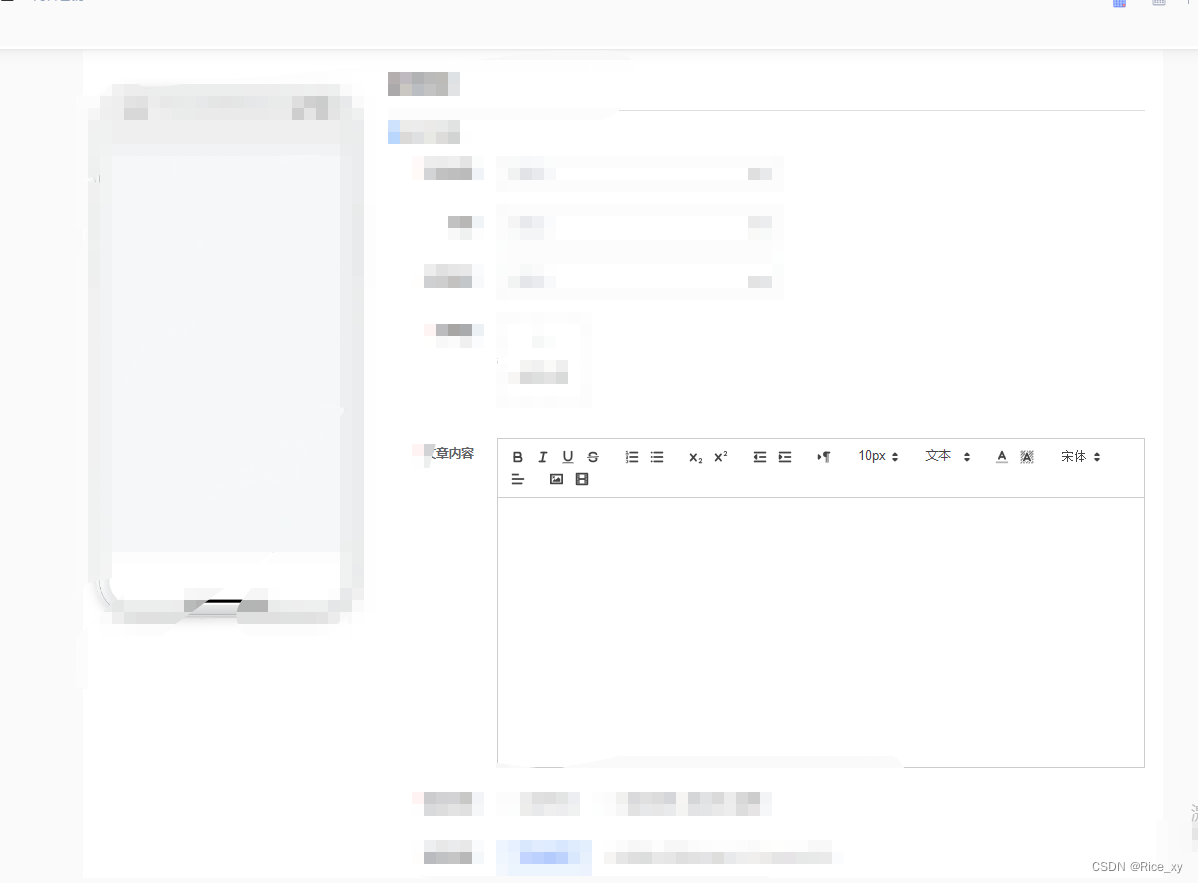 因为项目未上线,不能展示全部,所以得打码,哈哈哈哈哈哈~
我正在尝试设置一个puppet节点,但rubygems似乎不正常。如果我通过它自己的二进制文件(/usr/lib/ruby/gems/1.8/gems/facter-1.5.8/bin/facter)在cli上运行facter,它工作正常,但如果我通过由rubygems(/usr/bin/facter)安装的二进制文件,它抛出:/usr/lib/ruby/1.8/facter/uptime.rb:11:undefinedmethod`get_uptime'forFacter::Util::Uptime:Module(NoMethodError)from/usr/lib/ruby
我得到了一个包含嵌套链接的表单。编辑时链接字段为空的问题。这是我的表格:Editingkategori{:action=>'update',:id=>@konkurrancer.id})do|f|%>'Trackingurl',:style=>'width:500;'%>'Editkonkurrence'%>|我的konkurrencer模型:has_one:link我的链接模型:classLink我的konkurrancer编辑操作:defedit@konkurrancer=Konkurrancer.find(params[:id])@konkurrancer.link_attrib
我主要使用Ruby来执行此操作,但到目前为止我的攻击计划如下:使用gemsrdf、rdf-rdfa和rdf-microdata或mida来解析给定任何URI的数据。我认为最好映射到像schema.org这样的统一模式,例如使用这个yaml文件,它试图描述数据词汇表和opengraph到schema.org之间的转换:#SchemaXtoschema.orgconversion#data-vocabularyDV:name:namestreet-address:streetAddressregion:addressRegionlocality:addressLocalityphoto:i
所以我在关注Railscast,我注意到在html.erb文件中,ruby代码有一个微弱的背景高亮效果,以区别于其他代码HTML文档。我知道Ryan使用TextMate。我正在使用SublimeText3。我怎样才能达到同样的效果?谢谢! 最佳答案 为SublimeText安装ERB包。假设您安装了SublimeText包管理器*,只需点击cmd+shift+P即可获得命令菜单,然后键入installpackage并选择PackageControl:InstallPackage获取包管理器菜单。在该菜单中,键入ERB并在看到包时选择
我试图在索引页中创建一个超链接,但它没有显示,也没有给出任何错误。这是我的index.html.erb代码。ListingarticlesTitleTextssss我检查了我的路线,我认为它们也没有问题。PrefixVerbURIPatternController#Actionwelcome_indexGET/welcome/index(.:format)welcome#indexarticlesGET/articles(.:format)articles#indexPOST/articles(.:format)articles#createnew_articleGET/article
我是rails的新手,想在form字段上应用验证。myviewsnew.html.erb.....模拟.rbclassSimulation{:in=>1..25,:message=>'Therowmustbebetween1and25'}end模拟Controller.rbclassSimulationsController我想检查模型类中row字段的整数范围,如果不在范围内则返回错误信息。我可以检查上面代码的范围,但无法返回错误消息提前致谢 最佳答案 关键是您使用的是模型表单,一种显示ActiveRecord模型实例属性的表单。c
我正在学习如何在我的Ruby代码中使用Module.prepend而不是alias_method_chain,我注意到有些人使用send调用它(example):ActionView::TemplateRenderer.send(:prepend,ActionViewTemplateRendererWithCurrentTemplate)而其他人直接调用它(example):ActionView::TemplateRenderer.prepend(ActionViewTemplateRendererWithCurrentTemplate)而且,虽然我还没有看到任何人使用这种风格,但我从
目前,Itembelongs_toCompany和has_manyItemVariants。我正在尝试使用嵌套的fields_for通过Item表单添加ItemVariant字段,但是使用:item_variants不显示该表单。只有当我使用单数时才会显示。我检查了我的关联,它们似乎是正确的,这可能与嵌套在公司下的项目有关,还是我遗漏了其他东西?提前致谢。注意:下面的代码片段中省略了不相关的代码。编辑:不知道这是否相关,但我正在使用CanCan进行身份验证。routes.rbresources:companiesdoresources:itemsenditem.rbclassItemi
项目介绍随着我国经济迅速发展,人们对手机的需求越来越大,各种手机软件也都在被广泛应用,但是对于手机进行数据信息管理,对于手机的各种软件也是备受用户的喜爱小学生兴趣延时班预约小程序的设计与开发被用户普遍使用,为方便用户能够可以随时进行小学生兴趣延时班预约小程序的设计与开发的数据信息管理,特开发了小程序的设计与开发的管理系统。小学生兴趣延时班预约小程序的设计与开发的开发利用现有的成熟技术参考,以源代码为模板,分析功能调整与小学生兴趣延时班预约小程序的设计与开发的实际需求相结合,讨论了小学生兴趣延时班预约小程序的设计与开发的使用。开发环境开发说明:前端使用微信微信小程序开发工具:后端使用ssm:VU
如果我在模型中设置验证消息validates:name,:presence=>{:message=>'Thenamecantbeblank.'}我如何让该消息显示在闪光警报中,这是我迄今为止尝试过的方法defcreate@message=Message.new(params[:message])if@message.valid?ContactMailer.send_mail(@message).deliverredirect_to(root_path,:notice=>"Thanksforyourmessage,Iwillbeintouchsoon")elseflash[:error]
